light FORD TAURUS 2005 4.G User Guide
[x] Cancel search | Manufacturer: FORD, Model Year: 2005, Model line: TAURUS, Model: FORD TAURUS 2005 4.GPages: 248, PDF Size: 2.66 MB
Page 25 of 248
OPERATING TIPS
²To reduce fog build up on the windshield during humid weather, place
the air flow selector in the
position.
²To reduce humidity buildup within the cabin, do not drive with the
selector in the OFF or MAX A/C position.
²To improve A/C cool down, drive with the windows slightly open for
the first 2±3 minutes after starting the vehicle or until the vehicle has
ªaired out.º
²Do not put objects under the front seats that will interfere with the
airflow to the back seats.
²Remove any snow, ice or leaves from the air intake area at the base of
the windshield.
²For best cooling results when using the MAX A/C mode, move the
temperature control to full cold and initially set the fan to highest
speed, then adjust the temperature and fan to maintain comfort.
To aid in side window defogging/demisting in cold weather:
1. Select
.
2. Adjust the temperature control to maintain comfort.
3. Set the fan speed to the highest setting.
4. Direct the outer instrument panel vents towards the side windows.
To increase airflow to the outer instrument panel vents, close the vents
located in the middle of the instrument panel.
Do not place objects on top of the instrument panel as these
objects may become projectiles in a collision or sudden stop.
Climate Controls
25
Page 28 of 248
²Do not put objects under the front seats that will interfere with the
airflow to the back seats.
²Remove any snow, ice or leaves from the air intake area at the base of
the windshield.
²For maximum cooling performance (MAX A/C), select AUTO and set
to desired temperature. In the manual override mode, press
, A/C
and
, then set the temperature to 60ÉF (16ÉC) and the fan to
the highest setting. To improve the A/C cool down of the vehicle
cabin, drive with the windows slightly open for the first 2±3 minutes
after starting the vehicle or until the vehicle has ªaired out.º
To aid in side window defogging/demisting in cold weather:
1. Select
.
2. Select A/C.
3. Adjust the temperature control to maintain comfort.
4. Set the fan speed to the highest setting.
5. Direct the outer instrument panel vents towards the side windows.
To increase airflow to the outer instrument panel vents, close the vents
located in the middle of the instrument panel.
Do not place objects on top of the instrument panel as these
objects may become projectiles in a collision or sudden stop.
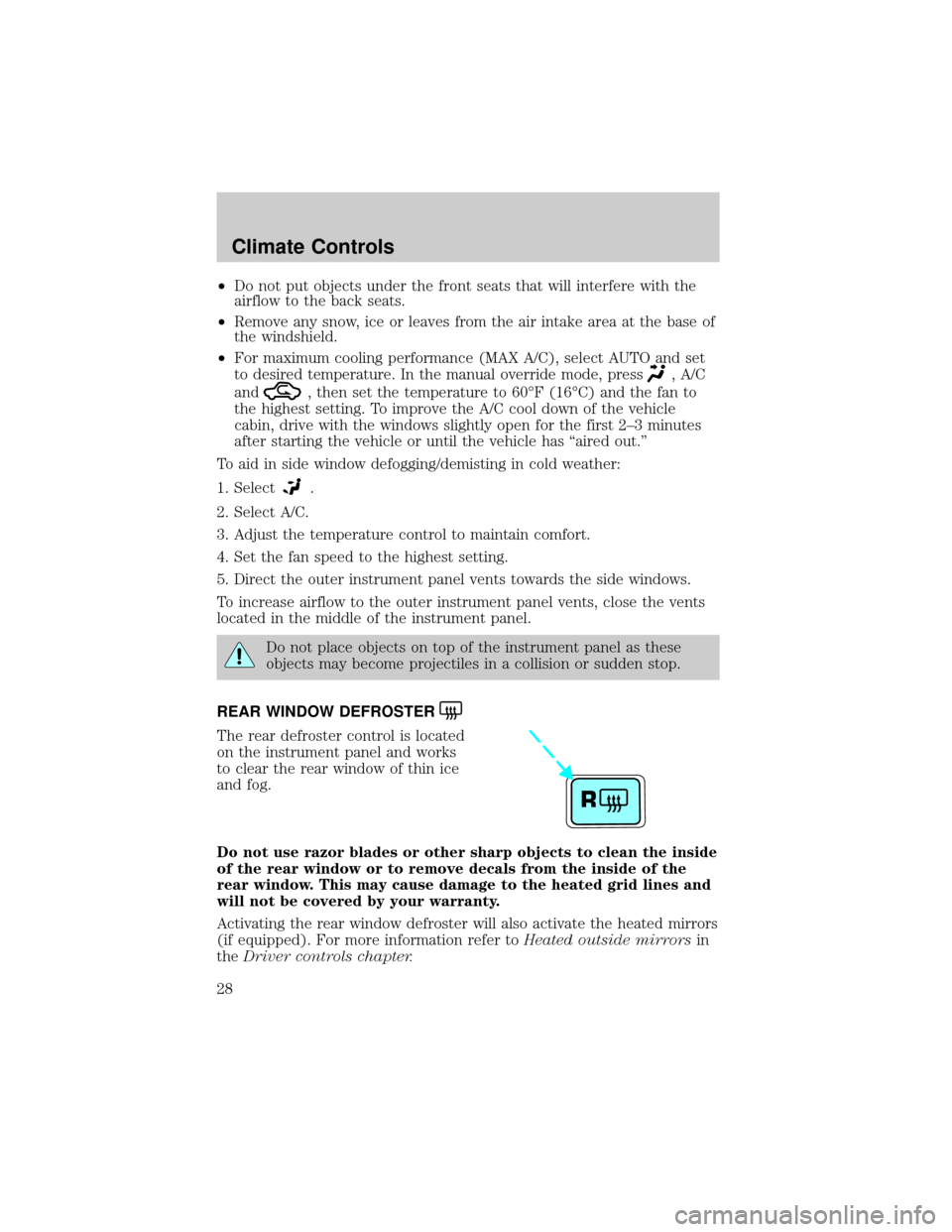
REAR WINDOW DEFROSTER
The rear defroster control is located
on the instrument panel and works
to clear the rear window of thin ice
and fog.
Do not use razor blades or other sharp objects to clean the inside
of the rear window or to remove decals from the inside of the
rear window. This may cause damage to the heated grid lines and
will not be covered by your warranty.
Activating the rear window defroster will also activate the heated mirrors
(if equipped). For more information refer toHeated outside mirrorsin
theDriver controls chapter.
R
Climate Controls
28
Page 30 of 248
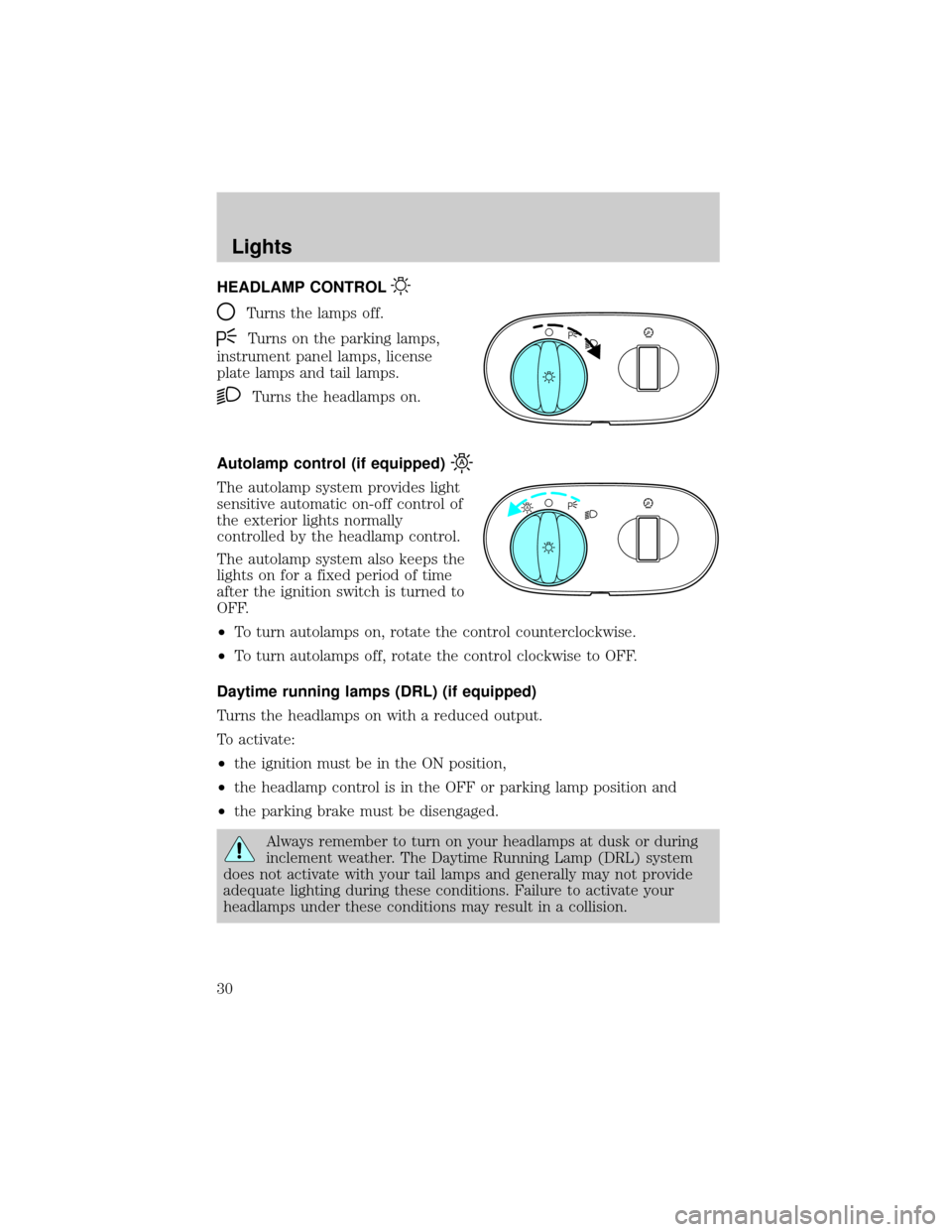
HEADLAMP CONTROL
Turns the lamps off.
Turns on the parking lamps,
instrument panel lamps, license
plate lamps and tail lamps.
Turns the headlamps on.
Autolamp control (if equipped)
The autolamp system provides light
sensitive automatic on-off control of
the exterior lights normally
controlled by the headlamp control.
The autolamp system also keeps the
lights on for a fixed period of time
after the ignition switch is turned to
OFF.
²To turn autolamps on, rotate the control counterclockwise.
²To turn autolamps off, rotate the control clockwise to OFF.
Daytime running lamps (DRL) (if equipped)
Turns the headlamps on with a reduced output.
To activate:
²the ignition must be in the ON position,
²the headlamp control is in the OFF or parking lamp position and
²the parking brake must be disengaged.
Always remember to turn on your headlamps at dusk or during
inclement weather. The Daytime Running Lamp (DRL) system
does not activate with your tail lamps and generally may not provide
adequate lighting during these conditions. Failure to activate your
headlamps under these conditions may result in a collision.
A
Lights
Lights
30
Page 31 of 248
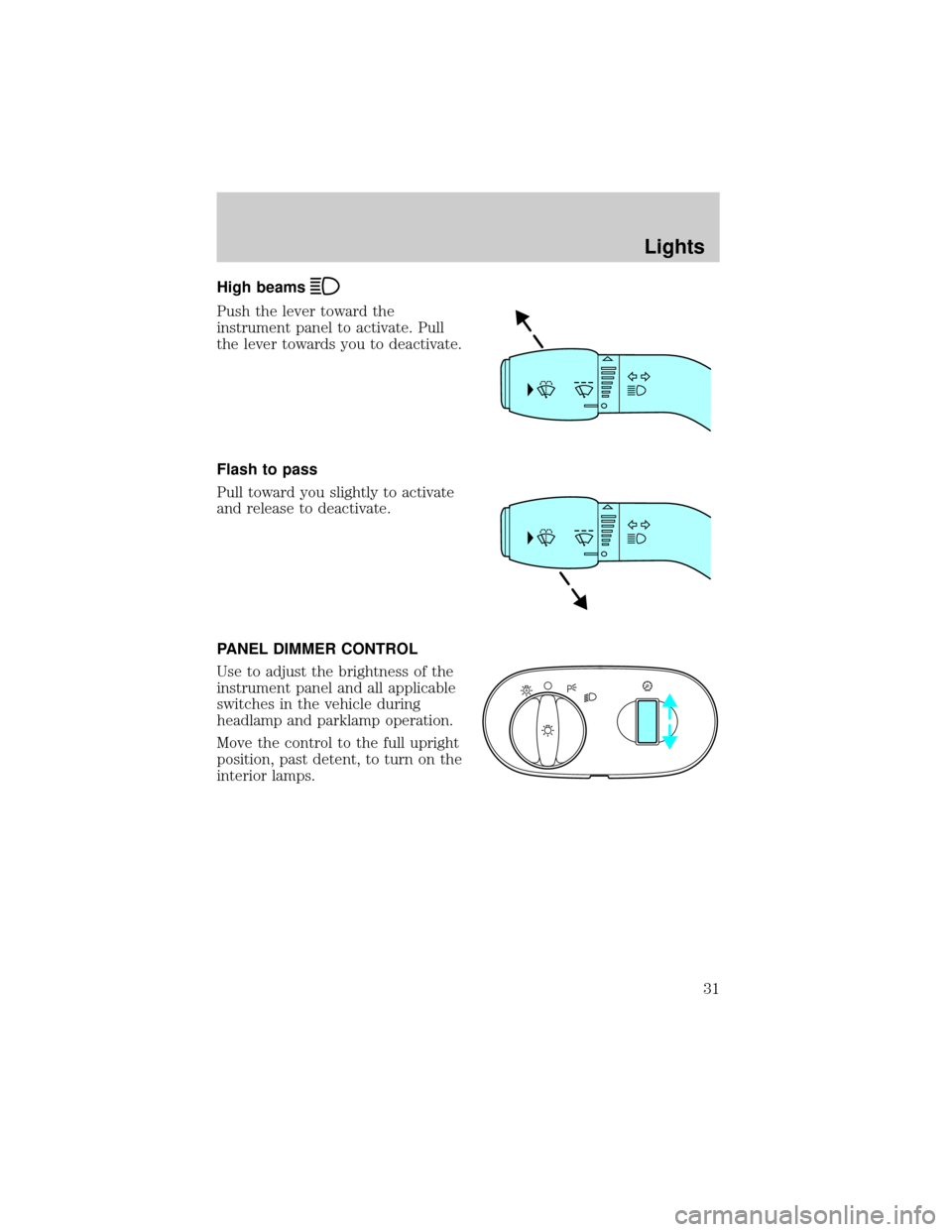
High beams
Push the lever toward the
instrument panel to activate. Pull
the lever towards you to deactivate.
Flash to pass
Pull toward you slightly to activate
and release to deactivate.
PANEL DIMMER CONTROL
Use to adjust the brightness of the
instrument panel and all applicable
switches in the vehicle during
headlamp and parklamp operation.
Move the control to the full upright
position, past detent, to turn on the
interior lamps.
A
Lights
31
Page 32 of 248
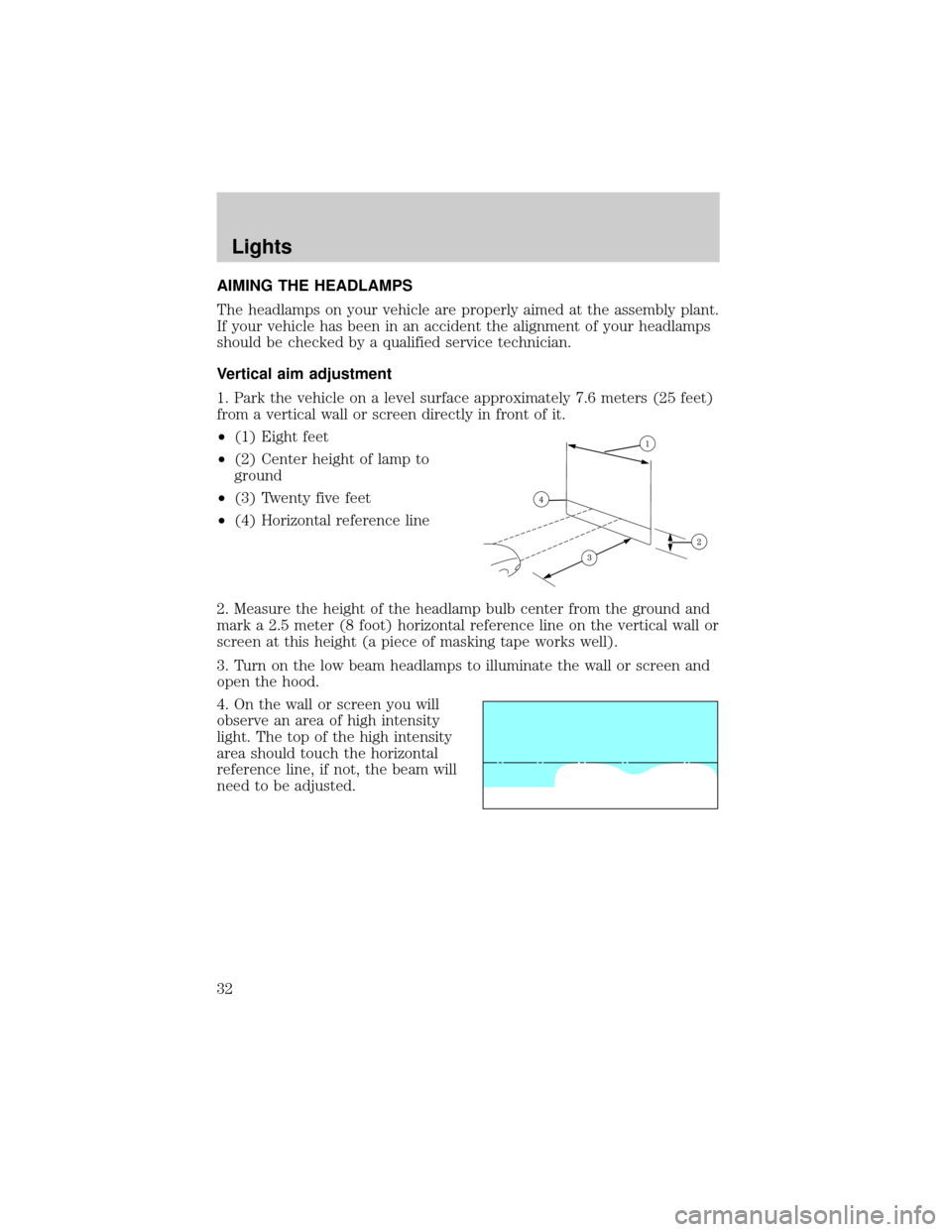
AIMING THE HEADLAMPS
The headlamps on your vehicle are properly aimed at the assembly plant.
If your vehicle has been in an accident the alignment of your headlamps
should be checked by a qualified service technician.
Vertical aim adjustment
1. Park the vehicle on a level surface approximately 7.6 meters (25 feet)
from a vertical wall or screen directly in front of it.
²(1) Eight feet
²(2) Center height of lamp to
ground
²(3) Twenty five feet
²(4) Horizontal reference line
2. Measure the height of the headlamp bulb center from the ground and
mark a 2.5 meter (8 foot) horizontal reference line on the vertical wall or
screen at this height (a piece of masking tape works well).
3. Turn on the low beam headlamps to illuminate the wall or screen and
open the hood.
4. On the wall or screen you will
observe an area of high intensity
light. The top of the high intensity
area should touch the horizontal
reference line, if not, the beam will
need to be adjusted.
Lights
32
Page 33 of 248
To see a clearer light pattern for
adjusting, you may want to block
the light from one headlamp while
adjusting the other.
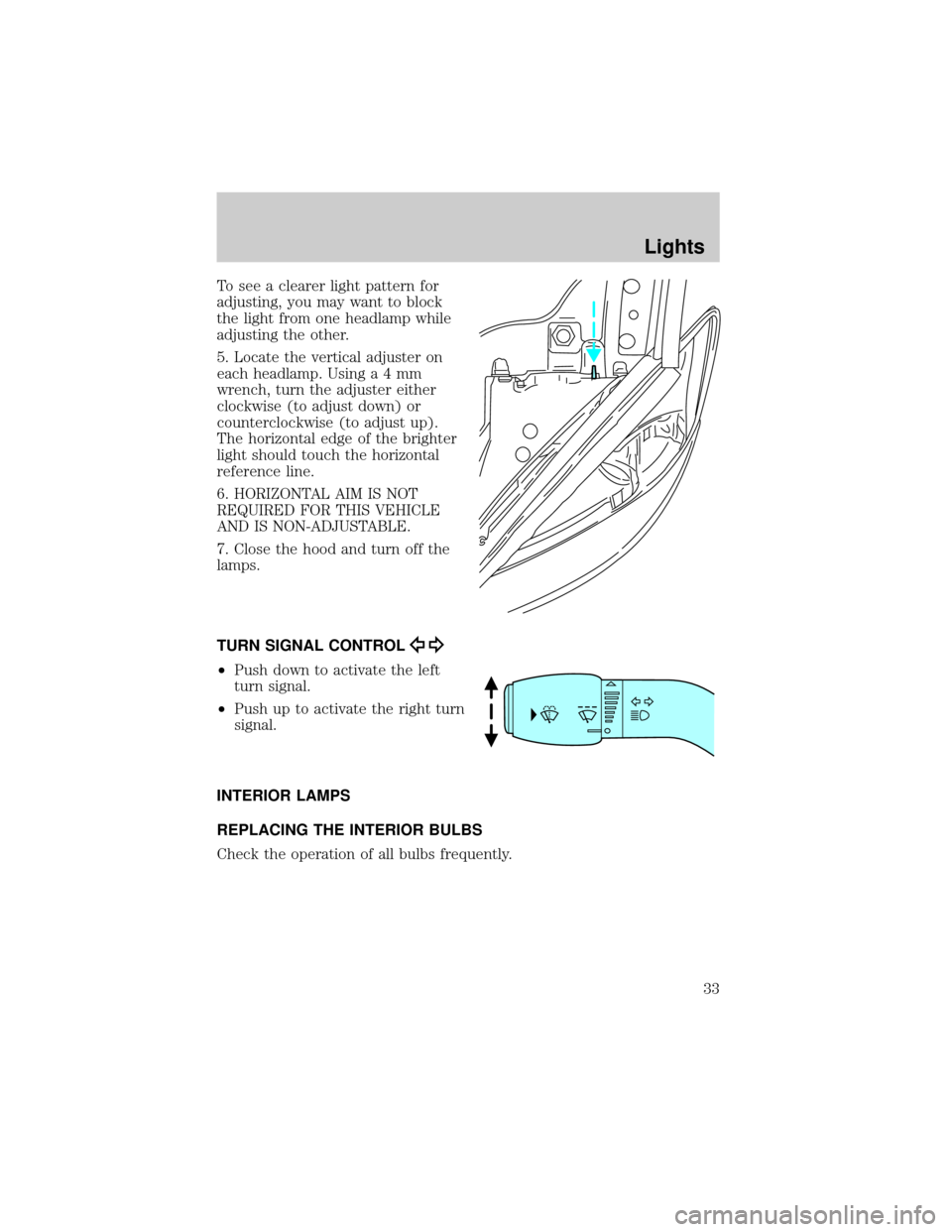
5. Locate the vertical adjuster on
each headlamp. Usinga4mm
wrench, turn the adjuster either
clockwise (to adjust down) or
counterclockwise (to adjust up).
The horizontal edge of the brighter
light should touch the horizontal
reference line.
6. HORIZONTAL AIM IS NOT
REQUIRED FOR THIS VEHICLE
AND IS NON-ADJUSTABLE.
7. Close the hood and turn off the
lamps.
TURN SIGNAL CONTROL
²Push down to activate the left
turn signal.
²Push up to activate the right turn
signal.
INTERIOR LAMPS
REPLACING THE INTERIOR BULBS
Check the operation of all bulbs frequently.
Lights
33
Page 34 of 248
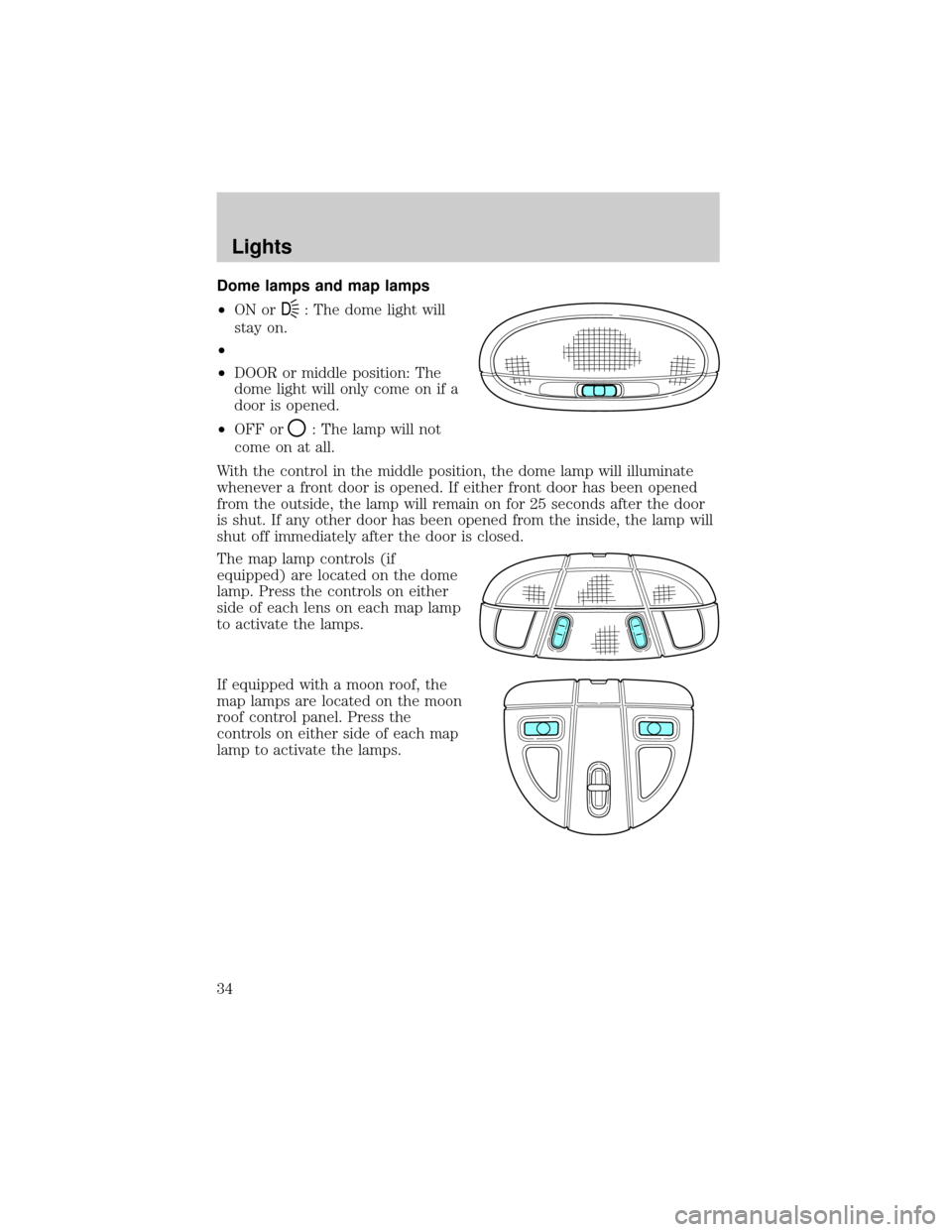
Dome lamps and map lamps
²ON or
D: The dome light will
stay on.
²
²DOOR or middle position: The
dome light will only come on if a
door is opened.
²OFF or
: The lamp will not
come on at all.
With the control in the middle position, the dome lamp will illuminate
whenever a front door is opened. If either front door has been opened
from the outside, the lamp will remain on for 25 seconds after the door
is shut. If any other door has been opened from the inside, the lamp will
shut off immediately after the door is closed.
The map lamp controls (if
equipped) are located on the dome
lamp. Press the controls on either
side of each lens on each map lamp
to activate the lamps.
If equipped with a moon roof, the
map lamps are located on the moon
roof control panel. Press the
controls on either side of each map
lamp to activate the lamps.
Lights
34
Page 35 of 248
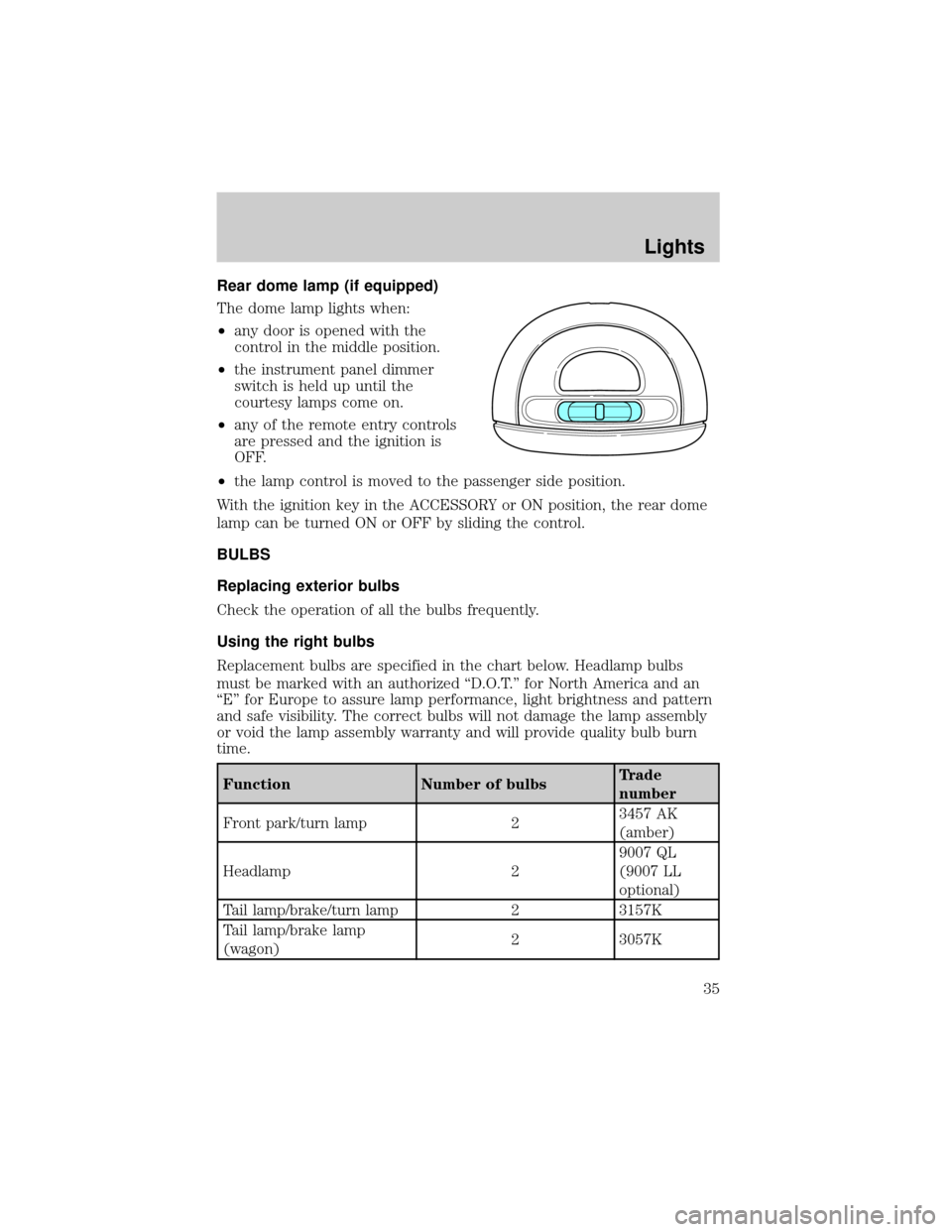
Rear dome lamp (if equipped)
The dome lamp lights when:
²any door is opened with the
control in the middle position.
²the instrument panel dimmer
switch is held up until the
courtesy lamps come on.
²any of the remote entry controls
are pressed and the ignition is
OFF.
²the lamp control is moved to the passenger side position.
With the ignition key in the ACCESSORY or ON position, the rear dome
lamp can be turned ON or OFF by sliding the control.
BULBS
Replacing exterior bulbs
Check the operation of all the bulbs frequently.
Using the right bulbs
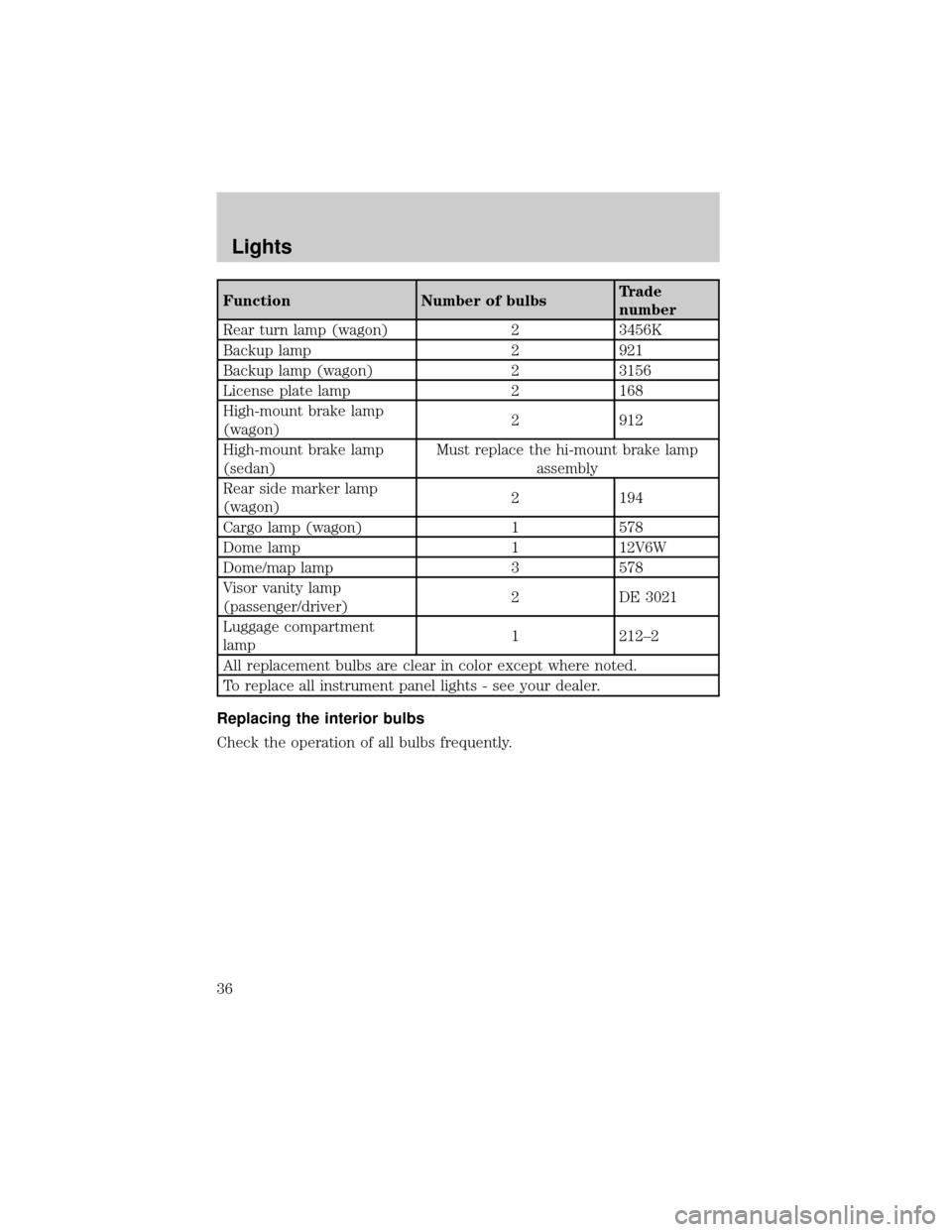
Replacement bulbs are specified in the chart below. Headlamp bulbs
must be marked with an authorized ªD.O.T.º for North America and an
ªEº for Europe to assure lamp performance, light brightness and pattern
and safe visibility. The correct bulbs will not damage the lamp assembly
or void the lamp assembly warranty and will provide quality bulb burn
time.
Function Number of bulbsTrade
number
Front park/turn lamp 23457 AK
(amber)
Headlamp 29007 QL
(9007 LL
optional)
Tail lamp/brake/turn lamp 2 3157K
Tail lamp/brake lamp
(wagon)2 3057K
Lights
35
Page 36 of 248
Function Number of bulbsTrade
number
Rear turn lamp (wagon) 2 3456K
Backup lamp 2 921
Backup lamp (wagon) 2 3156
License plate lamp 2 168
High-mount brake lamp
(wagon)2 912
High-mount brake lamp
(sedan)Must replace the hi-mount brake lamp
assembly
Rear side marker lamp
(wagon)2 194
Cargo lamp (wagon) 1 578
Dome lamp 1 12V6W
Dome/map lamp 3 578
Visor vanity lamp
(passenger/driver)2 DE 3021
Luggage compartment
lamp1 212±2
All replacement bulbs are clear in color except where noted.
To replace all instrument panel lights - see your dealer.
Replacing the interior bulbs
Check the operation of all bulbs frequently.
Lights
36
Page 37 of 248
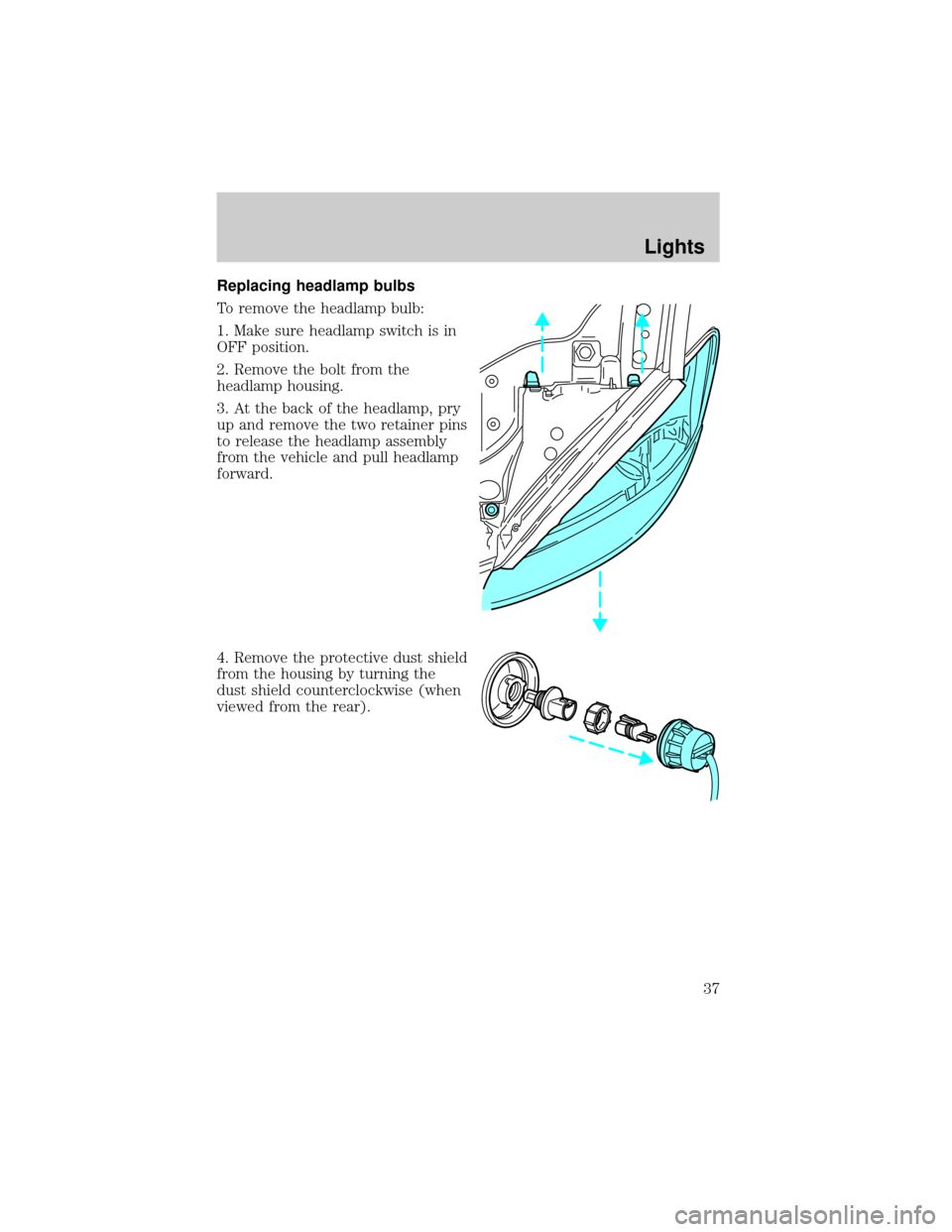
Replacing headlamp bulbs
To remove the headlamp bulb:
1. Make sure headlamp switch is in
OFF position.
2. Remove the bolt from the
headlamp housing.
3. At the back of the headlamp, pry
up and remove the two retainer pins
to release the headlamp assembly
from the vehicle and pull headlamp
forward.
4. Remove the protective dust shield
from the housing by turning the
dust shield counterclockwise (when
viewed from the rear).
Lights
37