keyless FORD TAURUS 2017 User Guide
[x] Cancel search | Manufacturer: FORD, Model Year: 2017, Model line: TAURUS, Model: FORD TAURUS 2017Pages: 504, PDF Size: 5.84 MB
Page 68 of 504
You must have two previouslyprogrammed coded keys and the newunprogrammed key readily accessible. Seeyour authorized dealer to have the sparekey programmed if two previouslyprogrammed coded keys are not available.
Read and understand the entire procedurebefore you begin.
1.Insert the first previously programmedcoded key into the ignition.
2.Switch the ignition from off to on. Keepthe ignition on for at least threeseconds, but no more than 10 seconds.
3.Switch the ignition off and remove thefirst coded key from the ignition.
4. After three seconds but within 10seconds of switching the ignition off,insert the second previously coded keyinto the ignition.
5.Switch the ignition from off to on. Keepthe ignition on for at least threeseconds, but no more than 10 seconds.
6.Switch the ignition off and remove thesecond previously programmed codedkey from the ignition.
7. After three seconds but within 10seconds of switching the ignition offand removing the previouslyprogrammed coded key, insert the newunprogrammed key into the ignition.
8.Switch the ignition from off to on. Keepthe ignition on for at least six seconds.
9.Remove the newly programmed codedkey from the ignition.
If the key has been successfullyprogrammed it will start the engine andoperate the remote entry system (if thenew key is an integrated keyheadtransmitter).
If programming was not successful, wait10 seconds and repeat Steps 1 through 8.If you are still unsuccessful, take yourvehicle to your authorized dealer.
Programming a Spare IntelligentAccess Key
See your authorized dealer to haveadditional keys programmed to yourvehicle.
ANTI-THEFT ALARM (If Equipped)
The system will warn you of anunauthorized entry to your vehicle. It willbe triggered if any door, the luggagecompartment or the hood is openedwithout using the key, remote control orkeyless entry keypad.
The direction indicators will flash and thehorn will sound if unauthorized entry isattempted while the alarm is armed.
Take all remote controls to an authorizeddealer if there is any potential alarmproblem with your vehicle.
Arming the Alarm
The alarm is ready to arm when there isnot a key in your vehicle. Electronically lockyour vehicle to arm the alarm.
Disarming the Alarm
Disarm the alarm by any of the followingactions:
•Unlock the doors or luggagecompartment with the remote controlor keyless entry keypad.
•Switch your vehicle on or start yourvehicle.
•Use a key in the driver door to unlockyour vehicle, then switch your vehicleon within 12 seconds.
Note:Pressing the panic button on theremote control will stop the horn and signalindicators, but will not disarm the system.
65
Taurus (CPH) Canada/United States of America, enUSA, First Printing
Security
Page 91 of 504
The service engine soon indicator lightilluminates when you first switch on theignition before engine start to check thebulb and to indicate whether the vehicleis ready for Inspection/Maintenance (I/M)testing.
Normally, the service engine soon lightstays on until you crank the engine, thenturns itself off if no malfunctions arepresent. However, if after 15 seconds theservice engine soon light blinks eight times,it means that the vehicle is not ready forI/M testing. See Emission ControlSystem (page 150).
Stability Control
It flashes when the system isactive. If it remains illuminatedor does not illuminate when youswitch the ignition on, this indicates amalfunction. During a malfunction thesystem switches off. Have the systemchecked by an authorized dealerimmediately. See Using StabilityControl (page 168).
Stability Control Off
It illuminates when you switchthe system off. It goes out whenyou switch the system back onor when you switch the ignition off. SeeUsing Stability Control (page 168).
AUDIBLE WARNINGS AND
INDICATORS
Key in Ignition Warning Chime
Sounds when you leave the key in theignition and the driver’s door is opened.
Keyless Warning Alert
Sounds the horn twice when you exit yourvehicle with the intelligent access key, afterthe last door is closed and your keylessvehicle is in RUN, indicating your vehicle isstill on.
Headlamps On Warning Chime
Sounds when the headlamps or parkinglamps are on, the ignition is off (the key isnot in the ignition) and the driver’s door isopened.
Parking Brake On Warning Chime
Sounds when you leave the parking brakeon and drive your vehicle. If the warningchime remains on after you release theparking brake, have the system checkedby your authorized dealer immediately.
88
Taurus (CPH) Canada/United States of America, enUSA, First Printing
Instrument ClusterE138639 E130458
Page 140 of 504
GENERAL INFORMATION
WARNINGS
Extended idling at high enginespeeds can produce very hightemperatures in the engine andexhaust system, creating the risk of fire orother damage.
Do not park, idle or drive your vehicleon dry grass or other dry groundcover. The emission system heats upthe engine compartment and exhaustsystem, creating the risk of fire.
Do not start the engine in a closedgarage or in other enclosed areas.Exhaust fumes can be toxic. Alwaysopen the garage door before you start theengine.
Exhaust leaks may result in entry ofharmful and potentially lethal fumesinto the passenger compartment. Ifyou smell exhaust fumes inside yourvehicle, have your vehicle inspectedimmediately. Do not drive if you smellexhaust fumes.
If you disconnect the battery, your vehiclemay exhibit some unusual drivingcharacteristics for approximately 5 mi(8 km) after you reconnect it. This isbecause the engine management systemmust realign itself with the engine. Youcan disregard any unusual drivingcharacteristics during this period.
The powertrain control system meets allCanadian interference-causing equipmentstandard requirements regulating theimpulse electrical field or radio noise.
When you start the engine, avoid pressingthe accelerator pedal before and duringoperation. Only use the accelerator pedalwhen you have difficulty starting theengine.
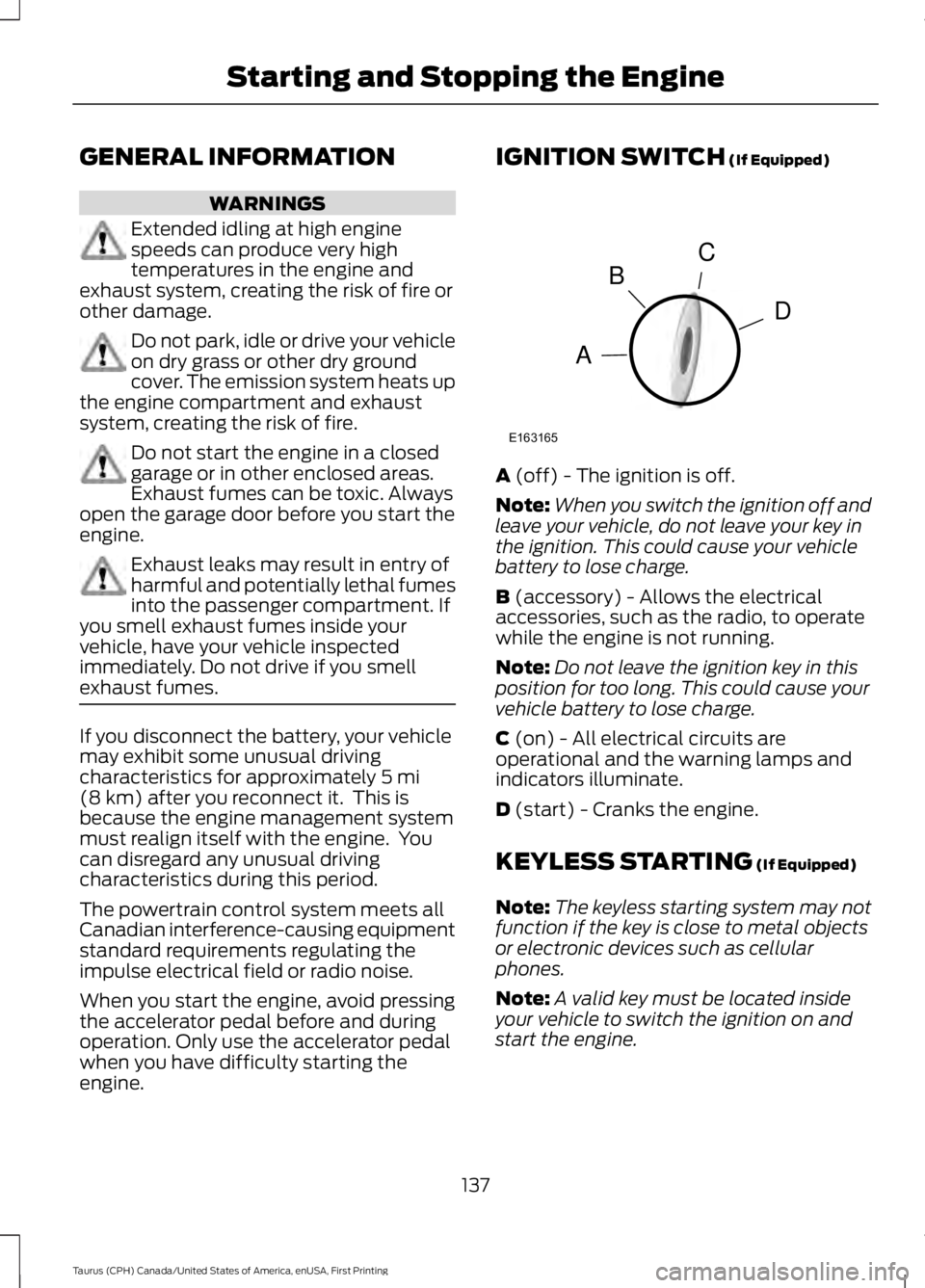
IGNITION SWITCH (If Equipped)
A (off) - The ignition is off.
Note:When you switch the ignition off andleave your vehicle, do not leave your key inthe ignition. This could cause your vehiclebattery to lose charge.
B (accessory) - Allows the electricalaccessories, such as the radio, to operatewhile the engine is not running.
Note:Do not leave the ignition key in thisposition for too long. This could cause yourvehicle battery to lose charge.
C (on) - All electrical circuits areoperational and the warning lamps andindicators illuminate.
D (start) - Cranks the engine.
KEYLESS STARTING (If Equipped)
Note:The keyless starting system may notfunction if the key is close to metal objectsor electronic devices such as cellularphones.
Note:A valid key must be located insideyour vehicle to switch the ignition on andstart the engine.
137
Taurus (CPH) Canada/United States of America, enUSA, First Printing
Starting and Stopping the EngineC
D
B
A
E163165
Page 141 of 504
Ignition Modes
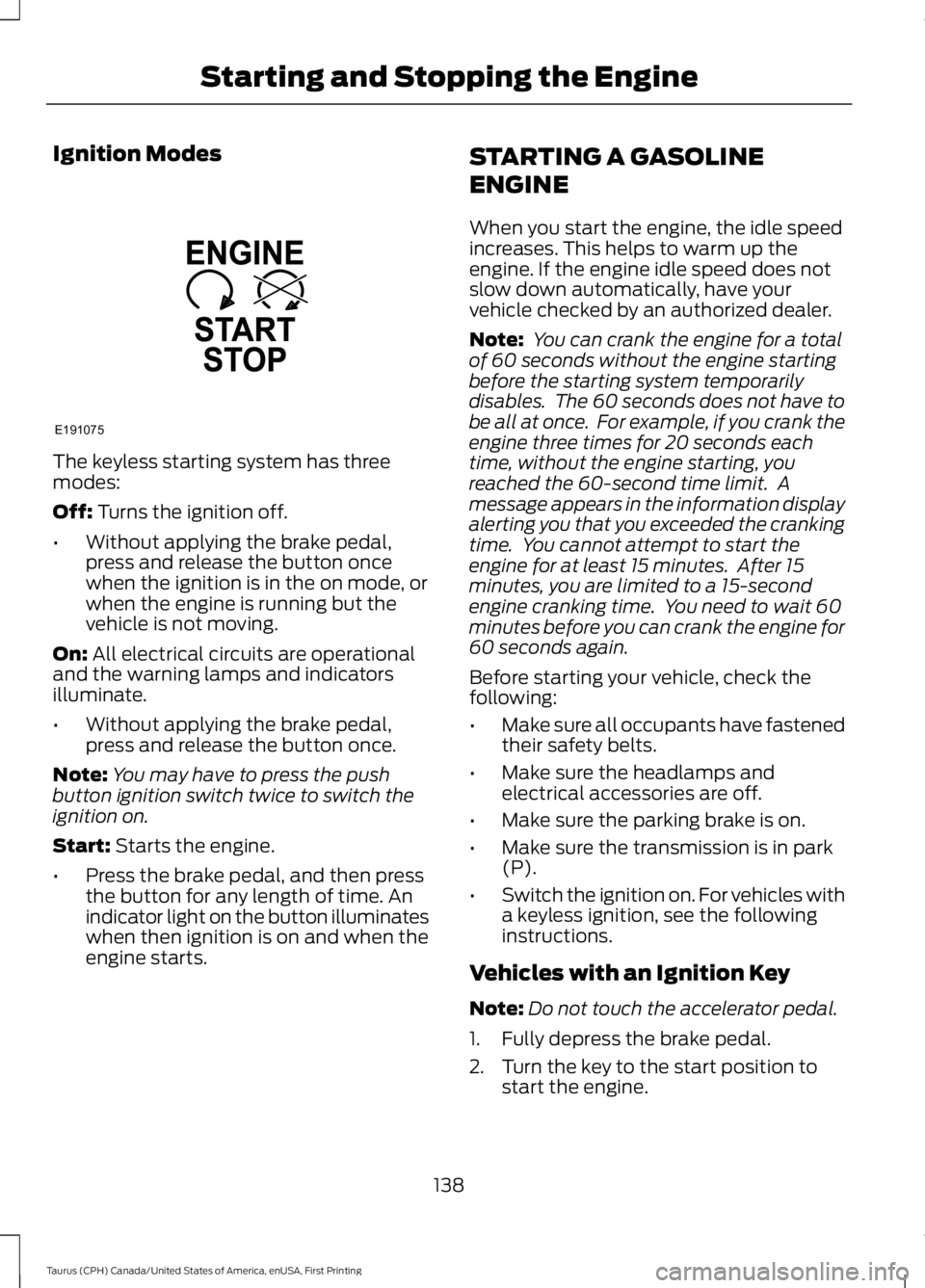
The keyless starting system has threemodes:
Off: Turns the ignition off.
•Without applying the brake pedal,press and release the button oncewhen the ignition is in the on mode, orwhen the engine is running but thevehicle is not moving.
On: All electrical circuits are operationaland the warning lamps and indicatorsilluminate.
•Without applying the brake pedal,press and release the button once.
Note:You may have to press the pushbutton ignition switch twice to switch theignition on.
Start: Starts the engine.
•Press the brake pedal, and then pressthe button for any length of time. Anindicator light on the button illuminateswhen then ignition is on and when theengine starts.
STARTING A GASOLINE
ENGINE
When you start the engine, the idle speedincreases. This helps to warm up theengine. If the engine idle speed does notslow down automatically, have yourvehicle checked by an authorized dealer.
Note: You can crank the engine for a totalof 60 seconds without the engine startingbefore the starting system temporarilydisables. The 60 seconds does not have tobe all at once. For example, if you crank theengine three times for 20 seconds eachtime, without the engine starting, youreached the 60-second time limit. Amessage appears in the information displayalerting you that you exceeded the crankingtime. You cannot attempt to start theengine for at least 15 minutes. After 15minutes, you are limited to a 15-secondengine cranking time. You need to wait 60minutes before you can crank the engine for60 seconds again.
Before starting your vehicle, check thefollowing:
•Make sure all occupants have fastenedtheir safety belts.
•Make sure the headlamps andelectrical accessories are off.
•Make sure the parking brake is on.
•Make sure the transmission is in park(P).
•Switch the ignition on. For vehicles witha keyless ignition, see the followinginstructions.
Vehicles with an Ignition Key
Note:Do not touch the accelerator pedal.
1. Fully depress the brake pedal.
2. Turn the key to the start position tostart the engine.
138
Taurus (CPH) Canada/United States of America, enUSA, First Printing
Starting and Stopping the EngineE191075
Page 142 of 504
Note:The engine may continue crankingfor up to 15 seconds or until it starts.
Note:If you cannot start the engine on thefirst try, wait for a short period and try again.
Vehicles with Keyless Start
Note:Do not touch the accelerator pedal.
Note:You must have your intelligent accesskey in your vehicle in order to shift thetransmission out of park (P).
1. Fully depress the brake pedal.
2. Press the push button ignition switch.
The system does not function if:
•The passive key frequencies arejammed.
•The key battery has no charge.
If you are unable to start your vehicle, dothe following:
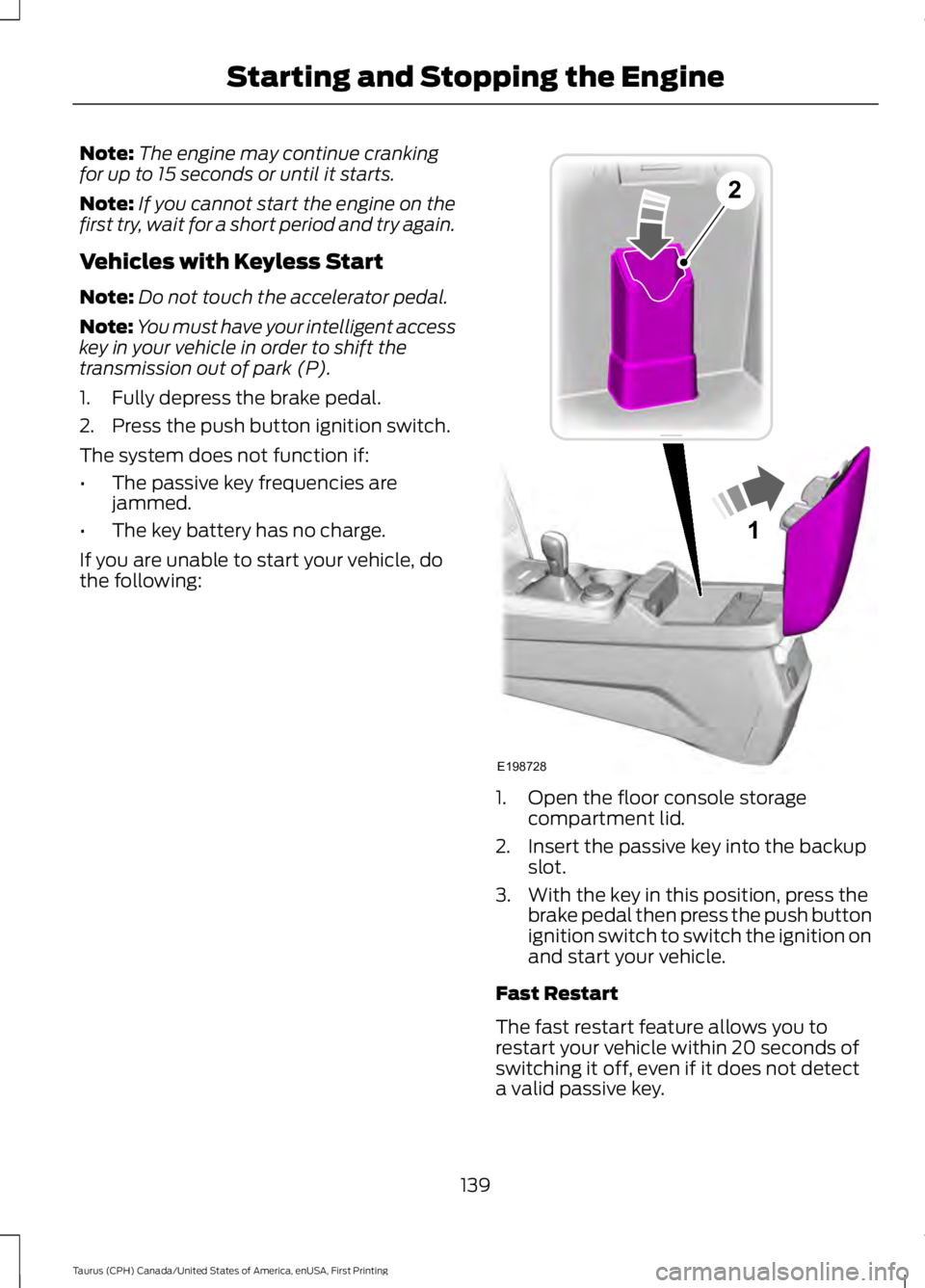
1. Open the floor console storagecompartment lid.
2. Insert the passive key into the backupslot.
3. With the key in this position, press thebrake pedal then press the push buttonignition switch to switch the ignition onand start your vehicle.
Fast Restart
The fast restart feature allows you torestart your vehicle within 20 seconds ofswitching it off, even if it does not detecta valid passive key.
139
Taurus (CPH) Canada/United States of America, enUSA, First Printing
Starting and Stopping the Engine1
E198728
2
Page 143 of 504
Within 20 seconds of switching the engineoff, press the brake pedal and press thepush button ignition switch. After 20seconds, you can no longer start yourvehicle if it does not detect a valid passivekey.
Once your vehicle starts, it remains runninguntil you press the push button ignitionswitch, even if your vehicle does not detecta valid passive key. If you open and closea door while your vehicle is running, thesystem searches for a valid passive key.You cannot start your vehicle if the systemdoes not detect a valid passive key within20 seconds.
Failure to Start
If you cannot start the engine after threeattempts, wait 10 seconds and follow thisprocedure:
1. Fully depress the brake pedal.
2. Shift into park (P).
3.Fully depress the accelerator pedal andhold it there.
4. Start the engine.
Automatic Engine Shutdown
For vehicles with a keyless ignition, thisfeature automatically shuts down theengine if it has been idling for an extendedperiod. The ignition also turns off in orderto save battery power. Before your vehicleshuts down, a message appears in theinformation display showing a timercounting down from 30 seconds. If you donot intervene within 30 seconds, yourvehicle shuts down. Another messageappears in the information display toinform you that your vehicle has shut downto save fuel. Start your vehicle as younormally do.
Automatic Engine Shutdown Override
Note:You cannot permanently switch offthe automatic shutdown feature. When youswitch it off temporarily, it turns on at thenext ignition cycle.
You can stop the shutdown, or reset thetimer, at any point before the 30-secondcountdown has expired by doing any of thefollowing:
•You can reset the timer by interactingwith your vehicle, for example pressingthe brake or accelerator pedal.
•You can temporarily switch off theshutdown feature any time the ignitionis on using the information display. SeeInformation Displays (page 89). Thefeature only remains off for the currentignition cycle.
•During the 30-second countdown, thesystem prompts you to press OK orRESET to temporarily switch thefeature off for the current ignition cycleonly.
Stopping the Engine When YourVehicle is Stationary
Vehicles with an Ignition Key
1. Shift into park (P).
2. Switch the ignition off.
3. Apply the parking brake.
Vehicles with Keyless Start
1. Shift into park (P).
2. Press the push button ignition switch.
3. Apply the parking brake.
Note:The ignition, all electrical circuits andall warning lamps and indicators will beturned off.
Note:If the engine is idling for 30 minutes,the ignition and engine automatically shutdown.
140
Taurus (CPH) Canada/United States of America, enUSA, First Printing
Starting and Stopping the Engine
Page 144 of 504
Stopping the Engine When YourVehicle is Moving
WARNING
Switching off the engine when thevehicle is still moving will result in aloss of brake and steering assistance.The steering will not lock, but higher effortwill be required. When the ignition isswitched off, some electrical circuits,including air bags, warning lamps andindicators may also be off. If the ignitionwas turned off accidentally, you can shiftinto neutral (N) and re-start the engine.
Vehicles with an Ignition Key
1.Shift into neutral and use the brakes tobring your vehicle to a safe stop.
2. When your vehicle has stopped, shiftinto park (P) and switch the ignitionoff.
3. Apply the parking brake.
Vehicles with Keyless Start
1.Shift into neutral and use the brakes tobring your vehicle to a safe stop.
2. When your vehicle has stopped, shiftinto park (P).
3.Press and hold the push button ignitionswitch, or press it three times withintwo seconds.
4. Apply the parking brake.
Guarding Against Exhaust Fumes
WARNING
If you smell exhaust fumes insideyour vehicle, have your vehiclechecked by your authorized dealerimmediately. Do not drive your vehicle ifyou smell exhaust fumes. Carbonmonoxide is present in exhaust fumes.Take precautions to avoid its dangerouseffects.
Important Ventilating Information
If you stop your vehicle and then leave theengine idling for long periods, werecommend that you do one of thefollowing:
•Open the windows at least 1 in (3 cm).
•Set your climate control to outside air.
ENGINE BLOCK HEATER (If
Equipped)
WARNINGS
Failure to follow engine block heaterinstructions could result in propertydamage or serious personal injury.
Do not use your heater withungrounded electrical systems ortwo-pronged adapters. There is a riskof electrical shock.
Do not fully close the hood, or allowit to drop under its own weight whenusing the engine block heater. Thiscould damage the power cable and maycause an electrical short resulting in fire,injury and property damage.
Note:The heater is most effective whenoutdoor temperatures are below 0°F(-18°C).
The heater acts as a starting aid bywarming the engine coolant. This allowsthe climate control system to respondquickly. The equipment includes a heaterelement (installed in the engine block) anda wire harness. You can connect thesystem to a grounded 120-volt ACelectrical source.
141
Taurus (CPH) Canada/United States of America, enUSA, First Printing
Starting and Stopping the Engine
Page 494 of 504
A
A/CSee: Climate Control.........................................109About This Manual...........................................7ABSSee: Brakes...........................................................164ABS driving hintsSee: Hints on Driving With Anti-LockBrakes................................................................164Accessories....................................................443Exterior Style.......................................................443Interior Style........................................................443Lifestyle.................................................................443Peace of Mind.....................................................443AccessoriesSee: Replacement PartsRecommendation............................................12ACCSee: Using Adaptive Cruise Control.............179Active Park Assist...........................................171Automatic Steering into ParkingSpace..................................................................173Deactivating the Park Assist Feature..........173Troubleshooting the System..........................174Using Active Park Assist...................................172Adjusting the Headlamps.........................255Horizontal Aim Adjustment...........................256Vertical Aim Adjustment.................................255Adjusting the Pedals....................................69Adjusting the Steering Wheel - VehiclesWith: Manual Adjustable SteeringColumn...........................................................66Adjusting the Steering Wheel - VehiclesWith: Power Adjustable SteeringColumn...........................................................66Easy Entry and Exit Feature..............................67End of Travel Position.........................................67Memory Feature....................................................67Airbag Disposal...............................................45Air ConditioningSee: Climate Control.........................................109Air FilterSee: Changing the Engine Air Filter.............259AlarmSee: Anti-Theft Alarm........................................65All-Wheel Drive..............................................157
Anti-Theft Alarm............................................65Arming the Alarm.................................................65Disarming the Alarm...........................................65Appendices....................................................465Apps..................................................................415...................................................................................415SiriusXM Traffic and Travel Link....................417At a Glance........................................................16Audible Warnings and Indicators.............88Headlamps On Warning Chime.....................88Key in Ignition Warning Chime........................88Keyless Warning Alert........................................88Parking Brake On Warning Chime.................88Audio Control...................................................67MEDIA.......................................................................67Seek, Next or Previous........................................67Audio Input Jack...........................................325Audio System.................................................315General Information..........................................315Audio Unit - Vehicles With: AM/FM/CD....................................................................316Menu Structure...................................................318Audio Unit - Vehicles With: PremiumAM/FM/CD..................................................320Audio Unit - Vehicles With: Sony AM/FM/CD............................................................321Autolamps.........................................................73Windshield Wiper ActivatedHeadlamps.........................................................73Automatic Climate Control - VehiclesWith: Premium AM/FM/CD......................111Automatic Climate Control - VehiclesWith: Sony Audio System........................113Automatic Climate Control - VehiclesWithout: Touchscreen Display..............110Automatic High Beam Control..................75Activating the System.........................................75Manually Overriding the System....................76Automatic Transmission............................153Automatic Transmission AdaptiveLearning.............................................................155Brake-Shift Interlock.........................................154If Your Vehicle Gets Stuck In Mud orSnow...................................................................155SelectShift Automatic™Transmission...................................................153Understanding the Positions of YourAutomatic Transmission.............................153
491
Taurus (CPH) Canada/United States of America, enUSA, First Printing
Index
Page 499 of 504
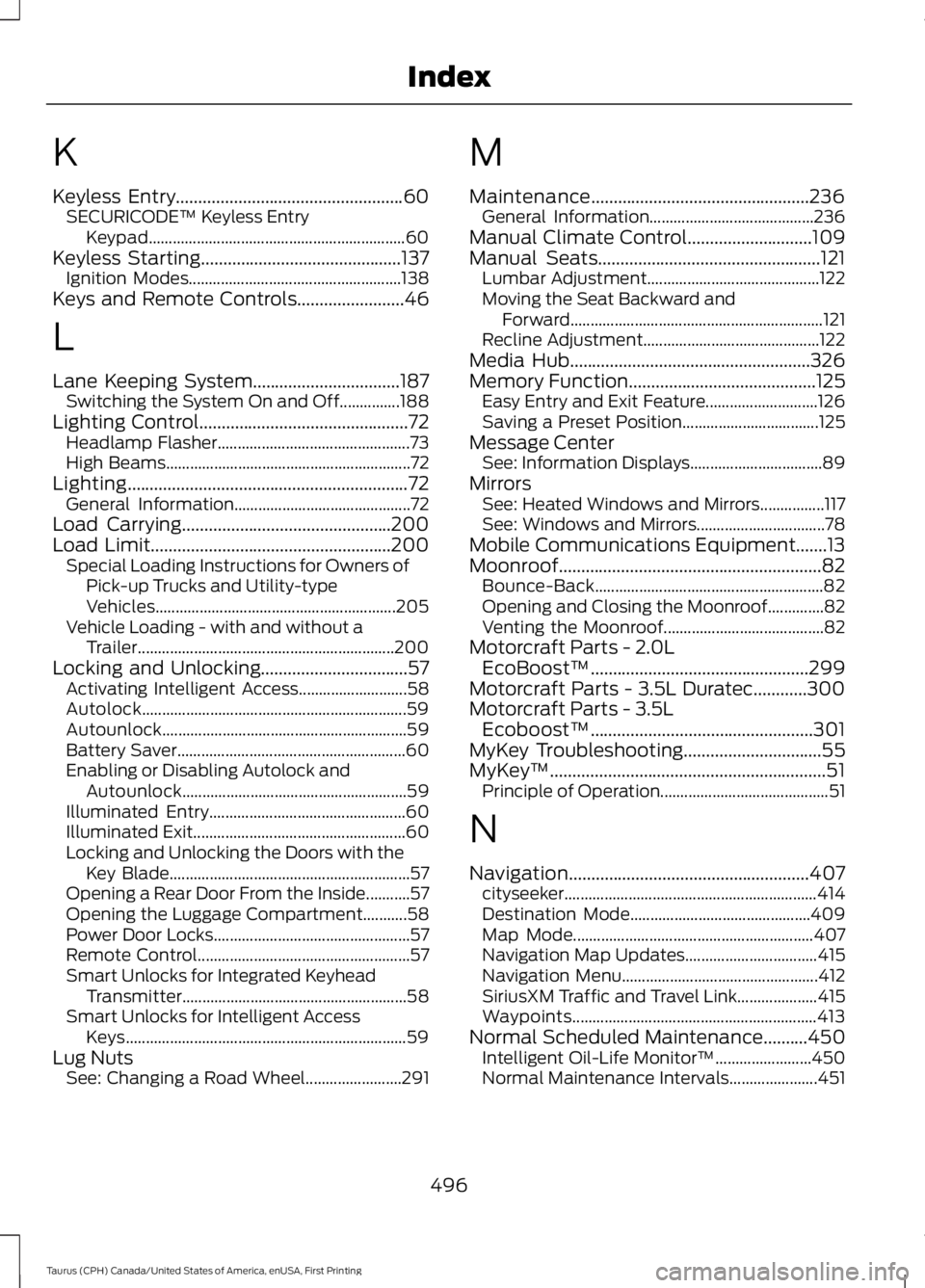
K
Keyless Entry...................................................60SECURICODE™ Keyless EntryKeypad................................................................60Keyless Starting.............................................137Ignition Modes.....................................................138Keys and Remote Controls........................46
L
Lane Keeping System.................................187Switching the System On and Off...............188Lighting Control...............................................72Headlamp Flasher................................................73High Beams.............................................................72Lighting...............................................................72General Information............................................72Load Carrying...............................................200Load Limit......................................................200Special Loading Instructions for Owners ofPick-up Trucks and Utility-typeVehicles............................................................205Vehicle Loading - with and without aTrailer................................................................200Locking and Unlocking.................................57Activating Intelligent Access...........................58Autolock..................................................................59Autounlock.............................................................59Battery Saver.........................................................60Enabling or Disabling Autolock andAutounlock........................................................59Illuminated Entry.................................................60Illuminated Exit.....................................................60Locking and Unlocking the Doors with theKey Blade............................................................57Opening a Rear Door From the Inside...........57Opening the Luggage Compartment...........58Power Door Locks.................................................57Remote Control.....................................................57Smart Unlocks for Integrated KeyheadTransmitter........................................................58Smart Unlocks for Intelligent AccessKeys......................................................................59Lug NutsSee: Changing a Road Wheel........................291
M
Maintenance.................................................236General Information.........................................236Manual Climate Control............................109Manual Seats..................................................121Lumbar Adjustment...........................................122Moving the Seat Backward andForward...............................................................121Recline Adjustment............................................122Media Hub......................................................326Memory Function..........................................125Easy Entry and Exit Feature............................126Saving a Preset Position..................................125Message CenterSee: Information Displays.................................89MirrorsSee: Heated Windows and Mirrors................117See: Windows and Mirrors................................78Mobile Communications Equipment.......13Moonroof...........................................................82Bounce-Back.........................................................82Opening and Closing the Moonroof..............82Venting the Moonroof........................................82Motorcraft Parts - 2.0LEcoBoost™.................................................299Motorcraft Parts - 3.5L Duratec............300Motorcraft Parts - 3.5LEcoboost™..................................................301MyKey Troubleshooting...............................55MyKey™..............................................................51Principle of Operation..........................................51
N
Navigation......................................................407cityseeker...............................................................414Destination Mode.............................................409Map Mode............................................................407Navigation Map Updates.................................415Navigation Menu.................................................412SiriusXM Traffic and Travel Link....................415Waypoints.............................................................413Normal Scheduled Maintenance..........450Intelligent Oil-Life Monitor™........................450Normal Maintenance Intervals......................451
496
Taurus (CPH) Canada/United States of America, enUSA, First Printing
Index
Page 501 of 504
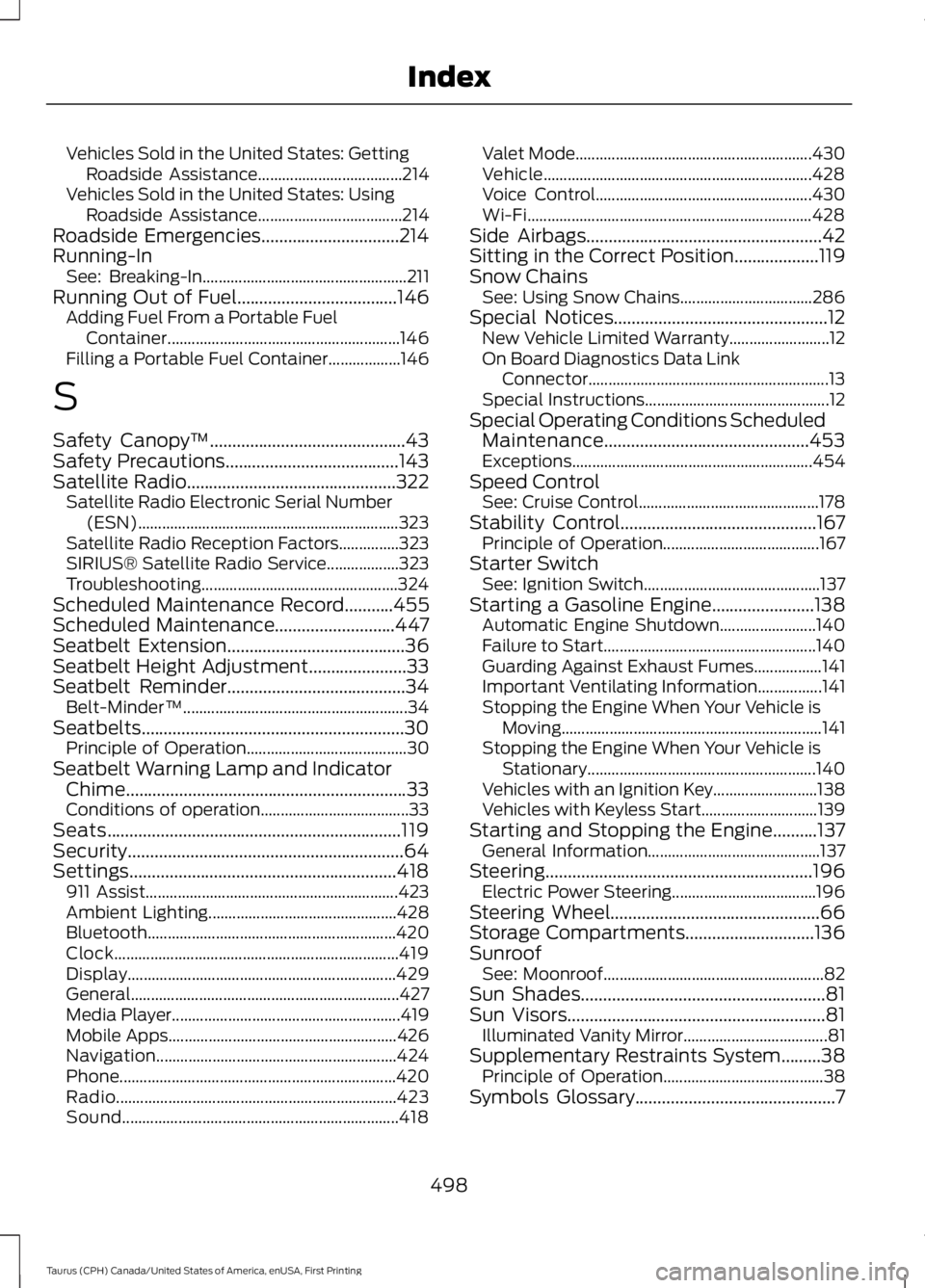
Vehicles Sold in the United States: GettingRoadside Assistance....................................214Vehicles Sold in the United States: UsingRoadside Assistance....................................214Roadside Emergencies...............................214Running-InSee: Breaking-In...................................................211Running Out of Fuel....................................146Adding Fuel From a Portable FuelContainer..........................................................146Filling a Portable Fuel Container..................146
S
Safety Canopy™............................................43Safety Precautions.......................................143Satellite Radio...............................................322Satellite Radio Electronic Serial Number(ESN).................................................................323Satellite Radio Reception Factors...............323SIRIUS® Satellite Radio Service..................323Troubleshooting.................................................324Scheduled Maintenance Record...........455Scheduled Maintenance...........................447Seatbelt Extension........................................36Seatbelt Height Adjustment......................33Seatbelt Reminder........................................34Belt-Minder™........................................................34Seatbelts...........................................................30Principle of Operation........................................30Seatbelt Warning Lamp and IndicatorChime...............................................................33Conditions of operation.....................................33Seats..................................................................119Security..............................................................64Settings............................................................418911 Assist...............................................................423Ambient Lighting...............................................428Bluetooth..............................................................420Clock.......................................................................419Display...................................................................429General...................................................................427Media Player.........................................................419Mobile Apps.........................................................426Navigation............................................................424Phone.....................................................................420Radio......................................................................423Sound.....................................................................418
Valet Mode...........................................................430Vehicle...................................................................428Voice Control......................................................430Wi-Fi.......................................................................428Side Airbags.....................................................42Sitting in the Correct Position...................119Snow ChainsSee: Using Snow Chains.................................286Special Notices................................................12New Vehicle Limited Warranty.........................12On Board Diagnostics Data LinkConnector............................................................13Special Instructions..............................................12Special Operating Conditions ScheduledMaintenance..............................................453Exceptions............................................................454Speed ControlSee: Cruise Control.............................................178Stability Control............................................167Principle of Operation.......................................167Starter SwitchSee: Ignition Switch............................................137Starting a Gasoline Engine.......................138Automatic Engine Shutdown........................140Failure to Start.....................................................140Guarding Against Exhaust Fumes.................141Important Ventilating Information................141Stopping the Engine When Your Vehicle isMoving.................................................................141Stopping the Engine When Your Vehicle isStationary.........................................................140Vehicles with an Ignition Key..........................138Vehicles with Keyless Start.............................139Starting and Stopping the Engine..........137General Information...........................................137Steering............................................................196Electric Power Steering....................................196Steering Wheel...............................................66Storage Compartments.............................136SunroofSee: Moonroof.......................................................82Sun Shades.......................................................81Sun Visors..........................................................81Illuminated Vanity Mirror....................................81Supplementary Restraints System.........38Principle of Operation........................................38Symbols Glossary.............................................7
498
Taurus (CPH) Canada/United States of America, enUSA, First Printing
Index