tow FORD TAURUS 2017 User Guide
[x] Cancel search | Manufacturer: FORD, Model Year: 2017, Model line: TAURUS, Model: FORD TAURUS 2017Pages: 504, PDF Size: 5.84 MB
Page 67 of 504
PASSIVE ANTI-THEFT
SYSTEM
Note:The system is not compatible withnon-Ford aftermarket remote start systems.Use of these systems may result in vehiclestarting problems and a loss of securityprotection.
Note:Metallic objects, electronic devicesor a second coded key on the same keychain may cause vehicle starting problemsif they are too close to the key when startingthe engine. Prevent these objects fromtouching the coded key while starting theengine. Switch the ignition off, move allobjects on the key chain away from thecoded key and restart the engine if aproblem occurs.
Note:Do not leave a duplicate coded keyin the vehicle. Always take your keys andlock all doors when leaving the vehicle.
SecuriLock®
The system is an engine immobilizationsystem. It is designed to help prevent theengine from being started unless a codedkey programmed to your vehicle is used.Using the wrong key may prevent theengine from starting. A message mayappear in the information display.
If you are unable to start the engine with acorrectly coded key, a malfunction hashappened and a message may appear inthe information display.
Automatic Arming
The vehicle arms immediately after youswitch the ignition off.
Automatic Disarming
Switching the ignition on with a coded keydisarms the vehicle.
Replacement Keys
Note:Your vehicle comes equipped withtwo integrated keyhead transmitters or twointelligent access keys.
The integrated keyhead transmitterfunctions as a programmed ignition keythat operates all the locks and starts thevehicle, as well as a remote control.
The intelligent access key functions as aprogrammed key that operates the driverdoor lock and activates the intelligentaccess with push button start system, aswell as a remote control.
If your programmed transmitters orstandard SecuriLock coded keys(integrated keyhead transmitters only) arelost or stolen and you do not have an extracoded key, you will need to have yourvehicle towed to an authorized dealer. Youneed to erase the key codes from yourvehicle and program new coded keys.
Store an extra programmed key away fromthe vehicle in a safe place to help preventany inconveniences. See your authorizeddealer to purchase additional spare orreplacement keys.
Programming a Spare IntegratedKeyhead Transmitter
Note:You can program a maximum of eightcoded keys to your vehicle. All eight can beintegrated keyhead transmitters.
You can program your own integratedkeyhead transmitter or standardSecuriLock coded keys to your vehicle. Thisprocedure will program both the engineimmobilizer keycode and the remote entryportion of the remote control to yourvehicle
Only use integrated keyhead transmittersor standard SecuriLock keys.
64
Taurus (CPH) Canada/United States of America, enUSA, First Printing
Security
Page 73 of 504
WINDSHIELD WIPERS
Note:Fully defrost the windshield beforeyou switch the windshield wipers on.
Note:Make sure you switch the windshieldwipers off before entering a car wash.
Note:Clean the windshield and wiperblades if they begin to leave streaks orsmears. If that does not resolve the issue,install new wiper blades. See Changingthe Wiper Blades (page 254).
Note:Do not operate the wipers on a drywindshield. This may scratch the glass,damage the wiper blades or cause the wipermotor to burn out. Always use thewindshield washers before wiping a drywindshield.
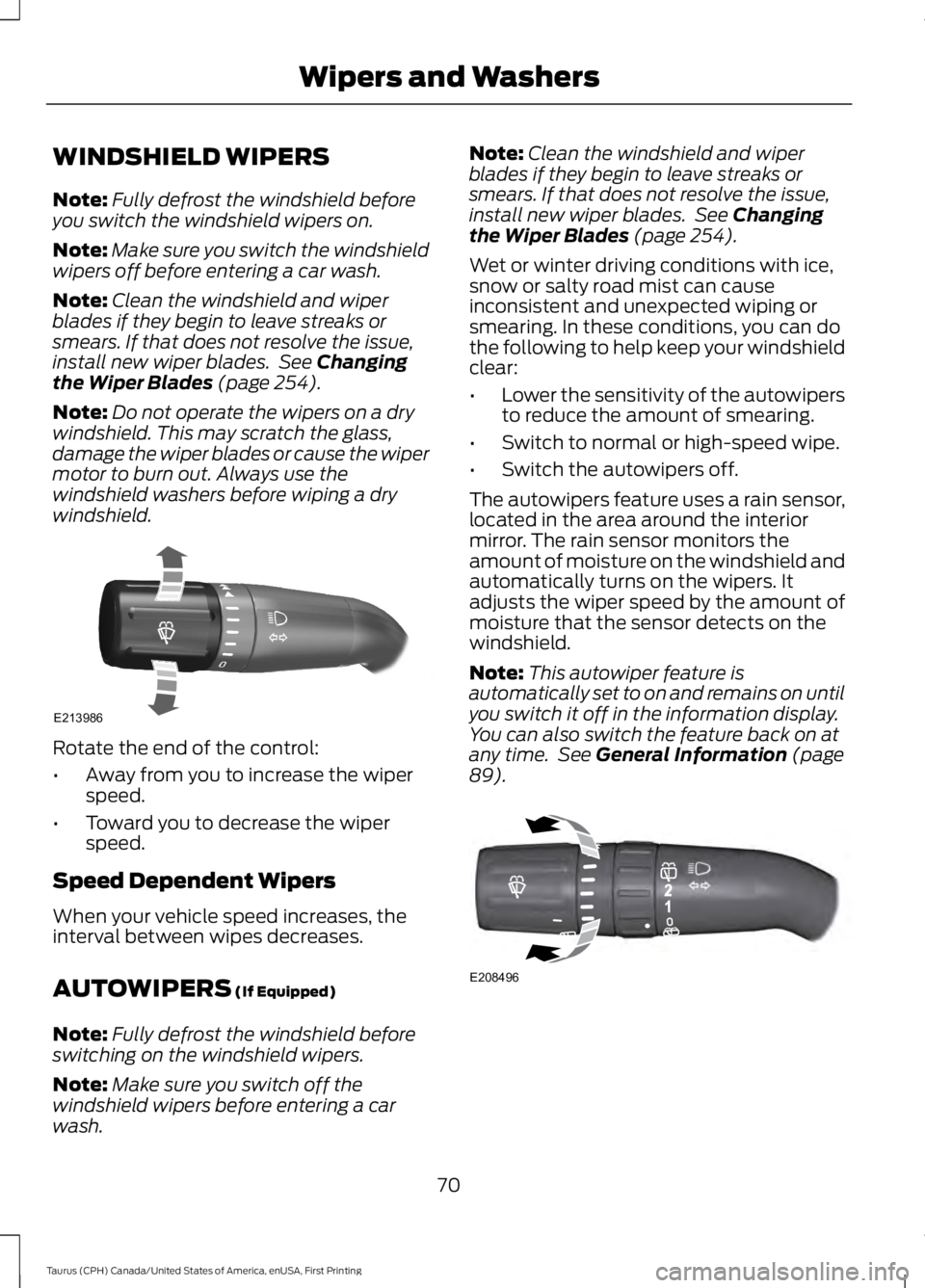
Rotate the end of the control:
•Away from you to increase the wiperspeed.
•Toward you to decrease the wiperspeed.
Speed Dependent Wipers
When your vehicle speed increases, theinterval between wipes decreases.
AUTOWIPERS (If Equipped)
Note:Fully defrost the windshield beforeswitching on the windshield wipers.
Note:Make sure you switch off thewindshield wipers before entering a carwash.
Note:Clean the windshield and wiperblades if they begin to leave streaks orsmears. If that does not resolve the issue,install new wiper blades. See Changingthe Wiper Blades (page 254).
Wet or winter driving conditions with ice,snow or salty road mist can causeinconsistent and unexpected wiping orsmearing. In these conditions, you can dothe following to help keep your windshieldclear:
•Lower the sensitivity of the autowipersto reduce the amount of smearing.
•Switch to normal or high-speed wipe.
•Switch the autowipers off.
The autowipers feature uses a rain sensor,located in the area around the interiormirror. The rain sensor monitors theamount of moisture on the windshield andautomatically turns on the wipers. Itadjusts the wiper speed by the amount ofmoisture that the sensor detects on thewindshield.
Note:This autowiper feature isautomatically set to on and remains on untilyou switch it off in the information display.You can also switch the feature back on atany time. See General Information (page89).
70
Taurus (CPH) Canada/United States of America, enUSA, First Printing
Wipers and WashersE213986 E208496
Page 74 of 504
Use the rotary control to adjust thesensitivity of the rain sensor. Set thecontrol to low sensitivity, and the wiperswill turn on when the rain sensor detectsa large amount of moisture on thewindshield. Set the control to highsensitivity, and the wipers will turn on whenthe rain sensor detects a small amount ofmoisture on the windshield.
Note:When you set the wiper system tointermittent wipe and the autowiper systemis on, the autowiper sensitivity settingadjusts the wiper speed according to themoisture on the windshield only. Use thewiper lever to wipe the windshieldon-demand.
Keep the outside of the windshield clean.The rain sensor is very sensitive. If the areaaround the mirror is dirty, then the wipersmay operate if dirt, mist or insects hit thewindshield.
WINDSHIELD WASHERS
Note:Do not operate the wipers on a drywindshield. This may scratch the glass,damage the wiper blades or cause the wipermotor to burn out. Always use thewindshield washers before wiping a drywindshield.
Note:Do not operate the washers whenthe washer reservoir is empty. This maycause the washer pump to overheat.
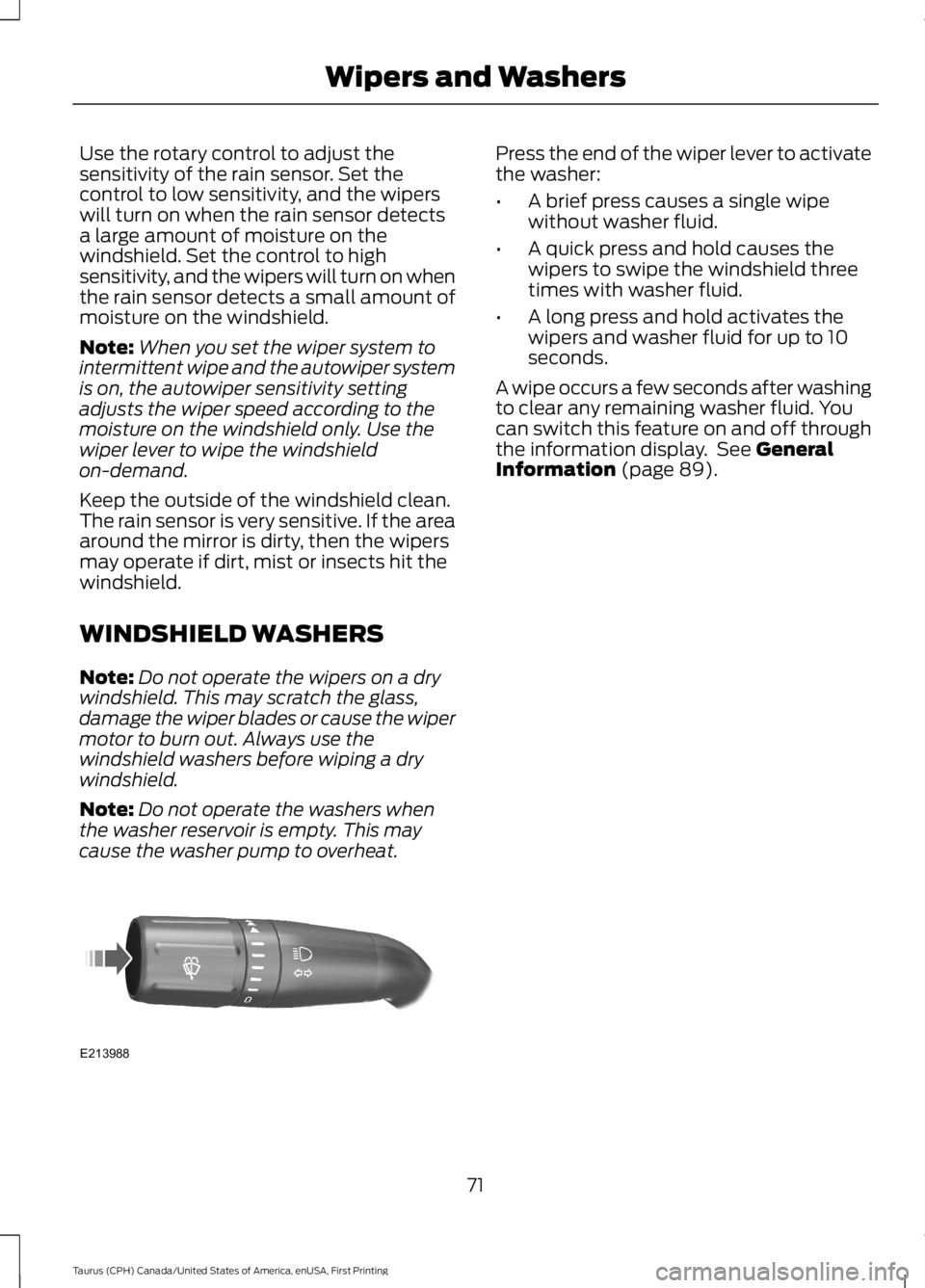
Press the end of the wiper lever to activatethe washer:
•A brief press causes a single wipewithout washer fluid.
•A quick press and hold causes thewipers to swipe the windshield threetimes with washer fluid.
•A long press and hold activates thewipers and washer fluid for up to 10seconds.
A wipe occurs a few seconds after washingto clear any remaining washer fluid. Youcan switch this feature on and off throughthe information display. See GeneralInformation (page 89).
71
Taurus (CPH) Canada/United States of America, enUSA, First Printing
Wipers and WashersE213988
Page 75 of 504
GENERAL INFORMATION
Condensation in Lamp Assemblies
Exterior lamps have vents toaccommodate normal changes in airpressure.
Condensation can be a natural by-productof this design. When moist air enters thelamp assembly through the vents, there isa possibility that condensation can occurwhen the temperature is cold. Whennormal condensation occurs, a fine mistcan form on the interior of the lens. Thefine mist eventually clears and exitsthrough the vents during normal operation.
Clearing time may take as long as 48 hoursunder dry weather conditions.
Examples of acceptable condensation are:
•The presence of a fine mist (no streaks,drip marks or large droplets).
•A fine mist covers less than 50% of thelens.
Examples of unacceptable condensationare:
•A water puddle inside the lamp.
•Streaks, drip marks or large dropletspresent on the interior of the lens.
If you see any unacceptable condensation,have your vehicle checked by an authorizeddealer.
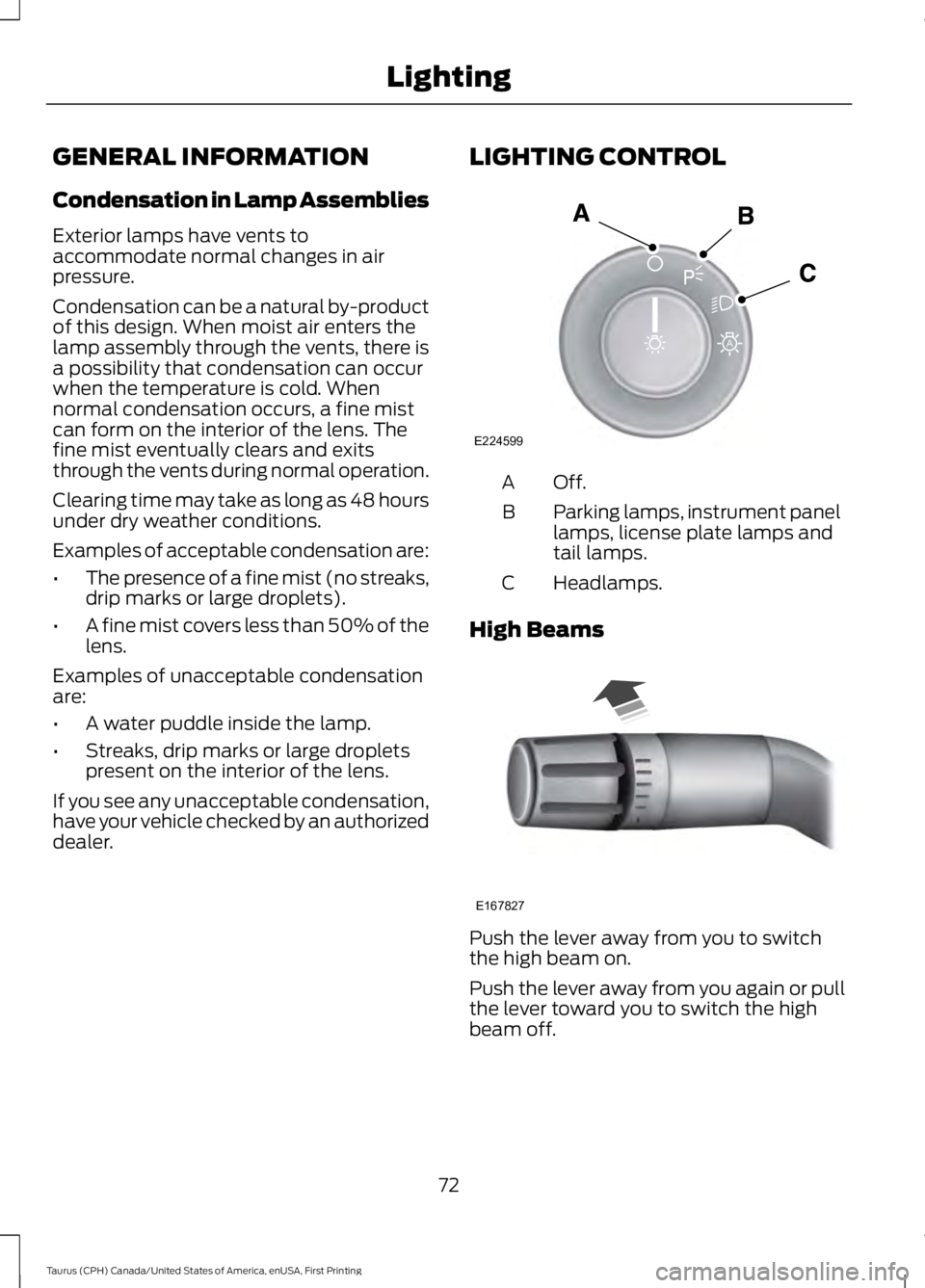
LIGHTING CONTROL
Off.A
Parking lamps, instrument panellamps, license plate lamps andtail lamps.
B
Headlamps.C
High Beams
Push the lever away from you to switchthe high beam on.
Push the lever away from you again or pullthe lever toward you to switch the highbeam off.
72
Taurus (CPH) Canada/United States of America, enUSA, First Printing
LightingE224599
A E167827
Page 76 of 504
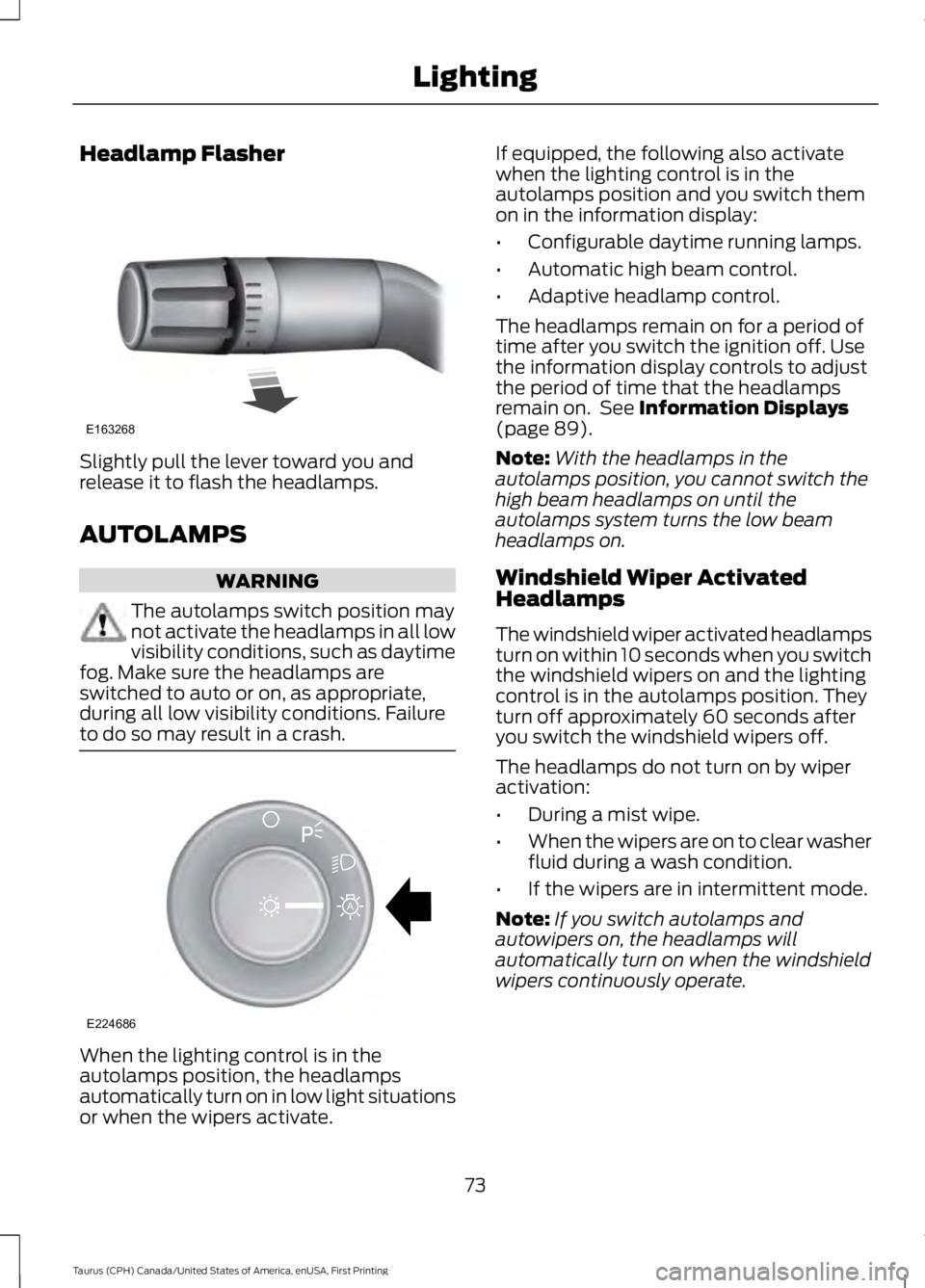
Headlamp Flasher
Slightly pull the lever toward you andrelease it to flash the headlamps.
AUTOLAMPS
WARNING
The autolamps switch position maynot activate the headlamps in all lowvisibility conditions, such as daytimefog. Make sure the headlamps areswitched to auto or on, as appropriate,during all low visibility conditions. Failureto do so may result in a crash.
When the lighting control is in theautolamps position, the headlampsautomatically turn on in low light situationsor when the wipers activate.
If equipped, the following also activatewhen the lighting control is in theautolamps position and you switch themon in the information display:
•Configurable daytime running lamps.
•Automatic high beam control.
•Adaptive headlamp control.
The headlamps remain on for a period oftime after you switch the ignition off. Usethe information display controls to adjustthe period of time that the headlampsremain on. See Information Displays(page 89).
Note:With the headlamps in theautolamps position, you cannot switch thehigh beam headlamps on until theautolamps system turns the low beamheadlamps on.
Windshield Wiper ActivatedHeadlamps
The windshield wiper activated headlampsturn on within 10 seconds when you switchthe windshield wipers on and the lightingcontrol is in the autolamps position. Theyturn off approximately 60 seconds afteryou switch the windshield wipers off.
The headlamps do not turn on by wiperactivation:
•During a mist wipe.
•When the wipers are on to clear washerfluid during a wash condition.
•If the wipers are in intermittent mode.
Note:If you switch autolamps andautowipers on, the headlamps willautomatically turn on when the windshieldwipers continuously operate.
73
Taurus (CPH) Canada/United States of America, enUSA, First Printing
LightingE163268 E224686
A
Page 82 of 504
GLOBAL OPENING (If Equipped)
You can use the remote control to operatethe windows with the ignition off.
Note:You can enable or disable this featurein the information display, or see anauthorized dealer. See GeneralInformation (page 89).
Note:To operate this feature, accessorydelay must not be active.
Opening the Windows
You can open the windows for a short timeafter you unlock your vehicle with theremote control. After you unlock yourvehicle, press and hold the remote controlunlock button to open the windows andvent the moonroof. Release the buttononce movement starts. Press the lock orunlock button to stop movement.
Note:Only the front windows are operatedduring global opening.
EXTERIOR MIRRORS
Power Exterior Mirrors
WARNING
Do not adjust the mirrors when yourvehicle is moving.
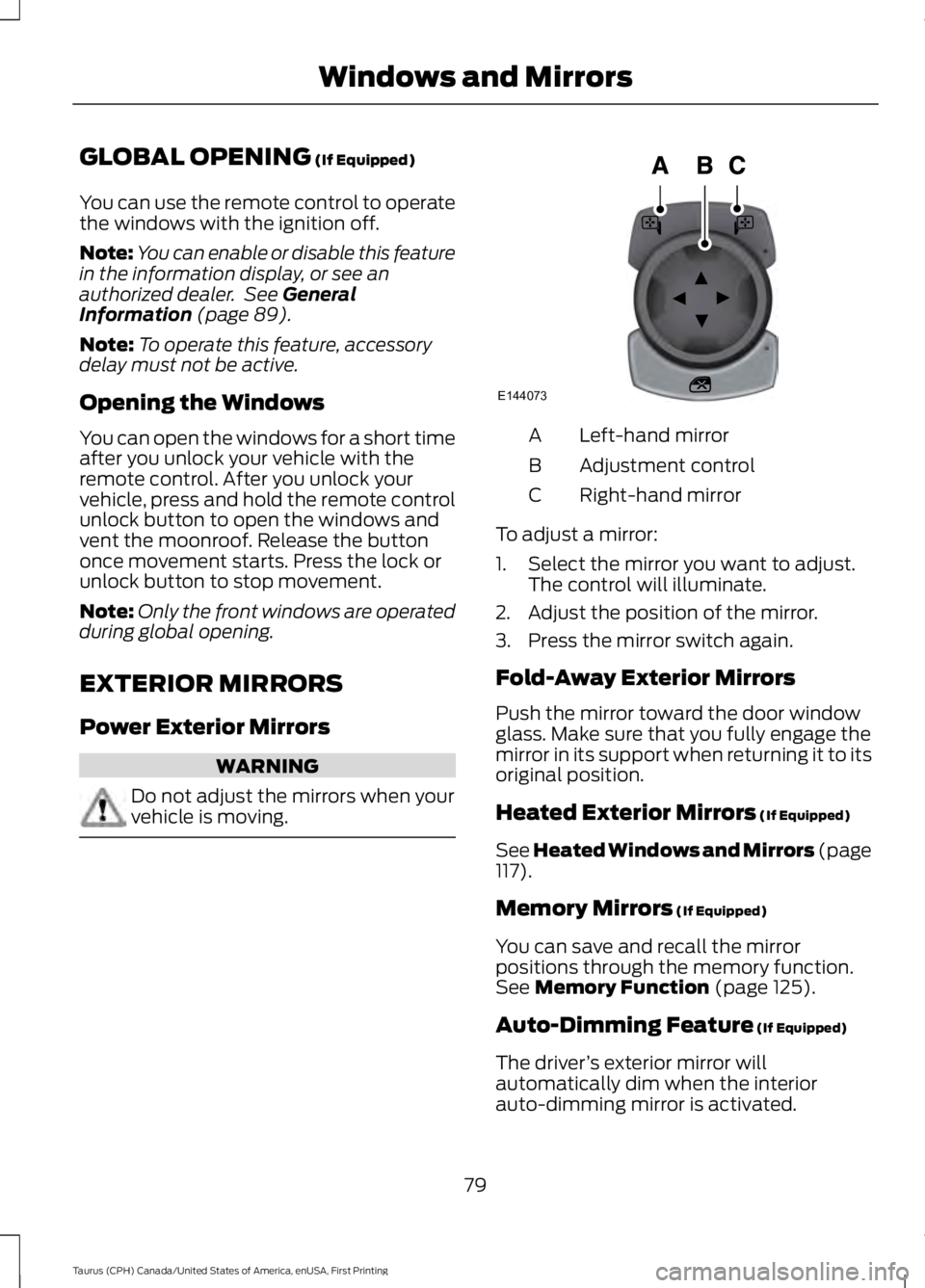
Left-hand mirrorA
Adjustment controlB
Right-hand mirrorC
To adjust a mirror:
1. Select the mirror you want to adjust.The control will illuminate.
2. Adjust the position of the mirror.
3. Press the mirror switch again.
Fold-Away Exterior Mirrors
Push the mirror toward the door windowglass. Make sure that you fully engage themirror in its support when returning it to itsoriginal position.
Heated Exterior Mirrors (If Equipped)
See Heated Windows and Mirrors (page117).
Memory Mirrors (If Equipped)
You can save and recall the mirrorpositions through the memory function.See Memory Function (page 125).
Auto-Dimming Feature (If Equipped)
The driver’s exterior mirror willautomatically dim when the interiorauto-dimming mirror is activated.
79
Taurus (CPH) Canada/United States of America, enUSA, First Printing
Windows and MirrorsE144073
Page 84 of 504
INTERIOR MIRROR
WARNING
Do not adjust the mirror when yourvehicle is moving.
Note:Do not clean the housing or glass ofany mirror with harsh abrasives, fuel or otherpetroleum or ammonia-based cleaningproducts.
You can adjust the interior mirror to yourpreference. Some mirrors also have asecond pivot point. This lets you move themirror head up or down and from side toside.
Pull the tab below the mirror toward youto reduce glare at night.
Auto-Dimming Mirror (If Equipped)
Note:Do not block the sensors on the frontand back of the mirror. Mirror performancemay be affected. A rear center passenger orraised rear center head restraint may alsoblock light from reaching the sensor.
The mirror will dim automatically to reduceglare when bright lights are detected frombehind your vehicle. It will automaticallyreturn to normal reflection when you selectreverse gear to make sure you have a clearview when backing up.
SUN VISORS
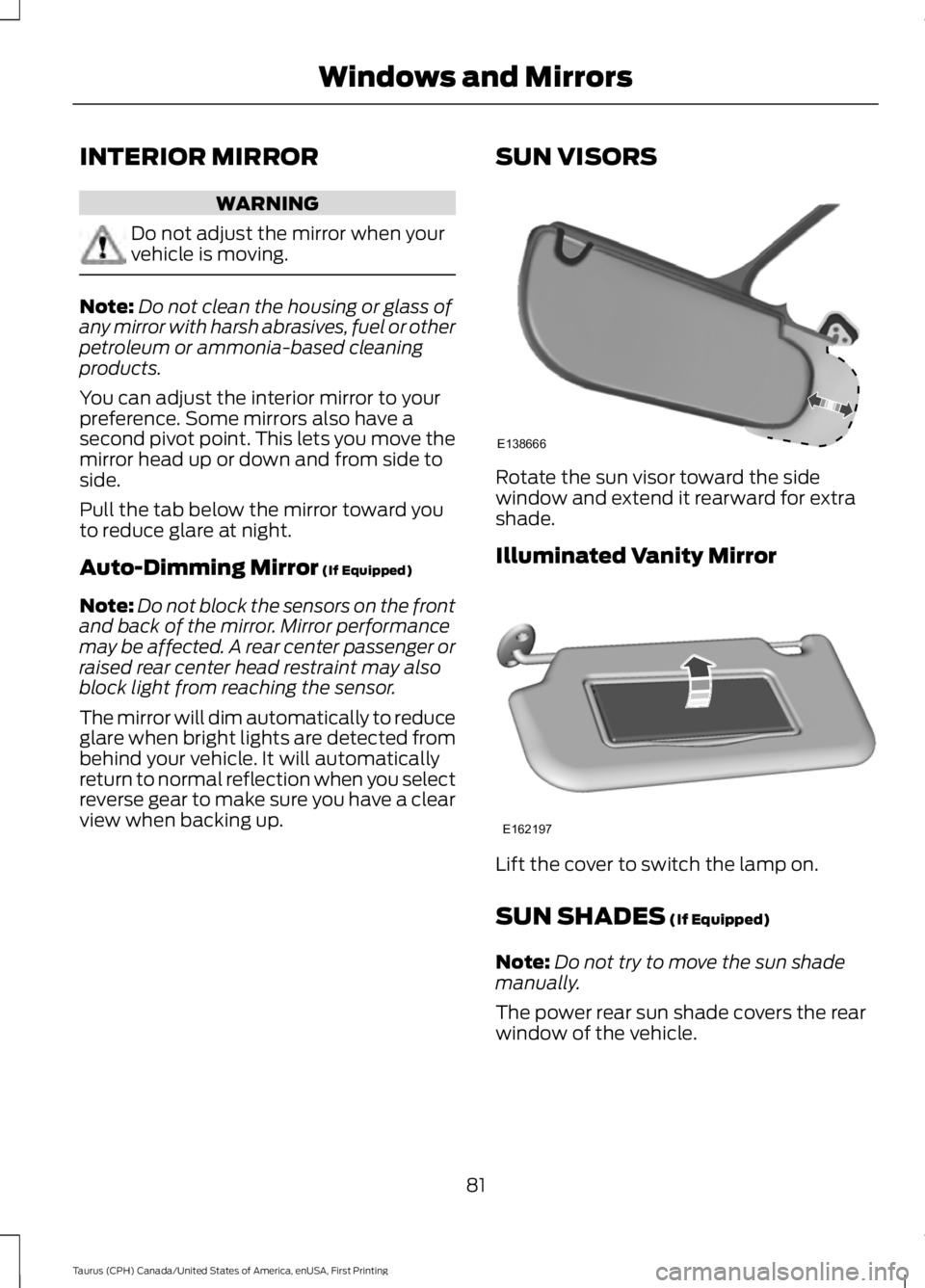
Rotate the sun visor toward the sidewindow and extend it rearward for extrashade.
Illuminated Vanity Mirror
Lift the cover to switch the lamp on.
SUN SHADES (If Equipped)
Note:Do not try to move the sun shademanually.
The power rear sun shade covers the rearwindow of the vehicle.
81
Taurus (CPH) Canada/United States of America, enUSA, First Printing
Windows and MirrorsE138666 E162197
Page 85 of 504
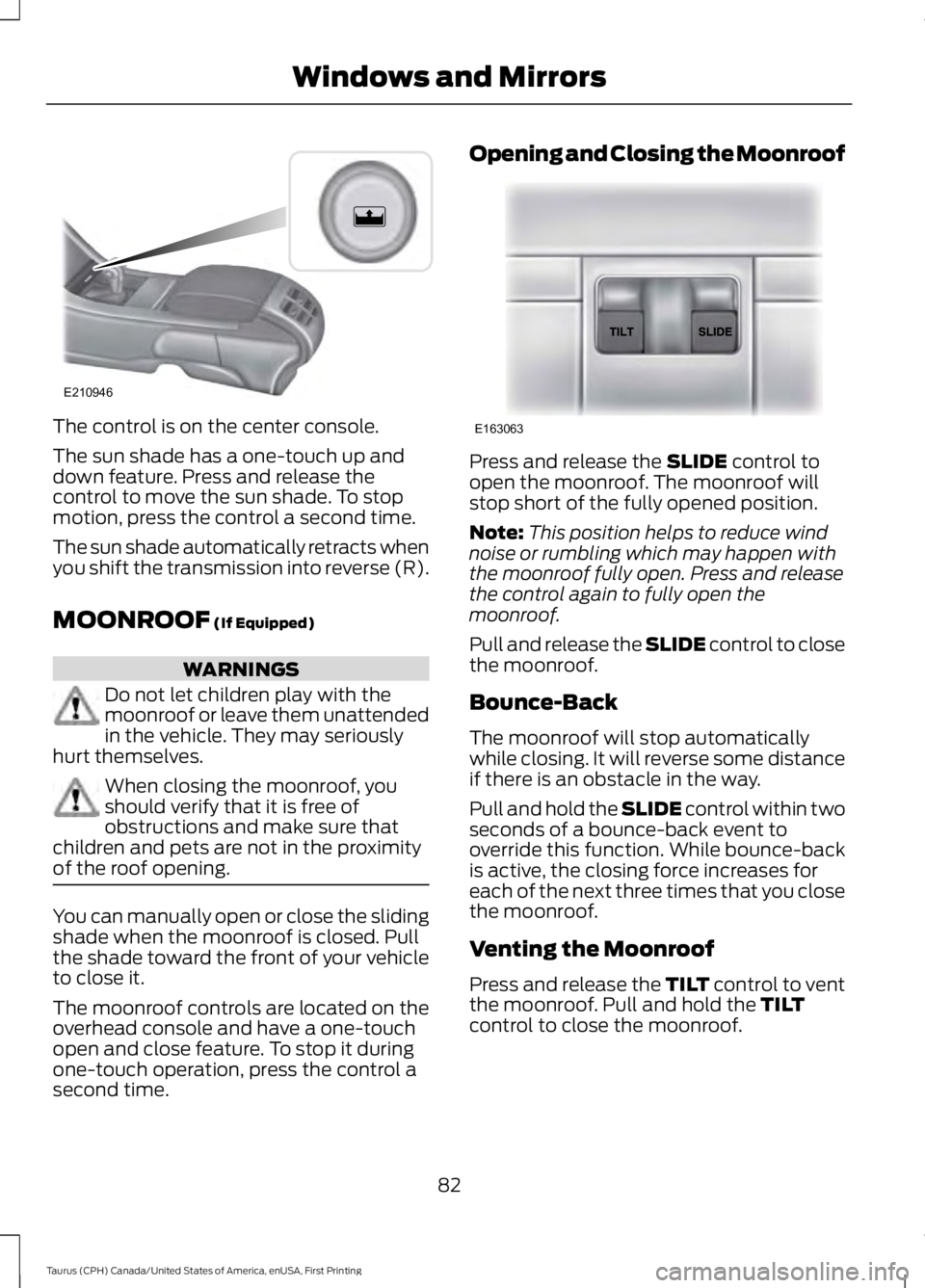
The control is on the center console.
The sun shade has a one-touch up anddown feature. Press and release thecontrol to move the sun shade. To stopmotion, press the control a second time.
The sun shade automatically retracts whenyou shift the transmission into reverse (R).
MOONROOF (If Equipped)
WARNINGS
Do not let children play with themoonroof or leave them unattendedin the vehicle. They may seriouslyhurt themselves.
When closing the moonroof, youshould verify that it is free ofobstructions and make sure thatchildren and pets are not in the proximityof the roof opening.
You can manually open or close the slidingshade when the moonroof is closed. Pullthe shade toward the front of your vehicleto close it.
The moonroof controls are located on theoverhead console and have a one-touchopen and close feature. To stop it duringone-touch operation, press the control asecond time.
Opening and Closing the Moonroof
Press and release the SLIDE control toopen the moonroof. The moonroof willstop short of the fully opened position.
Note:This position helps to reduce windnoise or rumbling which may happen withthe moonroof fully open. Press and releasethe control again to fully open themoonroof.
Pull and release the SLIDE control to closethe moonroof.
Bounce-Back
The moonroof will stop automaticallywhile closing. It will reverse some distanceif there is an obstacle in the way.
Pull and hold the SLIDE control within twoseconds of a bounce-back event tooverride this function. While bounce-backis active, the closing force increases foreach of the next three times that you closethe moonroof.
Venting the Moonroof
Press and release the TILT control to ventthe moonroof. Pull and hold the TILTcontrol to close the moonroof.
82
Taurus (CPH) Canada/United States of America, enUSA, First Printing
Windows and MirrorsE210946 E163063
Page 87 of 504
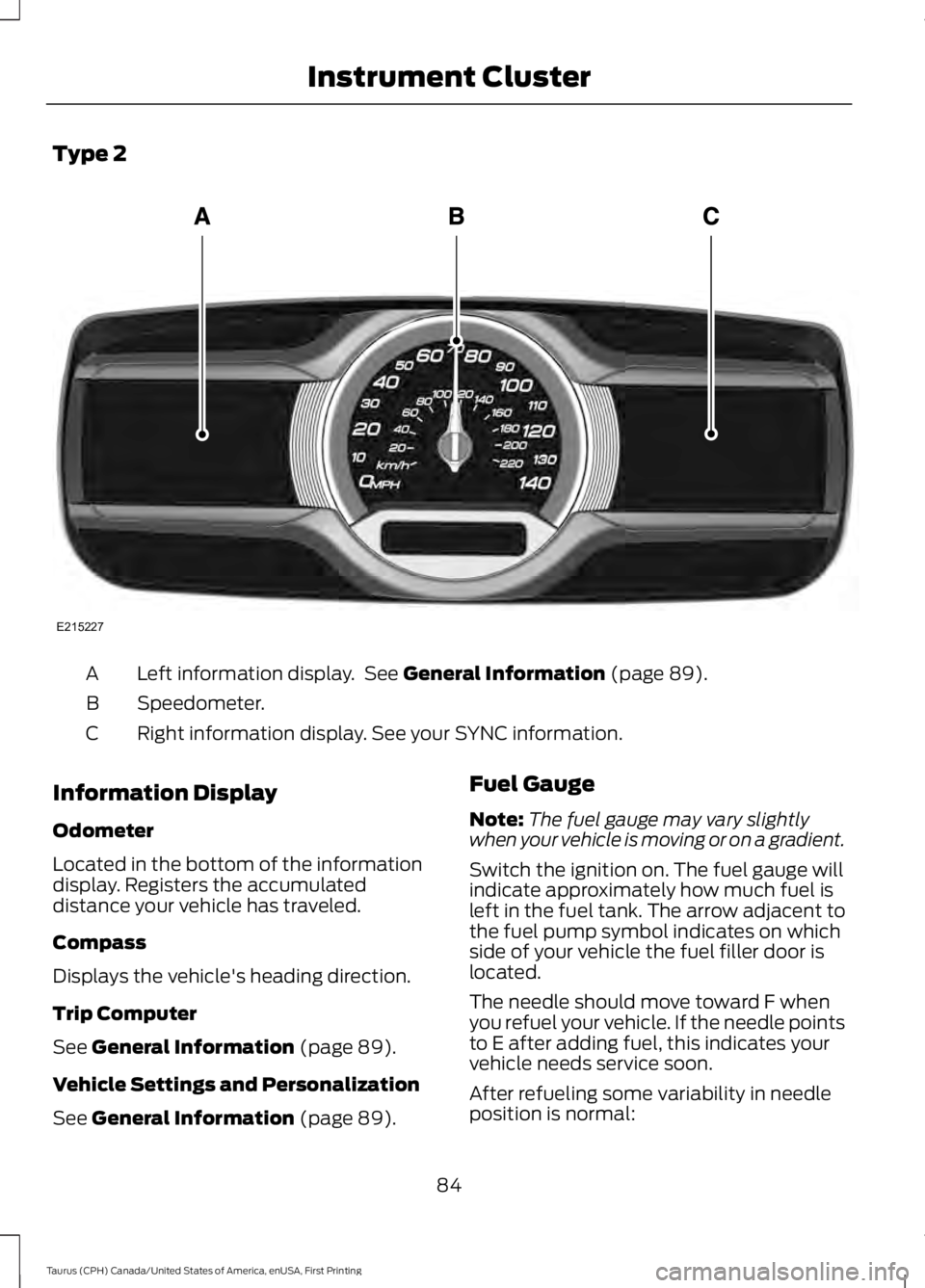
Type 2
Left information display. See General Information (page 89).A
Speedometer.B
Right information display. See your SYNC information.C
Information Display
Odometer
Located in the bottom of the informationdisplay. Registers the accumulateddistance your vehicle has traveled.
Compass
Displays the vehicle's heading direction.
Trip Computer
See General Information (page 89).
Vehicle Settings and Personalization
See General Information (page 89).
Fuel Gauge
Note:The fuel gauge may vary slightlywhen your vehicle is moving or on a gradient.
Switch the ignition on. The fuel gauge willindicate approximately how much fuel isleft in the fuel tank. The arrow adjacent tothe fuel pump symbol indicates on whichside of your vehicle the fuel filler door islocated.
The needle should move toward F whenyou refuel your vehicle. If the needle pointsto E after adding fuel, this indicates yourvehicle needs service soon.
After refueling some variability in needleposition is normal:
84
Taurus (CPH) Canada/United States of America, enUSA, First Printing
Instrument ClusterE215227
Page 95 of 504
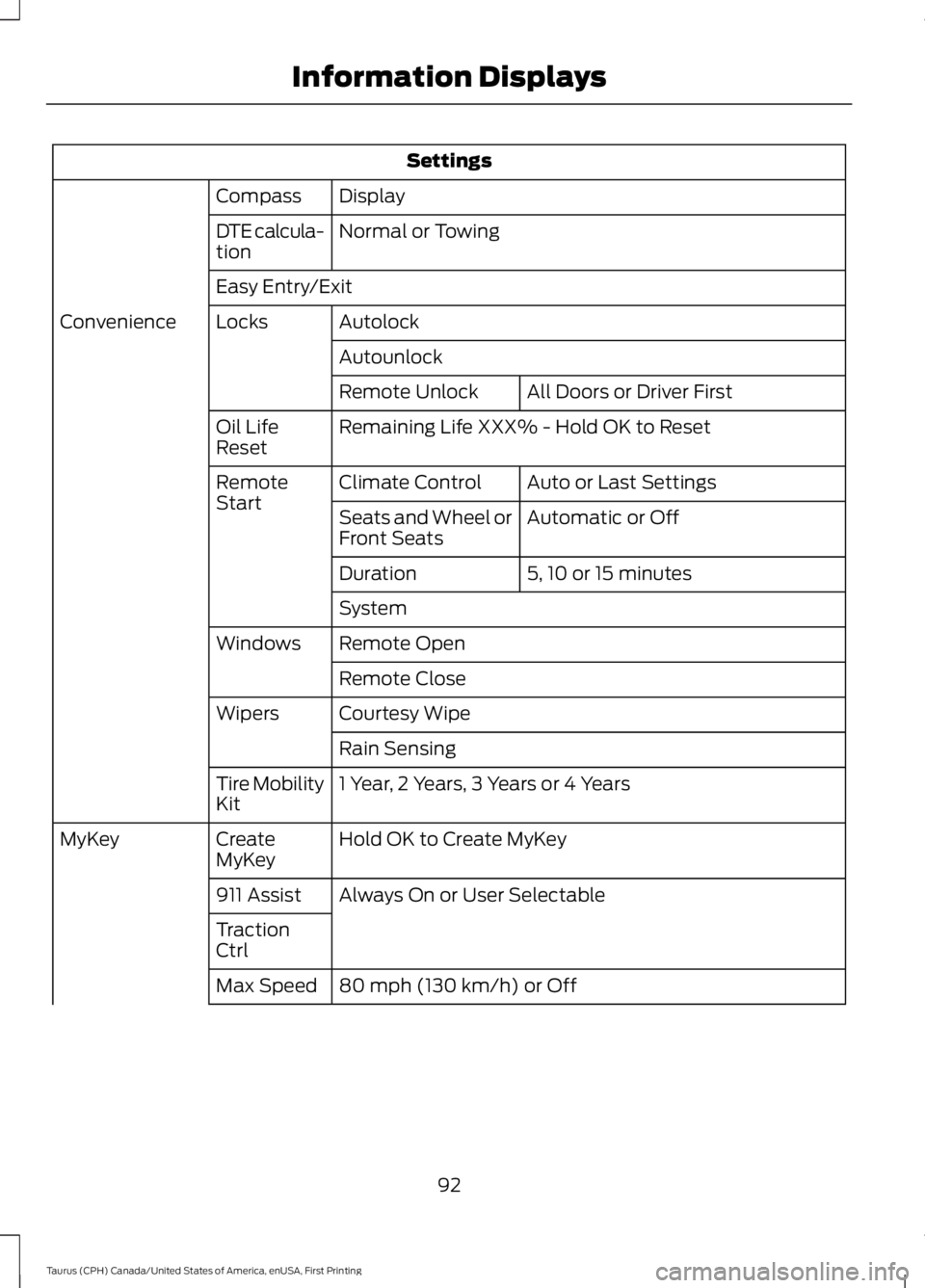
Settings
DisplayCompass
Normal or TowingDTE calcula-tion
Easy Entry/Exit
AutolockLocksConvenience
Autounlock
All Doors or Driver FirstRemote Unlock
Remaining Life XXX% - Hold OK to ResetOil LifeReset
Auto or Last SettingsClimate ControlRemoteStartAutomatic or OffSeats and Wheel orFront Seats
5, 10 or 15 minutesDuration
System
Remote OpenWindows
Remote Close
Courtesy WipeWipers
Rain Sensing
1 Year, 2 Years, 3 Years or 4 YearsTire MobilityKit
Hold OK to Create MyKeyCreateMyKeyMyKey
Always On or User Selectable911 Assist
TractionCtrl
80 mph (130 km/h) or OffMax Speed
92
Taurus (CPH) Canada/United States of America, enUSA, First Printing
Information Displays