warning light FORD TAURUS 2017 Owner's Manual
[x] Cancel search | Manufacturer: FORD, Model Year: 2017, Model line: TAURUS, Model: FORD TAURUS 2017Pages: 504, PDF Size: 5.84 MB
Page 90 of 504
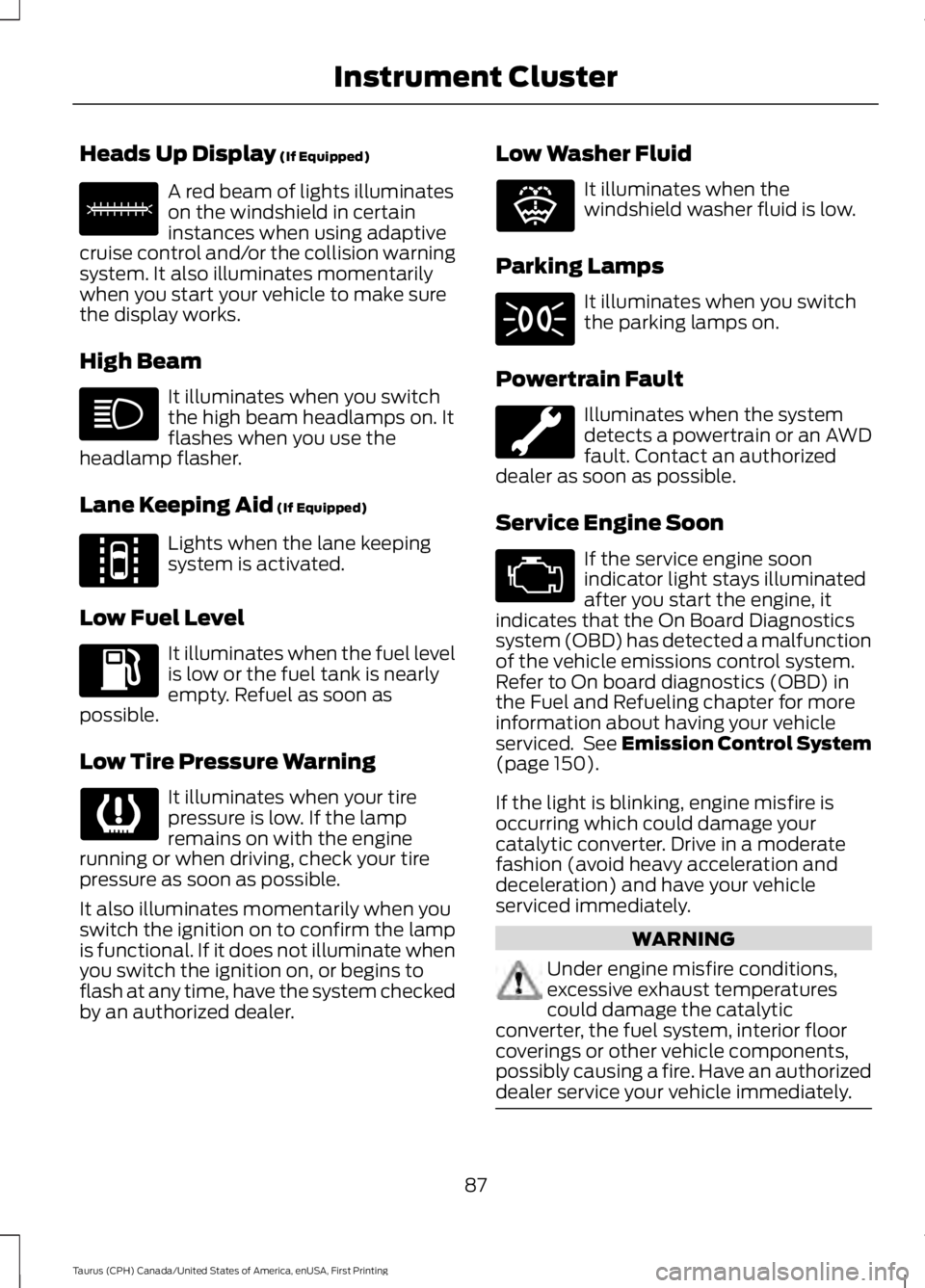
Heads Up Display (If Equipped)
A red beam of lights illuminateson the windshield in certaininstances when using adaptivecruise control and/or the collision warningsystem. It also illuminates momentarilywhen you start your vehicle to make surethe display works.
High Beam
It illuminates when you switchthe high beam headlamps on. Itflashes when you use theheadlamp flasher.
Lane Keeping Aid (If Equipped)
Lights when the lane keepingsystem is activated.
Low Fuel Level
It illuminates when the fuel levelis low or the fuel tank is nearlyempty. Refuel as soon aspossible.
Low Tire Pressure Warning
It illuminates when your tirepressure is low. If the lampremains on with the enginerunning or when driving, check your tirepressure as soon as possible.
It also illuminates momentarily when youswitch the ignition on to confirm the lampis functional. If it does not illuminate whenyou switch the ignition on, or begins toflash at any time, have the system checkedby an authorized dealer.
Low Washer Fluid
It illuminates when thewindshield washer fluid is low.
Parking Lamps
It illuminates when you switchthe parking lamps on.
Powertrain Fault
Illuminates when the systemdetects a powertrain or an AWDfault. Contact an authorizeddealer as soon as possible.
Service Engine Soon
If the service engine soonindicator light stays illuminatedafter you start the engine, itindicates that the On Board Diagnosticssystem (OBD) has detected a malfunctionof the vehicle emissions control system.Refer to On board diagnostics (OBD) inthe Fuel and Refueling chapter for moreinformation about having your vehicleserviced. See Emission Control System(page 150).
If the light is blinking, engine misfire isoccurring which could damage yourcatalytic converter. Drive in a moderatefashion (avoid heavy acceleration anddeceleration) and have your vehicleserviced immediately.
WARNING
Under engine misfire conditions,excessive exhaust temperaturescould damage the catalyticconverter, the fuel system, interior floorcoverings or other vehicle components,possibly causing a fire. Have an authorizeddealer service your vehicle immediately.
87
Taurus (CPH) Canada/United States of America, enUSA, First Printing
Instrument ClusterE156133 E144813 E132353
Page 91 of 504
The service engine soon indicator lightilluminates when you first switch on theignition before engine start to check thebulb and to indicate whether the vehicleis ready for Inspection/Maintenance (I/M)testing.
Normally, the service engine soon lightstays on until you crank the engine, thenturns itself off if no malfunctions arepresent. However, if after 15 seconds theservice engine soon light blinks eight times,it means that the vehicle is not ready forI/M testing. See Emission ControlSystem (page 150).
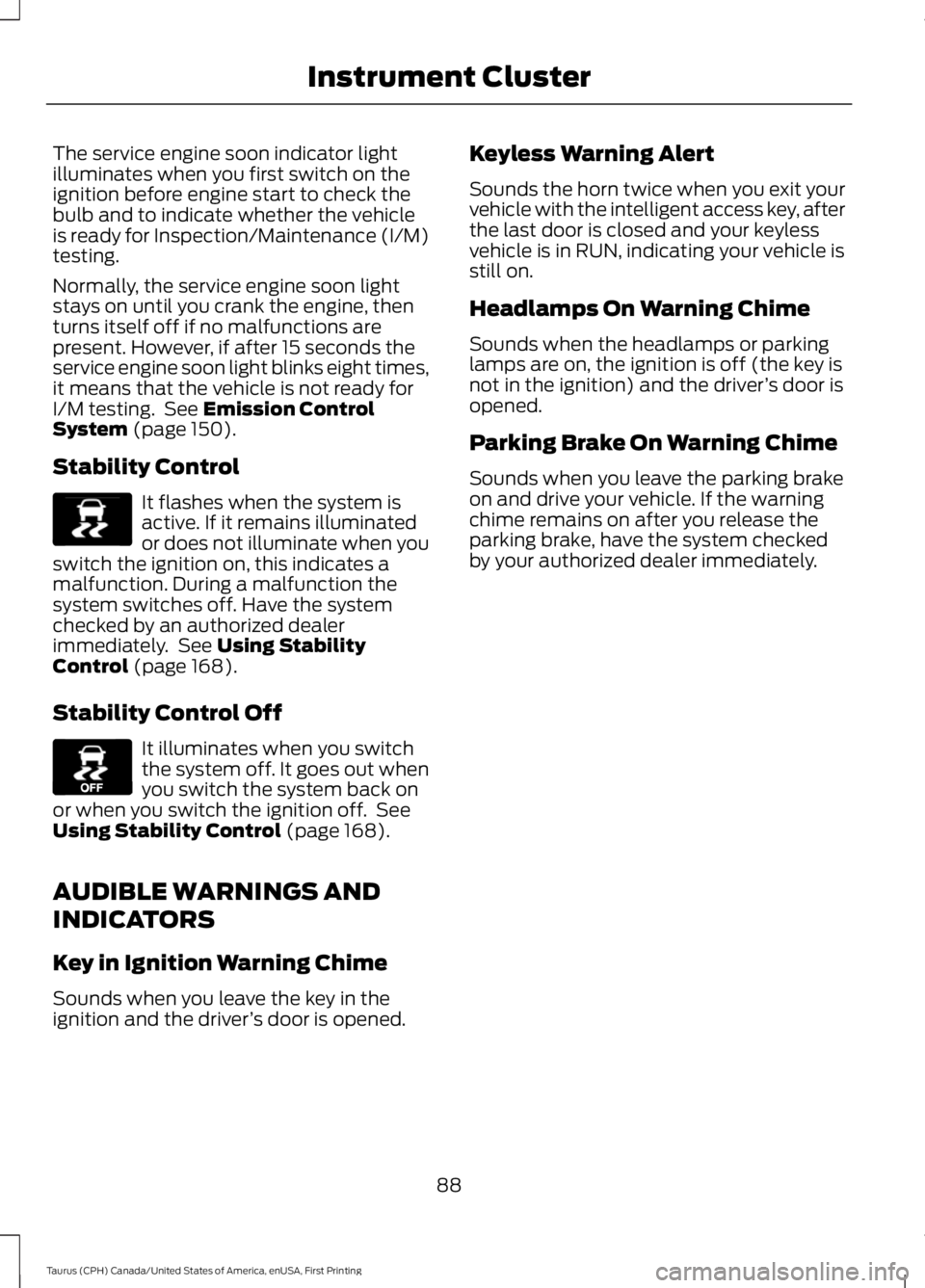
Stability Control
It flashes when the system isactive. If it remains illuminatedor does not illuminate when youswitch the ignition on, this indicates amalfunction. During a malfunction thesystem switches off. Have the systemchecked by an authorized dealerimmediately. See Using StabilityControl (page 168).
Stability Control Off
It illuminates when you switchthe system off. It goes out whenyou switch the system back onor when you switch the ignition off. SeeUsing Stability Control (page 168).
AUDIBLE WARNINGS AND
INDICATORS
Key in Ignition Warning Chime
Sounds when you leave the key in theignition and the driver’s door is opened.
Keyless Warning Alert
Sounds the horn twice when you exit yourvehicle with the intelligent access key, afterthe last door is closed and your keylessvehicle is in RUN, indicating your vehicle isstill on.
Headlamps On Warning Chime
Sounds when the headlamps or parkinglamps are on, the ignition is off (the key isnot in the ignition) and the driver’s door isopened.
Parking Brake On Warning Chime
Sounds when you leave the parking brakeon and drive your vehicle. If the warningchime remains on after you release theparking brake, have the system checkedby your authorized dealer immediately.
88
Taurus (CPH) Canada/United States of America, enUSA, First Printing
Instrument ClusterE138639 E130458
Page 92 of 504
GENERAL INFORMATION
WARNING
Driving while distracted can result inloss of vehicle control, crash andinjury. We strongly recommend thatyou use extreme caution when using anydevice that may take your focus off theroad. Your primary responsibility is the safeoperation of your vehicle. We recommendagainst the use of any hand-held devicewhile driving and encourage the use ofvoice-operated systems when possible.Make sure you are aware of all applicablelocal laws that may affect the use ofelectronic devices while driving.
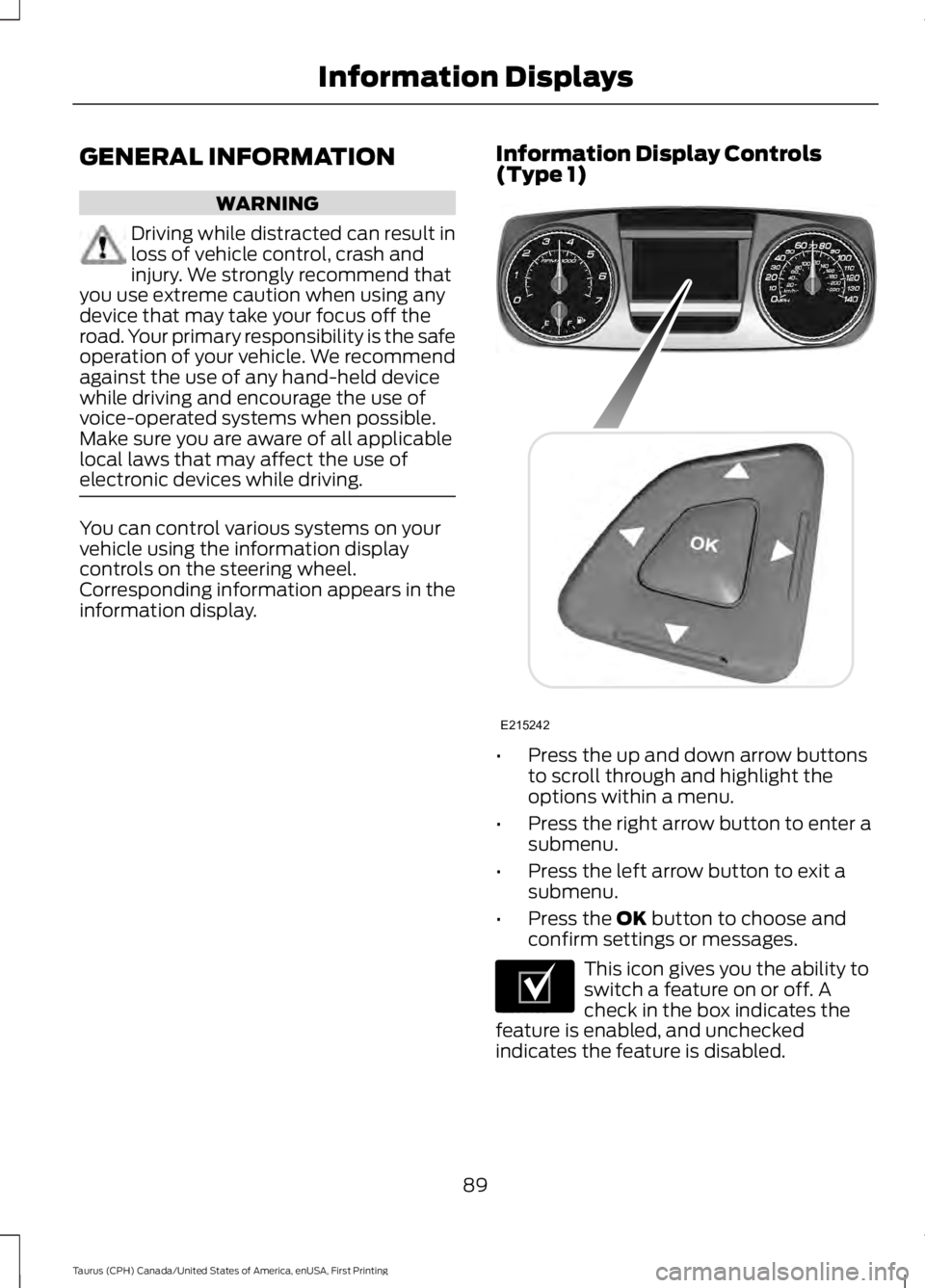
You can control various systems on yourvehicle using the information displaycontrols on the steering wheel.Corresponding information appears in theinformation display.
Information Display Controls(Type 1)
•Press the up and down arrow buttonsto scroll through and highlight theoptions within a menu.
•Press the right arrow button to enter asubmenu.
•Press the left arrow button to exit asubmenu.
•Press the OK button to choose andconfirm settings or messages.
This icon gives you the ability toswitch a feature on or off. Acheck in the box indicates thefeature is enabled, and uncheckedindicates the feature is disabled.
89
Taurus (CPH) Canada/United States of America, enUSA, First Printing
Information DisplaysE215242 E204495
Page 97 of 504
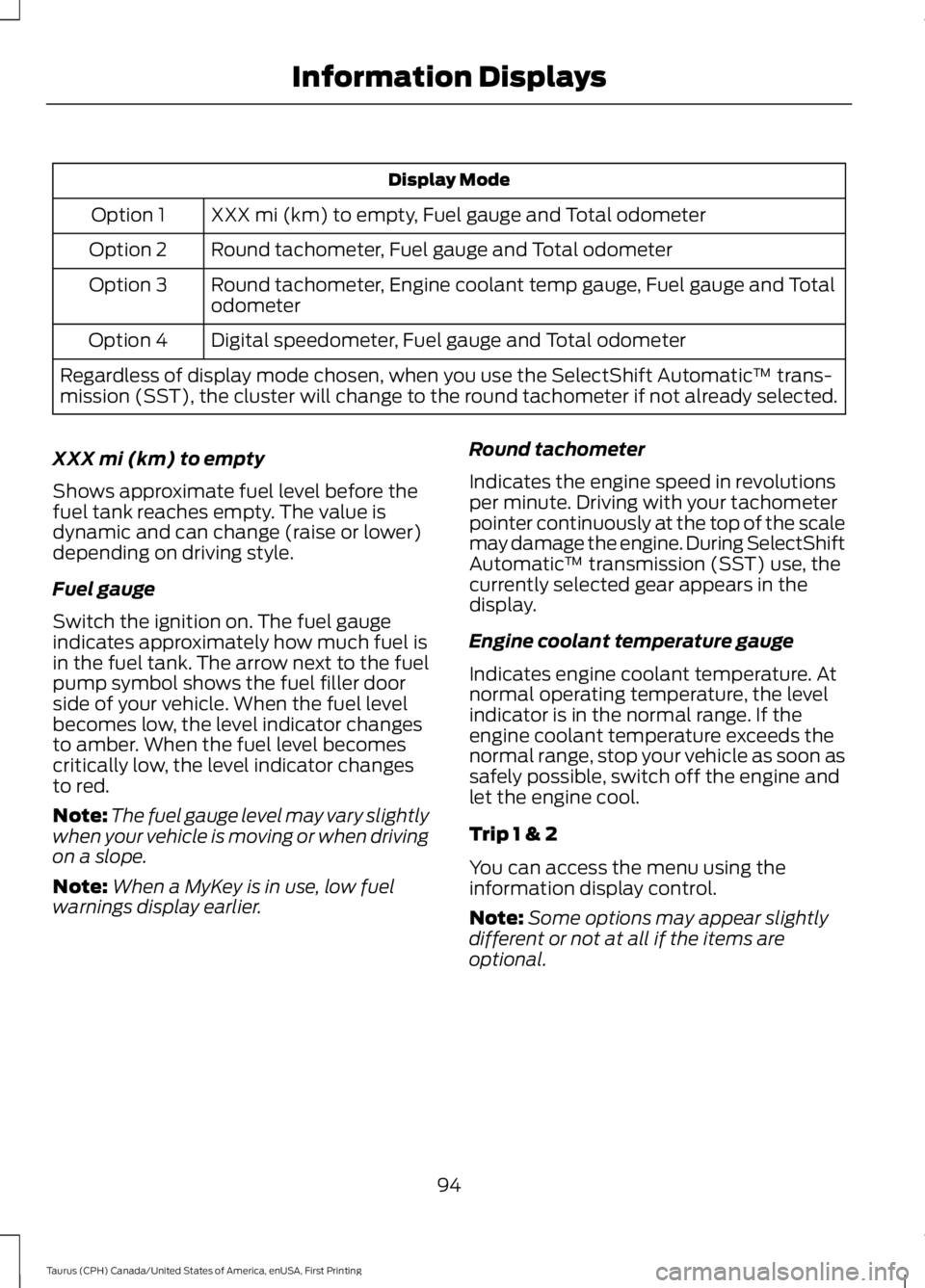
Display Mode
XXX mi (km) to empty, Fuel gauge and Total odometerOption 1
Round tachometer, Fuel gauge and Total odometerOption 2
Round tachometer, Engine coolant temp gauge, Fuel gauge and TotalodometerOption 3
Digital speedometer, Fuel gauge and Total odometerOption 4
Regardless of display mode chosen, when you use the SelectShift Automatic™ trans-mission (SST), the cluster will change to the round tachometer if not already selected.
XXX mi (km) to empty
Shows approximate fuel level before thefuel tank reaches empty. The value isdynamic and can change (raise or lower)depending on driving style.
Fuel gauge
Switch the ignition on. The fuel gaugeindicates approximately how much fuel isin the fuel tank. The arrow next to the fuelpump symbol shows the fuel filler doorside of your vehicle. When the fuel levelbecomes low, the level indicator changesto amber. When the fuel level becomescritically low, the level indicator changesto red.
Note:The fuel gauge level may vary slightlywhen your vehicle is moving or when drivingon a slope.
Note:When a MyKey is in use, low fuelwarnings display earlier.
Round tachometer
Indicates the engine speed in revolutionsper minute. Driving with your tachometerpointer continuously at the top of the scalemay damage the engine. During SelectShiftAutomatic™ transmission (SST) use, thecurrently selected gear appears in thedisplay.
Engine coolant temperature gauge
Indicates engine coolant temperature. Atnormal operating temperature, the levelindicator is in the normal range. If theengine coolant temperature exceeds thenormal range, stop your vehicle as soon assafely possible, switch off the engine andlet the engine cool.
Trip 1 & 2
You can access the menu using theinformation display control.
Note:Some options may appear slightlydifferent or not at all if the items areoptional.
94
Taurus (CPH) Canada/United States of America, enUSA, First Printing
Information Displays
Page 103 of 504
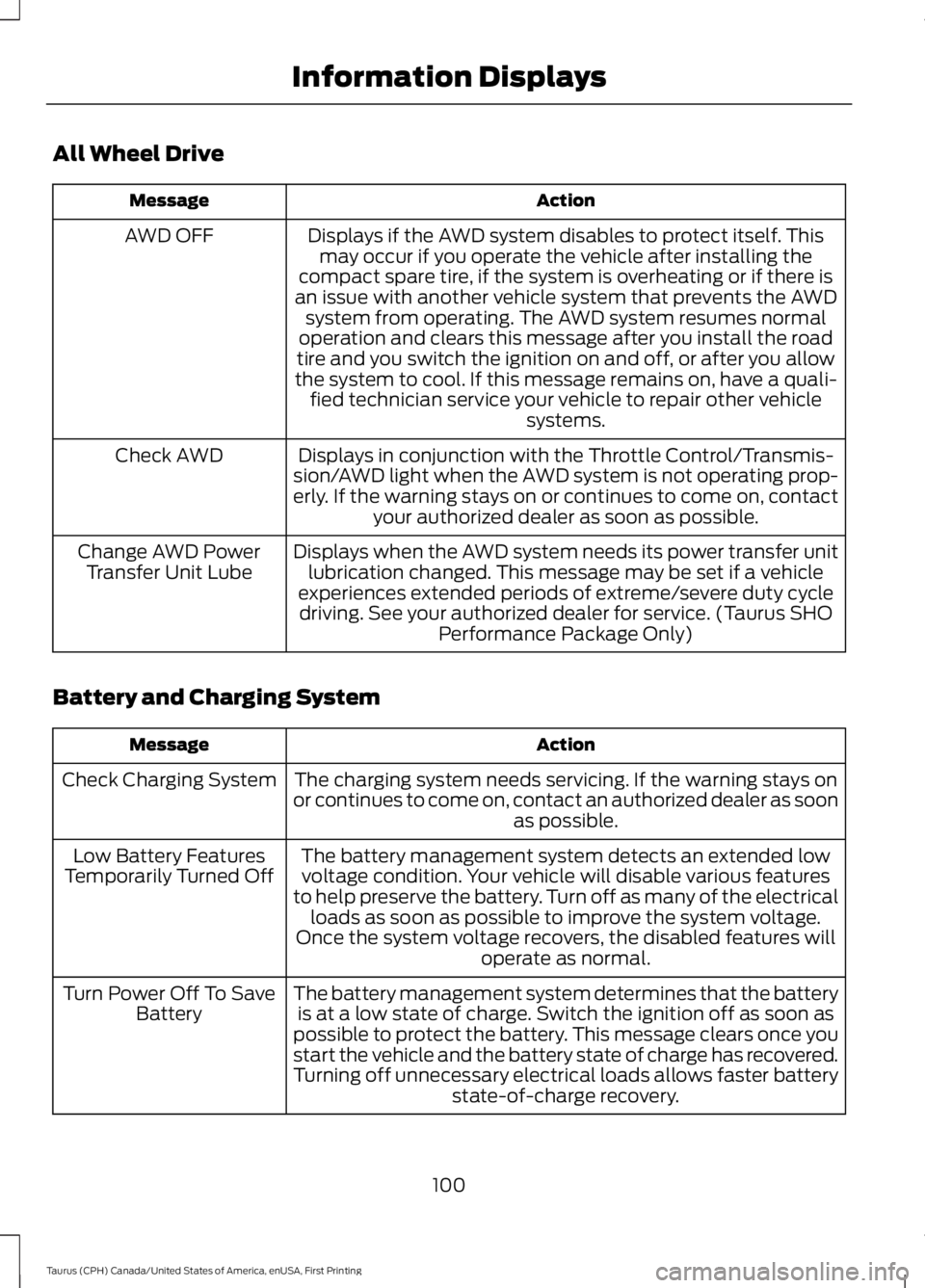
All Wheel Drive
ActionMessage
Displays if the AWD system disables to protect itself. Thismay occur if you operate the vehicle after installing thecompact spare tire, if the system is overheating or if there isan issue with another vehicle system that prevents the AWDsystem from operating. The AWD system resumes normaloperation and clears this message after you install the roadtire and you switch the ignition on and off, or after you allowthe system to cool. If this message remains on, have a quali-fied technician service your vehicle to repair other vehiclesystems.
AWD OFF
Displays in conjunction with the Throttle Control/Transmis-sion/AWD light when the AWD system is not operating prop-erly. If the warning stays on or continues to come on, contactyour authorized dealer as soon as possible.
Check AWD
Displays when the AWD system needs its power transfer unitlubrication changed. This message may be set if a vehicleexperiences extended periods of extreme/severe duty cycledriving. See your authorized dealer for service. (Taurus SHOPerformance Package Only)
Change AWD PowerTransfer Unit Lube
Battery and Charging System
ActionMessage
The charging system needs servicing. If the warning stays onor continues to come on, contact an authorized dealer as soonas possible.
Check Charging System
The battery management system detects an extended lowvoltage condition. Your vehicle will disable various featuresto help preserve the battery. Turn off as many of the electricalloads as soon as possible to improve the system voltage.Once the system voltage recovers, the disabled features willoperate as normal.
Low Battery FeaturesTemporarily Turned Off
The battery management system determines that the batteryis at a low state of charge. Switch the ignition off as soon aspossible to protect the battery. This message clears once youstart the vehicle and the battery state of charge has recovered.Turning off unnecessary electrical loads allows faster batterystate-of-charge recovery.
Turn Power Off To SaveBattery
100
Taurus (CPH) Canada/United States of America, enUSA, First Printing
Information Displays
Page 122 of 504
SITTING IN THE CORRECT
POSITION
WARNINGS
Sitting improperly, out of position orwith the seatback reclined too farcan take weight off the seat cushionand affect the decision of the passengersensing system, resulting in serious injuryor death in the event of a crash. Always situpright against your seat back, with yourfeet on the floor.
Do not recline the seatback as thiscan cause the occupant to slideunder the safety belt, resulting inserious injury in the event of a crash.
Do not place objects higher than theseatback to reduce the risk of seriousinjury in the event of a crash or duringheavy braking.
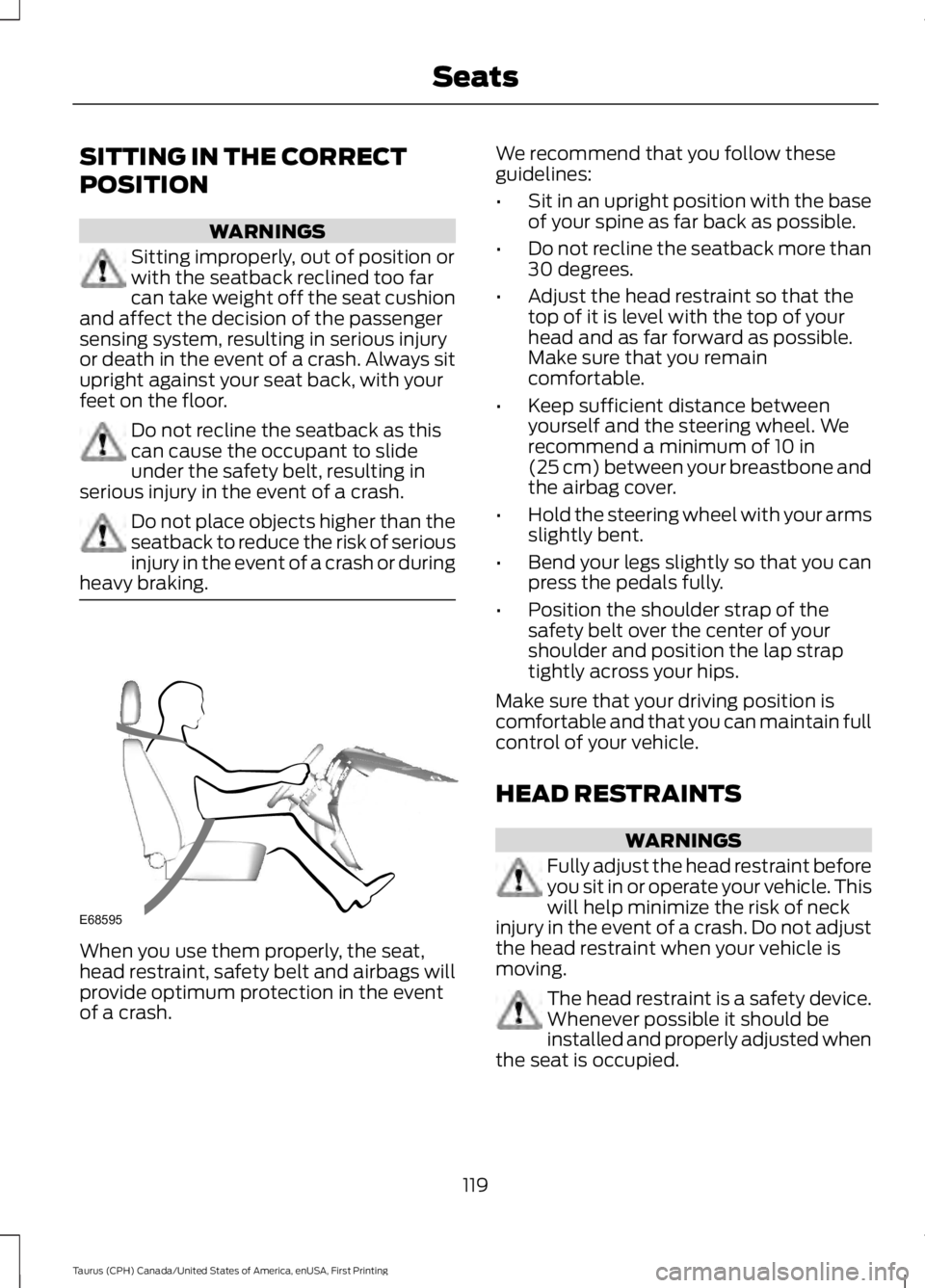
When you use them properly, the seat,head restraint, safety belt and airbags willprovide optimum protection in the eventof a crash.
We recommend that you follow theseguidelines:
•Sit in an upright position with the baseof your spine as far back as possible.
•Do not recline the seatback more than30 degrees.
•Adjust the head restraint so that thetop of it is level with the top of yourhead and as far forward as possible.Make sure that you remaincomfortable.
•Keep sufficient distance betweenyourself and the steering wheel. Werecommend a minimum of 10 in(25 cm) between your breastbone andthe airbag cover.
•Hold the steering wheel with your armsslightly bent.
•Bend your legs slightly so that you canpress the pedals fully.
•Position the shoulder strap of thesafety belt over the center of yourshoulder and position the lap straptightly across your hips.
Make sure that your driving position iscomfortable and that you can maintain fullcontrol of your vehicle.
HEAD RESTRAINTS
WARNINGS
Fully adjust the head restraint beforeyou sit in or operate your vehicle. Thiswill help minimize the risk of neckinjury in the event of a crash. Do not adjustthe head restraint when your vehicle ismoving.
The head restraint is a safety device.Whenever possible it should beinstalled and properly adjusted whenthe seat is occupied.
119
Taurus (CPH) Canada/United States of America, enUSA, First Printing
SeatsE68595
Page 130 of 504
HEATED SEATS (If Equipped)
WARNING
People who are unable to feel painto their skin because of advancedage, chronic illness, diabetes, spinalcord injury, medication, alcohol use,exhaustion or other physical conditions,must use caution when using the heatedseat. The heated seat may cause burnseven at low temperatures, especially ifused for long periods of time. Do not placeanything on the seat that may block theheat, such as a blanket or cushion. This cancause the heated seat to overheat. Do notpuncture the seat with pins, needles orother pointed objects. This damages theheating element and can cause the heatedseat to overheat. An overheated seat maycause serious personal injury.
Do not do the following:
•Place heavy objects on the seat.
•Operate the heated seat if water or anyother liquid spills on the seat. Allow theseat to dry thoroughly.
Note:You must switch the ignition on touse this feature.
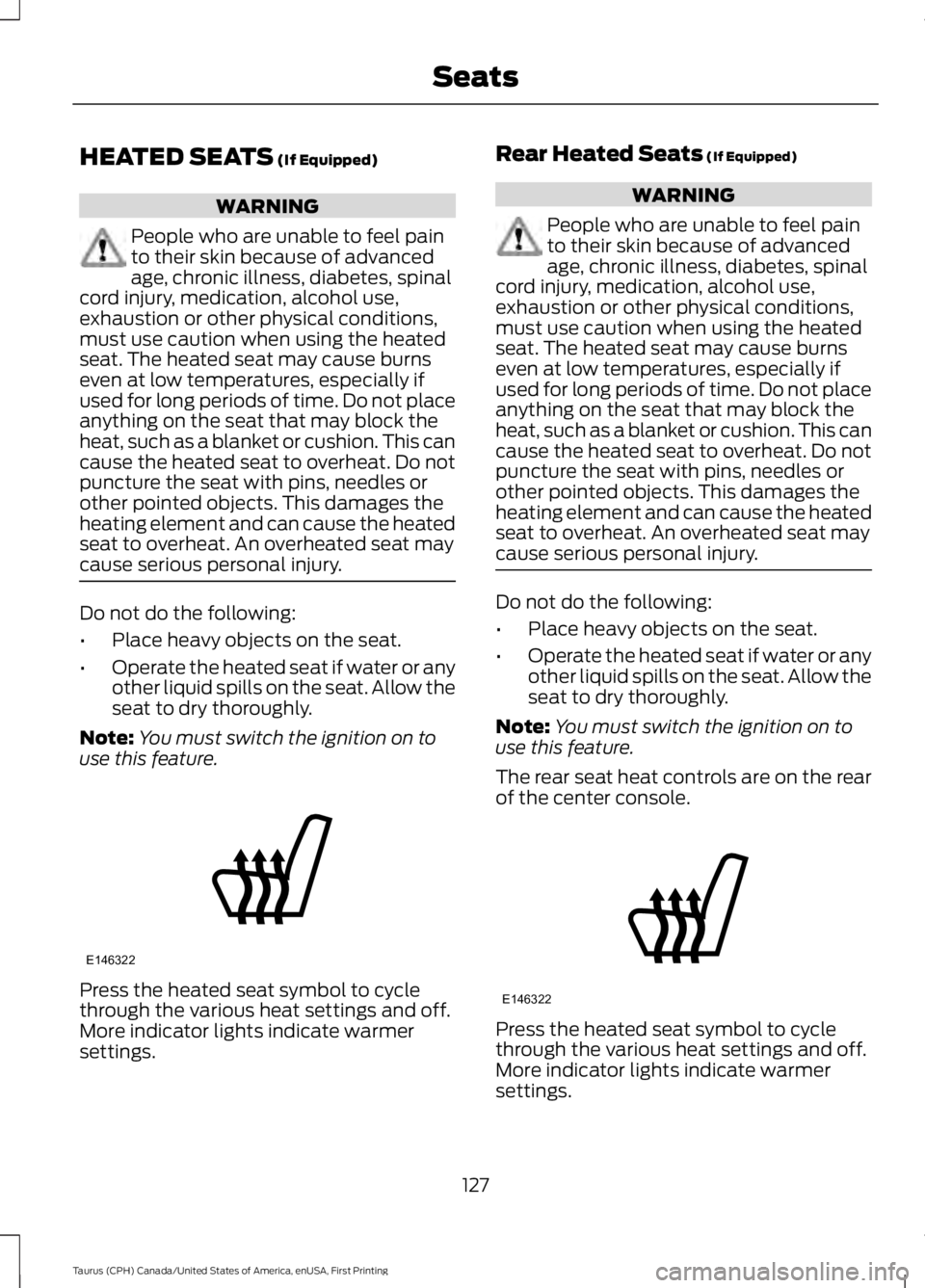
Press the heated seat symbol to cyclethrough the various heat settings and off.More indicator lights indicate warmersettings.
Rear Heated Seats (If Equipped)
WARNING
People who are unable to feel painto their skin because of advancedage, chronic illness, diabetes, spinalcord injury, medication, alcohol use,exhaustion or other physical conditions,must use caution when using the heatedseat. The heated seat may cause burnseven at low temperatures, especially ifused for long periods of time. Do not placeanything on the seat that may block theheat, such as a blanket or cushion. This cancause the heated seat to overheat. Do notpuncture the seat with pins, needles orother pointed objects. This damages theheating element and can cause the heatedseat to overheat. An overheated seat maycause serious personal injury.
Do not do the following:
•Place heavy objects on the seat.
•Operate the heated seat if water or anyother liquid spills on the seat. Allow theseat to dry thoroughly.
Note:You must switch the ignition on touse this feature.
The rear seat heat controls are on the rearof the center console.
Press the heated seat symbol to cyclethrough the various heat settings and off.More indicator lights indicate warmersettings.
127
Taurus (CPH) Canada/United States of America, enUSA, First Printing
SeatsE146322 E146322
Page 131 of 504
CLIMATE CONTROLLED SEATS
(If Equipped)
Heated Seats
WARNING
People who are unable to feel painto their skin because of advancedage, chronic illness, diabetes, spinalcord injury, medication, alcohol use,exhaustion or other physical conditions,must use caution when using the heatedseat. The heated seat may cause burnseven at low temperatures, especially ifused for long periods of time. Do not placeanything on the seat that may block theheat, such as a blanket or cushion. This cancause the heated seat to overheat. Do notpuncture the seat with pins, needles orother pointed objects. This damages theheating element and can cause the heatedseat to overheat. An overheated seat maycause serious personal injury.
Note:Do not do the following:
•Place heavy objects on the seat.
•Operate the seat heater if water or anyother liquid spills on the seat. Allow theseat to dry thoroughly.
The heated seats only function when theengine is running.
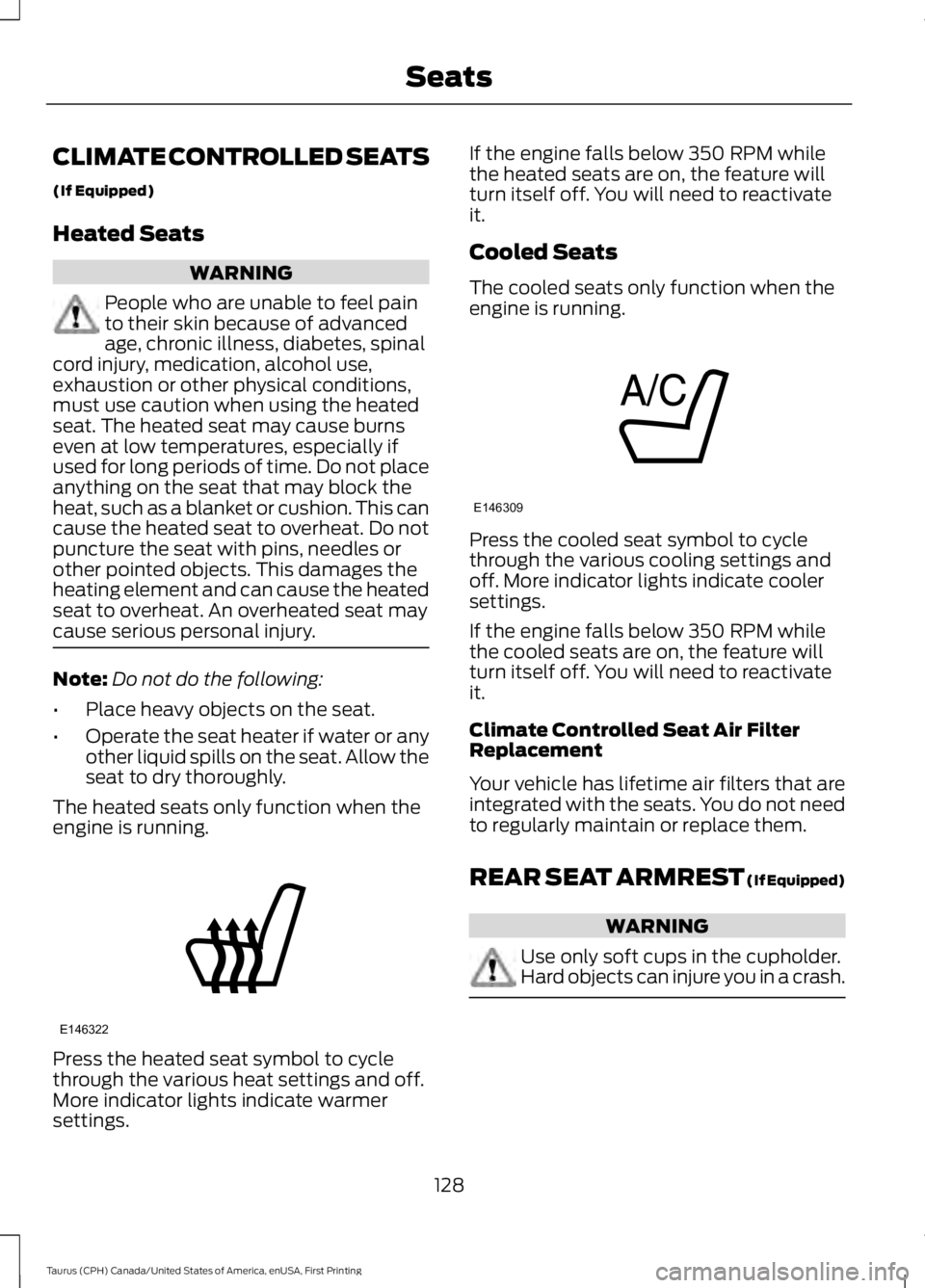
Press the heated seat symbol to cyclethrough the various heat settings and off.More indicator lights indicate warmersettings.
If the engine falls below 350 RPM whilethe heated seats are on, the feature willturn itself off. You will need to reactivateit.
Cooled Seats
The cooled seats only function when theengine is running.
Press the cooled seat symbol to cyclethrough the various cooling settings andoff. More indicator lights indicate coolersettings.
If the engine falls below 350 RPM whilethe cooled seats are on, the feature willturn itself off. You will need to reactivateit.
Climate Controlled Seat Air FilterReplacement
Your vehicle has lifetime air filters that areintegrated with the seats. You do not needto regularly maintain or replace them.
REAR SEAT ARMREST (If Equipped)
WARNING
Use only soft cups in the cupholder.Hard objects can injure you in a crash.
128
Taurus (CPH) Canada/United States of America, enUSA, First Printing
SeatsE146322 E146309
Page 133 of 504
HomeLink Wireless ControlSystem
WARNINGS
Make sure that the garage door andsecurity device are free fromobstruction when you areprogramming. Do not program the systemwith the vehicle in the garage.
Do not use the system with anygarage door opener that does nothave the safety stop and reversefeature as required by U.S. Federal SafetyStandards (this includes any garage dooropener manufactured before April 1, 1982).A garage door opener which cannot detectan object, signaling the door to stop andreverse, does not meet current federalsafety standards. Using a garage dooropener without these features increasesthe risk of serious injury or death.
Note:Make sure you keep the originalremote control transmitter for use in othervehicles as well as for future systemprogramming.
Note:We recommend that upon the saleor lease termination of your vehicle, youerase the programmed function buttons forsecurity reasons. See Erasing the FunctionButton Codes.
Note:You can program a maximum ofthree devices. To change or replace any ofthe three devices after it has been initiallyprogrammed, you must first erase thecurrent settings. See Erasing the FunctionButton Codes.
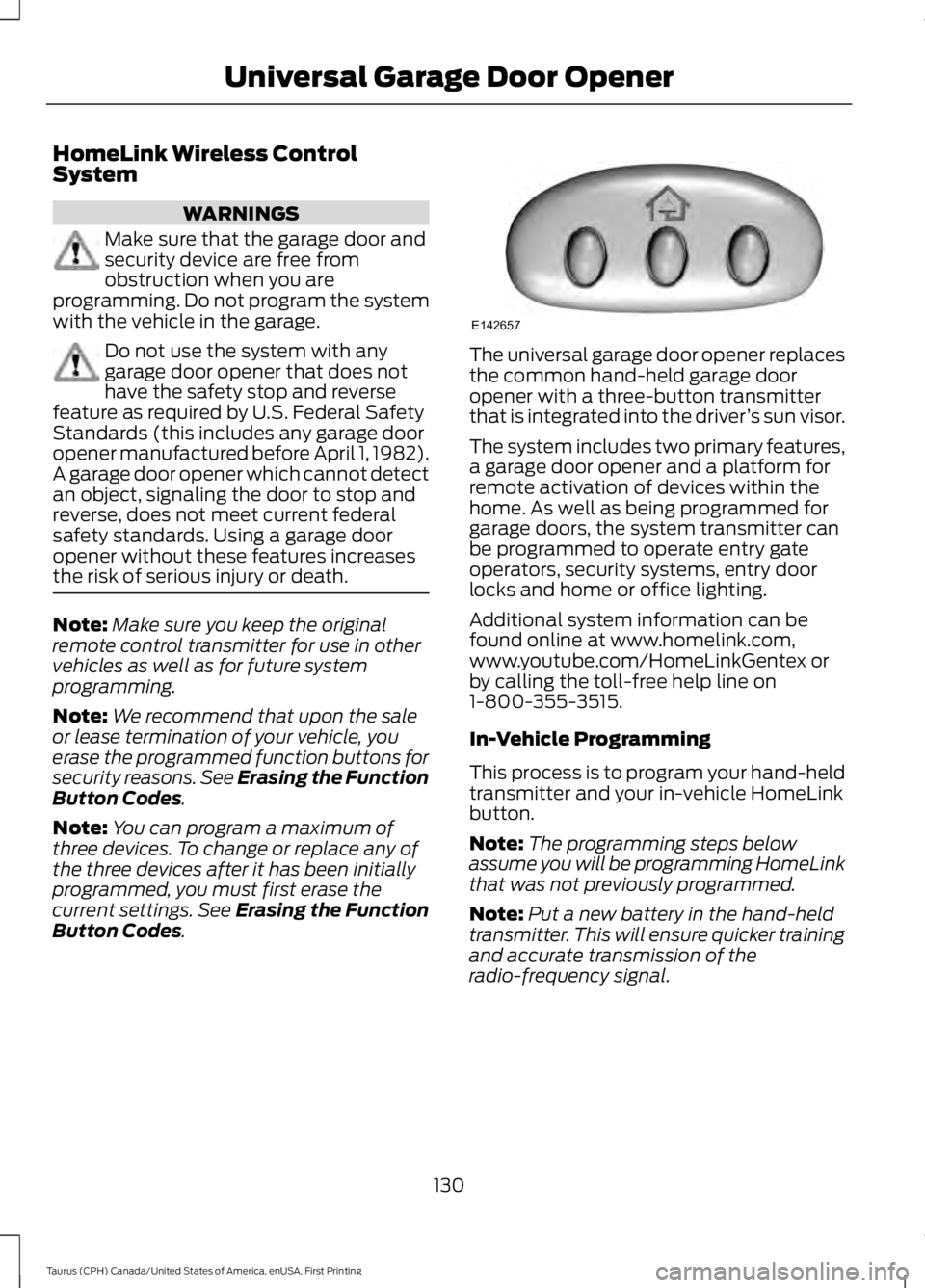
The universal garage door opener replacesthe common hand-held garage dooropener with a three-button transmitterthat is integrated into the driver’s sun visor.
The system includes two primary features,a garage door opener and a platform forremote activation of devices within thehome. As well as being programmed forgarage doors, the system transmitter canbe programmed to operate entry gateoperators, security systems, entry doorlocks and home or office lighting.
Additional system information can befound online at www.homelink.com,www.youtube.com/HomeLinkGentex orby calling the toll-free help line on1-800-355-3515.
In-Vehicle Programming
This process is to program your hand-heldtransmitter and your in-vehicle HomeLinkbutton.
Note:The programming steps belowassume you will be programming HomeLinkthat was not previously programmed.
Note:Put a new battery in the hand-heldtransmitter. This will ensure quicker trainingand accurate transmission of theradio-frequency signal.
130
Taurus (CPH) Canada/United States of America, enUSA, First Printing
Universal Garage Door OpenerE142657
Page 138 of 504
12 Volt DC Power Point
WARNINGS
Do not plug optional electricalaccessories into the cigar lightersocket. Incorrect use of the cigarlighter can cause damage not covered bythe vehicle warranty, and can result in fireor serious injury.
Do not use a power point foroperating a cigar lighter. Incorrectuse of the power points can causedamage not covered by the vehiclewarranty, and can result in fire or seriousinjury.
Note:When you switch the ignition on, youcan use the socket to power 12 voltappliances with a maximum current ratingof 15 amps.
If the power supply does not work after youswitch the ignition off, switch the ignitionon.Note:Do not hang any accessory from theaccessory plug.
Note:Do not use the power point over thevehicle capacity of 12 volt DC 180 watts ora fuse may blow.
Note:Always keep the power point capsclosed when not in use.
Do not insert objects other than anaccessory plug into the power point. Thiswill damage the power point and blow thefuse.
Run the vehicle for full capacity use of thepower point.
To prevent the battery from running out ofcharge:
•Do not use the power point longer thannecessary when the vehicle is notrunning.
•Do not leave devices plugged inovernight or when you park your vehiclefor extended periods.
Locations
Power points may be in the followinglocations:
•On the instrument panel.
•Inside the center console.
•On the rear of the center console.
135
Taurus (CPH) Canada/United States of America, enUSA, First Printing
Auxiliary Power Points