light FORD TAURUS 2017 Repair Manual
[x] Cancel search | Manufacturer: FORD, Model Year: 2017, Model line: TAURUS, Model: FORD TAURUS 2017Pages: 504, PDF Size: 5.84 MB
Page 180 of 504
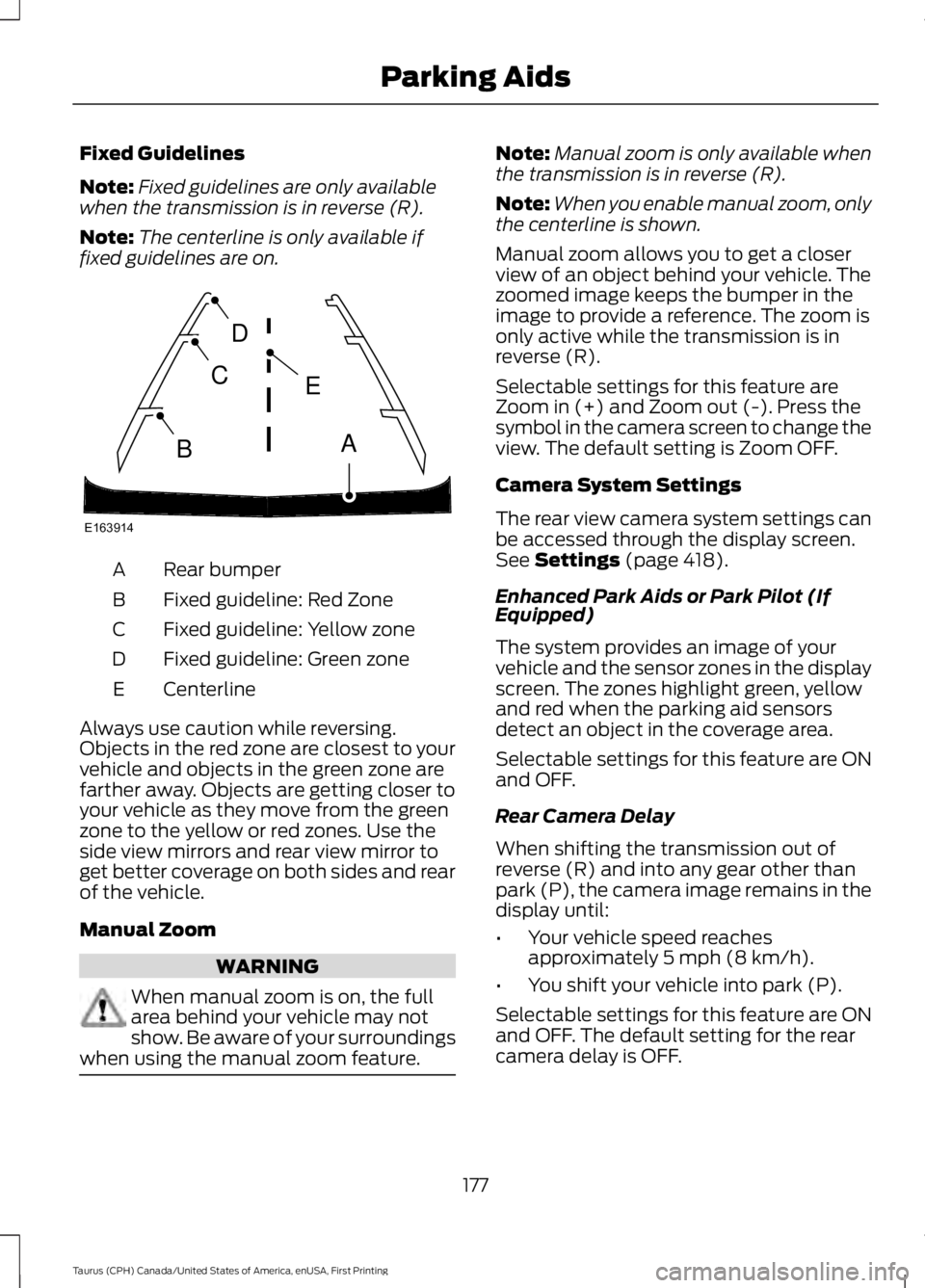
Fixed Guidelines
Note:Fixed guidelines are only availablewhen the transmission is in reverse (R).
Note:The centerline is only available iffixed guidelines are on.
Rear bumperA
Fixed guideline: Red ZoneB
Fixed guideline: Yellow zoneC
Fixed guideline: Green zoneD
CenterlineE
Always use caution while reversing.Objects in the red zone are closest to yourvehicle and objects in the green zone arefarther away. Objects are getting closer toyour vehicle as they move from the greenzone to the yellow or red zones. Use theside view mirrors and rear view mirror toget better coverage on both sides and rearof the vehicle.
Manual Zoom
WARNING
When manual zoom is on, the fullarea behind your vehicle may notshow. Be aware of your surroundingswhen using the manual zoom feature.
Note:Manual zoom is only available whenthe transmission is in reverse (R).
Note:When you enable manual zoom, onlythe centerline is shown.
Manual zoom allows you to get a closerview of an object behind your vehicle. Thezoomed image keeps the bumper in theimage to provide a reference. The zoom isonly active while the transmission is inreverse (R).
Selectable settings for this feature areZoom in (+) and Zoom out (-). Press thesymbol in the camera screen to change theview. The default setting is Zoom OFF.
Camera System Settings
The rear view camera system settings canbe accessed through the display screen.See Settings (page 418).
Enhanced Park Aids or Park Pilot (IfEquipped)
The system provides an image of yourvehicle and the sensor zones in the displayscreen. The zones highlight green, yellowand red when the parking aid sensorsdetect an object in the coverage area.
Selectable settings for this feature are ONand OFF.
Rear Camera Delay
When shifting the transmission out ofreverse (R) and into any gear other thanpark (P), the camera image remains in thedisplay until:
•Your vehicle speed reachesapproximately 5 mph (8 km/h).
•You shift your vehicle into park (P).
Selectable settings for this feature are ONand OFF. The default setting for the rearcamera delay is OFF.
177
Taurus (CPH) Canada/United States of America, enUSA, First Printing
Parking AidsE163914
A
E
D
C
B
Page 183 of 504
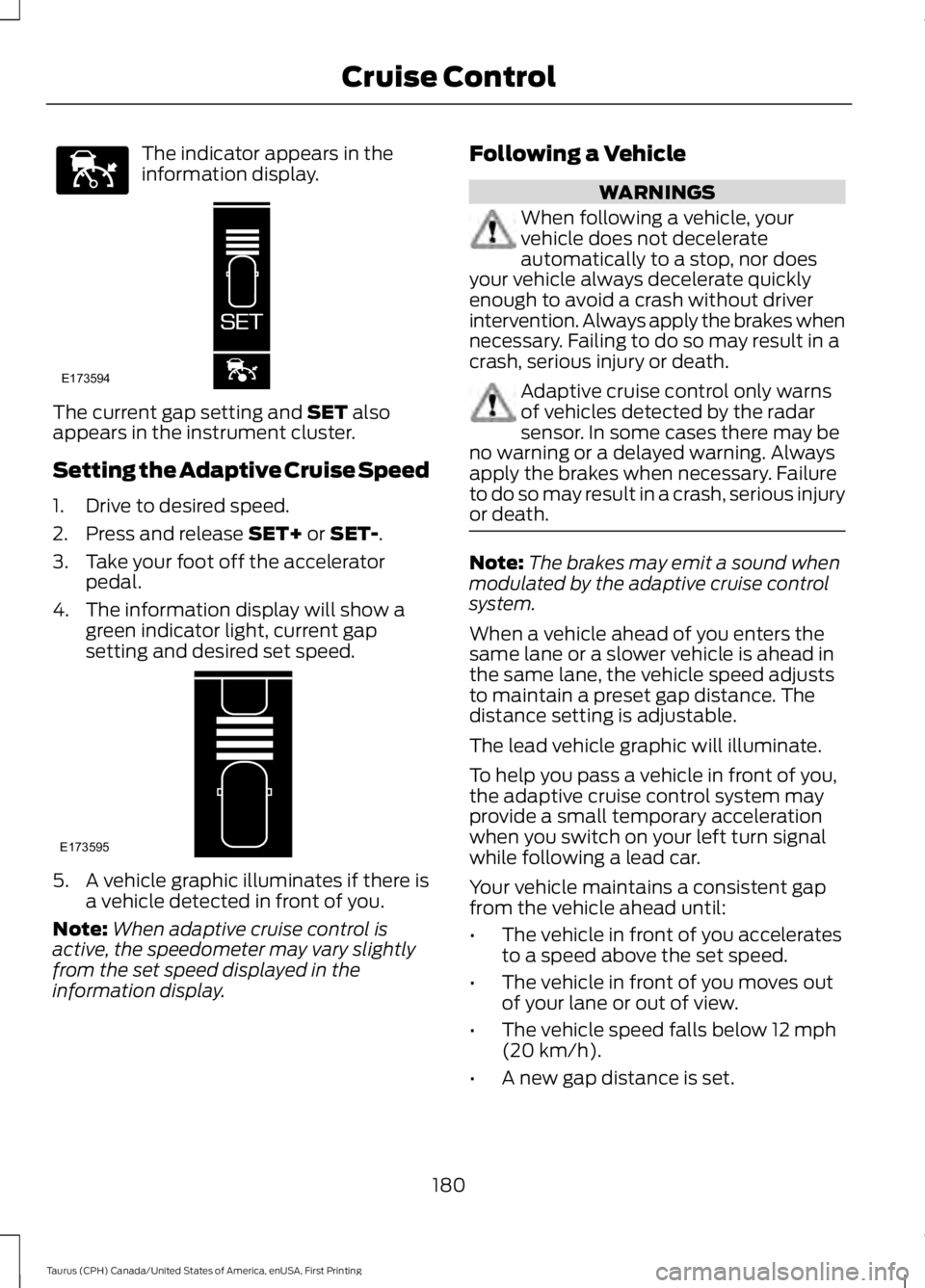
The indicator appears in theinformation display.
The current gap setting and SET alsoappears in the instrument cluster.
Setting the Adaptive Cruise Speed
1. Drive to desired speed.
2. Press and release SET+ or SET-.
3. Take your foot off the acceleratorpedal.
4. The information display will show agreen indicator light, current gapsetting and desired set speed.
5. A vehicle graphic illuminates if there isa vehicle detected in front of you.
Note:When adaptive cruise control isactive, the speedometer may vary slightlyfrom the set speed displayed in theinformation display.
Following a Vehicle
WARNINGS
When following a vehicle, yourvehicle does not decelerateautomatically to a stop, nor doesyour vehicle always decelerate quicklyenough to avoid a crash without driverintervention. Always apply the brakes whennecessary. Failing to do so may result in acrash, serious injury or death.
Adaptive cruise control only warnsof vehicles detected by the radarsensor. In some cases there may beno warning or a delayed warning. Alwaysapply the brakes when necessary. Failureto do so may result in a crash, serious injuryor death.
Note:The brakes may emit a sound whenmodulated by the adaptive cruise controlsystem.
When a vehicle ahead of you enters thesame lane or a slower vehicle is ahead inthe same lane, the vehicle speed adjuststo maintain a preset gap distance. Thedistance setting is adjustable.
The lead vehicle graphic will illuminate.
To help you pass a vehicle in front of you,the adaptive cruise control system mayprovide a small temporary accelerationwhen you switch on your left turn signalwhile following a lead car.
Your vehicle maintains a consistent gapfrom the vehicle ahead until:
•The vehicle in front of you acceleratesto a speed above the set speed.
•The vehicle in front of you moves outof your lane or out of view.
•The vehicle speed falls below 12 mph(20 km/h).
•A new gap distance is set.
180
Taurus (CPH) Canada/United States of America, enUSA, First Printing
Cruise ControlE144529 E173594 E173595
Page 185 of 504
Each time you start the vehicle, the systemwill select the last chosen gap for thecurrent driver.
Disengaging the System
Press the brake pedal or press CNCL. Thelast set speed will appear in grey.
Overriding the System
WARNING
If you override the system by pressingthe accelerator pedal, it does notautomatically apply the brakes tomaintain a gap from any vehicle ahead.
You can override the set speed and gapdistance by pressing the accelerator pedal.
When you override the system,the green indicator lightilluminates and the lead vehiclegraphic does not show in the informationdisplay.
The system will resume operation whenyou release the accelerator pedal. Thevehicle speed will decrease to the setspeed, or a lower speed if following aslower vehicle.
Changing the Set Speed
•Press and release SET+ or SET-. Whenyou select km/h as the displaymeasurement in the informationdisplay, the set speed changes inapproximately 1 km/h increments.When you select mph as the displaymeasurement in the informationdisplay, the set speed changes inapproximately 1 mph increments.
•Press and hold SET+ or SET-. The setspeed changes in approximately 5 mph(10 km/h) increments.
The system may apply the brakes to slowthe vehicle to the new set speed. The setspeed displays continuously in theinformation display when the system isactive.
Note: If you accelerate by pressing theaccelerator pedal, the set speed will notchange. When you release the acceleratorpedal, your vehicle returns to the speed thatyou previously set.
Resuming the Set Speed
Note:Only use resume if you are aware ofthe set speed and intend to return to it.
Press and release RES. The vehicle willreturn to the previously set speed. The setspeed will display continuously in theinformation display while the system isactive.
Automatic Cancellation
The system is not functional at vehiclespeeds below 12 mph (20 km/h). Anaudible alarm will sound and theautomatic braking releases if the vehicledrops below this speed.
Hilly Condition Usage
Note:An audible alarm will sound and thesystem will shut down if it is applying brakesfor an extended period of time. This allowsthe brakes to cool down. The system willfunction normally again when the brakeshave cooled down.
You should select a lower gear positionwhen the system is active in situationssuch as prolonged downhill driving onsteep grades, for example in mountainousareas. The system needs additional enginebraking in these situations to reduce theload on the vehicle’s regular brake systemto prevent them from overheating.
182
Taurus (CPH) Canada/United States of America, enUSA, First Printing
Cruise ControlE144529
Page 188 of 504
Switching to Normal CruiseControl
WARNING
Normal cruise control will not brakewhen your vehicle is approachingslower vehicles. Always be aware ofwhich mode you have selected and applythe brakes when necessary.
You can manually change from adaptivecruise control to normal cruise controlthrough the information display.
The cruise control indicator lightreplaces the adaptive cruisecontrol indicator light if youselect normal cruise control. The gapsetting does not display, the system doesnot automatically respond to lead vehicles.Automatic braking remains active tomaintain set speed.
185
Taurus (CPH) Canada/United States of America, enUSA, First Printing
Cruise ControlE71340
Page 191 of 504
Note:Large contrasts in lighting can limitsensor performance.
Note:The system works above 40 mph(64 km/h).
Note:The system works as long as thecamera can detect one lane marking.
Note:When Aid mode is on and the systemdetects no steering activity for a shortperiod, the system will alert you to put yourhands on the steering wheel. The systemmay detect a light grip or touch on thesteering wheel as hands off driving.
The system notifies you to stay in your lanethrough the steering system and theinstrument cluster display when the frontcamera detects an unintentional drift outof your lane is likely to occur. The systemautomatically detects and tracks the roadlane markings using a camera mountedbehind the interior rear view mirror.
Switching the System On and Off
Note:The system on or off setting is storeduntil it is manually changed, unless a MyKeyis detected. If the system detects a MyKeyit defaults to on and the mode is set to Alert.
Note:If a MyKey is detected, pressing thebutton will not affect the on or off status ofthe system.
Press the button located on thecenter console to switch thesystem on or off.
System Settings
The system has optional setting menusavailable. To view or adjust the settings,See General Information (page 89). Thesystem stores the last-known selection foreach of these settings. You do not need toreadjust your settings each time you turnon the system.
Mode (if equipped): This setting allowsyou to select which of the system featuresyou can enable.
Alert only – Provides a steering wheelvibration when the system detects anunintended lane departure.
Note:Some vehicles are equipped with thealert function only.
Aid only (if equipped) – Provides anassistance steering torque input towardthe lane center when the system detectsan unintended lane departure.
188
Taurus (CPH) Canada/United States of America, enUSA, First Printing
Driving AidsE173233 E165515 E165516
Page 193 of 504
•The road has no or poor lane markingsin the camera field-of-view.
•The camera is obscured or unable todetect the lane markings due toenvironmental conditions (significantsun angles, shadows, snow, heavy rainor fog), traffic conditions (following alarge vehicle that is blocking orshadowing the lane), or vehicleconditions (poor headlampillumination).
See Troubleshooting for additionalinformation.
Green: Indicates that the system isavailable or ready to provide a warning orintervention, on the indicated side(s).
Yellow: Indicates that the system isproviding or has just provided a lanekeeping aid intervention.
Red: Indicates that the system is providingor has just provided a lane keeping alertwarning.
The system can be temporarily suppressedat any time by the following:
•Quick braking.
•Fast acceleration.
•Using the turn signal indicator.
•Evasive steering maneuver.
Troubleshooting
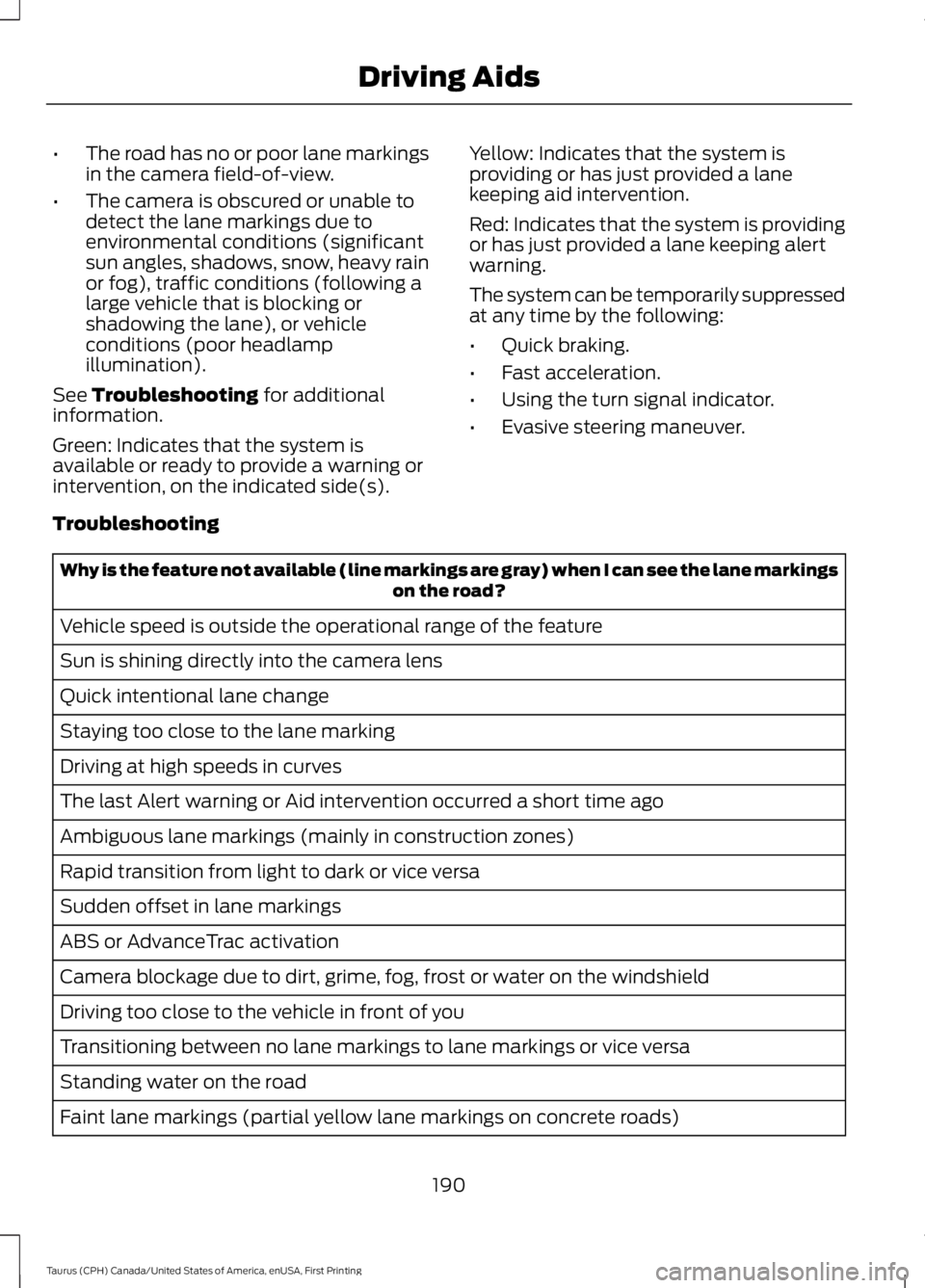
Why is the feature not available (line markings are gray) when I can see the lane markingson the road?
Vehicle speed is outside the operational range of the feature
Sun is shining directly into the camera lens
Quick intentional lane change
Staying too close to the lane marking
Driving at high speeds in curves
The last Alert warning or Aid intervention occurred a short time ago
Ambiguous lane markings (mainly in construction zones)
Rapid transition from light to dark or vice versa
Sudden offset in lane markings
ABS or AdvanceTrac activation
Camera blockage due to dirt, grime, fog, frost or water on the windshield
Driving too close to the vehicle in front of you
Transitioning between no lane markings to lane markings or vice versa
Standing water on the road
Faint lane markings (partial yellow lane markings on concrete roads)
190
Taurus (CPH) Canada/United States of America, enUSA, First Printing
Driving Aids
Page 195 of 504
Note:The Blind Spot Information Systemdoes not prevent contact with other vehiclesor objects; nor detect parked vehicles,people, animals or infrastructure (fences,guardrails, trees). It’s only designed to alertyou to vehicles in the blind spot zones.
Note:When a vehicle passes quicklythrough the blind spot zone, typically fewerthan two seconds, the system does nottrigger.
Using the System
The Blind Spot Information System turnson when you start the engine and you driveyour vehicle forward above 3 mph(5 km/h).
For automatic transmissions, the BlindSpot Information System remains on whilethe transmission is in drive (D). If shiftedinto reverse (R) or park (P) the Blind SpotInformation System turns off. Once shiftedback into drive (D), the Blind SpotInformation System turns back on whenyou drive your vehicle above 3 mph(5 km/h).
For manual transmissions, the Blind SpotInformation System is on for all gearsexcept the reverse (R).
Note:The Blind Spot Information Systemdoes not function in reverse (R) or park (P).
System Lights and Messages
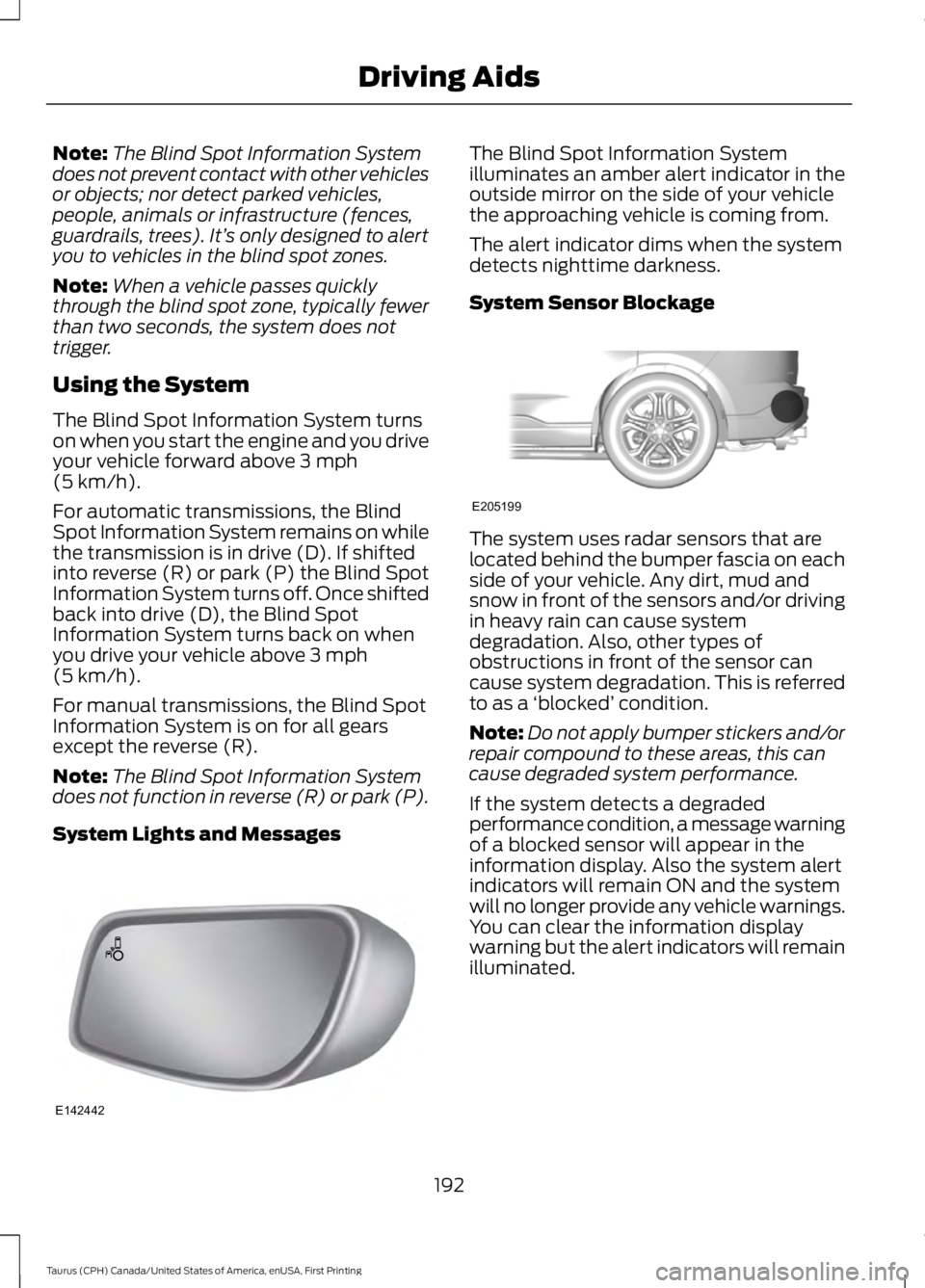
The Blind Spot Information Systemilluminates an amber alert indicator in theoutside mirror on the side of your vehiclethe approaching vehicle is coming from.
The alert indicator dims when the systemdetects nighttime darkness.
System Sensor Blockage
The system uses radar sensors that arelocated behind the bumper fascia on eachside of your vehicle. Any dirt, mud andsnow in front of the sensors and/or drivingin heavy rain can cause systemdegradation. Also, other types ofobstructions in front of the sensor cancause system degradation. This is referredto as a ‘blocked’ condition.
Note:Do not apply bumper stickers and/orrepair compound to these areas, this cancause degraded system performance.
If the system detects a degradedperformance condition, a message warningof a blocked sensor will appear in theinformation display. Also the system alertindicators will remain ON and the systemwill no longer provide any vehicle warnings.You can clear the information displaywarning but the alert indicators will remainilluminated.
192
Taurus (CPH) Canada/United States of America, enUSA, First Printing
Driving AidsE142442 E205199
Page 198 of 504
Zone coverage also decreases whenparking at shallow angles. Here, the leftsensor is mostly obstructed; zone coverageon that side is severely limited.
System Lights, Messages andAudible Alerts
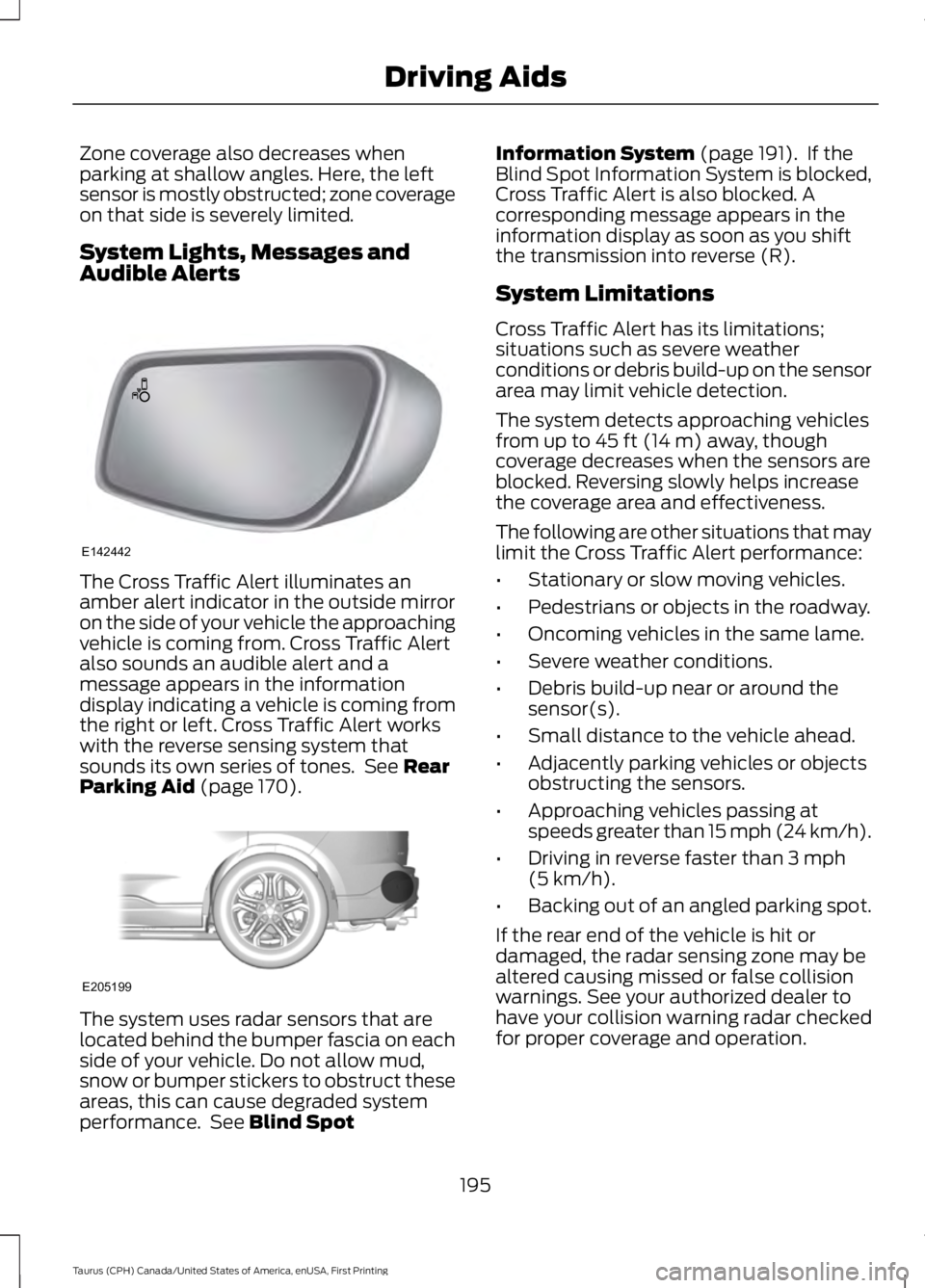
The Cross Traffic Alert illuminates anamber alert indicator in the outside mirroron the side of your vehicle the approachingvehicle is coming from. Cross Traffic Alertalso sounds an audible alert and amessage appears in the informationdisplay indicating a vehicle is coming fromthe right or left. Cross Traffic Alert workswith the reverse sensing system thatsounds its own series of tones. See RearParking Aid (page 170).
The system uses radar sensors that arelocated behind the bumper fascia on eachside of your vehicle. Do not allow mud,snow or bumper stickers to obstruct theseareas, this can cause degraded systemperformance. See Blind Spot
Information System (page 191). If theBlind Spot Information System is blocked,Cross Traffic Alert is also blocked. Acorresponding message appears in theinformation display as soon as you shiftthe transmission into reverse (R).
System Limitations
Cross Traffic Alert has its limitations;situations such as severe weatherconditions or debris build-up on the sensorarea may limit vehicle detection.
The system detects approaching vehiclesfrom up to 45 ft (14 m) away, thoughcoverage decreases when the sensors areblocked. Reversing slowly helps increasethe coverage area and effectiveness.
The following are other situations that maylimit the Cross Traffic Alert performance:
•Stationary or slow moving vehicles.
•Pedestrians or objects in the roadway.
•Oncoming vehicles in the same lame.
•Severe weather conditions.
•Debris build-up near or around thesensor(s).
•Small distance to the vehicle ahead.
•Adjacently parking vehicles or objectsobstructing the sensors.
•Approaching vehicles passing atspeeds greater than 15 mph (24 km/h).
•Driving in reverse faster than 3 mph(5 km/h).
•Backing out of an angled parking spot.
If the rear end of the vehicle is hit ordamaged, the radar sensing zone may bealtered causing missed or false collisionwarnings. See your authorized dealer tohave your collision warning radar checkedfor proper coverage and operation.
195
Taurus (CPH) Canada/United States of America, enUSA, First Printing
Driving AidsE142442 E205199
Page 200 of 504
Steering Tips
If the steering wanders or pulls, check for:
•Correct tire pressures.
•Uneven tire wear.
•Loose or worn suspensioncomponents.
•Loose or worn steering components.
•Improper vehicle alignment.
Note:A high crown in the road or highcrosswinds may also make the steeringseem to wander or pull.
Adaptive Learning
The electronic power steering systemadaptive learning helps correct roadirregularities and improves overall handlingand steering feel. It communicates withthe brake system to help operateadvanced stability control and accidentavoidance systems. Additionally, wheneverthe battery is disconnected or a newbattery installed, you must drive yourvehicle a short distance before the systemrelearns the strategy and reactivates allsystems.
COLLISION WARNING SYSTEM
(If Equipped)
PRINCIPLE OF OPERATION
WARNINGS
This system is designed to be asupplementary driving aid. It is notintended to replace the driver’sattention, and judgment, or the need toapply the brakes. This system does NOTactivate the brakes automatically. Failureto press the brake pedal to activate thebrakes may result in a collision.
WARNINGS
The collision warning system withbrake support cannot help preventall collisions. Do not rely on thissystem to replace driver judgment and theneed to maintain distance and speed.
Note:The system does not detect, warn orrespond to potential collisions with vehiclesto the rear or sides of the vehicle.
Note:The collision warning system is activeat speeds above approximately 5 mph(8 km/h).
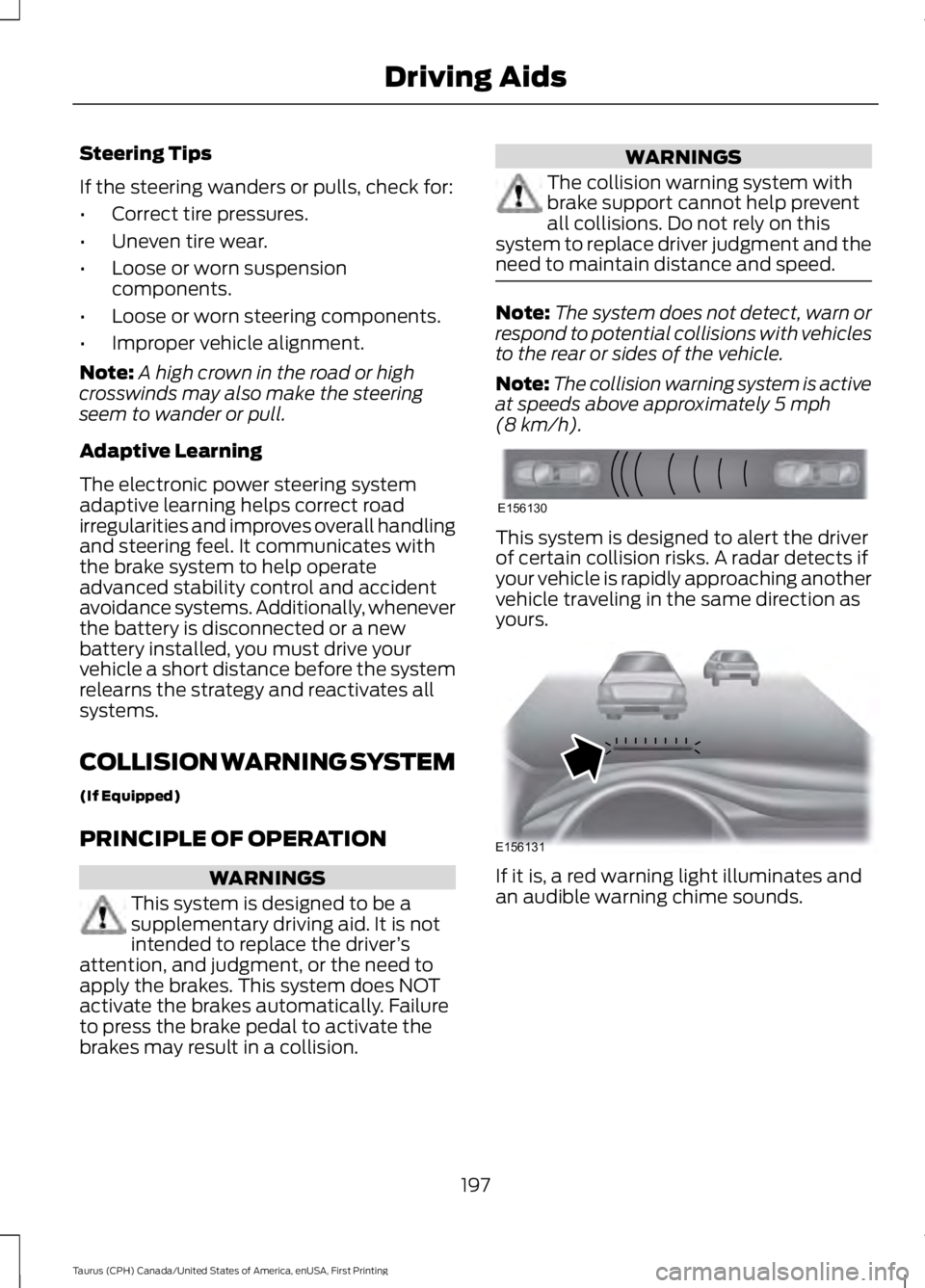
This system is designed to alert the driverof certain collision risks. A radar detects ifyour vehicle is rapidly approaching anothervehicle traveling in the same direction asyours.
If it is, a red warning light illuminates andan audible warning chime sounds.
197
Taurus (CPH) Canada/United States of America, enUSA, First Printing
Driving AidsE156130 E156131
Page 201 of 504
The brake support system assists the driverin reducing the collision speed by chargingthe brakes. If the risk of collision furtherincreases after the warning lightilluminates, the brake support preparesthe brake system for rapid braking. Thismay be apparent to the driver. The systemdoes not automatically activate the brakesbut, if the brake pedal is pressed, full forcebraking is applied even if the brake pedalis lightly pressed.
Using the Collision Warning System
WARNING
The collision warning system’s brakesupport can only help reduce thespeed at which a collision occurs ifthe driver applies the vehicle’s brakes. Thebrake pedal must be pressed just like anytypical braking situation.
The warning system sensitivity can beadjusted to one of three possible settingsby using the information display control.See General Information (page 89).
Note:If collision warnings are perceived asbeing too frequent or disturbing then thewarning sensitivity can be reduced, thoughthe manufacturer recommends using thehighest sensitivity setting where possible.Setting lower sensitivity would lead to fewerand later system warnings. See GeneralInformation (page 89).
Blocked Sensors
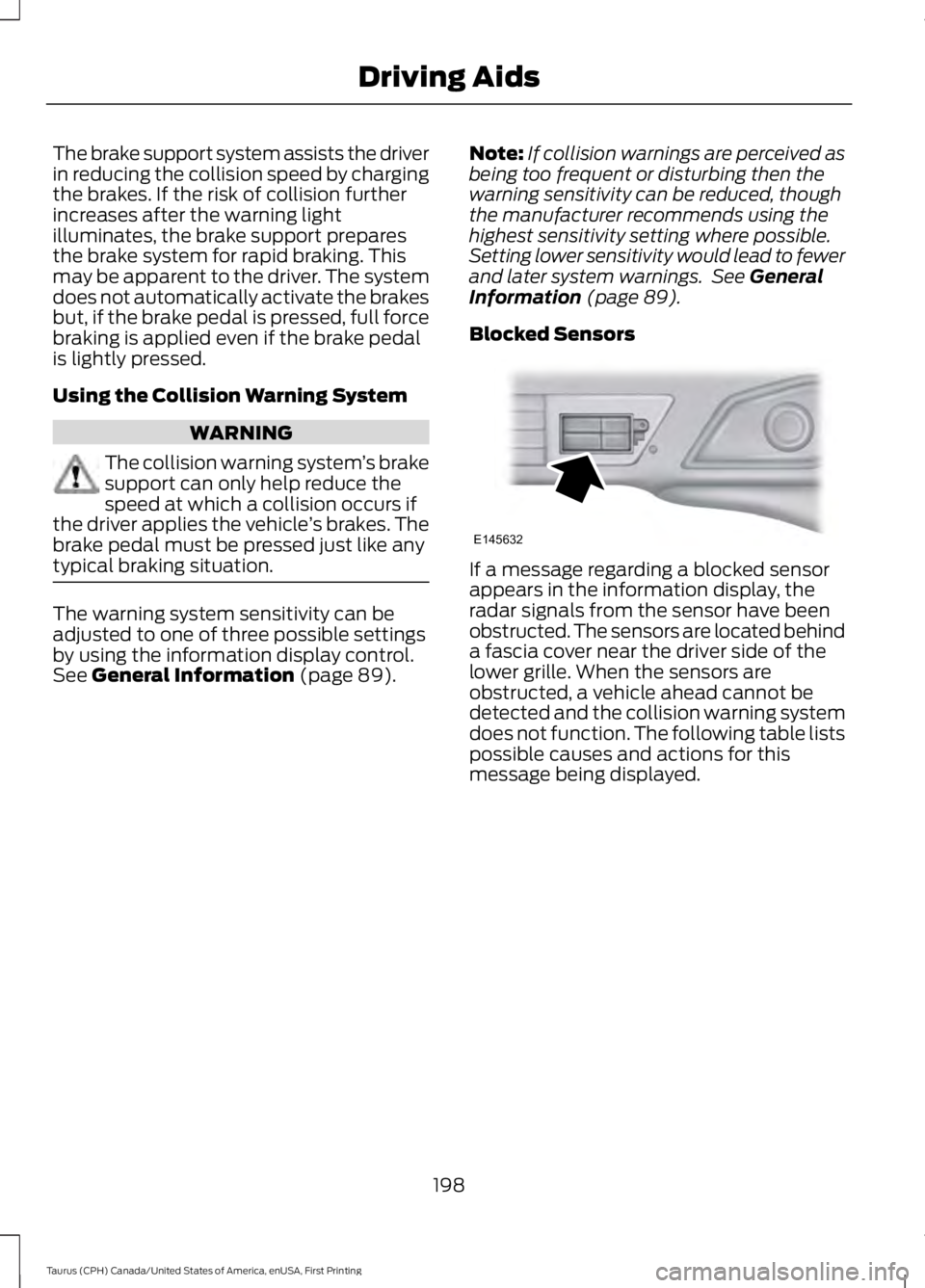
If a message regarding a blocked sensorappears in the information display, theradar signals from the sensor have beenobstructed. The sensors are located behinda fascia cover near the driver side of thelower grille. When the sensors areobstructed, a vehicle ahead cannot bedetected and the collision warning systemdoes not function. The following table listspossible causes and actions for thismessage being displayed.
198
Taurus (CPH) Canada/United States of America, enUSA, First Printing
Driving AidsE145632