change wheel FORD TAURUS 2017 Owners Manual
[x] Cancel search | Manufacturer: FORD, Model Year: 2017, Model line: TAURUS, Model: FORD TAURUS 2017Pages: 504, PDF Size: 5.84 MB
Page 7 of 504
Jump Starting the Vehicle.........................216
Post-Crash Alert System...........................218
Customer Assistance
Getting the Services You Need................219
In California (U.S. Only)............................220
The Better Business Bureau (BBB) AutoLine Program (U.S. Only).......................221
Utilizing the Mediation/ArbitrationProgram (Canada Only)........................222
Getting Assistance Outside the U.S. andCanada........................................................222
Ordering Additional Owner'sLiterature.....................................................223
Reporting Safety Defects (U.S.Only).............................................................224
Reporting Safety Defects (CanadaOnly).............................................................224
Fuses
Fuse Specification Chart..........................226
Changing a Fuse...........................................234
Maintenance
General Information...................................236
Opening and Closing the Hood..............236
Under Hood Overview - 2.0LEcoBoost™................................................238
Under Hood Overview - 3.5LDuratec........................................................239
Under Hood Overview - 3.5LEcoboost™................................................240
Engine Oil Dipstick - 2.0LEcoBoost™.................................................241
Engine Oil Dipstick - 3.5L Duratec/3.5LEcoboost™.................................................241
Engine Oil Check...........................................241
Oil Change Indicator Reset......................243
Engine Coolant Check...............................243
Automatic Transmission Fluid Check -2.0L EcoBoost™......................................247
Automatic Transmission Fluid Check -3.5L Duratec/3.5L Ecoboost™...........247
Brake Fluid Check.........................................251
Power Steering Fluid Check......................251
Washer Fluid Check.....................................251
Fuel Filter........................................................252
Changing the 12V Battery.........................252
Checking the Wiper Blades.....................254
Changing the Wiper Blades.....................254
Adjusting the Headlamps.........................255
Changing a Bulb...........................................256
Bulb Specification Chart...........................257
Changing the Engine Air Filter................259
Vehicle Care
General Information...................................260
Cleaning Products......................................260
Cleaning the Exterior.................................260
Waxing..............................................................261
Cleaning the Engine....................................262
Cleaning the Windows and WiperBlades..........................................................262
Cleaning the Interior...................................263
Cleaning the Instrument Panel andInstrument Cluster Lens.......................263
Cleaning Leather Seats.............................264
Repairing Minor Paint Damage..............264
Cleaning the Wheels..................................264
Vehicle Storage............................................265
Wheels and Tires
General Information...................................267
Tire Sealant and Inflator Kit.....................267
Tire Care...........................................................273
Using Summer Tires...................................286
Using Snow Chains.....................................286
Tire Pressure Monitoring System...........287
Changing a Road Wheel............................291
Technical Specifications..........................296
4
Taurus (CPH) Canada/United States of America, enUSA, First Printing
Table of Contents
Page 56 of 504
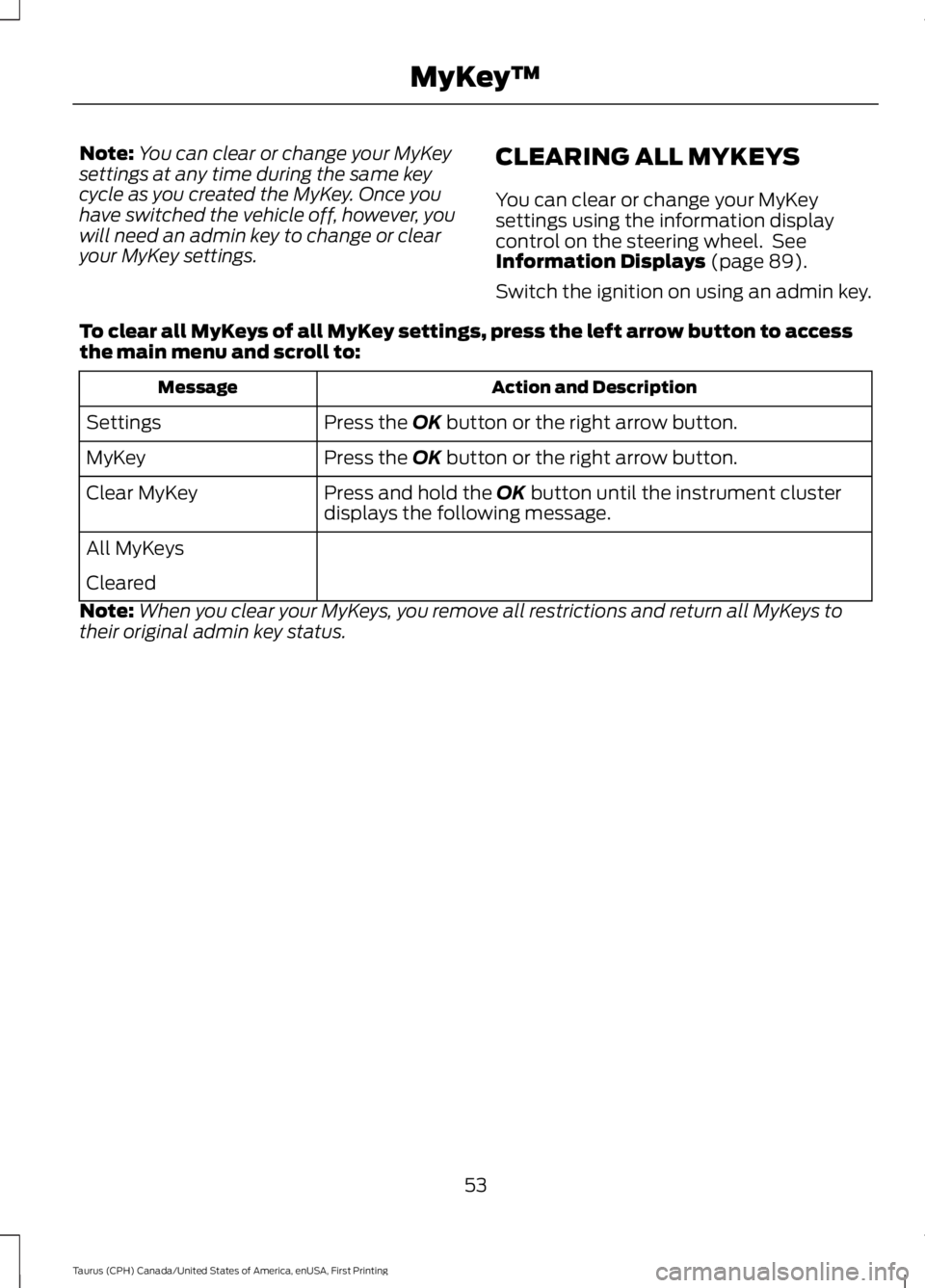
Note:You can clear or change your MyKeysettings at any time during the same keycycle as you created the MyKey. Once youhave switched the vehicle off, however, youwill need an admin key to change or clearyour MyKey settings.
CLEARING ALL MYKEYS
You can clear or change your MyKeysettings using the information displaycontrol on the steering wheel. SeeInformation Displays (page 89).
Switch the ignition on using an admin key.
To clear all MyKeys of all MyKey settings, press the left arrow button to accessthe main menu and scroll to:
Action and DescriptionMessage
Press the OK button or the right arrow button.Settings
Press the OK button or the right arrow button.MyKey
Press and hold the OK button until the instrument clusterdisplays the following message.Clear MyKey
All MyKeys
Cleared
Note:When you clear your MyKeys, you remove all restrictions and return all MyKeys totheir original admin key status.
53
Taurus (CPH) Canada/United States of America, enUSA, First Printing
MyKey™
Page 103 of 504
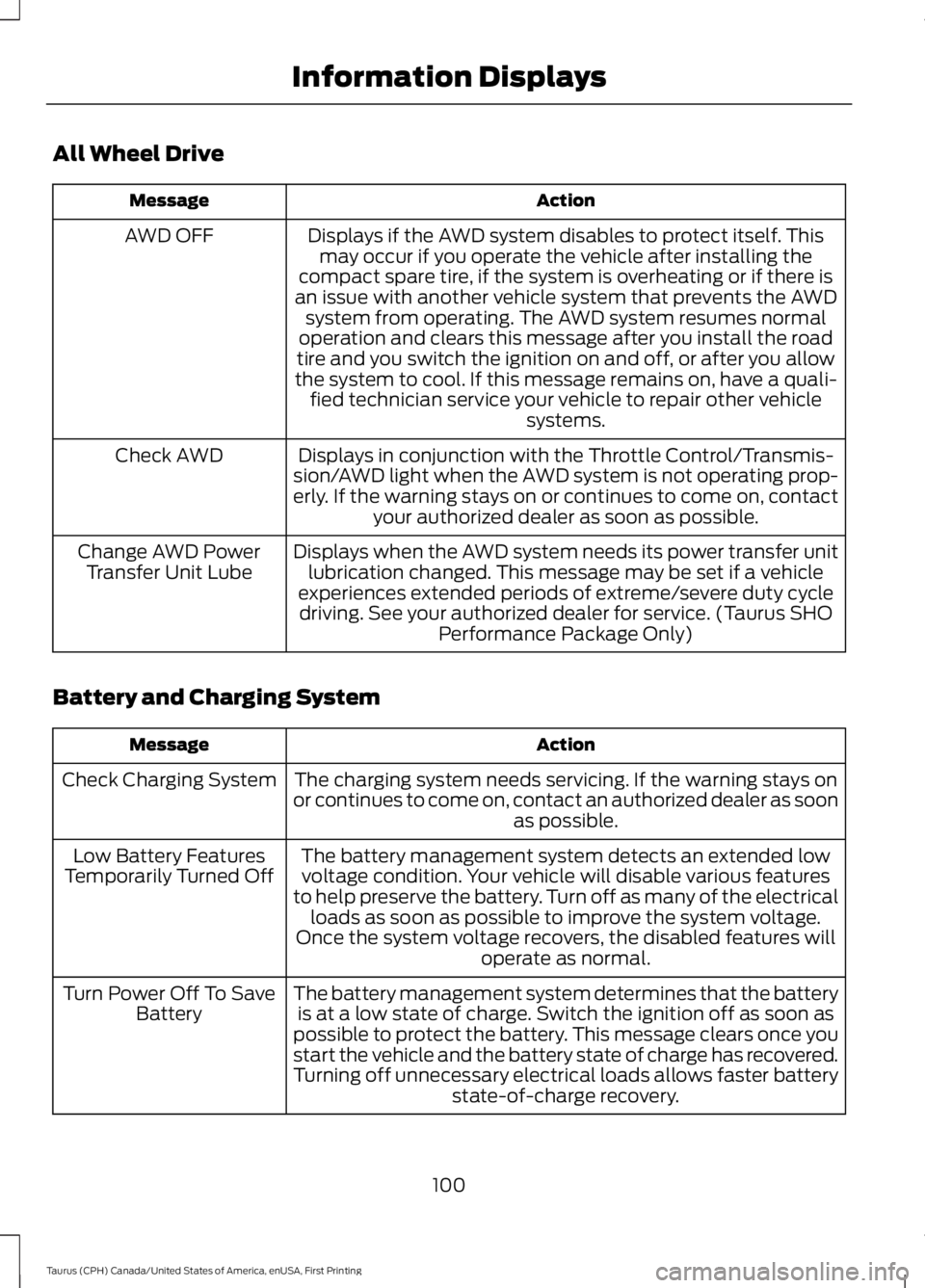
All Wheel Drive
ActionMessage
Displays if the AWD system disables to protect itself. Thismay occur if you operate the vehicle after installing thecompact spare tire, if the system is overheating or if there isan issue with another vehicle system that prevents the AWDsystem from operating. The AWD system resumes normaloperation and clears this message after you install the roadtire and you switch the ignition on and off, or after you allowthe system to cool. If this message remains on, have a quali-fied technician service your vehicle to repair other vehiclesystems.
AWD OFF
Displays in conjunction with the Throttle Control/Transmis-sion/AWD light when the AWD system is not operating prop-erly. If the warning stays on or continues to come on, contactyour authorized dealer as soon as possible.
Check AWD
Displays when the AWD system needs its power transfer unitlubrication changed. This message may be set if a vehicleexperiences extended periods of extreme/severe duty cycledriving. See your authorized dealer for service. (Taurus SHOPerformance Package Only)
Change AWD PowerTransfer Unit Lube
Battery and Charging System
ActionMessage
The charging system needs servicing. If the warning stays onor continues to come on, contact an authorized dealer as soonas possible.
Check Charging System
The battery management system detects an extended lowvoltage condition. Your vehicle will disable various featuresto help preserve the battery. Turn off as many of the electricalloads as soon as possible to improve the system voltage.Once the system voltage recovers, the disabled features willoperate as normal.
Low Battery FeaturesTemporarily Turned Off
The battery management system determines that the batteryis at a low state of charge. Switch the ignition off as soon aspossible to protect the battery. This message clears once youstart the vehicle and the battery state of charge has recovered.Turning off unnecessary electrical loads allows faster batterystate-of-charge recovery.
Turn Power Off To SaveBattery
100
Taurus (CPH) Canada/United States of America, enUSA, First Printing
Information Displays
Page 156 of 504
AUTOMATIC TRANSMISSION
WARNINGS
Always fully apply the parking brakeand make sure you shift into park (P).Switch the ignition off and removethe key whenever you leave your vehicle.
Do not apply the brake pedal andaccelerator pedal simultaneously.Applying both pedals simultaneouslyfor more than a few seconds will limitengine performance, which may result indifficulty maintaining speed in traffic andcould lead to serious injury.
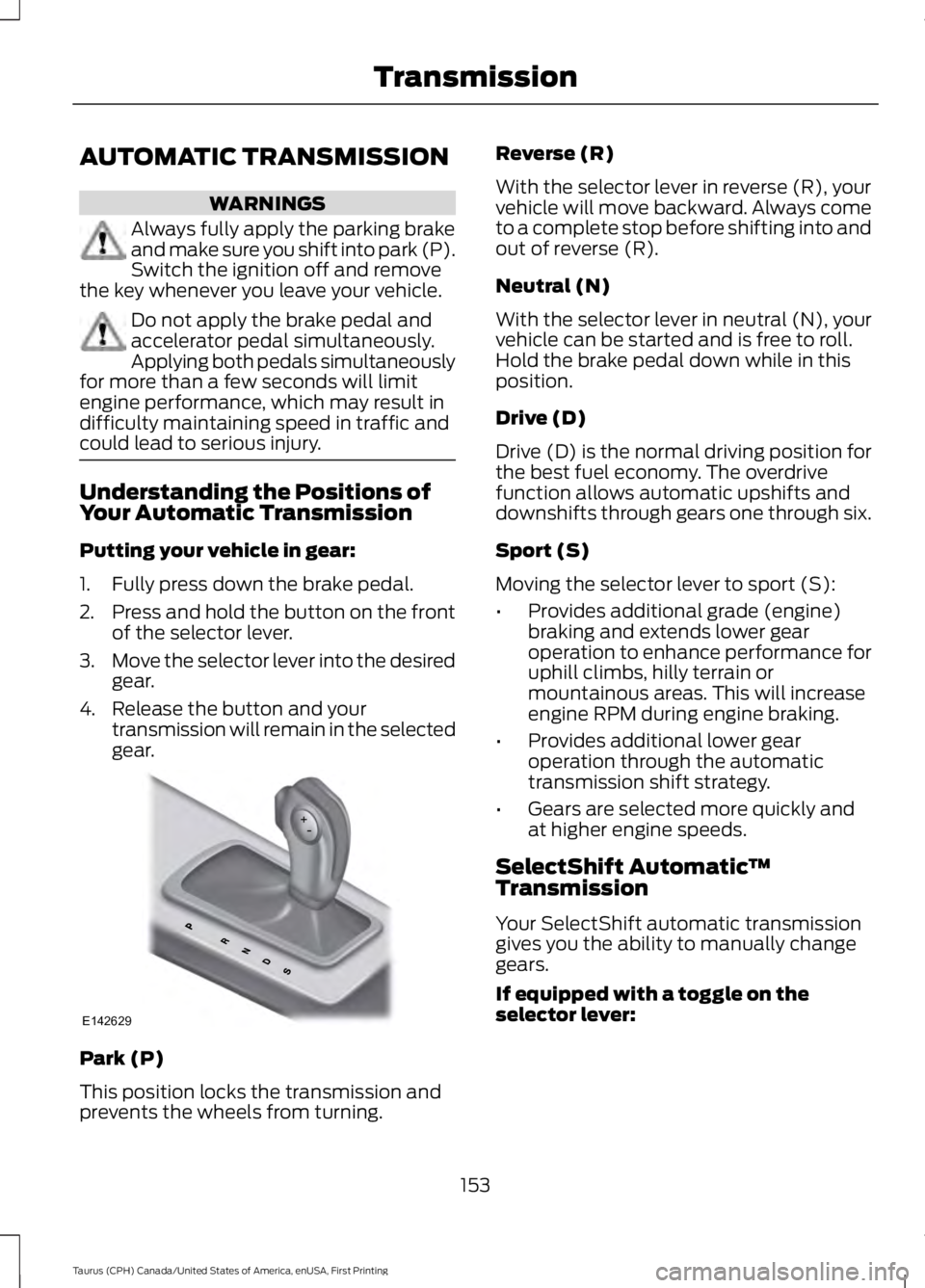
Understanding the Positions ofYour Automatic Transmission
Putting your vehicle in gear:
1. Fully press down the brake pedal.
2.Press and hold the button on the frontof the selector lever.
3.Move the selector lever into the desiredgear.
4. Release the button and yourtransmission will remain in the selectedgear.
Park (P)
This position locks the transmission andprevents the wheels from turning.
Reverse (R)
With the selector lever in reverse (R), yourvehicle will move backward. Always cometo a complete stop before shifting into andout of reverse (R).
Neutral (N)
With the selector lever in neutral (N), yourvehicle can be started and is free to roll.Hold the brake pedal down while in thisposition.
Drive (D)
Drive (D) is the normal driving position forthe best fuel economy. The overdrivefunction allows automatic upshifts anddownshifts through gears one through six.
Sport (S)
Moving the selector lever to sport (S):
•Provides additional grade (engine)braking and extends lower gearoperation to enhance performance foruphill climbs, hilly terrain ormountainous areas. This will increaseengine RPM during engine braking.
•Provides additional lower gearoperation through the automatictransmission shift strategy.
•Gears are selected more quickly andat higher engine speeds.
SelectShift Automatic™Transmission
Your SelectShift automatic transmissiongives you the ability to manually changegears.
If equipped with a toggle on theselector lever:
153
Taurus (CPH) Canada/United States of America, enUSA, First Printing
TransmissionE142629
Page 160 of 504
USING ALL-WHEEL DRIVE (If
Equipped)
All-wheel drive uses all four wheels topower the vehicle. This increases traction,enabling you to drive over terrain and roadconditions that a conventional two-wheeldrive vehicle cannot. The AWD system isactive all the time and requires no inputfrom the operator.
Note:Your AWD vehicle is not intended foroff-road use. The AWD feature gives yourvehicle some limited off-road capabilitiesin which driving surfaces are relatively level,obstruction-free and otherwise similar tonormal on-road driving conditions.Operating your vehicle under other thanthose conditions could subject the vehicleto excessive stress which might result indamage which is not covered under yourwarranty.
Note: The Power Transfer Unit (PTU) inTaurus SHO™ performance packagevehicles does not require any normalscheduled maintenance. The system iselectronically monitored and notifies thedriver of required service by displaying themessage Change AWD Power TransferUnit Lube in the information display. ThePTU lubricant will be more likely to requirea fluid change if the vehicle has experiencedextended periods of extreme or severe dutycycle driving. Do not check or change thePTU lubricant unless the unit shows signsof leakage or a message indicating requiredservice is displayed. Contact an authorizeddealer for service if the PTU was submergedin water and to reset the PTU lube lifemonitor.
Note:When an AWD system fault ispresent, the warning Check AWD displaysin the information display. The AWD systemis not functioning correctly and defaultedto front-wheel drive. When this warningdisplays, have your vehicle serviced at anauthorized dealer.
Note: The AWD OFF message may alsoappear in the information display if the AWDsystem overheats and defaults tofront-wheel drive. This may occur if thevehicle is operated in extreme conditionswith excessive wheel slip, such as deepsand. To resume normal AWD function assoon as possible, stop the vehicle in a safelocation and stop the engine for at least 10minutes. After the engine has beenrestarted and the AWD system hasadequately cooled, the AWD OFF messagewill turn off and normal AWD functionreturns. If the engine is not stopped, theAWD OFF message turns off when thesystem cools and normal AWD functionreturns.
157
Taurus (CPH) Canada/United States of America, enUSA, First Printing
All-Wheel Drive (If Equipped)
Page 161 of 504
All-Wheel Drive Messages
Action / DescriptionAWD Messages
Displays if the AWD system disables toprotect itself. This may occur if you operatethe vehicle after installing the compactspare tire, if the system is overheating or ifthere is an issue with another vehiclesystem that prevents the AWD system from
AWD OFF
operating. The AWD system resumesnormal operation and clears this messageafter you install the road tire and you switchthe ignition on and off, or after you allowthe system to cool. If this message remainson, have a qualified technician service yourvehicle to repair other vehicle systems.
Displayed in conjunction with the power-train malfunction/reduced power lightwhen the system is not operating properly.If the warning stays on or continues tocome on, contact your authorized dealeras soon as possible.
Check AWD
Displayed when the system needs its powertransfer unit lubrication changed. Thismessage may be set if the vehicle hasexperienced extended periods of extreme/severe duty cycle driving.
Change AWD Power Transfer Unit Lube1
1 Taurus SHO Performance Package only.
Operating AWD Vehicles WithSpare Tires
A spare tire of a different size other thanthe tire provided should never be used. TheAWD system may disable automaticallyand enter front-wheel drive only mode toprotect driveline components if a non-fullsized tire is installed. This condition maydisplay an AWD OFF message in theinformation display. If there is an AWD OFFmessage in the information display fromusing a non-full sized spare tire, thisindicator should turn off after reinstallingthe repaired or replaced normal road tire
and cycling the ignition off and on. It isrecommended to reinstall the repaired orreplaced road tire as soon as possible.Major dissimilar tire sizes between the frontand rear axles (for example, 17 inch lowprofile tires on the front axle and 22 inchhigh profile tires on the rear axle) couldcause the AWD system to stop functioningand default to front-wheel drive or damagethe AWD system.
158
Taurus (CPH) Canada/United States of America, enUSA, First Printing
All-Wheel Drive (If Equipped)
Page 163 of 504
If Your Vehicle Goes Off the Edge of thePavement
•If your vehicle goes off the edge of thepavement, slow down, but avoid severebrake application, ease the vehicleback onto the pavement only afterreducing your speed. Do not turn thesteering wheel too sharply whilereturning to the road surface.
•It may be safer to stay on the apron orshoulder of the road and slow downgradually before returning to thepavement. You may lose control if youdo not slow down or if you turn thesteering wheel too sharply or abruptly.
•It often may be less risky to strike smallobjects, such as highway reflectors,with minor damage to your vehiclerather than attempt a sudden return tothe pavement which could cause thevehicle to slide sideways out of controlor rollover. Remember, your safety andthe safety of others should be yourprimary concern.
If Your Vehicle Gets Stuck
WARNINGS
Always fully apply the parking brakeand make sure you shift into park (P).Switch the ignition off and removethe key whenever you leave your vehicle.
If the parking brake is fully released,but the brake warning lamp remainsilluminated, the brakes may not beworking properly. Have your vehiclechecked as soon as possible.
Do not spin the wheels at over34 mph (55 km/h). The tires may failand injure a passenger or bystander.
Note:Do not rock the vehicle if the engineis not at normal operating temperature ordamage to the transmission may occur.
Note:Do not rock the vehicle for more thana few minutes or damage to thetransmission and tires may occur or theengine may overheat.
If your vehicle gets stuck in mud or snow itmay be rocked out by shifting betweenforward and reverse gears, stoppingbetween shifts, in a steady pattern. Presslightly on the accelerator in each gear.
If your vehicle is equipped withAdvanceTrac® with Roll StabilityControl™, it may be beneficial todisengage the AdvanceTrac® with RollStability Control™ system whileattempting to rock the vehicle.
Emergency Maneuvers
•In an unavoidable emergency situationwhere a sudden sharp turn must bemade, remember to avoid"over-driving" your vehicle (that is, turnthe steering wheel only as rapidly andas far as required to avoid theemergency). Excessive steering willresult in less vehicle control, not more.Additionally, smooth variations of theaccelerator and/or brake pedalpressure should be utilized if changesin vehicle speed are called for. Avoidabrupt steering, acceleration or brakingwhich could result in an increased riskof loss of vehicle control, vehiclerollover and/or personal injury. Use allavailable road surface to return thevehicle to a safe direction of travel.
•In the event of an emergency stop,avoid skidding the tires and do notattempt any sharp steering wheelmovements.
•If the vehicle goes from one type ofsurface to another (that is, fromconcrete to gravel) there will be achange in the way the vehicle respondsto a maneuver (steering, accelerationor braking). Again, avoid these abruptinputs.
160
Taurus (CPH) Canada/United States of America, enUSA, First Printing
All-Wheel Drive (If Equipped)
Page 164 of 504
Sand
Most of the time traction control improvestire traction by managing wheel slipthrough Brake, Engine, and AWDcalibrations. However, during low speeddriving, disabling traction control in deepsand can help keep the wheels moving tomaintain vehicle momentum.
When driving over sand, try to keep all fourwheels on the most solid area of the trail.Avoid reducing the tire pressures but shiftto a lower gear and drive steadily throughthe terrain. Apply the accelerator slowlyand avoid spinning the wheels.
Do not drive your vehicle in deep sand foran extended period of time. This couldcause the AWD system to overheat anddefault to front-wheel drive. If this occurs,an AWD OFF message displays in theinformation display. To resume normalAWD function as soon as possible, stopthe vehicle in a safe location and stop theengine for at least 10 minutes. After theengine has been restarted and the AWDsystem has adequately cooled, the AWDOFF message turns off and normal AWDfunction returns. In the event the engine isnot stopped, the AWD OFF message turnsoff when the system cools and normalAWD function returns.
When driving at slow speeds in deep sandunder high outside temperatures, use L(Low) gear when possible. L (Low) gearoperation will maximize the engine andtransmission cooling capability.
Under severe operating conditions, the A/Cmay cycle on and off to protectoverheating of the engine.
Avoid excessive speed because vehiclemomentum can work against you andcause the vehicle to become stuck to thepoint that assistance may be required fromanother vehicle. Remember, you may beable to back out the way you came if youproceed with caution.
Mud and Water
If you must drive through high water, driveslowly. Traction or brake capability maybe limited.
When driving through water, determine thedepth; avoid water higher than the bottomof the wheel rims (for cars) or the bottomof the hubs (for trucks) (if possible) andproceed slowly. If the ignition system getswet, the vehicle may stall.
Once through water, always try the brakes.Wet brakes do not stop the vehicle aseffectively as dry brakes. Drying can beimproved by moving your vehicle slowlywhile applying light pressure on the brakepedal.
Be cautious of sudden changes in vehiclespeed or direction when you are driving inmud. Even AWD vehicles can lose tractionin slick mud. As when you are driving oversand, apply the accelerator slowly andavoid spinning your wheels. If the vehicledoes slide, steer in the direction of the slideuntil you regain control of the vehicle.
After driving through mud, clean off residuestuck to rotating driveshafts and tires.Excess mud stuck on tires and rotatingdriveshafts causes an imbalance thatcould damage drive components.
Note:Driving through deep water maydamage the transmission.
If the front or rear axle is submerged inwater, have the power transfer unit (PTU)or rear axle serviced by an authorizeddealer.
161
Taurus (CPH) Canada/United States of America, enUSA, First Printing
All-Wheel Drive (If Equipped)E143950
Page 166 of 504
Should you start to slide while driving onsnowy or icy roads, turn the steering wheelin the direction of the slide until you regaincontrol.
Avoid sudden applications of power andquick changes of direction on snow andice. Apply the accelerator slowly andsteadily when starting from a full stop.
Avoid sudden braking as well. Although anAWD vehicle may accelerate better thana two-wheel drive vehicle in snow and ice,it won’t stop any faster, because as in othervehicles, braking occurs at all four wheels.Do not become overconfident as to roadconditions.
Make sure you allow sufficient distancebetween you and other vehicles forstopping. Drive slower than usual andconsider using one of the lower gears. Inemergency stopping situations, apply thebrake steadily. Since your vehicle isequipped with a four wheel (ABS), do not“pump” the brakes. See Hints on DrivingWith Anti-Lock Brakes (page 164).
Maintenance and Modifications
The suspension and steering systems onyour vehicle have been designed andtested to provide predictable performancewhether loaded or empty and durable loadcarrying capability. For this reason, FordMotor Company strongly recommends thatyou do not make modifications such asadding or removing parts (such as loweringkits or stabilizer bars) or by usingreplacement parts not equivalent to theoriginal factory equipment.
Any modifications to a vehicle that raisethe center of gravity can make it more likelythe vehicle will rollover as a result of a lossof control. Ford Motor Companyrecommends that caution be used withany vehicle equipped with a high load ordevice (such as ladder or luggage racks).
Failure to maintain your vehicle properlymay void the warranty, increase your repaircost, reduce vehicle performance andoperational capabilities and adverselyaffect driver and passenger safety.Frequent inspection of vehicle chassiscomponents is recommended if the vehicleis subjected to off-highway usage.
163
Taurus (CPH) Canada/United States of America, enUSA, First Printing
All-Wheel Drive (If Equipped)
Page 170 of 504
PRINCIPLE OF OPERATION
WARNINGS
Vehicle modifications involvingbraking system, aftermarket roofracks, suspension, steering system,tire construction and wheel and tire sizemay change the handling characteristicsof your vehicle and may adversely affectthe performance of the electronic stabilitycontrol system. In addition, installing anystereo loudspeakers may interfere withand adversely affect the electronic stabilitycontrol system. Install any aftermarketstereo loudspeaker as far as possible fromthe front center console, the tunnel, andthe front seats in order to minimize the riskof interfering with the electronic stabilitycontrol sensors. Reducing theeffectiveness of the electronic stabilitycontrol system could lead to an increasedrisk of loss of vehicle control, vehiclerollover, personal injury and death.
Remember that even advancedtechnology cannot defy the laws ofphysics. It’s always possible to losecontrol of a vehicle due to inappropriatedriver input for the conditions. Aggressivedriving on any road condition can causeyou to lose control of your vehicleincreasing the risk of personal injury orproperty damage. Activation of theelectronic stability control system is anindication that at least some of the tireshave exceeded their ability to grip the road;this could reduce the operator’s ability tocontrol the vehicle potentially resulting ina loss of vehicle control, vehicle rollover,personal injury and death. If your electronicstability control system activates, SLOWDOWN.
The system automatically turns on eachtime you switch the ignition on.
If a fault occurs in either the stabilitycontrol or the traction control system, youmay experience the following conditions:
•The stability and traction control lightilluminates steadily.
•The stability control and tractioncontrol systems do not enhance yourvehicle's ability to maintain traction ofthe wheels.
If a driving condition activates either thestability control or the traction controlsystem you may experience the followingconditions:
•The stability and traction control lightflashes.
•Your vehicle slows down.
•Reduced engine power.
•A vibration in the brake pedal.
•The brake pedal is stiffer than usual.
•If the driving condition is severe andyour foot is not on the brake, the brakepedal may move as the system applieshigher brake force.
The stability control system has severalfeatures built into it to help you maintaincontrol of your vehicle:
Electronic Stability Control
The system enhances your vehicle’s abilityto prevent skids or lateral slides byapplying brakes to one or more of thewheels individually and, if necessary,reducing engine power.
Traction Control
The system enhances your vehicle’s abilityto maintain traction of the wheels bydetecting and controlling wheel spin. SeeUsing Traction Control (page 166).
167
Taurus (CPH) Canada/United States of America, enUSA, First Printing
Stability Control