clock FORD TAURUS 2019 User Guide
[x] Cancel search | Manufacturer: FORD, Model Year: 2019, Model line: TAURUS, Model: FORD TAURUS 2019Pages: 515, PDF Size: 17.29 MB
Page 270 of 515
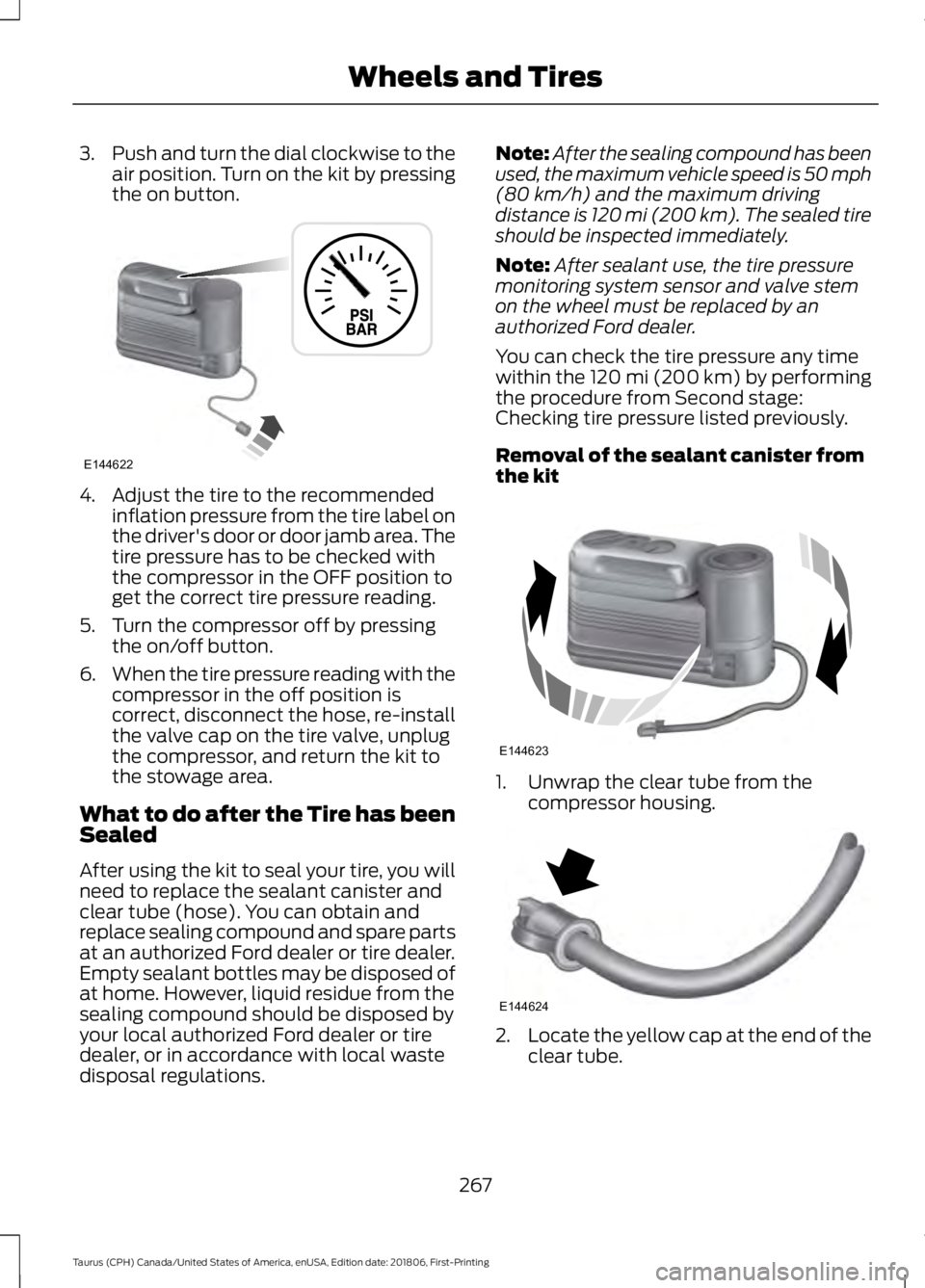
3.
Push and turn the dial clockwise to the
air position. Turn on the kit by pressing
the on button. 4. Adjust the tire to the recommended
inflation pressure from the tire label on
the driver's door or door jamb area. The
tire pressure has to be checked with
the compressor in the OFF position to
get the correct tire pressure reading.
5. Turn the compressor off by pressing the on/off button.
6. When the tire pressure reading with the
compressor in the off position is
correct, disconnect the hose, re-install
the valve cap on the tire valve, unplug
the compressor, and return the kit to
the stowage area.
What to do after the Tire has been
Sealed
After using the kit to seal your tire, you will
need to replace the sealant canister and
clear tube (hose). You can obtain and
replace sealing compound and spare parts
at an authorized Ford dealer or tire dealer.
Empty sealant bottles may be disposed of
at home. However, liquid residue from the
sealing compound should be disposed by
your local authorized Ford dealer or tire
dealer, or in accordance with local waste
disposal regulations. Note:
After the sealing compound has been
used, the maximum vehicle speed is 50 mph
(80 km/h) and the maximum driving
distance is 120 mi (200 km). The sealed tire
should be inspected immediately.
Note: After sealant use, the tire pressure
monitoring system sensor and valve stem
on the wheel must be replaced by an
authorized Ford dealer.
You can check the tire pressure any time
within the 120 mi (200 km) by performing
the procedure from Second stage:
Checking tire pressure listed previously.
Removal of the sealant canister from
the kit 1. Unwrap the clear tube from the
compressor housing. 2.
Locate the yellow cap at the end of the
clear tube.
267
Taurus (CPH) Canada/United States of America, enUSA, Edition date: 201806, First-Printing Wheels and TiresE144622 E144623 E144624
Page 292 of 515
WARNING: To help prevent your
vehicle from moving when changing a
wheel, shift the transmission into park
(P), set the parking brake and use an
appropriate block or wheel chock to
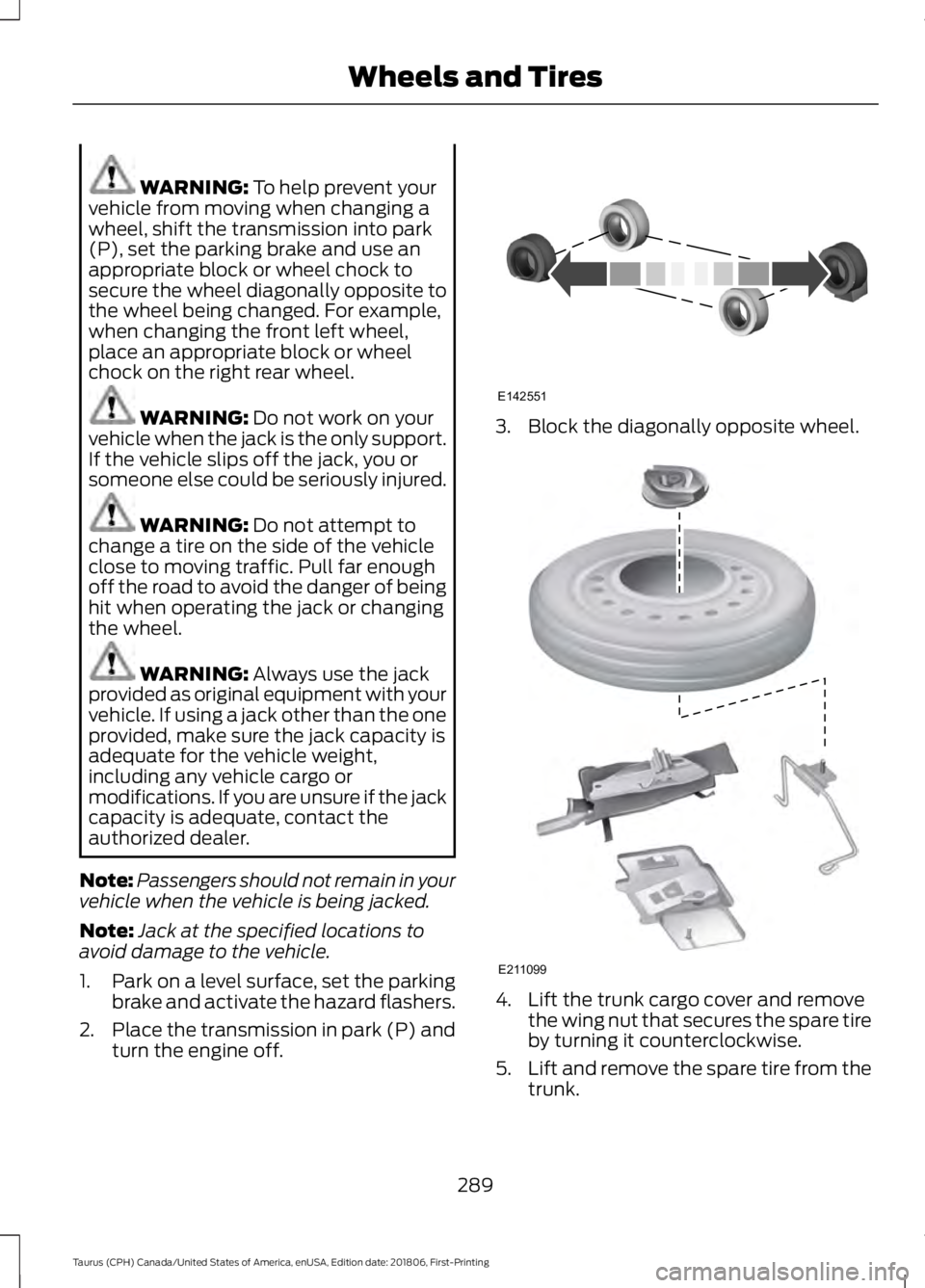
secure the wheel diagonally opposite to
the wheel being changed. For example,
when changing the front left wheel,
place an appropriate block or wheel
chock on the right rear wheel. WARNING:
Do not work on your
vehicle when the jack is the only support.
If the vehicle slips off the jack, you or
someone else could be seriously injured. WARNING:
Do not attempt to
change a tire on the side of the vehicle
close to moving traffic. Pull far enough
off the road to avoid the danger of being
hit when operating the jack or changing
the wheel. WARNING:
Always use the jack
provided as original equipment with your
vehicle. If using a jack other than the one
provided, make sure the jack capacity is
adequate for the vehicle weight,
including any vehicle cargo or
modifications. If you are unsure if the jack
capacity is adequate, contact the
authorized dealer.
Note: Passengers should not remain in your
vehicle when the vehicle is being jacked.
Note: Jack at the specified locations to
avoid damage to the vehicle.
1. Park on a level surface, set the parking
brake and activate the hazard flashers.
2. Place the transmission in park (P) and
turn the engine off. 3. Block the diagonally opposite wheel.
4. Lift the trunk cargo cover and remove
the wing nut that secures the spare tire
by turning it counterclockwise.
5. Lift and remove the spare tire from the
trunk.
289
Taurus (CPH) Canada/United States of America, enUSA, Edition date: 201806, First-Printing Wheels and TiresE142551 E211099
Page 293 of 515
6. Remove the second wing nut that
secures the jack retention bracket by
turning it counterclockwise, then
remove the jack kit from your vehicle.
7. Remove the jack and the wrench from the felt bag. Fold down the wrench
socket used to loosen the lug nuts and
to operate the jack.
8. Loosen each wheel lug nut one-half turn counterclockwise, but do not
remove them until the wheel is raised
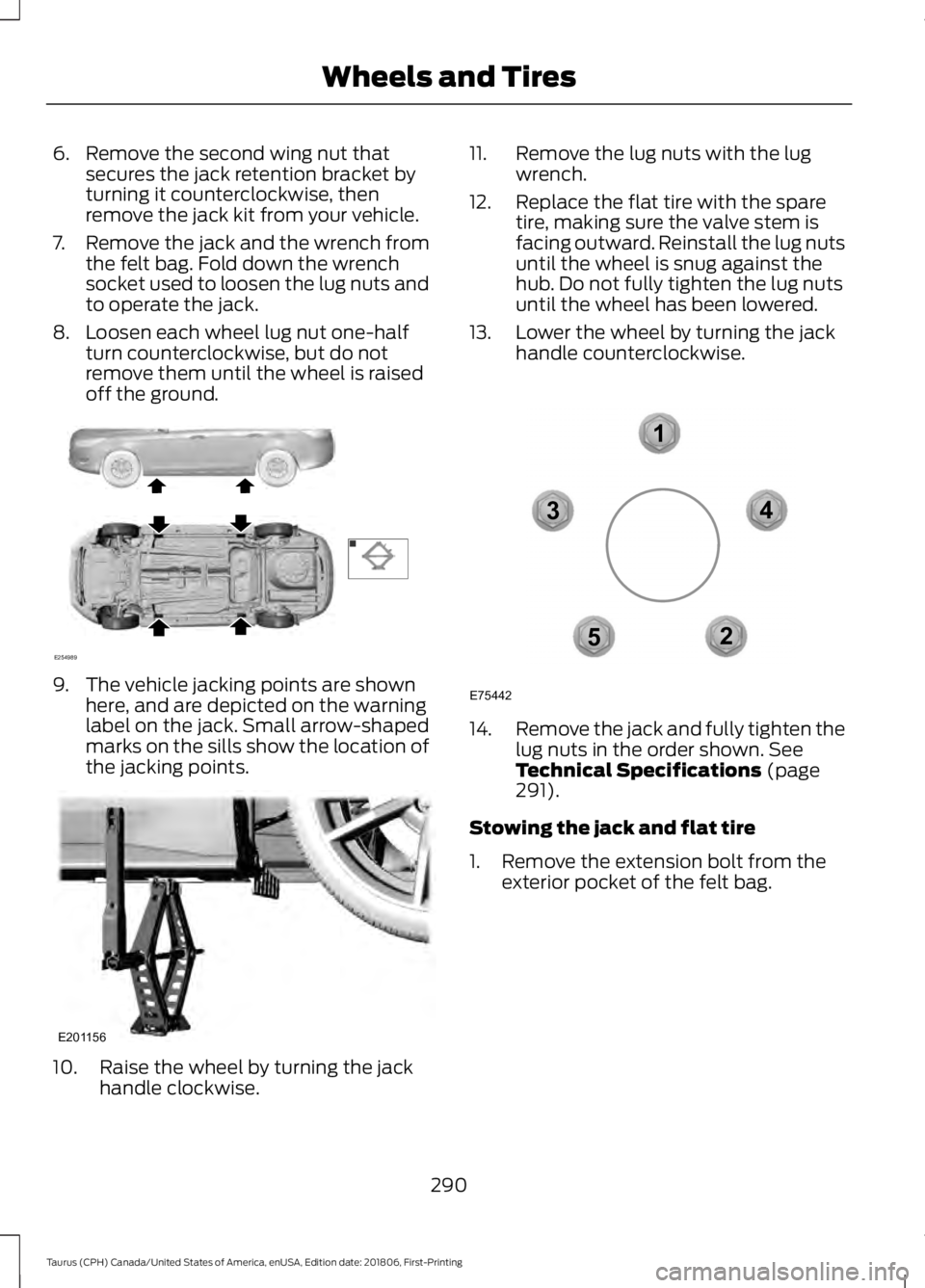
off the ground. 9. The vehicle jacking points are shown
here, and are depicted on the warning
label on the jack. Small arrow-shaped
marks on the sills show the location of
the jacking points. 10. Raise the wheel by turning the jack
handle clockwise. 11. Remove the lug nuts with the lug
wrench.
12. Replace the flat tire with the spare tire, making sure the valve stem is
facing outward. Reinstall the lug nuts
until the wheel is snug against the
hub. Do not fully tighten the lug nuts
until the wheel has been lowered.
13. Lower the wheel by turning the jack handle counterclockwise. 14.
Remove the jack and fully tighten the
lug nuts in the order shown. See
Technical Specifications (page
291).
Stowing the jack and flat tire
1. Remove the extension bolt from the exterior pocket of the felt bag.
290
Taurus (CPH) Canada/United States of America, enUSA, Edition date: 201806, First-Printing Wheels and TiresE254989 E201156 12
3
4
5
E75442
Page 313 of 515
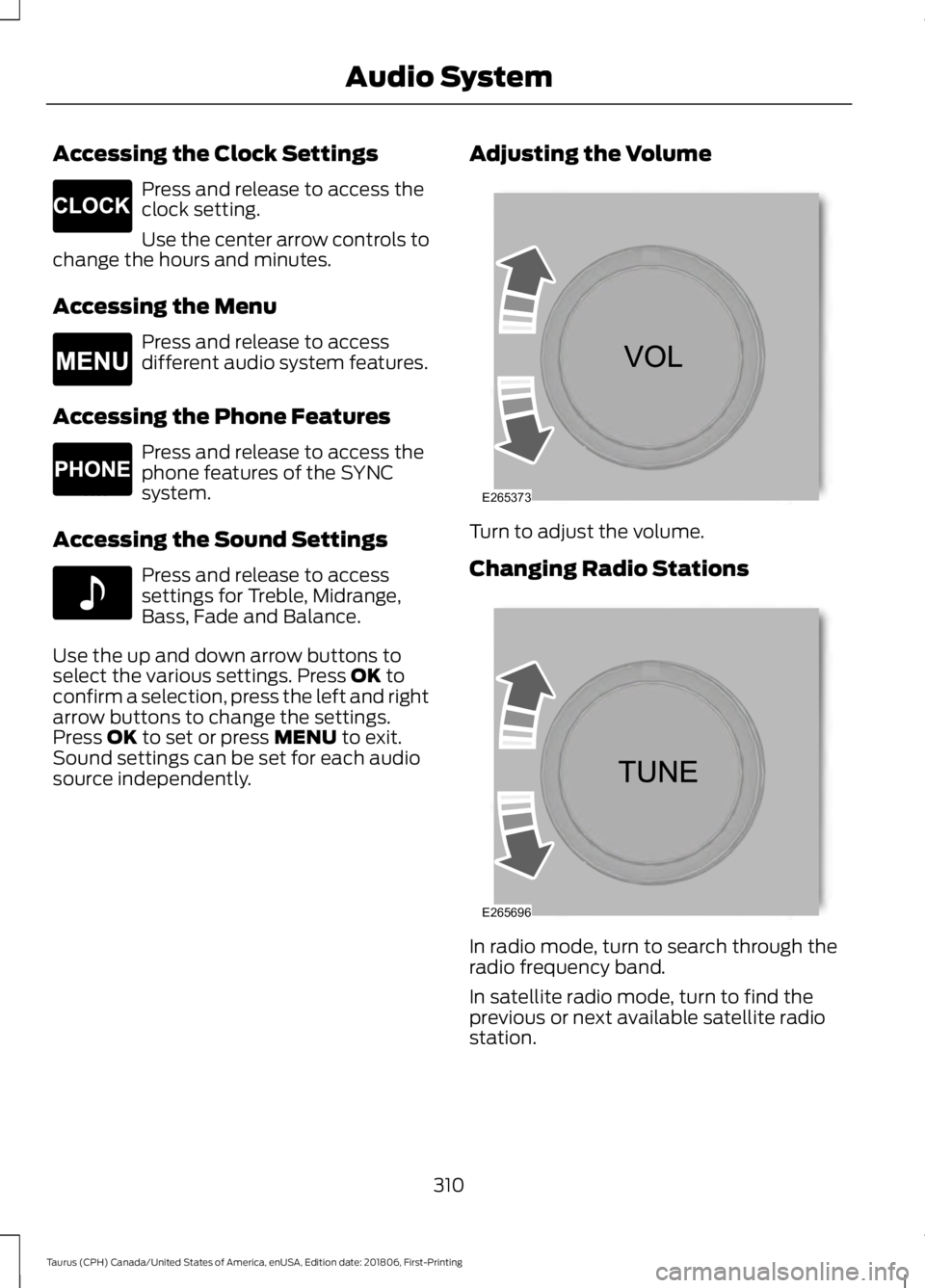
Accessing the Clock Settings
Press and release to access the
clock setting.
Use the center arrow controls to
change the hours and minutes.
Accessing the Menu Press and release to access
different audio system features.
Accessing the Phone Features Press and release to access the
phone features of the SYNC
system.
Accessing the Sound Settings Press and release to access
settings for Treble, Midrange,
Bass, Fade and Balance.
Use the up and down arrow buttons to
select the various settings. Press OK to
confirm a selection, press the left and right
arrow buttons to change the settings.
Press
OK to set or press MENU to exit.
Sound settings can be set for each audio
source independently. Adjusting the Volume Turn to adjust the volume.
Changing Radio Stations
In radio mode, turn to search through the
radio frequency band.
In satellite radio mode, turn to find the
previous or next available satellite radio
station.
310
Taurus (CPH) Canada/United States of America, enUSA, Edition date: 201806, First-Printing Audio SystemE265278 E265038 E265037 E142611 E265373 E265696
Page 316 of 515
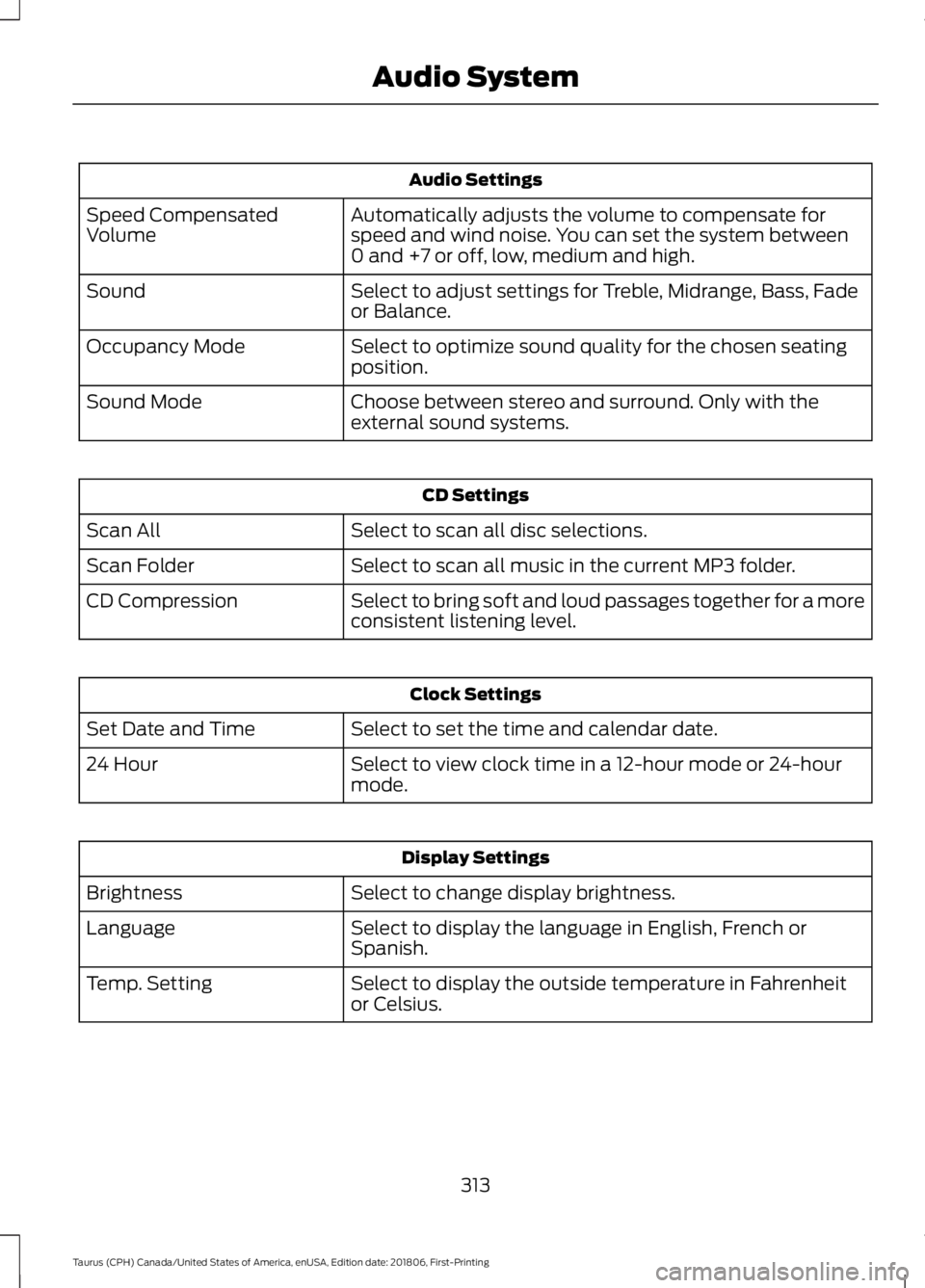
Audio Settings
Automatically adjusts the volume to compensate for
speed and wind noise. You can set the system between
0 and +7 or off, low, medium and high.
Speed Compensated
Volume
Select to adjust settings for Treble, Midrange, Bass, Fade
or Balance.
Sound
Select to optimize sound quality for the chosen seating
position.
Occupancy Mode
Choose between stereo and surround. Only with the
external sound systems.
Sound Mode CD Settings
Select to scan all disc selections.
Scan All
Select to scan all music in the current MP3 folder.
Scan Folder
Select to bring soft and loud passages together for a more
consistent listening level.
CD Compression Clock Settings
Select to set the time and calendar date.
Set Date and Time
Select to view clock time in a 12-hour mode or 24-hour
mode.
24 Hour Display Settings
Select to change display brightness.
Brightness
Select to display the language in English, French or
Spanish.
Language
Select to display the outside temperature in Fahrenheit
or Celsius.
Temp. Setting
313
Taurus (CPH) Canada/United States of America, enUSA, Edition date: 201806, First-Printing Audio System
Page 365 of 515
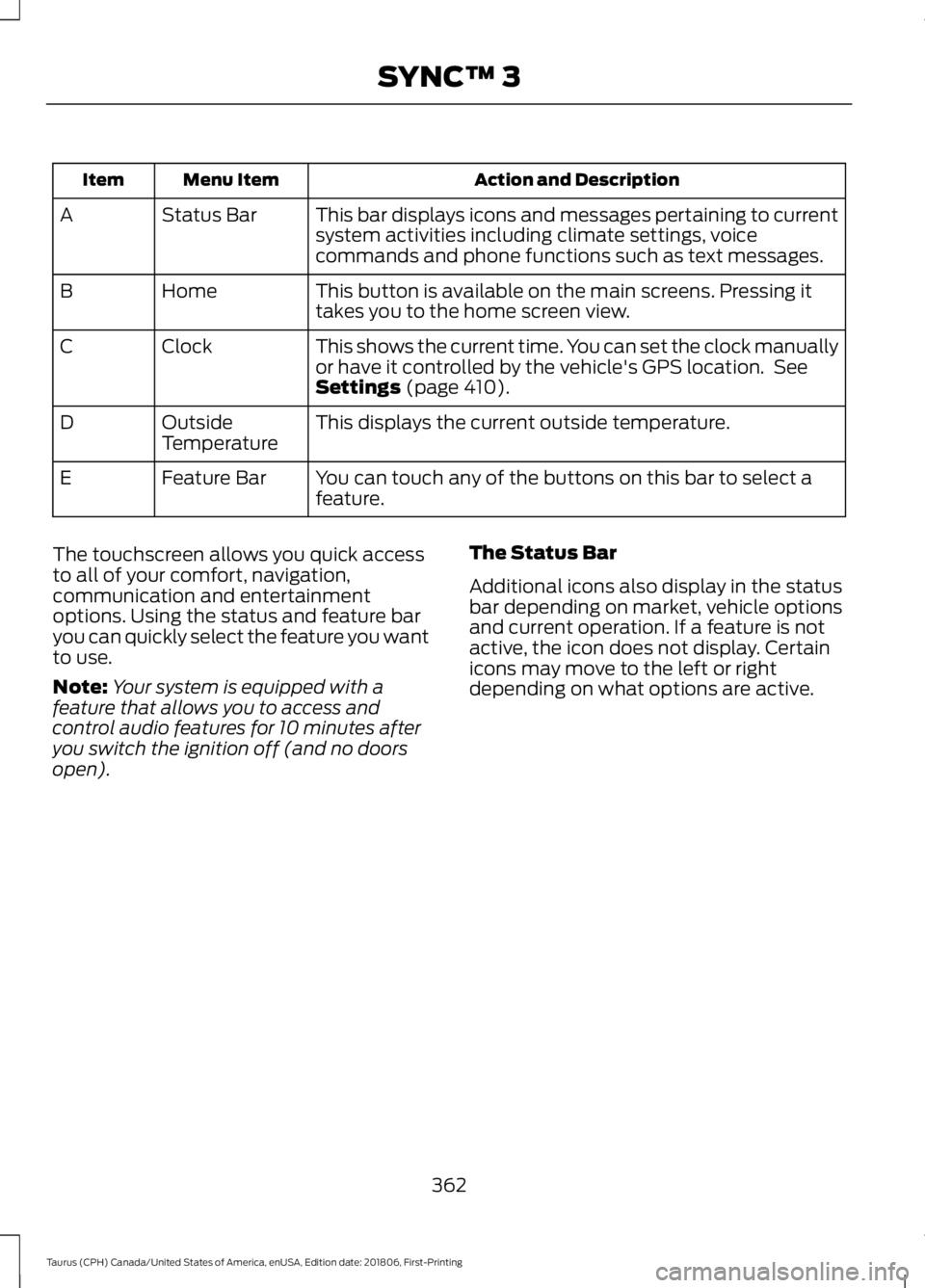
Action and Description
Menu Item
Item
This bar displays icons and messages pertaining to current
system activities including climate settings, voice
commands and phone functions such as text messages.
Status Bar
A
This button is available on the main screens. Pressing it
takes you to the home screen view.
Home
B
This shows the current time. You can set the clock manually
or have it controlled by the vehicle's GPS location. See
Settings (page 410).
Clock
C
This displays the current outside temperature.
Outside
Temperature
D
You can touch any of the buttons on this bar to select a
feature.
Feature Bar
E
The touchscreen allows you quick access
to all of your comfort, navigation,
communication and entertainment
options. Using the status and feature bar
you can quickly select the feature you want
to use.
Note: Your system is equipped with a
feature that allows you to access and
control audio features for 10 minutes after
you switch the ignition off (and no doors
open). The Status Bar
Additional icons also display in the status
bar depending on market, vehicle options
and current operation. If a feature is not
active, the icon does not display. Certain
icons may move to the left or right
depending on what options are active.
362
Taurus (CPH) Canada/United States of America, enUSA, Edition date: 201806, First-Printing SYNC™ 3
Page 415 of 515

Action and Description
Menu Item
This allows you to view the version level of the Gracenote Database.
Gracenote® Data-
base Info
This allows you to view the manufacturer and model number of your
media device.
Device Informa-
tion
Erase the stored in media information in order to re-index.
Update Media
Index
Clock
To adjust the time, select the up and down
arrows on either side of the screen. The
arrows on the left adjust the hour and
arrows on the right adjust the minute. You
can then select AM or PM. You can adjust the following features:Action and Description
Menu Item
Select how time displays.
Clock Format
When active, the clock adjusts to time zone changes.
Auto Time Zone
Update This feature is only available in vehicles with navigation.
When selected, the vehicle clock resets to GPS satellite time.
Reset Clock to
GPS Time
The system automatically saves any
updates you make to the settings. Bluetooth
Pressing this button allows you to access
the following: Action
Menu Item
Turning Bluetooth off disconnects all devices and does not permit
new connections.
Bluetooth
You must activate Bluetooth to pair a
Bluetooth-enabled device.
The processes of pairing a Bluetooth
device is the same as pairing a phone. See
Pairing a Device in Phone settings for how
to pair a device and the available options. Phone
Pair your Bluetooth-enabled phone with
the system before using the functions in
hands-free mode.
Switch on Bluetooth on your device to
begin pairing. See your phone
’s manual if
necessary.
412
Taurus (CPH) Canada/United States of America, enUSA, Edition date: 201806, First-Printing SYNC™ 3
Page 504 of 515
A
A/C
See: Climate Control......................................... 105
About This Manual...........................................7
ABS See: Brakes........................................................... 160
ABS driving hints See: Hints on Driving With Anti-Lock
Brakes................................................................. 161
Accessories....................................................438 Exterior Style....................................................... 438
Interior Style........................................................ 438
Lifestyle................................................................. 438
Peace of Mind..................................................... 438
Accessories See: Replacement Parts
Recommendation............................................ 12
ACC See: Using Adaptive Cruise Control..............177
Active Park Assist.........................................168 Automatic Steering into Parking
Space................................................................. 170
Deactivating the Park Assist Feature...........171
Troubleshooting the System........................... 171
Using Active Park Assist.................................. 169
Adjusting the Headlamps
..........................251
Horizontal Aim Adjustment........................... 252
Vertical Aim Adjustment.................................. 251
Adjusting the Pedals
....................................66
Adjusting the Steering Wheel...................64
Airbag Disposal...............................................45
Air Conditioning See: Climate Control......................................... 105
Air Filter See: Changing the Engine Air Filter.............253
Alarm See: Anti-Theft Alarm........................................ 63
All-Wheel Drive
.............................................153
Ambient Lighting............................................73
Adjusting the Brightness.................................... 73
Changing the Color.............................................. 73
Switching Ambient Lighting Off...................... 73
Switching Ambient Lighting On...................... 73
Anti-Theft Alarm
............................................63
Arming the Alarm................................................. 63
Disarming the Alarm........................................... 63
Appendices...................................................460 Apps
.................................................................407
........................................................................\
.......... 407
SiriusXM Traffic and Travel Link.................. 409
At a Glance........................................................15
Audible Warnings and Indicators.............84 Headlamps On Warning Chime..................... 84
Key in Ignition Warning Chime........................ 84
Keyless Warning Alert........................................ 84
Parking Brake On Warning Chime.................84
Audio Control..................................................64 Seek, Next or Previous....................................... 64
Audio Input Jack
............................................318
Audio System...............................................308 General Information......................................... 308
Audio Unit - Vehicles With: Sony Audio System...........................................................315
Accessing the Sound Settings....................... 315
Adjusting the Volume........................................ 315
Changing Radio Stations................................. 315
Selecting the Audio Modes............................. 315
Switching the Audio Unit On and Off.........315
Using Seek, Fast Forward and Reverse.............................................................. 316
Audio Unit - Vehicles With: SYNC 3
........................................................................\
314
Adjusting the Volume........................................ 314
Changing Radio Stations................................. 314
Ejecting the CD.................................................... 314
Inserting a CD....................................................... 314
Switching the Audio Unit On and Off.........314
Using Seek, Fast Forward and Reverse.............................................................. 314
Audio Unit - Vehicles With: SYNC.........309 Accessing the Auxiliary Media
Sources............................................................ 309
Accessing the Clock Settings......................... 310
Accessing the Menu.......................................... 310
Accessing the Phone Features...................... 310
Accessing the Sound Settings....................... 310
Adjusting the Volume....................................... 310
Changing Radio Stations................................. 310
Ejecting the CD..................................................... 311
Listening to a CD.................................................. 311
Listening to Satellite Radio.............................. 311
Listening to the Radio........................................ 311
Menu Structure..................................................... 311
Muting the Audio.................................................. 311
Playing or Pausing Media.................................. 311
501
Taurus (CPH) Canada/United States of America, enUSA, Edition date: 201806, First-Printing Index
Page 512 of 515
Remote Control..............................................46
Car Finder................................................................ 48
Integrated Keyhead Transmitter.................... 46
Intelligent Access Key......................................... 47
Memory Feature................................................... 50
Remote Start......................................................... 49
Replacing the Battery......................................... 47
Sounding the Panic Alarm................................ 49
Remote Start
...................................................113
Automatic Settings............................................. 113
Heated and Cooled Features.......................... 113
Last Settings.......................................................... 113
Repairing Minor Paint Damage..............260
Replacement Parts Recommendation........................................12
Collision Repairs.................................................... 12
Scheduled Maintenance and Mechanical Repairs.................................................................. 12
Warranty on Replacement Parts..................... 12
Replacing a Lost Key or Remote Control............................................................50
Reporting Safety Defects (Canada Only)...............................................................221
Reporting Safety Defects (U.S. Only)...............................................................221
Roadside Assistance
...................................210
Vehicles Sold in Canada: Getting Roadside
Assistance......................................................... 211
Vehicles Sold in the United States: Getting Roadside Assistance.................................... 210
Vehicles Sold in the United States: Using Roadside Assistance.................................... 210
Roadside Emergencies
...............................210
Running-In See: Breaking-In................................................. 207
Running Out of Fuel....................................138 Adding Fuel From a Portable Fuel
Container.......................................................... 139
Filling a Portable Fuel Container.................. 139
S
Safety Canopy ™
.............................................42
Safety Precautions......................................136
Satellite Radio...............................................316 Satellite Radio Electronic Serial Number
(ESN).................................................................. 317
Satellite Radio Reception Factors...............316 SiriusXM Satellite Radio Service...................
317
Troubleshooting................................................... 317
Scheduled Maintenance Record
...........450
Scheduled Maintenance...........................442
Seatbelt Extension........................................35
Seatbelt Height Adjustment......................32
Seatbelt Reminder
.........................................33
Belt-Minder™........................................................ 33
Seatbelts...........................................................29 Principle of Operation........................................ 29
Seatbelt Warning Lamp and Indicator Chime...............................................................32
Conditions of operation..................................... 32
Seats
...................................................................114
Security..............................................................62
Settings............................................................410 911 Assist................................................................ 415
Ambient Lighting............................................... 422
Bluetooth............................................................... 412
Clock........................................................................\
412
Display................................................................... 423
General.................................................................. 420
Media Player.......................................................... 411
Mobile Apps......................................................... 418
Navigation............................................................. 416
Phone...................................................................... 412
Radio....................................................................... 415
Sound..................................................................... 410
Valet Mode........................................................... 424
Vehicle.................................................................... 422
Voice Control....................................................... 423
Wi-Fi & Hotspot................................................. 420
Side Airbags
......................................................41
Sitting in the Correct Position...................114
Snow Chains See: Using Snow Chains................................. 282
Spare Wheel See: Changing a Road Wheel........................ 287
Special Notices................................................12 New Vehicle Limited Warranty......................... 12
On Board Diagnostics Data Link Connector............................................................ 13
Special Instructions.............................................. 12
Special Operating Conditions Scheduled Maintenance..............................................448
Exceptions........................................................... 449
Speed Control See: Cruise Control............................................. 176
509
Taurus (CPH) Canada/United States of America, enUSA, Edition date: 201806, First-Printing Index