Driver seat FORD TAURUS X 2008 1.G User Guide
[x] Cancel search | Manufacturer: FORD, Model Year: 2008, Model line: TAURUS X, Model: FORD TAURUS X 2008 1.GPages: 352, PDF Size: 2.91 MB
Page 106 of 352
Memory feature (if equipped)
The accelerator and brake pedal positions are saved when doing a
memory set function and can be recalled along with the vehicle
personality features when a memory position is selected through the
remote entry transmitter, keyless entry keypad or memory switch on the
driver’s door (if equipped with memory feature). Refer toMemory
seats/power mirrors/adjustable pedalsin theSeating and Safety
Restraintschapter.
SPEED CONTROL
With speed control set, you can maintain a set speed without keeping
your foot on the accelerator pedal.
Do not use the speed control in heavy traffic or on roads that
are winding, slippery or unpaved.
Setting speed control
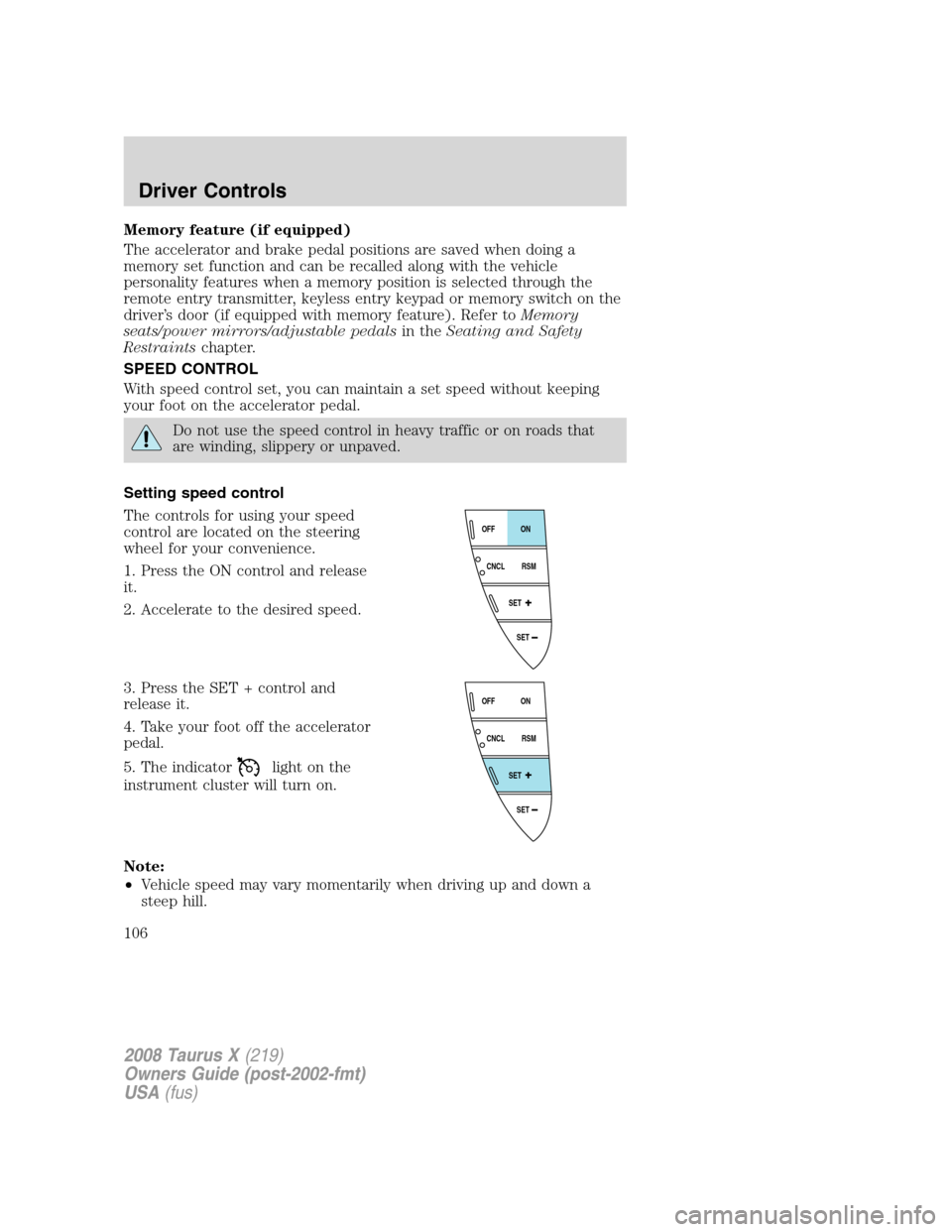
The controls for using your speed
control are located on the steering
wheel for your convenience.
1. Press the ON control and release
it.
2. Accelerate to the desired speed.
3. Press the SET + control and
release it.
4. Take your foot off the accelerator
pedal.
5. The indicator
light on the
instrument cluster will turn on.
Note:
•Vehicle speed may vary momentarily when driving up and down a
steep hill.
SET
SET
RSM CNCLON
OFF
SET
SET
RSM CNCLON
OFF
2008 Taurus X(219)
Owners Guide (post-2002-fmt)
USA(fus)
Driver Controls
106
Page 120 of 352
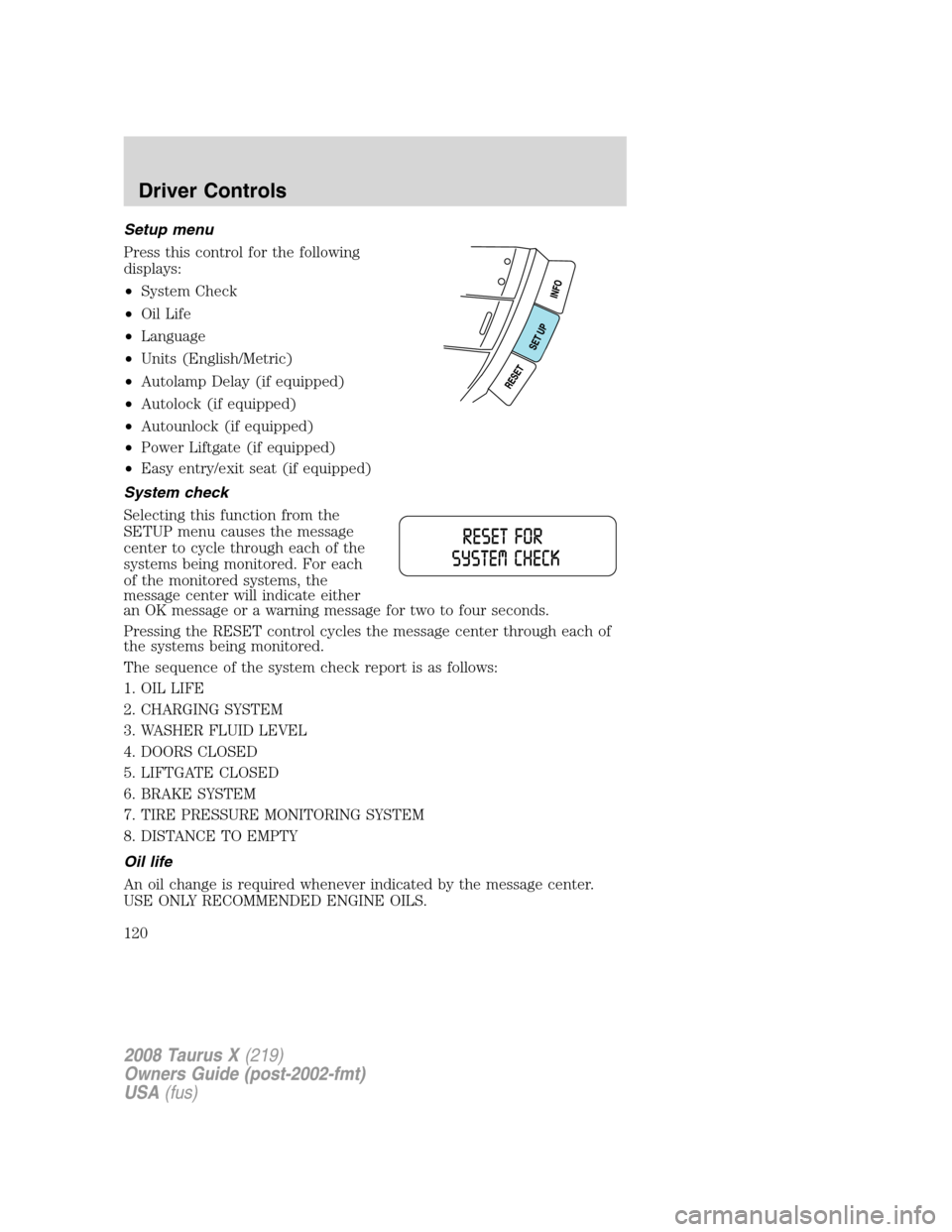
Setup menu
Press this control for the following
displays:
•System Check
•Oil Life
•Language
•Units (English/Metric)
•Autolamp Delay (if equipped)
•Autolock (if equipped)
•Autounlock (if equipped)
•Power Liftgate (if equipped)
•Easy entry/exit seat (if equipped)
System check
Selecting this function from the
SETUP menu causes the message
center to cycle through each of the
systems being monitored. For each
of the monitored systems, the
message center will indicate either
an OK message or a warning message for two to four seconds.
Pressing the RESET control cycles the message center through each of
the systems being monitored.
The sequence of the system check report is as follows:
1. OIL LIFE
2. CHARGING SYSTEM
3. WASHER FLUID LEVEL
4. DOORS CLOSED
5. LIFTGATE CLOSED
6. BRAKE SYSTEM
7. TIRE PRESSURE MONITORING SYSTEM
8. DISTANCE TO EMPTY
Oil life
An oil change is required whenever indicated by the message center.
USE ONLY RECOMMENDED ENGINE OILS.
2008 Taurus X(219)
Owners Guide (post-2002-fmt)
USA(fus)
Driver Controls
120
Page 123 of 352
Easy entry/exit seat (if equipped)
This feature automatically moves the drivers seat backwards for easy exit
from the vehicle.
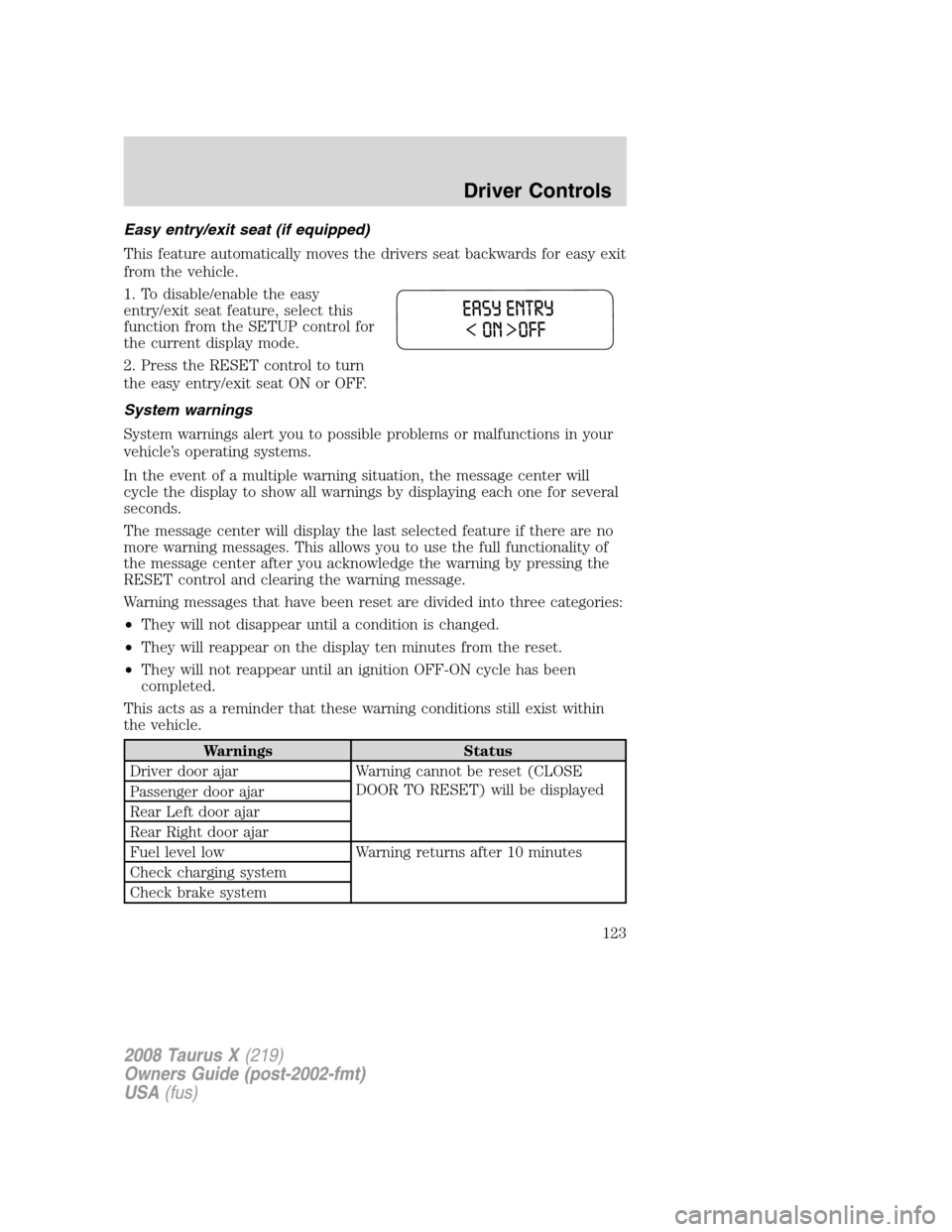
1. To disable/enable the easy
entry/exit seat feature, select this
function from the SETUP control for
the current display mode.
2. Press the RESET control to turn
the easy entry/exit seat ON or OFF.
System warnings
System warnings alert you to possible problems or malfunctions in your
vehicle’s operating systems.
In the event of a multiple warning situation, the message center will
cycle the display to show all warnings by displaying each one for several
seconds.
The message center will display the last selected feature if there are no
more warning messages. This allows you to use the full functionality of
the message center after you acknowledge the warning by pressing the
RESET control and clearing the warning message.
Warning messages that have been reset are divided into three categories:
•They will not disappear until a condition is changed.
•They will reappear on the display ten minutes from the reset.
•They will not reappear until an ignition OFF-ON cycle has been
completed.
This acts as a reminder that these warning conditions still exist within
the vehicle.
Warnings Status
Driver door ajar Warning cannot be reset (CLOSE
DOOR TO RESET) will be displayed
Passenger door ajar
Rear Left door ajar
Rear Right door ajar
Fuel level low Warning returns after 10 minutes
Check charging system
Check brake system
2008 Taurus X(219)
Owners Guide (post-2002-fmt)
USA(fus)
Driver Controls
123
Page 141 of 352
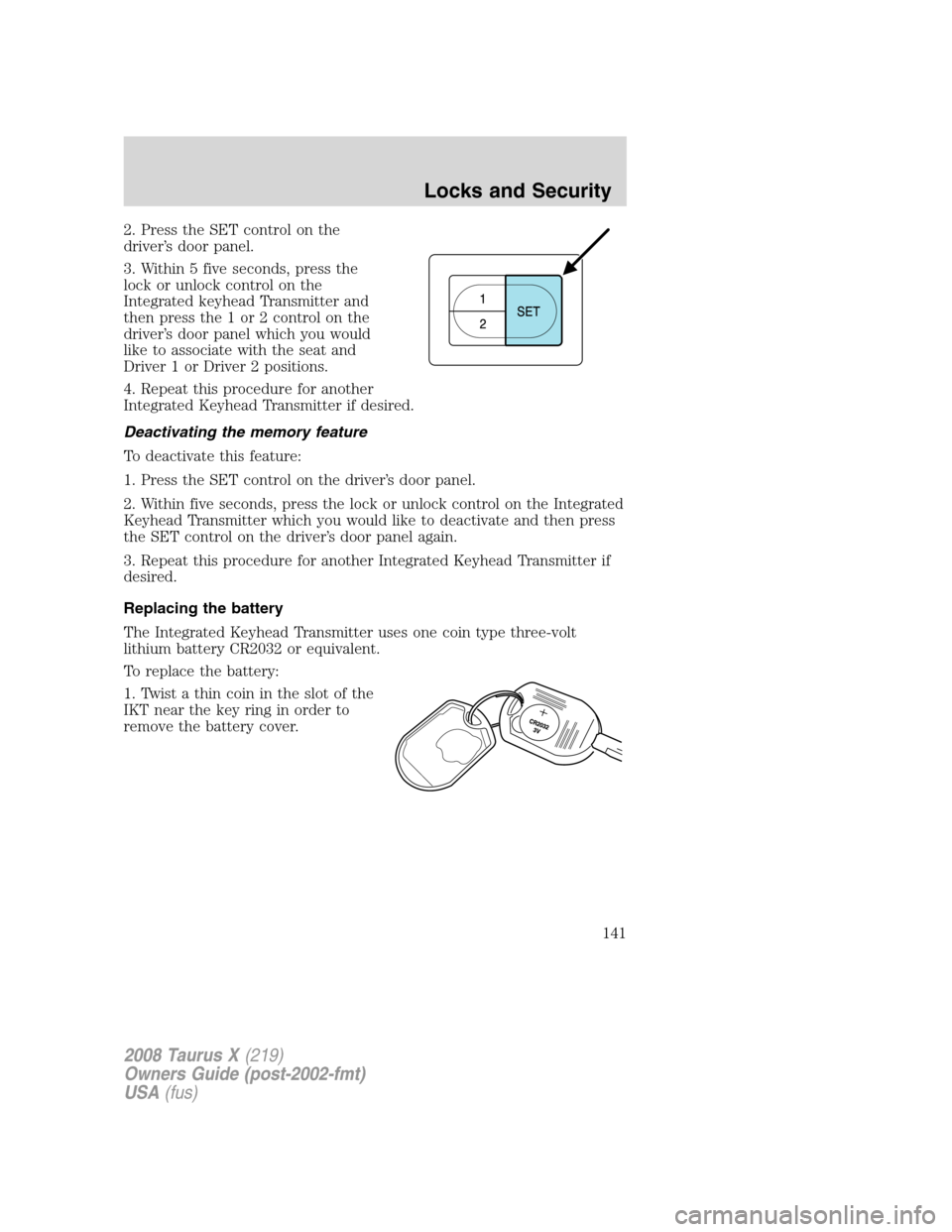
2. Press the SET control on the
driver’s door panel.
3. Within 5 five seconds, press the
lock or unlock control on the
Integrated keyhead Transmitter and
then press the 1 or 2 control on the
driver’s door panel which you would
like to associate with the seat and
Driver 1 or Driver 2 positions.
4. Repeat this procedure for another
Integrated Keyhead Transmitter if desired.
Deactivating the memory feature
To deactivate this feature:
1. Press the SET control on the driver’s door panel.
2. Within five seconds, press the lock or unlock control on the Integrated
Keyhead Transmitter which you would like to deactivate and then press
the SET control on the driver’s door panel again.
3. Repeat this procedure for another Integrated Keyhead Transmitter if
desired.
Replacing the battery
The Integrated Keyhead Transmitter uses one coin type three-volt
lithium battery CR2032 or equivalent.
To replace the battery:
1. Twist a thin coin in the slot of the
IKT near the key ring in order to
remove the battery cover.
2008 Taurus X(219)
Owners Guide (post-2002-fmt)
USA(fus)
Locks and Security
141
Page 145 of 352
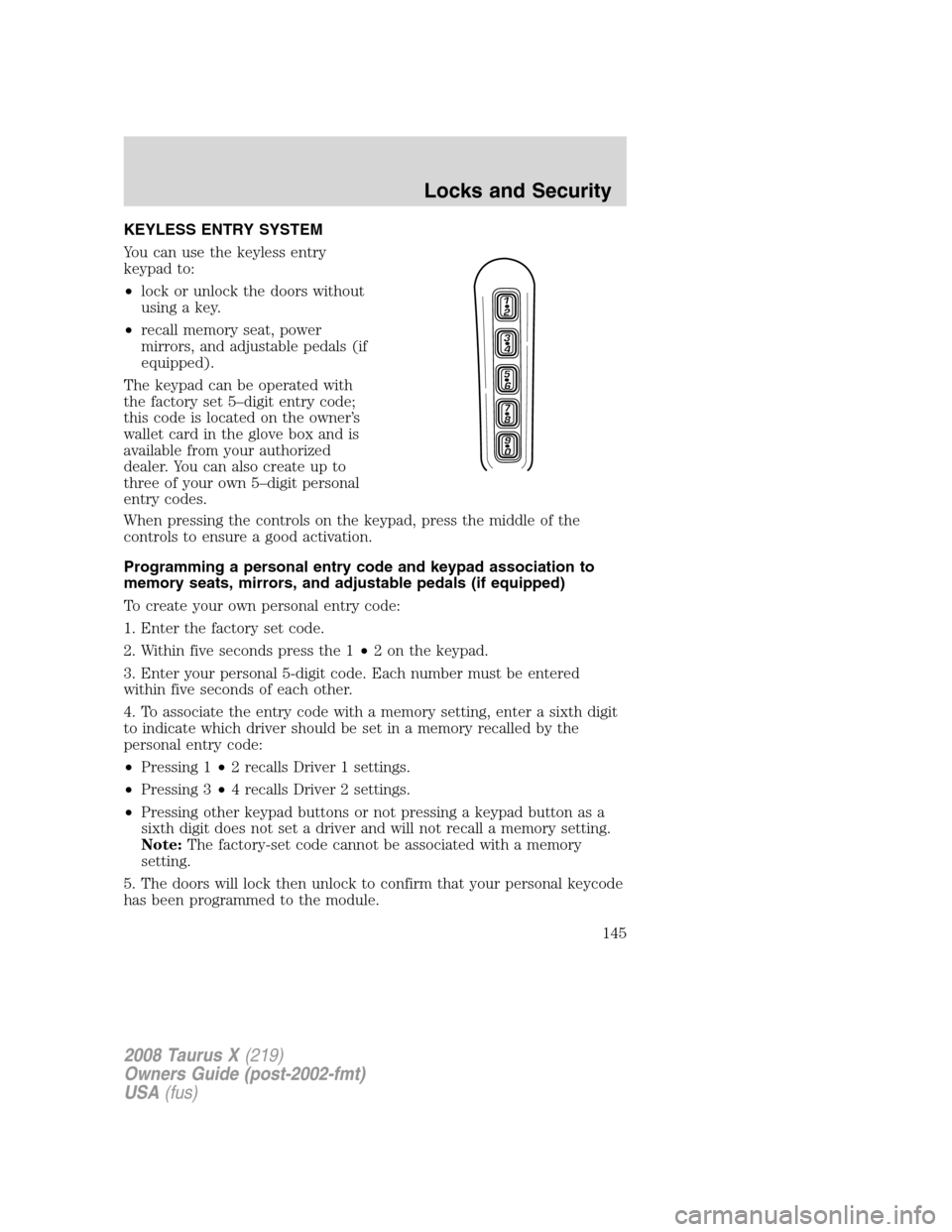
KEYLESS ENTRY SYSTEM
You can use the keyless entry
keypad to:
•lock or unlock the doors without
using a key.
•recall memory seat, power
mirrors, and adjustable pedals (if
equipped).
The keypad can be operated with
the factory set 5–digit entry code;
this code is located on the owner’s
wallet card in the glove box and is
available from your authorized
dealer. You can also create up to
three of your own 5–digit personal
entry codes.
When pressing the controls on the keypad, press the middle of the
controls to ensure a good activation.
Programming a personal entry code and keypad association to
memory seats, mirrors, and adjustable pedals (if equipped)
To create your own personal entry code:
1. Enter the factory set code.
2. Within five seconds press the 1•2 on the keypad.
3. Enter your personal 5-digit code. Each number must be entered
within five seconds of each other.
4. To associate the entry code with a memory setting, enter a sixth digit
to indicate which driver should be set in a memory recalled by the
personal entry code:
•Pressing 1•2 recalls Driver 1 settings.
•Pressing 3•4 recalls Driver 2 settings.
•Pressing other keypad buttons or not pressing a keypad button as a
sixth digit does not set a driver and will not recall a memory setting.
Note:The factory-set code cannot be associated with a memory
setting.
5. The doors will lock then unlock to confirm that your personal keycode
has been programmed to the module.
2008 Taurus X(219)
Owners Guide (post-2002-fmt)
USA(fus)
Locks and Security
145
Page 153 of 352
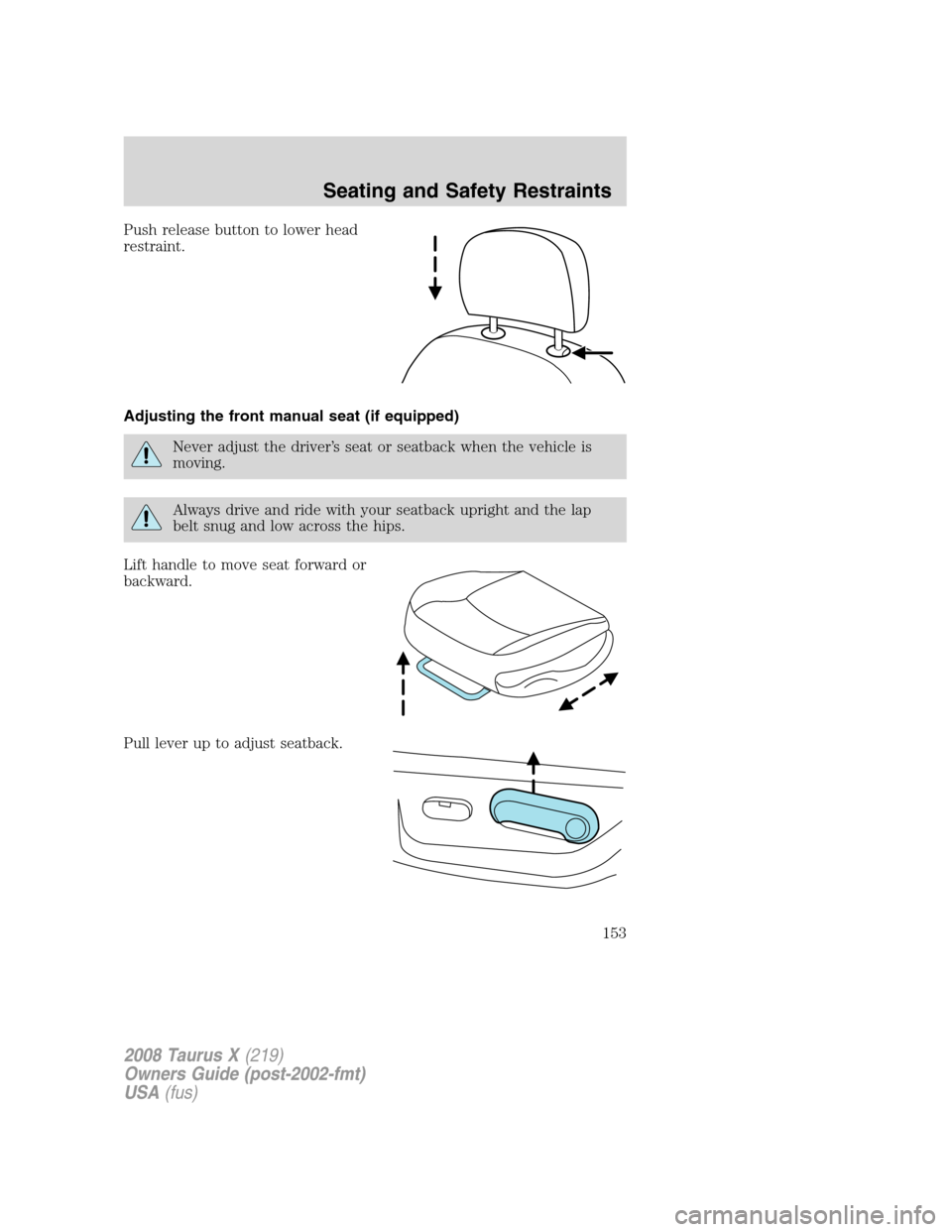
Push release button to lower head
restraint.
Adjusting the front manual seat (if equipped)
Never adjust the driver’s seat or seatback when the vehicle is
moving.
Always drive and ride with your seatback upright and the lap
belt snug and low across the hips.
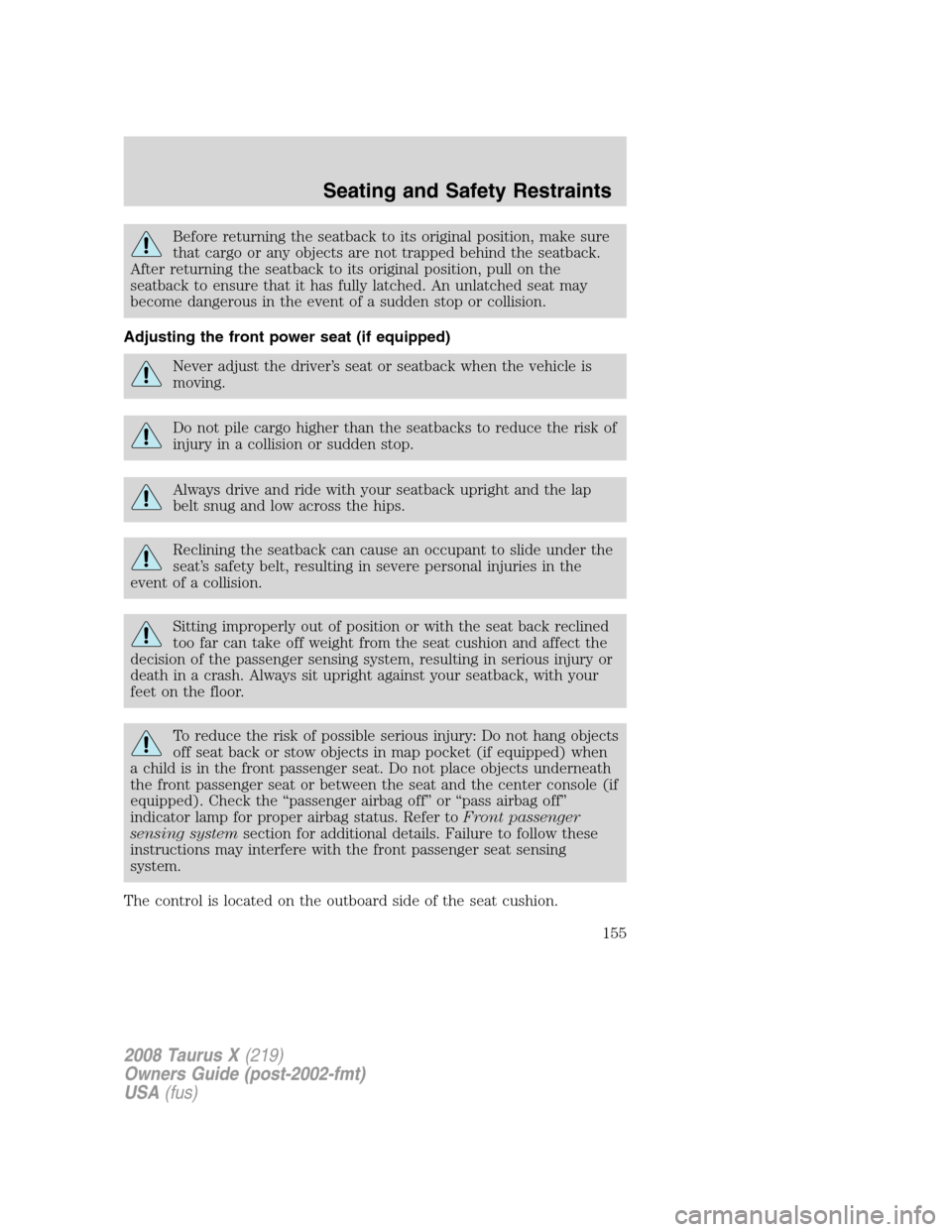
Lift handle to move seat forward or
backward.
Pull lever up to adjust seatback.
2008 Taurus X(219)
Owners Guide (post-2002-fmt)
USA(fus)
Seating and Safety Restraints
153
Page 155 of 352
Before returning the seatback to its original position, make sure
that cargo or any objects are not trapped behind the seatback.
After returning the seatback to its original position, pull on the
seatback to ensure that it has fully latched. An unlatched seat may
become dangerous in the event of a sudden stop or collision.
Adjusting the front power seat (if equipped)
Never adjust the driver’s seat or seatback when the vehicle is
moving.
Do not pile cargo higher than the seatbacks to reduce the risk of
injury in a collision or sudden stop.
Always drive and ride with your seatback upright and the lap
belt snug and low across the hips.
Reclining the seatback can cause an occupant to slide under the
seat’s safety belt, resulting in severe personal injuries in the
event of a collision.
Sitting improperly out of position or with the seat back reclined
too far can take off weight from the seat cushion and affect the
decision of the passenger sensing system, resulting in serious injury or
death in a crash. Always sit upright against your seatback, with your
feet on the floor.
To reduce the risk of possible serious injury: Do not hang objects
off seat back or stow objects in map pocket (if equipped) when
a child is in the front passenger seat. Do not place objects underneath
the front passenger seat or between the seat and the center console (if
equipped). Check the “passenger airbag off” or “pass airbag off”
indicator lamp for proper airbag status. Refer toFront passenger
sensing systemsection for additional details. Failure to follow these
instructions may interfere with the front passenger seat sensing
system.
The control is located on the outboard side of the seat cushion.
2008 Taurus X(219)
Owners Guide (post-2002-fmt)
USA(fus)
Seating and Safety Restraints
155
Page 156 of 352
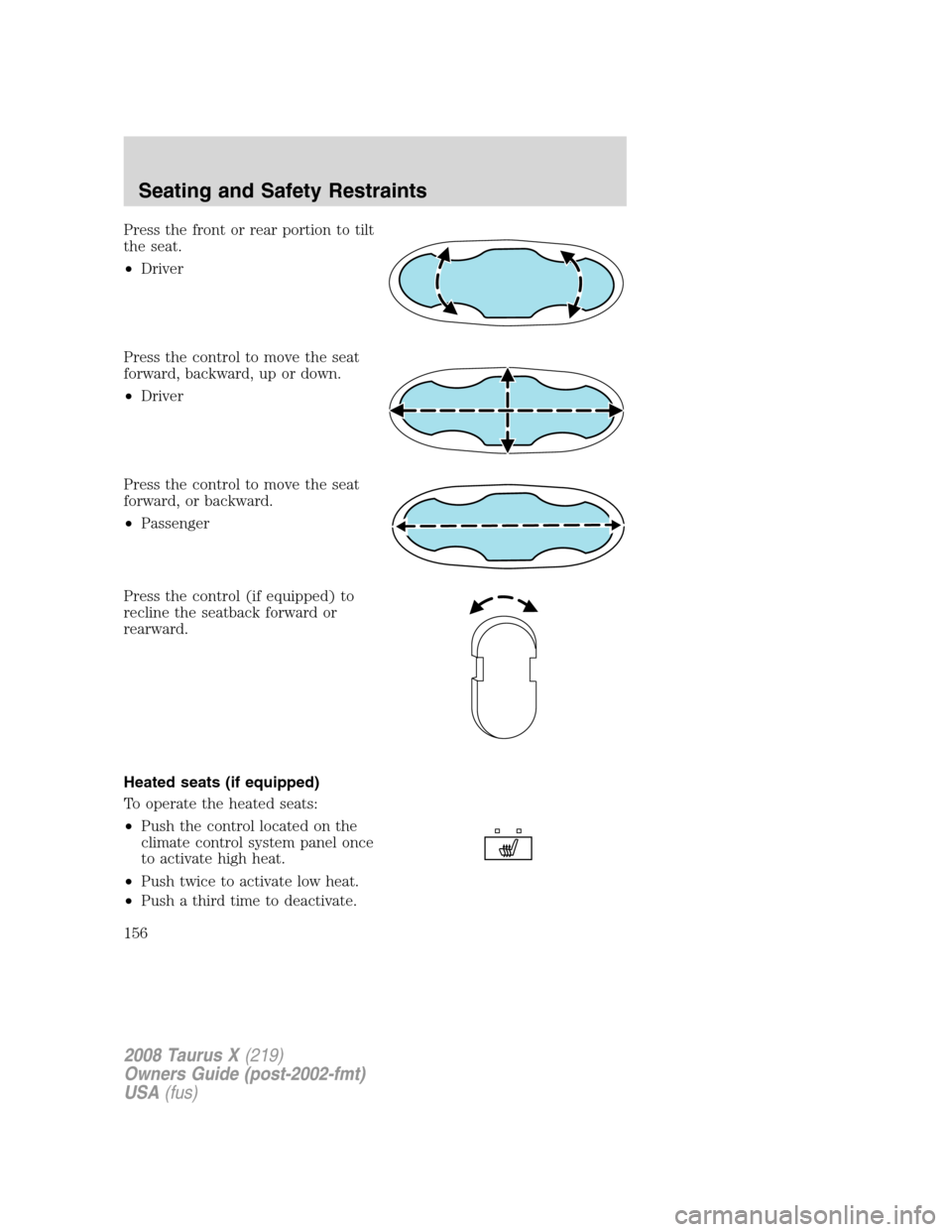
Press the front or rear portion to tilt
the seat.
•Driver
Press the control to move the seat
forward, backward, up or down.
•Driver
Press the control to move the seat
forward, or backward.
•Passenger
Press the control (if equipped) to
recline the seatback forward or
rearward.
Heated seats (if equipped)
To operate the heated seats:
•Push the control located on the
climate control system panel once
to activate high heat.
•Push twice to activate low heat.
•Push a third time to deactivate.
2008 Taurus X(219)
Owners Guide (post-2002-fmt)
USA(fus)
Seating and Safety Restraints
156
Page 157 of 352
The indicator light on the control will illuminate when activated. For low
heat, one light will be lit; for high heat, both lights will be lit.
Memory seats/power mirrors/adjustable pedals (if equipped)
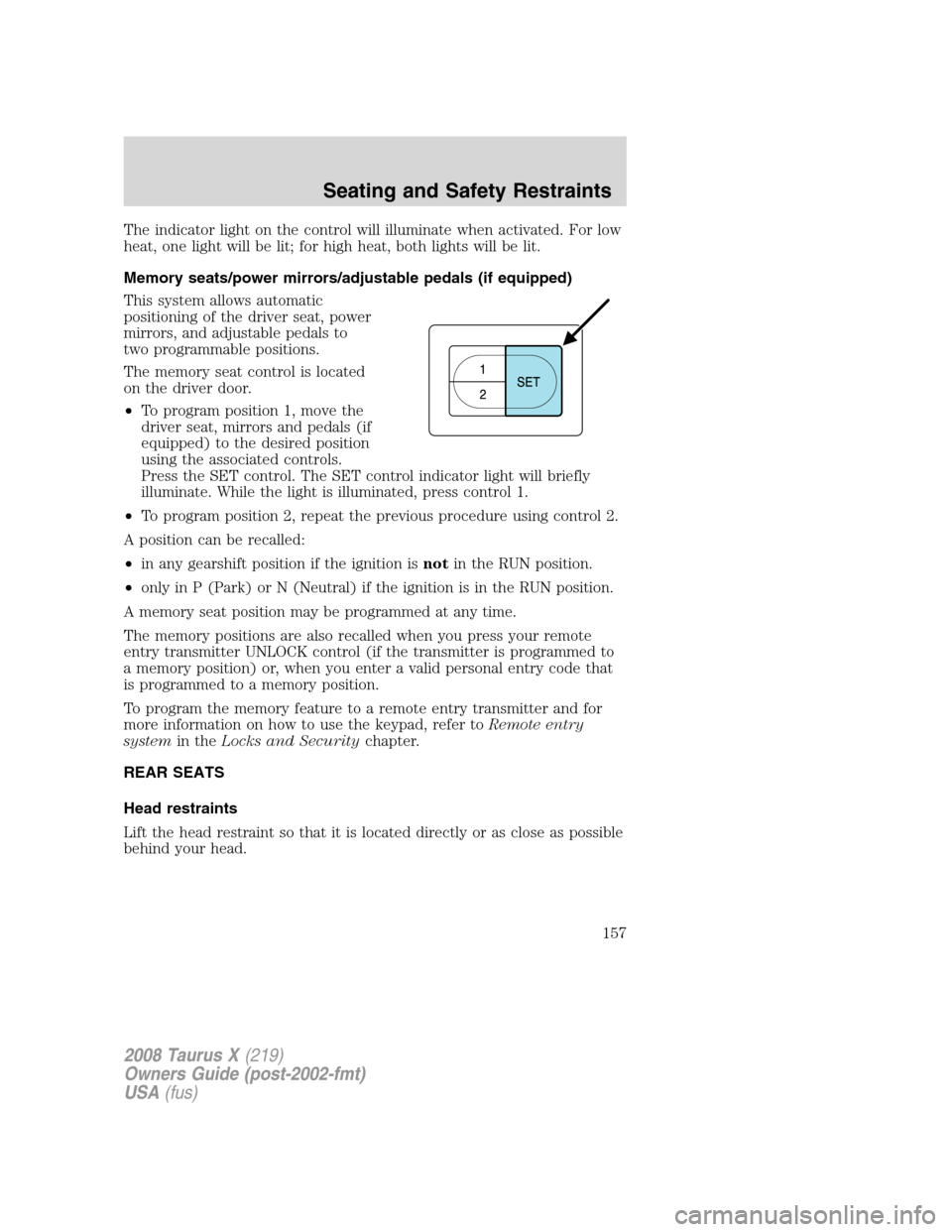
This system allows automatic
positioning of the driver seat, power
mirrors, and adjustable pedals to
two programmable positions.
The memory seat control is located
on the driver door.
•To program position 1, move the
driver seat, mirrors and pedals (if
equipped) to the desired position
using the associated controls.
Press the SET control. The SET control indicator light will briefly
illuminate. While the light is illuminated, press control 1.
•To program position 2, repeat the previous procedure using control 2.
A position can be recalled:
•in any gearshift position if the ignition isnotin the RUN position.
•only in P (Park) or N (Neutral) if the ignition is in the RUN position.
A memory seat position may be programmed at any time.
The memory positions are also recalled when you press your remote
entry transmitter UNLOCK control (if the transmitter is programmed to
a memory position) or, when you enter a valid personal entry code that
is programmed to a memory position.
To program the memory feature to a remote entry transmitter and for
more information on how to use the keypad, refer toRemote entry
systemin theLocks and Securitychapter.
REAR SEATS
Head restraints
Lift the head restraint so that it is located directly or as close as possible
behind your head.
2008 Taurus X(219)
Owners Guide (post-2002-fmt)
USA(fus)
Seating and Safety Restraints
157
Page 166 of 352
Before returning the seatback to its original position, make sure
that cargo or any objects are not trapped behind the seatback.
After returning the seatback to its original position, pull on the
seatback to ensure that it has fully latched. An unlatched seat may
become dangerous in the event of a sudden stop or collision.
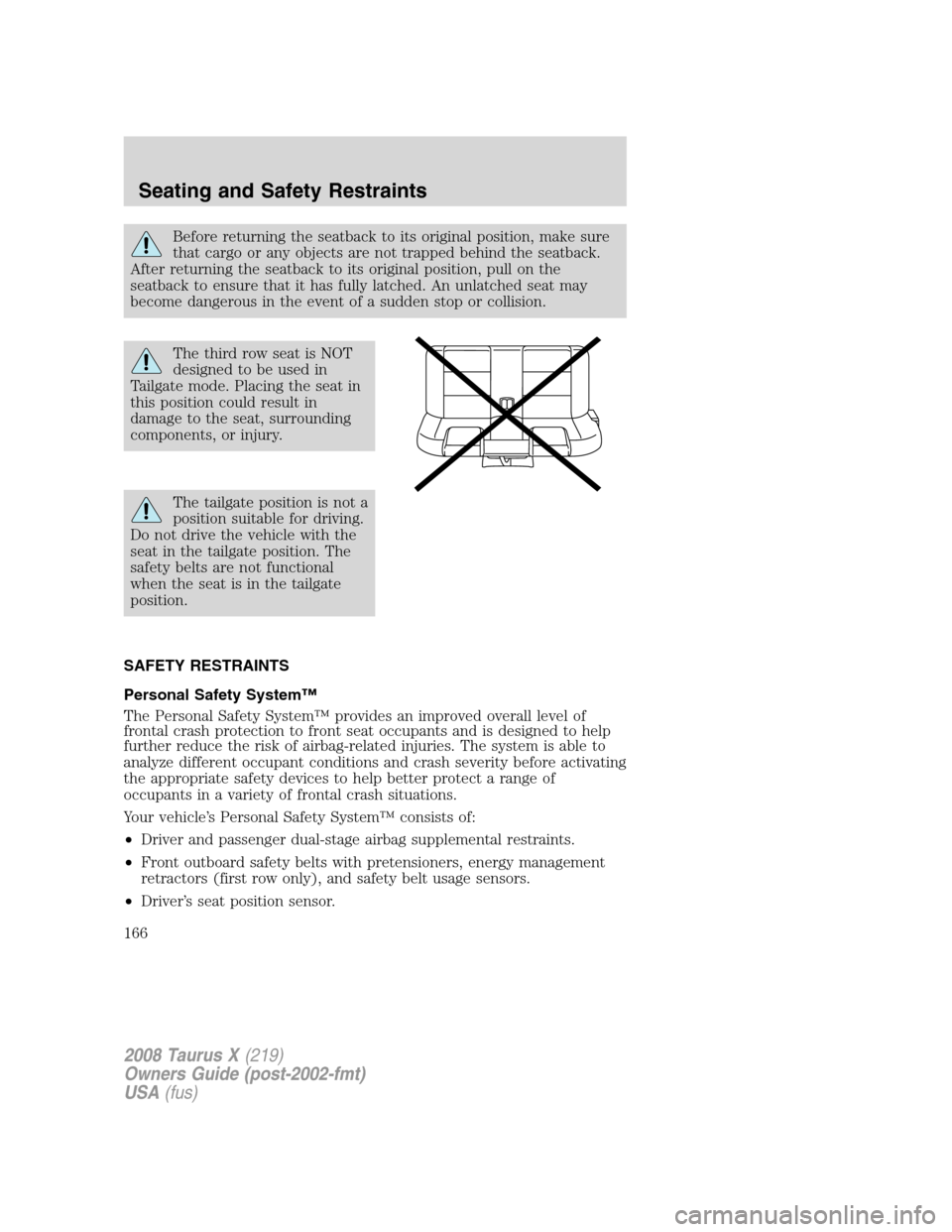
The third row seat is NOT
designed to be used in
Tailgate mode. Placing the seat in
this position could result in
damage to the seat, surrounding
components, or injury.
The tailgate position is not a
position suitable for driving.
Do not drive the vehicle with the
seat in the tailgate position. The
safety belts are not functional
when the seat is in the tailgate
position.
SAFETY RESTRAINTS
Personal Safety System™
The Personal Safety System™ provides an improved overall level of
frontal crash protection to front seat occupants and is designed to help
further reduce the risk of airbag-related injuries. The system is able to
analyze different occupant conditions and crash severity before activating
the appropriate safety devices to help better protect a range of
occupants in a variety of frontal crash situations.
Your vehicle’s Personal Safety System™ consists of:
•Driver and passenger dual-stage airbag supplemental restraints.
•Front outboard safety belts with pretensioners, energy management
retractors (first row only), and safety belt usage sensors.
•Driver’s seat position sensor.
2008 Taurus X(219)
Owners Guide (post-2002-fmt)
USA(fus)
Seating and Safety Restraints
166