instrument panel FORD THUNDERBIRD 2002 11.G User Guide
[x] Cancel search | Manufacturer: FORD, Model Year: 2002, Model line: THUNDERBIRD, Model: FORD THUNDERBIRD 2002 11.GPages: 248, PDF Size: 2.1 MB
Page 94 of 248

PERIMETER ALARM SYSTEM
The perimeter anti-theft system will help protect your vehicle doors,
hood and trunk from unauthorized entry.
When the vehicle is armed the power door locks and remote trunk
release control are disabled. These will not work until the vehicle is
disarmed. Refer toDriver Controlschapter for more infomation.
If there is any potential perimeter anti-theft problem with your vehicle,
ensureALL key fobs(remote entry transmitters) are brought to the
dealership, to aid in troubleshooting.
Theft indicator
When the perimeter alarm is armed, the theft indicator on the
instrument panel will flash briefly every two seconds to indicate the
perimeter alarm system is protecting your vehicle.
Arming the system
When armed, the perimeter alarm will help protect your vehicle from
unauthorized entry. When unauthorized entry occurs, the system will
flash the turn signal lamps and the theft indicator lamp and will sound
the horn.
The system is ready to arm whenever the key is out of the ignition. The
system will arm 20 seconds after one of the following actions:
²Press the remote transmitter lock control.
²Open a door and press the power door lock control.
Disarming the system
You can disarm the system by any of the following actions:
²Unlock the doors by using your remote entry transmitter.
²Unlock the driver's door by using your key.
²Turn ignition to RUN.
Locks and security
94
Page 139 of 248
controlling wheel spin. The system borrows many of the electronic and
mechanical elements already present in the anti-lock braking system
(ABS).
Wheel-speed sensors allow excess rear wheel spin to be detected by the
Traction Controlyportion of the ABS computer. Any excessive wheel
spin is controlled by automatically applying and releasing the rear brakes
in conjunction with engine torque reductions. Engine torque reduction is
realized via the fully electronic spark and fuel injection systems. This
process is very sensitive to driving conditions and very fast acting. The
rear wheels ªsearchº for optimum traction several times a second and
adjustments are made accordingly.
The Traction Controlysystem will allow your vehicle to make better use
of available traction on slippery surfaces. The system is a driver aid
which makes your vehicle easier to handle primarily on snow and ice
covered roads. This is especially evident if wheel spin-up should occur
while turning.
During Traction Controlyoperation you may hear an electric motor type
of sound coming from the engine compartment and the engine will not
ªrev-upº when you push further on the accelerator. This is normal
system behavior.
If you should become stuck in snow
or on a very slippery road surface,
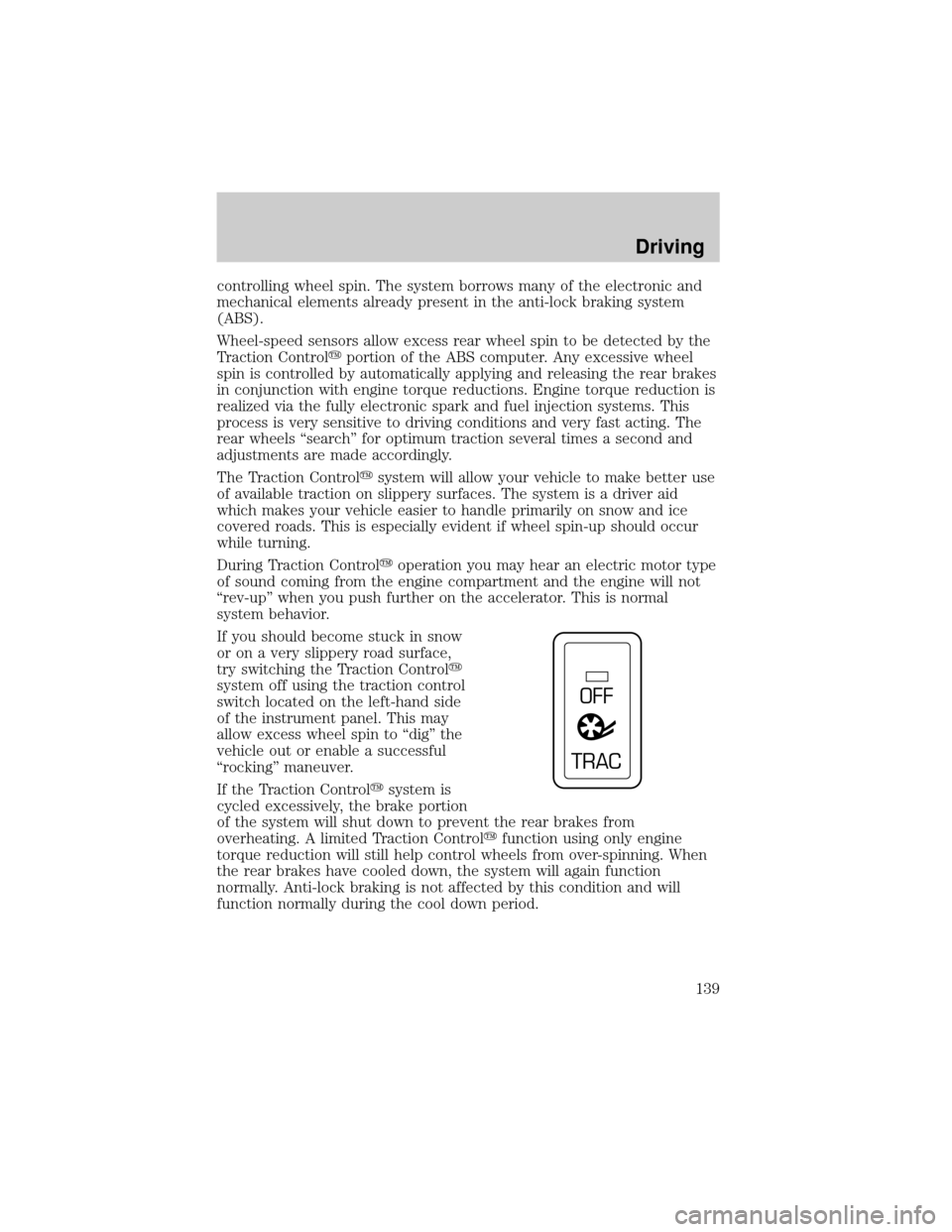
try switching the Traction Controly
system off using the traction control
switch located on the left-hand side
of the instrument panel. This may
allow excess wheel spin to ªdigº the
vehicle out or enable a successful
ªrockingº maneuver.
If the Traction Controlysystem is
cycled excessively, the brake portion
of the system will shut down to prevent the rear brakes from
overheating. A limited Traction Controlyfunction using only engine
torque reduction will still help control wheels from over-spinning. When
the rear brakes have cooled down, the system will again function
normally. Anti-lock braking is not affected by this condition and will
function normally during the cool down period.
OFF
TRAC
Driving
139
Page 191 of 248
CLEANING THE INSTRUMENT PANEL
Clean the instrument panel with a damp cloth, then dry with a dry cloth.
Avoid cleaners or polish that increase the gloss of the upper portion of
the instrument panel. The dull finish in this area helps protect the driver
from undesirable windshield reflection.
Do not use chemical solvents or strong detergents when cleaning
the steering wheel or instrument panel to avoid contamination of
the air bag system.
Cleaning the instrument cluster lens
Wipe the cluster area with a soft, damp cotton towel and Ultra Clear
Spray Glass Cleaner (E4AZ-19C507±AA). Dry the area with a clean, dry
towel.
CLEANING SEATS EQUIPPED WITH SIDE AIR BAGS
Remove dust and loose dirt with a vacuum cleaner. In order to remove
stains and soil, clean with Extra Strength Upholstery Cleaner
(E8AZ-19523±AA).
Never saturate the seat covers with any cleaning solution.
Do not use chemical solvents or strong detergents when cleaning
the seat where the side air bag is mounted. Such products could
contaminate the side air bag system and affect performance of the side
air bag in a collision. The air bag may not function correctly and not
provide injury reduction benefits.
CLEANING THE INTERIOR FABRIC, CARPETS AND CLOTH SEATS
Remove dust and loose dirt with a vacuum cleaner. Remove light stains
and soil with Extra Strength Upholstery Cleaner (E8AZ-19523±AA).
Never saturate the seat covers with cleaning solution.
Do not use household cleaning products or glass cleaners, which
can stain and discolor the fabric and affect the flame retardent
abilities of the seat materials.
If grease or tar is present on the material, spot-clean the area first with
Spot and Stain Remover (F3AZ-19521±WA). Follow up by recleaning the
area with Extra Strength Upholstery Cleaner (E8AZ-19523±AA).
Cleaning
191
Page 196 of 248
OPENING THE HOOD
1. Inside the vehicle, pull the hood
release handle located at the bottom
left of the instrument panel.
2. Go to the front of the vehicle and
release the auxiliary latch that is
located under the front center of
the hood by pushing the handle
toward the passenger side of the
vehicle.
3. Lift the hood until the lift cylinders hold it open.
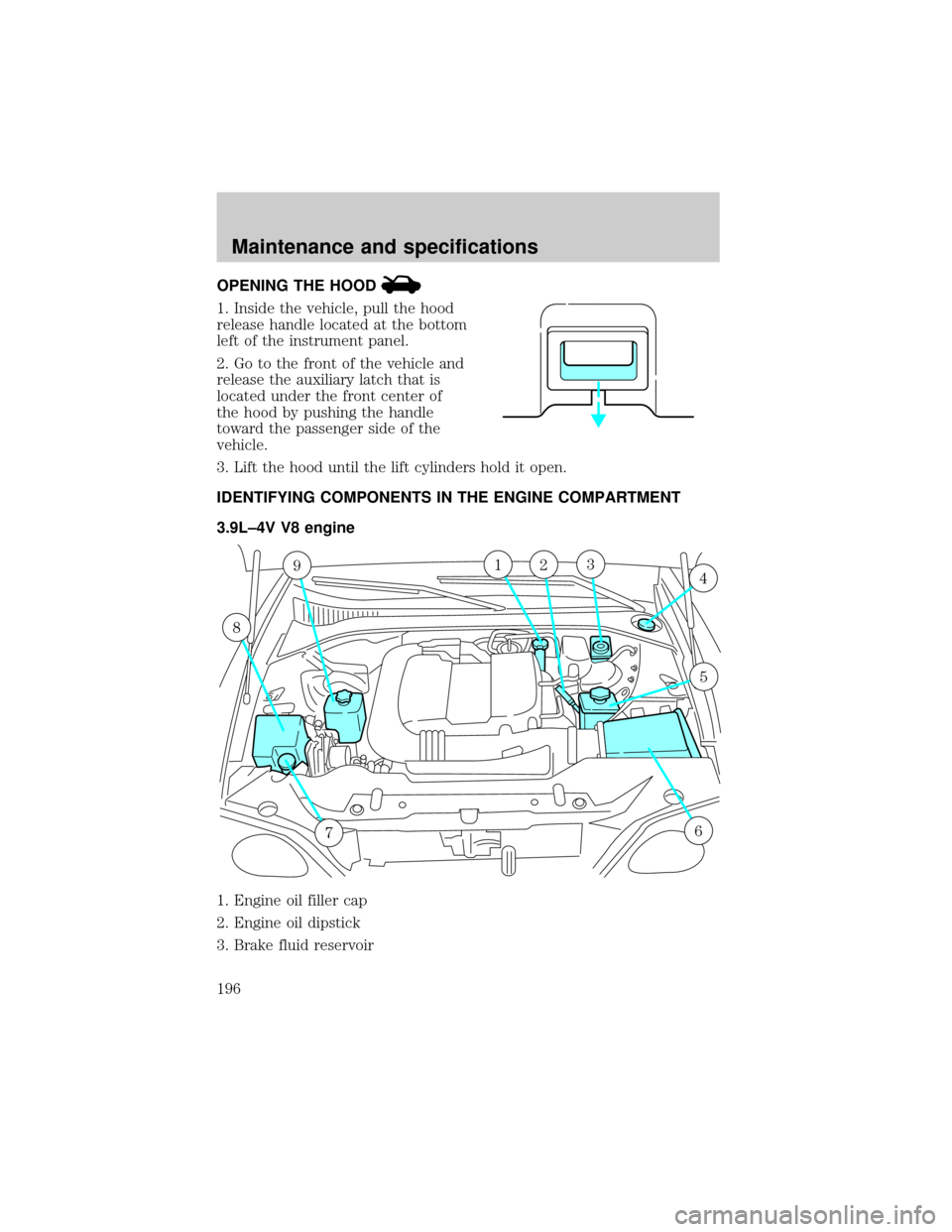
IDENTIFYING COMPONENTS IN THE ENGINE COMPARTMENT
3.9L±4V V8 engine
1. Engine oil filler cap
2. Engine oil dipstick
3. Brake fluid reservoir
9
8
76
4123
5
Maintenance and specifications
196
Page 233 of 248
IDENTIFYING YOUR VEHICLE
Certification label
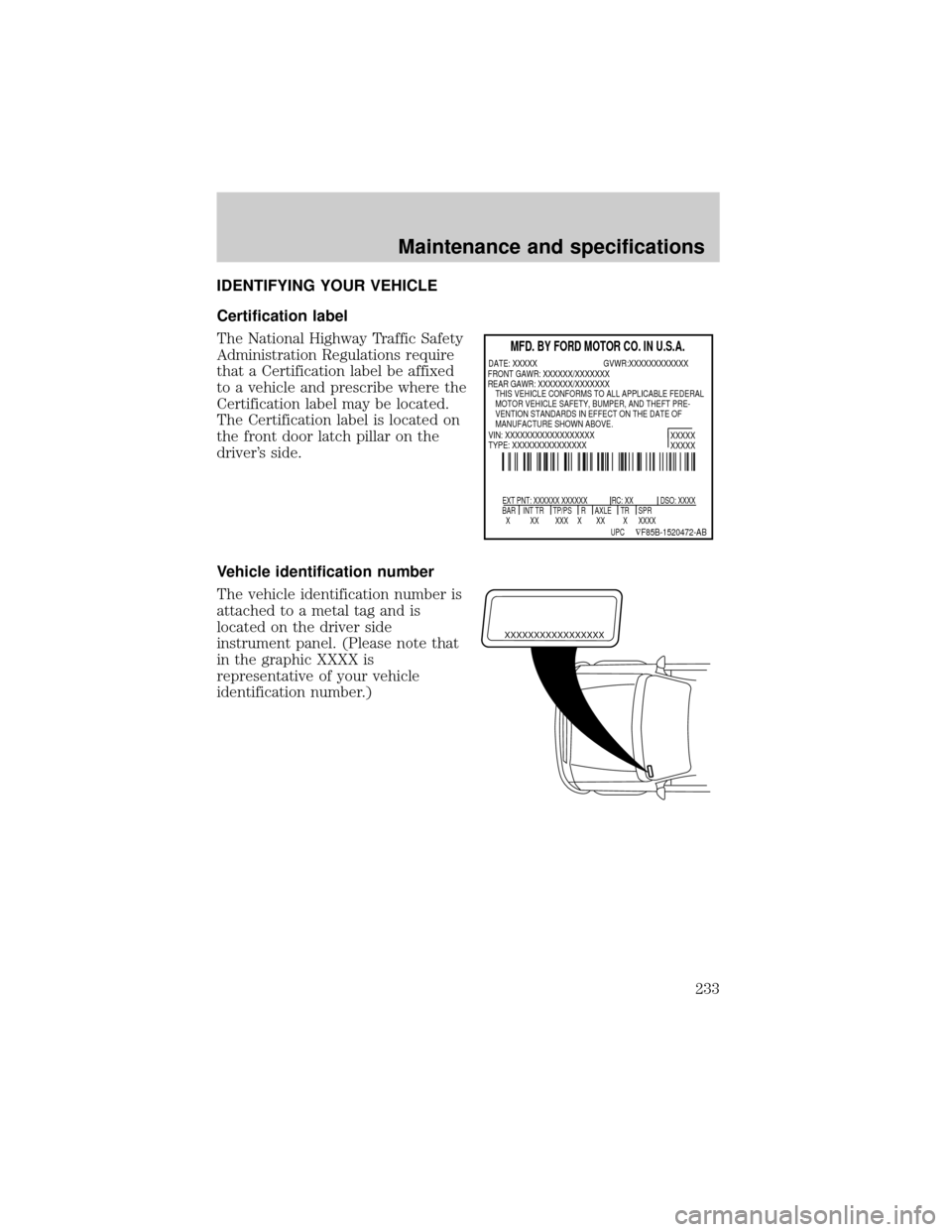
The National Highway Traffic Safety
Administration Regulations require
that a Certification label be affixed
to a vehicle and prescribe where the
Certification label may be located.
The Certification label is located on
the front door latch pillar on the
driver's side.
Vehicle identification number
The vehicle identification number is
attached to a metal tag and is
located on the driver side
instrument panel. (Please note that
in the graphic XXXX is
representative of your vehicle
identification number.)
MFD. BY FORD MOTOR CO. IN U.S.A.
EXT PNT: XXXXXX XXXXXX RC: XX DSO: XXXX
BAR INT TR TP/PS R AXLE TR SPR
X XX XXX X XX X XXXX
XXXXX
XXXXX
UPC ÑF85B-1520472-AB
DATE: XXXXX GVWR:XXXXXXXXXXXX
VIN: XXXXXXXXXXXXXXXXXX
TYPE: XXXXXXXXXXXXXXX FRONT GAWR: XXXXXX/XXXXXXX
REAR GAWR: XXXXXXX/XXXXXXX
THIS VEHICLE CONFORMS TO ALL APPLICABLE FEDERAL
MOTOR VEHICLE SAFETY, BUMPER, AND THEFT PRE-
VENTION STANDARDS IN EFFECT ON THE DATE OF
MANUFACTURE SHOWN ABOVE.
XXXXXXXXXXXXXXXXX
Maintenance and specifications
233
Page 238 of 248

instrument cluster lens ..........191
instrument panel ....................191
interior .....................................191
plastic parts ....................189±190
safety belts ..............................192
washing ....................................187
waxing .....................................187
wheels ......................................188
windows ..................................192
wiper blades ............................190
Clock ............................................33
Console ........................................83
Controls
power seat .................................97
steering column ........................70
Convertible ..................................72
cleaning .....................................76
installation of the boot .............73
lowering the convertible top ...72
raising the convertible top ......74
Coolant
checking and adding ..............202
coolant temperature light ........13
refill capacities ................206, 228
specifications ..................229, 231
Cruise control (see Speed
control) ........................................66
Customer Assistance ................153
Ford accessories for your
vehicle .....................................193
Ford Extended Service
Plan ..........................................179
Getting assistance outside
the U.S. and Canada ..............183
Getting roadside assistance ...153
Getting the service
you need .................................177
Ordering additional owner's
literature .................................184The Dispute Settlement
Board .......................................180
Utilizing the
Mediation/Arbitration
Program ...................................183
D
Daytime running lamps
(see Lamps) ................................49
Defrost
rear window ..............................48
Dipstick
automatic
transmission fluid ...................221
engine oil .................................197
Doors
door ajar warning .....................15
lubricant specifications ..........229
Driving under special
conditions
through water .........................146
Dual automatic temperature
control (DATC) ...........................35
E
Emergencies, roadside
jump-starting ..........................169
Emission control system ..........217
Engine ........................................231
check engine/service engine
soon light ..................................10
cleaning ...................................188
coolant .....................................202
fail-safe coolant ......................207
idle speed control ...................200
lubrication
specifications ..................229, 231
Index
238
Page 240 of 248

turning on and off ....................49
warning chime ..........................15
Heating ........................................35
Hood ..........................................196
I
Ignition ...............................132, 231
Infant seats
(see Safety seats) .....................123
Inspection/maintenance (I/M)
testing ........................................218
Instrument panel
cleaning ...................................191
cluster ................................10, 191
lighting up panel and
interior .......................................50
J
Jack ............................................164
positioning ...............................164
storage .....................................164
Jump-starting your vehicle ......169
K
Keyless entry system
autolock .....................................90
Keys .......................................91, 93
key in ignition chime ...............15
positions of the ignition .........132
L
Lamps
autolamp system .......................49
bulb replacement
specifications chart ..................53cargo lamps ...............................50
daytime running light ...............49
headlamps .................................49
headlamps, flash to pass ..........50
instrument panel, dimming .....50
interior lamps .....................52, 54
replacing bulbs ....... 53±54, 56±59
Lane change indicator
(see Turn signal) ........................52
Lights, warning and indicator ....10
air bag ........................................12
anti-lock brakes (ABS) ....12, 137
brake ..........................................12
bulb warning .............................15
charging system ........................13
check engine .............................10
cruise indicator .........................14
door ajar ....................................15
fuel cap light .............................11
high beam .................................15
low coolant ................................13
low fuel ......................................14
low washer fluid .......................14
oil pressure ...............................13
safety belt .................................13
speed control ............................70
traction control active ..............14
transmission PRNDL
indicator ....................................12
turn signal indicator .................14
Load limits .................................146
GAWR ......................................146
GVWR ......................................146
trailer towing ..........................146
Locks
autolock .....................................90
doors ..........................................84
Lubricant specifications ...229, 231
Lug nuts, anti-theft ...................169
Index
240