tow FORD THUNDERBIRD 2004 11.G User Guide
[x] Cancel search | Manufacturer: FORD, Model Year: 2004, Model line: THUNDERBIRD, Model: FORD THUNDERBIRD 2004 11.GPages: 216, PDF Size: 5.69 MB
Page 52 of 216
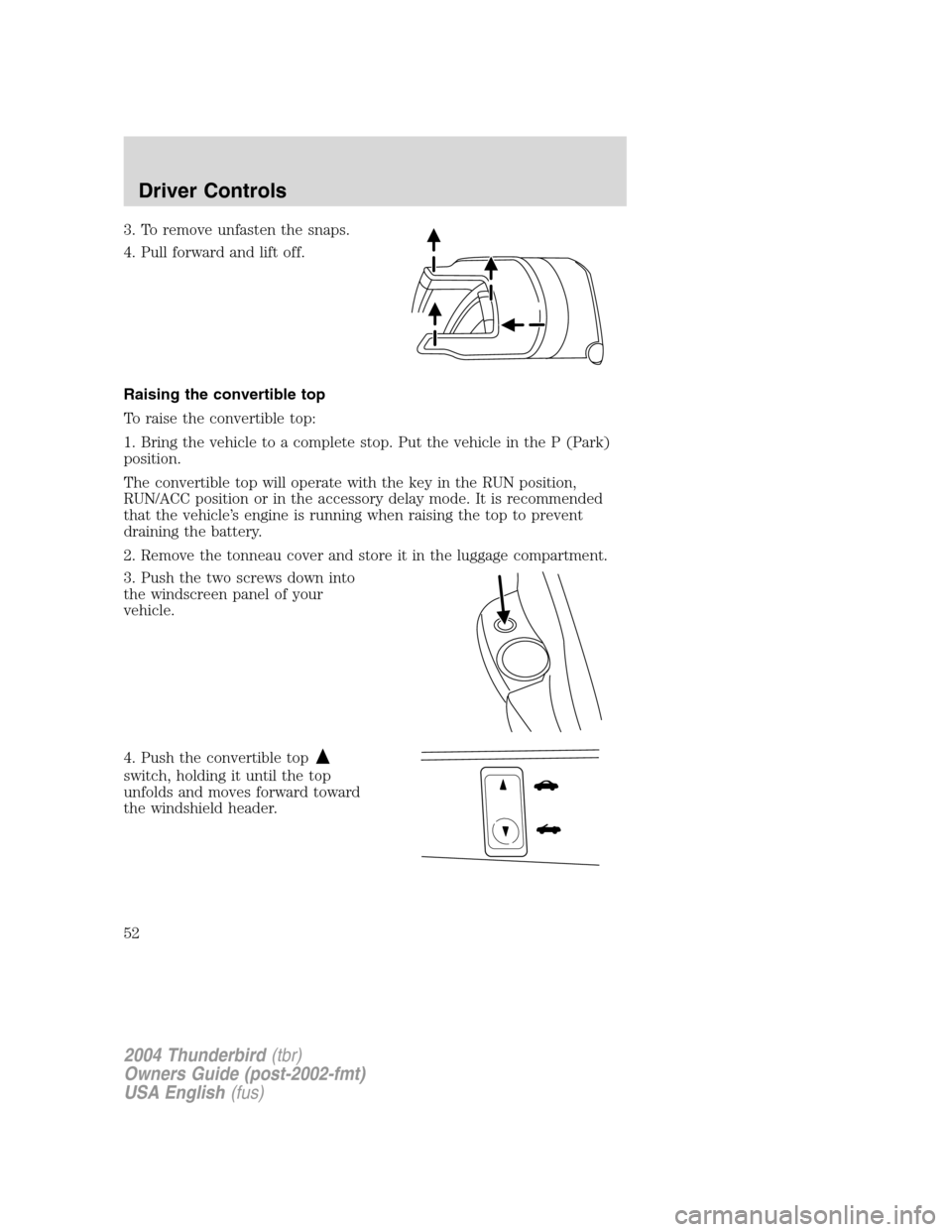
3. To remove unfasten the snaps.
4. Pull forward and lift off.
Raising the convertible top
To raise the convertible top:
1. Bring the vehicle to a complete stop. Put the vehicle in the P (Park)
position.
The convertible top will operate with the key in the RUN position,
RUN/ACC position or in the accessory delay mode. It is recommended
that the vehicle’s engine is running when raising the top to prevent
draining the battery.
2. Remove the tonneau cover and store it in the luggage compartment.
3. Push the two screws down into
the windscreen panel of your
vehicle.
4. Push the convertible top
switch, holding it until the top
unfolds and moves forward toward
the windshield header.
2004 Thunderbird (tbr)
Owners Guide (post-2002-fmt)
USA English (fus)
Driver Controls
52
Page 56 of 216
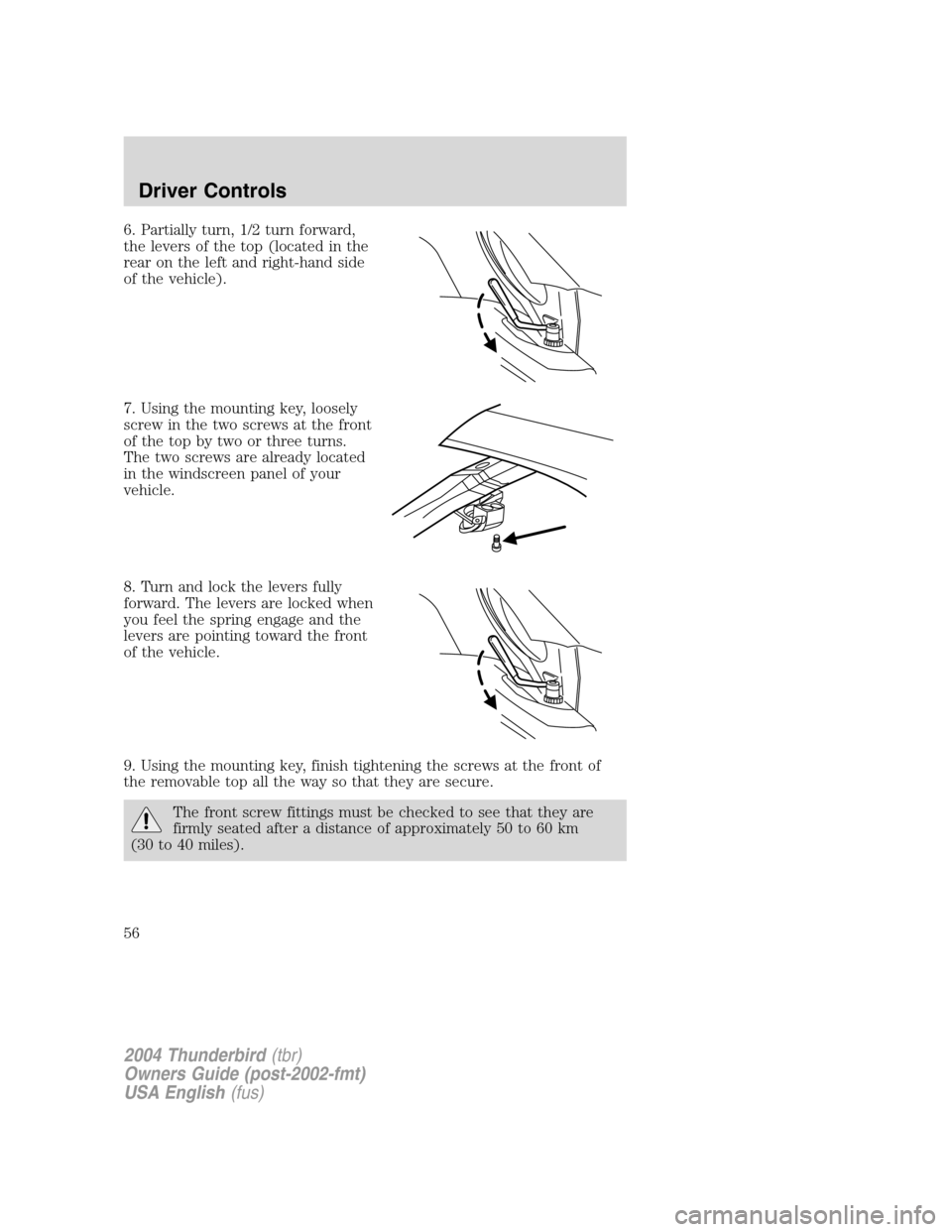
6. Partially turn, 1/2 turn forward,
the levers of the top (located in the
rear on the left and right-hand side
of the vehicle).
7. Using the mounting key, loosely
screw in the two screws at the front
of the top by two or three turns.
The two screws are already located
in the windscreen panel of your
vehicle.
8. Turn and lock the levers fully
forward. The levers are locked when
you feel the spring engage and the
levers are pointing toward the front
of the vehicle.
9. Using the mounting key, finish tightening the screws at the front of
the removable top all the way so that they are secure.
The front screw fittings must be checked to see that they are
firmly seated after a distance of approximately 50 to 60 km
(30 to 40 miles).
2004 Thunderbird (tbr)
Owners Guide (post-2002-fmt)
USA English (fus)
Driver Controls
56
Page 58 of 216
Removable top storage rack
It is recommended that you prepare the storage rack prior to removing
the top from the vehicle.
1. Remove the storage rack from the package and place the bumper end
of the uprights on the floor with the wheels facing you.
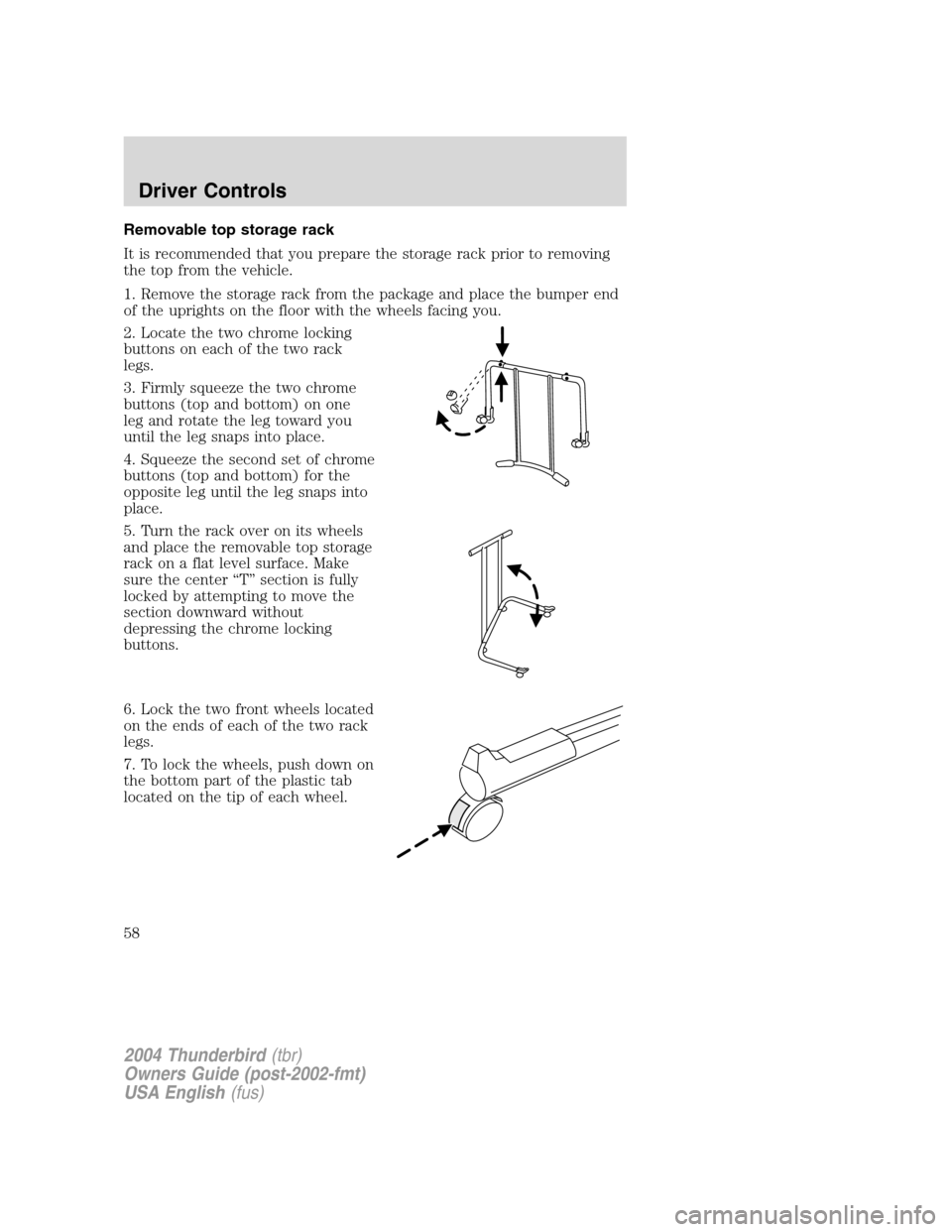
2. Locate the two chrome locking
buttons on each of the two rack
legs.
3. Firmly squeeze the two chrome
buttons (top and bottom) on one
leg and rotate the leg toward you
until the leg snaps into place.
4. Squeeze the second set of chrome
buttons (top and bottom) for the
opposite leg until the leg snaps into
place.
5. Turn the rack over on its wheels
and place the removable top storage
rack on a flat level surface. Make
sure the center“T ” section is fully
locked by attempting to move the
section downward without
depressing the chrome locking
buttons.
6. Lock the two front wheels located
on the ends of each of the two rack
legs.
7. To lock the wheels, push down on
the bottom part of the plastic tab
located on the tip of each wheel.
2004 Thunderbird (tbr)
Owners Guide (post-2002-fmt)
USA English (fus)
Driver Controls
58
Page 65 of 216
Opening the trunk
Pressonce to open the trunk.
• Ensure that the trunk is closed and latched before driving your
vehicle. Failure to properly latch the trunk may cause objects to fall
out or block the driver ’s rear view.
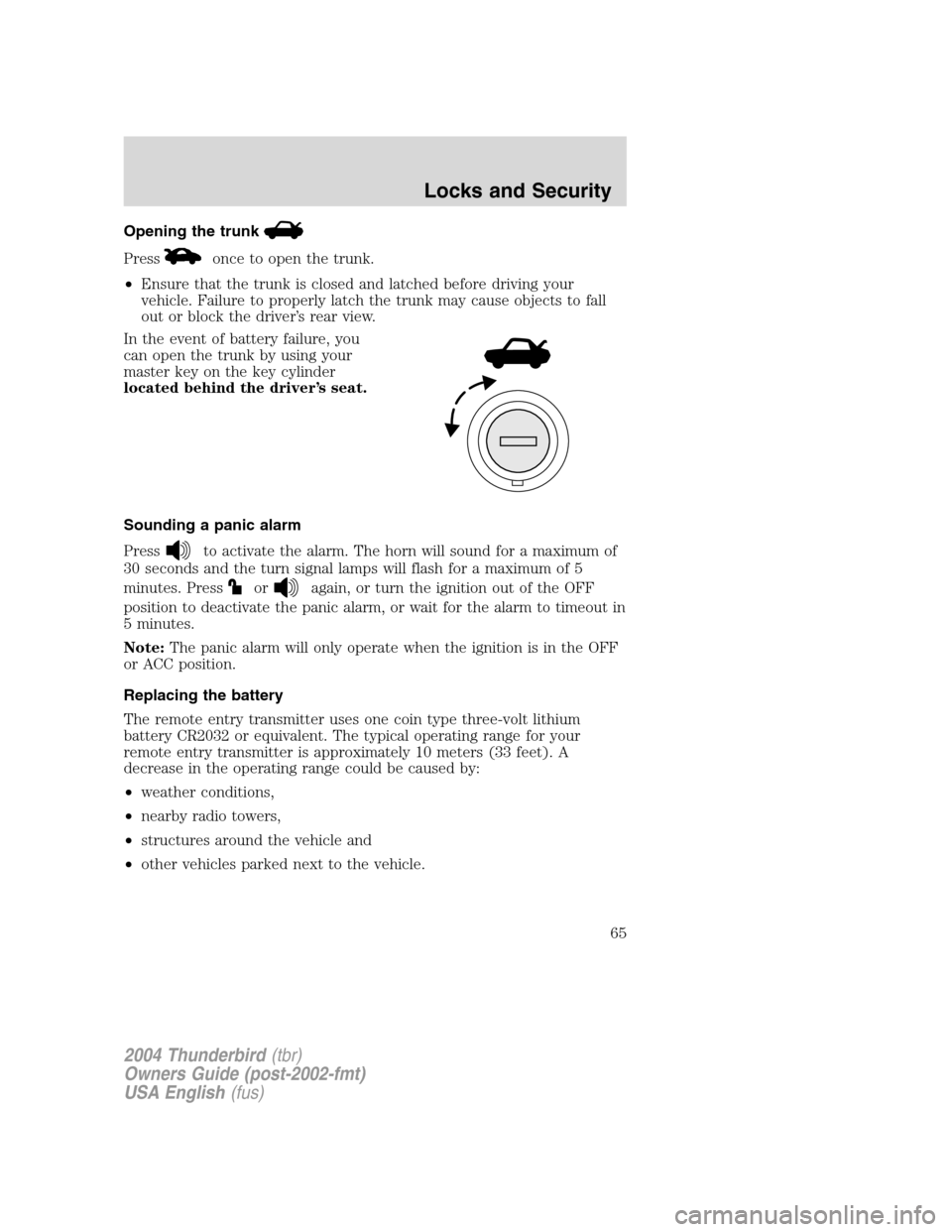
In the event of battery failure, you
can open the trunk by using your
master key on the key cylinder
located behind the driver ’s seat.
Sounding a panic alarm
Press
to activate the alarm. The horn will sound for a maximum of
30 seconds and the turn signal lamps will flash for a maximum of 5
minutes. Press
oragain, or turn the ignition out of the OFF
position to deactivate the panic alarm, or wait for the alarm to timeout in
5 minutes.
Note: The panic alarm will only operate when the ignition is in the OFF
or ACC position.
Replacing the battery
The remote entry transmitter uses one coin type three-volt lithium
battery CR2032 or equivalent. The typical operating range for your
remote entry transmitter is approximately 10 meters (33 feet). A
decrease in the operating range could be caused by:
• weather conditions,
• nearby radio towers,
• structures around the vehicle and
• other vehicles parked next to the vehicle.
2004 Thunderbird (tbr)
Owners Guide (post-2002-fmt)
USA English (fus)
Locks and Security
65
Page 70 of 216
Automatic disarming
Switching the ignition to the 4 (RUN) position with acoded keydisarms
the vehicle.
• The
THEFTindicator will illuminate for three seconds and then go
out.
• If the
THEFTindicator stays on for an extended period of time or
flashes rapidly, have the system serviced by your dealer.
Key information
Your vehicle is supplied with two coded keys (or three keys, if the
valet feature is available). Only acoded key will start your vehicle.
Spare coded keys may be purchased from an authorized Ford dealer. An
authorized Ford dealer can also program your coded key,or you can do
it yourself. Refer to Programming spare keys.
The following items may prevent the vehicle from starting:
• Large metallic objects.
• Electronic devices on the key chain that can be used to purchase
gasoline or similar items.
• A second key on the same key ring as the coded key.
If any of these items are present, you need to prevent these objects from
touching the coded keywhile starting the engine. These objects cannot
damage the coded key,but may cause a momentary “no start ”condition
if they are too close to the key when starting the engine. If a problem
occurs, turn the ignition to the OFF position and restart the engine with
all other objects on the key ring held away from the ignition key. Check
to make sure the coded keyis an approved Ford coded key.
If your keys are lost or stolen, you will need to do the following:
• Use your spare key to start the vehicle, or
• Have your vehicle towed to an authorized Ford dealer or a locksmith.
The key codes will need to be erased from your vehicle and new
codes will need to be re-coded.
Replacing coded keys can be very costly and you may want to store an
extra programmed key away from the vehicle in a safe place to prevent
an unforeseen inconvenience.
The correct coded keymust be used for your vehicle. The use of the
wrong coded key may lead to a “no start ”condition.
If an unprogrammed key is used in the ignition, it will cause a
“ no start ”condition.
2004 Thunderbird (tbr)
Owners Guide (post-2002-fmt)
USA English (fus)
Locks and Security
70
Page 72 of 216
PERIMETER ALARM SYSTEM
The perimeter anti-theft system will warn you in the event of an
unauthorized entry to your vehicle.
If there is any potential perimeter anti-theft problem with your vehicle,
ensureALL remote entry transmitters are taken to the dealership to
aid in troubleshooting.
Arming the system
When armed, this system will respond if unauthorized entry is
attempted. When unauthorized entry occurs, the system will flash the
turn signal lamps and will sound the horn.
The system is ready to arm whenever the key is removed from the
ignition. Either of the following actions will prearm the alarm system:
• Press the
control on the remote entry transmitter.
• Press the driver or passenger door lock control while the door is open.
Disarming the system
You can disarm the system by any of the following actions:
• Unlock the doors by pressing the
control on your remote entry
transmitter.
• Unlock the doors with a key. Turn the key full travel (toward the front
of the vehicle) to ensure the alarm disarms.
Triggering the anti-theft system
The armed system will be triggered if any door, the trunk or the hood is
opened without using the key or the remote entry transmitter.
2004 Thunderbird (tbr)
Owners Guide (post-2002-fmt)
USA English (fus)
Locks and Security
72
Page 87 of 216
Never place your arm over the air bag module as a deploying air
bag can result in serious arm fractures or other injuries.
Steps you can take to properly position yourself away from the air bag:
• Move your seat to the rear as far as you can while still reaching the
pedals comfortably.
• Recline the seat slightly (one or two degrees) from the upright
position.
Do not put anything on or over the air bag module. Placing
objects on or over the air bag inflation area may cause those
objects to be propelled by the air bag into your face and torso causing
serious injury.
Do not attempt to service, repair, or modify the Air Bag
Supplemental Restraint System or its fuses. See your Ford or
Lincoln Mercury dealer.
Modifying or adding equipment to the front end of the vehicle
(including frame, bumper, front end body structure and tow
hooks) may affect the performance of the air bag system, increasing
the risk of injury. Do not modify the front end of the vehicle.
Children and air bags
For additional important safety information, read all information on
safety restraints in this guide.
Children must always be properly restrained. Failure to follow these
instructions may increase the risk of injury in a collision.
Air bags can kill or injure a child in a child seat. NEVERplace a
rear-facing child seat in front of an active air bag. If you must
use a forward-facing child seat in the front seat, move the seat all the
way back and turn the passenger air bag off. Refer to Passenger air
bag ON/OFF switch in this chapter of the owner ’s guide.
2004 Thunderbird (tbr)
Owners Guide (post-2002-fmt)
USA English (fus)
Seating and Safety Restraints
87
Page 100 of 216
Never put the shoulder belt under a child’s arm or behind the
back because it eliminates the protection for the upper part of
the body and may increase the risk of injury or death in a collision.
Never use pillows, books, or towels to boost a child. They can
slide around and increase the likelihood of injury or death in a
collision.
SAFETY SEATS FOR CHILDREN
Child and infant or child safety seats
Use a safety seat that is recommended for the size and weight of the
child. Carefully follow all of the manufacturer ’s instructions with the
safety seat you put in your vehicle. If you do not install and use the
safety seat properly, the child may be injured in a sudden stop or
collision.
When installing a child safety seat:
• Review and follow the information
presented in the Air Bag
Supplemental Restraint System
section in this chapter.
• Use the correct safety belt buckle
for that seating position.
• Insert the belt tongue into the
proper buckle until you hear a
snap and feel it latch. Make sure
the tongue is securely fastened in
the buckle.
2004 Thunderbird (tbr)
Owners Guide (post-2002-fmt)
USA English (fus)
Seating and Safety Restraints
100
Page 103 of 216
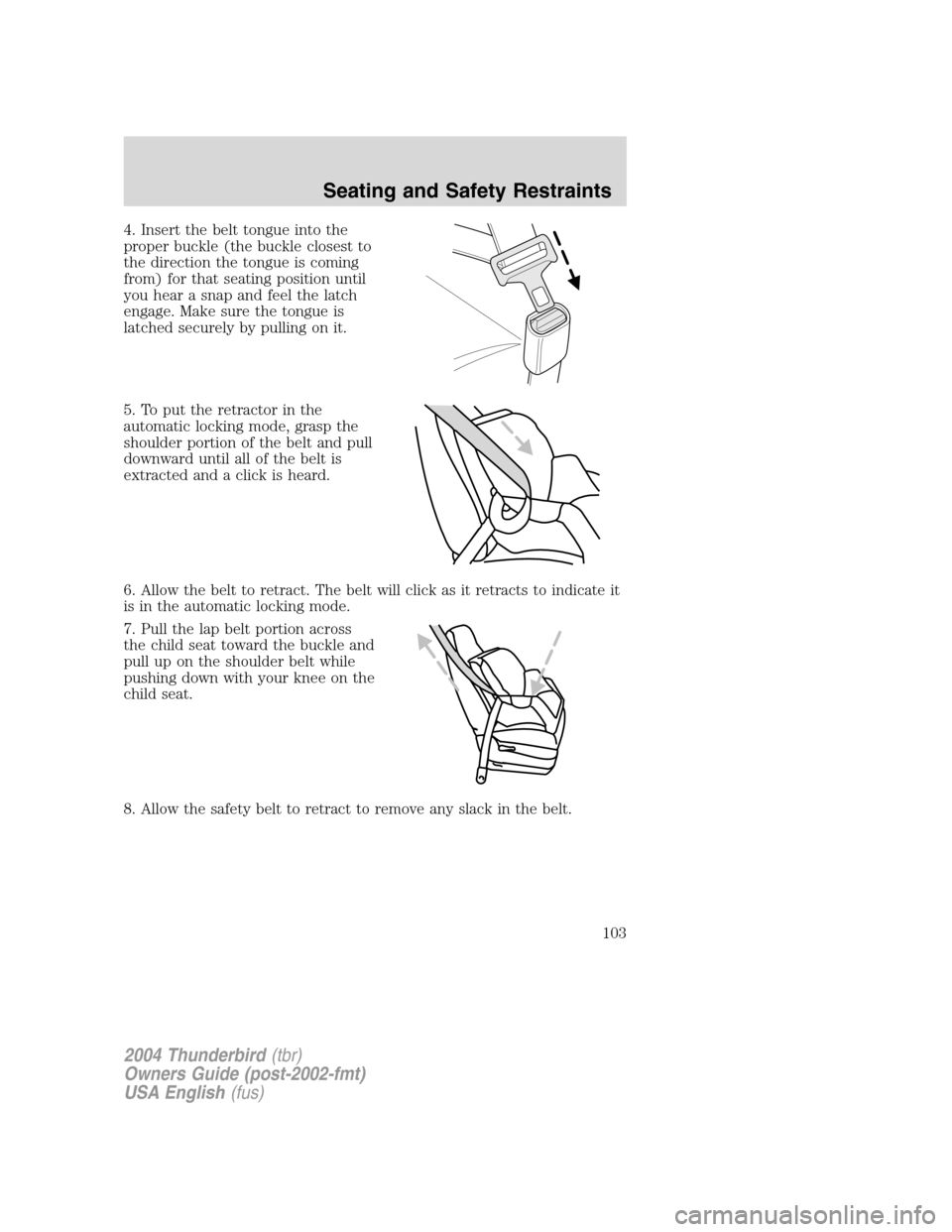
4. Insert the belt tongue into the
proper buckle (the buckle closest to
the direction the tongue is coming
from) for that seating position until
you hear a snap and feel the latch
engage. Make sure the tongue is
latched securely by pulling on it.
5. To put the retractor in the
automatic locking mode, grasp the
shoulder portion of the belt and pull
downward until all of the belt is
extracted and a click is heard.
6. Allow the belt to retract. The belt will click as it retracts to indicate it
is in the automatic locking mode.
7. Pull the lap belt portion across
the child seat toward the buckle and
pull up on the shoulder belt while
pushing down with your knee on the
child seat.
8. Allow the safety belt to retract to remove any slack in the belt.
2004 Thunderbird(tbr)
Owners Guide (post-2002-fmt)
USA English (fus)
Seating and Safety Restraints
103
Page 121 of 216
DRIVING THROUGH WATER
If driving through deep or standing water is unavoidable, proceed very
slowly especially if the depth is not known. Never drive through water
that is higher than the bottom of the hubs (for trucks) or the bottom of
the wheel rims (for cars). Traction or brake capability may be limited
and your vehicle may stall. Water may also enter your engine’s air intake
and severely damage your engine.
Once through the water, always dry the brakes by moving your vehicle
slowly while applying light pressure on the brake pedal. Wet brakes do
not stop the vehicle as quickly as dry brakes. Driving through deep
water where the transmission vent tube is submerged may allow
water into the transmission and cause internal transmission
damage.
VEHICLE LOADING –WITH AND WITHOUT A TRAILER
This section will guide you in the proper loading of your vehicle and/or
trailer, to keep your loaded vehicle weight within its design rating
capability, with or without a trailer. Properly loading your vehicle will
provide maximum return of vehicle design performance. Before loading
your vehicle, familiarize yourself with the following terms for determining
your vehicle ’s weight ratings, with or without a trailer, from the vehicle ’s
Safety Certification Label and Tire and Load Information Label:
Base Curb Weight –is the weight of the vehicle including a full tank of
fuel and all standard equipment. It does not include passengers, cargo, or
optional equipment.
Vehicle Curb Weight –is the weight of your new vehicle when you
picked it up from your dealer plus any aftermarket equipment.
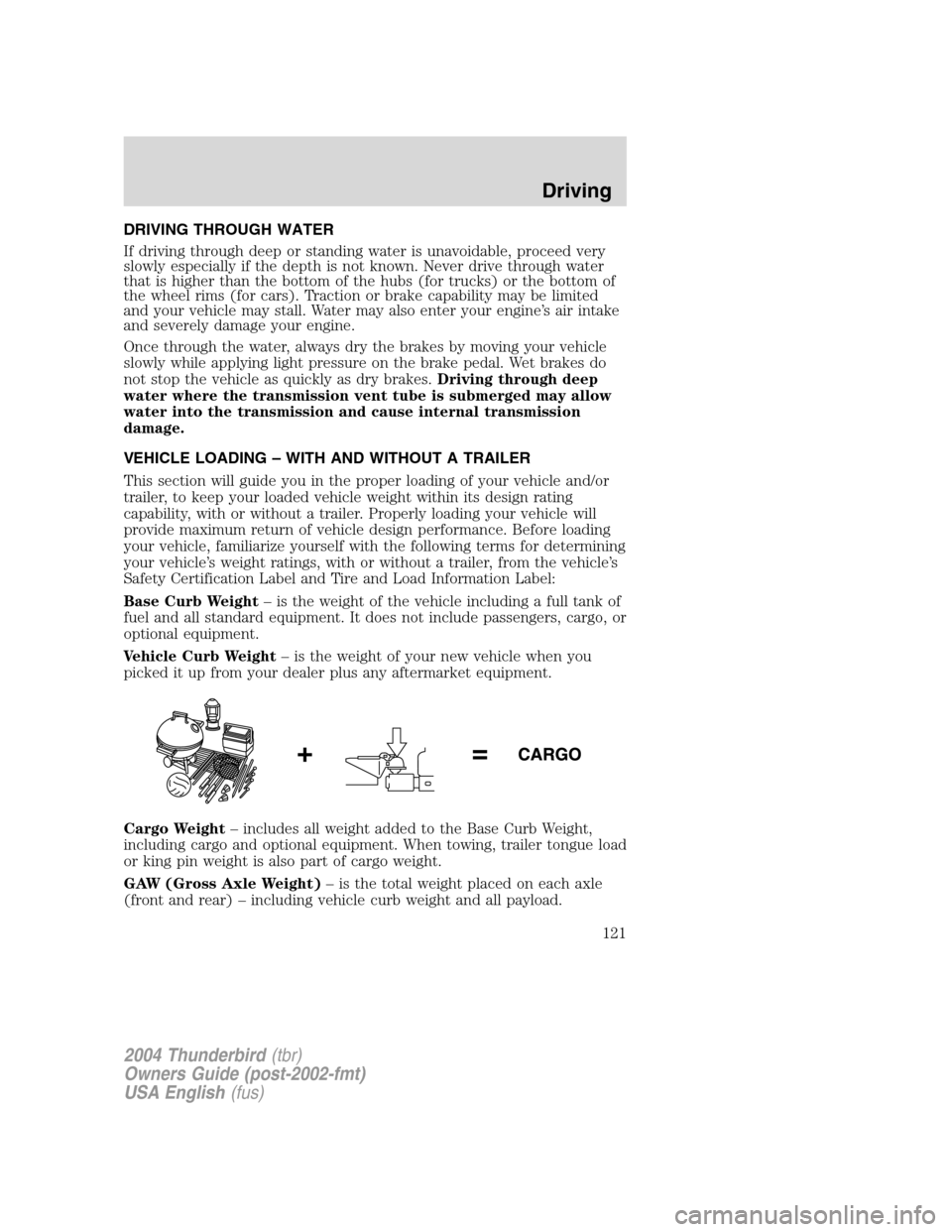
Cargo Weight –includes all weight added to the Base Curb Weight,
including cargo and optional equipment. When towing, trailer tongue load
or king pin weight is also part of cargo weight.
GAW (Gross Axle Weight) –is the total weight placed on each axle
(front and rear) –including vehicle curb weight and all payload.
2004 Thunderbird (tbr)
Owners Guide (post-2002-fmt)
USA English (fus)
Driving
121