brake FORD THUNDERBIRD 2004 11.G Owner's Manual
[x] Cancel search | Manufacturer: FORD, Model Year: 2004, Model line: THUNDERBIRD, Model: FORD THUNDERBIRD 2004 11.GPages: 216, PDF Size: 5.69 MB
Page 116 of 216
Do not drive your vehicle until you verify that the brakelamps
are working.
Always set the parking brake fully and make sure the gearshift is
latched in P (Park). Turn the ignition to the LOCK position and
remove the key whenever you leave your vehicle.
If the parking brake is fully released, but the brake warning lamp
remains illuminated, the brakes may not be working properly.
See your dealer or a qualified service technician.
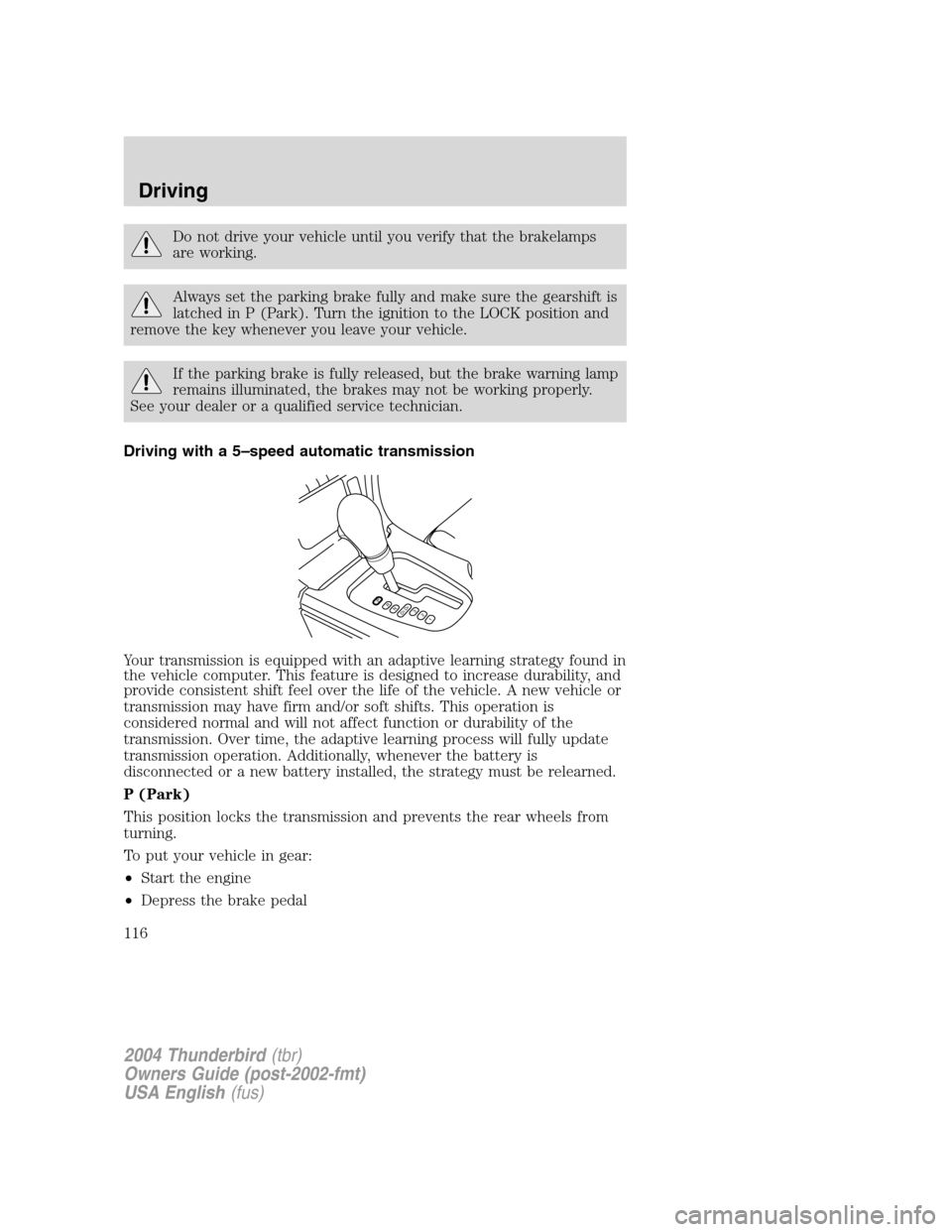
Driving with a 5 –speed automatic transmission
Your transmission is equipped with an adaptive learning strategy found in
the vehicle computer. This feature is designed to increase durability, and
provide consistent shift feel over the life of the vehicle. A new vehicle or
transmission may have firm and/or soft shifts. This operation is
considered normal and will not affect function or durability of the
transmission. Over time, the adaptive learning process will fully update
transmission operation. Additionally, whenever the battery is
disconnected or a new battery installed, the strategy must be relearned.
P (Park)
This position locks the transmission and prevents the rear wheels from
turning.
To put your vehicle in gear:
• Start the engine
• Depress the brake pedal
PRND5D4321
2004 Thunderbird (tbr)
Owners Guide (post-2002-fmt)
USA English (fus)
Driving
116
Page 117 of 216
•Move the gearshift lever into the desired gear
To put your vehicle in P (Park):
• Come to a complete stop
• Move the gearshift lever and securely latch it in P (Park)
Always set the parking brake fully and make sure the gearshift is
latched in P (Park). Turn the ignition to the LOCK position and
remove the key whenever you leave your vehicle.
R (Reverse)
With the gearshift lever in R (Reverse), the vehicle will move backward.
Always come to a complete stop before shifting into and out of R
(Reverse).
N (Neutral)
With the gearshift lever in N (Neutral), the vehicle can be started and is
free to roll. Hold the brake pedal down while in this position.
Drive 5 (Overdrive)
The normal driving position for the best fuel economy. Transmission
operates in gears one through five.
Drive 4 (Overdrive cancelled)
Activated when the transmission shift lever is moved to the D4 position.
• This position allows for all forward gears 1 –4, except overdrive.
• Provides engine braking.
• Use when driving conditions cause excessive shifting from O/D to
other gears. Examples: city traffic, hilly terrain, heavy loads and when
engine braking is required.
• To return to D5 (overdrive mode), move the transmission shift lever
into the D5 position.
• Select D4 at higher speeds will cause the transmission to downshift
into fourth gear.
3 (Third)
This position allows for third gear only.
• Provides engine braking.
• To return to D5 or D4, move the transmission shift lever into the D5
or D4 position.
2004 Thunderbird (tbr)
Owners Guide (post-2002-fmt)
USA English (fus)
Driving
117
Page 121 of 216
DRIVING THROUGH WATER
If driving through deep or standing water is unavoidable, proceed very
slowly especially if the depth is not known. Never drive through water
that is higher than the bottom of the hubs (for trucks) or the bottom of
the wheel rims (for cars). Traction or brake capability may be limited
and your vehicle may stall. Water may also enter your engine’s air intake
and severely damage your engine.
Once through the water, always dry the brakes by moving your vehicle
slowly while applying light pressure on the brake pedal. Wet brakes do
not stop the vehicle as quickly as dry brakes. Driving through deep
water where the transmission vent tube is submerged may allow
water into the transmission and cause internal transmission
damage.
VEHICLE LOADING –WITH AND WITHOUT A TRAILER
This section will guide you in the proper loading of your vehicle and/or
trailer, to keep your loaded vehicle weight within its design rating
capability, with or without a trailer. Properly loading your vehicle will
provide maximum return of vehicle design performance. Before loading
your vehicle, familiarize yourself with the following terms for determining
your vehicle ’s weight ratings, with or without a trailer, from the vehicle ’s
Safety Certification Label and Tire and Load Information Label:
Base Curb Weight –is the weight of the vehicle including a full tank of
fuel and all standard equipment. It does not include passengers, cargo, or
optional equipment.
Vehicle Curb Weight –is the weight of your new vehicle when you
picked it up from your dealer plus any aftermarket equipment.
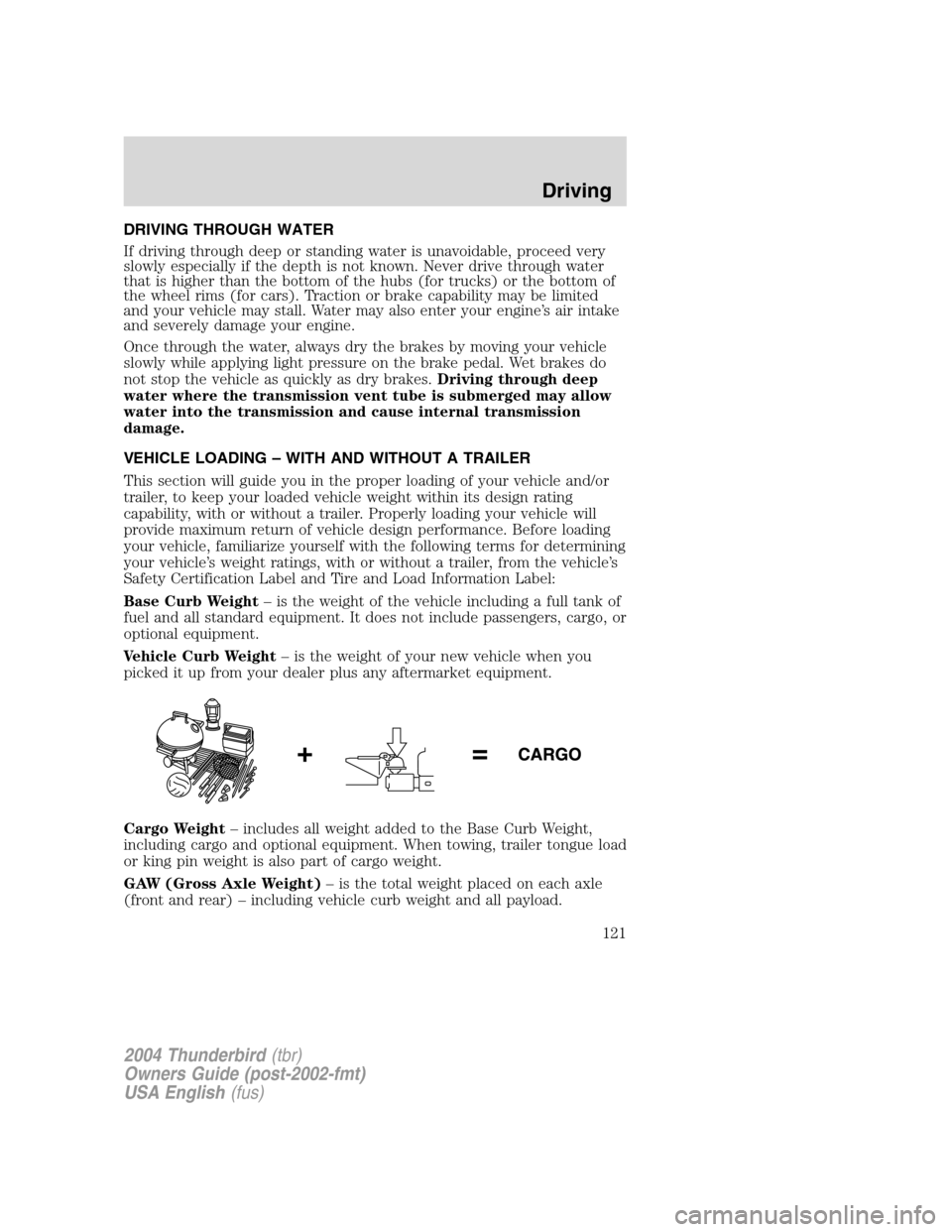
Cargo Weight –includes all weight added to the Base Curb Weight,
including cargo and optional equipment. When towing, trailer tongue load
or king pin weight is also part of cargo weight.
GAW (Gross Axle Weight) –is the total weight placed on each axle
(front and rear) –including vehicle curb weight and all payload.
2004 Thunderbird (tbr)
Owners Guide (post-2002-fmt)
USA English (fus)
Driving
121
Page 123 of 216
Exceeding the Safety Certification Label axle weight rating limits
could result in substandard vehicle handling, performance,
engine, transmission and/or structural damage, serious damage to the
vehicle, loss of control and personal injury.
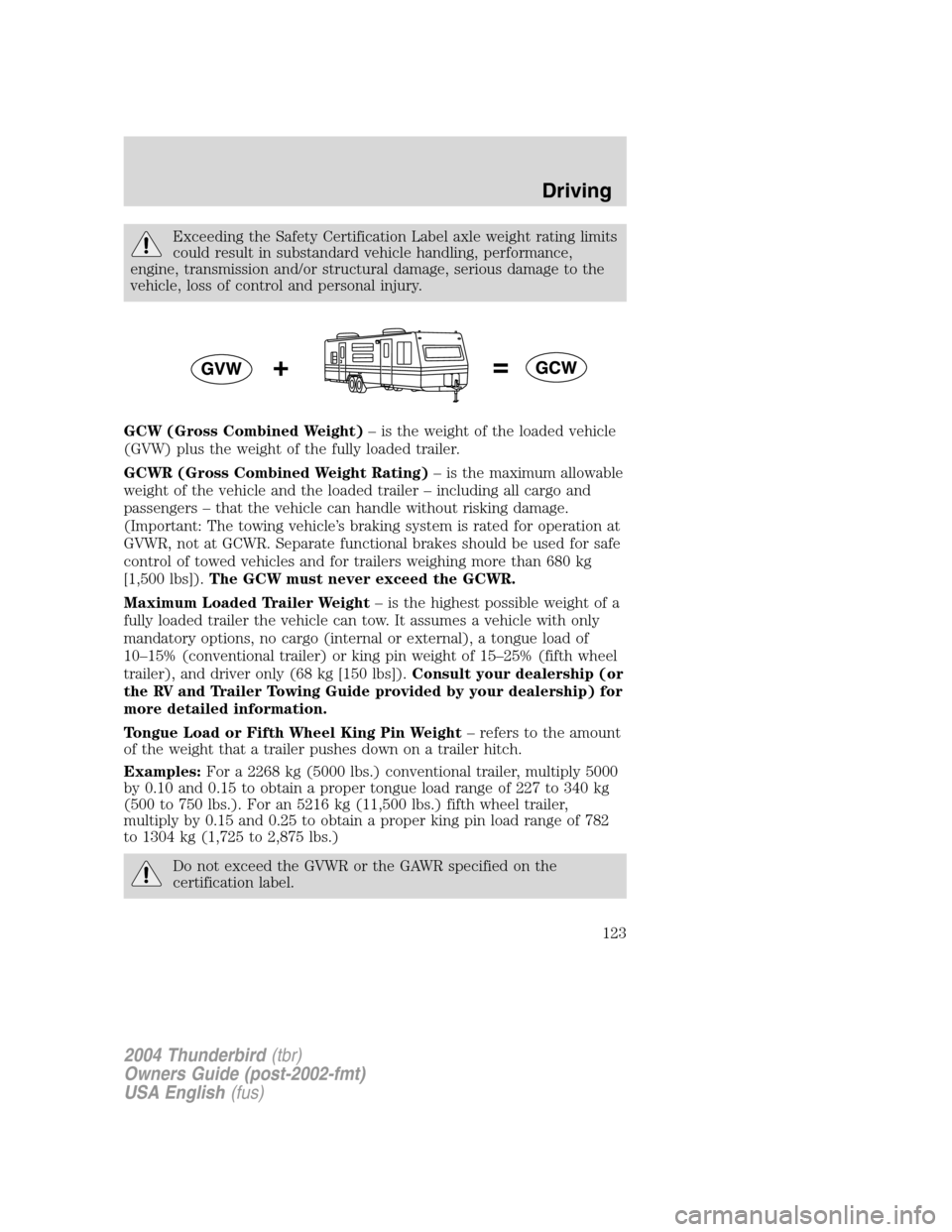
GCW (Gross Combined Weight) –is the weight of the loaded vehicle
(GVW) plus the weight of the fully loaded trailer.
GCWR (Gross Combined Weight Rating) –is the maximum allowable
weight of the vehicle and the loaded trailer –including all cargo and
passengers –that the vehicle can handle without risking damage.
(Important: The towing vehicle ’s braking system is rated for operation at
GVWR, not at GCWR. Separate functional brakes should be used for safe
control of towed vehicles and for trailers weighing more than 680 kg
[1,500 lbs]). The GCW must never exceed the GCWR.
Maximum Loaded Trailer Weight –is the highest possible weight of a
fully loaded trailer the vehicle can tow. It assumes a vehicle with only
mandatory options, no cargo (internal or external), a tongue load of
10 –15% (conventional trailer) or king pin weight of 15 –25% (fifth wheel
trailer), and driver only (68 kg [150 lbs]). Consult your dealership (or
the RV and Trailer Towing Guide provided by your dealership) for
more detailed information.
Tongue Load or Fifth Wheel King Pin Weight –refers to the amount
of the weight that a trailer pushes down on a trailer hitch.
Examples: For a 2268 kg (5000 lbs.) conventional trailer, multiply 5000
by 0.10 and 0.15 to obtain a proper tongue load range of 227 to 340 kg
(500 to 750 lbs.). For an 5216 kg (11,500 lbs.) fifth wheel trailer,
multiply by 0.15 and 0.25 to obtain a proper king pin load range of 782
to 1304 kg (1,725 to 2,875 lbs.)
Do not exceed the GVWR or the GAWR specified on the
certification label.
2004 Thunderbird (tbr)
Owners Guide (post-2002-fmt)
USA English (fus)
Driving
123
Page 129 of 216
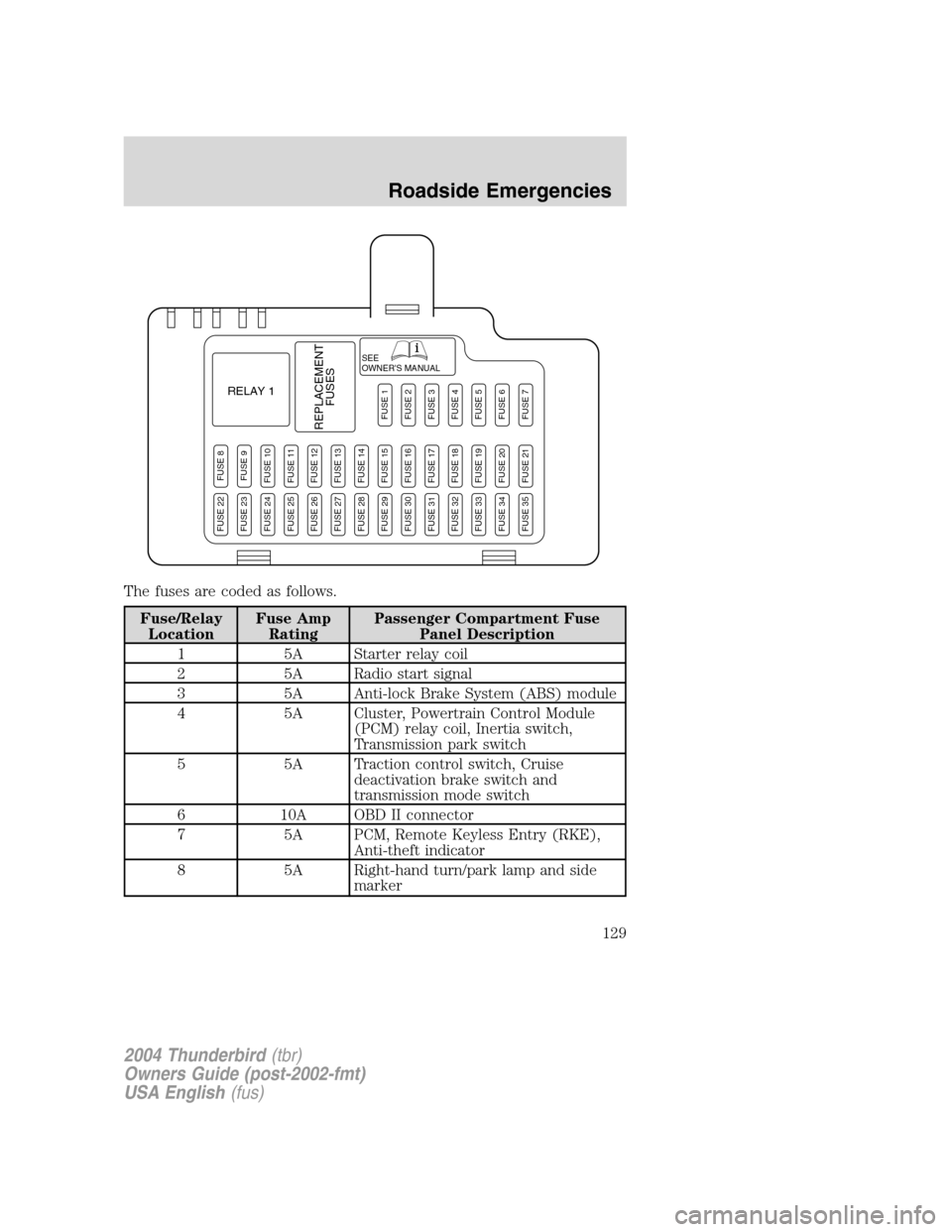
The fuses are coded as follows.
Fuse/RelayLocation Fuse Amp
Rating Passenger Compartment Fuse
Panel Description
1 5A Starter relay coil
2 5A Radio start signal
3 5A Anti-lock Brake System (ABS) module
4 5A Cluster, Powertrain Control Module (PCM) relay coil, Inertia switch,
Transmission park switch
5 5A Traction control switch, Cruise deactivation brake switch and
transmission mode switch
6 10A OBD II connector
7 5A PCM, Remote Keyless Entry (RKE), Anti-theft indicator
8 5A Right-hand turn/park lamp and side marker
SEE
OWNER'S MANUAL
RELAY 1
REPLACEMENTFUSES
FUSE 8FUSE 9FUSE 10FUSE 11FUSE 12FUSE 13FUSE 14FUSE 15FUSE 16FUSE 17FUSE 18FUSE 19FUSE 20FUSE 21
FUSE 1FUSE 2FUSE 3FUSE 4FUSE 5FUSE 6FUSE 7
FUSE 22FUSE 23FUSE 24FUSE 25FUSE 26FUSE 27FUSE 28FUSE 29FUSE 30FUSE 31FUSE 32FUSE 33FUSE 34FUSE 35
2004 Thunderbird (tbr)
Owners Guide (post-2002-fmt)
USA English (fus)
Roadside Emergencies
129
Page 130 of 216
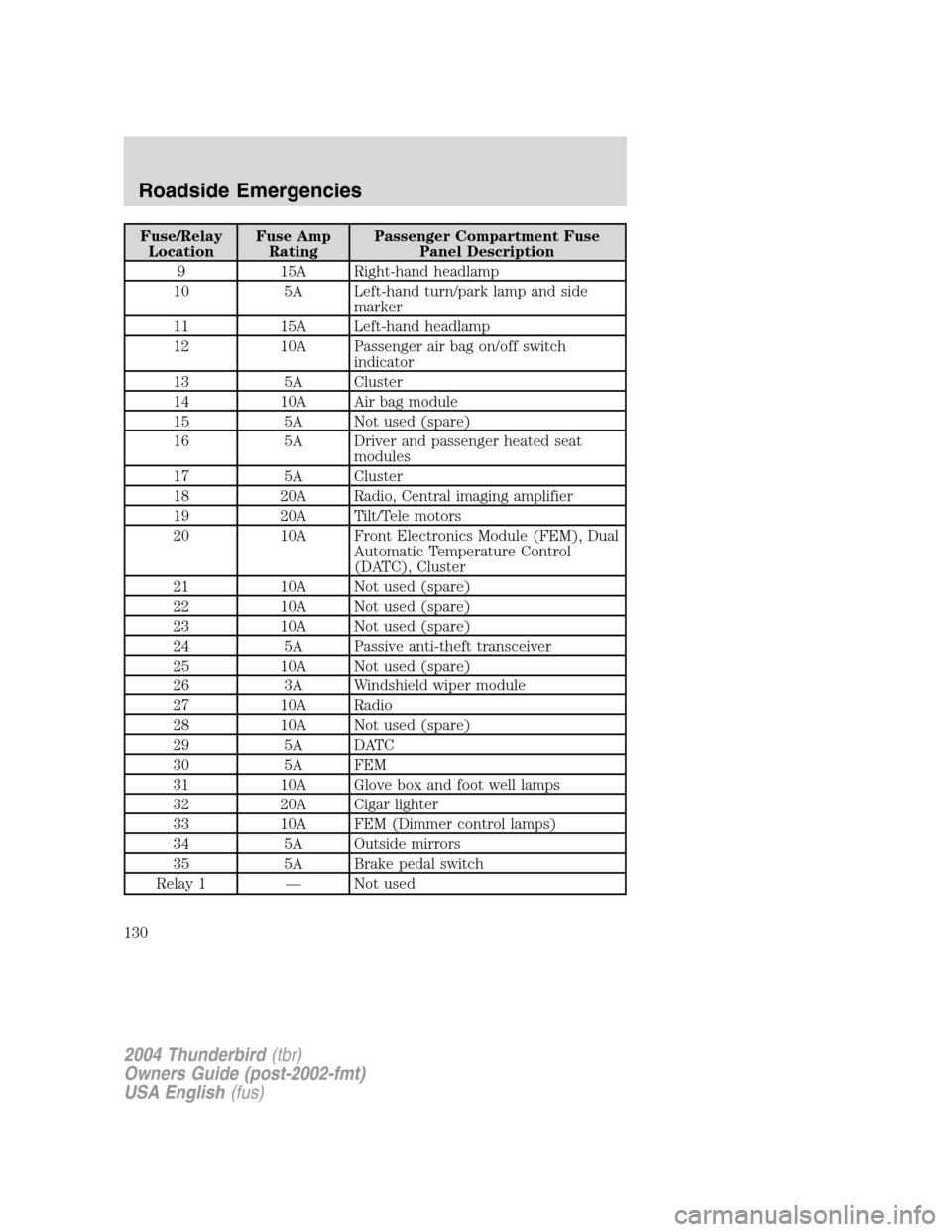
Fuse/RelayLocation Fuse Amp
Rating Passenger Compartment Fuse
Panel Description
9 15A Right-hand headlamp
10 5A Left-hand turn/park lamp and side marker
11 15A Left-hand headlamp
12 10A Passenger air bag on/off switch indicator
13 5A Cluster
14 10A Air bag module
15 5A Not used (spare)
16 5A Driver and passenger heated seat modules
17 5A Cluster
18 20A Radio, Central imaging amplifier
19 20A Tilt/Tele motors
20 10A Front Electronics Module (FEM), Dual Automatic Temperature Control
(DATC), Cluster
21 10A Not used (spare)
22 10A Not used (spare)
23 10A Not used (spare)
24 5A Passive anti-theft transceiver
25 10A Not used (spare)
26 3A Windshield wiper module
27 10A Radio
28 10A Not used (spare)
29 5A DATC
30 5A FEM
31 10A Glove box and foot well lamps
32 20A Cigar lighter
33 10A FEM (Dimmer control lamps)
34 5A Outside mirrors
35 5A Brake pedal switch
Relay 1 —Not used
2004 Thunderbird (tbr)
Owners Guide (post-2002-fmt)
USA English (fus)
Roadside Emergencies
130
Page 136 of 216
Fuse/RelayLocation Fuse Amp
Rating Power Distribution Box
Description
27 30A** SSP1
28 30A** REM -Right front window
29 30A** Rear defroster
30 —Not used
31 40A** Convertible top motor
32 30A** SSP2
Relay 001 Full ISO SSP1
Relay 002 Full ISO SSP4
Relay 003 Full ISO Rear defroster
Relay 004 Full ISO SSP3
Relay 005 Full ISO SSP2
Relay 006 —Not used
Relay 007 1/2 ISO Fuel pump Diode 01 —Not used
Diode 02 1A Fuel pump relay coil
*Mini fuses **Cartridge fuses
CHANGING THE TIRES
If you get a flat tire while driving, do not apply the brake heavily.
Instead, gradually decrease your speed. Hold the steering wheel firmly
and slowly move to a safe place on the side of the road.
The use of tire sealants may damage your tires.
Temporary spare tire information
Your vehicle may have a temporary or full-size spare tire. The temporary
spare tire for your vehicle is labeled as such. It is smaller than a regular
tire and is designed for emergency use only. Drive cautiously and replace
the temporary spare tire as soon as possible.
If you use the temporary spare tire continuously or do not follow
these precautions, the tire could fail, causing you to lose control
of the vehicle, possibly injuring yourself or others.
2004 Thunderbird (tbr)
Owners Guide (post-2002-fmt)
USA English (fus)
Roadside Emergencies
136
Page 137 of 216
When driving with the temporary spare tiredo not:
• exceed 80 km/h (50 mph)
• load the vehicle beyond maximum vehicle load rating listed on the
Safety Compliance Label
• tow a trailer
• use tire chains
• drive through an automatic car wash, because of the vehicle ’s reduced
ground clearance
• try to repair the temporary spare tire or remove it from its wheel
• drive for long distances when the temporary-use spare is on
• use the wheel for any other type of vehicle
• use more than one temporary spare tire at a time
Use of a temporary spare tire at any one wheel location can lead to
impairment of the following:
• Handling, stability and braking performance
• Comfort and noise
• Ground clearance and parking at curbs
• Winter driving capability
Tire change procedure
To help prevent the vehicle from moving when you change a tire,
be sure the parking brake is set, then block (in both directions)
the wheel that is diagonally opposite (other side and end of the
vehicle) to the tire being changed.
If the vehicle slips off the jack, you or someone else could be
seriously injured.
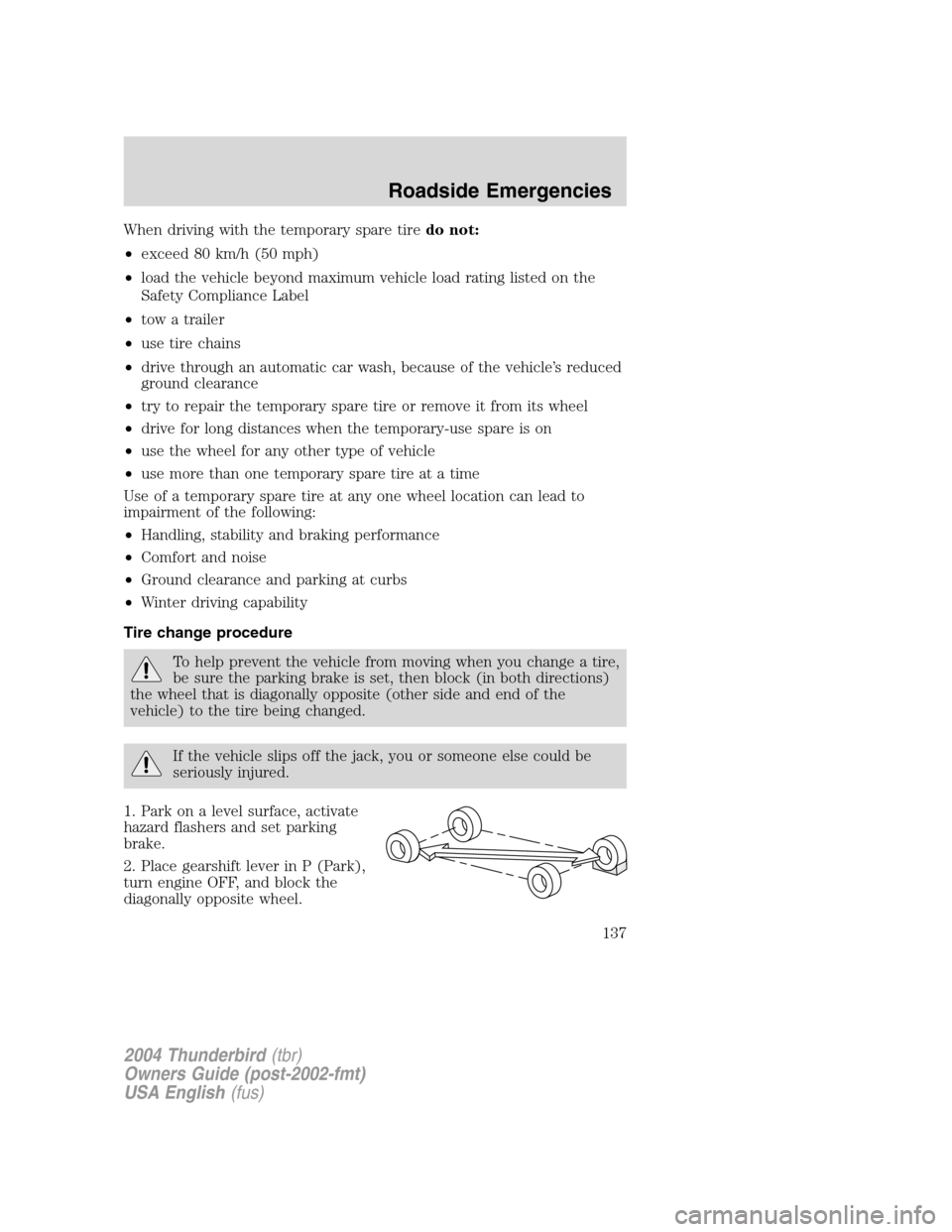
1. Park on a level surface, activate
hazard flashers and set parking
brake.
2. Place gearshift lever in P (Park),
turn engine OFF, and block the
diagonally opposite wheel.
2004 Thunderbird (tbr)
Owners Guide (post-2002-fmt)
USA English (fus)
Roadside Emergencies
137
Page 141 of 216
Wheel lug nut torque specifications
Retighten the lug nuts to the specified torque at 800 km (500 miles)
after any wheel disturbance (tire rotation, changing a flat tire, wheel
removal, etc.).
Bolt size Wheel lug nut torque*Nm Lb-ft
M12 x 1.5 115-156 85-115
* Torque specifications are for nut and bolt threads free of dirt and
rust. Use only Ford recommended replacement fasteners.
When a wheel is installed, always remove any corrosion, dirt or
foreign materials present on the mounting surfaces of the wheel
or the surface of the front disc brake hub and rotor that contacts the
wheel. Installing wheels without correct metal-to-metal contact at the
wheel mounting surfaces can cause the wheel nuts to loosen and the
wheel to come off while the vehicle is in motion, resulting in loss of
control.
JUMP STARTING YOUR VEHICLE
The gases around the battery can explode if exposed to flames,
sparks, or lit cigarettes. An explosion could result in injury or
vehicle damage.
Batteries contain sulfuric acid which can burn skin, eyes and
clothing, if contacted.
Do not attempt to push-start your vehicle. Automatic
transmissions do not have push-start capability; doing so may
damage the catalytic converter.
Preparing your vehicle
Your battery is located in the trunk of your vehicle.
When the battery is disconnected or a new battery is installed, the
transmission must relearn its shift strategy. As a result, the transmission
may have firm and/or soft shifts. This operation is considered normal and
will not affect function or durability of the transmission. Over time, the
adaptive learning process will fully update transmission operation to its
optimum shift feel.
2004 Thunderbird (tbr)
Owners Guide (post-2002-fmt)
USA English (fus)
Roadside Emergencies
141
Page 142 of 216
1.Use only a 12 –volt supply to start your vehicle.
2. Do not disconnect the battery of your disabled vehicle as this could
damage the vehicle ’s electrical system. Keep the battery vent hose
attached at all times.
3. Park the booster vehicle close to the trunk of your disabled vehicle
making sure the two vehicles do nottouch. Set the parking brake on
both vehicles and stay clear of the engine cooling fan and other moving
parts.
4. Check all battery terminals and remove any excessive corrosion before
you attach the battery cables. Ensure the vent caps are tight and level.
5. Turn the heater fan on in both vehicles to protect any electrical
surges. Turn all other accessories off.
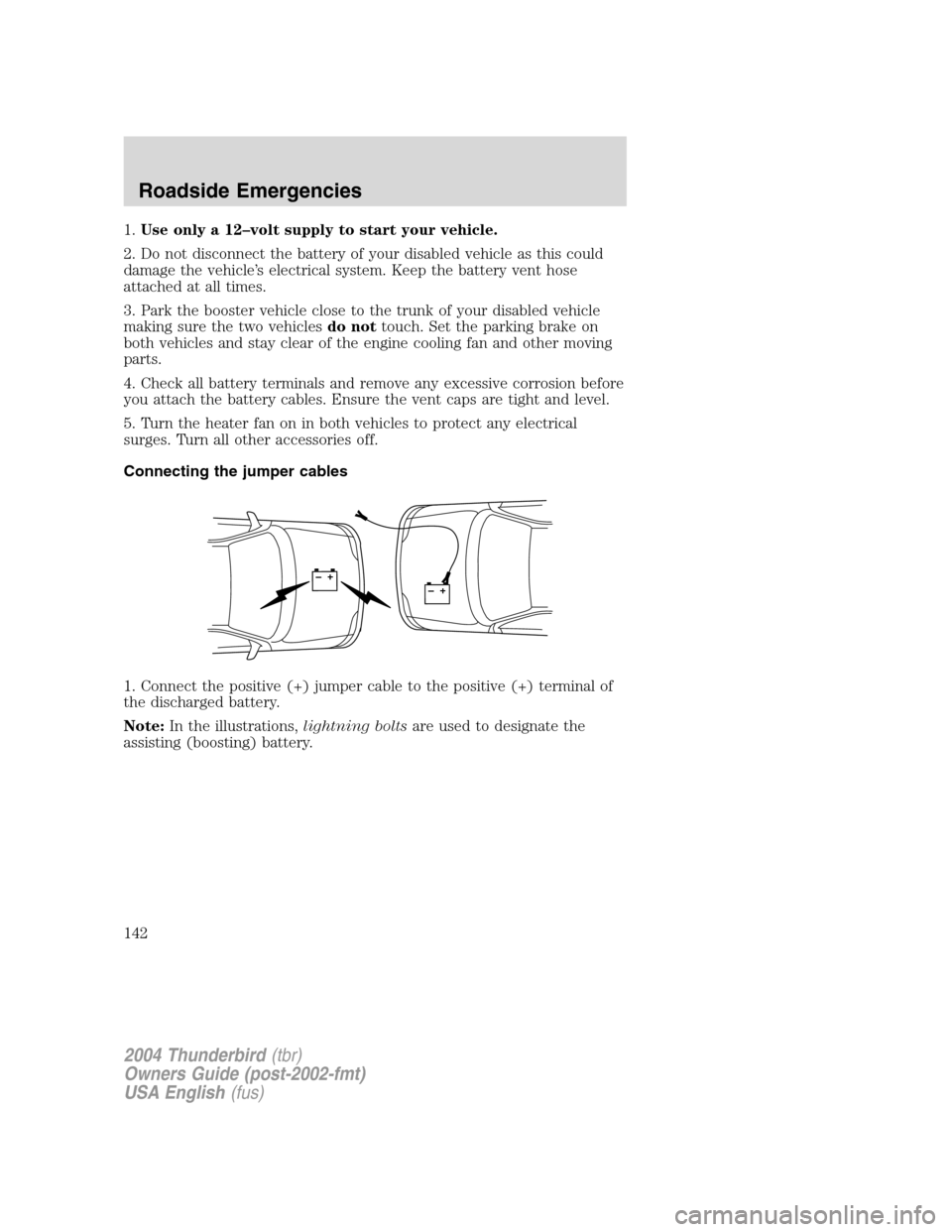
Connecting the jumper cables
1. Connect the positive (+) jumper cable to the positive (+) terminal of
the discharged battery.
Note: In the illustrations, lightning boltsare used to designate the
assisting (boosting) battery.
+–+–
2004 Thunderbird (tbr)
Owners Guide (post-2002-fmt)
USA English (fus)
Roadside Emergencies
142