lock FORD THUNDERBIRD 2004 11.G Service Manual
[x] Cancel search | Manufacturer: FORD, Model Year: 2004, Model line: THUNDERBIRD, Model: FORD THUNDERBIRD 2004 11.GPages: 216, PDF Size: 5.69 MB
Page 79 of 216
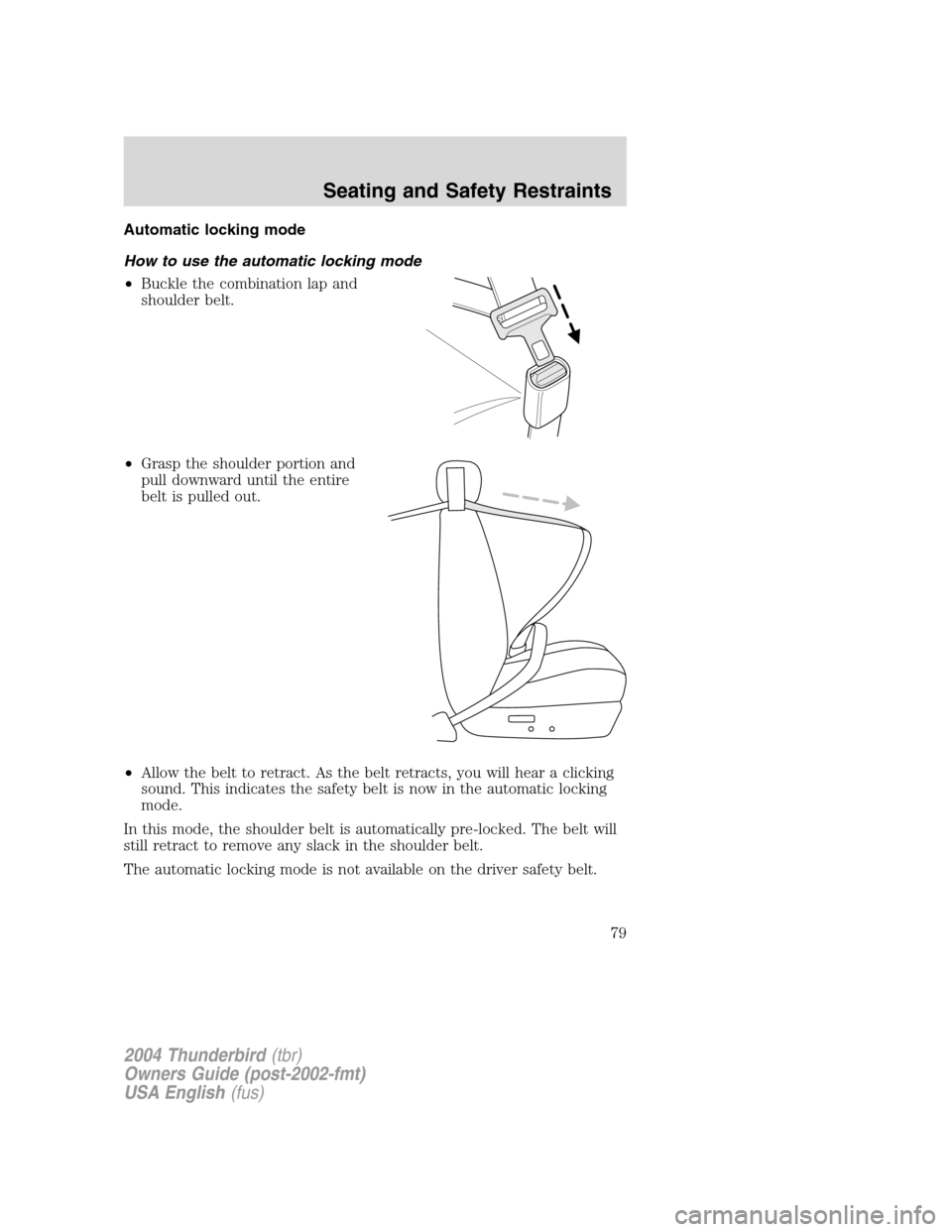
Automatic locking mode
How to use the automatic locking mode
•Buckle the combination lap and
shoulder belt.
• Grasp the shoulder portion and
pull downward until the entire
belt is pulled out.
• Allow the belt to retract. As the belt retracts, you will hear a clicking
sound. This indicates the safety belt is now in the automatic locking
mode.
In this mode, the shoulder belt is automatically pre-locked. The belt will
still retract to remove any slack in the shoulder belt.
The automatic locking mode is not available on the driver safety belt.
2004 Thunderbird (tbr)
Owners Guide (post-2002-fmt)
USA English (fus)
Seating and Safety Restraints
79
Page 80 of 216
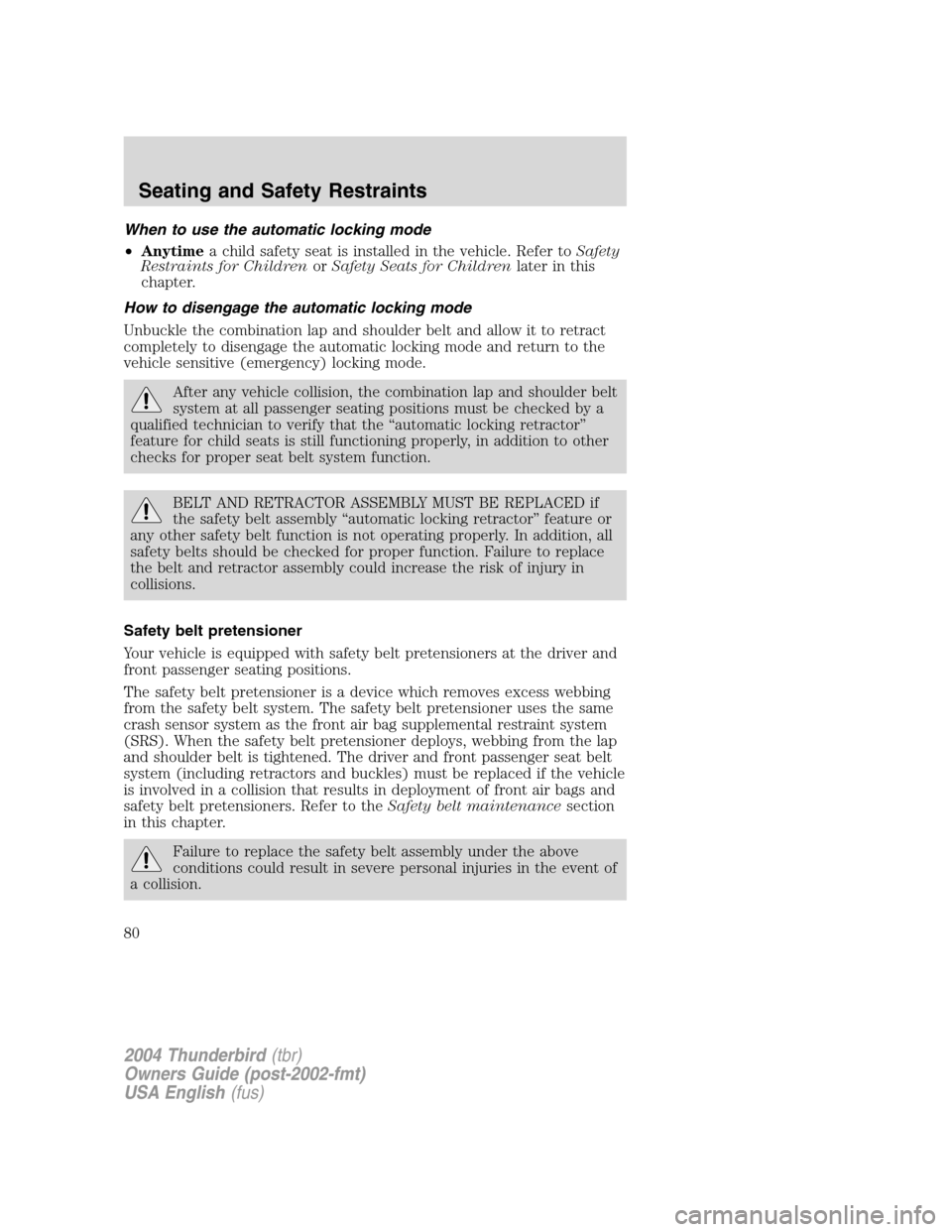
When to use the automatic locking mode
•Anytime a child safety seat is installed in the vehicle. Refer to Safety
Restraints for Children orSafety Seats for Children later in this
chapter.
How to disengage the automatic locking mode
Unbuckle the combination lap and shoulder belt and allow it to retract
completely to disengage the automatic locking mode and return to the
vehicle sensitive (emergency) locking mode.
After any vehicle collision, the combination lap and shoulder belt
system at all passenger seating positions must be checked by a
qualified technician to verify that the “automatic locking retractor ”
feature for child seats is still functioning properly, in addition to other
checks for proper seat belt system function.
BELT AND RETRACTOR ASSEMBLY MUST BE REPLACED if
the safety belt assembly “automatic locking retractor ”feature or
any other safety belt function is not operating properly. In addition, all
safety belts should be checked for proper function. Failure to replace
the belt and retractor assembly could increase the risk of injury in
collisions.
Safety belt pretensioner
Your vehicle is equipped with safety belt pretensioners at the driver and
front passenger seating positions.
The safety belt pretensioner is a device which removes excess webbing
from the safety belt system. The safety belt pretensioner uses the same
crash sensor system as the front air bag supplemental restraint system
(SRS). When the safety belt pretensioner deploys, webbing from the lap
and shoulder belt is tightened. The driver and front passenger seat belt
system (including retractors and buckles) must be replaced if the vehicle
is involved in a collision that results in deployment of front air bags and
safety belt pretensioners. Refer to the Safety belt maintenancesection
in this chapter.
Failure to replace the safety belt assembly under the above
conditions could result in severe personal injuries in the event of
a collision.
2004 Thunderbird (tbr)
Owners Guide (post-2002-fmt)
USA English (fus)
Seating and Safety Restraints
80
Page 101 of 216
•Keep the buckle release button pointing up and away from the safety
seat, with the tongue between the child seat and the release button,
to prevent accidental unbuckling.
• Place seat back in upright position.
• Put the safety belt in the automatic locking mode. Refer to Automatic
locking mode.
•
LATCH lower anchors are recommended for use by children up to 22 kg
(48 pounds) in a child restraint. Top tether anchors can be used for
children up to 27 kg (60 pounds) in a child restraint, and to provide
upper torso restraint for children up to 36 kg (80 pounds) using an
upper torso harness and a belt-positioning booster.
Ford recommends the use of a child safety seat having a top tether
strap. Install the child safety seat in a seating position with LATCH and
tether anchors. For more information on top tether straps and anchors,
refer to Attaching safety seats with tether straps in this chapter. For
more information of LATCH anchors refer to Attaching safety seats with
LATCH (Lower Anchors and Tethers for Children) attachments in this
chapter.
Carefully follow all of the manufacturer ’s instructions included
with the safety seat you put in your vehicle. If you do not install
and use the safety seat properly, the child may be injured in a sudden
stop or collision.
Rear-facing child seats or infant carriers should never be placed
in the front seat unless the airbag On/Off switch is in the Off
position.
Installing child safety seats with combination lap and shoulder
belts
Air bags can kill or injure a child in a child seat. NEVERplace a
rear-facing child seat in front of an active air bag. If you must
use a forward-facing child seat in the front seat, move the seat all the
way back and turn the passenger air bags OFF.
2004 Thunderbird (tbr)
Owners Guide (post-2002-fmt)
USA English (fus)
Seating and Safety Restraints
101
Page 103 of 216
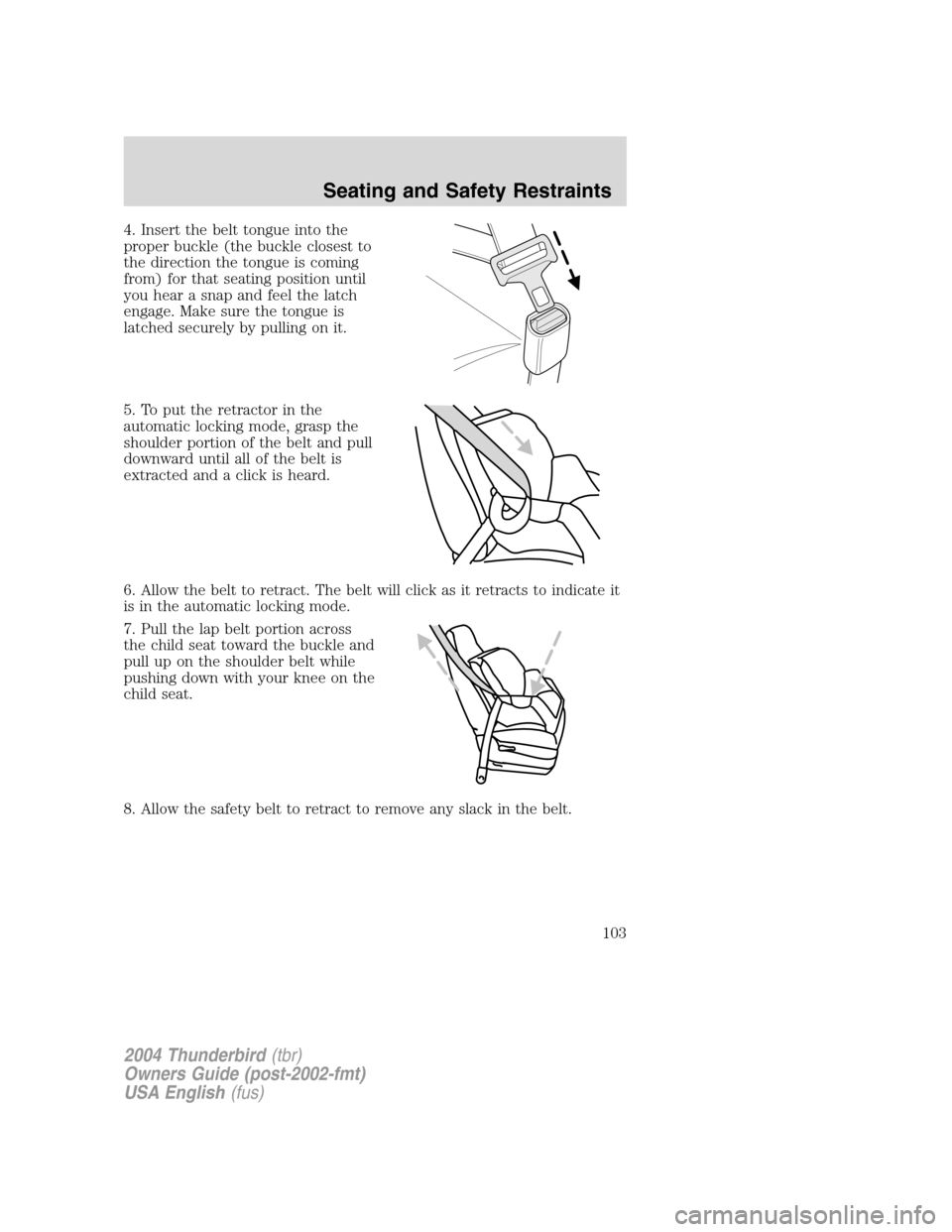
4. Insert the belt tongue into the
proper buckle (the buckle closest to
the direction the tongue is coming
from) for that seating position until
you hear a snap and feel the latch
engage. Make sure the tongue is
latched securely by pulling on it.
5. To put the retractor in the
automatic locking mode, grasp the
shoulder portion of the belt and pull
downward until all of the belt is
extracted and a click is heard.
6. Allow the belt to retract. The belt will click as it retracts to indicate it
is in the automatic locking mode.
7. Pull the lap belt portion across
the child seat toward the buckle and
pull up on the shoulder belt while
pushing down with your knee on the
child seat.
8. Allow the safety belt to retract to remove any slack in the belt.
2004 Thunderbird(tbr)
Owners Guide (post-2002-fmt)
USA English (fus)
Seating and Safety Restraints
103
Page 104 of 216
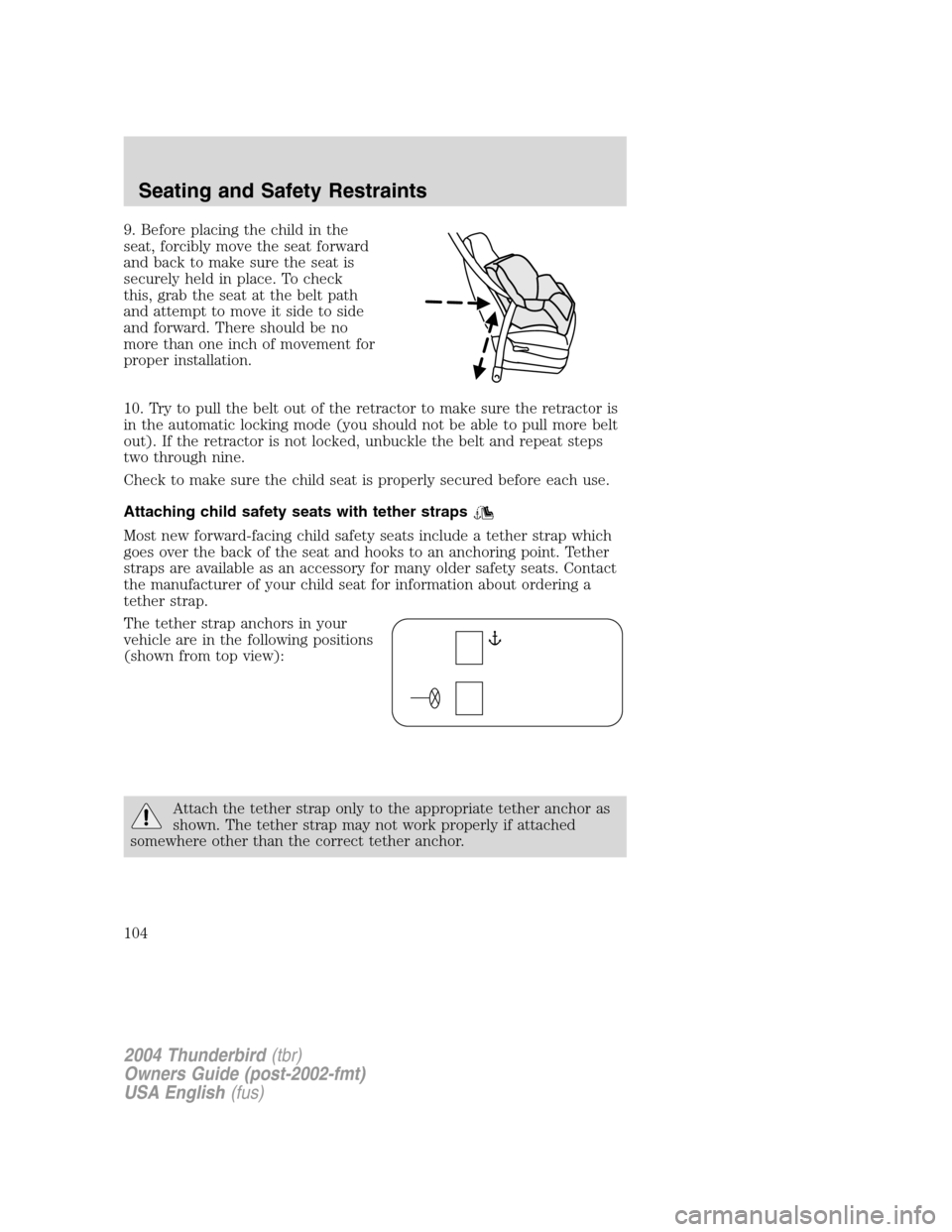
9. Before placing the child in the
seat, forcibly move the seat forward
and back to make sure the seat is
securely held in place. To check
this, grab the seat at the belt path
and attempt to move it side to side
and forward. There should be no
more than one inch of movement for
proper installation.
10. Try to pull the belt out of the retractor to make sure the retractor is
in the automatic locking mode (you should not be able to pull more belt
out). If the retractor is not locked, unbuckle the belt and repeat steps
two through nine.
Check to make sure the child seat is properly secured before each use.
Attaching child safety seats with tether straps
Most new forward-facing child safety seats include a tether strap which
goes over the back of the seat and hooks to an anchoring point. Tether
straps are available as an accessory for many older safety seats. Contact
the manufacturer of your child seat for information about ordering a
tether strap.
The tether strap anchors in your
vehicle are in the following positions
(shown from top view):
Attach the tether strap only to the appropriate tether anchor as
shown. The tether strap may not work properly if attached
somewhere other than the correct tether anchor.
2004 Thunderbird (tbr)
Owners Guide (post-2002-fmt)
USA English (fus)
Seating and Safety Restraints
104
Page 109 of 216
STARTING
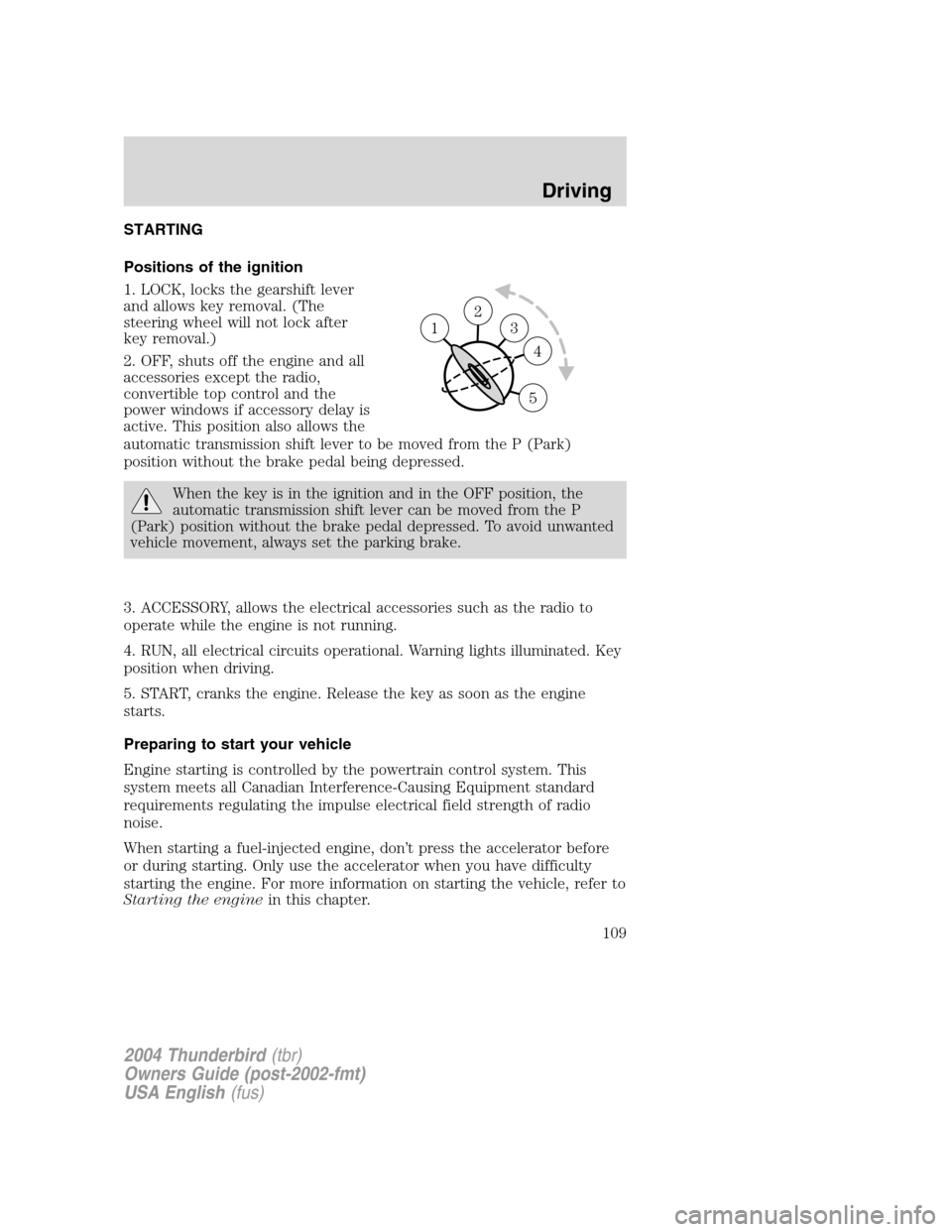
Positions of the ignition
1. LOCK, locks the gearshift lever
and allows key removal. (The
steering wheel will not lock after
key removal.)
2. OFF, shuts off the engine and all
accessories except the radio,
convertible top control and the
power windows if accessory delay is
active. This position also allows the
automatic transmission shift lever to be moved from the P (Park)
position without the brake pedal being depressed.
When the key is in the ignition and in the OFF position, the
automatic transmission shift lever can be moved from the P
(Park) position without the brake pedal depressed. To avoid unwanted
vehicle movement, always set the parking brake.
3. ACCESSORY, allows the electrical accessories such as the radio to
operate while the engine is not running.
4. RUN, all electrical circuits operational. Warning lights illuminated. Key
position when driving.
5. START, cranks the engine. Release the key as soon as the engine
starts.
Preparing to start your vehicle
Engine starting is controlled by the powertrain control system. This
system meets all Canadian Interference-Causing Equipment standard
requirements regulating the impulse electrical field strength of radio
noise.
When starting a fuel-injected engine, don ’t press the accelerator before
or during starting. Only use the accelerator when you have difficulty
starting the engine. For more information on starting the vehicle, refer to
Starting the engine in this chapter.
2
3
4
5
1
2004 Thunderbird(tbr)
Owners Guide (post-2002-fmt)
USA English (fus)
Driving
Driving
109
Page 112 of 216
Using the engine block heater (if equipped)
An engine block heater warms the engine coolant which aids in starting
and heater/defroster performance. Use of an engine block heater is
strongly recommended if you live in a region where temperatures reach
-23°C (-10 °F) or below. For best results, plug the heater in at least
three hours before starting the vehicle. The heater can be plugged in the
night before starting the vehicle.
To reduce the risk of electrical shock, do not use your heater
with ungrounded electrical systems or two-pronged (cheater)
adapters.
Guarding against exhaust fumes
Carbon monoxide is present in exhaust fumes. Take precautions to avoid
its dangerous effects.
If you smell exhaust fumes inside your vehicle, have your dealer
inspect your vehicle immediately. Do not drive if you smell
exhaust fumes.
Important ventilating information
If the engine is idling while the vehicle is stopped for a long period of
time, open the windows at least 2.5 cm (one inch) or adjust the heating
or air conditioning to bring in fresh air.
BRAKES
Occasional brake noise is normal. If a metal-to-metal, continuous grinding
or continuous squeal sound is present, the brake linings may be worn-out
and should be inspected by a qualified service technician. If the vehicle
has continuous vibration or shudder in the steering wheel while braking,
the vehicle should be inspected by a qualified service technician.
Four-wheel anti-lock brake system (ABS)
Your vehicle is equipped with an Anti-lock Braking System (ABS). This
system helps you maintain steering control during emergency stops by
keeping the brakes from locking. Noise from the ABS pump motor and
brake pedal pulsation may be observed during ABS braking; this is
normal and should be no reason for concern.
ABS warning lamp
ABS
TheABSlamp in the instrument cluster momentarily illuminates when
the ignition is turned to ON. If the light does not illuminate during start
up, remains on or flashes, the ABS may be disabled and may need to be
serviced.
2004 Thunderbird (tbr)
Owners Guide (post-2002-fmt)
USA English (fus)
Driving
112
Page 115 of 216
•uneven tire wear
• loose or worn suspension components
• loose or worn steering components
• improper steering alignment
A high crown in the road or high crosswinds may also make the steering
seem to wander/pull.
Speed sensitive steering
The steering in your vehicle is speed sensitive. At high speeds, steering
assist will decrease to improve steering feel. At lower speeds,
maneuverability will be increased.
If the amount of effort required to steer your vehicle changes while
driving at a constant vehicle speed, have the power steering system
checked by your dealer or a qualified service technician.
AUTOMATIC TRANSMISSION OPERATION
Brake-shift interlock
This vehicle is equipped with a brake-shift interlock feature that prevents
the gearshift lever from being moved from P (Park) when the ignition is
in the RUN position unless brake pedal is depressed.
If you cannot move the gearshift lever out of P (Park) with ignition in
the RUN position and the brake pedal depressed:
1. Apply the parking brake, turn ignition key to LOCK, then remove the
key.
2. Insert the key and turn it to OFF. Apply the brake pedal and shift
to N (Neutral).
When the key is in the ignition and in the OFF position, the
automatic transmission shift lever can be moved from the P
(Park) position without the brake pedal depressed. To avoid unwanted
vehicle movement, always set the parking brake.
3. Start the vehicle.
If it is necessary to use the above procedure to move the gearshift lever,
it is possible that a fuse has blown or the vehicle ’s brakelamps are not
operating properly. Refer to Fuses and relaysin theRoadside
emergencies chapter.
2004 Thunderbird (tbr)
Owners Guide (post-2002-fmt)
USA English (fus)
Driving
115
Page 116 of 216
Do not drive your vehicle until you verify that the brakelamps
are working.
Always set the parking brake fully and make sure the gearshift is
latched in P (Park). Turn the ignition to the LOCK position and
remove the key whenever you leave your vehicle.
If the parking brake is fully released, but the brake warning lamp
remains illuminated, the brakes may not be working properly.
See your dealer or a qualified service technician.
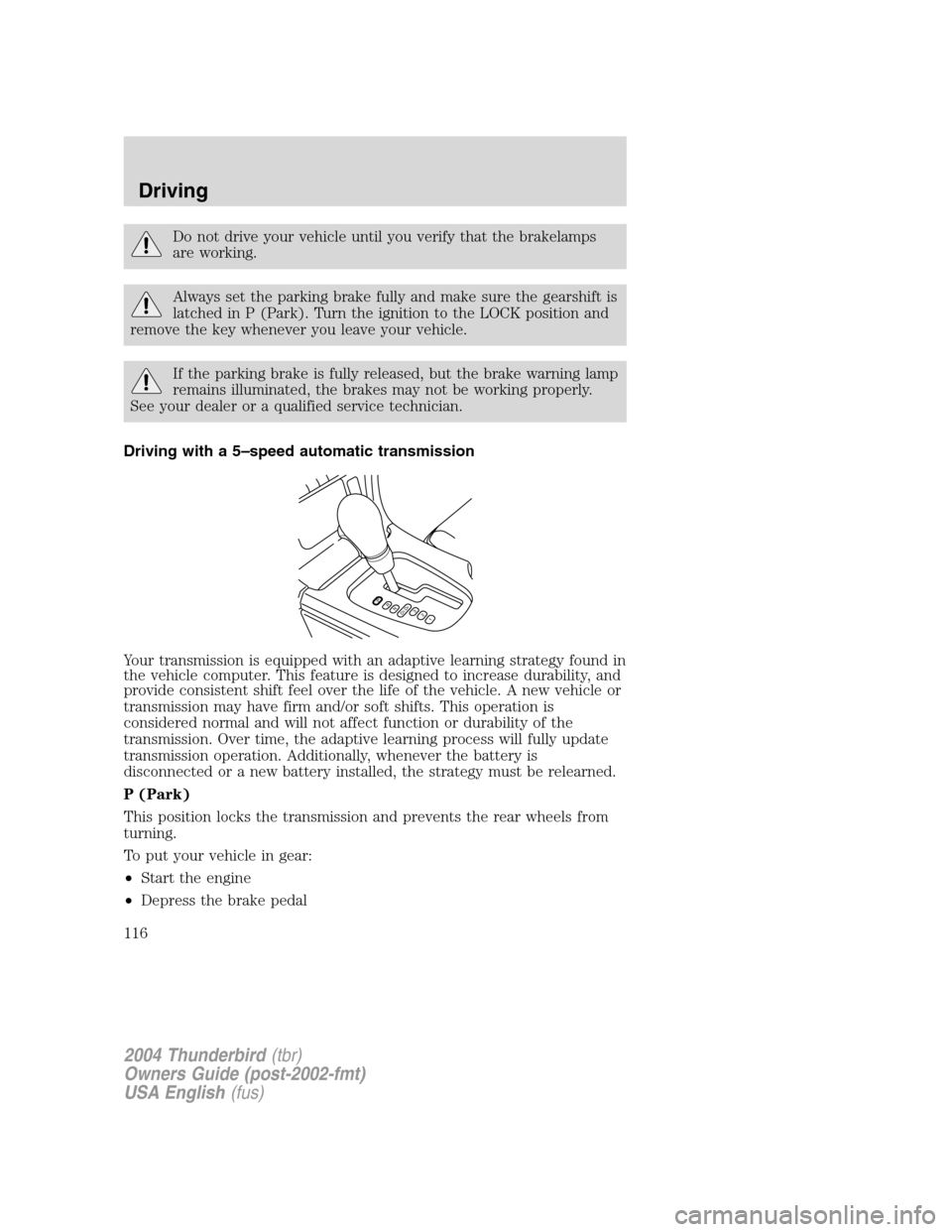
Driving with a 5 –speed automatic transmission
Your transmission is equipped with an adaptive learning strategy found in
the vehicle computer. This feature is designed to increase durability, and
provide consistent shift feel over the life of the vehicle. A new vehicle or
transmission may have firm and/or soft shifts. This operation is
considered normal and will not affect function or durability of the
transmission. Over time, the adaptive learning process will fully update
transmission operation. Additionally, whenever the battery is
disconnected or a new battery installed, the strategy must be relearned.
P (Park)
This position locks the transmission and prevents the rear wheels from
turning.
To put your vehicle in gear:
• Start the engine
• Depress the brake pedal
PRND5D4321
2004 Thunderbird (tbr)
Owners Guide (post-2002-fmt)
USA English (fus)
Driving
116
Page 117 of 216
•Move the gearshift lever into the desired gear
To put your vehicle in P (Park):
• Come to a complete stop
• Move the gearshift lever and securely latch it in P (Park)
Always set the parking brake fully and make sure the gearshift is
latched in P (Park). Turn the ignition to the LOCK position and
remove the key whenever you leave your vehicle.
R (Reverse)
With the gearshift lever in R (Reverse), the vehicle will move backward.
Always come to a complete stop before shifting into and out of R
(Reverse).
N (Neutral)
With the gearshift lever in N (Neutral), the vehicle can be started and is
free to roll. Hold the brake pedal down while in this position.
Drive 5 (Overdrive)
The normal driving position for the best fuel economy. Transmission
operates in gears one through five.
Drive 4 (Overdrive cancelled)
Activated when the transmission shift lever is moved to the D4 position.
• This position allows for all forward gears 1 –4, except overdrive.
• Provides engine braking.
• Use when driving conditions cause excessive shifting from O/D to
other gears. Examples: city traffic, hilly terrain, heavy loads and when
engine braking is required.
• To return to D5 (overdrive mode), move the transmission shift lever
into the D5 position.
• Select D4 at higher speeds will cause the transmission to downshift
into fourth gear.
3 (Third)
This position allows for third gear only.
• Provides engine braking.
• To return to D5 or D4, move the transmission shift lever into the D5
or D4 position.
2004 Thunderbird (tbr)
Owners Guide (post-2002-fmt)
USA English (fus)
Driving
117