climate control FORD TRANSIT 2017 5.G User Guide
[x] Cancel search | Manufacturer: FORD, Model Year: 2017, Model line: TRANSIT, Model: FORD TRANSIT 2017 5.GPages: 484, PDF Size: 11.45 MB
Page 268 of 484
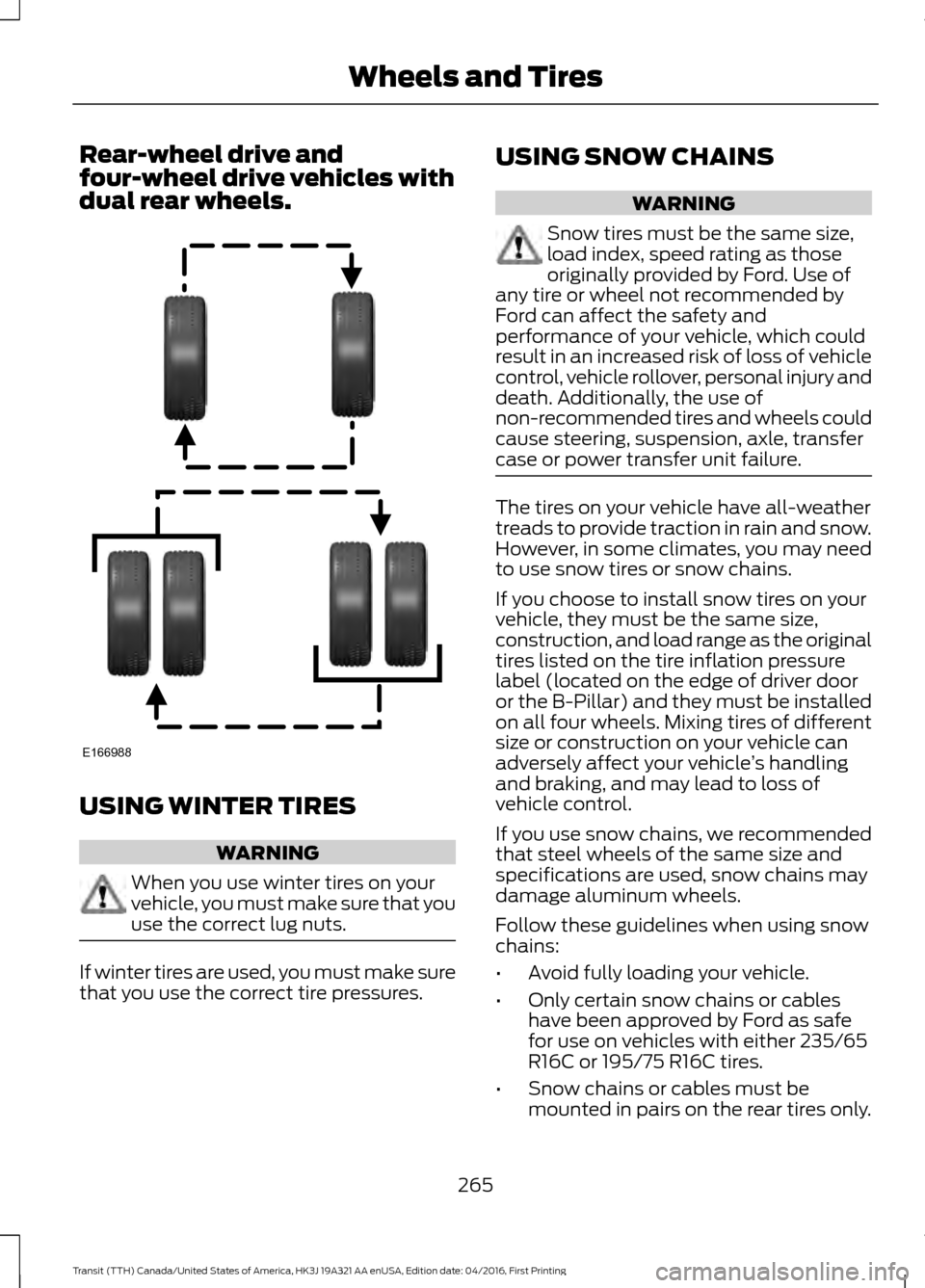
Rear-wheel drive and
four-wheel drive vehicles with
dual rear wheels.
USING WINTER TIRES
WARNING
When you use winter tires on your
vehicle, you must make sure that you
use the correct lug nuts.
If winter tires are used, you must make sure
that you use the correct tire pressures. USING SNOW CHAINS WARNING
Snow tires must be the same size,
load index, speed rating as those
originally provided by Ford. Use of
any tire or wheel not recommended by
Ford can affect the safety and
performance of your vehicle, which could
result in an increased risk of loss of vehicle
control, vehicle rollover, personal injury and
death. Additionally, the use of
non-recommended tires and wheels could
cause steering, suspension, axle, transfer
case or power transfer unit failure. The tires on your vehicle have all-weather
treads to provide traction in rain and snow.
However, in some climates, you may need
to use snow tires or snow chains.
If you choose to install snow tires on your
vehicle, they must be the same size,
construction, and load range as the original
tires listed on the tire inflation pressure
label (located on the edge of driver door
or the B-Pillar) and they must be installed
on all four wheels. Mixing tires of different
size or construction on your vehicle can
adversely affect your vehicle
’s handling
and braking, and may lead to loss of
vehicle control.
If you use snow chains, we recommended
that steel wheels of the same size and
specifications are used, snow chains may
damage aluminum wheels.
Follow these guidelines when using snow
chains:
• Avoid fully loading your vehicle.
• Only certain snow chains or cables
have been approved by Ford as safe
for use on vehicles with either 235/65
R16C or 195/75 R16C tires.
• Snow chains or cables must be
mounted in pairs on the rear tires only.
265
Transit (TTH) Canada/United States of America, HK3J 19A321 AA enUSA, Edition date: 04/2016, First Printing Wheels and TiresE166988
Page 279 of 484
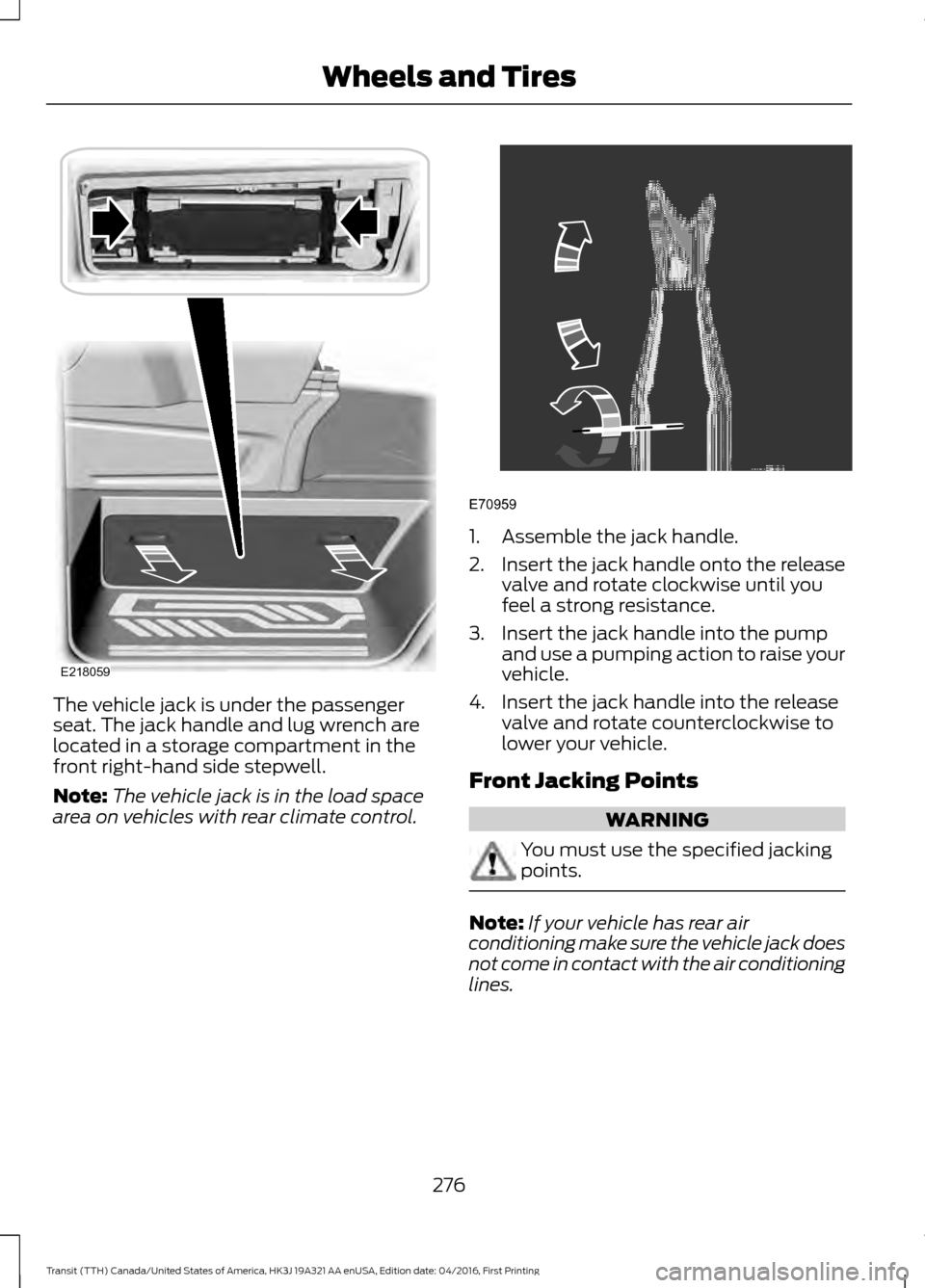
The vehicle jack is under the passenger
seat. The jack handle and lug wrench are
located in a storage compartment in the
front right-hand side stepwell.
Note:
The vehicle jack is in the load space
area on vehicles with rear climate control. 1. Assemble the jack handle.
2.
Insert the jack handle onto the release
valve and rotate clockwise until you
feel a strong resistance.
3. Insert the jack handle into the pump and use a pumping action to raise your
vehicle.
4. Insert the jack handle into the release valve and rotate counterclockwise to
lower your vehicle.
Front Jacking Points WARNING
You must use the specified jacking
points.
Note:
If your vehicle has rear air
conditioning make sure the vehicle jack does
not come in contact with the air conditioning
lines.
276
Transit (TTH) Canada/United States of America, HK3J 19A321 AA enUSA, Edition date: 04/2016, First Printing Wheels and TiresE218059 E70959
Page 322 of 484
To adjust this setting press the voice button, when prompted say:
Action and Description
Voice Command
voice settings
Then any of the following: When enabled, this feature will prompt you
to confirm any voice initiated call command
prior to the call being placed.
phone confirmation on
The system will make a best guess; you
may still occasionally be asked to confirm
settings.
phone confirmation off
Changing the Voice Settings
In addition to using voice commands to
change the voice settings, you can also use
the menu in the audio display.
To change the voice settings press the
Menu button then select: Menu Item
SYNC-Settings
Voice settings
Note: Depending on the current climate
control settings, the fan speed may
automatically go down while issuing voice
commands or while making and receiving
phone calls via SYNC to reduce the amount
of background noise in the vehicle. The fan
speed will automatically return to normal
operation once the voice session ends. Fan
speed can also be adjusted normally during
a voice session, simply press fan buttons (or
turn fan knob) to increase or decrease fan
speed to desired setting. To disable this automatic fan speed
reduction feature during voice sessions,
press and hold the climate control AC and
Recirculated air buttons simultaneously,
release and then increase fan speed within
2 seconds. To re-enable this feature, repeat
the above sequence.
USING SYNC™ WITH YOUR
PHONE
Hands-free calling is one of the main
features of SYNC. While the system
supports a variety of features, many are
dependent on your cellular phone's
functionality. At a minimum, most cellular
phones with Bluetooth wireless technology
support the following functions:
•
Answering an incoming call.
• Ending a call.
• Using privacy mode.
• Dialing a number.
• Redialing.
• Call waiting notification.
• Caller ID.
319
Transit (TTH) Canada/United States of America, HK3J 19A321 AA enUSA, Edition date: 04/2016, First Printing SYNC™ (If Equipped)
Page 356 of 484
GENERAL INFORMATION
WARNING
Driving while distracted can result in
loss of vehicle control, crash and
injury. We strongly recommend that
you use extreme caution when using any
device that may take your focus off the
road. Your primary responsibility is the safe
operation of your vehicle. We recommend
against the use of any hand-held device
while driving and encourage the use of
voice-operated systems when possible.
Make sure you are aware of all applicable
local laws that may affect the use of
electronic devices while driving. Getting to Know Your System
The SYNC 3 system allows you to interact
with a variety of features using the
touchscreen and voice commands. By
integrating with your Bluetooth-enabled
phone, the touchscreen provides easy
interaction with audio, multimedia, climate
control, navigation, and your phone's SYNC
3 compatible apps.
Using the Touchscreen
To operate the touchscreen, you can
simply touch the item or option that you
want to select. The button changes color
when you select it.
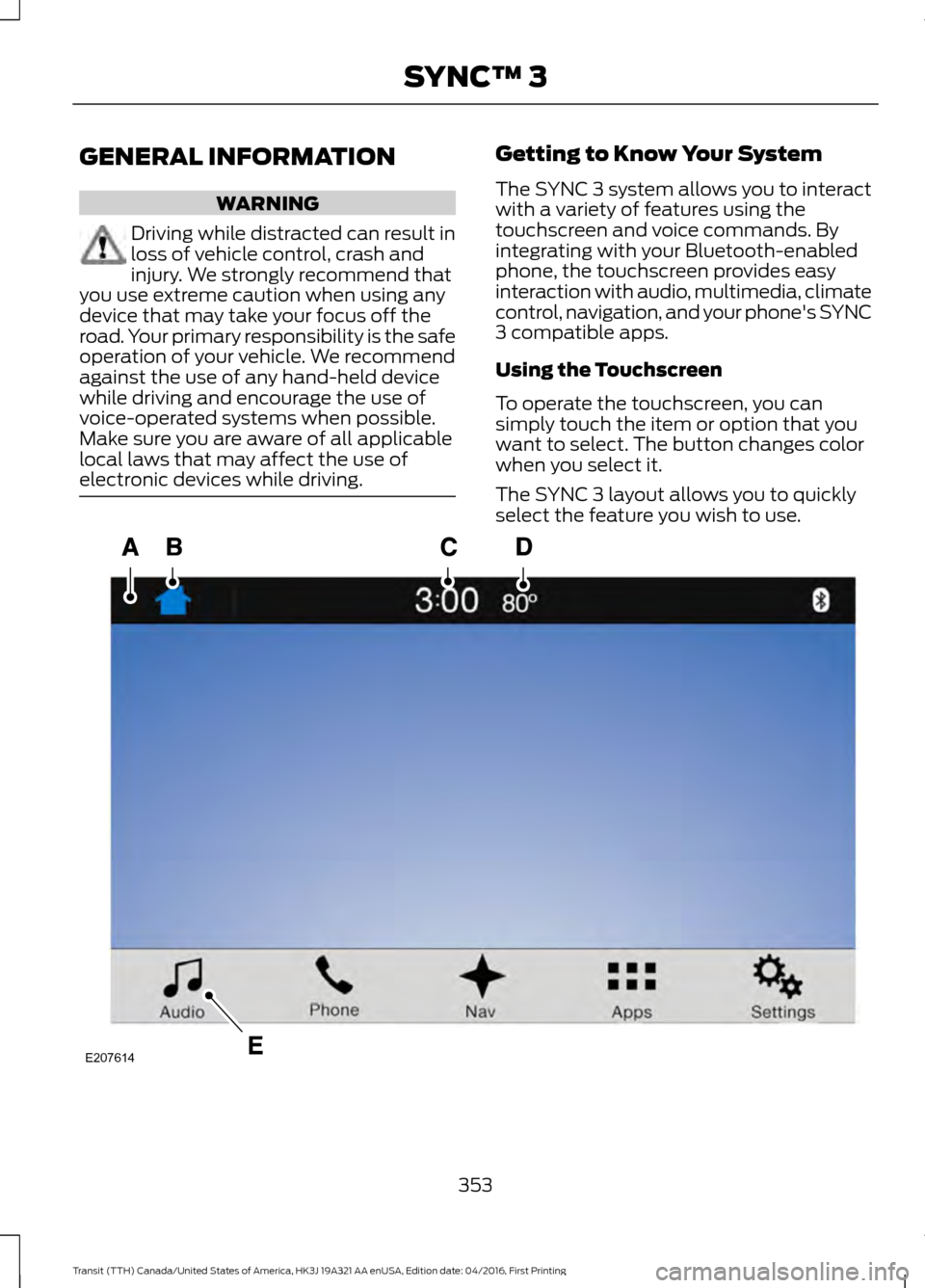
The SYNC 3 layout allows you to quickly
select the feature you wish to use.
353
Transit (TTH) Canada/United States of America, HK3J 19A321 AA enUSA, Edition date: 04/2016, First Printing SYNC™ 3E207614
Page 357 of 484
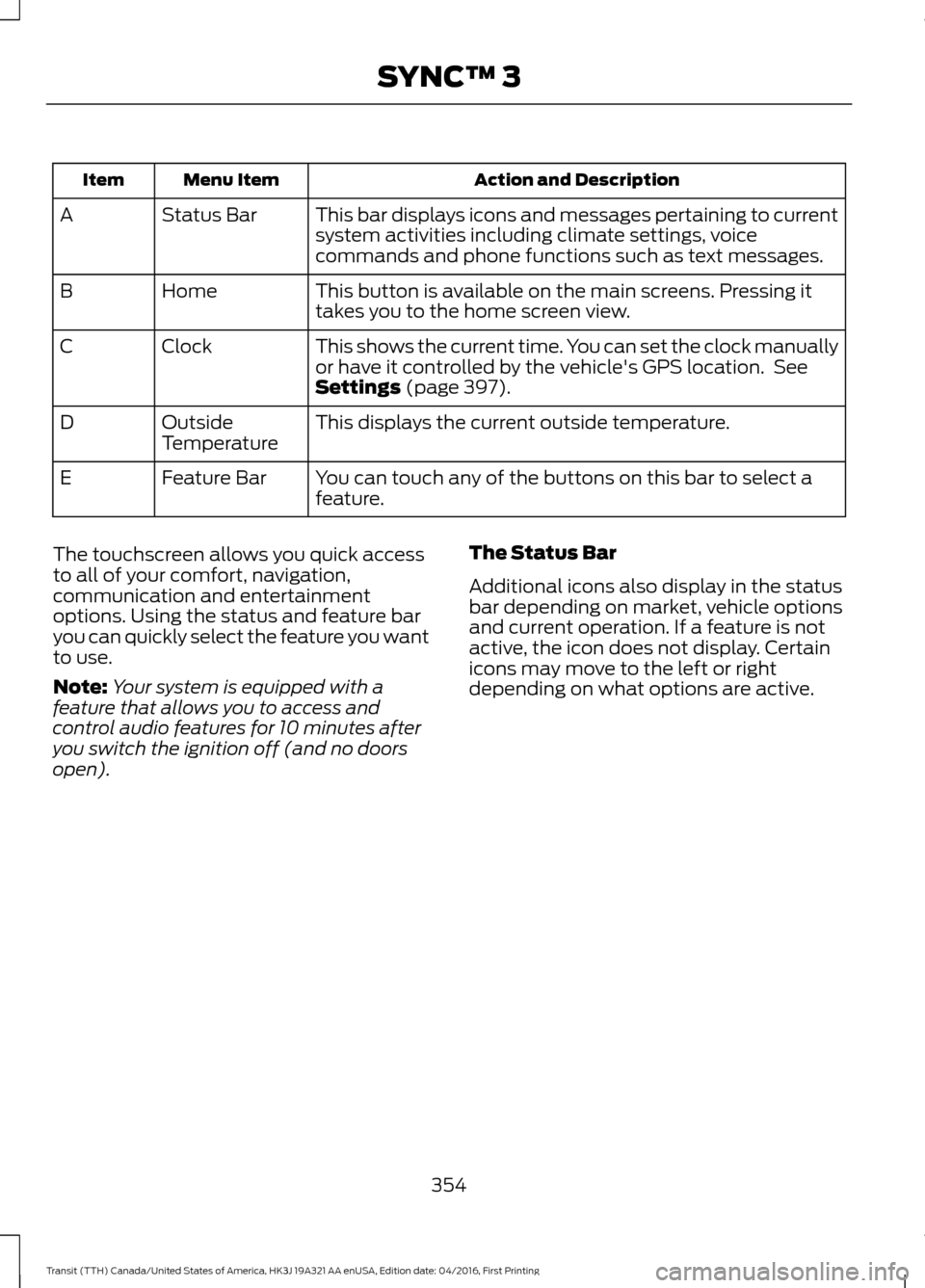
Action and Description
Menu Item
Item
This bar displays icons and messages pertaining to current
system activities including climate settings, voice
commands and phone functions such as text messages.
Status Bar
A
This button is available on the main screens. Pressing it
takes you to the home screen view.
Home
B
This shows the current time. You can set the clock manually
or have it controlled by the vehicle's GPS location. See
Settings (page 397).
Clock
C
This displays the current outside temperature.
Outside
Temperature
D
You can touch any of the buttons on this bar to select a
feature.
Feature Bar
E
The touchscreen allows you quick access
to all of your comfort, navigation,
communication and entertainment
options. Using the status and feature bar
you can quickly select the feature you want
to use.
Note: Your system is equipped with a
feature that allows you to access and
control audio features for 10 minutes after
you switch the ignition off (and no doors
open). The Status Bar
Additional icons also display in the status
bar depending on market, vehicle options
and current operation. If a feature is not
active, the icon does not display. Certain
icons may move to the left or right
depending on what options are active.
354
Transit (TTH) Canada/United States of America, HK3J 19A321 AA enUSA, Edition date: 04/2016, First Printing SYNC™ 3
Page 361 of 484
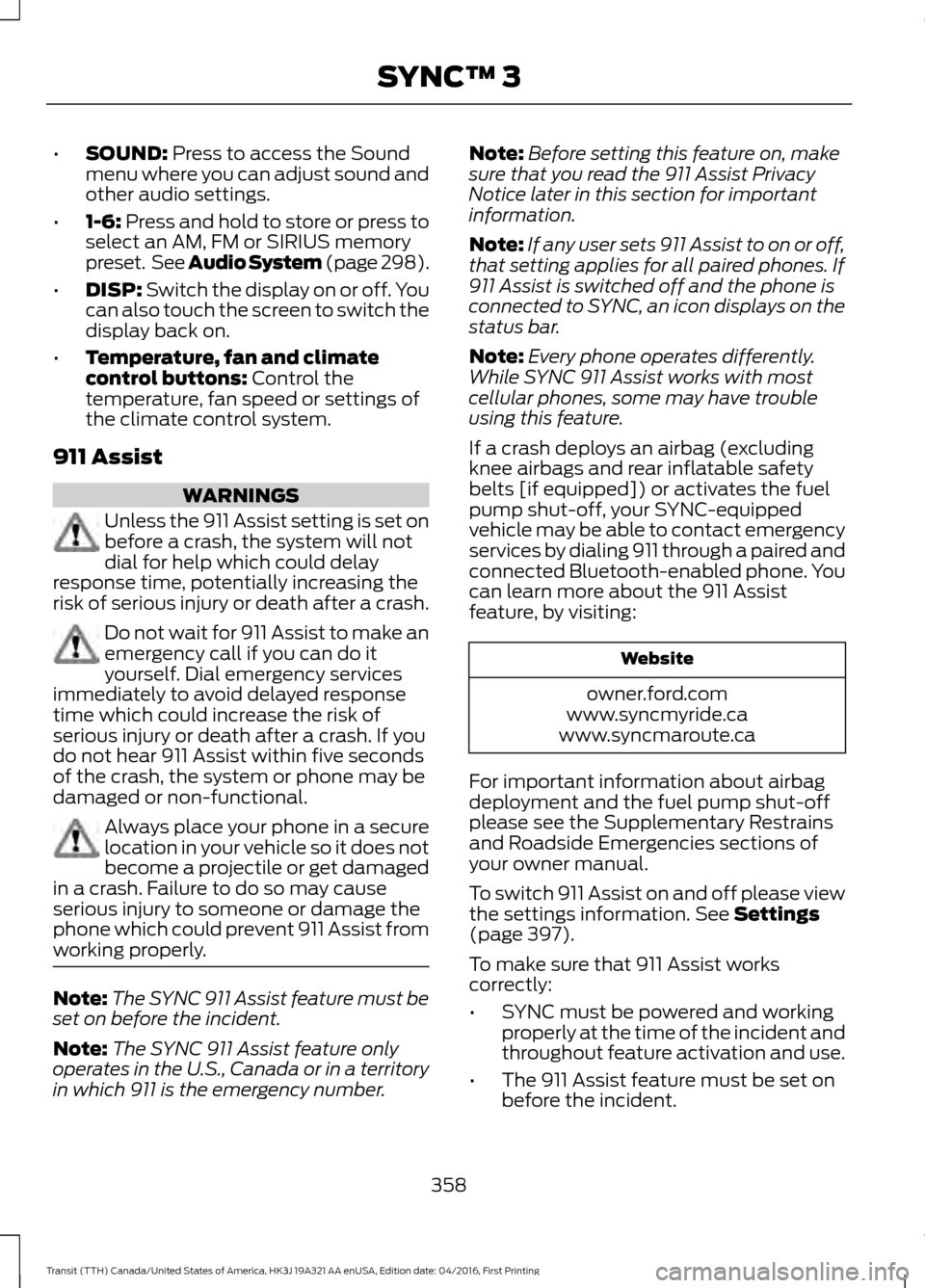
•
SOUND: Press to access the Sound
menu where you can adjust sound and
other audio settings.
• 1-6:
Press and hold to store or press to
select an AM, FM or SIRIUS memory
preset. See Audio System (page 298).
• DISP:
Switch the display on or off. You
can also touch the screen to switch the
display back on.
• Temperature, fan and climate
control buttons:
Control the
temperature, fan speed or settings of
the climate control system.
911 Assist WARNINGS
Unless the 911 Assist setting is set on
before a crash, the system will not
dial for help which could delay
response time, potentially increasing the
risk of serious injury or death after a crash. Do not wait for 911 Assist to make an
emergency call if you can do it
yourself. Dial emergency services
immediately to avoid delayed response
time which could increase the risk of
serious injury or death after a crash. If you
do not hear 911 Assist within five seconds
of the crash, the system or phone may be
damaged or non-functional. Always place your phone in a secure
location in your vehicle so it does not
become a projectile or get damaged
in a crash. Failure to do so may cause
serious injury to someone or damage the
phone which could prevent 911 Assist from
working properly. Note:
The SYNC 911 Assist feature must be
set on before the incident.
Note: The SYNC 911 Assist feature only
operates in the U.S., Canada or in a territory
in which 911 is the emergency number. Note:
Before setting this feature on, make
sure that you read the 911 Assist Privacy
Notice later in this section for important
information.
Note: If any user sets 911 Assist to on or off,
that setting applies for all paired phones. If
911 Assist is switched off and the phone is
connected to SYNC, an icon displays on the
status bar.
Note: Every phone operates differently.
While SYNC 911 Assist works with most
cellular phones, some may have trouble
using this feature.
If a crash deploys an airbag (excluding
knee airbags and rear inflatable safety
belts [if equipped]) or activates the fuel
pump shut-off, your SYNC-equipped
vehicle may be able to contact emergency
services by dialing 911 through a paired and
connected Bluetooth-enabled phone. You
can learn more about the 911 Assist
feature, by visiting: Website
owner.ford.com
www.syncmyride.ca
www.syncmaroute.ca
For important information about airbag
deployment and the fuel pump shut-off
please see the Supplementary Restrains
and Roadside Emergencies sections of
your owner manual.
To switch 911 Assist on and off please view
the settings information.
See Settings
(page 397).
To make sure that 911 Assist works
correctly:
• SYNC must be powered and working
properly at the time of the incident and
throughout feature activation and use.
• The 911 Assist feature must be set on
before the incident.
358
Transit (TTH) Canada/United States of America, HK3J 19A321 AA enUSA, Edition date: 04/2016, First Printing SYNC™ 3
Page 367 of 484
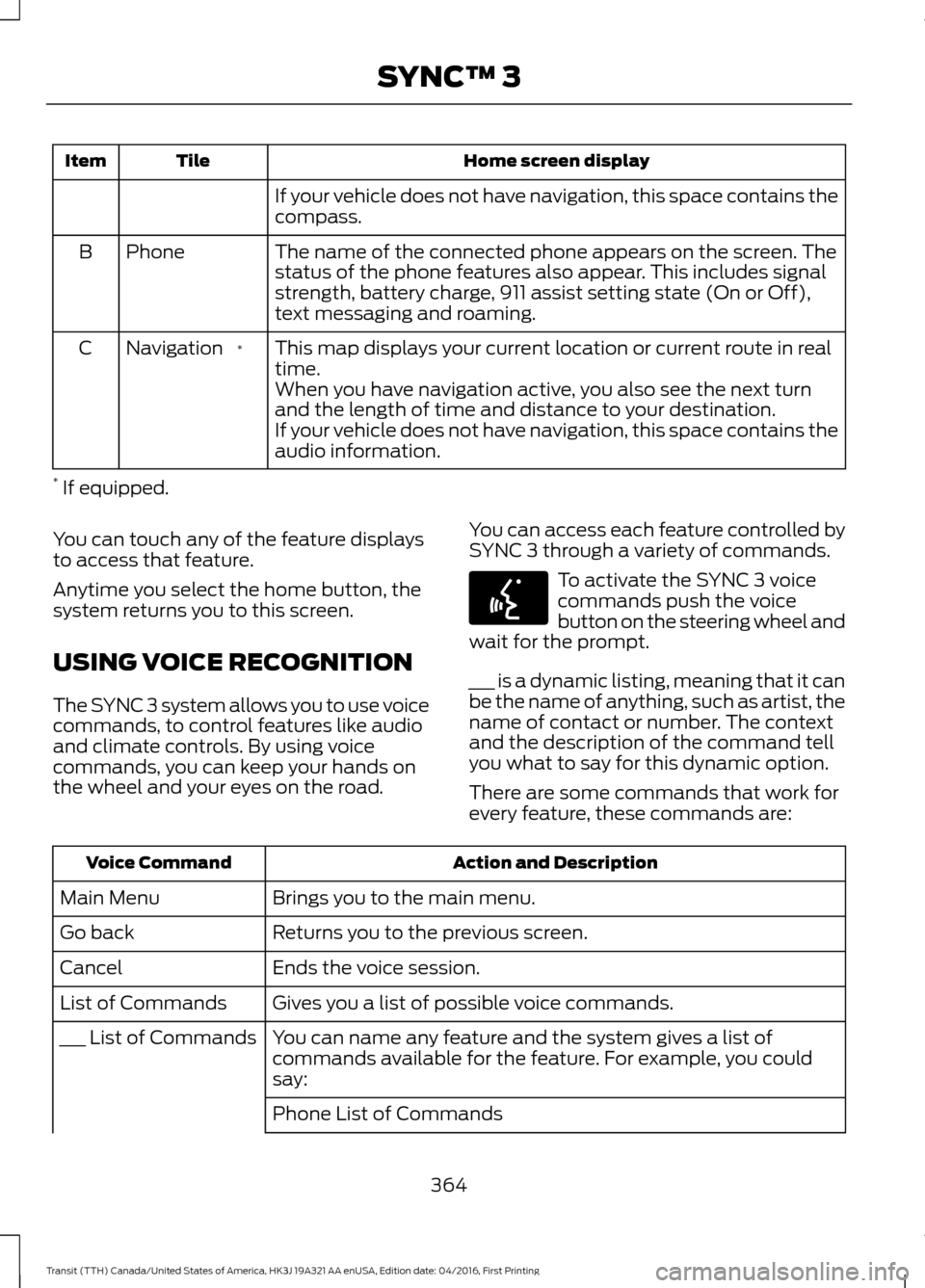
Home screen display
Tile
Item
If your vehicle does not have navigation, this space contains the
compass.
The name of the connected phone appears on the screen. The
status of the phone features also appear. This includes signal
strength, battery charge, 911 assist setting state (On or Off),
text messaging and roaming.
Phone
B
This map displays your current location or current route in real
time.
*
Navigation
C
When you have navigation active, you also see the next turn
and the length of time and distance to your destination.
If your vehicle does not have navigation, this space contains the
audio information.
* If equipped.
You can touch any of the feature displays
to access that feature.
Anytime you select the home button, the
system returns you to this screen.
USING VOICE RECOGNITION
The SYNC 3 system allows you to use voice
commands, to control features like audio
and climate controls. By using voice
commands, you can keep your hands on
the wheel and your eyes on the road. You can access each feature controlled by
SYNC 3 through a variety of commands. To activate the SYNC 3 voice
commands push the voice
button on the steering wheel and
wait for the prompt.
___ is a dynamic listing, meaning that it can
be the name of anything, such as artist, the
name of contact or number. The context
and the description of the command tell
you what to say for this dynamic option.
There are some commands that work for
every feature, these commands are: Action and Description
Voice Command
Brings you to the main menu.
Main Menu
Returns you to the previous screen.
Go back
Ends the voice session.
Cancel
Gives you a list of possible voice commands.
List of Commands
You can name any feature and the system gives a list of
commands available for the feature. For example, you could
say:
___ List of Commands
Phone List of Commands364
Transit (TTH) Canada/United States of America, HK3J 19A321 AA enUSA, Edition date: 04/2016, First Printing SYNC™ 3E142599
Page 373 of 484
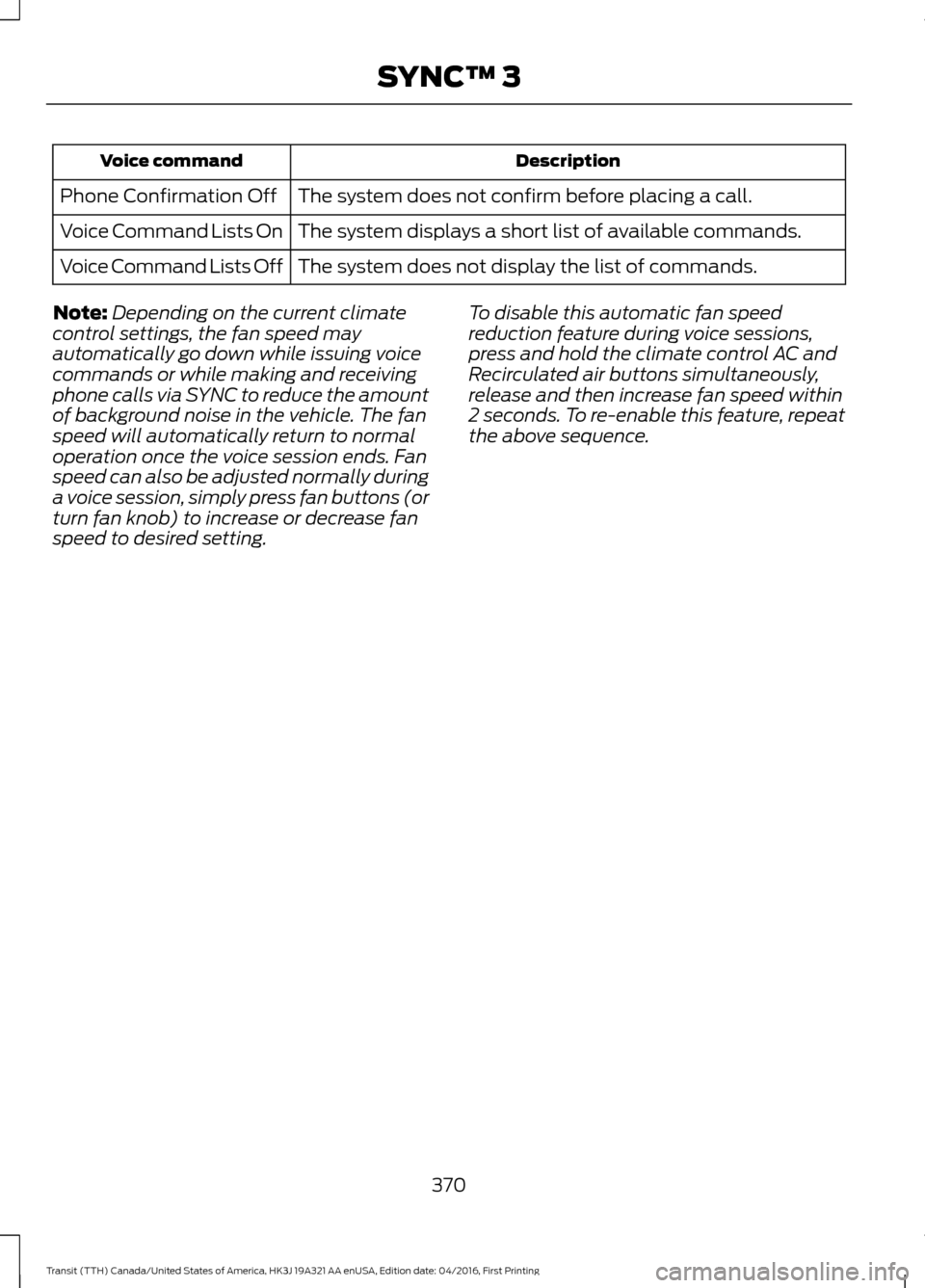
Description
Voice command
The system does not confirm before placing a call.
Phone Confirmation Off
The system displays a short list of available commands.
Voice Command Lists On
The system does not display the list of commands.
Voice Command Lists Off
Note: Depending on the current climate
control settings, the fan speed may
automatically go down while issuing voice
commands or while making and receiving
phone calls via SYNC to reduce the amount
of background noise in the vehicle. The fan
speed will automatically return to normal
operation once the voice session ends. Fan
speed can also be adjusted normally during
a voice session, simply press fan buttons (or
turn fan knob) to increase or decrease fan
speed to desired setting. To disable this automatic fan speed
reduction feature during voice sessions,
press and hold the climate control AC and
Recirculated air buttons simultaneously,
release and then increase fan speed within
2 seconds. To re-enable this feature, repeat
the above sequence.
370
Transit (TTH) Canada/United States of America, HK3J 19A321 AA enUSA, Edition date: 04/2016, First Printing SYNC™ 3
Page 474 of 484
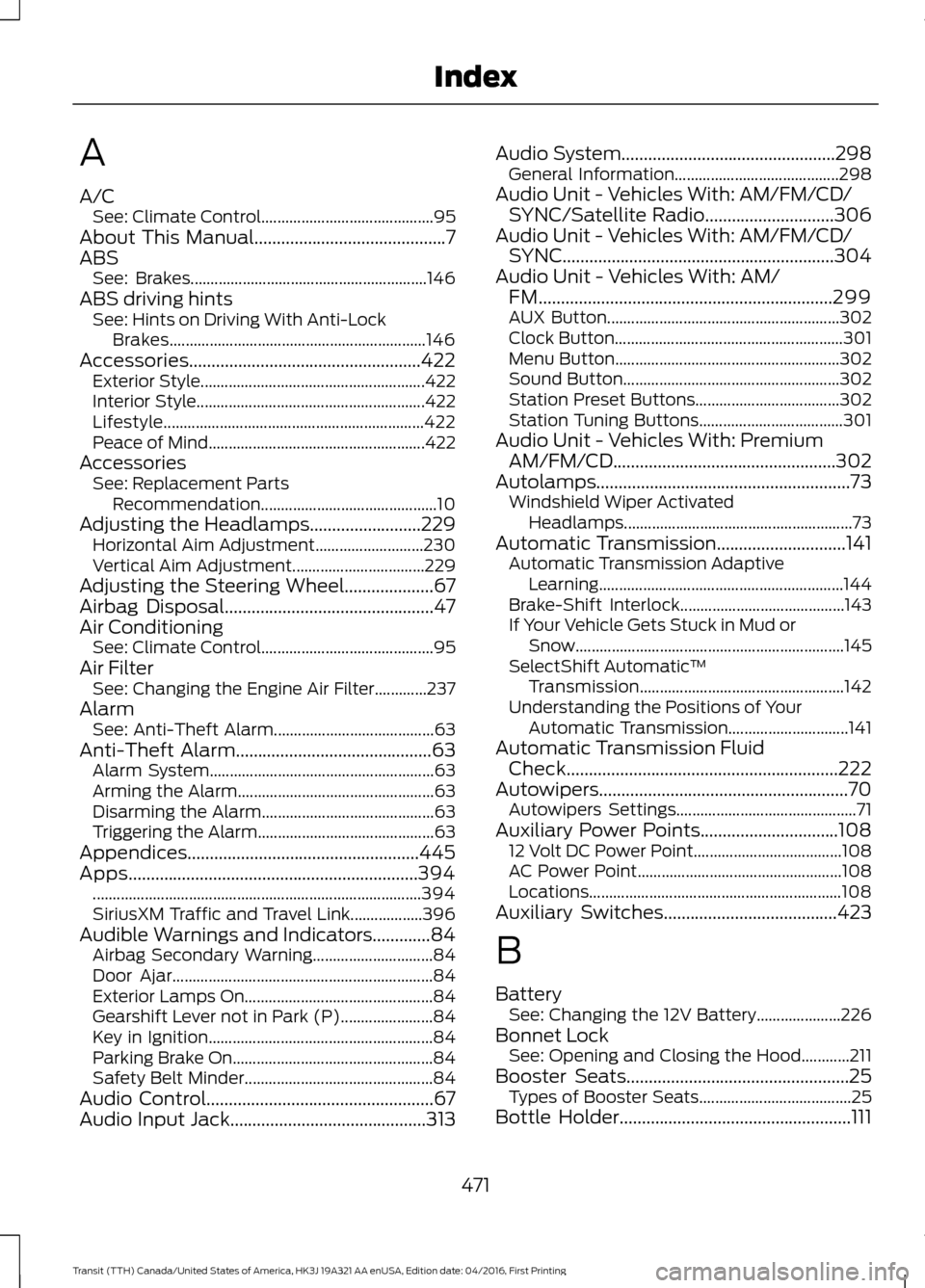
A
A/C
See: Climate Control........................................... 95
About This Manual...........................................7
ABS See: Brakes........................................................... 146
ABS driving hints See: Hints on Driving With Anti-Lock
Brakes................................................................ 146
Accessories....................................................422 Exterior Style........................................................ 422
Interior Style......................................................... 422
Lifestyle................................................................. 422
Peace of Mind ...................................................... 422
Accessories See: Replacement Parts
Recommendation............................................ 10
Adjusting the Headlamps
.........................229
Horizontal Aim Adjustment........................... 230
Vertical Aim Adjustment................................. 229
Adjusting the Steering Wheel
....................67
Airbag Disposal...............................................47
Air Conditioning See: Climate Control........................................... 95
Air Filter See: Changing the Engine Air Filter.............237
Alarm See: Anti-Theft Alarm........................................ 63
Anti-Theft Alarm
............................................63
Alarm System........................................................ 63
Arming the Alarm................................................. 63
Disarming the Alarm........................................... 63
Triggering the Alarm............................................ 63
Appendices....................................................445
Apps.................................................................394 ........................................................................\
.......... 394
SiriusXM Traffic and Travel Link.................. 396
Audible Warnings and Indicators.............84 Airbag Secondary Warning.............................. 84
Door Ajar................................................................. 84
Exterior Lamps On............................................... 84
Gearshift Lever not in Park (P)....................... 84
Key in Ignition........................................................ 84
Parking Brake On..................................................84
Safety Belt Minder............................................... 84
Audio Control...................................................67
Audio Input Jack
............................................313 Audio System
................................................298
General Information......................................... 298
Audio Unit - Vehicles With: AM/FM/CD/ SYNC/Satellite Radio
.............................306
Audio Unit - Vehicles With: AM/FM/CD/ SYNC.............................................................304
Audio Unit - Vehicles With: AM/ FM
..................................................................299
AUX Button.......................................................... 302
Clock Button......................................................... 301
Menu Button........................................................ 302
Sound Button...................................................... 302
Station Preset Buttons.................................... 302
Station Tuning Buttons.................................... 301
Audio Unit - Vehicles With: Premium AM/FM/CD..................................................302
Autolamps.........................................................73 Windshield Wiper Activated
Headlamps......................................................... 73
Automatic Transmission
.............................141
Automatic Transmission Adaptive
Learning............................................................. 144
Brake-Shift Interlock......................................... 143
If Your Vehicle Gets Stuck in Mud or Snow................................................................... 145
SelectShift Automatic ™
Transmission................................................... 142
Understanding the Positions of Your Automatic Transmission.............................. 141
Automatic Transmission Fluid Check
.............................................................222
Autowipers........................................................70 Autowipers Settings............................................. 71
Auxiliary Power Points...............................108 12 Volt DC Power Point..................................... 108
AC Power Point................................................... 108
Locations............................................................... 108
Auxiliary Switches
.......................................423
B
Battery See: Changing the 12V Battery..................... 226
Bonnet Lock See: Opening and Closing the Hood............211
Booster Seats..................................................25 Types of Booster Seats...................................... 25
Bottle Holder....................................................111
471
Transit (TTH) Canada/United States of America, HK3J 19A321 AA enUSA, Edition date: 04/2016, First Printing Index
Page 476 of 484
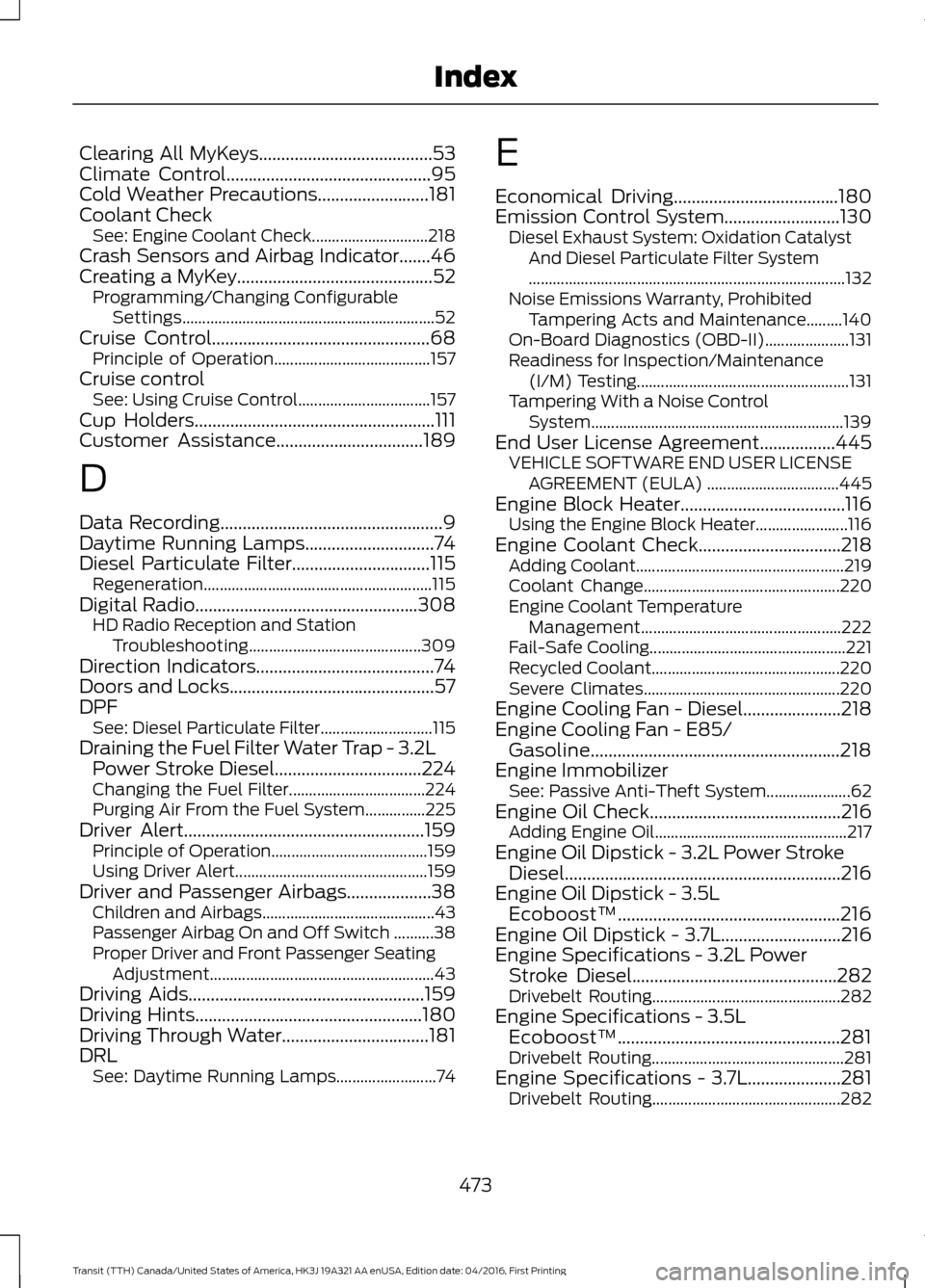
Clearing All MyKeys.......................................53
Climate Control..............................................95
Cold Weather Precautions.........................181
Coolant Check See: Engine Coolant Check............................. 218
Crash Sensors and Airbag Indicator.......46
Creating a MyKey............................................52 Programming/Changing Configurable
Settings............................................................... 52
Cruise Control.................................................68 Principle of Operation....................................... 157
Cruise control See: Using Cruise Control................................. 157
Cup Holders
......................................................111
Customer Assistance.................................189
D
Data Recording
..................................................9
Daytime Running Lamps.............................74
Diesel Particulate Filter
...............................115
Regeneration......................................................... 115
Digital Radio..................................................308
HD Radio Reception and Station
Troubleshooting........................................... 309
Direction Indicators........................................74
Doors and Locks..............................................57
DPF See: Diesel Particulate Filter............................ 115
Draining the Fuel Filter Water Trap - 3.2L Power Stroke Diesel.................................224
Changing the Fuel Filter.................................. 224
Purging Air From the Fuel System...............225
Driver Alert
......................................................159
Principle of Operation....................................... 159
Using Driver Alert................................................ 159
Driver and Passenger Airbags...................38 Children and Airbags........................................... 43
Passenger Airbag On and Off Switch ..........38
Proper Driver and Front Passenger Seating Adjustment........................................................ 43
Driving Aids
.....................................................159
Driving Hints...................................................180
Driving Through Water.................................181
DRL See: Daytime Running Lamps......................... 74E
Economical Driving.....................................180
Emission Control System..........................130
Diesel Exhaust System: Oxidation Catalyst
And Diesel Particulate Filter System
........................................................................\
....... 132
Noise Emissions Warranty, Prohibited Tampering Acts and Maintenance.........140
On-Board Diagnostics (OBD-II)..................... 131
Readiness for Inspection/Maintenance (I/M) Testing..................................................... 131
Tampering With a Noise Control System............................................................... 139
End User License Agreement
.................445
VEHICLE SOFTWARE END USER LICENSE
AGREEMENT (EULA) ................................. 445
Engine Block Heater.....................................116 Using the Engine Block Heater....................... 116
Engine Coolant Check
................................218
Adding Coolant.................................................... 219
Coolant Change................................................. 220
Engine Coolant Temperature Management.................................................. 222
Fail-Safe Cooling................................................. 221
Recycled Coolant............................................... 220
Severe Climates................................................. 220
Engine Cooling Fan - Diesel......................218
Engine Cooling Fan - E85/ Gasoline........................................................218
Engine Immobilizer See: Passive Anti-Theft System..................... 62
Engine Oil Check...........................................216 Adding Engine Oil................................................ 217
Engine Oil Dipstick - 3.2L Power Stroke Diesel..............................................................216
Engine Oil Dipstick - 3.5L Ecoboost™..................................................216
Engine Oil Dipstick - 3.7L...........................216
Engine Specifications - 3.2L Power Stroke Diesel
..............................................282
Drivebelt Routing............................................... 282
Engine Specifications - 3.5L Ecoboost™..................................................281
Drivebelt Routing................................................ 281
Engine Specifications - 3.7L.....................281 Drivebelt Routing............................................... 282
473
Transit (TTH) Canada/United States of America, HK3J 19A321 AA enUSA, Edition date: 04/2016, First Printing Index