tow FORD TRANSIT 2017 5.G User Guide
[x] Cancel search | Manufacturer: FORD, Model Year: 2017, Model line: TRANSIT, Model: FORD TRANSIT 2017 5.GPages: 484, PDF Size: 11.45 MB
Page 69 of 484
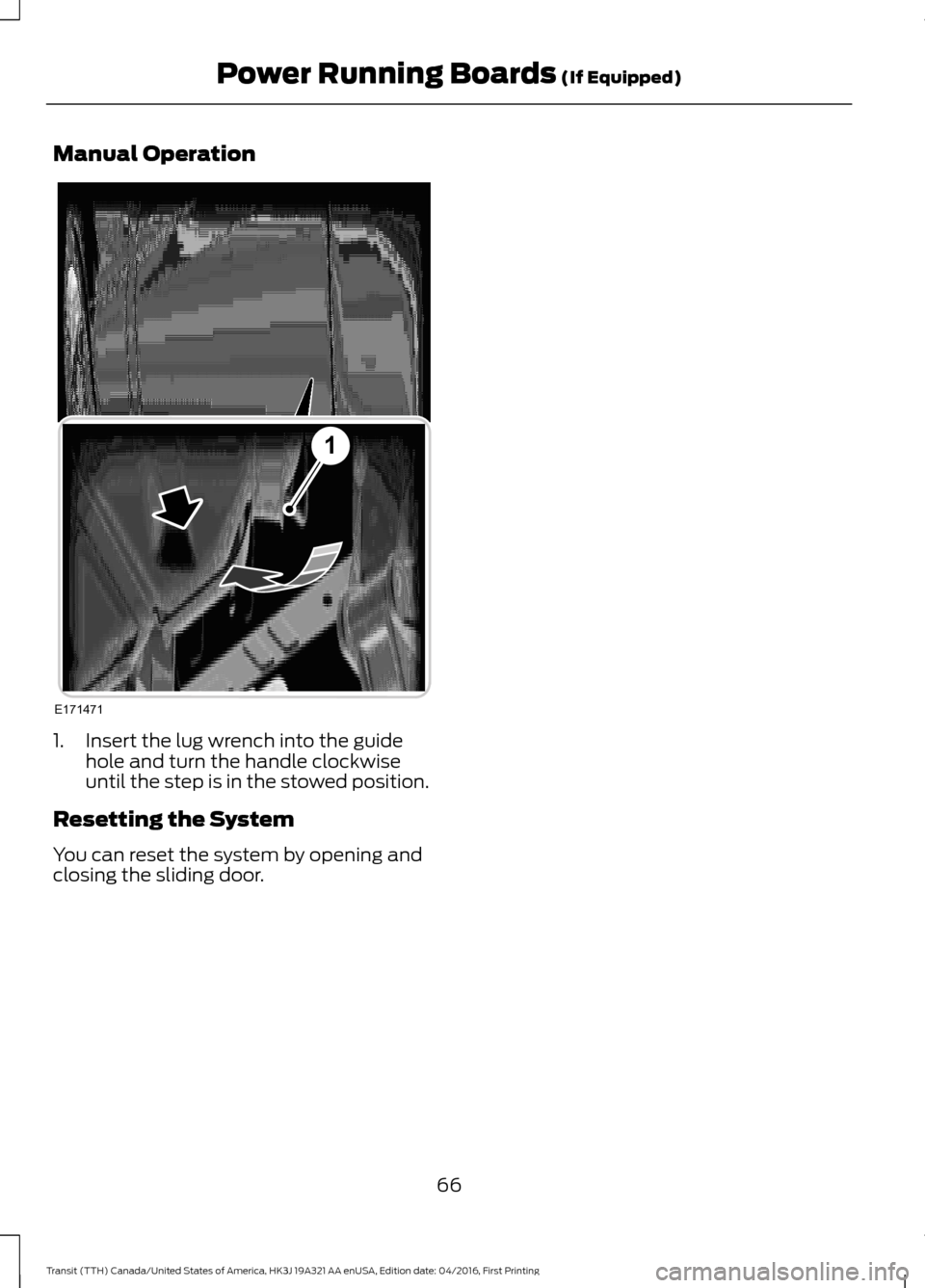
Manual Operation
1. Insert the lug wrench into the guide
hole and turn the handle clockwise
until the step is in the stowed position.
Resetting the System
You can reset the system by opening and
closing the sliding door.
66
Transit (TTH) Canada/United States of America, HK3J 19A321 AA enUSA, Edition date: 04/2016, First Printing Power Running Boards (If Equipped)E171471
1
Page 73 of 484
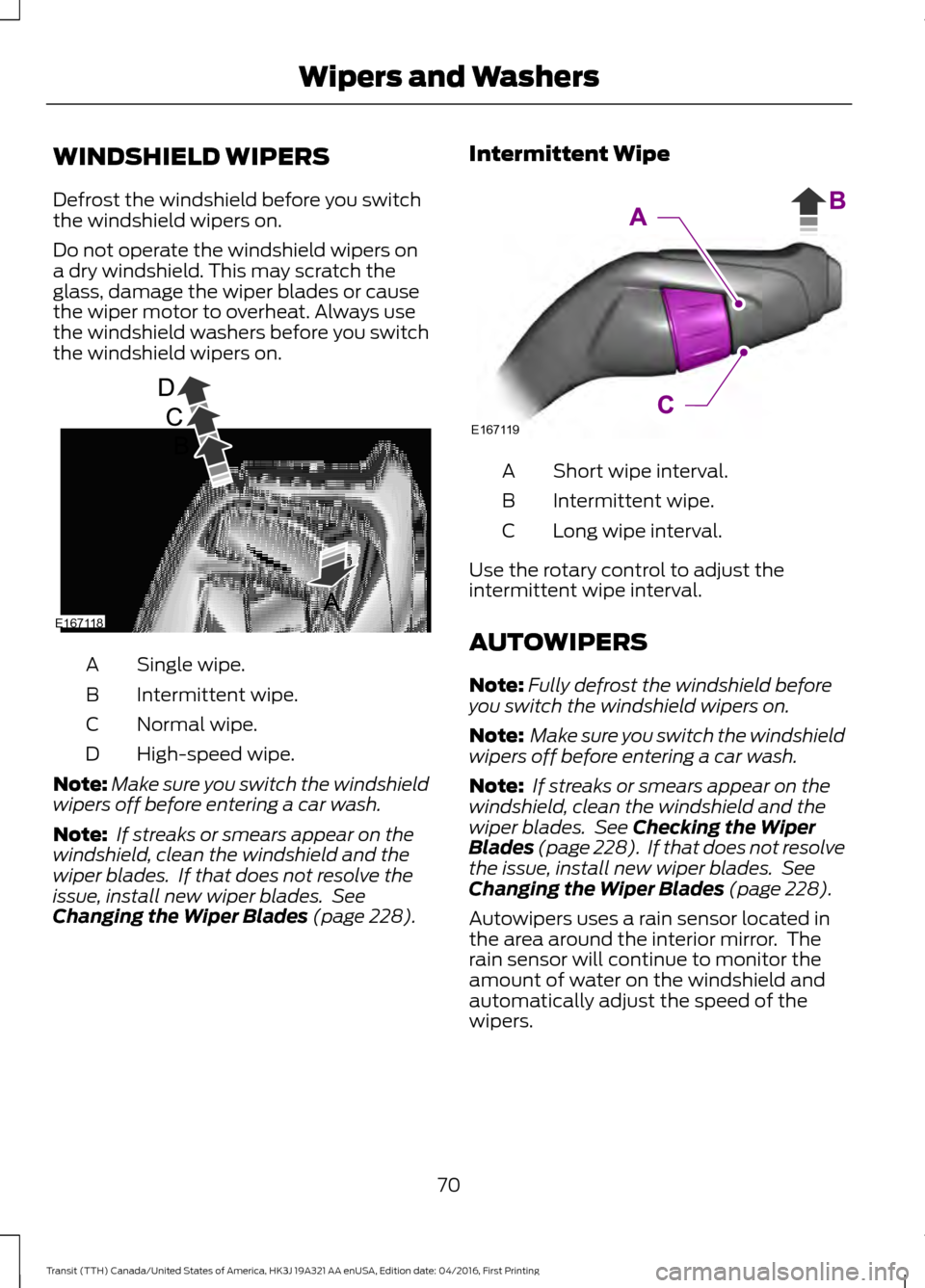
WINDSHIELD WIPERS
Defrost the windshield before you switch
the windshield wipers on.
Do not operate the windshield wipers on
a dry windshield. This may scratch the
glass, damage the wiper blades or cause
the wiper motor to overheat. Always use
the windshield washers before you switch
the windshield wipers on.
Single wipe.
A
Intermittent wipe.
B
Normal wipe.
C
High-speed wipe.
D
Note: Make sure you switch the windshield
wipers off before entering a car wash.
Note: If streaks or smears appear on the
windshield, clean the windshield and the
wiper blades. If that does not resolve the
issue, install new wiper blades. See
Changing the Wiper Blades (page 228). Intermittent Wipe
Short wipe interval.
A
Intermittent wipe.
B
Long wipe interval.
C
Use the rotary control to adjust the
intermittent wipe interval.
AUTOWIPERS
Note: Fully defrost the windshield before
you switch the windshield wipers on.
Note: Make sure you switch the windshield
wipers off before entering a car wash.
Note: If streaks or smears appear on the
windshield, clean the windshield and the
wiper blades. See
Checking the Wiper
Blades (page 228). If that does not resolve
the issue, install new wiper blades. See
Changing the Wiper Blades
(page 228).
Autowipers uses a rain sensor located in
the area around the interior mirror. The
rain sensor will continue to monitor the
amount of water on the windshield and
automatically adjust the speed of the
wipers.
70
Transit (TTH) Canada/United States of America, HK3J 19A321 AA enUSA, Edition date: 04/2016, First Printing Wipers and WashersE167118 E167119
Page 74 of 484
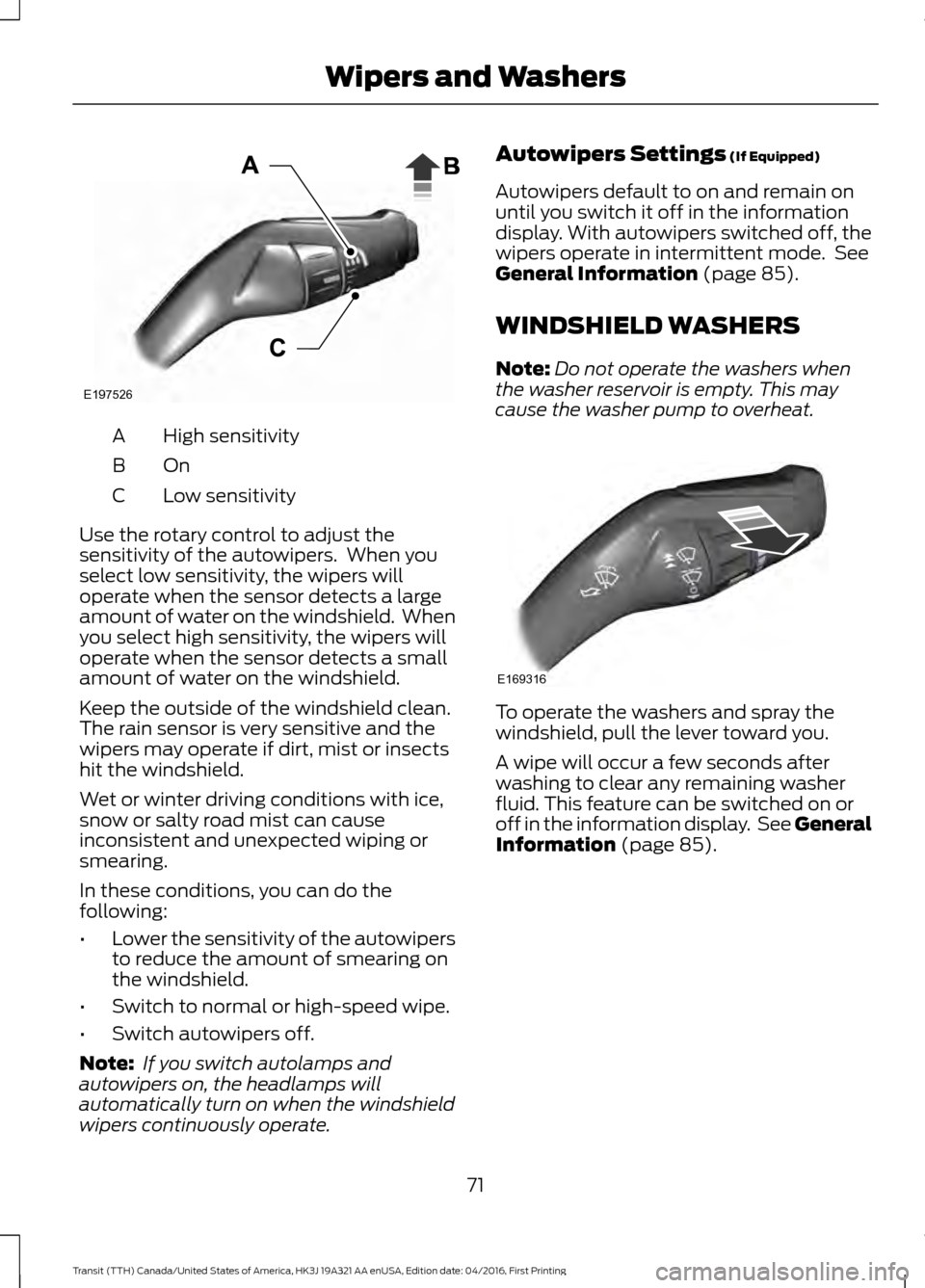
High sensitivity
A
OnB
Low sensitivity
C
Use the rotary control to adjust the
sensitivity of the autowipers. When you
select low sensitivity, the wipers will
operate when the sensor detects a large
amount of water on the windshield. When
you select high sensitivity, the wipers will
operate when the sensor detects a small
amount of water on the windshield.
Keep the outside of the windshield clean.
The rain sensor is very sensitive and the
wipers may operate if dirt, mist or insects
hit the windshield.
Wet or winter driving conditions with ice,
snow or salty road mist can cause
inconsistent and unexpected wiping or
smearing.
In these conditions, you can do the
following:
• Lower the sensitivity of the autowipers
to reduce the amount of smearing on
the windshield.
• Switch to normal or high-speed wipe.
• Switch autowipers off.
Note: If you switch autolamps and
autowipers on, the headlamps will
automatically turn on when the windshield
wipers continuously operate. Autowipers Settings (If Equipped)
Autowipers default to on and remain on
until you switch it off in the information
display. With autowipers switched off, the
wipers operate in intermittent mode. See
General Information
(page 85).
WINDSHIELD WASHERS
Note: Do not operate the washers when
the washer reservoir is empty. This may
cause the washer pump to overheat. To operate the washers and spray the
windshield, pull the lever toward you.
A wipe will occur a few seconds after
washing to clear any remaining washer
fluid. This feature can be switched on or
off in the information display. See General
Information
(page 85).
71
Transit (TTH) Canada/United States of America, HK3J 19A321 AA enUSA, Edition date: 04/2016, First Printing Wipers and WashersE197526 E169316
Page 76 of 484
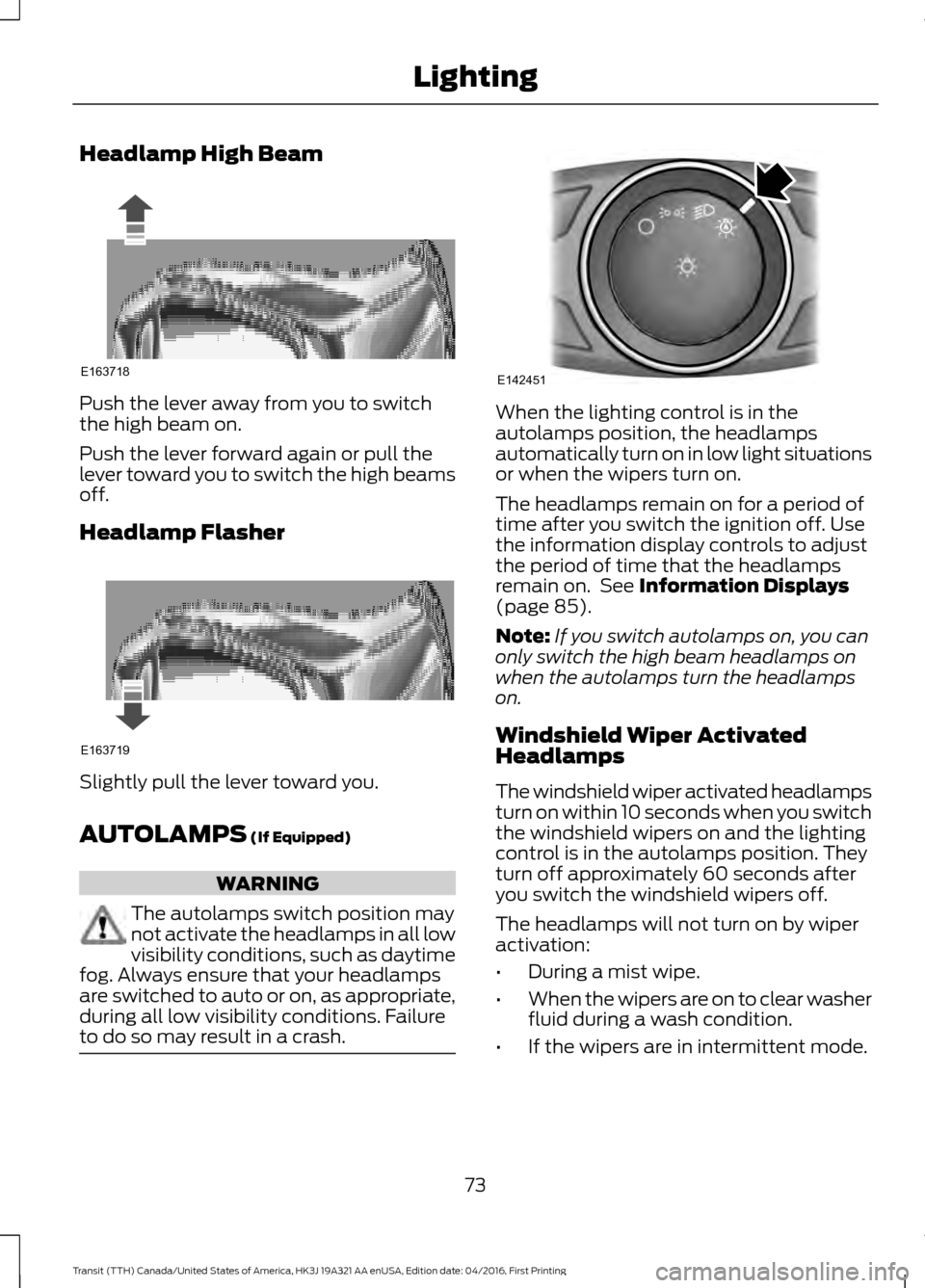
Headlamp High Beam
Push the lever away from you to switch
the high beam on.
Push the lever forward again or pull the
lever toward you to switch the high beams
off.
Headlamp Flasher
Slightly pull the lever toward you.
AUTOLAMPS (If Equipped)
WARNING
The autolamps switch position may
not activate the headlamps in all low
visibility conditions, such as daytime
fog. Always ensure that your headlamps
are switched to auto or on, as appropriate,
during all low visibility conditions. Failure
to do so may result in a crash. When the lighting control is in the
autolamps position, the headlamps
automatically turn on in low light situations
or when the wipers turn on.
The headlamps remain on for a period of
time after you switch the ignition off. Use
the information display controls to adjust
the period of time that the headlamps
remain on. See
Information Displays
(page 85).
Note: If you switch autolamps on, you can
only switch the high beam headlamps on
when the autolamps turn the headlamps
on.
Windshield Wiper Activated
Headlamps
The windshield wiper activated headlamps
turn on within 10 seconds when you switch
the windshield wipers on and the lighting
control is in the autolamps position. They
turn off approximately 60 seconds after
you switch the windshield wipers off.
The headlamps will not turn on by wiper
activation:
• During a mist wipe.
• When the wipers are on to clear washer
fluid during a wash condition.
• If the wipers are in intermittent mode.
73
Transit (TTH) Canada/United States of America, HK3J 19A321 AA enUSA, Edition date: 04/2016, First Printing LightingE163718 E163719 E142451
Page 77 of 484
Note:
If you switch autolamps and
autowipers on, the headlamps will
automatically turn on when the windshield
wipers continuously operate.
INSTRUMENT LIGHTING
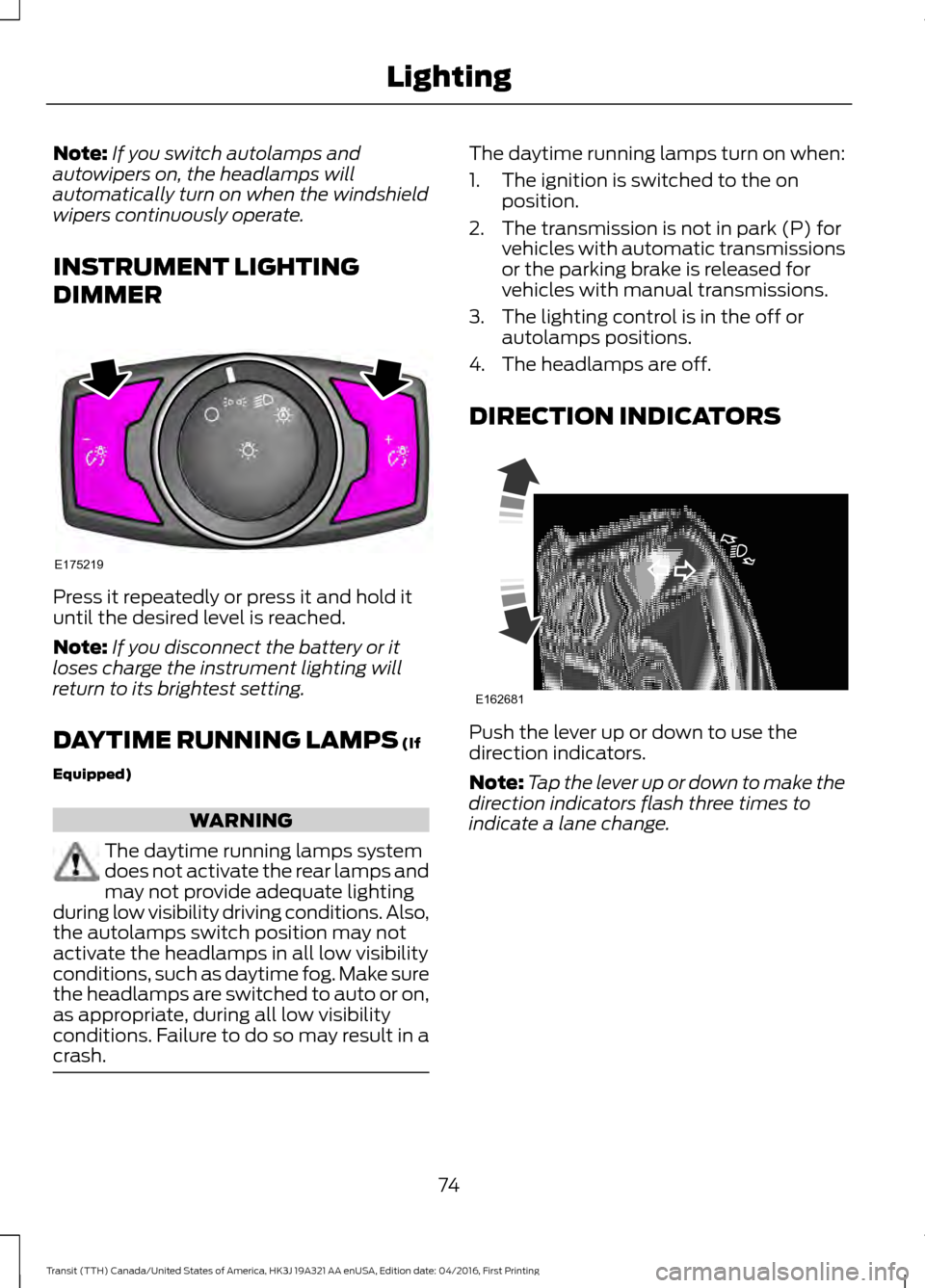
DIMMER Press it repeatedly or press it and hold it
until the desired level is reached.
Note:
If you disconnect the battery or it
loses charge the instrument lighting will
return to its brightest setting.
DAYTIME RUNNING LAMPS (If
Equipped) WARNING
The daytime running lamps system
does not activate the rear lamps and
may not provide adequate lighting
during low visibility driving conditions. Also,
the autolamps switch position may not
activate the headlamps in all low visibility
conditions, such as daytime fog. Make sure
the headlamps are switched to auto or on,
as appropriate, during all low visibility
conditions. Failure to do so may result in a
crash. The daytime running lamps turn on when:
1. The ignition is switched to the on
position.
2. The transmission is not in park (P) for vehicles with automatic transmissions
or the parking brake is released for
vehicles with manual transmissions.
3. The lighting control is in the off or autolamps positions.
4. The headlamps are off.
DIRECTION INDICATORS Push the lever up or down to use the
direction indicators.
Note:
Tap the lever up or down to make the
direction indicators flash three times to
indicate a lane change.
74
Transit (TTH) Canada/United States of America, HK3J 19A321 AA enUSA, Edition date: 04/2016, First Printing LightingE175219 E162681
Page 80 of 484
5. Lift the switch again for one second.
6.
Open the window and then try to close
using the one-touch feature.
7. Repeat the procedure if the window does not close using the one-touch
feature.
Note: If you disconnect the battery, you
must reset the bounce-back memory.
EXTERIOR MIRRORS
Power Exterior Mirrors WARNING
Do not adjust the mirrors when your
vehicle is moving. This could result
in the loss of control of your vehicle,
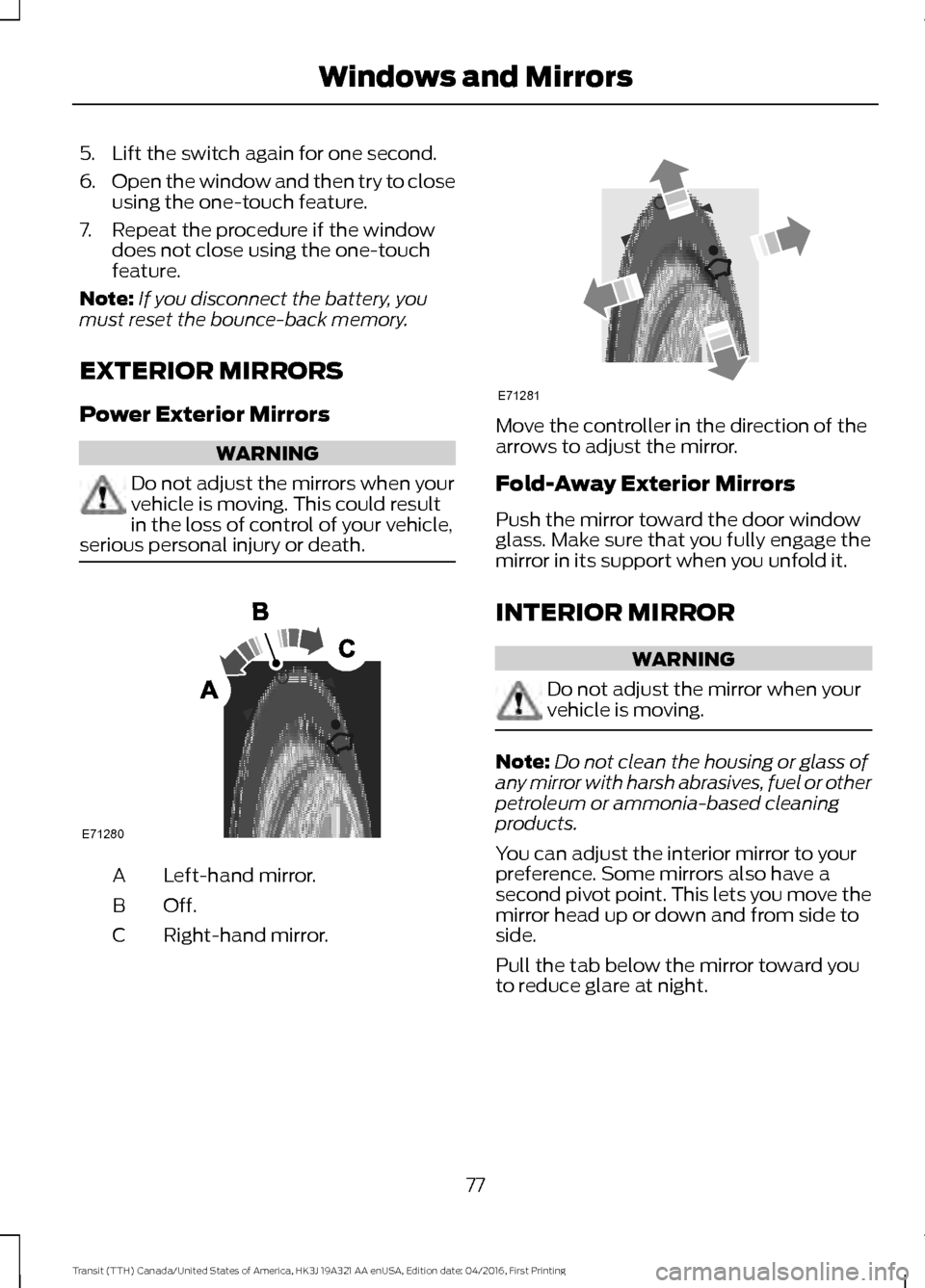
serious personal injury or death. Left-hand mirror.
A
Off.B
Right-hand mirror.
C Move the controller in the direction of the
arrows to adjust the mirror.
Fold-Away Exterior Mirrors
Push the mirror toward the door window
glass. Make sure that you fully engage the
mirror in its support when you unfold it.
INTERIOR MIRROR
WARNING
Do not adjust the mirror when your
vehicle is moving.
Note:
Do not clean the housing or glass of
any mirror with harsh abrasives, fuel or other
petroleum or ammonia-based cleaning
products.
You can adjust the interior mirror to your
preference. Some mirrors also have a
second pivot point. This lets you move the
mirror head up or down and from side to
side.
Pull the tab below the mirror toward you
to reduce glare at night.
77
Transit (TTH) Canada/United States of America, HK3J 19A321 AA enUSA, Edition date: 04/2016, First Printing Windows and MirrorsE71280 E71281
Page 83 of 484
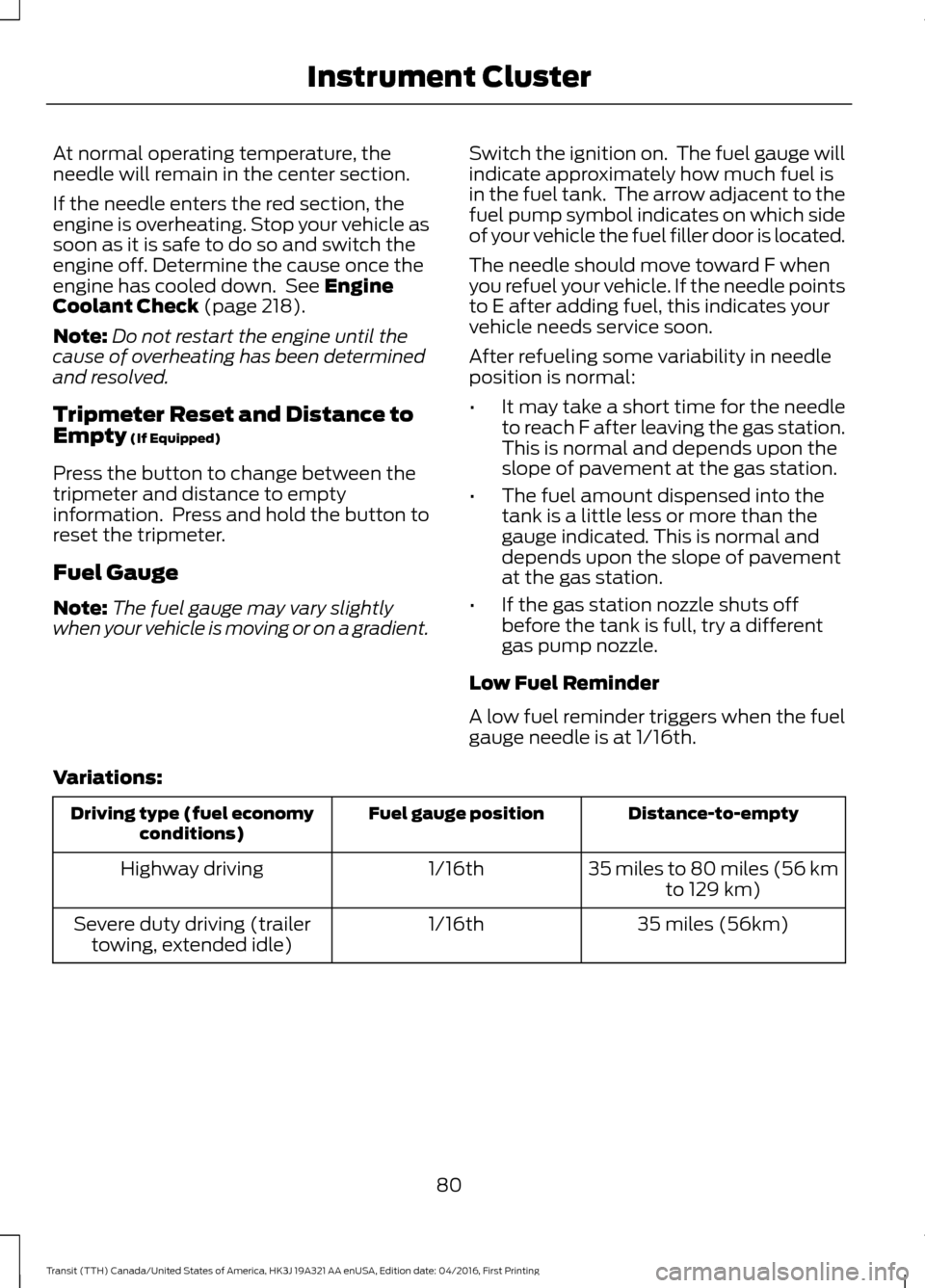
At normal operating temperature, the
needle will remain in the center section.
If the needle enters the red section, the
engine is overheating. Stop your vehicle as
soon as it is safe to do so and switch the
engine off. Determine the cause once the
engine has cooled down. See Engine
Coolant Check (page 218).
Note: Do not restart the engine until the
cause of overheating has been determined
and resolved.
Tripmeter Reset and Distance to
Empty
(If Equipped)
Press the button to change between the
tripmeter and distance to empty
information. Press and hold the button to
reset the tripmeter.
Fuel Gauge
Note: The fuel gauge may vary slightly
when your vehicle is moving or on a gradient. Switch the ignition on. The fuel gauge will
indicate approximately how much fuel is
in the fuel tank. The arrow adjacent to the
fuel pump symbol indicates on which side
of your vehicle the fuel filler door is located.
The needle should move toward F when
you refuel your vehicle. If the needle points
to E after adding fuel, this indicates your
vehicle needs service soon.
After refueling some variability in needle
position is normal:
•
It may take a short time for the needle
to reach F after leaving the gas station.
This is normal and depends upon the
slope of pavement at the gas station.
• The fuel amount dispensed into the
tank is a little less or more than the
gauge indicated. This is normal and
depends upon the slope of pavement
at the gas station.
• If the gas station nozzle shuts off
before the tank is full, try a different
gas pump nozzle.
Low Fuel Reminder
A low fuel reminder triggers when the fuel
gauge needle is at 1/16th.
Variations: Distance-to-empty
Fuel gauge position
Driving type (fuel economy
conditions)
35 miles to 80 miles (56 kmto 129 km)
1/16th
Highway driving
35 miles (56km)
1/16th
Severe duty driving (trailer
towing, extended idle)
80
Transit (TTH) Canada/United States of America, HK3J 19A321 AA enUSA, Edition date: 04/2016, First Printing Instrument Cluster
Page 86 of 484
It illuminates when the system is not
available and may indicate that the system
requires service. Have your vehicle
checked as soon as possible.
Low Fuel Level Warning Lamp
If it illuminates when you are
driving, refuel as soon as
possible.
Low Tire Pressure Warning Lamp
(If Equipped) It illuminates if the tire pressure
in one or more tires is below the
correct pressure.
See Tire Pressure Monitoring System
(page 266).
Low Washer Fluid Level Warning
Lamp It illuminates when the washer
fluid is low.
Message Center Indicator It illuminates when a new
message is stored in the
information display.
The indicator is red or amber depending
on the severity of the condition and it
remains on until the condition is resolved.
See
Information Messages (page 89).
Oil Pressure Warning Lamp WARNING
If it illuminates when you are driving
do not continue your journey, even if
the oil level is correct. Have your
vehicle checked. If it illuminates when the engine
is running this indicates a
malfunction. Stop your vehicle
as soon as it is safe to do so and switch the
engine off.
Check the engine oil level. If the oil level is
sufficient, this indicates a system
malfunction. Have your vehicle checked
immediately.
Stability Control and Traction
Control Indicator Flashes during operation.
If it does not illuminate when you
switch the ignition on, or remains
on when the engine is running, this
indicates a malfunction. Have your vehicle
checked as soon as possible.
Note: The system automatically turns off
if there is a malfunction.
See
Stability Control (page 150). See
Traction Control (page 149).
Stability Control and Traction
Control Off Warning Lamp It illuminates when you switch
the system off.
Transmission Tow/Haul Warning
Lamp It illuminates when you switch
the system on.
If it flashes when the engine is
running this indicates a malfunction and
could lead to transmission damage that
may not be covered by the vehicle
Warranty. Have your vehicle checked as
soon as possible.
83
Transit (TTH) Canada/United States of America, HK3J 19A321 AA enUSA, Edition date: 04/2016, First Printing Instrument Cluster E132353 E138639 E130458 E161509
Page 100 of 484
•
Adjust the temperature control to the
MAX A/C position.
• Adjust the fan speed to the lowest
speed setting.
Side Window Defogging in Cold
Weather
• Adjust the air distribution control to the
instrument panel and windshield air
vents positions.
• Press the
A/C button.
• Adjust the temperature control to the
desired setting.
• Adjust the fan speed to the highest
setting. •
Direct the instrument panel side air
vents toward the side windows.
• Close the instrument panel vents.
Maximum Cooling Performance in
Instrument Panel or Instrument
Panel and Footwell Positions
• Adjust the temperature control to the
lowest setting.
• Press the A/C and recirculated air
buttons.
• Adjust the fan speed to the highest
setting initially and then adjust it to suit
the desired comfort level.
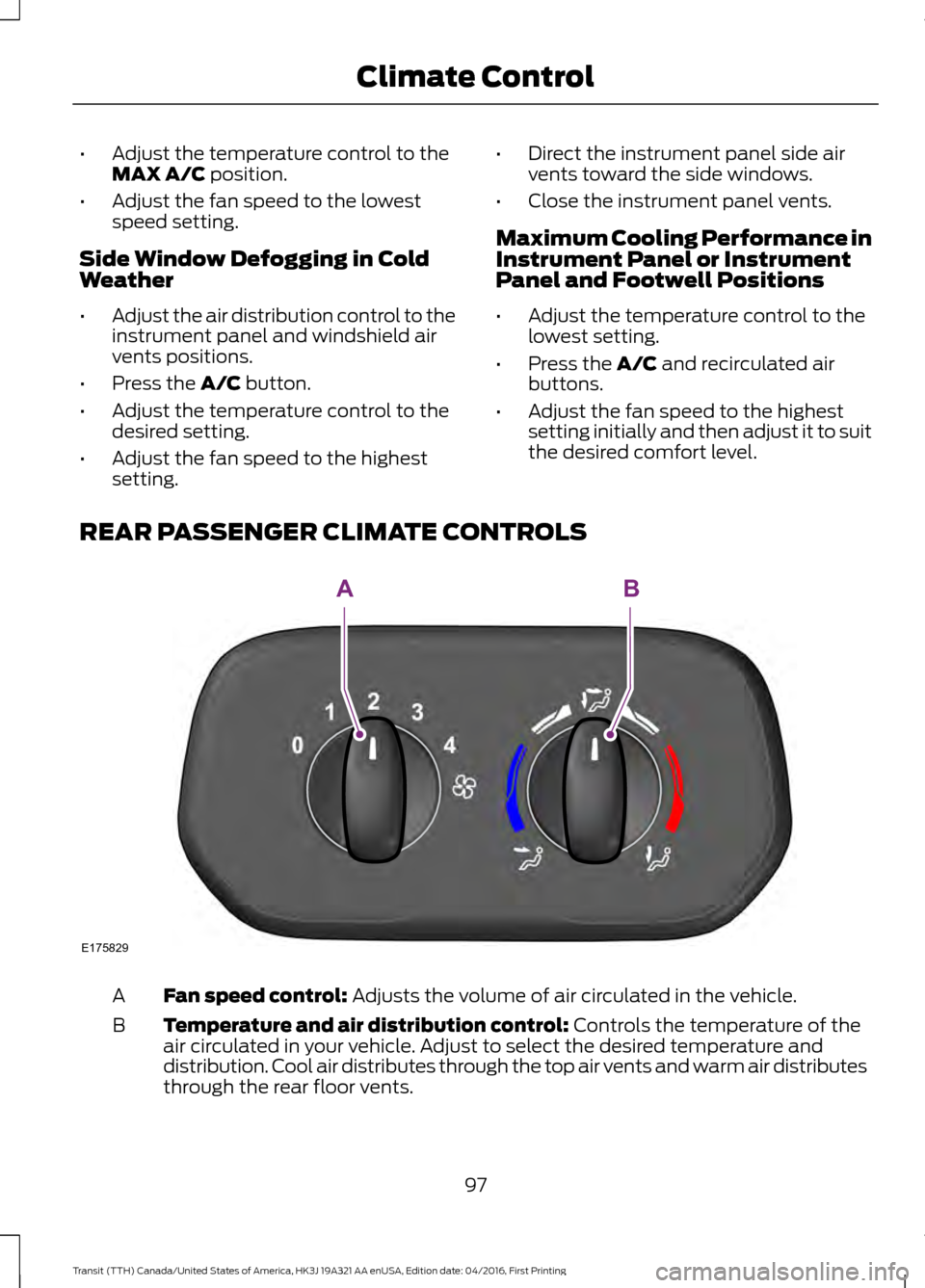
REAR PASSENGER CLIMATE CONTROLS Fan speed control:
Adjusts the volume of air circulated in the vehicle.
A
Temperature and air distribution control:
Controls the temperature of the
air circulated in your vehicle. Adjust to select the desired temperature and
distribution. Cool air distributes through the top air vents and warm air distributes
through the rear floor vents.
B
97
Transit (TTH) Canada/United States of America, HK3J 19A321 AA enUSA, Edition date: 04/2016, First Printing Climate ControlE175829
AB
Page 105 of 484
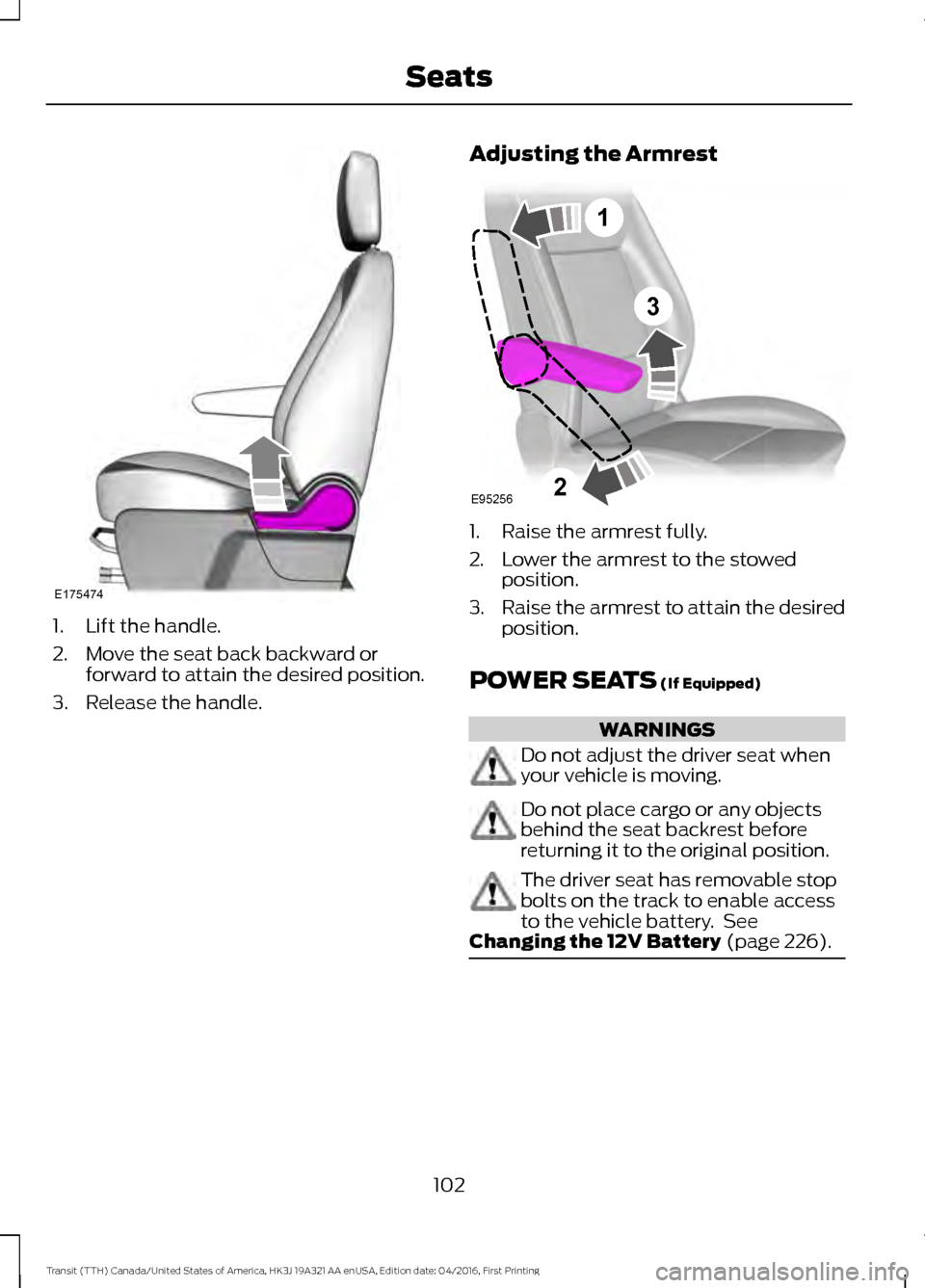
1. Lift the handle.
2. Move the seat back backward or
forward to attain the desired position.
3. Release the handle. Adjusting the Armrest 1. Raise the armrest fully.
2. Lower the armrest to the stowed
position.
3. Raise the armrest to attain the desired
position.
POWER SEATS (If Equipped) WARNINGS
Do not adjust the driver seat when
your vehicle is moving.
Do not place cargo or any objects
behind the seat backrest before
returning it to the original position.
The driver seat has removable stop
bolts on the track to enable access
to the vehicle battery. See
Changing the 12V Battery
(page 226). 102
Transit (TTH) Canada/United States of America, HK3J 19A321 AA enUSA, Edition date: 04/2016, First Printing SeatsE175474 3
E95256
1
2