ignition FORD TRANSIT 2017 5.G Owner's Manual
[x] Cancel search | Manufacturer: FORD, Model Year: 2017, Model line: TRANSIT, Model: FORD TRANSIT 2017 5.GPages: 484, PDF Size: 11.45 MB
Page 79 of 484
POWER WINDOWS
WARNINGS
To avoid risk of injury, do not leave
children or pets unattended in your
vehicle.
When closing the power windows,
you should verify they are free of
obstructions and make sure that
children and pets are not in the proximity
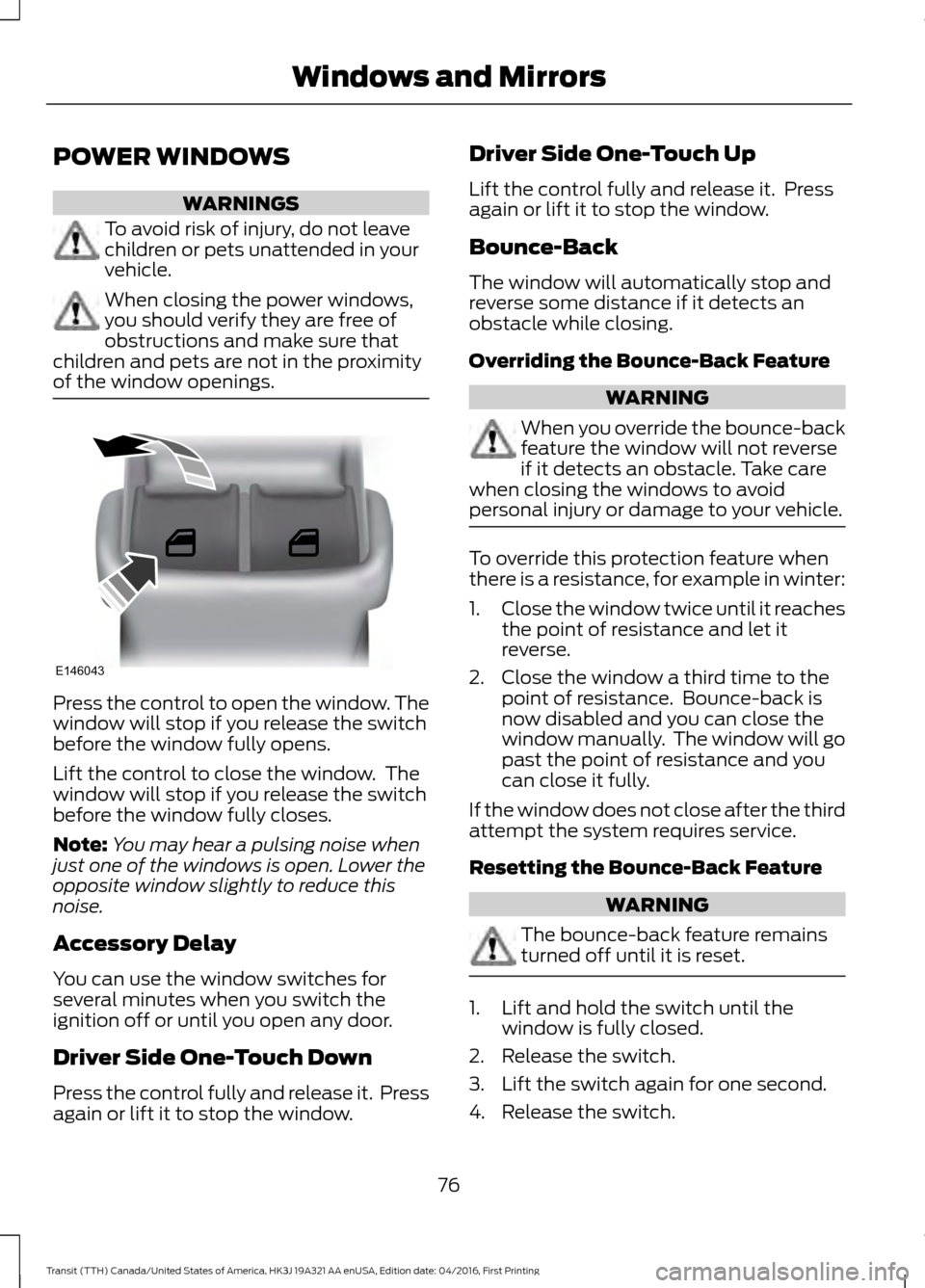
of the window openings. Press the control to open the window. The
window will stop if you release the switch
before the window fully opens.
Lift the control to close the window. The
window will stop if you release the switch
before the window fully closes.
Note:
You may hear a pulsing noise when
just one of the windows is open. Lower the
opposite window slightly to reduce this
noise.
Accessory Delay
You can use the window switches for
several minutes when you switch the
ignition off or until you open any door.
Driver Side One-Touch Down
Press the control fully and release it. Press
again or lift it to stop the window. Driver Side One-Touch Up
Lift the control fully and release it. Press
again or lift it to stop the window.
Bounce-Back
The window will automatically stop and
reverse some distance if it detects an
obstacle while closing.
Overriding the Bounce-Back Feature
WARNING
When you override the bounce-back
feature the window will not reverse
if it detects an obstacle. Take care
when closing the windows to avoid
personal injury or damage to your vehicle. To override this protection feature when
there is a resistance, for example in winter:
1.
Close the window twice until it reaches
the point of resistance and let it
reverse.
2. Close the window a third time to the point of resistance. Bounce-back is
now disabled and you can close the
window manually. The window will go
past the point of resistance and you
can close it fully.
If the window does not close after the third
attempt the system requires service.
Resetting the Bounce-Back Feature WARNING
The bounce-back feature remains
turned off until it is reset.
1. Lift and hold the switch until the
window is fully closed.
2. Release the switch.
3. Lift the switch again for one second.
4. Release the switch.
76
Transit (TTH) Canada/United States of America, HK3J 19A321 AA enUSA, Edition date: 04/2016, First Printing Windows and MirrorsE146043
Page 83 of 484
At normal operating temperature, the
needle will remain in the center section.
If the needle enters the red section, the
engine is overheating. Stop your vehicle as
soon as it is safe to do so and switch the
engine off. Determine the cause once the
engine has cooled down. See Engine
Coolant Check (page 218).
Note: Do not restart the engine until the
cause of overheating has been determined
and resolved.
Tripmeter Reset and Distance to
Empty
(If Equipped)
Press the button to change between the
tripmeter and distance to empty
information. Press and hold the button to
reset the tripmeter.
Fuel Gauge
Note: The fuel gauge may vary slightly
when your vehicle is moving or on a gradient. Switch the ignition on. The fuel gauge will
indicate approximately how much fuel is
in the fuel tank. The arrow adjacent to the
fuel pump symbol indicates on which side
of your vehicle the fuel filler door is located.
The needle should move toward F when
you refuel your vehicle. If the needle points
to E after adding fuel, this indicates your
vehicle needs service soon.
After refueling some variability in needle
position is normal:
•
It may take a short time for the needle
to reach F after leaving the gas station.
This is normal and depends upon the
slope of pavement at the gas station.
• The fuel amount dispensed into the
tank is a little less or more than the
gauge indicated. This is normal and
depends upon the slope of pavement
at the gas station.
• If the gas station nozzle shuts off
before the tank is full, try a different
gas pump nozzle.
Low Fuel Reminder
A low fuel reminder triggers when the fuel
gauge needle is at 1/16th.
Variations: Distance-to-empty
Fuel gauge position
Driving type (fuel economy
conditions)
35 miles to 80 miles (56 kmto 129 km)
1/16th
Highway driving
35 miles (56km)
1/16th
Severe duty driving (trailer
towing, extended idle)
80
Transit (TTH) Canada/United States of America, HK3J 19A321 AA enUSA, Edition date: 04/2016, First Printing Instrument Cluster
Page 84 of 484
WARNING LAMPS AND
INDICATORS
The following warning lamps and
indicators alert you to a vehicle condition
that may become serious. Some lamps
illuminate when you start your vehicle to
make sure they work. If any lamps remain
on after starting your vehicle, refer to the
respective system warning lamp for further
information.
Note:
Some warning indicators appear in
the information display and operate the
same as a warning lamp but do not
illuminate when you start your vehicle.
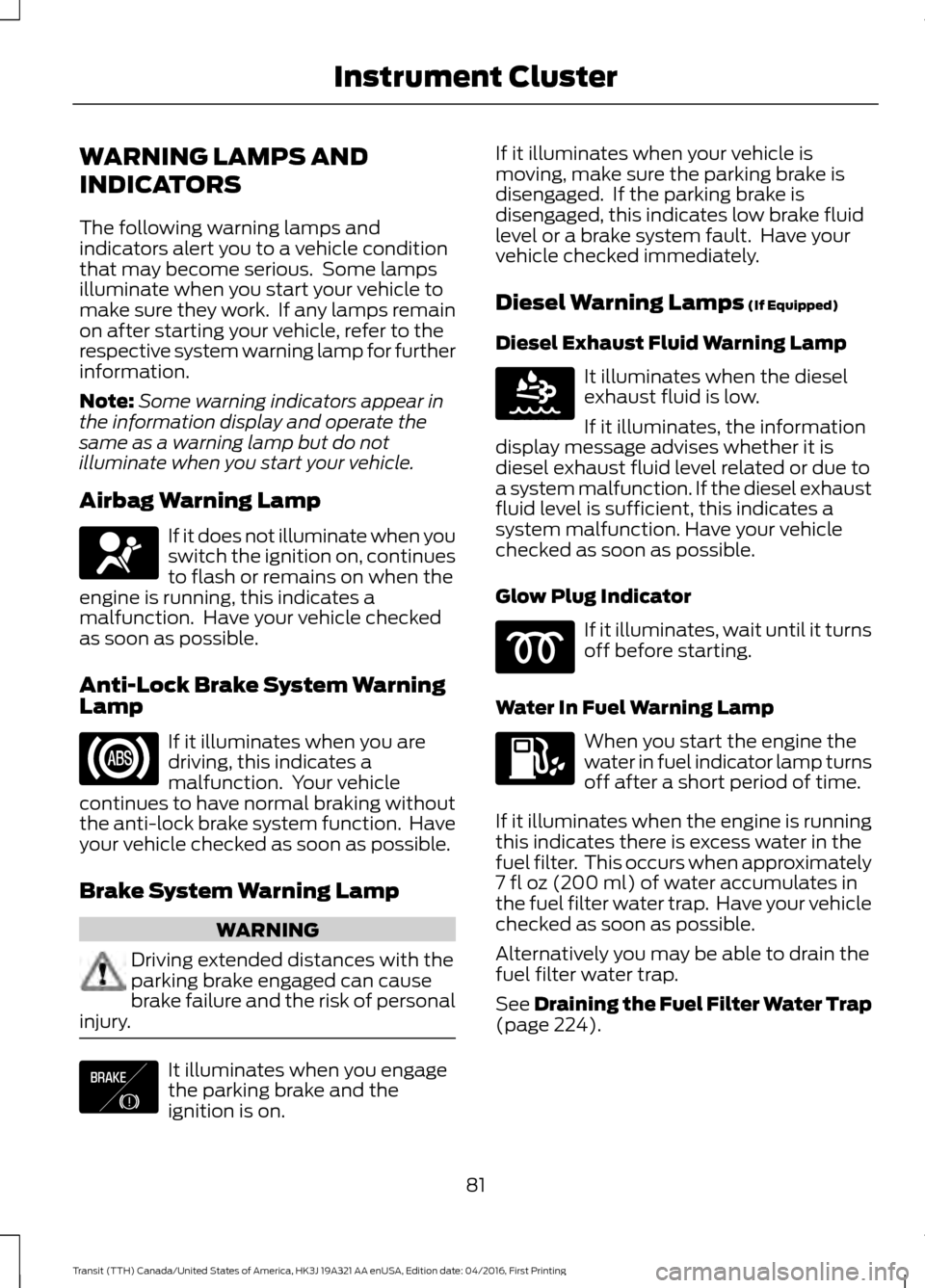
Airbag Warning Lamp If it does not illuminate when you
switch the ignition on, continues
to flash or remains on when the
engine is running, this indicates a
malfunction. Have your vehicle checked
as soon as possible.
Anti-Lock Brake System Warning
Lamp If it illuminates when you are
driving, this indicates a
malfunction. Your vehicle
continues to have normal braking without
the anti-lock brake system function. Have
your vehicle checked as soon as possible.
Brake System Warning Lamp WARNING
Driving extended distances with the
parking brake engaged can cause
brake failure and the risk of personal
injury. It illuminates when you engage
the parking brake and the
ignition is on. If it illuminates when your vehicle is
moving, make sure the parking brake is
disengaged. If the parking brake is
disengaged, this indicates low brake fluid
level or a brake system fault. Have your
vehicle checked immediately.
Diesel Warning Lamps (If Equipped)
Diesel Exhaust Fluid Warning Lamp It illuminates when the diesel
exhaust fluid is low.
If it illuminates, the information
display message advises whether it is
diesel exhaust fluid level related or due to
a system malfunction. If the diesel exhaust
fluid level is sufficient, this indicates a
system malfunction. Have your vehicle
checked as soon as possible.
Glow Plug Indicator If it illuminates, wait until it turns
off before starting.
Water In Fuel Warning Lamp When you start the engine the
water in fuel indicator lamp turns
off after a short period of time.
If it illuminates when the engine is running
this indicates there is excess water in the
fuel filter. This occurs when approximately
7 fl oz (200 ml)
of water accumulates in
the fuel filter water trap. Have your vehicle
checked as soon as possible.
Alternatively you may be able to drain the
fuel filter water trap.
See
Draining the Fuel Filter Water Trap
(page 224).
81
Transit (TTH) Canada/United States of America, HK3J 19A321 AA enUSA, Edition date: 04/2016, First Printing Instrument Cluster E138644 E163176
Page 85 of 484
Note:
If it illuminates when the engine is
running after draining the fuel filter water
trap, this indicates a fuel filter service is
required. Have your vehicle checked as soon
as possible.
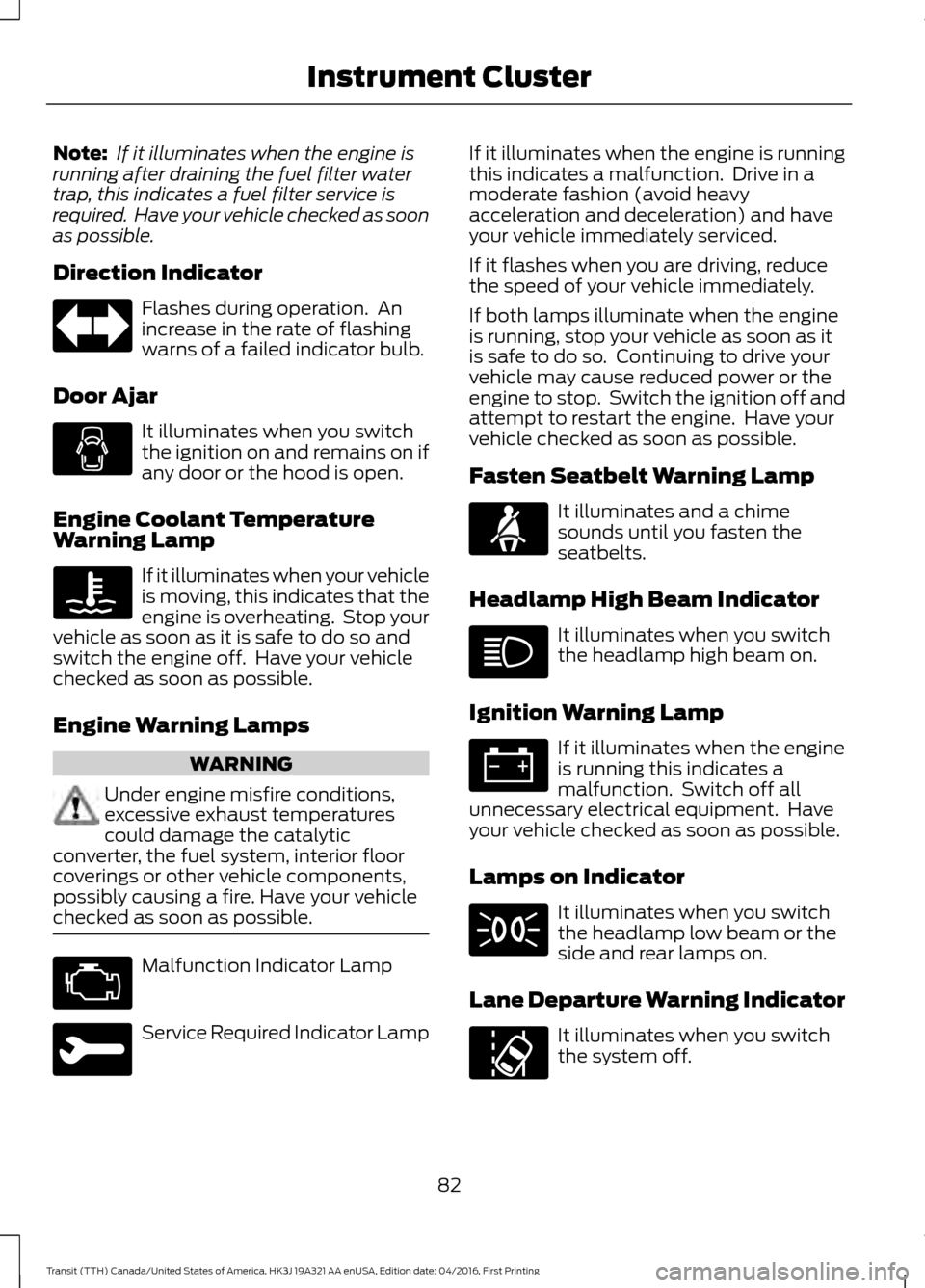
Direction Indicator Flashes during operation. An
increase in the rate of flashing
warns of a failed indicator bulb.
Door Ajar It illuminates when you switch
the ignition on and remains on if
any door or the hood is open.
Engine Coolant Temperature
Warning Lamp If it illuminates when your vehicle
is moving, this indicates that the
engine is overheating. Stop your
vehicle as soon as it is safe to do so and
switch the engine off. Have your vehicle
checked as soon as possible.
Engine Warning Lamps WARNING
Under engine misfire conditions,
excessive exhaust temperatures
could damage the catalytic
converter, the fuel system, interior floor
coverings or other vehicle components,
possibly causing a fire. Have your vehicle
checked as soon as possible. Malfunction Indicator Lamp
Service Required Indicator Lamp If it illuminates when the engine is running
this indicates a malfunction. Drive in a
moderate fashion (avoid heavy
acceleration and deceleration) and have
your vehicle immediately serviced.
If it flashes when you are driving, reduce
the speed of your vehicle immediately.
If both lamps illuminate when the engine
is running, stop your vehicle as soon as it
is safe to do so. Continuing to drive your
vehicle may cause reduced power or the
engine to stop. Switch the ignition off and
attempt to restart the engine. Have your
vehicle checked as soon as possible.
Fasten Seatbelt Warning Lamp
It illuminates and a chime
sounds until you fasten the
seatbelts.
Headlamp High Beam Indicator It illuminates when you switch
the headlamp high beam on.
Ignition Warning Lamp If it illuminates when the engine
is running this indicates a
malfunction. Switch off all
unnecessary electrical equipment. Have
your vehicle checked as soon as possible.
Lamps on Indicator It illuminates when you switch
the headlamp low beam or the
side and rear lamps on.
Lane Departure Warning Indicator It illuminates when you switch
the system off.
82
Transit (TTH) Canada/United States of America, HK3J 19A321 AA enUSA, Edition date: 04/2016, First Printing Instrument Cluster
Page 86 of 484
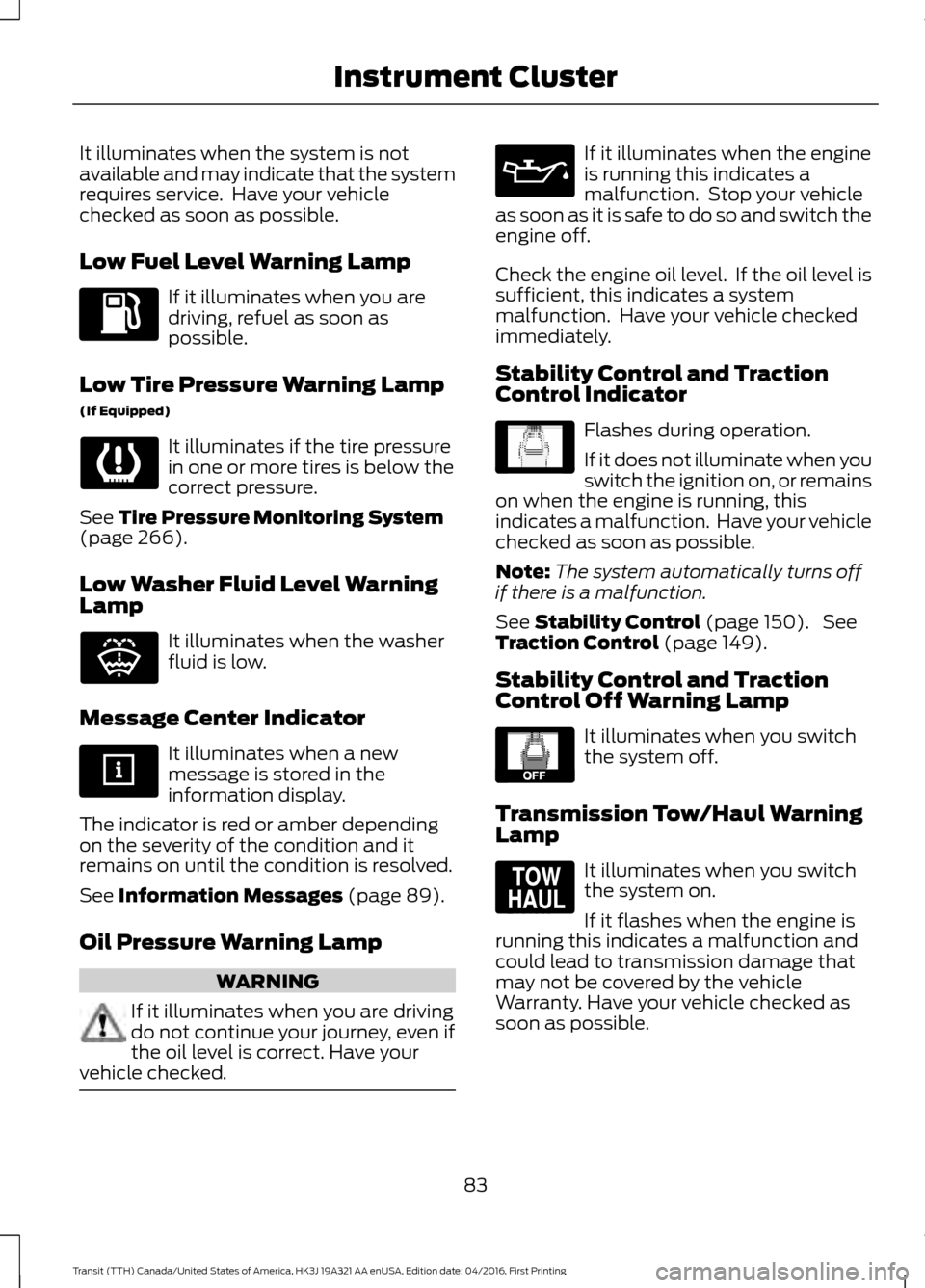
It illuminates when the system is not
available and may indicate that the system
requires service. Have your vehicle
checked as soon as possible.
Low Fuel Level Warning Lamp
If it illuminates when you are
driving, refuel as soon as
possible.
Low Tire Pressure Warning Lamp
(If Equipped) It illuminates if the tire pressure
in one or more tires is below the
correct pressure.
See Tire Pressure Monitoring System
(page 266).
Low Washer Fluid Level Warning
Lamp It illuminates when the washer
fluid is low.
Message Center Indicator It illuminates when a new
message is stored in the
information display.
The indicator is red or amber depending
on the severity of the condition and it
remains on until the condition is resolved.
See
Information Messages (page 89).
Oil Pressure Warning Lamp WARNING
If it illuminates when you are driving
do not continue your journey, even if
the oil level is correct. Have your
vehicle checked. If it illuminates when the engine
is running this indicates a
malfunction. Stop your vehicle
as soon as it is safe to do so and switch the
engine off.
Check the engine oil level. If the oil level is
sufficient, this indicates a system
malfunction. Have your vehicle checked
immediately.
Stability Control and Traction
Control Indicator Flashes during operation.
If it does not illuminate when you
switch the ignition on, or remains
on when the engine is running, this
indicates a malfunction. Have your vehicle
checked as soon as possible.
Note: The system automatically turns off
if there is a malfunction.
See
Stability Control (page 150). See
Traction Control (page 149).
Stability Control and Traction
Control Off Warning Lamp It illuminates when you switch
the system off.
Transmission Tow/Haul Warning
Lamp It illuminates when you switch
the system on.
If it flashes when the engine is
running this indicates a malfunction and
could lead to transmission damage that
may not be covered by the vehicle
Warranty. Have your vehicle checked as
soon as possible.
83
Transit (TTH) Canada/United States of America, HK3J 19A321 AA enUSA, Edition date: 04/2016, First Printing Instrument Cluster E132353 E138639 E130458 E161509
Page 87 of 484
AUDIBLE WARNINGS AND
INDICATORS
Airbag Secondary Warning
Sounds when there is a fault with the
airbag system and the airbag warning
lamp.
Door Ajar
Sounds when a door is not fully closed and
your vehicle is moving.
Exterior Lamps On
Sounds when you remove the key from the
ignition and open the driver door, and you
have left the headlamps or parking lamps
on.
Gearshift Lever not in Park (P)
Sounds when the driver door is open, the
key is in the ignition and the gearshift lever
is not in park (P).
Key in Ignition
Sounds when the driver door is open and
the key is in the ignition.
Parking Brake On
Sounds when the parking brake is on and
your vehicle is moving. If the warning chime
continues to sound when you release the
parking brake, have the system checked
by an authorized dealer.
Safety Belt Minder
WARNINGS
The safety belt minder remains in
stand-by mode when the driver's
safety belt has been fastened. It will
sound if the driver's safety belt is
unfastened. WARNINGS
Do not sit on top of a fastened safety
belt to prevent the safety belt minder
from coming on. The occupant
protection system will only provide
optimum protection when you use the
safety belt correctly. Sounds when a safety belt is unfastened
in an occupied seat and your vehicle is
moving.
84
Transit (TTH) Canada/United States of America, HK3J 19A321 AA enUSA, Edition date: 04/2016, First Printing Instrument Cluster
Page 110 of 484
The heated seat remains on until you
switch it off. If the heated seat is on when
you switch the ignition off, it will be on
when you switch the ignition back on.
Note:
Do not switch the heated seat on
unless your vehicle is running. This prevents
the vehicle battery from running out of
charge.
107
Transit (TTH) Canada/United States of America, HK3J 19A321 AA enUSA, Edition date: 04/2016, First Printing Seats
Page 111 of 484
(If Equipped)
12 Volt DC Power Point
WARNINGS
Do not plug optional electrical
accessories into the cigar lighter
socket. Incorrect use of the cigar
lighter can cause damage not covered by
the vehicle warranty, and can result in fire
or serious injury. Do not use a power point for
operating a cigar lighter. Incorrect
use of the power points can cause
damage not covered by the vehicle
warranty, and can result in fire or serious
injury. Note:
When you switch the ignition on, you
can use the socket to power 12 volt
appliances with a maximum current rating
of 15 amps.
If the power supply does not work after you
switch the ignition off, switch the ignition
on.
Note: Do not hang any accessory from the
accessory plug.
Note: Do not use the power point over the
vehicle capacity of 12 volt DC 180 watts or
a fuse may blow.
Note: Always keep the power point caps
closed when not in use.
Do not insert objects other than an
accessory plug into the power point. This
will damage the power point and blow the
fuse.
Run the vehicle for full capacity use of the
power point. To prevent the battery from running out of
charge:
•
Do not use the power point longer than
necessary when the vehicle is not
running.
• Do not leave devices plugged in
overnight or when you park your vehicle
for extended periods.
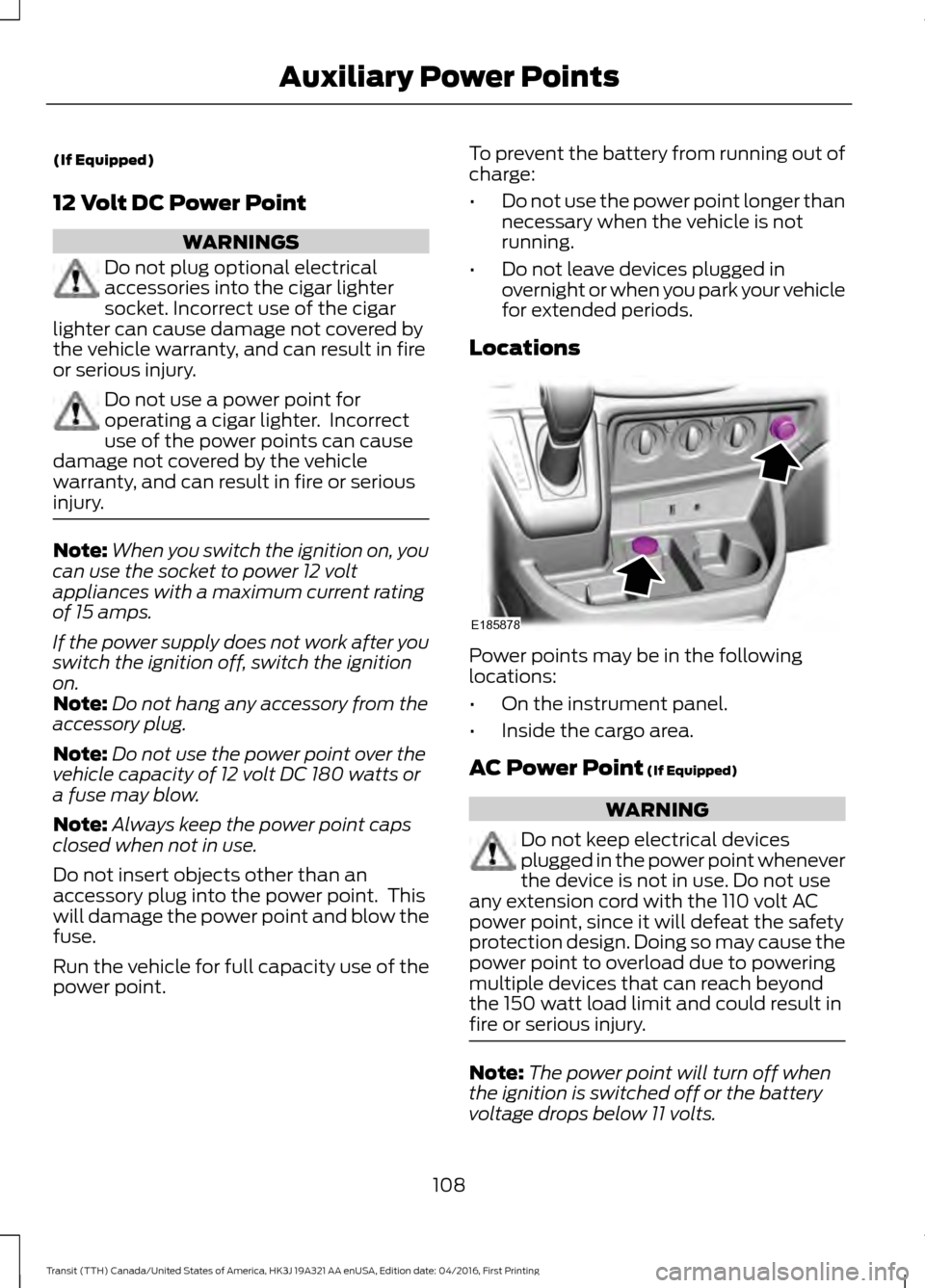
Locations Power points may be in the following
locations:
•
On the instrument panel.
• Inside the cargo area.
AC Power Point (If Equipped) WARNING
Do not keep electrical devices
plugged in the power point whenever
the device is not in use. Do not use
any extension cord with the 110 volt AC
power point, since it will defeat the safety
protection design. Doing so may cause the
power point to overload due to powering
multiple devices that can reach beyond
the 150 watt load limit and could result in
fire or serious injury. Note:
The power point will turn off when
the ignition is switched off or the battery
voltage drops below 11 volts.
108
Transit (TTH) Canada/United States of America, HK3J 19A321 AA enUSA, Edition date: 04/2016, First Printing Auxiliary Power PointsE185878
Page 112 of 484
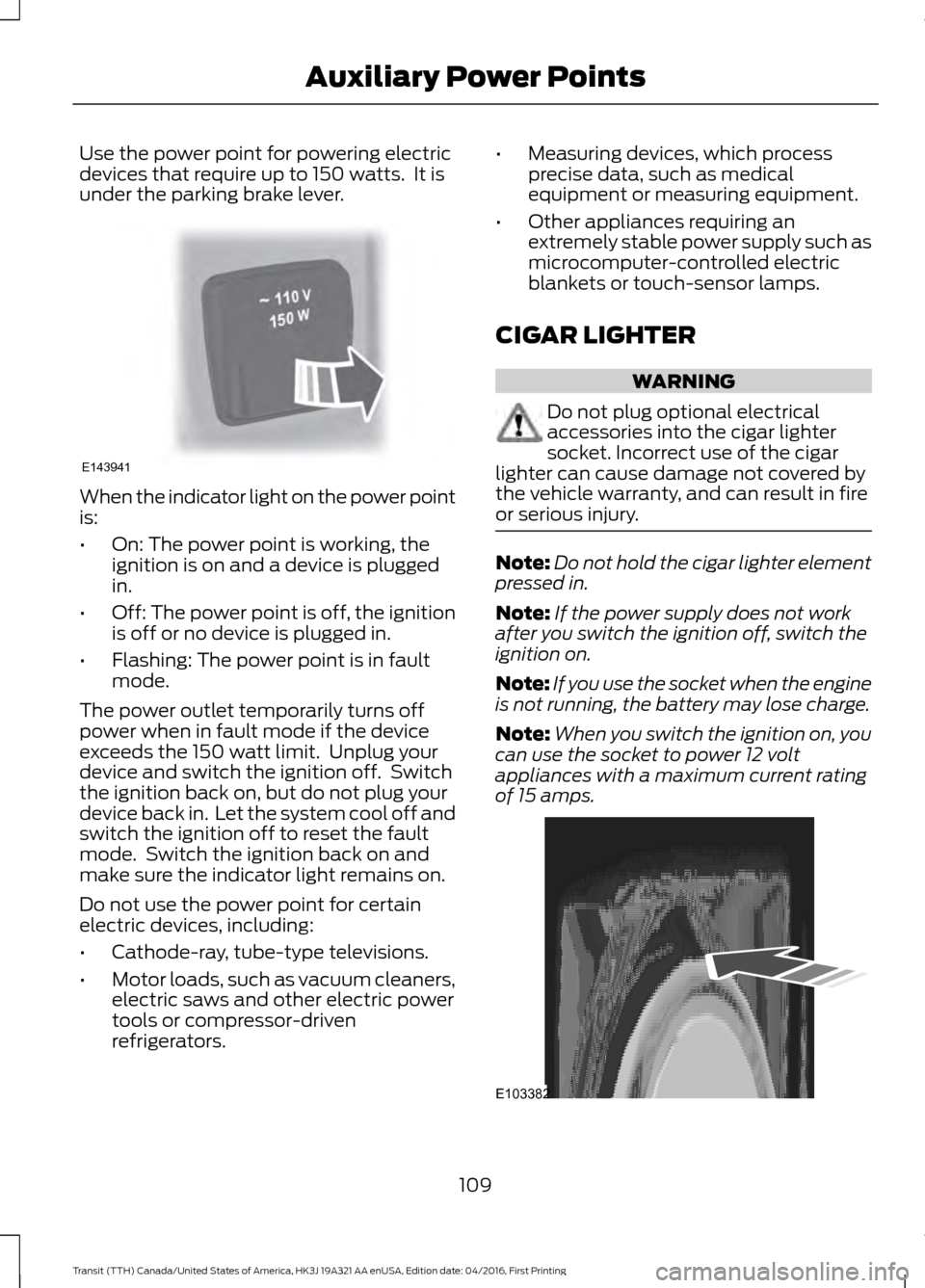
Use the power point for powering electric
devices that require up to 150 watts. It is
under the parking brake lever.
When the indicator light on the power point
is:
•
On: The power point is working, the
ignition is on and a device is plugged
in.
• Off: The power point is off, the ignition
is off or no device is plugged in.
• Flashing: The power point is in fault
mode.
The power outlet temporarily turns off
power when in fault mode if the device
exceeds the 150 watt limit. Unplug your
device and switch the ignition off. Switch
the ignition back on, but do not plug your
device back in. Let the system cool off and
switch the ignition off to reset the fault
mode. Switch the ignition back on and
make sure the indicator light remains on.
Do not use the power point for certain
electric devices, including:
• Cathode-ray, tube-type televisions.
• Motor loads, such as vacuum cleaners,
electric saws and other electric power
tools or compressor-driven
refrigerators. •
Measuring devices, which process
precise data, such as medical
equipment or measuring equipment.
• Other appliances requiring an
extremely stable power supply such as
microcomputer-controlled electric
blankets or touch-sensor lamps.
CIGAR LIGHTER WARNING
Do not plug optional electrical
accessories into the cigar lighter
socket. Incorrect use of the cigar
lighter can cause damage not covered by
the vehicle warranty, and can result in fire
or serious injury. Note:
Do not hold the cigar lighter element
pressed in.
Note: If the power supply does not work
after you switch the ignition off, switch the
ignition on.
Note: If you use the socket when the engine
is not running, the battery may lose charge.
Note: When you switch the ignition on, you
can use the socket to power 12 volt
appliances with a maximum current rating
of 15 amps. 109
Transit (TTH) Canada/United States of America, HK3J 19A321 AA enUSA, Edition date: 04/2016, First Printing Auxiliary Power PointsE143941 E103382
Page 115 of 484
GENERAL INFORMATION
WARNINGS
Extended idling at high engine
speeds can produce very high
temperatures in the engine and
exhaust system, creating the risk of fire or
other damage. Do not park, idle or drive your vehicle
on dry grass or other dry ground
cover. The emission system heats up
the engine compartment and exhaust
system, creating the risk of fire. Do not start the engine in a closed
garage or in other enclosed areas.
Exhaust fumes can be toxic. Always
open the garage door before you start the
engine. If you smell exhaust fumes inside
your vehicle, have your vehicle
checked by an authorized dealer
immediately. Do not drive your vehicle if
you smell exhaust fumes. If you disconnect the battery, your vehicle
may exhibit some unusual driving
characteristics for approximately 5 miles
(8 kilometers) after you reconnect it. This
is because the engine management system
must realign itself with the engine. You can
disregard any unusual driving
characteristics during this period.
The powertrain control system meets all
Canadian interference-causing equipment
standard requirements regulating the
impulse electrical field or radio noise.
When you start the engine, avoid pressing
the accelerator pedal before and during
operation. Only use the accelerator pedal
when you have difficulty starting the
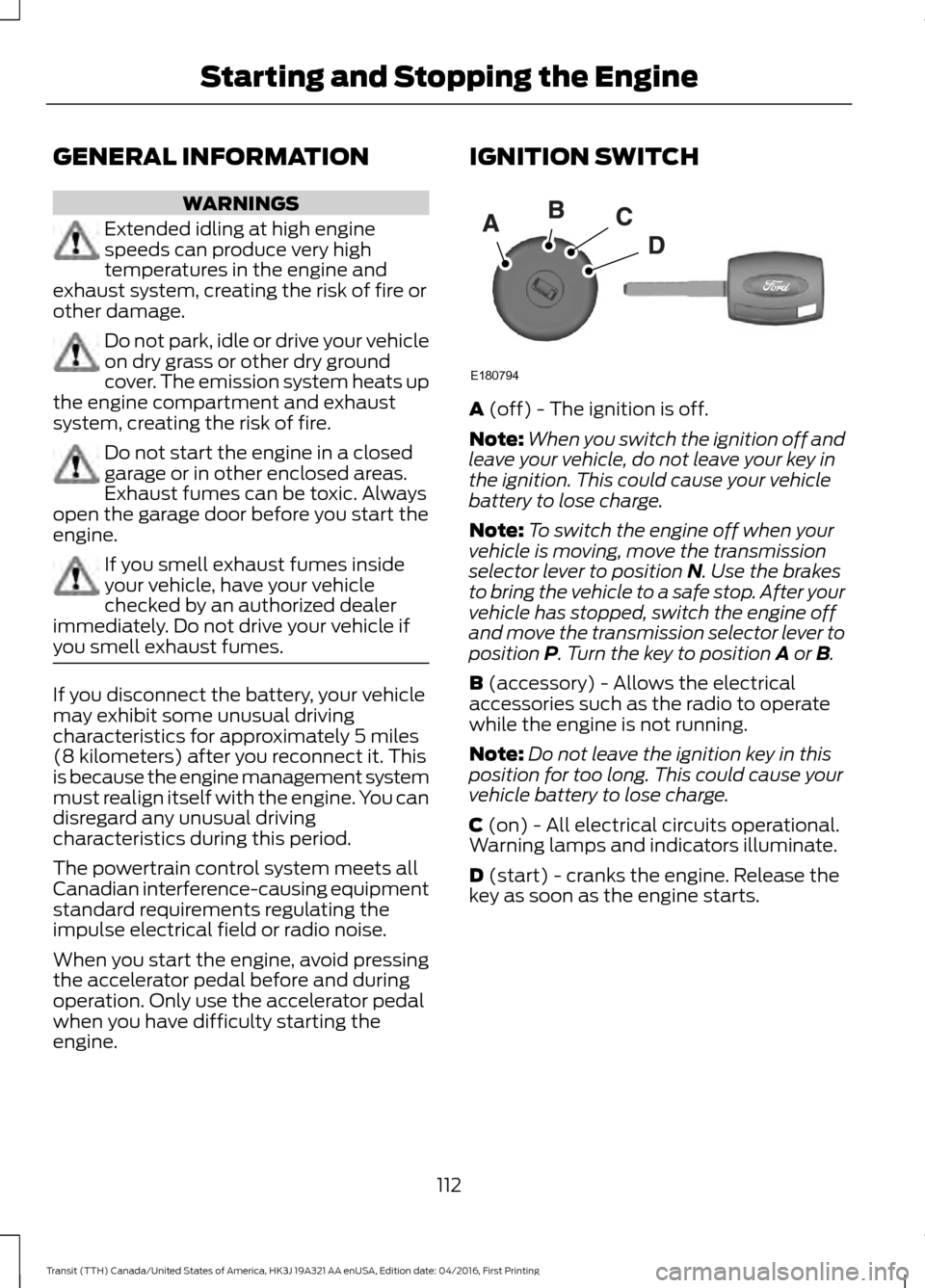
engine. IGNITION SWITCH
A (off) - The ignition is off.
Note: When you switch the ignition off and
leave your vehicle, do not leave your key in
the ignition. This could cause your vehicle
battery to lose charge.
Note: To switch the engine off when your
vehicle is moving, move the transmission
selector lever to position
N. Use the brakes
to bring the vehicle to a safe stop. After your
vehicle has stopped, switch the engine off
and move the transmission selector lever to
position
P. Turn the key to position A or B.
B
(accessory) - Allows the electrical
accessories such as the radio to operate
while the engine is not running.
Note: Do not leave the ignition key in this
position for too long. This could cause your
vehicle battery to lose charge.
C
(on) - All electrical circuits operational.
Warning lamps and indicators illuminate.
D
(start) - cranks the engine. Release the
key as soon as the engine starts.
112
Transit (TTH) Canada/United States of America, HK3J 19A321 AA enUSA, Edition date: 04/2016, First Printing Starting and Stopping the EngineE180794