airbag off FORD TRANSIT 2018 User Guide
[x] Cancel search | Manufacturer: FORD, Model Year: 2018, Model line: TRANSIT, Model: FORD TRANSIT 2018Pages: 521, PDF Size: 8.65 MB
Page 61 of 521
In the Event of a Crash
Not all crashes will deploy an airbag or
activate the fuel pump shut-off (the
triggers for 911 Assist). If a connected cell
phone sustains damage or loses its
connection to SYNC during a crash, SYNC
will search for and try to connect to a
previously paired cell phone; SYNC will
then attempt to call the emergency
services.
Before making the call:
•
SYNC provides a short window of time
(about 10 seconds) to cancel the call.
If you fail to cancel the call, SYNC
attempts to dial 911.
• SYNC says the following, or a similar
message: "SYNC will attempt to call
911, to cancel the call, press Cancel on
your screen or press and hold the
phone button on your steering wheel."
If you do not cancel the call, and SYNC
makes a successful call, a pre-recorded
message plays for the 911 operator, and
then the occupant(s) in your vehicle is able
to talk with the operator. Be prepared to
provide your name, phone number and
location immediately, because not all 911
systems are capable of receiving this
information electronically.
911 Assist May Not Work If
• Your cellular phone or 911 Assist
hardware sustains damage in a crash.
• The vehicle's battery or the SYNC
system has no power.
• The phone(s) thrown from your vehicle
are the ones paired and connected to
the system. 911 Assist Privacy Notice
When you switch on 911 Assist, it may
disclose to emergency services that your
vehicle has been in a crash involving the
deployment of an airbag or activation of
the fuel pump shut-off. Certain versions or
updates to 911 Assist may also be capable
of electronically or verbally disclosing to
911 operators your vehicle location or other
details about your vehicle or crash to assist
911 operators to provide the most
appropriate emergency services. If you do
not want to disclose this information, do
not switch the feature on.
58
2018 Transit (TTH) Canada/United States of America, JK3J 19A321 AA enUSA, Edition date: 201705, Third-Printing- Automatic Crash Notification System
Page 101 of 521
Stability Control and Traction
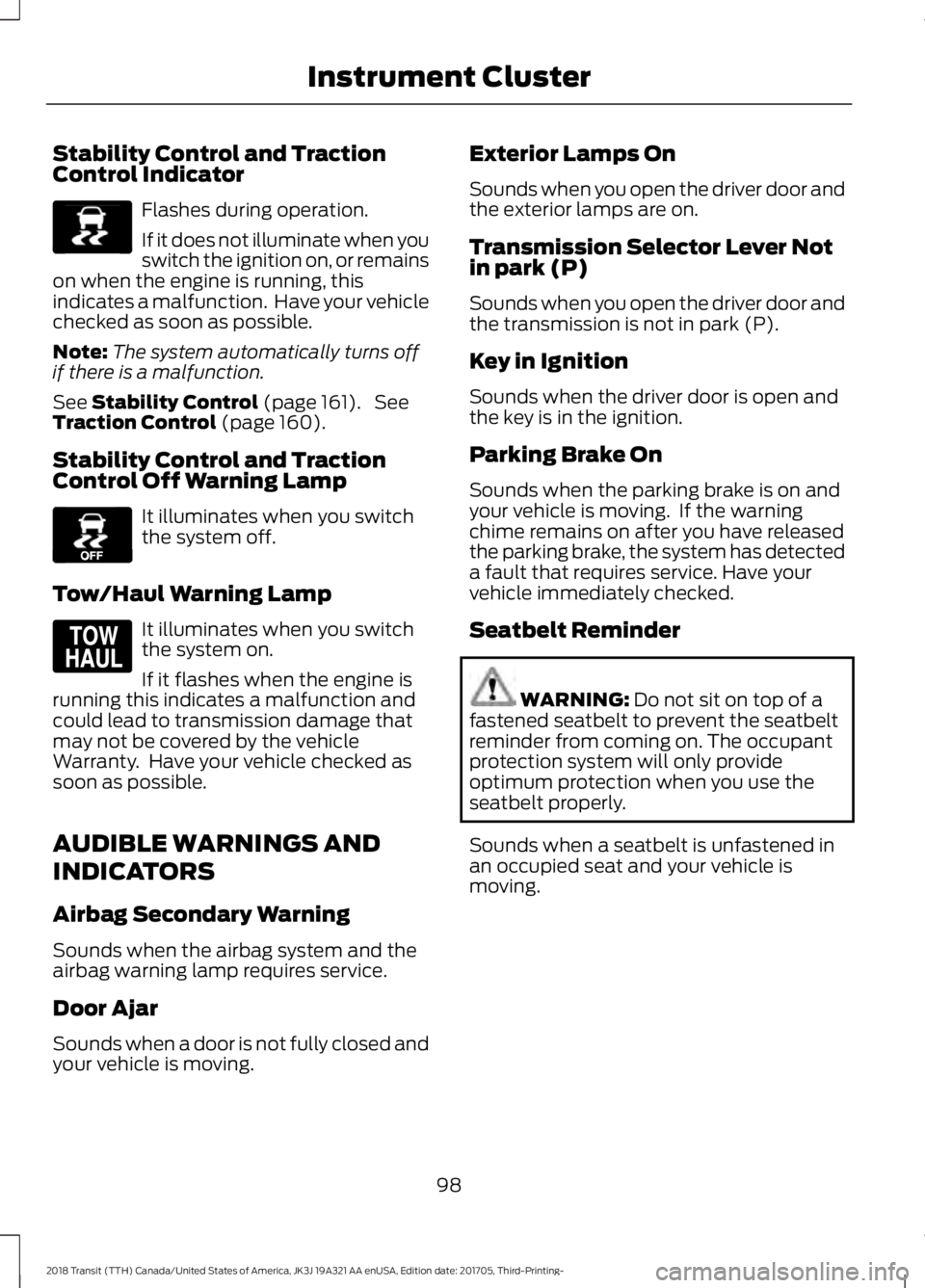
Control Indicator
Flashes during operation.
If it does not illuminate when you
switch the ignition on, or remains
on when the engine is running, this
indicates a malfunction. Have your vehicle
checked as soon as possible.
Note: The system automatically turns off
if there is a malfunction.
See Stability Control (page 161). See
Traction Control (page 160).
Stability Control and Traction
Control Off Warning Lamp It illuminates when you switch
the system off.
Tow/Haul Warning Lamp It illuminates when you switch
the system on.
If it flashes when the engine is
running this indicates a malfunction and
could lead to transmission damage that
may not be covered by the vehicle
Warranty. Have your vehicle checked as
soon as possible.
AUDIBLE WARNINGS AND
INDICATORS
Airbag Secondary Warning
Sounds when the airbag system and the
airbag warning lamp requires service.
Door Ajar
Sounds when a door is not fully closed and
your vehicle is moving. Exterior Lamps On
Sounds when you open the driver door and
the exterior lamps are on.
Transmission Selector Lever Not
in park (P)
Sounds when you open the driver door and
the transmission is not in park (P).
Key in Ignition
Sounds when the driver door is open and
the key is in the ignition.
Parking Brake On
Sounds when the parking brake is on and
your vehicle is moving. If the warning
chime remains on after you have released
the parking brake, the system has detected
a fault that requires service. Have your
vehicle immediately checked.
Seatbelt Reminder
WARNING:
Do not sit on top of a
fastened seatbelt to prevent the seatbelt
reminder from coming on. The occupant
protection system will only provide
optimum protection when you use the
seatbelt properly.
Sounds when a seatbelt is unfastened in
an occupied seat and your vehicle is
moving.
98
2018 Transit (TTH) Canada/United States of America, JK3J 19A321 AA enUSA, Edition date: 201705, Third-Printing- Instrument ClusterE138639 E130458 E161509
Page 201 of 521
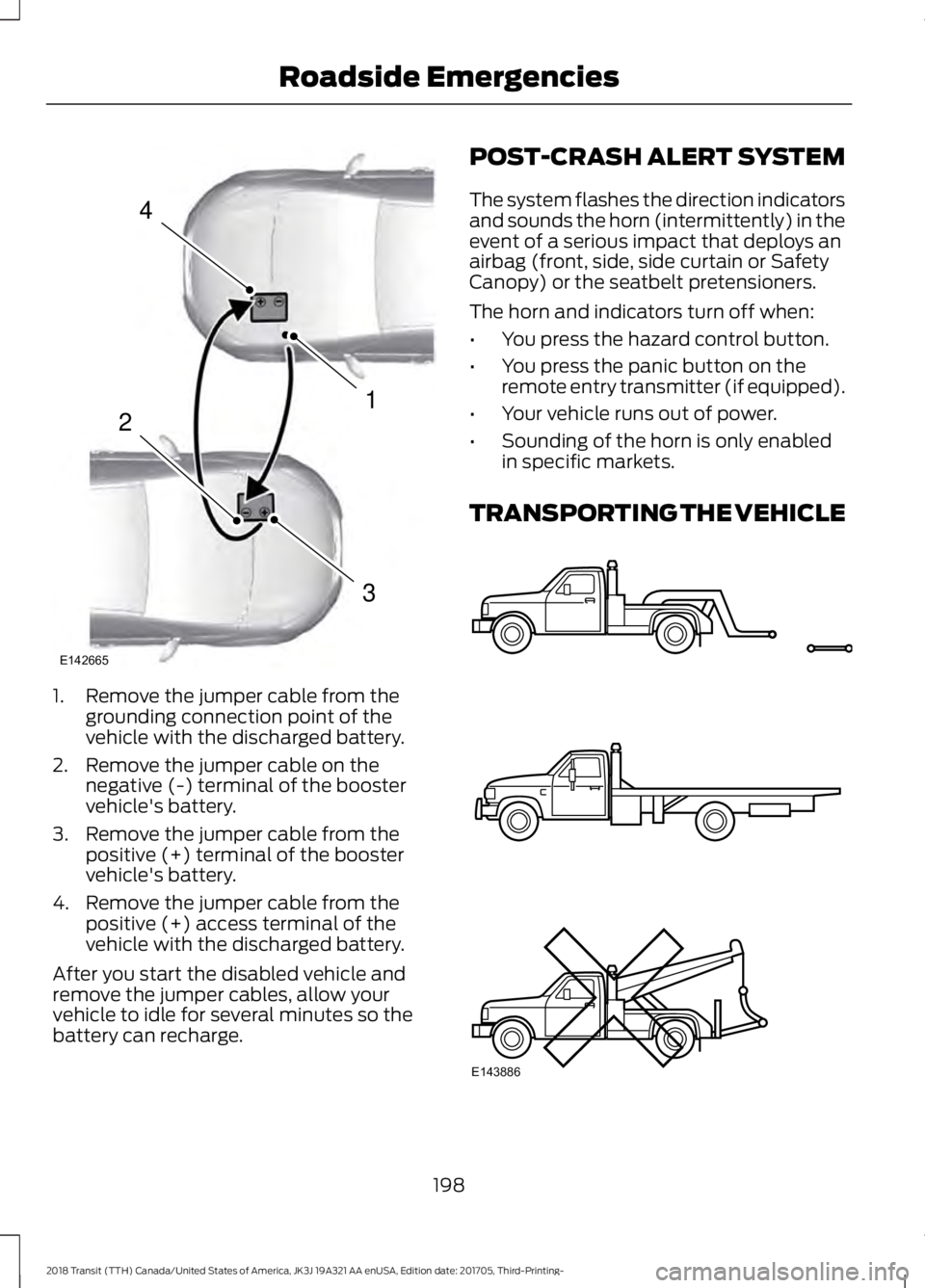
1. Remove the jumper cable from the
grounding connection point of the
vehicle with the discharged battery.
2. Remove the jumper cable on the negative (-) terminal of the booster
vehicle's battery.
3. Remove the jumper cable from the positive (+) terminal of the booster
vehicle's battery.
4. Remove the jumper cable from the positive (+) access terminal of the
vehicle with the discharged battery.
After you start the disabled vehicle and
remove the jumper cables, allow your
vehicle to idle for several minutes so the
battery can recharge. POST-CRASH ALERT SYSTEM
The system flashes the direction indicators
and sounds the horn (intermittently) in the
event of a serious impact that deploys an
airbag (front, side, side curtain or Safety
Canopy) or the seatbelt pretensioners.
The horn and indicators turn off when:
•
You press the hazard control button.
• You press the panic button on the
remote entry transmitter (if equipped).
• Your vehicle runs out of power.
• Sounding of the horn is only enabled
in specific markets.
TRANSPORTING THE VEHICLE 198
2018 Transit (TTH) Canada/United States of America, JK3J 19A321 AA enUSA, Edition date: 201705, Third-Printing- Roadside Emergencies4
1
3
2
E142665 E143886
Page 268 of 521
CLEANING THE INSTRUMENT
PANEL AND INSTRUMENT
CLUSTER LENS
WARNING: Do not use chemical
solvents or strong detergents when
cleaning the steering wheel or instrument
panel to avoid contamination of the airbag
system.
Note: Follow the same procedure as
cleaning leather seats for cleaning leather
instrument panels and leather interior trim
surfaces.
Clean the instrument panel and cluster
lens with a clean, damp and soft cloth,
then use a clean, dry and soft cloth to dry
these areas.
• Avoid cleaners or polishes that increase
the gloss of the upper portion of the
instrument panel. The dull finish in this
area helps protect you from
undesirable windshield reflection.
• Do not use any household cleaning
products or glass cleaners as these
may damage the finish of the
instrument panel, interior trim and
cluster lens.
• Wash or wipe your hands clean if you
have been in contact with certain
products such as insect repellent and
suntan lotion to avoid possible damage
to the interior painted surfaces.
• Do not allow air fresheners and hand
sanitizers to spill onto interior surfaces.
If a spill occurs, wipe off immediately.
Your warranty may not cover these
damages.
If a staining liquid like coffee or juice has
been spilled on the instrument panel or on
interior trim surfaces: 1. Wipe up spilled liquid using a clean,
soft cloth as quickly as possible.
2. Use Motorcraft Premium Leather and Vinyl Cleaner or a commercially
available leather cleaning product for
automotive interiors. Test any cleaner
or stain remover on an inconspicuous
area.
3. Alternatively, wipe the surface with a clean, soft cloth and a mild soap and
water solution. Dry the area with a
clean, soft cloth.
4. If necessary, apply more soap and water solution or cleaning product to
a clean, soft cloth and press it onto the
soiled area. Allow this to set at room
temperature for 30 minutes.
5. Remove the soaked cloth, then with a clean, damp cloth, use a rubbing
motion for 60 seconds on the soiled
area.
6. Dry the area with a clean, soft cloth.
REPAIRING MINOR PAINT
DAMAGE
Authorized dealers have touch-up paint to
match your vehicle ’s color. Your vehicle
color code is printed on a sticker on the
front, left-hand side door jamb. Take your
color code to your authorized dealer to
make sure you get the correct color.
Before repairing minor paint damage, use
a cleaner such as Motorcraft Bug and Tar
Remover to remove particles such as bird
droppings, tree sap, insect deposits, tar
spots, road salt and industrial fallout.
Always read the instructions before using
cleaning products.
265
2018 Transit (TTH) Canada/United States of America, JK3J 19A321 AA enUSA, Edition date: 201705, Third-Printing- Vehicle Care
Page 368 of 521
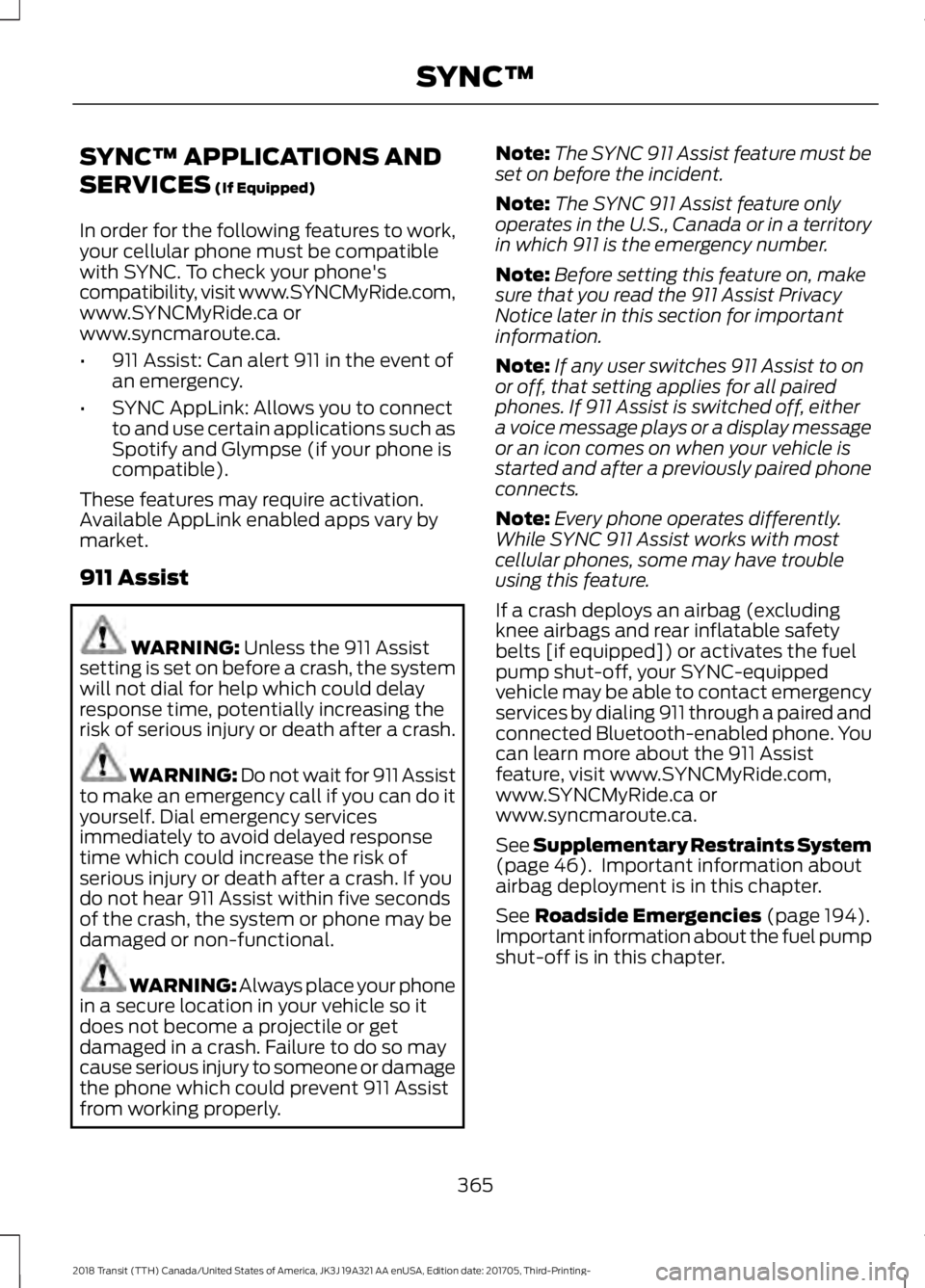
SYNC™ APPLICATIONS AND
SERVICES (If Equipped)
In order for the following features to work,
your cellular phone must be compatible
with SYNC. To check your phone's
compatibility, visit www.SYNCMyRide.com,
www.SYNCMyRide.ca or
www.syncmaroute.ca.
• 911 Assist: Can alert 911 in the event of
an emergency.
• SYNC AppLink: Allows you to connect
to and use certain applications such as
Spotify and Glympse (if your phone is
compatible).
These features may require activation.
Available AppLink enabled apps vary by
market.
911 Assist WARNING:
Unless the 911 Assist
setting is set on before a crash, the system
will not dial for help which could delay
response time, potentially increasing the
risk of serious injury or death after a crash. WARNING: Do not wait for 911 Assist
to make an emergency call if you can do it
yourself. Dial emergency services
immediately to avoid delayed response
time which could increase the risk of
serious injury or death after a crash. If you
do not hear 911 Assist within five seconds
of the crash, the system or phone may be
damaged or non-functional. WARNING: Always place your phone
in a secure location in your vehicle so it
does not become a projectile or get
damaged in a crash. Failure to do so may
cause serious injury to someone or damage
the phone which could prevent 911 Assist
from working properly. Note:
The SYNC 911 Assist feature must be
set on before the incident.
Note: The SYNC 911 Assist feature only
operates in the U.S., Canada or in a territory
in which 911 is the emergency number.
Note: Before setting this feature on, make
sure that you read the 911 Assist Privacy
Notice later in this section for important
information.
Note: If any user switches 911 Assist to on
or off, that setting applies for all paired
phones. If 911 Assist is switched off, either
a voice message plays or a display message
or an icon comes on when your vehicle is
started and after a previously paired phone
connects.
Note: Every phone operates differently.
While SYNC 911 Assist works with most
cellular phones, some may have trouble
using this feature.
If a crash deploys an airbag (excluding
knee airbags and rear inflatable safety
belts [if equipped]) or activates the fuel
pump shut-off, your SYNC-equipped
vehicle may be able to contact emergency
services by dialing 911 through a paired and
connected Bluetooth-enabled phone. You
can learn more about the 911 Assist
feature, visit www.SYNCMyRide.com,
www.SYNCMyRide.ca or
www.syncmaroute.ca.
See
Supplementary Restraints System
(page 46). Important information about
airbag deployment is in this chapter.
See
Roadside Emergencies (page 194).
Important information about the fuel pump
shut-off is in this chapter.
365
2018 Transit (TTH) Canada/United States of America, JK3J 19A321 AA enUSA, Edition date: 201705, Third-Printing- SYNC™
Page 369 of 521
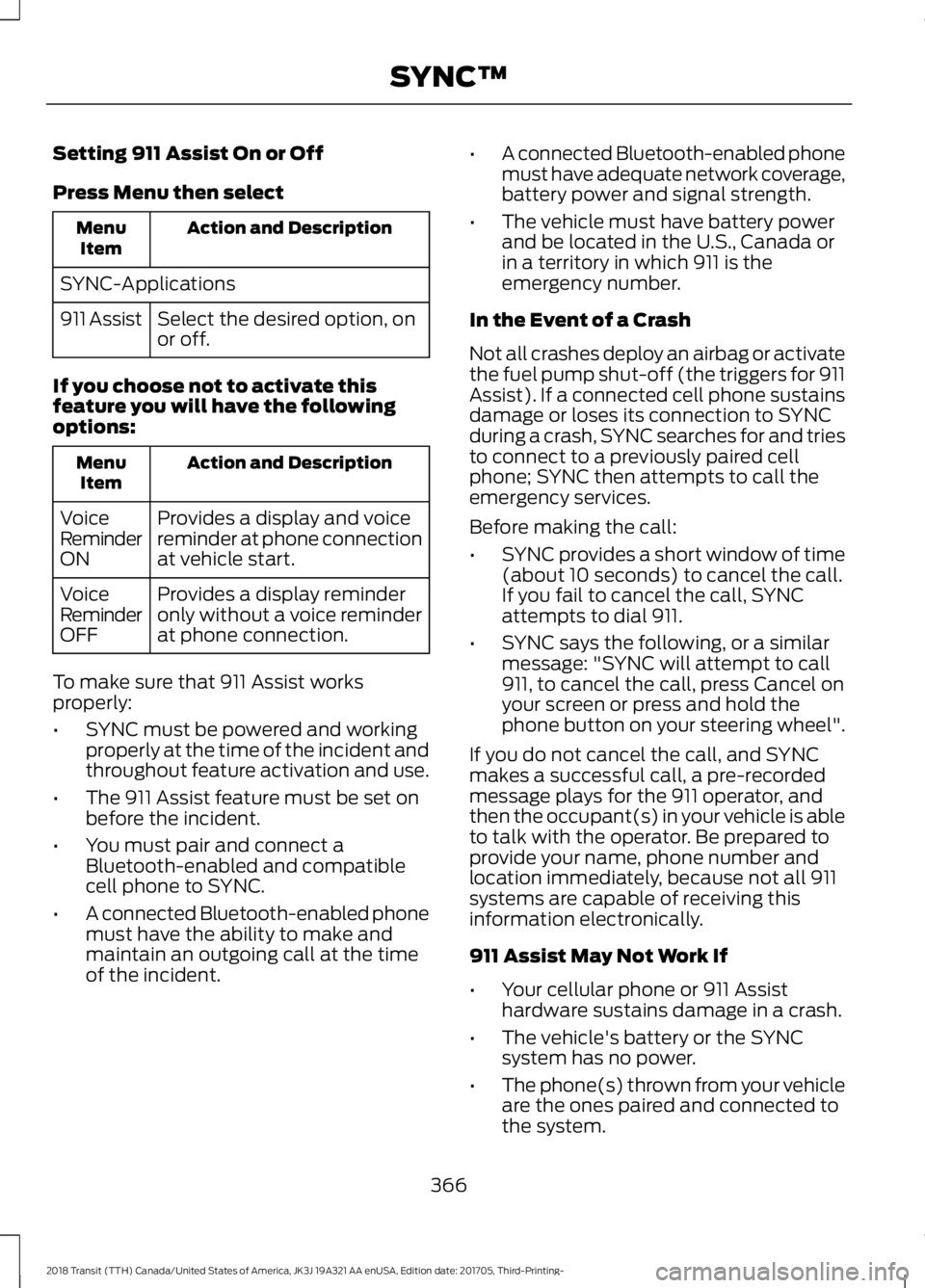
Setting 911 Assist On or Off
Press Menu then select
Action and Description
Menu
Item
SYNC-Applications Select the desired option, on
or off.
911 Assist
If you choose not to activate this
feature you will have the following
options: Action and Description
Menu
Item
Provides a display and voice
reminder at phone connection
at vehicle start.
Voice
Reminder
ON
Provides a display reminder
only without a voice reminder
at phone connection.
Voice
Reminder
OFF
To make sure that 911 Assist works
properly:
• SYNC must be powered and working
properly at the time of the incident and
throughout feature activation and use.
• The 911 Assist feature must be set on
before the incident.
• You must pair and connect a
Bluetooth-enabled and compatible
cell phone to SYNC.
• A connected Bluetooth-enabled phone
must have the ability to make and
maintain an outgoing call at the time
of the incident. •
A connected Bluetooth-enabled phone
must have adequate network coverage,
battery power and signal strength.
• The vehicle must have battery power
and be located in the U.S., Canada or
in a territory in which 911 is the
emergency number.
In the Event of a Crash
Not all crashes deploy an airbag or activate
the fuel pump shut-off (the triggers for 911
Assist). If a connected cell phone sustains
damage or loses its connection to SYNC
during a crash, SYNC searches for and tries
to connect to a previously paired cell
phone; SYNC then attempts to call the
emergency services.
Before making the call:
• SYNC provides a short window of time
(about 10 seconds) to cancel the call.
If you fail to cancel the call, SYNC
attempts to dial 911.
• SYNC says the following, or a similar
message: "SYNC will attempt to call
911, to cancel the call, press Cancel on
your screen or press and hold the
phone button on your steering wheel".
If you do not cancel the call, and SYNC
makes a successful call, a pre-recorded
message plays for the 911 operator, and
then the occupant(s) in your vehicle is able
to talk with the operator. Be prepared to
provide your name, phone number and
location immediately, because not all 911
systems are capable of receiving this
information electronically.
911 Assist May Not Work If
• Your cellular phone or 911 Assist
hardware sustains damage in a crash.
• The vehicle's battery or the SYNC
system has no power.
• The phone(s) thrown from your vehicle
are the ones paired and connected to
the system.
366
2018 Transit (TTH) Canada/United States of America, JK3J 19A321 AA enUSA, Edition date: 201705, Third-Printing- SYNC™
Page 370 of 521
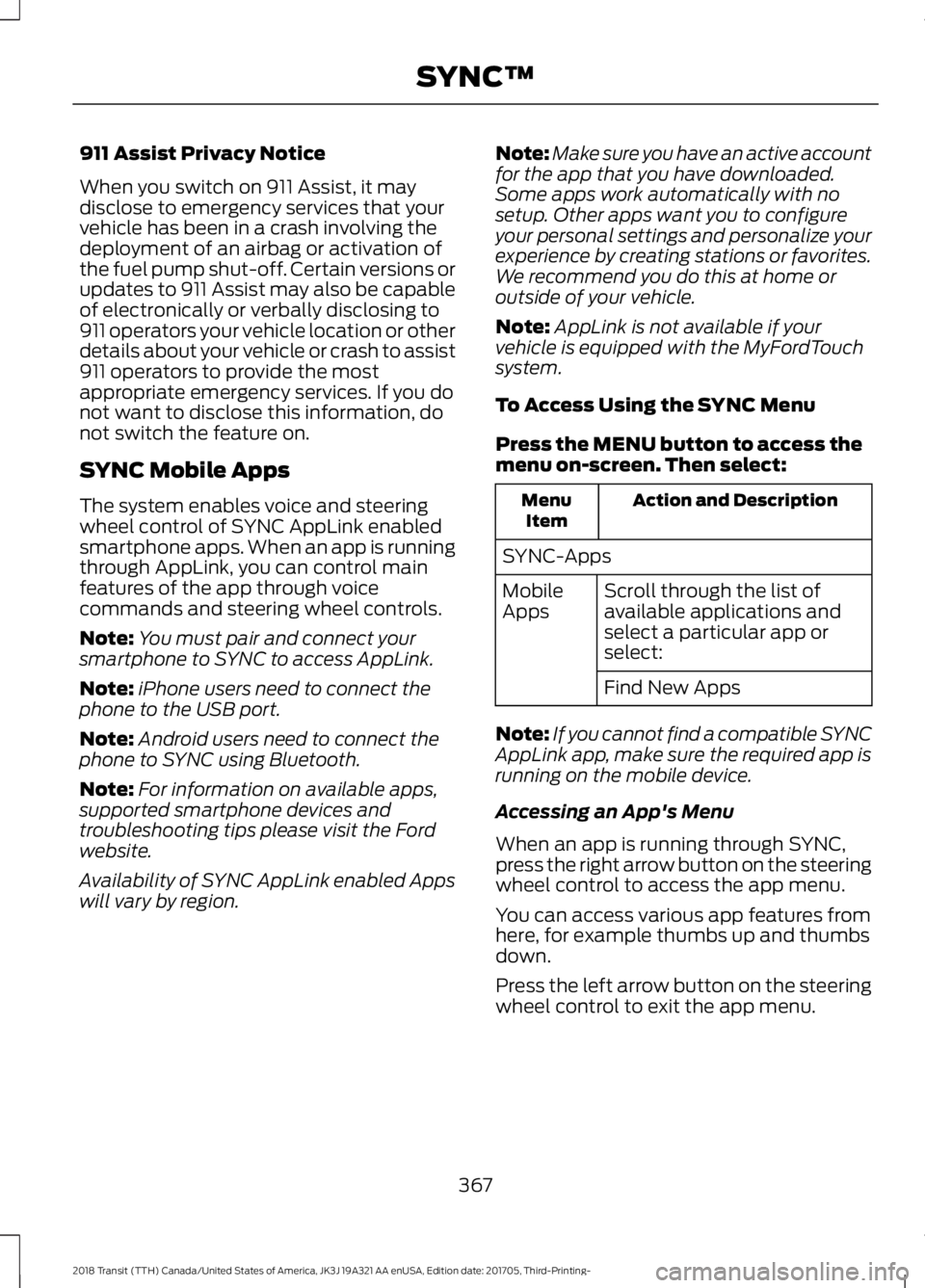
911 Assist Privacy Notice
When you switch on 911 Assist, it may
disclose to emergency services that your
vehicle has been in a crash involving the
deployment of an airbag or activation of
the fuel pump shut-off. Certain versions or
updates to 911 Assist may also be capable
of electronically or verbally disclosing to
911 operators your vehicle location or other
details about your vehicle or crash to assist
911 operators to provide the most
appropriate emergency services. If you do
not want to disclose this information, do
not switch the feature on.
SYNC Mobile Apps
The system enables voice and steering
wheel control of SYNC AppLink enabled
smartphone apps. When an app is running
through AppLink, you can control main
features of the app through voice
commands and steering wheel controls.
Note:
You must pair and connect your
smartphone to SYNC to access AppLink.
Note: iPhone users need to connect the
phone to the USB port.
Note: Android users need to connect the
phone to SYNC using Bluetooth.
Note: For information on available apps,
supported smartphone devices and
troubleshooting tips please visit the Ford
website.
Availability of SYNC AppLink enabled Apps
will vary by region. Note:
Make sure you have an active account
for the app that you have downloaded.
Some apps work automatically with no
setup. Other apps want you to configure
your personal settings and personalize your
experience by creating stations or favorites.
We recommend you do this at home or
outside of your vehicle.
Note: AppLink is not available if your
vehicle is equipped with the MyFordTouch
system.
To Access Using the SYNC Menu
Press the MENU button to access the
menu on-screen. Then select: Action and Description
Menu
Item
SYNC-Apps Scroll through the list of
available applications and
select a particular app or
select:
Mobile
Apps
Find New Apps
Note: If you cannot find a compatible SYNC
AppLink app, make sure the required app is
running on the mobile device.
Accessing an App's Menu
When an app is running through SYNC,
press the right arrow button on the steering
wheel control to access the app menu.
You can access various app features from
here, for example thumbs up and thumbs
down.
Press the left arrow button on the steering
wheel control to exit the app menu.
367
2018 Transit (TTH) Canada/United States of America, JK3J 19A321 AA enUSA, Edition date: 201705, Third-Printing- SYNC™
Page 510 of 521
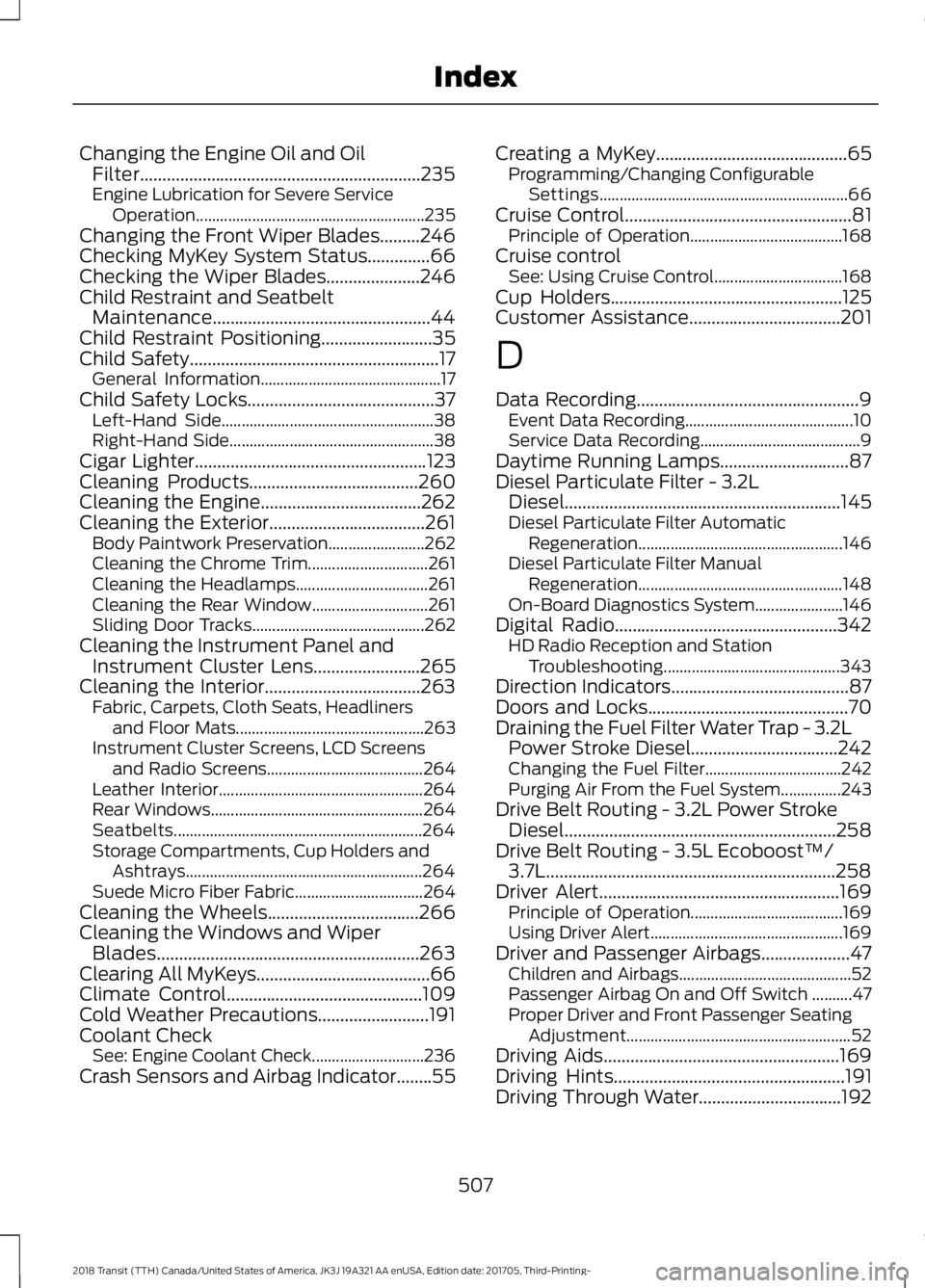
Changing the Engine Oil and Oil
Filter...............................................................235
Engine Lubrication for Severe Service
Operation
......................................................... 235
Changing the Front Wiper Blades.........246
Checking MyKey System Status..............66
Checking the Wiper Blades.....................246
Child Restraint and Seatbelt Maintenance.................................................44
Child Restraint Positioning.........................35
Child Safety
........................................................17
General Information............................................. 17
Child Safety Locks..........................................37 Left-Hand Side..................................................... 38
Right-Hand Side................................................... 38
Cigar Lighter
....................................................123
Cleaning Products......................................260
Cleaning the Engine....................................262
Cleaning the Exterior...................................261 Body Paintwork Preservation........................ 262
Cleaning the Chrome Trim.............................. 261
Cleaning the Headlamps................................. 261
Cleaning the Rear Window............................. 261
Sliding Door Tracks........................................... 262
Cleaning the Instrument Panel and Instrument Cluster Lens........................265
Cleaning the Interior...................................263 Fabric, Carpets, Cloth Seats, Headliners
and Floor Mats............................................... 263
Instrument Cluster Screens, LCD Screens and Radio Screens....................................... 264
Leather Interior................................................... 264
Rear Windows..................................................... 264
Seatbelts.............................................................. 264
Storage Compartments, Cup Holders and Ashtrays........................................................... 264
Suede Micro Fiber Fabric................................ 264
Cleaning the Wheels
..................................266
Cleaning the Windows and Wiper Blades...........................................................263
Clearing All MyKeys.......................................66
Climate Control
............................................109
Cold Weather Precautions.........................191
Coolant Check See: Engine Coolant Check............................ 236
Crash Sensors and Airbag Indicator........55 Creating a MyKey
...........................................65
Programming/Changing Configurable
Settings.............................................................. 66
Cruise Control
...................................................81
Principle of Operation...................................... 168
Cruise control See: Using Cruise Control................................ 168
Cup Holders
....................................................125
Customer Assistance..................................201
D
Data Recording
..................................................9
Event Data Recording.......................................... 10
Service Data Recording........................................ 9
Daytime Running Lamps
.............................87
Diesel Particulate Filter - 3.2L Diesel..............................................................145
Diesel Particulate Filter Automatic Regeneration................................................... 146
Diesel Particulate Filter Manual Regeneration................................................... 148
On-Board Diagnostics System...................... 146
Digital Radio..................................................342 HD Radio Reception and Station
Troubleshooting............................................ 343
Direction Indicators
........................................87
Doors and Locks.............................................70
Draining the Fuel Filter Water Trap - 3.2L Power Stroke Diesel.................................242
Changing the Fuel Filter.................................. 242
Purging Air From the Fuel System...............243
Drive Belt Routing - 3.2L Power Stroke Diesel.............................................................258
Drive Belt Routing - 3.5L Ecoboost™/ 3.7L
.................................................................258
Driver Alert......................................................169
Principle of Operation...................................... 169
Using Driver Alert................................................ 169
Driver and Passenger Airbags....................47 Children and Airbags........................................... 52
Passenger Airbag On and Off Switch ..........47
Proper Driver and Front Passenger Seating Adjustment........................................................ 52
Driving Aids
.....................................................169
Driving Hints....................................................191
Driving Through Water................................192
507
2018 Transit (TTH) Canada/United States of America, JK3J 19A321 AA enUSA, Edition date: 201705, Third-Printing- Index
Page 516 of 521
S
Safety Canopy
™.............................................53
Safety Precautions........................................131
Satellite Radio..............................................344
Satellite Radio Electronic Serial Number
(ESN)................................................................ 345
Satellite Radio Reception Factors..............345
SiriusXM Satellite Radio Service.................345
Troubleshooting................................................. 346
Scheduled Maintenance Record...........466
Scheduled Maintenance
..........................459
Seatbelt Extension........................................45
Seatbelt Height Adjustment
......................42
Seatbelt Reminder........................................43
Belt-Minder®......................................................... 43
Seatbelts...........................................................39 Principle of Operation........................................ 39
Seatbelt Warning Lamp and Indicator Chime...............................................................42
Conditions of operation..................................... 43
Seats...................................................................113
Security...............................................................75
Selective Catalytic Reductant System - 3.2L Diesel
....................................................143
Diesel Exhaust Fluid (AdBlue)
Guidelines......................................................... 143
Diesel Exhaust Fluid (AdBlue) Level...........143
Warning Lamps and Messages..................... 143
Settings...........................................................428 911 Assist............................................................... 433
Ambient Lighting.............................................. 440
Bluetooth............................................................. 430
Clock...................................................................... 430
Display.................................................................... 441
General.................................................................. 438
Media Player........................................................ 429
Mobile Apps......................................................... 436
Navigation............................................................ 434
Phone.................................................................... 430
Radio...................................................................... 433
Sound..................................................................... 428
Valet Mode........................................................... 442
Vehicle................................................................... 440
Voice Control........................................................ 441
Wi-Fi & Hotspot................................................. 438
Side Airbags.....................................................52
Sitting in the Correct Position...................113 Snow Chains
See: Using Snow Chains................................. 286
Spare Wheel See: Changing a Road Wheel........................ 292
Special Notices
................................................13
New Vehicle Limited Warranty......................... 13
Special Operating Conditions Scheduled Maintenance..............................................464
Exceptions........................................................... 466
Speed Control See: Cruise Control............................................ 168
Speed Limiter................................................169 Engine Speed Limiter........................................ 169
Vehicle Speed Limiter - Fixed........................ 169
Stability Control.............................................161 Principle of Operation........................................ 161
Starter Switch See: Ignition Switch........................................... 126
Starting a Diesel Engine..............................127 Cold Weather Operation.................................. 128
Engine Glow Plugs.............................................. 128
Failure to Start..................................................... 128
Starting a Cold or Hot Engine........................ 128
Starting a Gasoline Engine
........................127
Cold or Hot Engine.............................................. 127
Engine Idle Speed after Starting................... 127
Flooded Engine.................................................... 127
Starting and Stopping the Engine..........126 General Information.......................................... 126
Steering.............................................................172
Steering Wheel
...............................................80
Storage Compartments.............................125
Supplementary Restraints System.........46 Principle of Operation........................................ 46
Switching Off the Engine...........................129 Vehicles With a Turbocharger........................ 129
Symbols Glossary
.............................................7
SYNC™ 3........................................................387 General Information......................................... 387
SYNC™ 3 Troubleshooting
......................442
SYNC™ Applications and Services........................................................365
911 Assist............................................................... 365
SYNC Mobile Apps............................................ 367
SYNC™...........................................................349 General Information......................................... 349
SYNC™ Troubleshooting
..........................379
513
2018 Transit (TTH) Canada/United States of America, JK3J 19A321 AA enUSA, Edition date: 201705, Third-Printing- Index
Page 518 of 521
USB 2......................................................................
376
Voice Commands for Audio Sources..........377
Using SYNC™ With Your Phone............353
Accessing Features through the Phone
Menu.................................................................. 358
Accessing Your Phone Settings.................... 361
Bluetooth Devices............................................. 362
Making Calls......................................................... 357
Pairing a Phone for the First Time...............354
Pairing Subsequent Phones.......................... 355
Phone Options during an Active Call..........357
Phone Voice Commands................................ 355
Receiving Calls.................................................... 357
System Settings................................................. 363
Text Messaging................................................... 359
Using Traction Control
...............................160
Switching the System Off............................... 160
System Indicator Lights and Messages......................................................... 160
Using a Switch..................................................... 160
Using the Information Display Controls............................................................ 160
Using Voice Recognition
............................351
Apps........................................................................\
401
Automatic Blower Motor Speed Reduction........................................................ 402
Climate Control.................................................. 398
Entertainment..................................................... 397
General.................................................................. 396
Initiating a Voice Session................................. 351
Navigation........................................................... 400
Phone..................................................................... 399
System Interaction and Feedback..............352
Voice Settings...................................................... 401
Using Winter Tires
.......................................286
Utilizing the Mediation/Arbitration Program (Canada Only)........................204
V
Vehicle Care..................................................260
Vehicle Certification Label........................312
Vehicle Identification Number..................311
Vehicle Storage
............................................266
Battery.................................................................... 267
Body....................................................................... 266
Brakes..................................................................... 267
Cooling system................................................... 267Engine....................................................................
266
Fuel system.......................................................... 267
General.................................................................. 266
Miscellaneous...................................................... 267
Removing Vehicle From Storage.................. 267
Tires........................................................................\
. 267
Ventilation See: Climate Control......................................... 109
VIN See: Vehicle Identification Number..............311
Voice Control
....................................................81
W
Warning Lamps and Indicators
................95
Airbag Warning Lamp........................................ 95
Anti-Lock Brake System Warning Lamp
.................................................................... 95
Battery Charging Condition Warning Lamp
.................................................................... 95
Brake System Warning Lamp.......................... 95
Diesel Warning Lamps....................................... 95
Direction Indicator............................................... 96
Door Ajar................................................................. 96
Engine Coolant Temperature Warning Lamp.................................................................... 96
Engine Warning Lamps..................................... 96
Fasten Seatbelt Warning Lamp...................... 97
Headlamp High Beam Indicator..................... 97
Lamps on Indicator.............................................. 97
Lane Departure Warning Indicator................97
Low Fuel Level Warning Lamp........................ 97
Low Tire Pressure Warning Lamp.................. 97
Low Washer Fluid Level Warning Lamp.................................................................... 97
Message Center Indicator................................. 97
Oil Pressure Warning Lamp.............................. 97
Stability Control and Traction Control Indicator............................................................. 98
Stability Control and Traction Control Off Warning Lamp................................................. 98
Tow/Haul Warning Lamp................................. 98
Washer Fluid Check....................................242
Washers See: Cleaning the Exterior............................... 261
Waxing.............................................................262
Wheel Nuts See: Changing a Road Wheel........................ 292
515
2018 Transit (TTH) Canada/United States of America, JK3J 19A321 AA enUSA, Edition date: 201705, Third-Printing- Index