climate control FORD TRANSIT 2018 User Guide
[x] Cancel search | Manufacturer: FORD, Model Year: 2018, Model line: TRANSIT, Model: FORD TRANSIT 2018Pages: 521, PDF Size: 8.65 MB
Page 285 of 521
Tire Age
WARNING: Tires degrade
over time depending on many
factors such as weather, storage
conditions, and conditions of use
(load, speed, inflation pressure)
the tires experience throughout
their lives. WARNING:
In general, tires
should be replaced after six years
regardless of tread wear.
However, heat caused by hot
climates or frequent high loading
conditions can accelerate the
aging process and may require
tires to be replaced more
frequently. WARNING:
You should
replace your spare tire when you
replace the road tires or after six
years due to aging even if it has
not been used.
Tire Replacement
Requirements WARNING:
Only use
replacement tires and wheels that
are the same size, load index,
speed rating and type (such as
P-metric versus LT-metric or
all-season versus all-terrain) as
those originally provided by Ford.
The recommended tire and wheel
size may be found on either the
Safety Compliance Certification
Label (affixed to either the door hinge pillar, door-latch post, or the
door edge that meets the
door-latch post, next to the
driver's seating position), or the
Tire Label which is located on the
B-Pillar or edge of the driver's
door. If this information is not
found on these labels, then you
should contact your authorized
dealer as soon as possible. Use of
any tire or wheel not
recommended by Ford can affect
the safety and performance of
your vehicle, which could result in
an increased risk of loss of vehicle
control, vehicle rollover, personal
injury and death.
WARNING:
Always inflate
steel carcass tires with a remote
air fill with the person inflating
standing at a minimum of
12 ft
(3.66 m) away from the wheel
and tire assembly.
Your vehicle is fitted with tires
designed to provide a safe ride
and handling capability.
We recommend that the two front
tires or two rear tires generally be
replaced as a pair.
Note: The wheel valve stems must
also be replaced when the road
tires are replaced on your vehicle.
282
2018 Transit (TTH) Canada/United States of America, JK3J 19A321 AA enUSA, Edition date: 201705, Third-Printing- Wheels and Tires
Page 290 of 521
WARNING: If you choose to install
snow tires on your vehicle, they must be
the same size, construction, and load range
as the original tires listed on the tire
placard, and they must be installed on all
four wheels. Mixing tires of different size
or construction on your vehicle can
adversely affect your vehicle's handling
and braking, and may lead to loss of
vehicle control. WARNING:
Only fit snow chains to
specified tires.
The tires on your vehicle have all-weather
treads to provide traction in rain and snow.
However, in some climates, you may need
to use snow tires, snow chains or cables.
If you use snow chains or cables, we
recommended that steel wheels of the
same size and specifications are used,
snow chains or cables may damage alloy
wheels.
Follow these guidelines when using snow
chains or cables:
• Avoid fully loading your vehicle.
• Only certain snow chains or cables
have been approved by Ford as safe
for use on vehicles with either 235/65
R16C or 195/75 R16C tires.
• Snow chains or cables must be
mounted in pairs on the rear tires only.
• Do not use snow chains or cables on
dual rear alloy wheels.
• Install snow chains or cables securely,
make sure they do not touch any wiring,
brake lines or fuel lines.
• Use only SAE Class S snow chains,
snow cables or equivalent that
measure
0.4 in (10 mm) or less in
dimension as measured on the sidewall
of the tire. •
Do not exceed
30 mph (48 km/h) or
the maximum speed recommended by
the snow chains or cables
manufacturer, whichever is less.
• Purchase snow chains or cables from
a manufacturer that clearly labels the
body to tire dimension restrictions.
• Remove the snow chains or cables
when they are no longer needed.
• Do not use snow chains or cables on
dry roads.
• If you have any questions regarding
snow chains or cables, see an
authorized dealer.
TIRE PRESSURE MONITORING
SYSTEM
(If Equipped) WARNING:
The tire pressure
monitoring system is not a substitute for
manually checking tire pressures. You
should periodically check tire pressures
using a pressure gauge. Failure to correctly
maintain tire pressures could increase the
risk of tire failure, loss of control, vehicle
rollover and personal injury. WARNING:
Do not use tire sealants
as they may damage the tire pressure
monitoring system. WARNING:
If the tire pressure
monitor sensor becomes damaged it may
not function.
287
2018 Transit (TTH) Canada/United States of America, JK3J 19A321 AA enUSA, Edition date: 201705, Third-Printing- Wheels and Tires
Page 301 of 521
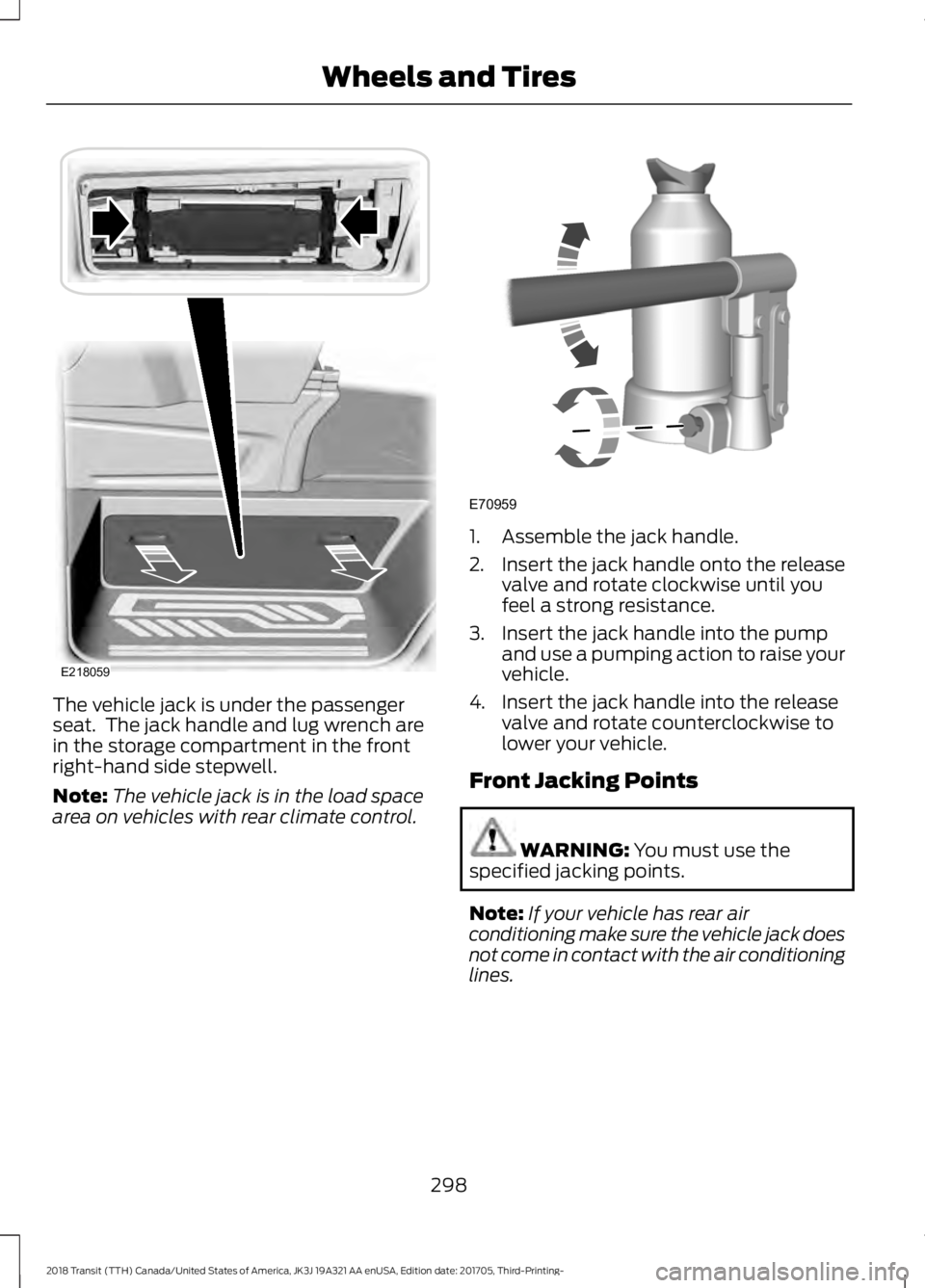
The vehicle jack is under the passenger
seat. The jack handle and lug wrench are
in the storage compartment in the front
right-hand side stepwell.
Note:
The vehicle jack is in the load space
area on vehicles with rear climate control. 1. Assemble the jack handle.
2.
Insert the jack handle onto the release
valve and rotate clockwise until you
feel a strong resistance.
3. Insert the jack handle into the pump and use a pumping action to raise your
vehicle.
4. Insert the jack handle into the release valve and rotate counterclockwise to
lower your vehicle.
Front Jacking Points WARNING: You must use the
specified jacking points.
Note: If your vehicle has rear air
conditioning make sure the vehicle jack does
not come in contact with the air conditioning
lines.
298
2018 Transit (TTH) Canada/United States of America, JK3J 19A321 AA enUSA, Edition date: 201705, Third-Printing- Wheels and TiresE218059 E70959
Page 356 of 521
To adjust this setting press the voice button, when prompted say:
Action and Description
Voice Command
voice settings
Then any of the following: When enabled, this feature will prompt you
to confirm any voice initiated call command
prior to the call being placed.
phone confirmation on
The system will make a best guess; you
may still occasionally be asked to confirm
settings.
phone confirmation off
Changing the Voice Settings
In addition to using voice commands to
change the voice settings, you can also use
the menu in the audio display.
To change the voice settings press the
Menu button then select: Menu Item
SYNC-Settings
Voice settings
Note: Depending on the current climate
control settings, the fan speed may
automatically go down while issuing voice
commands or while making and receiving
phone calls via SYNC to reduce the amount
of background noise in the vehicle. The fan
speed will automatically return to normal
operation once the voice session ends. Fan
speed can also be adjusted normally during
a voice session, simply press fan buttons (or
turn fan knob) to increase or decrease fan
speed to desired setting. To disable this automatic fan speed
reduction feature during voice sessions,
press and hold the climate control AC and
Recirculated air buttons simultaneously,
release and then increase fan speed within
2 seconds. To re-enable this feature, repeat
the above sequence.
USING SYNC™ WITH YOUR
PHONE
Hands-free calling is one of the main
features of SYNC. While the system
supports a variety of features, many are
dependent on your cellular phone's
functionality. At a minimum, most cellular
phones with Bluetooth wireless technology
support the following functions:
•
Answering an incoming call.
• Ending a call.
• Using privacy mode.
• Dialing a number.
• Redialing.
• Call waiting notification.
• Caller ID.
353
2018 Transit (TTH) Canada/United States of America, JK3J 19A321 AA enUSA, Edition date: 201705, Third-Printing- SYNC™
Page 390 of 521
GENERAL INFORMATION
WARNING: Driving while distracted
can result in loss of vehicle control, crash
and injury. We strongly recommend that
you use extreme caution when using any
device that may take your focus off the
road. Your primary responsibility is the safe
operation of your vehicle. We recommend
against the use of any hand-held device
while driving and encourage the use of
voice-operated systems when possible.
Make sure you are aware of all applicable
local laws that may affect the use of
electronic devices while driving. Getting to Know Your System
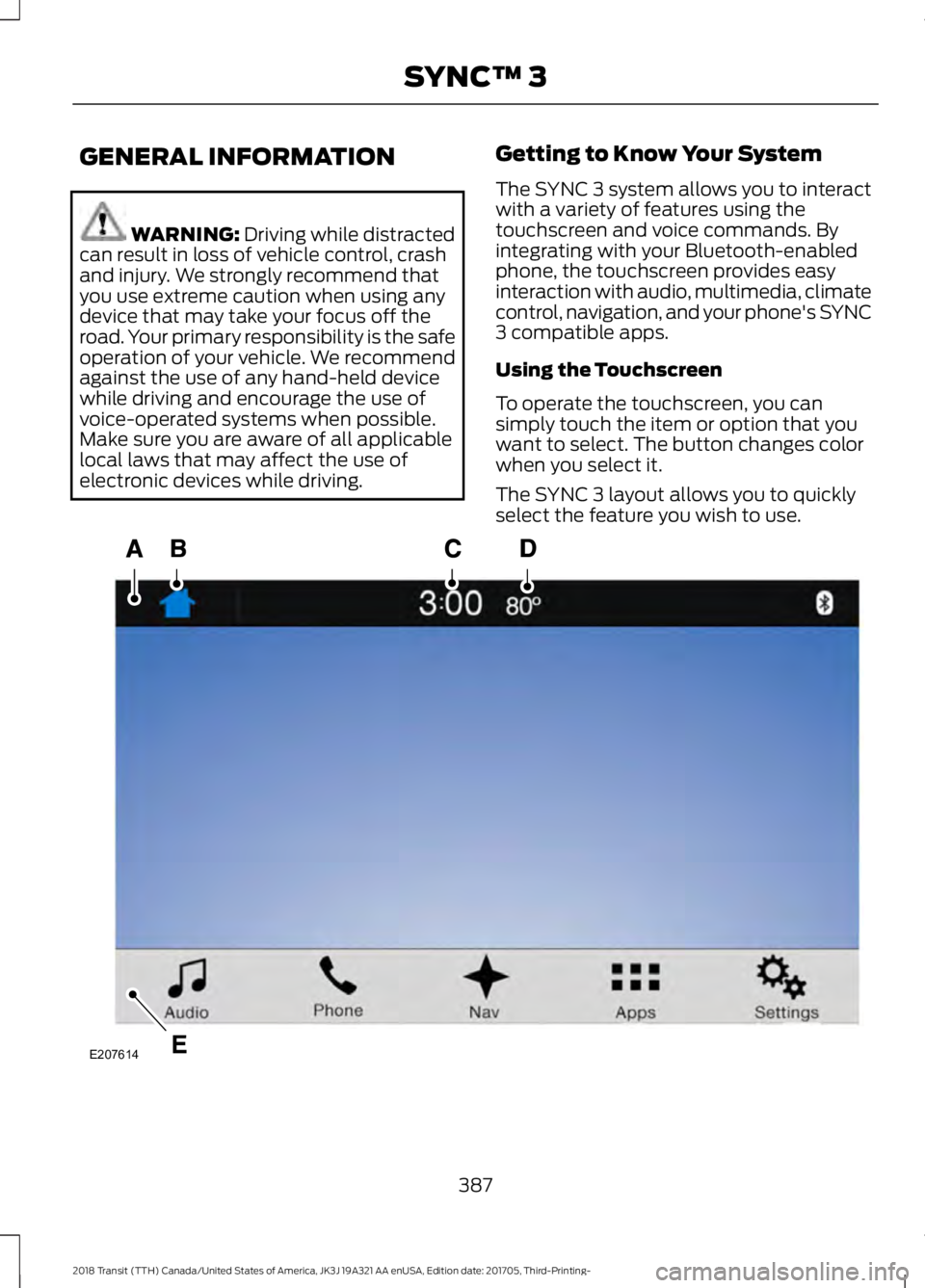
The SYNC 3 system allows you to interact
with a variety of features using the
touchscreen and voice commands. By
integrating with your Bluetooth-enabled
phone, the touchscreen provides easy
interaction with audio, multimedia, climate
control, navigation, and your phone's SYNC
3 compatible apps.
Using the Touchscreen
To operate the touchscreen, you can
simply touch the item or option that you
want to select. The button changes color
when you select it.
The SYNC 3 layout allows you to quickly
select the feature you wish to use.
387
2018 Transit (TTH) Canada/United States of America, JK3J 19A321 AA enUSA, Edition date: 201705, Third-Printing- SYNC™ 3E207614
Page 391 of 521
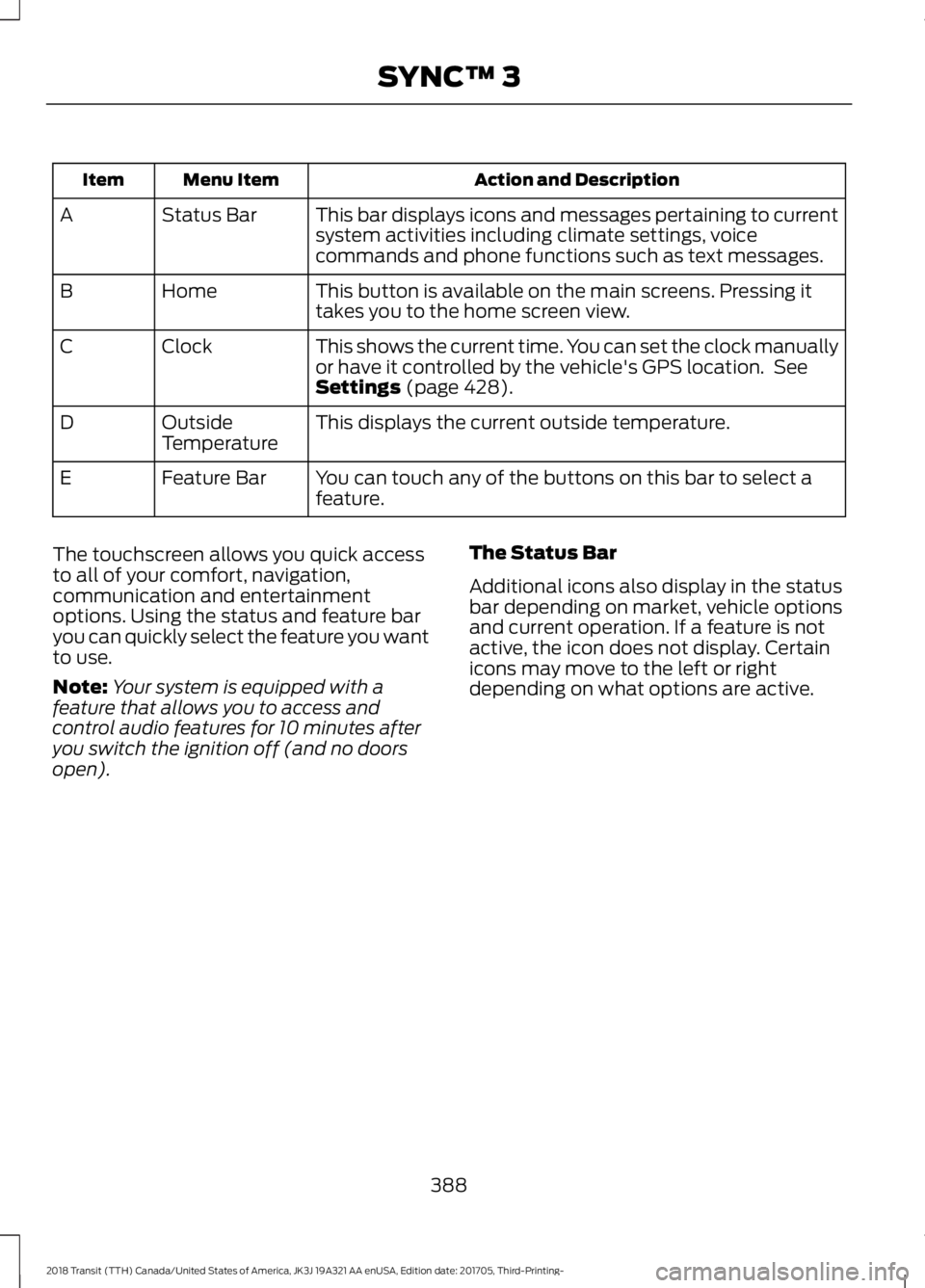
Action and Description
Menu Item
Item
This bar displays icons and messages pertaining to current
system activities including climate settings, voice
commands and phone functions such as text messages.
Status Bar
A
This button is available on the main screens. Pressing it
takes you to the home screen view.
Home
B
This shows the current time. You can set the clock manually
or have it controlled by the vehicle's GPS location. See
Settings (page 428).
Clock
C
This displays the current outside temperature.
Outside
Temperature
D
You can touch any of the buttons on this bar to select a
feature.
Feature Bar
E
The touchscreen allows you quick access
to all of your comfort, navigation,
communication and entertainment
options. Using the status and feature bar
you can quickly select the feature you want
to use.
Note: Your system is equipped with a
feature that allows you to access and
control audio features for 10 minutes after
you switch the ignition off (and no doors
open). The Status Bar
Additional icons also display in the status
bar depending on market, vehicle options
and current operation. If a feature is not
active, the icon does not display. Certain
icons may move to the left or right
depending on what options are active.
388
2018 Transit (TTH) Canada/United States of America, JK3J 19A321 AA enUSA, Edition date: 201705, Third-Printing- SYNC™ 3
Page 395 of 521
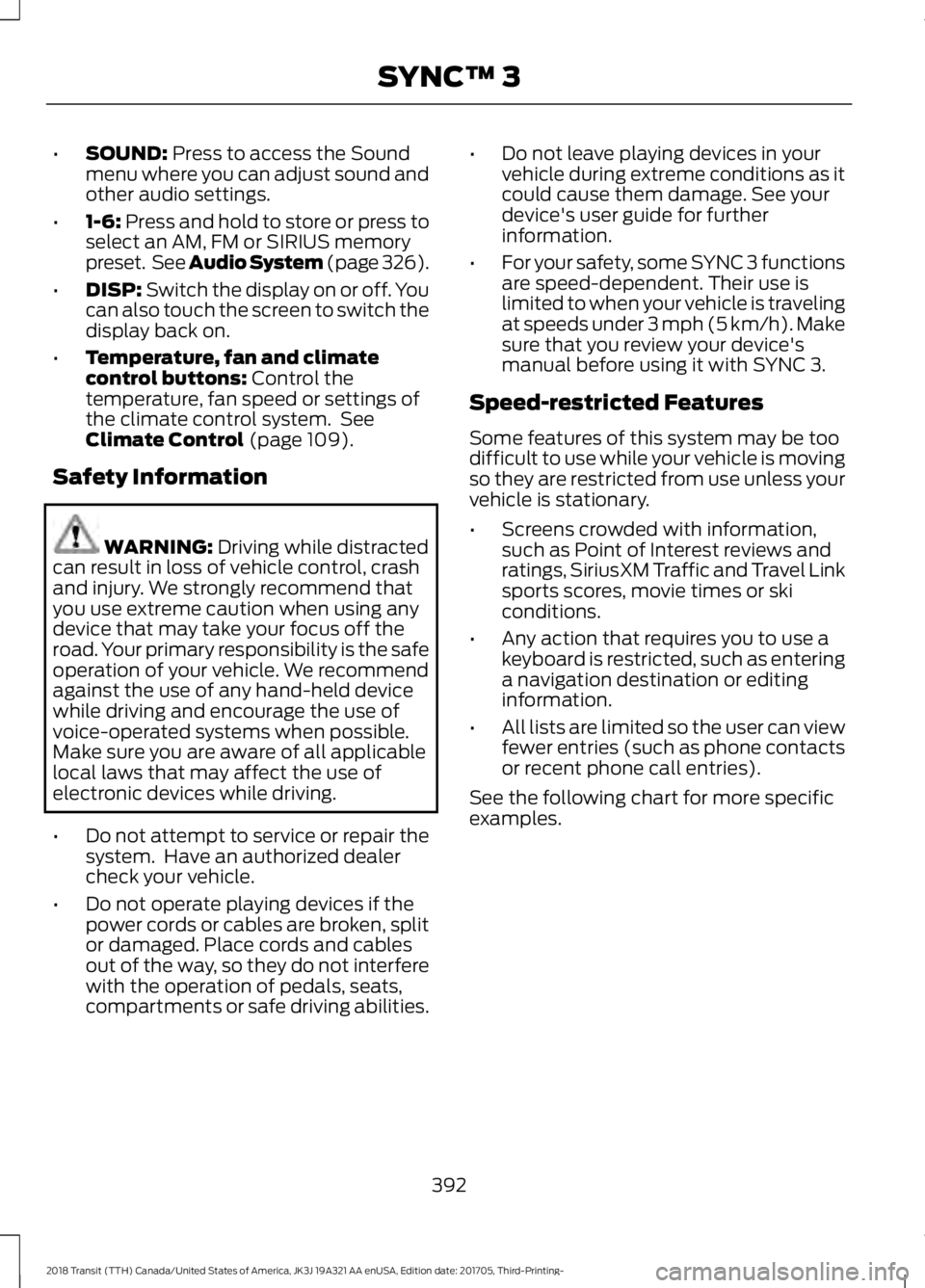
•
SOUND: Press to access the Sound
menu where you can adjust sound and
other audio settings.
• 1-6:
Press and hold to store or press to
select an AM, FM or SIRIUS memory
preset. See Audio System (page 326).
• DISP:
Switch the display on or off. You
can also touch the screen to switch the
display back on.
• Temperature, fan and climate
control buttons:
Control the
temperature, fan speed or settings of
the climate control system. See
Climate Control
(page 109).
Safety Information WARNING:
Driving while distracted
can result in loss of vehicle control, crash
and injury. We strongly recommend that
you use extreme caution when using any
device that may take your focus off the
road. Your primary responsibility is the safe
operation of your vehicle. We recommend
against the use of any hand-held device
while driving and encourage the use of
voice-operated systems when possible.
Make sure you are aware of all applicable
local laws that may affect the use of
electronic devices while driving.
• Do not attempt to service or repair the
system. Have an authorized dealer
check your vehicle.
• Do not operate playing devices if the
power cords or cables are broken, split
or damaged. Place cords and cables
out of the way, so they do not interfere
with the operation of pedals, seats,
compartments or safe driving abilities. •
Do not leave playing devices in your
vehicle during extreme conditions as it
could cause them damage. See your
device's user guide for further
information.
• For your safety, some SYNC 3 functions
are speed-dependent. Their use is
limited to when your vehicle is traveling
at speeds under 3 mph (5 km/h). Make
sure that you review your device's
manual before using it with SYNC 3.
Speed-restricted Features
Some features of this system may be too
difficult to use while your vehicle is moving
so they are restricted from use unless your
vehicle is stationary.
• Screens crowded with information,
such as Point of Interest reviews and
ratings, SiriusXM Traffic and Travel Link
sports scores, movie times or ski
conditions.
• Any action that requires you to use a
keyboard is restricted, such as entering
a navigation destination or editing
information.
• All lists are limited so the user can view
fewer entries (such as phone contacts
or recent phone call entries).
See the following chart for more specific
examples.
392
2018 Transit (TTH) Canada/United States of America, JK3J 19A321 AA enUSA, Edition date: 201705, Third-Printing- SYNC™ 3
Page 401 of 521
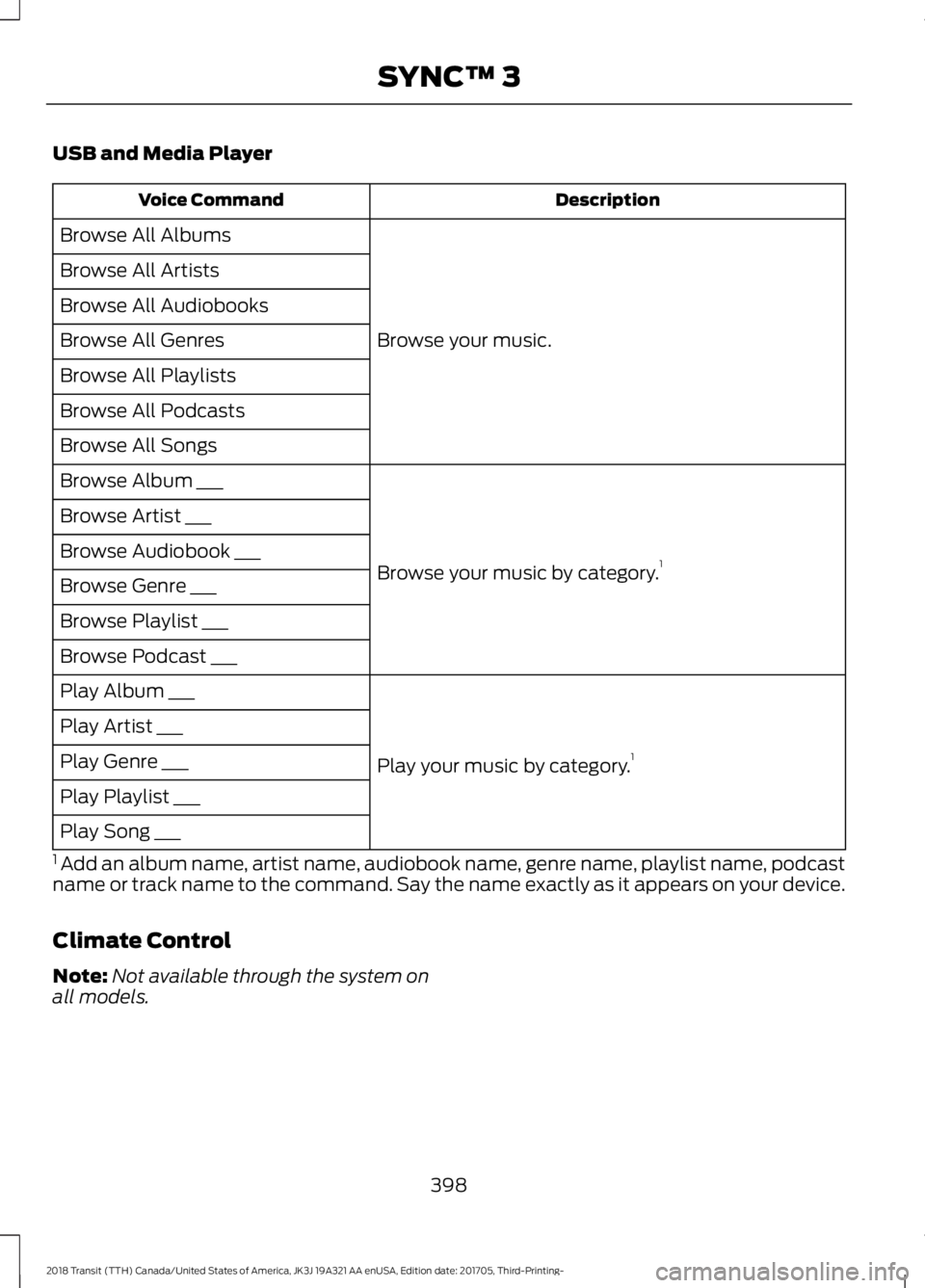
USB and Media Player
Description
Voice Command
Browse your music.
Browse All Albums
Browse All Artists
Browse All Audiobooks
Browse All Genres
Browse All Playlists
Browse All Podcasts
Browse All Songs
Browse your music by category.1
Browse Album ___
Browse Artist ___
Browse Audiobook ___
Browse Genre ___
Browse Playlist ___
Browse Podcast ___
Play your music by category.1
Play Album ___
Play Artist ___
Play Genre ___
Play Playlist ___
Play Song ___
1 Add an album name, artist name, audiobook name, genre name, playlist name, podcast
name or track name to the command. Say the name exactly as it appears on your device.
Climate Control
Note: Not available through the system on
all models.
398
2018 Transit (TTH) Canada/United States of America, JK3J 19A321 AA enUSA, Edition date: 201705, Third-Printing- SYNC™ 3
Page 508 of 521
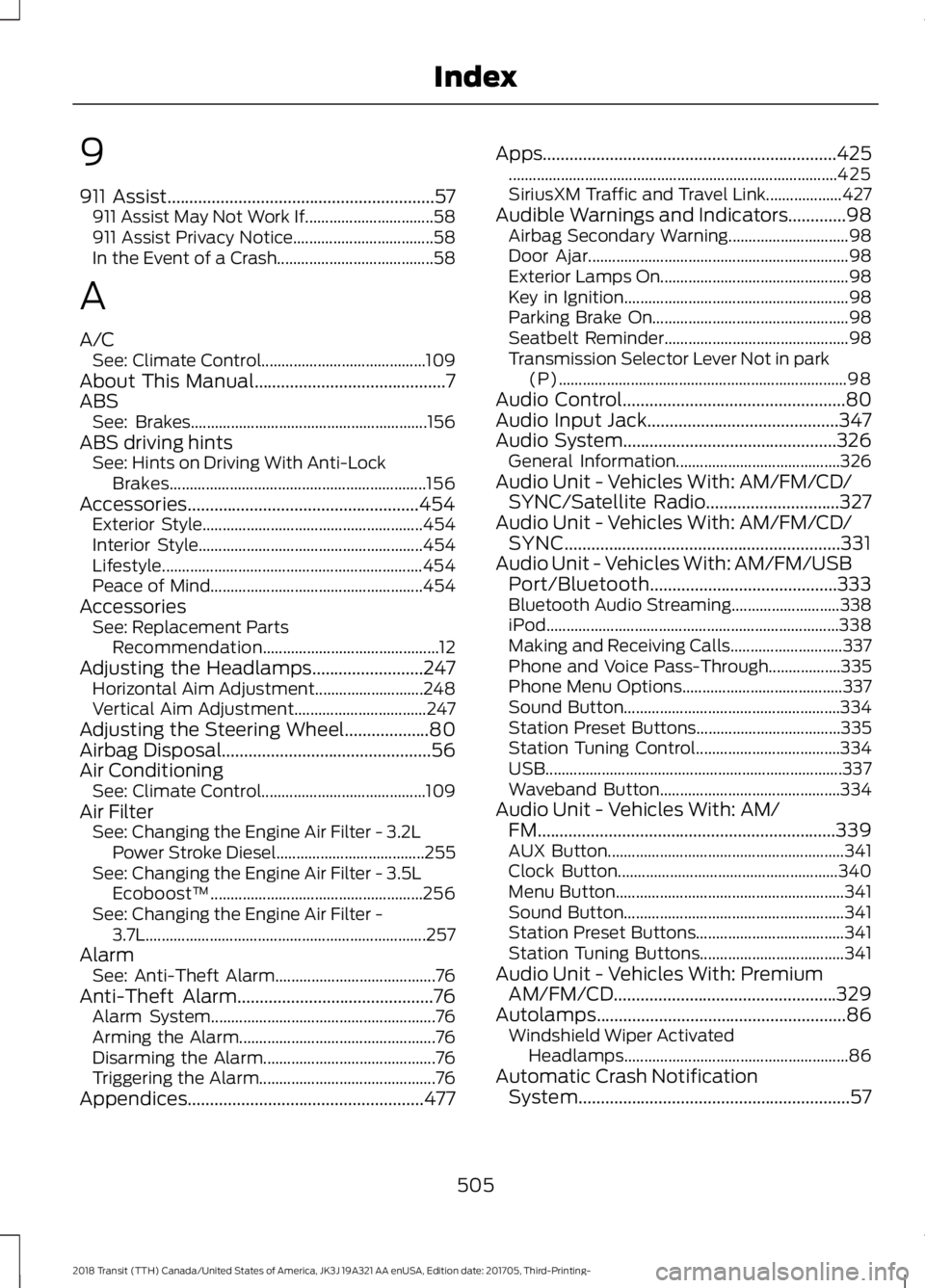
9
911 Assist............................................................57
911 Assist May Not Work If................................ 58
911 Assist Privacy Notice................................... 58
In the Event of a Crash....................................... 58
A
A/C See: Climate Control......................................... 109
About This Manual
...........................................7
ABS See: Brakes........................................................... 156
ABS driving hints See: Hints on Driving With Anti-Lock
Brakes................................................................ 156
Accessories....................................................454 Exterior Style....................................................... 454
Interior Style........................................................ 454
Lifestyle................................................................. 454
Peace of Mind..................................................... 454
Accessories See: Replacement Parts
Recommendation............................................ 12
Adjusting the Headlamps.........................247 Horizontal Aim Adjustment........................... 248
Vertical Aim Adjustment................................. 247
Adjusting the Steering Wheel...................80
Airbag Disposal
...............................................56
Air Conditioning See: Climate Control......................................... 109
Air Filter See: Changing the Engine Air Filter - 3.2L
Power Stroke Diesel..................................... 255
See: Changing the Engine Air Filter - 3.5L Ecoboost™..................................................... 256
See: Changing the Engine Air Filter - 3.7L...................................................................... 257
Alarm See: Anti-Theft Alarm........................................ 76
Anti-Theft Alarm
............................................76
Alarm System........................................................ 76
Arming the Alarm................................................. 76
Disarming the Alarm........................................... 76
Triggering the Alarm............................................ 76
Appendices.....................................................477 Apps
..................................................................425
........................................................................\
.......... 425
SiriusXM Traffic and Travel Link................... 427
Audible Warnings and Indicators
.............98
Airbag Secondary Warning.............................. 98
Door Ajar................................................................. 98
Exterior Lamps On............................................... 98
Key in Ignition........................................................ 98
Parking Brake On................................................. 98
Seatbelt Reminder.............................................. 98
Transmission Selector Lever Not in park (P)........................................................................\
98
Audio Control
..................................................80
Audio Input Jack...........................................347
Audio System................................................326 General Information......................................... 326
Audio Unit - Vehicles With: AM/FM/CD/ SYNC/Satellite Radio..............................327
Audio Unit - Vehicles With: AM/FM/CD/ SYNC..............................................................331
Audio Unit - Vehicles With: AM/FM/USB Port/Bluetooth
..........................................333
Bluetooth Audio Streaming........................... 338
iPod........................................................................\
. 338
Making and Receiving Calls............................ 337
Phone and Voice Pass-Through.................. 335
Phone Menu Options........................................ 337
Sound Button...................................................... 334
Station Preset Buttons.................................... 335
Station Tuning Control.................................... 334
USB........................................................................\
.. 337
Waveband Button............................................. 334
Audio Unit - Vehicles With: AM/ FM...................................................................339
AUX Button........................................................... 341
Clock Button....................................................... 340
Menu Button......................................................... 341
Sound Button....................................................... 341
Station Preset Buttons..................................... 341
Station Tuning Buttons.................................... 341
Audio Unit - Vehicles With: Premium AM/FM/CD..................................................329
Autolamps
........................................................86
Windshield Wiper Activated
Headlamps........................................................ 86
Automatic Crash Notification System.............................................................57
505
2018 Transit (TTH) Canada/United States of America, JK3J 19A321 AA enUSA, Edition date: 201705, Third-Printing- Index
Page 510 of 521
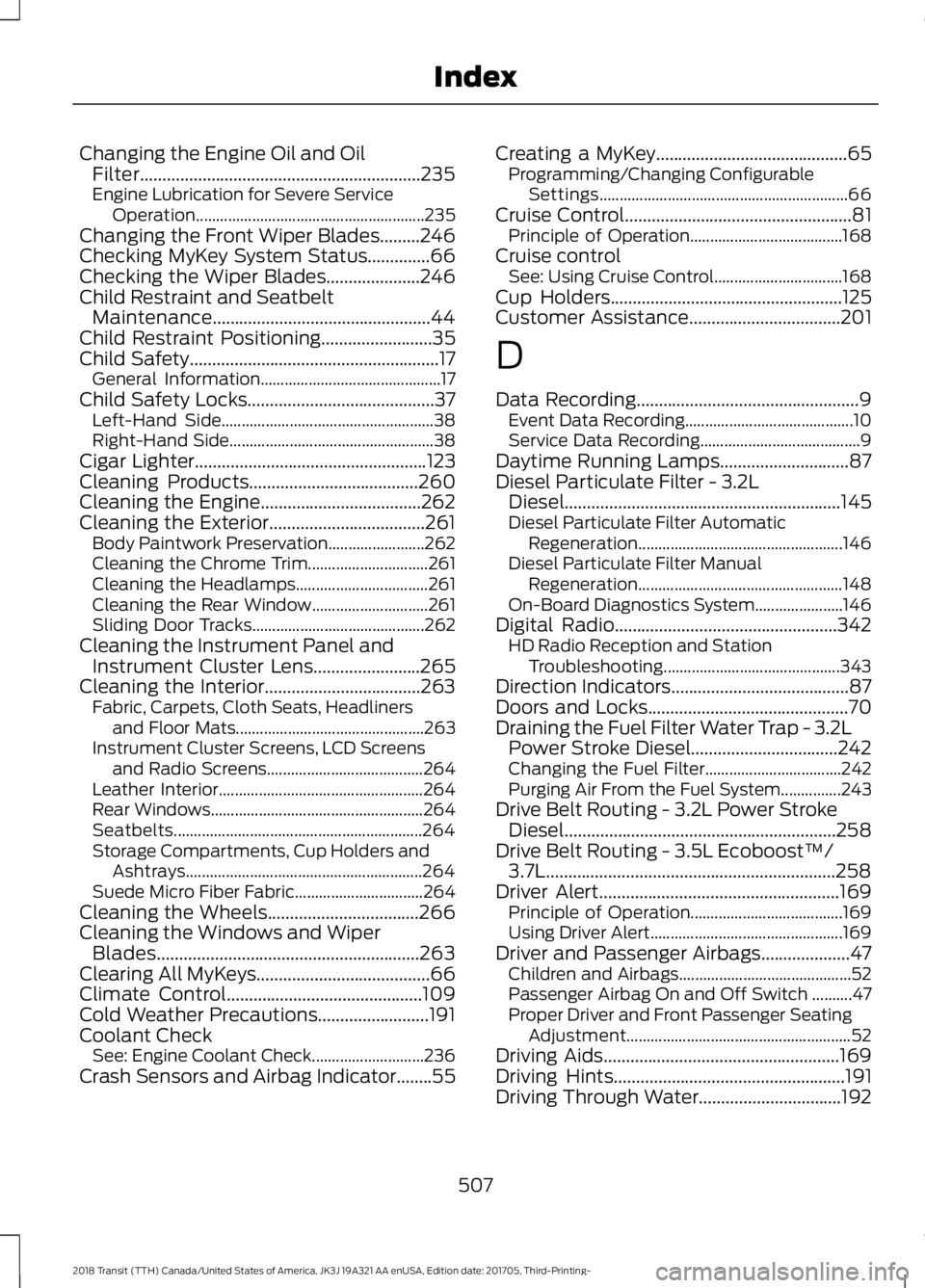
Changing the Engine Oil and Oil
Filter...............................................................235
Engine Lubrication for Severe Service
Operation
......................................................... 235
Changing the Front Wiper Blades.........246
Checking MyKey System Status..............66
Checking the Wiper Blades.....................246
Child Restraint and Seatbelt Maintenance.................................................44
Child Restraint Positioning.........................35
Child Safety
........................................................17
General Information............................................. 17
Child Safety Locks..........................................37 Left-Hand Side..................................................... 38
Right-Hand Side................................................... 38
Cigar Lighter
....................................................123
Cleaning Products......................................260
Cleaning the Engine....................................262
Cleaning the Exterior...................................261 Body Paintwork Preservation........................ 262
Cleaning the Chrome Trim.............................. 261
Cleaning the Headlamps................................. 261
Cleaning the Rear Window............................. 261
Sliding Door Tracks........................................... 262
Cleaning the Instrument Panel and Instrument Cluster Lens........................265
Cleaning the Interior...................................263 Fabric, Carpets, Cloth Seats, Headliners
and Floor Mats............................................... 263
Instrument Cluster Screens, LCD Screens and Radio Screens....................................... 264
Leather Interior................................................... 264
Rear Windows..................................................... 264
Seatbelts.............................................................. 264
Storage Compartments, Cup Holders and Ashtrays........................................................... 264
Suede Micro Fiber Fabric................................ 264
Cleaning the Wheels
..................................266
Cleaning the Windows and Wiper Blades...........................................................263
Clearing All MyKeys.......................................66
Climate Control
............................................109
Cold Weather Precautions.........................191
Coolant Check See: Engine Coolant Check............................ 236
Crash Sensors and Airbag Indicator........55 Creating a MyKey
...........................................65
Programming/Changing Configurable
Settings.............................................................. 66
Cruise Control
...................................................81
Principle of Operation...................................... 168
Cruise control See: Using Cruise Control................................ 168
Cup Holders
....................................................125
Customer Assistance..................................201
D
Data Recording
..................................................9
Event Data Recording.......................................... 10
Service Data Recording........................................ 9
Daytime Running Lamps
.............................87
Diesel Particulate Filter - 3.2L Diesel..............................................................145
Diesel Particulate Filter Automatic Regeneration................................................... 146
Diesel Particulate Filter Manual Regeneration................................................... 148
On-Board Diagnostics System...................... 146
Digital Radio..................................................342 HD Radio Reception and Station
Troubleshooting............................................ 343
Direction Indicators
........................................87
Doors and Locks.............................................70
Draining the Fuel Filter Water Trap - 3.2L Power Stroke Diesel.................................242
Changing the Fuel Filter.................................. 242
Purging Air From the Fuel System...............243
Drive Belt Routing - 3.2L Power Stroke Diesel.............................................................258
Drive Belt Routing - 3.5L Ecoboost™/ 3.7L
.................................................................258
Driver Alert......................................................169
Principle of Operation...................................... 169
Using Driver Alert................................................ 169
Driver and Passenger Airbags....................47 Children and Airbags........................................... 52
Passenger Airbag On and Off Switch ..........47
Proper Driver and Front Passenger Seating Adjustment........................................................ 52
Driving Aids
.....................................................169
Driving Hints....................................................191
Driving Through Water................................192
507
2018 Transit (TTH) Canada/United States of America, JK3J 19A321 AA enUSA, Edition date: 201705, Third-Printing- Index