airbag off FORD TRANSIT 2020 User Guide
[x] Cancel search | Manufacturer: FORD, Model Year: 2020, Model line: TRANSIT, Model: FORD TRANSIT 2020Pages: 529, PDF Size: 8.3 MB
Page 116 of 529
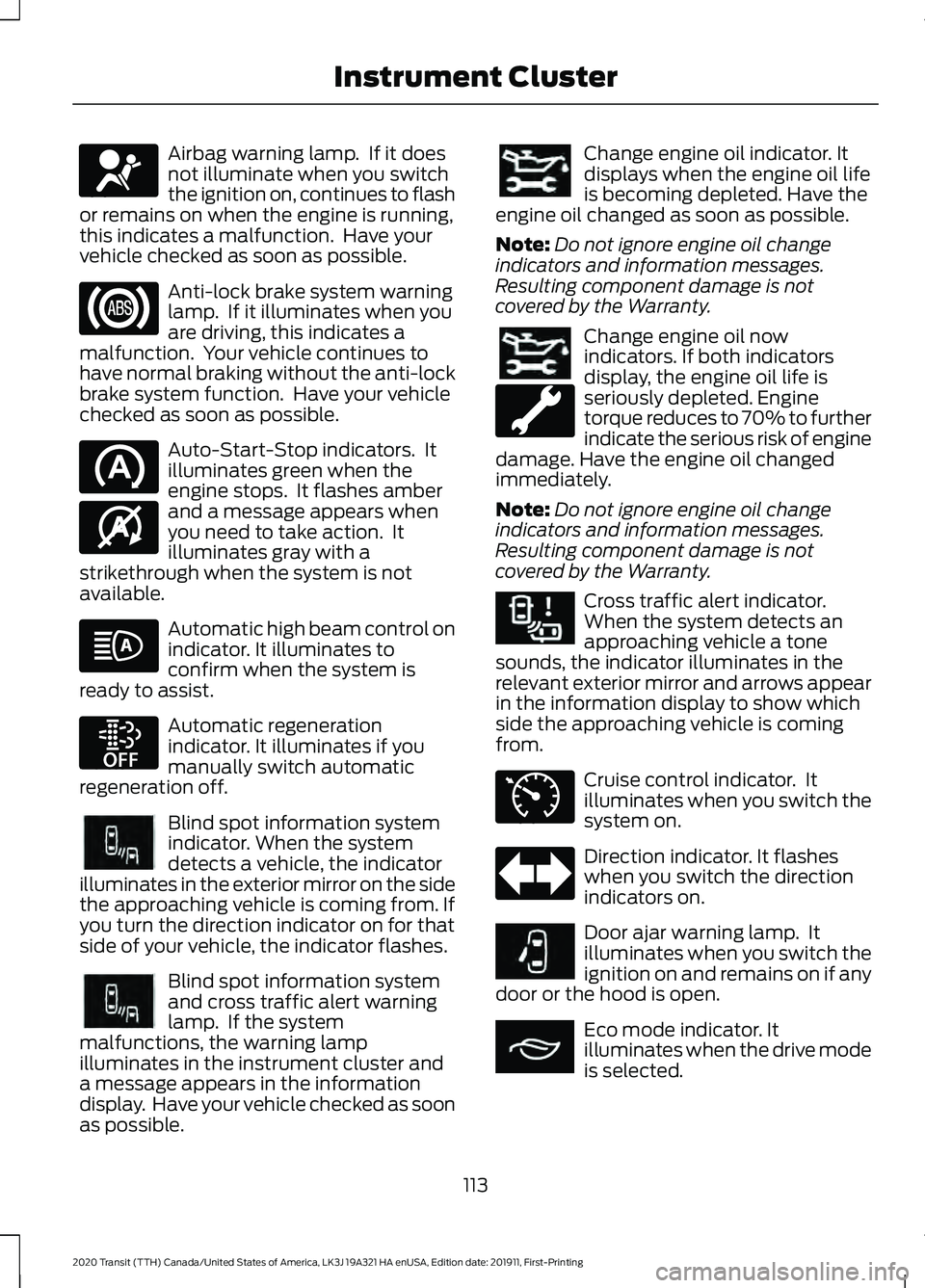
Airbag warning lamp. If it does
not illuminate when you switch
the ignition on, continues to flash
or remains on when the engine is running,
this indicates a malfunction. Have your
vehicle checked as soon as possible. Anti-lock brake system warning
lamp. If it illuminates when you
are driving, this indicates a
malfunction. Your vehicle continues to
have normal braking without the anti-lock
brake system function. Have your vehicle
checked as soon as possible. Auto-Start-Stop indicators. It
illuminates green when the
engine stops. It flashes amber
and a message appears when
you need to take action. It
illuminates gray with a
strikethrough when the system is not
available. Automatic high beam control on
indicator. It illuminates to
confirm when the system is
ready to assist. Automatic regeneration
indicator. It illuminates if you
manually switch automatic
regeneration off. Blind spot information system
indicator. When the system
detects a vehicle, the indicator
illuminates in the exterior mirror on the side
the approaching vehicle is coming from. If
you turn the direction indicator on for that
side of your vehicle, the indicator flashes. Blind spot information system
and cross traffic alert warning
lamp. If the system
malfunctions, the warning lamp
illuminates in the instrument cluster and
a message appears in the information
display. Have your vehicle checked as soon
as possible. Change engine oil indicator. It
displays when the engine oil life
is becoming depleted. Have the
engine oil changed as soon as possible.
Note: Do not ignore engine oil change
indicators and information messages.
Resulting component damage is not
covered by the Warranty. Change engine oil now
indicators. If both indicators
display, the engine oil life is
seriously depleted. Engine
torque reduces to 70% to further
indicate the serious risk of engine
damage. Have the engine oil changed
immediately.
Note: Do not ignore engine oil change
indicators and information messages.
Resulting component damage is not
covered by the Warranty. Cross traffic alert indicator.
When the system detects an
approaching vehicle a tone
sounds, the indicator illuminates in the
relevant exterior mirror and arrows appear
in the information display to show which
side the approaching vehicle is coming
from. Cruise control indicator. It
illuminates when you switch the
system on.
Direction indicator. It flashes
when you switch the direction
indicators on.
Door ajar warning lamp. It
illuminates when you switch the
ignition on and remains on if any
door or the hood is open. Eco mode indicator. It
illuminates when the drive mode
is selected.
113
2020 Transit (TTH) Canada/United States of America, LK3J 19A321 HA enUSA, Edition date: 201911, First-Printing Instrument ClusterE67017 E146361 E252868 E249861E249861 E249861E249861 E268294 E71340 E249859 E267164
Page 147 of 529
Note:
You can only attempt to start the
engine for a limited amount of time before
the starting system temporarily disables. If
you exceed the starting time limit, a
message may appear and you cannot
attempt to start the engine for at least 15
minutes.
Before starting your vehicle, check the
following:
• Make sure the headlamps and
electrical accessories are off.
• Make sure the parking brake is on.
• Make sure the transmission is in park
(P).
Starting the Engine
1. Fully press the brake pedal.
Note: Do not touch the accelerator pedal.
2. Turn the key to position III.
Note: The engine may continue cranking
for up to 15 seconds or until it starts.
Note: The engine takes longer to start at
lower temperatures. It may crank for several
seconds when very cold.
Failure to Start
If you cannot start the engine after 3
attempts, wait 10 seconds and do the
following:
1. Fully press the brake pedal.
2. Apply the parking brake.
3. Shift into park (P).
4. Fully press the accelerator pedal and hold it there.
5. Turn the key to position
III and wait
until the engine stops cranking.
6. Release the accelerator pedal.
7. Start the engine. Stopping the Engine When Your
Vehicle is Stationary
1. Shift into park (P).
2. Turn the key to position
0.
3. Apply the parking brake.
Stopping the Engine When Your
Vehicle is Moving WARNING:
Switching off the
engine when your vehicle is still moving
results in a significant decrease in
braking assistance. Higher effort is
required to apply the brakes and to stop
your vehicle. A significant decrease in
steering assistance could also occur. The
steering does not lock, but higher effort
could be required to steer your vehicle.
When you switch the ignition off, some
electrical circuits, for example airbags,
also turn off. If you unintentionally switch
the ignition off, shift into neutral (N) and
restart the engine.
1. Shift into neutral and use the brakes to
bring your vehicle to a safe stop.
2. Shift into park (P).
3. Turn the key to position
0.
4. Apply the parking brake.
Guarding Against Exhaust Fumes WARNING:
Exhaust leaks may
result in entry of harmful and potentially
lethal fumes into the passenger
compartment. If you smell exhaust
fumes inside your vehicle, have your
vehicle inspected immediately. Do not
drive if you smell exhaust fumes.
144
2020 Transit (TTH) Canada/United States of America, LK3J 19A321 HA enUSA, Edition date: 201911, First-Printing Starting and Stopping the Engine
Page 149 of 529
2. Apply the parking brake.
3. Shift into park (P).
4. Turn the key to position III until the
engine starts.
Stopping the Engine When Your
Vehicle is Stationary
1. Shift into park (P).
2. Turn the key to position
0.
3. Apply the parking brake.
Stopping the Engine When Your
Vehicle is Moving WARNING:
Switching off the
engine when your vehicle is still moving
results in a significant decrease in
braking assistance. Higher effort is
required to apply the brakes and to stop
your vehicle. A significant decrease in
steering assistance could also occur. The
steering does not lock, but higher effort
could be required to steer your vehicle.
When you switch the ignition off, some
electrical circuits, for example airbags,
also turn off. If you unintentionally switch
the ignition off, shift into neutral (N) and
restart the engine.
1. Shift into neutral and use the brakes to
bring your vehicle to a safe stop.
2. Shift into park (P).
3. Turn the key to position
0.
4. Apply the parking brake. Guarding Against Exhaust Fumes WARNING:
Exhaust leaks may
result in entry of harmful and potentially
lethal fumes into the passenger
compartment. If you smell exhaust
fumes inside your vehicle, have your
vehicle inspected immediately. Do not
drive if you smell exhaust fumes.
Important Ventilating Information
If you stop your vehicle and then leave the
engine idling for long periods, we
recommend that you do one of the
following:
• Open the windows at least 1 in (3 cm).
• Set your climate control to outside air.
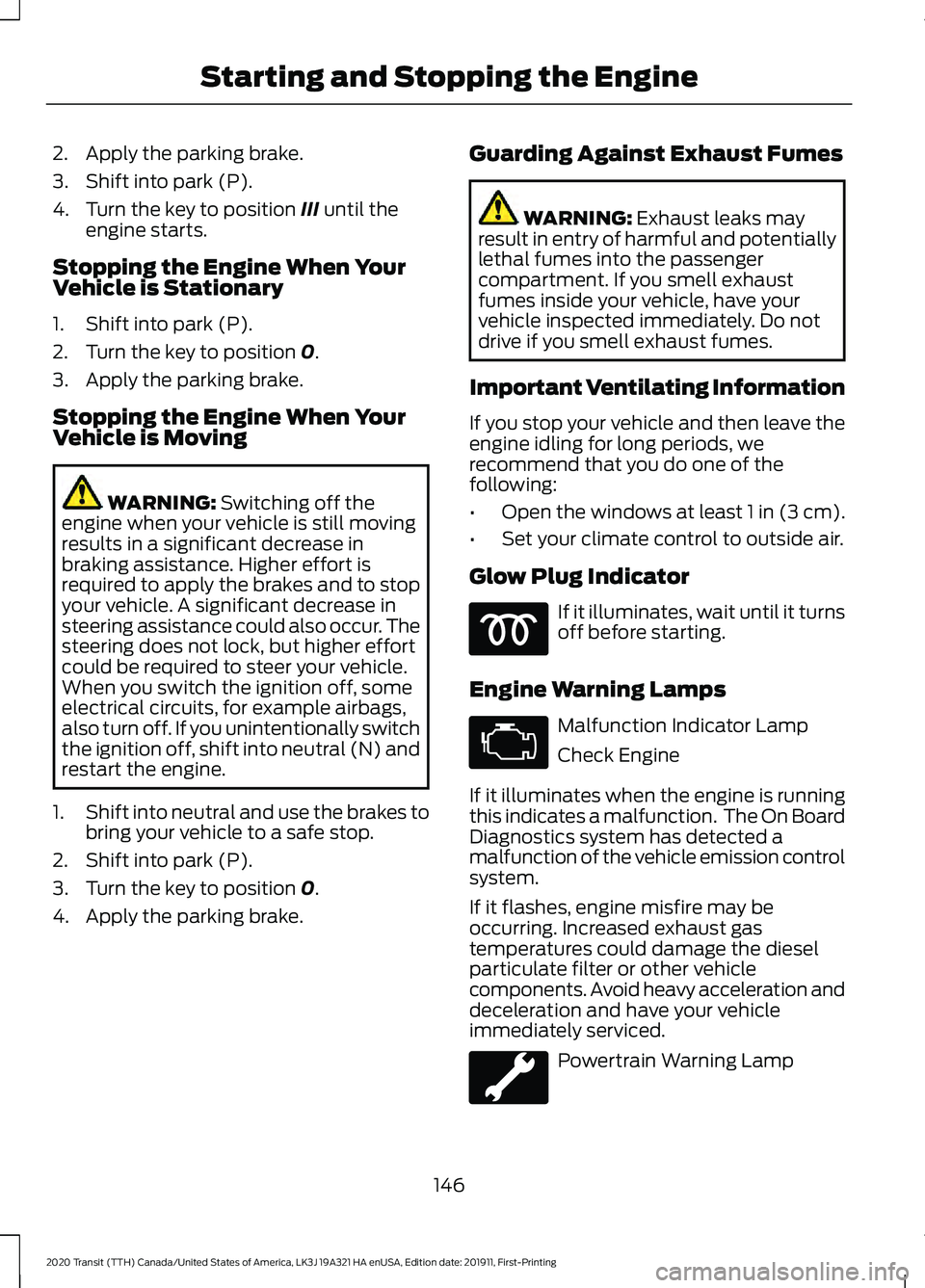
Glow Plug Indicator If it illuminates, wait until it turns
off before starting.
Engine Warning Lamps Malfunction Indicator Lamp
Check Engine
If it illuminates when the engine is running
this indicates a malfunction. The On Board
Diagnostics system has detected a
malfunction of the vehicle emission control
system.
If it flashes, engine misfire may be
occurring. Increased exhaust gas
temperatures could damage the diesel
particulate filter or other vehicle
components. Avoid heavy acceleration and
deceleration and have your vehicle
immediately serviced. Powertrain Warning Lamp
146
2020 Transit (TTH) Canada/United States of America, LK3J 19A321 HA enUSA, Edition date: 201911, First-Printing Starting and Stopping the Engine
Page 267 of 529
POST-CRASH ALERT SYSTEM
The system flashes the direction indicators
and sounds the horn (intermittently) in the
event of a serious impact that deploys an
airbag (front, side, side curtain or Safety
Canopy) or the seatbelt pretensioners.
The horn and indicators turn off when:
•
You press the hazard control button.
• You press the panic button on the
remote entry transmitter (if equipped).
• Your vehicle runs out of power.
• Sounding of the horn is only enabled
in specific markets.
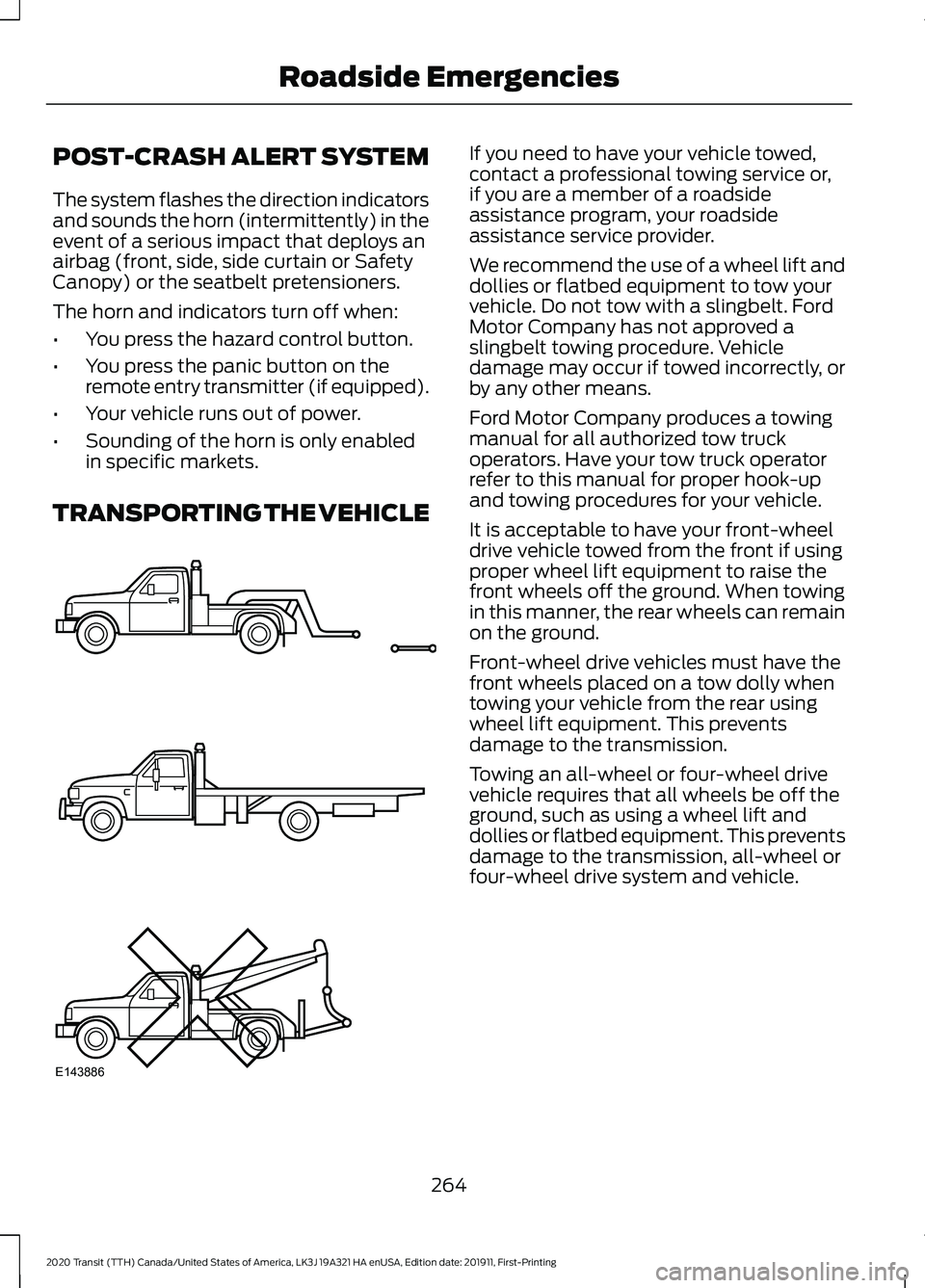
TRANSPORTING THE VEHICLE If you need to have your vehicle towed,
contact a professional towing service or,
if you are a member of a roadside
assistance program, your roadside
assistance service provider.
We recommend the use of a wheel lift and
dollies or flatbed equipment to tow your
vehicle. Do not tow with a slingbelt. Ford
Motor Company has not approved a
slingbelt towing procedure. Vehicle
damage may occur if towed incorrectly, or
by any other means.
Ford Motor Company produces a towing
manual for all authorized tow truck
operators. Have your tow truck operator
refer to this manual for proper hook-up
and towing procedures for your vehicle.
It is acceptable to have your front-wheel
drive vehicle towed from the front if using
proper wheel lift equipment to raise the
front wheels off the ground. When towing
in this manner, the rear wheels can remain
on the ground.
Front-wheel drive vehicles must have the
front wheels placed on a tow dolly when
towing your vehicle from the rear using
wheel lift equipment. This prevents
damage to the transmission.
Towing an all-wheel or four-wheel drive
vehicle requires that all wheels be off the
ground, such as using a wheel lift and
dollies or flatbed equipment. This prevents
damage to the transmission, all-wheel or
four-wheel drive system and vehicle.
264
2020 Transit (TTH) Canada/United States of America, LK3J 19A321 HA enUSA, Edition date: 201911, First-Printing Roadside EmergenciesE143886
Page 323 of 529
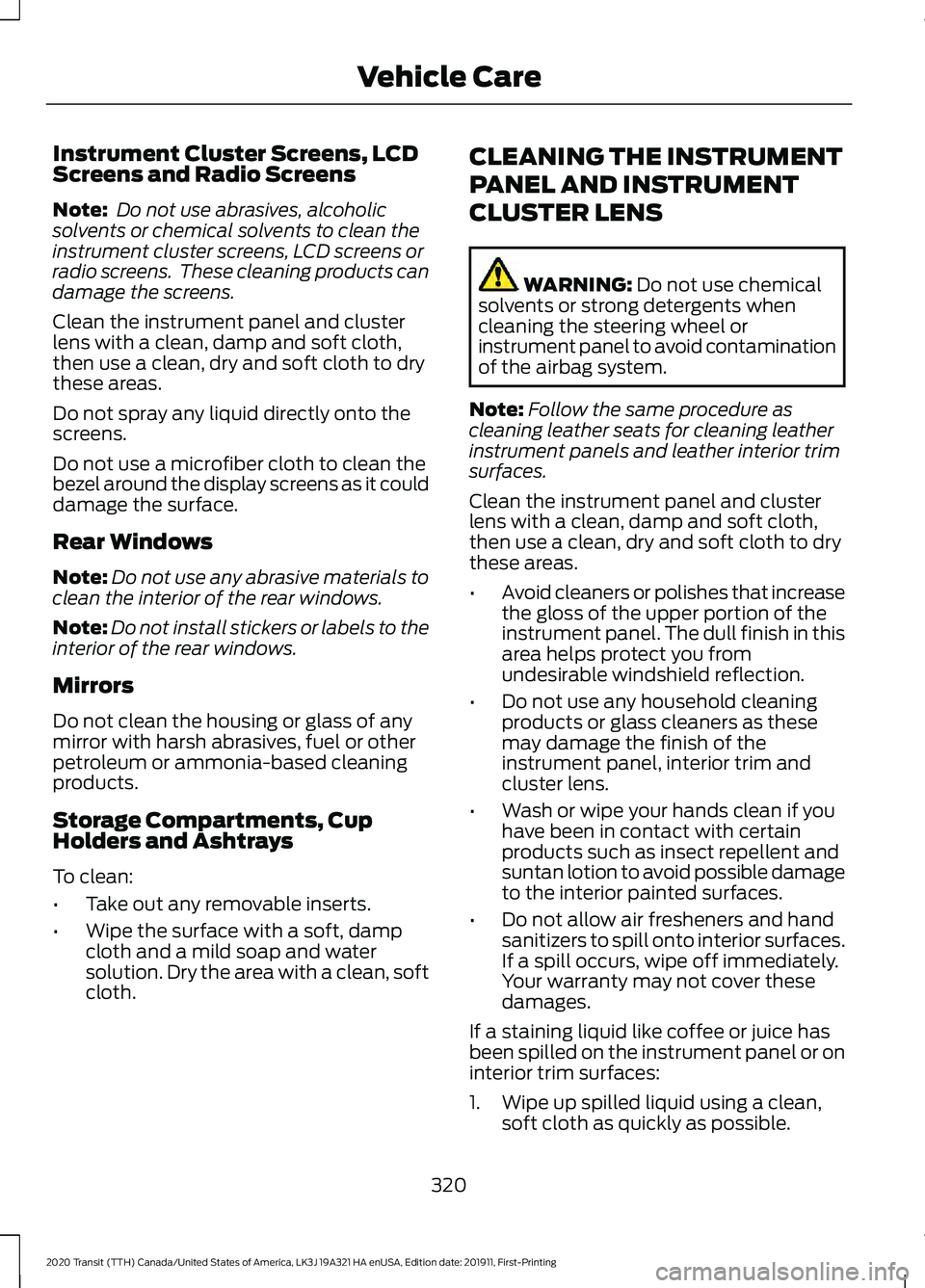
Instrument Cluster Screens, LCD
Screens and Radio Screens
Note:
Do not use abrasives, alcoholic
solvents or chemical solvents to clean the
instrument cluster screens, LCD screens or
radio screens. These cleaning products can
damage the screens.
Clean the instrument panel and cluster
lens with a clean, damp and soft cloth,
then use a clean, dry and soft cloth to dry
these areas.
Do not spray any liquid directly onto the
screens.
Do not use a microfiber cloth to clean the
bezel around the display screens as it could
damage the surface.
Rear Windows
Note: Do not use any abrasive materials to
clean the interior of the rear windows.
Note: Do not install stickers or labels to the
interior of the rear windows.
Mirrors
Do not clean the housing or glass of any
mirror with harsh abrasives, fuel or other
petroleum or ammonia-based cleaning
products.
Storage Compartments, Cup
Holders and Ashtrays
To clean:
• Take out any removable inserts.
• Wipe the surface with a soft, damp
cloth and a mild soap and water
solution. Dry the area with a clean, soft
cloth. CLEANING THE INSTRUMENT
PANEL AND INSTRUMENT
CLUSTER LENS WARNING: Do not use chemical
solvents or strong detergents when
cleaning the steering wheel or
instrument panel to avoid contamination
of the airbag system.
Note: Follow the same procedure as
cleaning leather seats for cleaning leather
instrument panels and leather interior trim
surfaces.
Clean the instrument panel and cluster
lens with a clean, damp and soft cloth,
then use a clean, dry and soft cloth to dry
these areas.
• Avoid cleaners or polishes that increase
the gloss of the upper portion of the
instrument panel. The dull finish in this
area helps protect you from
undesirable windshield reflection.
• Do not use any household cleaning
products or glass cleaners as these
may damage the finish of the
instrument panel, interior trim and
cluster lens.
• Wash or wipe your hands clean if you
have been in contact with certain
products such as insect repellent and
suntan lotion to avoid possible damage
to the interior painted surfaces.
• Do not allow air fresheners and hand
sanitizers to spill onto interior surfaces.
If a spill occurs, wipe off immediately.
Your warranty may not cover these
damages.
If a staining liquid like coffee or juice has
been spilled on the instrument panel or on
interior trim surfaces:
1. Wipe up spilled liquid using a clean, soft cloth as quickly as possible.
320
2020 Transit (TTH) Canada/United States of America, LK3J 19A321 HA enUSA, Edition date: 201911, First-Printing Vehicle Care
Page 407 of 529
![FORD TRANSIT 2020 User Guide If a crash deploys an airbag (excluding
knee airbags and rear inflatable safety
belts [if equipped]) or activates the fuel
pump shut-off, your SYNC-equipped
vehicle may be able to contact emergency
se](/img/11/40676/w960_40676-406.png "FORD TRANSIT 2020 User Guide If a crash deploys an airbag (excluding
knee airbags and rear inflatable safety
belts [if equipped]) or activates the fuel
pump shut-off, your SYNC-equipped
vehicle may be able to contact emergency
se")
If a crash deploys an airbag (excluding
knee airbags and rear inflatable safety
belts [if equipped]) or activates the fuel
pump shut-off, your SYNC-equipped
vehicle may be able to contact emergency
services by dialing 911 through a paired and
connected Bluetooth-enabled phone.
See Supplementary Restraints System
(page 51). Important information about
airbag deployment is in this chapter.
See
Roadside Emergencies (page 257).
Important information about the fuel pump
shut-off is in this chapter.
Setting 911 Assist On or Off
Press the Settings button then select: Action and Description
Menu
Item
Select the desired option, on
or off.
911 Assist
To make sure that 911 Assist works
properly:
• SYNC must be powered and working
properly at the time of the incident and
throughout feature activation and use.
• The 911 Assist feature must be set on
before the incident.
• You must pair and connect a Bluetooth
enabled and compatible cell phone to
SYNC.
• A connected Bluetooth enabled phone
must have the ability to make and
maintain an outgoing call at the time
of the incident.
• A connected Bluetooth enabled phone
must have adequate network coverage,
battery power and signal strength.
• The vehicle must have battery power
and be located in the U.S., Canada or
in a territory in which 911 is the
emergency number. In the Event of a Crash
Not all crashes deploy an airbag or activate
the fuel pump shut-off (the triggers for 911
Assist). If a connected cell phone sustains
damage or loses its connection to SYNC
during a crash, SYNC searches for and tries
to connect to a previously paired cell
phone; SYNC then attempts to call the
emergency services.
Before making the call:
•
SYNC provides a short window of time
(about 10 seconds) to cancel the call.
If you fail to cancel the call, SYNC
attempts to dial 911.
• SYNC says the following, or a similar
message: "SYNC will attempt to call
911, to cancel the call, press Cancel on
your screen or press and hold the
phone button on your steering wheel".
If you do not cancel the call, and SYNC
makes a successful call, a pre-recorded
message plays for the 911 operator, and
then the occupant(s) in your vehicle are
able to talk with the operator. Be prepared
to provide your name, phone number and
location immediately, because not all 911
systems are capable of receiving this
information electronically.
911 Assist May Not Work If
• Your cellular phone or 911 Assist
hardware sustains damage in a crash.
• The vehicle's battery or the SYNC
system has no power.
• The phone(s) thrown from your vehicle
are the ones paired and connected to
the system.
404
2020 Transit (TTH) Canada/United States of America, LK3J 19A321 HA enUSA, Edition date: 201911, First-Printing SYNC™
Page 408 of 529
911 Assist Privacy Notice
When you switch on 911 Assist, it may
disclose to emergency services that your
vehicle has been in a crash involving the
deployment of an airbag or activation of
the fuel pump shut-off. Certain versions or
updates to 911 Assist may also be capable
of electronically or verbally disclosing to
911 operators your vehicle location or other
details about your vehicle or crash to assist
911 operators to provide the most
appropriate emergency services. If you do
not want to disclose this information, do
not switch the feature on.
SYNC Mobile Apps
The system enables voice and steering
wheel control of SYNC AppLink enabled
smartphone apps. When an app is running
through AppLink, you can control main
features of the app through voice
commands and steering wheel controls.
Note:
You must pair and connect your
smartphone to SYNC to access AppLink.
Note: Android users need to connect the
phone to SYNC using Bluetooth. Note:
For information on available apps,
supported smartphone devices and
troubleshooting tips please visit the Ford
website
Note: Availability of SYNC AppLink enabled
Apps will vary by region.
Note: Make sure you have an active account
for the app that you have downloaded.
Some apps work automatically with no
setup. Other apps want you to configure
your personal settings and personalize your
experience by creating stations or favorites.
We recommend you do this at home or
outside of your vehicle.
To Access Using the SYNC Menu
Press the Mobile Apps button to access
the menu on-screen. Then select: Action and Description
Menu
Item
Scroll through the list of
available applications and
select a particular app.
Find
Mobile
Apps
Note: If you cannot find a compatible SYNC
AppLink app, make sure the required app is
running on the mobile device.
To Access Using Voice Commands
Press the voice button, then when prompted say: Action and Description
Voice Command
Say the name of the application after the tone.
The app should start. When an app is running through SYNC, you can press the voice button and speak commands specific to the app, for example "Play Playlist Road Trip".
Mobile Applications
SYNC lists all of the currently available mobile apps.
List Applications
Searches your connected mobile device for SYNC-compatible mobile apps.
Find Applications
Use this command to discover the available voice commands.
Help
405
2020 Transit (TTH) Canada/United States of America, LK3J 19A321 HA enUSA, Edition date: 201911, First-Printing SYNC™
Page 512 of 529
1
180 Degree Camera....................................203
Camera Views.................................................... 204
Front View Camera........................................... 204
Using the 180 degree camera system.............................................................. 204
9
911 Assist...........................................................62
A
A/C See: Climate Control........................................... 121
About This Manual...........................................9
ABS See: Brakes............................................................ 182
ABS driving hints See: Hints on Driving With Anti-Lock
Brakes................................................................ 182
Accessories....................................................458
Accessories See: Replacement Parts
Recommendation............................................ 15
ACC See: Using Adaptive Cruise Control............207
Active Park Assist.........................................198 Using Active Park Assist.................................. 198
Adjusting the Headlamps........................305 Horizontal Aim Adjustment.......................... 306
Vertical Aim Adjustment................................ 305
Adjusting the Steering Wheel....................97
Airbag Disposal
................................................61
Air Conditioning See: Climate Control........................................... 121
Air Filter See: Changing the Engine Air Filter............296
Alarm See: Anti-Theft Alarm - Vehicles With:
Anti-Theft Alarm Horn with Integral
Battery................................................................. 92
See: Anti-Theft Alarm - Vehicles Without: Anti-Theft Alarm Horn with Integral
Battery.................................................................. 91
All-Wheel Drive
..............................................177 AM/FM Radio - Vehicles Without:
SYNC.............................................................396
Selecting a Radio Source............................... 396
Anti-Theft Alarm - Vehicles With: Anti-Theft Alarm Horn with Integral
Battery.............................................................92
Alarm System........................................................ 92
Arming the Alarm................................................. 93
Disarming the Alarm........................................... 93
Guard Settings...................................................... 92
Triggering the Alarm............................................ 92
Anti-Theft Alarm - Vehicles Without: Anti-Theft Alarm Horn with Integral
Battery..............................................................91
Alarm System......................................................... 91
Arming the Alarm.................................................. 91
Disarming the Alarm............................................ 91
Triggering the Alarm............................................. 91
Appendices...................................................480
Applying the Parking Brake......................185
Apps..................................................................441 SiriusXM Traffic and Travel Link................... 442
Using Apps on an Android Device...............442
Using Apps on an iOS Device......................... 441
Using Mobile Navigation on an Android Device................................................................ 442
Audio System
................................................393
General Information......................................... 393
Audio Unit Clock and Date Displays - Vehicles Without: SYNC.........................397
Adjusting the Clock........................................... 397
Audio Unit - Vehicles With: SYNC 3......................................................................395
Adjusting the Volume...................................... 395
Changing Radio Stations................................ 395
Pausing or Playing Media............................... 396
Seek Down and Previous Track Button............................................................... 396
Seek Up and Next Track Button.................. 396
Sound Settings................................................... 396
Switching the Audio Unit On and Off........395
Switching the Screen On and Off...............396
Audio Unit - Vehicles Without: SYNC.............................................................393
Adjusting the Volume...................................... 393
Changing Radio Stations................................ 394
Pausing or Playing Media............................... 395
Returning to the Previous Screen................394
509
2020 Transit (TTH) Canada/United States of America, LK3J 19A321 HA enUSA, Edition date: 201911, First-Printing Index
Page 515 of 529
Cleaning the Interior....................................318
Fabric, Carpets, Cloth Seats, Headliners
and Floor Mats................................................ 318
Instrument Cluster Screens, LCD Screens and Radio Screens....................................... 320
Leather Interior.................................................... 319
Mirrors.................................................................... 320
Rear Windows..................................................... 320
Seatbelts............................................................... 319
Storage Compartments, Cup Holders and Ashtrays........................................................... 320
Suede Micro Fiber Fabric................................. 319
Cleaning the Wheels...................................321
Cleaning the Windows and Wiper Blades............................................................318
Clearing All MyKeys.......................................74
Climate Control..............................................121
Closing the Sliding Door...............................81 Closing the Sliding Door From Inside Your
Vehicle.................................................................. 81
Closing the Sliding Door From Outside Your Vehicle................................................................. 82
Closing the Sliding Door With the Remote Control................................................................ 85
Cold Weather Precautions
.......................254
Connected Vehicle......................................388 Connecting the Vehicle to a Mobile
Network........................................................... 388
Connected Vehicle Limitations..............388
Connected Vehicle Requirements
........388
Connected Vehicle – Troubleshooting - Vehicles With: Modem
...........................389
Connected Vehicle – Troubleshooting - Vehicles With: SYNC 3...........................390
Connecting a Bluetooth® Device - Vehicles Without: SYNC.........................397
Pairing a Device.................................................. 397
Connecting the Vehicle to a Mobile Network.......................................................388
Connecting FordPass to the Modem.........388
Enabling and Disabling the Modem...........388
What Is the Modem.......................................... 388
Connecting the Vehicle to a Wi-Fi Network.......................................................388
Coolant Check See: Engine Coolant Check........................... 298
Crash Sensors and Airbag Indicator.......60 Creating a MyKey............................................72
MyKey Information Messages.......................... 72
Creating a Wi-Fi Hotspot..........................392 Connecting a Device to the Wi-Fi
Hotspot............................................................. 392
Finding the Wi-Fi Hotspot Name and Password......................................................... 392
Cross Traffic Alert........................................224 Cross Traffic Alert behavior when trailer is
attached........................................................... 226
Cross Traffic Alert Indicator........................... 226
Cross Traffic Alert Information Messages.......................................................... 227
Cross Traffic Alert System Limitations...................................................... 226
Cross Traffic Alert System Sensors............226
Switching the System On and Off..............226
Using Cross Traffic Alert.................................. 224
Cruise Control...............................................206 Principle of Operation..................................... 206
Cruise control See: Using Cruise Control.............................. 206
Customer Assistance.................................266
D
Data Recording
..................................................11
Comfort, Convenience and Entertainment
Data....................................................................... 13
Event Data................................................................ 13
Service Data............................................................ 12
Services That Third Parties Provide...............14
Services That We Provide.................................. 14
Vehicles With a Modem...................................... 14
Vehicles With an Emergency Call System.................................................................. 15
Vehicles With SYNC............................................. 14
Daytime Running Lamps
...........................103
Type 1 - Conventional
(Non-Configurable)...................................... 103
Type 2 - Configurable........................................ 103
Declaration of Conformity
.......................508
Radio Frequency Statement........................ 508
Diesel Particulate Filter
...............................167
Diesel Particulate Filter Automatic
Regeneration................................................... 168
Diesel Particulate Filter Information Messages........................................................... 172
512
2020 Transit (TTH) Canada/United States of America, LK3J 19A321 HA enUSA, Edition date: 201911, First-Printing Index
Page 516 of 529
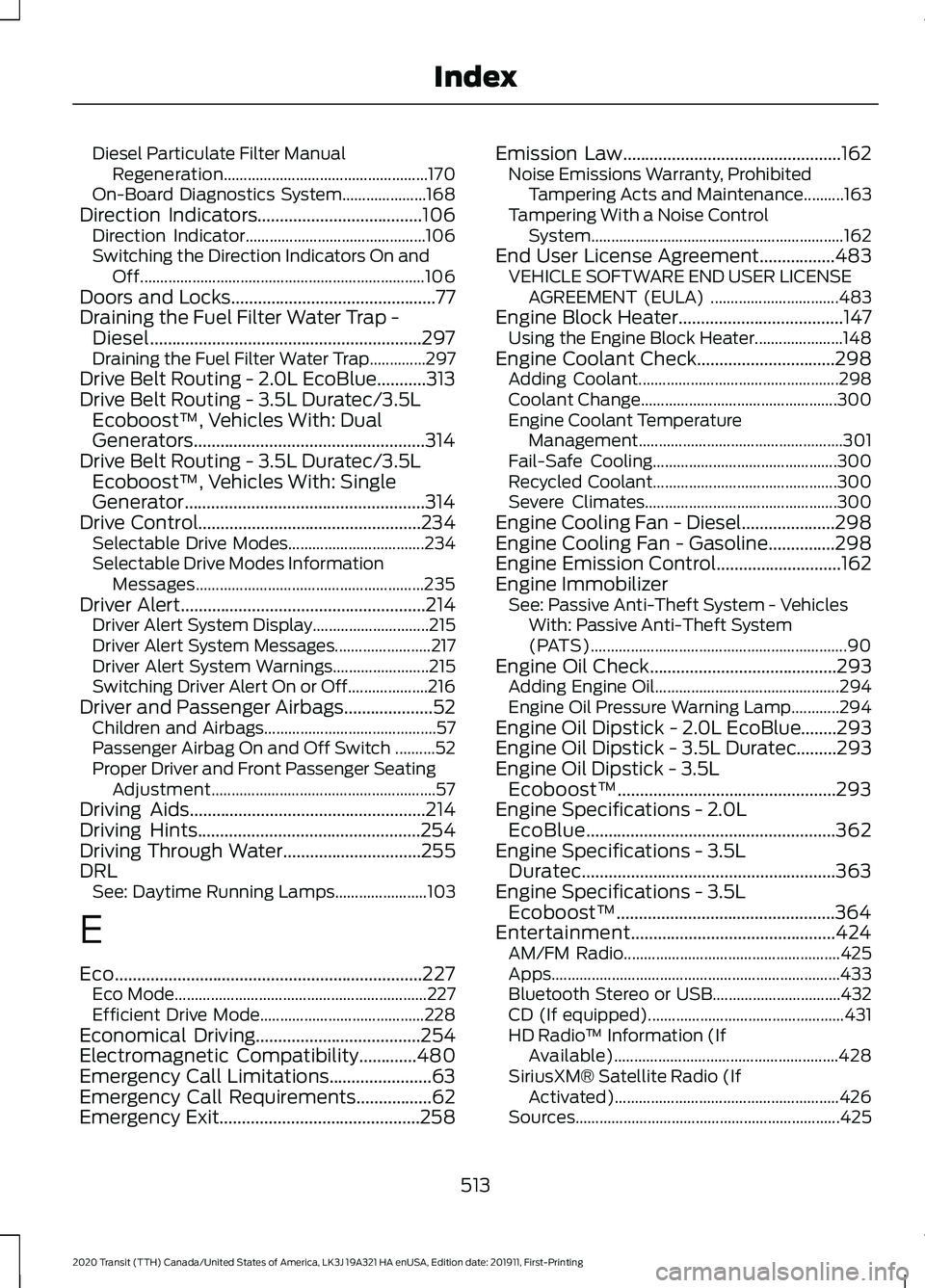
Diesel Particulate Filter Manual
Regeneration................................................... 170
On-Board Diagnostics System..................... 168
Direction Indicators.....................................106 Direction Indicator............................................. 106
Switching the Direction Indicators On and Off....................................................................... 106
Doors and Locks..............................................77
Draining the Fuel Filter Water Trap - Diesel.............................................................297
Draining the Fuel Filter Water Trap..............297
Drive Belt Routing - 2.0L EcoBlue...........313
Drive Belt Routing - 3.5L Duratec/3.5L Ecoboost™, Vehicles With: Dual
Generators....................................................314
Drive Belt Routing - 3.5L Duratec/3.5L Ecoboost™, Vehicles With: Single
Generator......................................................314
Drive Control..................................................234 Selectable Drive Modes.................................. 234
Selectable Drive Modes Information Messages......................................................... 235
Driver Alert.......................................................214
Driver Alert System Display............................. 215
Driver Alert System Messages........................ 217
Driver Alert System Warnings........................ 215
Switching Driver Alert On or Off.................... 216
Driver and Passenger Airbags....................52 Children and Airbags........................................... 57
Passenger Airbag On and Off Switch ..........52
Proper Driver and Front Passenger Seating Adjustment........................................................ 57
Driving Aids
.....................................................214
Driving Hints..................................................254
Driving Through Water...............................255
DRL See: Daytime Running Lamps....................... 103
E
Eco
.....................................................................227
Eco Mode............................................................... 227
Efficient Drive Mode......................................... 228
Economical Driving
.....................................254
Electromagnetic Compatibility.............480
Emergency Call Limitations.......................63
Emergency Call Requirements.................62
Emergency Exit.............................................258 Emission Law
.................................................162
Noise Emissions Warranty, Prohibited
Tampering Acts and Maintenance..........163
Tampering With a Noise Control System............................................................... 162
End User License Agreement.................483 VEHICLE SOFTWARE END USER LICENSE
AGREEMENT (EULA) ................................ 483
Engine Block Heater.....................................147 Using the Engine Block Heater...................... 148
Engine Coolant Check...............................298 Adding Coolant.................................................. 298
Coolant Change................................................. 300
Engine Coolant Temperature Management................................................... 301
Fail-Safe Cooling.............................................. 300
Recycled Coolant.............................................. 300
Severe Climates................................................ 300
Engine Cooling Fan - Diesel.....................298
Engine Cooling Fan - Gasoline
...............298
Engine Emission Control............................162
Engine Immobilizer See: Passive Anti-Theft System - Vehicles
With: Passive Anti-Theft System
(PATS)................................................................ 90
Engine Oil Check
..........................................293
Adding Engine Oil.............................................. 294
Engine Oil Pressure Warning Lamp............294
Engine Oil Dipstick - 2.0L EcoBlue........293
Engine Oil Dipstick - 3.5L Duratec.........293
Engine Oil Dipstick - 3.5L Ecoboost™.................................................293
Engine Specifications - 2.0L EcoBlue........................................................362
Engine Specifications - 3.5L Duratec.........................................................363
Engine Specifications - 3.5L Ecoboost™.................................................364
Entertainment..............................................
424
AM/FM Radio...................................................... 425
Apps........................................................................\
433
Bluetooth Stereo or USB................................ 432
CD (If equipped)................................................. 431
HD Radio ™ Information (If
Available)........................................................ 428
SiriusXM® Satellite Radio (If Activated)........................................................ 426
Sources.................................................................. 425
513
2020 Transit (TTH) Canada/United States of America, LK3J 19A321 HA enUSA, Edition date: 201911, First-Printing Index