Normal FORD TRANSIT 2021 Owner's Manual
[x] Cancel search | Manufacturer: FORD, Model Year: 2021, Model line: TRANSIT, Model: FORD TRANSIT 2021Pages: 509, PDF Size: 8.21 MB
Page 172 of 509
Maintenance and Modifications
The suspension and steering systems on
your vehicle have been designed and
tested to provide predictable performance
whether loaded or empty and durable load
carrying capability. For this reason, we
strongly recommend that you do not make
modifications such as adding or removing
parts (such as lowering kits or stabilizer
bars) or by using replacement parts not
equivalent to the original factory
equipment.
Any modifications to a vehicle that raise
the center of gravity can make it more likely
the vehicle will rollover as a result of a loss
of control. We strongly recommend that
caution be used with any vehicle equipped
with a high load or device (such as ladder
or luggage racks).
Failure to maintain your vehicle properly
could void the warranty, increase your
repair cost, reduce vehicle performance
and operational capabilities and adversely
affect driver and passenger safety.
Frequent inspection of vehicle chassis
components is recommended if the vehicle
is subjected to off-highway usage.
All-Wheel Drive Gauge
This feature shows how the engine power
is split between the front and rear axles in
real time.
1. Using the information display controls
on the steering wheel, select Settings.
2. Select Information.
3. Select
Intelligent AWD.
All-Wheel Drive Information Messages Description
Message
The system is temporarily locked. This could be due to the
system increasing its capacity in order to improve perform-
ance.
AWD Temporarily Locked
The system temporarily turns off. This could be due to the
system overheating. Stop your vehicle as soon as it is safe
to do so and allow the system to cool.
AWD Temporarily
Disabled
The system resumes normal function.
AWD Restored
The system has malfunctioned. Have your vehicle checked
as soon as possible.
AWD Malfunction Service
Required
The system temporarily turns off to protect itself from over-
heating or if you are using a mismatched tire.
AWD OFF
169
2021 Transit (TTH) Canada/United States of America, MK3J 19A321 AA enUSA, Edition date: 202010, Second-Printing All-Wheel Drive
Page 173 of 509
GENERAL INFORMATION
Note:
Occasional brake noise is normal. If
a metal-to-metal, continuous grinding or
continuous squeal sound is present, the
brake linings may be worn-out. Have the
system checked by an authorized dealer. If
your vehicle has continuous vibration or
shudder in the steering wheel while braking,
have it checked by an authorized dealer.
Note: Brake dust may accumulate on the
wheels, even under normal driving
conditions. Some dust is inevitable as the
brakes wear and does not contribute to
brake noise. See Cleaning the Wheels
(page 308). Wet brakes result in reduced braking
efficiency. Gently press the brake pedal a
few times when driving from a car wash or
standing water to dry the brakes.
Brake Over Accelerator
In the event the accelerator pedal
becomes stuck or entrapped, apply steady
and firm pressure to the brake pedal to
slow the vehicle and reduce engine power.
If you experience this condition, apply the
brakes and bring your vehicle to a safe
stop. Move the gearshift lever to park (P),
switch the engine off and apply the parking
brake. Inspect the accelerator pedal for
any interference. If none are found and the
condition persists, have your vehicle towed
to the nearest authorized dealer.
Brake Assist
Brake assist detects when you rapidly
brake by measuring the rate at which you
press the brake pedal. It provides
maximum braking efficiency as long as you
press the pedal, and can reduce stopping
distances in critical situations. Anti-lock Brake System
This system helps you maintain steering
control during emergency stops by keeping
the brakes from locking. This lamp momentarily
illuminates when you turn the
ignition on. If the light does not
illuminate during start up, remains on or
flashes, the system may be disabled. Have
the system checked by an authorized
dealer. If the system is disabled, normal
braking is still effective. This
lamp momentarily illuminates
when you turn the ignition on. If the lamp
remains on when you release the parking
brake, have the system checked by an
authorized dealer.
HINTS ON DRIVING WITH
ANTI-LOCK BRAKES
The anti-lock brake system does not
eliminate the risks when:
• You drive too closely to the vehicle in
front of you.
• Your vehicle is hydroplaning.
• You take corners too fast.
• The road surface is poor.
Note: If the system activates, the brake
pedal could pulse and may travel further.
Maintain pressure on the brake pedal. You
may also hear a noise from the system. This
is normal.
170
2021 Transit (TTH) Canada/United States of America, MK3J 19A321 AA enUSA, Edition date: 202010, Second-Printing BrakesE138644 E138644
Page 174 of 509
HILL START ASSIST
WARNING: The system does not
replace the parking brake. When you
leave your vehicle, always apply the
parking brake. WARNING:
You must remain in
your vehicle when the system turns on.
At all times, you are responsible for
controlling your vehicle, supervising the
system and intervening, if required.
Failure to take care may result in the loss
of control of your vehicle, serious
personal injury or death. WARNING:
The system turns off if
there is a malfunction or if you
excessively rev the engine.
The system makes it easier for you to pull
away when your vehicle is on a slope
without using the parking brake. When the system activates, your vehicle
remains stationary for a few seconds after
you release the brake pedal. This gives you
time to move your foot from the brake
pedal to the accelerator pedal. The brakes
release when the engine has developed
sufficient torque to prevent your vehicle
from rolling down the slope.
Using Hill Start Assist
1. Bring your vehicle to a complete
standstill. Keep the brake pedal
pressed.
2. Select a gear.
Note: The system activates if the sensors
detect that your vehicle is on a slope.
3. Pull away in the normal manner.
Note: When you remove your foot from the
brake pedal, your vehicle remains on the
slope without rolling away for a few
seconds. This hold time increases if you are
in the process of driving off.
Switching Hill Start Assist On or Off
Vehicles with Manual Transmission
To switch hill start assist on or off, use the information display controls on the
steering wheel to select the following: Action
Menu Item
Press the menu button.
Driver Assist.
Press the
OK button.
Hill Start Assist
The system remembers the last setting
when you start your vehicle.
Note: There is no indicator to indicate
whether the system is on or off. Vehicles with Automatic Transmission
The system turns on when you switch the
ignition on and you cannot switch the
system off.
171
2021 Transit (TTH) Canada/United States of America, MK3J 19A321 AA enUSA, Edition date: 202010, Second-Printing Brakes
Page 175 of 509
Hill Start Assist Information Messages
Action
Message
Displays when the system is not available. Have your vehicle
checked as soon as possible.
Hill Start Assist Not
Available
AUTO HOLD WARNING: The system does not
replace the parking brake. When you
leave your vehicle, always apply the
parking brake. WARNING:
You must remain in
your vehicle when the system turns on.
At all times, you are responsible for
controlling your vehicle, supervising the
system and intervening, if required.
Failure to take care may result in the loss
of control of your vehicle, serious
personal injury or death. WARNING:
The system turns off if
there is a malfunction or if you
excessively rev the engine.
The system is designed to apply the brakes
to hold your vehicle at a standstill after you
stop your vehicle and release the brake
pedal. This could be beneficial in certain
situations, for example when waiting on a
hill or in traffic.
Switching Auto Hold On and Off Press the button on the center
console. The button illuminates
when you switch the system on.
Note: You can only switch the system on
after you close the driver door, fasten your
seatbelt and start the engine.
Note: The system remembers the last
setting when you start your vehicle. Make sure you switch the system off before
towing with your vehicle or before using an
automatic car wash.
Using Auto Hold
1. Use the brakes to bring your vehicle to
a complete stop. The auto hold active
indicator illuminates in the information
display.
2. Release the brake pedal. The system holds your vehicle at a standstill. The
auto hold active indicator remains
illuminated in the information display.
Note: The system only activates if you
apply enough brake pressure. If your vehicle
is on a steep slope, you could need to press
the brake pedal harder before the system
activates.
Note: Under certain conditions, the system
could apply the electric parking brake. The
brake system warning lamp illuminates. The
electric parking brake releases when you
press the accelerator pedal.
See Applying
the Electric Parking Brake (page 177).
Note: If auto-start-stop turns off the
engine, auto hold remains active.
Note: The system deactivates if you shift
into reverse (R) and press the brake pedal.
3. Pull away in the normal manner. The system releases the brakes and the
auto hold active indicator turns off.
Auto Hold Indicator
The auto hold indicator illuminates in the
information display when the system is on
and is either active or unavailable.
172
2021 Transit (TTH) Canada/United States of America, MK3J 19A321 AA enUSA, Edition date: 202010, Second-Printing Brakes
Page 180 of 509
WHAT IS THE ELECTRIC
PARKING BRAKE
The electric parking brake is used to hold
your vehicle on slopes and flat roads.
APPLYING THE ELECTRIC
PARKING BRAKE
WARNING: Always fully apply the
parking brake and make sure you shift
into park (P). Failure to follow this
instruction could result in personal injury
or death. WARNING:
If you drive extended
distances with the parking brake applied,
you could cause damage to the brake
system. The switch is next to the steering
wheel on the lower part of the
instrument panel.
1. Pull the switch up.
The red warning lamp flashes during
operation and illuminates when the parking
brake is applied.
Note: You can apply the electric parking
brake when the ignition is off.
Note: The electric parking brake could
apply when you shift into park (P).
See
Automatic Transmission (page 161).
APPLYING THE ELECTRIC
PARKING BRAKE IN AN
EMERGENCY
You can use the electric parking brake to
slow or stop your vehicle in an emergency.
1. Pull the switch up and hold it. The electric parking brake continues to
slow your vehicle down unless you release
the switch.
The red warning lamp illuminates, a tone
sounds and the stoplamps turn on when
you use the electric parking brake in an
emergency.
Note:
Do not apply the electric parking
brake when your vehicle is moving, except
in an emergency.
MANUALLY RELEASING THE
ELECTRIC PARKING BRAKE
1. Switch the ignition on.
2. Press and hold the brake pedal.
3. Push the switch down.
The red warning lamp turns off.
Pulling Away on a Hill When Towing a
Trailer
1. Press and hold the brake pedal.
2. Pull the switch upward and hold it.
3. Shift into gear.
4. Press the accelerator pedal until engine
has developed sufficient torque to
prevent your vehicle from rolling down
the hill.
5. Release the switch and pull away in a normal manner.
AUTOMATICALLY RELEASING
THE ELECTRIC PARKING
BRAKE
1. Close the driver door.
2. Shift into gear.
3. Press the accelerator pedal and pull away in a normal manner.
177
2021 Transit (TTH) Canada/United States of America, MK3J 19A321 AA enUSA, Edition date: 202010, Second-Printing Electric Parking BrakeE267156
Page 186 of 509
PRINCIPLE OF OPERATION
WARNING: To help avoid personal
injury, always use caution when in
reverse (R) and when using the sensing
system. WARNING:
The system may not
detect objects with surfaces that absorb
reflection. Always drive with due care
and attention. Failure to take care may
result in a crash. WARNING: Traffic control systems,
inclement weather, air brakes, external
motors and fans may affect the correct
operation of the sensing system. This
may cause reduced performance or false
alerts. WARNING:
The system may not
detect small or moving objects,
particularly those close to the ground. WARNING:
If damage occurs in the
immediate area surrounding the sensor,
have your vehicle checked as soon as
possible. WARNING:
The parking aid system
can only assist you to detect objects
when your vehicle is moving at parking
speeds. To help avoid personal injury you
must take care when using the parking
aid system. WARNING:
In cold and severe
weather conditions the system may not
function. Rain, snow and spray can all
limit sensor performance. WARNING:
The system may not
function if the sensor is blocked. Note:
If your vehicle has MyKey ™, the
sensing system cannot be switched off
when a MyKey ™ is present.
See Principle
of Operation (page 70).
Note: Do not clean the sensors with sharp
objects.
Note: If your vehicle sustains damage to
the bumper or fascia and you leave it
misaligned or bent, the sensing zone may
be altered causing inaccurate measurement
of obstacles or false alerts.
Note: Certain add-on devices installed
around the bumper or fascia may create
false alerts. For example, large trailer
hitches, bike or surfboard racks, license plate
brackets, bumper covers or any other device
that may block the normal detection zone
of the system. Remove the add-on device
to prevent false alerts.
Note: When you connect a trailer to your
vehicle, the rear parking aid may detect the
trailer and therefore provide an alert. Disable
the rear parking aid when you connect a
trailer to prevent the alert.
The sensing system warns you of obstacles
within a certain range of your vehicle. The
system turns on when you switch the
ignition on.
You can switch the system off through the
information display menu or from the
pop-up message that appears once you
shift the transmission into reverse (R). See
General Information
(page 115). If your
vehicle has a parking aid button, you can
switch the system off by pressing the
button. The system turns on when you
switch the ignition on.
If a fault is present in the system, a warning
message appears in the information
display.
183
2021 Transit (TTH) Canada/United States of America, MK3J 19A321 AA enUSA, Edition date: 202010, Second-Printing Parking Aids
Page 197 of 509
WARNING: Use caution when
turning camera features on or off when
the transmission is not in park (P). Make
sure your vehicle is not moving. WARNING:
To help avoid personal
injury always use caution when in reverse
(R) and when using the rear view
camera.
The rear view camera provides an image
of the area behind your vehicle. During
operation, lines appear in the display that
represents the path of your vehicle and
proximity to objects behind it.
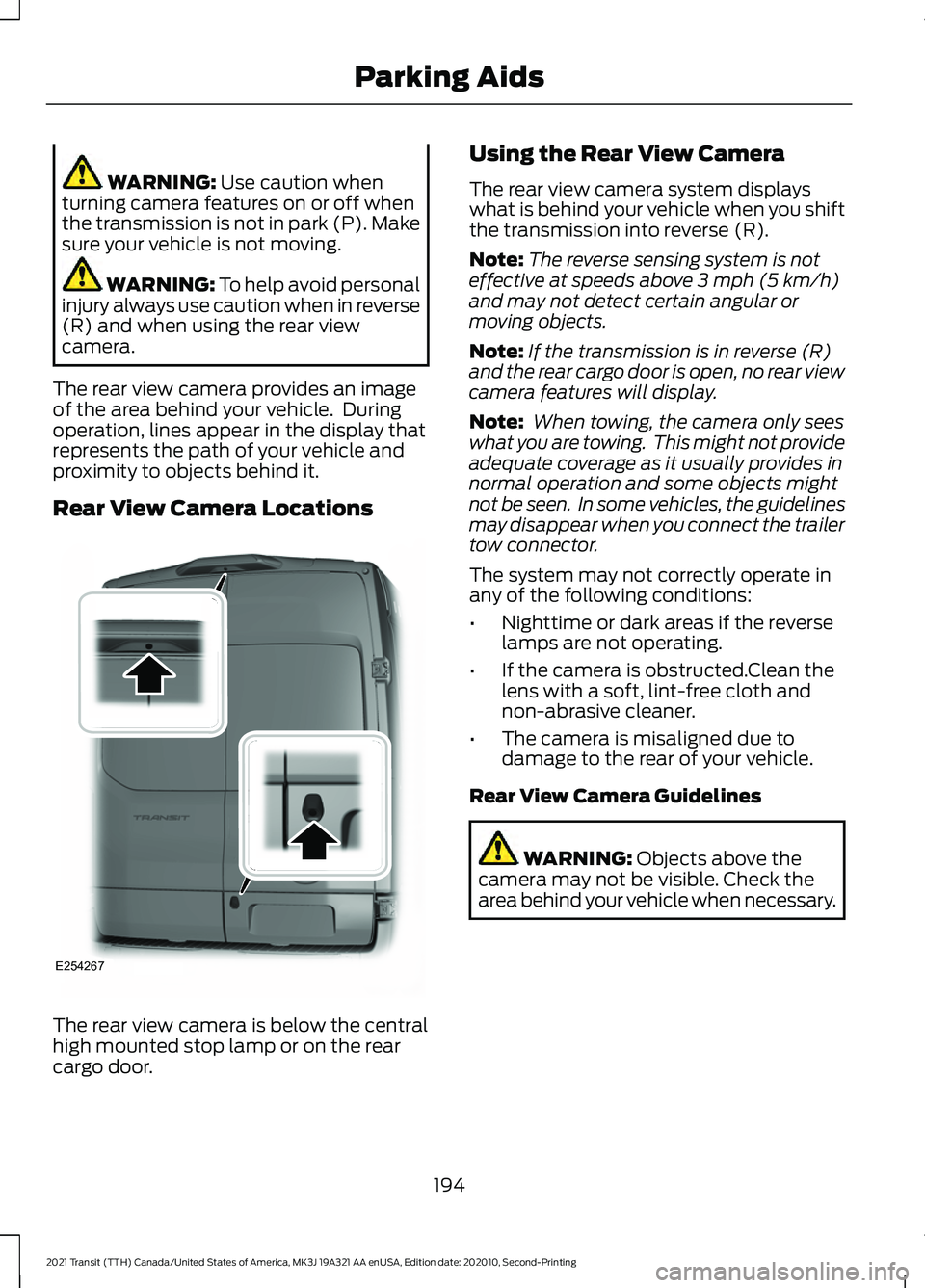
Rear View Camera Locations The rear view camera is below the central
high mounted stop lamp or on the rear
cargo door. Using the Rear View Camera
The rear view camera system displays
what is behind your vehicle when you shift
the transmission into reverse (R).
Note:
The reverse sensing system is not
effective at speeds above 3 mph (5 km/h)
and may not detect certain angular or
moving objects.
Note: If the transmission is in reverse (R)
and the rear cargo door is open, no rear view
camera features will display.
Note: When towing, the camera only sees
what you are towing. This might not provide
adequate coverage as it usually provides in
normal operation and some objects might
not be seen. In some vehicles, the guidelines
may disappear when you connect the trailer
tow connector.
The system may not correctly operate in
any of the following conditions:
• Nighttime or dark areas if the reverse
lamps are not operating.
• If the camera is obstructed.Clean the
lens with a soft, lint-free cloth and
non-abrasive cleaner.
• The camera is misaligned due to
damage to the rear of your vehicle.
Rear View Camera Guidelines WARNING:
Objects above the
camera may not be visible. Check the
area behind your vehicle when necessary.
194
2021 Transit (TTH) Canada/United States of America, MK3J 19A321 AA enUSA, Edition date: 202010, Second-Printing Parking AidsE254267
Page 200 of 509
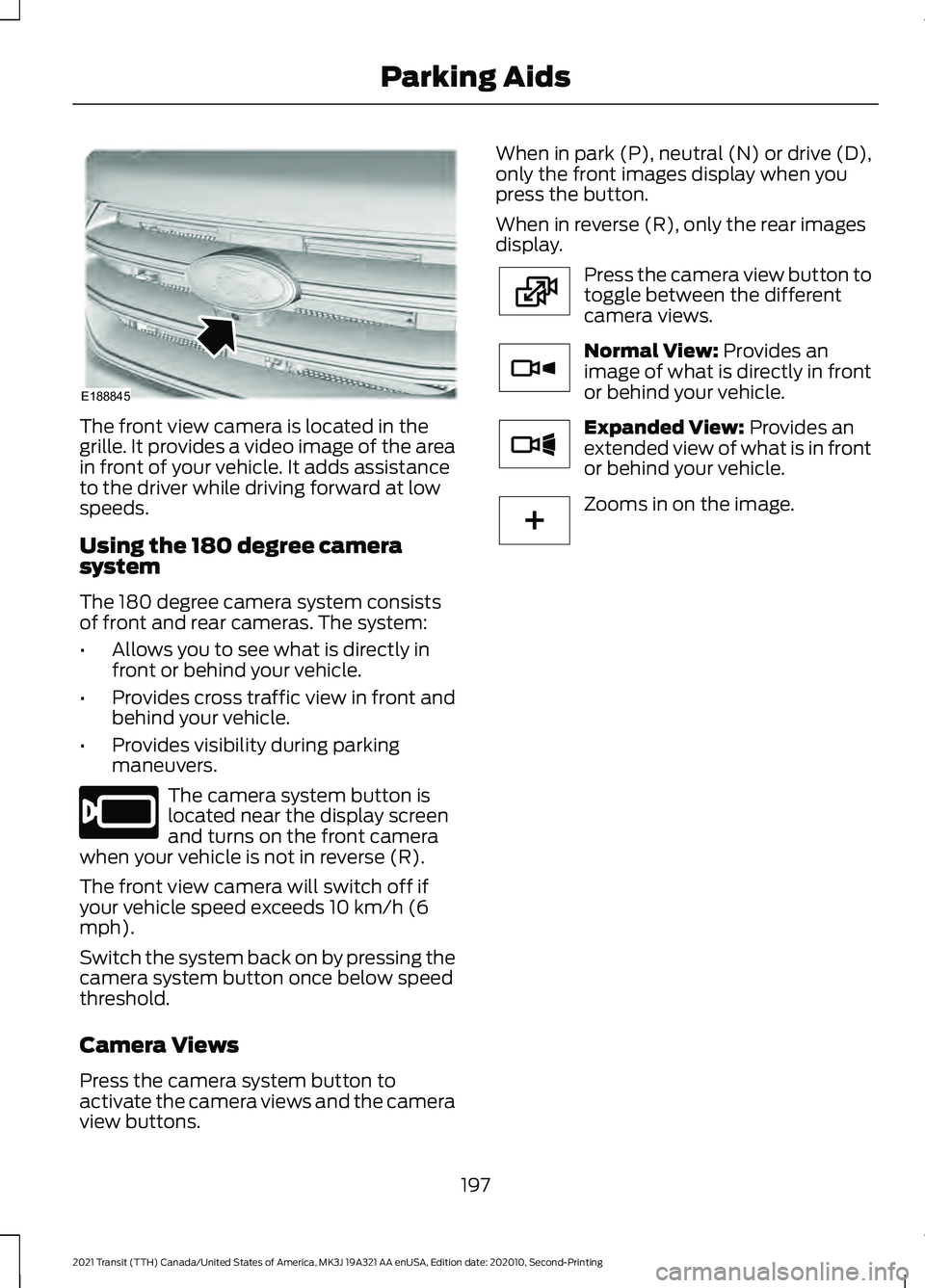
The front view camera is located in the
grille. It provides a video image of the area
in front of your vehicle. It adds assistance
to the driver while driving forward at low
speeds.
Using the 180 degree camera
system
The 180 degree camera system consists
of front and rear cameras. The system:
•
Allows you to see what is directly in
front or behind your vehicle.
• Provides cross traffic view in front and
behind your vehicle.
• Provides visibility during parking
maneuvers. The camera system button is
located near the display screen
and turns on the front camera
when your vehicle is not in reverse (R).
The front view camera will switch off if
your vehicle speed exceeds 10 km/h (6
mph).
Switch the system back on by pressing the
camera system button once below speed
threshold.
Camera Views
Press the camera system button to
activate the camera views and the camera
view buttons. When in park (P), neutral (N) or drive (D),
only the front images display when you
press the button.
When in reverse (R), only the rear images
display.
Press the camera view button to
toggle between the different
camera views.
Normal View: Provides an
image of what is directly in front
or behind your vehicle. Expanded View:
Provides an
extended view of what is in front
or behind your vehicle. Zooms in on the image.
197
2021 Transit (TTH) Canada/United States of America, MK3J 19A321 AA enUSA, Edition date: 202010, Second-Printing Parking AidsE188845 E205884 E224483 E224784 E224785 E224485
Page 202 of 509
Cruise Control Indicator
The indicator appears when you
switch the system on.
USING ADAPTIVE CRUISE
CONTROL (IF EQUIPPED) WARNING: You are responsible for
controlling your vehicle at all times. The
system is designed to be an aid and does
not relieve you of your responsibility to
drive with due care and attention. Failure
to follow this instruction could result in
the loss of control of your vehicle,
personal injury or death. WARNING:
Pay close attention to
changing road conditions such as
entering or leaving a highway, on roads
with intersections or roundabouts, roads
without visible lanes of travel, roads that
are winding, slippery, unpaved, or steep
slopes. WARNING:
The system may not
detect stationary or slow moving
vehicles below
6 mph (10 km/h). WARNING:
Do not use the system
when towing a trailer that has
aftermarket electronic trailer brake
controls. Failure to follow this instruction
could result in the loss of control of your
vehicle, personal injury or death. WARNING:
The system is not a
crash warning or avoidance system. WARNING:
The system does not
detect pedestrians or objects in the road. WARNING:
The system does not
detect oncoming vehicles in the same
lane. WARNING:
Do not use the system
in poor visibility, for example fog, heavy
rain, spray or snow. WARNING:
Do not use tire sizes
other than those recommended because
this can affect the normal operation of
the system. Failure to do so may result
in a loss of vehicle control, which could
result in serious injury.
The system adjusts the vehicle speed to
maintain the set gap between you and the
vehicle in front of you in the same lane.
You can select four gap settings.
The system uses a radar that projects a
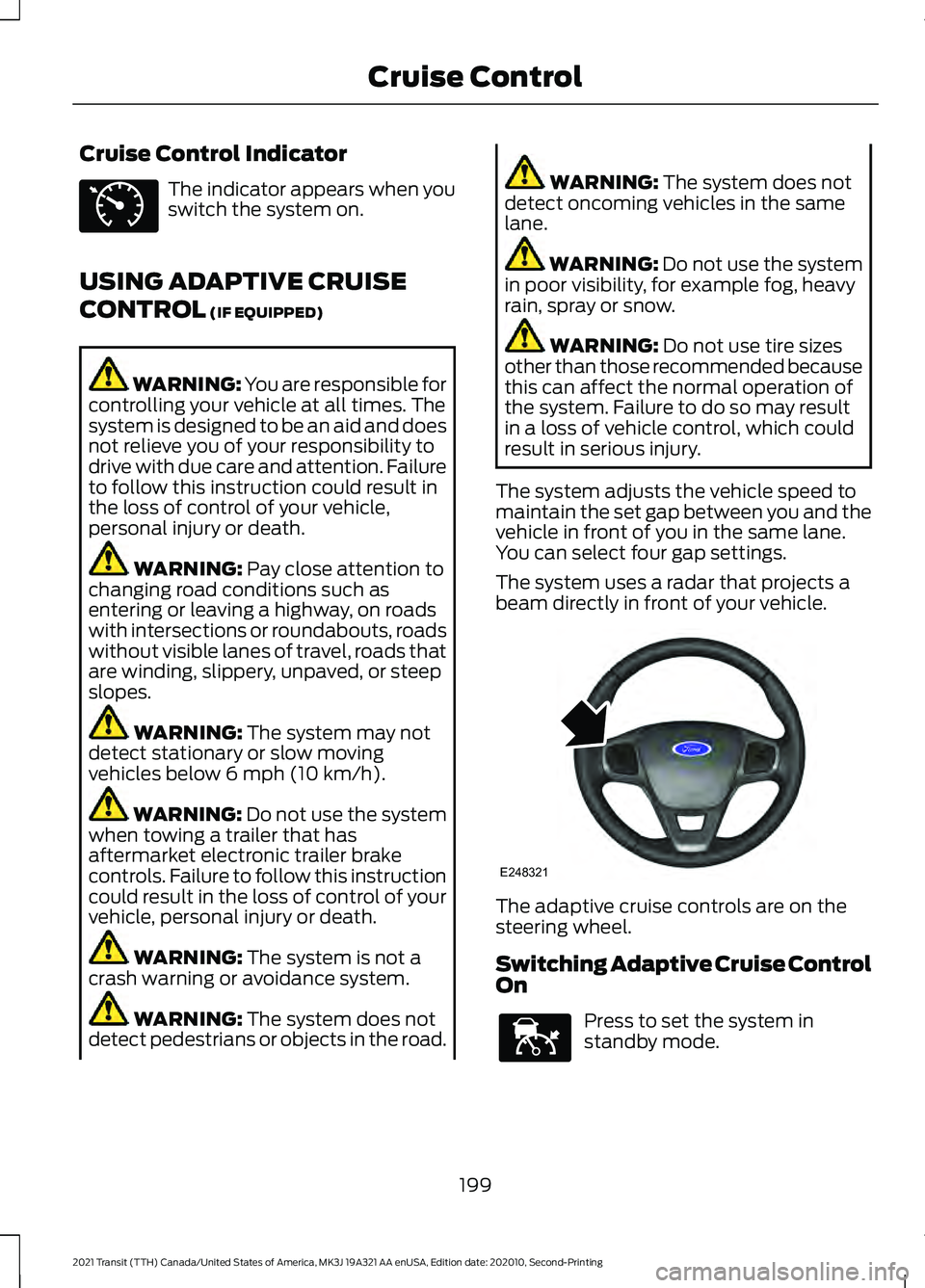
beam directly in front of your vehicle. The adaptive cruise controls are on the
steering wheel.
Switching Adaptive Cruise Control
On
Press to set the system in
standby mode.
199
2021 Transit (TTH) Canada/United States of America, MK3J 19A321 AA enUSA, Edition date: 202010, Second-Printing Cruise ControlE71340 E248321 E144529
Page 204 of 509
Note:
The brakes may emit noise when
applied by the system.
Setting the Gap Distance You can decrease or increase the
distance between your vehicle
and the vehicle in front by
pressing the gap control.
Note: It is your responsibility to select a gap
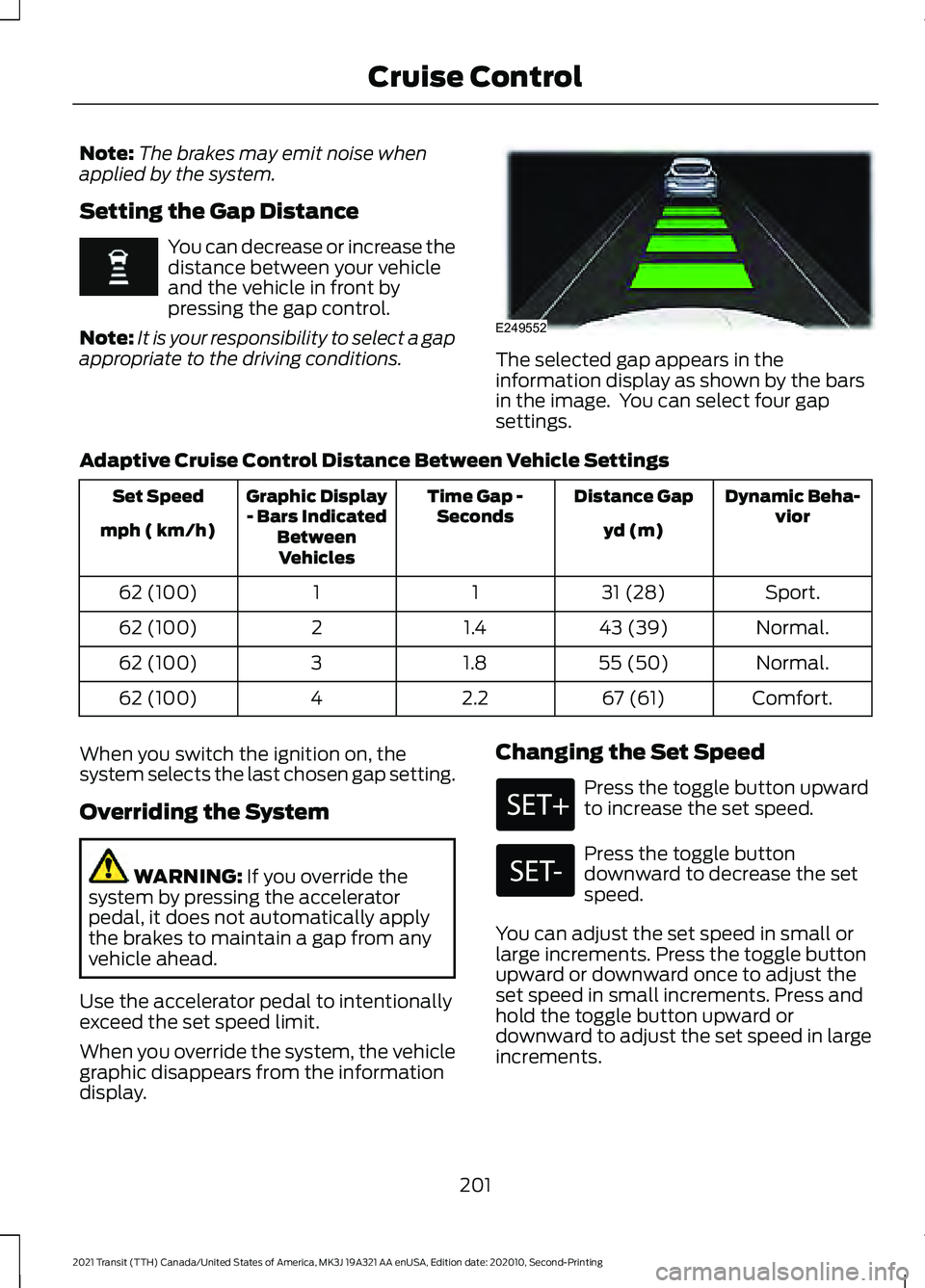
appropriate to the driving conditions. The selected gap appears in the
information display as shown by the bars
in the image. You can select four gap
settings.
Adaptive Cruise Control Distance Between Vehicle Settings Dynamic Beha-
vior
Distance Gap
Time Gap -
Seconds
Graphic Display
- Bars Indicated BetweenVehicles
Set Speed
yd (m)
mph ( km/h)
Sport.
31 (28)
1
1
62 (100)
Normal.
43 (39)
1.4
2
62 (100)
Normal.
55 (50)
1.8
3
62 (100)
Comfort.
67 (61)
2.2
4
62 (100)
When you switch the ignition on, the
system selects the last chosen gap setting.
Overriding the System WARNING: If you override the
system by pressing the accelerator
pedal, it does not automatically apply
the brakes to maintain a gap from any
vehicle ahead.
Use the accelerator pedal to intentionally
exceed the set speed limit.
When you override the system, the vehicle
graphic disappears from the information
display. Changing the Set Speed Press the toggle button upward
to increase the set speed.
Press the toggle button
downward to decrease the set
speed.
You can adjust the set speed in small or
large increments. Press the toggle button
upward or downward once to adjust the
set speed in small increments. Press and
hold the toggle button upward or
downward to adjust the set speed in large
increments.
201
2021 Transit (TTH) Canada/United States of America, MK3J 19A321 AA enUSA, Edition date: 202010, Second-Printing Cruise Control E249552