mirror FORD TRANSIT 2021 Owners Manual
[x] Cancel search | Manufacturer: FORD, Model Year: 2021, Model line: TRANSIT, Model: FORD TRANSIT 2021Pages: 509, PDF Size: 8.21 MB
Page 5 of 509
Sliding Door - Vehicles
Without: Power Sliding Door
Sliding Door Precautions ...........................80
Opening the Sliding Door ..........................
80
Closing the Sliding Door ............................
80
Sliding Door - Vehicles With: Power Sliding Door
Sliding Door Precautions ...........................
82
Opening the Sliding Door ...........................
82
Closing the Sliding Door .............................
83
Stopping the Sliding Door Movement ........................................................................\
..
84
Resetting the Power Sliding Door ..........
84
Sliding Door – Troubleshooting ..............
85
Keyless Entry
Locating the Keyless Entry Keypad ........
87
Master Access Code .....................................
87
Keyless Entry Settings .................................
87
Locking and Unlocking the Doors Using Keyless Entry ..............................................
88
Keyless Entry – Troubleshooting ............
88
Security
Passive Anti-Theft System - Vehicles With: Passive Anti-Theft System
(PATS) ..........................................................
89
Anti-Theft Alarm - Vehicles Without: Anti-Theft Alarm Horn with Integral
Battery ..........................................................
90
Anti-Theft Alarm - Vehicles With: Anti-Theft Alarm Horn with Integral
Battery ...........................................................
91
Power Running Boards
Using Power Running Boards ...................
93
Steering Wheel
Adjusting the Steering Wheel ..................
96Locking the Steering Wheel
......................
96
Wipers and Washers
Windshield Wipers ........................................
97
Autowipers .......................................................
97
Windshield Washers ....................................
99
Lighting
General Information ..................................
100
Lighting Control ...........................................
100
Autolamps ......................................................
101
Instrument Lighting Dimmer ...................
102
Daytime Running Lamps ..........................
102
Automatic High Beam Control ...............
103
Front Fog Lamps .........................................
104
Direction Indicators ....................................
105
Interior Lamps - Van ...................................
105
Cargo Lamps ................................................
106
Windows and Mirrors
Power Windows ...........................................
107
Exterior Mirrors .............................................
108
Interior Mirror ................................................
109
Instrument Cluster
Gauges .............................................................
110
Warning Lamps and Indicators ................
111
Information Displays
General Information ....................................
115
Trip Computer ................................................
117
Personalized Settings .................................
118
Remote Start
What Is Remote Start ................................
120
Remote Start Limitations .........................
120
Enabling Remote Start ..............................
120
Remotely Starting and Stopping the Vehicle .........................................................
120
2
2021 Transit (TTH) Canada/United States of America, MK3J 19A321 AA enUSA, Edition date: 202010, Second-Printing Table of Contents
Page 6 of 509
Remote Start Settings
...............................120
Climate Control
Manual Climate Control ............................
122
Hints on Controlling the Interior Climate ........................................................................\
.
123
Rear Passenger Climate Controls .........
124
Heated Rear Window .................................
124
Heated Exterior Mirrors - Vehicles Without: Heated Rear Window ..........
124
Heated Exterior Mirrors - Vehicles With: Heated Rear Window .............................
124
Interior Air Quality
What Is the Cabin Air Filter ......................
125
Locating the Cabin Air Filter ....................
125
Replacing the Cabin Air Filter ..................
125
Seats
Sitting in the Correct Position .................
126
Head Restraints ............................................
126
Manual Seats - Vehicles With: 2-Way Manual Seat ...............................................
127
Manual Seats - Vehicles With: 4-Way Manual Seat ..............................................
128
Power Seats ....................................................
131
Rear Seats ......................................................
132
Heated Seats .................................................
135
Rear Occupant Alert System
What is the Rear Occupant Alert System ........................................................................\
.
136
How Does the Rear Occupant Alert System Work .............................................
136
Rear Occupant Alert System Precautions ........................................................................\
.
136
Rear Occupant Alert System Limitations ........................................................................\
.
136
Switching Rear Occupant Alert System On and Off .................................................
136Switching Rear Occupant Alert System
On and Off - Vehicles With: SYNC 3
........................................................................\
.
137
Rear Occupant Alert System Indicators - Vehicles With: SYNC ............................
137
Rear Occupant Alert System Indicators - Vehicles With: SYNC 3 ........................
137
Rear Occupant Alert System Audible Warnings .....................................................
137
Auxiliary Power Points
Auxiliary Power Points ...............................
138
Cigar Lighter ..................................................
140
Storage Compartments
Overhead Console ........................................
141
Storage
Bottle Holders ...............................................
142
Overhead Storage .......................................
142
Rear Overhead Storage .............................
142
Starting and Stopping the Engine
General Information ...................................
144
Ignition Switch ..............................................
144
Starting a Gasoline Engine ......................
144
Switching Off the Engine .........................
146
Engine Block Heater ...................................
146
Auto-Start-Stop - 3.5L Ecoboost™
What Is Auto-Start-Stop ..........................
148
Auto-Start-Stop Precautions .................
148
Switching Auto-Start-Stop On and Off ........................................................................\
.
148
Stopping the Engine ...................................
148
Restarting the Engine ................................
148
Auto-Start-Stop Indicators .....................
149
Auto-Start-Stop – Troubleshooting ........................................................................\
.
149
3
2021 Transit (TTH) Canada/United States of America, MK3J 19A321 AA enUSA, Edition date: 202010, Second-Printing Table of Contents
Page 100 of 509
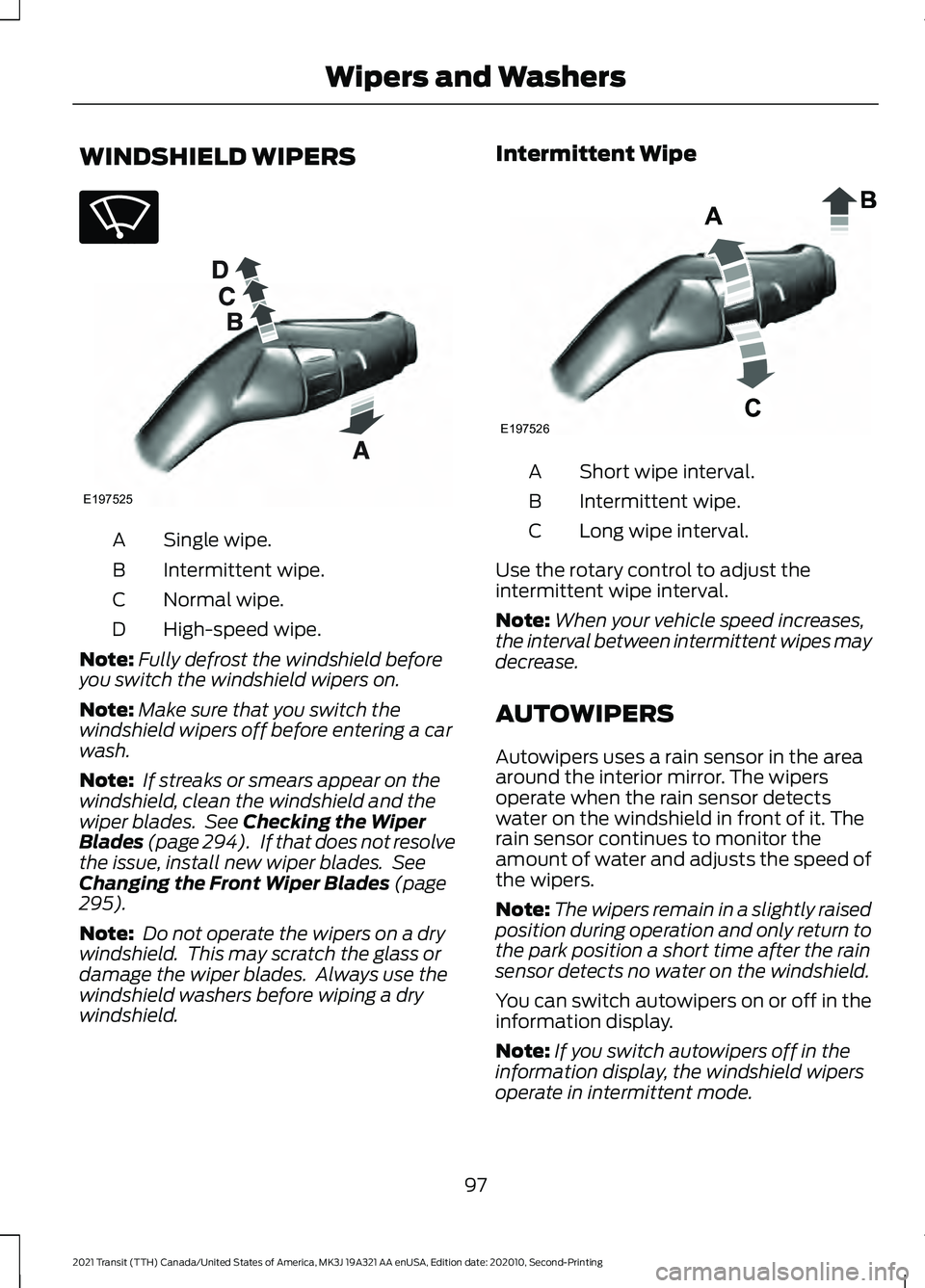
WINDSHIELD WIPERS
Single wipe.
A
Intermittent wipe.
B
Normal wipe.
C
High-speed wipe.
D
Note: Fully defrost the windshield before
you switch the windshield wipers on.
Note: Make sure that you switch the
windshield wipers off before entering a car
wash.
Note: If streaks or smears appear on the
windshield, clean the windshield and the
wiper blades. See Checking the Wiper
Blades (page 294). If that does not resolve
the issue, install new wiper blades. See
Changing the Front Wiper Blades
(page
295).
Note: Do not operate the wipers on a dry
windshield. This may scratch the glass or
damage the wiper blades. Always use the
windshield washers before wiping a dry
windshield. Intermittent Wipe
Short wipe interval.
A
Intermittent wipe.
B
Long wipe interval.
C
Use the rotary control to adjust the
intermittent wipe interval.
Note: When your vehicle speed increases,
the interval between intermittent wipes may
decrease.
AUTOWIPERS
Autowipers uses a rain sensor in the area
around the interior mirror. The wipers
operate when the rain sensor detects
water on the windshield in front of it. The
rain sensor continues to monitor the
amount of water and adjusts the speed of
the wipers.
Note: The wipers remain in a slightly raised
position during operation and only return to
the park position a short time after the rain
sensor detects no water on the windshield.
You can switch autowipers on or off in the
information display.
Note: If you switch autowipers off in the
information display, the windshield wipers
operate in intermittent mode.
97
2021 Transit (TTH) Canada/United States of America, MK3J 19A321 AA enUSA, Edition date: 202010, Second-Printing Wipers and WashersE270969 E197525 E197526
Page 110 of 509
POWER WINDOWS
Opening and Closing the Windows
WARNING: Do not leave children
unattended in your vehicle and do not
let them play with the power windows.
Failure to follow this instruction could
result in personal injury. WARNING:
When closing the
power windows, verify they are free of
obstruction and make sure that children
and pets are not in the proximity of the
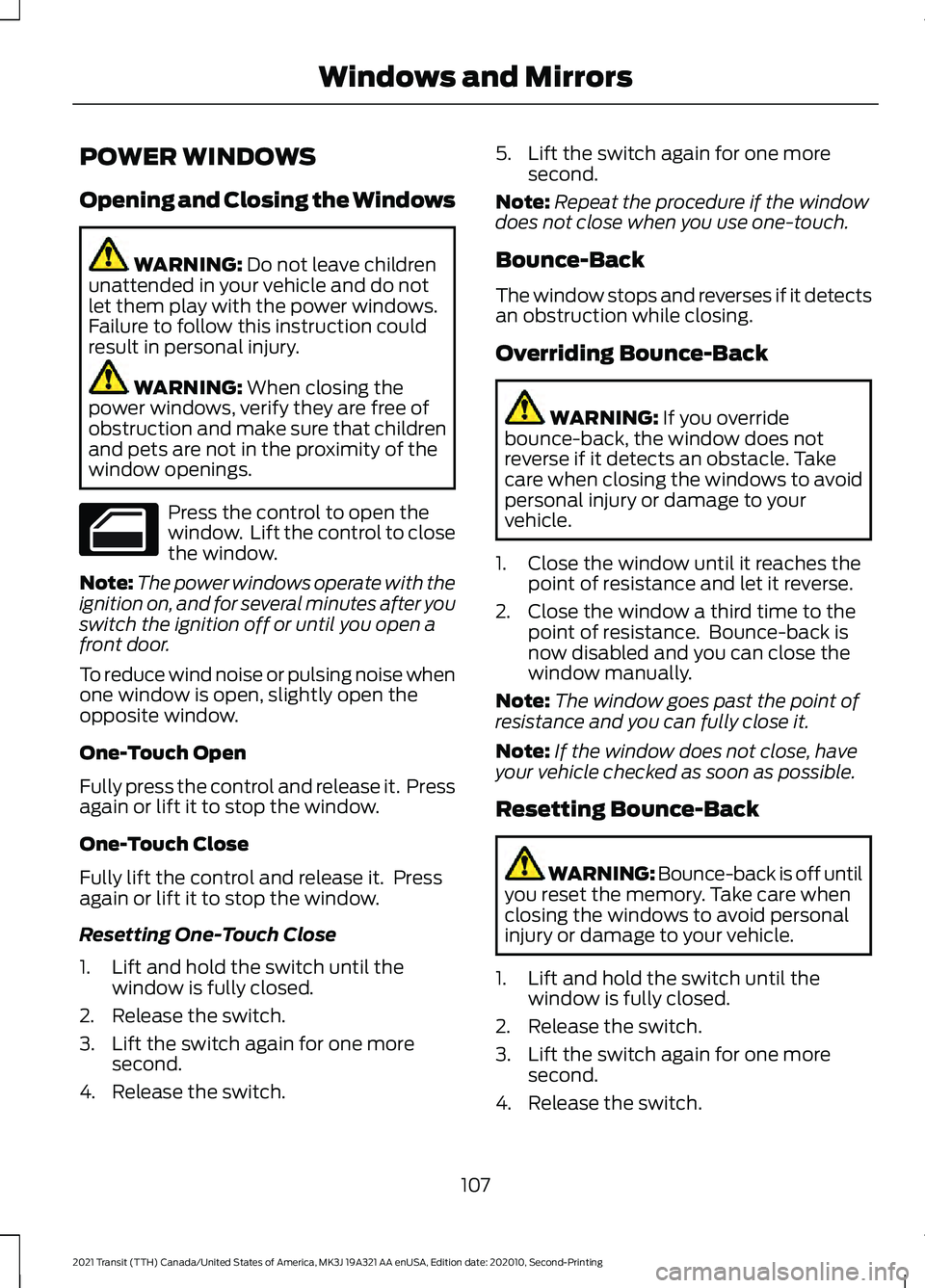
window openings. Press the control to open the
window. Lift the control to close
the window.
Note: The power windows operate with the
ignition on, and for several minutes after you
switch the ignition off or until you open a
front door.
To reduce wind noise or pulsing noise when
one window is open, slightly open the
opposite window.
One-Touch Open
Fully press the control and release it. Press
again or lift it to stop the window.
One-Touch Close
Fully lift the control and release it. Press
again or lift it to stop the window.
Resetting One-Touch Close
1. Lift and hold the switch until the window is fully closed.
2. Release the switch.
3. Lift the switch again for one more second.
4. Release the switch. 5. Lift the switch again for one more
second.
Note: Repeat the procedure if the window
does not close when you use one-touch.
Bounce-Back
The window stops and reverses if it detects
an obstruction while closing.
Overriding Bounce-Back WARNING:
If you override
bounce-back, the window does not
reverse if it detects an obstacle. Take
care when closing the windows to avoid
personal injury or damage to your
vehicle.
1. Close the window until it reaches the point of resistance and let it reverse.
2. Close the window a third time to the point of resistance. Bounce-back is
now disabled and you can close the
window manually.
Note: The window goes past the point of
resistance and you can fully close it.
Note: If the window does not close, have
your vehicle checked as soon as possible.
Resetting Bounce-Back WARNING: Bounce-back is off until
you reset the memory. Take care when
closing the windows to avoid personal
injury or damage to your vehicle.
1. Lift and hold the switch until the window is fully closed.
2. Release the switch.
3. Lift the switch again for one more second.
4. Release the switch.
107
2021 Transit (TTH) Canada/United States of America, MK3J 19A321 AA enUSA, Edition date: 202010, Second-Printing Windows and Mirrors
Page 111 of 509
5. Lift the switch again for one more
second.
Note: Repeat the procedure if the window
does not close when you use one-touch.
Note: If you have disconnected the battery,
you must reset the bounce-back memory.
EXTERIOR MIRRORS
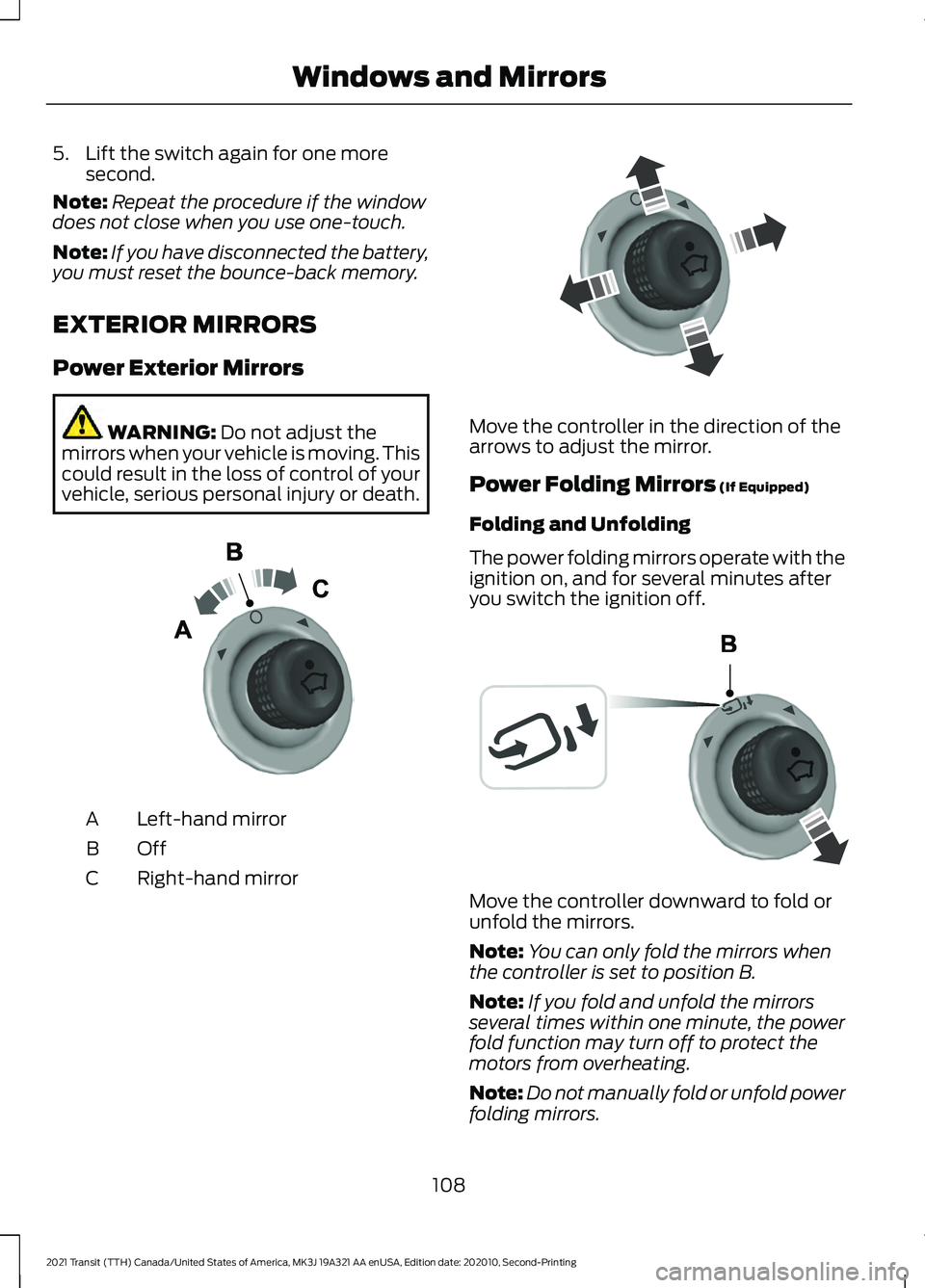
Power Exterior Mirrors WARNING: Do not adjust the
mirrors when your vehicle is moving. This
could result in the loss of control of your
vehicle, serious personal injury or death. Left-hand mirror
A
OffB
Right-hand mirror
C Move the controller in the direction of the
arrows to adjust the mirror.
Power Folding Mirrors
(If Equipped)
Folding and Unfolding
The power folding mirrors operate with the
ignition on, and for several minutes after
you switch the ignition off. Move the controller downward to fold or
unfold the mirrors.
Note:
You can only fold the mirrors when
the controller is set to position B.
Note: If you fold and unfold the mirrors
several times within one minute, the power
fold function may turn off to protect the
motors from overheating.
Note: Do not manually fold or unfold power
folding mirrors.
108
2021 Transit (TTH) Canada/United States of America, MK3J 19A321 AA enUSA, Edition date: 202010, Second-Printing Windows and MirrorsE71280 E71281 E72184
Page 112 of 509
Loose Mirror
If your power-folding mirrors are manually
folded, they may not work properly, even
after you re-position them. You need to
reset them if:
•
The mirrors vibrate when you drive.
• The mirrors feel loose.
• The mirrors do not stay in the folded or
unfolded position.
• One of the mirrors is not in its normal
driving position.
To reset the power-fold feature, use the
power-folding mirror control to fold and
unfold the mirrors. You may hear a loud
noise as your reset the power-folding
mirrors. This sound is normal. Repeat this
process as needed each time the mirrors
are manually folded.
Fold-Away Exterior Mirrors
Push the mirror toward the door window
glass. Make sure that you fully engage the
mirror in its support when you unfold it.
INTERIOR MIRROR WARNING: Do not adjust the
mirrors when your vehicle is moving. This
could result in the loss of control of your
vehicle, serious personal injury or death.
Pull the tab below the mirror toward you
to reduce the effect of bright light from
behind.
109
2021 Transit (TTH) Canada/United States of America, MK3J 19A321 AA enUSA, Edition date: 202010, Second-Printing Windows and Mirrors
Page 115 of 509
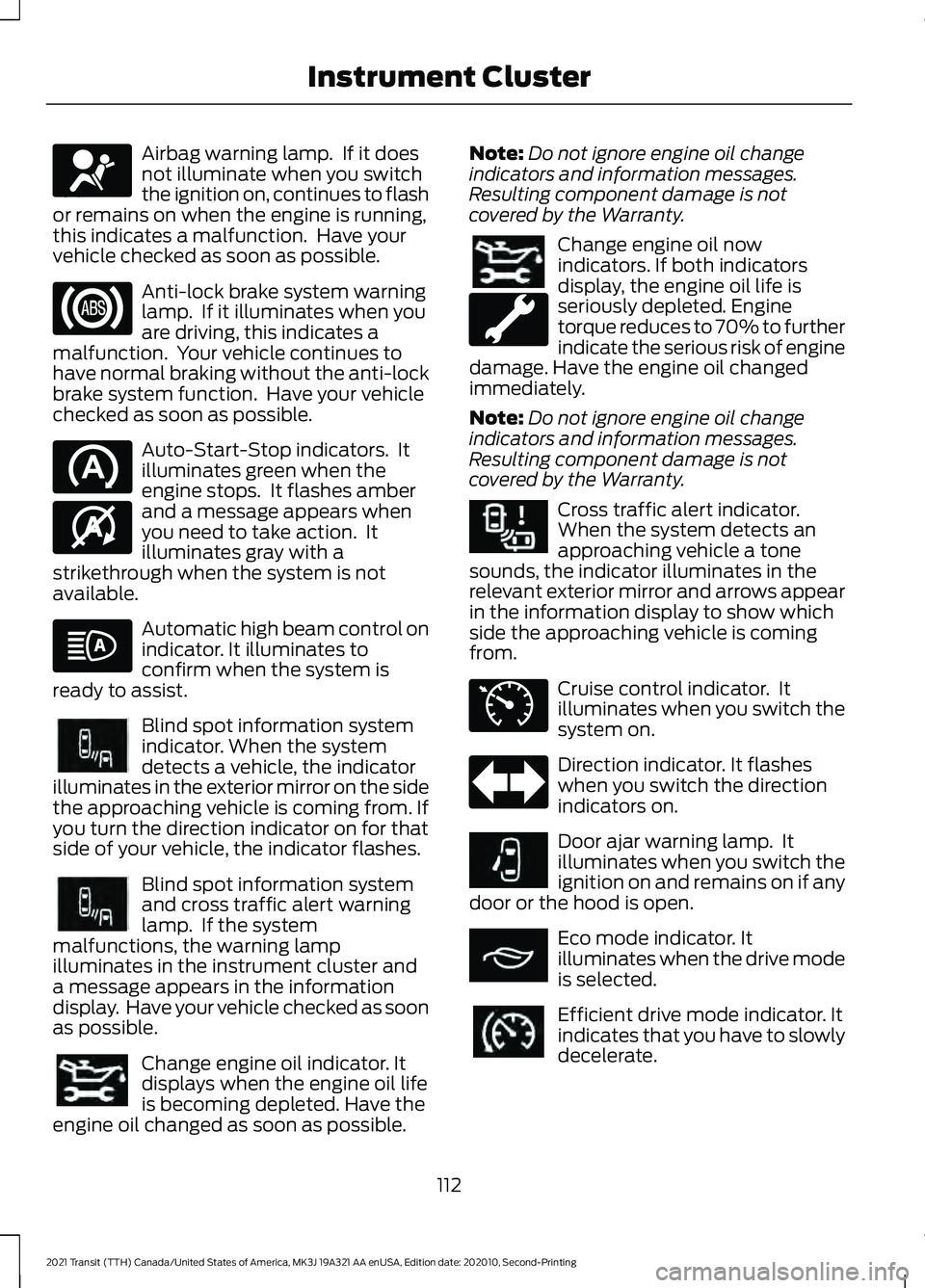
Airbag warning lamp. If it does
not illuminate when you switch
the ignition on, continues to flash
or remains on when the engine is running,
this indicates a malfunction. Have your
vehicle checked as soon as possible. Anti-lock brake system warning
lamp. If it illuminates when you
are driving, this indicates a
malfunction. Your vehicle continues to
have normal braking without the anti-lock
brake system function. Have your vehicle
checked as soon as possible. Auto-Start-Stop indicators. It
illuminates green when the
engine stops. It flashes amber
and a message appears when
you need to take action. It
illuminates gray with a
strikethrough when the system is not
available. Automatic high beam control on
indicator. It illuminates to
confirm when the system is
ready to assist. Blind spot information system
indicator. When the system
detects a vehicle, the indicator
illuminates in the exterior mirror on the side
the approaching vehicle is coming from. If
you turn the direction indicator on for that
side of your vehicle, the indicator flashes. Blind spot information system
and cross traffic alert warning
lamp. If the system
malfunctions, the warning lamp
illuminates in the instrument cluster and
a message appears in the information
display. Have your vehicle checked as soon
as possible. Change engine oil indicator. It
displays when the engine oil life
is becoming depleted. Have the
engine oil changed as soon as possible. Note:
Do not ignore engine oil change
indicators and information messages.
Resulting component damage is not
covered by the Warranty. Change engine oil now
indicators. If both indicators
display, the engine oil life is
seriously depleted. Engine
torque reduces to 70% to further
indicate the serious risk of engine
damage. Have the engine oil changed
immediately.
Note: Do not ignore engine oil change
indicators and information messages.
Resulting component damage is not
covered by the Warranty. Cross traffic alert indicator.
When the system detects an
approaching vehicle a tone
sounds, the indicator illuminates in the
relevant exterior mirror and arrows appear
in the information display to show which
side the approaching vehicle is coming
from. Cruise control indicator. It
illuminates when you switch the
system on.
Direction indicator. It flashes
when you switch the direction
indicators on.
Door ajar warning lamp. It
illuminates when you switch the
ignition on and remains on if any
door or the hood is open. Eco mode indicator. It
illuminates when the drive mode
is selected.
Efficient drive mode indicator. It
indicates that you have to slowly
decelerate.
112
2021 Transit (TTH) Canada/United States of America, MK3J 19A321 AA enUSA, Edition date: 202010, Second-Printing Instrument ClusterE67017 E146361 E249861E249861 E249861E249861 E268294 E71340 E249859 E267164 E308186
Page 127 of 509
Defogging or Clearing the
Windshield of Thin Ice
•
Select maximum defrost.
REAR PASSENGER CLIMATE
CONTROLS
Adjusting the Blower Motor Speed Directing Air to the Overhead Air
Vents
When you direct air to the
overhead air vents, the system
distributes cold air.
Directing Air to the Footwell Air
Vents When you direct air to the
footwell air vents, the system
distributes hot air.
Directing Air to the Overhead Air
Vents and the Footwell Air Vents When you direct air to the
Overhead and footwell air vents,
the system distributes warm air.
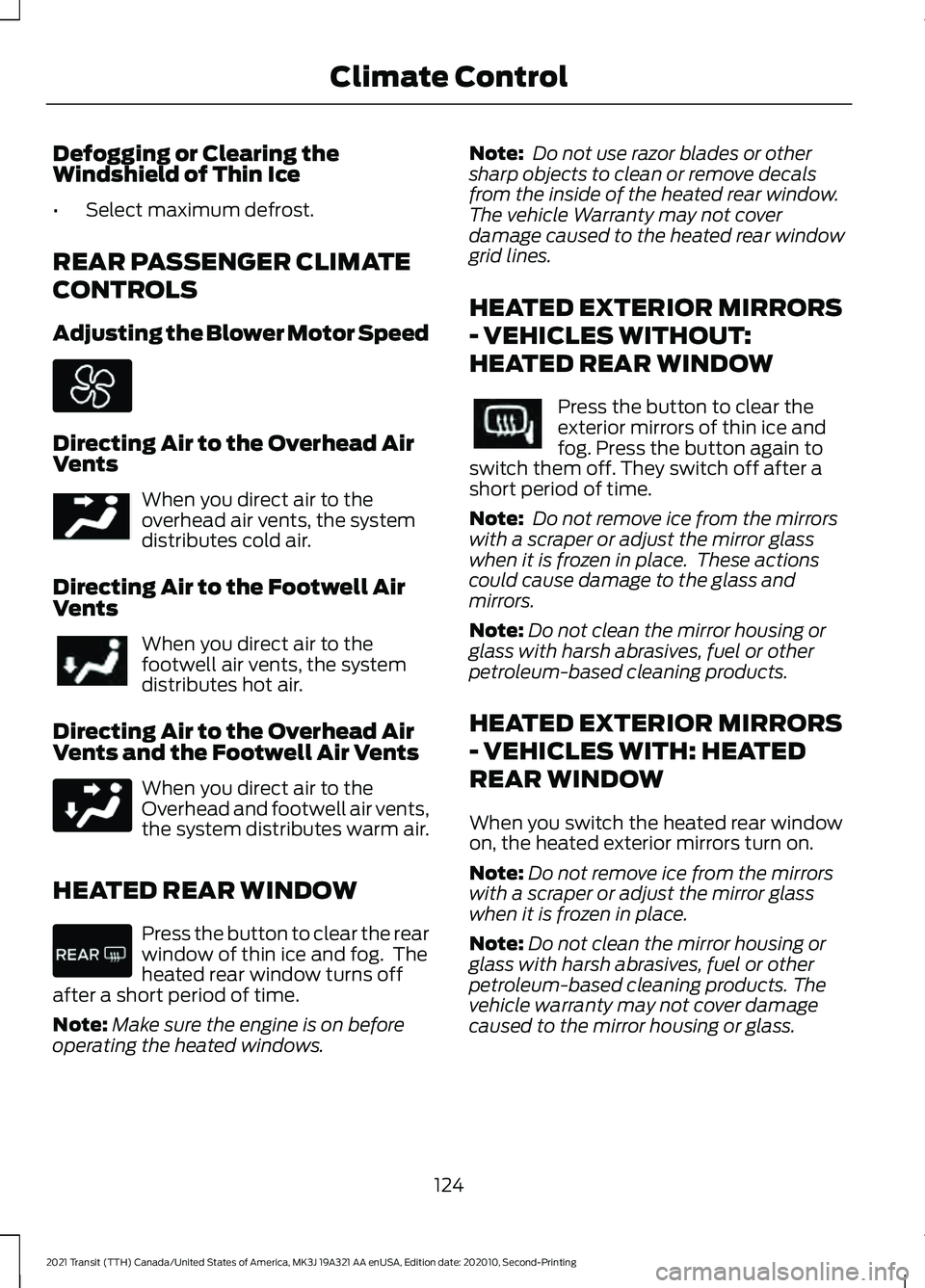
HEATED REAR WINDOW Press the button to clear the rear
window of thin ice and fog. The
heated rear window turns off
after a short period of time.
Note: Make sure the engine is on before
operating the heated windows. Note:
Do not use razor blades or other
sharp objects to clean or remove decals
from the inside of the heated rear window.
The vehicle Warranty may not cover
damage caused to the heated rear window
grid lines.
HEATED EXTERIOR MIRRORS
- VEHICLES WITHOUT:
HEATED REAR WINDOW Press the button to clear the
exterior mirrors of thin ice and
fog. Press the button again to
switch them off. They switch off after a
short period of time.
Note: Do not remove ice from the mirrors
with a scraper or adjust the mirror glass
when it is frozen in place. These actions
could cause damage to the glass and
mirrors.
Note: Do not clean the mirror housing or
glass with harsh abrasives, fuel or other
petroleum-based cleaning products.
HEATED EXTERIOR MIRRORS
- VEHICLES WITH: HEATED
REAR WINDOW
When you switch the heated rear window
on, the heated exterior mirrors turn on.
Note: Do not remove ice from the mirrors
with a scraper or adjust the mirror glass
when it is frozen in place.
Note: Do not clean the mirror housing or
glass with harsh abrasives, fuel or other
petroleum-based cleaning products. The
vehicle warranty may not cover damage
caused to the mirror housing or glass.
124
2021 Transit (TTH) Canada/United States of America, MK3J 19A321 AA enUSA, Edition date: 202010, Second-Printing Climate Control E244097
Page 196 of 509
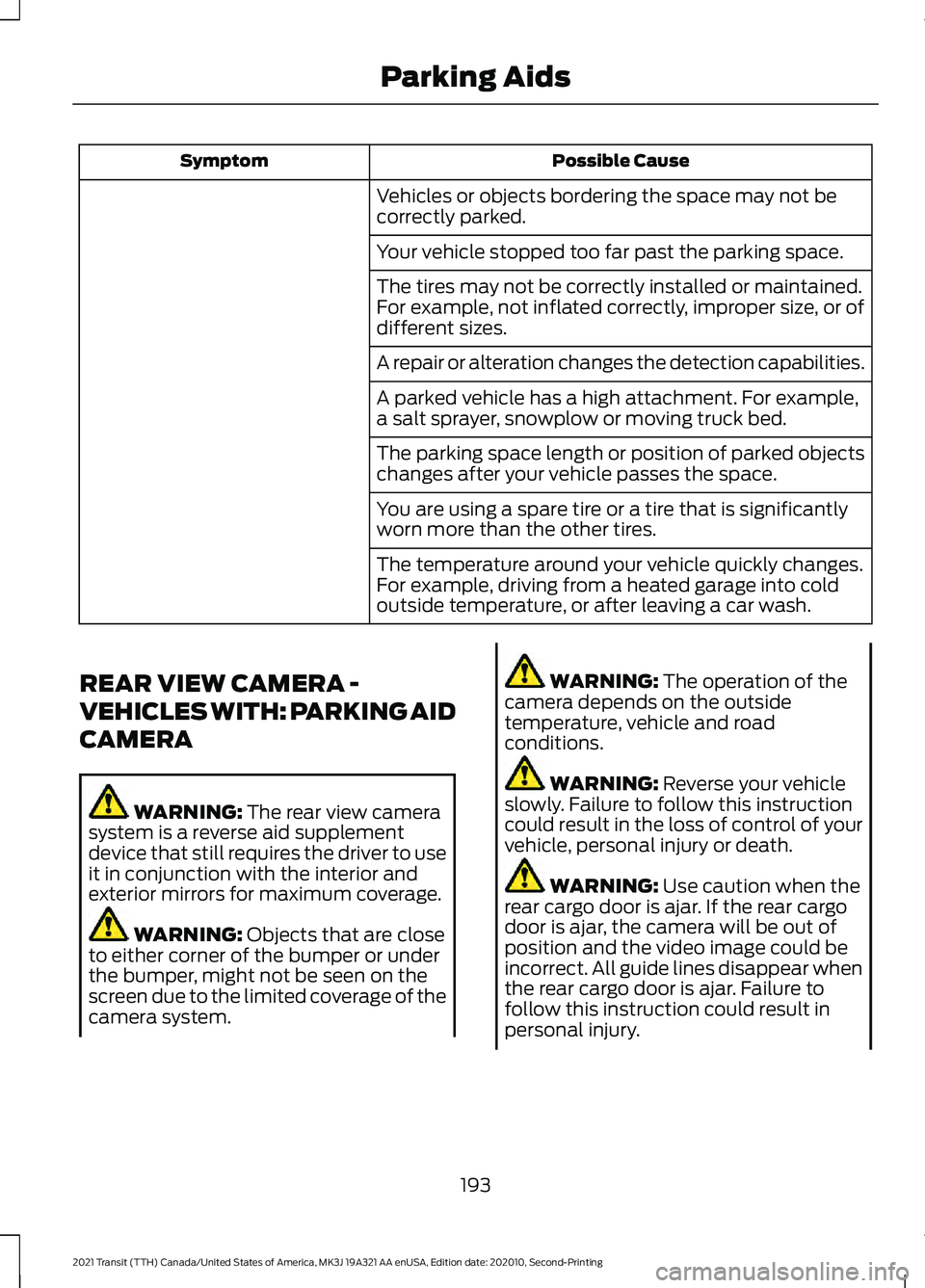
Possible Cause
Symptom
Vehicles or objects bordering the space may not be
correctly parked.
Your vehicle stopped too far past the parking space.
The tires may not be correctly installed or maintained.
For example, not inflated correctly, improper size, or of
different sizes.
A repair or alteration changes the detection capabilities.
A parked vehicle has a high attachment. For example,
a salt sprayer, snowplow or moving truck bed.
The parking space length or position of parked objects
changes after your vehicle passes the space.
You are using a spare tire or a tire that is significantly
worn more than the other tires.
The temperature around your vehicle quickly changes.
For example, driving from a heated garage into cold
outside temperature, or after leaving a car wash.
REAR VIEW CAMERA -
VEHICLES WITH: PARKING AID
CAMERA WARNING: The rear view camera
system is a reverse aid supplement
device that still requires the driver to use
it in conjunction with the interior and
exterior mirrors for maximum coverage. WARNING:
Objects that are close
to either corner of the bumper or under
the bumper, might not be seen on the
screen due to the limited coverage of the
camera system. WARNING:
The operation of the
camera depends on the outside
temperature, vehicle and road
conditions. WARNING:
Reverse your vehicle
slowly. Failure to follow this instruction
could result in the loss of control of your
vehicle, personal injury or death. WARNING:
Use caution when the
rear cargo door is ajar. If the rear cargo
door is ajar, the camera will be out of
position and the video image could be
incorrect. All guide lines disappear when
the rear cargo door is ajar. Failure to
follow this instruction could result in
personal injury.
193
2021 Transit (TTH) Canada/United States of America, MK3J 19A321 AA enUSA, Edition date: 202010, Second-Printing Parking Aids
Page 199 of 509
Selectable settings for this feature are
Zoom in (+) and Zoom Out (-). Press the
symbol in the camera screen to change the
view. The default setting is Zoom OFF. The
rear bumper remains in the image as a
reference point.
Note:
Only the centerline shows when you
switch on manual zoom.
Rear View Camera Delay
You can switch this feature on or off using
the vehicle settings menu. See Settings
(page 427). The default setting is off.
When shifting the transmission out of
reverse (R) and into any gear other than
park (P), the camera image remains in the
display until:
• Your vehicle speed sufficiently
increases.
• You shift your vehicle into park (P).
Enhanced Parking Aids or Park
Pilot
(If Equipped)
You can switch this feature on or off using
the vehicle settings menu. See
Settings
(page 427).
When the reverse sensing system detects
an object, it displays red, yellow and green
indicators at the top of the image.
180 DEGREE CAMERA WARNING:
The rear view camera
system is a reverse aid supplement
device that still requires the driver to use
it in conjunction with the interior and
exterior mirrors for maximum coverage. WARNING:
Objects that are close
to either corner of the bumper or under
the bumper, might not be seen on the
screen due to the limited coverage of the
camera system. WARNING:
Use caution when
turning camera features on or off when
the transmission is not in park (P). Make
sure your vehicle is not moving. WARNING: You are responsible for
controlling your vehicle at all times. The
system is designed to be an aid and does
not relieve you of your responsibility to
drive with due care and attention. Failure
to follow this instruction could result in
the loss of control of your vehicle,
personal injury or death.
Note: Use caution using the 180 view when
any of the doors are ajar. If a door is ajar, the
camera will be out of position and the video
image may be incorrect.
Front View Camera WARNING:
The front camera
system still requires the driver to use it
in conjunction with looking out of your
vehicle.
Note: The system turns off the front video
image when your vehicle is in motion at low
speed, except when in reverse (R).
Note: The area displayed on the screen may
vary according to your vehicle's orientation
or road condition.
Note: The camera system may not operate
correctly if mud, water or debris obstructs
the camera's view. You can clean the lens
with a soft, lint-free cloth and non-abrasive
cleaner or by using your front washer.
See
Wipers and Washers (page 97).
196
2021 Transit (TTH) Canada/United States of America, MK3J 19A321 AA enUSA, Edition date: 202010, Second-Printing Parking Aids