light FORD TRANSIT CONNECT 2012 1.G Owner's Manual
[x] Cancel search | Manufacturer: FORD, Model Year: 2012, Model line: TRANSIT CONNECT, Model: FORD TRANSIT CONNECT 2012 1.GPages: 299, PDF Size: 3.31 MB
Page 57 of 299
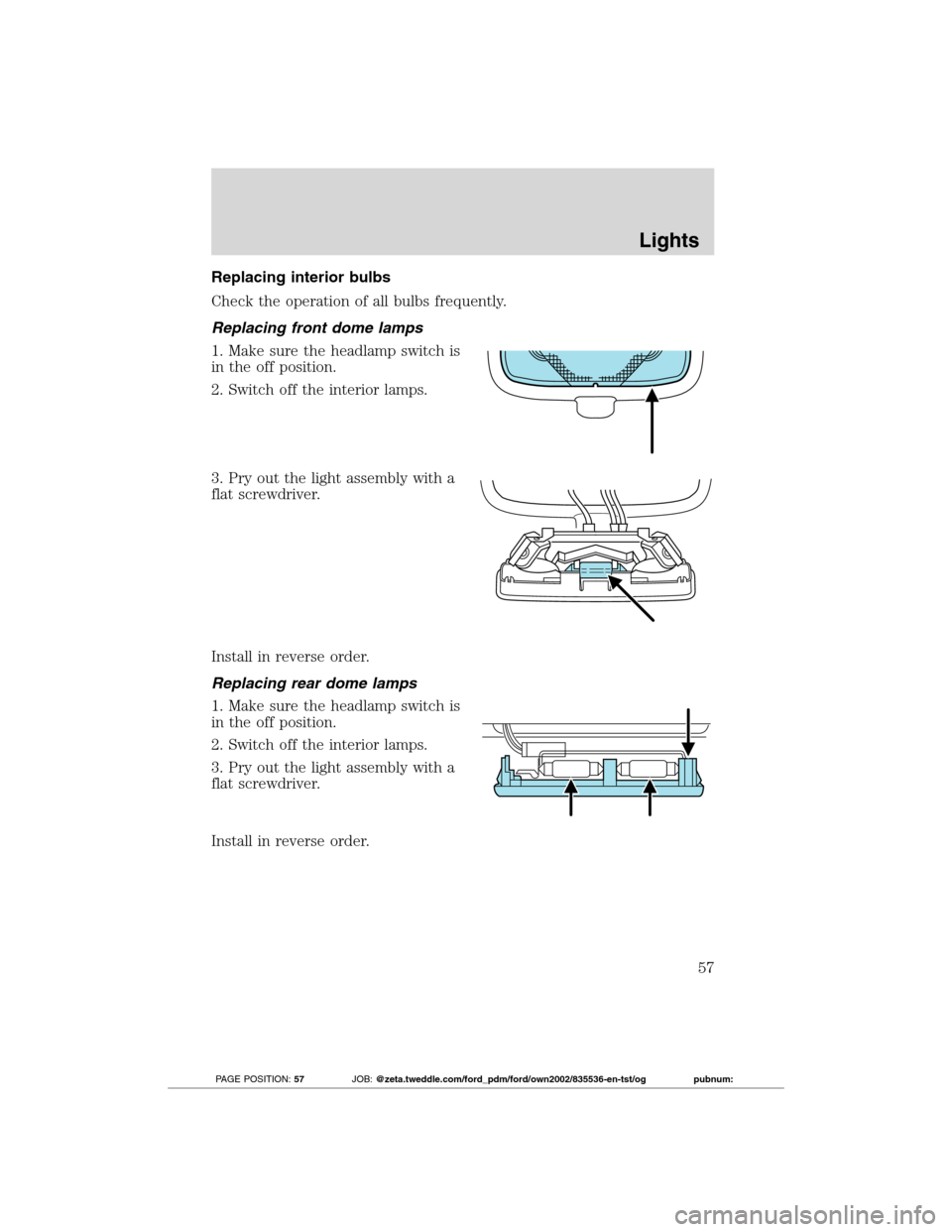
Replacing interior bulbs
Check the operation of all bulbs frequently.
Replacing front dome lamps
1. Make sure the headlamp switch is
in the off position.
2. Switch off the interior lamps.
3. Pry out the light assembly with a
flat screwdriver.
Install in reverse order.
Replacing rear dome lamps
1. Make sure the headlamp switch is
in the off position.
2. Switch off the interior lamps.
3. Pry out the light assembly with a
flat screwdriver.
Install in reverse order.
Lights
57
2012 Transit Connect(tst)
Owners Guide, 1st Printing
USA(fus)
PAGE POSITION:57JOB:@zeta.tweddle.com/ford_pdm/ford/own2002/835536-en-tst/og pubnum:
Page 58 of 299
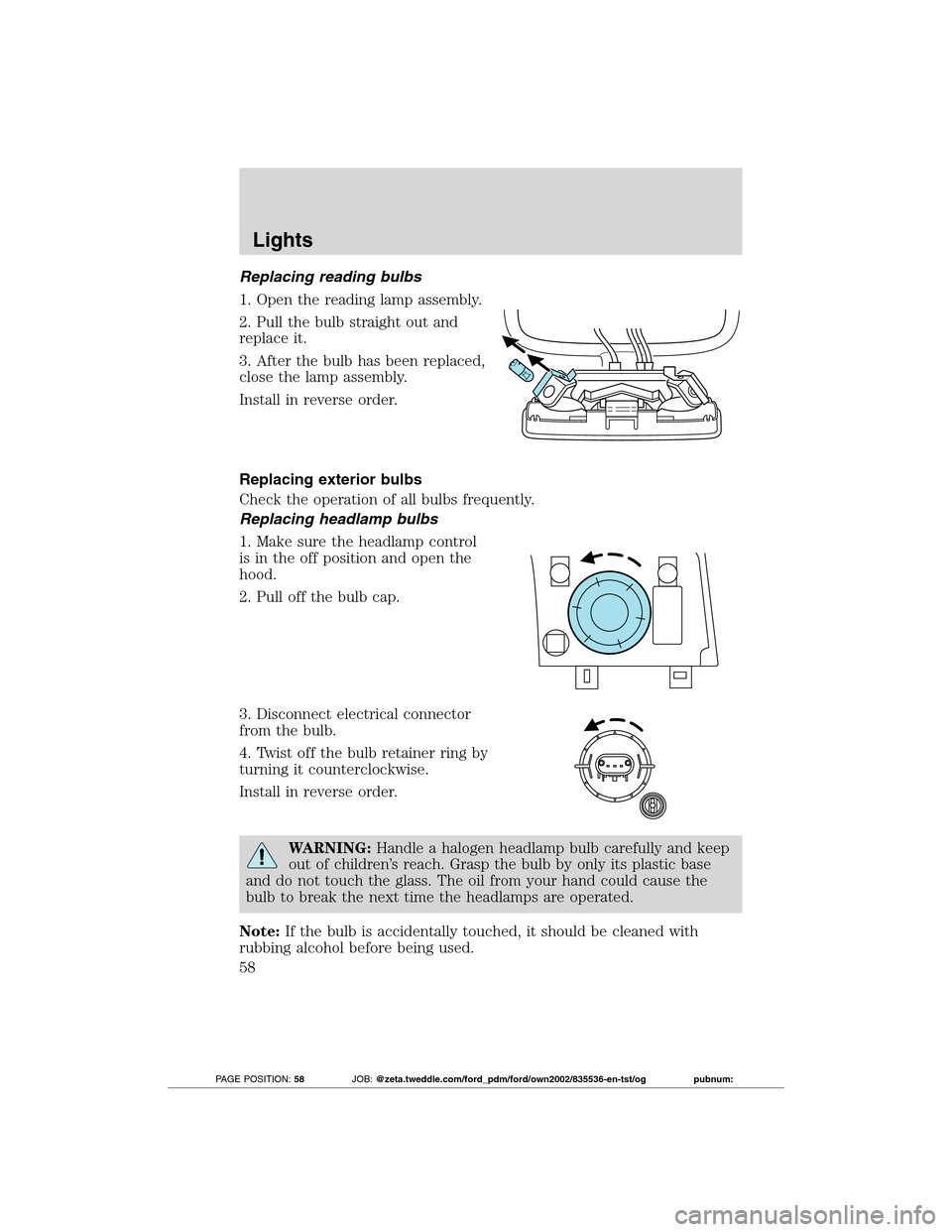
Replacing reading bulbs
1. Open the reading lamp assembly.
2. Pull the bulb straight out and
replace it.
3. After the bulb has been replaced,
close the lamp assembly.
Install in reverse order.
Replacing exterior bulbs
Check the operation of all bulbs frequently.
Replacing headlamp bulbs
1. Make sure the headlamp control
is in the off position and open the
hood.
2. Pull off the bulb cap.
3. Disconnect electrical connector
from the bulb.
4. Twist off the bulb retainer ring by
turning it counterclockwise.
Install in reverse order.
WARNING:Handle a halogen headlamp bulb carefully and keep
out of children’s reach. Grasp the bulb by only its plastic base
and do not touch the glass. The oil from your hand could cause the
bulb to break the next time the headlamps are operated.
Note:If the bulb is accidentally touched, it should be cleaned with
rubbing alcohol before being used.
Lights
58
2012 Transit Connect(tst)
Owners Guide, 1st Printing
USA(fus)
PAGE POSITION:58JOB:@zeta.tweddle.com/ford_pdm/ford/own2002/835536-en-tst/og pubnum:
Page 59 of 299
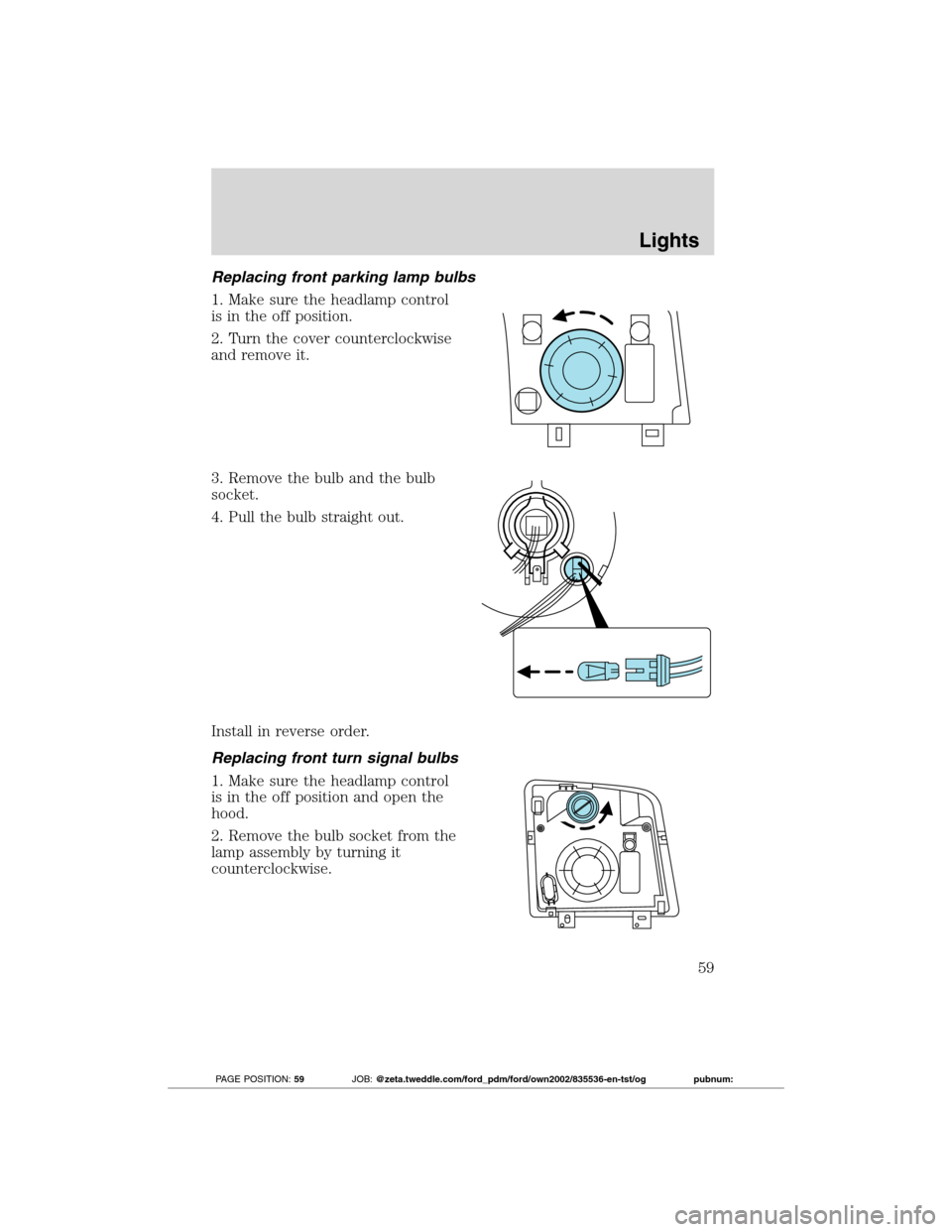
Replacing front parking lamp bulbs
1. Make sure the headlamp control
is in the off position.
2. Turn the cover counterclockwise
and remove it.
3. Remove the bulb and the bulb
socket.
4. Pull the bulb straight out.
Install in reverse order.
Replacing front turn signal bulbs
1. Make sure the headlamp control
is in the off position and open the
hood.
2. Remove the bulb socket from the
lamp assembly by turning it
counterclockwise.
Lights
59
2012 Transit Connect(tst)
Owners Guide, 1st Printing
USA(fus)
PAGE POSITION:59JOB:@zeta.tweddle.com/ford_pdm/ford/own2002/835536-en-tst/og pubnum:
Page 60 of 299
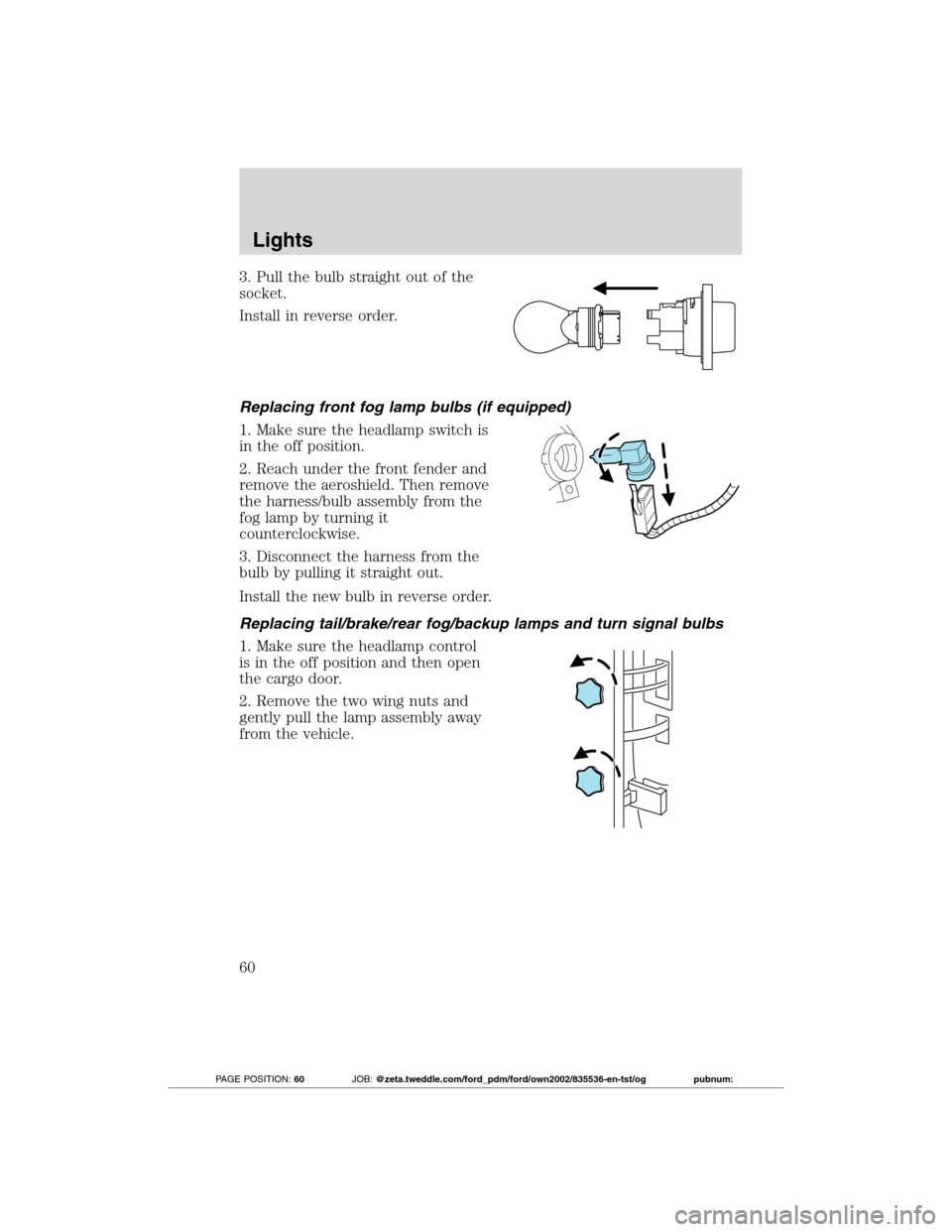
3. Pull the bulb straight out of the
socket.
Install in reverse order.
Replacing front fog lamp bulbs (if equipped)
1. Make sure the headlamp switch is
in the off position.
2. Reach under the front fender and
remove the aeroshield. Then remove
the harness/bulb assembly from the
fog lamp by turning it
counterclockwise.
3. Disconnect the harness from the
bulb by pulling it straight out.
Install the new bulb in reverse order.
Replacing tail/brake/rear fog/backup lamps and turn signal bulbs
1. Make sure the headlamp control
is in the off position and then open
the cargo door.
2. Remove the two wing nuts and
gently pull the lamp assembly away
from the vehicle.
Lights
60
2012 Transit Connect(tst)
Owners Guide, 1st Printing
USA(fus)
PAGE POSITION:60JOB:@zeta.tweddle.com/ford_pdm/ford/own2002/835536-en-tst/og pubnum:
Page 61 of 299
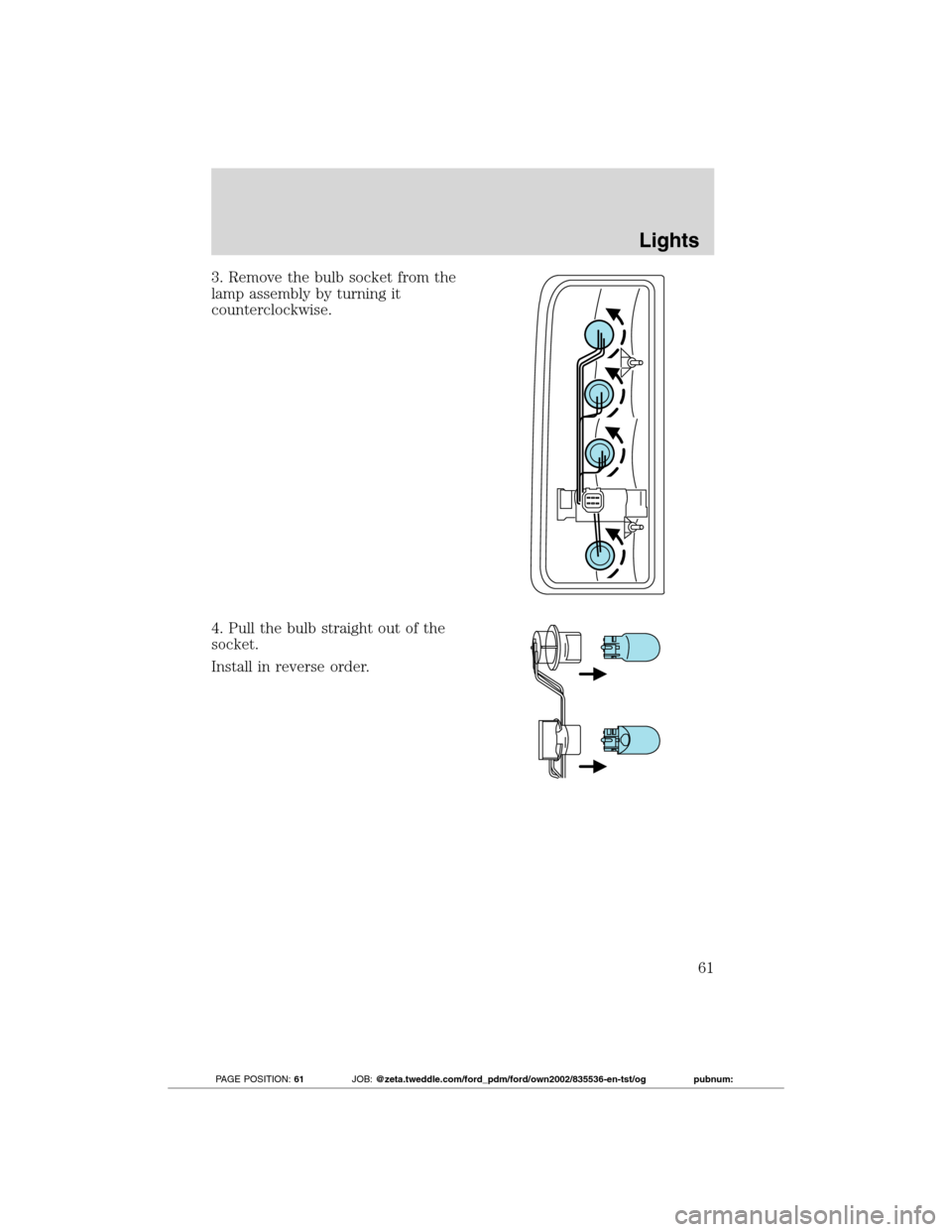
3. Remove the bulb socket from the
lamp assembly by turning it
counterclockwise.
4. Pull the bulb straight out of the
socket.
Install in reverse order.
Lights
61
2012 Transit Connect(tst)
Owners Guide, 1st Printing
USA(fus)
PAGE POSITION:61JOB:@zeta.tweddle.com/ford_pdm/ford/own2002/835536-en-tst/og pubnum:
Page 62 of 299
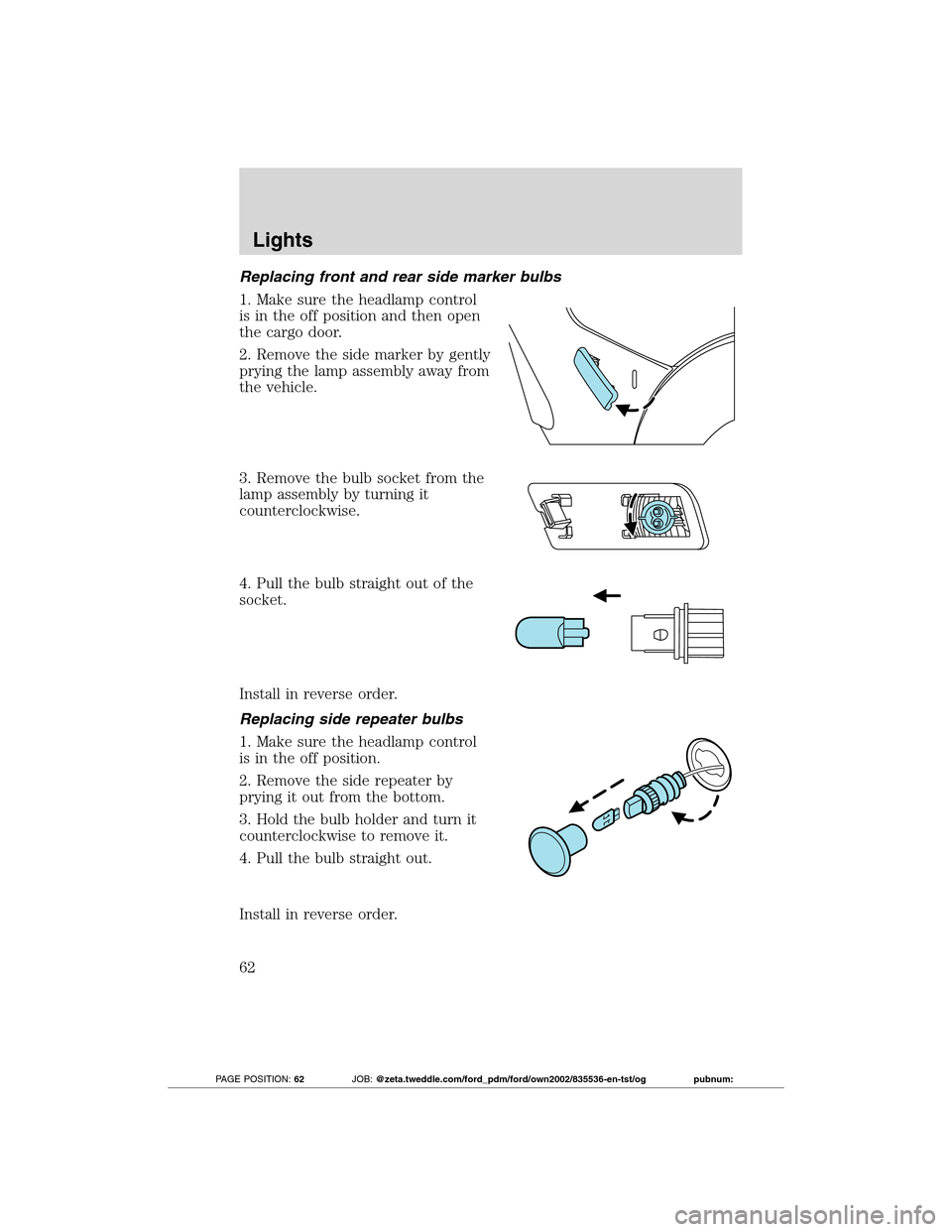
Replacing front and rear side marker bulbs
1. Make sure the headlamp control
is in the off position and then open
the cargo door.
2. Remove the side marker by gently
prying the lamp assembly away from
the vehicle.
3. Remove the bulb socket from the
lamp assembly by turning it
counterclockwise.
4. Pull the bulb straight out of the
socket.
Install in reverse order.
Replacing side repeater bulbs
1. Make sure the headlamp control
is in the off position.
2. Remove the side repeater by
prying it out from the bottom.
3. Hold the bulb holder and turn it
counterclockwise to remove it.
4. Pull the bulb straight out.
Install in reverse order.
Lights
62
2012 Transit Connect(tst)
Owners Guide, 1st Printing
USA(fus)
PAGE POSITION:62JOB:@zeta.tweddle.com/ford_pdm/ford/own2002/835536-en-tst/og pubnum:
Page 63 of 299
Replacing high-mount brake lamp bulbs
See your authorized dealer for replacement.
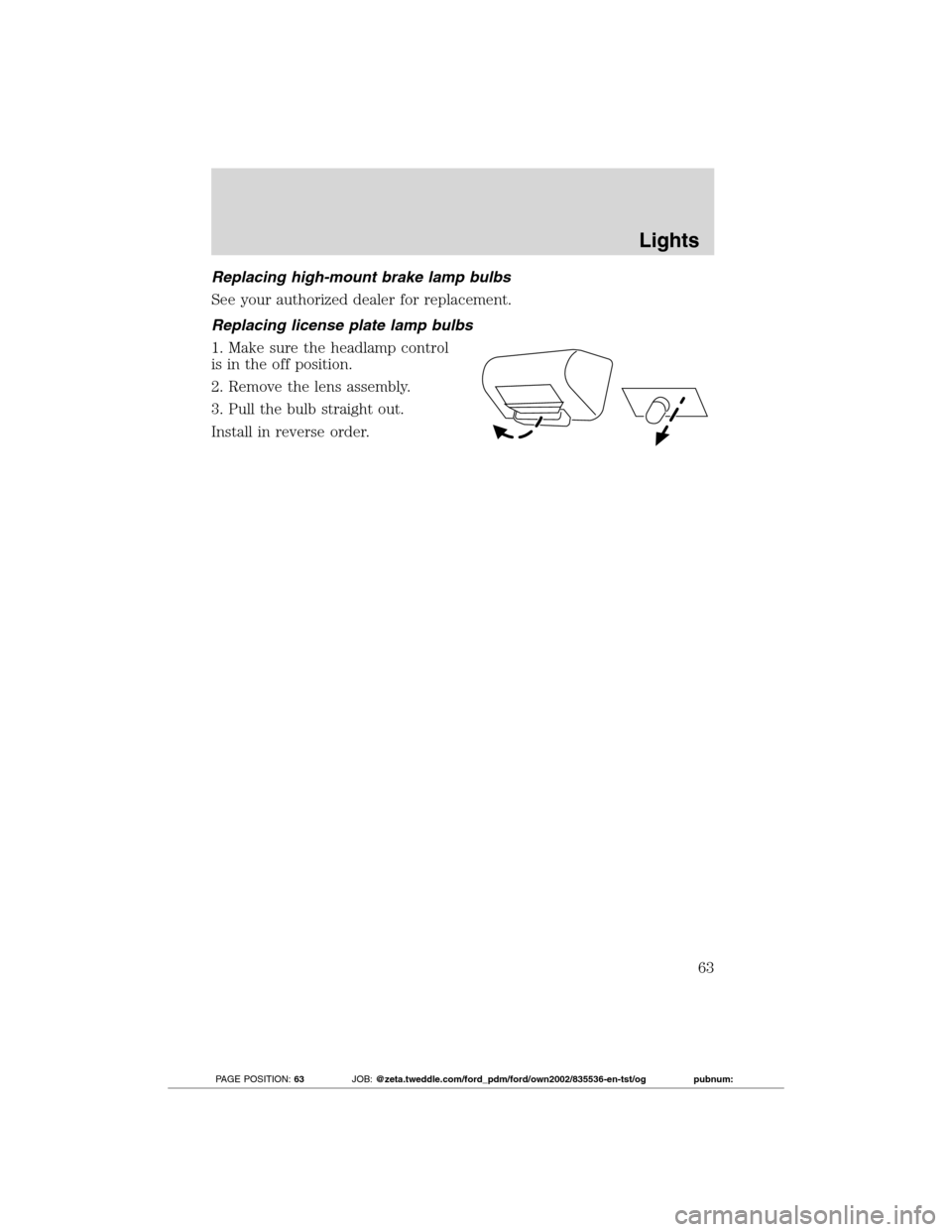
Replacing license plate lamp bulbs
1. Make sure the headlamp control
is in the off position.
2. Remove the lens assembly.
3. Pull the bulb straight out.
Install in reverse order.
Lights
63
2012 Transit Connect(tst)
Owners Guide, 1st Printing
USA(fus)
PAGE POSITION:63JOB:@zeta.tweddle.com/ford_pdm/ford/own2002/835536-en-tst/og pubnum:
Page 65 of 299
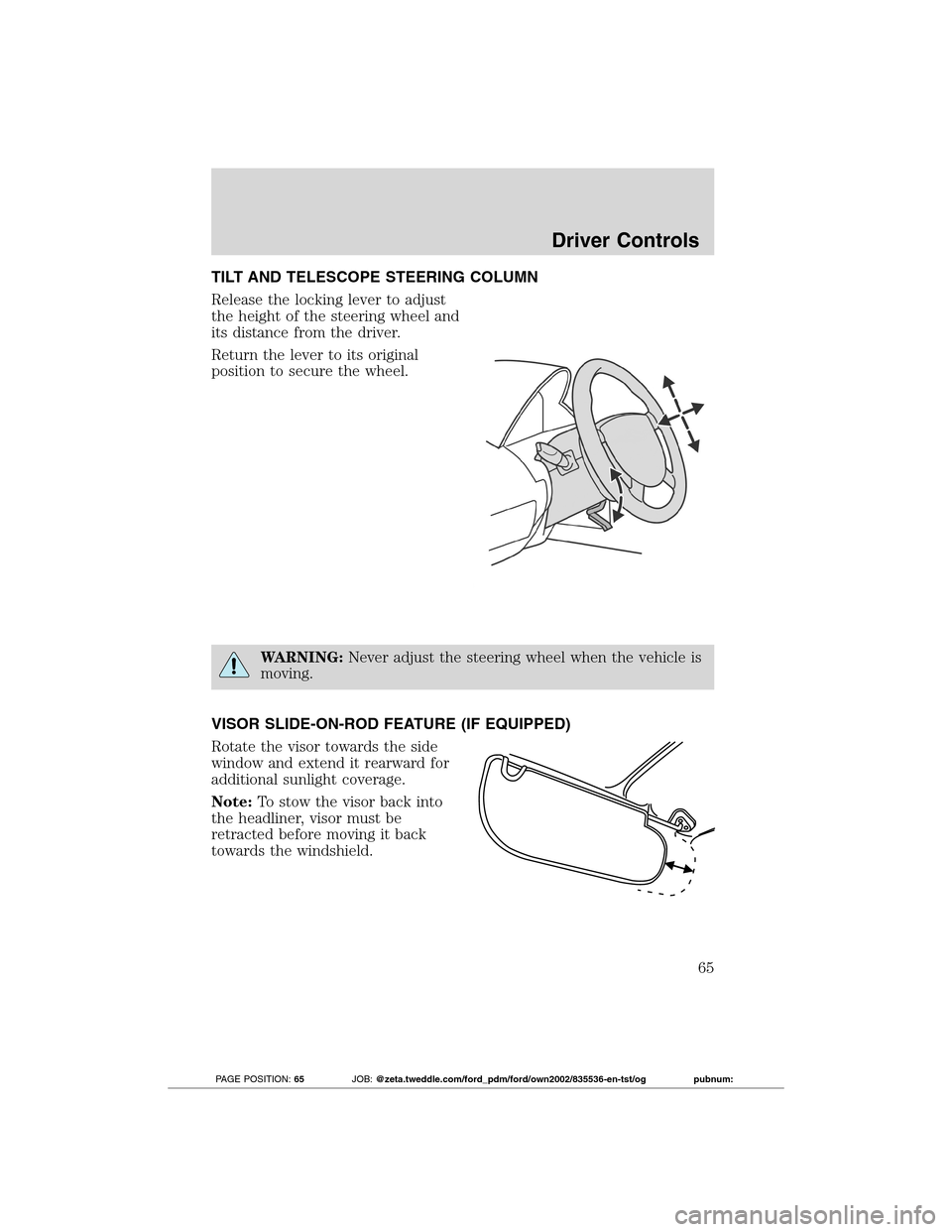
TILT AND TELESCOPE STEERING COLUMN
Release the locking lever to adjust
the height of the steering wheel and
its distance from the driver.
Return the lever to its original
position to secure the wheel.
WARNING:Never adjust the steering wheel when the vehicle is
moving.
VISOR SLIDE-ON-ROD FEATURE (IF EQUIPPED)
Rotate the visor towards the side
window and extend it rearward for
additional sunlight coverage.
Note:To stow the visor back into
the headliner, visor must be
retracted before moving it back
towards the windshield.
Driver Controls
65
2012 Transit Connect(tst)
Owners Guide, 1st Printing
USA(fus)
PAGE POSITION:65JOB:@zeta.tweddle.com/ford_pdm/ford/own2002/835536-en-tst/og pubnum:
Page 66 of 299
CENTER CONSOLE
Your vehicle has a variety of console features. These include:
•Cupholders
•Storage area
•Power window switches (if equipped)
WARNING:Use only soft cups in the cupholder. Hard objects
can injure you in a collision.
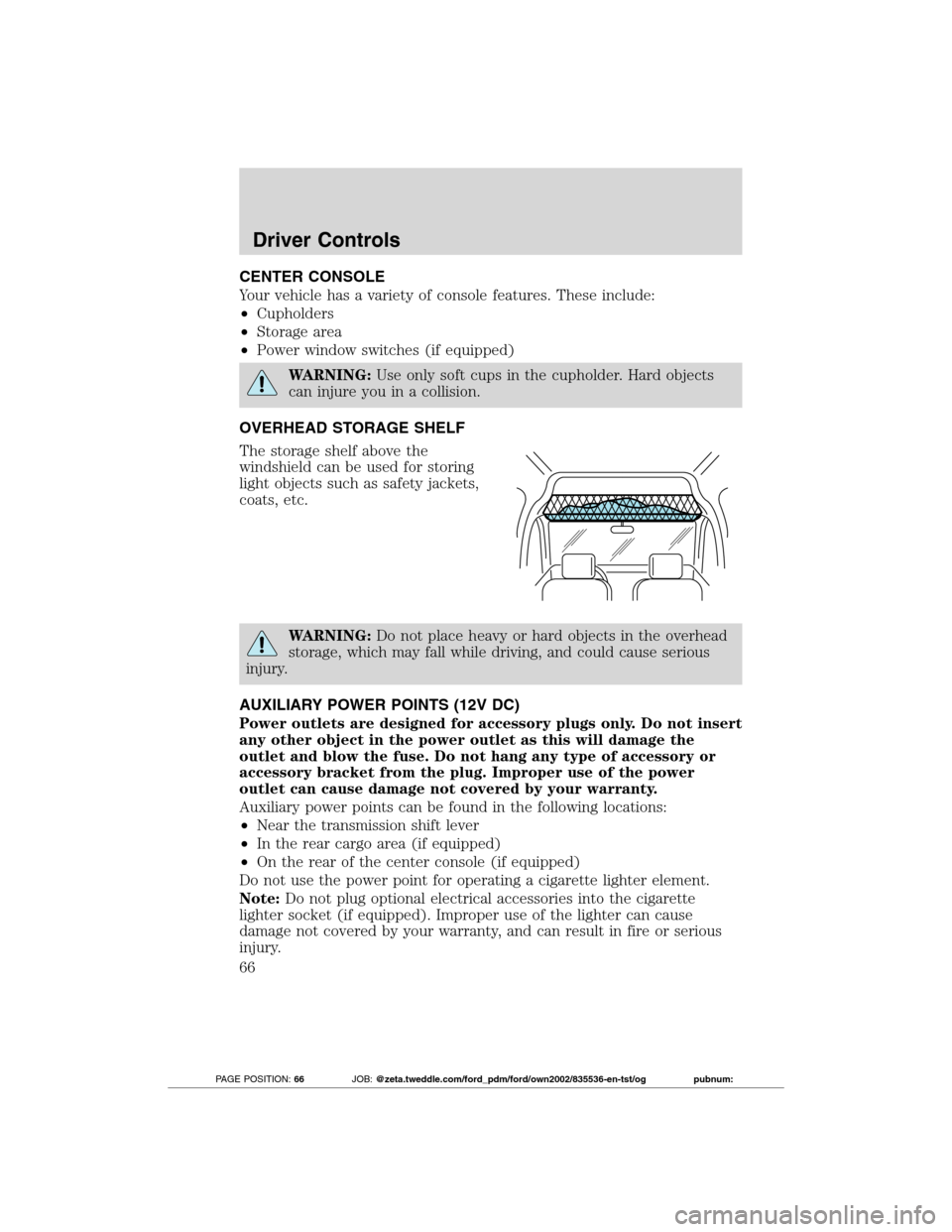
OVERHEAD STORAGE SHELF
The storage shelf above the
windshield can be used for storing
light objects such as safety jackets,
coats, etc.
WARNING:Do not place heavy or hard objects in the overhead
storage, which may fall while driving, and could cause serious
injury.
AUXILIARY POWER POINTS (12V DC)
Power outlets are designed for accessory plugs only. Do not insert
any other object in the power outlet as this will damage the
outlet and blow the fuse. Do not hang any type of accessory or
accessory bracket from the plug. Improper use of the power
outlet can cause damage not covered by your warranty.
Auxiliary power points can be found in the following locations:
•Near the transmission shift lever
•In the rear cargo area (if equipped)
•On the rear of the center console (if equipped)
Do not use the power point for operating a cigarette lighter element.
Note:Do not plug optional electrical accessories into the cigarette
lighter socket (if equipped). Improper use of the lighter can cause
damage not covered by your warranty, and can result in fire or serious
injury.
Driver Controls
66
2012 Transit Connect(tst)
Owners Guide, 1st Printing
USA(fus)
PAGE POSITION:66JOB:@zeta.tweddle.com/ford_pdm/ford/own2002/835536-en-tst/og pubnum:
Page 67 of 299
To prevent the fuse from being blown, do not use the power point(s)
over the vehicle capacity of 12V DC/135W. If the power point or cigar
lighter socket is not working, a fuse may have blown. Refer toFuses and
relaysin theRoadside Emergencieschapter for information on
checking and replacing fuses.
To have full capacity usage of your power point, the engine is required to
be running to avoid unintentional discharge of the battery. To prevent
the battery from being discharged:
•do not use the power point longer than necessary when the engine is
not running,
•do not leave battery chargers, video game adapters, computers and
other devices plugged in overnight or when the vehicle is parked for
extended periods.
Always keep the power point caps closed when not being used.
POWER WINDOWS (IF EQUIPPED)
WARNING:Do not leave children unattended in the vehicle and
do not let children play with the power windows. They may
seriously injure themselves.
WARNING:When closing the power windows, you should verify
they are free of obstructions and ensure that children and/or
pets are not in the proximity of the window openings.
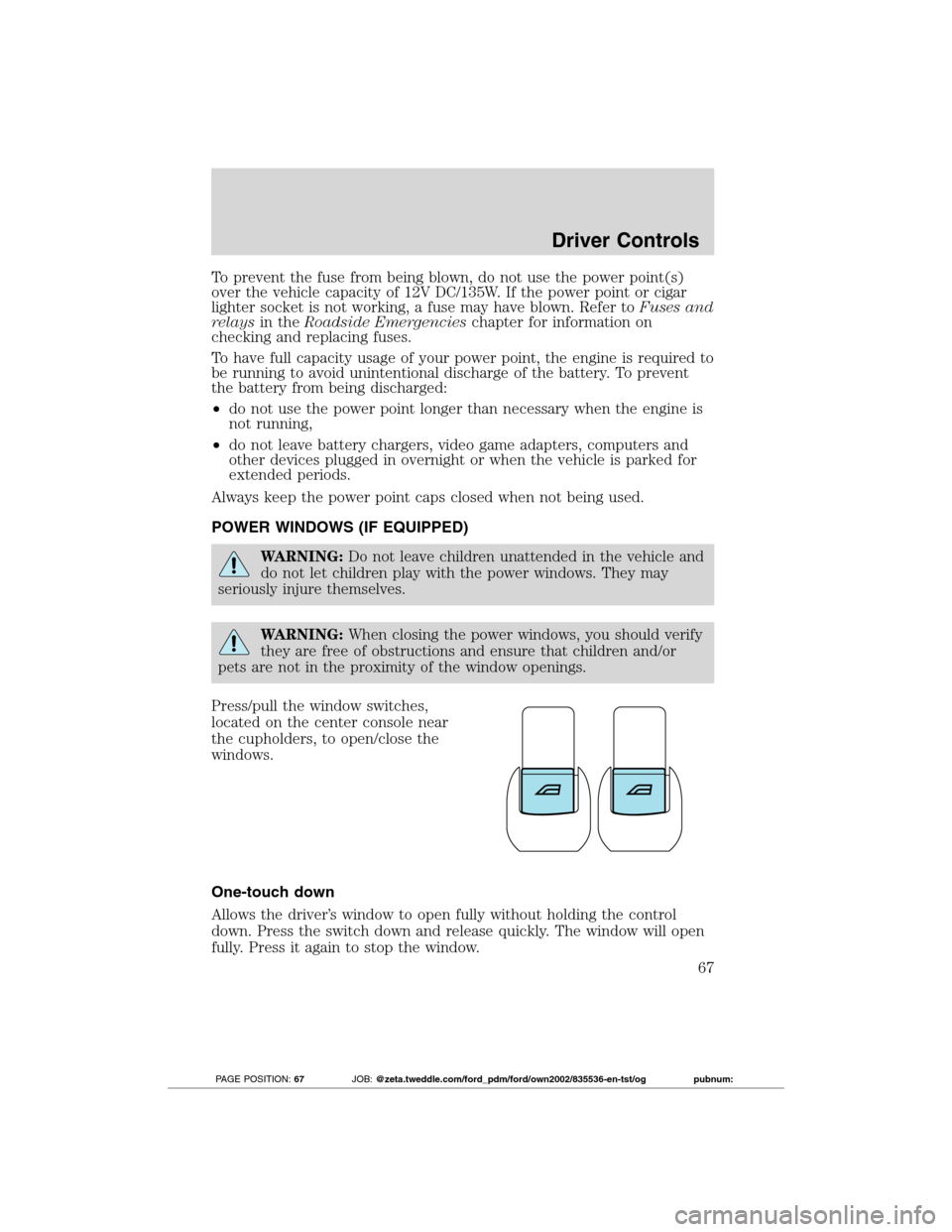
Press/pull the window switches,
located on the center console near
the cupholders, to open/close the
windows.
One-touch down
Allows the driver’s window to open fully without holding the control
down. Press the switch down and release quickly. The window will open
fully. Press it again to stop the window.
Driver Controls
67
2012 Transit Connect(tst)
Owners Guide, 1st Printing
USA(fus)
PAGE POSITION:67JOB:@zeta.tweddle.com/ford_pdm/ford/own2002/835536-en-tst/og pubnum: