USB port FORD TRANSIT CONNECT 2013 1.G User Guide
[x] Cancel search | Manufacturer: FORD, Model Year: 2013, Model line: TRANSIT CONNECT, Model: FORD TRANSIT CONNECT 2013 1.GPages: 321, PDF Size: 4.5 MB
Page 299 of 321
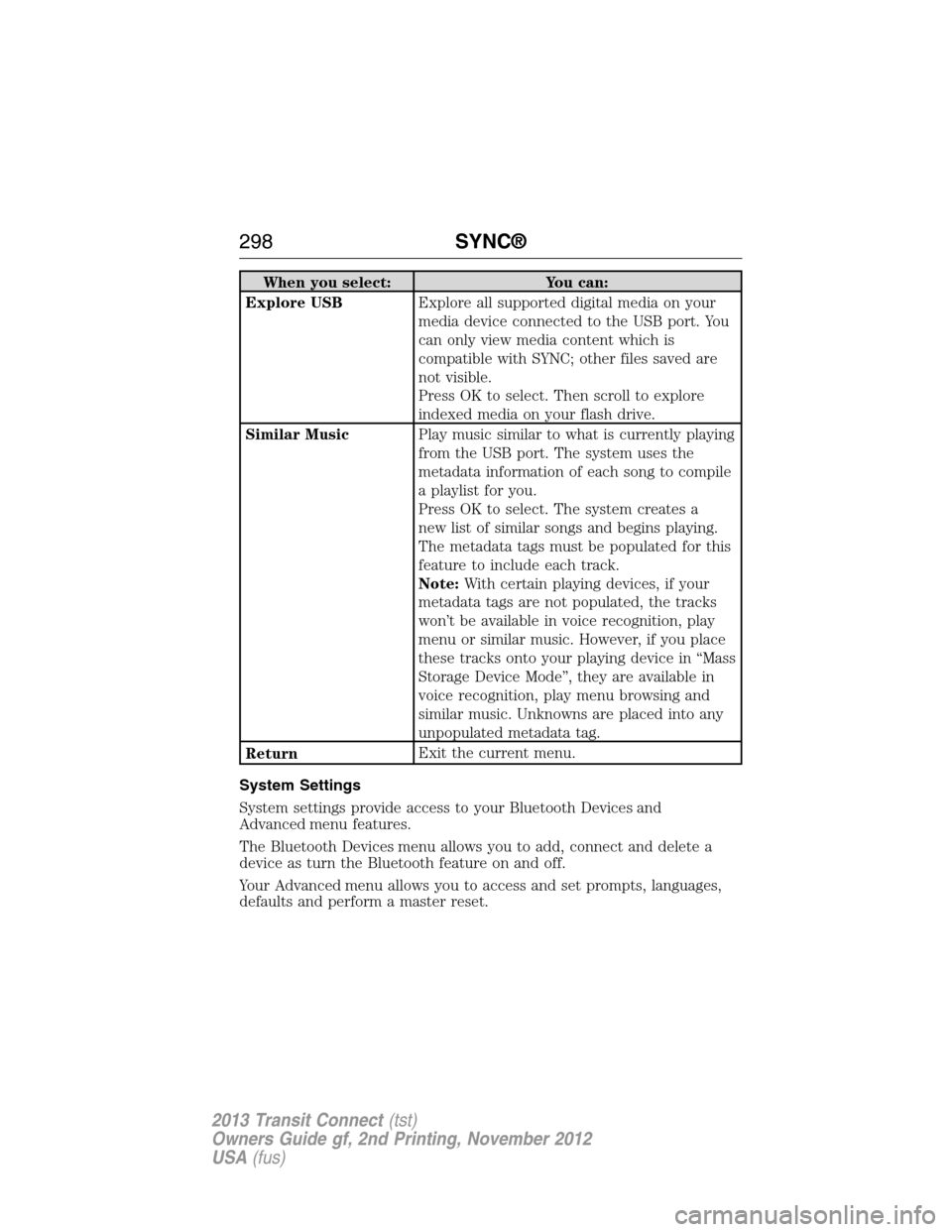
When you select: You can:
Explore USBExplore all supported digital media on your
media device connected to the USB port. You
can only view media content which is
compatible with SYNC; other files saved are
not visible.
Press OK to select. Then scroll to explore
indexed media on your flash drive.
Similar MusicPlay music similar to what is currently playing
from the USB port. The system uses the
metadata information of each song to compile
a playlist for you.
Press OK to select. The system creates a
new list of similar songs and begins playing.
The metadata tags must be populated for this
feature to include each track.
Note:With certain playing devices, if your
metadata tags are not populated, the tracks
won’t be available in voice recognition, play
menu or similar music. However, if you place
these tracks onto your playing device in “Mass
Storage Device Mode”, they are available in
voice recognition, play menu browsing and
similar music. Unknowns are placed into any
unpopulated metadata tag.
ReturnExit the current menu.
System Settings
System settings provide access to your Bluetooth Devices and
Advanced menu features.
The Bluetooth Devices menu allows you to add, connect and delete a
device as turn the Bluetooth feature on and off.
Your Advanced menu allows you to access and set prompts, languages,
defaults and perform a master reset.
298SYNC®
2013 Transit Connect(tst)
Owners Guide gf, 2nd Printing, November 2012
USA(fus)
Page 302 of 321
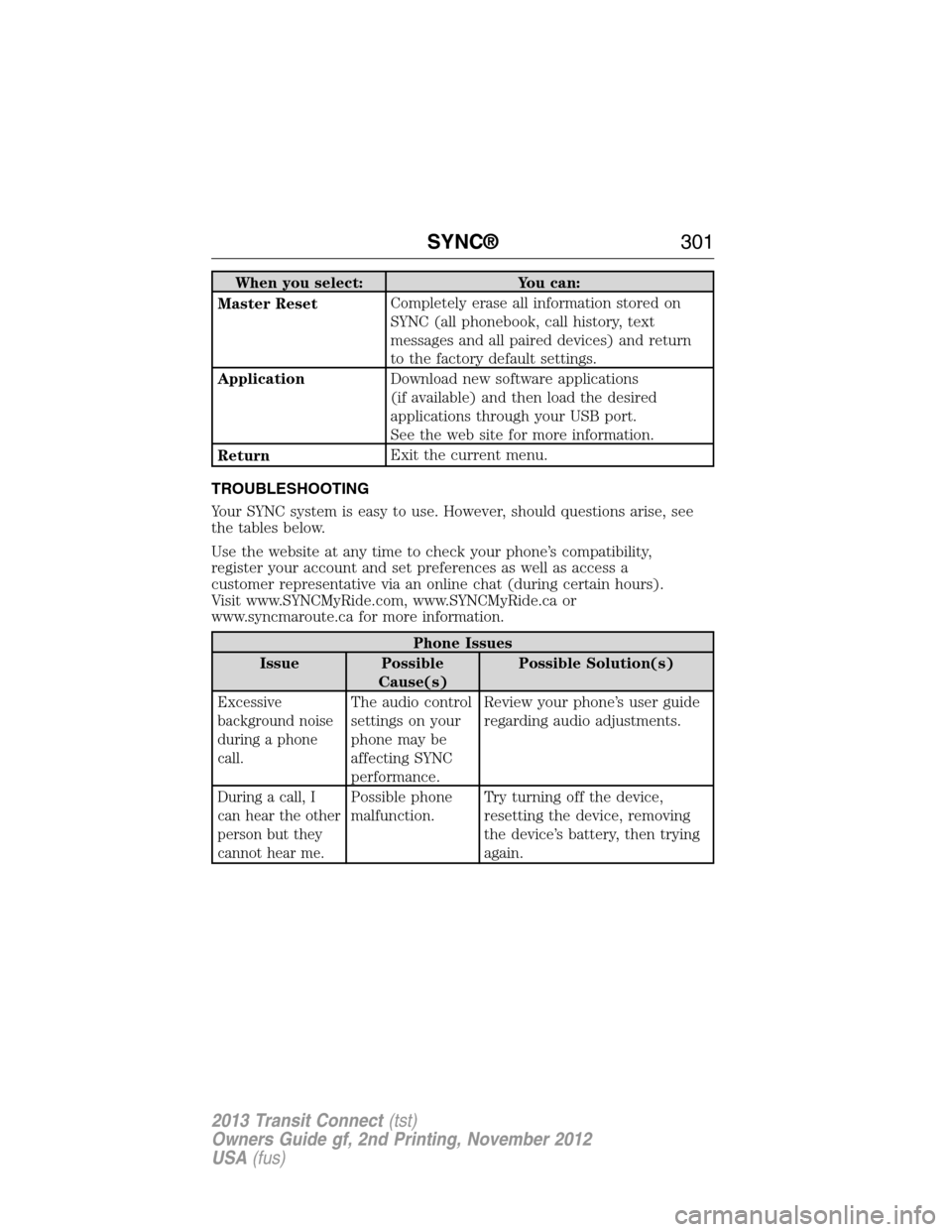
When you select: You can:
Master ResetCompletely erase all information stored on
SYNC (all phonebook, call history, text
messages and all paired devices) and return
to the factory default settings.
ApplicationDownload new software applications
(if available) and then load the desired
applications through your USB port.
See the web site for more information.
ReturnExit the current menu.
TROUBLESHOOTING
Your SYNC system is easy to use. However, should questions arise, see
the tables below.
Use the website at any time to check your phone’s compatibility,
register your account and set preferences as well as access a
customer representative via an online chat (during certain hours).
Visit www.SYNCMyRide.com, www.SYNCMyRide.ca or
www.syncmaroute.ca for more information.
Phone Issues
Issue Possible
Cause(s)Possible Solution(s)
Excessive
background noise
during a phone
call.The audio control
settings on your
phone may be
affecting SYNC
performance.Review your phone’s user guide
regarding audio adjustments.
During a call, I
can hear the other
person but they
cannot hear me.Possible phone
malfunction.Try turning off the device,
resetting the device, removing
the device’s battery, then trying
again.
SYNC®301
2013 Transit Connect(tst)
Owners Guide gf, 2nd Printing, November 2012
USA(fus)
Page 305 of 321
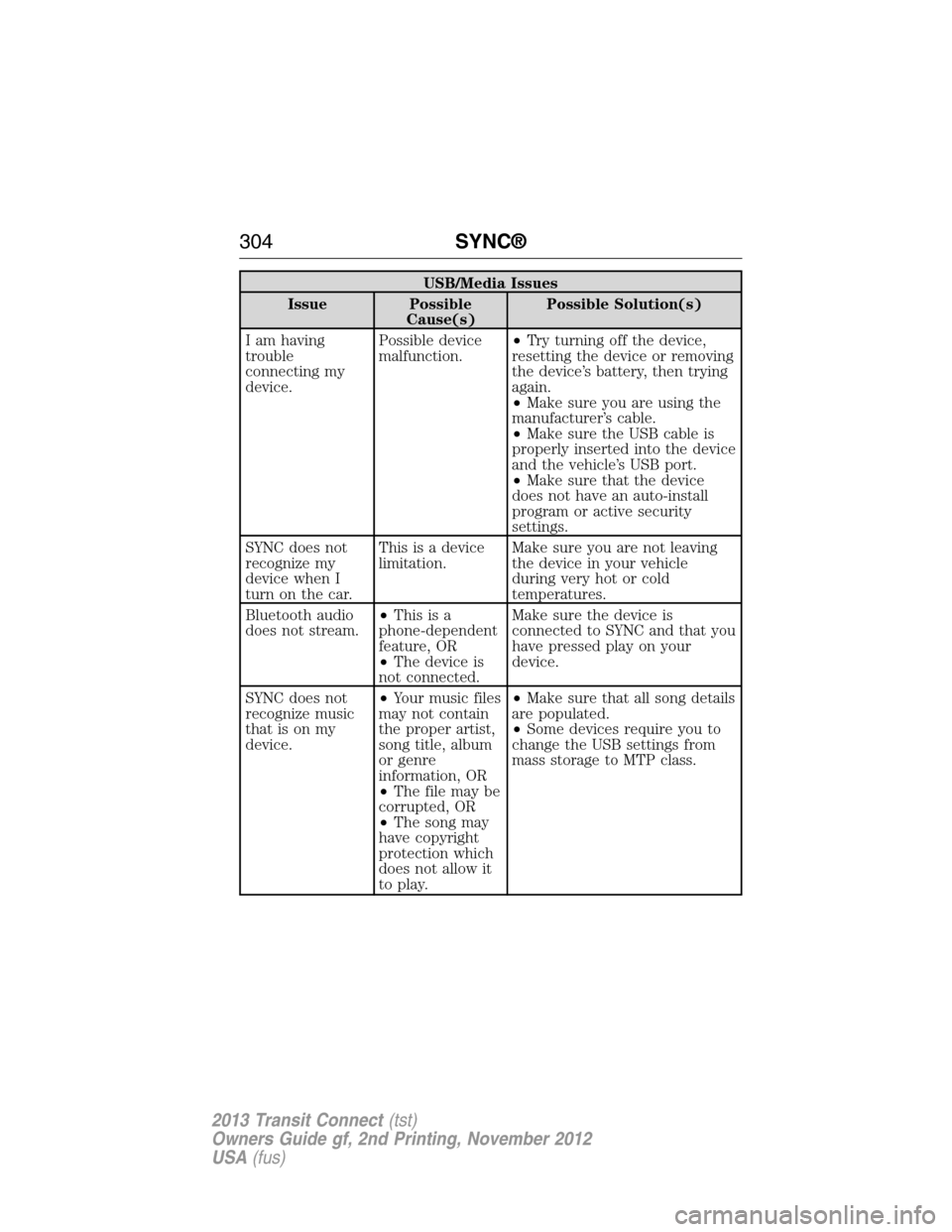
USB/Media Issues
Issue Possible
Cause(s)Possible Solution(s)
I am having
trouble
connecting my
device.Possible device
malfunction.•Try turning off the device,
resetting the device or removing
the device’s battery, then trying
again.
•Make sure you are using the
manufacturer’s cable.
•Make sure the USB cable is
properly inserted into the device
and the vehicle’s USB port.
•Make sure that the device
does not have an auto-install
program or active security
settings.
SYNC does not
recognize my
device when I
turn on the car.This is a device
limitation.Make sure you are not leaving
the device in your vehicle
during very hot or cold
temperatures.
Bluetooth audio
does not stream.•Thisisa
phone-dependent
feature, OR
•The device is
not connected.Make sure the device is
connected to SYNC and that you
have pressed play on your
device.
SYNC does not
recognize music
that is on my
device.•Your music files
may not contain
the proper artist,
song title, album
or genre
information, OR
•The file may be
corrupted, OR
•The song may
have copyright
protection which
does not allow it
to play.•Make sure that all song details
are populated.
•Some devices require you to
change the USB settings from
mass storage to MTP class.
304SYNC®
2013 Transit Connect(tst)
Owners Guide gf, 2nd Printing, November 2012
USA(fus)
Page 320 of 321
R
Radio ......................................88–89
Single CD ............................88–89
Radio reception ...........................86
Rear-view camera system .........132
Rear window defroster ...............94
Receiving a text message .........282
Recommendations for
attaching safety restraints for
children ........................................23
Refill capacities for fluids ........244
Relays ................................163–164
Remote entry system
illuminated entry ......................59
locking/unlocking doors ...........58
opening the trunk .....................58
replacing the batteries .......56–57
Reverse sensing system ...........131
Roadside assistance ..................149
Roll stability control .................129
S
Safety Belt Maintenance ............42
Safety belts (see Safety
restraints) ..............................35, 38
Safety defects, reporting ..........162
Safety information ....................271
Safety restraints ..............35–36, 38
Belt-Minder® ............................39
extension assembly ..................38
for adults .............................35–36
for children .........................18, 23
safety belt maintenance ...........42
seat belt maintenance ..............42
warning light and chime ..........39Safety restraints -
LATCH anchors ...........................26
Safety seats for children ......18, 23
Safety Compliance
Certification Label ....................247
Scheduled Maintenance Guide
Normal Scheduled
Maintenance and Log .............259
Seat belts
(see Safety restraints) ...............35
Seats
child safety seats ................18, 23
SecuriLock passive anti-theft
system ..........................................62
Selecting your media source
(USB, Line in, BT audio) .........293
Setting the clock ...................88–89
Snowplowing ...............................14
SOS Post Crash Alert .................45
Spark plugs,
specifications .....................243, 246
Special notice
ambulance conversions ............14
utility-type vehicles ..................14
Specification chart,
lubricants ...................................244
Stability system .........................129
Starting your vehicle ................109
jump starting ..........................151
Steering wheel ............................65
tilting .........................................65
Supplemental Restraint System
(SRS) (see airbags) ....................46
SYNC® customer support ........271
Index319
2013 Transit Connect(tst)
Owners Guide gf, 2nd Printing, November 2012
USA(fus)
Page 321 of 321
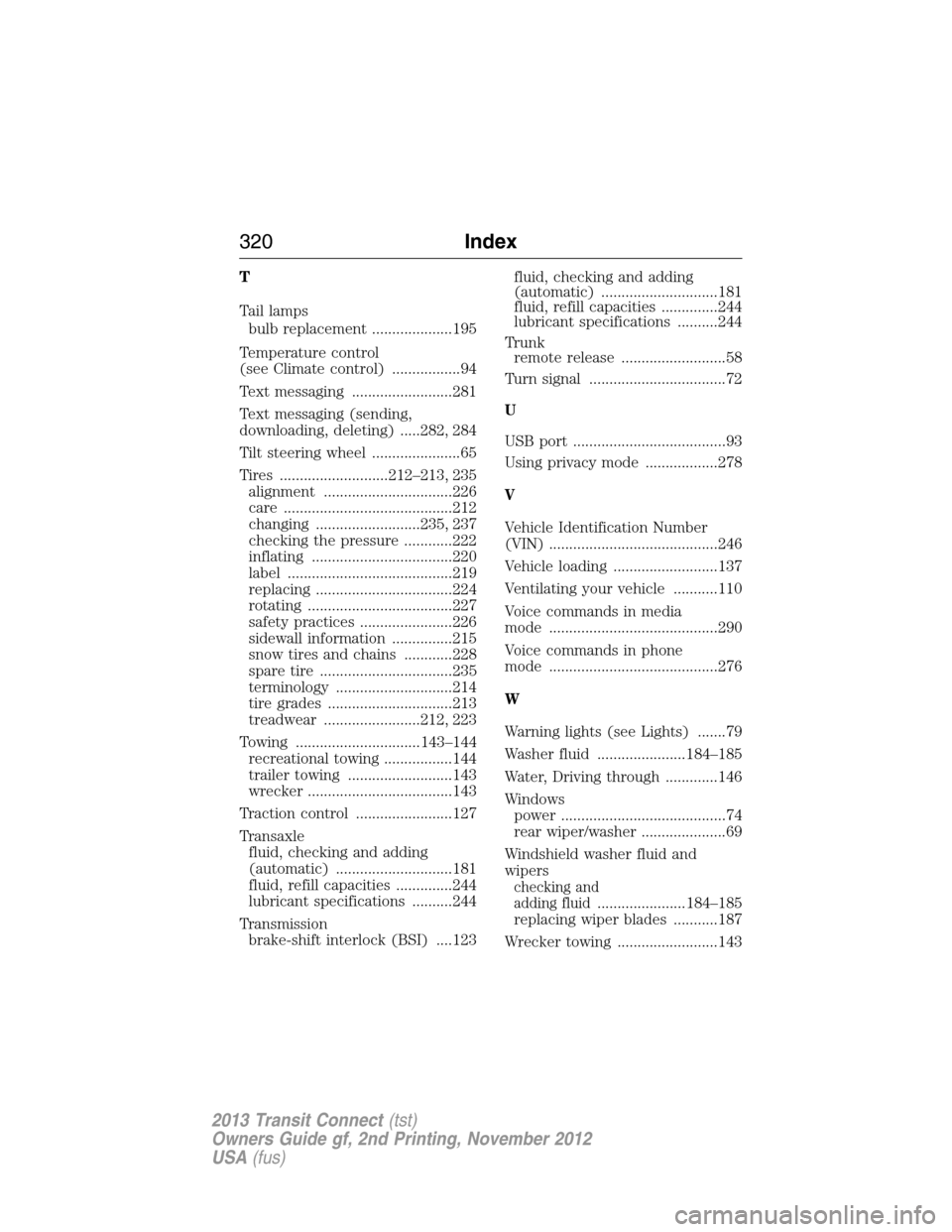
T
Tail lamps
bulb replacement ....................195
Temperature control
(see Climate control) .................94
Text messaging .........................281
Text messaging (sending,
downloading, deleting) .....282, 284
Tilt steering wheel ......................65
Tires ...........................212–213, 235
alignment ................................226
care ..........................................212
changing ..........................235, 237
checking the pressure ............222
inflating ...................................220
label .........................................219
replacing ..................................224
rotating ....................................227
safety practices .......................226
sidewall information ...............215
snow tires and chains ............228
spare tire .................................235
terminology .............................214
tire grades ...............................213
treadwear ........................212, 223
Towing ...............................143–144
recreational towing .................144
trailer towing ..........................143
wrecker ....................................143
Traction control ........................127
Transaxle
fluid, checking and adding
(automatic) .............................181
fluid, refill capacities ..............244
lubricant specifications ..........244
Transmission
brake-shift interlock (BSI) ....123fluid, checking and adding
(automatic) .............................181
fluid, refill capacities ..............244
lubricant specifications ..........244
Trunk
remote release ..........................58
Turn signal ..................................72
U
USB port ......................................93
Using privacy mode ..................278
V
Vehicle Identification Number
(VIN) ..........................................246
Vehicle loading ..........................137
Ventilating your vehicle ...........110
Voice commands in media
mode ..........................................290
Voice commands in phone
mode ..........................................276
W
Warning lights (see Lights) .......79
Washer fluid ......................184–185
Water, Driving through .............146
Windows
power .........................................74
rear wiper/washer .....................69
Windshield washer fluid and
wipers
checking and
adding fluid
......................184–185
replacing wiper blades ...........187
Wrecker towing .........................143
320Index
2013 Transit Connect(tst)
Owners Guide gf, 2nd Printing, November 2012
USA(fus)