airbag off FORD TRANSIT CONNECT 2016 2.G User Guide
[x] Cancel search | Manufacturer: FORD, Model Year: 2016, Model line: TRANSIT CONNECT, Model: FORD TRANSIT CONNECT 2016 2.GPages: 439, PDF Size: 6.96 MB
Page 219 of 439
•
Never wash or rinse any ignition coil,
spark plug wire or spark plug well, or
the area in and around these locations.
• Cover the battery, power distribution
box, and air filter assembly to prevent
water damage when cleaning the
engine.
CLEANING THE WINDOWS AND
WIPER BLADES
Car wash chemicals and environmental
fallout can result in windshield and wiper
blade contamination. Dirty windshield and
wipers will result in poor windshield wiper
operation. Keep the windshield and wiper
blades clean to maintain windshield wiper
performance.
To clean the windshield and wiper blades:
• Clean the windshield with a
non-abrasive glass cleaner. When
cleaning the interior of the windshield,
avoid getting any glass cleaner on the
instrument panel or door panels. Wipe
any glass cleaner off these surfaces
immediately.
• For windshields contaminated with
tree sap, chemicals, wax or bugs, clean
the entire windshield using steel wool
(no greater than 0000 grade) in a
circular motion and rinse with water.
• Clean the wiper blades with isopropyl
rubbing alcohol or windshield washer
concentrate.
Note: Do not use razor blades or other
sharp objects to clean or remove decals
from the inside of the heated rear window.
The vehicle warranty does not cover
damage caused to the heated rear window
grid lines. CLEANING THE INTERIOR WARNINGS
Do not use cleaning solvents, bleach
or dye on the vehicle
’s safety belts,
as these actions may weaken the
belt webbing. On vehicles equipped with
seat-mounted airbags, do not use
chemical solvents or strong
detergents. Such products could
contaminate the side airbag system and
affect performance of the side airbag in a
collision. For fabric, carpets, cloth seats, safety belts
and seats equipped with side airbags:
•
Remove dust and loose dirt with a
vacuum cleaner.
• Remove light stains and soil with
Motorcraft Professional Strength
Carpet & Upholstery Cleaner.
• If grease or tar is present on the
material, spot-clean the area first with
Motorcraft Spot and Stain Remover. In
Canada, use Motorcraft Multi-Purpose
Cleaner.
• If a ring forms on the fabric after spot
cleaning, clean the entire area
immediately (but do not oversaturate)
or the ring will set.
• Do not use household cleaning
products or glass cleaners, which can
stain and discolor the fabric and affect
the flame retardant abilities of the seat
materials.
216
Tourneo Connect/Transit Connect (CHC) Canada/United States of America, enUSA, First Printing Vehicle Care
Page 220 of 439
CLEANING THE INSTRUMENT
PANEL AND INSTRUMENT
CLUSTER LENS
WARNING
Do not use chemical solvents or
strong detergents when cleaning the
steering wheel or instrument panel
to avoid contamination of the airbag
system. Note:
Follow the same procedure as
cleaning leather seats for cleaning leather
instrument panels and leather interior trim
surfaces. See Cleaning Leather Seats
(page 217).
Clean the instrument panel and cluster
lens with a clean, damp and soft cloth,
then use a clean, dry and soft cloth to dry
these areas.
• Avoid cleaners or polishes that increase
the gloss of the upper portion of the
instrument panel. The dull finish in this
area helps protect you from
undesirable windshield reflection.
• Do not use any household cleaning
products or glass cleaners as these
may damage the finish of the
instrument panel, interior trim and
cluster lens.
• Wash or wipe your hands clean if you
have been in contact with certain
products such as insect repellent and
suntan lotion to avoid possible damage
to the interior painted surfaces.
• Do not allow air fresheners and hand
sanitizers to spill onto interior surfaces.
If a spill occurs, wipe off immediately.
Your warranty may not cover these
damages.
If a staining liquid like coffee or juice has
been spilled on the instrument panel or on
interior trim surfaces: 1. Wipe up spilled liquid using a clean,
soft cloth as quickly as possible.
2. Use Motorcraft Premium Leather and Vinyl Cleaner or a commercially
available leather cleaning product for
automotive interiors. Test any cleaner
or stain remover on an inconspicuous
area.
3. Alternatively, wipe the surface with a clean, soft cloth and a mild soap and
water solution. Dry the area with a
clean, soft cloth.
4. If necessary, apply more soap and water solution or cleaning product to
a clean, soft cloth and press it onto the
soiled area. Allow this to set at room
temperature for 30 minutes.
5. Remove the soaked cloth, then with a clean, damp cloth, use a rubbing
motion for 60 seconds on the soiled
area.
6. Dry the area with a clean, soft cloth.
CLEANING LEATHER SEATS
(If
Equipped)
Note: Follow the same procedure as
cleaning leather seats for cleaning leather
instrument panels and leather interior trim
surfaces.
For routine cleaning, wipe the surface with
a soft, damp cloth and a mild soap and
water solution. Dry the area with a clean,
soft cloth.
For cleaning and removing stains such as
dye transfer, use Motorcraft Premium
Leather and Vinyl Cleaner or a
commercially available leather cleaning
product for automotive interiors.
Note: Test any cleaner or stain remover on
an inconspicuous area.
217
Tourneo Connect/Transit Connect (CHC) Canada/United States of America, enUSA, First Printing Vehicle Care
Page 295 of 439
![FORD TRANSIT CONNECT 2016 2.G User Guide If a crash deploys an airbag (excluding
knee airbags and rear inflatable safety
belts [if equipped]) or activates the fuel
pump shut-off, your SYNC-equipped
vehicle may be able to contact emergency
se](/img/11/5408/w960_5408-294.png "FORD TRANSIT CONNECT 2016 2.G User Guide If a crash deploys an airbag (excluding
knee airbags and rear inflatable safety
belts [if equipped]) or activates the fuel
pump shut-off, your SYNC-equipped
vehicle may be able to contact emergency
se")
If a crash deploys an airbag (excluding
knee airbags and rear inflatable safety
belts [if equipped]) or activates the fuel
pump shut-off, your SYNC-equipped
vehicle may be able to contact emergency
services by dialing 911 through a paired and
connected Bluetooth-enabled phone. You
can learn more about the 911 Assist
feature, visit www.SYNCMyRide.com,
www.SYNCMyRide.ca or
www.syncmaroute.ca.
See Supplementary Restraints System
(page 36). Important information about
airbag deployment is in this chapter.
See
Roadside Emergencies (page 170).
Important information about the fuel pump
shut-off is in this chapter.
Switching 911 Assist On or Off
Press the phone button to enter the phone menu and scroll to: Action and Description
Message
Press the OK button to confirm and enter the 911 Assist menu.
911 Assist
Press the OK button when the desired option appears in the
radio display.
On
Off
Off selections include: Action and Description
Message
Provides a display and voice reminder at phone connection
at vehicle start.
Off with reminder:
Provides a display reminder only without a voice reminder at
phone connection.
Off without reminder:
To make sure that 911 Assist works
correctly:
• SYNC must be powered and working
properly at the time of the incident and
throughout feature activation and use.
• The 911 Assist feature must be set on
before the incident.
• You must pair and connect a
Bluetooth-enabled and compatible
cell phone to SYNC.
• A connected Bluetooth-enabled phone
must have the ability to make and
maintain an outgoing call at the time
of the incident. •
A connected Bluetooth-enabled phone
must have adequate network coverage,
battery power and signal strength.
• The vehicle must have battery power
and be located in the U.S., Canada or
in a territory in which 911 is the
emergency number.
292
Tourneo Connect/Transit Connect (CHC) Canada/United States of America, enUSA, First Printing SYNC™
Page 296 of 439
In the Event of a Crash
Not all crashes will deploy an airbag or
activate the fuel pump shut-off (the
triggers for 911 Assist). If a connected cell
phone sustains damage or loses its
connection to SYNC during a crash, SYNC
will search for and try to connect to a
previously paired cell phone; SYNC will
then attempt to call the emergency
services.
Before making the call:
•
SYNC provides a short window of time
(about 10 seconds) to cancel the call.
If you fail to cancel the call, SYNC
attempts to dial 911.
• SYNC says the following, or a similar
message: "SYNC will attempt to call
911, to cancel the call, press Cancel on
your screen or press and hold the
phone button on your steering wheel."
If you do not cancel the call, and SYNC
makes a successful call, a pre-recorded
message plays for the 911 operator, and
then the occupant(s) in your vehicle is able
to talk with the operator. Be prepared to
provide your name, phone number and
location immediately, because not all 911
systems are capable of receiving this
information electronically.
911 Assist May Not Work If
• Your cellular phone or 911 Assist
hardware sustains damage in a crash.
• The vehicle's battery or the SYNC
system has no power.
• The phone(s) thrown from your vehicle
are the ones paired and connected to
the system. 911 Assist Privacy Notice
When you turn on 911 Assist, it may
disclose to emergency services that your
vehicle has been in a crash involving the
deployment of an airbag or activation of
the fuel pump shut-off. Certain versions or
updates to 911 Assist may also be capable
of electronically or verbally disclosing to
911 operators your vehicle location or other
details about your vehicle or crash to assist
911 operators to provide the most
appropriate emergency services. If you do
not want to disclose this information, do
not turn the feature on.
Vehicle Health Report (If
Equipped, United States Only)
WARNING
Always follow scheduled
maintenance instructions, regularly
inspect your vehicle, and seek repair
for any damage or problem you suspect.
Vehicle Health Report supplements, but
cannot replace, normal maintenance and
vehicle inspection. Vehicle Health Report
only monitors certain systems
electronically monitored by your vehicle
and will not monitor or report the status
of any other system, (such as brake lining
wear). Failure to perform scheduled
maintenance and regularly inspect your
vehicle may result in vehicle damage and
serious injury. Note:
This feature is only available in the
United States.
Note: Your Vehicle Health Report feature
requires activation before use. Visit
www.SYNCMyRide.com to register. There
is no fee or subscription associated with
Vehicle Health Report, but you must register
to use this feature.
293
Tourneo Connect/Transit Connect (CHC) Canada/United States of America, enUSA, First Printing SYNC™
Page 372 of 439
This screen displays any system messages
(such as an SD card fault).
Note:
The system alerts you to any
messages by turning the information icon
yellow. After you read or delete the
messages, the icon returns to white.
Calendar If your vehicle is equipped with
Navigation, touch the I
(Information) button to access
these features. If your vehicle is not
equipped with Navigation, touch the corner
of the touchscreen with the green tab.
Press Calendar. You can view the current
calendar by day, week or month.
911 Assist WARNINGS
Unless the 911 Assist setting is set on
before a crash, the system will not
dial for help, which could delay
response time, potentially increasing the
risk of serious injury or death after a crash. Do not wait for 911 Assist to make an
emergency call if you can do it
yourself. Dial emergency services
immediately to avoid delayed response
time, which could increase the risk of
serious injury or death after a crash. If you
do not hear 911 Assist within five seconds
of the crash, the system or phone may be
damaged or non-functional. Always place your phone in a secure
location in your vehicle so it does not
become a projectile or damaged in
a crash. Failure to do so may cause serious
injury to someone or damage the phone,
which could prevent 911 Assist from
working properly. Note:
The SYNC 911 Assist feature must be
set on prior to the incident. Note:
Before setting this feature on, make
sure that you read the 911 Assist Privacy
Notice later in this section for important
information.
Note: If any user turns 911 Assist on or off,
that setting applies for all paired phones. If
911 Assist is turned off, either a voice
message plays or a display message (or
icon) comes on (or both) when your vehicle
is started after a previously paired phone
connects.
Note: Every phone operates differently.
While SYNC 911 Assist works with most
cellular phones, some may have trouble
using this feature.
If a crash deploys an airbag, excluding knee
airbags and rear inflatable safety belts
where fitted or activates the fuel pump
shut-off, your SYNC-equipped vehicle may
be able to contact emergency services by
dialing 911 through a paired and connected
Bluetooth-enabled phone. For more
information about the 911 Assist feature
visit: Website
visit www.SYNCMyRide.com www.SYNCMyRide.cawww.syncmaroute.ca
See
Supplementary Restraints System
(page 36). Important information
regarding airbag deployment is in this
chapter.
See
Roadside Emergencies (page 170).
Important information regarding the fuel
pump shut-off is in this chapter.
369
Tourneo Connect/Transit Connect (CHC) Canada/United States of America, enUSA, First Printing MyFord Touch
™E142608
Page 373 of 439
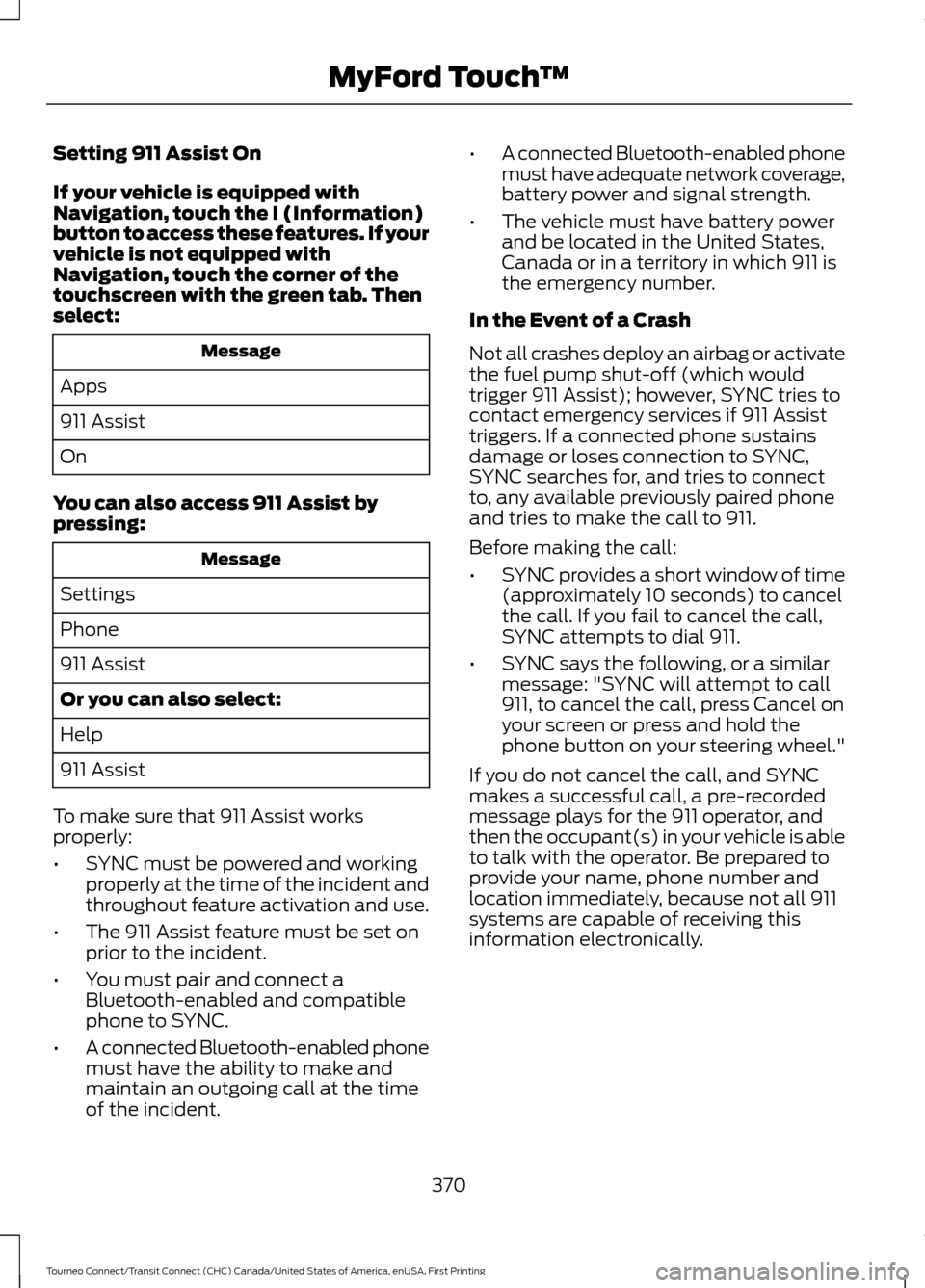
Setting 911 Assist On
If your vehicle is equipped with
Navigation, touch the I (Information)
button to access these features. If your
vehicle is not equipped with
Navigation, touch the corner of the
touchscreen with the green tab. Then
select:
Message
Apps
911 Assist
On
You can also access 911 Assist by
pressing: Message
Settings
Phone
911 Assist
Or you can also select:
Help
911 Assist
To make sure that 911 Assist works
properly:
• SYNC must be powered and working
properly at the time of the incident and
throughout feature activation and use.
• The 911 Assist feature must be set on
prior to the incident.
• You must pair and connect a
Bluetooth-enabled and compatible
phone to SYNC.
• A connected Bluetooth-enabled phone
must have the ability to make and
maintain an outgoing call at the time
of the incident. •
A connected Bluetooth-enabled phone
must have adequate network coverage,
battery power and signal strength.
• The vehicle must have battery power
and be located in the United States,
Canada or in a territory in which 911 is
the emergency number.
In the Event of a Crash
Not all crashes deploy an airbag or activate
the fuel pump shut-off (which would
trigger 911 Assist); however, SYNC tries to
contact emergency services if 911 Assist
triggers. If a connected phone sustains
damage or loses connection to SYNC,
SYNC searches for, and tries to connect
to, any available previously paired phone
and tries to make the call to 911.
Before making the call:
• SYNC provides a short window of time
(approximately 10 seconds) to cancel
the call. If you fail to cancel the call,
SYNC attempts to dial 911.
• SYNC says the following, or a similar
message: "SYNC will attempt to call
911, to cancel the call, press Cancel on
your screen or press and hold the
phone button on your steering wheel."
If you do not cancel the call, and SYNC
makes a successful call, a pre-recorded
message plays for the 911 operator, and
then the occupant(s) in your vehicle is able
to talk with the operator. Be prepared to
provide your name, phone number and
location immediately, because not all 911
systems are capable of receiving this
information electronically.
370
Tourneo Connect/Transit Connect (CHC) Canada/United States of America, enUSA, First Printing MyFord Touch
™
Page 374 of 439
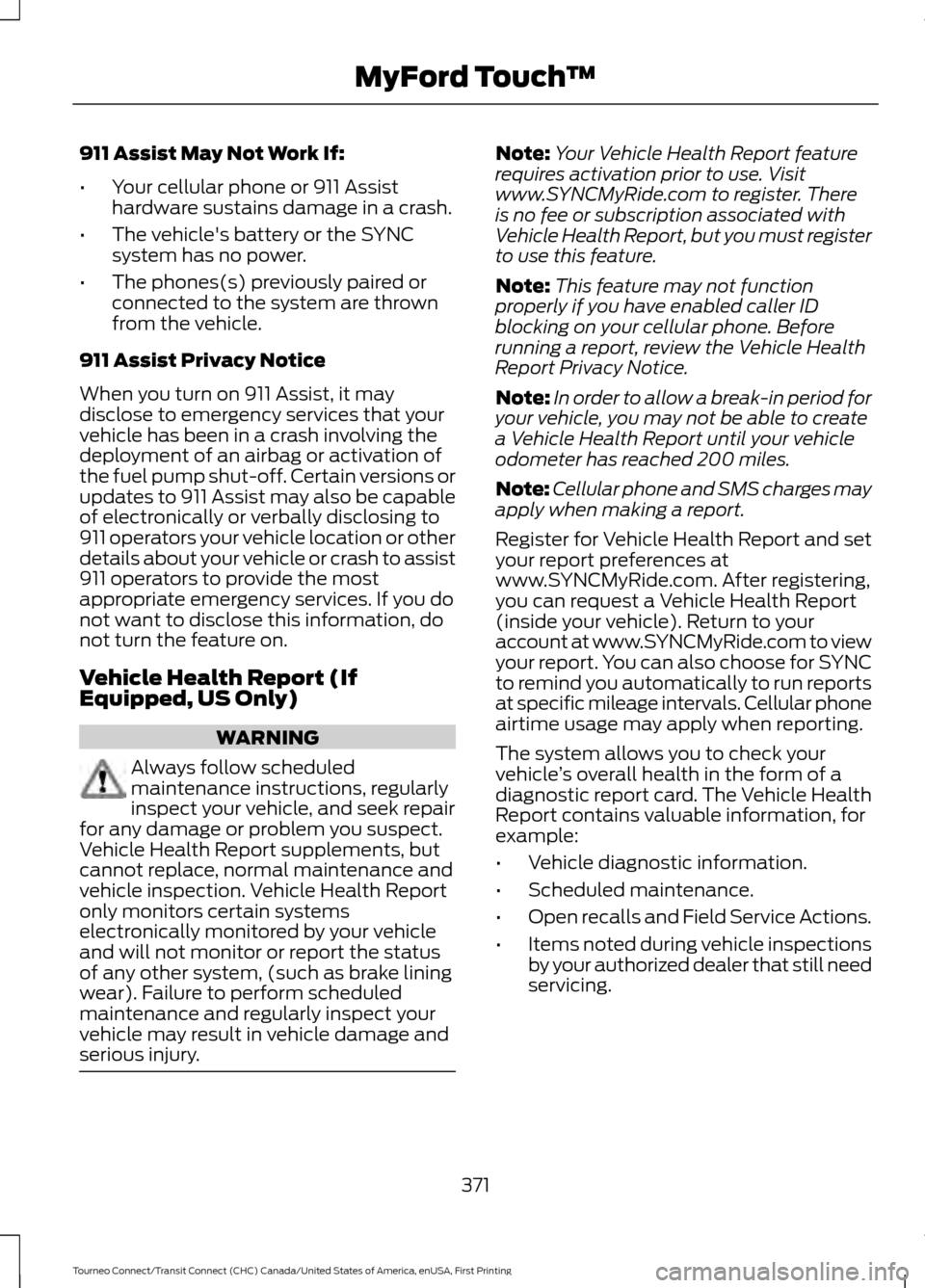
911 Assist May Not Work If:
•
Your cellular phone or 911 Assist
hardware sustains damage in a crash.
• The vehicle's battery or the SYNC
system has no power.
• The phones(s) previously paired or
connected to the system are thrown
from the vehicle.
911 Assist Privacy Notice
When you turn on 911 Assist, it may
disclose to emergency services that your
vehicle has been in a crash involving the
deployment of an airbag or activation of
the fuel pump shut-off. Certain versions or
updates to 911 Assist may also be capable
of electronically or verbally disclosing to
911 operators your vehicle location or other
details about your vehicle or crash to assist
911 operators to provide the most
appropriate emergency services. If you do
not want to disclose this information, do
not turn the feature on.
Vehicle Health Report (If
Equipped, US Only) WARNING
Always follow scheduled
maintenance instructions, regularly
inspect your vehicle, and seek repair
for any damage or problem you suspect.
Vehicle Health Report supplements, but
cannot replace, normal maintenance and
vehicle inspection. Vehicle Health Report
only monitors certain systems
electronically monitored by your vehicle
and will not monitor or report the status
of any other system, (such as brake lining
wear). Failure to perform scheduled
maintenance and regularly inspect your
vehicle may result in vehicle damage and
serious injury. Note:
Your Vehicle Health Report feature
requires activation prior to use. Visit
www.SYNCMyRide.com to register. There
is no fee or subscription associated with
Vehicle Health Report, but you must register
to use this feature.
Note: This feature may not function
properly if you have enabled caller ID
blocking on your cellular phone. Before
running a report, review the Vehicle Health
Report Privacy Notice.
Note: In order to allow a break-in period for
your vehicle, you may not be able to create
a Vehicle Health Report until your vehicle
odometer has reached 200 miles.
Note: Cellular phone and SMS charges may
apply when making a report.
Register for Vehicle Health Report and set
your report preferences at
www.SYNCMyRide.com. After registering,
you can request a Vehicle Health Report
(inside your vehicle). Return to your
account at www.SYNCMyRide.com to view
your report. You can also choose for SYNC
to remind you automatically to run reports
at specific mileage intervals. Cellular phone
airtime usage may apply when reporting.
The system allows you to check your
vehicle ’s overall health in the form of a
diagnostic report card. The Vehicle Health
Report contains valuable information, for
example:
• Vehicle diagnostic information.
• Scheduled maintenance.
• Open recalls and Field Service Actions.
• Items noted during vehicle inspections
by your authorized dealer that still need
servicing.
371
Tourneo Connect/Transit Connect (CHC) Canada/United States of America, enUSA, First Printing MyFord Touch
™
Page 430 of 439
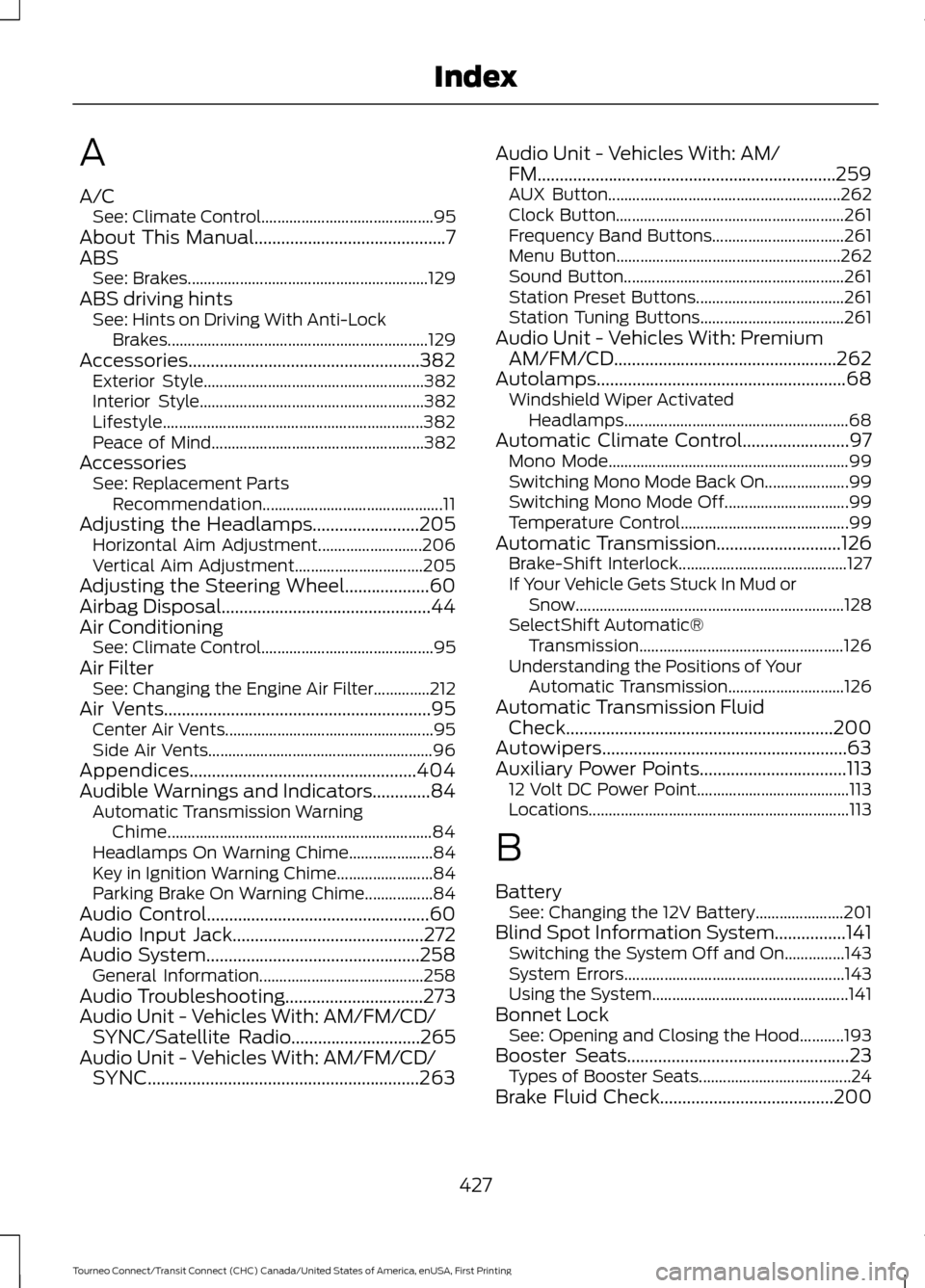
A
A/C
See: Climate Control........................................... 95
About This Manual...........................................7
ABS See: Brakes............................................................ 129
ABS driving hints See: Hints on Driving With Anti-Lock
Brakes................................................................. 129
Accessories....................................................382 Exterior Style....................................................... 382
Interior Style........................................................ 382
Lifestyle................................................................. 382
Peace of Mind..................................................... 382
Accessories See: Replacement Parts
Recommendation............................................. 11
Adjusting the Headlamps........................205 Horizontal Aim Adjustment.......................... 206
Vertical Aim Adjustment................................ 205
Adjusting the Steering Wheel...................60
Airbag Disposal...............................................44
Air Conditioning See: Climate Control........................................... 95
Air Filter See: Changing the Engine Air Filter..............212
Air Vents............................................................95 Center Air Vents.................................................... 95
Side Air Vents........................................................ 96
Appendices...................................................404
Audible Warnings and Indicators.............84 Automatic Transmission Warning
Chime.................................................................. 84
Headlamps On Warning Chime..................... 84
Key in Ignition Warning Chime........................ 84
Parking Brake On Warning Chime.................84
Audio Control..................................................60
Audio Input Jack...........................................272
Audio System................................................258 General Information......................................... 258
Audio Troubleshooting...............................273
Audio Unit - Vehicles With: AM/FM/CD/ SYNC/Satellite Radio
.............................265
Audio Unit - Vehicles With: AM/FM/CD/ SYNC.............................................................263 Audio Unit - Vehicles With: AM/
FM...................................................................259
AUX Button.......................................................... 262
Clock Button......................................................... 261
Frequency Band Buttons................................. 261
Menu Button........................................................ 262
Sound Button....................................................... 261
Station Preset Buttons..................................... 261
Station Tuning Buttons.................................... 261
Audio Unit - Vehicles With: Premium AM/FM/CD..................................................262
Autolamps
........................................................68
Windshield Wiper Activated
Headlamps........................................................ 68
Automatic Climate Control........................97 Mono Mode............................................................ 99
Switching Mono Mode Back On..................... 99
Switching Mono Mode Off............................... 99
Temperature Control.......................................... 99
Automatic Transmission
............................126
Brake-Shift Interlock.......................................... 127
If Your Vehicle Gets Stuck In Mud or Snow................................................................... 128
SelectShift Automatic® Transmission................................................... 126
Understanding the Positions of Your Automatic Transmission............................. 126
Automatic Transmission Fluid Check
............................................................200
Autowipers.......................................................63
Auxiliary Power Points.................................113 12 Volt DC Power Point...................................... 113
Locations................................................................. 113
B
Battery See: Changing the 12V Battery...................... 201
Blind Spot Information System................141 Switching the System Off and On...............143
System Errors....................................................... 143
Using the System................................................. 141
Bonnet Lock See: Opening and Closing the Hood...........193
Booster Seats
..................................................23
Types of Booster Seats...................................... 24
Brake Fluid Check.......................................200
427
Tourneo Connect/Transit Connect (CHC) Canada/United States of America, enUSA, First Printing Index
Page 431 of 439
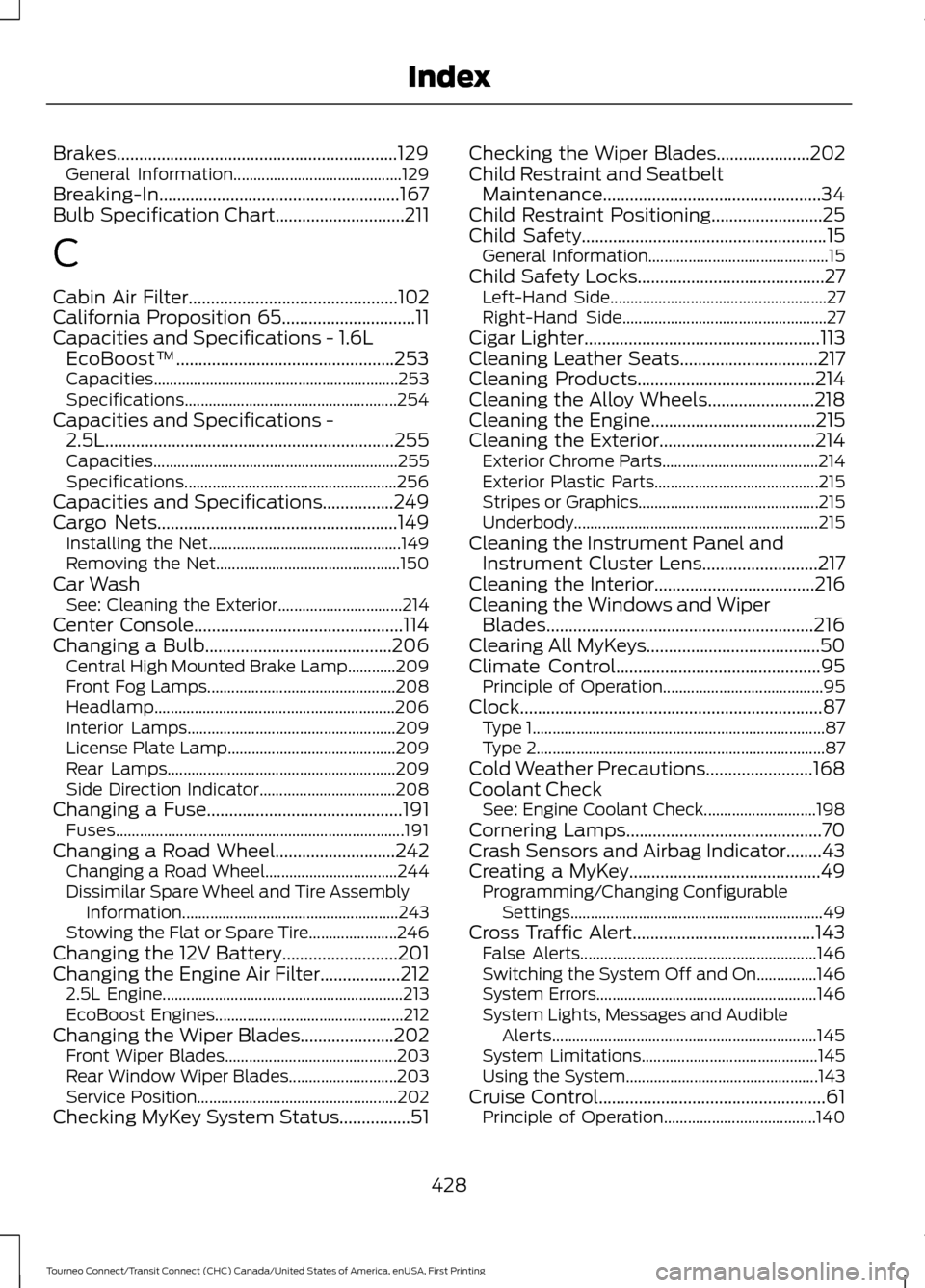
Brakes...............................................................129
General Information.......................................... 129
Breaking-In......................................................167
Bulb Specification Chart.............................211
C
Cabin Air Filter...............................................102
California Proposition 65..............................11
Capacities and Specifications - 1.6L EcoBoost™.................................................253
Capacities............................................................. 253
Specifications..................................................... 254
Capacities and Specifications - 2.5L.................................................................255
Capacities............................................................. 255
Specifications..................................................... 256
Capacities and Specifications................249
Cargo Nets......................................................149 Installing the Net................................................ 149
Removing the Net.............................................. 150
Car Wash See: Cleaning the Exterior............................... 214
Center Console...............................................114
Changing a Bulb..........................................206 Central High Mounted Brake Lamp............209
Front Fog Lamps............................................... 208
Headlamp............................................................ 206
Interior Lamps.................................................... 209
License Plate Lamp.......................................... 209
Rear Lamps......................................................... 209
Side Direction Indicator.................................. 208
Changing a Fuse............................................191 Fuses........................................................................\
191
Changing a Road Wheel...........................242 Changing a Road Wheel................................. 244
Dissimilar Spare Wheel and Tire Assembly Information...................................................... 243
Stowing the Flat or Spare Tire...................... 246
Changing the 12V Battery
..........................201
Changing the Engine Air Filter..................212 2.5L Engine............................................................ 213
EcoBoost Engines............................................... 212
Changing the Wiper Blades.....................202 Front Wiper Blades........................................... 203
Rear Window Wiper Blades........................... 203
Service Position.................................................. 202
Checking MyKey System Status................51 Checking the Wiper Blades.....................202
Child Restraint and Seatbelt
Maintenance.................................................34
Child Restraint Positioning.........................25
Child Safety
.......................................................15
General Information............................................. 15
Child Safety Locks..........................................27 Left-Hand Side...................................................... 27
Right-Hand Side................................................... 27
Cigar Lighter
.....................................................113
Cleaning Leather Seats...............................217
Cleaning Products
........................................214
Cleaning the Alloy Wheels........................218
Cleaning the Engine
.....................................215
Cleaning the Exterior...................................214
Exterior Chrome Parts....................................... 214
Exterior Plastic Parts......................................... 215
Stripes or Graphics............................................. 215
Underbody............................................................. 215
Cleaning the Instrument Panel and Instrument Cluster Lens..........................217
Cleaning the Interior....................................216
Cleaning the Windows and Wiper Blades
............................................................216
Clearing All MyKeys.......................................50
Climate Control
..............................................95
Principle of Operation........................................ 95
Clock....................................................................87 Type 1........................................................................\
. 87
Type 2........................................................................\
87
Cold Weather Precautions
........................168
Coolant Check See: Engine Coolant Check............................ 198
Cornering Lamps............................................70
Crash Sensors and Airbag Indicator........43
Creating a MyKey
...........................................49
Programming/Changing Configurable
Settings............................................................... 49
Cross Traffic Alert.........................................143 False Alerts........................................................... 146
Switching the System Off and On...............146
System Errors....................................................... 146
System Lights, Messages and Audible Alerts.................................................................. 145
System Limitations............................................ 145
Using the System................................................ 143
Cruise Control...................................................61 Principle of Operation...................................... 140
428
Tourneo Connect/Transit Connect (CHC) Canada/United States of America, enUSA, First Printing Index
Page 437 of 439
Seatbelt Warning Lamp and Indicator
Chime...............................................................32
Conditions of operation..................................... 32
Seats.................................................................103
Security..............................................................58
Settings............................................................327 Clock....................................................................... 327
Display................................................................... 328
Settings................................................................... 331
Sound..................................................................... 329
Vehicle................................................................... 329
Side Airbags
......................................................41
Sitting in the Correct Position..................103
Snow Chains See: Using Snow Chains.................................. 237
Special Notices................................................12 New Vehicle Limited Warranty......................... 12
On-board Diagnostics (OBD-II)....................... 12
Special Instructions.............................................. 12
Special Operating Conditions Scheduled Maintenance...............................................392
Speed Control See: Cruise Control............................................ 140
Stability Control............................................133 Principle of Operation....................................... 133
Starter Switch See: Ignition Switch............................................ 115
Starting a Gasoline Engine........................116 Cold or Hot Engine.............................................. 116
Engine Idle Speed after Starting.................... 116
Flooded Engine..................................................... 116
Starting and Stopping the Engine...........115 General Information........................................... 115
Steering
............................................................146
Electric Power Steering.................................... 146
Steering Wheel
...............................................60
Storage Compartments..............................114
Sun Shades......................................................78
Bounce-Back......................................................... 79
Opening and Closing the Sun Shade............79
Sun Shade Relearning........................................ 79
Supplementary Restraints System.........36 Principle of Operation........................................ 36
Switching Off the Engine............................116 Vehicles With a Turbocharger......................... 116
Symbols Glossary
.............................................7 SYNC™ Applications and Services.......291
911 Assist................................................................ 291
SYNC Services: Traffic, Directions & Information (TDI) (If Equipped, United
States Only).................................................... 295
Vehicle Health Report (If Equipped, United States Only).................................................... 293
SYNC™ AppLink ™
.....................................299
SYNC Mobile Apps............................................ 299
SYNC™............................................................274 General Information.......................................... 274
SYNC™ Troubleshooting
..........................310
T
Tailgate See: Manual Liftgate........................................... 56
Technical Specifications See: Capacities and Specifications............249
The Better Business Bureau (BBB) Auto Line Program (U.S. Only).........................177
Tire Care
..........................................................222
Glossary of Tire Terminology......................... 224
Information About Uniform Tire Quality Grading.............................................................. 222
Information Contained on the Tire Sidewall............................................................ 225
Temperature A B C............................................ 223
Traction AA A B C............................................... 223
Treadwear............................................................. 223
Tire Pressure Monitoring System...........238 Changing Tires With a Tire Pressure
Monitoring System....................................... 239
Tire Pressure Monitoring System Reset Procedure.......................................................... 241
Understanding the Tire Pressure Monitoring System ............................................................. 239
Tires See: Wheels and Tires....................................... 221
Towing a Trailer.............................................159 Load Placement.................................................. 159
Towing Points
................................................164
Towing the Vehicle on Four Wheels..........................................................166
Emergency Towing............................................ 166
Recreational Vehicle Towing ......................... 166
Towing..............................................................159
434
Tourneo Connect/Transit Connect (CHC) Canada/United States of America, enUSA, First Printing Index