USB port FORD TRANSIT CONNECT 2016 2.G Owner's Manual
[x] Cancel search | Manufacturer: FORD, Model Year: 2016, Model line: TRANSIT CONNECT, Model: FORD TRANSIT CONNECT 2016 2.GPages: 439, PDF Size: 6.96 MB
Page 332 of 439
To make adjustments using the voice
button, press the button and when
prompted, say:
Voice command
Display Settings
Uploading Photos for Your Home
Screen Wallpaper Note:
You cannot load photos directly from
your camera. You must access the photos
either from your USB mass storage device
or from an SD card.
Note: Photographs with extremely large
dimensions (such as 2048 x 1536) may not
be compatible and appear as a blank
(black) image on the display.
The system allows you to upload and view
up to 32 photos.
To access, press:
To upload your photos, select: Action and Description
Message
Press the settings icon.
Settings
Display
Follow the system prompts to upload your photographs.
Edit Wallpaper
Only the photograph(s), which meets the
following conditions will display:
• Compatible file formats are as follows:
JPG, GIF, PNG, BMP.
• Each file must be 1.5 MB or less.
• Recommended dimensions: 800 x 384.
Sound
To make adjustments using the
touchscreen, select: Message
Settings
Sound
Then select from the following:
Bass
Midrange
Treble Message
Set Balance and Fade
Occupancy Mode
Speed Compensated Volume
DSP
Note: Your vehicle may not have all of
these sound settings.
Vehicle
To make adjustments using the
touchscreen, select: Message
Settings
Vehicle
Then select from the following: *
Vehicle Health Report
329
Tourneo Connect/Transit Connect (CHC) Canada/United States of America, enUSA, First Printing MyFord Touch
™E142599
Page 339 of 439
Action and Description
Message
If compatible with your phone, you can adjust your internet
data connection. Select to make your connection profile with
the personal area network or to turn off your connection. You
can also choose to adjust your settings or have the system
always connect, never connect when roaming, or query on
connect. Press ? for more information.
Internet Data Connection
Access features, such as automatic phonebook download,
re-download your phonebook, add contacts from your phone
as well as delete or upload your phonebook.
Manage Phonebook
Have the system alert you when in Roaming mode.
Roaming Warning
Wireless & Internet
Your system has a Wi-Fi feature that
creates a wireless network within your
vehicle, thereby allowing other devices
(such as personal computers or phones)
in your vehicle to speak to each other,
share files or play games. Using this Wi-Fi feature, everyone in your vehicle can also
gain access the internet if you have a USB
mobile broadband connection inside your
vehicle, your phone supports personal area
networking and if you park outside a
wireless hotspot.
To make adjustments using the touchscreen, select: Action and Description
Menu Item
Press the settings icon.
Settings
Wireless & Internet
Then select from the following:
Wi-Fi Network (Client) Mode
Wi-Fi Settings
Turns the Wi-Fi feature on and off in your vehicle. Make sure
you switch it on for connectivity purposes.
Choose a Wireless Network
Allows you to use a previously stored wireless network. You
can categorize by alphabetical listing, priority and signal
strength. You can also choose to search for a network,
connect to a network, disconnect from a network, receive
more information, prioritize a network or delete a network.
Gateway (Access Point) Mode
336
Tourneo Connect/Transit Connect (CHC) Canada/United States of America, enUSA, First Printing MyFord Touch
™
Page 354 of 439
To adjust the Sound Settings, select:
Menu Item
Options
Sound Settings
Then any of the following:
Bass
Midrange
Treble
Set Balance and Fade
Occupancy Mode
EQ Mode
Speed Compensated Volume
Note: Your vehicle may not have all these
sound settings.
CD Voice Commands If you are listening to a CD, press
the voice button on the steering
wheel controls. When prompted,
say any of the following commands. If you are not listening to a CD, press
the voice button and, after the tone,
say: Voice command
CD Player
When listening to a CD you can say
many commands. Following are a few
examples of what you can say. Voice command
Play
Pause
Next Track
Previous Track
Help
* This applies to WMA or MP3 files only.
SD Card Slot and USB Port
The SD card slot and USB port are located
in the Media Hub. See Media Hub (page
272).
SD Card
Note: Your SD card slot is spring-loaded.
To remove the SD card, press the card in
and the system ejects it. Do not attempt to
pull the card to remove it as this could cause
damage.
Note: The navigation system also uses this
card slot. See
Navigation (page 372).
351
Tourneo Connect/Transit Connect (CHC) Canada/United States of America, enUSA, First Printing MyFord Touch
™E142599
Page 355 of 439
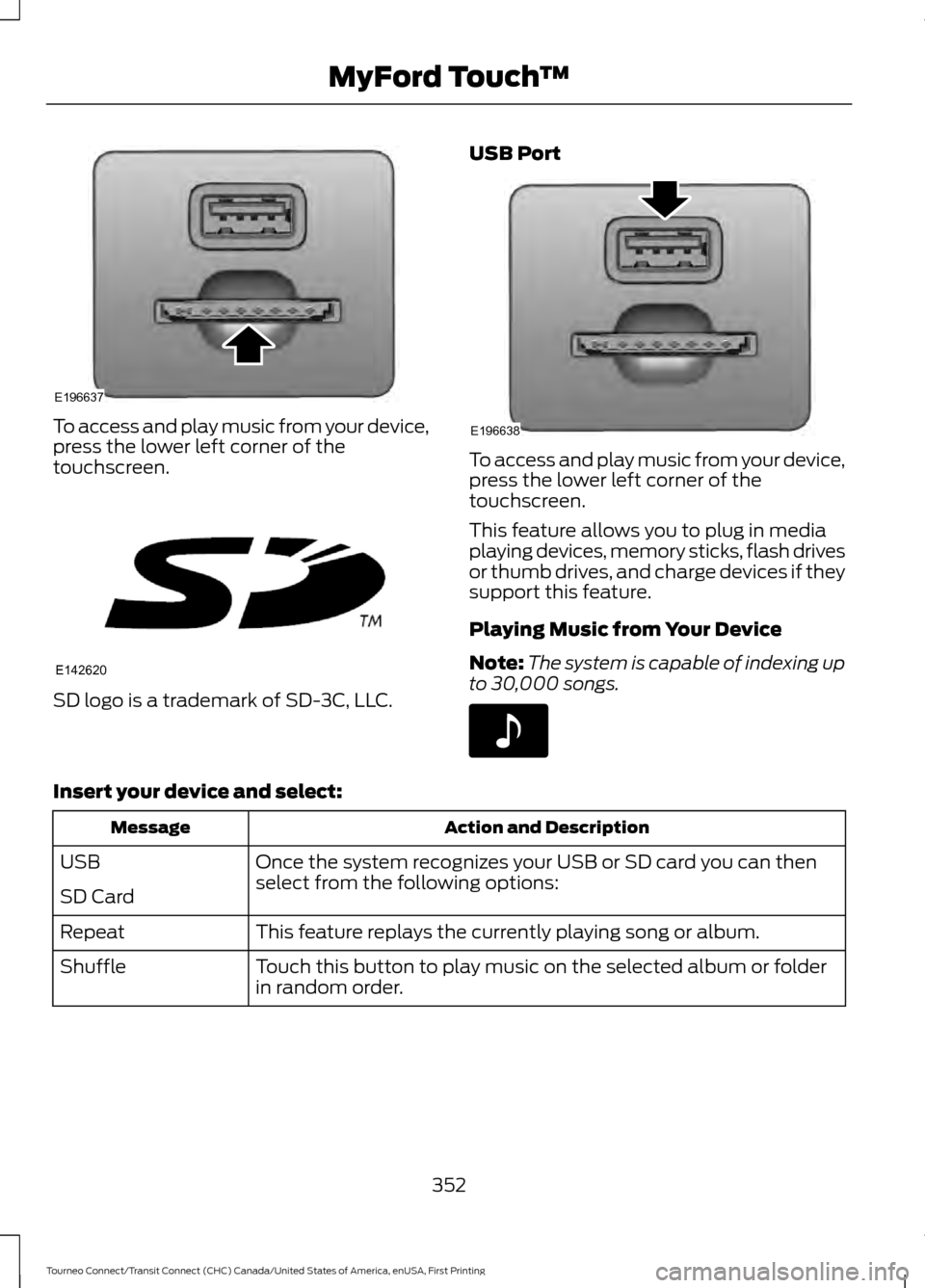
To access and play music from your device,
press the lower left corner of the
touchscreen.
SD logo is a trademark of SD-3C, LLC. USB Port To access and play music from your device,
press the lower left corner of the
touchscreen.
This feature allows you to plug in media
playing devices, memory sticks, flash drives
or thumb drives, and charge devices if they
support this feature.
Playing Music from Your Device
Note:
The system is capable of indexing up
to 30,000 songs. Insert your device and select:
Action and Description
Message
Once the system recognizes your USB or SD card you can then
select from the following options:
USB
SD Card
This feature replays the currently playing song or album.
Repeat
Touch this button to play music on the selected album or folder
in random order.
Shuffle
352
Tourneo Connect/Transit Connect (CHC) Canada/United States of America, enUSA, First Printing MyFord Touch
™E196637 E142620 E196638 E142611
Page 358 of 439
Supported Media Players, Formats
and Metadata Information
SYNC is capable of hosting nearly any
digital media player, including iPod,
Zune
™, plays from device players, and
most USB drives. Supported audio formats
include MP3, WMA, WAV and AAC.
It is also able to organize your indexed
media from your playing device by
metadata tags. Metadata tags, which are
descriptive software identifiers embedded
in the media files, provide information
about the file.
If your indexed media files contain no
information embedded in these metadata
tags, SYNC may classify the empty
metadata tags as unknown.
Bluetooth Audio
The system allows you to stream audio
over your vehicle's speakers from your
connected, Bluetooth-enabled cell phone. To access, press the lower left corner
on the touchscreen, then select:
Message
BT Stereo
Bluetooth Audio Voice Commands The voice system allows you to control
your media with a simple voice command.
For example to change songs, press the
voice button and follow the system
prompts.
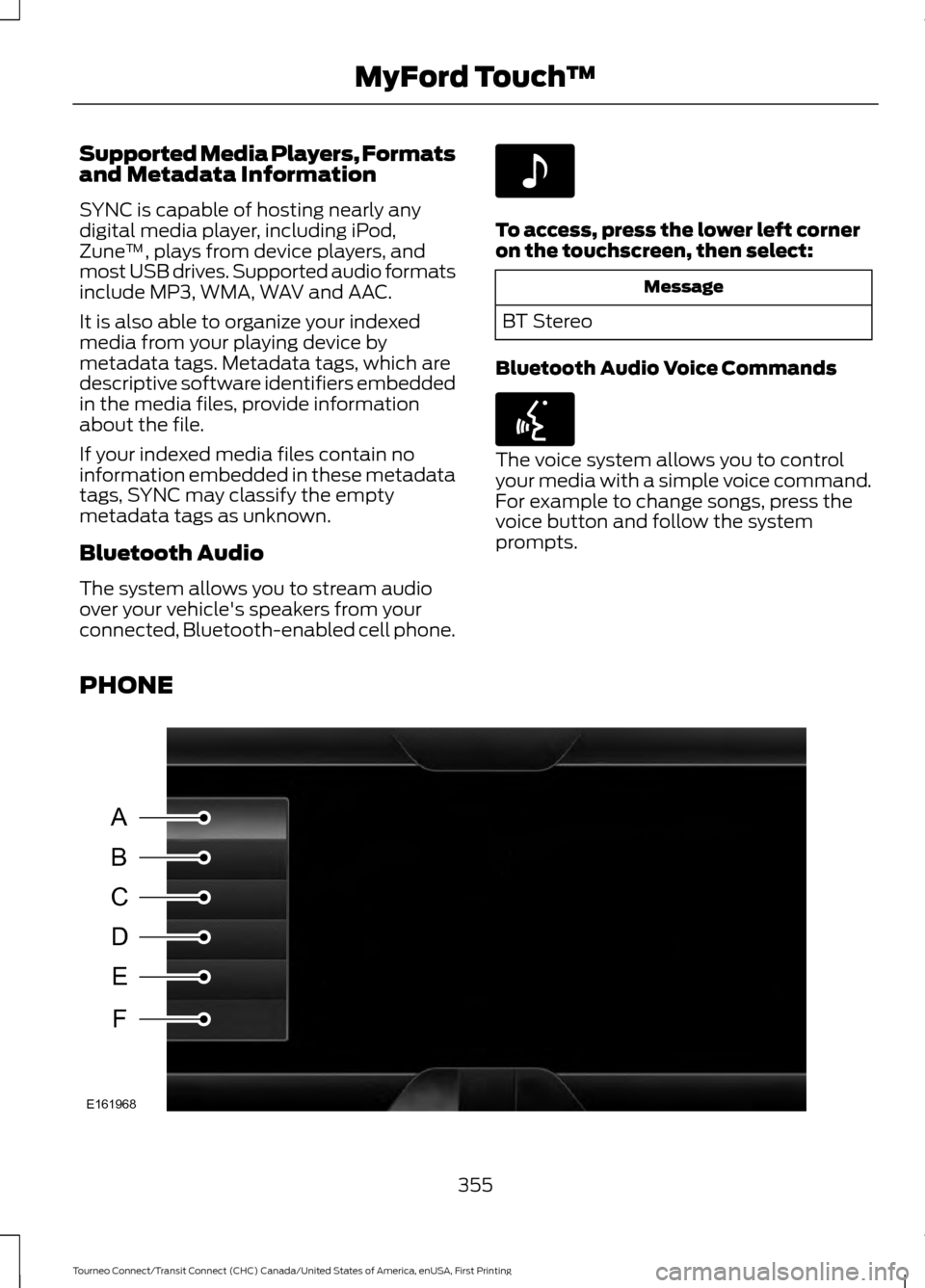
PHONE 355
Tourneo Connect/Transit Connect (CHC) Canada/United States of America, enUSA, First Printing MyFord Touch
™E142611 E142599 A
B
C
D
E
F
E161968
Page 432 of 439
Cruise control
See: Using Cruise Control................................ 140
Cup Holders.....................................................114
Customer Assistance..................................175
D
Data Recording
..................................................9
Event Data Recording........................................... 9
Service Data Recording........................................ 9
Daytime Running Lamps............................69 Type 1 - Conventional
(Non-Configurable)....................................... 69
Type 2 - Configurable......................................... 69
Digital Radio
...................................................267
HD Radio Reception and Station
Troubleshooting............................................ 268
Direction Indicators
.........................................71
Driver and Passenger Airbags....................37 Children and Airbags........................................... 37
Proper Driver and Front Passenger Seating Adjustment........................................................ 37
Driving Aids......................................................141
Driving Hints....................................................167
Driving Through Water...............................168
DRL See: Daytime Running Lamps......................... 69
E
Economical Driving
......................................167
Emission Control System...........................123 On-Board Diagnostics (OBD-II).................... 124
Readiness for Inspection/Maintenance (I/M) Testing.................................................... 125
End User License Agreement.................404 SYNC End User License Agreement
(EULA)............................................................. 404
Engine Block Heater
......................................117
Using the Engine Block Heater........................ 117
Engine Coolant Check
................................198
Adding Engine Coolant.................................... 199
Checking the Engine Coolant........................ 198
Recycled Engine Coolant................................ 199
Severe Climates................................................. 200
Engine Immobilizer See: Passive Anti-Theft System..................... 58Engine Oil Check
...........................................197
Adding Engine Oil................................................ 197
Engine Oil Dipstick - 1.6L EcoBoost™..................................................197
Engine Oil Dipstick - 2.5L...........................197
Engine Specifications - 1.6L EcoBoost™
.................................................249
Drivebelt Routing............................................... 249
Engine Specifications - 2.5L....................249 Drivebelt Routing............................................... 250
Entertainment..............................................339 AM/FM Radio...................................................... 340
Bluetooth Audio................................................. 355
CD........................................................................\
.... 350
SD Card Slot and USB Port............................. 351
SIRIUS® Satellite Radio (If Activated)........................................................ 345
Supported Media Players, Formats and Metadata Information................................ 355
Environment......................................................14
Essential Towing Checks...........................162 Before Towing a Trailer..................................... 163
Hitches.................................................................... 162
Launching or Retrieving a Boat or Personal Watercraft........................................................ 164
Safety Chains....................................................... 162
Trailer Brakes........................................................ 163
Trailer Lamps........................................................ 163
Trailer Towing Connector................................. 162
When Towing a Trailer...................................... 163
Event Data Recording See: Data Recording.............................................. 9
Export Unique Options..................................13
Extended Service Plan (ESP)
.................384
SERVICE PLANS (CANADA ONLY)............385
SERVICE PLANS (U.S. Only)......................... 384
Exterior Mirrors
.................................................77
Fold Away Exterior Mirrors................................ 78
Power Exterior Mirrors......................................... 77
F
Fastening the Seatbelts
..............................29
Safety Belt Extension Assembly...................... 31
Safety Belt Locking Modes............................... 30
Using Safety Belts During Pregnancy...........29
Floor Mats
.......................................................168
429
Tourneo Connect/Transit Connect (CHC) Canada/United States of America, enUSA, First Printing Index
Page 438 of 439
Traction Control.............................................132
Principle of Operation....................................... 132
Trailer Sway Control
....................................160
Transmission Code Designation............253
Transmission..................................................126
Transmission See: Transmission.............................................. 126
Transporting the Vehicle
............................165
Trip Computer..................................................87
Average Fuel.......................................................... 88
Digital Speedometer.......................................... 88
Distance to Empty............................................... 87
Resetting the Trip Computer............................ 87
Trip Odometer....................................................... 87
U
Under Hood Overview - 1.6L....................195
Under Hood Overview - 2.5L...................196
USB Port
..........................................................272
Using Cruise Control...................................140
Switching Cruise Control Off......................... 140
Switching Cruise Control On.......................... 140
Using MyKey With Remote Start Systems..........................................................52
Using Snow Chains
......................................237
Using Stability Control................................134
Using SYNC™ With Your Media Player............................................................300
Accessing Your Play Menu............................. 305
Connecting Your Digital Media Player to the USB Port.......................................................... 300
Line In Audio........................................................ 303
Media Menu Features...................................... 303
Media Voice Commands................................ 302
System Settings................................................. 307
What's Playing?................................................. 302Using SYNC™ With Your Phone
............279
Accessing Features Through the Phone
Menu.................................................................. 283
Accessing Your Phone Settings.................... 287
Making a Call....................................................... 282
Pairing a Cell Phone for the First Time................................................................... 279
Pairing Subsequent Cell Phones.................280
Phone Options during an Active Call.........282
Phone Voice Commands............................... 280
Receiving Calls.................................................... 282
System Settings................................................. 288
Text Messaging................................................... 285
Using Traction Control................................132 Switching the System Off................................ 132
System Indicator Lights and Messages.......................................................... 132
Using a Switch..................................................... 132
Using the Information Display Controls............................................................. 132
Using Voice Recognition............................276 Initiating a Voice Session................................ 276
System Interaction and Feedback...............277
Using Winter Tires
........................................237
Utilizing the Mediation/Arbitration Program (Canada Only)..........................177
V
Vehicle Care
....................................................214
Vehicle Certification Label.......................252
Vehicle Identification Number.................251
Vehicle Storage
.............................................218
Battery.................................................................... 219
Body........................................................................\
. 219
Brakes..................................................................... 219
Cooling system.................................................... 219
Engine..................................................................... 219
Fuel system........................................................... 219
General................................................................... 219
Miscellaneous..................................................... 220
Removing Vehicle From Storage.................220
Tires........................................................................\
. 219
Ventilation See: Climate Control........................................... 95
Vents See: Air Vents........................................................ 95
435
Tourneo Connect/Transit Connect (CHC) Canada/United States of America, enUSA, First Printing Index