instrument panel FORD TRANSIT CONNECT 2016 2.G Owners Manual
[x] Cancel search | Manufacturer: FORD, Model Year: 2016, Model line: TRANSIT CONNECT, Model: FORD TRANSIT CONNECT 2016 2.GPages: 439, PDF Size: 6.96 MB
Page 5 of 439
Windshield Washers.....................................65
Rear Window Wiper and Washers...........65
Lighting
General Information......................................67
Lighting Control
..............................................67
Autolamps
........................................................68
Instrument Lighting Dimmer
.....................69
Headlamp Exit Delay....................................69
Daytime Running Lamps
............................69
Front Fog Lamps
............................................70
Cornering Lamps
............................................70
Direction Indicators
.........................................71
Interior Lamps - Vehicles Without: Panoramic Roof Panel
..............................71
Interior Lamps - Vehicles With: Panoramic Roof Panel
..............................72
Windows and Mirrors
Power Windows - Vehicles With: One-Touch Down Driver Window........74
Power Windows - Vehicles With: Rear Power Windows .........................................74
Global Opening and Closing
......................76
Exterior Mirrors
.................................................77
Interior Mirror
....................................................78
Sun Shades
......................................................78
Instrument Cluster
Gauges...............................................................80
Warning Lamps and Indicators..................81
Audible Warnings and Indicators.............84
Information Displays
General Information
.....................................85
Clock...................................................................87
Trip Computer
..................................................87
Personalized Settings..................................88
Information Messages.................................88 Climate Control
Principle of Operation
..................................95
Air Vents............................................................95
Manual Climate Control..............................96
Automatic Climate Control
........................97
Hints on Controlling the Interior Climate
..........................................................99
Rear Passenger Climate Controls...........101
Heated Windows and Mirrors...................101
Cabin Air Filter...............................................102
Seats
Sitting in the Correct Position..................103
Head Restraints............................................103
Manual Seats
.................................................105
Power Seats
...................................................106
Rear Seats
.......................................................107
Heated Seats....................................................111
Rear Seat Armrest.........................................112
Auxiliary Power Points
Auxiliary Power Points.................................113
Cigar Lighter
.....................................................113
Storage Compartments
Cup Holders
.....................................................114
Center Console
...............................................114
Overhead Console
.........................................114
Starting and Stopping the Engine
General Information
.....................................115
Ignition Switch................................................115
Starting a Gasoline Engine........................116
Switching Off the Engine............................116
Engine Block Heater......................................117
Fuel and Refueling
Safety Precautions.......................................118
2
Tourneo Connect/Transit Connect (CHC) Canada/United States of America, enUSA, First Printing Table of Contents
Page 7 of 439
Ordering Additional Owner's
Literature......................................................179
Reporting Safety Defects (U.S. Only)..............................................................179
Reporting Safety Defects (Canada Only).............................................................180
Fuses
Fuse Box Locations.......................................181
Fuse Specification Chart...........................182
Changing a Fuse............................................191
Maintenance
General Information
....................................193
Opening and Closing the Hood...............193
Under Hood Overview - 1.6L
....................195
Under Hood Overview - 2.5L...................196
Engine Oil Dipstick - 1.6L EcoBoost™
.................................................197
Engine Oil Dipstick - 2.5L
...........................197
Engine Oil Check...........................................197
Oil Change Indicator Reset.......................198
Engine Coolant Check................................198
Automatic Transmission Fluid Check...........................................................200
Brake Fluid Check.......................................200
Power Steering Fluid Check....................200
Washer Fluid Check...................................200
Changing the 12V Battery
..........................201
Checking the Wiper Blades.....................202
Changing the Wiper Blades.....................202
Adjusting the Headlamps........................205
Changing a Bulb..........................................206
Bulb Specification Chart
.............................211
Changing the Engine Air Filter..................212
Vehicle Care
Cleaning Products
........................................214
Cleaning the Exterior...................................214
Waxing..............................................................215 Cleaning the Engine
.....................................215
Cleaning the Windows and Wiper Blades...........................................................216
Cleaning the Interior....................................216
Cleaning the Instrument Panel and Instrument Cluster Lens.........................217
Cleaning Leather Seats
...............................217
Repairing Minor Paint Damage...............218
Cleaning the Alloy Wheels........................218
Vehicle Storage
.............................................218
Wheels and Tires
General Information.....................................221
Tire Care
..........................................................222
Using Winter Tires
........................................237
Using Snow Chains
......................................237
Tire Pressure Monitoring System...........238
Changing a Road Wheel...........................242
Technical Specifications
...........................247
Capacities and Specific- ations
Engine Specifications - 1.6L EcoBoost™...............................................249
Engine Specifications - 2.5L....................249
Motorcraft Parts - 1.6L EcoBoost™
......250
Motorcraft Parts - 2.5L
...............................251
Vehicle Identification Number.................251
Vehicle Certification Label.......................252
Transmission Code Designation
............253
Capacities and Specifications - 1.6L EcoBoost™
................................................253
Capacities and Specifications - 2.5L
.....255
Audio System
General Information
...................................258
Audio Unit - Vehicles With: AM/FM......259
Audio Unit - Vehicles With: Premium AM/ FM/CD..........................................................262
Audio Unit - Vehicles With: AM/FM/CD/ SYNC............................................................263
4
Tourneo Connect/Transit Connect (CHC) Canada/United States of America, enUSA, First Printing Table of Contents
Page 41 of 439
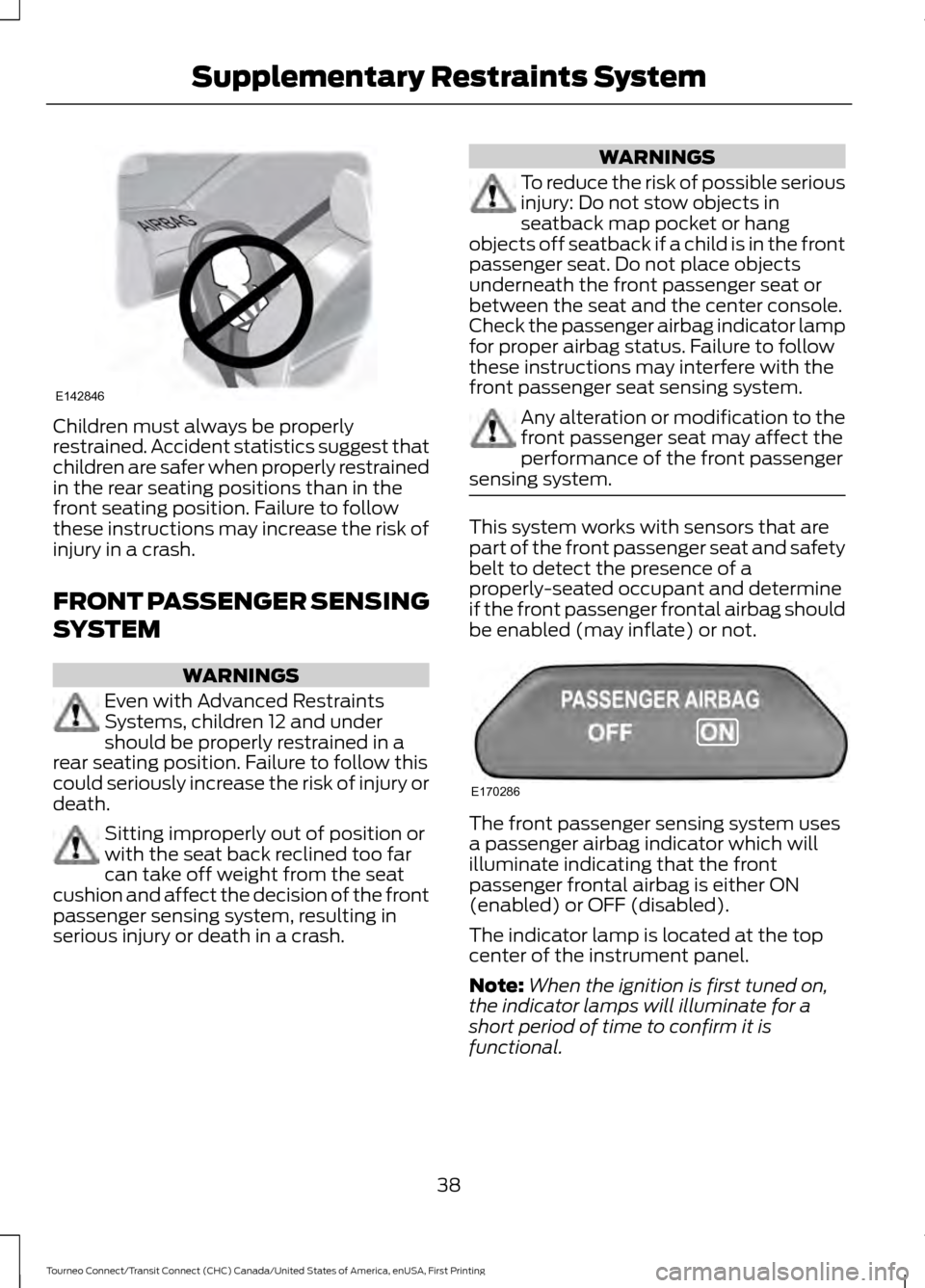
Children must always be properly
restrained. Accident statistics suggest that
children are safer when properly restrained
in the rear seating positions than in the
front seating position. Failure to follow
these instructions may increase the risk of
injury in a crash.
FRONT PASSENGER SENSING
SYSTEM
WARNINGS
Even with Advanced Restraints
Systems, children 12 and under
should be properly restrained in a
rear seating position. Failure to follow this
could seriously increase the risk of injury or
death. Sitting improperly out of position or
with the seat back reclined too far
can take off weight from the seat
cushion and affect the decision of the front
passenger sensing system, resulting in
serious injury or death in a crash. WARNINGS
To reduce the risk of possible serious
injury: Do not stow objects in
seatback map pocket or hang
objects off seatback if a child is in the front
passenger seat. Do not place objects
underneath the front passenger seat or
between the seat and the center console.
Check the passenger airbag indicator lamp
for proper airbag status. Failure to follow
these instructions may interfere with the
front passenger seat sensing system. Any alteration or modification to the
front passenger seat may affect the
performance of the front passenger
sensing system. This system works with sensors that are
part of the front passenger seat and safety
belt to detect the presence of a
properly-seated occupant and determine
if the front passenger frontal airbag should
be enabled (may inflate) or not.
The front passenger sensing system uses
a passenger airbag indicator which will
illuminate indicating that the front
passenger frontal airbag is either ON
(enabled) or OFF (disabled).
The indicator lamp is located at the top
center of the instrument panel.
Note:
When the ignition is first tuned on,
the indicator lamps will illuminate for a
short period of time to confirm it is
functional.
38
Tourneo Connect/Transit Connect (CHC) Canada/United States of America, enUSA, First Printing Supplementary Restraints SystemE142846 E170286
Page 70 of 439
GENERAL INFORMATION
Condensation in Lamp Assemblies
Exterior lamps have vents to
accommodate normal changes in air
pressure.
Condensation can be a natural by-product
of this design. When moist air enters the
lamp assembly through the vents, there is
a possibility that condensation can occur
when the temperature is cold. When
normal condensation occurs, a fine mist
can form on the interior of the lens. The
fine mist eventually clears and exits
through the vents during normal operation.
Clearing time may take as long as 48 hours
under dry weather conditions.
Examples of acceptable condensation are:
•
The presence of a fine mist (no streaks,
drip marks or large droplets).
• A fine mist covers less than 50% of the
lens.
Examples of unacceptable condensation
are:
• A water puddle inside the lamp.
• Streaks, drip marks or large droplets
present on the interior of the lens.
If you see any unacceptable condensation,
have your vehicle checked by an authorized
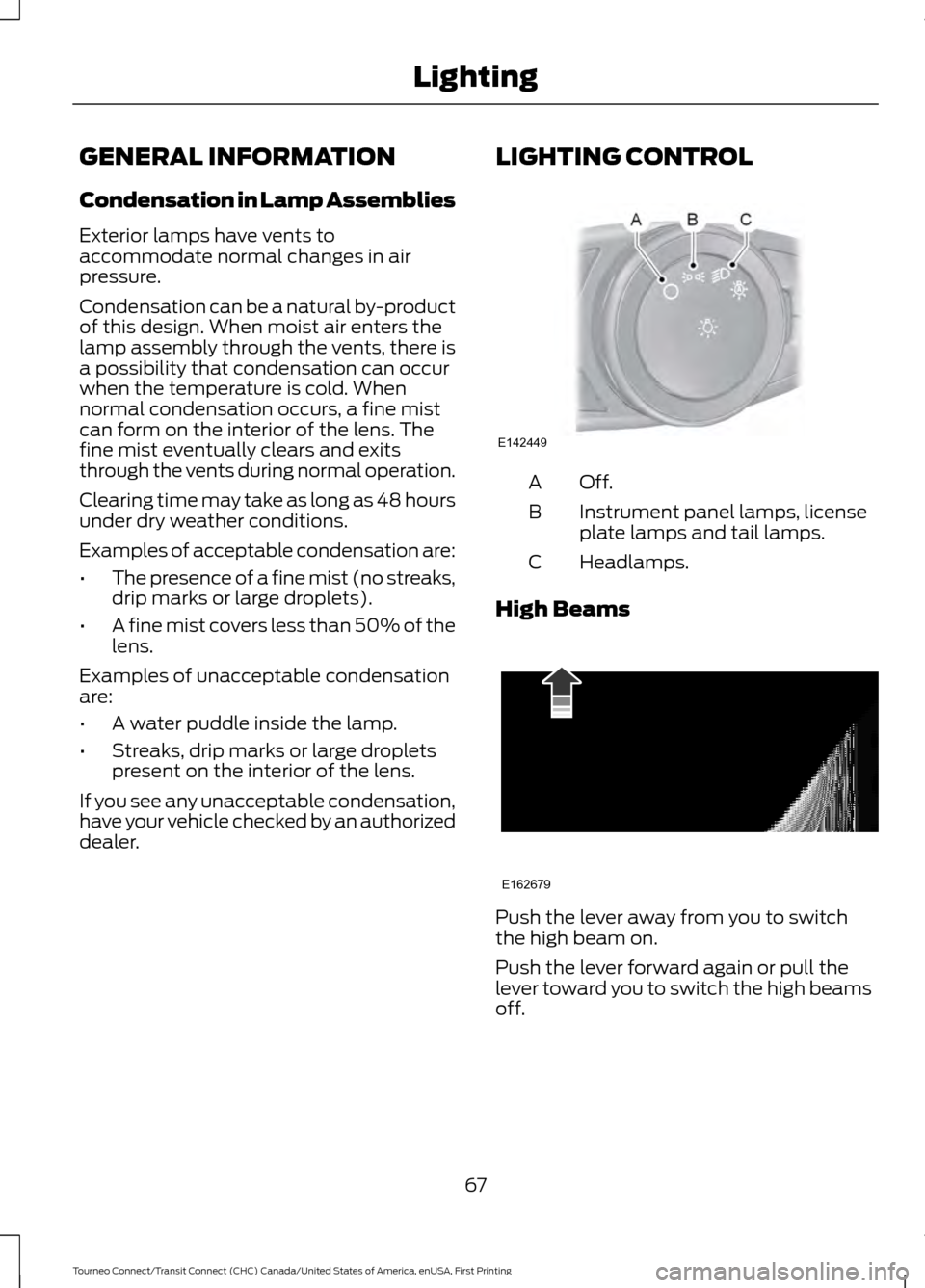
dealer. LIGHTING CONTROL Off.A
Instrument panel lamps, license
plate lamps and tail lamps.
B
Headlamps.
C
High Beams Push the lever away from you to switch
the high beam on.
Push the lever forward again or pull the
lever toward you to switch the high beams
off.
67
Tourneo Connect/Transit Connect (CHC) Canada/United States of America, enUSA, First Printing LightingE142449 E162679
Page 88 of 439
GENERAL INFORMATION
WARNING
Driving while distracted can result in
loss of vehicle control, crash and
injury. We strongly recommend that
you use extreme caution when using any
device that may take your focus off the
road. Your primary responsibility is the safe
operation of your vehicle. We recommend
against the use of any handheld device
while driving and encourage the use of
voice-operated systems when possible.
Make sure you are aware of all applicable
local laws that may affect the use of
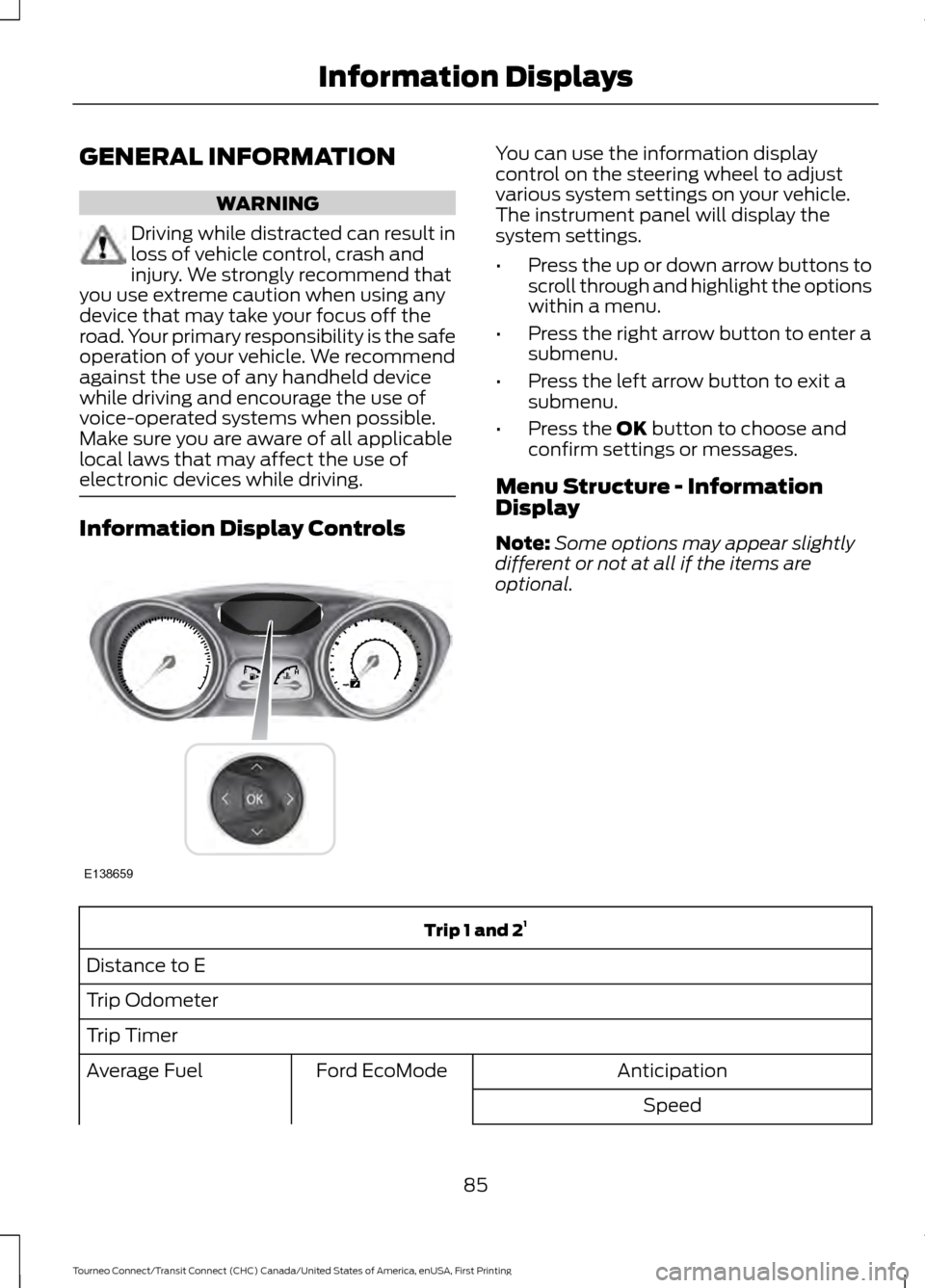
electronic devices while driving. Information Display Controls You can use the information display
control on the steering wheel to adjust
various system settings on your vehicle.
The instrument panel will display the
system settings.
•
Press the up or down arrow buttons to
scroll through and highlight the options
within a menu.
• Press the right arrow button to enter a
submenu.
• Press the left arrow button to exit a
submenu.
• Press the OK button to choose and
confirm settings or messages.
Menu Structure - Information
Display
Note: Some options may appear slightly
different or not at all if the items are
optional. Trip 1 and 2
1
Distance to E
Trip Odometer
Trip Timer Anticipation
Ford EcoMode
Average Fuel
Speed
85
Tourneo Connect/Transit Connect (CHC) Canada/United States of America, enUSA, First Printing Information DisplaysE138659
Page 100 of 439
Fan speed control: Adjust the volume of air circulated in the vehicle.
A
Recirculated air:
Press the button to switch between outside air and
recirculated air. The air currently in the passenger compartment recirculates.
This can reduce the time needed to cool the interior and reduce unwanted odors
from entering your vehicle.
B
Temperature control:
Controls the temperature of the air circulated in your
vehicle.
C
A/C:
Press the button to switch the air conditioning on or off. Use air
conditioning with recirculated air to improve cooling performance and efficiency.
D
Air distribution control: Adjust the control to turn airflow from the windshield,
instrument panel, or footwell vents on or off.
E
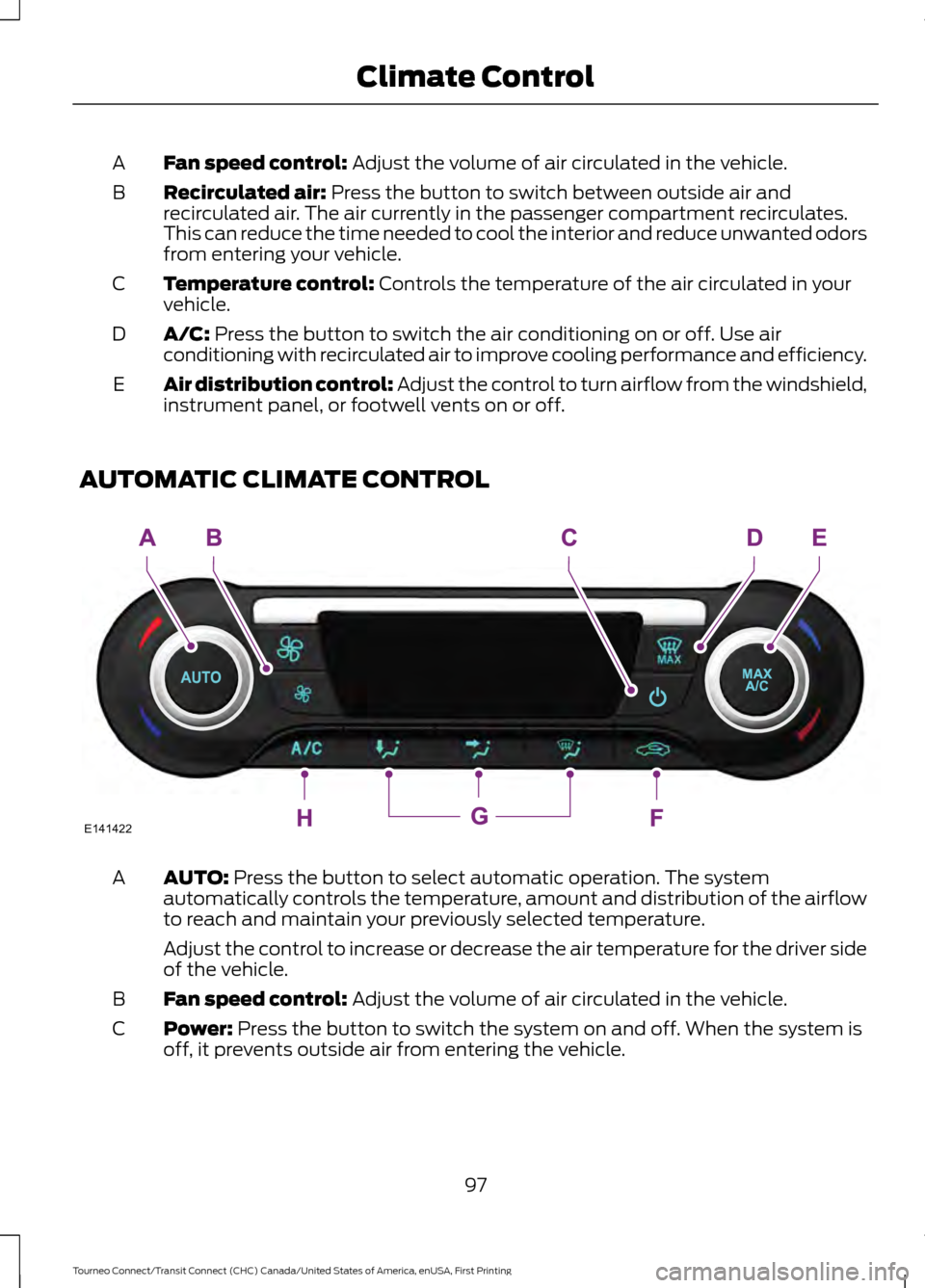
AUTOMATIC CLIMATE CONTROL AUTO:
Press the button to select automatic operation. The system
automatically controls the temperature, amount and distribution of the airflow
to reach and maintain your previously selected temperature.
A
Adjust the control to increase or decrease the air temperature for the driver side
of the vehicle.
Fan speed control:
Adjust the volume of air circulated in the vehicle.
B
Power:
Press the button to switch the system on and off. When the system is
off, it prevents outside air from entering the vehicle.
C
97
Tourneo Connect/Transit Connect (CHC) Canada/United States of America, enUSA, First Printing Climate ControlE141422
Page 101 of 439
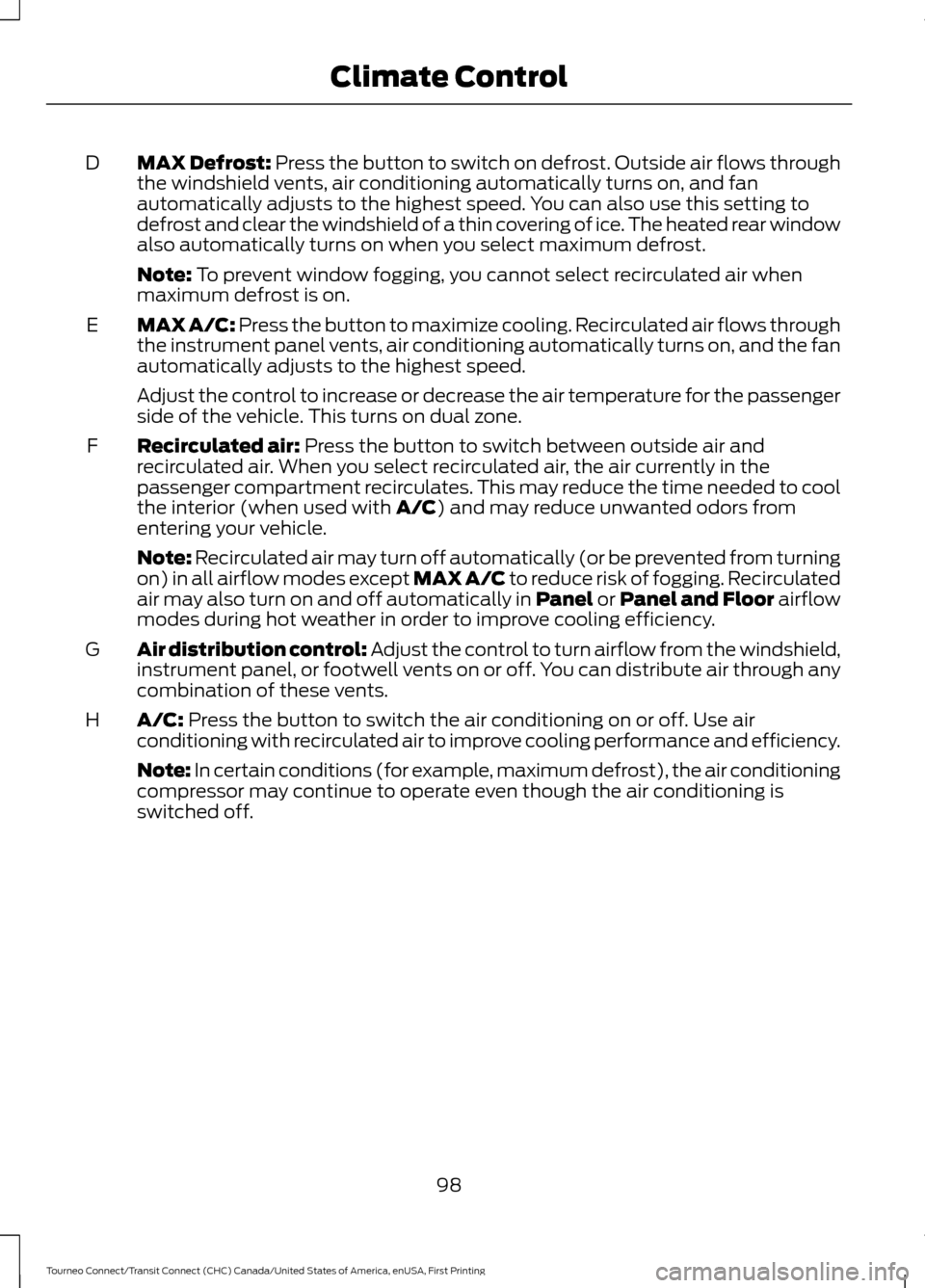
MAX Defrost: Press the button to switch on defrost. Outside air flows through
the windshield vents, air conditioning automatically turns on, and fan
automatically adjusts to the highest speed. You can also use this setting to
defrost and clear the windshield of a thin covering of ice. The heated rear window
also automatically turns on when you select maximum defrost.
D
Note: To prevent window fogging, you cannot select recirculated air when
maximum defrost is on.
MAX A/C:
Press the button to maximize cooling. Recirculated air flows through
the instrument panel vents, air conditioning automatically turns on, and the fan
automatically adjusts to the highest speed.
E
Adjust the control to increase or decrease the air temperature for the passenger
side of the vehicle. This turns on dual zone.
Recirculated air:
Press the button to switch between outside air and
recirculated air. When you select recirculated air, the air currently in the
passenger compartment recirculates. This may reduce the time needed to cool
the interior (when used with
A/C) and may reduce unwanted odors from
entering your vehicle.
F
Note:
Recirculated air may turn off automatically (or be prevented from turning
on) in all airflow modes except MAX A/C to reduce risk of fogging. Recirculated
air may also turn on and off automatically in Panel or Panel and Floor airflow
modes during hot weather in order to improve cooling efficiency.
Air distribution control: Adjust the control to turn airflow from the windshield,
instrument panel, or footwell vents on or off. You can distribute air through any
combination of these vents.
G
A/C:
Press the button to switch the air conditioning on or off. Use air
conditioning with recirculated air to improve cooling performance and efficiency.
H
Note: In certain conditions (for example, maximum defrost), the air conditioning
compressor may continue to operate even though the air conditioning is
switched off.
98
Tourneo Connect/Transit Connect (CHC) Canada/United States of America, enUSA, First Printing Climate Control
Page 103 of 439
Recommended Settings for
Heating
•
Adjust the fan speed to the second
speed setting.
• Adjust the temperature control to the
midway point of the hot settings.
• Adjust the air distribution control to the
footwell and windshield air vents
position.
Cooling the Interior Quickly
• Adjust the fan speed to the highest
speed setting.
• Adjust the temperature control to the
MAX A/C position.
• Adjust the air distribution control to the
instrument panel air vents position.
Recommended Settings for
Cooling
• Adjust the fan speed to the second
speed setting.
• Adjust the temperature control to the
midway point of the cold settings.
• Adjust the air distribution control to the
instrument panel air vents position.
Vehicle Stationary for Extended
Periods During Extreme High
Ambient Temperatures
• Apply the parking brake.
• Move the transmission selector lever
to position
P or neutral. •
Adjust the temperature control to the
MAX A/C
position.
• Adjust the fan speed to the lowest
speed setting.
Side Window Defogging in Cold
Weather
• Adjust the air distribution control to the
instrument panel and windshield air
vents positions.
• Press the
A/C button.
• Adjust the temperature control to the
desired setting.
• Adjust the fan speed to the highest
setting.
• Direct the instrument panel side air
vents toward the side windows.
• Close the instrument panel vents.
Maximum Cooling Performance in
Instrument Panel or Instrument
Panel and Footwell Positions
• Adjust the temperature control to the
lowest setting.
• Press the
A/C and recirculated air
buttons.
• Adjust the fan speed to the highest
setting initially and then adjust it to suit
the desired comfort level.
100
Tourneo Connect/Transit Connect (CHC) Canada/United States of America, enUSA, First Printing Climate Control
Page 116 of 439
12 Volt DC Power Point
WARNINGS
Do not plug optional electrical
accessories into the cigar lighter
socket. Incorrect use of the cigar
lighter can cause damage not covered by
the vehicle warranty, and can result in fire
or serious injury. Do not use a power point for
operating a cigar lighter. Incorrect
use of the power points can cause
damage not covered by the vehicle
warranty, and can result in fire or serious
injury. Note:
When you switch the ignition on, you
can use the socket to power 12 volt
appliances with a maximum current rating
of 15 amps.
If the power supply does not work after you
switch the ignition off, switch the ignition
on.
Note: Do not hang any accessory from the
accessory plug.
Note: Do not use the power point over the
vehicle capacity of 12 volt DC 180 watts or
a fuse may blow.
Note: Always keep the power point caps
closed when not in use.
Do not insert objects other than an
accessory plug into the power point. This
will damage the power point and blow the
fuse.
Run the vehicle for full capacity use of the
power point.
To prevent the battery from running out of
charge:
• Do not use the power point longer than
necessary when the vehicle is not
running.
• Do not leave devices plugged in
overnight or when you park your vehicle
for extended periods. Locations
Power points may be in the following
locations:
•
Front of the floor console.
• Rear of the floor console.
• Right hand side of the luggage
compartment.
• Instrument panel cluster storage
compartment.
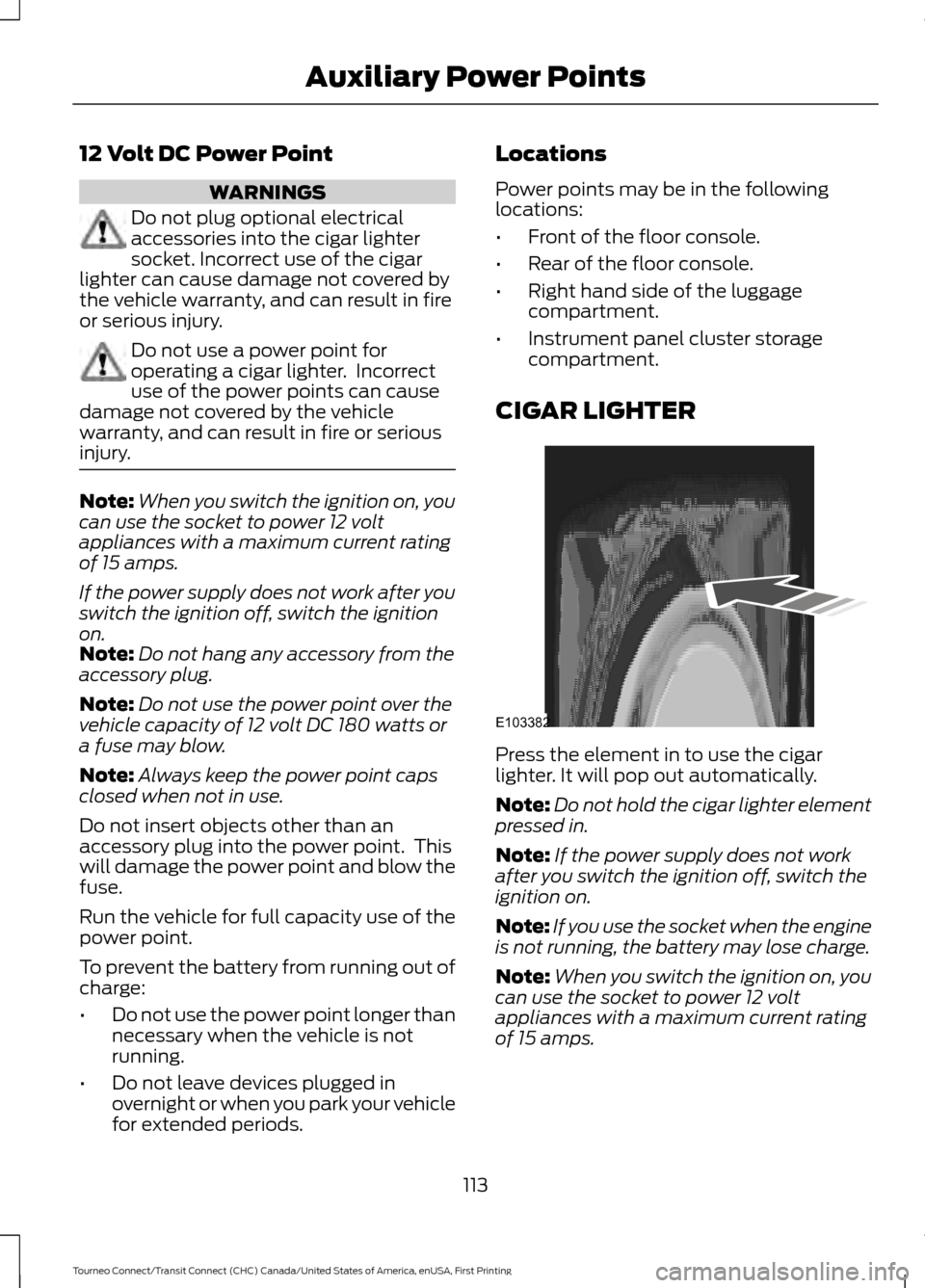
CIGAR LIGHTER Press the element in to use the cigar
lighter. It will pop out automatically.
Note:
Do not hold the cigar lighter element
pressed in.
Note: If the power supply does not work
after you switch the ignition off, switch the
ignition on.
Note: If you use the socket when the engine
is not running, the battery may lose charge.
Note: When you switch the ignition on, you
can use the socket to power 12 volt
appliances with a maximum current rating
of 15 amps.
113
Tourneo Connect/Transit Connect (CHC) Canada/United States of America, enUSA, First Printing Auxiliary Power PointsE103382
Page 130 of 439
To use SelectShift, move the gearshift
lever into S (Sport). Use the +/- buttons
on the side of your gearshift lever to
manually change gears.
•
Press the (+) button to upshift.
• Press the (-) button to downshift.
Note: After you have assumed manual
control with SelectShift your vehicle will
remain in this mode until you return the
gearshift lever from S (Sport), back to D
(Drive).
Upshift to the recommended shift speeds
according to the following chart: Upshifts when accelerating (recom-
mended for best fuel economy)
Shift from:15 mph (24 km/h)
1 - 2
25 mph (40 km/h)
2 - 3
40 mph (64 km/h)
3 - 4
45 mph (72 km/h)
4 - 5
50 mph (80 km/h)
5 - 6
The instrument cluster will display the
selected gear that you are currently in and
a shift indicator arrow to assist in
optimizing shifting.
SelectShift will automatically make some
shifts for you in the event that your engine
speed is running at too high, or too low an
RPM.
Note: Engine damage may occur if
excessive engine revving is held without
shifting.
Brake-Shift Interlock WARNINGS
Do not drive your vehicle until you
verify that the brake lamps are
working. WARNINGS
When doing this procedure, you will
be taking the vehicle out of park
which means the vehicle can roll
freely. To avoid unwanted vehicle
movement, always fully set the parking
brake prior to doing this procedure. Use
wheel chocks if appropriate. If the parking brake is fully released,
but the brake warning lamp remains
illuminated, the brakes may not be
working properly. See your authorized
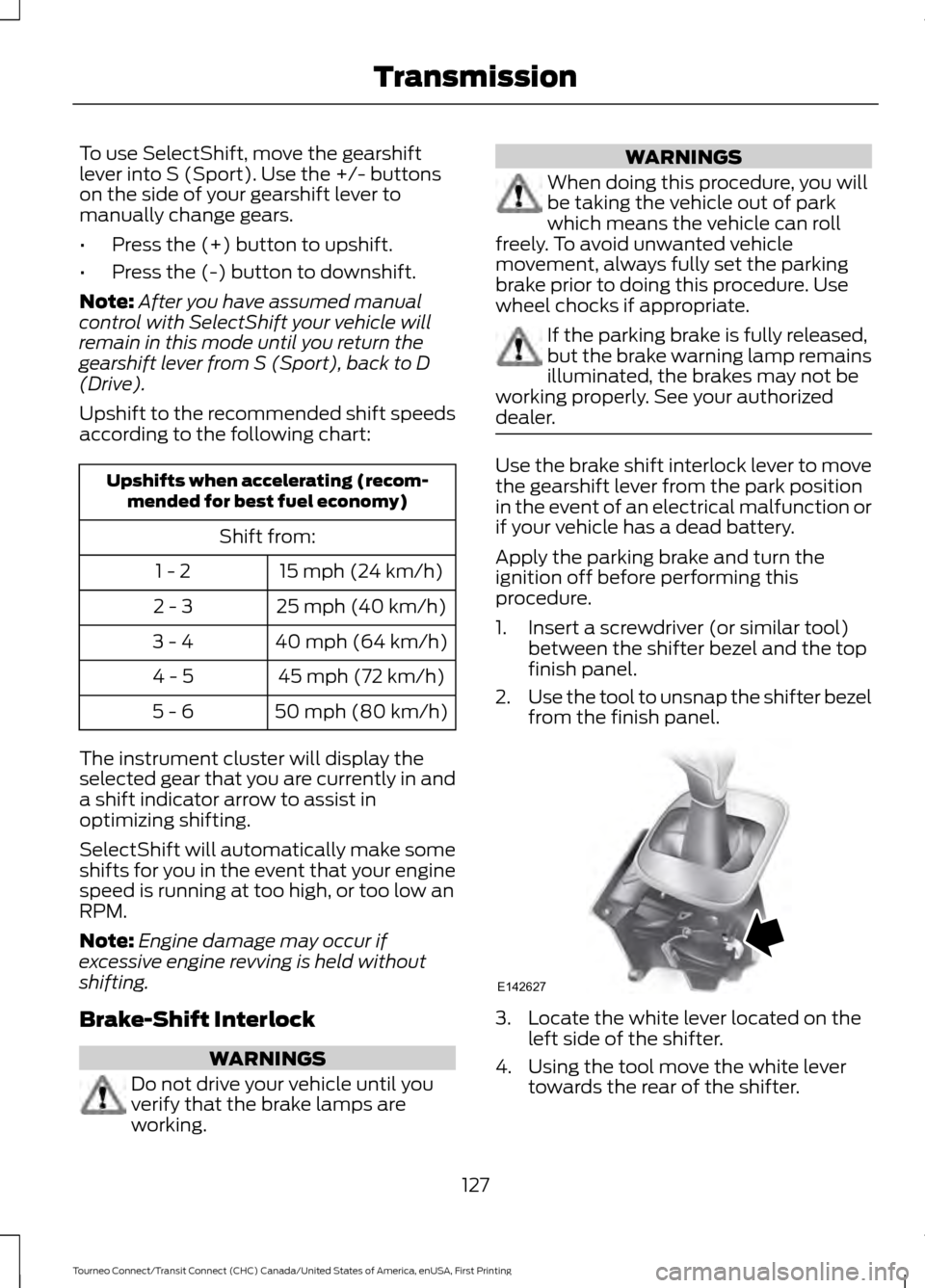
dealer. Use the brake shift interlock lever to move
the gearshift lever from the park position
in the event of an electrical malfunction or
if your vehicle has a dead battery.
Apply the parking brake and turn the
ignition off before performing this
procedure.
1. Insert a screwdriver (or similar tool)
between the shifter bezel and the top
finish panel.
2. Use the tool to unsnap the shifter bezel
from the finish panel. 3. Locate the white lever located on the
left side of the shifter.
4. Using the tool move the white lever towards the rear of the shifter.
127
Tourneo Connect/Transit Connect (CHC) Canada/United States of America, enUSA, First Printing TransmissionE142627