reset FORD TRANSIT CONNECT 2018 Repair Manual
[x] Cancel search | Manufacturer: FORD, Model Year: 2018, Model line: TRANSIT CONNECT, Model: FORD TRANSIT CONNECT 2018Pages: 449, PDF Size: 6.73 MB
Page 392 of 449
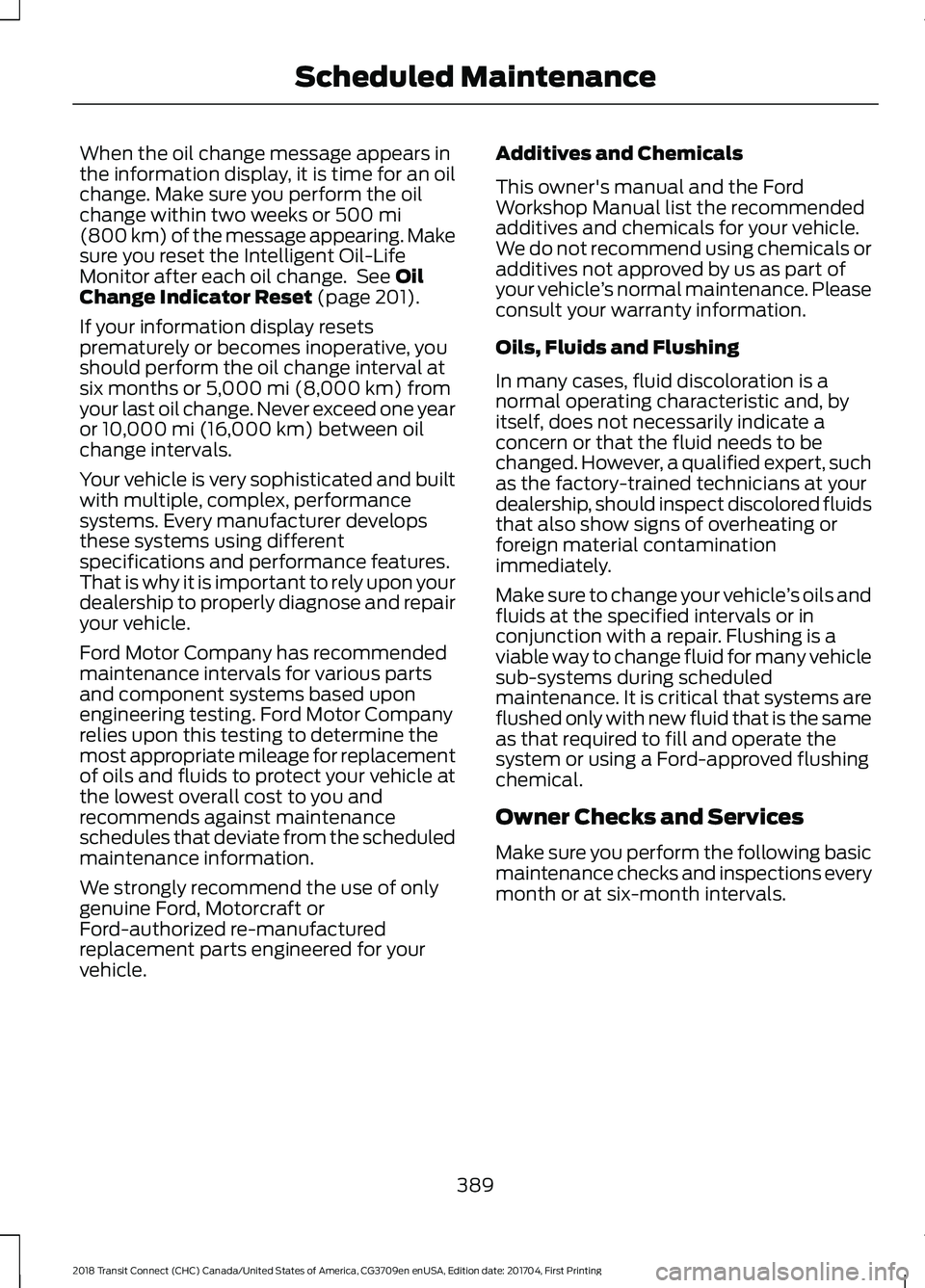
When the oil change message appears in
the information display, it is time for an oil
change. Make sure you perform the oil
change within two weeks or 500 mi
(800 km) of the message appearing. Make
sure you reset the Intelligent Oil-Life
Monitor after each oil change. See
Oil
Change Indicator Reset (page 201).
If your information display resets
prematurely or becomes inoperative, you
should perform the oil change interval at
six months or
5,000 mi (8,000 km) from
your last oil change. Never exceed one year
or
10,000 mi (16,000 km) between oil
change intervals.
Your vehicle is very sophisticated and built
with multiple, complex, performance
systems. Every manufacturer develops
these systems using different
specifications and performance features.
That is why it is important to rely upon your
dealership to properly diagnose and repair
your vehicle.
Ford Motor Company has recommended
maintenance intervals for various parts
and component systems based upon
engineering testing. Ford Motor Company
relies upon this testing to determine the
most appropriate mileage for replacement
of oils and fluids to protect your vehicle at
the lowest overall cost to you and
recommends against maintenance
schedules that deviate from the scheduled
maintenance information.
We strongly recommend the use of only
genuine Ford, Motorcraft or
Ford-authorized re-manufactured
replacement parts engineered for your
vehicle. Additives and Chemicals
This owner's manual and the Ford
Workshop Manual list the recommended
additives and chemicals for your vehicle.
We do not recommend using chemicals or
additives not approved by us as part of
your vehicle
’s normal maintenance. Please
consult your warranty information.
Oils, Fluids and Flushing
In many cases, fluid discoloration is a
normal operating characteristic and, by
itself, does not necessarily indicate a
concern or that the fluid needs to be
changed. However, a qualified expert, such
as the factory-trained technicians at your
dealership, should inspect discolored fluids
that also show signs of overheating or
foreign material contamination
immediately.
Make sure to change your vehicle ’s oils and
fluids at the specified intervals or in
conjunction with a repair. Flushing is a
viable way to change fluid for many vehicle
sub-systems during scheduled
maintenance. It is critical that systems are
flushed only with new fluid that is the same
as that required to fill and operate the
system or using a Ford-approved flushing
chemical.
Owner Checks and Services
Make sure you perform the following basic
maintenance checks and inspections every
month or at six-month intervals.
389
2018 Transit Connect (CHC) Canada/United States of America, CG3709en enUSA, Edition date: 201704, First Printing Scheduled Maintenance
Page 396 of 449
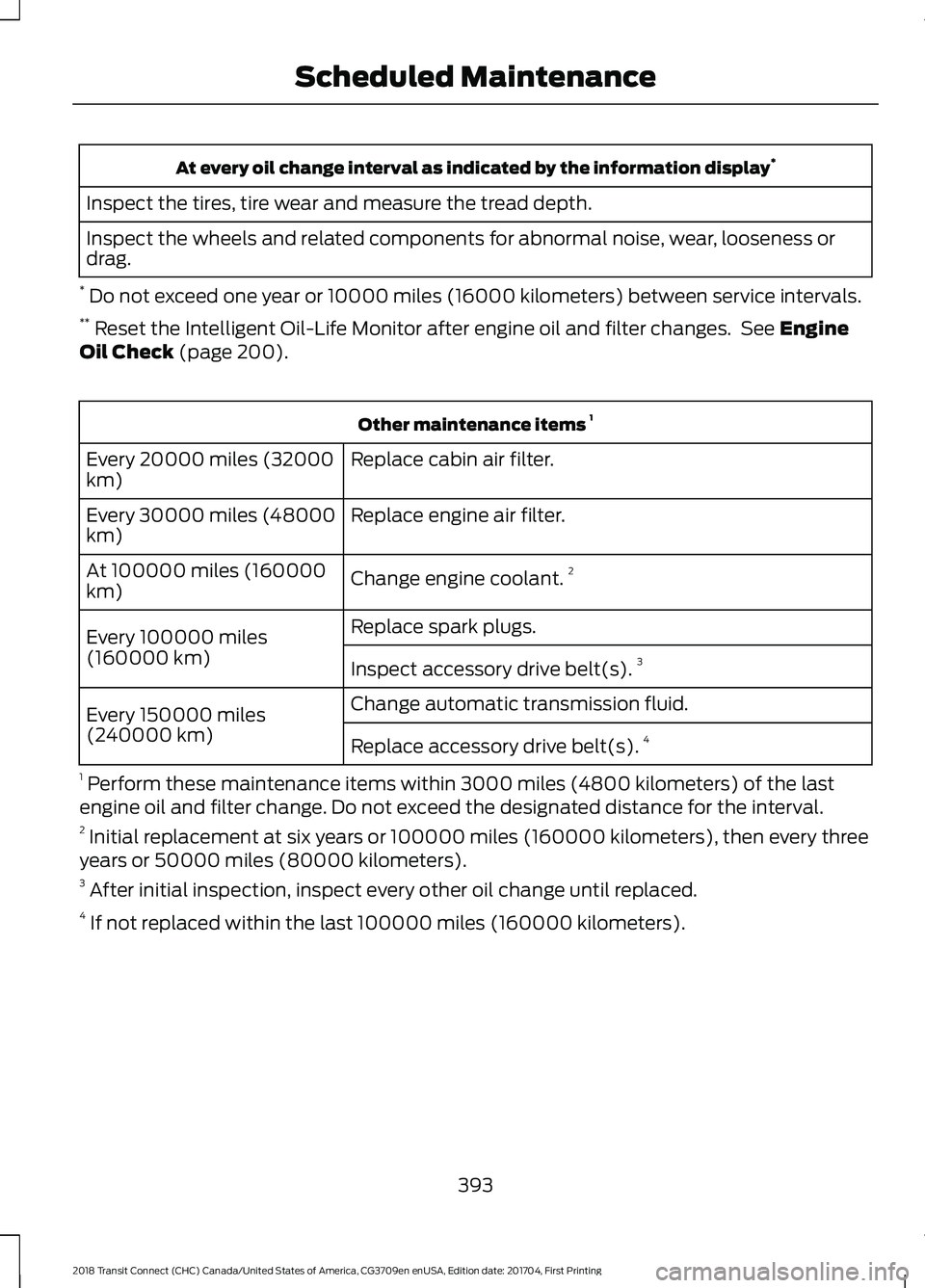
At every oil change interval as indicated by the information display
*
Inspect the tires, tire wear and measure the tread depth.
Inspect the wheels and related components for abnormal noise, wear, looseness or
drag.
* Do not exceed one year or 10000 miles (16000 kilometers) between service intervals.
** Reset the Intelligent Oil-Life Monitor after engine oil and filter changes. See Engine
Oil Check (page 200). Other maintenance items
1
Replace cabin air filter.
Every 20000 miles (32000
km)
Replace engine air filter.
Every 30000 miles (48000
km)
Change engine coolant.2
At 100000 miles (160000
km)
Replace spark plugs.
Every 100000 miles
(160000 km) Inspect accessory drive belt(s). 3
Change automatic transmission fluid.
Every 150000 miles
(240000 km)
Replace accessory drive belt(s). 4
1 Perform these maintenance items within 3000 miles (4800 kilometers) of the last
engine oil and filter change. Do not exceed the designated distance for the interval.
2 Initial replacement at six years or 100000 miles (160000 kilometers), then every three
years or 50000 miles (80000 kilometers).
3 After initial inspection, inspect every other oil change until replaced.
4 If not replaced within the last 100000 miles (160000 kilometers).
393
2018 Transit Connect (CHC) Canada/United States of America, CG3709en enUSA, Edition date: 201704, First Printing Scheduled Maintenance
Page 397 of 449
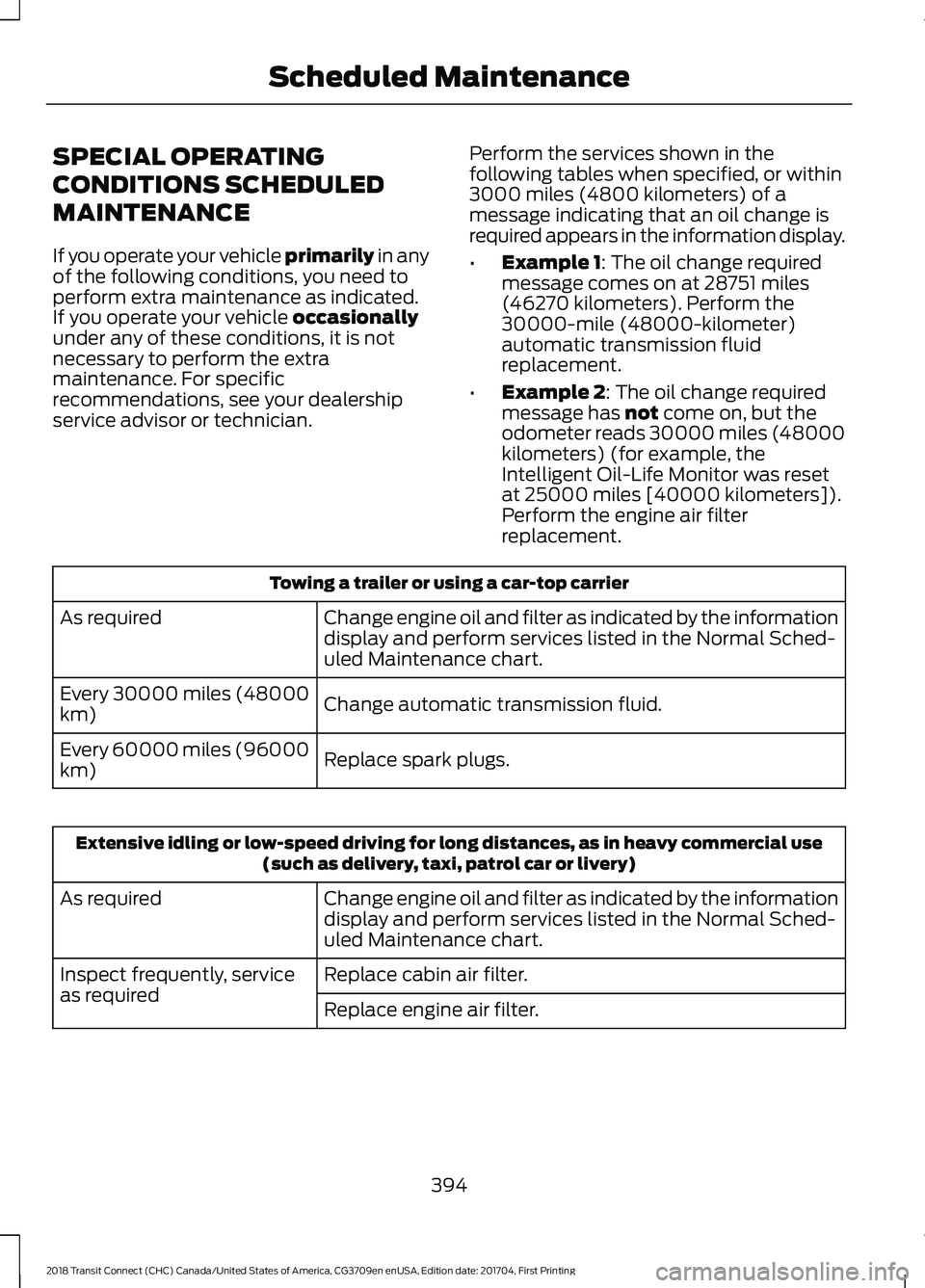
SPECIAL OPERATING
CONDITIONS SCHEDULED
MAINTENANCE
If you operate your vehicle primarily in any
of the following conditions, you need to
perform extra maintenance as indicated.
If you operate your vehicle
occasionally
under any of these conditions, it is not
necessary to perform the extra
maintenance. For specific
recommendations, see your dealership
service advisor or technician. Perform the services shown in the
following tables when specified, or within
3000 miles (4800 kilometers) of a
message indicating that an oil change is
required appears in the information display.
•
Example 1
: The oil change required
message comes on at 28751 miles
(46270 kilometers). Perform the
30000-mile (48000-kilometer)
automatic transmission fluid
replacement.
• Example 2
: The oil change required
message has not come on, but the
odometer reads 30000 miles (48000
kilometers) (for example, the
Intelligent Oil-Life Monitor was reset
at 25000 miles [40000 kilometers]).
Perform the engine air filter
replacement. Towing a trailer or using a car-top carrier
Change engine oil and filter as indicated by the information
display and perform services listed in the Normal Sched-
uled Maintenance chart.
As required
Change automatic transmission fluid.
Every 30000 miles (48000
km)
Replace spark plugs.
Every 60000 miles (96000
km) Extensive idling or low-speed driving for long distances, as in heavy commercial use
(such as delivery, taxi, patrol car or livery)
Change engine oil and filter as indicated by the information
display and perform services listed in the Normal Sched-
uled Maintenance chart.
As required
Replace cabin air filter.
Inspect frequently, service
as required
Replace engine air filter.
394
2018 Transit Connect (CHC) Canada/United States of America, CG3709en enUSA, Edition date: 201704, First Printing Scheduled Maintenance
Page 398 of 449
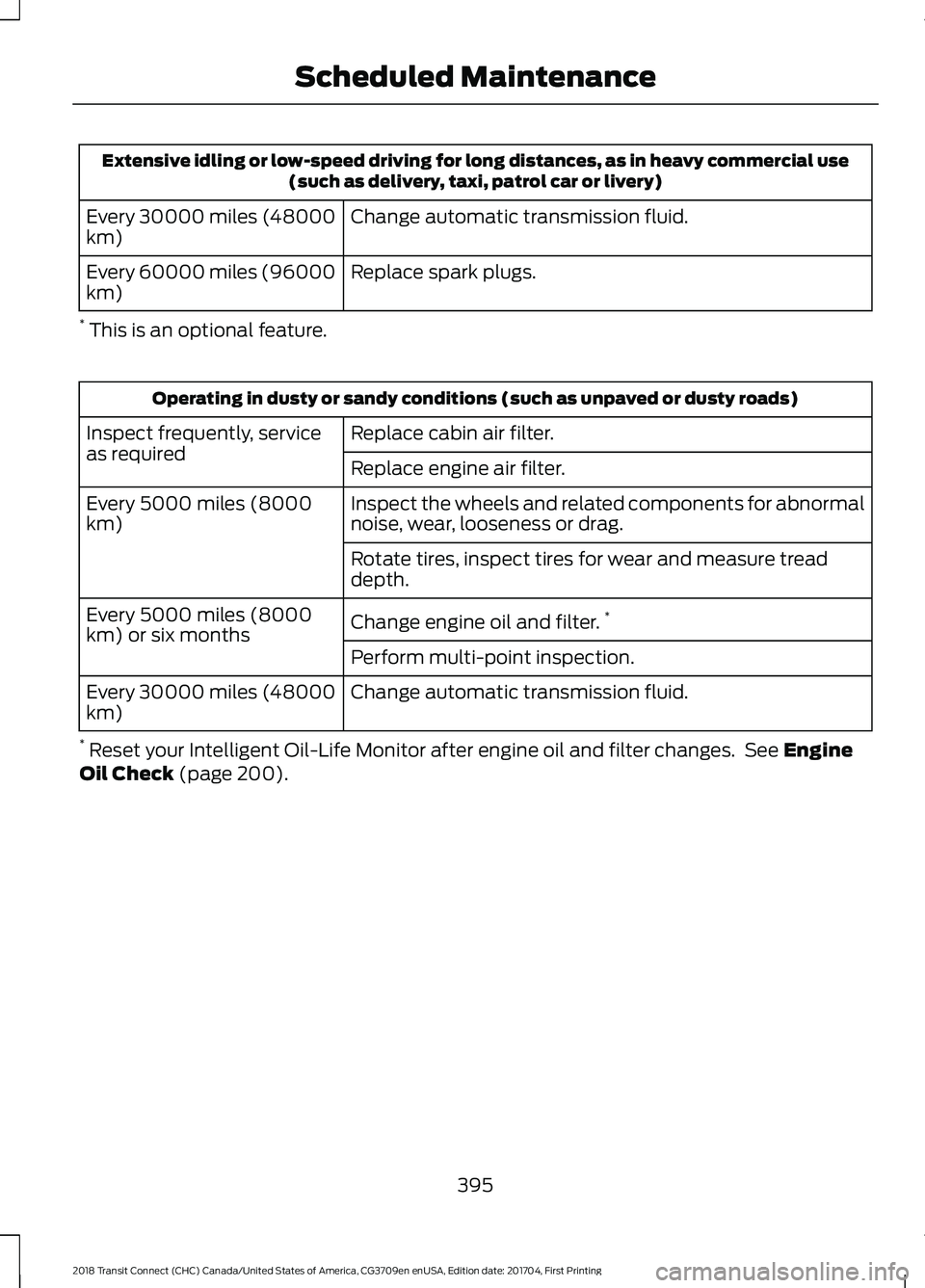
Extensive idling or low-speed driving for long distances, as in heavy commercial use
(such as delivery, taxi, patrol car or livery)
Change automatic transmission fluid.
Every 30000 miles (48000
km)
Replace spark plugs.
Every 60000 miles (96000
km)
* This is an optional feature. Operating in dusty or sandy conditions (such as unpaved or dusty roads)
Replace cabin air filter.
Inspect frequently, service
as required
Replace engine air filter.
Inspect the wheels and related components for abnormal
noise, wear, looseness or drag.
Every 5000 miles (8000
km)
Rotate tires, inspect tires for wear and measure tread
depth.
Change engine oil and filter.*
Every 5000 miles (8000
km) or six months
Perform multi-point inspection.
Change automatic transmission fluid.
Every 30000 miles (48000
km)
* Reset your Intelligent Oil-Life Monitor after engine oil and filter changes. See Engine
Oil Check (page 200).
395
2018 Transit Connect (CHC) Canada/United States of America, CG3709en enUSA, Edition date: 201704, First Printing Scheduled Maintenance
Page 437 of 449
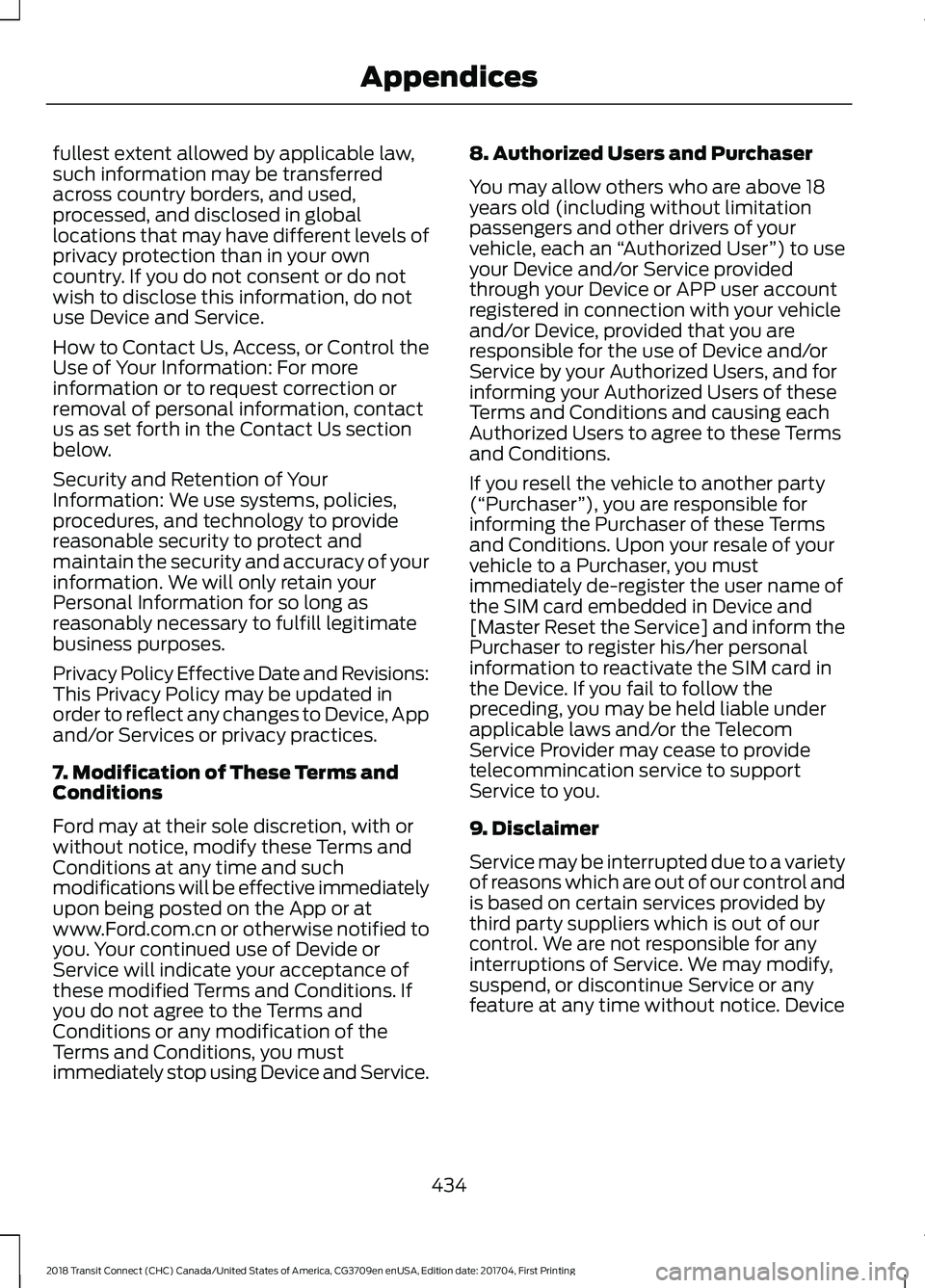
fullest extent allowed by applicable law,
such information may be transferred
across country borders, and used,
processed, and disclosed in global
locations that may have different levels of
privacy protection than in your own
country. If you do not consent or do not
wish to disclose this information, do not
use Device and Service.
How to Contact Us, Access, or Control the
Use of Your Information: For more
information or to request correction or
removal of personal information, contact
us as set forth in the Contact Us section
below.
Security and Retention of Your
Information: We use systems, policies,
procedures, and technology to provide
reasonable security to protect and
maintain the security and accuracy of your
information. We will only retain your
Personal Information for so long as
reasonably necessary to fulfill legitimate
business purposes.
Privacy Policy Effective Date and Revisions:
This Privacy Policy may be updated in
order to reflect any changes to Device, App
and/or Services or privacy practices.
7. Modification of These Terms and
Conditions
Ford may at their sole discretion, with or
without notice, modify these Terms and
Conditions at any time and such
modifications will be effective immediately
upon being posted on the App or at
www.Ford.com.cn or otherwise notified to
you. Your continued use of Devide or
Service will indicate your acceptance of
these modified Terms and Conditions. If
you do not agree to the Terms and
Conditions or any modification of the
Terms and Conditions, you must
immediately stop using Device and Service.
8. Authorized Users and Purchaser
You may allow others who are above 18
years old (including without limitation
passengers and other drivers of your
vehicle, each an
“Authorized User ”) to use
your Device and/or Service provided
through your Device or APP user account
registered in connection with your vehicle
and/or Device, provided that you are
responsible for the use of Device and/or
Service by your Authorized Users, and for
informing your Authorized Users of these
Terms and Conditions and causing each
Authorized Users to agree to these Terms
and Conditions.
If you resell the vehicle to another party
(“Purchaser ”), you are responsible for
informing the Purchaser of these Terms
and Conditions. Upon your resale of your
vehicle to a Purchaser, you must
immediately de-register the user name of
the SIM card embedded in Device and
[Master Reset the Service] and inform the
Purchaser to register his/her personal
information to reactivate the SIM card in
the Device. If you fail to follow the
preceding, you may be held liable under
applicable laws and/or the Telecom
Service Provider may cease to provide
telecommincation service to support
Service to you.
9. Disclaimer
Service may be interrupted due to a variety
of reasons which are out of our control and
is based on certain services provided by
third party suppliers which is out of our
control. We are not responsible for any
interruptions of Service. We may modify,
suspend, or discontinue Service or any
feature at any time without notice. Device
434
2018 Transit Connect (CHC) Canada/United States of America, CG3709en enUSA, Edition date: 201704, First Printing Appendices
Page 440 of 449
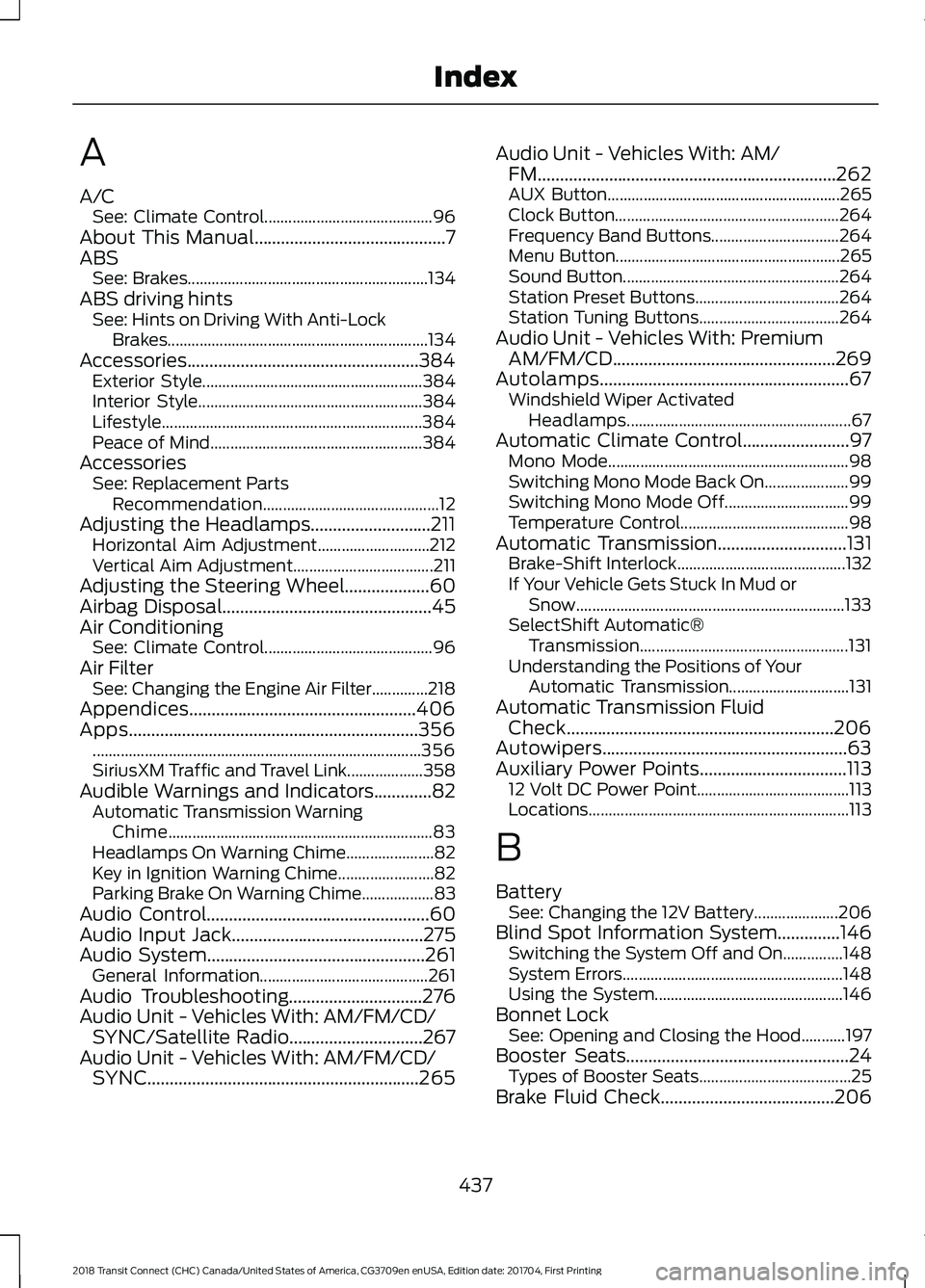
A
A/C
See: Climate Control.......................................... 96
About This Manual...........................................7
ABS See: Brakes............................................................ 134
ABS driving hints See: Hints on Driving With Anti-Lock
Brakes.................................................................134
Accessories....................................................384 Exterior Style....................................................... 384
Interior Style........................................................ 384
Lifestyle................................................................. 384
Peace of Mind..................................................... 384
Accessories See: Replacement Parts
Recommendation............................................ 12
Adjusting the Headlamps...........................211 Horizontal Aim Adjustment............................ 212
Vertical Aim Adjustment................................... 211
Adjusting the Steering Wheel...................60
Airbag Disposal...............................................45
Air Conditioning See: Climate Control.......................................... 96
Air Filter See: Changing the Engine Air Filter..............218
Appendices...................................................406
Apps.................................................................356 ........................................................................\
.......... 356
SiriusXM Traffic and Travel Link................... 358
Audible Warnings and Indicators.............82 Automatic Transmission Warning
Chime.................................................................. 83
Headlamps On Warning Chime...................... 82
Key in Ignition Warning Chime........................ 82
Parking Brake On Warning Chime.................. 83
Audio Control..................................................60
Audio Input Jack...........................................275
Audio System
.................................................261
General Information.......................................... 261
Audio Troubleshooting
..............................276
Audio Unit - Vehicles With: AM/FM/CD/ SYNC/Satellite Radio..............................267
Audio Unit - Vehicles With: AM/FM/CD/ SYNC.............................................................265 Audio Unit - Vehicles With: AM/
FM...................................................................262
AUX Button.......................................................... 265
Clock Button........................................................ 264
Frequency Band Buttons................................ 264
Menu Button........................................................ 265
Sound Button...................................................... 264
Station Preset Buttons.................................... 264
Station Tuning Buttons................................... 264
Audio Unit - Vehicles With: Premium AM/FM/CD..................................................269
Autolamps........................................................67 Windshield Wiper Activated
Headlamps........................................................ 67
Automatic Climate Control........................97 Mono Mode............................................................ 98
Switching Mono Mode Back On..................... 99
Switching Mono Mode Off............................... 99
Temperature Control.......................................... 98
Automatic Transmission.............................131 Brake-Shift Interlock.......................................... 132
If Your Vehicle Gets Stuck In Mud or Snow................................................................... 133
SelectShift Automatic® Transmission.................................................... 131
Understanding the Positions of Your Automatic Transmission.............................. 131
Automatic Transmission Fluid Check............................................................206
Autowipers.......................................................63
Auxiliary Power Points.................................113 12 Volt DC Power Point...................................... 113
Locations................................................................. 113
B
Battery See: Changing the 12V Battery..................... 206
Blind Spot Information System..............146 Switching the System Off and On...............148
System Errors....................................................... 148
Using the System............................................... 146
Bonnet Lock See: Opening and Closing the Hood...........197
Booster Seats..................................................24 Types of Booster Seats...................................... 25
Brake Fluid Check
.......................................206
437
2018 Transit Connect (CHC) Canada/United States of America, CG3709en enUSA, Edition date: 201704, First Printing Index
Page 445 of 449
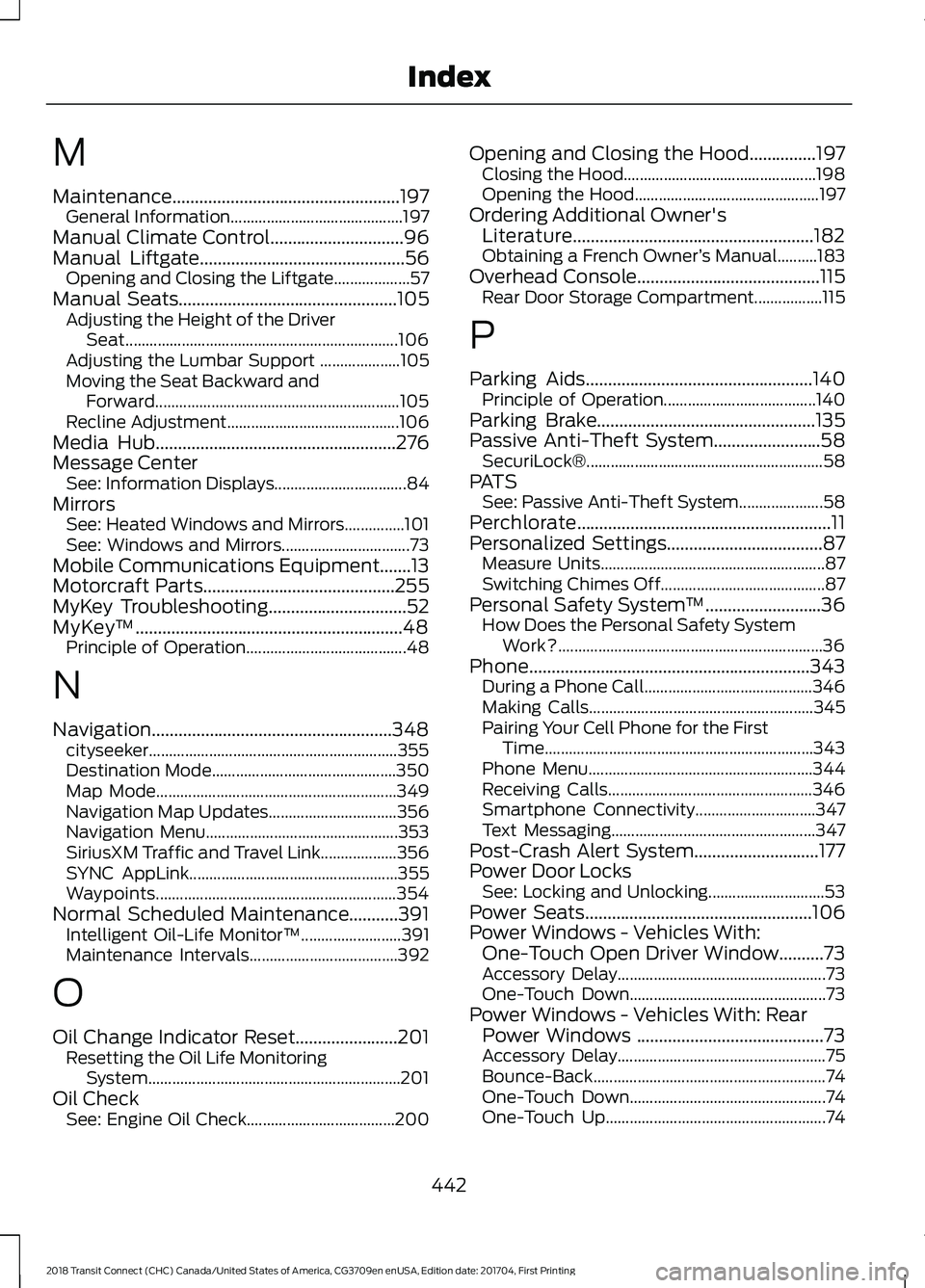
M
Maintenance...................................................197
General Information........................................... 197
Manual Climate Control..............................96
Manual Liftgate..............................................56
Opening and Closing the Liftgate................... 57
Manual Seats
.................................................105
Adjusting the Height of the Driver
Seat.................................................................... 106
Adjusting the Lumbar Support .................... 105
Moving the Seat Backward and Forward............................................................. 105
Recline Adjustment........................................... 106
Media Hub......................................................276
Message Center See: Information Displays................................. 84
Mirrors See: Heated Windows and Mirrors...............101
See: Windows and Mirrors................................ 73
Mobile Communications Equipment.......13
Motorcraft Parts
...........................................255
MyKey Troubleshooting...............................52
MyKey ™............................................................48
Principle of Operation........................................ 48
N
Navigation......................................................348 cityseeker.............................................................. 355
Destination Mode.............................................. 350
Map Mode............................................................ 349
Navigation Map Updates................................ 356
Navigation Menu................................................ 353
SiriusXM Traffic and Travel Link................... 356
SYNC AppLink.................................................... 355
Waypoints............................................................ 354
Normal Scheduled Maintenance...........391 Intelligent Oil-Life Monitor™......................... 391
Maintenance Intervals..................................... 392
O
Oil Change Indicator Reset.......................201 Resetting the Oil Life Monitoring
System............................................................... 201
Oil Check See: Engine Oil Check..................................... 200Opening and Closing the Hood...............197
Closing the Hood................................................ 198
Opening the Hood.............................................. 197
Ordering Additional Owner's Literature......................................................182
Obtaining a French Owner ’s Manual..........183
Overhead Console
.........................................115
Rear Door Storage Compartment.................115
P
Parking Aids
...................................................140
Principle of Operation...................................... 140
Parking Brake
.................................................135
Passive Anti-Theft System........................58
SecuriLock®........................................................... 58
PATS See: Passive Anti-Theft System..................... 58
Perchlorate.........................................................11
Personalized Settings
...................................87
Measure Units........................................................ 87
Switching Chimes Off......................................... 87
Personal Safety System ™
..........................36
How Does the Personal Safety System
Work?.................................................................. 36
Phone...............................................................343 During a Phone Call.......................................... 346
Making Calls........................................................ 345
Pairing Your Cell Phone for the First Time................................................................... 343
Phone Menu........................................................ 344
Receiving Calls................................................... 346
Smartphone Connectivity.............................. 347
Text Messaging................................................... 347
Post-Crash Alert System
............................177
Power Door Locks See: Locking and Unlocking............................. 53
Power Seats
...................................................106
Power Windows - Vehicles With: One-Touch Open Driver Window
..........73
Accessory Delay.................................................... 73
One-Touch Down................................................. 73
Power Windows - Vehicles With: Rear Power Windows ..........................................73
Accessory Delay.................................................... 75
Bounce-Back.......................................................... 74
One-Touch Down................................................. 74
One-Touch Up....................................................... 74
442
2018 Transit Connect (CHC) Canada/United States of America, CG3709en enUSA, Edition date: 201704, First Printing Index
Page 447 of 449

Clock........................................................................\
361
Display................................................................... 370
General.................................................................. 368
Media Player....................................................... 360
Mobile Apps......................................................... 367
Navigation............................................................ 365
Phone...................................................................... 361
Radio...................................................................... 364
Sound..................................................................... 359
Valet Mode............................................................. 371
Vehicle................................................................... 369
Voice Control........................................................ 371
Wi-Fi....................................................................... 369
Side Airbags.....................................................42
Sitting in the Correct Position..................103
Snow Chains See: Using Snow Chains................................. 243
Special Notices................................................12 New Vehicle Limited Warranty......................... 12
On Board Diagnostics Data Link Connector............................................................ 13
Special Instructions.............................................. 12
Special Operating Conditions Scheduled Maintenance..............................................394
Speed Control See: Cruise Control............................................ 145
Stability Control............................................138
Principle of Operation....................................... 138
Starter Switch See: Ignition Switch............................................ 116
Starting a Gasoline Engine.........................117 Cold or Hot Engine............................................... 117
Engine Idle Speed after Starting.................... 117
Flooded Engine..................................................... 117
Starting and Stopping the Engine...........116 General Information........................................... 116
Steering.............................................................151 Electric Power Steering..................................... 151
Steering Wheel
...............................................60
Storage Compartments..............................115
Sun Shades.......................................................77 Bounce-Back......................................................... 78
Opening and Closing the Sun Shade............78
Sun Shade Relearning........................................ 78
Supplementary Restraints System..........37 Principle of Operation......................................... 37
Switching Off the Engine............................117 Vehicles With a Turbocharger......................... 117Symbols Glossary
.............................................7
SYNC™ 3.........................................................315
General Information.......................................... 315
SYNC™ 3 Troubleshooting.......................371
SYNC™ Applications and Services........................................................293
911 Assist............................................................... 293
SYNC Mobile Apps............................................ 295
SYNC™.............................................................277 General Information.......................................... 277
SYNC™ Troubleshooting.........................306
T
Tailgate See: Manual Liftgate........................................... 56
Technical Specifications See: Capacities and Specifications............255
The Better Business Bureau (BBB) Auto Line Program (U.S. Only).......................180
Tire Care
..........................................................228
Glossary of Tire Terminology........................ 230
Information About Uniform Tire Quality Grading............................................................. 228
Information Contained on the Tire Sidewall............................................................. 231
Temperature A B C............................................ 229
Traction AA A B C............................................... 229
Treadwear............................................................. 229
Tire Pressure Monitoring System
...........244
Changing Tires With a Tire Pressure
Monitoring System....................................... 245
Tire Pressure Monitoring System Reset Procedure......................................................... 247
Understanding the Tire Pressure Monitoring System ............................................................. 245
Tires See: Wheels and Tires...................................... 227
Towing a Trailer.............................................162 Load Placement.................................................. 162
Towing Points
.................................................167
Recovery Hook..................................................... 167
Towing the Vehicle on Four Wheels..........................................................169
Emergency Towing............................................ 169
Recreational Vehicle Towing.......................... 169
Towing..............................................................162
444
2018 Transit Connect (CHC) Canada/United States of America, CG3709en enUSA, Edition date: 201704, First Printing Index
Page 448 of 449
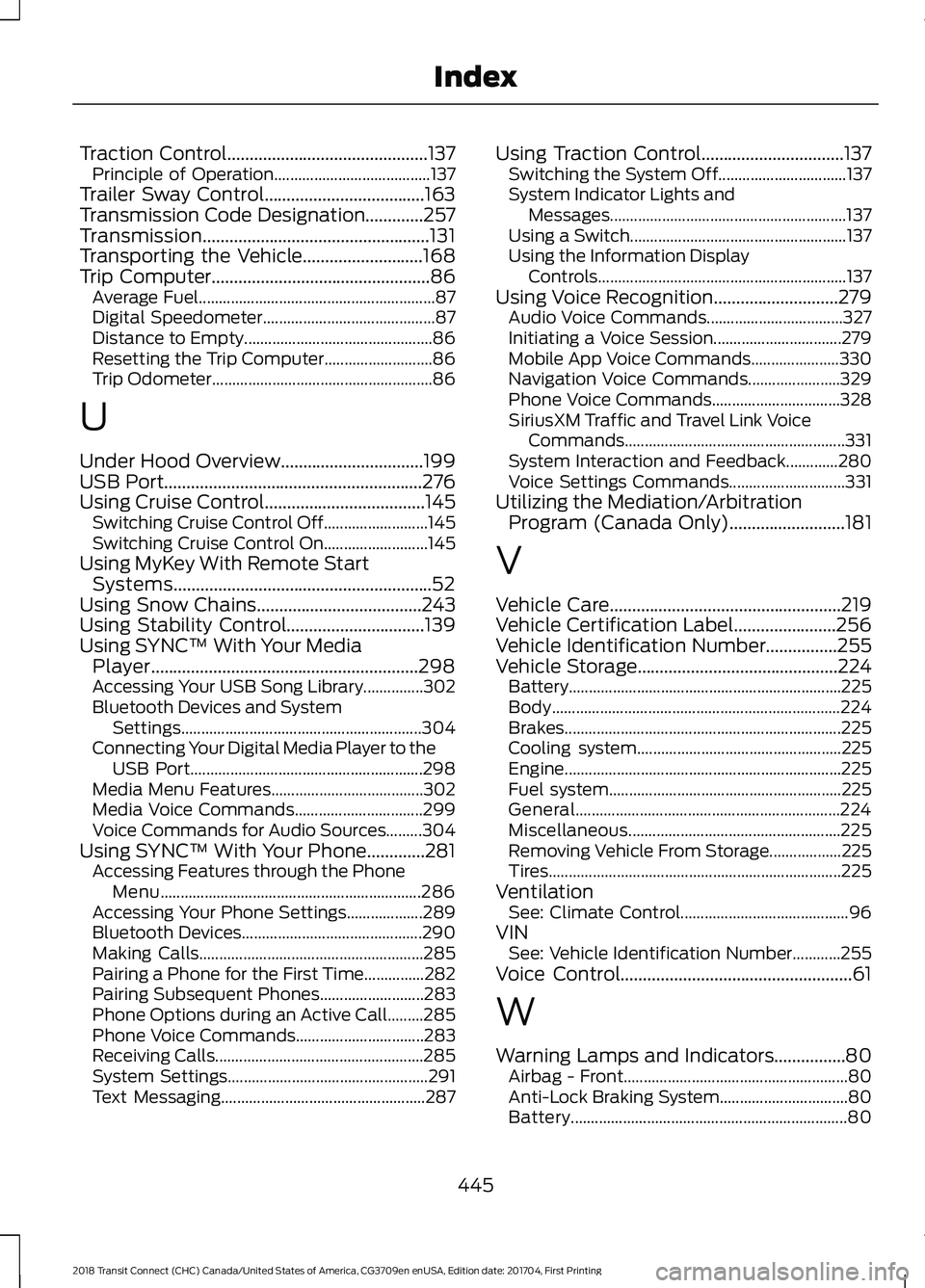
Traction Control.............................................137
Principle of Operation....................................... 137
Trailer Sway Control....................................163
Transmission Code Designation.............257
Transmission...................................................131
Transporting the Vehicle...........................168
Trip Computer
.................................................86
Average Fuel........................................................... 87
Digital Speedometer........................................... 87
Distance to Empty............................................... 86
Resetting the Trip Computer........................... 86
Trip Odometer....................................................... 86
U
Under Hood Overview
................................199
USB Port..........................................................276
Using Cruise Control....................................145 Switching Cruise Control Off.......................... 145
Switching Cruise Control On.......................... 145
Using MyKey With Remote Start Systems..........................................................52
Using Snow Chains
.....................................243
Using Stability Control...............................139
Using SYNC™ With Your Media Player............................................................298
Accessing Your USB Song Library...............302
Bluetooth Devices and System Settings............................................................ 304
Connecting Your Digital Media Player to the USB Port.......................................................... 298
Media Menu Features...................................... 302
Media Voice Commands................................ 299
Voice Commands for Audio Sources.........304
Using SYNC™ With Your Phone.............281 Accessing Features through the Phone
Menu................................................................. 286
Accessing Your Phone Settings................... 289
Bluetooth Devices............................................. 290
Making Calls........................................................ 285
Pairing a Phone for the First Time...............282
Pairing Subsequent Phones.......................... 283
Phone Options during an Active Call.........285
Phone Voice Commands................................ 283
Receiving Calls.................................................... 285
System Settings.................................................. 291
Text Messaging................................................... 287Using Traction Control................................137
Switching the System Off................................ 137
System Indicator Lights and Messages........................................................... 137
Using a Switch...................................................... 137
Using the Information Display Controls.............................................................. 137
Using Voice Recognition............................279 Audio Voice Commands.................................. 327
Initiating a Voice Session................................ 279
Mobile App Voice Commands...................... 330
Navigation Voice Commands....................... 329
Phone Voice Commands................................ 328
SiriusXM Traffic and Travel Link Voice Commands....................................................... 331
System Interaction and Feedback.............280
Voice Settings Commands............................. 331
Utilizing the Mediation/Arbitration Program (Canada Only)..........................181
V
Vehicle Care....................................................219
Vehicle Certification Label.......................256
Vehicle Identification Number................255
Vehicle Storage.............................................224 Battery.................................................................... 225
Body........................................................................\
224
Brakes..................................................................... 225
Cooling system................................................... 225
Engine..................................................................... 225
Fuel system.......................................................... 225
General.................................................................. 224
Miscellaneous..................................................... 225
Removing Vehicle From Storage.................. 225
Tires........................................................................\
. 225
Ventilation See: Climate Control.......................................... 96
VIN See: Vehicle Identification Number............255
Voice Control....................................................61
W
Warning Lamps and Indicators................80 Airbag - Front........................................................ 80
Anti-Lock Braking System................................ 80
Battery..................................................................... 80
445
2018 Transit Connect (CHC) Canada/United States of America, CG3709en enUSA, Edition date: 201704, First Printing Index