warning FORD TRANSIT CONNECT 2019 Owners Manual
[x] Cancel search | Manufacturer: FORD, Model Year: 2019, Model line: TRANSIT CONNECT, Model: FORD TRANSIT CONNECT 2019Pages: 493, PDF Size: 7.43 MB
Page 185 of 493
•
As the distance to the object
decreases, the indicator blocks
illuminate and move toward the vehicle
icon. •
If there is no object detected, the
distance indicator blocks are gray.
Rear Parking Aid Information Messages Description
Message
The system has malfunctioned. Have your vehicle checked
as soon as possible.
Park Aid Fault
The system has malfunctioned. Have your vehicle checked
as soon as possible.
Check Park Aid
The system has malfunctioned. Have your vehicle checked
as soon as possible.
Check Rear Park Aid
A sensor is blocked or the system has malfunctioned.
Clean the bumper or remove any obstruction. If the
message continues to appear, have your vehicle checked
as soon as possible.
Park Pilot Not Available
Sensor Blocked See Manual
A sensor is blocked or the system has malfunctioned.
Clean the bumper or remove any obstruction. If the
message continues to appear, have your vehicle checked
as soon as possible.
Front Park Pilot Not Avail-
able Sensor Blocked See
Manual
A sensor is blocked or the system has malfunctioned.
Clean the bumper or remove any obstruction. If the
message continues to appear, have your vehicle checked
as soon as possible.
Rear Park Pilot Not Avail-
able Sensor Blocked See
Manual
FRONT PARKING AID WARNING: The system may not
detect objects with surfaces that absorb
reflection. Always drive with due care and
attention. Failure to take care may result
in a crash. WARNING:
The system may not
detect small or moving objects, particularly
those close to the ground. WARNING:
The parking aid system
can only assist you to detect objects when
your vehicle is moving at parking speeds.
To help avoid personal injury you must take
care when using the parking aid system.
The sensors are on the front bumper.
Note: Keep the sensors free from snow, ice
and large accumulations of dirt.
Note: Do not cover up the sensors.
Note: Do not clean the sensors with sharp
objects.
181
2019 Transit Connect (CHC) Canada/United States of America, CG3739en enUSA, Edition date: 201804, First-Printing Parking Aids
(If Equipped)
Page 186 of 493
Note:
If your vehicle sustains damage
leaving the sensors misaligned, this may
cause inaccurate measurements or false
alerts.
The sensors are active when the
transmission is in any position other than
park (P). When the parking aid system
sounds a tone, the audio system may
reduce the set volume.
A warning tone sounds when an object
approaches your vehicle. As your vehicle
moves closer to an object, the rate of the
tone increases. The warning tone
continuously sounds when an object is 12 in
(30 cm) or less from the front bumper.
The system turns off when the vehicle
speed reaches
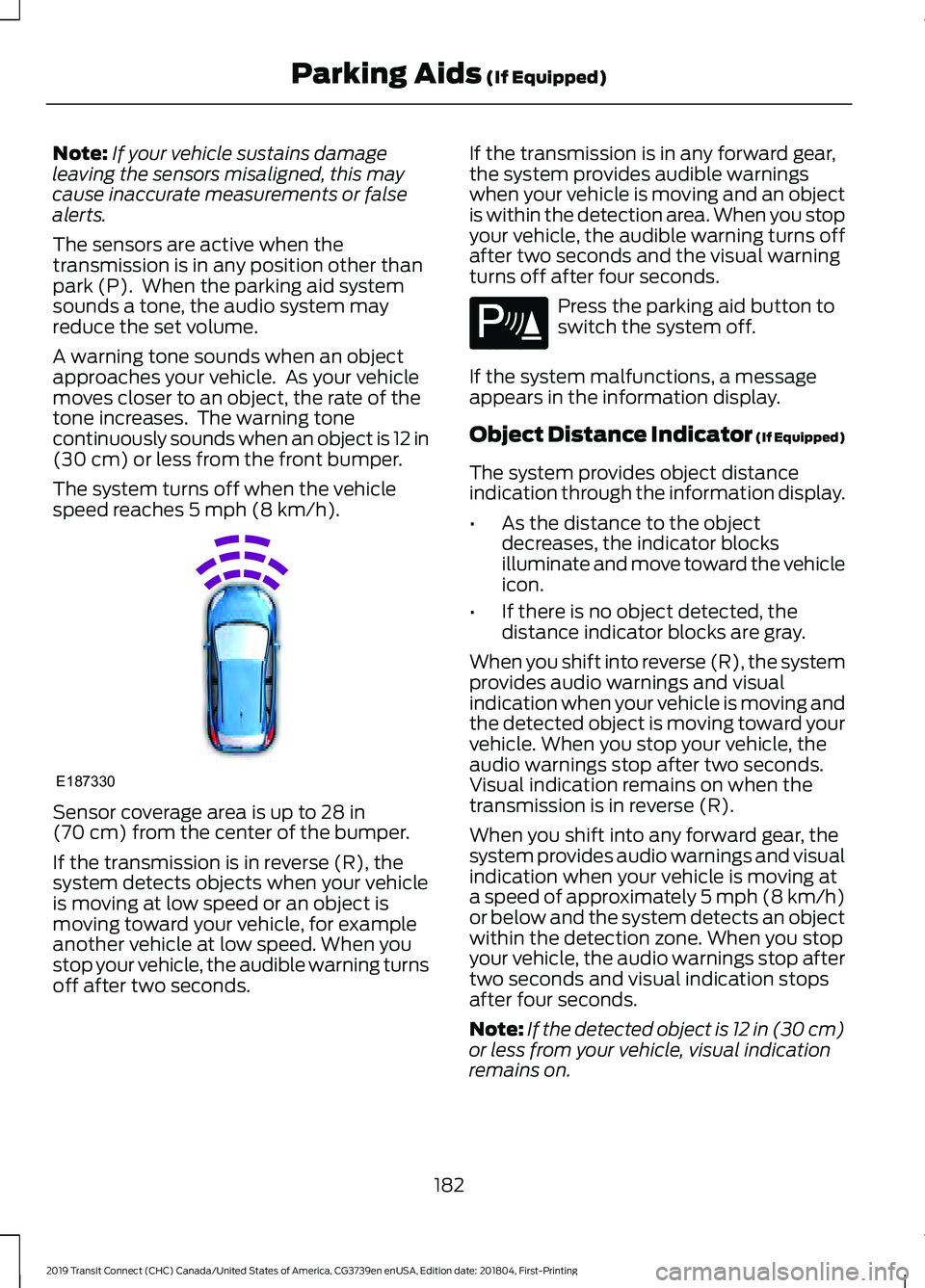
5 mph (8 km/h). Sensor coverage area is up to
28 in
(70 cm) from the center of the bumper.
If the transmission is in reverse (R), the
system detects objects when your vehicle
is moving at low speed or an object is
moving toward your vehicle, for example
another vehicle at low speed. When you
stop your vehicle, the audible warning turns
off after two seconds. If the transmission is in any forward gear,
the system provides audible warnings
when your vehicle is moving and an object
is within the detection area. When you stop
your vehicle, the audible warning turns off
after two seconds and the visual warning
turns off after four seconds. Press the parking aid button to
switch the system off.
If the system malfunctions, a message
appears in the information display.
Object Distance Indicator (If Equipped)
The system provides object distance
indication through the information display.
• As the distance to the object
decreases, the indicator blocks
illuminate and move toward the vehicle
icon.
• If there is no object detected, the
distance indicator blocks are gray.
When you shift into reverse (R), the system
provides audio warnings and visual
indication when your vehicle is moving and
the detected object is moving toward your
vehicle. When you stop your vehicle, the
audio warnings stop after two seconds.
Visual indication remains on when the
transmission is in reverse (R).
When you shift into any forward gear, the
system provides audio warnings and visual
indication when your vehicle is moving at
a speed of approximately 5 mph (8 km/h)
or below and the system detects an object
within the detection zone. When you stop
your vehicle, the audio warnings stop after
two seconds and visual indication stops
after four seconds.
Note: If the detected object is 12 in (30 cm)
or less from your vehicle, visual indication
remains on.
182
2019 Transit Connect (CHC) Canada/United States of America, CG3739en enUSA, Edition date: 201804, First-Printing Parking Aids
(If Equipped)E187330 E139213
Page 188 of 493
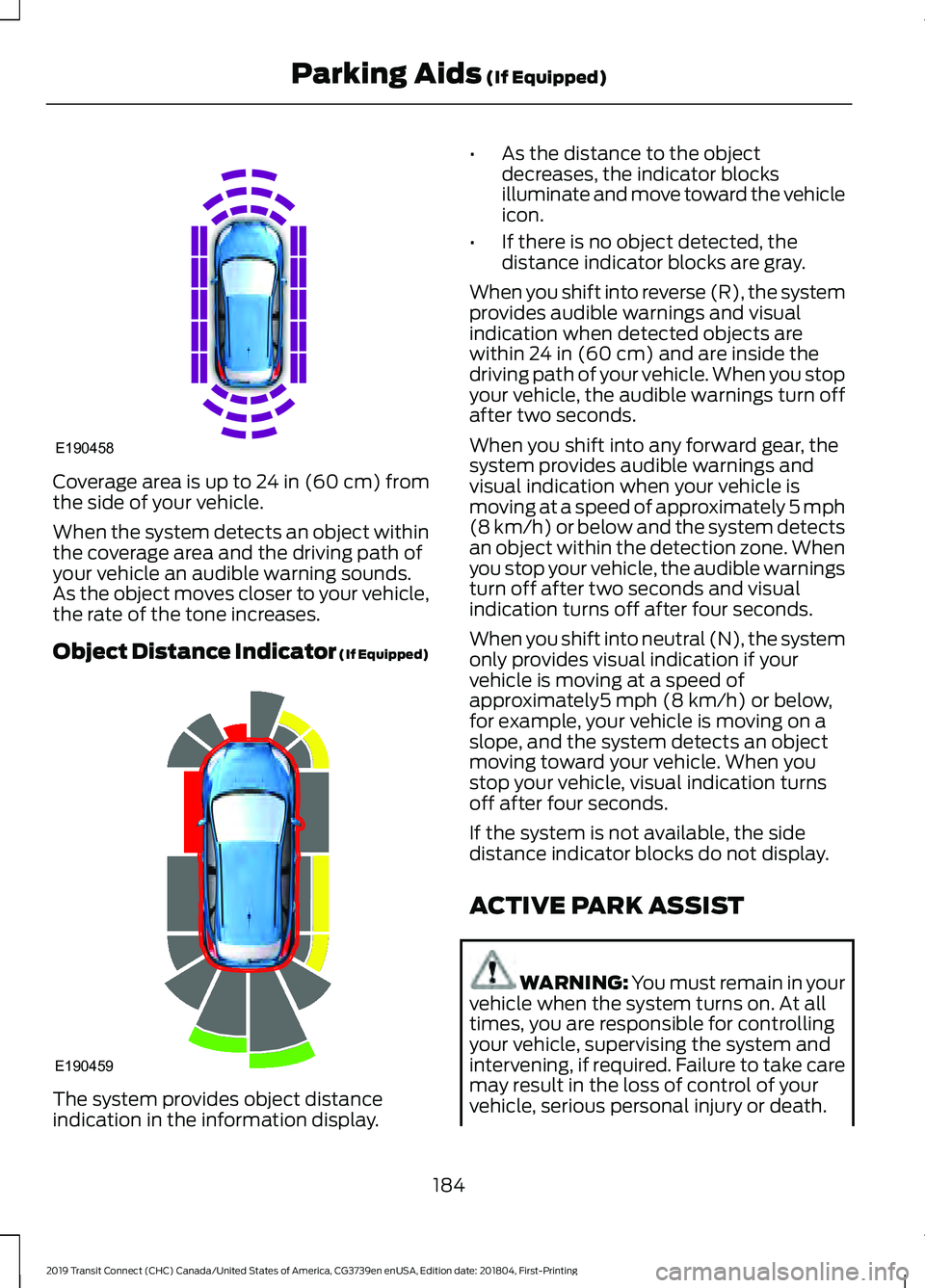
Coverage area is up to 24 in (60 cm) from
the side of your vehicle.
When the system detects an object within
the coverage area and the driving path of
your vehicle an audible warning sounds.
As the object moves closer to your vehicle,
the rate of the tone increases.
Object Distance Indicator (If Equipped)
The system provides object distance
indication in the information display. •
As the distance to the object
decreases, the indicator blocks
illuminate and move toward the vehicle
icon.
• If there is no object detected, the
distance indicator blocks are gray.
When you shift into reverse (R), the system
provides audible warnings and visual
indication when detected objects are
within 24 in (60 cm) and are inside the
driving path of your vehicle. When you stop
your vehicle, the audible warnings turn off
after two seconds.
When you shift into any forward gear, the
system provides audible warnings and
visual indication when your vehicle is
moving at a speed of approximately 5 mph
(8 km/h)
or below and the system detects
an object within the detection zone. When
you stop your vehicle, the audible warnings
turn off after two seconds and visual
indication turns off after four seconds.
When you shift into neutral (N), the system
only provides visual indication if your
vehicle is moving at a speed of
approximately
5 mph (8 km/h) or below,
for example, your vehicle is moving on a
slope, and the system detects an object
moving toward your vehicle. When you
stop your vehicle, visual indication turns
off after four seconds.
If the system is not available, the side
distance indicator blocks do not display.
ACTIVE PARK ASSIST WARNING:
You must remain in your
vehicle when the system turns on. At all
times, you are responsible for controlling
your vehicle, supervising the system and
intervening, if required. Failure to take care
may result in the loss of control of your
vehicle, serious personal injury or death.
184
2019 Transit Connect (CHC) Canada/United States of America, CG3739en enUSA, Edition date: 201804, First-Printing Parking Aids
(If Equipped)E190458 E190459
Page 189 of 493
WARNING: The sensors may not
detect objects in heavy rain or other
conditions that cause interference. WARNING:
You are responsible for
controlling your vehicle at all times. The
system is designed to be an aid and does
not relieve you of your responsibility to
drive with due care and attention. Failure
to follow this instruction could result in the
loss of control of your vehicle, personal
injury or death.
Active park assist is a multi-step process
and may require you to shift the
transmission multiple times. Follow the
onscreen instructions until the parking
maneuver is complete.
If you are uncomfortable with the proximity
to any vehicle or object, you may choose
to override the system by grabbing the
steering wheel, or by taking full control of
your vehicle after pressing the active park
assist button.
Keep your hands, hair, clothing and any
loose items clear of the steering wheel
when using active park assist.
The sensors are on the front and rear
bumpers.
Note: Keep the sensors free from snow, ice
and large accumulations of dirt.
Note: Do not cover up the sensors.
Note: Do not clean the sensors with sharp
objects.
Note: The sensors may not detect objects
with surfaces that absorb ultrasonic waves.
The sensors may falsely detect objects due
to ultrasonic interference caused by, for
example motorcycle exhausts, truck air
brakes or horns. Note:
If you change any tires, the system
must recalibrate and may not correctly
operate for a short time.
The system may not correctly operate in
any of the following conditions:
• You use a spare tire or a tire that is
significantly worn more than the other
tires.
• One or more tires are incorrectly
inflated.
• You try to park on a tight curve.
• Something passes between the front
bumper and the parking space. For
example, a pedestrian or cyclist.
• The edge of the neighboring parked
vehicle is high off the ground. For
example, a bus, tow truck or flatbed
truck.
• The weather conditions are poor. For
example, during heavy rain, snow, fog,
high humidity and high temperatures.
Do not use the system if:
• You have attached an add-on
accessory close to the sensors on the
front or rear of your vehicle. For
example, a bike rack or trailer.
• You have attached an overhanging
object to the roof. For example, a
surfboard.
• The front bumper, rear bumper or the
side sensors are damaged.
• The correct tire size is not in use on your
vehicle. For example, a mini-spare tire.
Using Active Park Assist
Selecting an Active Park Assist Mode Press the button once to
activate parallel parking. Press
the button a second time to
activate perpendicular parking. If you press
the button again the system switches off.
185
2019 Transit Connect (CHC) Canada/United States of America, CG3739en enUSA, Edition date: 201804, First-Printing Parking Aids
(If Equipped)E146186
Page 196 of 493
Possible Cause
Symptom
A parked vehicle has a high attachment. For example,
a salt sprayer, snowplow or moving truck bed.
The parking space length or position of parked objects
changes after your vehicle passes the space.
The temperature around your vehicle quickly changes.
For example, driving from a heated garage into the cold,
or after leaving a car wash.
REAR VIEW CAMERA WARNING: The rear view camera
system is a reverse aid supplement device
that still requires the driver to use it in
conjunction with the interior and exterior
mirrors for maximum coverage. WARNING:
The camera may not
detect objects that are very close to your
vehicle. WARNING:
Back up as slow as
possible since higher speeds might limit
your reaction time to stop the vehicle. Note:
The operation of the camera may
vary depending on the ambient temperature,
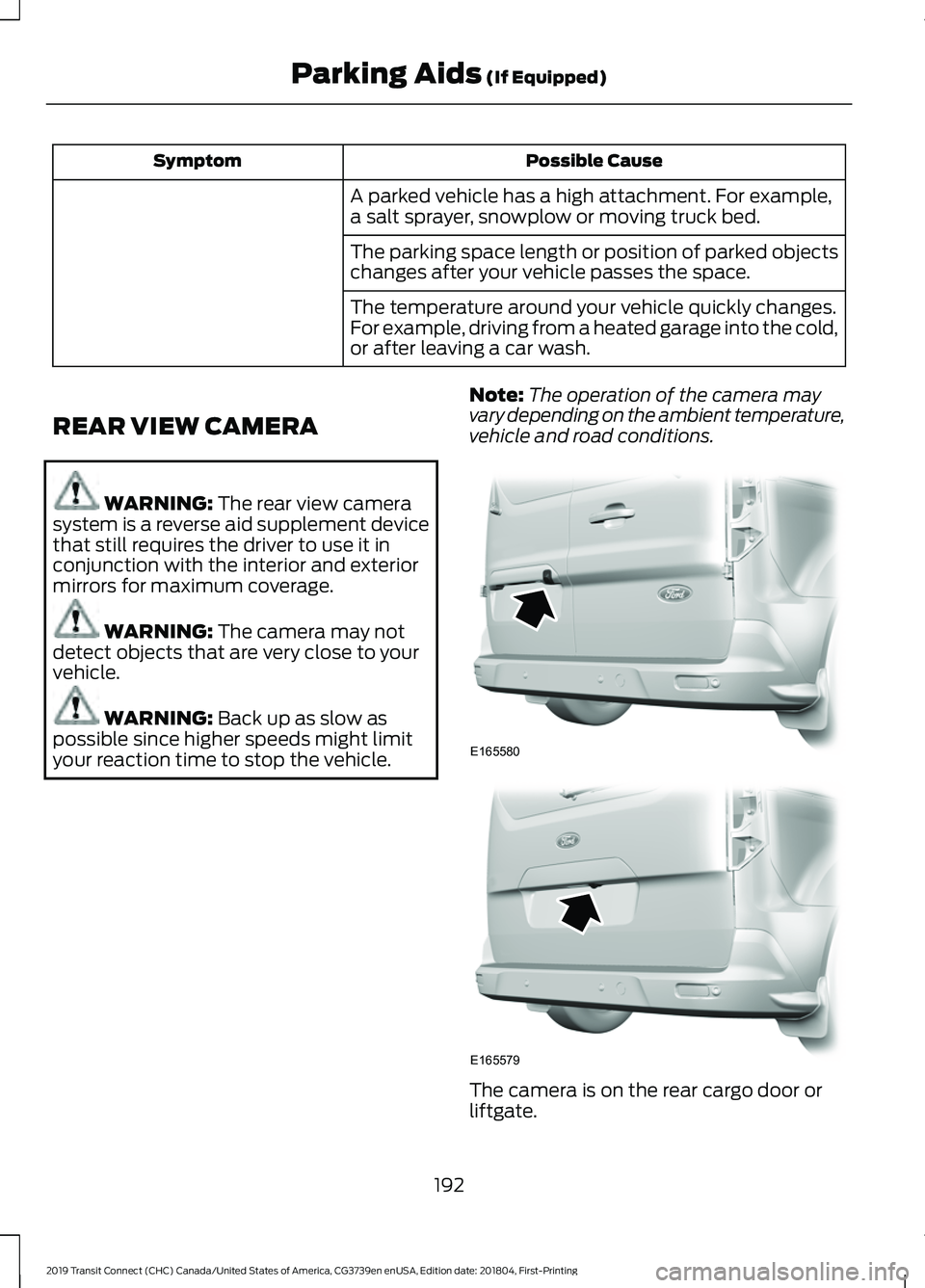
vehicle and road conditions. The camera is on the rear cargo door or
liftgate.
192
2019 Transit Connect (CHC) Canada/United States of America, CG3739en enUSA, Edition date: 201804, First-Printing Parking Aids
(If Equipped)E165580 E165579
Page 197 of 493
Switching the Rear View Camera
On
Switch the ignition on.
Move the transmission selector lever to
reverse (R).
The camera may not operate correctly in
the following conditions:
•
Dark areas.
• Intense light areas.
• If there is a sudden change to the
ambient temperature.
• If the camera is wet.
• If the camera is obstructed.
Using the Display WARNING: Objects in the display
are closer than they appear. WARNING:
Objects above the
camera may not be visible. Check the area
behind your vehicle when necessary.
Distance markers are only a guide and are
calculated for unloaded vehicles on an
even road surface.
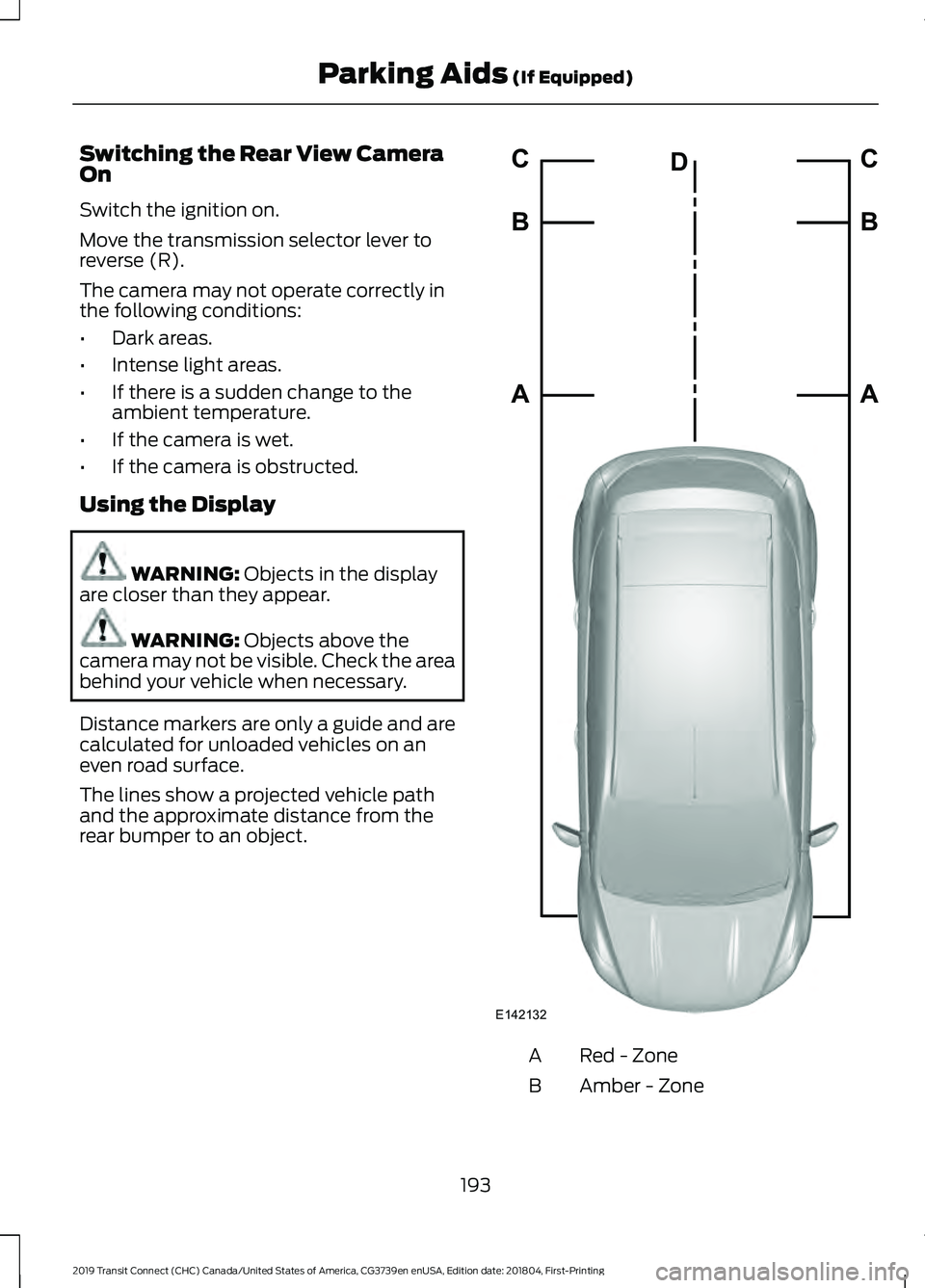
The lines show a projected vehicle path
and the approximate distance from the
rear bumper to an object. Red - Zone
A
Amber - Zone
B
193
2019 Transit Connect (CHC) Canada/United States of America, CG3739en enUSA, Edition date: 201804, First-Printing Parking Aids
(If Equipped)E142132A B C
A B C
D
Page 199 of 493
PRINCIPLE OF OPERATION
Cruise control lets you maintain a set
speed without keeping your foot on the
accelerator pedal. You can use cruise
control when your vehicle speed is greater
than 20 mph (30 km/h).
USING CRUISE CONTROL WARNING: Do not use cruise control
on winding roads, in heavy traffic or when
the road surface is slippery. This could
result in loss of vehicle control, serious
injury or death. WARNING:
When you are going
downhill, your vehicle speed could increase
above the set speed. The system does not
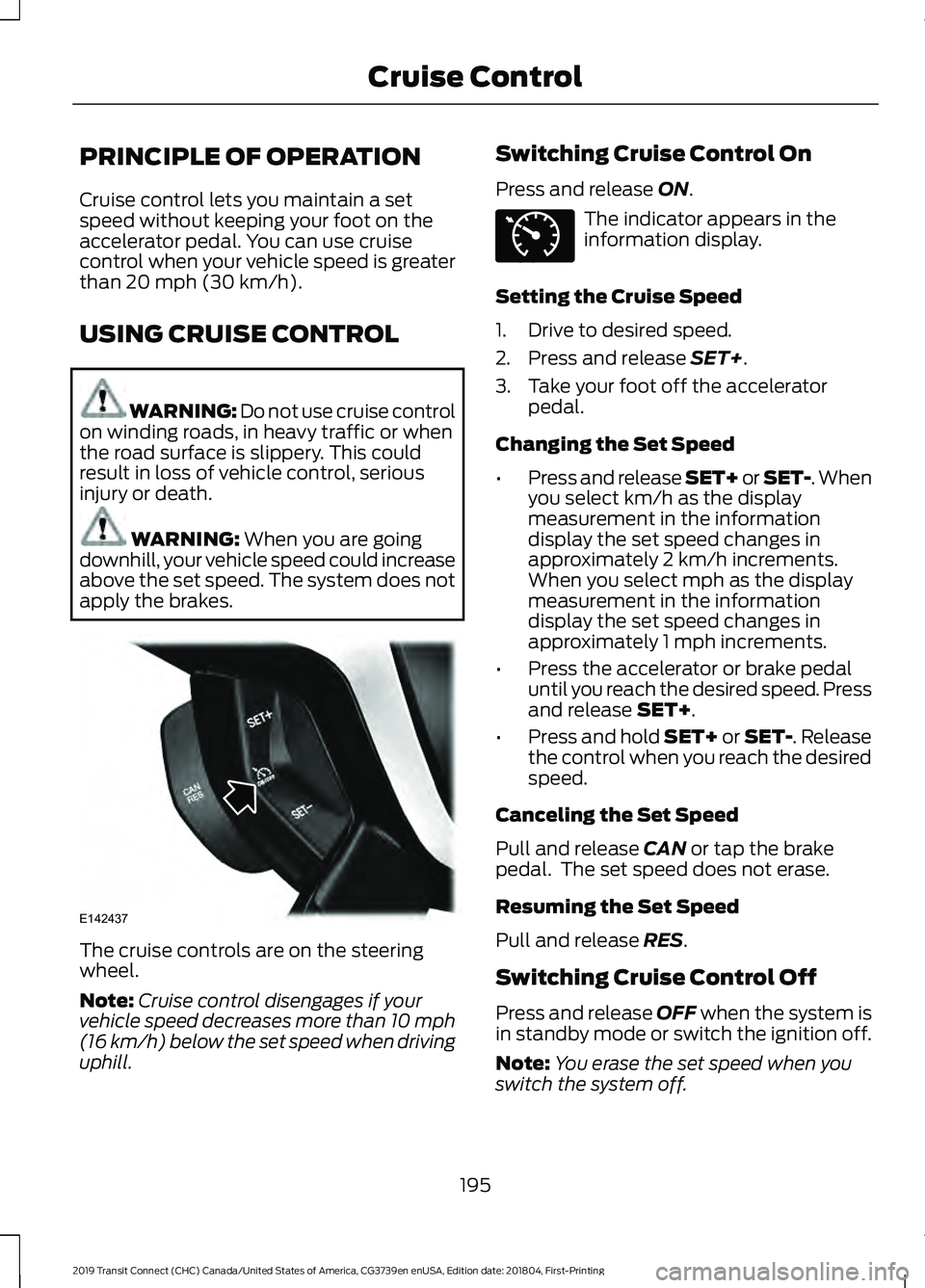
apply the brakes. The cruise controls are on the steering
wheel.
Note:
Cruise control disengages if your
vehicle speed decreases more than 10 mph
(16 km/h) below the set speed when driving
uphill. Switching Cruise Control On
Press and release
ON. The indicator appears in the
information display.
Setting the Cruise Speed
1. Drive to desired speed.
2. Press and release
SET+.
3. Take your foot off the accelerator pedal.
Changing the Set Speed
• Press and release SET+ or SET-. When
you select km/h as the display
measurement in the information
display the set speed changes in
approximately 2 km/h increments.
When you select mph as the display
measurement in the information
display the set speed changes in
approximately 1 mph increments.
• Press the accelerator or brake pedal
until you reach the desired speed. Press
and release
SET+.
• Press and hold SET+ or SET-. Release
the control when you reach the desired
speed.
Canceling the Set Speed
Pull and release
CAN or tap the brake
pedal. The set speed does not erase.
Resuming the Set Speed
Pull and release
RES.
Switching Cruise Control Off
Press and release
OFF when the system is
in standby mode or switch the ignition off.
Note: You erase the set speed when you
switch the system off.
195
2019 Transit Connect (CHC) Canada/United States of America, CG3739en enUSA, Edition date: 201804, First-Printing Cruise ControlE142437 E71340
Page 200 of 493
USING ADAPTIVE CRUISE
CONTROL
WARNING: Always pay close
attention to changing road conditions
when using adaptive cruise control. The
system does not replace attentive driving.
Failing to pay attention to the road may
result in a crash, serious injury or death. WARNING:
You are responsible for
controlling your vehicle at all times. The
system is designed to be an aid and does
not relieve you of your responsibility to
drive with due care and attention. Failure
to follow this instruction could result in the
loss of control of your vehicle, personal
injury or death. WARNING:
Adaptive cruise control
may not detect stationary or slow moving
vehicles below
6 mph (10 km/h). WARNING:
Do not use adaptive
cruise control on winding roads, in heavy
traffic or when the road surface is slippery.
This could result in loss of vehicle control,
serious injury or death. WARNING:
Do not use the system
when towing a trailer that has aftermarket
electronic trailer brake controls. Failure to
follow this instruction could result in the
loss of control of your vehicle, personal
injury or death. WARNING:
Adaptive cruise control
is not a crash warning or avoidance system. WARNING:
Adaptive cruise control
does not detect pedestrians or objects in
the road. WARNING:
Adaptive cruise control
does not detect oncoming vehicles in the
same lane. WARNING:
Do not use the system
in poor visibility, for example fog, heavy
rain, spray or snow. WARNING:
Do not use tire sizes
other than those recommended because
this can affect the normal operation of the
system. Failure to do so may result in a loss
of vehicle control, which could result in
serious injury.
The system helps you to maintain a gap
from the vehicle in front of you. The
system adjusts your vehicle speed to
maintain the set gap between you and the
vehicle in front of you in the same lane.
The system applies the brakes to slow your
vehicle to maintain a safe gap distance
from the vehicle in front.
The system uses a radar sensor which
projects a beam directly in front of your
vehicle.
The adaptive cruise controls are on the
steering wheel.
Switching Adaptive Cruise Control
On Press and release the switch.
The information display shows the grey
indicator light. The system is now in
standby.
196
2019 Transit Connect (CHC) Canada/United States of America, CG3739en enUSA, Edition date: 201804, First-Printing Cruise ControlE144529
Page 201 of 493
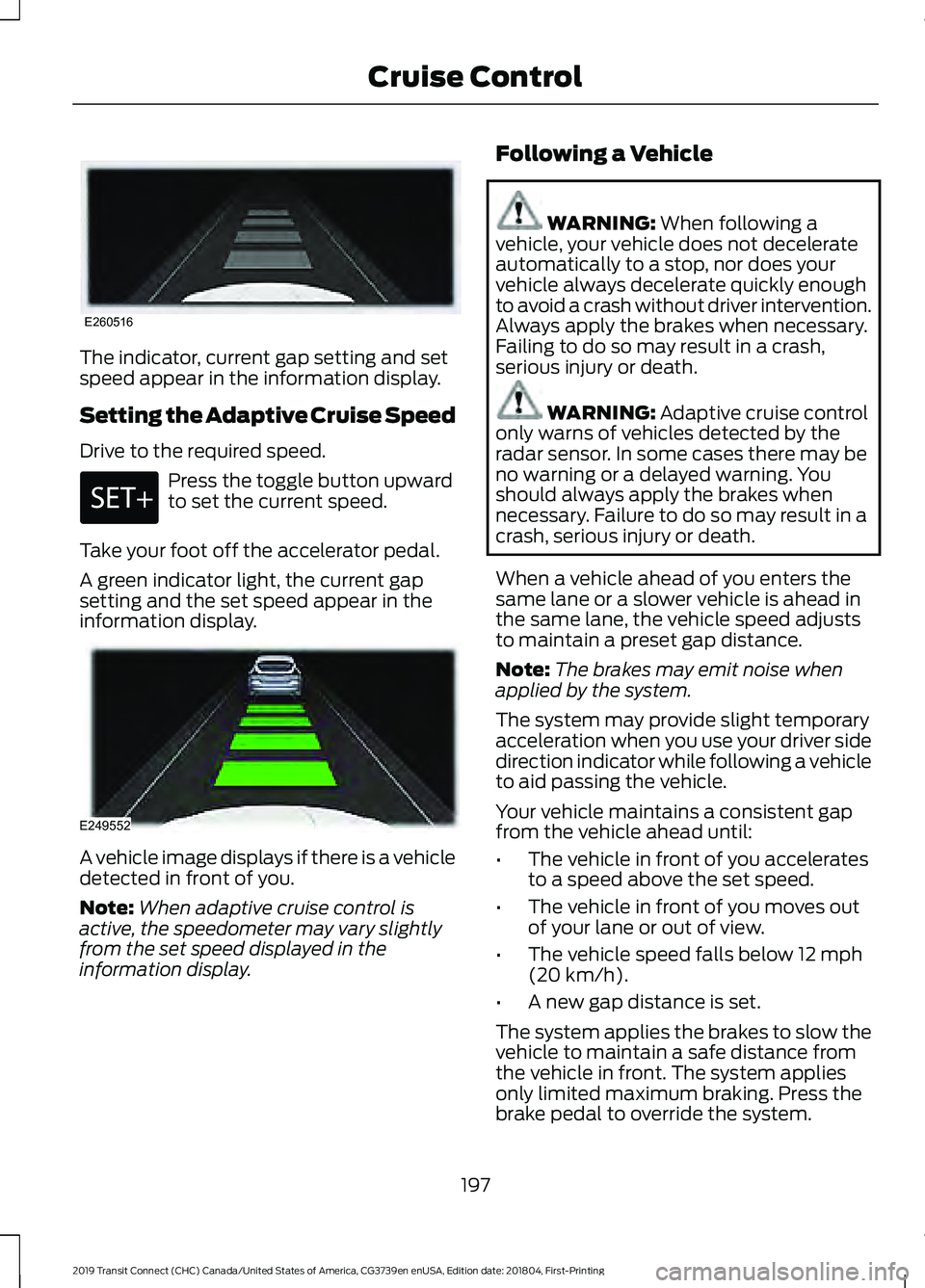
The indicator, current gap setting and set
speed appear in the information display.
Setting the Adaptive Cruise Speed
Drive to the required speed.
Press the toggle button upward
to set the current speed.
Take your foot off the accelerator pedal.
A green indicator light, the current gap
setting and the set speed appear in the
information display. A vehicle image displays if there is a vehicle
detected in front of you.
Note:
When adaptive cruise control is
active, the speedometer may vary slightly
from the set speed displayed in the
information display. Following a Vehicle WARNING: When following a
vehicle, your vehicle does not decelerate
automatically to a stop, nor does your
vehicle always decelerate quickly enough
to avoid a crash without driver intervention.
Always apply the brakes when necessary.
Failing to do so may result in a crash,
serious injury or death. WARNING:
Adaptive cruise control
only warns of vehicles detected by the
radar sensor. In some cases there may be
no warning or a delayed warning. You
should always apply the brakes when
necessary. Failure to do so may result in a
crash, serious injury or death.
When a vehicle ahead of you enters the
same lane or a slower vehicle is ahead in
the same lane, the vehicle speed adjusts
to maintain a preset gap distance.
Note: The brakes may emit noise when
applied by the system.
The system may provide slight temporary
acceleration when you use your driver side
direction indicator while following a vehicle
to aid passing the vehicle.
Your vehicle maintains a consistent gap
from the vehicle ahead until:
• The vehicle in front of you accelerates
to a speed above the set speed.
• The vehicle in front of you moves out
of your lane or out of view.
• The vehicle speed falls below
12 mph
(20 km/h).
• A new gap distance is set.
The system applies the brakes to slow the
vehicle to maintain a safe distance from
the vehicle in front. The system applies
only limited maximum braking. Press the
brake pedal to override the system.
197
2019 Transit Connect (CHC) Canada/United States of America, CG3739en enUSA, Edition date: 201804, First-Printing Cruise ControlE260516 E249552
Page 202 of 493
If the system determines that its maximum
braking level is not sufficient, an audible
warning sounds and a message appears
in the information display when the system
continues to brake. You must take
immediate action.
Setting the Gap Distance
You can decrease or increase the distance
between your vehicle and the vehicle in
front by pressing the gap control.
Press and release to decrease
the gap distance.
Press and release to increase the
gap distance.
Note:
It is your responsibility to select a gap
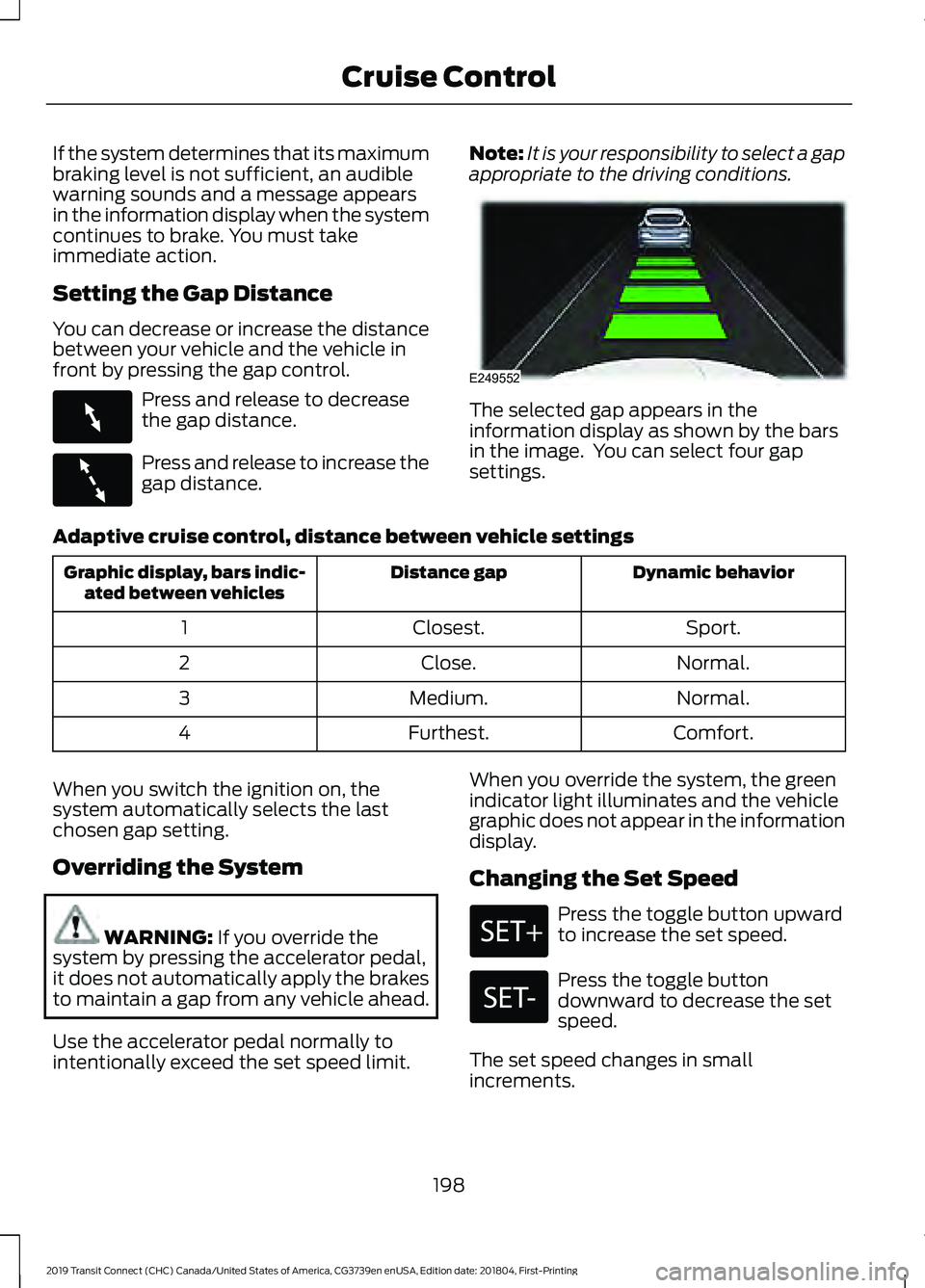
appropriate to the driving conditions. The selected gap appears in the
information display as shown by the bars
in the image. You can select four gap
settings.
Adaptive cruise control, distance between vehicle settings Dynamic behavior
Distance gap
Graphic display, bars indic-
ated between vehicles
Sport.
Closest.
1
Normal.
Close.
2
Normal.
Medium.
3
Comfort.
Furthest.
4
When you switch the ignition on, the
system automatically selects the last
chosen gap setting.
Overriding the System WARNING: If you override the
system by pressing the accelerator pedal,
it does not automatically apply the brakes
to maintain a gap from any vehicle ahead.
Use the accelerator pedal normally to
intentionally exceed the set speed limit. When you override the system, the green
indicator light illuminates and the vehicle
graphic does not appear in the information
display.
Changing the Set Speed Press the toggle button upward
to increase the set speed.
Press the toggle button
downward to decrease the set
speed.
The set speed changes in small
increments.
198
2019 Transit Connect (CHC) Canada/United States of America, CG3739en enUSA, Edition date: 201804, First-Printing Cruise ControlE263697 E263696 E249552