instrument cluster FORD TRANSIT CONNECT 2019 User Guide
[x] Cancel search | Manufacturer: FORD, Model Year: 2019, Model line: TRANSIT CONNECT, Model: FORD TRANSIT CONNECT 2019Pages: 493, PDF Size: 7.43 MB
Page 173 of 493
AUTOMATIC TRANSMISSION
- 6-SPEED AUTOMATIC
TRANSMISSION
WARNING: Do not apply the brake
pedal and accelerator pedal
simultaneously. Applying both pedals
simultaneously for more than a few
seconds will limit engine performance,
which may result in difficulty maintaining
speed in traffic and could lead to serious
injury.
Selector Lever Positions
The instrument cluster displays the current
gear.
Park (P)
In park (P), power is not transmitted to the
driven wheels and the transmission is
locked. You can start the engine with the
transmission in this position.
Shift into park (P) only when your vehicle
is stationary.
Reverse (R)
Shift into reverse (R) only when your
vehicle is stationary and the engine is at
idle speed.
Neutral (N)
In neutral (N), power is not transmitted to
the driven wheels but the transmission is
not locked. You can start the engine with
the transmission in this position.
Drive (D)
Drive (D) is the normal position for driving.
Sport (S)
In sport (S), the transmission selects the
optimum gear for best performance. SelectShift™
(If Equipped)
About SelectShift™
Use this feature to upshift or downshift
using the buttons on the selector lever.
Using SelectShift™
Shift into sport (S). Press the
+ button to
switch the feature on.
• Press the
+ button to upshift.
• Press the
– button to downshift.
Shift into another gear to switch the
feature off.
Brake Shift Interlock
About Brake Shift Interlock
Brake shift interlock prevents you from
shifting out of park (P) when you have
switched the ignition on and not pressed
the brake pedal.
Shifting Out of Park (P) WARNING: Do not drive your vehicle
until you verify that the stoplamps are
working. WARNING:
If the parking brake is
fully released, but the brake warning lamp
remains illuminated, the brakes may not
be working properly. Have your vehicle
checked as soon as possible.
Use the brake shift interlock lever to move
the selector lever out of park (P) if you
cannot start the engine.
In the event of an electrical malfunction,
it is possible that a fuse has blown or the
stoplamps are not working. See
Fuse
Specification Chart (page 254).
169
2019 Transit Connect (CHC) Canada/United States of America, CG3739en enUSA, Edition date: 201804, First-Printing Transmission
Page 175 of 493
AUTOMATIC TRANSMISSION
- 8-SPEED AUTOMATIC
TRANSMISSION
WARNING: Do not apply the brake
pedal and accelerator pedal
simultaneously. Applying both pedals
simultaneously for more than a few
seconds will limit engine performance,
which may result in difficulty maintaining
speed in traffic and could lead to serious
injury.
Selector Lever Positions
The instrument cluster displays the current
gear.
Park (P)
In park (P), power is not transmitted to the
driven wheels and the transmission is
locked. You can start the engine with the
transmission in this position.
Shift into park (P) only when your vehicle
is stationary.
Reverse (R)
Shift into reverse (R) only when your
vehicle is stationary and the engine is at
idle speed.
Neutral (N)
In neutral (N), power is not transmitted to
the driven wheels but the transmission is
not locked. You can start the engine with
the transmission in this position.
Drive (D)
Drive (D) is the normal position for driving. Manual (M)
In manual (M), you can upshift or
downshift using the buttons on the
selector lever.
SelectShift™
About SelectShift™
Use this feature to upshift or downshift
using the buttons on the selector lever.
Using SelectShift™
Shift into manual (M) to switch the feature
on.
•
Press the
+ button to upshift.
• Press the
– button to downshift.
Shift into another gear to switch the
feature off.
Brake Shift Interlock
About Brake Shift Interlock
Brake shift interlock prevents you from
shifting out of park (P) when you have
switched the ignition on and not pressed
the brake pedal.
Shifting Out of Park (P) WARNING: Do not drive your vehicle
until you verify that the stoplamps are
working. WARNING:
If the parking brake is
fully released, but the brake warning lamp
remains illuminated, the brakes may not
be working properly. Have your vehicle
checked as soon as possible.
Use the brake shift interlock lever to move
the selector lever out of park (P) if you
cannot start the engine.
171
2019 Transit Connect (CHC) Canada/United States of America, CG3739en enUSA, Edition date: 201804, First-Printing Transmission
Page 209 of 493
Resetting Driver Alert
You can reset the system by:
•
Switching the ignition off and on when
your vehicle is stationary.
• Opening and closing the driver door
when your vehicle is stationary.
Driver Alert System Messages Action
Message
Displays when we recommend that you take a break due to
low alertness levels.
Driver Alert Warning Rest
Suggested
Displays when you must take a break due to low alertness
levels.
Driver Alert Warning Rest
Now
LANE KEEPING SYSTEM WARNING: The system is designed
to aid the driver. It is not intended to
replace your attention and judgment. You
are still responsible to drive with due care
and attention. WARNING:
At all times, you are
responsible for controlling your vehicle,
supervising the system and intervening, if
required. Failure to take care may result in
the loss of control of your vehicle, serious
personal injury or death. WARNING:
The system may not
function if the sensor is blocked. WARNING:
The sensor may
incorrectly track lane markings as other
structures or objects. This can result in a
false or missed warning. WARNING:
In cold and severe
weather conditions the system may not
function. Rain, snow and spray can all limit
sensor performance. WARNING:
Large contrasts in
outside lighting can limit sensor
performance. WARNING:
The system will not
operate if the sensor cannot track the road
lane markings. WARNING:
If damage occurs in the
immediate area surrounding the sensor,
have your vehicle checked as soon as
possible. WARNING:
The system may not
correctly operate if your vehicle is fitted
with a suspension kit not approved by us.
The system is designed to alert you by
providing a temporary steering torque input
or steering wheel vibration when it detects
an unintended lane departure. The system
detects and tracks the road lane markings
using a camera mounted behind the
interior mirror. The system only operates
when the vehicle speed is greater than
approximately
40 mph (65 km/h). You
can view the system status in the
instrument cluster.
Note: The system works when the camera
can detect at least one lane marking.
205
2019 Transit Connect (CHC) Canada/United States of America, CG3739en enUSA, Edition date: 201804, First-Printing Driving Aids
Page 212 of 493
Lane Keeping System Display
When the system is off, the system
indicator or the lane markings do not
display.
Alert Mode
When you switch the system on, an
indicator appears in the instrument cluster
and a graphic showing the lane markings
displays.
When the system is on, the color of the
lane markings and the system indicator
change to indicate the system status. System Status
Unavailable.
Gray.
Available.
Green.
White.
Warning provided.
Red.
An indicator
flashes.
Aid Mode If you switch aid mode on, arrows also
display with the lane markings.
Lane Keeping System Warning
Lamps and Indicators
Lane Keeping Alert Indicator
It illuminates when you switch
the system on.
Lane Keeping Aid Warning Lamp It illuminates when the system
activates.
208
2019 Transit Connect (CHC) Canada/United States of America, CG3739en enUSA, Edition date: 201804, First-Printing Driving AidsE249549 E249550 E249551 E251020
Page 264 of 493
Protected Component
Fuse Rating
Fuse Location
Instrument cluster.Audio unit.
20 A
23
Power windows.
30 A
25
CHANGING A FUSE
General Information WARNING: Always replace a fuse
with one that has the specified amperage
rating. Using a fuse with a higher amperage
rating can cause severe wire damage and
could start a fire. If electrical components in the vehicle are
not working, a fuse may have blown. Blown
fuses are identified by a broken wire within
the fuse.
Passenger Compartment Fuse Box
1. Fold back the carpet under the glove
compartment.
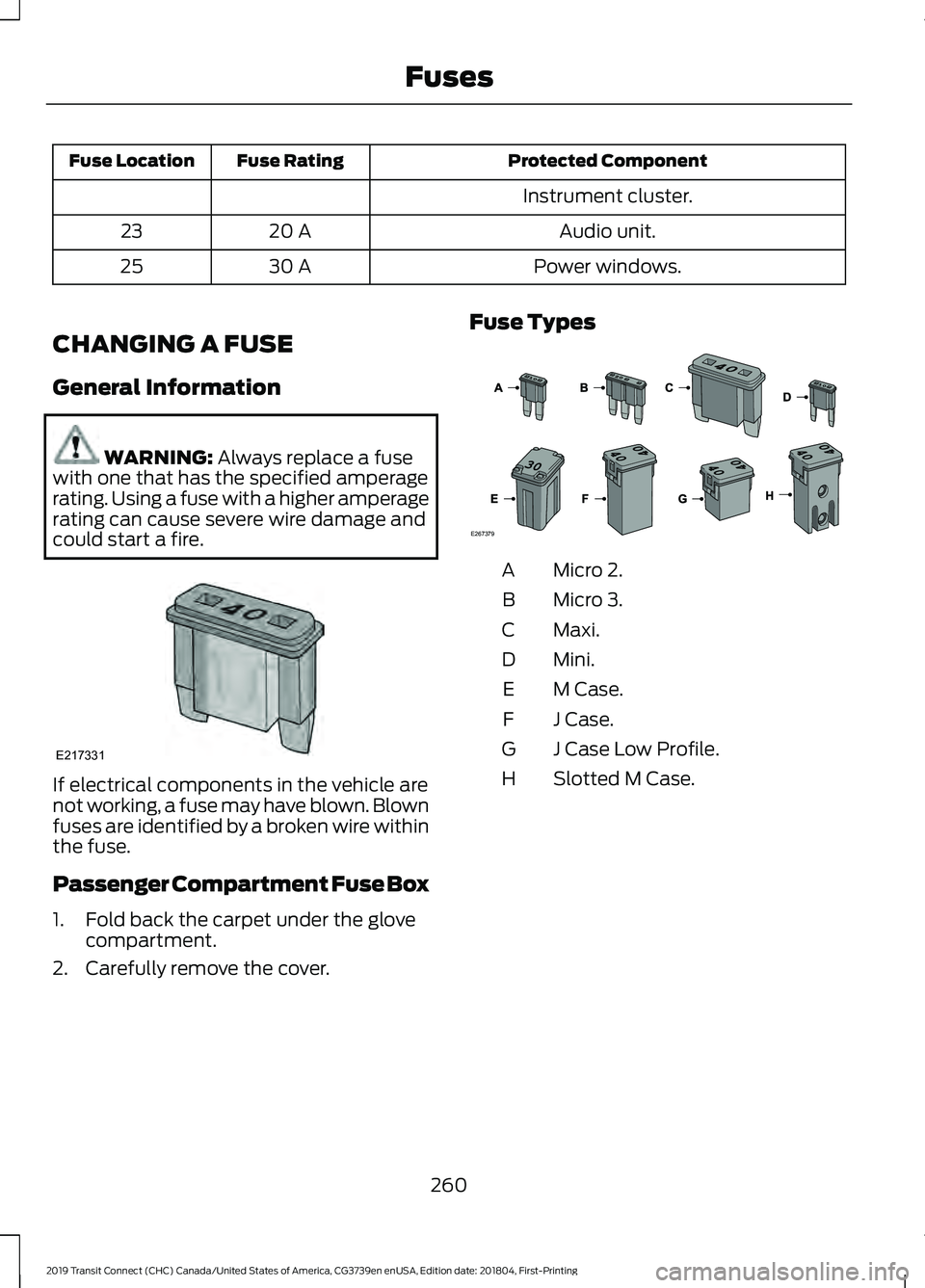
2. Carefully remove the cover. Fuse Types Micro 2.
A
Micro 3.
B
Maxi.
C
Mini.
D
M Case.
E
J Case.
F
J Case Low Profile.
G
Slotted M Case.
H
260
2019 Transit Connect (CHC) Canada/United States of America, CG3739en enUSA, Edition date: 201804, First-Printing FusesE217331 E267379
Page 294 of 493
Leather Interior (If Equipped)
Follow the same procedure as cleaning
leather seats for cleaning leather
instrument panels and leather interior trim
surfaces.
Suede Micro Fiber Fabric
(If Equipped)
Note: Do not steam clean.
Note: To avoid spots or discoloration, clean
the entire surface.
Do not use the following products:
• Leather care products.
• Household cleaners.
• Alcoholic solutions.
• Spot removers.
• Shoe polish.
To clean:
• Remove dust and loose dirt with a
vacuum cleaner.
• Wipe the surface with a soft, damp
cloth and a mild soap and water
solution. Dry the area with a clean, soft
cloth.
• If a ring forms on the fabric after spot
cleaning, clean the entire area
immediately, but do not soak or the
ring will set.
Instrument Cluster Screens, LCD
Screens and Radio Screens
Note: Do not use abrasives, alcoholic
solvents or chemical solvents to clean the
instrument cluster screens, LCD screens or
radio screens. These cleaning products can
damage the screens.
Clean the instrument panel and cluster
lens with a clean, damp and soft cloth,
then use a clean, dry and soft cloth to dry
these areas.
Do not spray any liquid directly onto the
screens. Do not use a microfiber cloth to clean the
bezel around the display screens as it could
damage the surface.
Rear Windows
Note:
Do not use any abrasive materials to
clean the interior of the rear windows.
Note: Do not install stickers or labels to the
interior of the rear windows.
Storage Compartments, Cup
Holders and Ashtrays
To clean:
• Take out any removable inserts.
• Wipe the surface with a soft, damp
cloth and a mild soap and water
solution. Dry the area with a clean, soft
cloth.
CLEANING THE INSTRUMENT
PANEL AND INSTRUMENT
CLUSTER LENS WARNING:
Do not use chemical
solvents or strong detergents when
cleaning the steering wheel or instrument
panel to avoid contamination of the airbag
system.
Note: Follow the same procedure as
cleaning leather seats for cleaning leather
instrument panels and leather interior trim
surfaces. See
Cleaning Leather Seats
(page 291).
Clean the instrument panel and cluster
lens with a clean, damp and soft cloth,
then use a clean, dry and soft cloth to dry
these areas.
290
2019 Transit Connect (CHC) Canada/United States of America, CG3739en enUSA, Edition date: 201804, First-Printing Vehicle Care
Page 295 of 493
•
Avoid cleaners or polishes that increase
the gloss of the upper portion of the
instrument panel. The dull finish in this
area helps protect you from
undesirable windshield reflection.
• Do not use any household cleaning
products or glass cleaners as these
may damage the finish of the
instrument panel, interior trim and
cluster lens.
• Wash or wipe your hands clean if you
have been in contact with certain
products such as insect repellent and
suntan lotion to avoid possible damage
to the interior painted surfaces.
• Do not allow air fresheners and hand
sanitizers to spill onto interior surfaces.
If a spill occurs, wipe off immediately.
Your warranty may not cover these
damages.
If a staining liquid like coffee or juice has
been spilled on the instrument panel or on
interior trim surfaces:
1. Wipe up spilled liquid using a clean, soft cloth as quickly as possible.
2. Use Motorcraft Premium Leather and Vinyl Cleaner or a commercially
available leather cleaning product for
automotive interiors. Test any cleaner
or stain remover on an inconspicuous
area.
3. Alternatively, wipe the surface with a clean, soft cloth and a mild soap and
water solution. Dry the area with a
clean, soft cloth.
4. If necessary, apply more soap and water solution or cleaning product to
a clean, soft cloth and press it onto the
soiled area. Allow this to set at room
temperature for 30 minutes.
5. Remove the soaked cloth, then with a clean, damp cloth, use a rubbing
motion for 60 seconds on the soiled
area. 6. Dry the area with a clean, soft cloth.
CLEANING LEATHER SEATS (If
Equipped)
Note: Follow the same procedure as
cleaning leather seats for cleaning leather
instrument panels and leather interior trim
surfaces.
For routine cleaning, wipe the surface with
a soft, damp cloth and a mild soap and
water solution. Dry the area with a clean,
soft cloth.
For cleaning and removing stains such as
dye transfer, use Motorcraft Premium
Leather and Vinyl Cleaner or a
commercially available leather cleaning
product for automotive interiors.
Note: Test any cleaner or stain remover on
an inconspicuous area.
You should:
• Remove dust and loose dirt with a
vacuum cleaner.
• Clean and treat spills and stains as
soon as possible.
Do not use the following products as these
may damage the leather:
• Oil and petroleum or silicone-based
leather conditioners.
• Household cleaners.
• Alcohol solutions.
• Solvents or cleaners intended
specifically for rubber, vinyl and
plastics.
291
2019 Transit Connect (CHC) Canada/United States of America, CG3739en enUSA, Edition date: 201804, First-Printing Vehicle Care
Page 415 of 493
General
Possible solution
Possible cause
Issue
SYNC 3 only supports four languages in a
single module for text display, voice control
and voice prompts. The country where you
bought your vehicle dictates the four
languages based on the most popular
languages spoken. If the selected language
is not available, SYNC 3 remains in the
current active language.
SYNC 3 does not support
the currently selected
language for the instru-
ment cluster and inform-
ation and entertainment
display.
The language
selected for the
instrument
cluster and
information and
entertainment
display does not
match the
SYNC 3
SYNC 3 offers several new voice control
features for a wide range of languages.
Dialing a contact name directly from the
phonebook without pre-recording (for
example,
“call John Smith ”) or selecting a
track, artist, album, genre or playlist directly
from your media player (for example, "play
artist Madonna").
language
(phone, USB,
Bluetooth
audio, voice
control and
voice prompts). SYNC 3 System Reset
The system has a System Reset feature that can be performed if the function of a SYNC
3 feature is lost. This reset is intended to restore functionality and will not erase any
information previously stored in the system (such as paired devices, phonebook, call
history, text messages, or user settings). To perform a System Reset, press and hold
the Seek Up (>>|) button while pressing and holding the Radio Power button. After
approximately 5 seconds the screen will go black. Allow 1-2 minutes for the system
reset to complete. You may then resume using the SYNC 3 system.
For additional assistance with SYNC 3
troubleshooting please call or visit the Ford
Website. Ford Support
United States: 1-800-392-3673
Customer Relation-
ship Center
Canada: 1-800-565-3673
owner.ford.com
Website
www.syncmyride.ca
www.syncmaroute.ca
411
2019 Transit Connect (CHC) Canada/United States of America, CG3739en enUSA, Edition date: 201804, First-Printing SYNC™ 3
Page 481 of 493
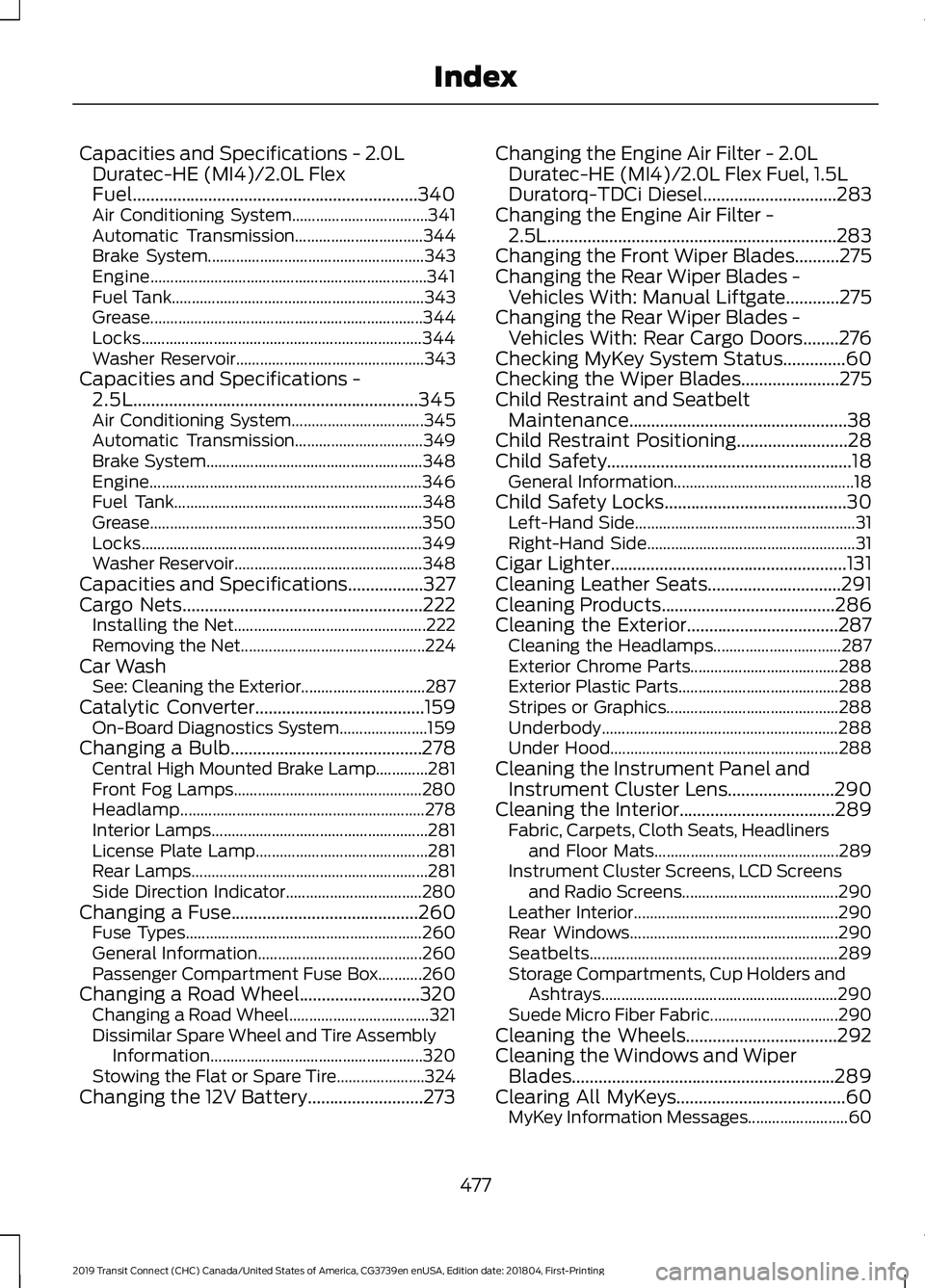
Capacities and Specifications - 2.0L
Duratec-HE (MI4)/2.0L Flex
Fuel................................................................340
Air Conditioning System.................................. 341
Automatic Transmission................................ 344
Brake System...................................................... 343
Engine..................................................................... 341
Fuel Tank............................................................... 343
Grease.................................................................... 344
Locks...................................................................... 344
Washer Reservoir............................................... 343
Capacities and Specifications - 2.5L................................................................345
Air Conditioning System................................. 345
Automatic Transmission................................ 349
Brake System...................................................... 348
Engine.................................................................... 346
Fuel Tank.............................................................. 348
Grease.................................................................... 350
Locks...................................................................... 349
Washer Reservoir............................................... 348
Capacities and Specifications.................327
Cargo Nets......................................................222
Installing the Net................................................ 222
Removing the Net.............................................. 224
Car Wash See: Cleaning the Exterior............................... 287
Catalytic Converter
......................................159
On-Board Diagnostics System...................... 159
Changing a Bulb...........................................278 Central High Mounted Brake Lamp.............281
Front Fog Lamps............................................... 280
Headlamp............................................................. 278
Interior Lamps...................................................... 281
License Plate Lamp........................................... 281
Rear Lamps........................................................... 281
Side Direction Indicator.................................. 280
Changing a Fuse..........................................260 Fuse Types........................................................... 260
General Information......................................... 260
Passenger Compartment Fuse Box...........260
Changing a Road Wheel...........................320 Changing a Road Wheel................................... 321
Dissimilar Spare Wheel and Tire Assembly Information
..................................................... 320
Stowing the Flat or Spare Tire...................... 324
Changing the 12V Battery..........................273 Changing the Engine Air Filter - 2.0L
Duratec-HE (MI4)/2.0L Flex Fuel, 1.5L
Duratorq-TDCi Diesel
..............................283
Changing the Engine Air Filter - 2.5L.................................................................283
Changing the Front Wiper Blades..........275
Changing the Rear Wiper Blades - Vehicles With: Manual Liftgate
............275
Changing the Rear Wiper Blades - Vehicles With: Rear Cargo Doors
........276
Checking MyKey System Status..............60
Checking the Wiper Blades......................275
Child Restraint and Seatbelt Maintenance.................................................38
Child Restraint Positioning.........................28
Child Safety
.......................................................18
General Information............................................. 18
Child Safety Locks.........................................30 Left-Hand Side....................................................... 31
Right-Hand Side.................................................... 31
Cigar Lighter
.....................................................131
Cleaning Leather Seats..............................291
Cleaning Products.......................................286
Cleaning the Exterior..................................287 Cleaning the Headlamps................................ 287
Exterior Chrome Parts..................................... 288
Exterior Plastic Parts........................................ 288
Stripes or Graphics........................................... 288
Underbody........................................................... 288
Under Hood......................................................... 288
Cleaning the Instrument Panel and Instrument Cluster Lens
........................290
Cleaning the Interior...................................289 Fabric, Carpets, Cloth Seats, Headliners
and Floor Mats.............................................. 289
Instrument Cluster Screens, LCD Screens and Radio Screens....................................... 290
Leather Interior................................................... 290
Rear Windows.................................................... 290
Seatbelts.............................................................. 289
Storage Compartments, Cup Holders and Ashtrays........................................................... 290
Suede Micro Fiber Fabric................................ 290
Cleaning the Wheels..................................292
Cleaning the Windows and Wiper Blades...........................................................289
Clearing All MyKeys......................................60 MyKey Information Messages......................... 60
477
2019 Transit Connect (CHC) Canada/United States of America, CG3739en enUSA, Edition date: 201804, First-Printing Index
Page 485 of 493
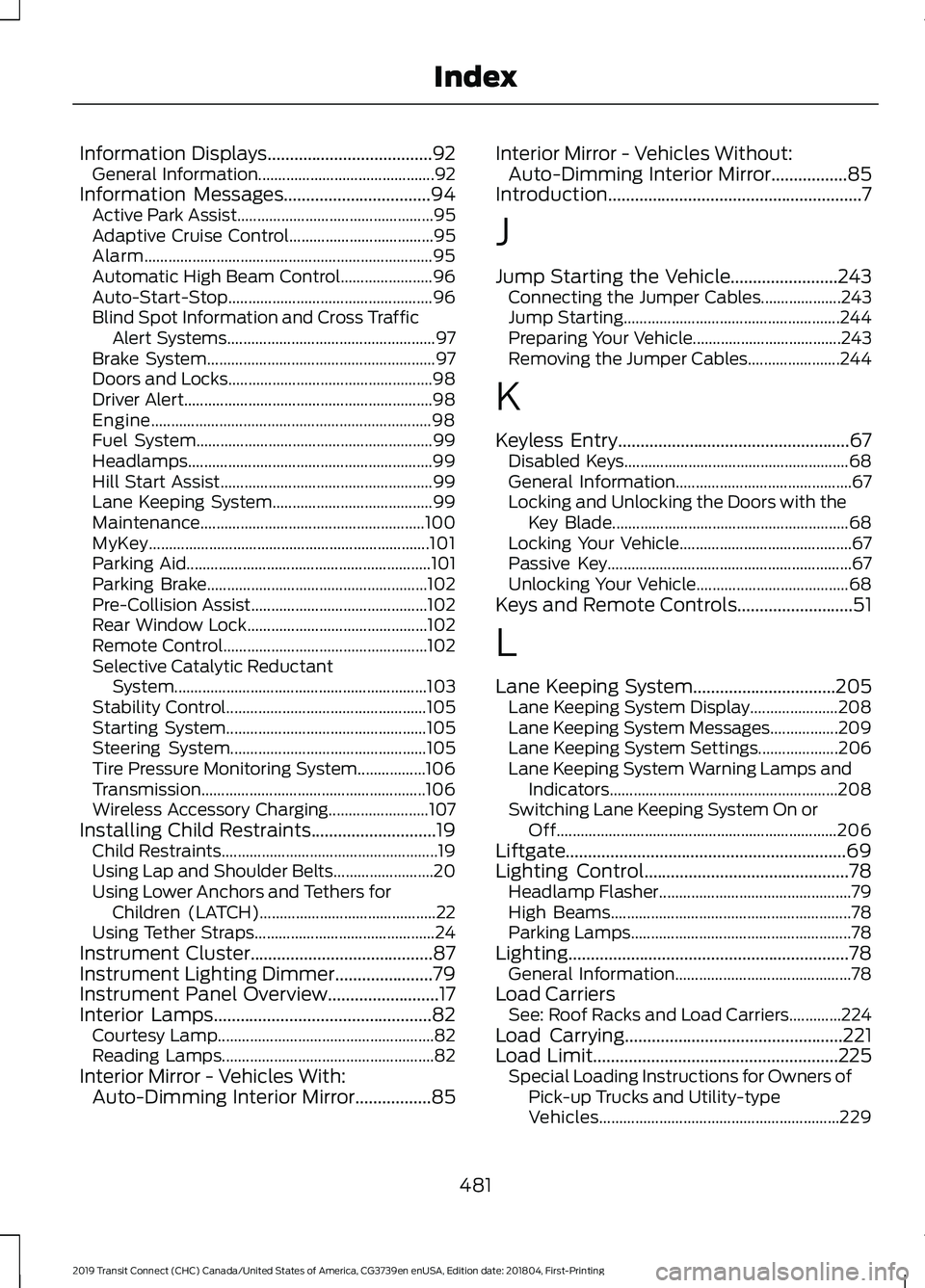
Information Displays.....................................92
General Information............................................ 92
Information Messages.................................94
Active Park Assist................................................. 95
Adaptive Cruise Control.................................... 95
Alarm........................................................................\
95
Automatic High Beam Control....................... 96
Auto-Start-Stop................................................... 96
Blind Spot Information and Cross Traffic Alert Systems.................................................... 97
Brake System......................................................... 97
Doors and Locks................................................... 98
Driver Alert.............................................................. 98
Engine...................................................................... 98
Fuel System........................................................... 99
Headlamps............................................................. 99
Hill Start Assist..................................................... 99
Lane Keeping System........................................ 99
Maintenance........................................................ 100
MyKey...................................................................... 101
Parking Aid............................................................. 101
Parking Brake....................................................... 102
Pre-Collision Assist............................................ 102
Rear Window Lock............................................. 102
Remote Control................................................... 102
Selective Catalytic Reductant System............................................................... 103
Stability Control.................................................. 105
Starting System.................................................. 105
Steering System................................................. 105
Tire Pressure Monitoring System.................106
Transmission ........................................................ 106
Wireless Accessory Charging......................... 107
Installing Child Restraints............................19 Child Restraints...................................................... 19
Using Lap and Shoulder Belts......................... 20
Using Lower Anchors and Tethers for Children (LATCH)............................................ 22
Using Tether Straps............................................. 24
Instrument Cluster.........................................87
Instrument Lighting Dimmer......................79
Instrument Panel Overview.........................17
Interior Lamps.................................................82 Courtesy Lamp...................................................... 82
Reading Lamps..................................................... 82
Interior Mirror - Vehicles With: Auto-Dimming Interior Mirror
.................85 Interior Mirror - Vehicles Without:
Auto-Dimming Interior Mirror
.................85
Introduction.........................................................7
J
Jump Starting the Vehicle........................243 Connecting the Jumper Cables.................... 243
Jump Starting...................................................... 244
Preparing Your Vehicle..................................... 243
Removing the Jumper Cables....................... 244
K
Keyless Entry
....................................................67
Disabled Keys........................................................ 68
General Information............................................ 67
Locking and Unlocking the Doors with the Key Blade........................................................... 68
Locking Your Vehicle........................................... 67
Passive Key............................................................. 67
Unlocking Your Vehicle...................................... 68
Keys and Remote Controls..........................51
L
Lane Keeping System
................................205
Lane Keeping System Display...................... 208
Lane Keeping System Messages.................209
Lane Keeping System Settings.................... 206
Lane Keeping System Warning Lamps and Indicators......................................................... 208
Switching Lane Keeping System On or Off...................................................................... 206
Liftgate...............................................................69
Lighting Control
..............................................78
Headlamp Flasher................................................ 79
High Beams............................................................ 78
Parking Lamps....................................................... 78
Lighting...............................................................78 General Information............................................ 78
Load Carriers See: Roof Racks and Load Carriers.............224
Load Carrying
.................................................221
Load Limit.......................................................225
Special Loading Instructions for Owners of
Pick-up Trucks and Utility-type
Vehicles............................................................ 229
481
2019 Transit Connect (CHC) Canada/United States of America, CG3739en enUSA, Edition date: 201804, First-Printing Index