lights FORD TRANSIT CONNECT 2019 User Guide
[x] Cancel search | Manufacturer: FORD, Model Year: 2019, Model line: TRANSIT CONNECT, Model: FORD TRANSIT CONNECT 2019Pages: 493, PDF Size: 7.43 MB
Page 216 of 493
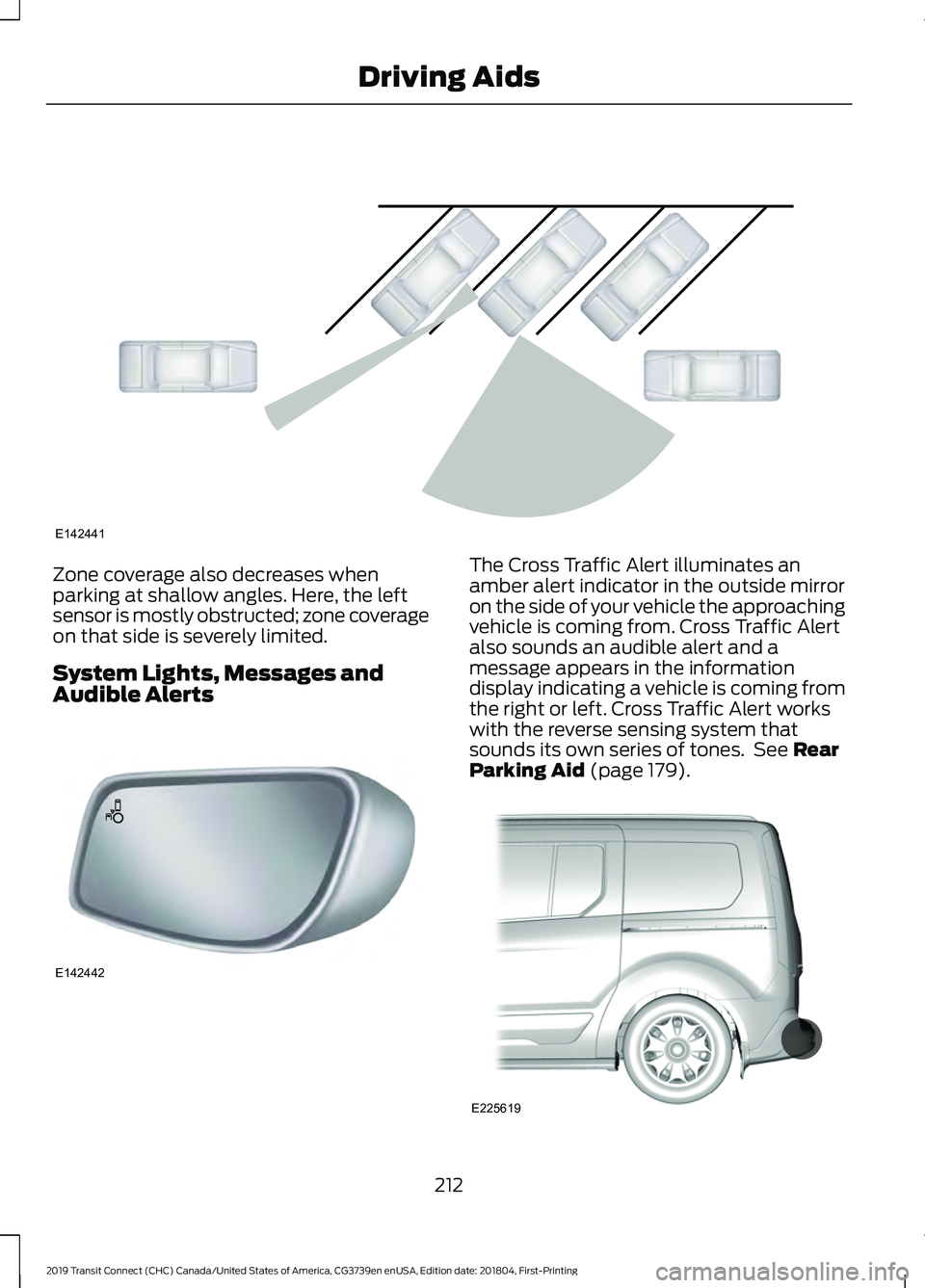
Zone coverage also decreases when
parking at shallow angles. Here, the left
sensor is mostly obstructed; zone coverage
on that side is severely limited.
System Lights, Messages and
Audible Alerts The Cross Traffic Alert illuminates an
amber alert indicator in the outside mirror
on the side of your vehicle the approaching
vehicle is coming from. Cross Traffic Alert
also sounds an audible alert and a
message appears in the information
display indicating a vehicle is coming from
the right or left. Cross Traffic Alert works
with the reverse sensing system that
sounds its own series of tones. See Rear
Parking Aid (page 179). 212
2019 Transit Connect (CHC) Canada/United States of America, CG3739en enUSA, Edition date: 201804, First-Printing Driving AidsE142441 E142442 E225619
Page 220 of 493
WARNING: The system may fail or
operate with reduced function during cold
and severe weather conditions. Snow, ice,
rain, spray and fog can adversely affect the
system. Keep the front camera and radar
free of snow and ice. Failure to take care
may result in the loss of control of your
vehicle, serious personal injury or death. WARNING:
The system may not
operate properly if your vehicle has a
non-Ford windshield. Do not carry out
windshield repairs in the area around the
sensor. WARNING:
In situations where the
vehicle camera has limited detection
capability, this may reduce system
performance. These situations include but
are not limited to direct or low sunlight,
vehicles at night without tail lights,
unconventional vehicle types, pedestrians
with complex backgrounds, running
pedestrians, partly obscured pedestrians,
or pedestrians that the system cannot
distinguish from a group. Failure to take
care may result in the loss of control of
your vehicle, serious personal injury or
death. WARNING:
The Pre-Collision Assist
system with brake support cannot help
prevent all collisions. Do not rely on this
system to replace your judgment and the
need to maintain correct distance and
speed.
The pre-collision assist system is active
when your vehicle reaches a speed greater
than approximately
3 mph (5 km/h).
Pedestrian detection is active at speeds
up to
50 mph (80 km/h).
Note: The system is not designed to detect
animals.
Note: The system is not designed to detect
vehicles or cyclists that are traveling in a
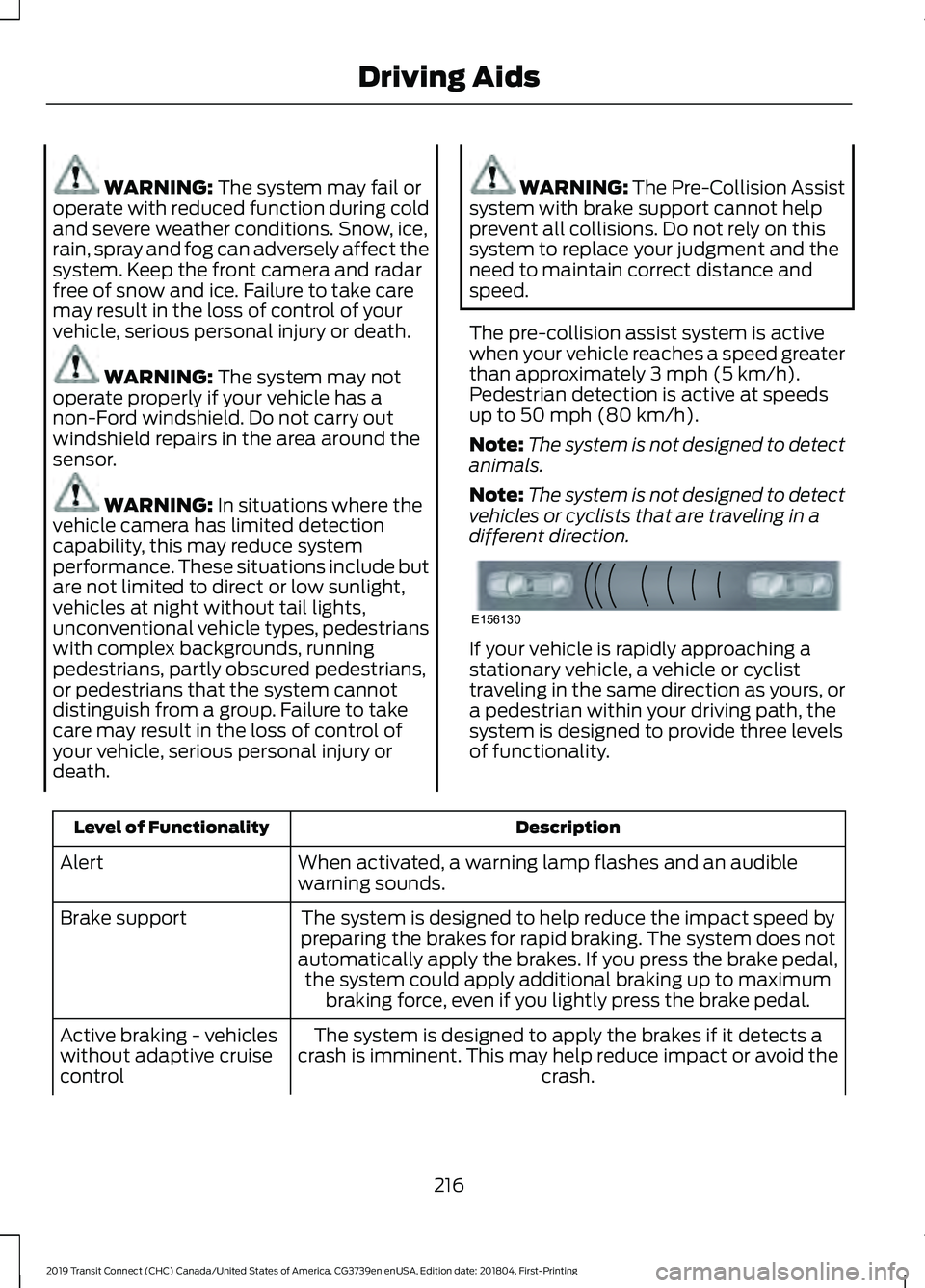
different direction. If your vehicle is rapidly approaching a
stationary vehicle, a vehicle or cyclist
traveling in the same direction as yours, or
a pedestrian within your driving path, the
system is designed to provide three levels
of functionality.
Description
Level of Functionality
When activated, a warning lamp flashes and an audible
warning sounds.
Alert
The system is designed to help reduce the impact speed by
preparing the brakes for rapid braking. The system does not
automatically apply the brakes. If you press the brake pedal, the system could apply additional braking up to maximum braking force, even if you lightly press the brake pedal.
Brake support
The system is designed to apply the brakes if it detects a
crash is imminent. This may help reduce impact or avoid the crash.
Active braking - vehicles
without adaptive cruise
control
216
2019 Transit Connect (CHC) Canada/United States of America, CG3739en enUSA, Edition date: 201804, First-Printing Driving AidsE156130
Page 238 of 493
Another chapter of this manual contains
load specification terms found on the tire
label and Safety Compliance label and
instructions on calculating your vehicle's
load. See Load Limit (page 225).
Remember to account for the trailer
tongue weight as part of your vehicle load
when calculating the total vehicle weight.
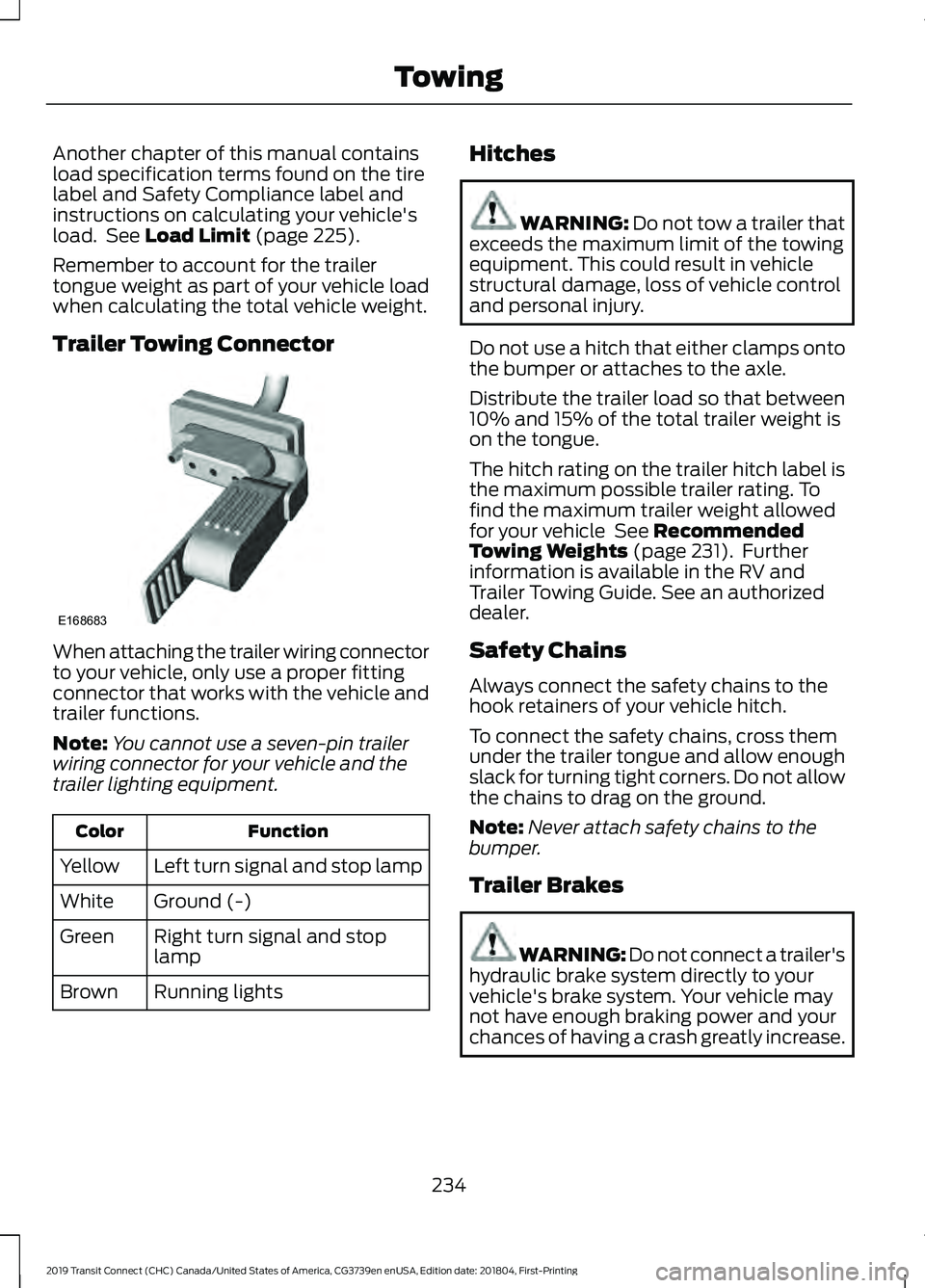
Trailer Towing Connector When attaching the trailer wiring connector
to your vehicle, only use a proper fitting
connector that works with the vehicle and
trailer functions.
Note:
You cannot use a seven-pin trailer
wiring connector for your vehicle and the
trailer lighting equipment. Function
Color
Left turn signal and stop lamp
Yellow
Ground (-)
White
Right turn signal and stop
lamp
Green
Running lights
Brown Hitches WARNING: Do not tow a trailer that
exceeds the maximum limit of the towing
equipment. This could result in vehicle
structural damage, loss of vehicle control
and personal injury.
Do not use a hitch that either clamps onto
the bumper or attaches to the axle.
Distribute the trailer load so that between
10% and 15% of the total trailer weight is
on the tongue.
The hitch rating on the trailer hitch label is
the maximum possible trailer rating. To
find the maximum trailer weight allowed
for your vehicle
See Recommended
Towing Weights (page 231). Further
information is available in the RV and
Trailer Towing Guide. See an authorized
dealer.
Safety Chains
Always connect the safety chains to the
hook retainers of your vehicle hitch.
To connect the safety chains, cross them
under the trailer tongue and allow enough
slack for turning tight corners. Do not allow
the chains to drag on the ground.
Note: Never attach safety chains to the
bumper.
Trailer Brakes WARNING: Do not connect a trailer's
hydraulic brake system directly to your
vehicle's brake system. Your vehicle may
not have enough braking power and your
chances of having a crash greatly increase.
234
2019 Transit Connect (CHC) Canada/United States of America, CG3739en enUSA, Edition date: 201804, First-Printing TowingE168683
Page 239 of 493
Electric brakes and manual, automatic or
surge-type trailer brakes are safe if you
install them correctly and adjust them to
the manufacturer's specifications. The
trailer brakes must meet local and federal
regulations.
The rating for the tow vehicle's braking
system operation is at the gross vehicle
weight rating, not the gross combined
weight rating.
Separate functioning brake systems are
required for safe control of towed vehicles
and trailers weighing more than 1500
pounds (680 kilograms) when loaded.
Trailer Lamps
WARNING: Never connect any trailer
lamp wiring to the vehicle's tail lamp
wiring; this may damage the electrical
system resulting in fire. Contact an
authorized dealer as soon as possible for
assistance in correct trailer tow wiring
installation. Additional electrical
equipment may be required.
Trailer lamps are required on most towed
vehicles. Make sure all running lights, brake
lights, turn signals and hazard warning
flashers are working.
Before Towing a Trailer
Practice turning, stopping and backing up
to get the feel of your vehicle-trailer
combination before starting on a trip.
When turning, make wider turns so the
trailer wheels clear curbs and other
obstacles.
When Towing a Trailer
• Do not drive faster than 70 mph (113
km/h) during the first 500 miles (800
kilometers).
• Do not make full-throttle starts. •
Check the trailer hitch, electrical
connections and trailer wheel lug nuts
thoroughly after you have traveled 50
miles (80 kilometers).
• When stopped in congested or heavy
traffic during hot weather, place the
transmission selector lever in position
P to aid engine and transmission
cooling and to help A/C performance.
• Turn off the speed control with heavy
loads or in hilly terrain. The speed
control may turn off automatically
when you are towing on long, steep
grades.
• When driving down a long or steep hill,
if your vehicle is fitted with a
SelectShift Automatic® Transmission,
use a low gear, See
Automatic
Transmission (page 169). Do not
apply the brakes continuously, as they
may overheat and become less
effective.
• If the transmission is fitted with Grade
Assist or a Towing feature, use this
feature when towing. This provides
engine braking and helps eliminate
excessive transmission shifting for
optimum fuel economy and
transmission cooling.
• If your vehicle has AdvanceTrac with
RSC and a heavily loaded trailer is on
tow, the system may turn on while
taking corners. This is normal. Taking
corners at slower speeds can reduce
this tendency.
235
2019 Transit Connect (CHC) Canada/United States of America, CG3739en enUSA, Edition date: 201804, First-Printing Towing
Page 243 of 493
•
Do not warm up your vehicle on cold
mornings.
• Reduce the use of air conditioning and
heat.
• Avoid using speed control in hilly
terrain.
• Do not rest your foot on the brake
pedal while driving.
• Avoid carrying unnecessary weight.
• Avoid adding particular accessories to
your vehicle (e.g. bug deflectors,
rollbars/light bars, running boards, ski
racks).
• Avoid driving with the wheels out of
alignment.
COLD WEATHER
PRECAUTIONS
The functional operation of some
components and systems can be affected
at temperatures below -13°F (-25°C).
DRIVING THROUGH WATER WARNING:
Do not drive through
flowing or deep water as you may lose
control of your vehicle.
Note: Driving through standing water can
cause vehicle damage.
Note: Engine damage can occur if water
enters the air filter.
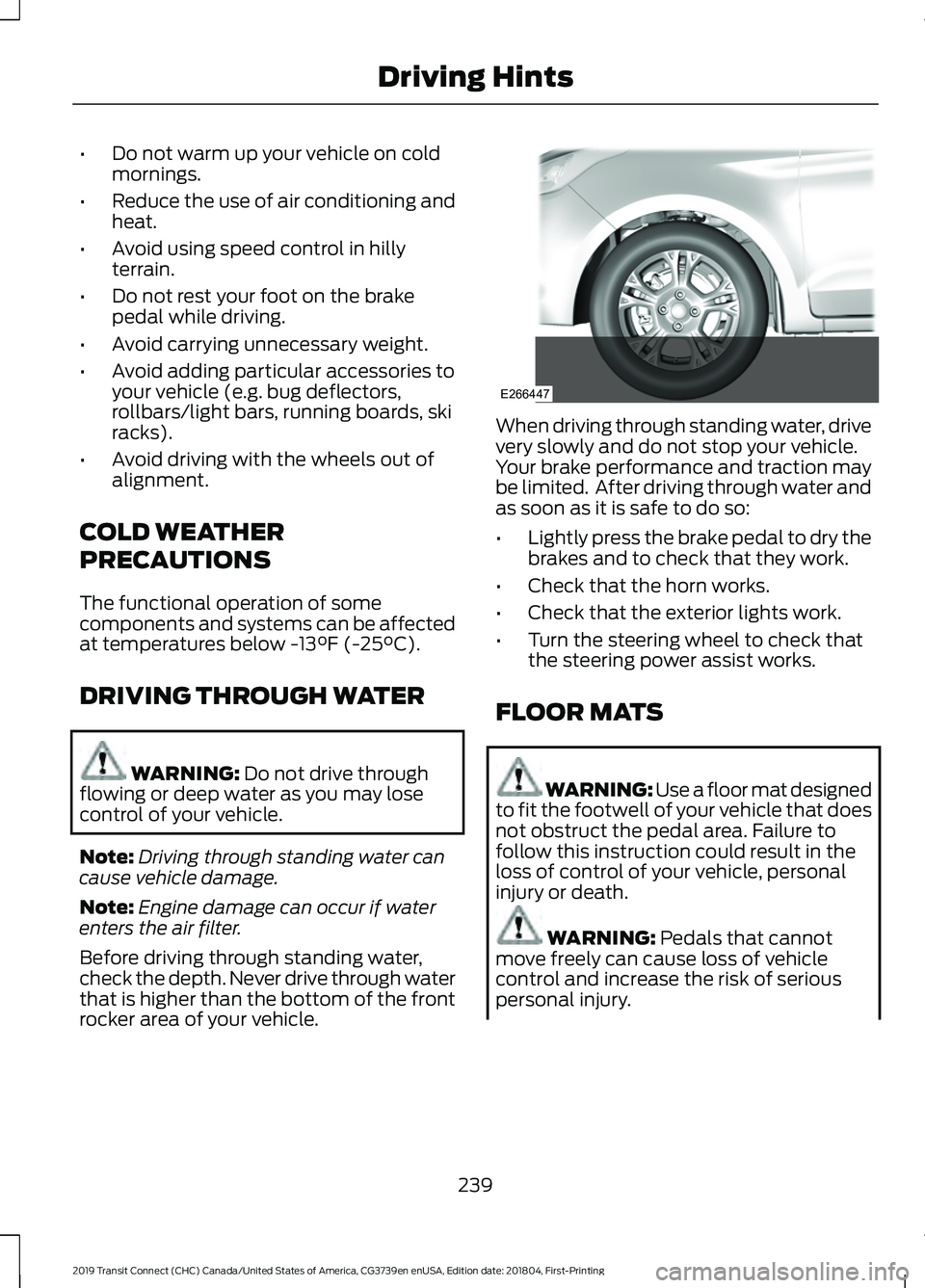
Before driving through standing water,
check the depth. Never drive through water
that is higher than the bottom of the front
rocker area of your vehicle. When driving through standing water, drive
very slowly and do not stop your vehicle.
Your brake performance and traction may
be limited. After driving through water and
as soon as it is safe to do so:
•
Lightly press the brake pedal to dry the
brakes and to check that they work.
• Check that the horn works.
• Check that the exterior lights work.
• Turn the steering wheel to check that
the steering power assist works.
FLOOR MATS WARNING: Use a floor mat designed
to fit the footwell of your vehicle that does
not obstruct the pedal area. Failure to
follow this instruction could result in the
loss of control of your vehicle, personal
injury or death. WARNING:
Pedals that cannot
move freely can cause loss of vehicle
control and increase the risk of serious
personal injury.
239
2019 Transit Connect (CHC) Canada/United States of America, CG3739en enUSA, Edition date: 201804, First-Printing Driving HintsE266447
Page 402 of 493
Note:
: Data, e.g. the Vehicle Identification
Number (VIN), SIM Card ID, and data plan
usage, is shared between Ford and the
vehicle network carrier to provide the
Vehicle Hotspot service in accordance with
your vehicle network carrier agreement,
coverage and availability, and may be used
to enable a seamless transition from an old
to new embedded modem and to confirm
any updates are successfully delivered.
Note: : For your convenience data usage
may be available for monitoring under
Settings but may not reflect actual or
current usage. The vehicle network carrier
is responsible for providing information
about your account. Please contact the
vehicle network carrier for more information.
Note: : Ford may need to update operating
system software on your vehicle, including
security updates and bug fixes, to keep
connected services current, like Vehicle
Hotspot, without prior notice to you.
Note: If you do not have an active vehicle
hotspot data plan, open your web browser
and go to a website using the HTTP protocol
to be automatically redirected to the vehicle
network carrier landing page where you can
purchase data. Websites using HTTPS will
not automatically redirect. Ambient Lighting (If Equipped)
Tap a color once to active ambient lighting.
This sets the color to the highest intensity.
You can drag the colors up and down to
increase or decrease the intensity.
To switch ambient lighting off, press the
active color once or drag the active color
all the way down to zero intensity.
Vehicle
Note: Your vehicle may not have all of
these features.
You can select the following features to
update their settings.
Door Keypad Code (If equipped)
Select this button to add or erase a
personal door keypad code. To add or
erase a personal code, you first need to
enter the five-digit factory set code. You
can find this code on the owner's wallet
card in the glove box or from your
authorized dealer.
Camera Settings
To make adjustments using the touchscreen, select: Action and Description
Message
Camera Settings
Then select from the following: When the reverse sensing system detects an object, it displays red,
yellow and green highlights at the top of the image.
Enhanced Park
Aids
You can enable or disable this option using the slider.
Rear Camera
Delay
You can find more information on the rear-view camera system in the parking aids chapter
of your owner manual.
398
2019 Transit Connect (CHC) Canada/United States of America, CG3739en enUSA, Edition date: 201804, First-Printing SYNC™ 3
Page 422 of 493
Check Every Month
Engine oil level.
Function of all interior and exterior lights.
Tires (including spare) for wear and proper pressure. Windshield washer fluid level.
Fuel and water separator. Drain if necessary (or if indicated by the information display). Holes and slots in the tail pipe to make sure they are functional and clear of debris. Check Every Six Months
Battery connections. Clean if necessary.
Body and door drain holes for obstructions. Clean if necessary. Cooling system fluid level and coolant strength.
Door weatherstrips for wear. Lubricate if necessary.
Hinges, latches and outside locks for proper operation. Lubricate if necessary. Parking brake for proper operation.
Safety belts and seat latches for wear and function.
Safety warning lamps (brake, ABS, airbag and safety belt) for operation.
Washer spray and wiper operation. Clean or replace blades as necessary.
Multi-Point Inspection
In order to keep your vehicle running right,
it is important to have the systems on your
vehicle checked regularly. This can help
identify potential issues and prevent major
problems. We recommend having the
following multi-point inspection performed
at every scheduled maintenance interval
to help make sure your vehicle keeps
running great.
418
2019 Transit Connect (CHC) Canada/United States of America, CG3739en enUSA, Edition date: 201804, First-Printing Scheduled Maintenance
Page 482 of 493
Climate Control............................................108
Clock...................................................................94
Type 1........................................................................\
94
Type 2....................................................................... 94
Cold Weather Precautions.......................239
Connecting a Bluetooth Device - Vehicles Without: SYNC 3.....................358
Pairing a Device.................................................. 358
Coolant Check See: Engine Coolant Check........................... 268
Cornering Lamps
.............................................81
Crash Sensors and Airbag Indicator........47
Creating a MyKey - Vehicles With: Push Button Start
...................................................57
MyKey Information Messages......................... 58
Creating a MyKey - Vehicles Without: Push Button Start........................................57
MyKey Information Messages.......................... 57
Cross Traffic Alert..........................................211 False Alerts............................................................ 213
Switching the System Off and On................213
System Errors....................................................... 213
System Lights, Messages and Audible Alerts................................................................... 212
System Limitations............................................ 213
Using the System................................................. 211
Cruise Control................................................195 Principle of Operation....................................... 195
Cruise control See: Using Cruise Control................................ 195
Cup Holders....................................................133
Customer Assistance
..................................247
D
Data Recording
..................................................9
Comfort, Convenience and Entertainment
Data........................................................................\
11
Event Data................................................................. 11
Service Data............................................................ 10
Services That Third Parties Provide...............12
Services That We Provide.................................. 12
Vehicles With a Modem...................................... 12
Vehicles With SYNC............................................. 12
Declaration of Conformity - Vehicles With: SYNC 3..............................................462
Radio Frequency Statement......................... 462Declaration of Conformity - Vehicles
With: Wireless Accessory
Charging.......................................................462
Declaration of Conformity - Vehicles Without: SYNC 3
........................................461
Radio Frequency Statement.......................... 461
Diesel Particulate Filter..............................163 Diesel Particulate Filter Automatic
Regeneration................................................... 164
Diesel Particulate Filter Manual Regeneration................................................... 165
On-Board Diagnostics System...................... 163
Direction Indicators
.......................................82
Doors and Locks.............................................63
Drive Belt Routing - 1.5L Duratorq-TDCi Diesel............................................................284
Drive Belt Routing - 2.0L Duratec-HE (MI4)/2.0L Flex Fuel
...............................284
Drive Belt Routing - 2.5L...........................285
Driver Alert.....................................................203 Driver Alert System Display........................... 204
Driver Alert System Messages...................... 205
Driver Alert System Warnings....................... 203
Switching Driver Alert On or Off.................. 204
Driver and Passenger Airbags....................41 Children and Airbags........................................... 42
Proper Driver and Front Passenger Seating Adjustment......................................................... 41
Driver Knee Airbag
.........................................46
Driving Aids....................................................202
Driving Hints..................................................238
Driving Through Water
...............................239
E
Eco Mode
.........................................................213
Eco Mode System Display............................... 214
Principle of Operation....................................... 213
Economical Driving.....................................238
Electromagnetic Compatibility
..............434
Emission Law.................................................158 Noise Emissions Warranty, Prohibited
Tampering Acts and Maintenance..........159
Tampering With a Noise Control System............................................................... 158
End User License Agreement.................436 VEHICLE SOFTWARE END USER LICENSE
AGREEMENT (EULA) ................................. 436
478
2019 Transit Connect (CHC) Canada/United States of America, CG3739en enUSA, Edition date: 201804, First-Printing Index
Page 491 of 493
Rear Towing Point.............................................
246
Towing Eye Location........................................ 246
Towing the Vehicle on Four Wheels..........................................................237
Emergency Towing............................................ 237
Recreational Vehicle Towing.......................... 237
Towing.............................................................230
Traction Control.............................................176
Principle of Operation....................................... 176
Trailer Sway Control.....................................231
Transmission Code Designation - 6-Speed Automatic
Transmission..............................................334
Transmission Code Designation - 8-Speed Automatic
Transmission..............................................335
Transmission
..................................................169
Transporting the Vehicle...........................236
Trip Computer
.................................................94
Average Fuel.......................................................... 94
Digital Speedometer.......................................... 94
Distance to Empty............................................... 94
Resetting the Trip Computer........................... 94
Trip Odometer....................................................... 94
Type Approvals
............................................464
Radio Frequency Certification Logos for
Blind Spot Information System................471
Radio Frequency Certification Logos for Mid Range Radar.................................................. 466
Radio Frequency Certification Logos for Passive Anti-Theft System....................... 467
Radio Frequency Certification Logos for Radio Transceiver Module......................... 470
Radio Frequency Certification Logos for SYNC 3.............................................................. 473
Radio Frequency Certification Logos for Tire Pressure Monitoring Sensor(s)...............464
Radio Frequency Certification Logos for Wireless Charging......................................... 472
U
Under Hood Overview - 1.5L Duratorq-TDCi Diesel
..............................262
Under Hood Overview - 2.0L Duratec-HE (MI4)/2.0L Flex Fuel...............................263
Under Hood Overview - 2.5L...................264
Unique Driving Characteristics................146 USB Port - Vehicles Without: SYNC
3.......................................................................362
Using Adaptive Cruise Control................196 Automatic Cancellation................................... 199
Blocked Sensor.................................................. 200
Canceling the Set Speed................................. 199
Changing the Set Speed................................. 198
Detection Issues................................................. 199
Following a Vehicle............................................ 197
Hilly Condition Usage....................................... 199
Overriding the System...................................... 198
Resuming the Set Speed................................. 199
Setting the Adaptive Cruise Speed..............197
Setting the Gap Distance................................ 198
Switching Adaptive Cruise Control Off....................................................................... 199
Switching Adaptive Cruise Control On........................................................................\
196
Switching to Normal Cruise Control............201
System Not Available...................................... 200
Using Cruise Control....................................195 Switching Cruise Control Off......................... 195
Switching Cruise Control On.......................... 195
Using MyKey With Remote Start Systems...........................................................61
Using Snow Chains......................................315 Vehicles with Stability Control...................... 316
Using Stability Control................................178
Using Traction Control................................176 Switching the System Off................................ 176
System Indicator Lights and Messages.......................................................... 176
Using a Switch..................................................... 176
Using the Information Display Controls............................................................. 176
Using Voice Recognition...........................362 Apps........................................................................\
376
Automatic Blower Motor Speed Reduction......................................................... 377
Entertainment..................................................... 373
General................................................................... 372
Navigation............................................................. 375
Phone..................................................................... 374
Phone Voice Service......................................... 362
Voice Settings...................................................... 377
Using Winter Tires........................................315
Utilizing the Mediation/Arbitration Program (Canada Only)........................250
487
2019 Transit Connect (CHC) Canada/United States of America, CG3739en enUSA, Edition date: 201804, First-Printing Index