radio FORD WINDSTAR 1998 1.G Owner's Guide
[x] Cancel search | Manufacturer: FORD, Model Year: 1998, Model line: WINDSTAR, Model: FORD WINDSTAR 1998 1.GPages: 370, PDF Size: 2.97 MB
Page 68 of 370
![FORD WINDSTAR 1998 1.G Owners Guide Electronic Sound Systems
67
*
[AS28800(ALL)05/96]
How to set the clock
*
[AS28900(ALL)05/96]1.
Turn the radio on.
*
[AS29025(ALL)04/96]2.
Press and hold in the ªCLOCKº button. Press the ªSEEKº
but](/img/11/5414/w960_5414-67.png "FORD WINDSTAR 1998 1.G Owners Guide Electronic Sound Systems
67
*
[AS28800(ALL)05/96]
How to set the clock
*
[AS28900(ALL)05/96]1.
Turn the radio on.
*
[AS29025(ALL)04/96]2.
Press and hold in the ªCLOCKº button. Press the ªSEEKº
but")
Electronic Sound Systems
67
*
[AS28800(ALL)05/96]
How to set the clock
*
[AS28900(ALL)05/96]1.
Turn the radio on.
*
[AS29025(ALL)04/96]2.
Press and hold in the ªCLOCKº button. Press the ªSEEKº
button left (
b) to advance the hours and right (
a)to
advance the minutes.
*
[AS29200(ALL)05/96]
NOTE: The clock displays 12-hour time with no AM/PM
indications.
*
[AS35200(ALL)04/96]
Common Radio Reception Conditions
*
[AS35300(ALL)05/96]
Several conditions prevent FM reception from being completely
clear and noise-free, such as the following:
*
[AS35400(ALL)05/96]1.
Distance/Strength
*
[AS35500(ALL)05/96]
The strength of the FM signal is directly related to the distance
the signal must travel. The listenable range of an average FM
signal is approximately 25 miles (40 kilometers). Beyond this
distance, the radio is operating in a fringe area and the signal
becomes weaker.
*
[AS35600(ALL)05/96]2.
Terrain
*
[AS35700(ALL)05/96]
The terrain (hilly, mountainous, tall buildings) of the area over
which the signal travels may prevent the FM signal from being
noise-free.
*
[AS35900(ALL)05/96]
If there is a building or large structure between the antenna and
station, some of the signal ªbendsº around the building, but
certain spots receive almost no signal. Moving out of the
ªshadowº of the structure will allow the station to return to
normal.
*
[AS36000(ALL)05/96]
When the radio waves are reflected off objects or structures, the
reflected signal cancels the normal signal, causing the antenna to
pick up noise and distortion. Cancellation effects are most
prominent in metropolitan areas, but also can become quite
severe in hilly terrain and depressed roadways.
File:04wnass.ex
Update:Fri Sep 27 13:16:38 1996
Page 70 of 370
![FORD WINDSTAR 1998 1.G Owners Guide Electronic Sound Systems
69
%*
[AS36600(ALL)05/96]
All About Radio Frequencies
*
[AS36700(ALL)05/96]
The Federal Communications Commission (FCC) and the
Canadian Radio Telecommunications Commission (C](/img/11/5414/w960_5414-69.png "FORD WINDSTAR 1998 1.G Owners Guide Electronic Sound Systems
69
%*
[AS36600(ALL)05/96]
All About Radio Frequencies
*
[AS36700(ALL)05/96]
The Federal Communications Commission (FCC) and the
Canadian Radio Telecommunications Commission (C")
Electronic Sound Systems
69
%*
[AS36600(ALL)05/96]
All About Radio Frequencies
*
[AS36700(ALL)05/96]
The Federal Communications Commission (FCC) and the
Canadian Radio Telecommunications Commission (CRTC)
establish the frequencies that AM and FM radio stations may
use for their broadcasts. The allowable frequencies are, AM: 530,
540...1600, 1610 kHz in 10 kHz steps; FM: 87.9, 88.1...107.7, 107.9
MHz in 0.2 MHz steps.
*
[AS36800(ALL)05/96]
Not all frequencies will be assigned to a given area. This radio
will tune to each of these frequencies using manual tune and no
fine tuning is necessary as radio stations may not use other
frequencies.
*
[AS36900(ALL)05/96]
Some FM radio stations advertise a ªrounded-offº frequency
which is not the frequency they actually broadcast on. For
example, a radio station that is assigned a frequency of 98.7
MHz may call itself ªRadio 99º even though 99.0 MHz is not an
allowable FM broadcast frequency.
%*
[AS37000(ALL)05/96]
Important Warranty and Service Information
*
[AS37050(ALL)07/90]
n
Warranty
[AS37100(ALL)10/94]
Your sound system is warranted for three years/36,000 miles
(60,000 km). Consult your vehicle warranty booklet for further
information.
*
[AS37150(ALL)07/90]
n
Service
*
[AS37200(ALL)05/96]
At Ford, we stand behind our audio systems with a
comprehensive service and repair program. If anything should
go wrong with your Ford audio system, return to your dealer
for service. There is a nationwide network of qualified Ford
authorized repair centers to assist you.
File:04wnass.ex
Update:Fri Sep 27 13:16:38 1996
Page 71 of 370
![FORD WINDSTAR 1998 1.G Owners Guide 71
Controls and Features
*
[CF00200(ALL)01/96]
The instrument panel (dashboard) on your vehicle is divided
into several different sections. Illustrations are provided for the
major parts of the instru](/img/11/5414/w960_5414-70.png "FORD WINDSTAR 1998 1.G Owners Guide 71
Controls and Features
*
[CF00200(ALL)01/96]
The instrument panel (dashboard) on your vehicle is divided
into several different sections. Illustrations are provided for the
major parts of the instru")
71
Controls and Features
*
[CF00200(ALL)01/96]
The instrument panel (dashboard) on your vehicle is divided
into several different sections. Illustrations are provided for the
major parts of the instrument panel that are explained in this
chapter. Some items shown may not be on all vehicles.
[CF00300(ALL)01/96]
The controls for the climate control systems, headlamps, dim
switch, rear window defogger, fog lamps, power rear quarter
windows, Traction Control, clock/radio and the rear window
washer and wiper are all on the instrument panel.
[CF00310(ALL)04/96]
Your vehicle is designed with innovative and state-of-the-art
features. Understanding how these features work can make
driving your vehicle more comfortable.
% [CF00400(ALL)09/96]
NOTE: Any cleaner or polish that increases the gloss (shine)
of the upper part of the instrument panel should be
avoided. The dull finish in this area is to help protect
the driver from undesirable windshield reflection.
%*
[CF00500(ALL)01/96]
Climate Control Systems
[CF00600(ALL)09/96]
Your vehicle is equipped with a control assembly designed to
handle either a combination A/C-Heater System or a
Heater-Only System. Main Heater Systems are standard
equipment. Main A/C-Heater Systems, and Main and Rear
A/C-Heater Systems are optional.
[CF00700(ALL)01/96]
If your vehicle has a rear system, the front control will be
equipped with a rear fan control knob plus another fan speed
control knob which is installed in the rear.
%*
[CF00800(ALL)03/96]
Instrument Panel Registers
[CF00900(ALL)01/96]
There are four registers in the instrument panel. Each of these
registers contain a louver assembly which can be manually
adjusted to direct airflow UP, DOWN, LEFT and RIGHT. Each
register in the instrument panel also has a thumbwheel that
allows you to open or close each register. The defroster outlets
are located on the top of the instrument panel while the floor
File:05wncfs.ex
Update:Tue Oct 8 10:20:34 1996
Page 89 of 370
![FORD WINDSTAR 1998 1.G Owners Guide Controls and Features
89
*
[CF12900(ALL)01/96]
NOTE: You may notice that the lights flicker when the engine
is turned on or off. This is a normal condition.
*
[CF13000(ALL)03/96]
RWARNING
The Daytime](/img/11/5414/w960_5414-88.png "FORD WINDSTAR 1998 1.G Owners Guide Controls and Features
89
*
[CF12900(ALL)01/96]
NOTE: You may notice that the lights flicker when the engine
is turned on or off. This is a normal condition.
*
[CF13000(ALL)03/96]
RWARNING
The Daytime")
Controls and Features
89
*
[CF12900(ALL)01/96]
NOTE: You may notice that the lights flicker when the engine
is turned on or off. This is a normal condition.
*
[CF13000(ALL)03/96]
RWARNING
The Daytime Running Light (DRL) system will not
illuminate the tail lamps and parking lamps. Turn on
your headlamps at dusk. Failure to do so may result in a
collision.
% [CF13100(ALL)01/96]
Interior Lamps
%*
[CF13200(ALL)01/96]
Lighting Up the Instrument Panel
[CF13300(ALL)01/96]
The instrument panel lights can be turned on by turning the
headlamp control knob to either the first or second position.
You can brighten or dim the instrument panel lights by rotating
the dim switch up or down to the desired brightness. The dim
switch is located to the right of the steering column next to the
radio.
[CF13400(ALL)01/96]
10-1/2 pica
art:0050041-B
The dim switch
File:05wncfs.ex
Update:Tue Oct 8 10:20:34 1996
Page 90 of 370
![FORD WINDSTAR 1998 1.G Owners Guide 90
*
[CF13500(ALL)01/96]
Clock Controls on Electronic Radios
[CF13600(ALL)01/96]
The electronic radios have a built-in clock. For complete
operating instructions, refer to theElectronic Sound Systems](/img/11/5414/w960_5414-89.png "FORD WINDSTAR 1998 1.G Owners Guide 90
*
[CF13500(ALL)01/96]
Clock Controls on Electronic Radios
[CF13600(ALL)01/96]
The electronic radios have a built-in clock. For complete
operating instructions, refer to theElectronic Sound Systems")
90
*
[CF13500(ALL)01/96]
Clock Controls on Electronic Radios
[CF13600(ALL)01/96]
The electronic radios have a built-in clock. For complete
operating instructions, refer to theElectronic Sound Systems
chapter of this Owner Guide.
%*
[CF13700(ALL)03/96]
Radio Antenna
*
[CF13800(ALL)01/96]
The fixed radio antenna is mounted on the front fender on the
passenger's side of the vehicle.
% [CF13900(ALL)01/96]
Cupholders
[CF14000(ALL)01/96]
The front seat cupholders are located with the ashtray. To access
the cupholders, pull open the ashtray drawer which is located
to the right of the steering column, above the compact disc and
cassette storage console.
[CF14100(ALL)01/96]
As you close the ashtray drawer, the cupholders will
automatically fold back into place.
[CF14200(ALL)10/96]
13-1/2 pica
art:0050010-B[CF14300(ALL)01/96]
Your vehicle also has rear seat cupholders built into the side
panels.
File:05wncfs.ex
Update:Tue Oct 8 10:20:34 1996
Page 91 of 370
![FORD WINDSTAR 1998 1.G Owners Guide Controls and Features
91
*
[CF14400(ALL)04/96]
NOTE: Do not place heavy objects in the cupholders.
*
[CF14500(ALL)05/96]
The controls on the steering column and wheel are designed to
give you easy acc](/img/11/5414/w960_5414-90.png "FORD WINDSTAR 1998 1.G Owners Guide Controls and Features
91
*
[CF14400(ALL)04/96]
NOTE: Do not place heavy objects in the cupholders.
*
[CF14500(ALL)05/96]
The controls on the steering column and wheel are designed to
give you easy acc")
Controls and Features
91
*
[CF14400(ALL)04/96]
NOTE: Do not place heavy objects in the cupholders.
*
[CF14500(ALL)05/96]
The controls on the steering column and wheel are designed to
give you easy access to the controls while you are driving.
*
[CF14600(ALL)01/96]
Ignition
%*
[CF14700(ALL)01/96]
Understanding the Positions of the Ignition
*
[CF14800(ALL)01/96]
13-1/2 pica
art:0040047-D
The ignition positions
% [CF14900(ALL)12/95]
ACCESSORY allows you to operate some of your vehicle's
electrical accessories while the engine is not running. For
example, you can use ACCESSORY to turn on the radio or
windshield wipers without starting the engine.
[CF15000(ALL)12/95]
LOCK locks the steering wheel and the gearshift lever.
*
[CF15100(ALL)06/96]
OFF allows you to shut off the engine and all accessories
without locking the steering wheel, or the gearshift lever.
*
[CF15200(ALL)01/96]
ON allows you to test your vehicle's warning lights to make
sure they work before you start the engine. The key returns to
the ON position once the engine is started and remains in this
position while the engine runs.
File:05wncfs.ex
Update:Tue Oct 8 10:20:34 1996
Page 120 of 370
![FORD WINDSTAR 1998 1.G Owners Guide 120
[CF38700(ALL)01/96]
Compact Disc and Cassette Storage Console
(If equipped)
[CF38800(ALL)01/96]
A storage compartment is included below the radio for storage
of your discs or cassettes. There is a](/img/11/5414/w960_5414-119.png "FORD WINDSTAR 1998 1.G Owners Guide 120
[CF38700(ALL)01/96]
Compact Disc and Cassette Storage Console
(If equipped)
[CF38800(ALL)01/96]
A storage compartment is included below the radio for storage
of your discs or cassettes. There is a")
120
[CF38700(ALL)01/96]
Compact Disc and Cassette Storage Console
(If equipped)
[CF38800(ALL)01/96]
A storage compartment is included below the radio for storage
of your discs or cassettes. There is also a compact disc and
cassette storage insert in the storage compartment located under
the front passenger seat (if equipped).
[CF38900(ALL)01/96]
13-1/2 pica
art:0050014-A
Compact disc/cassette storage
File:05wncfs.ex
Update:Tue Oct 8 10:20:34 1996
Page 128 of 370
![FORD WINDSTAR 1998 1.G Owners Guide 128
%*
[CF46600(ALL)03/96]
Activating the remote personal alarm
[CF46700(ALL)08/96]
If you wish to activate the remote personal alarm, press the
PANIC button. This will honk the horn and flash the tai](/img/11/5414/w960_5414-127.png "FORD WINDSTAR 1998 1.G Owners Guide 128
%*
[CF46600(ALL)03/96]
Activating the remote personal alarm
[CF46700(ALL)08/96]
If you wish to activate the remote personal alarm, press the
PANIC button. This will honk the horn and flash the tai")
128
%*
[CF46600(ALL)03/96]
Activating the remote personal alarm
[CF46700(ALL)08/96]
If you wish to activate the remote personal alarm, press the
PANIC button. This will honk the horn and flash the tail lamps
and low beam headlamps for approximately two minutes and
forty-five seconds. You can turn it OFF by pressing the PANIC
button again on the same transmitter or by turning the ignition
key to the RUN position. If the alarm does not turn off, move
the transmitter closer to the vehicle and press the button again.
[CF46800(ALL)01/96]
When you use the remote entry UNLOCK, or PANIC buttons,
the illuminated entry system turns on the interior lights for 25
seconds. You can turn these lights off with the LOCK button or
by turning the ignition to the RUN position.
[CF46900(ALL)07/96]
Replacing the batteries
*
[CF47000(ALL)05/96]
The remote is powered by two coin type three-volt lithium 2016
batteries (included) that should last for several years of normal
use. If you notice a significant decrease in operating range, the
batteries should be replaced. Replacement batteries can be
purchased at most pharmacies, watch stores or at your Ford or
Lincoln-Mercury dealer.
*
[CF47100(ALL)01/96]
NOTE: The operating range of the remote entry system can
also be affected by weather conditions (such as very
cold temperatures) or structures around the vehicle
(buildings, other vehicles, radio towers, etc.). Typical
operating range will allow you to be up to 33 feet (10
meters) away from your vehicle.
File:05wncfs.ex
Update:Tue Oct 8 10:20:34 1996
Page 211 of 370
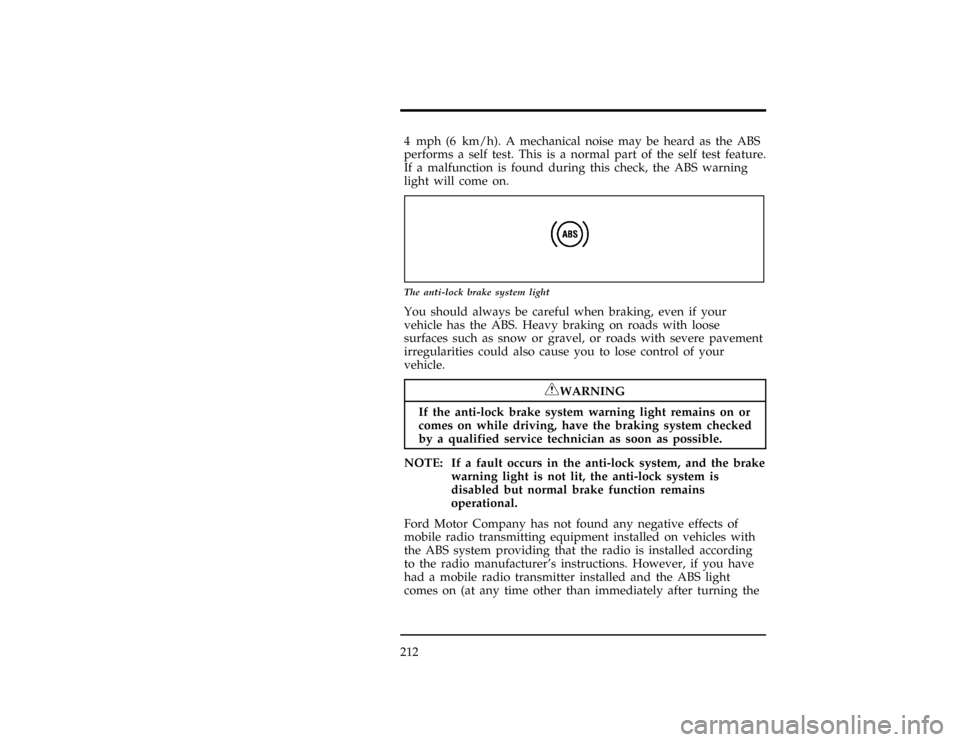
2124 mph (6 km/h). A mechanical noise may be heard as the ABS
performs a self test. This is a normal part of the self test feature.
If a malfunction is found during this check, the ABS warning
light will come on.
[GF01500(ALL)01/96]
6 pica art:0050147-B
The anti-lock brake system light
[GF01600(ALL)09/96]
You should always be careful when braking, even if your
vehicle has the ABS. Heavy braking on roads with loose
surfaces such as snow or gravel, or roads with severe pavement
irregularities could also cause you to lose control of your
vehicle.
*
[GF01700(ALL)03/96]
RWARNING
If the anti-lock brake system warning light remains on or
comes on while driving, have the braking system checked
by a qualified service technician as soon as possible.
*
[GF01800(ALL)03/96]
NOTE: If a fault occurs in the anti-lock system, and the brake
warning light is not lit, the anti-lock system is
disabled but normal brake function remains
operational.
*
[GF01900(ALL)01/96]
Ford Motor Company has not found any negative effects of
mobile radio transmitting equipment installed on vehicles with
the ABS system providing that the radio is installed according
to the radio manufacturer's instructions. However, if you have
had a mobile radio transmitter installed and the ABS light
comes on (at any time other than immediately after turning the
File:09wngfs.ex
Update:Mon Oct 7 11:46:08 1996
Page 212 of 370

Driving
213 key to the ON position) have your mobile radio dealer inspect
the radio installation. Also, if the ABS system is activated other
than during maximum braking, have your mobile radio
installation checked.
%*
[GF02000(ALL)03/96]
If Brakes Do Not Grip Well or Pedal is ªLowº
*
[GF02100(ALL)01/96]
If the brake pedal seems ªlowº it may indicate the need for a
brake system inspection and/or service. Apply your parking
brake several times. If the condition has not improved, you
should have your brakes checked as soon as possible.
%*
[GF02200(ALL)01/96]
Occasional brake squeal during light to moderate stops does not
affect the function of the brake system and is normal. However,
if the squeal becomes very loud or if it becomes more frequent,
return the vehicle to your dealer for inspection.
*
[GF02300(ALL)03/96]
RWARNING
Modifications to the suspension spring rates and/or
vehicle ride height may adversely affect vehicle stopping
ability.
%*
[GF02400(ALL)01/96]
Stopping Distances
*
[GF02500(ALL)01/96]
Stopping distances vary with different loads and driving
conditions. Use caution when you drive under new conditions
and acquaint yourself with your vehicle's performance.
%*
[GF02600(ALL)01/96]
Applying the Brakes
[GF02700(ALL)01/96]
Apply the brake pedal evenly. Use the ªsqueezeº technique.
Push on the brake pedal with a steadily increasing force. This
allows the wheels to continue to roll while you are slowing
down, which lets you steer properly.
*
[GF02800(ALL)01/96]
Do not drive with your foot resting on the brake pedal. This
will increase your vehicle's stopping distance and may also
cause brake damage.
File:09wngfs.ex
Update:Mon Oct 7 11:46:08 1996