remote control FORD WINDSTAR 2000 2.G User Guide
[x] Cancel search | Manufacturer: FORD, Model Year: 2000, Model line: WINDSTAR, Model: FORD WINDSTAR 2000 2.GPages: 280, PDF Size: 2.49 MB
Page 111 of 280
²structures around the vehicle
²other vehicles parked next to the vehicle
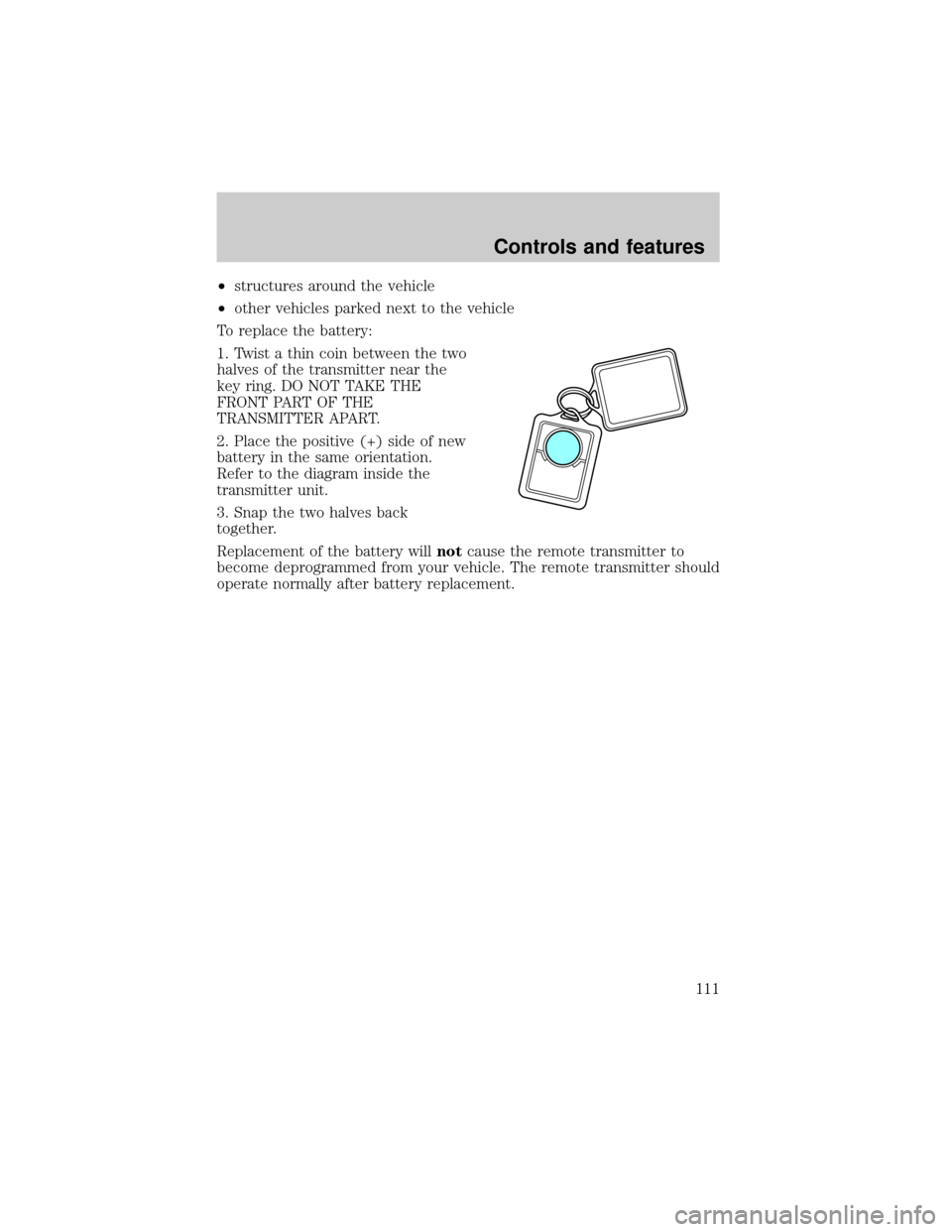
To replace the battery:
1. Twist a thin coin between the two
halves of the transmitter near the
key ring. DO NOT TAKE THE
FRONT PART OF THE
TRANSMITTER APART.
2. Place the positive (+) side of new
battery in the same orientation.
Refer to the diagram inside the
transmitter unit.
3. Snap the two halves back
together.
Replacement of the battery willnotcause the remote transmitter to
become deprogrammed from your vehicle. The remote transmitter should
operate normally after battery replacement.
Controls and features
111
Page 112 of 280
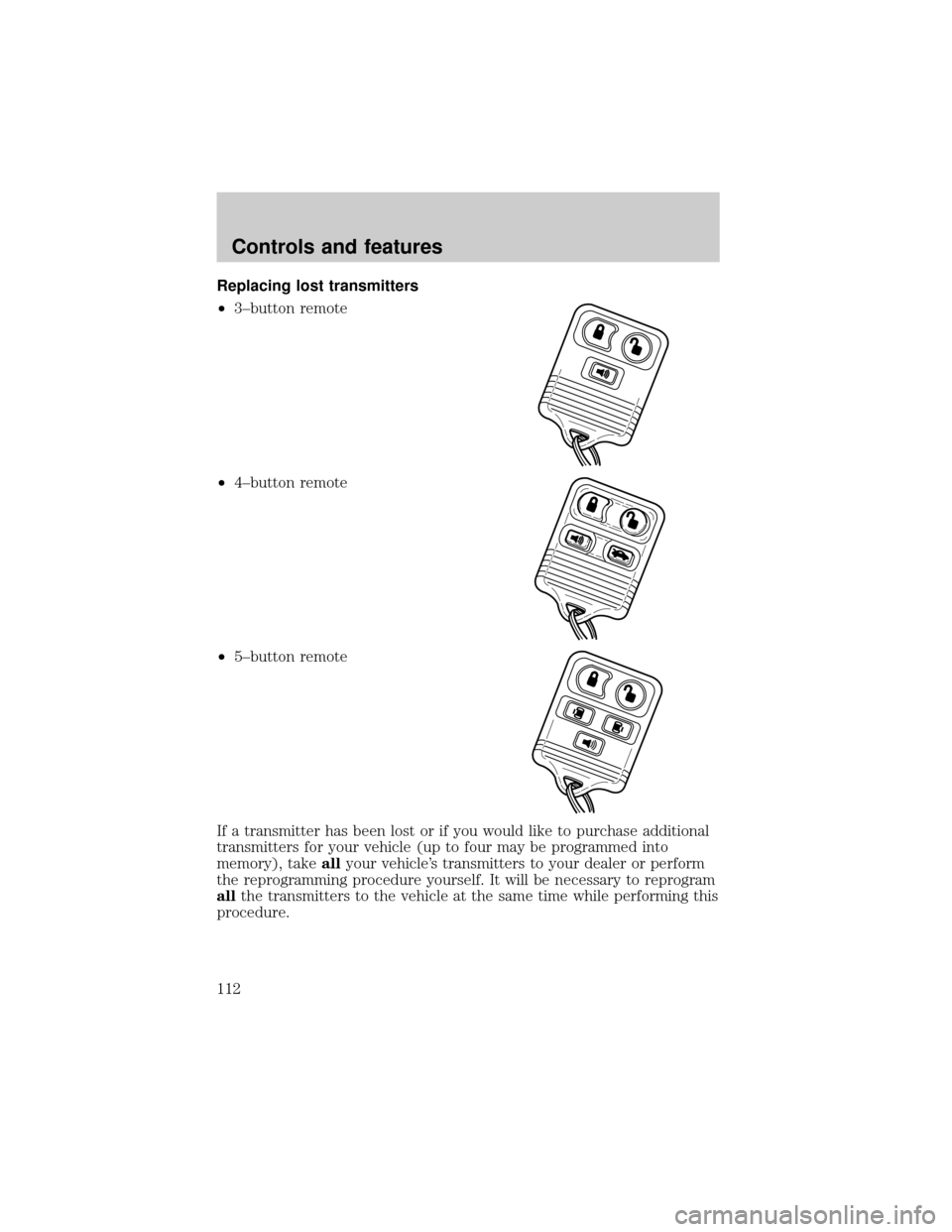
Replacing lost transmitters
²3±button remote
²4±button remote
²5±button remote
If a transmitter has been lost or if you would like to purchase additional
transmitters for your vehicle (up to four may be programmed into
memory), takeallyour vehicle's transmitters to your dealer or perform
the reprogramming procedure yourself. It will be necessary to reprogram
allthe transmitters to the vehicle at the same time while performing this
procedure.
Controls and features
112
Page 113 of 280

Reprogramming transmitters
To reprogram the transmitters yourself, place the key in the ignition and
turn from OFF to ON eight times in rapid succession (within 10 seconds)
ending in the ON position. After doors lock/unlock, press any control on
all transmitters (up to four). With each control press of the transmitters,
the door should cycle (lock/unlock) to confirm programming. When
completed, turn the ignition to OFF. The door locks should cycle
(lock/unlock) one last time to confirm completion of programming.
Autolock
This feature automatically locks all doors when:
²all vehicle doors are closed
²the ignition is in the ON/START position
²you shift into or through R (Reverse)
Relock
The autolock feature repeats when:
²the ignition is in the ON/START position
²the vehicle speed is below 5 km/h (3 mph) and any door is opened
then closed
²the vehicle speed exceeds 5 km/h (3 mph)
Deactivating/activating the autolock feature
The autolock/relock feature can be turned off by your dealer.
Deactivating/activating the illuminated exit feature
The illuminated exit feature can be turned off by your dealer.
PERIMETER ALARM SYSTEM (IF EQUIPPED)
The perimeter anti-theft system will help prevent your vehicle from
unauthorized entry.
If there is any potential perimeter anti-theft problem with your vehicle,
ensureALL key fobs(remote entry transmitters) are brought to the
dealership, to aid in troubleshooting.
Arming the system
When armed, this system will help protect your vehicle from
unauthorized entry. When unauthorized entry occurs, the system will
flash the turn signal lamps and side repeaters and honk the horn.
Controls and features
113
Page 114 of 280

The system is ready to arm whenever the key is removed from the
ignition. Any of the following actions will prearm the alarm system:
²Press the remote entry lock control
²Press the interior power door lock control while the door is open
Twenty seconds after one of the above events occurs, any door/hood that
is closed is armed.
Any door/hood that still open is prearmed and waiting for the door/hood
to be closed.
Once that input is closed, the input will arm in 20 seconds and the
exterior lamps may flash.
Disarming the system
You can disarm the system by any of the following actions:
²Press the transmitter unlock control.
²Unlock the doors with a key.
²Turn a programmed SecuriLock key to RUN /START.
SECURILOCKYPASSIVE ANTI-THEFT SYSTEM
Your vehicle is equipped with a coded-key anti-theft system. Only the
correct keywill be able to start your vehicle. If your keys are lost or
stolen, you must take your vehicle to your dealership for key
reprogramming.
This system provides an advanced level of vehicle theft protection. Your
vehicle's engine can only be started with the two coded keys provided
with your vehicle. Each time you start your vehicle, the coded key is
read by the anti-theft system. If the key identification code matches the
code stored in the anti-theft system, the vehicle's engine is allowed to
start. If the key identification code does not match the code stored in
the system or if a coded key is not detected (vehicle theft situation), the
vehicle's engine will not operate.
If there is any anti-theft problem with your vehicle, ensureALL coded
keysfor that vehicle are brought to the dealership, to aid in
troubleshooting.
The SecuriLockypassive anti-theft system is not compatible with
aftermarket remote start systems. Use of these systems may result in
vehicle starting problems and a loss of security protection. Large metallic
objects, electronic devices on the key chain that can be used to purchase
Controls and features
114
Page 117 of 280
LIFTGATE
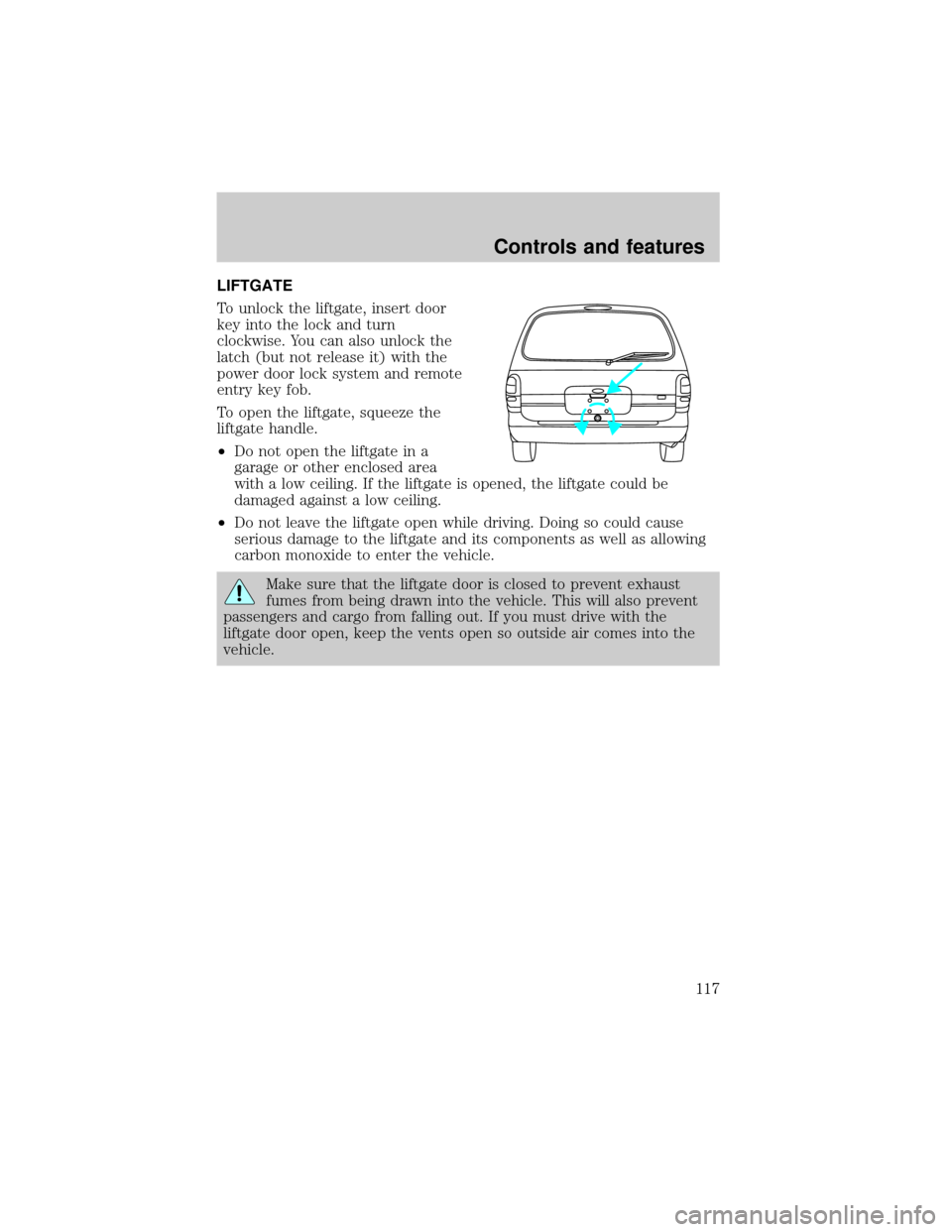
To unlock the liftgate, insert door
key into the lock and turn
clockwise. You can also unlock the
latch (but not release it) with the
power door lock system and remote
entry key fob.
To open the liftgate, squeeze the
liftgate handle.
²Do not open the liftgate in a
garage or other enclosed area
with a low ceiling. If the liftgate is opened, the liftgate could be
damaged against a low ceiling.
²Do not leave the liftgate open while driving. Doing so could cause
serious damage to the liftgate and its components as well as allowing
carbon monoxide to enter the vehicle.
Make sure that the liftgate door is closed to prevent exhaust
fumes from being drawn into the vehicle. This will also prevent
passengers and cargo from falling out. If you must drive with the
liftgate door open, keep the vents open so outside air comes into the
vehicle.
Controls and features
117
Page 186 of 280
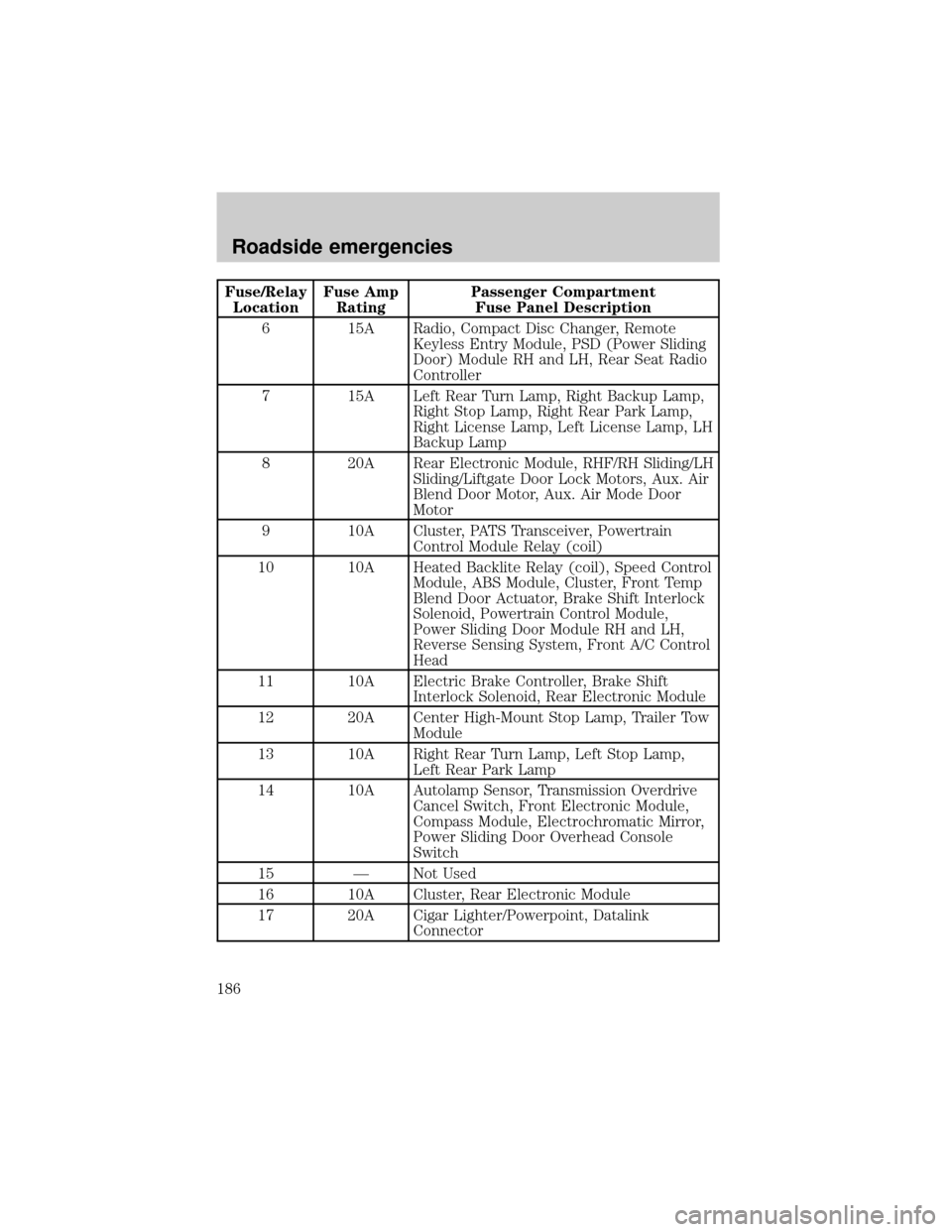
Fuse/Relay
LocationFuse Amp
RatingPassenger Compartment
Fuse Panel Description
6 15A Radio, Compact Disc Changer, Remote
Keyless Entry Module, PSD (Power Sliding
Door) Module RH and LH, Rear Seat Radio
Controller
7 15A Left Rear Turn Lamp, Right Backup Lamp,
Right Stop Lamp, Right Rear Park Lamp,
Right License Lamp, Left License Lamp, LH
Backup Lamp
8 20A Rear Electronic Module, RHF/RH Sliding/LH
Sliding/Liftgate Door Lock Motors, Aux. Air
Blend Door Motor, Aux. Air Mode Door
Motor
9 10A Cluster, PATS Transceiver, Powertrain
Control Module Relay (coil)
10 10A Heated Backlite Relay (coil), Speed Control
Module, ABS Module, Cluster, Front Temp
Blend Door Actuator, Brake Shift Interlock
Solenoid, Powertrain Control Module,
Power Sliding Door Module RH and LH,
Reverse Sensing System, Front A/C Control
Head
11 10A Electric Brake Controller, Brake Shift
Interlock Solenoid, Rear Electronic Module
12 20A Center High-Mount Stop Lamp, Trailer Tow
Module
13 10A Right Rear Turn Lamp, Left Stop Lamp,
Left Rear Park Lamp
14 10A Autolamp Sensor, Transmission Overdrive
Cancel Switch, Front Electronic Module,
Compass Module, Electrochromatic Mirror,
Power Sliding Door Overhead Console
Switch
15 Ð Not Used
16 10A Cluster, Rear Electronic Module
17 20A Cigar Lighter/Powerpoint, Datalink
Connector
Roadside emergencies
186
Page 276 of 280

Lights, warning and indicator ......8
air bag ........................................10
anti-lock brakes (ABS) .....10,166
anti-theft .....................................9
brake ..........................................10
charging system ..........................8
check engine .............................11
door ajar ....................................12
high beam ............................10,12
low fuel ........................................8
low washer fluid .......................13
oil pressure ...............................10
overdrive off ..............................11
safety belt ...................................9
traction control active ................8
traction control off .....................9
turn signal indicator ...................9
Load limits .................................173
GAWR ......................................173
GVWR ......................................173
trailer towing ..........................173
Locks
autolock ...................................113
childproof ..................................92
Lubricant specifications ....256,257
Lumbar support, seats .............121
Message center ...........................16
english/metric button ...............17
system check button ................17
warning messages .....................18
Mirrors .........................................93
automatic dimming
rearview mirror .........................92
cleaning ...................................249
fold away ...................................91
heated ........................................91
side view mirrors (power) .......90
Motorcraft parts .................235,254
Octane rating ............................234
Odometer .....................................15
Oil (see Engine oil) ..................206
Overdrive ..............................87,169Panic alarm feature, remote
entry system ..............................109
Parking brake ............................166
Parts (see Motorcraft parts) ....254
Pedals (see Power
adjustable foot pedals) ...............81
Power adjustable foot pedals .....81
Power distribution box
(see Fuses) ...............................187
Power door locks .................91,113
Power steering ..........................168
fluid, checking and adding ....216
fluid, refill capacity ................255
fluid, specifications ..........256,257
Radio ............................................38
Relays ........................................182
Remote entry system ........105,109
illuminated entry ........27,110,113
locking/
unlocking doors ........106,107,108
panic alarm .............................109
replacement/additional
transmitters .............................112
replacing the batteries ...........110
Reverse sensing system .............78
Roof rack ...................................179
Safety belts (see Safety
restraints) ........13,130,131,133,135
Safety defects, reporting ..........272
Safety restraints ...130,131,133,135
belt minder .............................136
cleaning
the safety belts ................139,252
extension assembly ................135
for adults ..........................131,133
for children .............................148
lap belt ....................................134
warning light
and chime .................9,13,135,136
Safety seats for children ..........149
Seat belts
(see Safety restraints) .............130
Index
276