door lock FORD WINDSTAR 2002 2.G User Guide
[x] Cancel search | Manufacturer: FORD, Model Year: 2002, Model line: WINDSTAR, Model: FORD WINDSTAR 2002 2.GPages: 296, PDF Size: 2.45 MB
Page 114 of 296
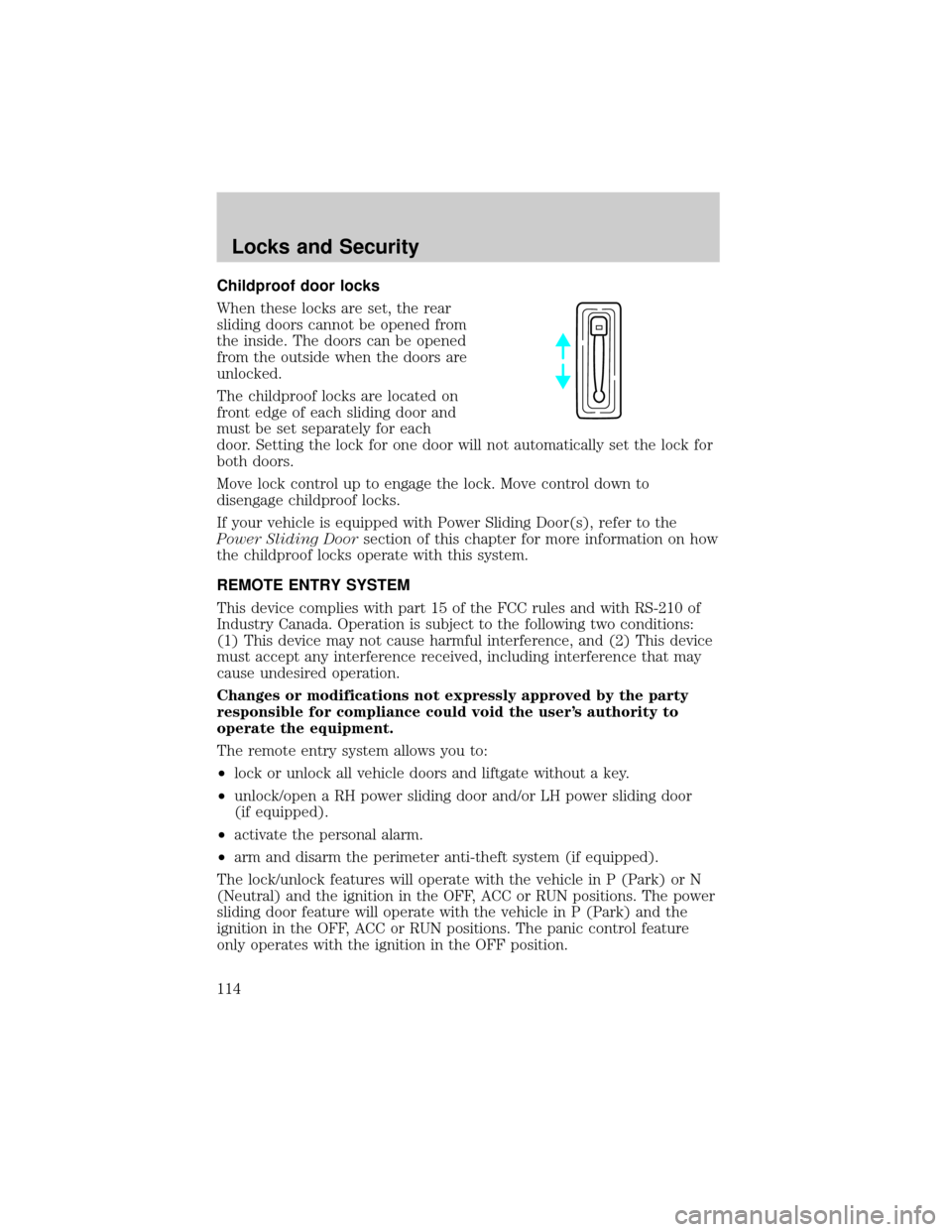
Childproof door locks
When these locks are set, the rear
sliding doors cannot be opened from
the inside. The doors can be opened
from the outside when the doors are
unlocked.
The childproof locks are located on
front edge of each sliding door and
must be set separately for each
door. Setting the lock for one door will not automatically set the lock for
both doors.
Move lock control up to engage the lock. Move control down to
disengage childproof locks.
If your vehicle is equipped with Power Sliding Door(s), refer to the
Power Sliding Doorsection of this chapter for more information on how
the childproof locks operate with this system.
REMOTE ENTRY SYSTEM
This device complies with part 15 of the FCC rules and with RS-210 of
Industry Canada. Operation is subject to the following two conditions:
(1) This device may not cause harmful interference, and (2) This device
must accept any interference received, including interference that may
cause undesired operation.
Changes or modifications not expressly approved by the party
responsible for compliance could void the user's authority to
operate the equipment.
The remote entry system allows you to:
²lock or unlock all vehicle doors and liftgate without a key.
²unlock/open a RH power sliding door and/or LH power sliding door
(if equipped).
²activate the personal alarm.
²arm and disarm the perimeter anti-theft system (if equipped).
The lock/unlock features will operate with the vehicle in P (Park) or N
(Neutral) and the ignition in the OFF, ACC or RUN positions. The power
sliding door feature will operate with the vehicle in P (Park) and the
ignition in the OFF, ACC or RUN positions. The panic control feature
only operates with the ignition in the OFF position.
Locks and Security
114
Page 115 of 296
If there is any potential remote keyless entry problem with your vehicle,
ensureALL key fobs(remote entry transmitters) are brought to the
dealership, to aid in troubleshooting.
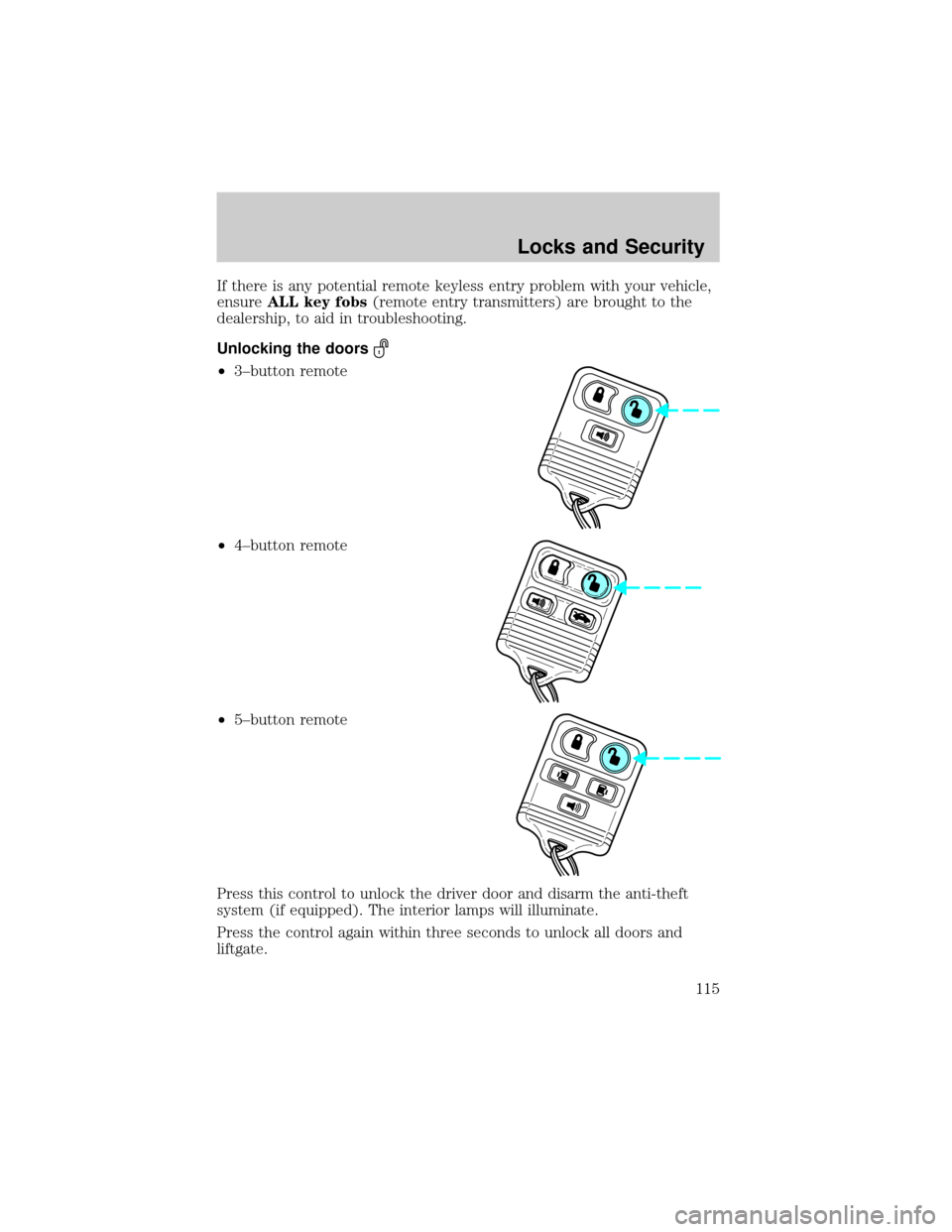
Unlocking the doors
²3±button remote
²4±button remote
²5±button remote
Press this control to unlock the driver door and disarm the anti-theft
system (if equipped). The interior lamps will illuminate.
Press the control again within three seconds to unlock all doors and
liftgate.
Locks and Security
115
Page 116 of 296
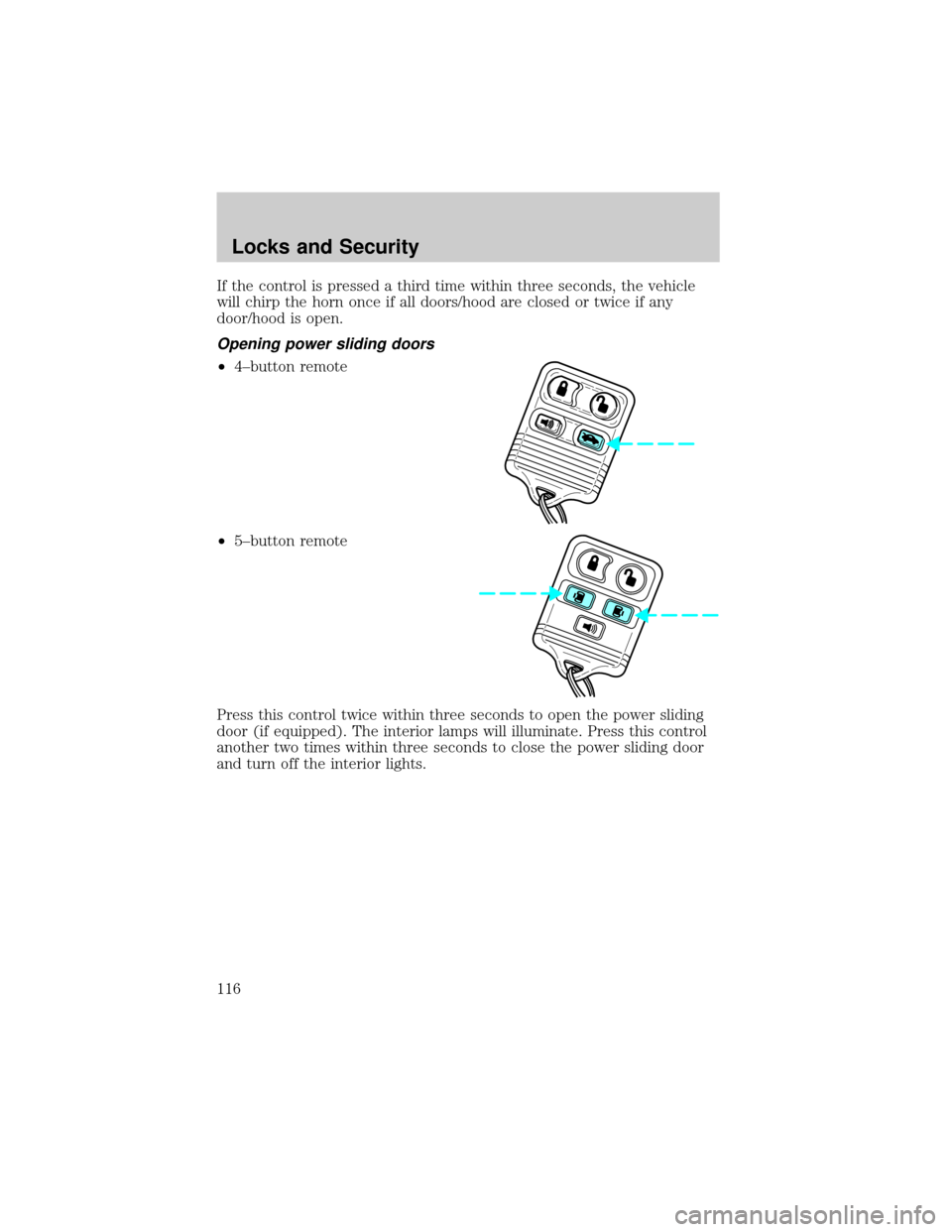
If the control is pressed a third time within three seconds, the vehicle
will chirp the horn once if all doors/hood are closed or twice if any
door/hood is open.
Opening power sliding doors
²4±button remote
²5±button remote
Press this control twice within three seconds to open the power sliding
door (if equipped). The interior lamps will illuminate. Press this control
another two times within three seconds to close the power sliding door
and turn off the interior lights.
Locks and Security
116
Page 117 of 296
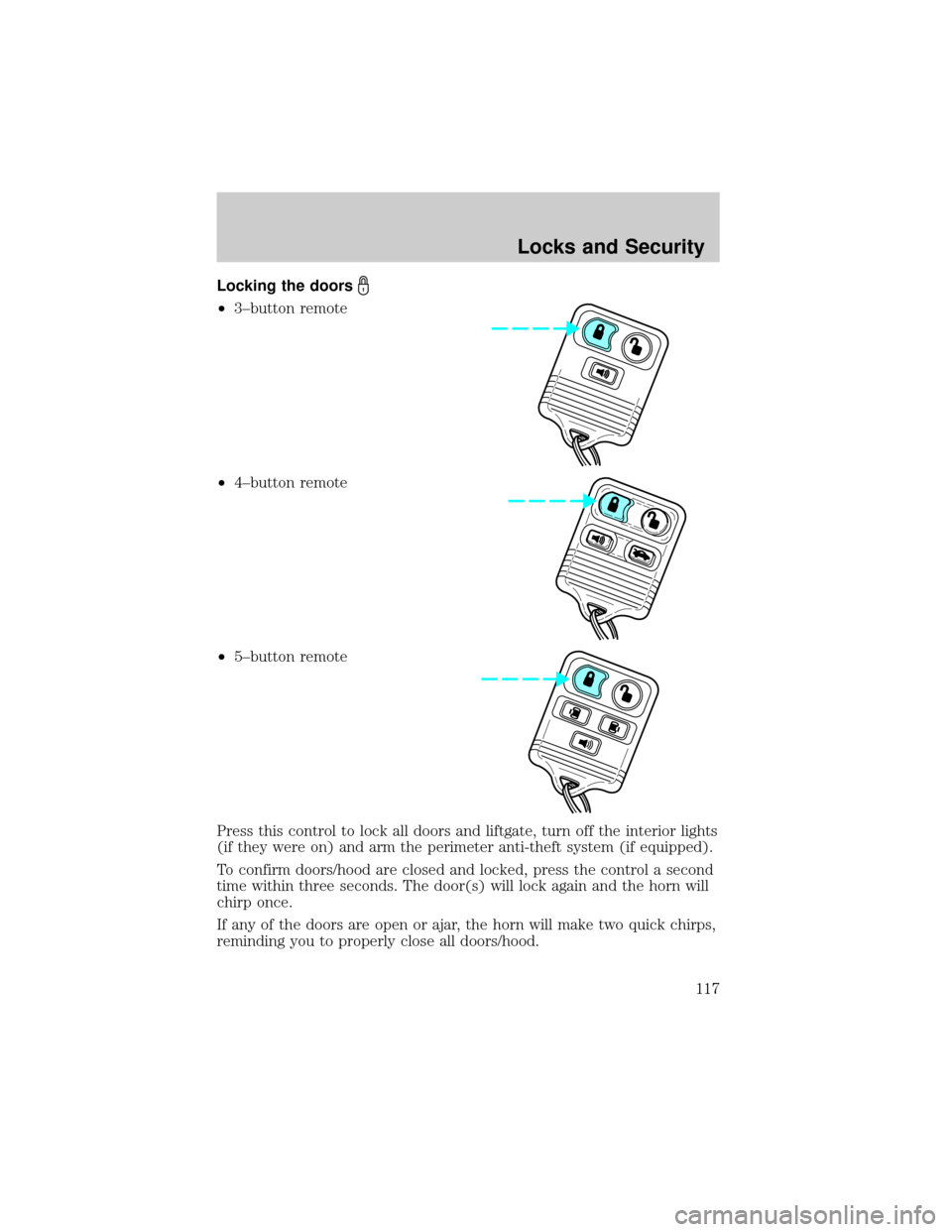
Locking the doors
²3±button remote
²4±button remote
²5±button remote
Press this control to lock all doors and liftgate, turn off the interior lights
(if they were on) and arm the perimeter anti-theft system (if equipped).
To confirm doors/hood are closed and locked, press the control a second
time within three seconds. The door(s) will lock again and the horn will
chirp once.
If any of the doors are open or ajar, the horn will make two quick chirps,
reminding you to properly close all doors/hood.
Locks and Security
117
Page 121 of 296

Reprogramming transmitters
To reprogram the transmitters yourself, place the key in the ignition and
turn from LOCK to OFF and cycle between OFF and ON eight times in
rapid succession (within 10 seconds) ending in the ON position. After
door locks lock/unlock, press any control on all transmitters (up to four).
With each control press of the transmitters, the door locks should cycle
(lock/unlock) to confirm programming. When completed, turn the
ignition to OFF. The door locks should cycle (lock/unlock) one last time
to confirm completion of programming.
Illuminated entry
The interior lights will illuminate when the remote entry Unlock or Panic
control is pressed with the doors closed or when unlocking or opening a
power sliding door (if equipped).
The system automatically turns off after 25 seconds or when the ignition
is turned to the RUN position. The panel dimmer control mustnotbe
set to the OFF position for the illuminated entry to operate.
The inside lights will not turn off if:
²they have been turned on with the instrument panel dimmer control
or
²any door is open
The battery saver will shut off the interior lamps in a short period of
time after the last door is closed even if the panel dimmer control is left
on.
Illuminated exit
The interior lights will illuminate when the key is removed from the
ignition. When the headlamp control is on the ªsleeping baby modeº, only
the lower interior lights will illuminate.
The system automatically turns off after 25 seconds. The panel dimmer
control mustnotbe set to the OFF position for the illuminated entry to
operate.
Autolock
This feature automatically locks all vehicle doors when:
²all doors are closed
²the engine is running
²you shift into any gear putting the vehicle in motion.
Locks and Security
121
Page 122 of 296
Relock
The autolock feature repeats when:
²any door, except the drivers, is opened then closed while the engine is
running and
²you put the vehicle in motion.
Deactivating/activating the autolock feature
The deactivating/activating the autolock feature can be turned off by the
keyless entry pad (if equipped) on your door or by your dealer.
Deactivating/activating the illuminated exit feature
The illuminated exit feature can be turned off by your dealer.
KEYLESS ENTRY SYSTEM
With the keyless entry keypad, you can:
²lock or unlock the vehicle doors without using the key.
Your vehicle has a factory set 5 digit code that operates the keyless entry
system. You can also program your own 5 digit personal entry code. The
factory-set code is located:
²on the owner's wallet card in the glove compartment
²or at your dealer.
When pressing the controls on the keyless entry keypad, press the
middle of the controls to ensure a good activation.
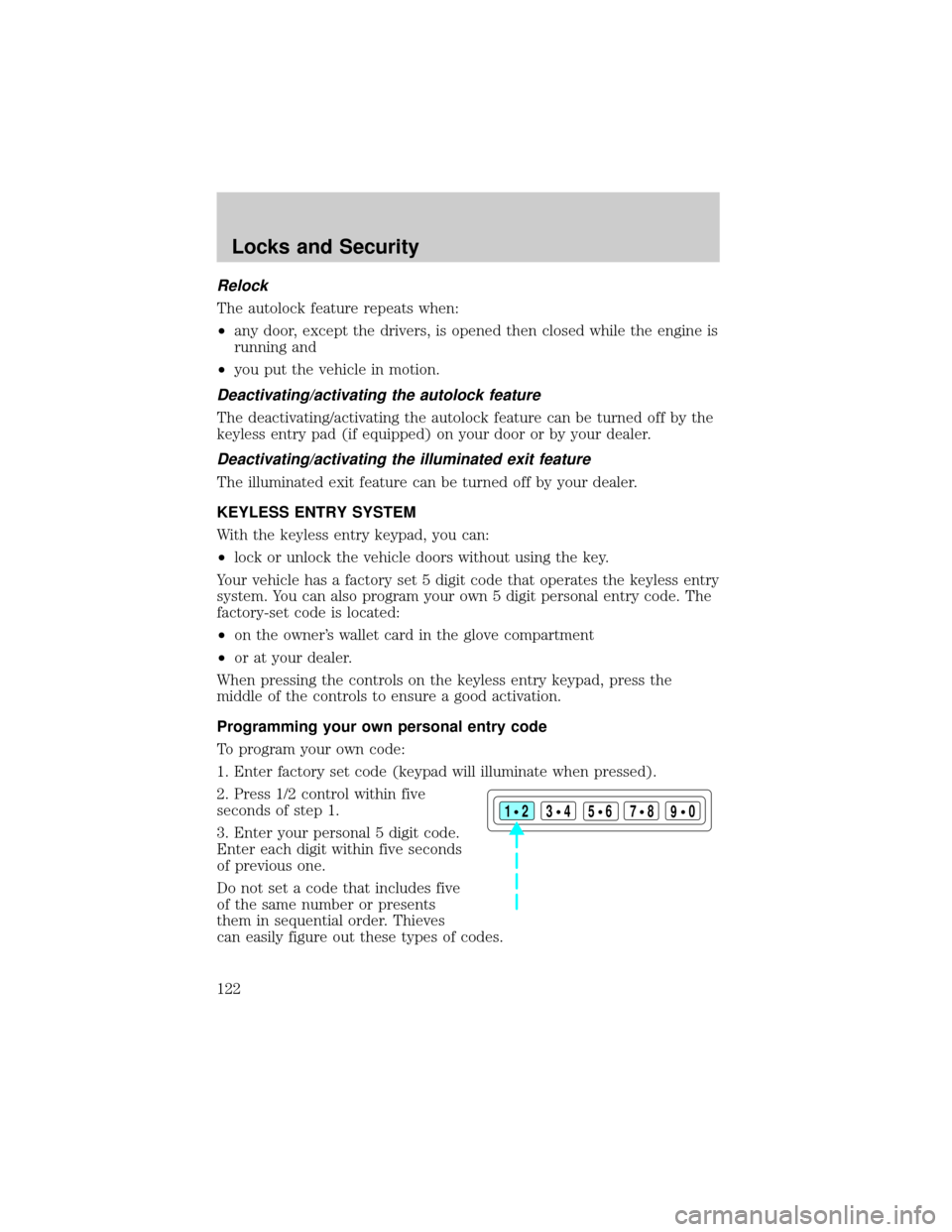
Programming your own personal entry code
To program your own code:
1. Enter factory set code (keypad will illuminate when pressed).
2. Press 1/2 control within five
seconds of step 1.
3. Enter your personal 5 digit code.
Enter each digit within five seconds
of previous one.
Do not set a code that includes five
of the same number or presents
them in sequential order. Thieves
can easily figure out these types of codes.
123
45678
90
Locks and Security
122
Page 123 of 296
Your personal code does not replace the permanent code that the
dealership gave you. You can use either code to unlock your vehicle. If a
second personal code is entered, the module will erase it in favor of the
new code.
If you wish to erase your personal code, use the following instructions:
1. Enter factory set code.
2. Press 1/2 control within five
seconds of step one.
3. Press 1/2 control and hold for 2
seconds.
The system will now only respond
to the factory set code.
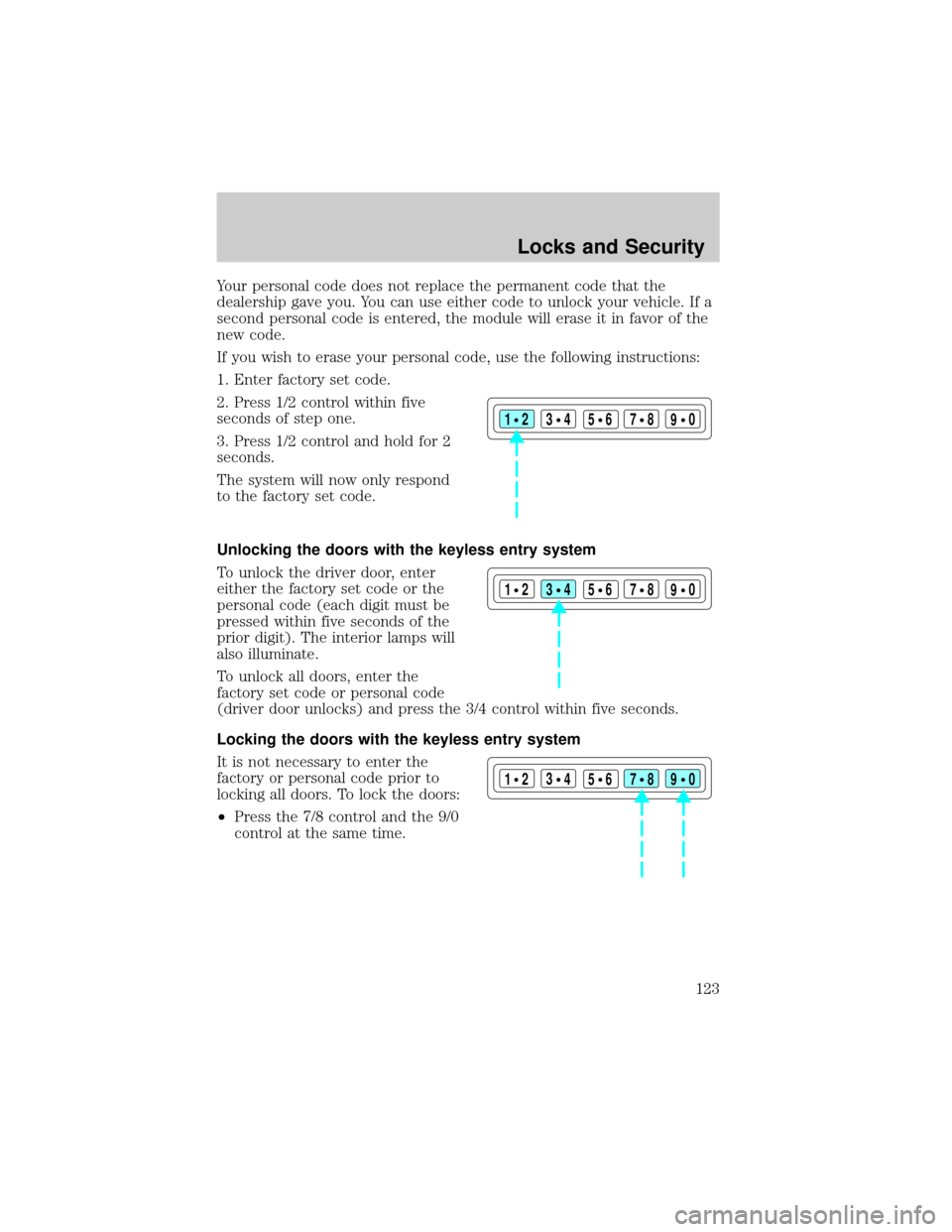
Unlocking the doors with the keyless entry system
To unlock the driver door, enter
either the factory set code or the
personal code (each digit must be
pressed within five seconds of the
prior digit). The interior lamps will
also illuminate.
To unlock all doors, enter the
factory set code or personal code
(driver door unlocks) and press the 3/4 control within five seconds.
Locking the doors with the keyless entry system
It is not necessary to enter the
factory or personal code prior to
locking all doors. To lock the doors:
²Press the 7/8 control and the 9/0
control at the same time.
123
45678
90
123
45678
90
123
45678
90
Locks and Security
123
Page 124 of 296
Activating/deactivating autolock with the keyless entry system
Before following the activation or deactivation procedures, make sure
that the anti-theft system (if equipped) is not armed, ignition is off, and
all vehicle doors and liftgate window are closed.
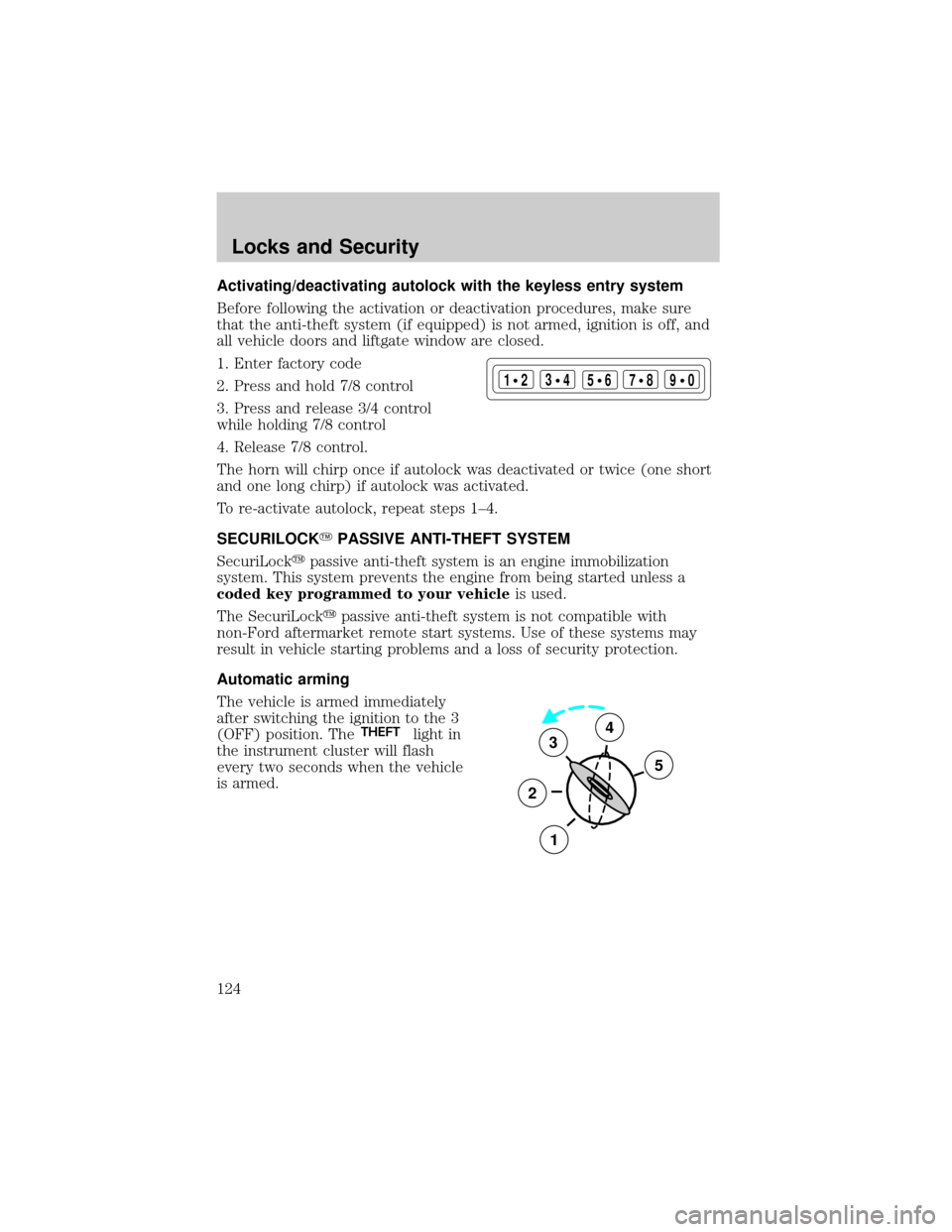
1. Enter factory code
2. Press and hold 7/8 control
3. Press and release 3/4 control
while holding 7/8 control
4. Release 7/8 control.
The horn will chirp once if autolock was deactivated or twice (one short
and one long chirp) if autolock was activated.
To re-activate autolock, repeat steps 1±4.
SECURILOCKYPASSIVE ANTI-THEFT SYSTEM
SecuriLockypassive anti-theft system is an engine immobilization
system. This system prevents the engine from being started unless a
coded key programmed to your vehicleis used.
The SecuriLockypassive anti-theft system is not compatible with
non-Ford aftermarket remote start systems. Use of these systems may
result in vehicle starting problems and a loss of security protection.
Automatic arming
The vehicle is armed immediately
after switching the ignition to the 3
(OFF) position. The
THEFTlight in
the instrument cluster will flash
every two seconds when the vehicle
is armed.
123
45678
90
3
2
1
5
4
Locks and Security
124
Page 128 of 296

Arming the system
When armed, this system will help protect your vehicle from
unauthorized entry. When unauthorized entry occurs, the system will
flash the turn signal lamps and side repeaters and honk the horn.
The system is ready to arm whenever the key is removed from the
ignition. Any of the following actions will prearm the alarm system:
²Press the remote entry lock control
²Press the interior power door lock control while the door is open
Twenty seconds after one of the above events occurs, any door/hood that
is closed is armed.
Any door/hood that still open is prearmed and waiting for the door/hood
to be closed.
Once that input is closed, the input will arm in 20 seconds and the
exterior lamps may flash.
Disarming the system
You can disarm the system by any of the following actions:
²Press the transmitter unlock control.
²Unlock the doors with a key.
²Turn a programmed SecuriLock key to RUN /START.
Locks and Security
128
Page 132 of 296
The heating of the seat turns off after 10 minutes or when the vehicle is
turned off.
Using the power lumbar support (if equipped)
The power lumbar control is located
on the inboard side of the seat.
Press one side of the control to
adjust firmness.
Press the other side of the control
to adjust softness.
Memory seats/rearview mirrors/adjustable pedals (if equipped)
This system allows automatic
positioning of the driver seat,
outside rearview mirrors, and
adjustable pedals to two
programmable positions.
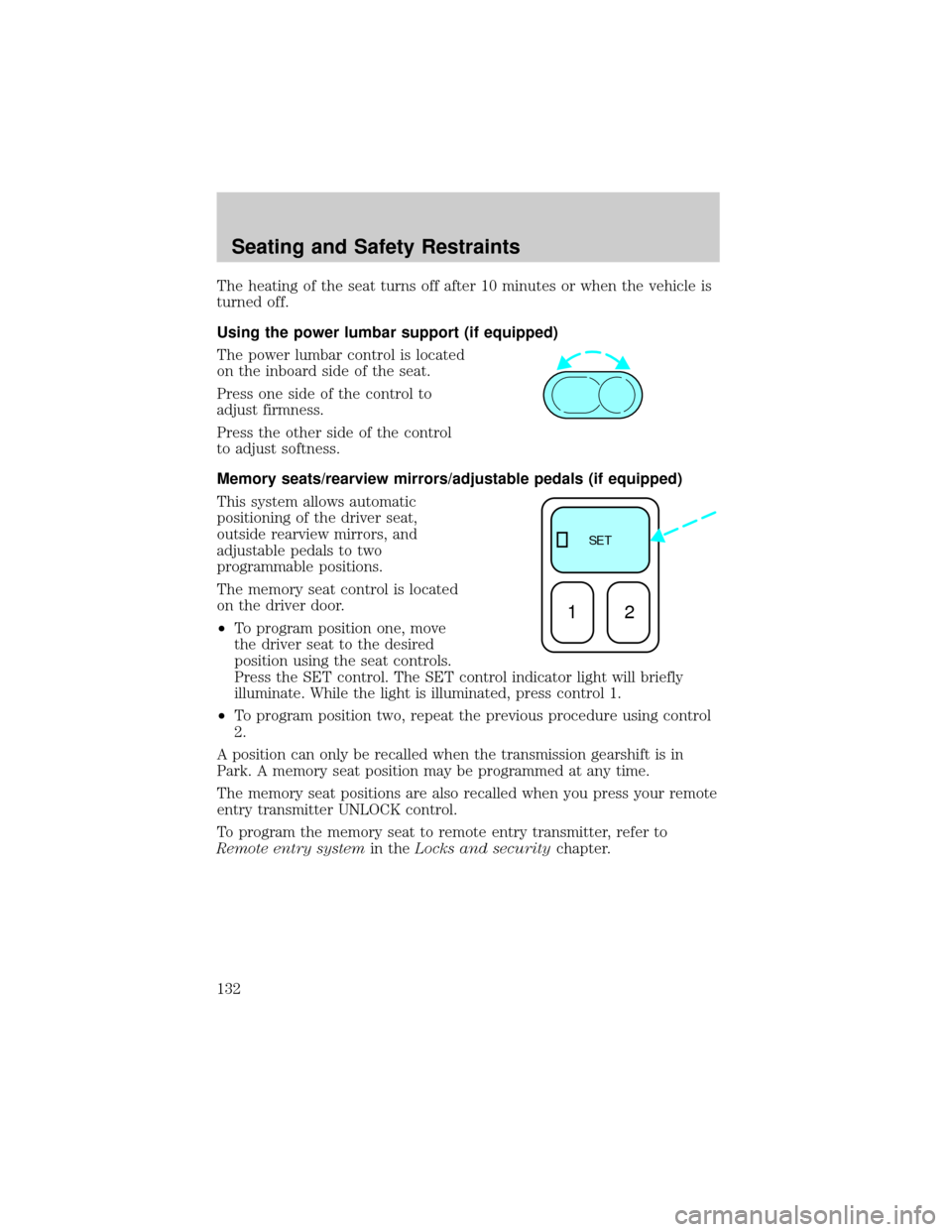
The memory seat control is located
on the driver door.
²To program position one, move
the driver seat to the desired
position using the seat controls.
Press the SET control. The SET control indicator light will briefly
illuminate. While the light is illuminated, press control 1.
²To program position two, repeat the previous procedure using control
2.
A position can only be recalled when the transmission gearshift is in
Park. A memory seat position may be programmed at any time.
The memory seat positions are also recalled when you press your remote
entry transmitter UNLOCK control.
To program the memory seat to remote entry transmitter, refer to
Remote entry systemin theLocks and securitychapter.
SE T
12
Seating and Safety Restraints
132