instrument cluster FORD WINDSTAR 2002 2.G User Guide
[x] Cancel search | Manufacturer: FORD, Model Year: 2002, Model line: WINDSTAR, Model: FORD WINDSTAR 2002 2.GPages: 296, PDF Size: 2.45 MB
Page 93 of 296
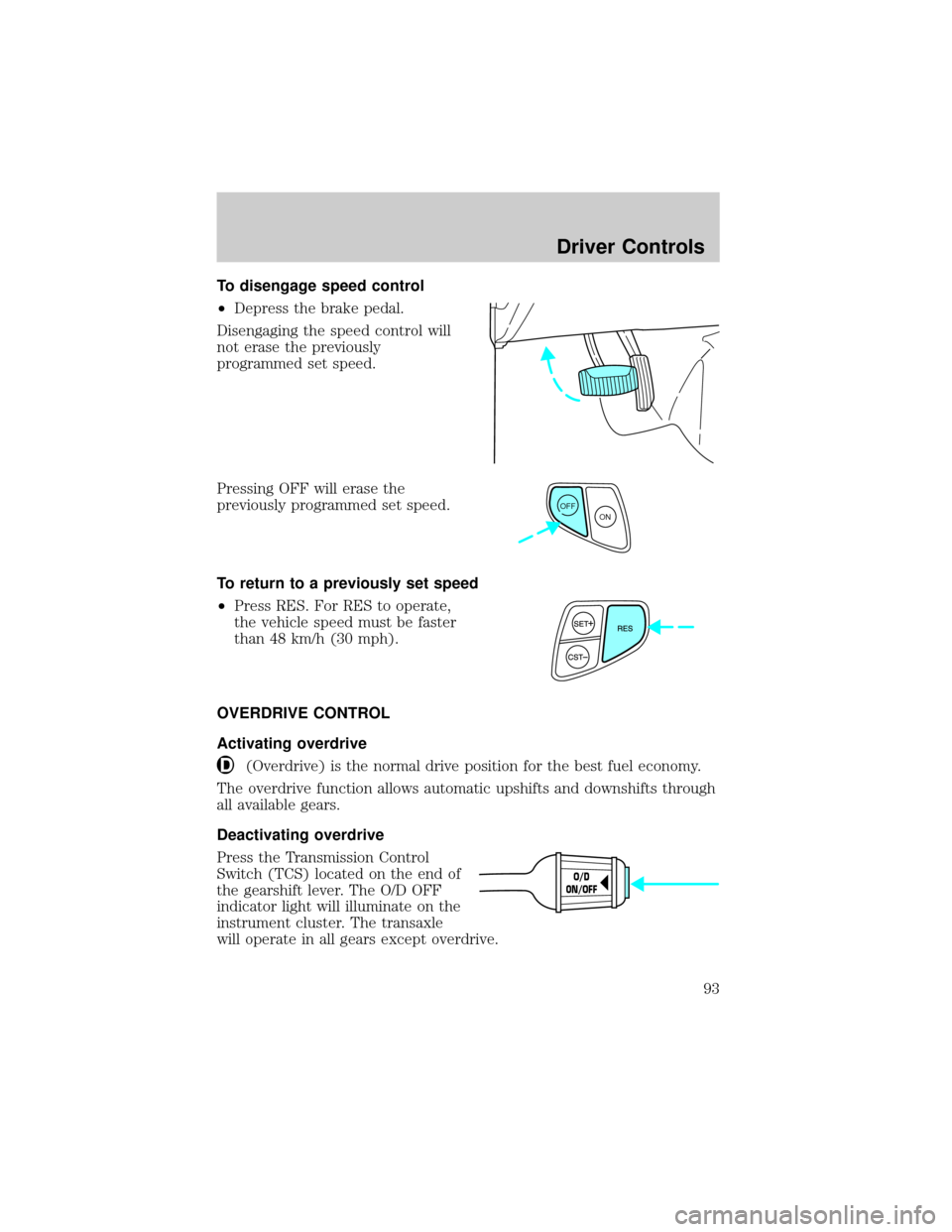
To disengage speed control
²Depress the brake pedal.
Disengaging the speed control will
not erase the previously
programmed set speed.
Pressing OFF will erase the
previously programmed set speed.
To return to a previously set speed
²Press RES. For RES to operate,
the vehicle speed must be faster
than 48 km/h (30 mph).
OVERDRIVE CONTROL
Activating overdrive
(Overdrive) is the normal drive position for the best fuel economy.
The overdrive function allows automatic upshifts and downshifts through
all available gears.
Deactivating overdrive
Press the Transmission Control
Switch (TCS) located on the end of
the gearshift lever. The O/D OFF
indicator light will illuminate on the
instrument cluster. The transaxle
will operate in all gears except overdrive.
OFF
ON
O/D
ON/OFF
Driver Controls
93
Page 100 of 296
2. When the indicator light begins to flash slowly (after 20 seconds),
position the hand-held transmitter 5±14 cm (2 to 5 inches) away from
the HomeLinktsurface.
3. Press and hold the hand-held transmitter button.
4. The HomeLinktindicator light will flash, first slowly and then rapidly.
When the indicator light begins to flash rapidly, release both buttons.
The previous device has now been erased and the new device can be
activated by pushing the HomeLinktbutton that has just been
programmed.
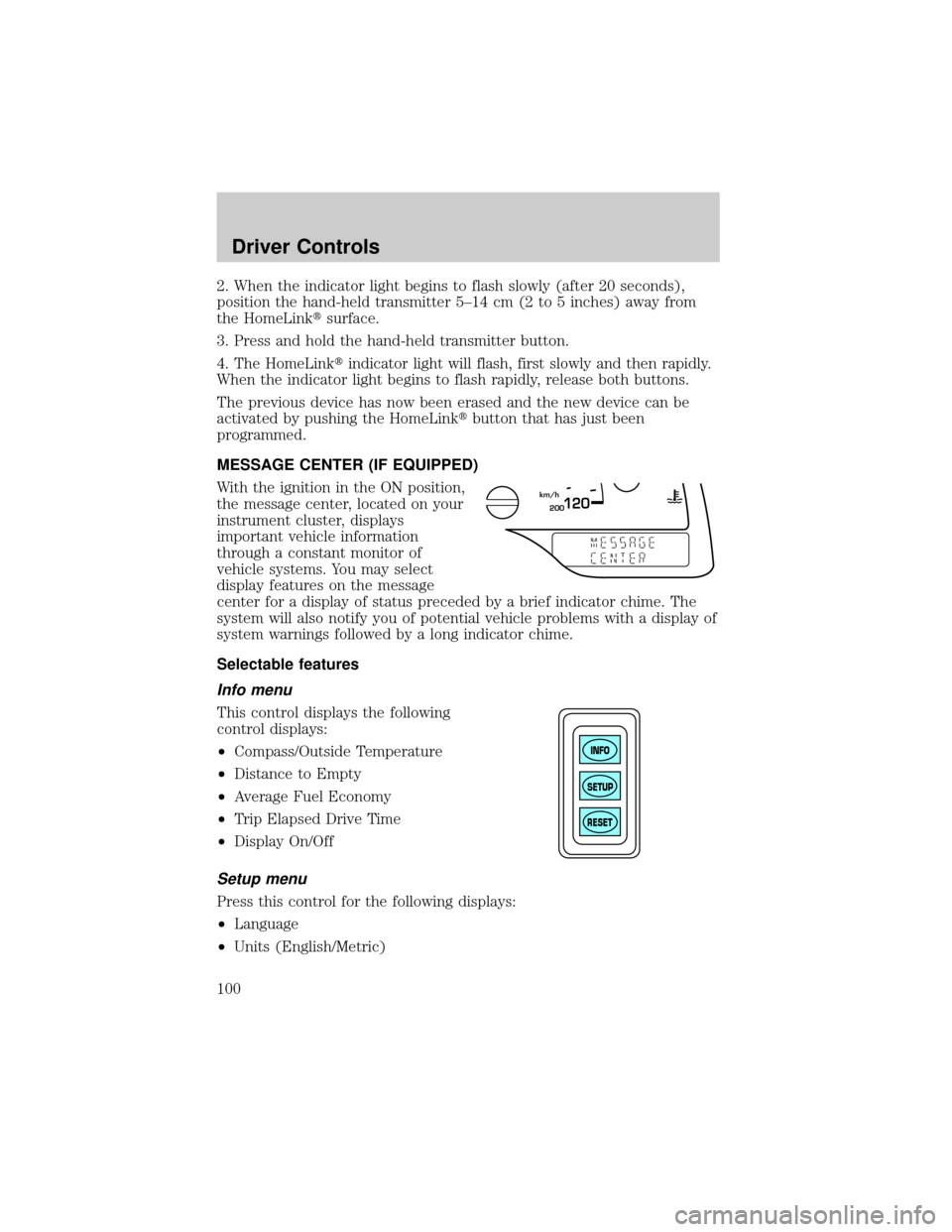
MESSAGE CENTER (IF EQUIPPED)
With the ignition in the ON position,
the message center, located on your
instrument cluster, displays
important vehicle information
through a constant monitor of
vehicle systems. You may select
display features on the message
center for a display of status preceded by a brief indicator chime. The
system will also notify you of potential vehicle problems with a display of
system warnings followed by a long indicator chime.
Selectable features
Info menu
This control displays the following
control displays:
²Compass/Outside Temperature
²Distance to Empty
²Average Fuel Economy
²Trip Elapsed Drive Time
²Display On/Off
Setup menu
Press this control for the following displays:
²Language
²Units (English/Metric)
200120km/h
INFO
SETUP
RESET
Driver Controls
100
Page 124 of 296
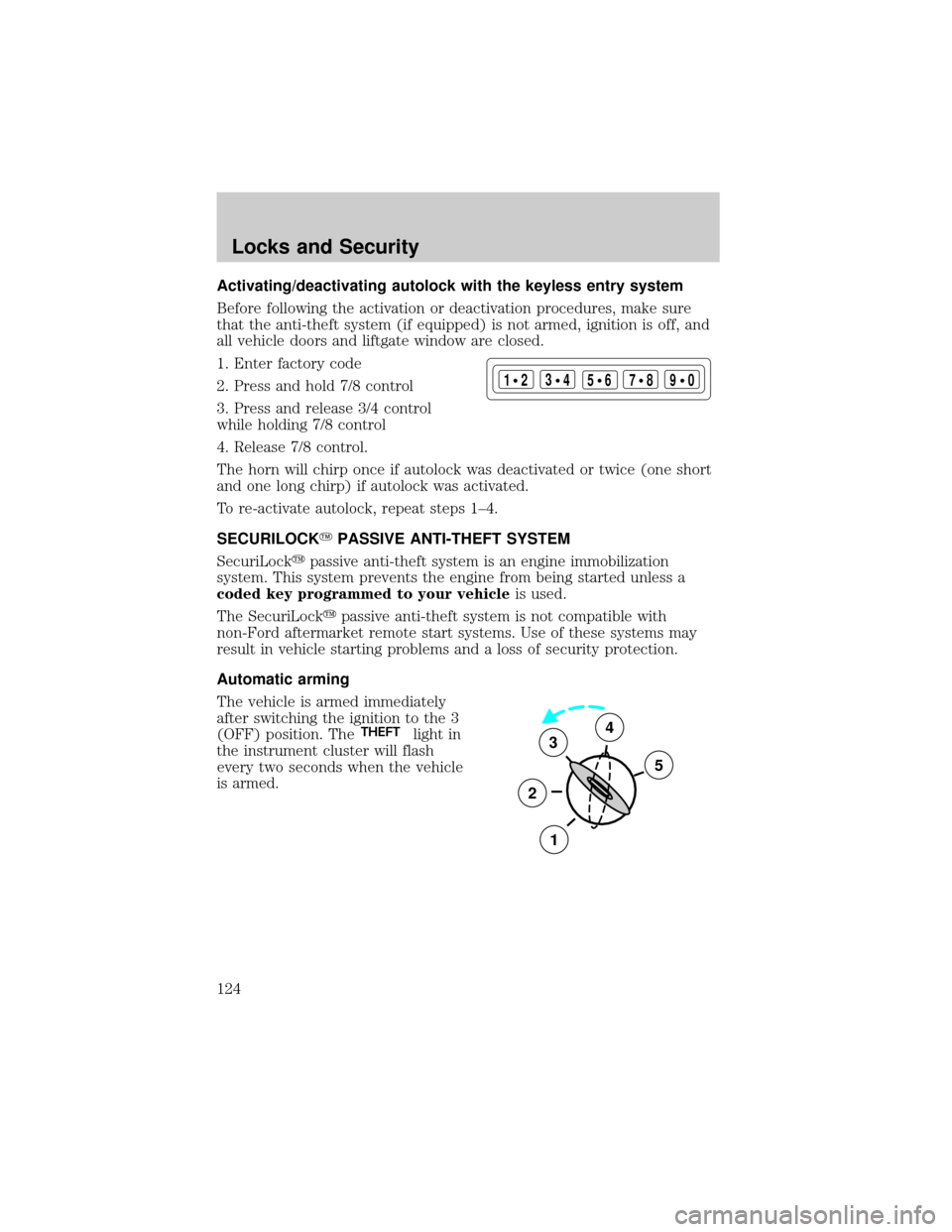
Activating/deactivating autolock with the keyless entry system
Before following the activation or deactivation procedures, make sure
that the anti-theft system (if equipped) is not armed, ignition is off, and
all vehicle doors and liftgate window are closed.
1. Enter factory code
2. Press and hold 7/8 control
3. Press and release 3/4 control
while holding 7/8 control
4. Release 7/8 control.
The horn will chirp once if autolock was deactivated or twice (one short
and one long chirp) if autolock was activated.
To re-activate autolock, repeat steps 1±4.
SECURILOCKYPASSIVE ANTI-THEFT SYSTEM
SecuriLockypassive anti-theft system is an engine immobilization
system. This system prevents the engine from being started unless a
coded key programmed to your vehicleis used.
The SecuriLockypassive anti-theft system is not compatible with
non-Ford aftermarket remote start systems. Use of these systems may
result in vehicle starting problems and a loss of security protection.
Automatic arming
The vehicle is armed immediately
after switching the ignition to the 3
(OFF) position. The
THEFTlight in
the instrument cluster will flash
every two seconds when the vehicle
is armed.
123
45678
90
3
2
1
5
4
Locks and Security
124
Page 144 of 296
Front safety belt energy management retractors
The front safety belt energy management retractors allow webbing to be
pulled out of the retractor in a gradual and controlled manner in
response to the occupant's forward momentum. This helps reduce the
risk of force-related injuries to the occupant's chest by limiting the load
on the occupant. Refer toSafety beltsection in this chapter.
Determining if the Personal safety system is operational
The Personal safety system uses a warning light in the instrument cluster
or a back-up tone to indicate the condition of the system. Refer to the
Warning lightsection in theInstrument clusterchapter. Routine
maintenance of the Personal safety system is not required.
The Restraints control module (RCM) monitors its own internal circuits
and the circuits for the air bag supplemental restraints, crash sensor(s),
safety belt pretensioners, front safety belt buckle sensors, driver seat
position sensor, and passenger occupant classification sensor (if
equipped). In addition, the RCM also monitors the restraints warning
light in the instrument cluster. A difficulty with the system is indicated
by one or more of the following.
²The warning light will either flash or stay lit.
²The warning light will not illuminate immediately after ignition is
turned on.
²A series of five beeps will be heard. The tone pattern will repeat
periodically until the problem and warning light are repaired.
If any of these things happen, even intermittently, have the Personal
safety system serviced at your dealership or by a qualified technician
immediately. Unless serviced, the system may not function properly in
the event of a collision.
Safety belt precautions
Always drive and ride with your seatback upright and the lap
belt snug and low across the hips.
To reduce the risk of injury, make sure children sit where they
can be properly restrained.
Seating and Safety Restraints
144
Page 149 of 296
Lap belts
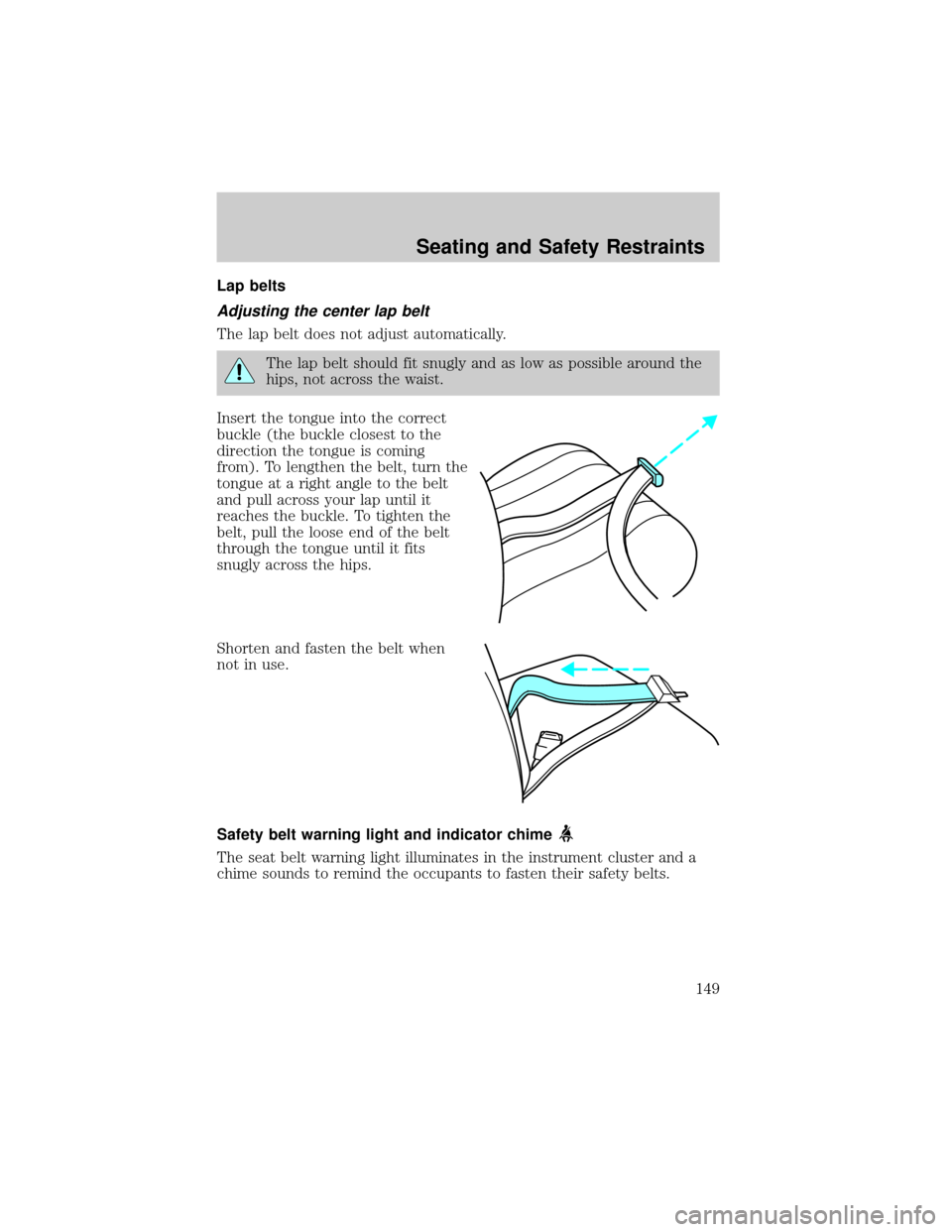
Adjusting the center lap belt
The lap belt does not adjust automatically.
The lap belt should fit snugly and as low as possible around the
hips, not across the waist.
Insert the tongue into the correct
buckle (the buckle closest to the
direction the tongue is coming
from). To lengthen the belt, turn the
tongue at a right angle to the belt
and pull across your lap until it
reaches the buckle. To tighten the
belt, pull the loose end of the belt
through the tongue until it fits
snugly across the hips.
Shorten and fasten the belt when
not in use.
Safety belt warning light and indicator chime
The seat belt warning light illuminates in the instrument cluster and a
chime sounds to remind the occupants to fasten their safety belts.
Seating and Safety Restraints
149
Page 150 of 296
Conditions of operation
If... Then...
The driver's safety belt is not
buckled before the ignition
switch is turned to the ON
position...The safety belt warning light
illuminates 1-2 minutes and the
warning chime sounds 4-8 seconds.
The driver's safety belt is
buckled while the indicator
light is illuminated and the
warning chime is sounding...The safety belt warning light and
warning chime turn off.
The driver's safety belt is
buckled before the ignition
switch is turned to the ON
position...The safety belt warning light and
indicator chime remain off.
BeltMinder
The BeltMinder feature is a supplemental warning to the safety belt
warning function. This feature provides additional reminders to the
driver that the driver's safety belt is unbuckled by intermittently
sounding a chime and illuminating the safety belt warning lamp in the
instrument cluster.
If... Then...
The driver's safety belt is not
buckled before the vehicle has
reached at least 5 km/h
(3 mph) and 1-2 minutes have
elapsed since the ignition
switch has been turned to
ON...The BeltMinder feature is activated -
the safety belt warning light
illuminates and the warning chime
sounds for 6 seconds every 30
seconds, repeating for approximately
5 minutes or until safety belt is
buckled.
The driver's safety belt is
buckled while the safety belt
indicator light is illuminated
and the safety belt warning
chime is sounding...The BeltMinder feature will not
activate.
Seating and Safety Restraints
150
Page 158 of 296
Determining if the system is operational
The supplemental restraint system uses a warning indicator in the
instrument cluster or a back-up tone to indicate the condition of the
system. Refer to theWarning lightsection in theInstrument cluster
chapter. Routine maintenance of the air bag is not required.
A difficulty with the system is indicated by one or more of the following:
²The readiness light (same light
for front and side air bag system)
will either flash or stay lit.
²The readiness light will not
illuminate immediately after ignition is turned on.
²A series of five beeps will be heard. The tone pattern will repeat
periodically until the problem and/or light are repaired.
If any of these things happen, even intermittently, have the supplemental
restraint system serviced at your dealership or by a qualified technician
immediately. Unless serviced, the system may not function properly in
the event of a collision.
How does the air bag supplemental restraint system work?
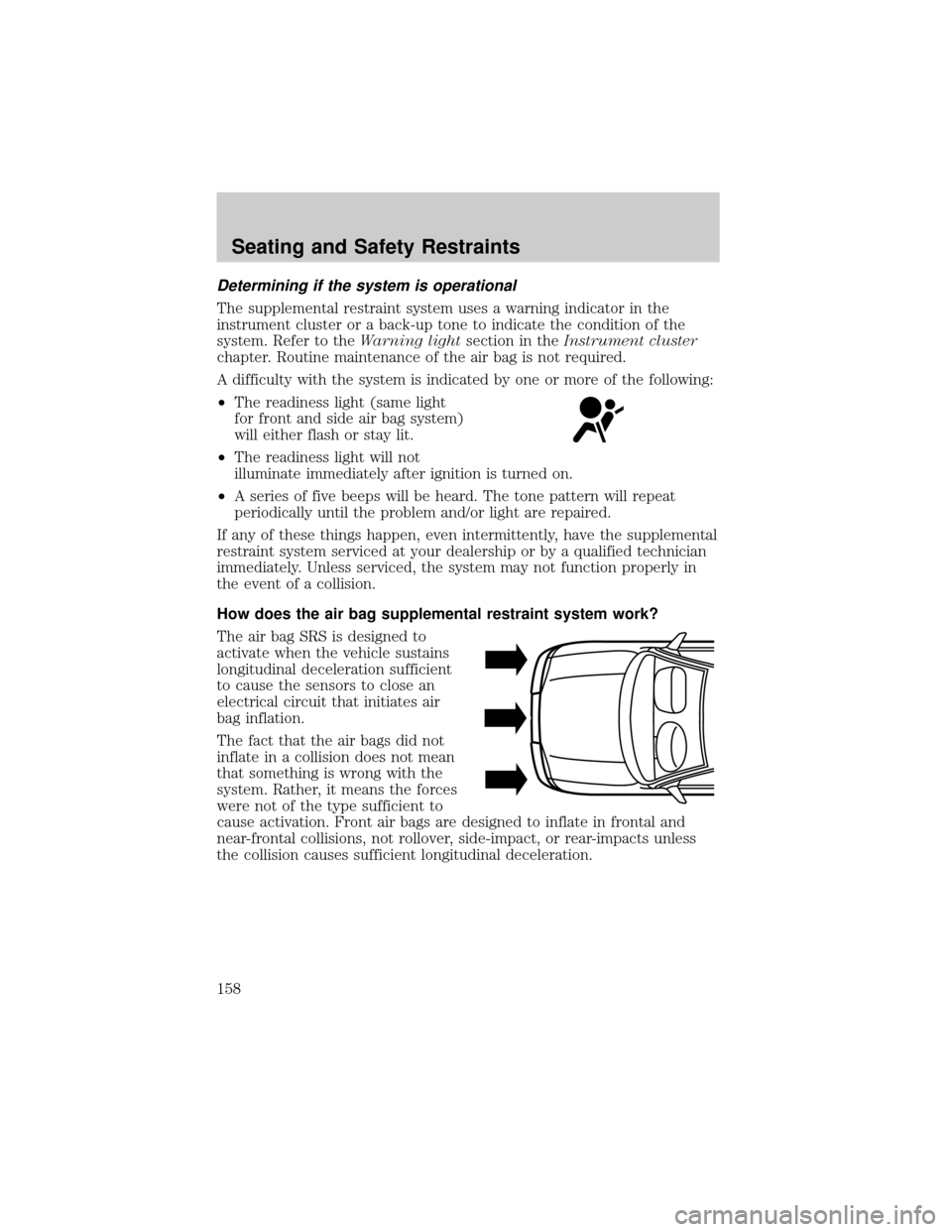
The air bag SRS is designed to
activate when the vehicle sustains
longitudinal deceleration sufficient
to cause the sensors to close an
electrical circuit that initiates air
bag inflation.
The fact that the air bags did not
inflate in a collision does not mean
that something is wrong with the
system. Rather, it means the forces
were not of the type sufficient to
cause activation. Front air bags are designed to inflate in frontal and
near-frontal collisions, not rollover, side-impact, or rear-impacts unless
the collision causes sufficient longitudinal deceleration.
Seating and Safety Restraints
158
Page 181 of 296
ABS warning lampABS
TheABSwarning lamp in the instrument cluster momentarily illuminates
when the ignition is turned to the ON position. If the light does not
illuminate momentarily at start up or remains on the ABS needs to be
serviced.
With the ABS light on, the anti-lock
brake system is disabled and normal
braking is still effective unless the
brake warning light also remains
illuminated with parking brake
released. (If your brake warning lamp illuminates, have your vehicle
serviced immediately.)
Parking brake
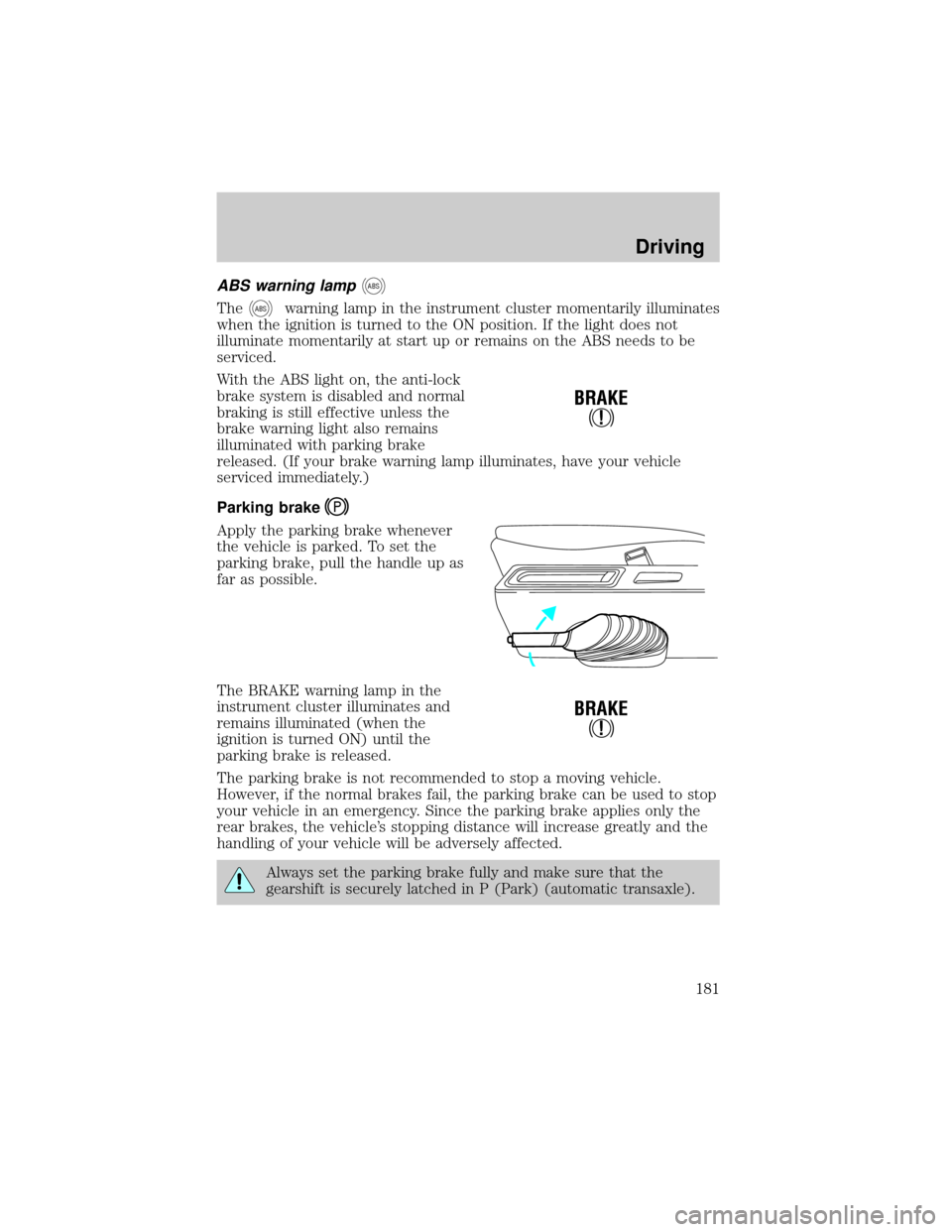
Apply the parking brake whenever
the vehicle is parked. To set the
parking brake, pull the handle up as
far as possible.
The BRAKE warning lamp in the
instrument cluster illuminates and
remains illuminated (when the
ignition is turned ON) until the
parking brake is released.
The parking brake is not recommended to stop a moving vehicle.
However, if the normal brakes fail, the parking brake can be used to stop
your vehicle in an emergency. Since the parking brake applies only the
rear brakes, the vehicle's stopping distance will increase greatly and the
handling of your vehicle will be adversely affected.
Always set the parking brake fully and make sure that the
gearshift is securely latched in P (Park) (automatic transaxle).
!
BRAKE
!
BRAKE
Driving
181
Page 184 of 296
AdvanceTracysystem are most noticeable when driving in wet/snowy/icy
road conditions and/or when performing emergency maneuvers. In an
emergency lane-change, the driver will experience better overall control
of the vehicle.
Driving conditions which may activate AdvanceTracyinclude:
²taking a turn too fast
²evasively maneuvering to avoid an accident, pedestrian or obstacle
²hitting a patch of ice
²changing lanes on a snow-rutted road
²entering a snow-covered side street from a snow-free road
²entering a gravel road from a paved road
²driving on slick surfaces
The AdvanceTracysystem is always ON when the engine is running.
The system does not work when the vehicle is traveling backwards. In
reverse, ABS and Traction Controlywill continue to function.
If you are operating the speed control system and road conditions
change causing the AdvanceTracyto activate, the AdvanceTracywill
disengage speed control. When driving conditions permit you can return
to speed control by pressing ªRESUMEº, refer toªSpeed Controlº
section in theDriver controlschapter.
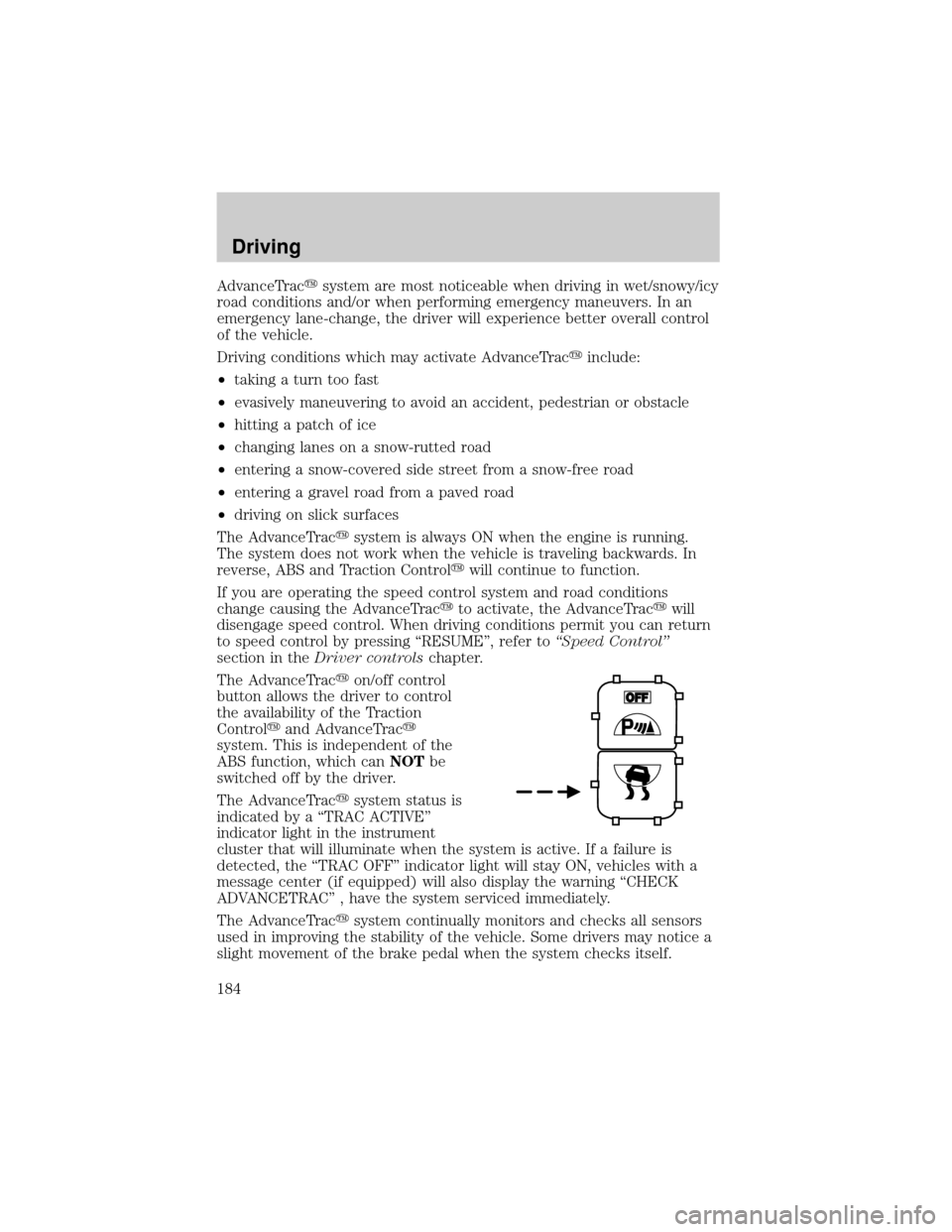
The AdvanceTracyon/off control
button allows the driver to control
the availability of the Traction
Controlyand AdvanceTracy
system. This is independent of the
ABS function, which canNOTbe
switched off by the driver.
The AdvanceTracysystem status is
indicated by a ªTRAC ACTIVEº
indicator light in the instrument
cluster that will illuminate when the system is active. If a failure is
detected, the ªTRAC OFFº indicator light will stay ON, vehicles with a
message center (if equipped) will also display the warning ªCHECK
ADVANCETRACº , have the system serviced immediately.
The AdvanceTracysystem continually monitors and checks all sensors
used in improving the stability of the vehicle. Some drivers may notice a
slight movement of the brake pedal when the system checks itself.
Driving
184
Page 189 of 296
(Overdrive) may not be
appropriate for certain terrains. If
the transaxle shifts back and forth
between third and fourth gears
while you are driving hilly roads or
if your vehicle requires additional power for climbing hills, press the O/D
OFF switch.
The transaxle will be in the ªoverdrive onº mode when the vehicle is
started even if the O/D OFF mode was selected when the vehicle was
last shut off.
If the O/D OFF indicator light is flashing on and off repeatedly when the
vehicle is started or does not come on when the O/D OFF control is
pressed, it means that there is a transaxle electronic system malfunction.
You should contact your dealer as soon as possible or damage to the
transaxle could occur.
When to use(Overdrive) or press the O/D OFF switch
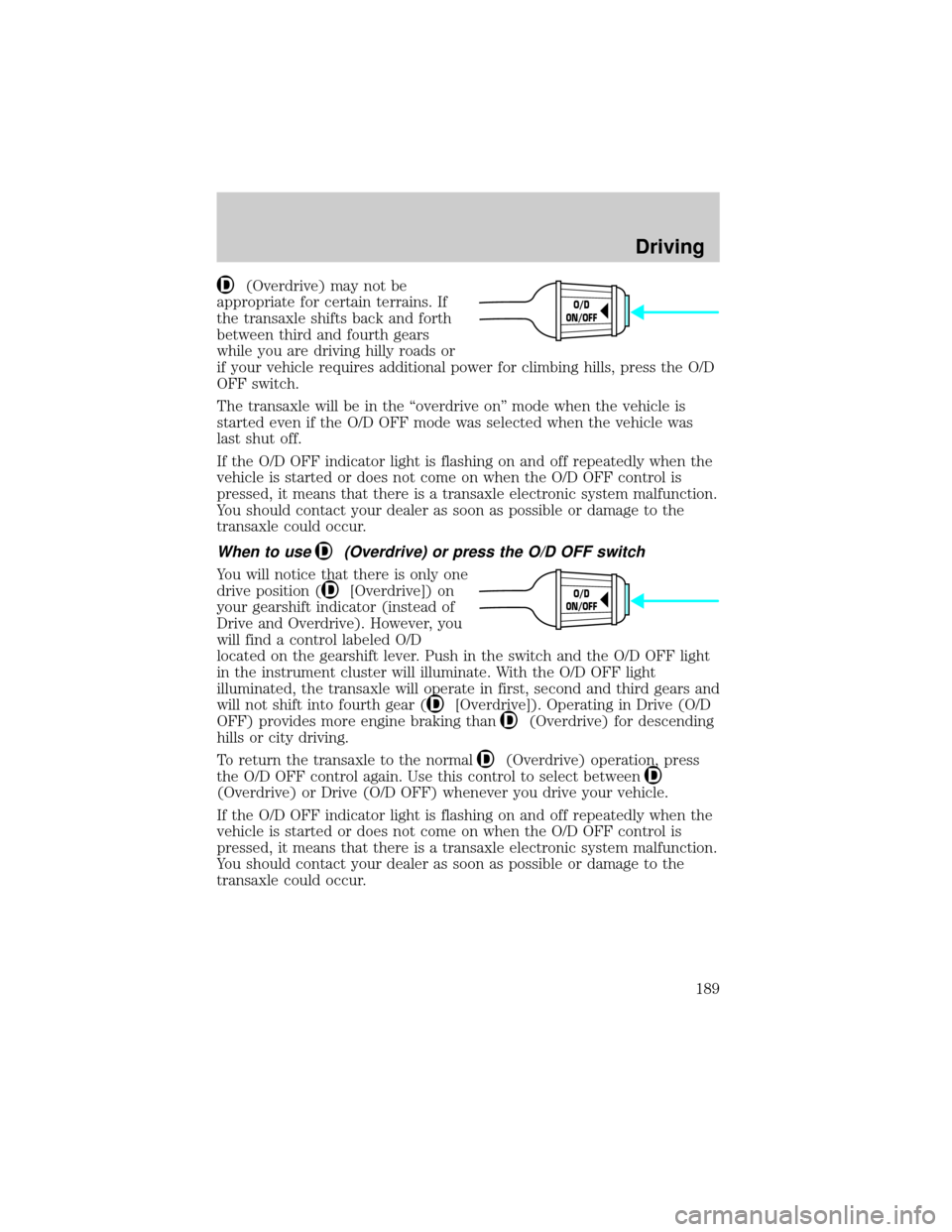
You will notice that there is only one
drive position (
[Overdrive]) on
your gearshift indicator (instead of
Drive and Overdrive). However, you
will find a control labeled O/D
located on the gearshift lever. Push in the switch and the O/D OFF light
in the instrument cluster will illuminate. With the O/D OFF light
illuminated, the transaxle will operate in first, second and third gears and
will not shift into fourth gear (
[Overdrive]). Operating in Drive (O/D
OFF) provides more engine braking than
(Overdrive) for descending
hills or city driving.
To return the transaxle to the normal
(Overdrive) operation, press
the O/D OFF control again. Use this control to select between
(Overdrive) or Drive (O/D OFF) whenever you drive your vehicle.
If the O/D OFF indicator light is flashing on and off repeatedly when the
vehicle is started or does not come on when the O/D OFF control is
pressed, it means that there is a transaxle electronic system malfunction.
You should contact your dealer as soon as possible or damage to the
transaxle could occur.
O/D
ON/OFF
O/D
ON/OFF
Driving
189