ECO mode FORD WINDSTAR 2002 2.G Owners Manual
[x] Cancel search | Manufacturer: FORD, Model Year: 2002, Model line: WINDSTAR, Model: FORD WINDSTAR 2002 2.GPages: 296, PDF Size: 2.45 MB
Page 11 of 296
These temporary malfunctions can be corrected by filling the fuel tank
with high quality fuel of the recommended octane and/or properly
installing and securely tightening the fuel cap. After three driving cycles
without these or any other temporary malfunctions present, the light
should turn off. (A driving cycle consists of a cold engine startup
followed by mixed city/highway driving.) No additional vehicle service is
required.
If the light remains on, have your vehicle serviced at the first available
opportunity.
Light is blinking:
Engine misfire is occurring which could damage your catalytic converter.
You should drive in a moderate fashion (avoid heavy acceleration and
deceleration) and have your vehicle serviced at the first available
opportunity.
Under engine misfire conditions, excessive exhaust temperatures
could damage the catalytic converter, the fuel system, interior
floor coverings or other vehicle components, possibly causing a fire.
Check fuel cap
Illuminates when the fuel cap is not
installed correctly. Check the fuel
cap for proper installation. When
the fuel filler cap is properly
re-installed, the light(s) will turn off
after a period of normal driving. Continuing to operate the vehicle with
the check fuel cap light on, can activate theService Engine Soon/Check
Enginewarning light.
It may take a long period of time for the system to detect an
improperly installed fuel filler cap.
For more information, refer toFuel filler capin theMaintenance and
specificationschapter.
CHECK
FUEL
CAP
Instrument Cluster
11
Page 22 of 296
Setting the clock
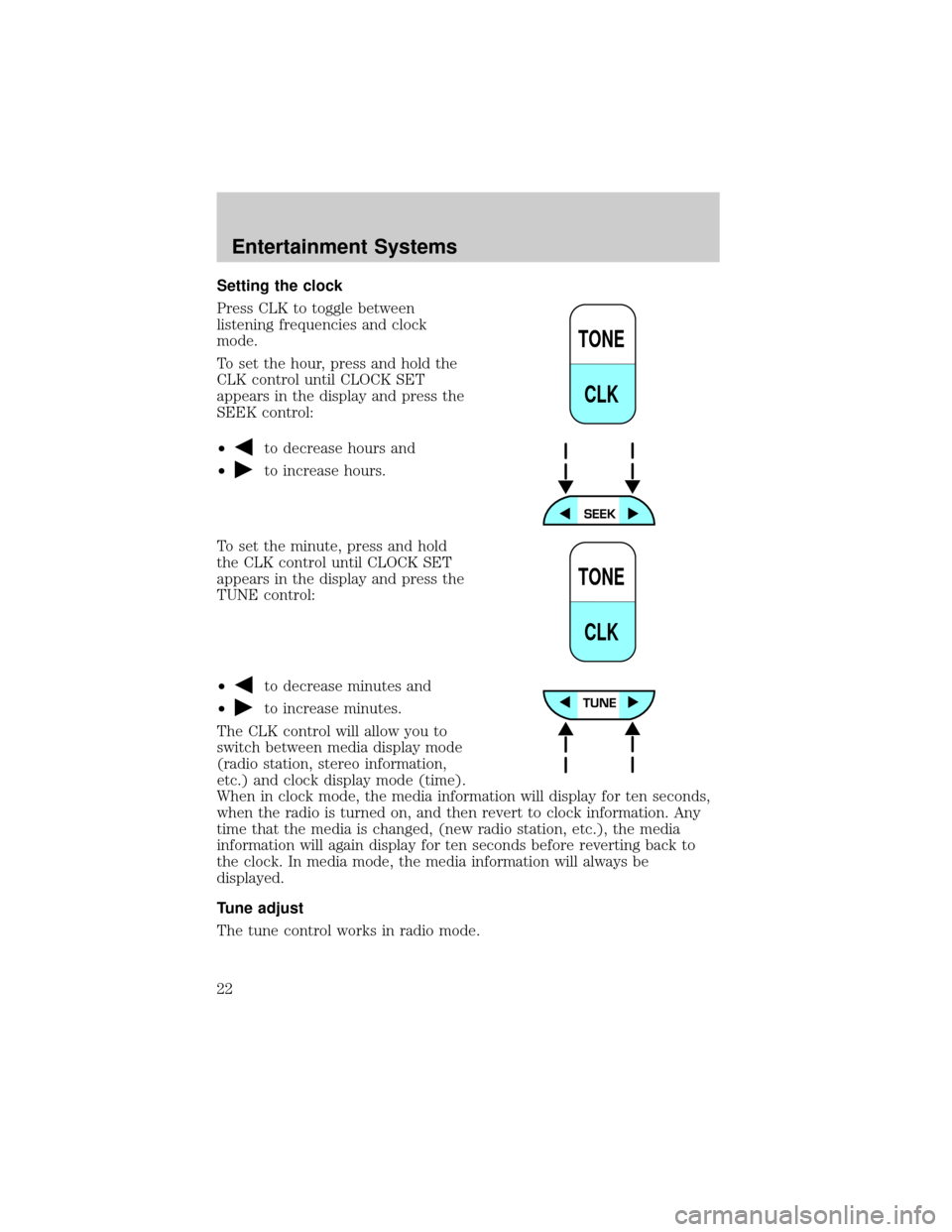
Press CLK to toggle between
listening frequencies and clock
mode.
To set the hour, press and hold the
CLK control until CLOCK SET
appears in the display and press the
SEEK control:
²
to decrease hours and
²
to increase hours.
To set the minute, press and hold
the CLK control until CLOCK SET
appears in the display and press the
TUNE control:
²
to decrease minutes and
²
to increase minutes.
The CLK control will allow you to
switch between media display mode
(radio station, stereo information,
etc.) and clock display mode (time).
When in clock mode, the media information will display for ten seconds,
when the radio is turned on, and then revert to clock information. Any
time that the media is changed, (new radio station, etc.), the media
information will again display for ten seconds before reverting back to
the clock. In media mode, the media information will always be
displayed.
Tune adjust
The tune control works in radio mode.
TONE
CLK
TONE
CLK
Entertainment Systems
22
Page 26 of 296
Seek function for CD changer (if equipped)
²Pressto seek to the previous
track of the current disc. If a
selection has been playing for
three seconds or more and you
press
, the CD changer will
replay that selection from the beginning.
²Press
to seek forward to the next track of the current disc. After
the last track has been completed, the first track of the current disc
will automatically replay.
Scan function
The scan function works in radio or
CD changer mode (if equipped).
Scan function in radio mode
Press the SCAN control to hear a brief sampling of all listenable stations on
the frequency band. Press the SCAN control again to stop the scan mode.
Scan function in CD changer mode (if equipped)
Press the SCAN control to hear a brief sampling of all selections on the
CD. (The CD scans in a forward direction, wrapping back to the first
track at the end of the CD.) To stop on a particular selection, press the
SCAN control again.
Radio station memory preset
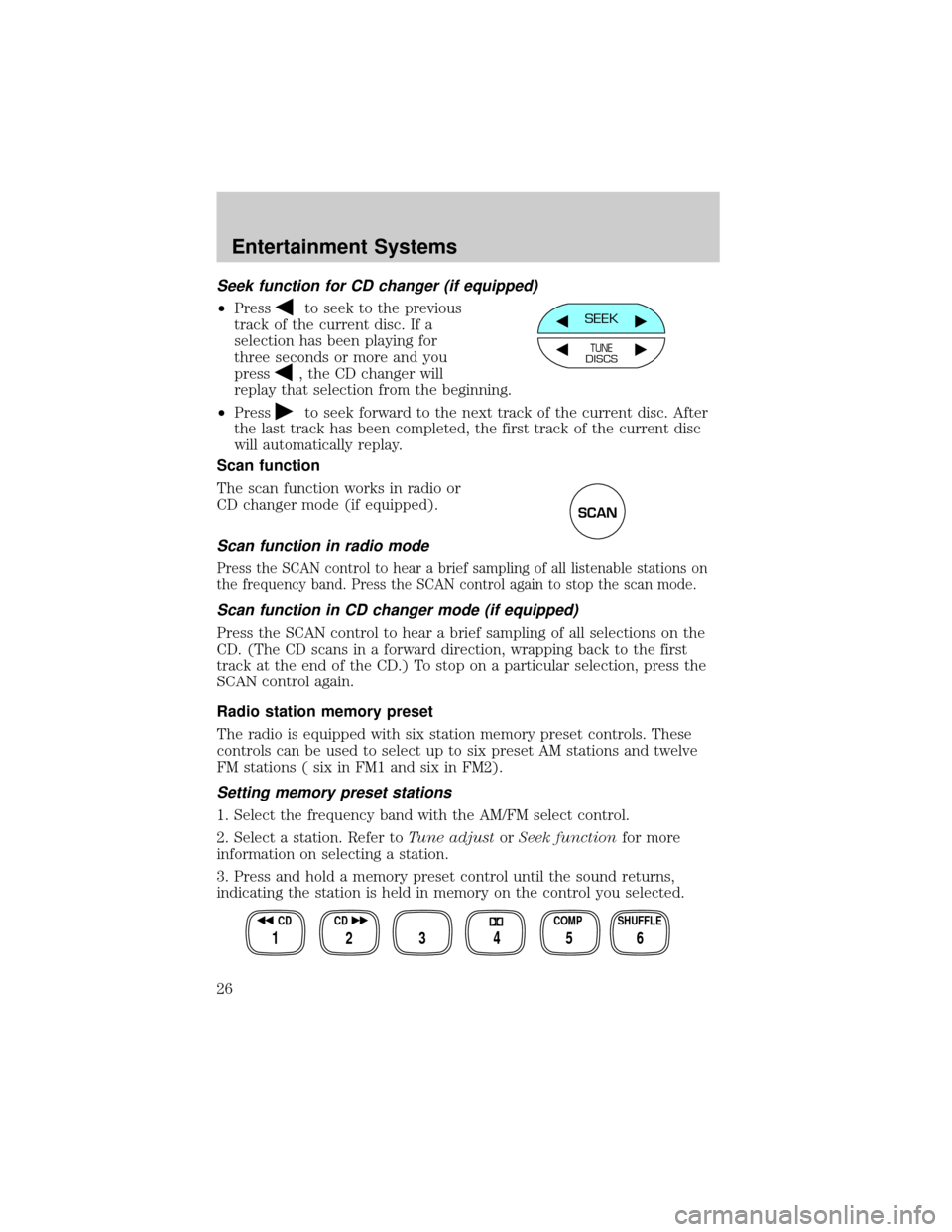
The radio is equipped with six station memory preset controls. These
controls can be used to select up to six preset AM stations and twelve
FM stations ( six in FM1 and six in FM2).
Setting memory preset stations
1. Select the frequency band with the AM/FM select control.
2. Select a station. Refer toTune adjustorSeek functionfor more
information on selecting a station.
3. Press and hold a memory preset control until the sound returns,
indicating the station is held in memory on the control you selected.
SEEK
TUNEDISCS
SCAN
SHUFFLE COMP CD CD
3 2 1456
Entertainment Systems
26
Page 28 of 296
Speaker fade adjust
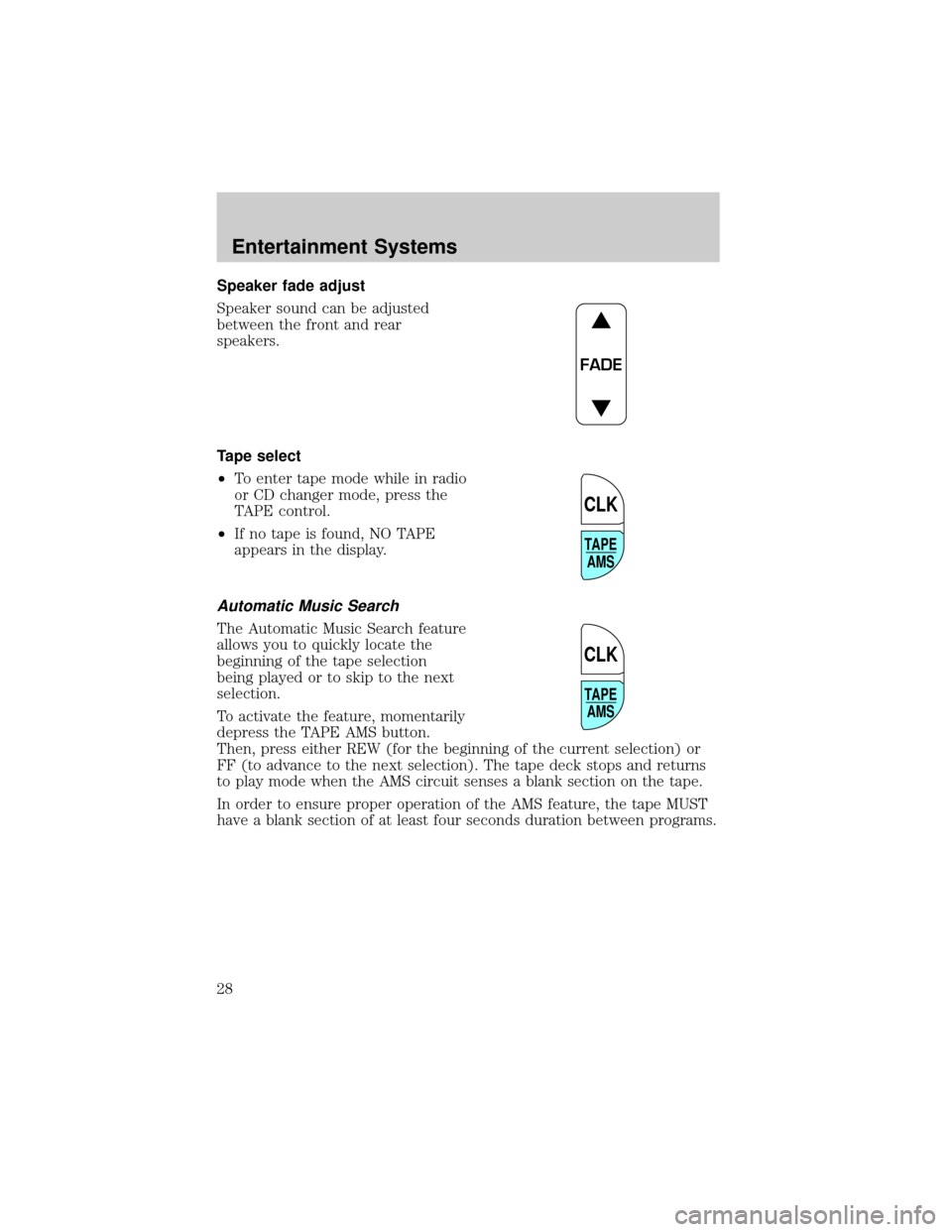
Speaker sound can be adjusted
between the front and rear
speakers.
Tape select
²To enter tape mode while in radio
or CD changer mode, press the
TAPE control.
²If no tape is found, NO TAPE
appears in the display.
Automatic Music Search
The Automatic Music Search feature
allows you to quickly locate the
beginning of the tape selection
being played or to skip to the next
selection.
To activate the feature, momentarily
depress the TAPE AMS button.
Then, press either REW (for the beginning of the current selection) or
FF (to advance to the next selection). The tape deck stops and returns
to play mode when the AMS circuit senses a blank section on the tape.
In order to ensure proper operation of the AMS feature, the tape MUST
have a blank section of at least four seconds duration between programs.
FADE
TAPE
AMS
CLK
TAPE
AMS
CLK
Entertainment Systems
28
Page 31 of 296
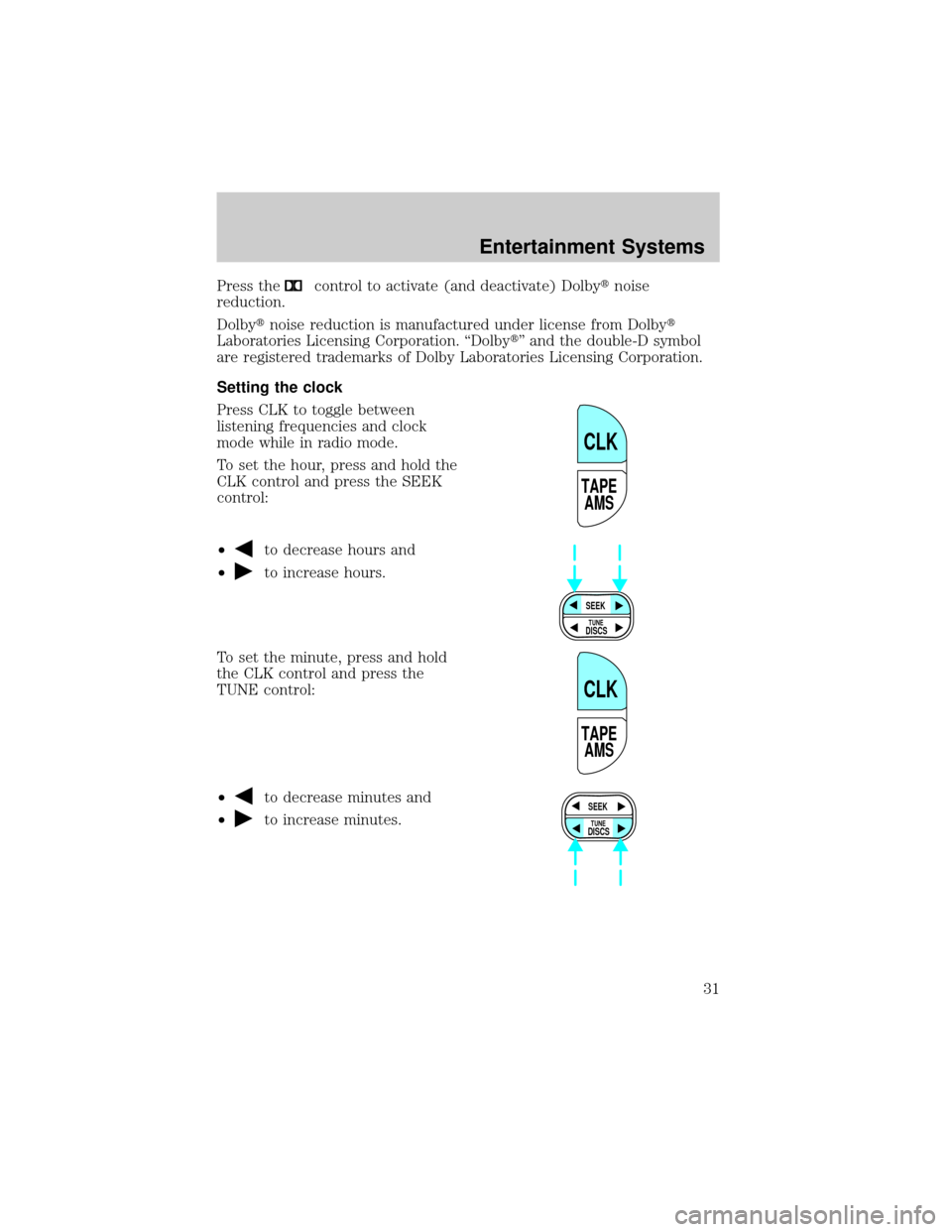
Press thecontrol to activate (and deactivate) Dolbytnoise
reduction.
Dolbytnoise reduction is manufactured under license from Dolbyt
Laboratories Licensing Corporation. ªDolbytº and the double-D symbol
are registered trademarks of Dolby Laboratories Licensing Corporation.
Setting the clock
Press CLK to toggle between
listening frequencies and clock
mode while in radio mode.
To set the hour, press and hold the
CLK control and press the SEEK
control:
²
to decrease hours and
²
to increase hours.
To set the minute, press and hold
the CLK control and press the
TUNE control:
²
to decrease minutes and
²
to increase minutes.
TAPE
AMS
CLK
SEEK
DISCS
TUNE
TAPE
AMS
CLK
SEEK
DISCS
TUNE
Entertainment Systems
31
Page 32 of 296
The CLK control will allow you to switch between media display mode
(radio station, stereo information, etc.) and clock display mode (time).
When in clock mode, the media information will display for 10 seconds,
when the radio is turned on, and then revert to clock information. Any
time that the media is changed, (new radio station, etc.), the media
information will again display for 10 seconds before reverting back to the
clock. In media mode, the media information will always be displayed.
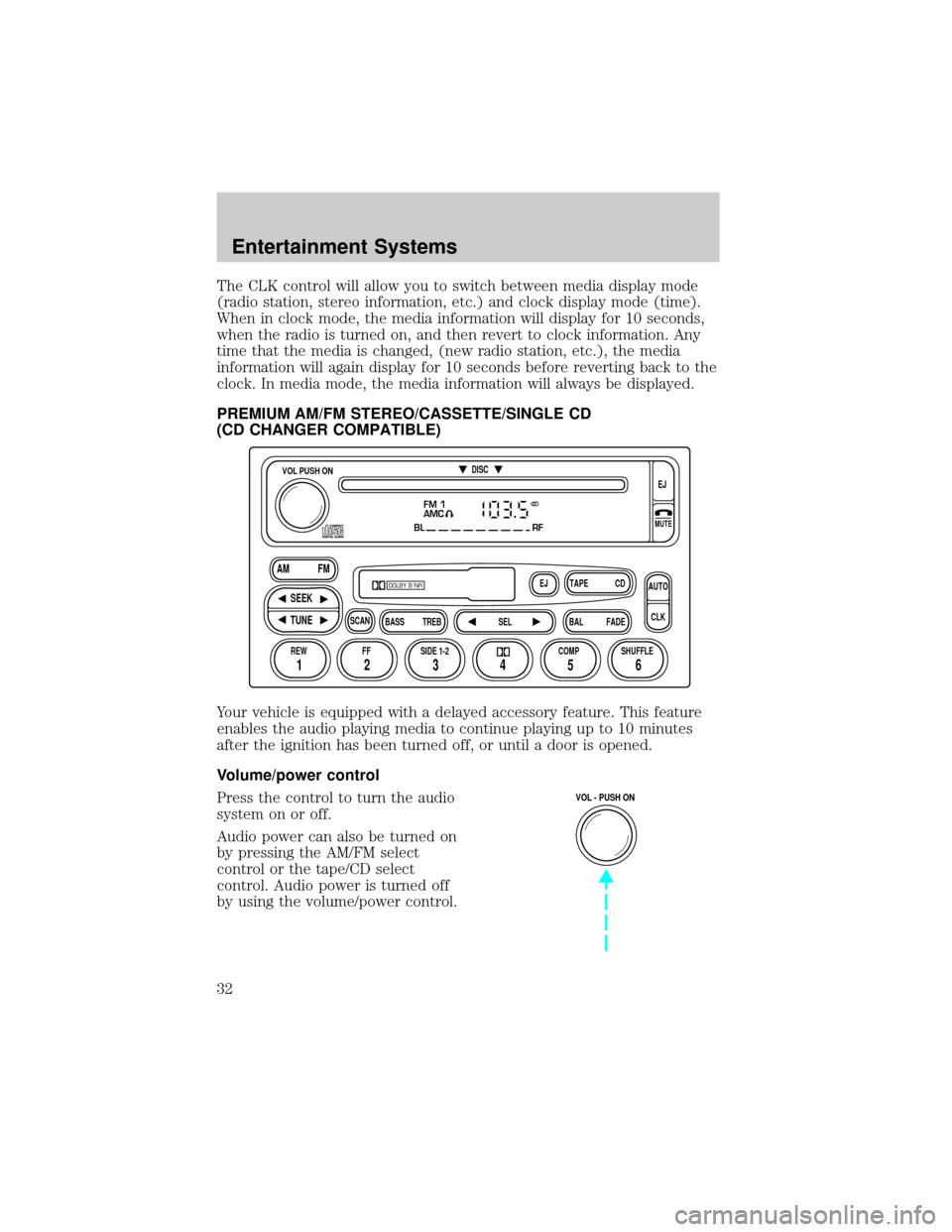
PREMIUM AM/FM STEREO/CASSETTE/SINGLE CD
(CD CHANGER COMPATIBLE)
Your vehicle is equipped with a delayed accessory feature. This feature
enables the audio playing media to continue playing up to 10 minutes
after the ignition has been turned off, or until a door is opened.
Volume/power control
Press the control to turn the audio
system on or off.
Audio power can also be turned on
by pressing the AM/FM select
control or the tape/CD select
control. Audio power is turned off
by using the volume/power control.
FM 1
AMC
BL RF
REW FFSCAN
BASS TREB SEL BALTAPE DISC
EJ CD
FADEAUTO
CLK
SIDE 1-2 COMP SHUFFLEEJ
MUTE
VOL PUSH ON
SEEK
TUNE AM FM
12 3456
DOLBY B NR
ST
VOL - PUSH ON
Entertainment Systems
32
Page 35 of 296
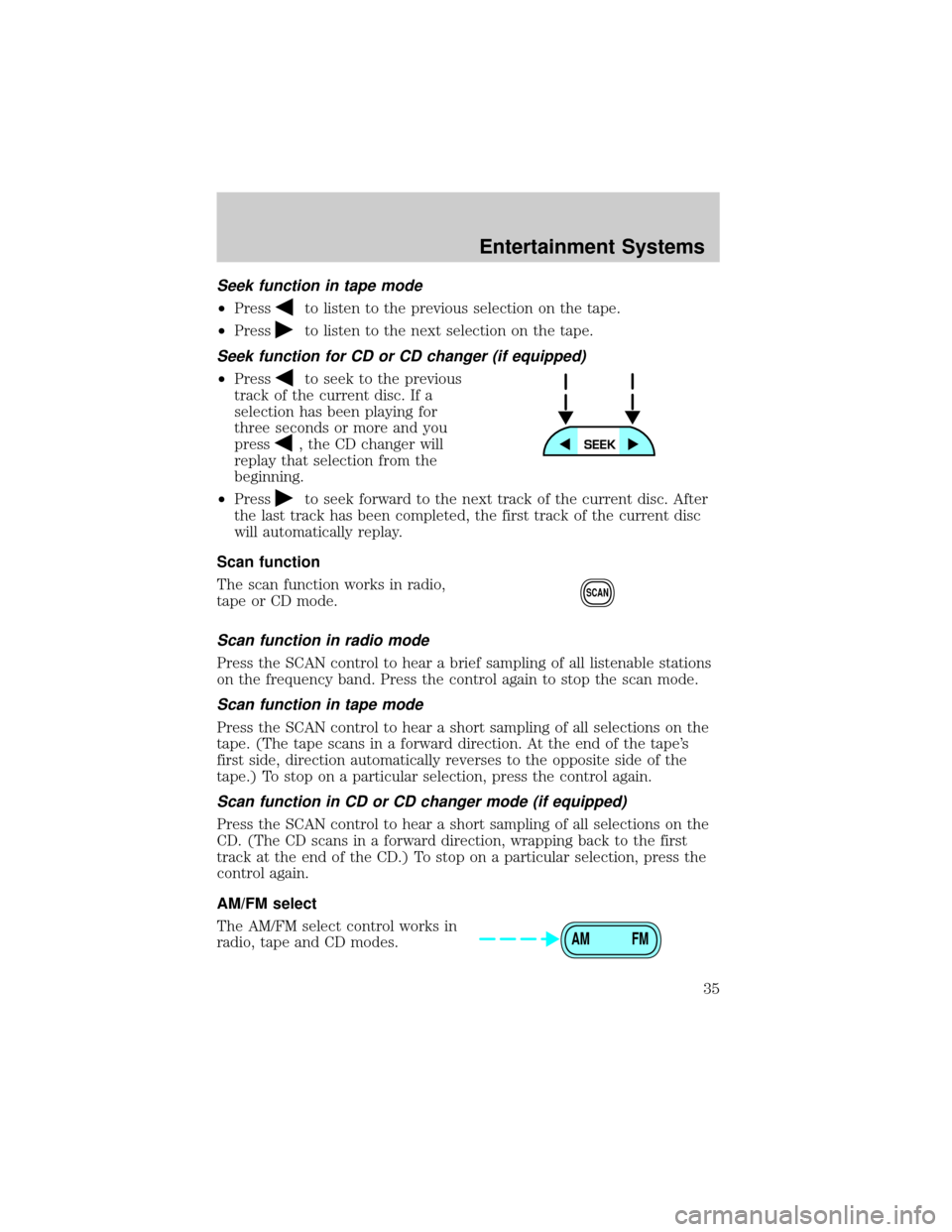
Seek function in tape mode
²Pressto listen to the previous selection on the tape.
²Press
to listen to the next selection on the tape.
Seek function for CD or CD changer (if equipped)
²Pressto seek to the previous
track of the current disc. If a
selection has been playing for
three seconds or more and you
press
, the CD changer will
replay that selection from the
beginning.
²Press
to seek forward to the next track of the current disc. After
the last track has been completed, the first track of the current disc
will automatically replay.
Scan function
The scan function works in radio,
tape or CD mode.
Scan function in radio mode
Press the SCAN control to hear a brief sampling of all listenable stations
on the frequency band. Press the control again to stop the scan mode.
Scan function in tape mode
Press the SCAN control to hear a short sampling of all selections on the
tape. (The tape scans in a forward direction. At the end of the tape's
first side, direction automatically reverses to the opposite side of the
tape.) To stop on a particular selection, press the control again.
Scan function in CD or CD changer mode (if equipped)
Press the SCAN control to hear a short sampling of all selections on the
CD. (The CD scans in a forward direction, wrapping back to the first
track at the end of the CD.) To stop on a particular selection, press the
control again.
AM/FM select
The AM/FM select control works in
radio, tape and CD modes.
SCAN
AM FM
Entertainment Systems
35
Page 38 of 296
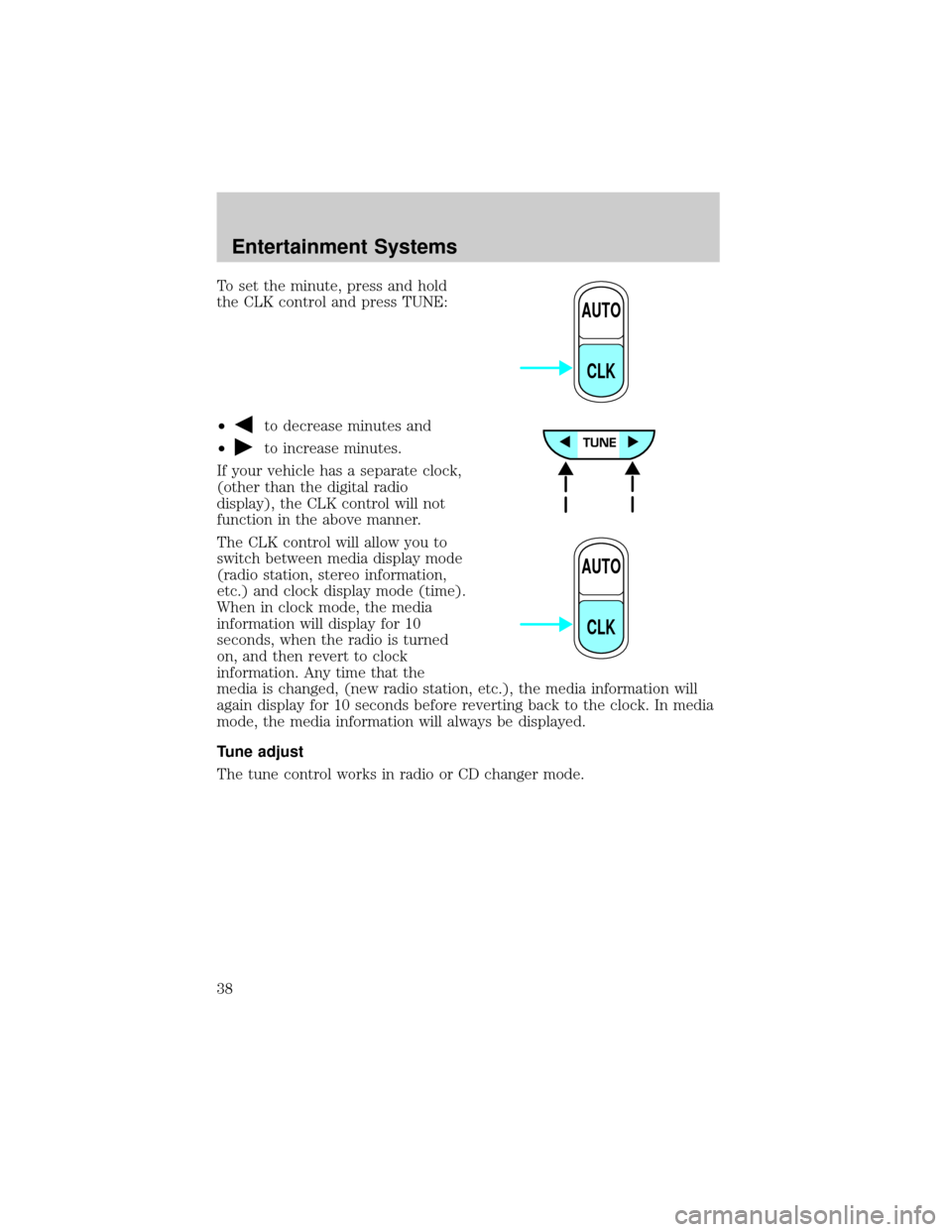
To set the minute, press and hold
the CLK control and press TUNE:
²
to decrease minutes and
²
to increase minutes.
If your vehicle has a separate clock,
(other than the digital radio
display), the CLK control will not
function in the above manner.
The CLK control will allow you to
switch between media display mode
(radio station, stereo information,
etc.) and clock display mode (time).
When in clock mode, the media
information will display for 10
seconds, when the radio is turned
on, and then revert to clock
information. Any time that the
media is changed, (new radio station, etc.), the media information will
again display for 10 seconds before reverting back to the clock. In media
mode, the media information will always be displayed.
Tune adjust
The tune control works in radio or CD changer mode.
AUTO
CLK
AUTO
CLK
Entertainment Systems
38
Page 61 of 296
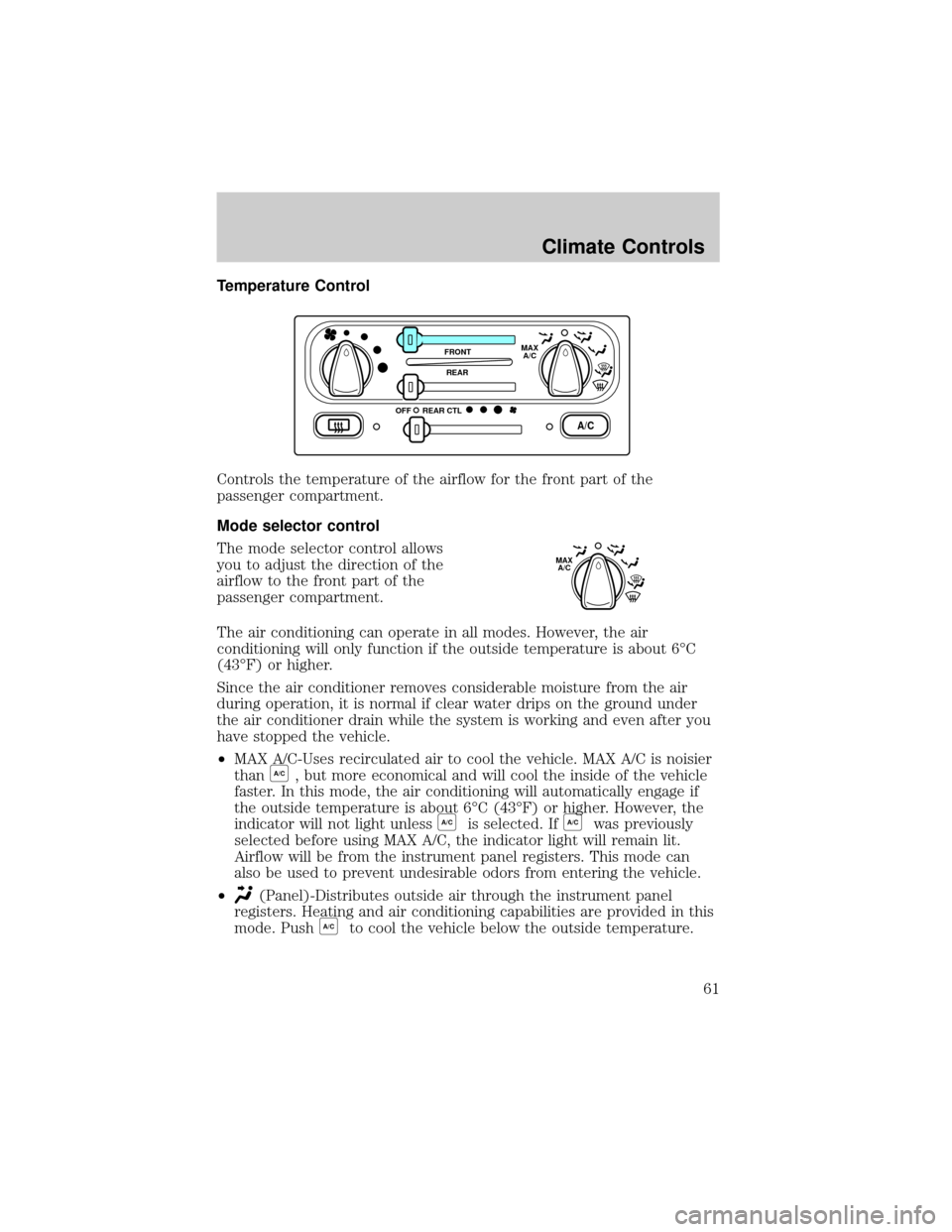
Temperature Control
Controls the temperature of the airflow for the front part of the
passenger compartment.
Mode selector control
The mode selector control allows
you to adjust the direction of the
airflow to the front part of the
passenger compartment.
The air conditioning can operate in all modes. However, the air
conditioning will only function if the outside temperature is about 6ÉC
(43ÉF) or higher.
Since the air conditioner removes considerable moisture from the air
during operation, it is normal if clear water drips on the ground under
the air conditioner drain while the system is working and even after you
have stopped the vehicle.
²MAX A/C-Uses recirculated air to cool the vehicle. MAX A/C is noisier
than
A/C, but more economical and will cool the inside of the vehicle
faster. In this mode, the air conditioning will automatically engage if
the outside temperature is about 6ÉC (43ÉF) or higher. However, the
indicator will not light unless
A/Cis selected. IfA/Cwas previously
selected before using MAX A/C, the indicator light will remain lit.
Airflow will be from the instrument panel registers. This mode can
also be used to prevent undesirable odors from entering the vehicle.
²
(Panel)-Distributes outside air through the instrument panel
registers. Heating and air conditioning capabilities are provided in this
mode. Push
A/Cto cool the vehicle below the outside temperature.
A/C
FRONT
REAR
OFFMAX
A/C
REAR CTL
MAX
A/C
Climate Controls
61
Page 62 of 296
²OFF-Outside air is shut out and the fan will not operate. For short
periods of time only, use this mode to prevent undesirable odors from
entering the vehicle.
²
(Panel and floor)-Distributes outside air through the instrument
panel registers and the floor ducts. Heating and air conditioning
capabilities are provided in this mode. Push
A/Cto cool the vehicle
below the outside temperature. For added customer comfort, when
the temperature control knob is anywhere in between the full hot and
full cold positions, the air distributed through the floor ducts will be
slightly warmer than the air sent to the instrument panel registers.
²
(Floor)-Allows for maximum heating by distributing outside air
through the floor ducts. Heating and air conditioning capabilities are
provided in this mode. Push
A/Cto cool the vehicle below the outside
temperature.
²
(Floor and defrost)-Distributes outside air through the windshield
defroster ducts and the floor ducts. Heating and air conditioning
capabilities are provided in this mode. In this mode, the air
conditioning will automatically engage if the outside temperature is
about 6ÉC (43ÉF) or higher. However, the indicator will not light
unless
A/Cis selected. IfA/Cwas previously selected before using
Floor/Defrost, the indicator light will remain lit. For added customer
comfort, when the temperature control knob is anywhere in between
the full hot and full cold positions, the air distributed through the floor
ducts will be slightly warmer than the air sent to the windshield
defrost ducts.
²
(Defrost)-Distributes outside air through the windshield defroster
ducts. It can be used to clear ice or fog from the windshield. If the
temperature is about 6ÉC (43ÉF) or higher, the air conditioner will
automatically dehumidify the air to reduce fogging. However, the
indicator will not light unless
A/Cis selected.
Cooling your vehicle with outside air
Cooling your vehicle with air conditioned outside air is quieter but less
economical than using recirculated air. It also has less cooling capacity.
In order to cool your vehicle using outside air:
1. Turn the mode selector to
,or.
2. Press
A/C. The indicator light next to theA/Ccontrol will illuminate.
3. Slide the temperature control knob to the left.
Climate Controls
62