ECU FORD WINDSTAR 2002 2.G Owners Manual
[x] Cancel search | Manufacturer: FORD, Model Year: 2002, Model line: WINDSTAR, Model: FORD WINDSTAR 2002 2.GPages: 296, PDF Size: 2.45 MB
Page 1 of 296
Introduction 4
Congratulations 4
Safety and environment protection 5
Symbol glossary 8
Instrument Cluster 10
Warning and control lights 10
Gauges 16
Entertainment Systems 19
AM/FM stereo 19
AM/FM stereo cassette (CD changer compatible) 23
AM/FM stereo cassette with CD 32
AM/FM stereo with CD 44
Climate Controls 58
Heater only 58
Manual heating and air conditioning 60
Lights 67
Headlamps 67
Bulb replacement 73
Driver Controls 79
Steering wheel adjustment 81
Power windows 86
Mirrors 88
Message center 100
Locks and Security 113
Keys 113
Locks 113
Anti-theft system 114
Table of Contents
1
Page 10 of 296
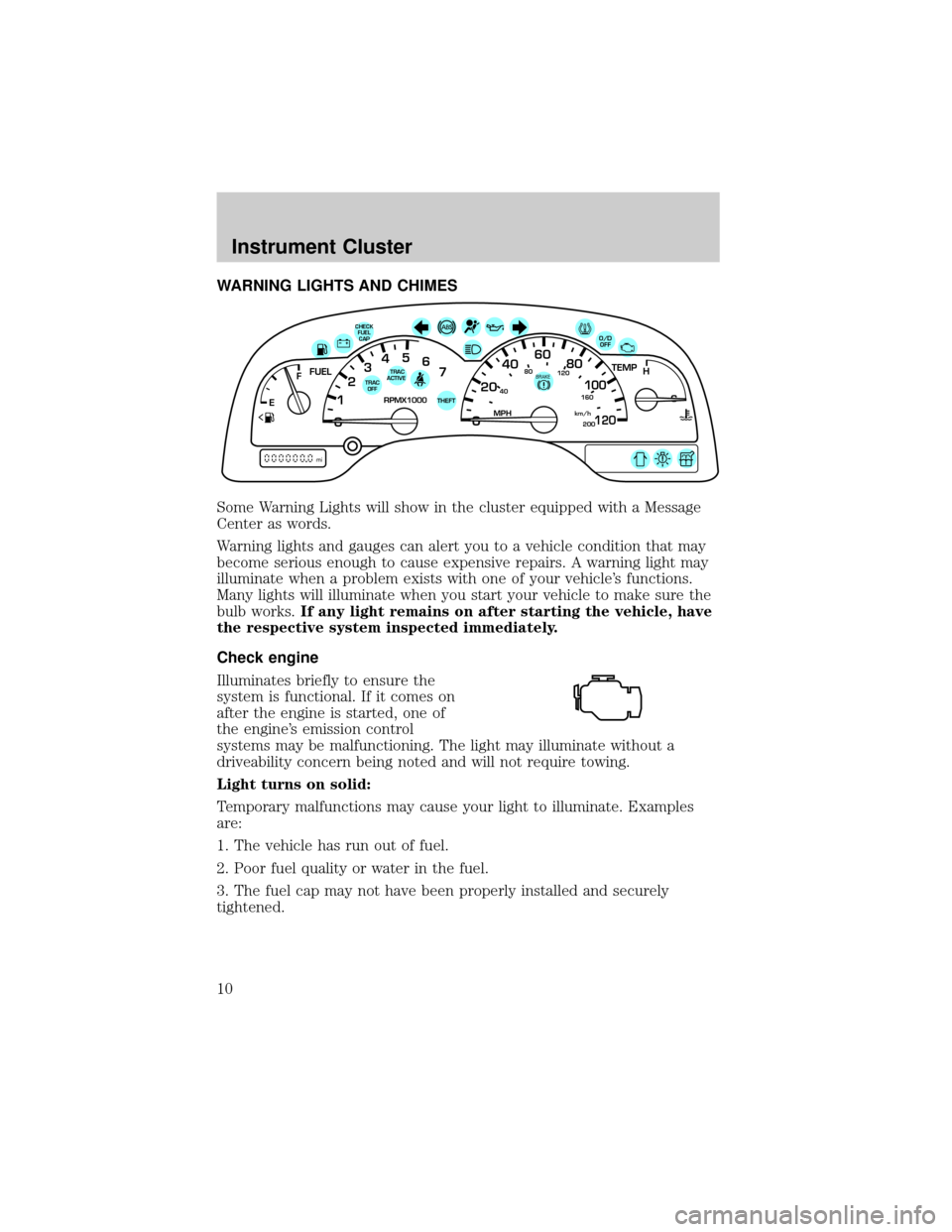
WARNING LIGHTS AND CHIMES
Some Warning Lights will show in the cluster equipped with a Message
Center as words.
Warning lights and gauges can alert you to a vehicle condition that may
become serious enough to cause expensive repairs. A warning light may
illuminate when a problem exists with one of your vehicle's functions.
Many lights will illuminate when you start your vehicle to make sure the
bulb works.If any light remains on after starting the vehicle, have
the respective system inspected immediately.
Check engine
Illuminates briefly to ensure the
system is functional. If it comes on
after the engine is started, one of
the engine's emission control
systems may be malfunctioning. The light may illuminate without a
driveability concern being noted and will not require towing.
Light turns on solid:
Temporary malfunctions may cause your light to illuminate. Examples
are:
1. The vehicle has run out of fuel.
2. Poor fuel quality or water in the fuel.
3. The fuel cap may not have been properly installed and securely
tightened.
40
4080
120
160
20020
12345
6
760
80100
120MPH RPMX1000 THEFT
TRAC
ACTIVE TRAC
OFFTEMP
H
FFUEL
E
km/h
BRAKE
mi
O/D
OFFCHECK
FUEL
CAP
Instrument Cluster
10
Page 11 of 296
These temporary malfunctions can be corrected by filling the fuel tank
with high quality fuel of the recommended octane and/or properly
installing and securely tightening the fuel cap. After three driving cycles
without these or any other temporary malfunctions present, the light
should turn off. (A driving cycle consists of a cold engine startup
followed by mixed city/highway driving.) No additional vehicle service is
required.
If the light remains on, have your vehicle serviced at the first available
opportunity.
Light is blinking:
Engine misfire is occurring which could damage your catalytic converter.
You should drive in a moderate fashion (avoid heavy acceleration and
deceleration) and have your vehicle serviced at the first available
opportunity.
Under engine misfire conditions, excessive exhaust temperatures
could damage the catalytic converter, the fuel system, interior
floor coverings or other vehicle components, possibly causing a fire.
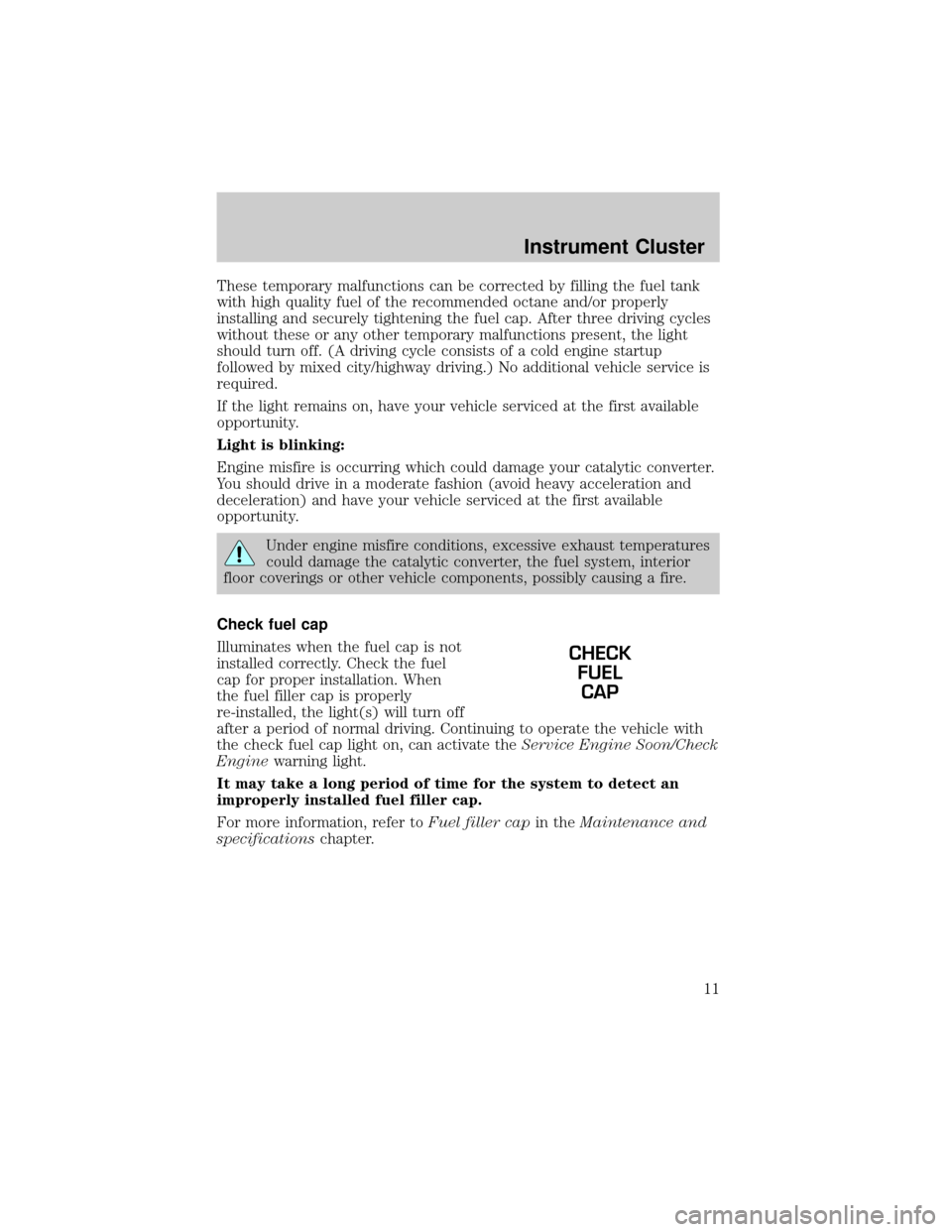
Check fuel cap
Illuminates when the fuel cap is not
installed correctly. Check the fuel
cap for proper installation. When
the fuel filler cap is properly
re-installed, the light(s) will turn off
after a period of normal driving. Continuing to operate the vehicle with
the check fuel cap light on, can activate theService Engine Soon/Check
Enginewarning light.
It may take a long period of time for the system to detect an
improperly installed fuel filler cap.
For more information, refer toFuel filler capin theMaintenance and
specificationschapter.
CHECK
FUEL
CAP
Instrument Cluster
11
Page 14 of 296
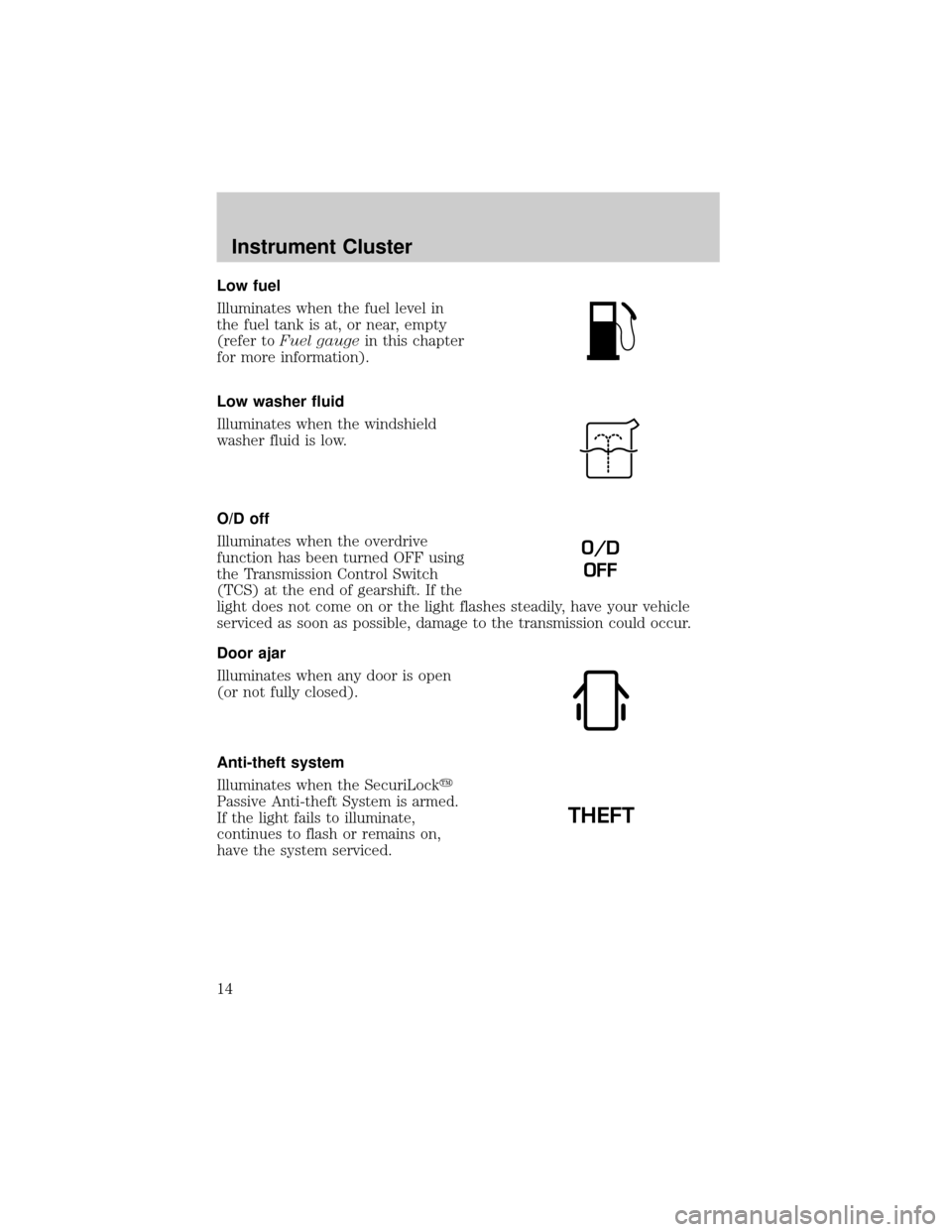
Low fuel
Illuminates when the fuel level in
the fuel tank is at, or near, empty
(refer toFuel gaugein this chapter
for more information).
Low washer fluid
Illuminates when the windshield
washer fluid is low.
O/D off
Illuminates when the overdrive
function has been turned OFF using
the Transmission Control Switch
(TCS) at the end of gearshift. If the
light does not come on or the light flashes steadily, have your vehicle
serviced as soon as possible, damage to the transmission could occur.
Door ajar
Illuminates when any door is open
(or not fully closed).
Anti-theft system
Illuminates when the SecuriLocky
Passive Anti-theft System is armed.
If the light fails to illuminate,
continues to flash or remains on,
have the system serviced.
O/D
OFF
THEFT
Instrument Cluster
14
Page 68 of 296
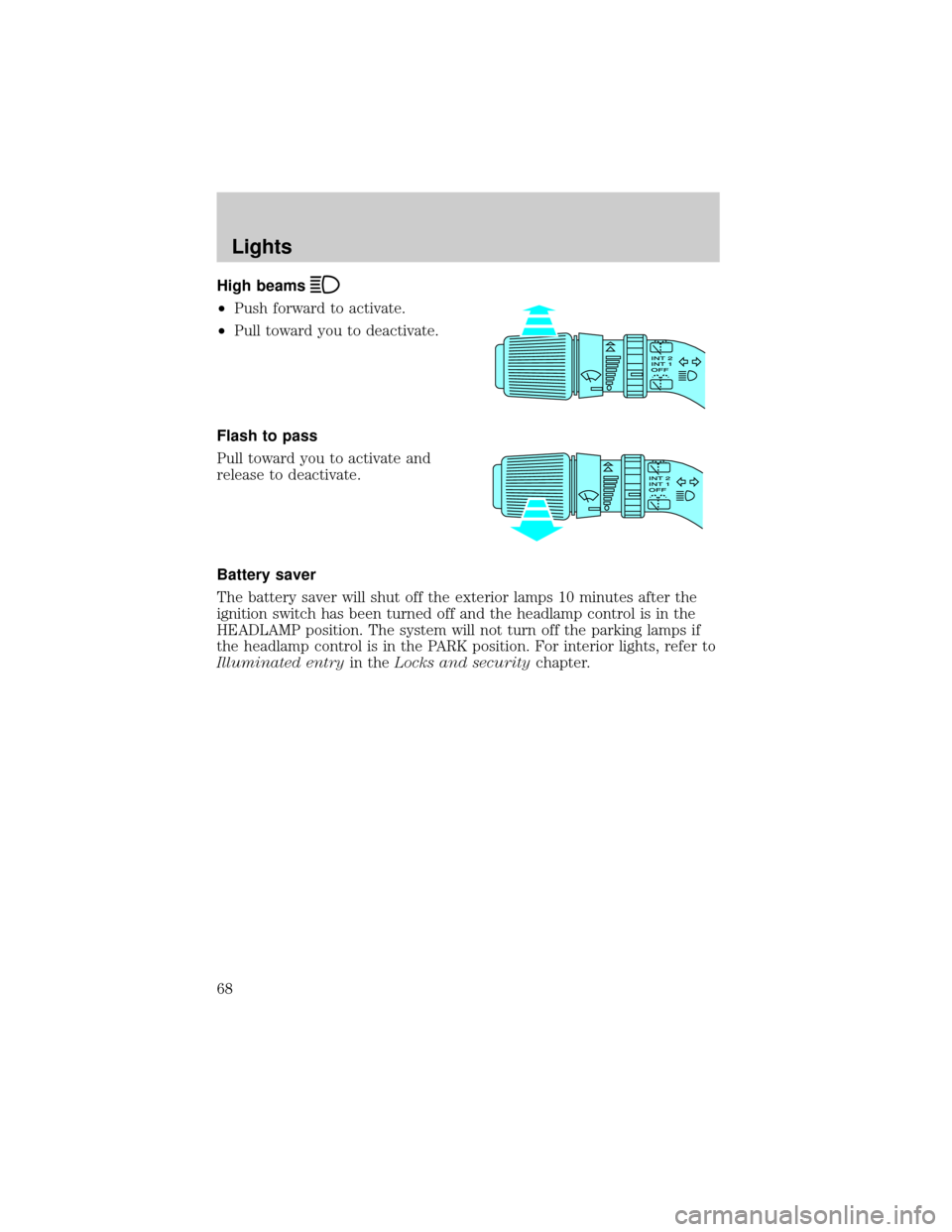
High beams
²Push forward to activate.
²Pull toward you to deactivate.
Flash to pass
Pull toward you to activate and
release to deactivate.
Battery saver
The battery saver will shut off the exterior lamps 10 minutes after the
ignition switch has been turned off and the headlamp control is in the
HEADLAMP position. The system will not turn off the parking lamps if
the headlamp control is in the PARK position. For interior lights, refer to
Illuminated entryin theLocks and securitychapter.
Lights
68
Page 76 of 296
4. Install the headlamp on vehicle by aligning the lamp with the rear
retainer, push rearward and secure with two retainer pins.
5. Turn the headlamps on and make sure they work properly. If the
headlamp was correctly aligned before you changed the bulb, you should
not need to align it again.
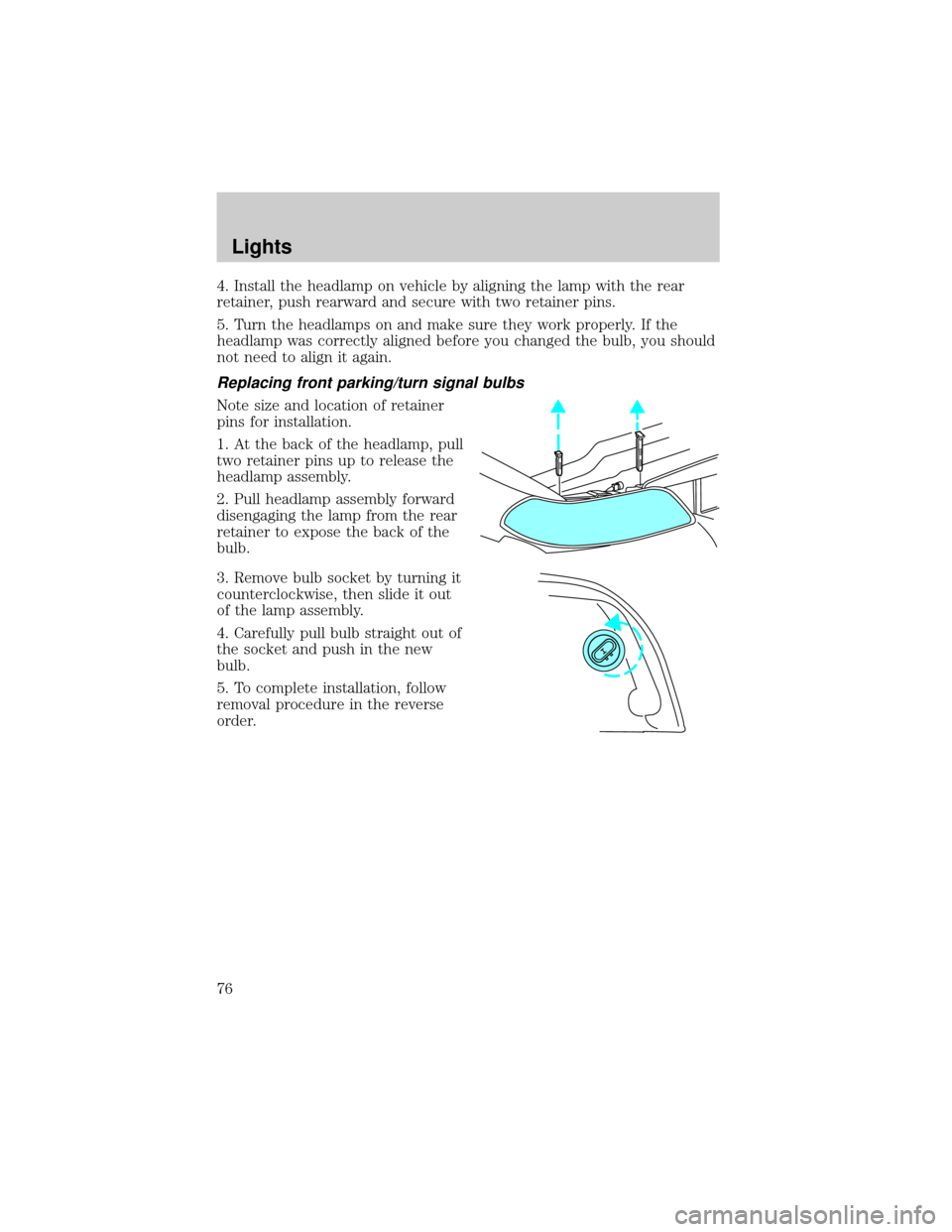
Replacing front parking/turn signal bulbs
Note size and location of retainer
pins for installation.
1. At the back of the headlamp, pull
two retainer pins up to release the
headlamp assembly.
2. Pull headlamp assembly forward
disengaging the lamp from the rear
retainer to expose the back of the
bulb.
3. Remove bulb socket by turning it
counterclockwise, then slide it out
of the lamp assembly.
4. Carefully pull bulb straight out of
the socket and push in the new
bulb.
5. To complete installation, follow
removal procedure in the reverse
order.
Lights
76
Page 83 of 296
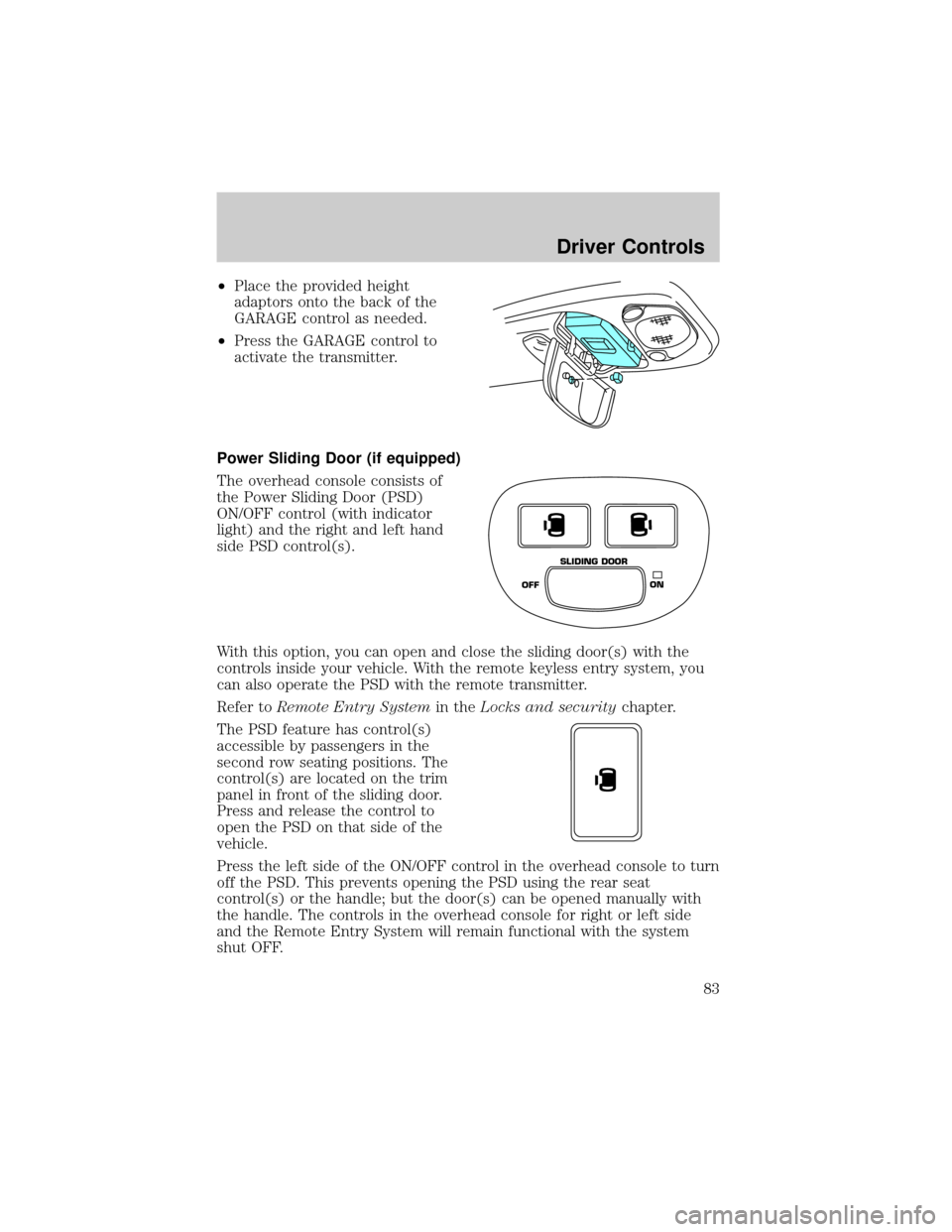
²Place the provided height
adaptors onto the back of the
GARAGE control as needed.
²Press the GARAGE control to
activate the transmitter.
Power Sliding Door (if equipped)
The overhead console consists of
the Power Sliding Door (PSD)
ON/OFF control (with indicator
light) and the right and left hand
side PSD control(s).
With this option, you can open and close the sliding door(s) with the
controls inside your vehicle. With the remote keyless entry system, you
can also operate the PSD with the remote transmitter.
Refer toRemote Entry Systemin theLocks and securitychapter.
The PSD feature has control(s)
accessible by passengers in the
second row seating positions. The
control(s) are located on the trim
panel in front of the sliding door.
Press and release the control to
open the PSD on that side of the
vehicle.
Press the left side of the ON/OFF control in the overhead console to turn
off the PSD. This prevents opening the PSD using the rear seat
control(s) or the handle; but the door(s) can be opened manually with
the handle. The controls in the overhead console for right or left side
and the Remote Entry System will remain functional with the system
shut OFF.
OFFON SLIDING DOOR
Driver Controls
83
Page 84 of 296

The sliding door must be unlocked for it to operate. The key does not
have to be in the ignition. To help avoid accidental operation of the
Power Sliding Door, disable the PSD second row passenger controls by
pushing the overhead console control to OFF. When the key is in the
ignition in RUN, the PSD will only open if the transaxle is in PARK (P).
The transaxle does not have to be in PARK (P) to close the door.
Opening the PSD
With the ON/OFF control in the ON position, either sliding door can be
opened by:
²operating the remote transmitter. Refer toRemote Entry Systemin
theLocks and securitychapter.
²pushing and releasing the overhead console right hand or left hand
control
²pushing and releasing the right hand or left hand second row
passenger control
²manually pulling the inside or outside sliding door handle and release
The door will open fully using these options.
With the ON/OFF control in the OFF position, either sliding door can be
opened by pulling the inside or outside handle and sliding the door all
the way back manually.
The left hand PSD will not open (manually or power) if the fuel door is
open regardless of the ON/OFF control position.
Closing the PSD
With the ON/OFF control in the ON position, either sliding door can be
closed by:
²operating the remote transmitter. Refer toRemote Entry Systemin
theLocks and securitychapter.
²pushing and releasing the overhead console right hand or left hand
control
²pushing and releasing the right hand or left hand second row
passenger control
²manually rolling the door several inches towards the closed position
and release
The door will close completely and latch using these options.
Driver Controls
84
Page 85 of 296

With the ON/OFF control in the OFF position, either sliding door can be
closed by pulling the inside or outside handle and sliding the door all the
way forward to the latched position manually.
Safety/Obstructions
If anything obstructs the Power Sliding Door while it is closing, the door
will automatically reverse to the open position, provided it meets
sufficient resistance.
Resetting the PSD
The power sliding door may operate incorrectly or not at all because of
the following condition:
²a low voltage or dead battery
²disconnecting the battery
²if the PSD fuse (fuse #6) is removed or blown. Refer toFuses and
relaysin theRoadside emergencieschapter.
If any of these conditions occur, reset the PSD by:
1. Check to see if power sliding door is unlocked and securely closed.
2. Make sure the gearshift is in (P) Park.
3. Push the power door control on the overhead console to open the
door.
4. Wait five (5) seconds and close the door by pressing the power door
control on the overhead console.
5. Wait five (5) seconds and repeat Steps 3 and 4 and go on to step 6.
6. Repeat steps 3±5 for opposite door.
If the door does not rest in the fully open position, repeat Steps 1±4
again. If the door still does not operate correctly:
7. Turn the ignition switch to OFF.
8. Remove the PSD fuse (fuse #6) from the passenger fuse panel and
leave it out for thirty (30) seconds. Refer toFuses and relaysin the
Roadside emergencieschapter.
9. Reinstall the fuse and wait ten (10) seconds.
10. Repeat steps 1±6 above.
If the door still does not operate correctly, see your dealer for service.
Driver Controls
85
Page 96 of 296
POSITIVE RETENTION FLOOR MAT (IF EQUIPPED)
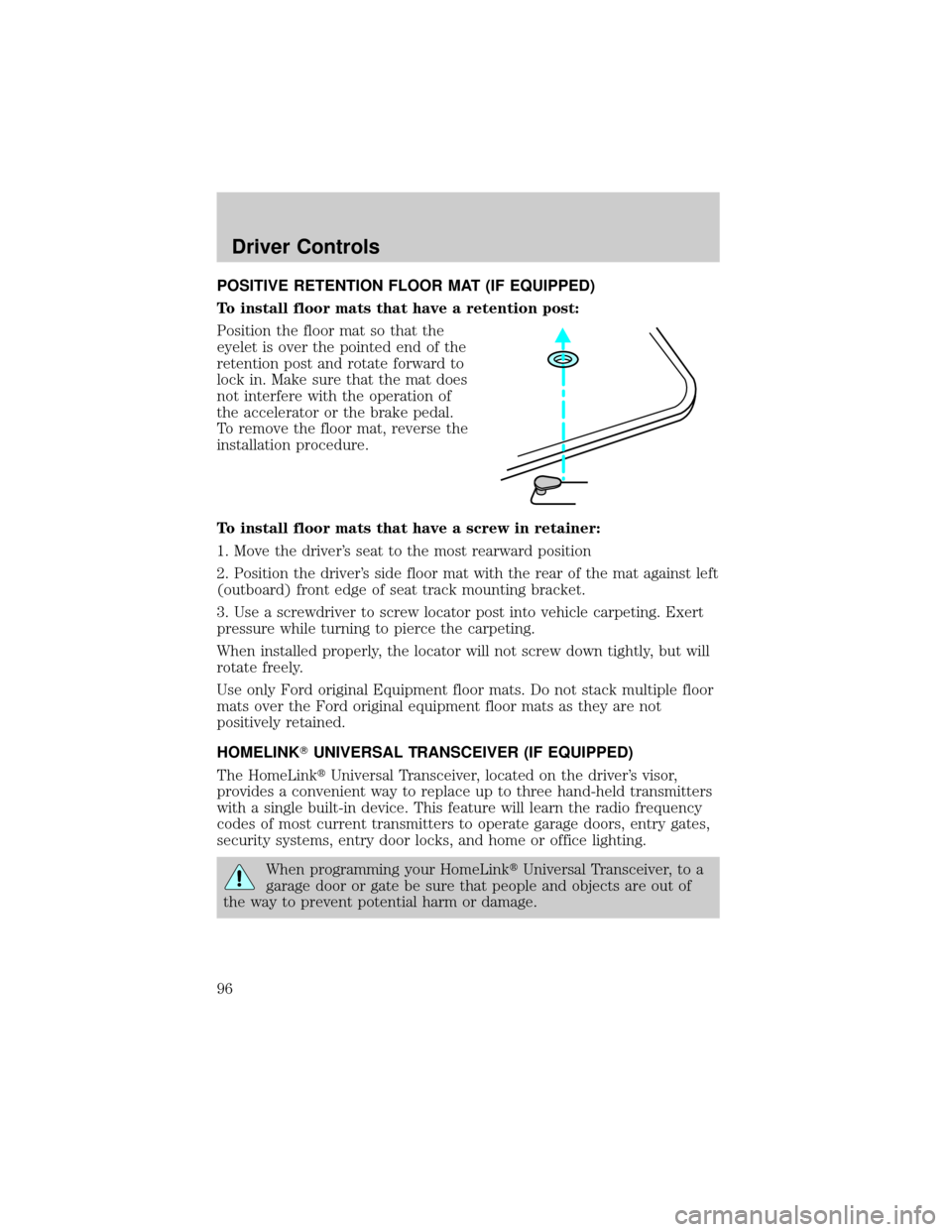
To install floor mats that have a retention post:
Position the floor mat so that the
eyelet is over the pointed end of the
retention post and rotate forward to
lock in. Make sure that the mat does
not interfere with the operation of
the accelerator or the brake pedal.
To remove the floor mat, reverse the
installation procedure.
To install floor mats that have a screw in retainer:
1. Move the driver's seat to the most rearward position
2. Position the driver's side floor mat with the rear of the mat against left
(outboard) front edge of seat track mounting bracket.
3. Use a screwdriver to screw locator post into vehicle carpeting. Exert
pressure while turning to pierce the carpeting.
When installed properly, the locator will not screw down tightly, but will
rotate freely.
Use only Ford original Equipment floor mats. Do not stack multiple floor
mats over the Ford original equipment floor mats as they are not
positively retained.
HOMELINKTUNIVERSAL TRANSCEIVER (IF EQUIPPED)
The HomeLinktUniversal Transceiver, located on the driver's visor,
provides a convenient way to replace up to three hand-held transmitters
with a single built-in device. This feature will learn the radio frequency
codes of most current transmitters to operate garage doors, entry gates,
security systems, entry door locks, and home or office lighting.
When programming your HomeLinktUniversal Transceiver, to a
garage door or gate be sure that people and objects are out of
the way to prevent potential harm or damage.
Driver Controls
96