lane assist GENESIS G80 2018 User Guide
[x] Cancel search | Manufacturer: GENESIS, Model Year: 2018, Model line: G80, Model: GENESIS G80 2018Pages: 516, PDF Size: 81.01 MB
Page 312 of 516

5-57
Driving your vehicle
5
The Blind Spot Detection System
(BSD) uses radar sensors in the rear
bumper to monitor and warn the driv-
er of an approaching vehicle in the
driver's blind spot area.
The system monitors the rear area of
the vehicle and provides information
to the driver with an audible alert and
an indicator on the side view mirrors.(1) BSD (Blind Spot Detection)
The blind spot detection range
varies relative to vehicle speed.
Note that if your vehicle is travel-
ing much faster than the vehicles
around you, the warning will not
occur.
(2) LCA (Lane Change Assist)
The Lane Change Assist feature
will help alert you when a vehicle
is approaching in an adjacent
lane at a high rate of speed. If the
driver activates the turn signal
when the system detects an
oncoming vehicle, the system
sounds an audible alert.
(3) RCTA (Rear Cross Traffic Alert)
The Rear Cross Traffic Alert fea-
ture monitors approaching cross
traffic from the left and right side
of the vehicle when your vehicle
is in reverse. The feature will
operate when the vehicle is mov-
ing in reverse below about 6 mph
(10 km/h). If oncoming cross traf-
fic is detected a warning chime
will sound.
B BL
LI
IN
ND
D
S
SP
PO
OT
T
D
DE
ET
TE
EC
CT
TI
IO
ON
N
S
SY
YS
ST
TE
EM
M
(
(B
BS
SD
D)
)
ODH053032
Blind spot area
Closing at high speed
Always be aware of road con-
ditions while driving and be
alert for unexpected situa-
tions even though the Blind
Spot Detection System is
operating.
The Blind Spot Detection
System (BSD) is not a substi-
tute for proper and safe driv-
ing. Always drive safely and
use caution when changing
lanes or backing the vehicle
up. The Blind Spot Detection
System (BSD) may not detect
every object alongside the
vehicle.
WARNING
Page 313 of 516

5-58
Driving your vehicle
BSD (Blind Spot Detection) /
LCA (Lane Change Assist)
Operating conditions
To operate:
Press the BSD switch with the
Engine Start/Stop button in the ON
position. The indicator illuminates on
the switch. If vehicle speed exceeds
20 mph (30km/h) the system will acti-
vate.To cancel:
Press the BSD switch again. The
indicator on the switch will go off.
When the system is not used, turn
the system off by turning off the
switch.
✽ ✽
NOTICE
• If the engine is turned off and on,
the system returns to the previous
state.
• When the system is turned on, the
warning light will illuminate for 3
seconds on the side view mirror.
The system will activate when:
1. The function is on.
2. Vehicle speed is above about 20
mph (30 km/h).
3. An oncoming vehicle is detected
in the blind spot area.
First stage alert
If a vehicle is detected within the
boundary of the system, a warning
light will illuminate on the side view
mirror.
Once the detected vehicle is no
longer within the blind spot area, the
warning will turn off according to the
driving conditions of the vehicle.
ODH053031
ODH053119
■ Left side
■ Right side
Page 349 of 516

5-94
Driving your vehicle
The Lane Keeping Assist System
detects the lane markers on the road
with a camera at the front wind-
shield, and assists the driver's steer-
ing to help keep the vehicle in the
lanes.
When the system detects the vehicle
straying from its lane, it alerts the
driver with a visual and steering
wheel vibration warning, while apply-
ing a slight counter-steering torque,
trying to prevent the vehicle from
moving out of its lane.
L LA
AN
NE
E
K
KE
EE
EP
PI
IN
NG
G
A
AS
SS
SI
IS
ST
T
S
SY
YS
ST
TE
EM
M
(
(L
LK
KA
AS
S)
)
Do not disassemble LDWS
camera temporarily for tinted
window or attaching any
types of coatings and acces-
sories. If you disassemble a
camera and assemble it again,
take your vehicle to an author-
ized retailer of Genesis
Branded products and have
the system checked to need a
calibration.
When you replace the wind-
shield glass, LKAS camera or
related parts of the steering,
take your vehicle to an author-
ized retailer of Genesis
Branded products and have
the system checked to need a
calibration.
The system detects lane
markers and controls the
steering wheel by a camera,
therefore, if the lane markers
are hard to detect, the system
may not work properly.
Always be cautious when
using the system.
(Continued)
WARNING
Driver is responsible for being
aware of surroundings and
steering the vehicle for safe
driving practices.
Do not steer the steering
wheel suddenly when the
steering wheel is being assist-
ed by the system.
LKAS helps prevent the driver
from moving out of the lane
unintentionally by assisting
the driver's steering. However,
the system is just a conven-
ience function and the steer-
ing wheel is not always con-
trolled. While driving, the driv-
er should pay attention to the
steering wheel.
The operation of the LKAS
can be cancelled or not work
properly according to road
condition and surroundings.
Always be cautious when
driving.
WARNING
ODH057029
Page 350 of 516
5-95
Driving your vehicle
5
LKAS operation
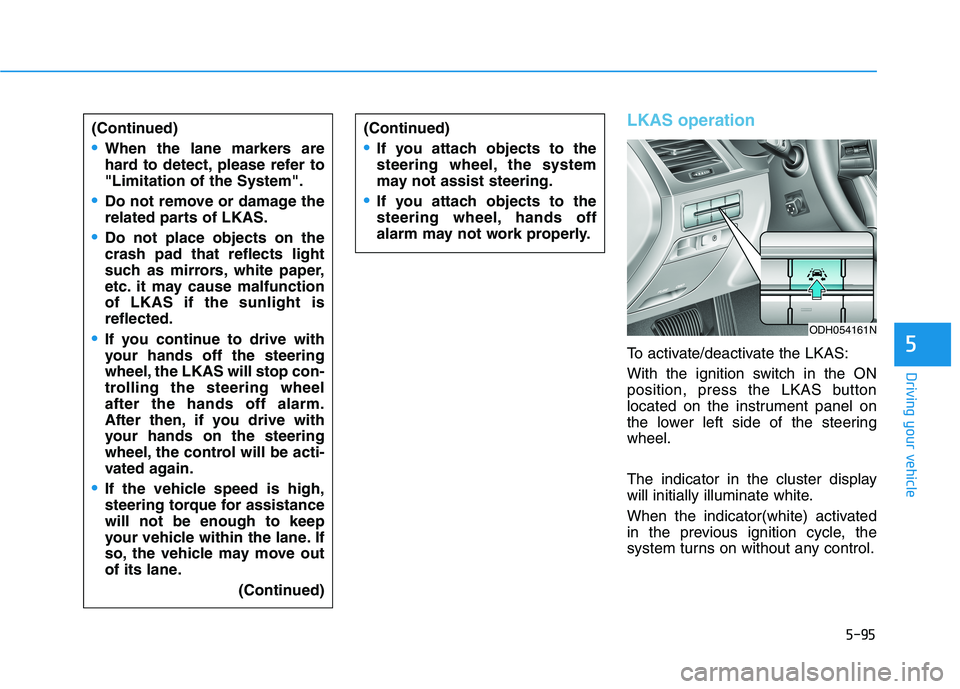
To activate/deactivate the LKAS:
With the ignition switch in the ON
position, press the LKAS button
located on the instrument panel on
the lower left side of the steering
wheel.
The indicator in the cluster display
will initially illuminate white.
When the indicator(white) activated
in the previous ignition cycle, the
system turns on without any control. (Continued)
When the lane markers are
hard to detect, please refer to
"Limitation of the System".
Do not remove or damage the
related parts of LKAS.
Do not place objects on the
crash pad that reflects light
such as mirrors, white paper,
etc. it may cause malfunction
of LKAS if the sunlight is
reflected.
If you continue to drive with
your hands off the steering
wheel, the LKAS will stop con-
trolling the steering wheel
after the hands off alarm.
After then, if you drive with
your hands on the steering
wheel, the control will be acti-
vated again.
If the vehicle speed is high,
steering torque for assistance
will not be enough to keep
your vehicle within the lane. If
so, the vehicle may move out
of its lane.
(Continued)
ODH054161N
(Continued)
If you attach objects to the
steering wheel, the system
may not assist steering.
If you attach objects to the
steering wheel, hands off
alarm may not work properly.
Page 351 of 516

5-96
Driving your vehicle
If you press the LKAS button again,
the indicator on the cluster display
will go off.
The color of indicator will
change depend on the
condition of LKAS.
- White : Sensor does not detect the
lane marker or vehicle speed is
less than 40 mph (64 km/h).
- Green : Sensor detects the lane
marker and system is able to con-
trol the steering.
LKAS activation
To see the LKAS screen on the
LCD display in the cluster, Tab to
the ASSIST mode ( ). For more
details, refer to "LCD Display" in
chapter 3.
After LKAS is activated, if both lane
markers are detected, vehicle
speed is over 40 mph (64 km/h)
and all the activation conditions are
satisfied, a green steering wheel
indicator will illuminate and the
steering wheel will be controlled.
The Lane Keeping Assist
System is a system to help pre-
vent the driver from leaving the
lane. However, the driver should
not solely rely on the system
but always check the road con-
ditions when driving.
WARNING
ODH057219L
Page 352 of 516

5-97
Driving your vehicle
5
If the speed of the vehicle is over 40
mph (64 km/h) and the system
detects lane markers, the color
changes from gray to white.If the vehicle leaves a lane, the lane
marker you cross will blink on the
LCD display.
❈Haptic specification
If the vehicle leaves a lane, the lane
marker you cross will blink on the
LCD display with steering wheel
vibration warning.When the conditions below are met,
LKAS will be enable to assist steer-
ing.
Vehicle speed is above 40 mph (64
km/h).
Both lane markers are detected by
LKAS.
The vehicle is between the lane
markers.
If LKAS can assist steering, a green
steering wheel indicator will illumi-
nate.
■Left lane line■Right lane line
ODH057222L/ODH057223LODH057219L
■Lane Line undetected■Lane Line detected
ODH057220L/ODH057221L
Page 354 of 516
5-99
Driving your vehicle
5
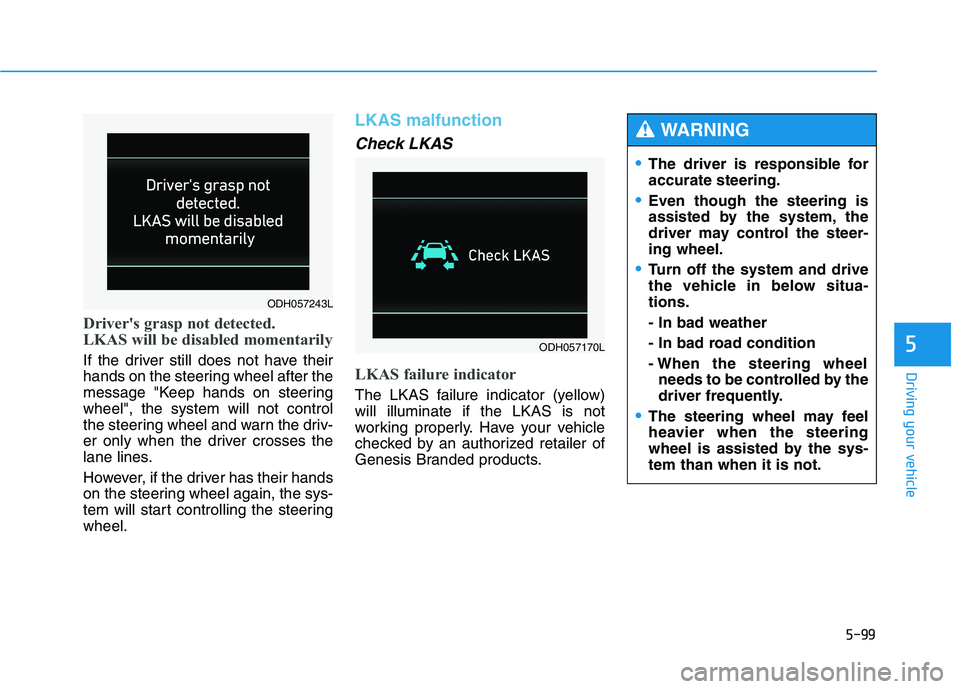
Driver's grasp not detected.
LKAS will be disabled momentarily
If the driver still does not have their
hands on the steering wheel after the
message "Keep hands on steering
wheel", the system will not control
the steering wheel and warn the driv-
er only when the driver crosses the
lane lines.
However, if the driver has their hands
on the steering wheel again, the sys-
tem will start controlling the steering
wheel.
LKAS malfunction
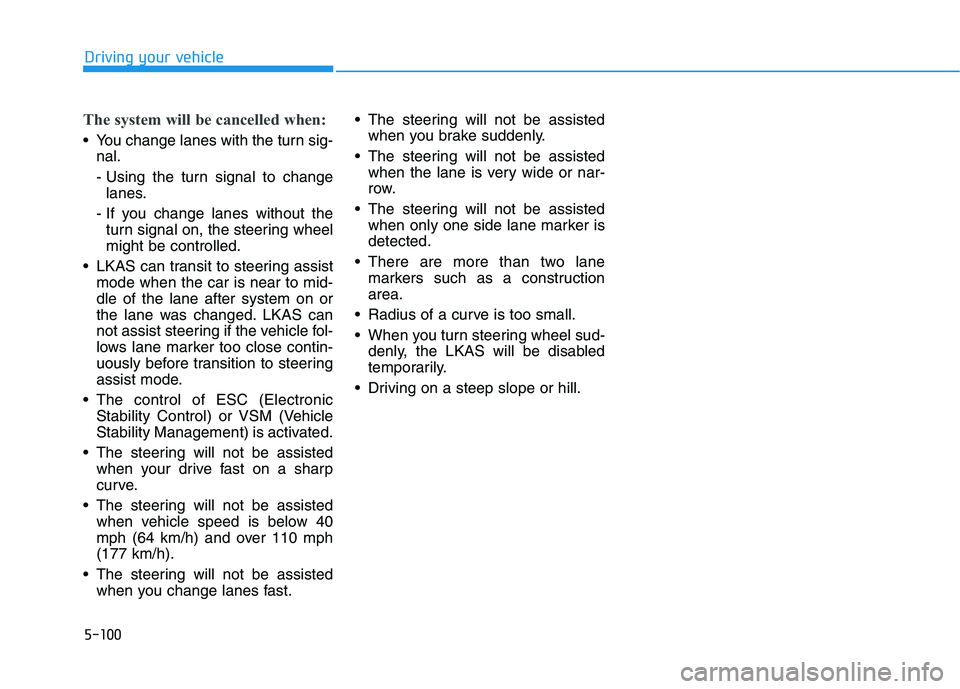
Check LKAS
LKAS failure indicator
The LKAS failure indicator (yellow)
will illuminate if the LKAS is not
working properly. Have your vehicle
checked by an authorized retailer of
Genesis Branded products.
ODH057170L
The driver is responsible for
accurate steering.
Even though the steering is
assisted by the system, the
driver may control the steer-
ing wheel.
Turn off the system and drive
the vehicle in below situa-
tions.
- In bad weather
- In bad road condition
- When the steering wheel
needs to be controlled by the
driver frequently.
The steering wheel may feel
heavier when the steering
wheel is assisted by the sys-
tem than when it is not.
WARNING
ODH057243L
Page 355 of 516
5-100
Driving your vehicle
The system will be cancelled when:
You change lanes with the turn sig-
nal.
- Using the turn signal to change
lanes.
- If you change lanes without the
turn signal on, the steering wheel
might be controlled.
LKAS can transit to steering assist
mode when the car is near to mid-
dle of the lane after system on or
the lane was changed. LKAS can
not assist steering if the vehicle fol-
lows lane marker too close contin-
uously before transition to steering
assist mode.
The control of ESC (Electronic
Stability Control) or VSM (Vehicle
Stability Management) is activated.
The steering will not be assisted
when your drive fast on a sharp
curve.
The steering will not be assisted
when vehicle speed is below 40
mph (64 km/h) and over 110 mph
(177 km/h).
The steering will not be assisted
when you change lanes fast. The steering will not be assisted
when you brake suddenly.
The steering will not be assisted
when the lane is very wide or nar-
row.
The steering will not be assisted
when only one side lane marker is
detected.
There are more than two lane
markers such as a construction
area.
Radius of a curve is too small.
When you turn steering wheel sud-
denly, the LKAS will be disabled
temporarily.
Driving on a steep slope or hill.
Page 356 of 516

5-101
Driving your vehicle
5
LKAS function change Lane Departure Warning
LDWS alerts the driver with a visual
and acoustic warning when the sys-
tem detects the vehicle leaving the
lane. In this mode, the steering wheel
will not be controlled. When the vehi-
cle’s front wheel contacts the inside
edge of lane line, LKAS issues the
lane departure warning.
Standard LKA
The Standard LKA mode guides the
driver to help keep the vehicle within
the lanes. It rarely controls the steer-
ing wheel, when the vehicle drives
well inside the lanes. However, it
starts to control the steering wheel,
when the vehicle is about to deviate
out of the lanes.
Active LKA
The Active LKA mode provides more
frequent steering wheel control in
comparison with the Standard LKA
mode. Active LKA can reduce the dri-
ver’s fatigue to assist the steering for
maintaining the vehicle in the middle
of the lane. The driver can change LKAS to Lane Departure Warning System (LDWS) or
the LKAS mode between Standard LKA and Active LKA from the User
Settings Mode on the LCD display.
ODH057244L/ODH057245L/ODH057246L
➡ ➡➡
➡
Page 363 of 516

5-108
Driving your vehicle
The Driver Attention Alert sys-
tem may not properly operate
with limited alerting in the fol-
lowing situations:
Not properly recognize lane
(See the LKAS)
Rough or intentionally eva-
sive driving
Large tire pressure deviation,
uneven wear, poor wheel
alignment, etc.
Severe winding road
Uneven road surface condi-
tion
Windy road
The vehicle drives through a
windy area.
(Continued)
(Continued)
The vehicle is controlled by
the following driving assist
systems:
- Lane Keeping Assist System
(LKAS)
- Autonomous Emergency
Braking (AEB) System
- Smart Cruise Control (SCC)
System
CAUTION