park assist GENESIS G80 2018 User Guide
[x] Cancel search | Manufacturer: GENESIS, Model Year: 2018, Model line: G80, Model: GENESIS G80 2018Pages: 516, PDF Size: 81.01 MB
Page 214 of 516

3-126
Convenient features of your vehicle
Operation of the Parking Assist
SystemOperating condition
- When the Engine Start/Stop button
is in the ON position
- When the shift lever is in D or R
position
- When the vehicle speed is not over
6 mph (10 km/h)
Push the parking assist system but-
ton to the ON position to operate the
parking assist system. The indicator
in the button turns on.
To cancel the system, push the but-
ton again. The indicator in the button
turns off. The system will operate automati-
cally every time the vehicle speed
is below 6 mph (10 km/h) with the
system switched on.
When you move the shift lever to R
position with the system switched
off, the indicator in the button will
turn on and the system will operate
automatically regardless of button
status. However, if the vehicle
speed exceeds 12 mph (20 km/h)
when driving forward, the indicator
in the button will turn off. The sys-
tem will not automatically operate
again even if vehicle speed returns
to 6 mph (10 km/h).
To turn on the system, press the
parking assist system button.
When more than two objects are
sensed at the same time, the clos-
est one will be recognized first.
ODH047068N
ODH047129N
■Type A
■Type B
Page 215 of 516

3-127
Convenient features of your vehicle
3
Non-operational conditions of
Parking Assist System
Parking Assist System may not
operate normally when:
Moisture is frozen to the sensor.
Sensor is covered with foreign mat-
ter, such as snow or water, or the
sensor cover is blocked.
There is a possibility of Parking
Assist System malfunction when:
Driving on uneven road surfaces
such as unpaved roads, gravel,
bumps, or gradient.
Objects generating excessive noise
such as vehicle horns, loud motor-
cycle engines, or truck air brakes
can interfere with the sensor.
Heavy rain or water spray is present.
Wireless transmitters or mobile
phones are present near the sensor.
The sensor is covered with snow.
Any non-factory equipment or
accessories have been installed, or
if the vehicle bumper height or sen-
sor installation has been modified.
Distance
from object Warning indicator
Warning soundWhen driving
forwardWhen driving
rearward
24 ~ 39
(61 ~ 100)Front-Buzzer beeps
intermittently
24 ~ 47
(61 ~ 120)Rear-Buzzer beeps
intermittently
12 ~ 24
(31 ~ 60)FrontBuzzer beeps
frequently
Rear-Buzzer beeps
frequently
12
(30)FrontBuzzer sounds
continuously
Rear-Buzzer sounds
continuously
✽ ✽
NOTICE
• The indicator may differ from the illustration as objects or sensors status.
If the indicator blinks, have your vehicle checked by an authorized retail-
er of Genesis Branded products.
• If the audible warning does not sound or if the buzzer sounds intermit-
tently when shifting into R (Reverse) position, this may indicate a mal-
function with the Parking Assist System. If this occurs, have your vehicle
checked by an authorized retailer of Genesis Branded products as soon as
possible. Types of warning sound and indicator
inches (cm)
Page 216 of 516
3-128
Convenient features of your vehicle
Detecting range may decrease
when:
Outside air temperature is
extremely hot or cold.
Undetectable objects smaller than
40 inches (1 m) and narrower than
6 inches (14 cm) in diameter.
The following objects may not be
recognized by the sensor:
Sharp or slim objects such as
ropes, chains or small poles.
Objects, which tend to absorb sen-
sor frequency such as clothes,
spongy material or snow.
✽ ✽
NOTICE
Sensor may not recognize objects
less than 12 inches (30 cm) from the
sensor, or it may sense an incorrect
distance.
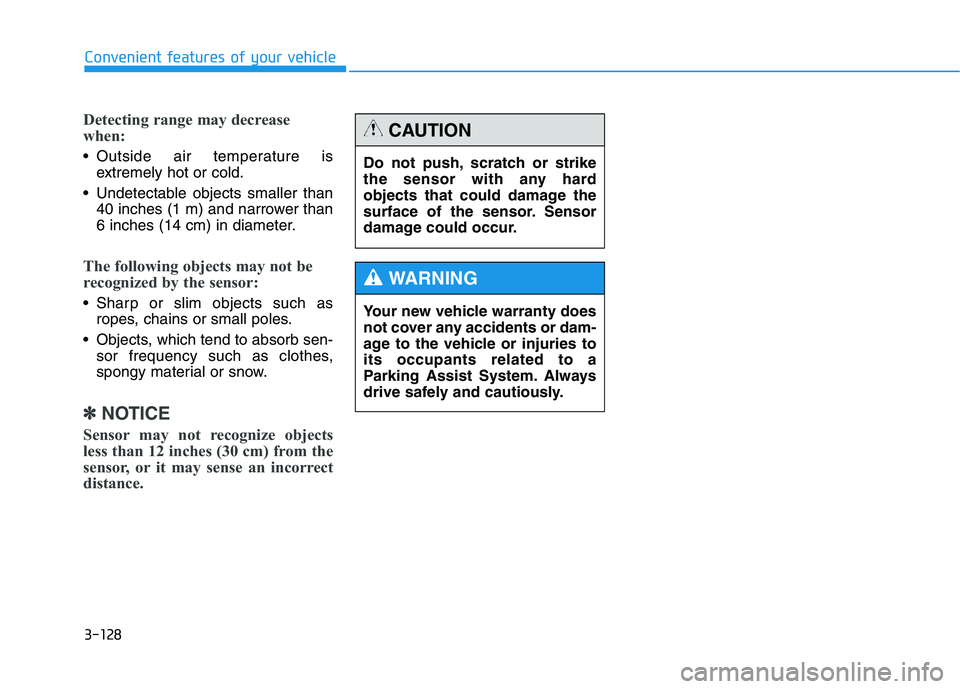
Do not push, scratch or strike
the sensor with any hard
objects that could damage the
surface of the sensor. Sensor
damage could occur.
CAUTION
Your new vehicle warranty does
not cover any accidents or dam-
age to the vehicle or injuries to
its occupants related to a
Parking Assist System. Always
drive safely and cautiously.
WARNING
Page 256 of 516
Driving your vehicle
5
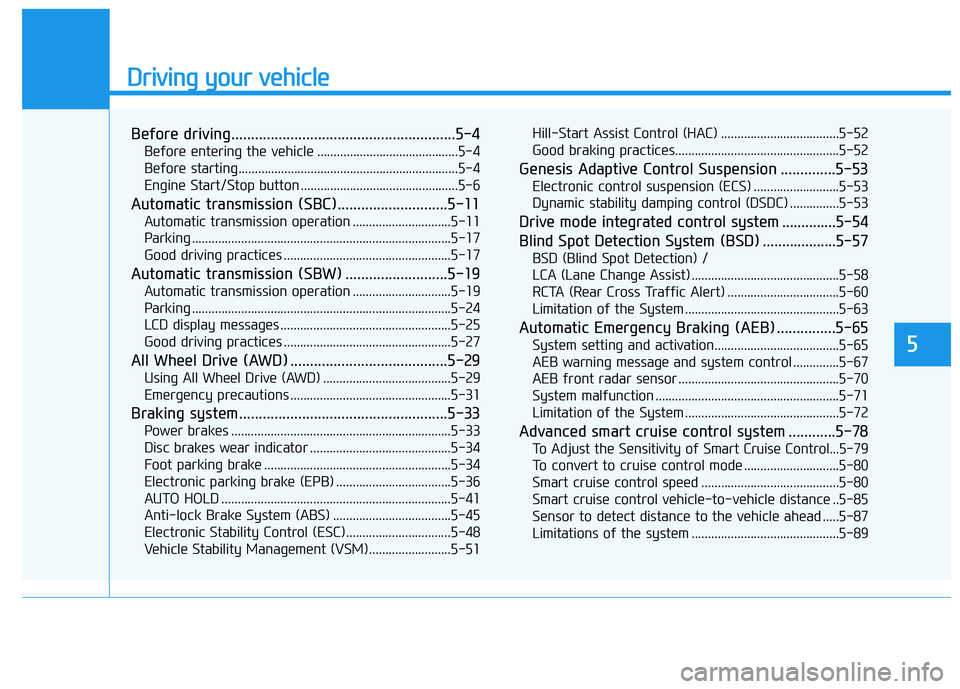
Before driving.........................................................5-4
Before entering the vehicle ...........................................5-4
Before starting...................................................................5-4
Engine Start/Stop button ................................................5-6
Automatic transmission (SBC)............................5-11
Automatic transmission operation ..............................5-11
Parking ...............................................................................5-17
Good driving practices ...................................................5-17
Automatic transmission (SBW) ..........................5-19
Automatic transmission operation ..............................5-19
Parking ...............................................................................5-24
LCD display messages ....................................................5-25
Good driving practices ...................................................5-27
All Wheel Drive (AWD) ........................................5-29
Using All Wheel Drive (AWD) .......................................5-29
Emergency precautions .................................................5-31
Braking system.....................................................5-33
Power brakes ...................................................................5-33
Disc brakes wear indicator ...........................................5-34
Foot parking brake .........................................................5-34
Electronic parking brake (EPB) ...................................5-36
AUTO HOLD ......................................................................5-41
Anti-lock Brake System (ABS) ....................................5-45
Electronic Stability Control (ESC)................................5-48
Vehicle Stability Management (VSM).........................5-51Hill-Start Assist Control (HAC) ....................................5-52
Good braking practices..................................................5-52
Genesis Adaptive Control Suspension ..............5-53
Electronic control suspension (ECS) ..........................5-53
Dynamic stability damping control (DSDC) ...............5-53
Drive mode integrated control system ..............5-54
Blind Spot Detection System (BSD) ...................5-57
BSD (Blind Spot Detection) /
LCA (Lane Change Assist) .............................................5-58
RCTA (Rear Cross Traffic Alert) ..................................5-60
Limitation of the System ...............................................5-63
Automatic Emergency Braking (AEB) ...............5-65
System setting and activation......................................5-65
AEB warning message and system control ..............5-67
AEB front radar sensor .................................................5-70
System malfunction ........................................................5-71
Limitation of the System ...............................................5-72
Advanced smart cruise control system ............5-78
To Adjust the Sensitivity of Smart Cruise Control...5-79
To convert to cruise control mode .............................5-80
Smart cruise control speed ..........................................5-80
Smart cruise control vehicle-to-vehicle distance ..5-85
Sensor to detect distance to the vehicle ahead .....5-87
Limitations of the system .............................................5-89
Page 261 of 516

5-6
Driving your vehicle
Engine Start/Stop button
Whenever the front door is opened,
the Engine Start/Stop button will illu-
minate and will go off 30 seconds
after the door is closed.
NEVER press the Engine
Start/Stop button while the
vehicle is in motion except in
an emergency. This will result
in the engine turning off and
loss of power assist for the
steering and brake systems.
(Continued)
WARNING
To turn the engine off in an
emergency:
Press and hold the Engine
Start/Stop button for more than
two seconds OR Rapidly press
and release the Engine Start/
Stop button three times (within
three seconds).
If the vehicle is still moving, you
can restart the engine without
depressing the brake pedal by
pressing the Engine Start/Stop
button with the shift lever in the
N (Neutral) position.
(Continued)
This may lead to loss of direc-
tional control and braking
function, which could cause
an accident.
Before leaving the driver's
seat, always make sure the
shift lever is in the P (Park)
position, set the parking
brake, press the Engine Start/
Stop button to the OFF posi-
tion, and take the Smart Key
with you. Unexpected vehicle
movement may occur if these
precautions are not followed.
NEVER reach through the
steering wheel for the Engine
Start/Stop button or any other
control while the vehicle is in
motion. The presence of your
hand or arm in this area may
cause a loss of vehicle control
resulting in an accident.
WARNING
To reduce risk of serious injury
or death, NEVER allow children
or any person who is unfamiliar
with the vehicle to touch the
Engine Start/Stop button or
related parts. Unexpected and
sudden vehicle movement can
occur.
WARNING
ODH053001
Page 307 of 516
5-52
Driving your vehicle
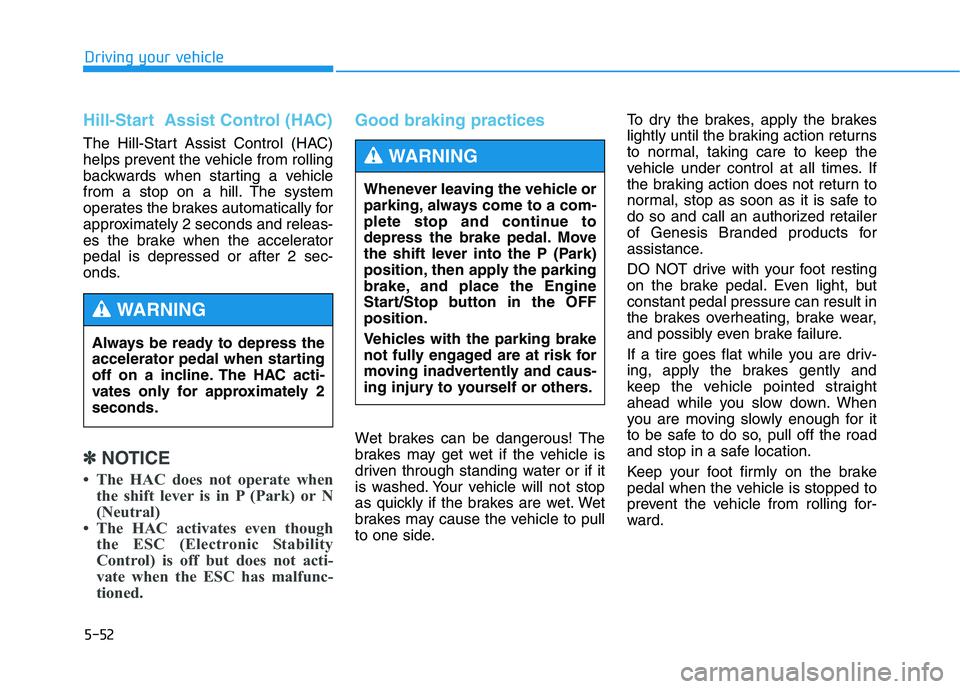
Hill-Start Assist Control (HAC)
The Hill-Start Assist Control (HAC)
helps prevent the vehicle from rolling
backwards when starting a vehicle
from a stop on a hill. The system
operates the brakes automatically for
approximately 2 seconds and releas-
es the brake when the accelerator
pedal is depressed or after 2 sec-
onds.
✽ ✽
NOTICE
• The HAC does not operate when
the shift lever is in P (Park) or N
(Neutral)
• The HAC activates even though
the ESC (Electronic Stability
Control) is off but does not acti-
vate when the ESC has malfunc-
tioned.
Good braking practices
Wet brakes can be dangerous! The
brakes may get wet if the vehicle is
driven through standing water or if it
is washed. Your vehicle will not stop
as quickly if the brakes are wet. Wet
brakes may cause the vehicle to pull
to one side.To dry the brakes, apply the brakes
lightly until the braking action returns
to normal, taking care to keep the
vehicle under control at all times. If
the braking action does not return to
normal, stop as soon as it is safe to
do so and call an authorized retailer
of Genesis Branded products for
assistance.
DO NOT drive with your foot resting
on the brake pedal. Even light, but
constant pedal pressure can result in
the brakes overheating, brake wear,
and possibly even brake failure.
If a tire goes flat while you are driv-
ing, apply the brakes gently and
keep the vehicle pointed straight
ahead while you slow down. When
you are moving slowly enough for it
to be safe to do so, pull off the road
and stop in a safe location.
Keep your foot firmly on the brake
pedal when the vehicle is stopped to
prevent the vehicle from rolling for-
ward. Always be ready to depress the
accelerator pedal when starting
off on a incline. The HAC acti-
vates only for approximately 2
seconds.
WARNING
Whenever leaving the vehicle or
parking, always come to a com-
plete stop and continue to
depress the brake pedal. Move
the shift lever into the P (Park)
position, then apply the parking
brake, and place the Engine
Start/Stop button in the OFF
position.
Vehicles with the parking brake
not fully engaged are at risk for
moving inadvertently and caus-
ing injury to yourself or others.
WARNING
Page 334 of 516

5-79
Driving your vehicle
5
To Adjust the Sensitivity of
Smart Cruise Control
The sensitivity of vehicle speed
when following the front vehicle to
maintain the set distance can be
adjusted. Go to the 'User Settings →
Driving Assist →SCC (Smart Cruise
Control Response) →Slow/Normal/
Fast' on the LCD display. You may
select one of the three stages you
prefer. Slow:
Vehicle speed following the front
vehicle to maintain the set distance
is slower than normal speed.
Normal:
Vehicle speed following the front
vehicle to maintain the set distance
is normal
Fast:
Vehicle speed following the front
vehicle to maintain the set distance
is faster than normal speed.✽ ✽
NOTICE
The last selected smart cruise con-
trol speed is remained in the system.
ODH047601L
(Continued)
- When driving in heavy traffic
or when traffic conditions
make it difficult to drive at a
constant speed
- When driving on rainy, icy, or
snow-covered roads
- When driving with limited
view (possibly due to bad
weather, such as fog, snow,
rain or sandstorm)
- When driving on hilly or
windy roads
- When driving in windy areas
- When driving in parking lots
- When driving near crash
barriers
- When driving on a sharp
curve
- When driving with limited
view (possibly due to bad
weather, such as fog, snow,
rain or sandstorm)
- When the vehicle sensing
ability decreases due to
vehicle modification result-
ing level difference of the
vehicle's front and rear
Page 383 of 516

6-7
What to do in an emergency
6
If your temperature gauge indicates
overheating, you experience a loss
of power, or hear loud pinging or
knocking, the engine may be over-
heating. If this happens, you should:
1. Pull off the road and stop as soon
as it is safe to do so.
2. Place the shift lever in P (Park)
and set the parking brake. If the air
conditioning is ON, turn it OFF.
3. If engine coolant is running out
under the vehicle or steam is com-
ing out from the hood, stop the
engine. Do not open the hood until
the coolant has stopped running
or the steaming has stopped. If
there is no visible loss of engine
coolant and no steam, leave the
engine running and check to be
sure the engine cooling fan is
operating. If the fan is not running,
turn the engine off.4. Check for coolant leaking from the
radiator, hoses or under the vehi-
cle. (If the air conditioning had
been in use, it is normal for cold
water to be draining from it when
you stop.)
5. If engine coolant is leaking out,
stop the engine immediately and
call the nearest authorized retailer
of Genesis Branded products for
assistance.
I IF
F
T
TH
HE
E
E
EN
NG
GI
IN
NE
E
O
OV
VE
ER
RH
HE
EA
AT
TS
S
While the engine is
running, keep hands,
clothing and tools
away from the mov-
ing parts such as the
cooling fan and drive
belt to prevent seri-
ous injury.
WARNING
Page 467 of 516
7-66
Maintenance
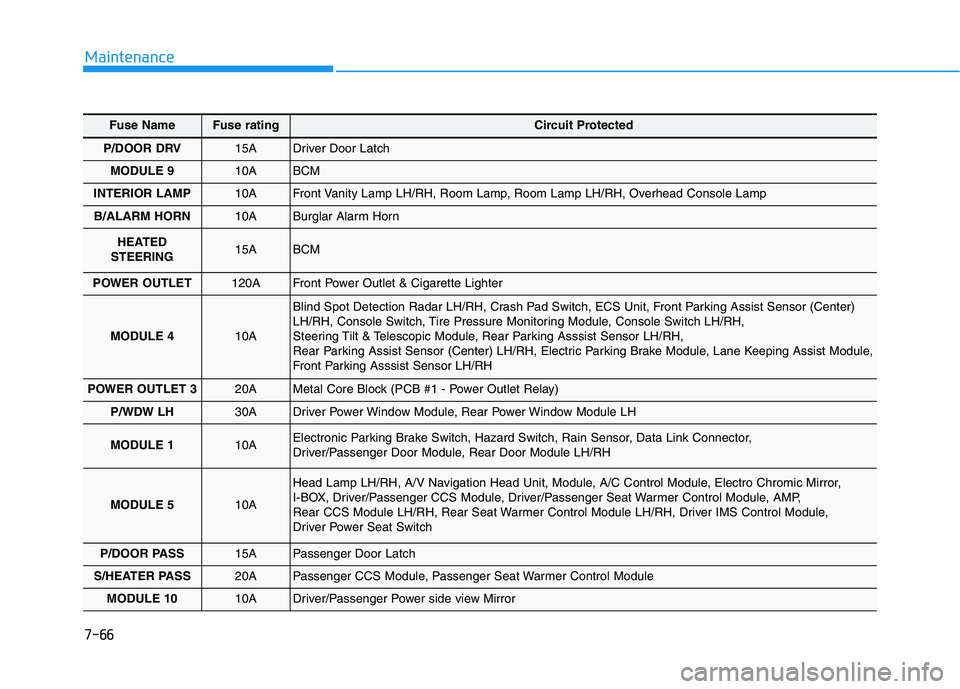
Fuse NameFuse ratingCircuit Protected
P/DOOR DRV15A Driver Door Latch
MODULE 910A BCM
INTERIOR LAMP10A Front Vanity Lamp LH/RH, Room Lamp, Room Lamp LH/RH, Overhead Console Lamp
B/ALARM HORN10A Burglar Alarm Horn
HEATED
STEERING15A BCM
POWER OUTLET 120A Front Power Outlet & Cigarette Lighter
MODULE 410A
Blind Spot Detection Radar LH/RH, Crash Pad Switch, ECS Unit, Front Parking Assist Sensor (Center)
LH/RH, Console Switch, Tire Pressure Monitoring Module, Console Switch LH/RH,
Steering Tilt & Telescopic Module, Rear Parking Asssist Sensor LH/RH,
Rear Parking Assist Sensor (Center) LH/RH, Electric Parking Brake Module, Lane Keeping Assist Module,
Front Parking Asssist Sensor LH/RH
POWER OUTLET 320A Metal Core Block (PCB #1 - Power Outlet Relay)
P/WDW LH30A Driver Power Window Module, Rear Power Window Module LH
MODULE 110A Electronic Parking Brake Switch, Hazard Switch, Rain Sensor, Data Link Connector,
Driver/Passenger Door Module, Rear Door Module LH/RH
MODULE 510A
Head Lamp LH/RH, A/V Navigation Head Unit, Module, A/C Control Module, Electro Chromic Mirror,
I-BOX, Driver/Passenger CCS Module, Driver/Passenger Seat Warmer Control Module, AMP,
Rear CCS Module LH/RH, Rear Seat Warmer Control Module LH/RH, Driver IMS Control Module,
Driver Power Seat Switch
P/DOOR PASS15A Passenger Door Latch
S/HEATER PASS20A Passenger CCS Module, Passenger Seat Warmer Control Module
MODULE 1010A Driver/Passenger Power side view Mirror
Page 510 of 516

I-3
Blind Spot Detection System (BSD) ..............................5-57
BSD (Blind Spot Detection) /
LCA (Lane Change Assist).........................................5-58
Limitation of the System ............................................5-63
RCTA (Rear Cross Traffic Alert) ...............................5-60
Brake fluid ......................................................................7-30
Checking the brake fluid level ...................................7-30
Braking system ...............................................................5-33
Anti-lock Brake System (ABS)..................................5-45
AUTO HOLD .............................................................5-41
Disc brakes wear indicator .........................................5-34
Electronic parking brake (EPB) .................................5-36
Electronic Stability Control (ESC).............................5-48
Foot parking brake .....................................................5-34
Good braking practices ..............................................5-52
Hill-Start Assist Control (HAC) .................................5-52
Power brakes ..............................................................5-33
Vehicle Stability Management (VSM) .......................5-51
Bulb wattage .....................................................................8-3
California perchlorate notice ..........................................7-95
Child restraint system (CRS) ..........................................2-35
Installing a child restraint system (CRS) ...................2-38
Selecting a child restraint system (CRS) ...................2-36Climate control additional features...............................3-149
Cluster ionizer ..........................................................3-149
CO2 control auto air conditioner .............................3-150
Rear climate system ON/OFF ..................................3-150
Smart ventilation ......................................................3-149
Climate control air filter .................................................7-34
Filter inspection ..........................................................7-34
Consumer information ....................................................8-10
Defroster .......................................................................3-129
Rear window defroster .............................................3-129
Dimensions .......................................................................8-2
Door locks .......................................................................3-11
Auto door lock/unlock features ..................................3-14
Child-protector rear door locks ..................................3-14
Operating door locks from inside the vehicle ............3-12
Operating door locks from outside the vehicle ..........3-11
Power Door Latch ......................................................3-12
Drive mode integrated control system ............................5-54
Driver assist system ......................................................3-123
Multi-View Camera System .....................................3-124
Parking Assist System ..............................................3-125
Rear view camera .....................................................3-123
I
Index
C
D