high beam GENESIS G80 2018 Owner's Manual
[x] Cancel search | Manufacturer: GENESIS, Model Year: 2018, Model line: G80, Model: GENESIS G80 2018Pages: 516, PDF Size: 81.01 MB
Page 90 of 516
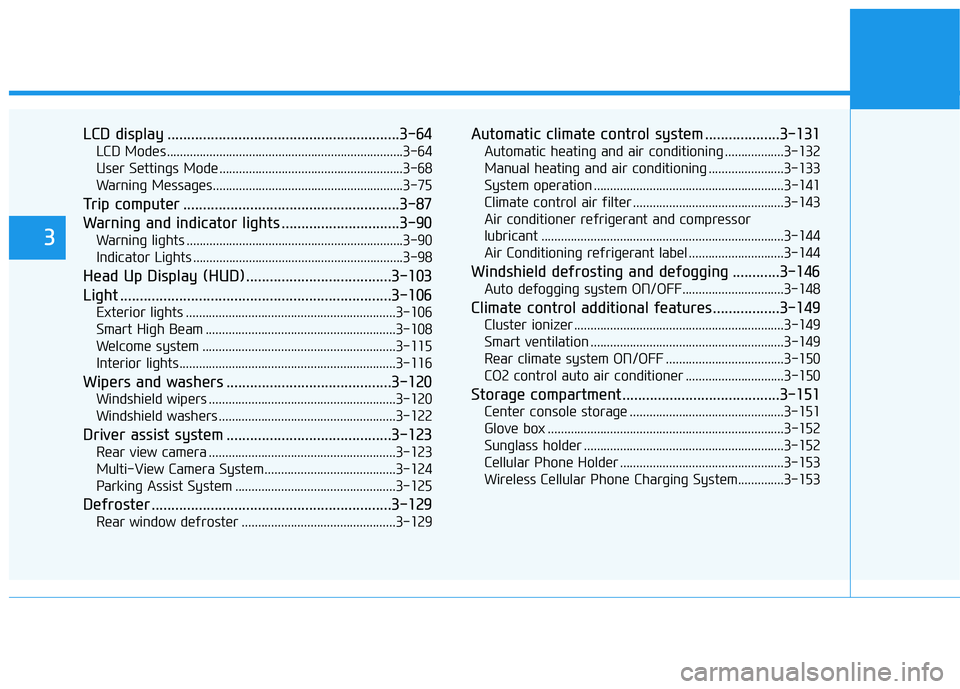
LCD display ...........................................................3-64
LCD Modes ........................................................................3-64
User Settings Mode ........................................................3-68
Warning Messages..........................................................3-75
Trip computer .......................................................3-87
Warning and indicator lights ..............................3-90
Warning lights ..................................................................3-90
Indicator Lights ................................................................3-98
Head Up Display (HUD).....................................3-103
Light .....................................................................3-106
Exterior lights ................................................................3-106
Smart High Beam ..........................................................3-108
Welcome system ...........................................................3-115
Interior lights..................................................................3-116
Wipers and washers ..........................................3-120
Windshield wipers .........................................................3-120
Windshield washers ......................................................3-122
Driver assist system ..........................................3-123
Rear view camera .........................................................3-123
Multi-View Camera System ........................................3-124
Parking Assist System .................................................3-125
Defroster .............................................................3-129
Rear window defroster ...............................................3-129
Automatic climate control system ...................3-131
Automatic heating and air conditioning ..................3-132
Manual heating and air conditioning .......................3-133
System operation ..........................................................3-141
Climate control air filter ..............................................3-143
Air conditioner refrigerant and compressor
lubricant ..........................................................................3-144
Air Conditioning refrigerant label .............................3-144
Windshield defrosting and defogging ............3-146
Auto defogging system ON/OFF...............................3-148
Climate control additional features.................3-149
Cluster ionizer ................................................................3-149
Smart ventilation ...........................................................3-149
Rear climate system ON/OFF ....................................3-150
CO2 control auto air conditioner ..............................3-150
Storage compartment ........................................3-151
Center console storage ...............................................3-151
Glove box ........................................................................3-152
Sunglass holder .............................................................3-152
Cellular Phone Holder ..................................................3-153
Wireless Cellular Phone Charging System..............3-153
3
Page 155 of 516
3-67
Convenient features of your vehicle
3
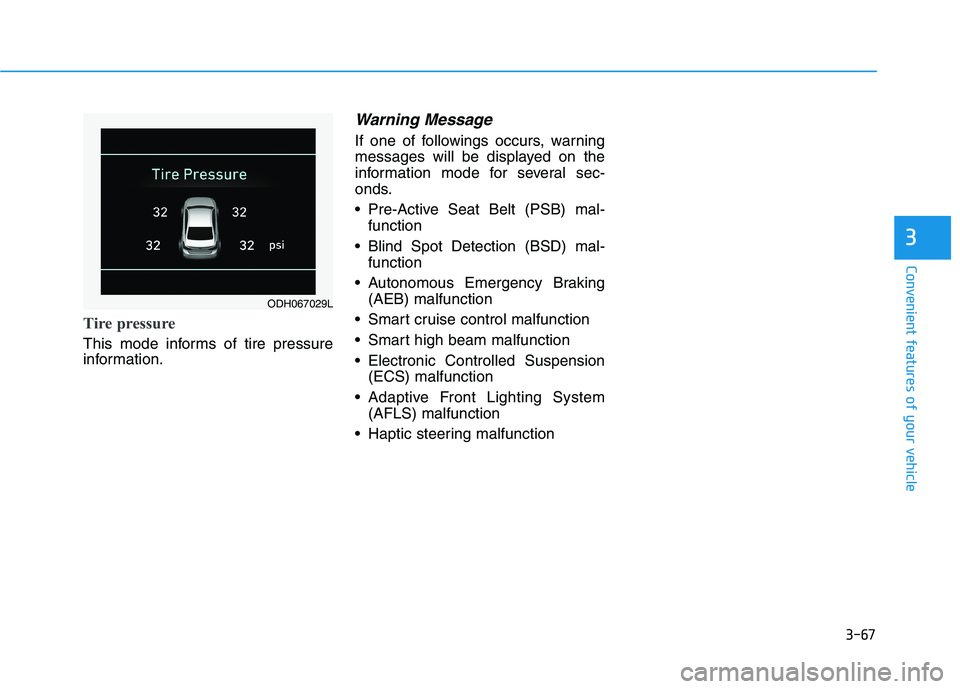
Tire pressure
This mode informs of tire pressure
information.
Warning Message
If one of followings occurs, warning
messages will be displayed on the
information mode for several sec-
onds.
Pre-Active Seat Belt (PSB) mal-
function
Blind Spot Detection (BSD) mal-
function
Autonomous Emergency Braking
(AEB) malfunction
Smart cruise control malfunction
Smart high beam malfunction
Electronic Controlled Suspension
(ECS) malfunction
Adaptive Front Lighting System
(AFLS) malfunction
Haptic steering malfunction
ODH067029L
Page 171 of 516

3-83
Convenient features of your vehicle
3
Check Smart High Beam
System
This warning message is displayed if
there is a problem with the Smart
High Beam System. We recommend
you to have the vehicle inspected by
an authorized retailer of Genesis
Branded products.
For more information, refer to
"Smart High Beam System" in
chapter 3.
Check BSD System
This warning message illuminates
if there is a malfunction with the
Blind Spot Detection (BSD) sys-
tem. And the BSD system will be
automatically deactivated. We rec-
ommend that the vehicle be
inspected by an authorized retailer
of Genesis Branded products.
For more details, refer to "Blind
Spot Detection (BSD) System" in
chapter 5.
Check PSB
This warning message illuminates
if there is a malfunction with the
Pre-active Seat Belt (PSB) system.
We recommend that the vehicle be
inspected by an authorized retailer
of Genesis Branded products.
For more details, refer to "Seat
Belt" in chapter 2.ODH057178L
ODH057172LODH037115L
Page 187 of 516

3-99
Convenient features of your vehicle
3
This indicator light illuminates for
2 seconds and goes off:
When the vehicle can not detect
the smart key which is in the vehi-
cle while the Engine Start/Stop
button is ON.
In this case, have your vehicle
inspected by an authorized retailer
of Genesis Branded products.
This indicator light blinks:
When the battery of the smart key
is weak.
- At this time, you can not start the
engine. However, you can start the
engine if you press the Engine
Start/Stop button with the smart
key.(For more details, refer to
"Starting the Engine" in chapter
5).
When there is a malfunction with
the immobilizer system.
In this case, have your vehicle
inspected by an authorized retailer
of Genesis Branded products.
Turn Signal Indicator
Light
This indicator light blinks:
When you turn the turn signal light
on.
If any of the following occurs, there
may a malfunction with the turn sig-
nal system. In this case, have your
vehicle inspected by an authorized
retailer of Genesis Branded prod-
ucts.
- The indicator light does not blink
but illuminates.
- The indicator light blinks more
rapidly.
- The indicator light does not illumi-
nate at all.
High Beam Indicator
Light
This indicator light illuminates:
When the headlights are on and in
the high beam position.
When the turn signal lever is pulled
into the Flash-to-Pass position.
Smart High Beam indi-
cator
This warning light illuminates :
When the high-Beam is on with the
light switch in the AUTO light posi-
tion.
If your vehicle detects oncoming or
preceding vehicles, the Smart High
Beam system will switch the high
beam to low beam automatically.
For more details, refer to "Smart
High Beam" in this chapter.
Page 195 of 516

3-107
Convenient features of your vehicle
3
Parking lamp position ( )
The parking lamp, license plate lamp
and instrument panel lamp are
turned ON.
Headlamp position ( )
The headlamp, parking lamp, license
plate lamp and instrument panel
lamp are turned ON.
✽ ✽
NOTICE
The Engine Start/Stop button must
be in the ON position to turn on the
headlamp.
High beam operation
To turn on the high beam headlamp,
push the lever away from you. The
lever will return to its original position.
The high beam indicator will light
when the headlamp high beams are
switched on.
To turn off the high beam headlamp,
pull the lever towards you. The low
beams will turn on.
ODH044172NODH044173N
ODH044175N
Do not use high beam when there
are other vehicles approaching
you. Using high beam could
obstruct the other driver's vision.
WARNING
Page 196 of 516

3-108
Convenient features of your vehicle
To flash the high beam headlamp,
pull the lever towards you, then
release the lever. The high beams
will remain ON as long as you hold
the lever towards you.
Smart High Beam
The Smart High Beam is a system
that automatically adjusts the head-
lamp range (switches between high
beam and low beam) according to
the brightness of other vehicles and
road conditions.
Operating condition
1. Place the light switch in the AUTO
position.
2. Turn on the high beam by pushing
the lever away from you.
3. Smart High Beam ( ) indicator
will illuminate.
4. The Smart High Beam will turn on
when vehicle speed is above 25
mph (40 km/h).
5. The details of operation with the
light switch while the Smart High
Beam is on are below.
1) If the light switch is pushed
away, the Smart High Beam will
turn off and the high beam will
be on continuously.
2) If the light switch is pulled
towards you when the high
beam is off, the high beam will
be on without cancellation of
the Smart High Beam. (When
you hands off, the lever will
move to the middle and the
high beam will turn off.)
ODH044174N
ODH043135N
Page 197 of 516

3-109
Convenient features of your vehicle
3
3) If the light switch is pulled
towards you when the high
beam is on by the Smart High
Beam, the low beam will be on
and the Smart High Beam will
turn off.
4) If the light switch is turned to
the headlamp position ( )
from AUTO position, the Smart
High Beam will turn off and the
low beam will be on continu-
ously.When the Smart High Beam is oper-
ating, the high beam switches to low
beam in the below conditions.
- When the headlamp is detected
from the on-coming vehicle.
- When the tail lamp is detected
from the front vehicle.
- When headlamp/tail lamp of bicy-
cle/motorcycle is detected.
- When the surrounding is so bright
that high beams are not needed.
- When streetlights or other lights
are detected.
- When the light switch is not in the
AUTO position.
- When the Smart High Beam is off.
- When vehicle speed is below 22
mph (35 km/h).Warning light and message
When the Smart High Beam is not
working properly, the warning mes-
sage will come on for a few second.
After the message disappears, the
master warning light ( ) will illumi-
nate.
We recommend that you take your
vehicle to an authorized retailer of
Genesis Branded products and have
the system checked.
■Warning message■Master warning
ODH057178L/ODH047626N
Page 199 of 516

3-111
Convenient features of your vehicle
3
Turn signals and lane change
signals
To signal a turn, push down on the
lever for a left turn or up for a right
turn in position (A). To signal a lane
change, move the turn signal lever
slightly and hold it in position (B). The
lever will return to the OFF position
when released or when the turn is
completed.
If an indicator stays on and does not
flash or if it flashes abnormally, one of
the turn signal bulbs may be burned
out and will require replacement.
Onetouch turn signal function
(if equipped)
To activate an One Touch Turn Signal
function, move the turn signal lever
slightly and then release it. The lane
change signals will blink 3, 5 or 7
times.
You can activate or deactivate the
One Touch Turn Signal function or
choose the number of blinking (3, 5,
or 7) from the User Settings Mode
(Light) on the LCD display.
For more details, refer to "LCD
Display" in this chapter.
ODH044176N
Do not place any accessories,
stickers or tint the windshield.
Have the windshield glass
replaced from an authorized
retailer.
Do not remove or impact relat-
ed parts of the Smart High
Beam system.
Be careful that water doesn't
get into the Smart High Beam
unit.
Do not place objects on the
dashboard that reflects light
such as mirrors, white paper,
etc. The system may malfunc-
tion if sunlight is reflected.
At times, the Smart High
Beam system may not work
properly, always check the
road conditions for your safe-
ty.
When the system does not
operate normally, manually
change between the high
beam and low beam.
WARNING
Page 202 of 516
3-114
Convenient features of your vehicle
Daytime running light (DRL)
The Daytime Running Lights (DRL)
can make it easier for others to see
the front of your vehicle during the
day, especially after dawn and before
sunset.
for U.S.A
The DRL will turn off when:
1. The light switch is not in the AUTO
position.
2. The parking brake is applied.
3. The engine is turned off.
4. The hazard warning flasher is on.
5. You turn the turn signal light on.
- If you turn on the turn signal
light, only the corresponding
daytime running lights will turn
off.
6. The Smart High Beam is turned
on with pass function for warning.
for Canada
The DRL will turn off when:
1. The light switch is in the headlamp
position, including the operation
that the headlamp is turned on
automatically in the AUTO light
position.
2. The parking brake is applied.
3. The engine is turned off.
4. The hazard warning flasher is on.
5. You turn the turn signal light on.
- If you turn on the turn signal
light, only the corresponding
daytime running lights will turn
off.
- If you turn on turn signal light
with the position light turned on,
the daytime running lights will
turn off but the position light
remains on.
6. The Smart High Beam is turned
on with pass function for warning.
Headlamp leveling device
(if equipped)
Automatically adjusts the headlamp
beam level according to the number
of passengers and loading weight in
the luggage area.
If the Headlight Leveling Device is
not working properly have your vehi-
cle inspected by an authorized retail-
er of Genesis Branded products.
✽ ✽
NOTICE
• Check the headlamp washers peri-
odically to confirm that the wash-
er fluid is being sprayed properly
onto the headlamp lenses.
• The headlamp washer can be
operated 15 minutes after the last
operation.
Page 478 of 516
7-77
7
Maintenance
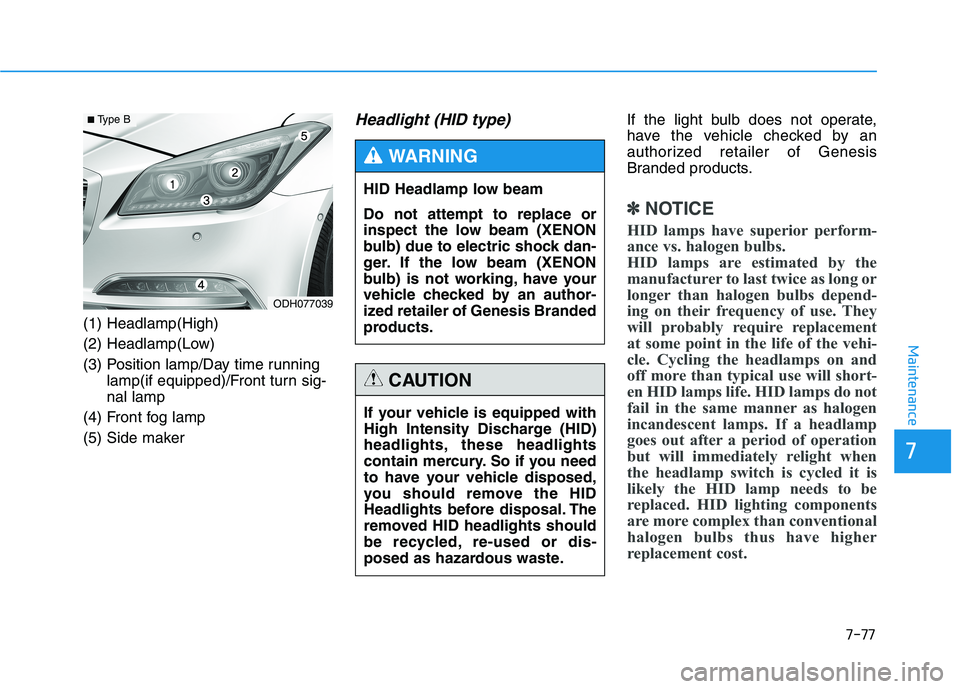
(1) Headlamp(High)
(2) Headlamp(Low)
(3) Position lamp/Day time running
lamp(if equipped)/Front turn sig-
nal lamp
(4) Front fog lamp
(5) Side maker
Headlight (HID type) If the light bulb does not operate,
have the vehicle checked by an
authorized retailer of Genesis
Branded products.
✽ ✽
NOTICE
HID lamps have superior perform-
ance vs. halogen bulbs.
HID lamps are estimated by the
manufacturer to last twice as long or
longer than halogen bulbs depend-
ing on their frequency of use. They
will probably require replacement
at some point in the life of the vehi-
cle. Cycling the headlamps on and
off more than typical use will short-
en HID lamps life. HID lamps do not
fail in the same manner as halogen
incandescent lamps. If a headlamp
goes out after a period of operation
but will immediately relight when
the headlamp switch is cycled it is
likely the HID lamp needs to be
replaced. HID lighting components
are more complex than conventional
halogen bulbs thus have higher
replacement cost.
HID Headlamp low beam
Do not attempt to replace or
inspect the low beam (XENON
bulb) due to electric shock dan-
ger. If the low beam (XENON
bulb) is not working, have your
vehicle checked by an author-
ized retailer of Genesis Branded
products.
WARNING
If your vehicle is equipped with
High Intensity Discharge (HID)
headlights, these headlights
contain mercury. So if you need
to have your vehicle disposed,
you should remove the HID
Headlights before disposal. The
removed HID headlights should
be recycled, re-used or dis-
posed as hazardous waste.
CAUTION
ODH077039
■ Type B