fuel GENESIS G90 2017 User Guide
[x] Cancel search | Manufacturer: GENESIS, Model Year: 2017, Model line: G90, Model: GENESIS G90 2017Pages: 524, PDF Size: 19.3 MB
Page 161 of 524

Information
• Make sure to refuel your vehicleaccording to the "Fuel Requirements"
suggested in the Introduction chapter.
• Do not spill fuel on the exterior sur- faces of the vehicle. Any type of fuel
spilled on painted surfaces may dam-
age the paint.
If the fuel filler cap requires replace-
ment, use only a genuine Genesis
Brand cap or the equivalent speci-
fied for your vehicle. An incorrect
fuel filler cap can result in a serious
malfunction of the fuel system or
emission control system.
Emergency Fuel Filler Door
Release
If the fuel filler door does not open
using the remote fuel filler door
release button, you can open it man-
ually. Pull the handle of the release
located on the left side of the lug-
gage compartment outward slightly.
Do not pull the handle excessively,
otherwise the luggage area trim or
release handle may be damaged.
NOTICE
NOTICE
i
3-59
03
OHI046036L
Page 162 of 524
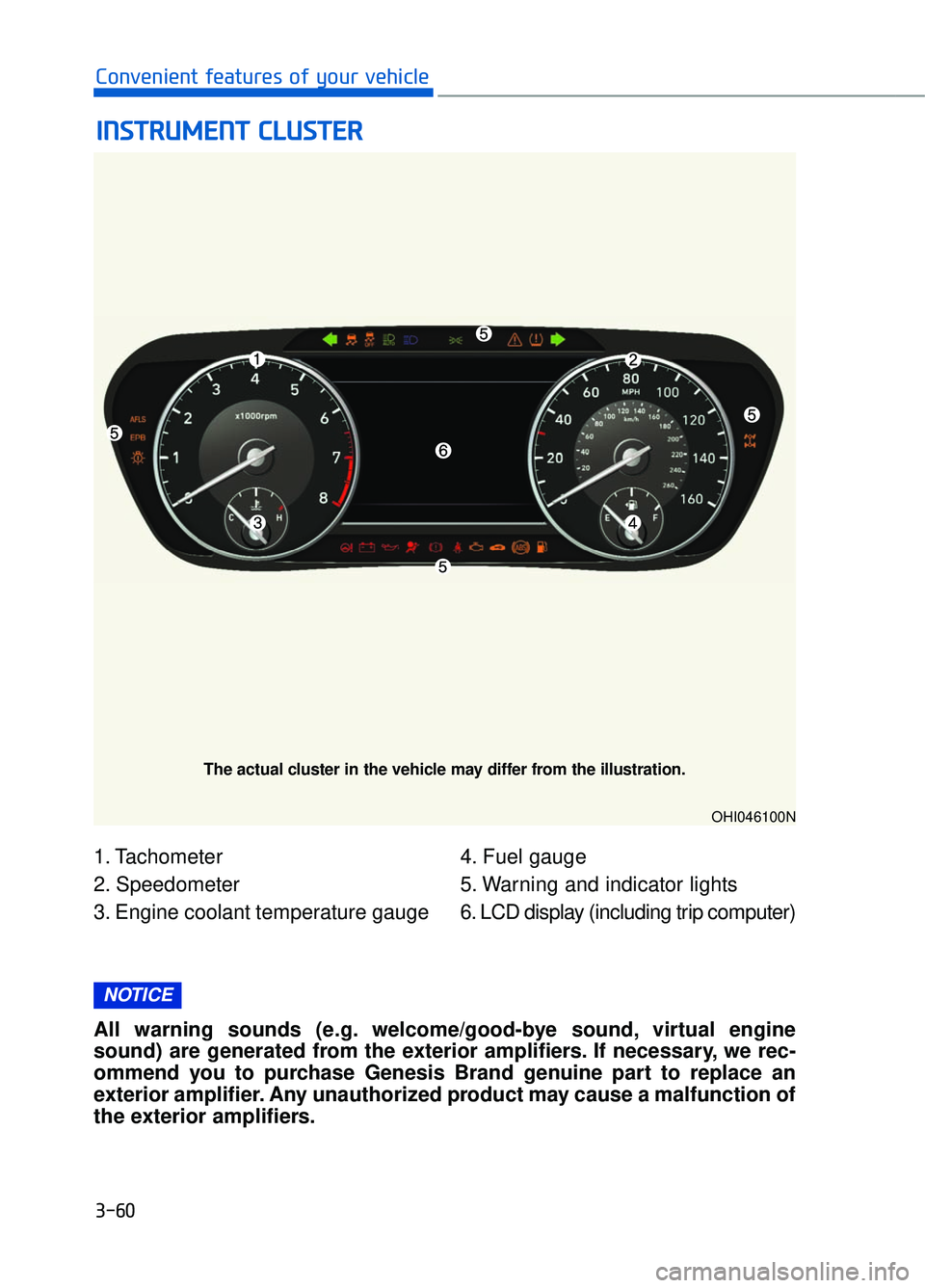
1. Tachometer
2. Speedometer
3. Engine coolant temperature gauge4. Fuel gauge
5. Warning and indicator lights
6. LCD display (including trip computer)
I I
N
N S
ST
T R
R U
U M
M E
EN
N T
T
C
C L
LU
U S
ST
T E
ER
R
3-60
Convenient features of your vehicle
OHI046100N
The actual cluster in the vehicle may differ from the illustration.
All warning sounds (e.g. welcome/good-bye sound, virtual engine
sound) are generated from the exterior amplifiers. If necessary, we rec-
ommend you to purchase Genesis Brand genuine part to replace an
exterior amplifier. Any unauthorized product may cause a malfunction of
the exterior amplifiers.
NOTICE
Page 164 of 524
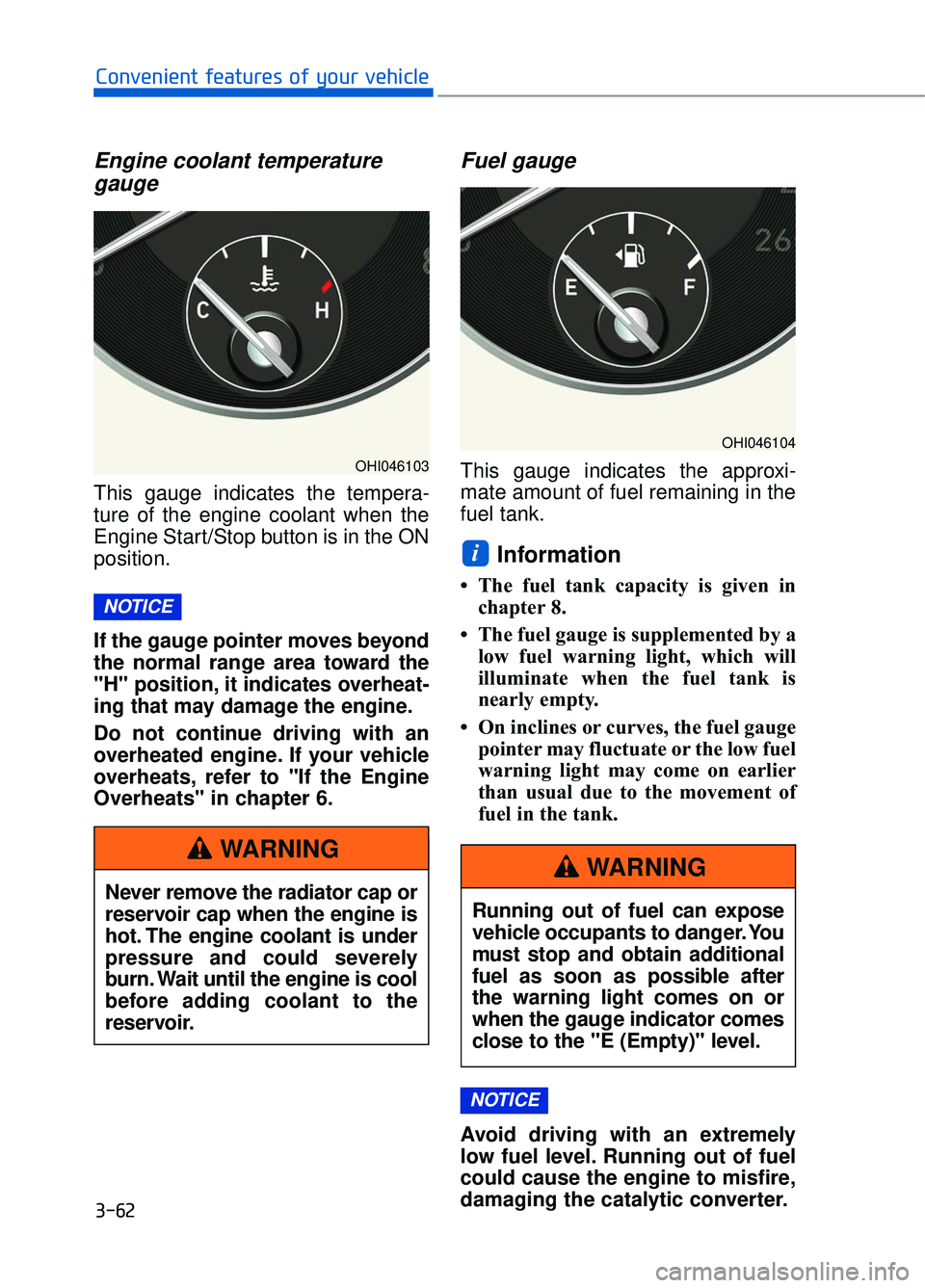
Engine coolant temperaturegauge
This gauge indicates the tempera-
ture of the engine coolant when the
Engine Start/Stop button is in the ON
position.
If the gauge pointer moves beyond
the normal range area toward the
"H" position, it indicates overheat-
ing that may damage the engine.
Do not continue driving with an
overheated engine. If your vehicle
overheats, refer to "If the Engine
Overheats" in chapter 6.
Fuel gauge
This gauge indicates the approxi-
mate amount of fuel remaining in the
fuel tank.
Information
• The fuel tank capacity is given in
chapter 8.
• The fuel gauge is supplemented by a low fuel warning light, which will
illuminate when the fuel tank is
nearly empty.
• On inclines or curves, the fuel gauge pointer may fluctuate or the low fuel
warning light may come on earlier
than usual due to the movement of
fuel in the tank.
Avoid driving with an extremely
low fuel level. Running out of fuel
could cause the engine to misfire,
damaging the catalytic converter.
NOTICE
i
NOTICE
3-62
Convenient features of your vehicle
OHI046103
Never remove the radiator cap or
reservoir cap when the engine is
hot. The engine coolant is under
pressure and could severely
burn. Wait until the engine is cool
before adding coolant to the
reservoir.
WARNING
OHI046104
Running out of fuel can expose
vehicle occupants to danger. You
must stop and obtain additional
fuel as soon as possible after
the warning light comes on or
when the gauge indicator comes
close to the "E (Empty)" level.
WARNING
Page 165 of 524
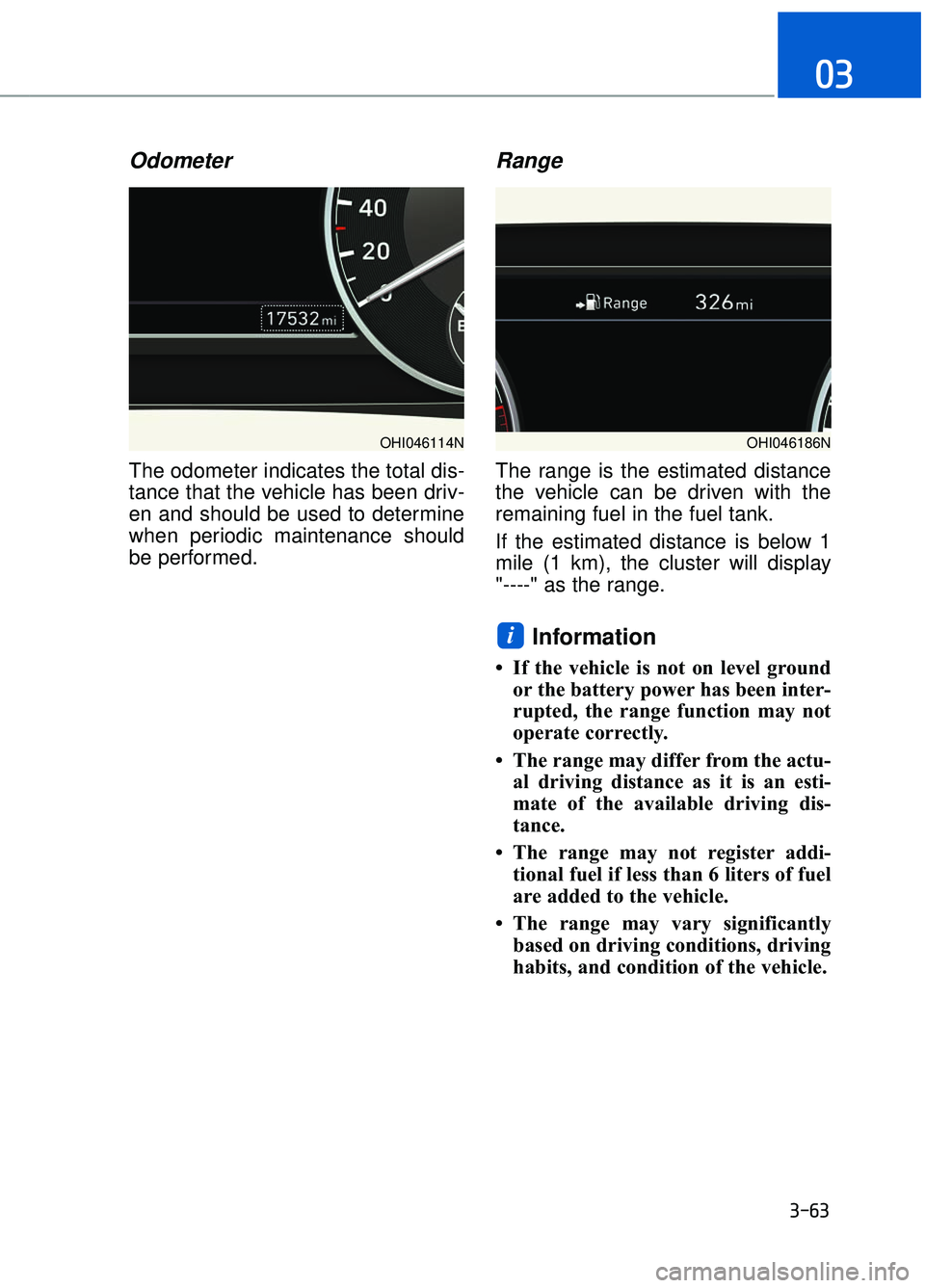
Odometer
The odometer indicates the total dis-
tance that the vehicle has been driv-
en and should be used to determine
when periodic maintenance should
be performed.
Range
The range is the estimated distance
the vehicle can be driven with the
remaining fuel in the fuel tank.
If the estimated distance is below 1
mile (1 km), the cluster will display
"----" as the range.
Information
• If the vehicle is not on level groundor the battery power has been inter-
rupted, the range function may not
operate correctly.
• The range may differ from the actu- al driving distance as it is an esti-
mate of the available driving dis-
tance.
• The range may not register addi- tional fuel if less than 6 liters of fuel
are added to the vehicle.
• The range may vary significantly based on driving conditions, driving
habits, and condition of the vehicle.
i
3-63
03
OHI046114NOHI046186N
Page 169 of 524
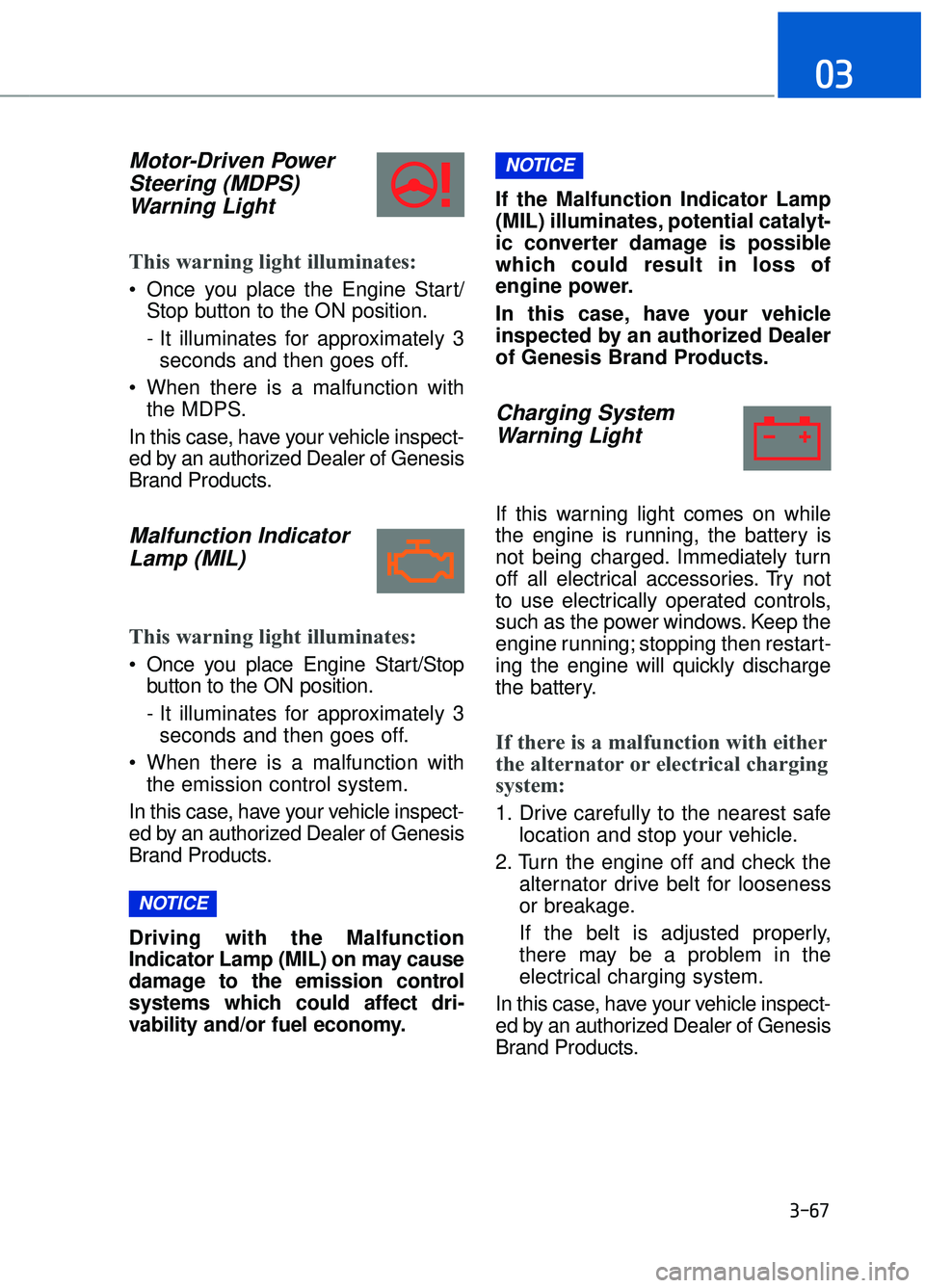
Motor-Driven PowerSteering (MDPS) Warning Light
This warning light illuminates:
Once you place the Engine Start/
Stop button to the ON position.
- It illuminates for approximately 3seconds and then goes off.
When there is a malfunction with the MDPS.
In this case, have your vehicle inspect-
ed by an authorized Dealer of Genesis
Brand Products.
Malfunction Indicator Lamp (MIL)
This warning light illuminates:
Once you place Engine Start/Stop
button to the ON position.
- It illuminates for approximately 3seconds and then goes off.
When there is a malfunction with the emission control system.
In this case, have your vehicle inspect-
ed by an authorized Dealer of Genesis
Brand Products.
Driving with the Malfunction
Indicator Lamp (MIL) on may cause
damage to the emission control
systems which could affect dri-
vability and/or fuel economy. If the Malfunction Indicator Lamp
(MIL) illuminates, potential catalyt-
ic converter damage is possible
which could result in loss of
engine power.
In this case, have your vehicle
inspected by an authorized Dealer
of Genesis Brand Products.
Charging System
Warning Light
If this warning light comes on while
the engine is running, the battery is
not being charged. Immediately turn
off all electrical accessories. Try not
to use electrically operated controls,
such as the power windows. Keep the
engine running; stopping then restart-
ing the engine will quickly discharge
the battery.
If there is a malfunction with either
the alternator or electrical charging
system:
1. Drive carefully to the nearest safe
location and stop your vehicle.
2. Turn the engine off and check the alternator drive belt for looseness
or breakage.
If the belt is adjusted properly,
there may be a problem in the
electrical charging system.
In this case, have your vehicle inspect-
ed by an authorized Dealer of Genesis
Brand Products.
NOTICE
NOTICE
3-67
03
Page 170 of 524
Engine Oil PressureWarning Light
This warning light illuminates:
Once you place the Engine Start/
Stop button to the ON position.
- It remains on until the engine isstarted.
When the engine oil pressure is low.
If the engine oil pressure is low:
1. Drive carefully to the nearest safe location and stop your vehicle.
2. Turn the engine off and check the engine oil level (For more infor-
mation, refer to "Engine Oil" in
chapter 7). If the level is low, add
oil as required.
If the warning light remains on
after adding oil and restarting the
engine or if oil is not available,
turn off the engine. There is a
mechanical concern that needs to
be repaired before you can contin-
ue driving. In this case, have your
vehicle inspected by an authorized
Dealer of Genesis Brand Products. To prevent severe engine damage,
after the Engine Oil Pressure
Warning Light is illuminated and as
soon as it is safe to do so, turn the
engine off and check the oil level.
If the oil level is low, fill the engine
oil to the proper level and start the
engine again. If the light stays on
with the engine running, turn the
engine off immediately.
In this case, have your vehicle
inspected by an authorized Dealer
of Genesis Brand Products.
Low Fuel Level
Warning Light
This warning light illuminates:
When the fuel tank is nearly empty.
Add fuel as soon as possible.
Driving with the Low Fuel Level
warning light on or with the fuel
level below "E" can cause the
engine to misfire and damage the
catalytic converter.
NOTICE
NOTICE
NOTICE
3-68
Convenient features of your vehicle
Page 181 of 524
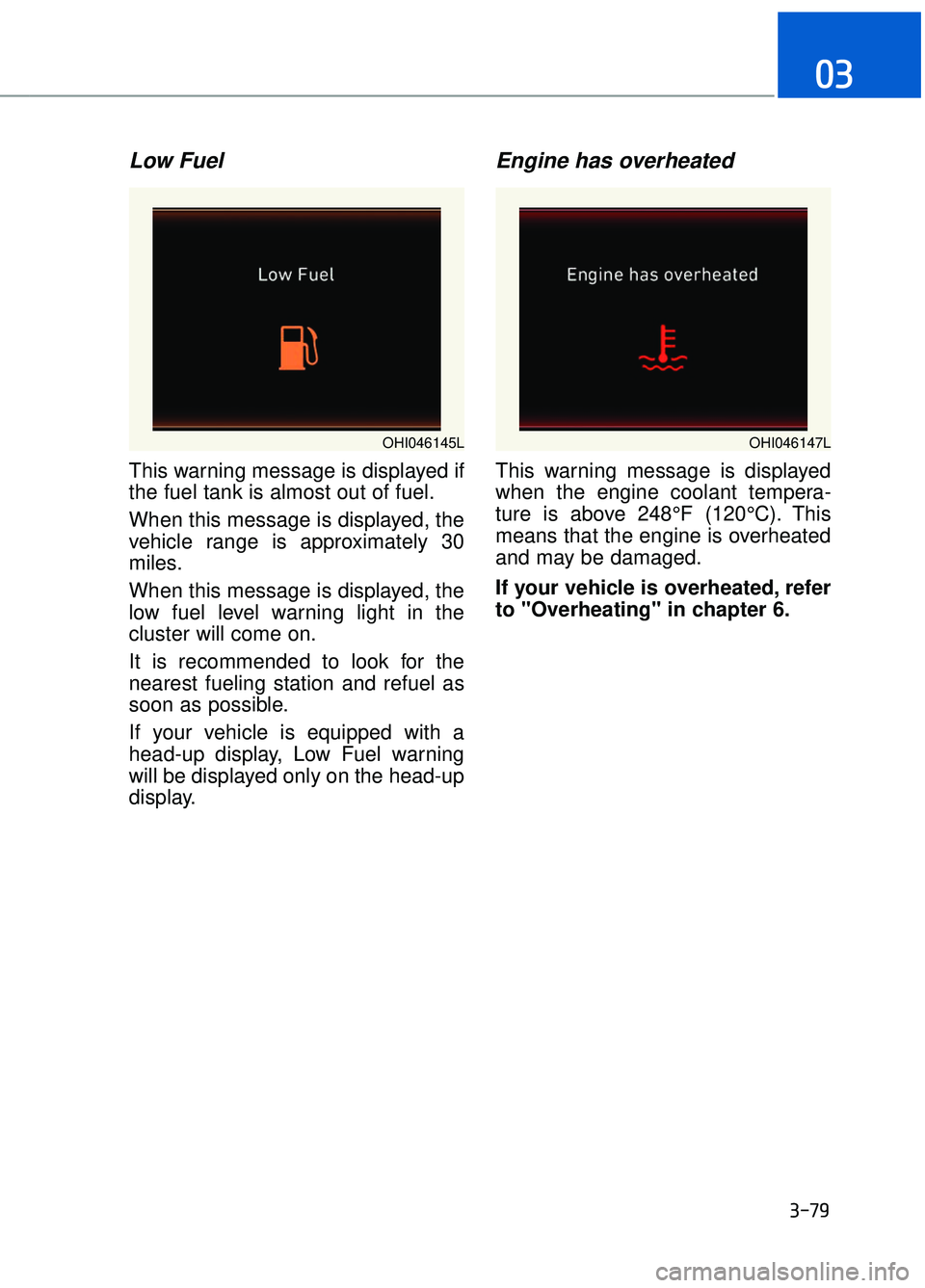
Low Fuel
This warning message is displayed if
the fuel tank is almost out of fuel.
When this message is displayed, the
vehicle range is approximately 30
miles.
When this message is displayed, the
low fuel level warning light in the
cluster will come on.
It is recommended to look for the
nearest fueling station and refuel as
soon as possible.
If your vehicle is equipped with a
head-up display, Low Fuel warning
will be displayed only on the head-up
display.
Engine has overheated
This warning message is displayed
when the engine coolant tempera-
ture is above 248°F (120°C). This
means that the engine is overheated
and may be damaged.
If your vehicle is overheated, refer
to "Overheating" in chapter 6.
3-79
03
OHI046145LOHI046147L
Page 189 of 524
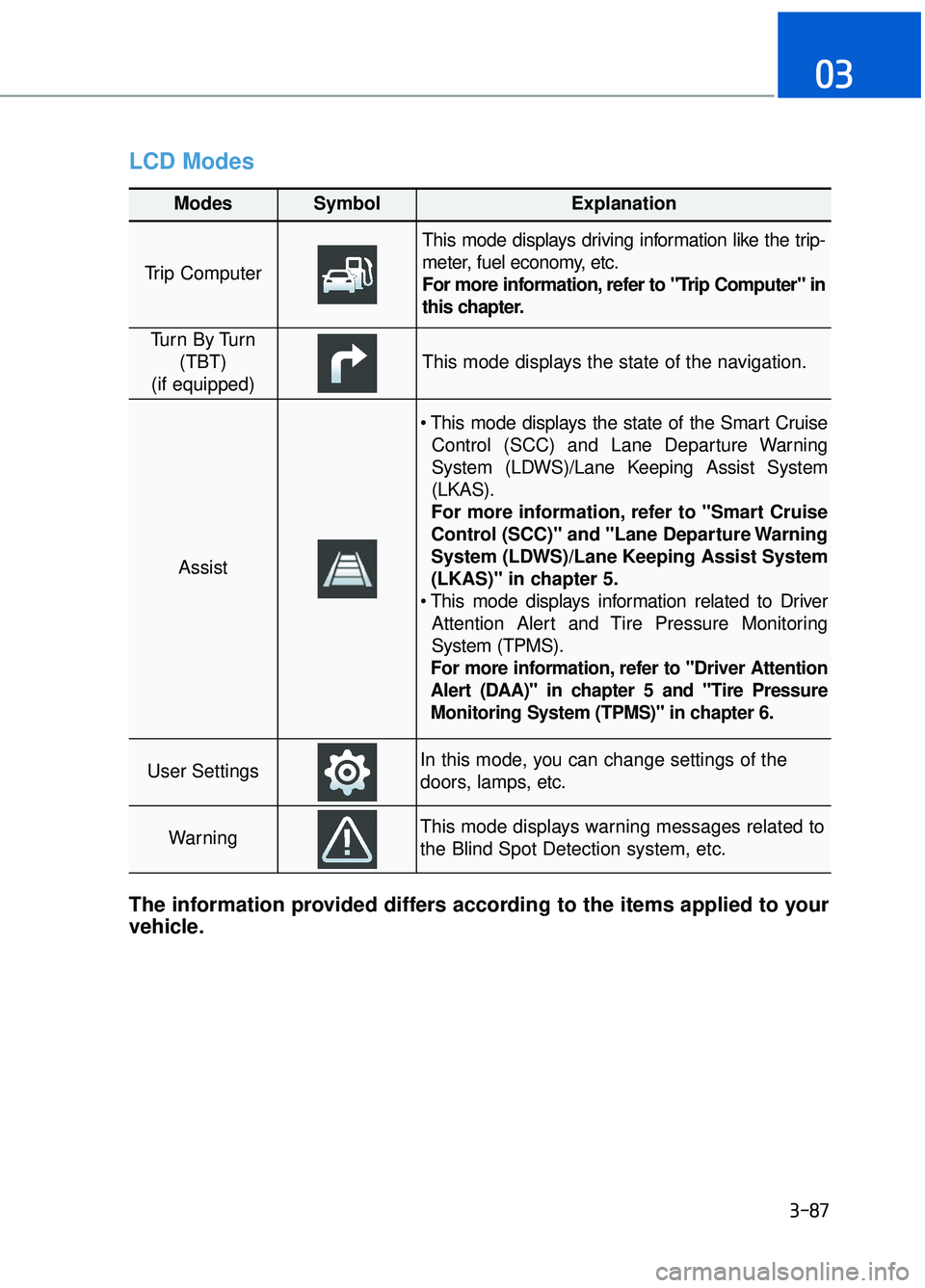
LCD Modes
3-87
03
Modes SymbolExplanation
Trip Computer
This mode displays driving information like the trip-
meter, fuel economy, etc.
For more information, refer to "Trip Computer" in
this chapter.
Tu r n B y Tu r n(TBT)
(if equipped)
This mode displays the state of the navigation.
Assist
Control (SCC) and Lane Departure Warning
System (LDWS)/Lane Keeping Assist System
(LKAS).
For more information, refer to "Smart Cruise
Control (SCC)" and "Lane Departure Warning
System (LDWS)/Lane Keeping Assist System
(LKAS)" in chapter 5.
Attention Alert and Tire Pressure Monitoring
System (TPMS).
For more information, refer to "Driver Attention
Alert (DAA)" in chapter 5 and "Tire Pressure
Monitoring System (TPMS)" in chapter 6.
User SettingsIn this mode, you can change settings of the
doors, lamps, etc.
WarningThis mode displays warning messages related to
the Blind Spot Detection system, etc.
The information provided differs according to the items applied to your
vehicle.
Page 190 of 524
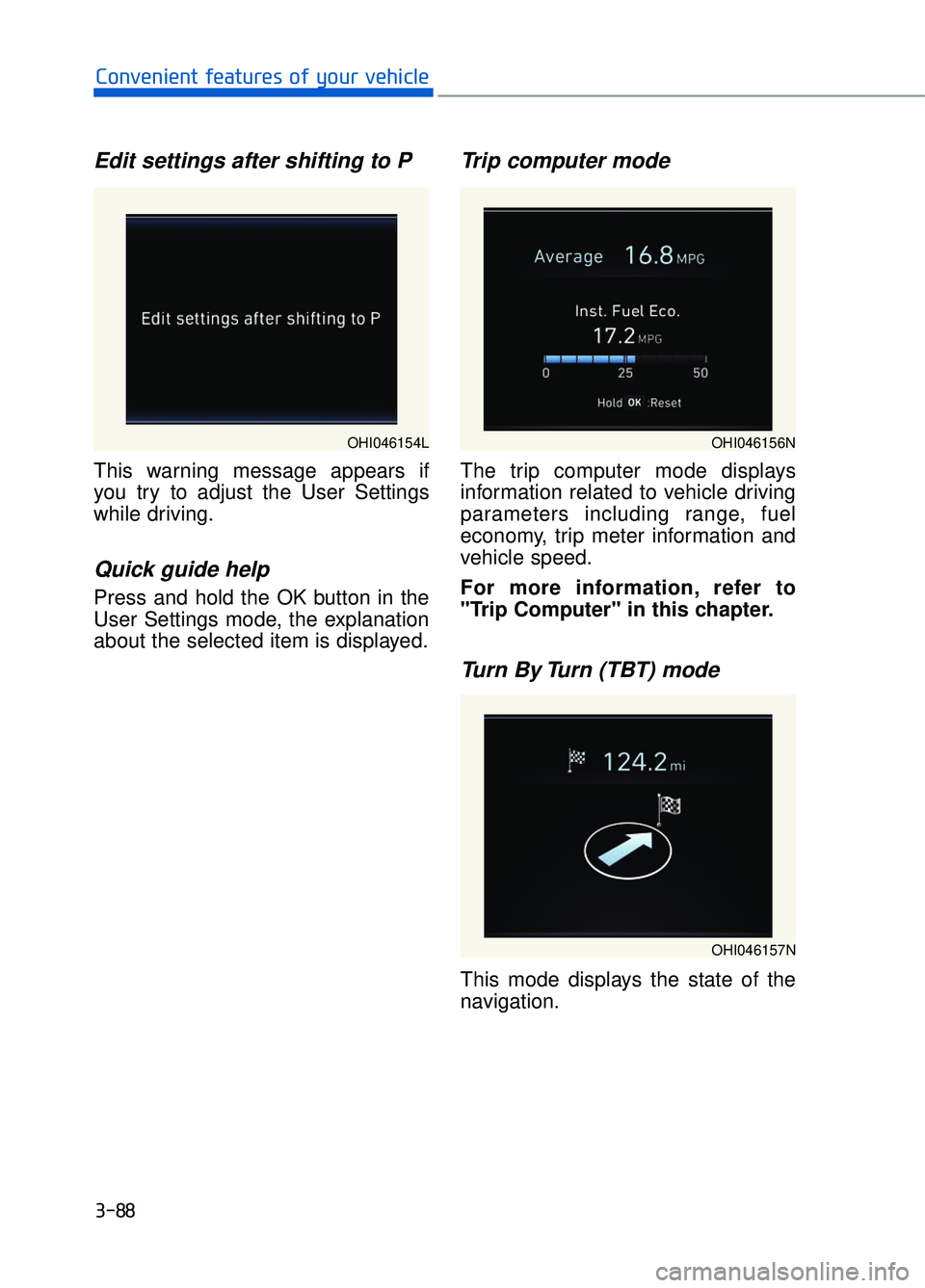
Edit settings after shifting to P
This warning message appears if
you try to adjust the User Settings
while driving.
Quick guide help
Press and hold the OK button in the
User Settings mode, the explanation
about the selected item is displayed.
Trip computer mode
The trip computer mode displays
information related to vehicle driving
parameters including range, fuel
economy, trip meter information and
vehicle speed.
For more information, refer to
"Trip Computer" in this chapter.
Turn By Turn (TBT) mode
This mode displays the state of the
navigation.
3-88
Convenient features of your vehicle
OHI046154LOHI046156N
OHI046157N
Page 196 of 524
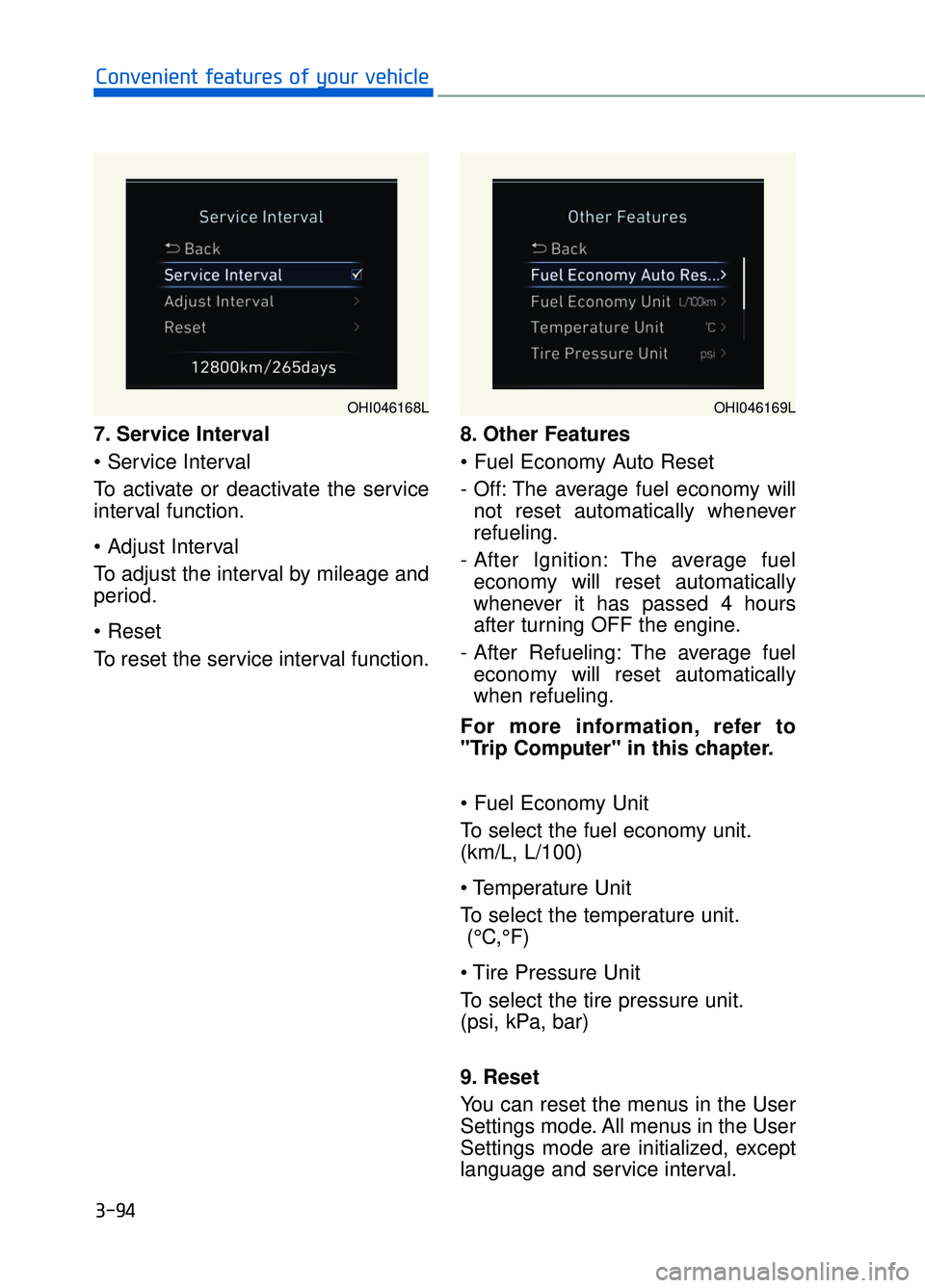
7. Service Interval
To activate or deactivate the service
interval function.
To adjust the interval by mileage and
period.
To reset the service interval function.8. Other Features
- Off: The average fuel economy will
not reset automatically whenever
refueling.
- After Ignition: The average fuel economy will reset automatically
whenever it has passed 4 hours
after turning OFF the engine.
- After Refueling: The average fuel economy will reset automatically
when refueling.
For more information, refer to
"Trip Computer" in this chapter.
To select the fuel economy unit.
(km/L, L/100)
To select the temperature unit. (°C,°F)
To select the tire pressure unit.
(psi, kPa, bar)
9. Reset
You can reset the menus in the User
Settings mode. All menus in the User
Settings mode are initialized, except
language and service interval.
3-94
Convenient features of your vehicle
OHI046168LOHI046169L