door key GENESIS G90 2017 Owner's Guide
[x] Cancel search | Manufacturer: GENESIS, Model Year: 2017, Model line: G90, Model: GENESIS G90 2017Pages: 524, PDF Size: 19.3 MB
Page 212 of 524
3-110
Convenient features of your vehicle
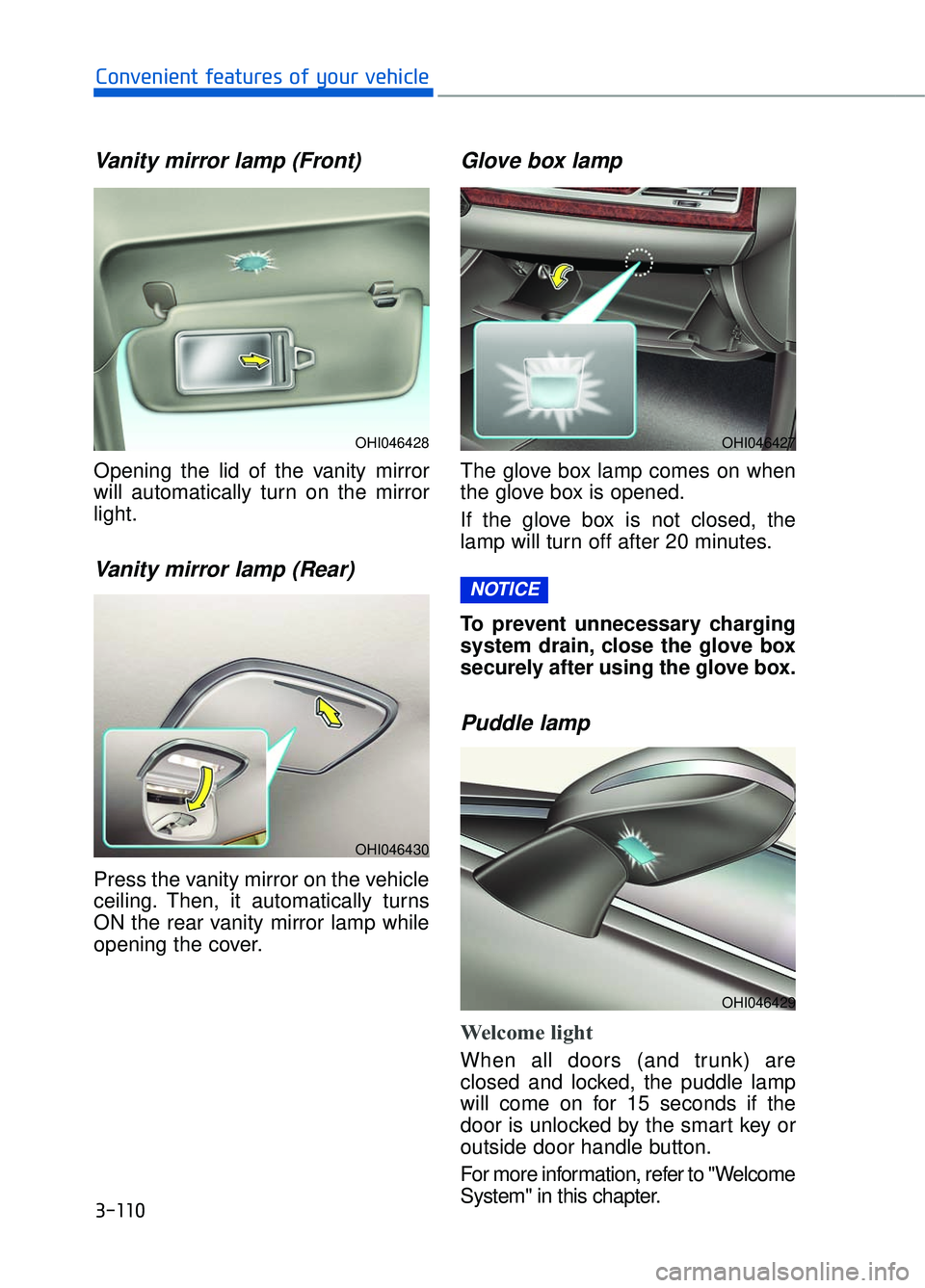
Vanity mirror lamp (Front)
Opening the lid of the vanity mirror
will automatically turn on the mirror
light.
Vanity mirror lamp (Rear)
Press the vanity mirror on the vehicle
ceiling. Then, it automatically turns
ON the rear vanity mirror lamp while
opening the cover.
Glove box lamp
The glove box lamp comes on when
the glove box is opened.
If the glove box is not closed, the
lamp will turn off after 20 minutes.
To prevent unnecessary charging
system drain, close the glove box
securely after using the glove box.
Puddle lamp
Welcome light
When all doors (and trunk) are
closed and locked, the puddle lamp
will come on for 15 seconds if the
door is unlocked by the smart key or
outside door handle button.
For more information, refer to "Welcome
System" in this chapter.
NOTICE
OHI046428
OHI046430
OHI046427
OHI046429
Page 213 of 524

3-111
03
Escort light
When the Engine Start/Stop button
is in the OFF position and the driver's
door is opened, the puddle lamp will
come on for 30 seconds. If the dri-
ver's door is closed within the 30
seconds, the puddle lamp will turn off
after 15 seconds. If the driver's door
is closed and locked, the puddle
lamp will turn off immediately.
The Puddle Lamp Escort Light will
turn on only the first time the driver's
door is opened after the engine is
turned off.
Welcome System
Welcome light
Door handle lamp (if equipped)
When all the doors (and trunk) are
closed and locked, the door handle
lamp will come on for about 15 sec-
onds if any of the below is performed.
When the door unlock button ispressed on the smart key.
When the button of the outside door handle is pressed.
When the vehicle is approached with the smart key in possession.
Headlamp and Parking lamp
When the headlamp (with the lamp
switch in the headlamp or AUTO
position) is on and all doors (and
trunk) are locked and closed, the
parking lamp and headlamp will
come on for 15 seconds if/or any of
the below is performed.
When the door unlock button ispressed on the smart key.
At this time, if you press the door lock
or unlock button on the smart key the
parking lamp and headlamp will turn
off immediately.
You can activate or deactivate the
Welcome Light from the User Settings
mode on the LCD display.
For more information, refer to the
"LCD Display" in this chapter.
Interior lamp
When the interior lamp switch is in
the DOOR position and all doors (and
trunk) are closed and locked, the
room lamp will come on for 30 sec-
onds if any of the below is performed.
When the door unlock button is pressed on the smart key.
When you put your hand into the door handle while carrying the
smart key.
At this time, if you press the door lock
or unlock button on the remote key or
smart key the room lamp will turn off
immediately.
OHI046411N
Page 246 of 524

3-144
Convenient features of your vehicle
Glove Box
The glove box can be locked and
unlocked with the mechanical key
(1).
To open:
Pull the lever (2).
Make sure the glove box is closed
while driving.
Sunglass Holder
To open:
Push and release the cover and the
holder will slowly open. Place your
sunglasses in the compartment door
with the lenses facing out.
To close:
Push back into position.
Make sure the sunglass holder is
closed while driving.
OHI046435
ALWAYS close the glove box
after use.
An open glove box can cause
serious injury to the passenger
in an accident, even if the pas-
senger is wearing a seat belt.
WARNING
OHI046436
Do not keep objects exceptsunglasses inside the sun-
glass holder. Such objects can
be thrown from the holder in
the event of a sudden stop or
an accident, possibly injuring
the passengers in the vehicle.
Do not open the sunglass holder while the vehicle is
moving. The rear view mirror of
the vehicle can be blocked by
an open sunglass holder.
Do not put the glasses forcibly into a sunglass holder. It may
cause personal injury if you try
to open it forcibly when the
glasses are jammed.
WARNING
Page 248 of 524
3-146
Convenient features of your vehicle
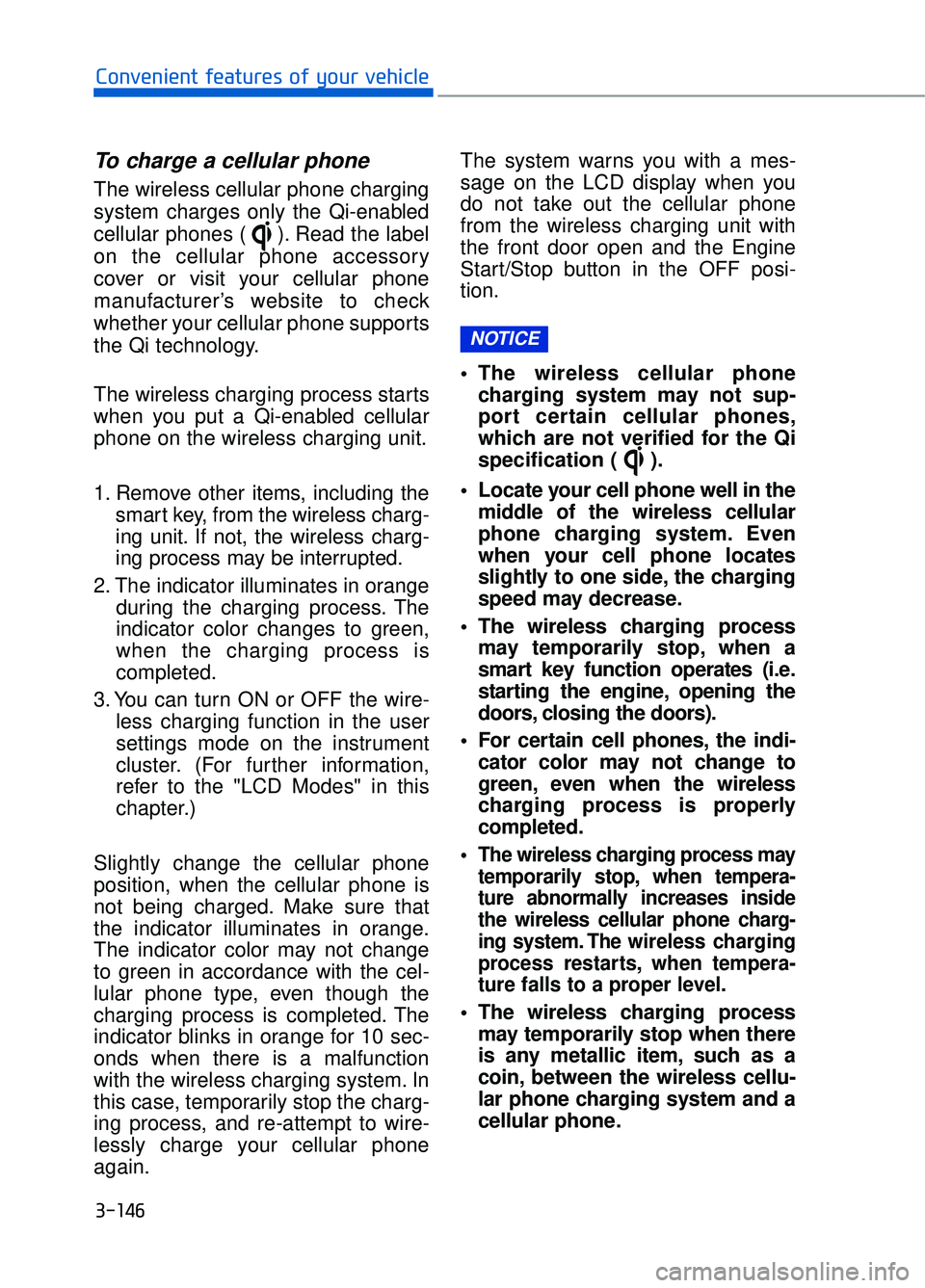
To charge a cellular phone
The wireless cellular phone charging
system charges only the Qi-enabled
cellular phones ( ). Read the label
on the cellular phone accessory
cover or visit your cellular phone
manufacturer’s website to check
whether your cellular phone supports
the Qi technology.
The wireless charging process starts
when you put a Qi-enabled cellular
phone on the wireless charging unit.
1. Remove other items, including thesmart key, from the wireless charg-
ing unit. If not, the wireless charg-
ing process may be interrupted.
2. The indicator illuminates in orange during the charging process. The
indicator color changes to green,
when the charging process is
completed.
3. You can turn ON or OFF the wire- less charging function in the user
settings mode on the instrument
cluster. (For further information,
refer to the "LCD Modes" in this
chapter.)
Slightly change the cellular phone
position, when the cellular phone is
not being charged. Make sure that
the indicator illuminates in orange.
The indicator color may not change
to green in accordance with the cel-
lular phone type, even though the
charging process is completed. The
indicator blinks in orange for 10 sec-
onds when there is a malfunction
with the wireless charging system. In
this case, temporarily stop the charg-
ing process, and re-attempt to wire-
lessly charge your cellular phone
again. The system warns you with a mes-
sage on the LCD display when you
do not take out the cellular phone
from the wireless charging unit with
the front door open and the Engine
Start/Stop button in the OFF posi-
tion.
The wireless cellular phone
charging system may not sup-
port certain cellular phones,
which are not verified for the Qi
specification ( ).
Locate your cell phone well in the middle of the wireless cellular
phone charging system. Even
when your cell phone locates
slightly to one side, the charging
speed may decrease.
The wireless charging process may temporarily stop, when a
smart key function operates (i.e.
starting the engine, opening the
doors, closing the doors).
For certain cell phones, the indi- cator color may not change to
green, even when the wireless
charging process is properly
completed.
The wireless charging process may temporarily stop, when tempera-
ture abnormally increases inside
the wireless cellular phone charg-
ing system. The wireless charging
process restarts, when tempera-
ture falls to a proper level.
The wireless charging processmay temporarily stop when there
is any metallic item, such as a
coin, between the wireless cellu-
lar phone charging system and a
cellular phone.
NOTICE
Page 268 of 524
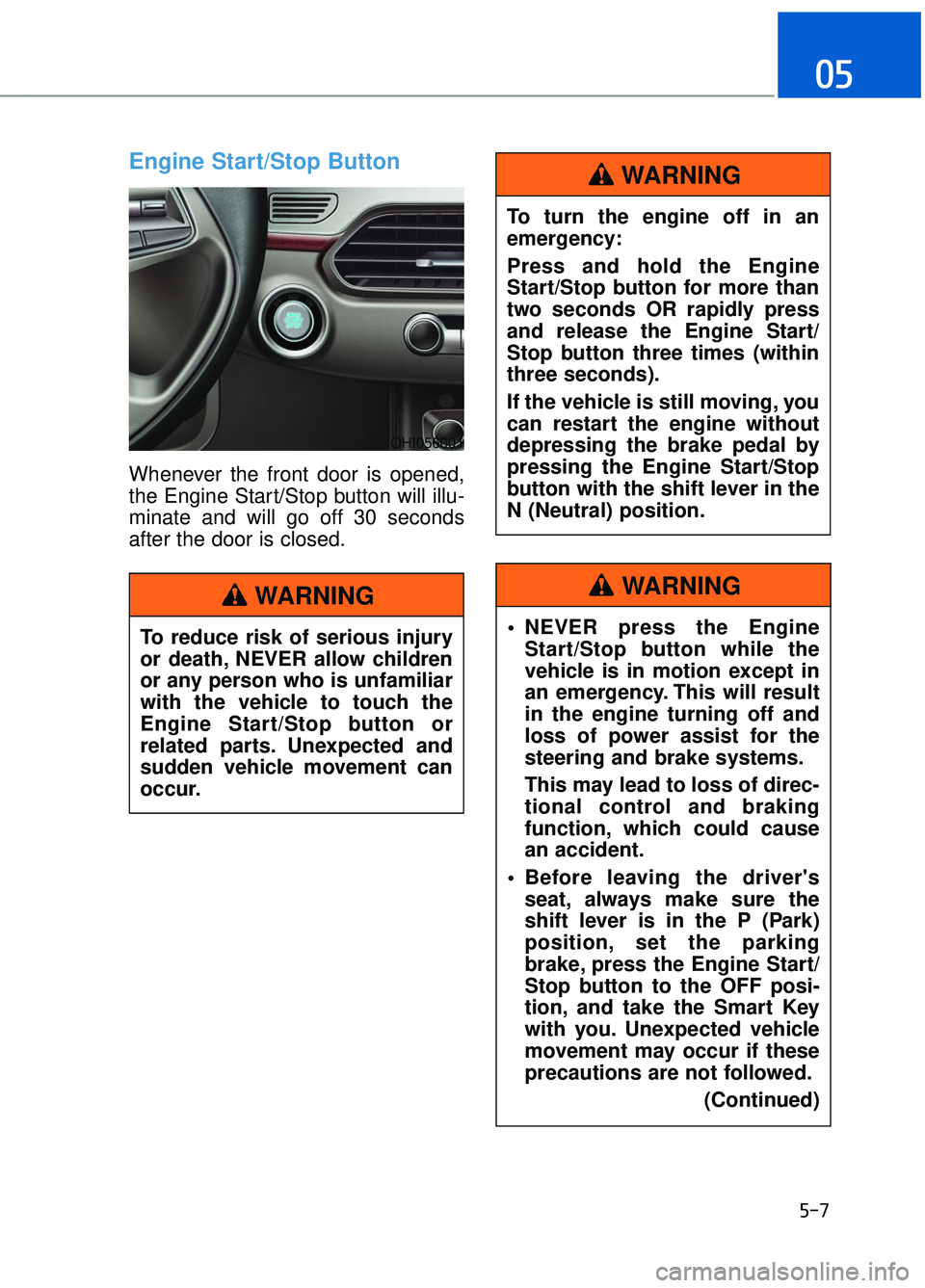
Engine Start/Stop Button
Whenever the front door is opened,
the Engine Start/Stop button will illu-
minate and will go off 30 seconds
after the door is closed.
5-7
05
To reduce risk of serious injury
or death, NEVER allow children
or any person who is unfamiliar
with the vehicle to touch the
Engine Start/Stop button or
related parts. Unexpected and
sudden vehicle movement can
occur.
WARNING
To turn the engine off in an
emergency:
Press and hold the Engine
Start/Stop button for more than
two seconds OR rapidly press
and release the Engine Start/
Stop button three times (within
three seconds).
If the vehicle is still moving, you
can restart the engine without
depressing the brake pedal by
pressing the Engine Start/Stop
button with the shift lever in the
N (Neutral) position.
WARNING
NEVER press the EngineStart/Stop button while the
vehicle is in motion except in
an emergency. This will result
in the engine turning off and
loss of power assist for the
steering and brake systems.
This may lead to loss of direc-
tional control and braking
function, which could cause
an accident.
Before leaving the driver's seat, always make sure the
shift lever is in the P (Park)
position, set the parking
brake, press the Engine Start/
Stop button to the OFF posi-
tion, and take the Smart Key
with you. Unexpected vehicle
movement may occur if these
precautions are not followed.
(Continued)
WARNING
OHI056001
Page 270 of 524

Information
If you press the Engine Start/Stop but-
ton without depressing the brake
pedal, the engine does not start and
the Engine Start/Stop button changes
as follows:
OFF→ →
ACC →
→
ON →
→
OFF
However, the engine may start if you
depress the brake pedal within 0.5 sec-
ond after pressing the Engine Start/
Stop button from the OFF position.
Starting the engine
Information
• The engine will start by pressing the Engine Start/Stop button, only when
the smart key is in the vehicle.
• Even if the smart key is in the vehi- cle, if it is far away from the driver,
the engine may not start.
• When the Engine Start/Stop button is in the ACC or ON position, if any
door is open, the system checks for
the smart key. If the smart key is not
in the vehicle, the warning "Key not
in vehicle" will come on and if all
doors are closed, the chime will also
sound for about 5 seconds. Keep the
smart key in the vehicle when using
the ACC position or if the vehicle
engine is ON.
1. Always carry the smart key with you.
2. Make sure the parking brake is applied.
3. Make sure the shift lever is in P (Park).
4. Depress the brake pedal.
5. Press the Engine Start/Stop but- ton.
Information
• Do not wait for the engine to warmup while the vehicle remains station-
ary. Start driving at moderate
engine speeds. (Rapid accelerating
and decelerating should be avoid-
ed.)
• Always start the vehicle with your foot on the brake pedal. Do not
depress the accelerator while start-
ing the vehicle. Do not race the
engine while warming it up.
i
ii
5-9
05
Always wear appropriate shoeswhen operating your vehicle.
Unsuitable shoes, such as
high heels, ski boots, sandals,
flip-flops, etc., may interfere
with your ability to use the
brake and accelerator pedals.
Do not start the vehicle with the accelerator pedal depressed.
The vehicle can move and lead
to an accident.
Wait until the engine rpm is normal. The vehicle may sud-
denly move if the brake pedal
is released when the rpm is
high.
WARNING
Page 289 of 524
5-28
Driving your vehicle
EPB (Electronic Parking Brake)
may be automatically applied
when:
Requested by other systems
The engine is turned off with theEPB applied
Information
If the driver turns the engine off while
Auto Hold is operating, EPB will be
automatically applied. However, if
you press the EPB switch within one
second after the engine is turned off,
the EPB will not be applied.
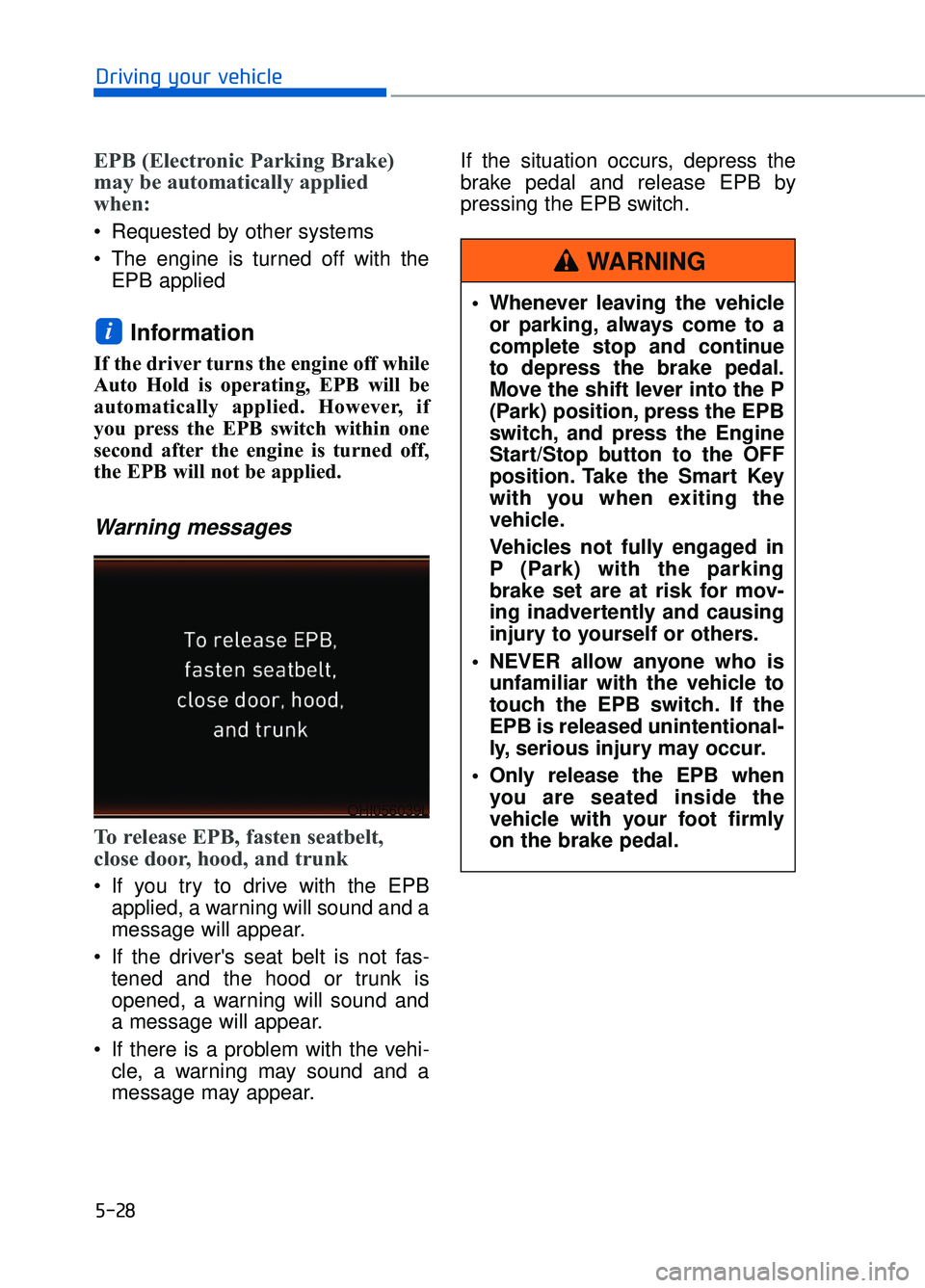
Warning messages
To release EPB, fasten seatbelt,
close door, hood, and trunk
If you try to drive with the EPBapplied, a warning will sound and a
message will appear.
If the driver's seat belt is not fas- tened and the hood or trunk is
opened, a warning will sound and
a message will appear.
If there is a problem with the vehi- cle, a warning may sound and a
message may appear. If the situation occurs, depress the
brake pedal and release EPB by
pressing the EPB switch.
i
Whenever leaving the vehicle
or parking, always come to a
complete stop and continue
to depress the brake pedal.
Move the shift lever into the P
(Park) position, press the EPB
switch, and press the Engine
Start/Stop button to the OFF
position. Take the Smart Key
with you when exiting the
vehicle.
Vehicles not fully engaged in
P (Park) with the parking
brake set are at risk for mov-
ing inadvertently and causing
injury to yourself or others.
NEVER allow anyone who is unfamiliar with the vehicle to
touch the EPB switch. If the
EPB is released unintentional-
ly, serious injury may occur.
Only release the EPB when you are seated inside the
vehicle with your foot firmly
on the brake pedal.
WARNING
OHI056039L
Page 467 of 524

7-65
07
Instrument panel fuse panel
Fuse name Fuse rating Circuit protected
MODULE5 10AStop Lamp Switch, Driver/Passenger Door Module
MODULE7 10A
Electro Chromic Mirror, A/V & Navigation Head Unit, AMP,
A/C Control Module, Front A/C Controller, Air Quality
Sensor, Rear Seat Warmer Control Module LH/RH Head
Lamp LH/RH Driver/Passenger CCS Module
Rear CCS Module LH/RH, Driver/Passenger IMS Control
Module, Rear IMS Control Module LH/RH, Rear Seat
Console Switch
IBU3 10AIBU Control Module
E-SHIFTER2 10AElectronic ATM Shift Lever
MEMORY1 10A
Security Indicator, A/C Control Module, Front A/C Controller,
Instrument Cluster, Driver/Passenger IMS Control Module,
Rear IMS Control Module LH/RH, Head-Up Display, Analog
Clock
Driver/Passenger Seat Control Switch, Power Trunk Module,
Rear Seat Control Switch LH/RHM Driver/Passenger Smart
Key, Outside Handle Rear Smart Key Outside Handle
LH/RH
RR LH2P/SEAT25ARear IMS Control Module LH
DRIVER
P/SEAT225ADriver IMS Control Module
P/WINDOW RH30APassenger Power Window Module
Rear Power Window Module RH
MODULE 610A
Crash Pad Switch, Blind Spot Detection Radar LH/RH ECS
Unit, Electric Parking Brake Module, Lane Keeping Assist
Module, Front Console Switch, Steering Tilt & Telescopic
Module
MODULE 10 10ACooling Fan Controller (BLDC), Rear Seat Console Switch,
Around View Unit, Parking Guide Unit
MODULE3 10AGATEWAY (B+ (MCU)), Data Link Connector, Hazard
Switch
SUNROOF 25ASunroof Motor
PASSENGER P/SEAT2 25APassenger IMS Control Module
Page 469 of 524
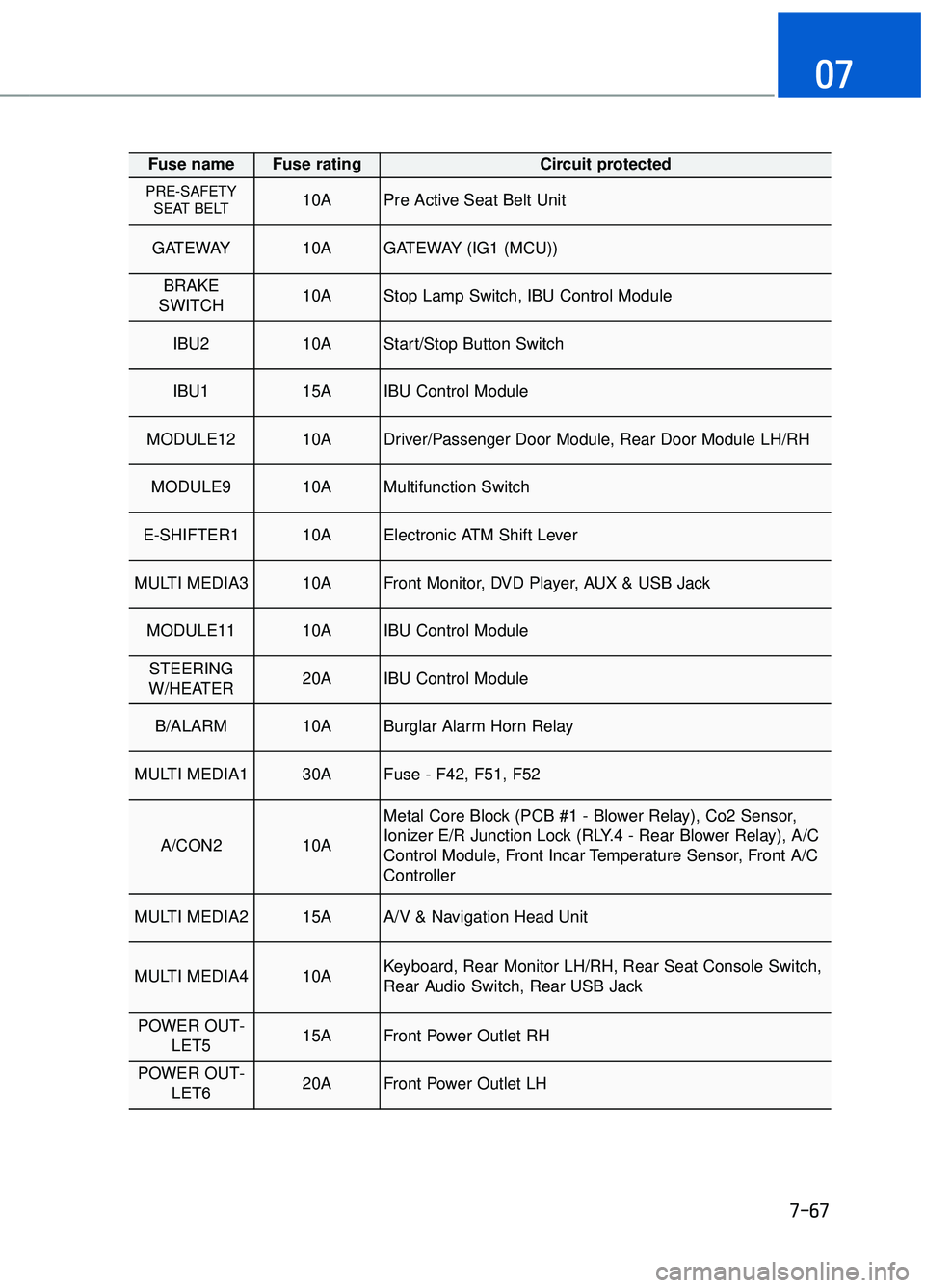
7-67
07
Fuse name Fuse rating Circuit protected
PRE-SAFETYSEAT BELT 10APre Active Seat Belt Unit
GATEWAY 10AGATEWAY (IG1 (MCU))
BRAKE
SWITCH 10AStop Lamp Switch, IBU Control Module
IBU2 10AStart/Stop Button Switch
IBU1 15AIBU Control Module
MODULE12 10ADriver/Passenger Door Module, Rear Door Module LH/RH
MODULE9 10AMultifunction Switch
E-SHIFTER1 10AElectronic ATM Shift Lever
MULTI MEDIA3 10AFront Monitor, DVD Player, AUX & USB Jack
MODULE11 10AIBU Control Module
STEERING
W/HEATER 20AIBU Control Module
B/ALARM 10ABurglar Alarm Horn Relay
MULTI MEDIA1 30AFuse - F42, F51, F52
A/CON2 10A
Metal Core Block (PCB #1 - Blower Relay), Co2 Sensor,
Ionizer E/R Junction Lock (RLY.4 - Rear Blower Relay), A/C
Control Module, Front Incar Temperature Sensor, Front A/C
Controller
MULTI MEDIA2 15AA/V & Navigation Head Unit
MULTI MEDIA4 10AKeyboard, Rear Monitor LH/RH, Rear Seat Console Switch,
Rear Audio Switch, Rear USB Jack
POWER OUT- LET5 15AFront Power Outlet RH
POWER OUT-LET6 20AFront Power Outlet LH
Page 519 of 524

Shift lever auto door lock........................................................................\
.............3-13
Shift lock system ........................................................................\
..........................5-15
Side air bags ........................................................................\
.................................2-61
Side view mirror........................................................................\
...........................3-37
Side view mirror defroster ........................................................................\
.........3-121
Smart blind spot detection system .......................................................................5\
-57
Smart cruise control system ........................................................................\
.........5-80
Smart high beam ........................................................................\
........................3-103
Smart key........................................................................\
........................................3-4Battery replacement ........................................................................\
..............3-8
Mechanical key ........................................................................\
.....................3-6
Smooth cornering ........................................................................\
.......................5-103
Snow tires ........................................................................\
...................................5-105
Spare tire Compact spare tire replacement ..................................................................7-48
Special driving conditions Driving at night ........................................................................\
.................5-103
Driving in flooded areas........................................................................\
....5-104
Driving in the rain ........................................................................\
.............5-103
Hazardous driving conditions ...................................................................5-102\
Highway driving........................................................................\
................5-104
Rocking the vehicle ........................................................................\
...........5-102
Smooth cornering ........................................................................\
..............5-103
Speed sensing door lock........................................................................\
...............3-13
Speedometer ........................................................................\
.................................3-61
Starting difficulties, see engine will not start.........................................................6-4
Steering wheel ........................................................................\
..............................3-17 Heated steering wheel ........................................................................\
.........3-18
Horn........................................................................\
.....................................3-19
Motor-driven power steering (MDPS) ........................................................3-17
Power steering ........................................................................\
.....................3-17
Tilt steering / Telescope steering.................................................................3-18
Steering wheel audio control........................................................................\
..........4-3
Storage compartment........................................................................\
..................3-143 Cellular phone holder ........................................................................\
........3-145
Center console storage ........................................................................\
......3-143
Glove box ........................................................................\
..........................3-144
Rear console storage ........................................................................\
.........3-143
Sunglass holder ........................................................................\
.................3-144
Wireless cellular phone charging system ..................................................3-145
I-15
I