key battery GENESIS G90 2017 Owner's Manual
[x] Cancel search | Manufacturer: GENESIS, Model Year: 2017, Model line: G90, Model: GENESIS G90 2017Pages: 524, PDF Size: 19.3 MB
Page 107 of 524
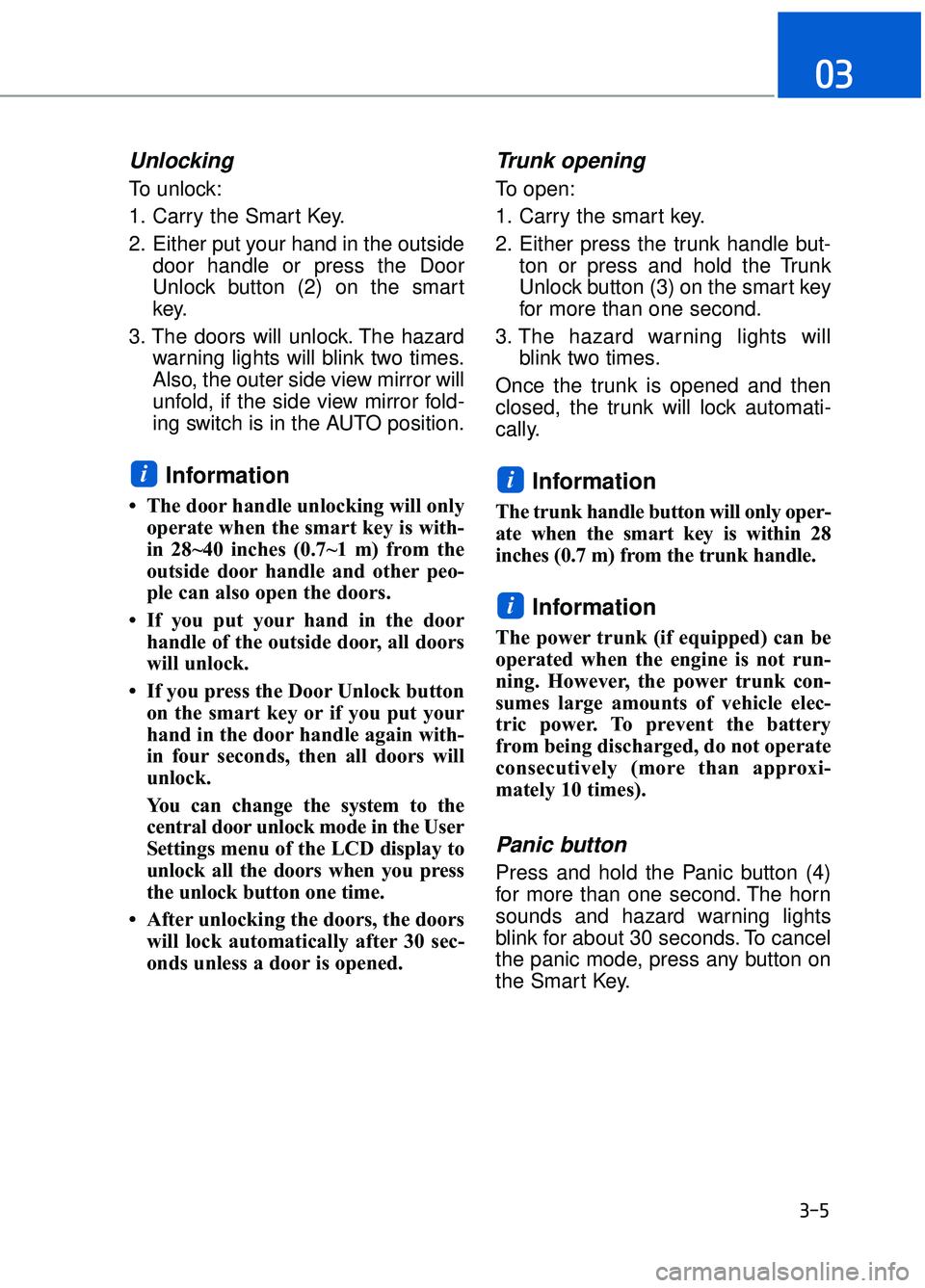
Unlocking
To unlock:
1. Carry the Smart Key.
2. Either put your hand in the outsidedoor handle or press the Door
Unlock button (2) on the smart
key.
3. The doors will unlock. The hazard warning lights will blink two times.
Also, the outer side view mirror will
unfold, if the side view mirror fold-
ing switch is in the AUTO position.
Information
• The door handle unlocking will onlyoperate when the smart key is with-
in 28~40 inches (0.7~1 m) from the
outside door handle and other peo-
ple can also open the doors.
• If you put your hand in the door handle of the outside door, all doors
will unlock.
• If you press the Door Unlock button on the smart key or if you put your
hand in the door handle again with-
in four seconds, then all doors will
unlock.
You can change the system to the
central door unlock mode in the User
Settings menu of the LCD display to
unlock all the doors when you press
the unlock button one time.
• After unlocking the doors, the doors will lock automatically after 30 sec-
onds unless a door is opened.
Trunk opening
To open:
1. Carry the smart key.
2. Either press the trunk handle but- ton or press and hold the Trunk
Unlock button (3) on the smart key
for more than one second.
3. The hazard warning lights will blink two times.
Once the trunk is opened and then
closed, the trunk will lock automati-
cally.
Information
The trunk handle button will only oper-
ate when the smart key is within 28
inches (0.7 m) from the trunk handle.
Information
The power trunk (if equipped) can be
operated when the engine is not run-
ning. However, the power trunk con-
sumes large amounts of vehicle elec-
tric power. To prevent the battery
from being discharged, do not operate
consecutively (more than approxi-
mately 10 times).
Panic button
Press and hold the Panic button (4)
for more than one second. The horn
sounds and hazard warning lights
blink for about 30 seconds. To cancel
the panic mode, press any button on
the Smart Key.
i
ii
03
3-5
Page 110 of 524
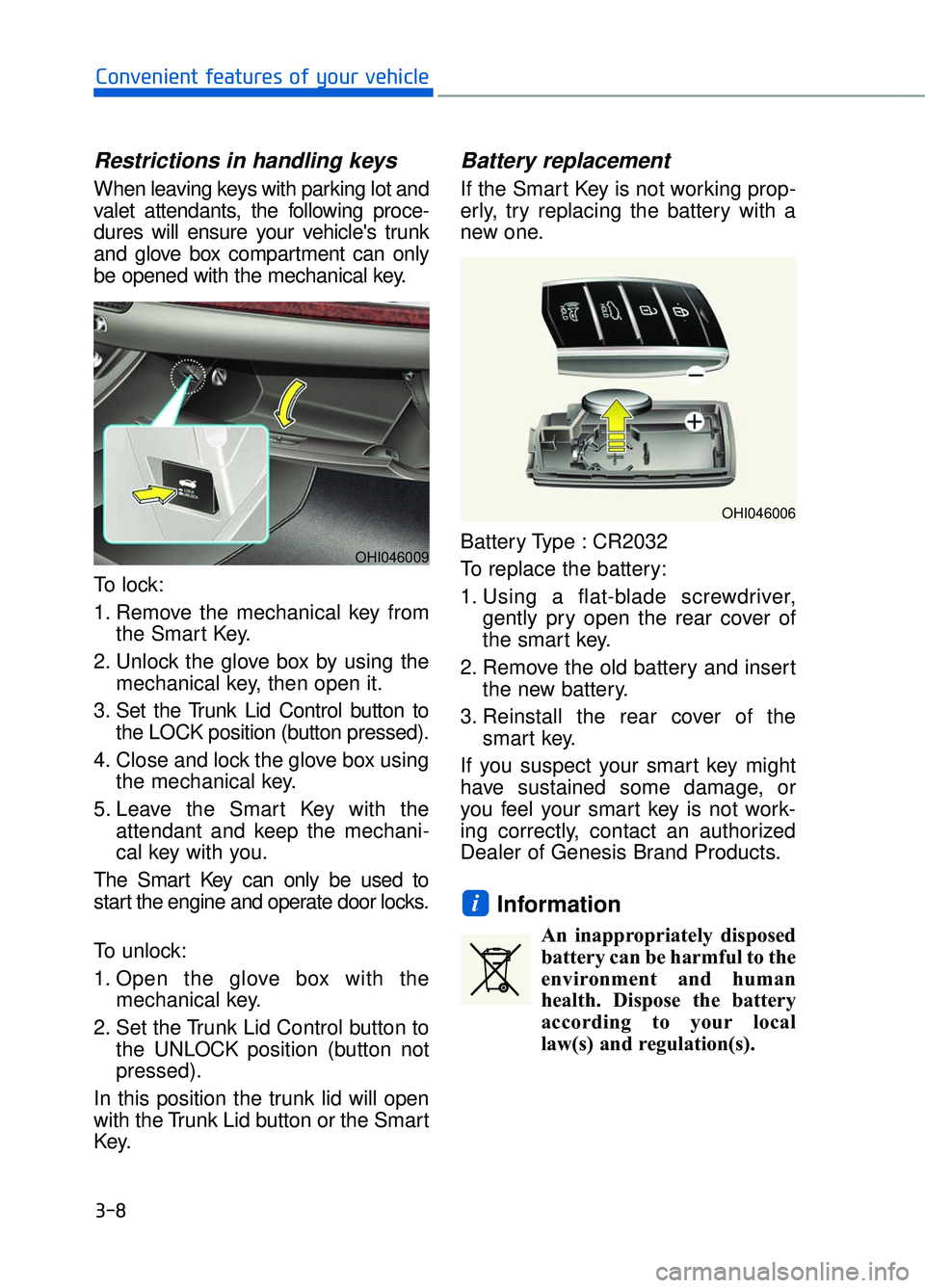
Restrictions in handling keys
When leaving keys with parking lot and
valet attendants, the following proce-
dures will ensure your vehicle's trunk
and glove box compartment can only
be opened with the mechanical key.
To lock:
1. Remove the mechanical key fromthe Smart Key.
2. Unlock the glove box by using the mechanical key, then open it.
3. Set the Trunk Lid Control button to the LOCK position (button pressed).
4. Close and lock the glove box using the mechanical key.
5. Leave the Smart Key with the attendant and keep the mechani-
cal key with you.
The Smart Key can only be used to
start the engine and operate door locks.
To unlock:
1. Open the glove box with the mechanical key.
2. Set the Trunk Lid Control button to the UNLOCK position (button not
pressed).
In this position the trunk lid will open
with the Trunk Lid button or the Smart
Key.
Battery replacement
If the Smart Key is not working prop-
erly, try replacing the battery with a
new one.
Battery Type : CR2032
To replace the battery:
1. Using a flat-blade screwdriver, gently pry open the rear cover of
the smart key.
2. Remove the old battery and insert the new battery.
3. Reinstall the rear cover of the smart key.
If you suspect your smart key might
have sustained some damage, or
you feel your smart key is not work-
ing correctly, contact an authorized
Dealer of Genesis Brand Products.
Information
An inappropriately disposed battery can be harmful to the
environment and human
health. Dispose the battery
according to your local
law(s) and regulation(s).
i
3-8
Convenient features of your vehicle
OHI046006
OHI046009
Page 152 of 524
3-50
Convenient features of your vehicle
Information
The Power Trunk Lock button will
not work if you press the button when:
- Any door is open.
- The Engine Start/Stop button is notin the OFF position.
- The Smart Key is in the vehicle. Do not close or open the Power
Trunk manually. This may cause
damage to the Power Trunk. If it
is necessary to close or open the
Power Trunk manually when the
battery is drained or disconnect-
ed, do not apply excessive force.
Do not leave the Power Trunk open for a long period of time.
This may drain the battery.
To prevent damage to the trunk lift cylinders and the attached
hardware, always close the trunk
before driving.
Information
In cold and wet climates, trunk lock
and trunk mechanisms may not work
properly due to freezing conditions.
Power trunk non-opening orclosing conditions:
The Power Trunk will not open or
close automatically, when the vehi-
cle is moving more than 1.8 mph (3
km/h).
The Power Trunk can be operated when the engine is not running.
However, the Power Trunk operation
consumes large amounts of vehicle
electric power. To prevent the bat-
tery from draining, do not operate it
excessively (e.g., more than
approximately 10 times repeatedly.)
Do not modify or repair any part of the Power Trunk by yourself. This
must be done by an authorized
Dealer of Genesis Brand Products.
Before jacking up the vehicle to change a tire or repair the vehicle,
open the Power Trunk. Do not oper-
ate the Power Trunk when the vehi-
cle is raised or this could cause the
Power Trunk to operate improperly.
i
NOTICEi
Never leave children or animals
unattended in your vehicle.
Children or animals might oper-
ate the power trunk that could
result in injury to themselves or
others, or damage to the vehicle.
WARNING
Always keep the trunk lid com-
pletely closed while the vehicle is
in motion. If it is left open or ajar,
poisonous exhaust gases con-
taining carbon monoxide (CO)
may enter the vehicle and seri-
ous illness or death may result.
WARNING
Make sure there are no people
or objects around the trunk
before opening or closing the
Power Trunk. Wait until the trunk
is open fully and stopped before
loading or unloading cargo from
the vehicle.
WARNING
Page 174 of 524
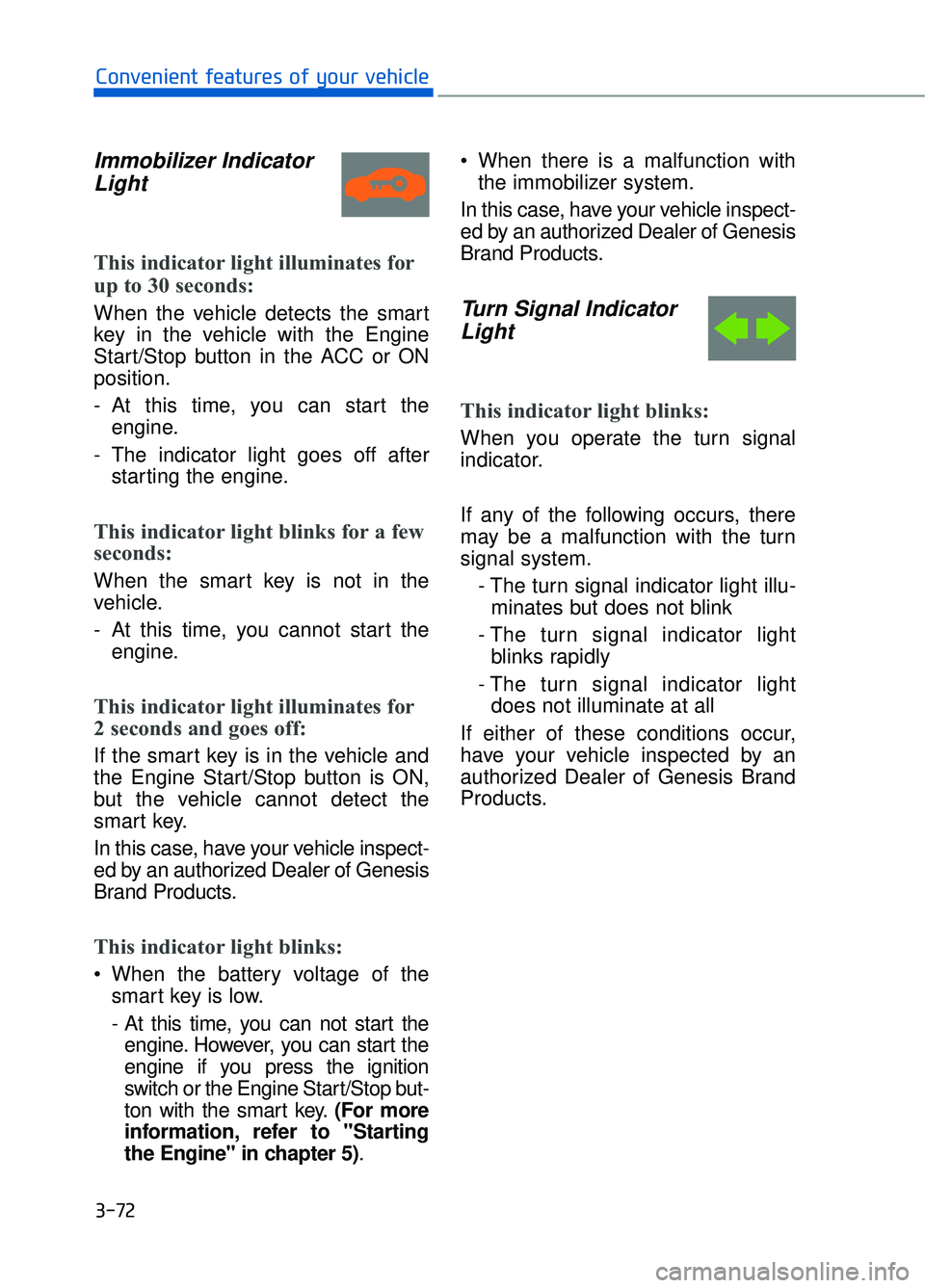
Immobilizer IndicatorLight
This indicator light illuminates for
up to 30 seconds:
When the vehicle detects the smart
key in the vehicle with the Engine
Start/Stop button in the ACC or ON
position.
- At this time, you can start the
engine.
- The indicator light goes off after starting the engine.
This indicator light blinks for a few
seconds:
When the smart key is not in the
vehicle.
- At this time, you cannot start theengine.
This indicator light illuminates for
2 seconds and goes off:
If the smart key is in the vehicle and
the Engine Start/Stop button is ON,
but the vehicle cannot detect the
smart key.
In this case, have your vehicle inspect-
ed by an authorized Dealer of Genesis
Brand Products.
This indicator light blinks:
When the battery voltage of thesmart key is low.
- At this time, you can not start theengine. However, you can start the
engine if you press the ignition
switch or the Engine Start/Stop but-
ton with the smart key. (For more
information, refer to "Starting
the Engine" in chapter 5). When there is a malfunction with
the immobilizer system.
In this case, have your vehicle inspect-
ed by an authorized Dealer of Genesis
Brand Products.
Turn Signal Indicator Light
This indicator light blinks:
When you operate the turn signal
indicator.
If any of the following occurs, there
may be a malfunction with the turn
signal system.
- The turn signal indicator light illu-minates but does not blink
- The turn signal indicator light blinks rapidly
- The turn signal indicator light does not illuminate at all
If either of these conditions occur,
have your vehicle inspected by an
authorized Dealer of Genesis Brand
Products.
3-72
Convenient features of your vehicle
Page 178 of 524
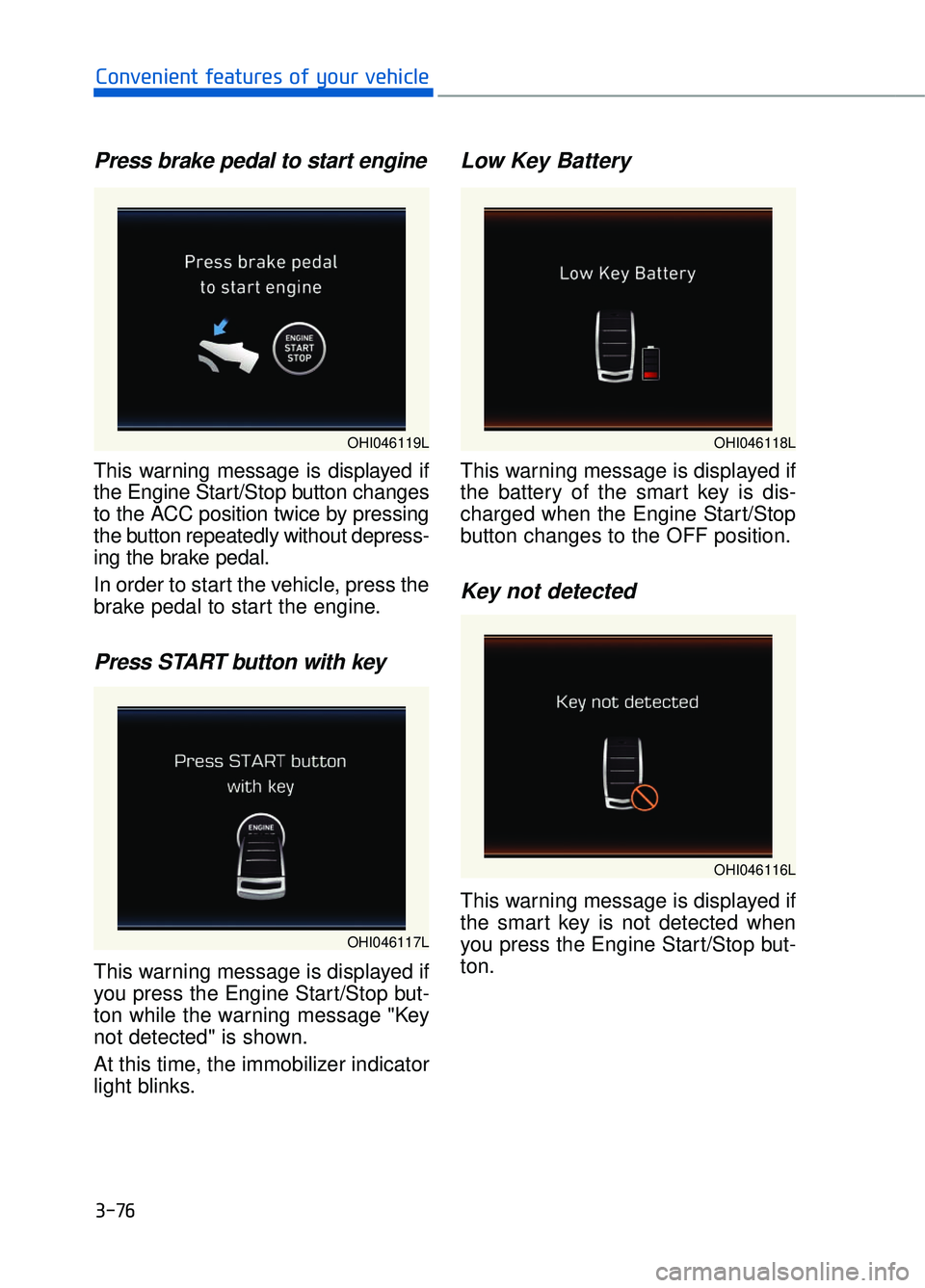
Press brake pedal to start engine
This warning message is displayed if
the Engine Start/Stop button changes
to the ACC position twice by pressing
the button repeatedly without depress-
ing the brake pedal.
In order to start the vehicle, press the
brake pedal to start the engine.
Press START button with key
This warning message is displayed if
you press the Engine Start/Stop but-
ton while the warning message "Key
not detected" is shown.
At this time, the immobilizer indicator
light blinks.
Low Key Battery
This warning message is displayed if
the battery of the smart key is dis-
charged when the Engine Start/Stop
button changes to the OFF position.
Key not detected
This warning message is displayed if
the smart key is not detected when
you press the Engine Start/Stop but-
ton.
3-76
Convenient features of your vehicle
OHI046117L
OHI046119LOHI046118L
OHI046116L
Page 208 of 524
3-106
Convenient features of your vehicle
Battery saver function
The purpose of this feature is to pre-
vent the battery from being dis-
charged. The system automatically
turns off the parking lamp when the
driver turns the engine off and opens
the driver-side door.
With this feature, the parking lamps
will turn off automatically if the driver
parks on the side of road at night.
If necessary, to keep the lamps on
when the engine is turned off, perform
the following:
1) Open the driver-side door.
2) Turn the parking lamps OFF andON again using the light switch on
the steering column.
Headlamp delay function
If the Engine Start/Stop button is
placed in the ACC position or the
OFF position with the headlamps
ON, the headlamps (and/or parking
lamps) remain on for about 5 min-
utes. However, if the driver’s door is
opened and closed, the headlights
are turned off after 15 seconds. Also,
with the engine off if the driver's door
is opened and closed, the headlamps
(and/or parking lamps) are turned off
after 15 seconds.
The headlamps (and/or parking
lamps) can be turned off by pressing
the lock button on the smart key
twice or turning the light switch to the
OFF or AUTO position.
You can activate or deactivate the
Headlamp Delay function from the
User Settings mode on the LCD dis-
play.
For more information, refer to the
"LCD Display" in this chapter.
If the driver gets out of the vehicle
through other doors (except dri-
ver’s door), the battery saver func-
tion does not operate and the
headlamp delay function does not
turn off automatically. Therefore, It
causes the battery to be dis-
charged. In this case, make sure
to turn off the lamp before getting
out of the vehicle.
NOTICE
Page 210 of 524
3-108
Convenient features of your vehicle
Interior Lights
Do not use the interior lights for
extended periods when the engine
is turned off or the battery will dis-
charge.
Interior lamp AUTO cut
The interior lamps will automatically
go off approximately 20 minutes after
the engine is turned off and the
doors closed. If a door is opened, the
lamp will go off 40 minutes after the
engine is turned off. If the doors are
locked by the remote key or smart
key and the vehicle enters the armed
stage of the theft alarm system, the
lamps will go off five seconds later.
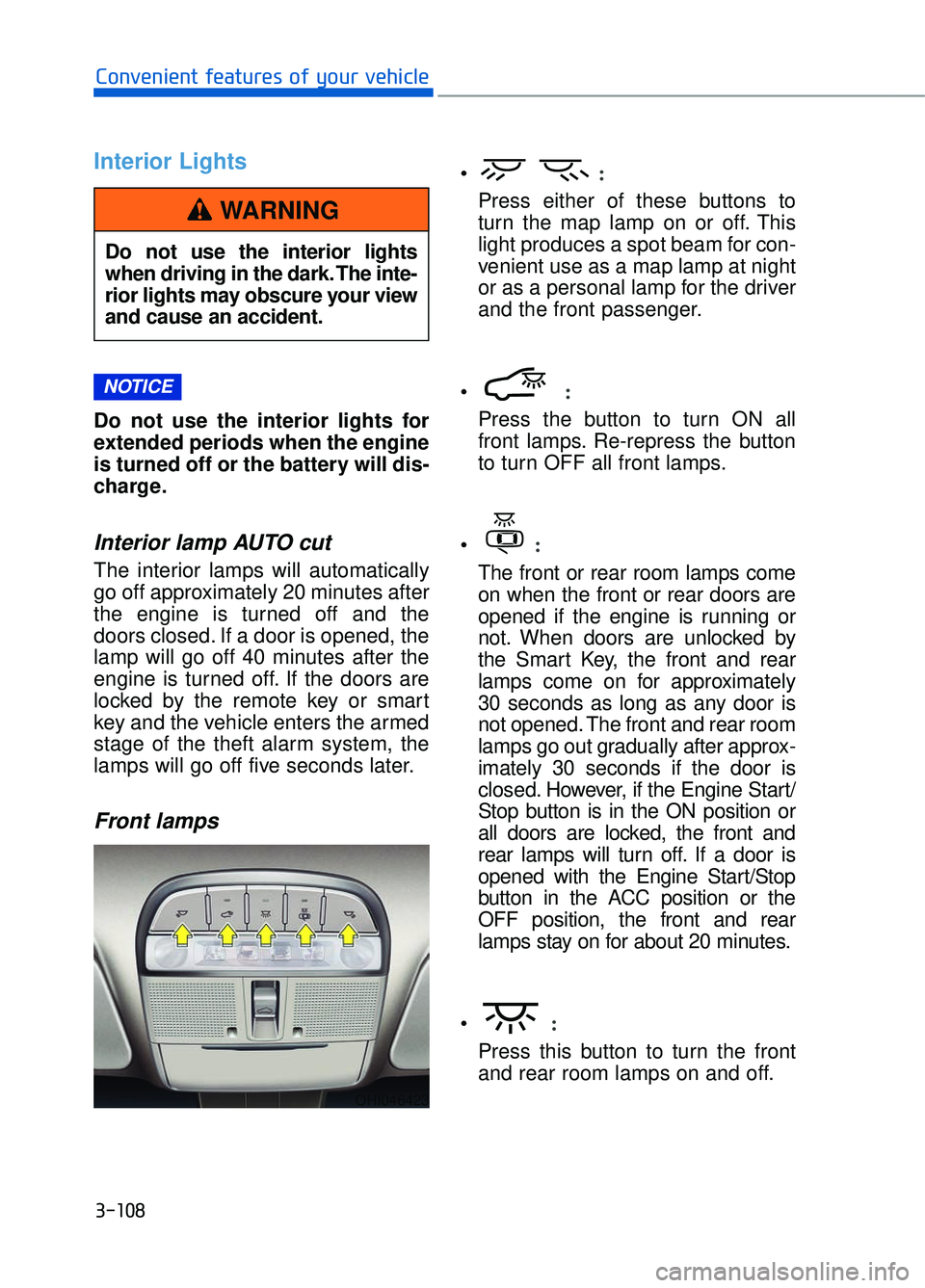
Front lamps
:
Press either of these buttons to
turn the map lamp on or off. This
light produces a spot beam for con-
venient use as a map lamp at night
or as a personal lamp for the driver
and the front passenger.
:
Press the button to turn ON all
front lamps. Re-repress the button
to turn OFF all front lamps.
:
The front or rear room lamps come
on when the front or rear doors are
opened if the engine is running or
not. When doors are unlocked by
the Smart Key, the front and rear
lamps come on for approximately
30 seconds as long as any door is
not opened. The front and rear room
lamps go out gradually after approx-
imately 30 seconds if the door is
closed. However, if the Engine Start/
Stop button is in the ON position or
all doors are locked, the front and
rear lamps will turn off. If a door is
opened with the Engine Start/Stop
button in the ACC position or the
OFF position, the front and rear
lamps stay on for about 20 minutes.
:
Press this button to turn the front
and rear room lamps on and off.
NOTICE
Do not use the interior lights
when driving in the dark. The inte-
rior lights may obscure your view
and cause an accident.
WARNING
OHI046423
Page 271 of 524
5-10
Driving your vehicle
To prevent damage to the vehicle:
If the engine stalls while you are in motion, do not attempt to
move the shift lever to the P
(Park) position.
If traffic and road conditions
permit, you may put the shift
lever in the N (Neutral) position
while the vehicle is still moving
and press the Engine Start/Stop
button in an attempt to restart
the engine.
Do not push or tow your vehicle to start the engine.
To prevent damage to the vehicle:
When the stop lamp fuse is blown,
you can't start the engine normal-
ly. Replace the fuse with a new
one. If you are not able to replace
the fuse, you can start the engine
by pressing and holding the
Engine Start/Stop button for 10
seconds with the Engine Start/
Stop button in the ACC position.
Do not press the Engine Start/
Stop button for more than 10 sec-
onds except when the stop lamp
fuse is blown.
For your safety always depress
the brake pedal before starting the
engine.
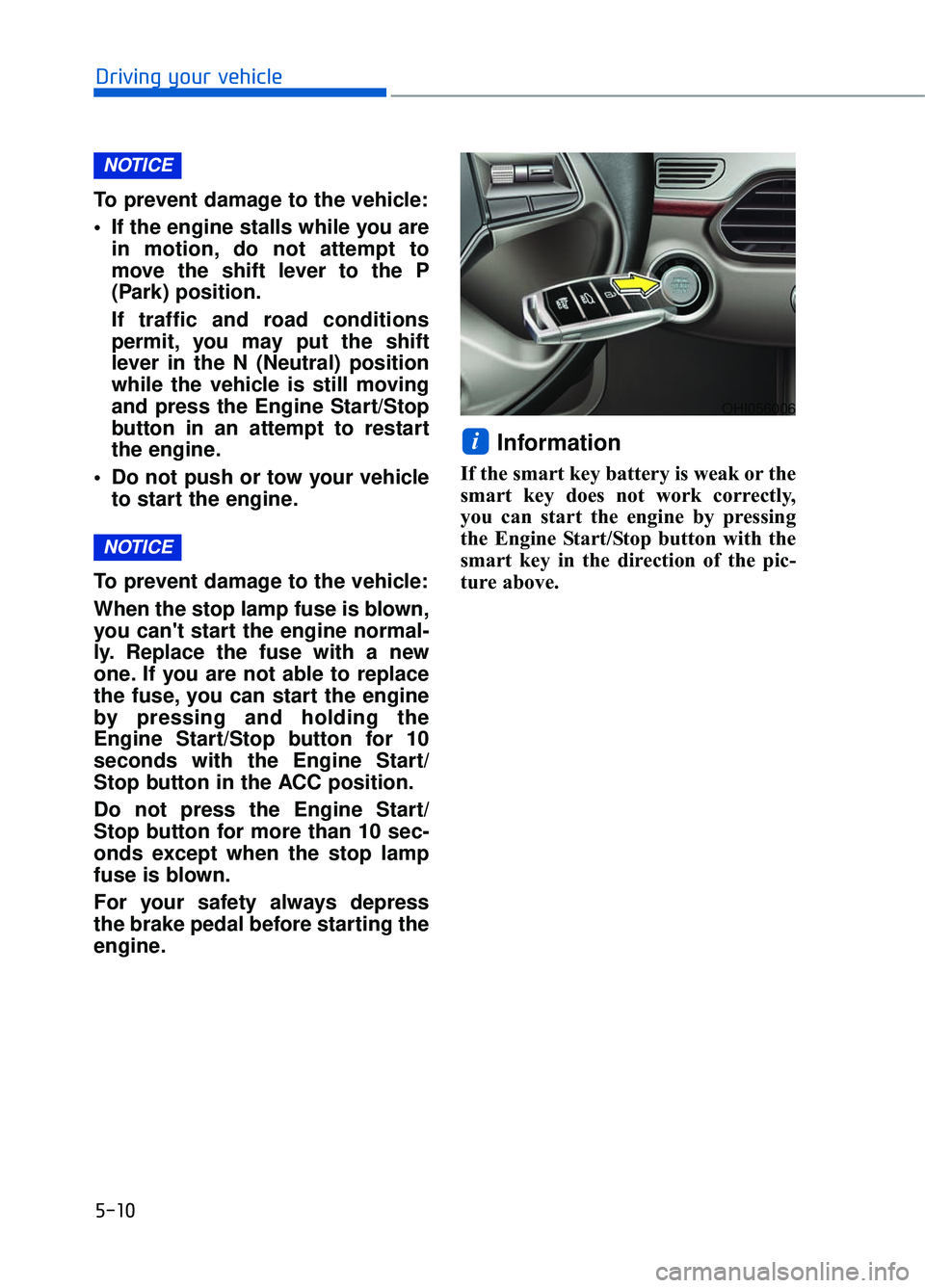
Information
If the smart key battery is weak or the
smart key does not work correctly,
you can start the engine by pressing
the Engine Start/Stop button with the
smart key in the direction of the pic-
ture above.
i
NOTICE
NOTICE
OHI056006
Page 277 of 524
5-16
Driving your vehicle
When the battery is discharged:
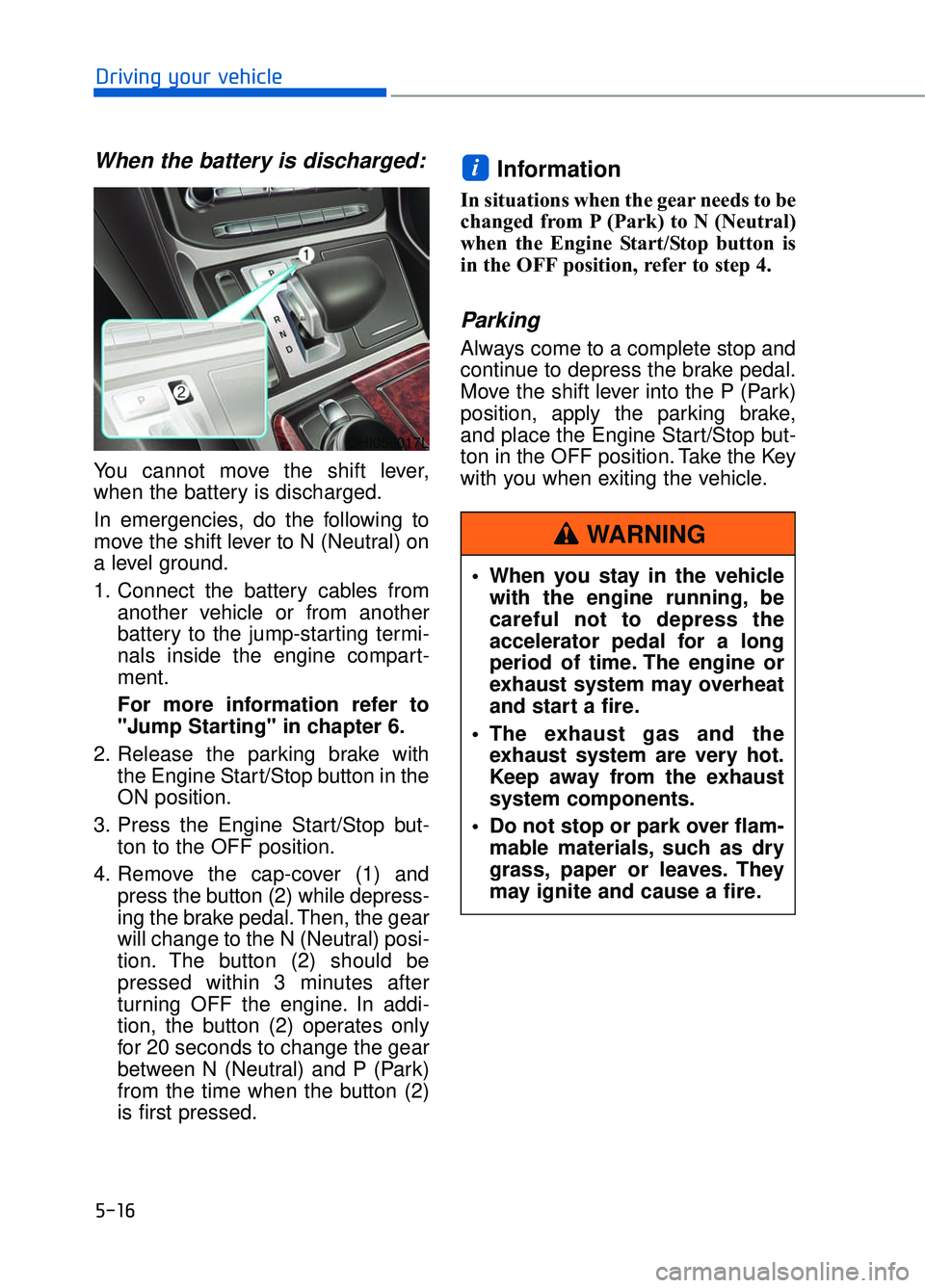
You cannot move the shift lever,
when the battery is discharged.
In emergencies, do the following to
move the shift lever to N (Neutral) on
a level ground.
1. Connect the battery cables fromanother vehicle or from another
battery to the jump-starting termi-
nals inside the engine compart-
ment.
For more information refer to
"Jump Starting" in chapter 6.
2. Release the parking brake with the Engine Start/Stop button in the
ON position.
3. Press the Engine Start/Stop but- ton to the OFF position.
4. Remove the cap-cover (1) and press the button (2) while depress-
ing the brake pedal. Then, the gear
will change to the N (Neutral) posi-
tion. The button (2) should be
pressed within 3 minutes after
turning OFF the engine. In addi-
tion, the button (2) operates only
for 20 seconds to change the gear
between N (Neutral) and P (Park)
from the time when the button (2)
is first pressed.
Information
In situations when the gear needs to be
changed from P (Park) to N (Neutral)
when the Engine Start/Stop button is
in the OFF position, refer to step 4.
Parking
Always come to a complete stop and
continue to depress the brake pedal.
Move the shift lever into the P (Park)
position, apply the parking brake,
and place the Engine Start/Stop but-
ton in the OFF position. Take the Key
with you when exiting the vehicle.
i
OHI056017L
When you stay in the vehiclewith the engine running, be
careful not to depress the
accelerator pedal for a long
period of time. The engine or
exhaust system may overheat
and start a fire.
The exhaust gas and the exhaust system are very hot.
Keep away from the exhaust
system components.
Do not stop or park over flam- mable materials, such as dry
grass, paper or leaves. They
may ignite and cause a fire.
WARNING
Page 519 of 524

Shift lever auto door lock........................................................................\
.............3-13
Shift lock system ........................................................................\
..........................5-15
Side air bags ........................................................................\
.................................2-61
Side view mirror........................................................................\
...........................3-37
Side view mirror defroster ........................................................................\
.........3-121
Smart blind spot detection system .......................................................................5\
-57
Smart cruise control system ........................................................................\
.........5-80
Smart high beam ........................................................................\
........................3-103
Smart key........................................................................\
........................................3-4Battery replacement ........................................................................\
..............3-8
Mechanical key ........................................................................\
.....................3-6
Smooth cornering ........................................................................\
.......................5-103
Snow tires ........................................................................\
...................................5-105
Spare tire Compact spare tire replacement ..................................................................7-48
Special driving conditions Driving at night ........................................................................\
.................5-103
Driving in flooded areas........................................................................\
....5-104
Driving in the rain ........................................................................\
.............5-103
Hazardous driving conditions ...................................................................5-102\
Highway driving........................................................................\
................5-104
Rocking the vehicle ........................................................................\
...........5-102
Smooth cornering ........................................................................\
..............5-103
Speed sensing door lock........................................................................\
...............3-13
Speedometer ........................................................................\
.................................3-61
Starting difficulties, see engine will not start.........................................................6-4
Steering wheel ........................................................................\
..............................3-17 Heated steering wheel ........................................................................\
.........3-18
Horn........................................................................\
.....................................3-19
Motor-driven power steering (MDPS) ........................................................3-17
Power steering ........................................................................\
.....................3-17
Tilt steering / Telescope steering.................................................................3-18
Steering wheel audio control........................................................................\
..........4-3
Storage compartment........................................................................\
..................3-143 Cellular phone holder ........................................................................\
........3-145
Center console storage ........................................................................\
......3-143
Glove box ........................................................................\
..........................3-144
Rear console storage ........................................................................\
.........3-143
Sunglass holder ........................................................................\
.................3-144
Wireless cellular phone charging system ..................................................3-145
I-15
I