air condition GENESIS G90 2021 User Guide
[x] Cancel search | Manufacturer: GENESIS, Model Year: 2021, Model line: G90, Model: GENESIS G90 2021Pages: 538, PDF Size: 13.02 MB
Page 192 of 538
3-91
03
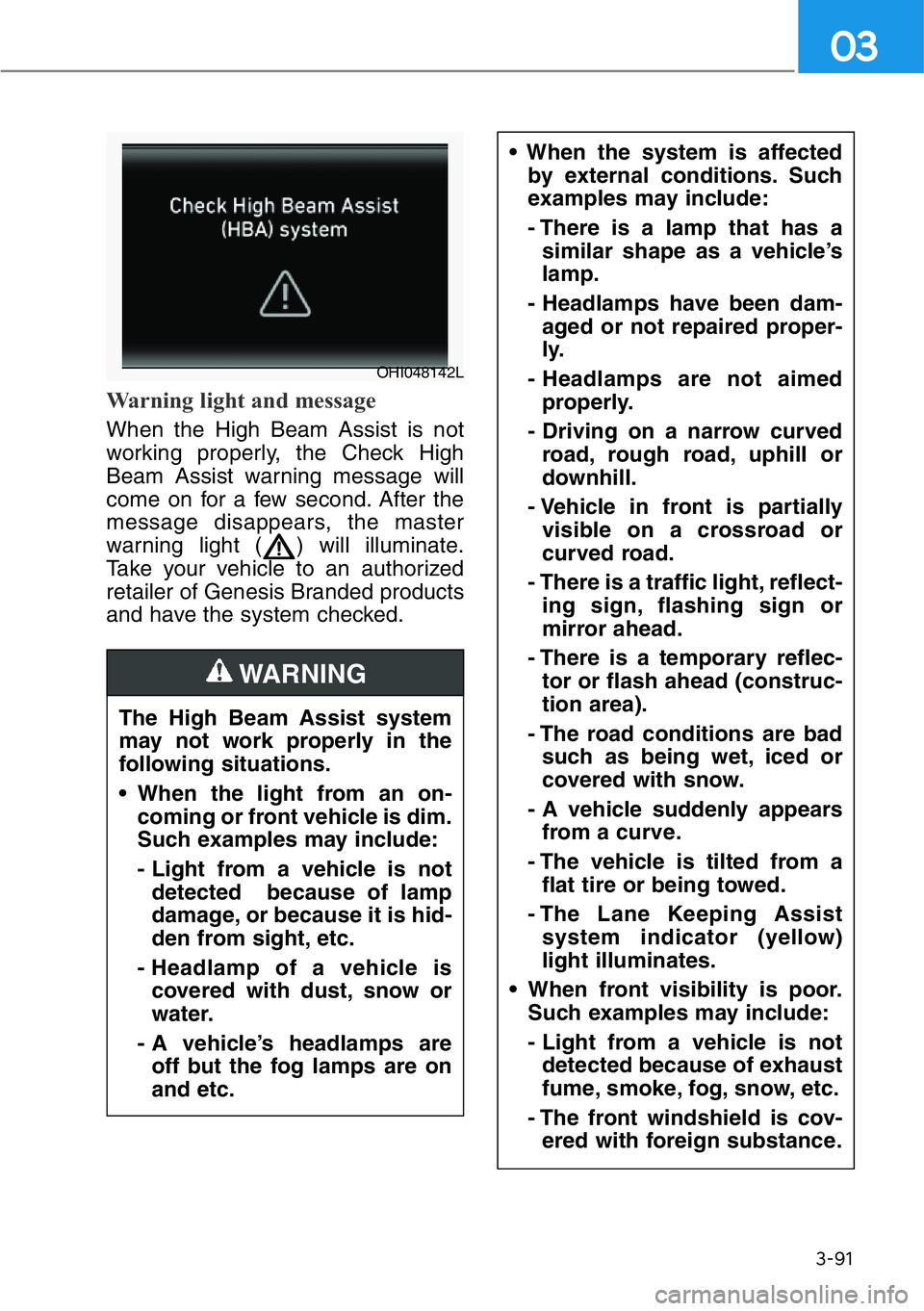
Warning light and message
When the High Beam Assist is not
working properly, the Check High
Beam Assist warning message will
come on for a few second. After the
message disappears, the master
warning light ( ) will illuminate.
Take your vehicle to an authorized
retailer of Genesis Branded products
and have the system checked.
The High Beam Assist system
may not work properly in the
following situations.
• When the light from an on-
coming or front vehicle is dim.
Such examples may include:
- Light from a vehicle is not
detected because of lamp
damage, or because it is hid-
den from sight, etc.
- Headlamp of a vehicle is
covered with dust, snow or
water.
- A vehicle’s headlamps are
off but the fog lamps are on
and etc.
WARNING
• When the system is affected
by external conditions. Such
examples may include:
- There is a lamp that has a
similar shape as a vehicle’s
lamp.
- Headlamps have been dam-
aged or not repaired proper-
ly.
- Headlamps are not aimed
properly.
- Driving on a narrow curved
road, rough road, uphill or
downhill.
- Vehicle in front is partially
visible on a crossroad or
curved road.
- There is a traffic light, reflect-
ing sign, flashing sign or
mirror ahead.
- There is a temporary reflec-
tor or flash ahead (construc-
tion area).
- The road conditions are bad
such as being wet, iced or
covered with snow.
- A vehicle suddenly appears
from a curve.
- The vehicle is tilted from a
flat tire or being towed.
- The Lane Keeping Assist
system indicator (yellow)
light illuminates.
• When front visibility is poor.
Such examples may include:
- Light from a vehicle is not
detected because of exhaust
fume, smoke, fog, snow, etc.
- The front windshield is cov-
ered with foreign substance.
OHI048142L
Page 196 of 538
3-95
03
If the AFS malfunction indicator
comes on, the AFS is not working
properly.
Drive to the nearest safe location
and restart the engine. If the indica-
tor continuously remains on, we rec-
ommend that the system be checked
by an authorized retailer of Genesis
Branded products.
Daytime running light (DRL)
The Daytime Running Lights can
help others to see the front of your
vehicle during the day, especially
after dawn and before sunset.
The DRL system will turn OFF when:
• The light switch is in the parking or
headlamp lamp position, including
the operation that the parking lamp
or headlamp is turned on automat-
ically in the AUTO light position.
• The engine is turned off.
• The hazard warning flasher is on.
• The turn signal light is on.
If you turn on the turn signal light,
only the corresponding daytime
running lights will turn off.
• The parking brake is applied.
Headlamp leveling device
It automatically adjusts the headlamp
beam level according to the number
of passengers and loading weight in
the luggage area.
And it offers proper headlamp beam
under various conditions.
Headlamp moisture removal
function (if equipped)
When moisture fogs up inside of the
headlamp, if the headlamp is on for
certain period of time, the fan circu-
lates the air inside to remove mois-
ture. If the moisture is not removed,
have the vehicle checked by an
authorized retailer of Genesis
Branded products.
Reverse guide lamp
When the shift lever is in R
(Reverse), the back-up lamp turns on
and the reverse guide lamp at the
back of the vehicle lights the floor.
The lamp informs nearby drivers
that your vehicle is backing up.If the function does not work
properly, we recommend that
the system be inspected by an
authorized retailer of Genesis
Branded products. Do not
attempt to inspect or replace
the wiring yourself.
WARNING
Page 210 of 538

Non-operational Conditions of
Forward/Reverse Parking
Distance Warning system
Forward/Reverse Parking
Distance Warning system may
not operate normally when any
of the following occur:
• Moisture is frozen to the sensor.
• Sensor is covered with foreign mat-
ter, such as snow or water, or the
sensor cover is blocked.
The Forward/Reverse Parking
Distance Warning system may
experience a malfunction when
the following occurs:
• Driving on uneven road surfaces
such as unpaved roads, gravel,
bumps, or gradient.
• Objects generating excessive noise
such as vehicle horns, loud motor-
cycle engines, or truck air brakes
can interfere with the sensor.
• Heavy rain or water spray is present.
• Wireless transmitters or mobile
phones are present near the sensor.
• The sensor is covered with snow.
• Any non-factory equipment or
accessories have been installed, or
if the vehicle bumper height or sen-
sor installation has been modified.
Detecting range may decrease
when:
• Outside air temperature is
extremely hot or cold.
• Undetectable objects smaller than
40 inches (1 m) and narrower than
6 inches (14 cm) in diameter.
The following objects may not
be recognized by the sensor:
• Sharp or slim objects such as
ropes, chains or small poles.
• Objects, which tend to absorb sen-
sor frequency such as clothes,
spongy material or snow.
3-109
03
Page 212 of 538

3-111
03
AUTOMATIC CLIMATE CONTROL SYSTEM
Front
1. Driver's temperature control knob
2. Driver's AUTO button
3. Driver's mode selection button
4. Front windshield defroster button
5. Rear window defroster button
6. SYNC button
7. AQS (Air quality system) button
8. Air intake control button
9. Passenger's mode selection button
10. Passenger's temperature control
knob
11. Passenger's AUTO button
12. Driver's fan speed control button
13. OFF button14. Climate control information screen
selection button
15. Air conditioning button
16. Passenger's fan speed control button
Rear
17. Rear fan speed control knob
18. Rear mode selection button
19. Rear OFF button
20. Rear AUTO button
21. Rear temperature control knob
22. LCD display
■Front
■Rear
OHI048339L/OHI048302L
Page 213 of 538

3-112
Convenient features of your vehicle
Automatic Heating and Air
Conditioning
The Automatic Climate Control System
is controlled by setting the desired tem-
perature.
1. Press the AUTO button.
The modes, fan speeds, air intake
and air-conditioning will be controlled
automatically by the temperature set-
ting you select.2. Turn the temperature control knob
to the desired temperature. If the
temperature is set to the lowest
setting (Lo), the air conditioning
system will operate continuously.
After the interior has cooled suffi-
ciently, adjust the knob to a higher
temperature set point whenever
possible.
To turn the automatic operation off,
select any function of the following:
- Mode selection button
- Air conditioning button
- Front windshield defroster button
(Press the button one more time to
deselect the front windshield
defroster function. The 'AUTO' sign
will illuminate on the climate infor-
mation screen once again.)
- Fan speed control button
OHI048305 ■Driver's side
OHI048308
OHI048307
■Front
• Driver's side • Passenger's side
■Passenger's side
■Rear
Page 214 of 538

3-113
03
The selected function will be con-
trolled manually while other functions
operate automatically.
For your convenience and to improve
the effectiveness of the climate con-
trol, use the AUTO button and set the
temperature to 72°F (22°C).
Information
Never place anything near or covering
the sensor (both inside and outside the
vehicle) to ensure better control of the
heating and cooling system.
Manual Heating and Air
Conditioning
The heating and cooling system can
be controlled manually by pushing
buttons other than the AUTO button.
In this case, the system works
sequentially according to the order of
buttons selected.
When pressing any button except the
AUTO button while using automatic
operation, the functions not selected
will be controlled automatically.
1. Start the engine.
2. Set the mode to the desired posi-
tion.To improve the effectiveness of
heating and cooling, select the
mode according to the following:
- Heating:
- Cooling:
3. Set the temperature control to the
desired position.
4. Set the air intake control to Fresh
mode.
5. Set the fan speed control to the
desired speed.
6. If air conditioning is desired, turn
the air conditioning system on.
7. Press the AUTO button in order to
convert to full automatic control of
the system.
When starting the vehicle in cold
weather using manual temperature
control, operate the system in the fol-
lowing method to improve heating.
- Turn off or lower the blower, right
after starting the engine.
- Allow the engine to warm up during
this time since the air flow from the
heater is still cold.
- After a few minutes of engine warm
up, turn on or set the fan to a high-
er level and adjust the temperature
setting to hot.
The climate control system settings
will be maintained, even when the
engine is turned OFF. However, the
climate control system settings will
be initialized when the battery has
been discharged, or when the cables
have been disconnected. In this
case, adjust the climate control sys-
tem settings again.
i
OHI048309
Page 218 of 538
3-117
03
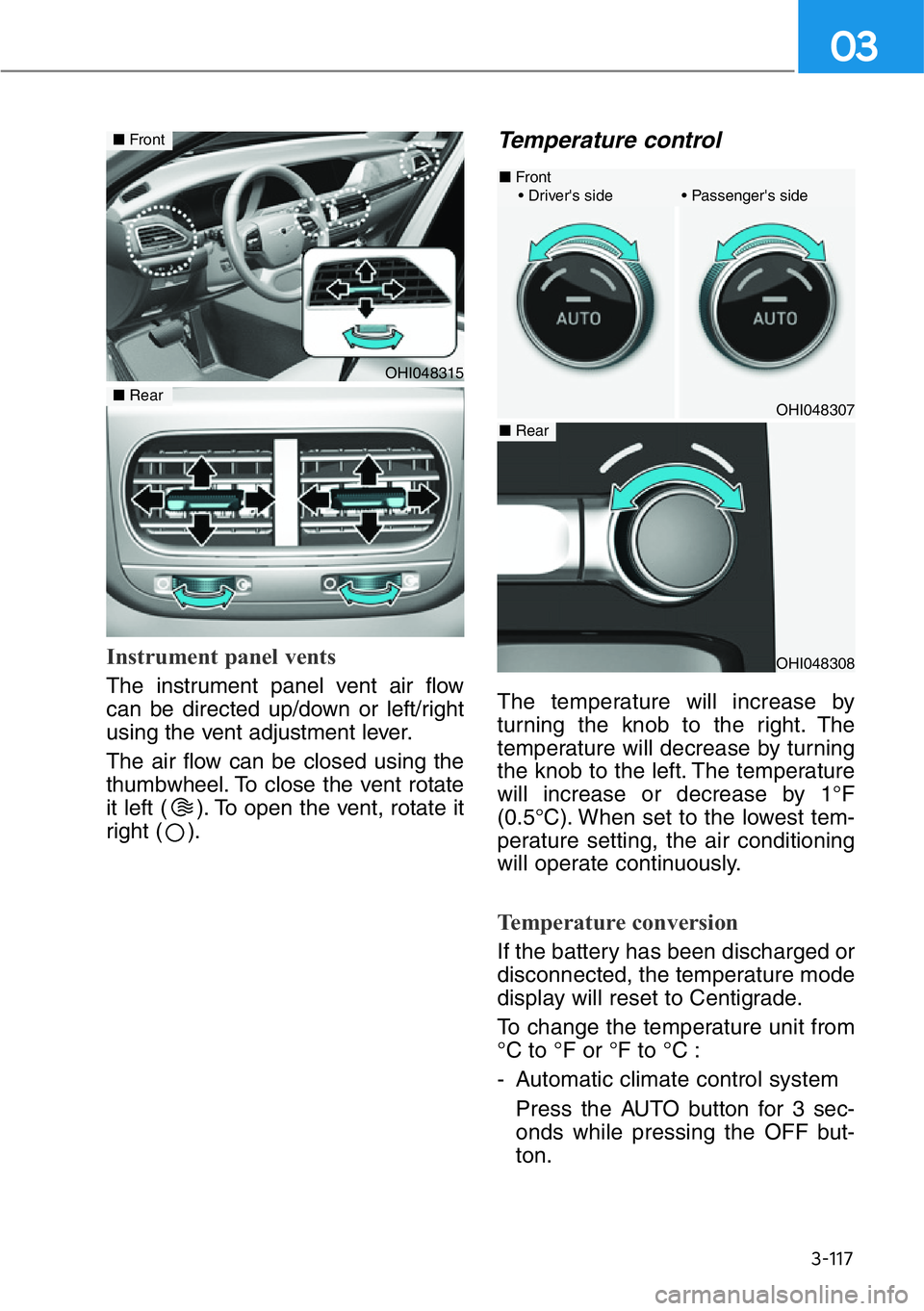
Instrument panel vents
The instrument panel vent air flow
can be directed up/down or left/right
using the vent adjustment lever.
The air flow can be closed using the
thumbwheel. To close the vent rotate
it left ( ). To open the vent, rotate it
right ( ).
Temperature control
The temperature will increase by
turning the knob to the right. The
temperature will decrease by turning
the knob to the left. The temperature
will increase or decrease by 1°F
(0.5°C). When set to the lowest tem-
perature setting, the air conditioning
will operate continuously.
Temperature conversion
If the battery has been discharged or
disconnected, the temperature mode
display will reset to Centigrade.
To change the temperature unit from
°C to °F or °F to °C :
- Automatic climate control system
Press the AUTO button for 3 sec-
onds while pressing the OFF but-
ton.
OHI048315
■Front
■Rear
OHI048308
OHI048307
■Front
• Driver's side • Passenger's side
■Rear
Page 220 of 538

3-119
03
Air intake control
The air intake control button is used
to select either Fresh mode (outside
air) or Recirculation mode (cabin air).
Recirculation mode
When Recirculation mode
is selected, air from the
passenger compartment
will be recirculated through
the system and heated or
cooled according to the
function selected.
Fresh mode
When Fresh mode is
selected, air enters the
vehicle from outside and
is heated or cooled
according to the function
selected.
Information
Operating the system primarily in
Fresh mode is recommended. Use
Recirculation mode temporarily only
when needed.
Prolonged operation of the heater in
Recirculation mode and without the
A/C ON can cause fogging of the
windshield.
In addition, prolonged use of the A/C
ON in Recirculation mode may result
in excessively dry, dehumidified air in
the cabin and may promote formation
of musty vent odor due to stagnant air.
i
OHI048340
• Continued use of the climate
control system operation in
Recirculation mode for a pro-
longed period of time may
cause drowsiness to the
occupants in the cabin. This
may lead to loss of vehicle
control which may lead to an
accident.
• Continued use of the climate
control system operation in
Recirculation mode with the
A/C OFF may allow humidity
to increase inside the cabin.
This may cause condensation
to accumulate on the wind-
shield and obscure visibility.
• Do not sleep in your vehicle or
remain parked in your vehicle
with the windows up and
either the heater or the air
conditioning ON for pro-
longed periods of time. Doing
so may increase the levels of
carbon dioxide in the cabin
which may lead to serious
injury or death.
WARNING
Page 223 of 538

3-122
Convenient features of your vehicle
Air conditioning
Push the A/C button to manually turn
the system on (LED ON) and off.
OFF mode
Push the OFF button to turn off the
climate control system.
Climate control information
screen selection button
Press the climate control information
screen selection button to display cli-
mate control information on the AVN
system screen.
OHI048325L
■Front
OHI048326
■Rear
OHI048341L
OHI048323
Page 224 of 538

3-123
03
System Operation
Cooling / Ventilation
1. Select the Face Level mode.
2. Set the air intake control to fresh
mode.
3. Set the temperature control to the
desired position.
4. Set the fan speed control to the
desired speed.
Heating
1. Select the Floor Level mode.
2. Set the air intake control to fresh
mode.
3. Set the temperature control to the
desired position.
4. Set the fan speed control to the
desired speed.
5. If desired, turn the air conditioning
ON with the temperature control
knob set to heat in order to dehu-
midify the air before it enters into
the cabin.
If the windshield fogs up, select the
Floor & Defrost mode or press
the Front Defrost mode.
Operation Tips
• To keep dust or unpleasant fumes
from entering the car through the
ventilation system, temporarily set
the air intake control to the recircu-
lation mode. Return the control to
the to fresh mode when the
unpleasant air outside has dimin-
ished. This will help keep the driv-
er alert and comfortable.
• To help prevent the inside of the
windshield from fogging, set the air
intake control to fresh mode and
the fan speed to the desired posi-
tion, turn on the air conditioning
system, and adjust the tempera-
ture control to the desired temper-
ature.
Air conditioning
Your Genesis Branded Vehicle air
conditioning system is filled with R-
1234yf refrigerant.
1. Start the engine.
2. Press the air conditioning button.
3. Select the Face Level mode.
4. Set the air intake control to
Recirculation mode temporarily to
allow the cabin to cool quickly.
When the desired temperature in
the cabin is reached, change the
air intake control back to Fresh
mode.
5. Adjust the fan speed control and
temperature control to maintain
maximum comfort.
When maximum cooling is desired,
set the temperature control to the
lowest temperature setting, then set
the fan speed control to the highest
setting.