brake GENESIS GV80 2021 Owner's Guide
[x] Cancel search | Manufacturer: GENESIS, Model Year: 2021, Model line: GV80, Model: GENESIS GV80 2021Pages: 632, PDF Size: 9.37 MB
Page 156 of 632
Convenient Features
5-14
How to use the Digital Key (Smart
phone)
Smart phone touch control
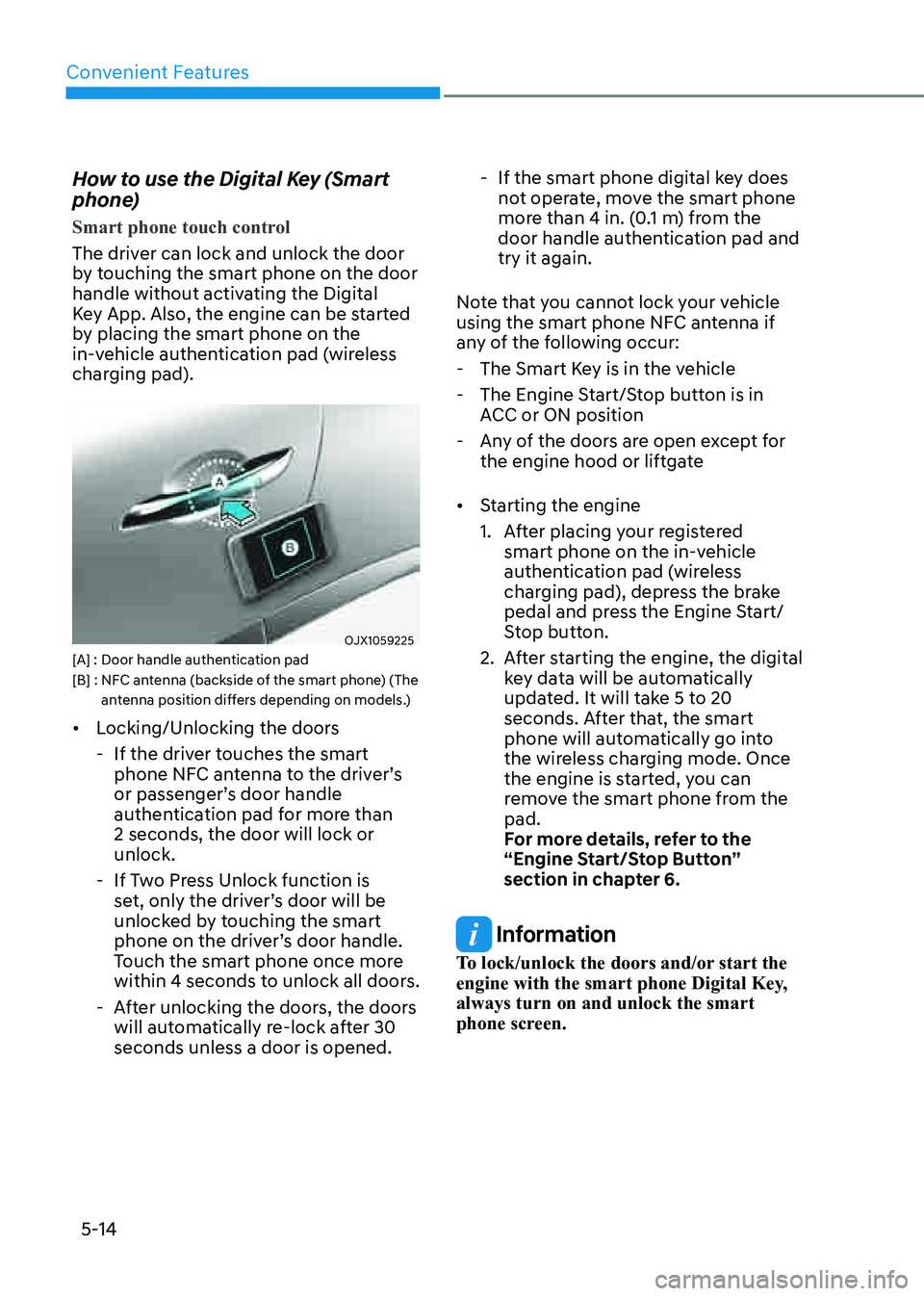
The driver can lock and unlock the door
by touching the smart phone on the door
handle without activating the Digital
Key App. Also, the engine can be started
by placing the smart phone on the
in-vehicle authentication pad (wireless
charging pad).
OJX1059225OJX1059225[A] : Door handle authentication pad[B] : NFC antenna (backside of the smart phone) (The antenna position differs depending on models.)
• Locking/Unlocking the doors
-If the driver touches the smart
phone NFC antenna to the driver’s
or passenger’s door handle
authentication pad for more than
2 seconds, the door will lock or
unlock.
-If Two Press Unlock function is
set, only the driver’s door will be
unlocked by touching the smart
phone on the driver’s door handle.
Touch the smart phone once more
within 4 seconds to unlock all doors.
-After unlocking the doors, the doors
will automatically re-lock after 30
seconds unless a door is opened.
-If the smart phone digital key does
not operate, move the smart phone
more than 4 in. (0.1 m) from the
door handle authentication pad and
try it again.
Note that you cannot lock your vehicle
using the smart phone NFC antenna if
any of the following occur:
- The Smart Key is in the vehicle
-The Engine Start/Stop button is in
ACC or ON position
-Any of the doors are open except for
the engine hood or liftgate
• Starting the engine
1. After placing your registered
smart phone on the in-vehicle
authentication pad (wireless
charging pad), depress the brake
pedal and press the Engine Start/
Stop button.
2. After starting the engine, the digital
key data will be automatically
updated. It will take 5 to 20
seconds. After that, the smart
phone will automatically go into
the wireless charging mode. Once
the engine is started, you can
remove the smart phone from the
pad.
For more details, refer to the
“Engine Start/Stop Button”
section in chapter 6.
Information
To lock/unlock the doors and/or start the
engine with the smart phone Digital Key,
always turn on and unlock the smart
phone screen.
Page 163 of 632
05
5-21
• Starting the engine
After placing your registered card
key on the in-vehicle authentication
pad (wireless charger pad), depress
the brake pedal and press the Engine
Start/ Stop button.
For more details, refer to the “Engine
Start/Stop Button” section in chapter
6.
WARNING
The engine can be started when the
registered card key is placed on the
in-vehicle authentication pad (wireless
charging pad). Therefore, do not leave
unsupervised children or people who
are not aware of the system since it
can result in serious injury or death. In
addition, always have the registered
card key with you to prevent vehicle
theft when leaving the vehicle.
CAUTION
• The digital key (card key) may not
work under the following conditions:
-The card key is not touching
the center of the door handle
authentication pad or in-vehicle
authentication pad (wireless
charging pad) correctly.
-The card key is used overlapped
with NFC-enabled cards such as
credit card or smart phone
If the card key does not work, move
the card key approximately 4 in. (10
cm) away from the authentication
pad and then touch it again.
• The card key can be damaged by
impacts. If the key is damaged,
replace the card key with a new one
and register it again.
• Long-time exposure to high
temperature may cause the card
key to malfunction. Be careful not to
expose the key to direct sunlight or
high temperature.
• The card key is a consumable and
it is not covered by your warranty.
Therefore, the result of misuse by
customers such as breakage or loss is
not subject to guarantee.
Page 172 of 632

Convenient Features
5-30
WARNING
• The doors should always be fully
closed and locked while the
vehicle is in motion. If the doors
are unlocked, the risk of being
thrown from the vehicle in a crash is
increased.
• Do not pull the inner door handle of
the driver’s or passenger’s door while
the vehicle is moving.
WARNING
Do not leave children or animals
unattended in your vehicle. An enclosed
vehicle can become extremely hot,
causing death or serious injury to
unattended children or animals who
cannot escape the vehicle. Children
might operate features of the vehicle
that could injure them, or they could
encounter other harm, possibly from
someone gaining entry to the vehicle.
WARNING
Always secure your vehicle.
Leaving your vehicle unlocked increases
the potential risk to you or others from
someone hiding in your vehicle.
To secure your vehicle, while
depressing the brake, shift the gear
to the P (Park) position, engage the
parking brake, and press the Engine
Start/Stop button to the OFF position,
close all windows, lock all doors, and
always take the key with you.
CAUTION
Opening a door when something is
approaching may cause damage or
injury. Be careful when opening doors
and watch for vehicles, motorcycles,
bicycles or pedestrians approaching the
vehicle in the path of the door.
WARNING
If you stay in the vehicle for a long time
while the weather is very hot or cold,
there are risks of injuries or danger to
life. Do not lock the vehicle from the
outside when someone is in the vehicle.
Page 175 of 632
05
5-33
Safe Exit Assist (if equipped with
electronic child safety lock)
Safe Exit Assist helps prevent the rear
occupant from opening the rear door.
When an approaching vehicle from the
rear area is detected after the vehicle
stops, the rear doors will not unlock even
when the driver tries to unlock the rear
doors using the electronic child safety
lock button.
For more details, refer to “Safe Exit
Assist (SEA)” section in chapter 7.
Vehicle Auto-Shut Off
If your parked vehicle is in a garage and
engine is left on for a period of time, the
engine will turn off automatically to help
reduce fuel consumption, etc.
System setting
You can activate or deactivate Vehicle
Auto-Shut Off from the Settings menu in
the infotainment system screen. Select:
-Setup → Vehicle Settings →
Convenience → Vehicle Auto-Shut Off
Operating conditions
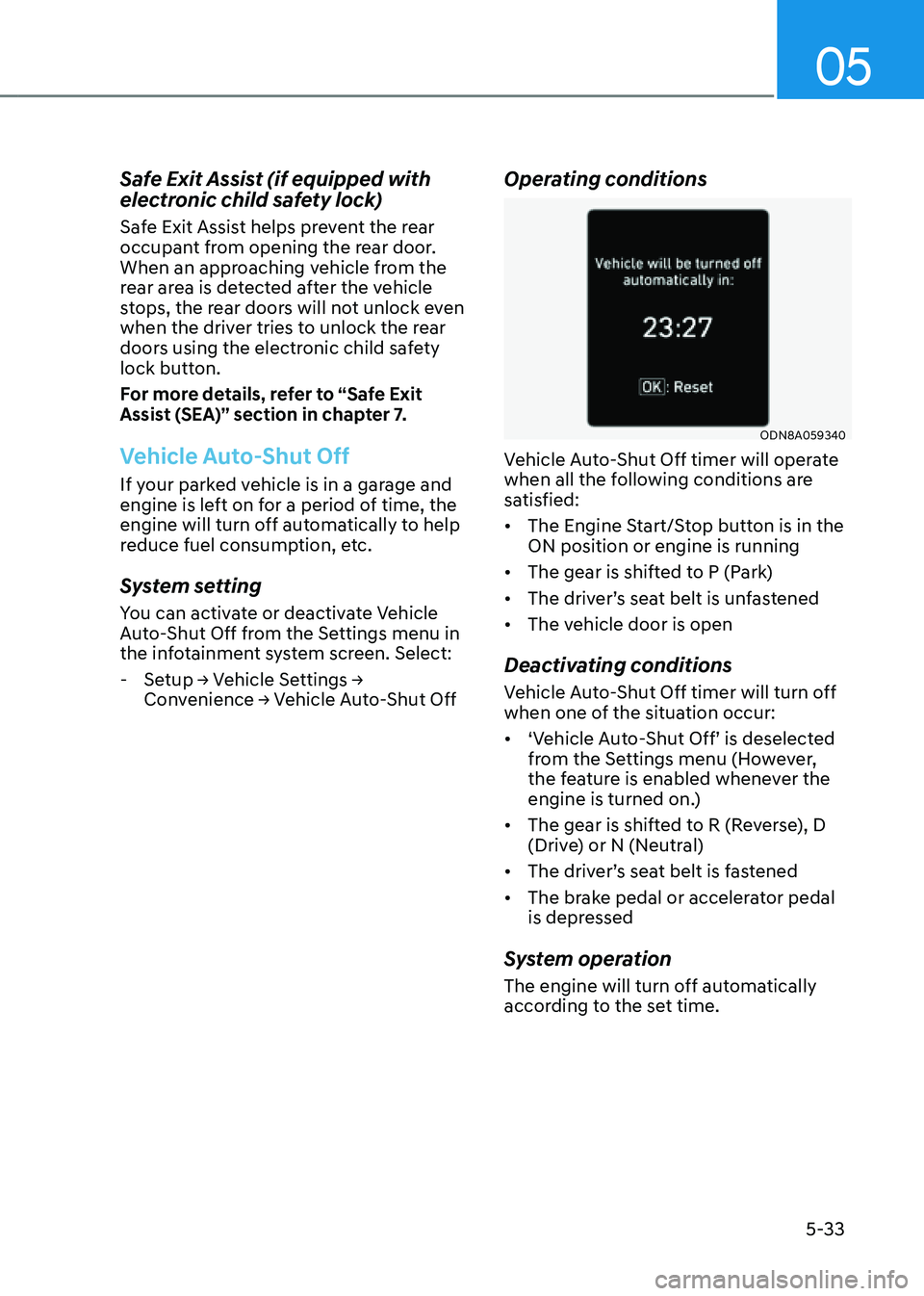
ODN8A059340ODN8A059340
Vehicle Auto-Shut Off timer will operate
when all the following conditions are
satisfied:
• The Engine Start/Stop button is in the
ON position or engine is running
• The gear is shifted to P (Park)
• The driver’s seat belt is unfastened
• The vehicle door is open
Deactivating conditions
Vehicle Auto-Shut Off timer will turn off
when one of the situation occur:
• ‘Vehicle Auto-Shut Off’ is deselected
from the Settings menu (However,
the feature is enabled whenever the
engine is turned on.)
• The gear is shifted to R (Reverse), D
(Drive) or N (Neutral)
• The driver’s seat belt is fastened
• The brake pedal or accelerator pedal
is depressed
System operation
The engine will turn off automatically
according to the set time.
Page 194 of 632
Convenient Features
5-52
Reverse parking aid user settings
mode
You may change the angle of the side
view mirror if it is difficult to see the rear
view with the basic downward mirror
angle provided when reversing.
When the vehicle is first delivered, the
set downward angle of the left and right
side view mirror are different to ensure
driver visibility.
1. Make sure the vehicle is stopped.
2. Depress the brake pedal and shift
the gear to R (Reverse). When L (Left)
or R (Right) button is pressed, both
side view mirror angle will move
downward to the basic set position.
3. Press either L or R button to select
the side view mirror you would like
to adjust. Then press “▼, ▲, ◄, ►”
switch to adjust the side view mirror
to the desired angle.
4. After adjusting the angle to save the
adjusted side view mirror angle, shift
the gear to another position other
than R (Reverse), or change the L and
R buttons to the neutral position (L
and R buttons are not pressed).
5. Set the other side view mirror
following the above procedure 1 to 4.
Resetting reverse parking aid user settings
mode
To change the side view mirror angle
back to the basic angle, shift the gear to
R (Reverse), and adjust the mirror angle
higher than when the gear is in P (Park),
N (Neutral) and D (Drive).
NOTICE
When changing the angle of both side
view mirrors, it is recommended to
change the angle one side at a time
following the procedure 1 to 4.
Page 204 of 632
Convenient Features
5-62
Hood
Opening the hood
OJX1059041 OJX1059041
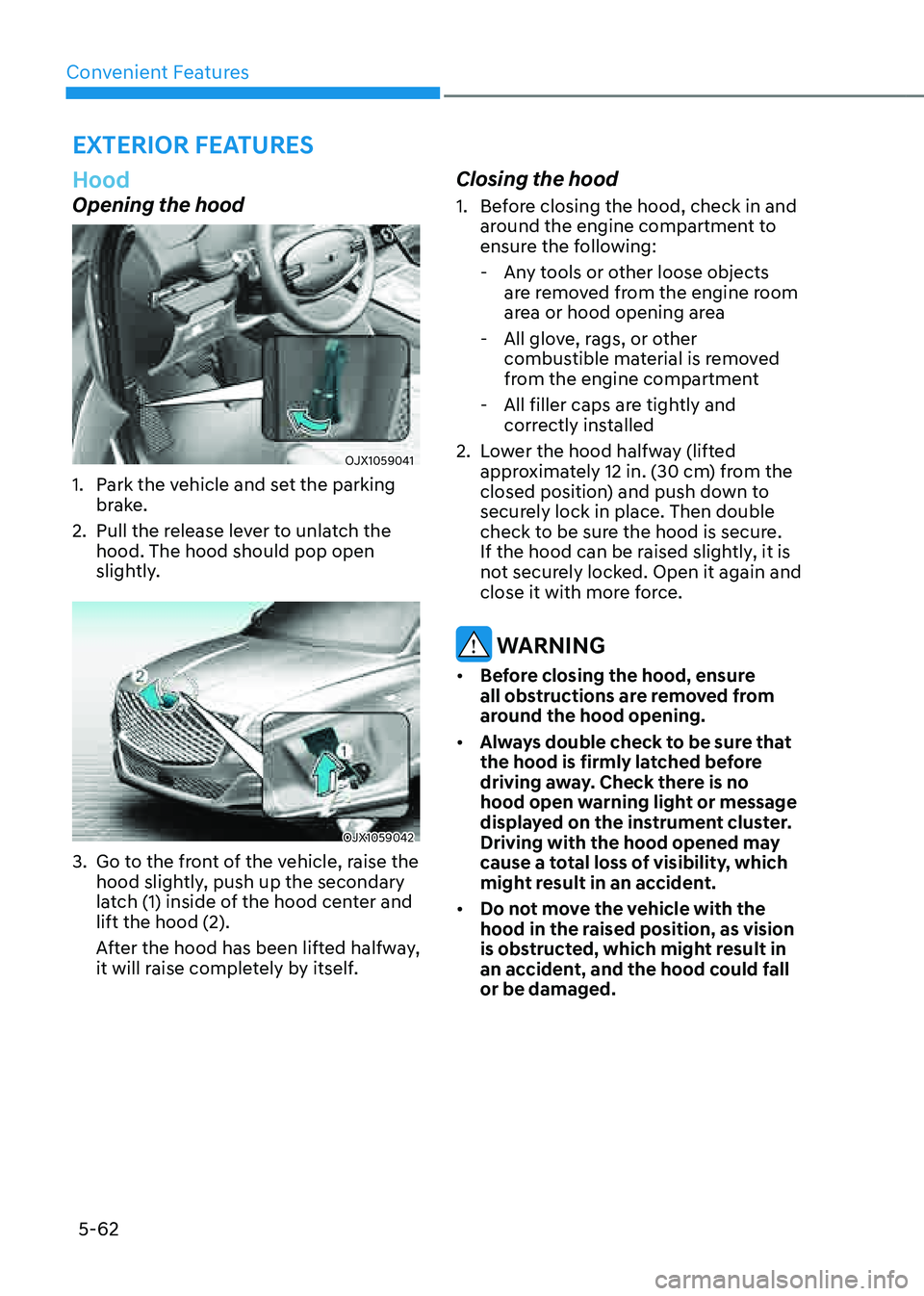
1. Park the vehicle and set the parking
brake.
2. Pull the release lever to unlatch the
hood. The hood should pop open
slightly.
OJX1059042 OJX1059042
3. Go to the front of the vehicle, raise the
hood slightly, push up the secondary
latch (1) inside of the hood center and
lift the hood (2).
After the hood has been lifted halfway,
it will raise completely by itself.
Closing the hood
1. Before closing the hood, check in and
around the engine compartment to
ensure the following:
-Any tools or other loose objects
are removed from the engine room
area or hood opening area
-All glove, rags, or other
combustible material is removed
from the engine compartment
-All filler caps are tightly and
correctly installed
2. Lower the hood halfway (lifted
approximately 12 in. (30 cm) from the
closed position) and push down to
securely lock in place. Then double
check to be sure the hood is secure.
If the hood can be raised slightly, it is
not securely locked. Open it again and
close it with more force.
WARNING
• Before closing the hood, ensure
all obstructions are removed from
around the hood opening.
• Always double check to be sure that
the hood is firmly latched before
driving away. Check there is no
hood open warning light or message
displayed on the instrument cluster.
Driving with the hood opened may
cause a total loss of visibility, which
might result in an accident.
• Do not move the vehicle with the
hood in the raised position, as vision
is obstructed, which might result in
an accident, and the hood could fall
or be damaged.
EXTERIOR FEATURES
Page 215 of 632
05
5-73
• When using an approved portable
fuel container, be sure to place the
container on the ground prior to
refueling. Static electricity discharge
from the container can ignite fuel
vapors causing a fire.
Once refueling has begun, contact
between your bare hand and the
vehicle should be maintained until
the filling is complete.
• Use only approved portable plastic
fuel containers designed to carry and
store gasoline.
• When refueling, always shift the
gear to the P (Park) position, set
the parking brake, and press the
Engine Start/Stop button to the
OFF position. Sparks produced by
electrical components related to the
engine can ignite fuel vapors causing
a fire.
• Do not use matches or a lighter and
do not smoke or leave a lit cigarette
in your vehicle while at a gas station,
especially during refueling.
• Do not over-fill or top-off your
vehicle tank, which can cause
gasoline spillage.
• If a fire breaks out during refueling,
leave the vicinity of the vehicle, and
immediately contact the manager
of the gas station and then contact
the local fire department. Follow any
safety instructions they provide.
• If pressurized fuel sprays out, it can
cover your clothes or skin and thus
subject you to the risk of fire and
burns. Always remove the fuel cap
carefully and slowly. If the cap is
venting fuel or if you hear a hissing
sound, wait until the condition stops
before completely removing the cap.
• Always check that the fuel cap is
installed securely to prevent fuel
spillage in the event of an accident.
Information
Make sure to refuel your vehicle according
to the “Fuel Requirements” section in
suggested in chapter 1.
NOTICE
• Do not spill fuel on the exterior
surfaces of the vehicle. Any type of
fuel spilled on painted surfaces may
damage the paint.
• If the fuel filler cap requires
replacement, use only a genuine
Genesis cap or the equivalent
specified for your vehicle. An
incorrect fuel filler cap can result
in a serious malfunction of the fuel
system or emission control system.
Page 218 of 632
Convenient Features
5 -76
Exterior Lights
Lighting control
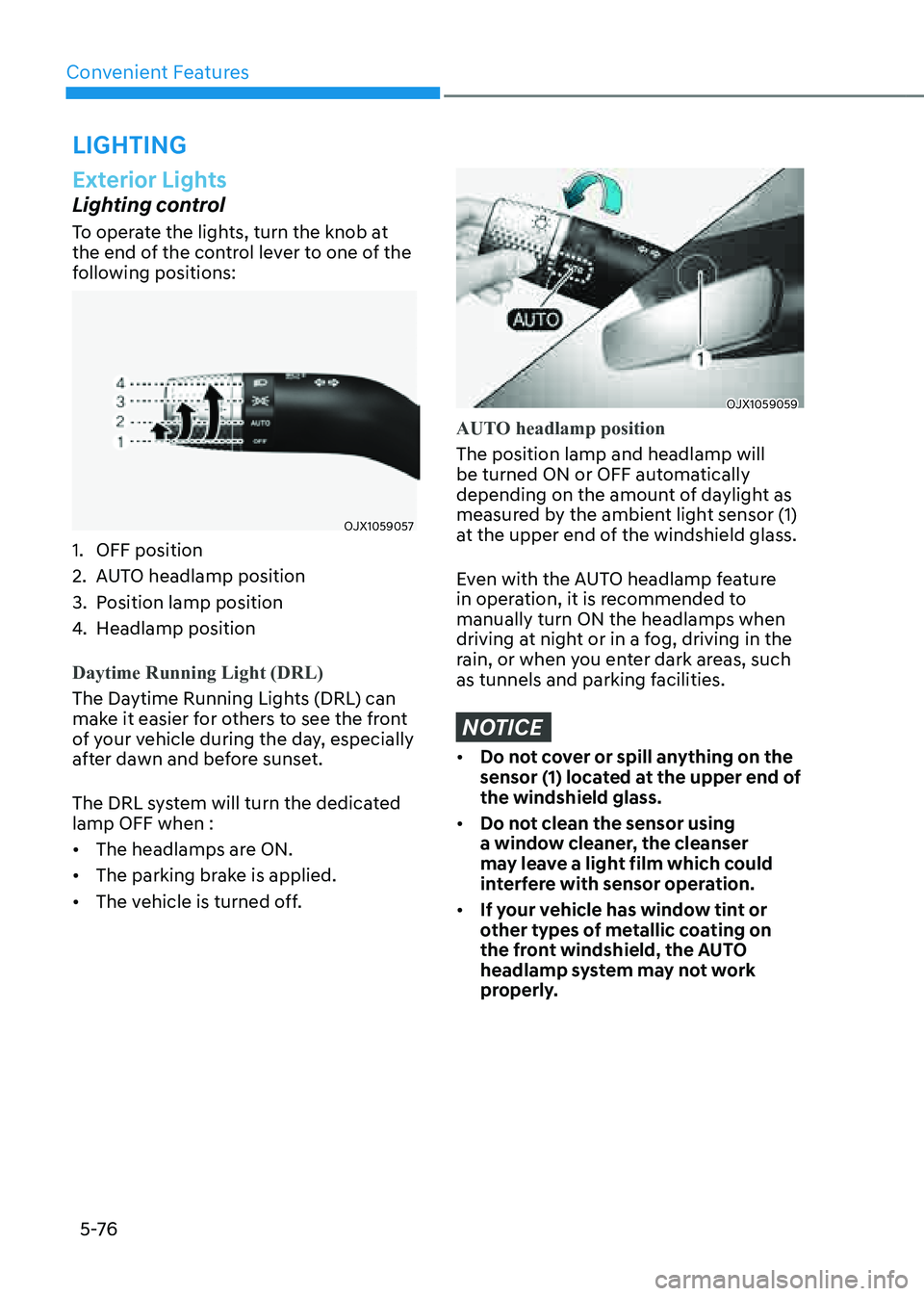
To operate the lights, turn the knob at
the end of the control lever to one of the
following positions:
OJX1059057OJX1059057
1. OFF position
2. AUTO headlamp position
3. Position lamp position
4. Headlamp position
Daytime Running Light (DRL)
The Daytime Running Lights (DRL) can
make it easier for others to see the front
of your vehicle during the day, especially
after dawn and before sunset.
The DRL system will turn the dedicated
lamp OFF when :
• The headlamps are ON.
• The parking brake is applied.
• The vehicle is turned off.
OJX1059059OJX1059059
AUTO headlamp position
The position lamp and headlamp will
be turned ON or OFF automatically
depending on the amount of daylight as
measured by the ambient light sensor (1)
at the upper end of the windshield glass.
Even with the AUTO headlamp feature
in operation, it is recommended to
manually turn ON the headlamps when
driving at night or in a fog, driving in the
rain, or when you enter dark areas, such
as tunnels and parking facilities.
NOTICE
• Do not cover or spill anything on the
sensor (1) located at the upper end of
the windshield glass.
• Do not clean the sensor using
a window cleaner, the cleanser
may leave a light film which could
interfere with sensor operation.
• If your vehicle has window tint or
other types of metallic coating on
the front windshield, the AUTO
headlamp system may not work
properly.
LIGHTING
Page 273 of 632

6
Before Driving ........................................................................\
...........................6-5Before Entering the Vehicle ........................................................................\
.................6-5
Before Starting ........................................................................\
.....................................6-5
Engine Start/Stop Button ........................................................................\
.........6-6Engine Stop/Start Button Positions ........................................................................\
....6 -7
Starting the Engine ........................................................................\
.............................6-8
Turning Off the Engine ........................................................................\
........................6-9
Remote Start ........................................................................\
.......................................6-10
Automatic Transmission ........................................................................\
...........6-11Automatic Transmission Operation ........................................................................\
....6-11
LCD Display Messages (Cluster) ........................................................................\
.........6-17
Paddle Shifter (Manual Shift Mode) ........................................................................\
.6-20
Good Driving Practices ........................................................................\
.....................6-20
Braking System ........................................................................\
.......................6-22Power-Assist Brakes ........................................................................\
...........................6-22
Disc Brakes Wear Indicator ........................................................................\
................ 6-22
High Performance Brake........................................................................\
.................... 6-23
Electronic Parking Brake (EPB)
........................................................................\
..........6-23
Auto Hold ........................................................................\
............................................6-27
Anti-lock Brake System (ABS) ........................................................................\
............6-31
Electronic Stability Control (ESC) ........................................................................\
.....6-32
Vehicle Stability Management (VSM) .......................................................................6-35
Hill-Start Assist Control (HAC) ........................................................................\
..........6-36
Downhill Brake Control (DBC) ........................................................................\
..........6-36
Good Braking Practices ........................................................................\
.....................6-39
All Wheel Drive (AWD) ........................................................................\
............6-40All Wheel Drive (AWD) Operation ........................................................................\
......6-41
Emergency Precautions ........................................................................\
....................6-43
Electronic Limited Slip Differential ................................................................6-45Drive Mode Selection ........................................................................\
........................6-45
Warning Messages ........................................................................\
............................6-45
6. Driving Your Vehicle
Driving Your Vehicle
Page 278 of 632
Driving Your Vehicle
6-6
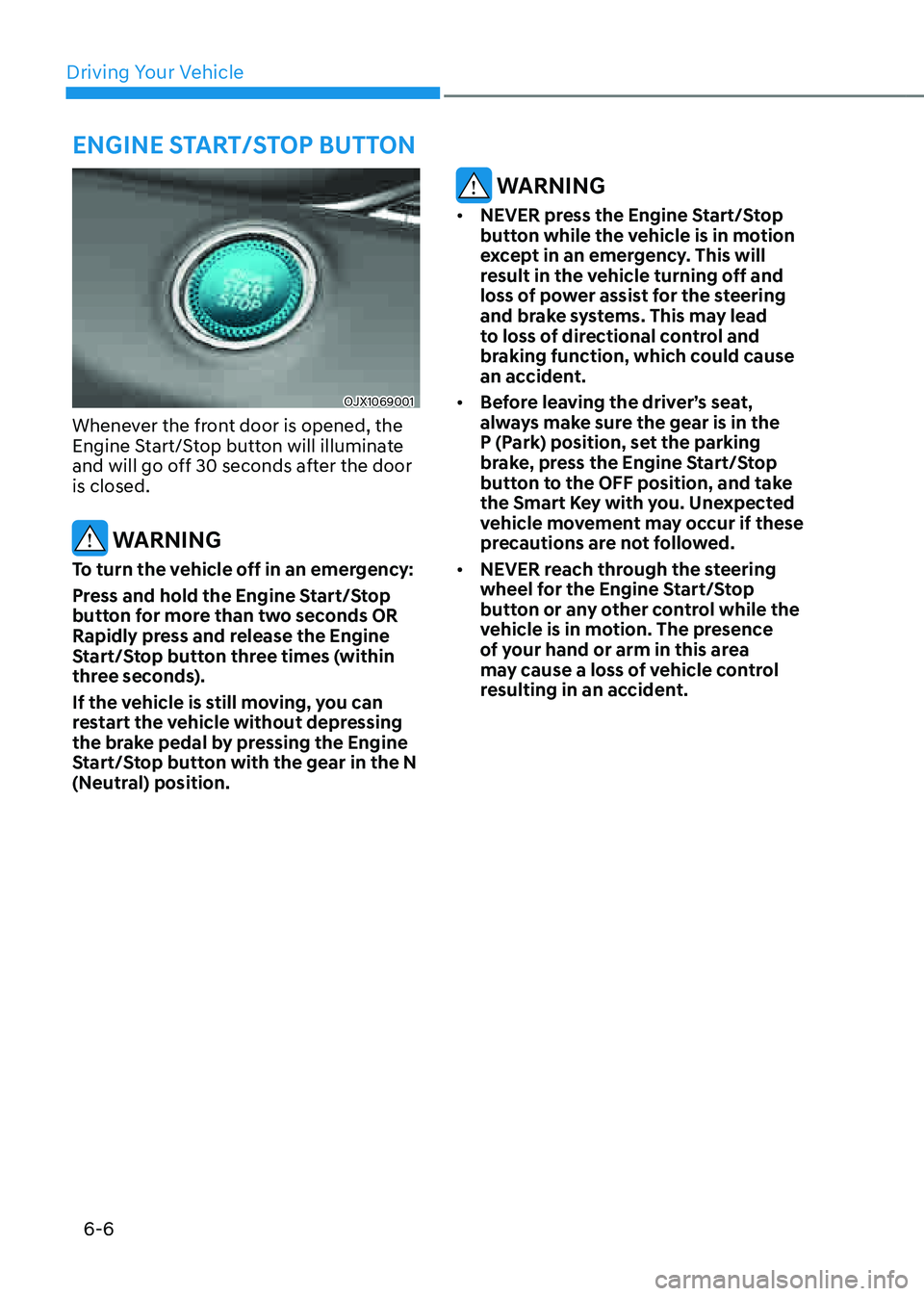
OJX1069001OJX1069001
Whenever the front door is opened, the
Engine Start/Stop button will illuminate
and will go off 30 seconds after the door
is closed.
WARNING
To turn the vehicle off in an emergency:
Press and hold the Engine Start/Stop
button for more than two seconds OR
Rapidly press and release the Engine
Start/Stop button three times (within
three seconds).
If the vehicle is still moving, you can
restart the vehicle without depressing
the brake pedal by pressing the Engine
Start/Stop button with the gear in the N
(Neutral) position.
WARNING
• NEVER press the Engine Start/Stop
button while the vehicle is in motion
except in an emergency. This will
result in the vehicle turning off and
loss of power assist for the steering
and brake systems. This may lead
to loss of directional control and
braking function, which could cause
an accident.
• Before leaving the driver’s seat,
always make sure the gear is in the
P (Park) position, set the parking
brake, press the Engine Start/Stop
button to the OFF position, and take
the Smart Key with you. Unexpected
vehicle movement may occur if these
precautions are not followed.
• NEVER reach through the steering
wheel for the Engine Start/Stop
button or any other control while the
vehicle is in motion. The presence
of your hand or arm in this area
may cause a loss of vehicle control
resulting in an accident.
ENGINE START/STOP BUTTON