GENESIS GV80 2023 Owners Manual
Manufacturer: GENESIS, Model Year: 2023, Model line: GV80, Model: GENESIS GV80 2023Pages: 650
Page 331 of 650
Driving Your Vehicle
6-52
WARNING
When the engine is in Idle Stop mode,
the engine may restart without the
driver taking any action. Before leaving
the vehicle or working on the engine
compartment, turn off the engine by
pressing the ENGINE START/STOP
button to the OFF position.
ISG Malfunction
ISG system may not operate when there
is a malfunction with the ISG sensors or
ISG system.
The following will occur, when there is a
malfunction with the ISG system:
• The Auto Stop () indicator will blink
in yellow on the instrument cluster.
• The light on the ISG OFF button will
illuminate.
Contact an authorized retailer of Genesis
Branded products.
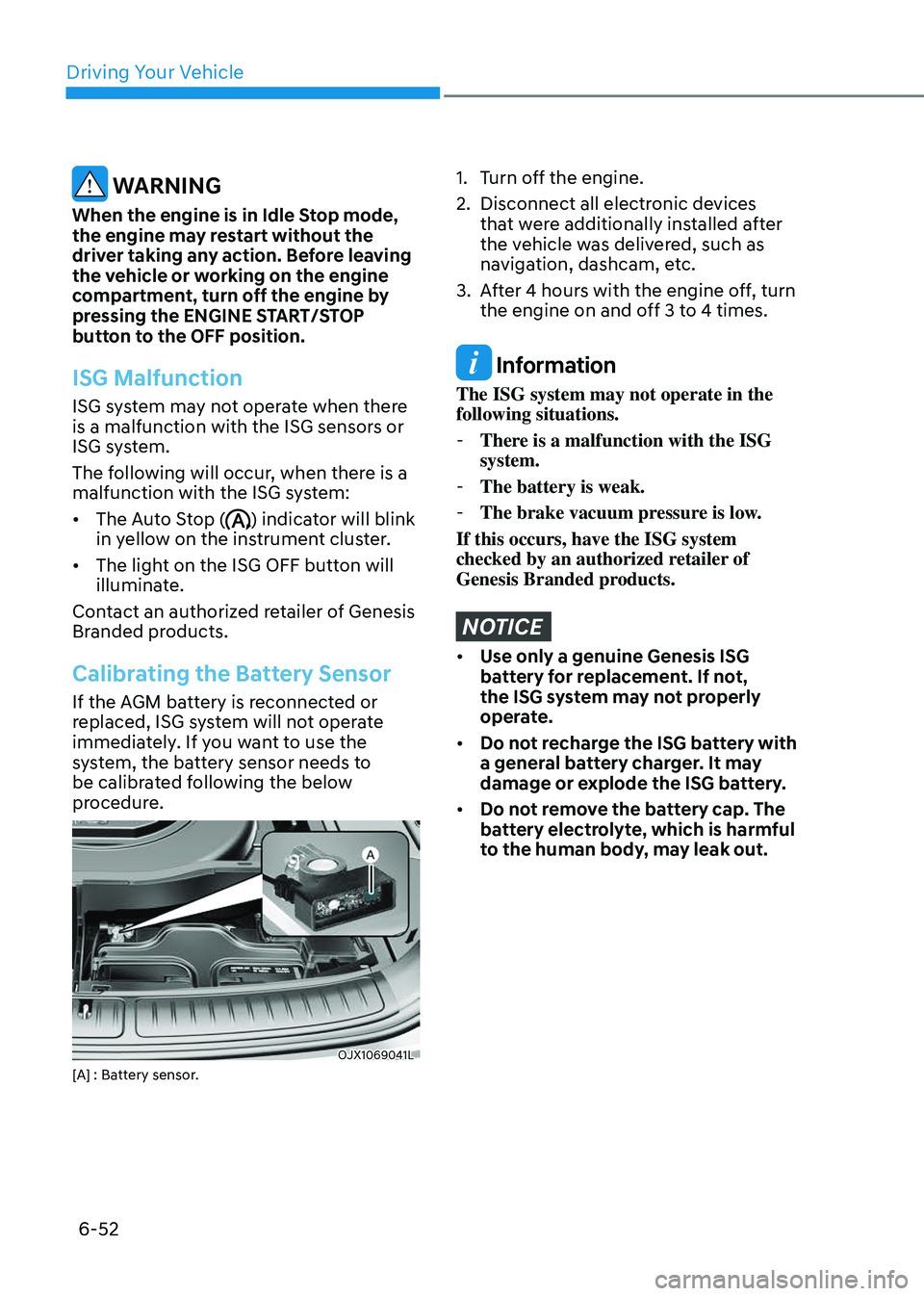
Calibrating the Battery Sensor
If the AGM battery is reconnected or
replaced, ISG system will not operate
immediately. If you want to use the
system, the battery sensor needs to
be calibrated following the below
procedure.
OJX1069041LOJX1069041L[A] : Battery sensor.
1. Turn off the engine.
2. Disconnect all electronic devices
that were additionally installed after
the vehicle was delivered, such as
navigation, dashcam, etc.
3. After 4 hours with the engine off, turn
the engine on and off 3 to 4 times.
Information
The ISG system may not operate in the
following situations.
- There is a malfunction with the ISG
system.
-The battery is weak.
-The brake vacuum pressure is low.
If this occurs, have the ISG system
checked by an authorized retailer of
Genesis Branded products.
NOTICE
• Use only a genuine Genesis ISG
battery for replacement. If not,
the ISG system may not properly
operate.
• Do not recharge the ISG battery with
a general battery charger. It may
damage or explode the ISG battery.
• Do not remove the battery cap. The
battery electrolyte, which is harmful
to the human body, may leak out.
Page 332 of 650
06
6-53
When certain conditions are met, the
engine is automatically decoupled from
the transmission while gear remains in D
(Drive). When Coasting is operating, the
engine stays at idling speed to reduce
fuel consumption and increase coasting
distance.
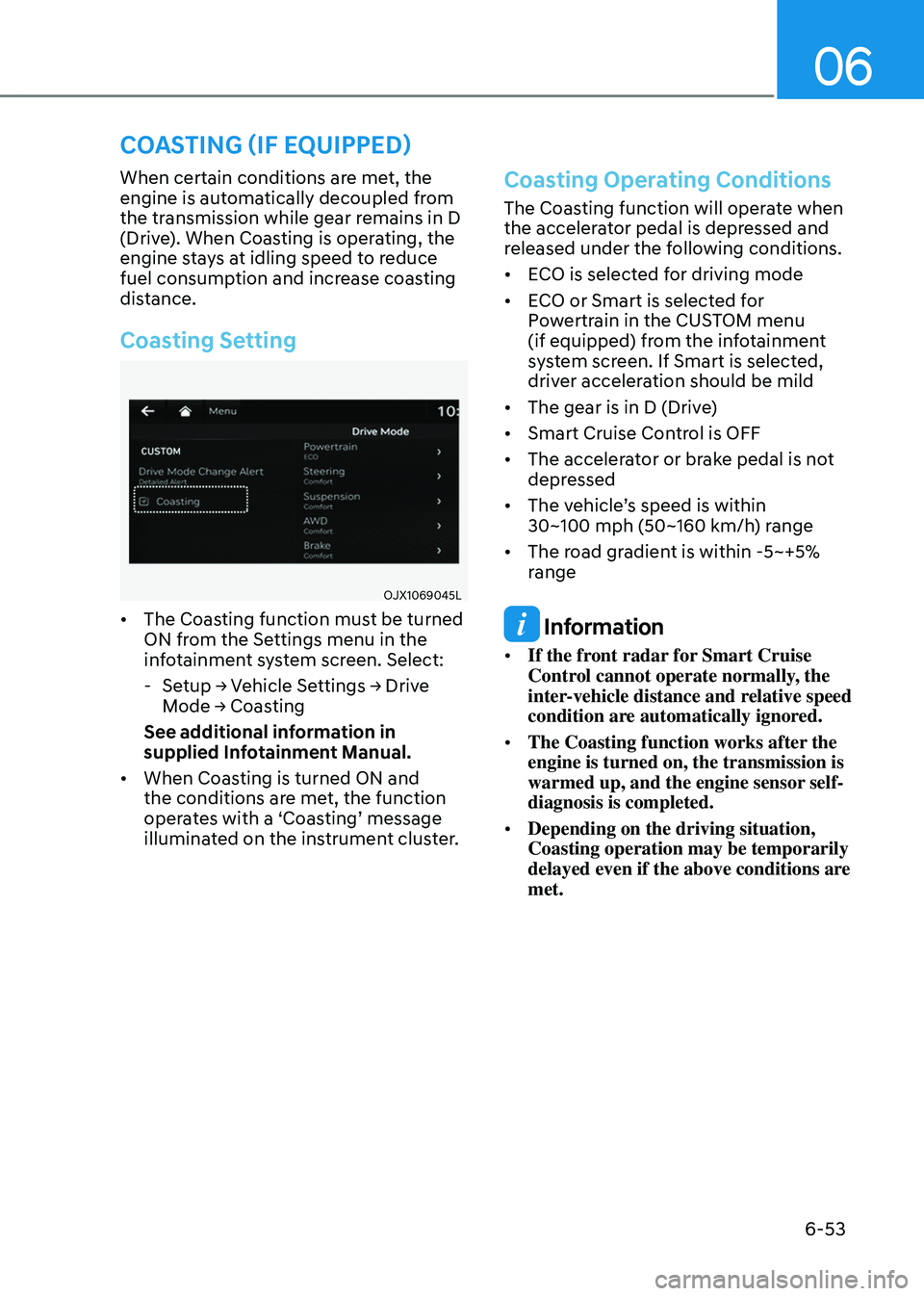
Coasting Setting
OJX1069045LOJX1069045L
• The Coasting function must be turned
ON from the Settings menu in the
infotainment system screen. Select:
-Setup → Vehicle Settings → Drive
Mode → Coasting
See additional information in
supplied Infotainment Manual.
• When Coasting is turned ON and
the conditions are met, the function
operates with a ‘Coasting’ message
illuminated on the instrument cluster.
Coasting Operating Conditions
The Coasting function will operate when
the accelerator pedal is depressed and
released under the following conditions.
• ECO is selected for driving mode
• ECO or Smart is selected for
Powertrain in the CUSTOM menu
(if equipped) from the infotainment
system screen. If Smart is selected,
driver acceleration should be mild
• The gear is in D (Drive)
• Smart Cruise Control is OFF
• The accelerator or brake pedal is not
depressed
• The vehicle’s speed is within 30~100 mph (50~160 km/h) range
• The road gradient is within -5~+5%
range
Information
• If the front radar for Smart Cruise
Control cannot operate normally, the
inter-vehicle distance and relative speed
condition are automatically ignored.
• The Coasting function works after the
engine is turned on, the transmission is
warmed up, and the engine sensor self-
diagnosis is completed.
• Depending on the driving situation,
Coasting operation may be temporarily
delayed even if the above conditions are
met.
COASTING (IF EQUIPPED)
Page 333 of 650
Driving Your Vehicle
6-54
Coasting Release Conditions
The Coasting function will be
automatically released when the
following conditions are met.
• Comfort or Sport is selected for
driving mode
• The driver uses the paddle shifter
• Smart Cruise Control is activated (Set
speed appears on the cluster)
• The vehicle’s speed exceeds 30~100 mph (50~160 km/h) range
• The road gradient is under -5% or over
+5%
• If the distance between the vehicle
ahead is too close or the relative
speed changes momentarily in Smart
mode
• If lane change is predicated in Smart
mode (for example, the turn signal is
turned ON or a LKA warning appears
due to steering wheel control, etc.)
Information
It is recommended to turn off the
Coasting function if you are driving under
frequently stop-and-go condition. Change
the drive mode to Comfort or Sport or
deselect Coasting from the infotainment
system screen.
NOTICE
• If the accelerator pedal is pressed
quickly for accelerating with the
Coasting function in operation,
acceleration may occur after the
engagement of the clutch inside the
transmission. In turn, the driver may
continue to feel acceleration even
after the system is turned off.
• Driving with the Coasting function
off may be required in some cases
since the engine brake is not applied
while the Coasting function is
operating.
• Operating the infotainment system
screen to activate or deactivate
the Coasting function while driving
may be dangerous as the driver’s
attention is distracted.
Page 334 of 650
06
6-55
Page 335 of 650
Driving Your Vehicle
6-56
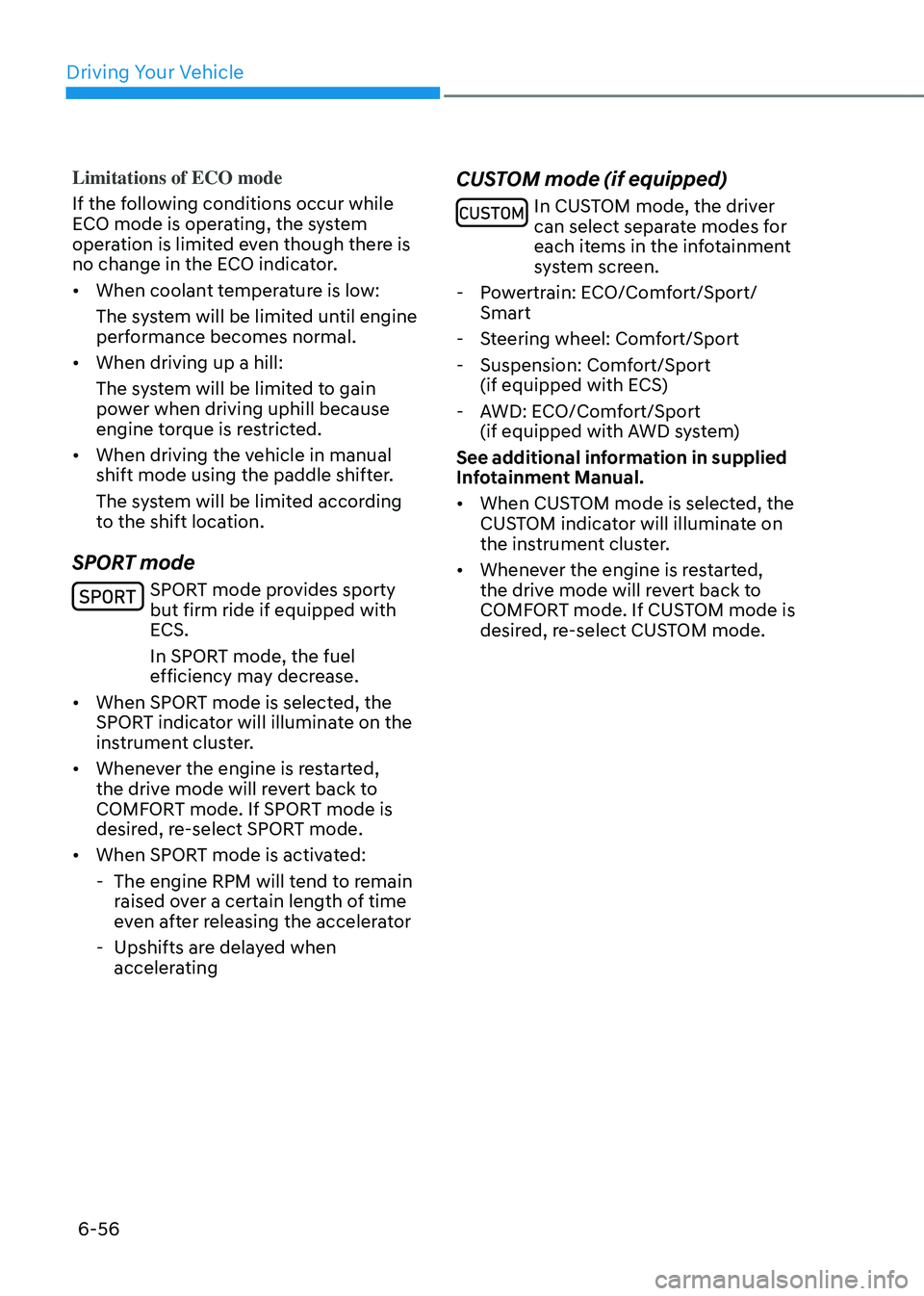
Limitations of ECO mode
If the following conditions occur while
ECO mode is operating, the system
operation is limited even though there is
no change in the ECO indicator.
• When coolant temperature is low:
The system will be limited until engine
performance becomes normal.
• When driving up a hill:
The system will be limited to gain
power when driving uphill because
engine torque is restricted.
• When driving the vehicle in manual
shift mode using the paddle shifter.
The system will be limited according
to the shift location.
SPORT mode
SPORT mode provides sporty but firm ride if equipped with
ECS.
In SPORT mode, the fuel
efficiency may decrease.
• When SPORT mode is selected, the
SPORT indicator will illuminate on the
instrument cluster.
• Whenever the engine is restarted,
the drive mode will revert back to
COMFORT mode. If SPORT mode is
desired, re-select SPORT mode.
• When SPORT mode is activated:
-The engine RPM will tend to remain
raised over a certain length of time
even after releasing the accelerator
-Upshifts are delayed when
accelerating
CUSTOM mode (if equipped)
In CUSTOM mode, the driver can select separate modes for
each items in the infotainment
system screen.
- Powertrain: ECO/Comfort/Sport/
Smart
-Steering wheel: Comfort/Sport
-Suspension: Comfort/Sport
(if equipped with ECS)
-AWD: ECO/Comfort/Sport
(if equipped with AWD system)
See additional information in supplied
Infotainment Manual.
• When CUSTOM mode is selected, the
CUSTOM indicator will illuminate on
the instrument cluster.
• Whenever the engine is restarted,
the drive mode will revert back to
COMFORT mode. If CUSTOM mode is
desired, re-select CUSTOM mode.
Page 336 of 650
06
6-57
ACTIVE SOUND DESIGN
Road Active Noise Control helps reduce
noise caused while driving.
The system may not operate properly in
the following conditions:
-Any of the windows are open
-Any of the doors are open
-The sunroof is open
-The liftgate is open
-Vehicle’s microphone and speaker is
blocked by loads
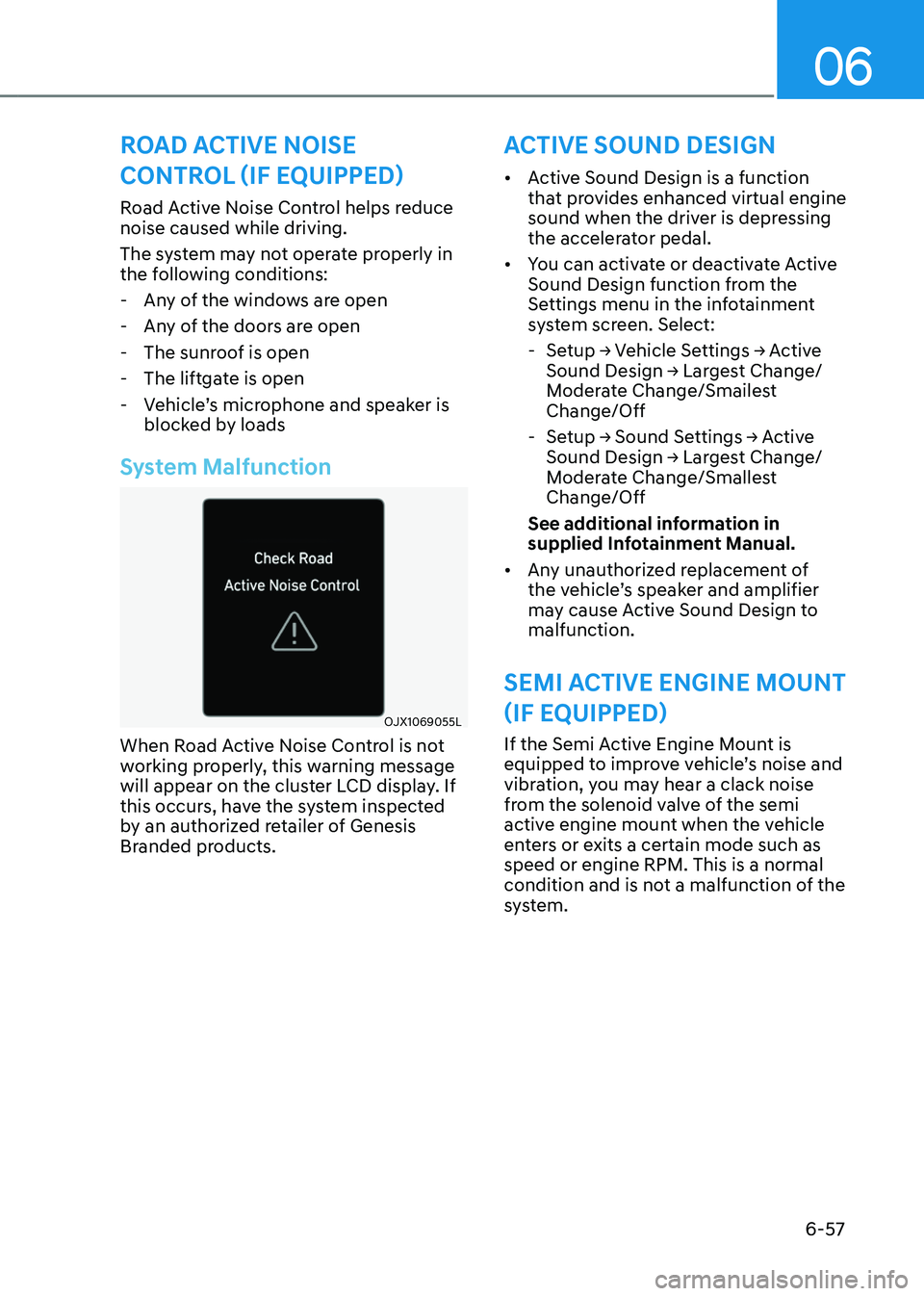
System Malfunction
OJX1069055LOJX1069055L
When Road Active Noise Control is not
working properly, this warning message
will appear on the cluster LCD display. If
this occurs, have the system inspected
by an authorized retailer of Genesis
Branded products.
ROAD ACTIVE NOISE
CONTROL (IF EQUIPPED)
• Active Sound Design is a function
that provides enhanced virtual engine
sound when the driver is depressing
the accelerator pedal.
• You can activate or deactivate Active
Sound Design function from the
Settings menu in the infotainment
system screen. Select:
-Setup → Vehicle Settings → Active Sound Design → Largest Change/Moderate Change/Smailest
Change/Off
-Setup → Sound Settings → Active Sound Design → Largest Change/Moderate Change/Smallest
Change/Off
See additional information in
supplied Infotainment Manual.
• Any unauthorized replacement of
the vehicle’s speaker and amplifier
may cause Active Sound Design to
malfunction.
SEMI ACTIVE ENGINE MOUNT
(IF EQUIPPED)
If the Semi Active Engine Mount is
equipped to improve vehicle’s noise and
vibration, you may hear a clack noise
from the solenoid valve of the semi
active engine mount when the vehicle
enters or exits a certain mode such as
speed or engine RPM. This is a normal
condition and is not a malfunction of the
system.
Page 337 of 650
Driving Your Vehicle
6-58
SPECIAL DRIVING CONDITIONS
Hazardous Driving Conditions
When hazardous driving elements
are encountered such as water, snow,
ice, mud and sand, take the following
precautions:
• Drive cautiously and maintain a longer
braking distance.
• Avoid abrupt braking or steering.
• When your vehicle is stuck in
snow, mud, or sand, use second
gear. Accelerate slowly to avoid
unnecessary wheel spin.
• Put sand, rock salt, tire chains or other
non-slip materials under the wheels to
provide additional traction while the
vehicle becomes stuck in ice, snow,
or mud.
WARNING
Downshifting with an automatic
transmission while driving on slippery
surfaces can cause an accident. The
sudden change in tire speed could
cause the tires to skid. Be careful when
downshifting on slippery surfaces.
Rocking the Vehicle
If it is necessary to rock the vehicle to
free it from snow, sand, or mud, first turn
the steering wheel right and left to clear
the area around your front wheels. Then,
shift back and forth between R (Reverse)
and a forward gear.
Try to avoid spinning the wheels, and do
not race the engine.
To prevent transmission wear, wait until
the wheels stop spinning before shifting
gears. Release the accelerator pedal
while shifting, and press lightly on the
accelerator pedal while the transmission
is in gear. Slowly spinning the wheels in
forward and reverse directions causes a
rocking motion that may free the vehicle.
WARNING
If the vehicle is stuck and excessive
wheel spin occurs, the temperature
in the tires can increase very quickly.
If the tires become damaged, a tire
blow out or tire explosion can occur.
This condition is dangerous - you and
others may be injured. Do not attempt
this procedure if people or objects are
anywhere near the vehicle.
If you attempt to free the vehicle, the
vehicle can overheat quickly, possibly
causing an engine compartment fire
or other damage. Try to avoid spinning
the wheels as much as possible to
prevent overheating of either the tires
or the engine. DO NOT allow the vehicle
to spin the wheels above 35 mph (56
km/h).
Information
The ESC system must be turned OFF
before rocking the vehicle.
NOTICE
If you are still stuck after rocking the
vehicle a few times, have the vehicle
pulled out by a tow vehicle to avoid
engine overheating, possible damage to
the transmission, and tire damage. See
“Towing” section in chapter 8.
Smooth Cornering
Avoid braking or gear changing in
corners, especially when roads are wet.
Ideally, corners should always be taken
under gentle acceleration.
Page 338 of 650
06
6-59
Driving at Night
Night driving presents more hazards than
driving in the daylight. Here are some
important tips to remember:
• Slow down and keep more distance
between you and other vehicles, as it
may be more difficult to see at night,
especially in areas where there may
not be any street lights.
• Adjust your mirrors to reduce the glare
from other drivers’ headlamps.
• Keep your headlamps clean and
properly aimed. Dirty or improperly
aimed headlamps will make it much
more difficult to see at night.
• Avoid staring directly at the
headlamps of oncoming vehicles. You
could be temporarily blinded, and it
will take several seconds for your eyes
to readjust to the darkness.
Driving in the Rain
Rain and wet roads can make driving
dangerous. Here are a few things to
consider when driving in the rain or on
slick pavement:
• Slow down and allow extra following
distance. A heavy rainfall makes
it harder to see and increases the
distance needed to stop your vehicle.
• Turn OFF your Smart Cruise Control
• Replace your windshield wiper blades
when they show signs of streaking or
missing areas on the windshield.
• Be sure your tires have enough tread.
If your tires do not have enough tread,
making a quick stop on wet pavement
can cause a skid and possibly lead to
an accident. See “Tire Tread” section
in chapter 9.
• Turn on your headlamps to make it
easier for others to see you.
• Driving too fast through large puddles
can affect your brakes. If you must go
through puddles, try to drive through
them slowly.
• If you believe your brakes may be wet,
apply them lightly while driving until
normal braking operation returns.
Hydroplaning
If the road is wet enough and you are
going fast enough, your vehicle may
have little or no contact with the road
surface and actually ride on the water.
The best advice is SLOW DOWN when
the road is wet.
The risk of hydroplaning increases as
the depth of tire tread decreases, refer
to “Tire Tread” section in chapter 9.
Page 339 of 650
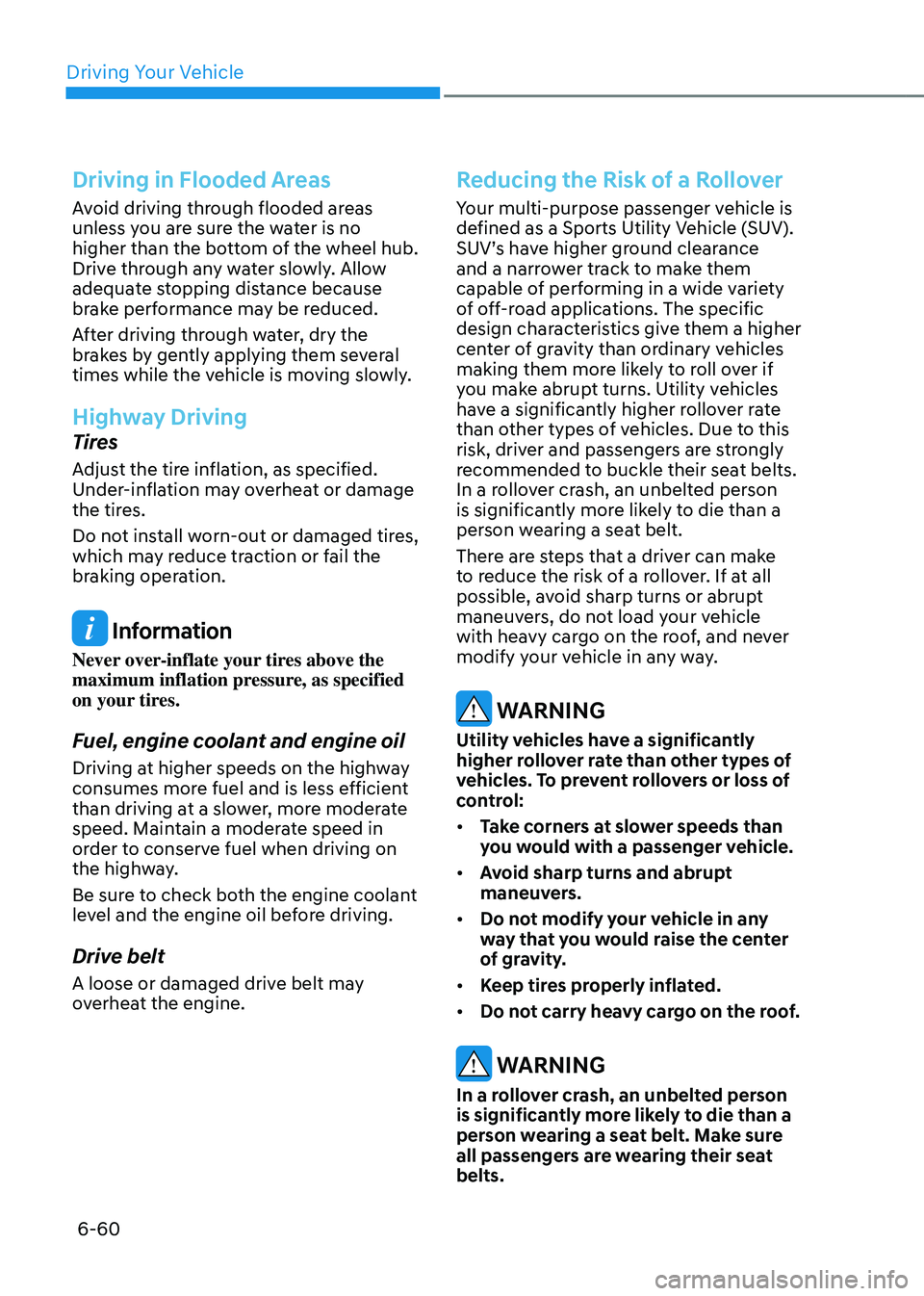
Driving Your Vehicle
6-60
Driving in Flooded Areas
Avoid driving through flooded areas
unless you are sure the water is no
higher than the bottom of the wheel hub.
Drive through any water slowly. Allow
adequate stopping distance because
brake performance may be reduced.
After driving through water, dry the
brakes by gently applying them several
times while the vehicle is moving slowly.
Highway Driving
Tires
Adjust the tire inflation, as specified.
Under-inflation may overheat or damage
the tires.
Do not install worn-out or damaged tires,
which may reduce traction or fail the
braking operation.
Information
Never over-inflate your tires above the
maximum inflation pressure, as specified
on your tires.
Fuel, engine coolant and engine oil
Driving at higher speeds on the highway
consumes more fuel and is less efficient
than driving at a slower, more moderate
speed. Maintain a moderate speed in
order to conserve fuel when driving on
the highway.
Be sure to check both the engine coolant
level and the engine oil before driving.
Drive belt
A loose or damaged drive belt may
overheat the engine.
Reducing the Risk of a Rollover
Your multi-purpose passenger vehicle is
defined as a Sports Utility Vehicle (SUV).
SUV’s have higher ground clearance
and a narrower track to make them
capable of performing in a wide variety
of off-road applications. The specific
design characteristics give them a higher
center of gravity than ordinary vehicles
making them more likely to roll over if
you make abrupt turns. Utility vehicles
have a significantly higher rollover rate
than other types of vehicles. Due to this
risk, driver and passengers are strongly
recommended to buckle their seat belts.
In a rollover crash, an unbelted person
is significantly more likely to die than a
person wearing a seat belt.
There are steps that a driver can make
to reduce the risk of a rollover. If at all
possible, avoid sharp turns or abrupt
maneuvers, do not load your vehicle
with heavy cargo on the roof, and never
modify your vehicle in any way.
WARNING
Utility vehicles have a significantly
higher rollover rate than other types of
vehicles. To prevent rollovers or loss of
control:
• Take corners at slower speeds than
you would with a passenger vehicle.
• Avoid sharp turns and abrupt
maneuvers.
• Do not modify your vehicle in any
way that you would raise the center
of gravity.
• Keep tires properly inflated.
• Do not carry heavy cargo on the roof.
WARNING
In a rollover crash, an unbelted person
is significantly more likely to die than a
person wearing a seat belt. Make sure
all passengers are wearing their seat
belts.
Page 340 of 650
06
6-61
The severe weather conditions of winter quickly wear out tires and cause other
problems. To minimize winter driving problems, you should take the following
suggestions:
Snow or Icy Conditions
You need to keep sufficient distance between your vehicle and the vehicle in front of
you.
Apply the brakes gently. Speeding, rapid acceleration, sudden brake applications, and
sharp turns are potentially very hazardous practices. During deceleration, use engine
braking to the fullest extent. Sudden brake applications on snowy or icy roads may
cause the vehicle to skid.
To drive your vehicle in deep snow, it may be necessary to use snow tires or to install
tire chains on your tires.
Always carry emergency equipment. Some of the items you may want to carry include
tire chains, tow straps or chains, a flashlight, emergency flares, sand, a shovel, jumper
cables, a window scraper, gloves, ground cloth, coveralls, a blanket, etc.
Snow tires
WARNING
Snow tires should be equivalent in size and type to the vehicle’s standard tires.
Otherwise, the safety and handling of your vehicle may be adversely affected.
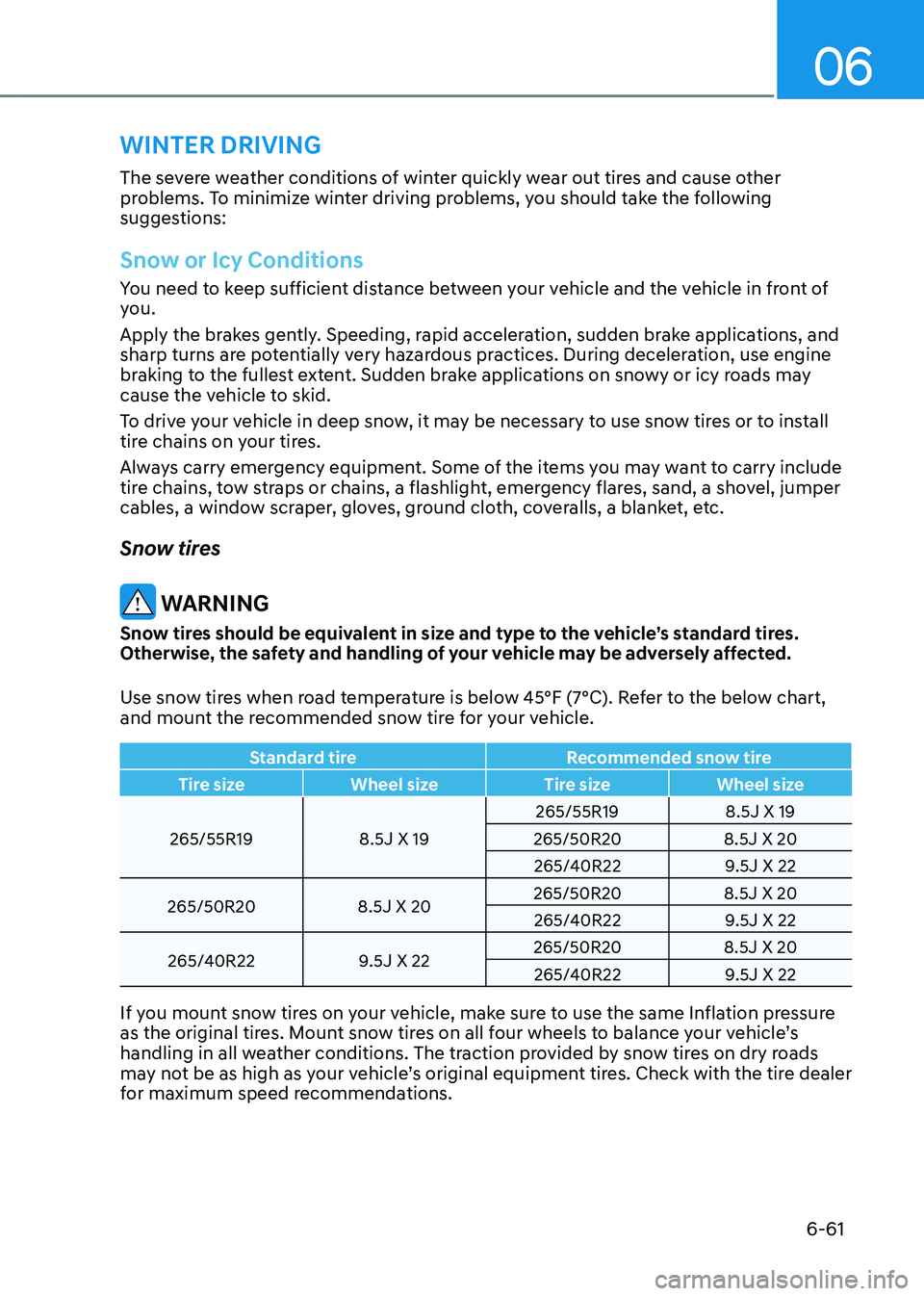
Use snow tires when road temperature is below 45°F (7°C). Refer to the below chart,
and mount the recommended snow tire for your vehicle.
Standard tireRecommended snow tire
Tire size Wheel size Tire sizeWheel size
265/55R19 8.5J X 19265/55R19
8.5J X 19
265/50R20 8.5J X 20
265/40R22 9.5J X 22
265/50R20 8.5J X 20265/50R20
8.5J X 20
265/40R22 9.5J X 22
265/40R22 9.5J X 22265/50R20
8.5J X 20
265/40R22 9.5J X 22
If you mount snow tires on your vehicle, make sure to use the same Inflation pressure
as the original tires. Mount snow tires on all four wheels to balance your vehicle’s
handling in all weather conditions. The traction provided by snow tires on dry roads
may not be as high as your vehicle’s original equipment tires. Check with the tire dealer
for maximum speed recommendations.
WINTER DRIVING