light GMC ACADIA 2007 Owners Manual
[x] Cancel search | Manufacturer: GMC, Model Year: 2007, Model line: ACADIA, Model: GMC ACADIA 2007Pages: 554, PDF Size: 2.76 MB
Page 291 of 554
Z(Eject):Press this button to eject a CD or
DVD. If a CD or DVD is ejected, but not removed,
the player automatically pulls it back in after
15 seconds.
If loading and reading of a CD cannot be
completed, because of an unknown format, etc.,
and the disc fails to eject, press and hold the
CD eject button for more than ve seconds to
force the disc to eject.
DVD-V (Video) Display Buttons
Once a DVD-V is inserted, the radio display menu
shows several tag options for DVD playing.
Press the pushbuttons located under any desired
tag option during DVD playback. See the tag
options listed below for more information.
The rear seat passenger can navigate the DVD-V
menus and controls through the remote control.
See “Remote Control”, underRear Seat
Entertainment System on page 311for more
information. The Video Screen automatically
turns on when the DVD-V is inserted into the
DVD slot.
r/j(Play/Pause):Press either the play or
pause icon displayed on the radio system,
to toggle between pausing or restarting playback
of a DVD. If the forward arrow is showing on
display, the system is in pause mode. If the pause
icon is showing on display, the system is in
playback mode. If the DVD screen is off, press
the play button to turn the screen on.
Some DVDs begin playing after the previews have
nished, although there could be a delay of up
to 30 seconds. If the DVD does not begin playing
the movie automatically, press the pushbutton
located under the play/pause symbol tag displayed
on the radio. If the DVD still does not play, refer
to the on-screen instructions, if available.
c(Stop):Press this button to stop playing,
rewinding, or fast forwarding a DVD.
r(Enter):Press this button to select the
choices that are highlighted in any menu.
291
Page 312 of 554
Headphones
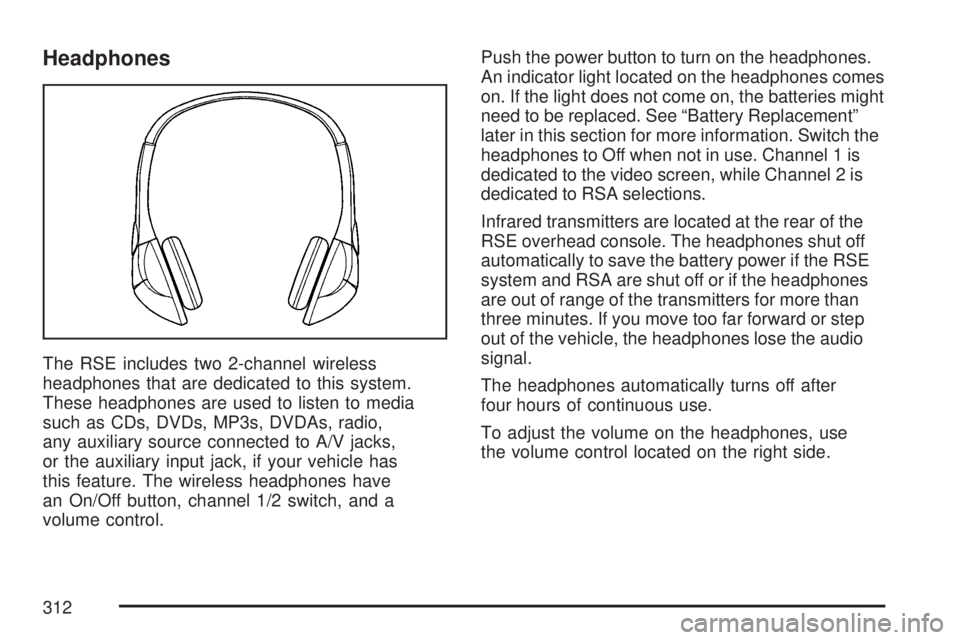
The RSE includes two 2-channel wireless
headphones that are dedicated to this system.
These headphones are used to listen to media
such as CDs, DVDs, MP3s, DVDAs, radio,
any auxiliary source connected to A/V jacks,
or the auxiliary input jack, if your vehicle has
this feature. The wireless headphones have
an On/Off button, channel 1/2 switch, and a
volume control.Push the power button to turn on the headphones.
An indicator light located on the headphones comes
on. If the light does not come on, the batteries might
need to be replaced. See “Battery Replacement”
later in this section for more information. Switch the
headphones to Off when not in use. Channel 1 is
dedicated to the video screen, while Channel 2 is
dedicated to RSA selections.
Infrared transmitters are located at the rear of the
RSE overhead console. The headphones shut off
automatically to save the battery power if the RSE
system and RSA are shut off or if the headphones
are out of range of the transmitters for more than
three minutes. If you move too far forward or step
out of the vehicle, the headphones lose the audio
signal.
The headphones automatically turns off after
four hours of continuous use.
To adjust the volume on the headphones, use
the volume control located on the right side.
312
Page 313 of 554
For optimal audio performance, the headphones
must be worn correctly. The symbol L (Left)
appears on the upper left side, above the ear pad
and should be positioned on the left ear. The
symbol R (Right) appears on the upper right side,
above the ear pad and should be positioned on
the right ear.
Notice:Do not store the headphones in heat
or direct sunlight. This could damage the
headphones and repairs will not be covered by
your warranty. Keep the headphones stored
in a cool, dry place.
If the foam ear pads attached to the headphones
become worn or damaged, the pads can be
replaced separately from the headphone set
through your dealer/retailer for more information.
Headphones should be stored in the front oor
console and not in the front seat back pocket.
Headphone damage can occur when the second
row seats are folded forward.Battery Replacement
To change the batteries on the headphones,
do the following:
1. Turn the screw with a coin or screw driver to
loosen the battery door located on the left
side of the headphones. Slide the battery
door open.
2. Replace the two batteries in the compartment.
Make sure that they are installed correctly,
using the diagram on the inside of the battery
compartment.
3. Replace the battery door and tighten the
door screw.
If the headphones are to be stored for a long
period of time, remove the batteries and keep
them in a cool, dry place.
313
Page 316 of 554
If a DVD is playing and the screen is raised to
its locked position, the screen remains on. This is
normal. The DVD continues to play through the
previous audio source. Use the remote control
power button or eject the disc to turn off the
screen.
The RSE overhead console contains the IR
transmitters for the wireless headphones and
the IR receivers for the remote control. They
are located at the rear of the console.
Notice:Avoid directly touching the video
screen, as damage may occur. See “Cleaning
the Video Screen” later in this section for
more information.Remote Control
To use the remote control, aim it at the transmitter
window at the rear of the RSE overhead console
and press the desired button. Direct sunlight
or very bright light can affect the ability of the
RSE transmitter to receive signals from the remote
control. If the remote control does not seem to
be working, the batteries might need to be
replaced. See “Battery Replacement” later in this
section. Objects blocking the line of sight can
also affect the function of the remote control.
If a CD or DVD is in the Radio DVD slot,
the remote control power button can be used to
turn on the video screen display and start the disc.
The radio can also turn on the video screen
display. SeeRadio with CD and DVD on page 278
for more information.
Notice:Storing the remote control in a hot
area or in direct sunlight can damage it,
and the repairs will not be covered by your
warranty. Keep the remote control stored in a
cool, dry place.
316
Page 317 of 554
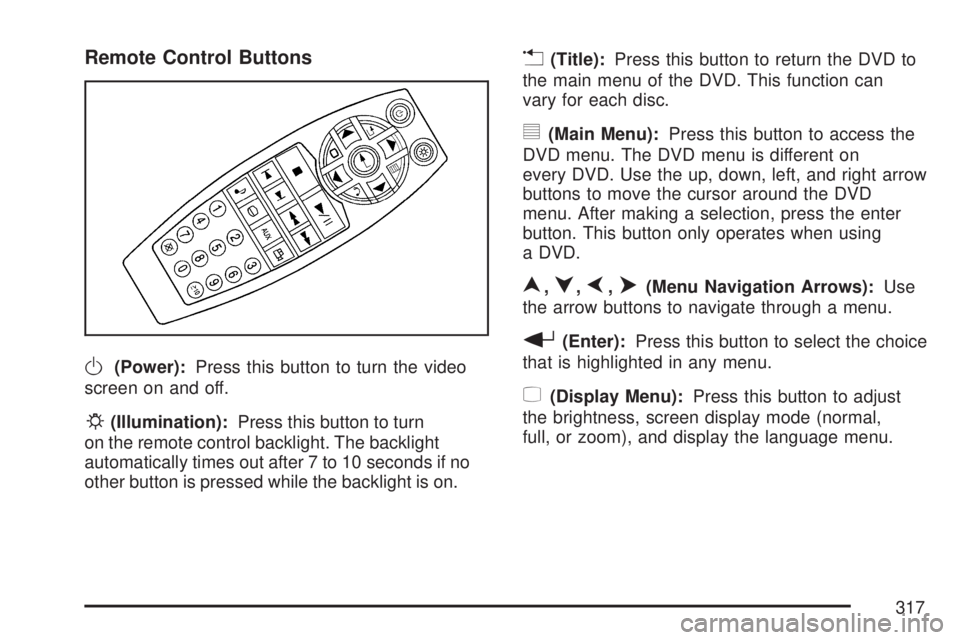
Remote Control Buttons
O(Power):Press this button to turn the video
screen on and off.
P(Illumination):Press this button to turn
on the remote control backlight. The backlight
automatically times out after 7 to 10 seconds if no
other button is pressed while the backlight is on.
v(Title):Press this button to return the DVD to
the main menu of the DVD. This function can
vary for each disc.
y(Main Menu):Press this button to access the
DVD menu. The DVD menu is different on
every DVD. Use the up, down, left, and right arrow
buttons to move the cursor around the DVD
menu. After making a selection, press the enter
button. This button only operates when using
a DVD.
n,q,p,o(Menu Navigation Arrows):Use
the arrow buttons to navigate through a menu.
r(Enter):Press this button to select the choice
that is highlighted in any menu.
z(Display Menu):Press this button to adjust
the brightness, screen display mode (normal,
full, or zoom), and display the language menu.
317
Page 328 of 554
Care of Your CDs and DVDs
Handle CDs carefully. Store them in their original
cases or other protective cases and away from
direct sunlight and dust. The CD player scans the
bottom surface of the disc. If the surface of a
CD is damaged, such as cracked, broken,
or scratched, the CD does not play properly or
not at all. If the surface of a CD is soiled, take
a soft, lint free cloth or dampen a clean, soft cloth
in a mild, neutral detergent solution mixed with
water, and clean it. Make sure the wiping process
starts from the center to the edge.
Do not touch the bottom side of a CD while
handling it; this could damage the surface.
Pick up CDs by grasping the outer edges or
the edge of the hole and the outer edge.
Care of the CD and DVD Player
The use of CD lens cleaners for CDs is not
advised, due to the risk of contaminating the lens
of the CD optics with lubricants internal to the
CD mechanism.
Multi-Band Antenna
The multi-band antenna is located on the roof of
your vehicle. This type of antenna is used with the
AM/FM radio, as well as OnStar
®and the XM™
Satellite Radio Service System, if your vehicle
has these features. Keep this antenna clear
of snow and ice build up for clear radio reception.
If your vehicle has a sunroof, the performance
of the radio system may be affected if the sunroof
is open. Loading items onto the roof of your
vehicle can interfere with the performance of
the radio system and, if your vehicle has
this feature, OnStar
®. Make sure the multi-band
antenna is not obstructed.
328
Page 334 of 554
Control of a Vehicle
The following three systems help to control your
vehicle while driving — brakes, steering, and
accelerator. At times, as when driving on snow or
ice, it is easy to ask more of those control
systems than the tires and road can provide.
Meaning, you can lose control of your vehicle.
SeeStabiliTrak
®System on page 337.
Adding non-dealer/non-retailer accessories can
affect your vehicle’s performance. SeeAccessories
and Modifications on page 385.
Braking
SeeBrake System Warning Light on page 222.
Braking action involves perception time and
reaction time. First, you have to decide to push
on the brake pedal. That is perception time.
Then you have to bring up your foot and do it.
That is reaction time.
Average reaction time is about three-fourths of
a second. But that is only an average. It might
be less with one driver and as long as two or
three seconds or more with another. Age, physical
condition, alertness, coordination, and eyesight all
play a part. So do alcohol, drugs, and frustration.But even in three-fourths of a second, a vehicle
moving at 60 mph (100 km/h) travels 66 feet
(20 m). That could be a lot of distance in an
emergency, so keeping enough space between
your vehicle and others is important.
And, of course, actual stopping distances vary
greatly with the surface of the road, whether it is
pavement or gravel; the condition of the road,
whether it is wet, dry, or icy; tire tread; the condition
of the brakes; the weight of the vehicle; and the
amount of brake force applied.
Avoid needless heavy braking. Some people drive
in spurts — heavy acceleration followed by heavy
braking — rather than keeping pace with traffic.
This is a mistake. The brakes might not have time
to cool between hard stops. The brakes will
wear out much faster if you do a lot of heavy
braking. If you keep pace with the traffic and allow
realistic following distances, you will eliminate a
lot of unnecessary braking. That means better
braking and longer brake life.
If your vehicle’s engine ever stops while you
are driving, brake normally but do not pump
the brakes. If you do, the pedal could get
harder to push down. If the engine stops,
you will still have some power brake assist.
334
Page 335 of 554
But you will use it when you brake. Once the
power assist is used up, it can take longer to stop
and the brake pedal will be harder to push.
Adding non-dealer/non-retailer accessories can
affect your vehicle’s performance. SeeAccessories
and Modifications on page 385.
Anti-Lock Brake System (ABS)
Your vehicle has the Anti-Lock Brake System
(ABS), an advanced electronic braking system that
will help prevent a braking skid.
When you start the engine and begin to drive
away, ABS will check itself. You might hear
a momentary motor or clicking noise while this test
is going on, and you might even notice that the
brake pedal moves a little. This is normal.
If there is a problem
with ABS, this warning
light will stay on.
SeeAnti-Lock Brake
System Warning
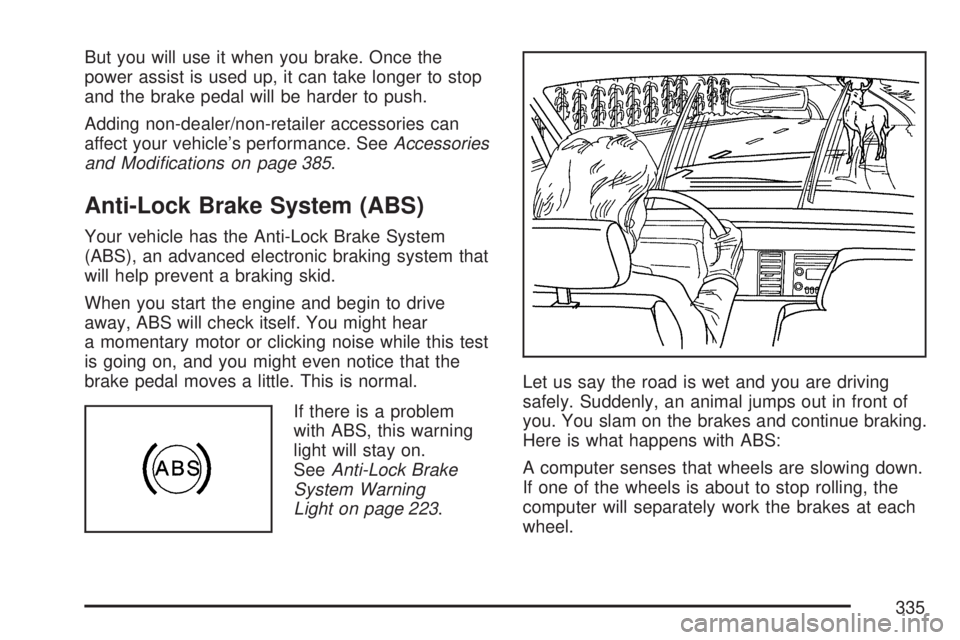
Light on page 223.Let us say the road is wet and you are driving
safely. Suddenly, an animal jumps out in front of
you. You slam on the brakes and continue braking.
Here is what happens with ABS:
A computer senses that wheels are slowing down.
If one of the wheels is about to stop rolling, the
computer will separately work the brakes at each
wheel.
335
Page 337 of 554
StabiliTrak®System
Your vehicle has the StabiliTrak®system which
combines antilock brake, traction and stability
control systems and helps the driver maintain
directional control of the vehicle in most driving
conditions.
When you rst start your vehicle and begin to
drive away, the system performs several
diagnostic checks to ensure there are no
problems. You may hear or feel the system
working. This is normal and does not mean
there is a problem with your vehicle. The system
should initialize before the vehicle reaches
20 mph (32 km/h). In some cases, it may take
approximately two miles of driving before the
system initializes.
If the system fails to turn on or activate, the
StabiliTrak
®light along with one of the following
messages will be displayed on the Driver
Information Center (DIC): TRACTION CONTROL
OFF, SERVICE TRACTION CONTROL,
SERVICE STABILITRAK. If you see these
conditions, turn the vehicle off, wait 15 seconds,
and then turn it back on again to reset the system.If any of these messages still appear on the Driver
Information Center (DIC), your vehicle should
be taken in for service. For more information on
the DIC messages, seeDriver Information
Center (DIC) on page 232.
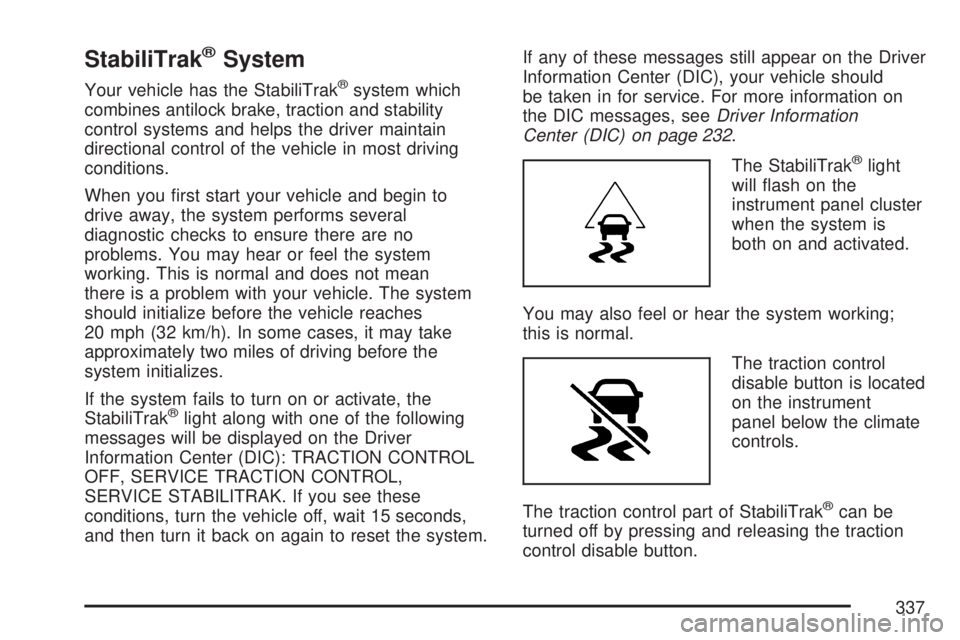
The StabiliTrak
®light
will ash on the
instrument panel cluster
when the system is
both on and activated.
You may also feel or hear the system working;
this is normal.
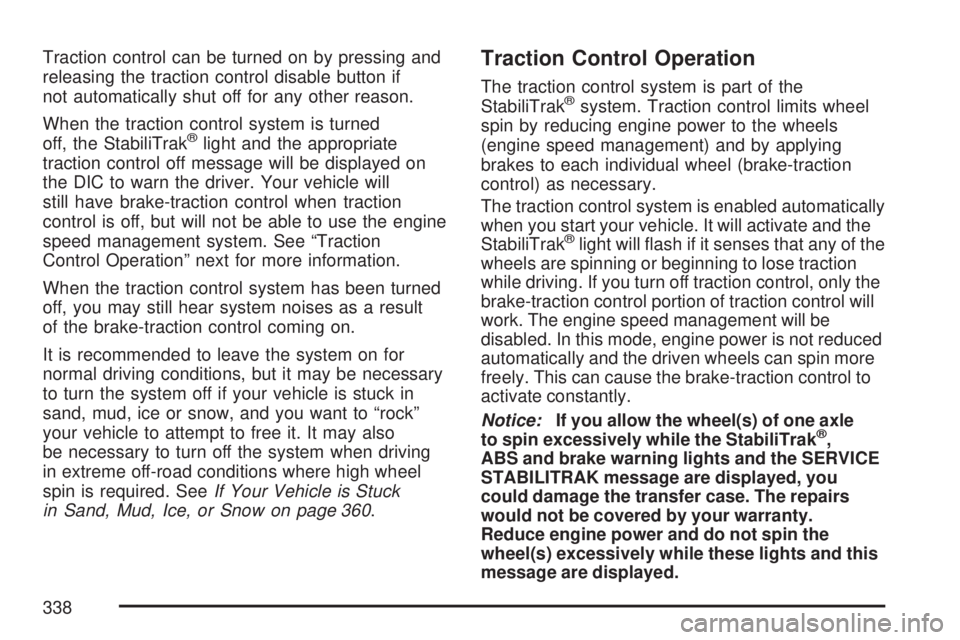
The traction control
disable button is located
on the instrument
panel below the climate
controls.
The traction control part of StabiliTrak
®can be
turned off by pressing and releasing the traction
control disable button.
337
Page 338 of 554
Traction control can be turned on by pressing and
releasing the traction control disable button if
not automatically shut off for any other reason.
When the traction control system is turned
off, the StabiliTrak
®light and the appropriate
traction control off message will be displayed on
the DIC to warn the driver. Your vehicle will
still have brake-traction control when traction
control is off, but will not be able to use the engine
speed management system. See “Traction
Control Operation” next for more information.
When the traction control system has been turned
off, you may still hear system noises as a result
of the brake-traction control coming on.
It is recommended to leave the system on for
normal driving conditions, but it may be necessary
to turn the system off if your vehicle is stuck in
sand, mud, ice or snow, and you want to “rock”
your vehicle to attempt to free it. It may also
be necessary to turn off the system when driving
in extreme off-road conditions where high wheel
spin is required. SeeIf Your Vehicle is Stuck
in Sand, Mud, Ice, or Snow on page 360.
Traction Control Operation
The traction control system is part of the
StabiliTrak®system. Traction control limits wheel
spin by reducing engine power to the wheels
(engine speed management) and by applying
brakes to each individual wheel (brake-traction
control) as necessary.
The traction control system is enabled automatically
when you start your vehicle. It will activate and the
StabiliTrak
®light will ash if it senses that any of the
wheels are spinning or beginning to lose traction
while driving. If you turn off traction control, only the
brake-traction control portion of traction control will
work. The engine speed management will be
disabled. In this mode, engine power is not reduced
automatically and the driven wheels can spin more
freely. This can cause the brake-traction control to
activate constantly.
Notice:If you allow the wheel(s) of one axle
to spin excessively while the StabiliTrak
®,
ABS and brake warning lights and the SERVICE
STABILITRAK message are displayed, you
could damage the transfer case. The repairs
would not be covered by your warranty.
Reduce engine power and do not spin the
wheel(s) excessively while these lights and this
message are displayed.
338