light GMC ACADIA 2007 User Guide
[x] Cancel search | Manufacturer: GMC, Model Year: 2007, Model line: ACADIA, Model: GMC ACADIA 2007Pages: 554, PDF Size: 2.76 MB
Page 79 of 554
The system checks the airbag electrical system for
malfunctions. The light tells you if there is an
electrical problem. SeeAirbag Readiness Light on
page 217for more information.
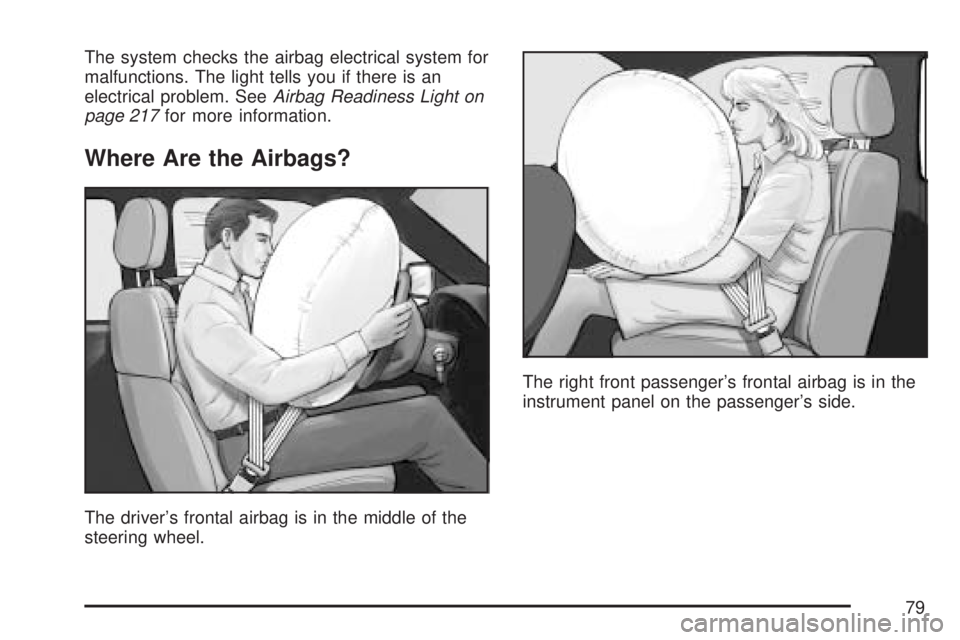
Where Are the Airbags?
The driver’s frontal airbag is in the middle of the
steering wheel.The right front passenger’s frontal airbag is in the
instrument panel on the passenger’s side.
79
Page 87 of 554
CAUTION: (Continued)
If you need to secure a forward-facing
child restraint in the right front seat,
always move the front passenger seat as
far back as it will go. It is better to secure
the child restraint in a rear seat.
The passenger sensing system is designed to turn
off the right front passenger’s frontal airbag and
seat-mounted side impact airbag if:
The right front passenger seat is unoccupied.
The system determines that an infant is
present in a rear-facing infant seat.
The system determines that a small child is
present in a child restraint.
The system determines that a small child is
present in a booster seat.
A right front passenger takes his/her weight off
of the seat for a period of time.
The right front passenger seat is occupied by
a smaller person, such as a child who has
outgrown child restraints.
Or, if there is a critical problem with the airbag
system or the passenger sensing system.
When the passenger sensing system has turned
off the right front passenger’s frontal airbag
and seat-mounted side impact airbag, the off
indicator will light and stay lit to remind you that
the airbags are off. SeePassenger Airbag
Status Indicator on page 218.
If a child restraint has been installed and the on
indicator is lit, turn the vehicle off. Remove
the child restraint from the vehicle and reinstall the
child restraint following the child restraint
manufacturer’s directions and refer toSecuring a
Child Restraint in the Right Front Seat Position
on page 72.
If, after reinstalling the child restraint and restarting
the vehicle, the on indicator is still lit, check to
make sure that the vehicle’s seatback is not
pressing the child restraint into the seat cushion. If
this happens, slightly recline the vehicle’s
seatback and adjust the seat cushion if possible.
87
Page 88 of 554
Also make sure the child restraint is not trapped
under the vehicle head restraint. If this happens,
adjust the head restraint. SeeHead Restraints
on page 17.
Remove any additional material from the seat
cushion before reinstalling or securing the
child restraint.
If the on indicator is still lit, secure the child in the
child restraint in a rear seat position in the vehicle,
and check with your dealer/retailer.
The passenger sensing system is designed to
enable (may inate) the right front passenger’s
frontal airbag and seat-mounted side impact airbag
anytime the system senses that a person of
adult size is sitting properly in the right front
passenger’s seat. When the passenger sensing
system has allowed the airbags to be enabled, the
on indicator will light and stay lit to remind you
that the airbags are active.For some children who have outgrown child
restraints and for very small adults, the passenger
sensing system may or may not turn off the
right front passenger’s frontal airbag and
seat-mounted side impact airbag, depending
upon the person’s seating posture and body build.
Everyone in your vehicle who has outgrown
child restraints should wear a safety belt
properly — whether or not there is an airbag for
that person.
If a person of adult-size is sitting in the right front
passenger’s seat, but the off indicator is lit, it
could be because that person is not sitting properly
in the seat. If this happens, turn the vehicle off
and ask the person to place the seatback in
the fully upright position, then sit upright in the
seat, centered on the seat cushion, with the
person’s legs comfortably extended. Restart the
vehicle and have the person remain in this position
for two to three minutes. This will allow the
system to detect that person and then enable the
right front passenger’s frontal airbag and
seat-mounted side impact airbag.
88
Page 89 of 554
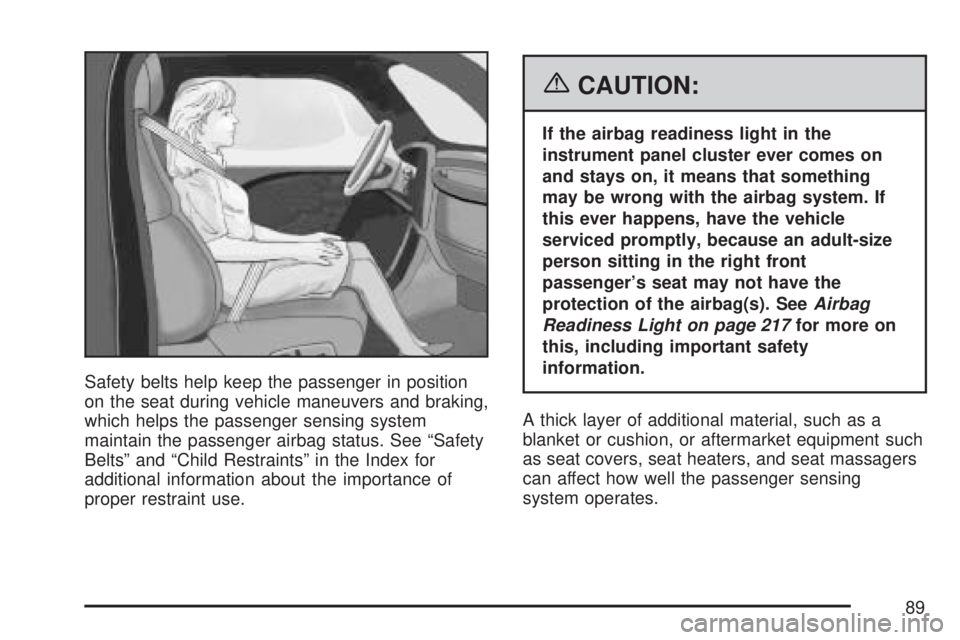
Safety belts help keep the passenger in position
on the seat during vehicle maneuvers and braking,
which helps the passenger sensing system
maintain the passenger airbag status. See “Safety
Belts” and “Child Restraints” in the Index for
additional information about the importance of
proper restraint use.
{CAUTION:
If the airbag readiness light in the
instrument panel cluster ever comes on
and stays on, it means that something
may be wrong with the airbag system. If
this ever happens, have the vehicle
serviced promptly, because an adult-size
person sitting in the right front
passenger’s seat may not have the
protection of the airbag(s). SeeAirbag
Readiness Light on page 217for more on
this, including important safety
information.
A thick layer of additional material, such as a
blanket or cushion, or aftermarket equipment such
as seat covers, seat heaters, and seat massagers
can affect how well the passenger sensing
system operates.
89
Page 92 of 554
Restraint System Check
Checking the Restraint Systems
Safety Belts
Now and then, make sure the safety belt reminder
light and all your belts, buckles, latch plates,
retractors, and anchorages are working properly.
SeeSafety Belt Reminder Light on page 216
for more information.
Look for any other loose or damaged safety belt
system parts. If you see anything that might keep a
safety belt system from doing its job, have it
repaired. Keep safety belts clean and dry. See
Care of Safety Belts on page 482for more
information.
Torn or frayed safety belts may not protect you in
a crash. They can rip apart under impact forces.
If a belt is torn or frayed, get a new one right away.
Airbag System
The airbag system does not need regularly
scheduled maintenance or replacement. Make
sure the airbag readiness light is working.
SeeAirbag Readiness Light on page 217for more
information.
Notice:If an airbag covering is damaged,
opened, or broken, the airbag may not work
properly. Do not open or break the airbag
coverings. If there are any opened or broken
airbag covers, have the airbag covering and/or
airbag module replaced. For the location of
the airbag modules, seeWhat Makes an Airbag
Inflate? on page 83. See your dealer/retailer
for service.
92
Page 93 of 554
Replacing Restraint System Parts
After a Crash
{CAUTION:
A crash can damage the restraint systems
in your vehicle. A damaged restraint
system may not properly protect the
person using it, resulting in serious injury
or even death in a crash. To help make sure
your restraint systems are working
properly after a crash, have them inspected
and any necessary replacements made as
soon as possible.
If you have had a crash, do you need new belts or
LATCH system parts?
After a very minor collision, nothing may be
necessary. But if the belts were stretched, as they
would be if worn during a more severe crash,
then you need new parts.
If the LATCH system was being used during a
more severe crash, you may need new LATCH
system parts.If belts are cut or damaged, replace them.
Collision damage also may mean you will need to
have LATCH system, safety belt or seat parts
repaired or replaced. New parts and repairs may
be necessary even if the belt or LATCH system
was not being used at the time of the collision.
If an airbag inates, you will need to replace airbag
system parts. See the part on the airbag system
earlier in this section.
If any airbag inates, you will also need to replace
the driver and front passenger’s safety belt
retractor assembly. Be sure to do so. Then the
new retractor assembly will be there to help protect
you in a collision.
After a crash you may need to replace the driver
and front passenger’s safety belt retractor
assemblies, even if the frontal airbags have not
deployed. The driver and front passenger’s safety
belt retractor assemblies contain the safety belt
pretensioners. Have your safety belt pretensioners
checked if your vehicle has been in a collision,
or if your airbag readiness light stays on after you
start your vehicle or while you are driving. See
Airbag Readiness Light on page 217.
93
Page 104 of 554
/(Remote Start):This button will be on the
RKE transmitter if you have remote start.
To start the vehicle using the remote start feature,
do the following:
1. Aim the transmitter at the vehicle.
2. Press and release the transmitter’s lock
button, then immediately press and hold
the transmitter’s remote start button until the
turn signal lights ash. If you cannot see
the vehicle’s lights, press and hold the remote
start button for at least four seconds. The
vehicle’s doors will lock. Pressing the remote
start button again, after the vehicle has
started, will turn off the ignition.
When the vehicle starts, the parking lamps will
turn on and remain on while the vehicle is
running.
3. If it is the rst remote start since the vehicle
has been driven, repeat these steps while the
engine is still running, to extend the time
by 10 minutes for the engine to continue to
run. Remote start can be extended one time.
After entering the vehicle during a remote start,
insert and turn the key to the ON position to drive
the vehicle.If the vehicle is left running it will automatically
shut off after 10 minutes unless a time extension
has been done.
To manually shut off a remote start, do any of the
following:
Aim the RKE transmitter at the vehicle and
press the remote start button until the
parking lamps turn off.
Turn on the hazard warning ashers.
Turn the ignition switch on and then off.
The vehicle can be remote started two separate
times between driving sequences. The engine will
run for 10 minutes after each remote start.
Or, you can extend the engine run time by another
10 minutes within the rst 10 minute remote
start time frame, and before the engine stops.
For example, if the lock button and then the remote
start buttons are pressed again after the vehicle has
been running for ve minutes, 10 minutes are
added, allowing the engine to run for 15 minutes.
The additional 10 minutes are considered a
second remote vehicle start.
104
Page 112 of 554
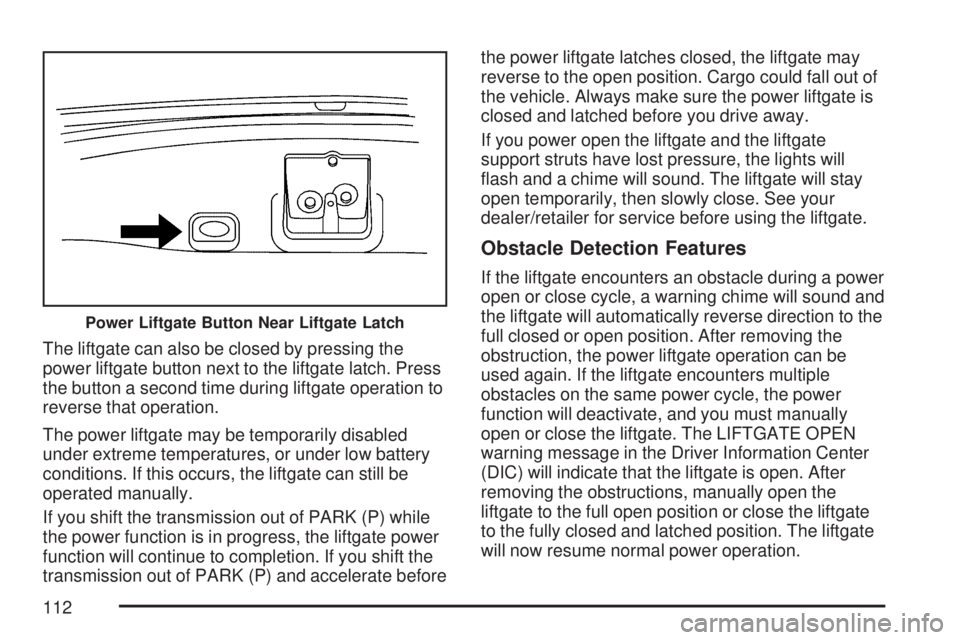
The liftgate can also be closed by pressing the
power liftgate button next to the liftgate latch. Press
the button a second time during liftgate operation to
reverse that operation.
The power liftgate may be temporarily disabled
under extreme temperatures, or under low battery
conditions. If this occurs, the liftgate can still be
operated manually.
If you shift the transmission out of PARK (P) while
the power function is in progress, the liftgate power
function will continue to completion. If you shift the
transmission out of PARK (P) and accelerate beforethe power liftgate latches closed, the liftgate may
reverse to the open position. Cargo could fall out of
the vehicle. Always make sure the power liftgate is
closed and latched before you drive away.
If you power open the liftgate and the liftgate
support struts have lost pressure, the lights will
ash and a chime will sound. The liftgate will stay
open temporarily, then slowly close. See your
dealer/retailer for service before using the liftgate.
Obstacle Detection Features
If the liftgate encounters an obstacle during a power
open or close cycle, a warning chime will sound and
the liftgate will automatically reverse direction to the
full closed or open position. After removing the
obstruction, the power liftgate operation can be
used again. If the liftgate encounters multiple
obstacles on the same power cycle, the power
function will deactivate, and you must manually
open or close the liftgate. The LIFTGATE OPEN
warning message in the Driver Information Center
(DIC) will indicate that the liftgate is open. After
removing the obstructions, manually open the
liftgate to the full open position or close the liftgate
to the fully closed and latched position. The liftgate
will now resume normal power operation.
Power Liftgate Button Near Liftgate Latch
112
Page 113 of 554
Your vehicle has pinch sensors located on the
side edges of the liftgate. If an object is caught
between the liftgate and the body and presses
against this sensor, the liftgate will reverse
direction and open fully. The liftgate will remain
open until it is activated again or closed manually.
Do not force the liftgate open or closed during
a power cycle.
Manual Operation of Power Liftgate
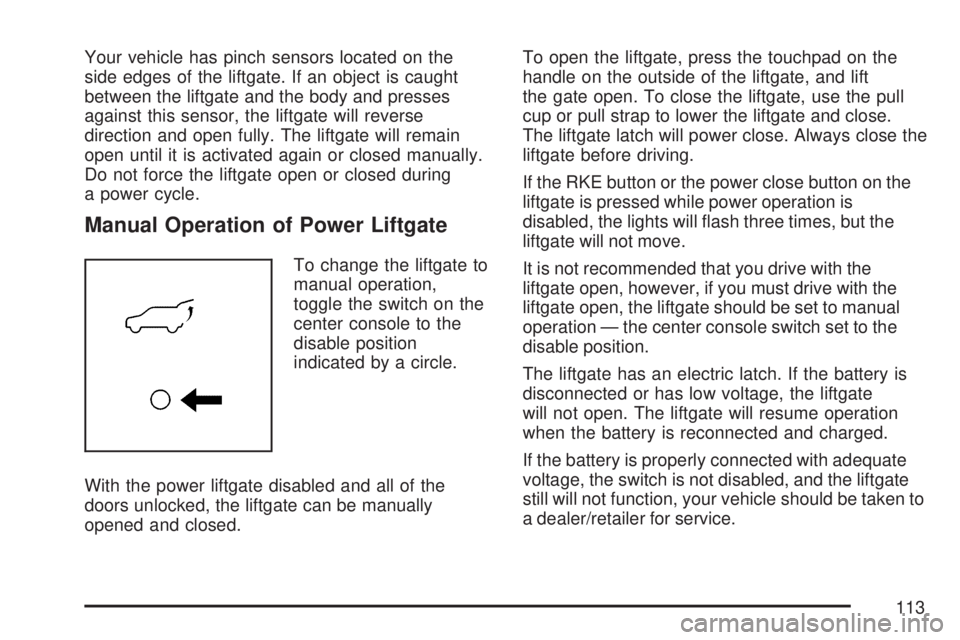
To change the liftgate to
manual operation,
toggle the switch on the
center console to the
disable position
indicated by a circle.
With the power liftgate disabled and all of the
doors unlocked, the liftgate can be manually
opened and closed.To open the liftgate, press the touchpad on the
handle on the outside of the liftgate, and lift
the gate open. To close the liftgate, use the pull
cup or pull strap to lower the liftgate and close.
The liftgate latch will power close. Always close the
liftgate before driving.
If the RKE button or the power close button on the
liftgate is pressed while power operation is
disabled, the lights will ash three times, but the
liftgate will not move.
It is not recommended that you drive with the
liftgate open, however, if you must drive with the
liftgate open, the liftgate should be set to manual
operation — the center console switch set to the
disable position.
The liftgate has an electric latch. If the battery is
disconnected or has low voltage, the liftgate
will not open. The liftgate will resume operation
when the battery is reconnected and charged.
If the battery is properly connected with adequate
voltage, the switch is not disabled, and the liftgate
still will not function, your vehicle should be taken to
a dealer/retailer for service.
113
Page 117 of 554
Programming the Power Windows
If the battery one your vehicle has been recharged,
disconnected, or replaced, windows with the
express-up feature need to be reprogrammed for
this feature to work. To program the window:
1. With the ignition in the ACCESSORY or RUN
positions, or when Retained Accessory
Power (RAP) is active, close all doors. See
Retained Accessory Power (RAP) on
page 125.
2. Press and continue to hold the window switch
until the window is fully open.
3. Pull up and hold the window switch to close the
window. Continue to hold it briey after the
window is fully closed.
4. Repeat for each window that has the express
up feature.
Anti-Pinch Feature
The anti-pinch feature is on windows with the
express-up feature. If an object is in the way of the
window as it is express-closing, or in certain
weather conditions like severe icing, the window will
stop and open to a factory preset position. The
window functions normally once the obstruction is
removed.
Window Lockout
o
(Window Lockout):The window lockout
switch is located with the power window switches
on the driver’s door armrest. This feature
prevents the rear passenger windows from
operating, except from the driver’s position. Press
the switch to turn the lockout feature on or off.
An indicator light will come on to show the lockout
feature is on.
Sun Visors
Pull the sun visor down to block glare. Detach the
sun visor from the center mount and slide it
along the rod from side-to-side to cover the driver
or passenger side of the front window. Swing
the sun visor to the side to cover the side window.
It can be moved along the rod from side-to-side
in this position also.
Lighted Visor Vanity Mirror
Your vehicle has lighted visor vanity mirrors on
both the driver’s and passenger’s sun visors. Pull
the sun visor down and lift the mirror cover to
turn the lamps on.
117