parking brake GMC ACADIA 2007 User Guide
[x] Cancel search | Manufacturer: GMC, Model Year: 2007, Model line: ACADIA, Model: GMC ACADIA 2007Pages: 554, PDF Size: 2.76 MB
Page 251 of 554
SERVICE BATTERY CHARGING
SYSTEM
On some vehicles, this message displays if there
is a problem with the battery charging system.
Under certain conditions, the charging system light
may also turn on in the instrument panel cluster.
SeeCharging System Light on page 220.
Driving with this problem could drain the battery.
Turn off all unnecessary accessories. Have
the electrical system checked as soon as possible.
See your dealer/retailer.
SERVICE BRAKE SYSTEM
This message displays along with the brake
system warning light if there is a problem with
the brake system. SeeBrake System Warning
Light on page 222. If this message appears, stop
as soon as possible and turn off the vehicle.
Restart the vehicle and check for the message on
the DIC display. If the message is still displayed
or appears again when you begin driving, the
brake system needs service as soon as possible.
See your dealer/retailer.
SERVICE PARK ASSIST
If your vehicle has the Ultrasonic Rear Parking
Assist (URPA) system, this message displays
if there is a problem with the URPA system.
Do not use this system to help you park. See
Ultrasonic Rear Parking Assist (URPA) on
page 194for more information. See your
dealer/retailer for service.
SERVICE POWER STEERING
This message displays when a problem is
detected with the power steering system. When
this message is displayed, you may notice that
the effort required to steer the vehicle increases
or feels heavier, but you will still be able to
steer the vehicle. Have your vehicle serviced
by your dealer/retailer immediately.
251
Page 368 of 554
Dinghy Towing
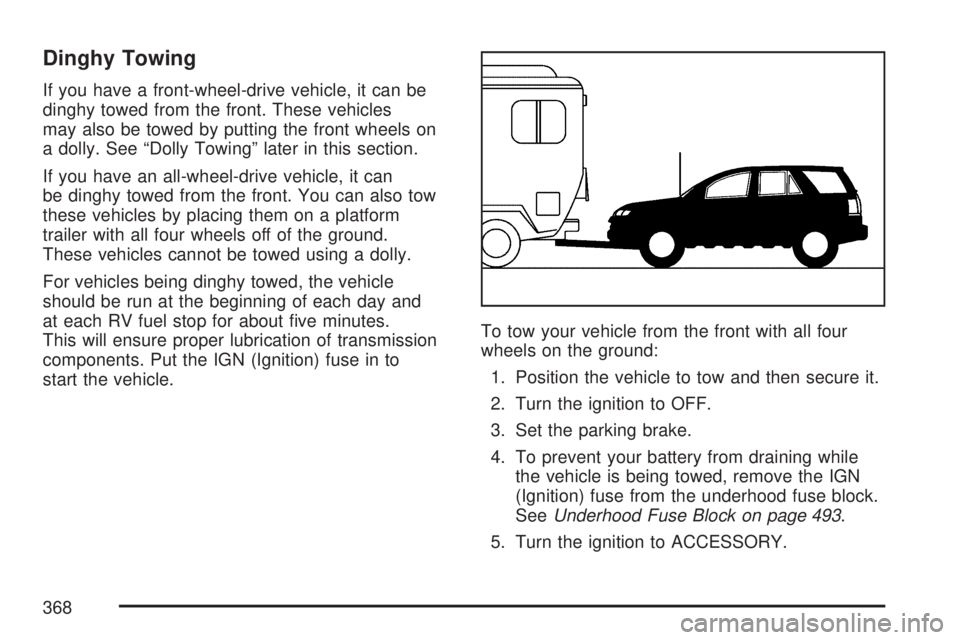
If you have a front-wheel-drive vehicle, it can be
dinghy towed from the front. These vehicles
may also be towed by putting the front wheels on
a dolly. See “Dolly Towing” later in this section.
If you have an all-wheel-drive vehicle, it can
be dinghy towed from the front. You can also tow
these vehicles by placing them on a platform
trailer with all four wheels off of the ground.
These vehicles cannot be towed using a dolly.
For vehicles being dinghy towed, the vehicle
should be run at the beginning of each day and
at each RV fuel stop for about ve minutes.
This will ensure proper lubrication of transmission
components. Put the IGN (Ignition) fuse in to
start the vehicle.To tow your vehicle from the front with all four
wheels on the ground:
1. Position the vehicle to tow and then secure it.
2. Turn the ignition to OFF.
3. Set the parking brake.
4. To prevent your battery from draining while
the vehicle is being towed, remove the IGN
(Ignition) fuse from the underhood fuse block.
SeeUnderhood Fuse Block on page 493.
5. Turn the ignition to ACCESSORY.
368
Page 369 of 554
6. Shift your transmission to NEUTRAL (N).
7. Release the parking brake.
Notice:If you tow your vehicle without
performing each of the steps listed under
“Dinghy Towing,” you could damage the
automatic transmission. Be sure to follow all
steps of the dinghy towing procedure prior
to and after towing your vehicle.
Notice:If you exceed 65 mph (105 km/h) while
towing your vehicle, it could be damaged.
Never exceed 65 mph (105 km/h) while towing
your vehicle.
Once you have reached your destination, do the
following:
1. Set the parking brake.
2. Turn the ignition key to OFF and remove the
key from the ignition.
3. Reinstall the IGN (Ignition) fuse.
Notice:Don’t tow a vehicle with the front
drive wheels on the ground if one of the front
tires is a compact spare tire. Towing with
two different tire sizes on the front of the
vehicle can cause severe damage to the
transmission.Dolly Towing (All-Wheel-Drive Vehicles)
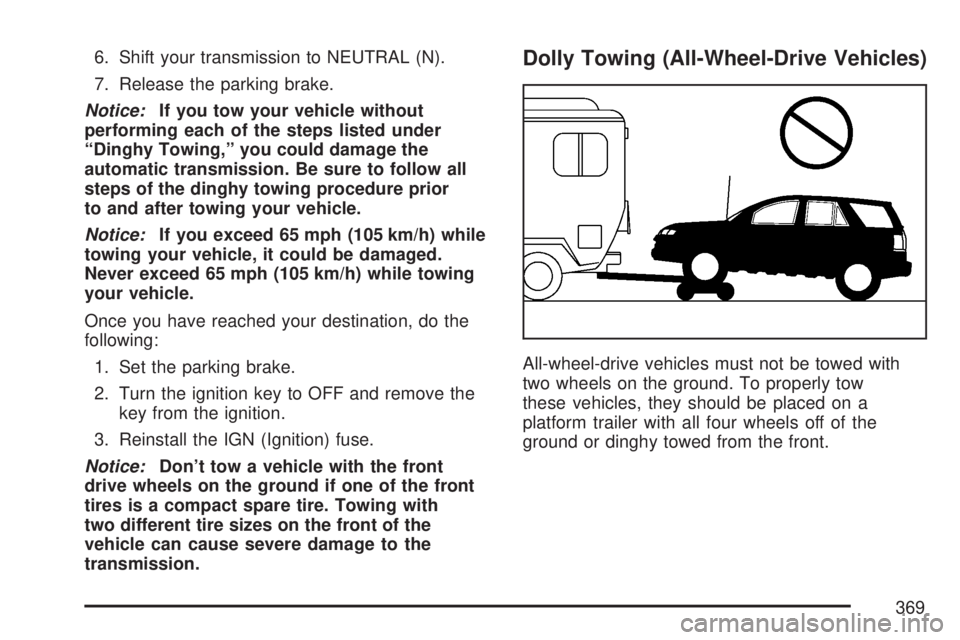
All-wheel-drive vehicles must not be towed with
two wheels on the ground. To properly tow
these vehicles, they should be placed on a
platform trailer with all four wheels off of the
ground or dinghy towed from the front.
369
Page 370 of 554
Dolly Towing (Front-Wheel-Drive
Vehicles Only)
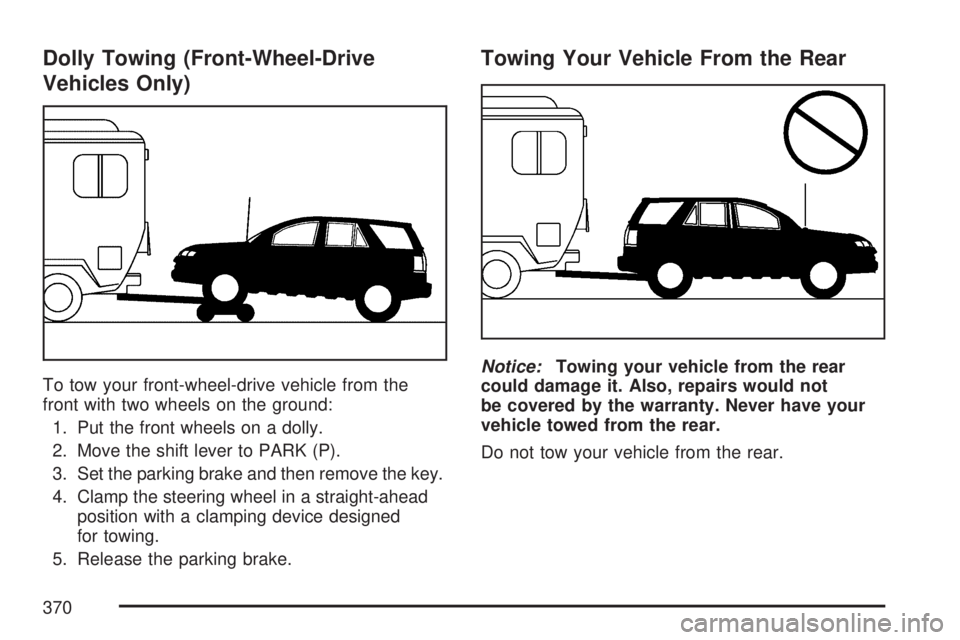
To tow your front-wheel-drive vehicle from the
front with two wheels on the ground:
1.
Put the front wheels on a dolly.
2.Move the shift lever to PARK (P).
3.Set the parking brake and then remove the key.
4.Clamp the steering wheel in a straight-ahead
position with a clamping device designed
for towing.
5. Release the parking brake.
Towing Your Vehicle From the Rear
Notice:Towing your vehicle from the rear
could damage it. Also, repairs would not
be covered by the warranty. Never have your
vehicle towed from the rear.
Do not tow your vehicle from the rear.
370
Page 380 of 554
Driving on Grades
Your vehicle is designed primarily as a passenger
and load carrying vehicle. If you tow a trailer,
your vehicle will require more frequent
maintenance due to the additional load. Because
of the added load of the trailer, your vehicle’s
engine may overheat on hot days, when going up
a long or steep grade with a trailer. If the engine
coolant temperature gage indicates overheating,
turn off the air conditioning to reduce engine load,
pull off the road and stop in a safe spot.
Reduce speed and shift to a lower gear before
you start down a long or steep downgrade. If you
don’t shift down, you might have to use your
brakes so much that they would get hot and no
longer work well.
On a long uphill grade, shift down and reduce
your speed to around 55 mph (88 km/h) to reduce
the possibility of the engine and the transmission
overheating.
Parking on Hills
{CAUTION:
You really should not park your vehicle,
with a trailer attached, on a hill.
If something goes wrong, your rig could
start to move. People can be injured, and
both your vehicle and the trailer can be
damaged.
But if you ever have to park your rig on a hill,
here’s how to do it:
1. Apply your regular brakes, but don’t shift
into PARK (P).
When parking uphill, turn your wheels away
from the curb. When parking downhill,
turn your wheels into the curb.
2. Have someone place chocks behind the
trailer wheels.
380
Page 381 of 554
3. When the chocks are in place, release the
regular brakes until the chocks absorb
the load.
4. Reapply the regular brakes. Then apply your
parking brake and shift into PARK (P).
5. Release the regular brakes.
When You Are Ready to Leave After
Parking on a Hill
1. Apply your regular brakes and hold the pedal
down while you:
start your engine,
shift into a gear, and
release the parking brake.
2. Let up on the brake pedal.
3. Drive slowly until the trailer is clear of the
chocks.
4. Stop and have someone pick up and store
the chocks.
Maintenance When Trailer Towing
Your vehicle will need service more often
when you’re pulling a trailer. SeeScheduled
Maintenance on page 502for more information.
Things that are especially important in trailer
operation are automatic transmission uid
(don’t overll), engine oil, axle lubricant, drive
belt, cooling system and brake system. Each of
these is covered in this manual, and the Index will
help you nd them quickly. If you’re trailering,
it’s a good idea to review this information before
you start your trip.
Check periodically to see that all hitch nuts and
bolts are tight.
381
Page 405 of 554
Checking the Fluid Level
Prepare the vehicle as follows:
1. Park the vehicle on a level place. Keep the
engine running.
2. With the parking brake applied, place the shift
lever in PARK (P).
3. With your foot on the brake pedal, move the
shift lever through each gear, pausing for
about three seconds in each one. Then,
position the shift lever in PARK (P).
4. Let the engine run at idle for three to
ve minutes.
Then, without shutting off the engine, follow
these steps:
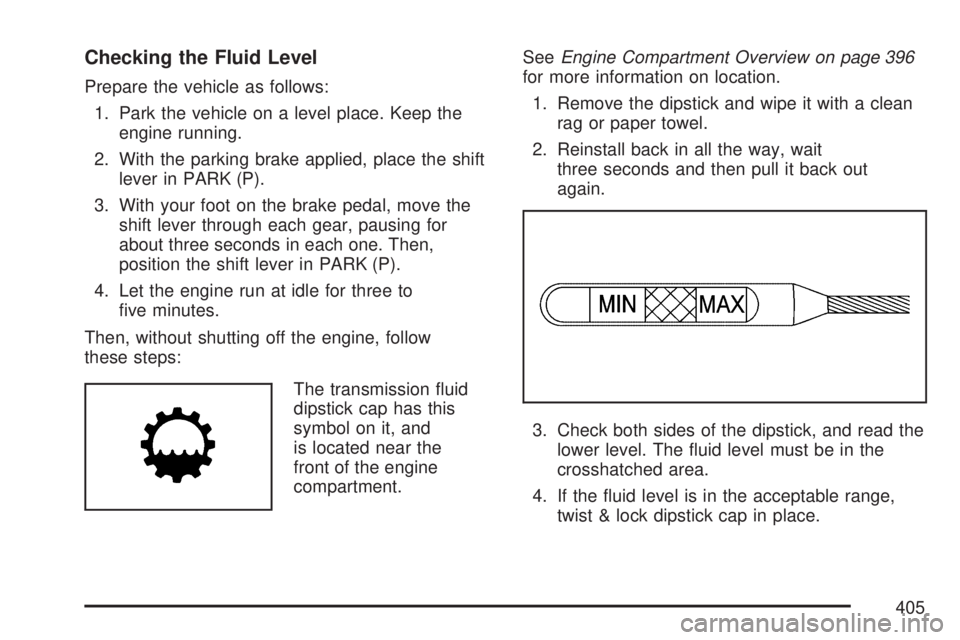
The transmission uid
dipstick cap has this
symbol on it, and
is located near the
front of the engine
compartment.SeeEngine Compartment Overview on page 396
for more information on location.
1. Remove the dipstick and wipe it with a clean
rag or paper towel.
2. Reinstall back in all the way, wait
three seconds and then pull it back out
again.
3. Check both sides of the dipstick, and read the
lower level. The uid level must be in the
crosshatched area.
4. If the uid level is in the acceptable range,
twist & lock dipstick cap in place.
405
Page 425 of 554
Jump Starting
If your vehicle’s battery has run down, you may
want to use another vehicle and some jumper
cables to start your vehicle. Be sure to use
the following steps to do it safely.
{CAUTION:
Batteries can hurt you. They can be
dangerous because:
They contain acid that can burn you.
They contain gas that can explode or
ignite.
They contain enough electricity to
burn you.
If you do not follow these steps exactly,
some or all of these things can hurt you.
Notice:Ignoring these steps could result in
costly damage to your vehicle that would
not be covered by your warranty.Trying to start your vehicle by pushing or
pulling it will not work, and it could damage
your vehicle.
1. Check the other vehicle. It must have a
12-volt battery with a negative ground system.
Notice:If the other vehicle’s system is not
a 12-volt system with a negative ground, both
vehicles can be damaged. Only use vehicles
with 12-volt systems with negative grounds to
jump start your vehicle.
2. Get the vehicles close enough so the jumper
cables can reach, but be sure the vehicles are
not touching each other. If they are, it could
cause a ground connection you do not
want. You would not be able to start your
vehicle, and the bad grounding could damage
the electrical systems.
To avoid the possibility of the vehicles rolling,
set the parking brake rmly on both vehicles
involved in the jump start procedure. Put
an automatic transmission in PARK (P) or a
manual transmission in NEUTRAL before
setting the parking brake. If you have a
four-wheel-drive vehicle, be sure the transfer
case is not in NEUTRAL.
425
Page 447 of 554
The TPMS sensor matching process is outlined
below:
1. Set the parking brake.
2. Turn the ignition switch to ON with the
engine off.
3. Using the DIC, press the vehicle information
button until the PRESS
VTO RELEARN TIRE
POSITIONS message displays. If your vehicle
does not have the DIC buttons, press the trip
odometer reset stem located on the instrument
panel cluster until the RELEARN TIRE
POSITIONS message displays.
4. If your vehicle has the DIC buttons, press the
set/reset button. The horn sounds twice to
indicate the TPMS receiver is ready, and the
TIRE LEARNING ACTIVE message
displays. If your vehicle does not have the
DIC buttons, press and hold the trip odometer
reset stem until the horn chirps twice and
the TIRE LEARNING ACTIVE message
is displayed.
5. Start with the driver side front tire. The driver
side front turn signal lamp is on.6. Remove the valve cap from the valve stem.
Activate the TPMS sensor by increasing
or decreasing the tire’s air pressure for
ve seconds, or until a horn chirp sounds.
The horn chirp, which may take up to
30 seconds to sound, conrms that the sensor
identication code has been matched to this
tire and wheel position.
7. Proceed to the passenger side front tire.
The passenger side front turn signal lamp is on.
Repeat the procedure in Step 6.
8. Proceed to the passenger side rear tire.
The passenger side rear turn signal lamp is on.
Repeat the procedure in Step 6.
9. Proceed to the driver side rear tire. The driver
side rear turn signal lamp is on. Repeat the
procedure in Step 6. Instead of a single horn
chirp a double horn chirp signals the TPMS
sensor has been matched to this tire and wheel
position and the matching process is no longer
active.
10. Turn the ignition switch to OFF.
11. Set all four tires to the recommended air
pressure level as indicated on the Tire and
Loading Information label.
12. Put the valve caps back on the valve stems.
447
Page 458 of 554
Changing a Flat Tire
If a tire goes at, avoid further tire and wheel
damage by driving slowly to a level place. Turn on
your vehicle’s hazard warning ashers. See
Hazard Warning Flashers on page 172for more
information.
{CAUTION:
Changing a tire can be dangerous. The
vehicle can slip off the jack and roll over
or fall on you or other people. You and
they could be badly injured or even killed.
Find a level place to change your tire.
To help prevent the vehicle from moving:
1. Set the parking brake rmly.
2. Put the shift lever in PARK (P).
CAUTION: (Continued)
CAUTION: (Continued)
3. Turn off the engine and do not restart
while the vehicle is raised.
4. Do not allow passengers to remain in
the vehicle.
To be even more certain the vehicle will
not move, you should put blocks at the
front and rear of the tire farthest away
from the one being changed. That would
be the tire, on the other side, at the
opposite end of the vehicle.
When your vehicle has a at tire, use the following
example as a guide to assist you in the placement
of wheel blocks.
458