radio GMC ACADIA 2007 User Guide
[x] Cancel search | Manufacturer: GMC, Model Year: 2007, Model line: ACADIA, Model: GMC ACADIA 2007Pages: 554, PDF Size: 2.76 MB
Page 168 of 554
Warning Lights, Gages, and Indicators..... 214
Instrument Panel Cluster........................... 215
Speedometer and Odometer...................... 216
Tachometer............................................... 216
Safety Belt Reminder Light........................ 216
Passenger Safety Belt Reminder Light....... 217
Airbag Readiness Light............................. 217
Passenger Airbag Status Indicator............. 218
Charging System Light.............................. 220
Voltmeter Gage......................................... 221
Brake System Warning Light..................... 222
Anti-Lock Brake System Warning Light...... 223
StabiliTrak
®Indicator Light......................... 224
Engine Coolant Temperature Warning
Light...................................................... 224
Engine Coolant Temperature Gage............ 225
Tire Pressure Light.................................... 225
Malfunction Indicator Lamp........................ 226
Oil Pressure Light..................................... 229
Security Light............................................ 229
Fog Lamp Light......................................... 230Cruise Control Light.................................. 230
Highbeam On Light................................... 230
Tow/Haul Mode Light................................ 230
Fuel Gage................................................. 231
Driver Information Center (DIC).................. 232
DIC Operation and Displays
(With DIC Buttons)................................. 233
DIC Operation and Displays
(Without DIC Buttons)............................ 239
DIC Warnings and Messages.................... 244
DIC Vehicle Customization
(With DIC Buttons)................................. 255
Audio System(s)......................................... 264
Setting the Time........................................ 266
Radio with CD........................................... 268
Radio with CD and DVD........................... 278
Using an MP3 (Radio with CD or
Six-Disc CD Player)............................... 295
Using an MP3 (Radio with CD and
DVD Player)........................................... 301
Section 3 Instrument Panel
168
Page 169 of 554
XM Radio Messages................................. 309
Navigation/Radio System........................... 311
Rear Seat Entertainment System............... 311
Rear Seat Audio (RSA)............................. 322
Rear Audio Controller (RAC)..................... 324
Theft-Deterrent Feature............................. 325Audio Steering Wheel Controls.................. 325
Radio Reception........................................ 326
Care of Your CDs and DVDs.................... 328
Care of the CD and DVD Player............... 328
Multi-Band Antenna................................... 328
Section 3 Instrument Panel
169
Page 171 of 554
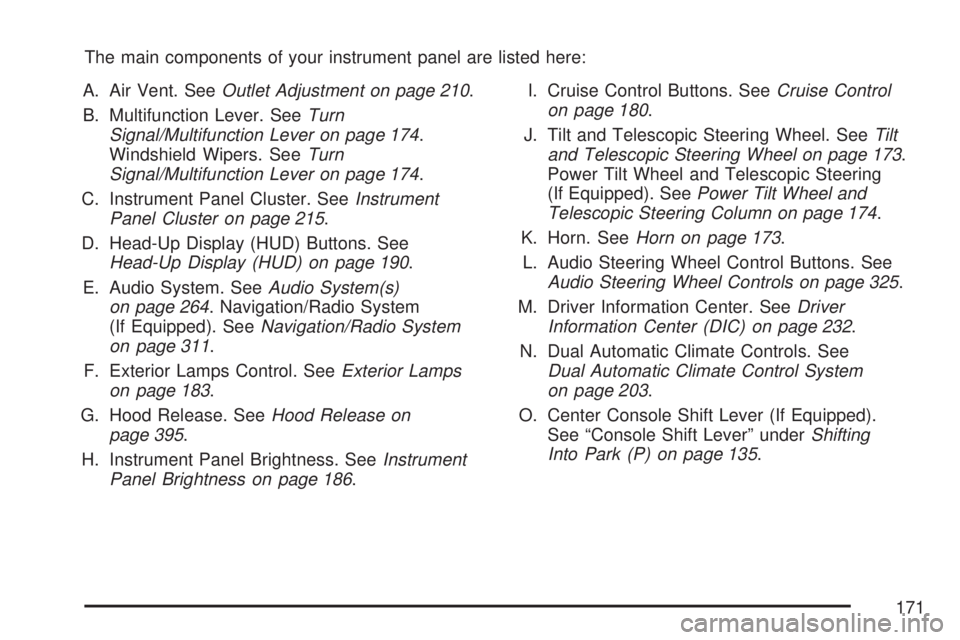
The main components of your instrument panel are listed here:
A. Air Vent. SeeOutlet Adjustment on page 210.
B. Multifunction Lever. SeeTurn
Signal/Multifunction Lever on page 174.
Windshield Wipers. SeeTurn
Signal/Multifunction Lever on page 174.
C. Instrument Panel Cluster. SeeInstrument
Panel Cluster on page 215.
D. Head-Up Display (HUD) Buttons. See
Head-Up Display (HUD) on page 190.
E. Audio System. SeeAudio System(s)
on page 264. Navigation/Radio System
(If Equipped). SeeNavigation/Radio System
on page 311.
F. Exterior Lamps Control. SeeExterior Lamps
on page 183.
G. Hood Release. SeeHood Release on
page 395.
H. Instrument Panel Brightness. SeeInstrument
Panel Brightness on page 186.I. Cruise Control Buttons. SeeCruise Control
on page 180.
J. Tilt and Telescopic Steering Wheel. SeeTilt
and Telescopic Steering Wheel on page 173.
Power Tilt Wheel and Telescopic Steering
(If Equipped). SeePower Tilt Wheel and
Telescopic Steering Column on page 174.
K. Horn. SeeHorn on page 173.
L. Audio Steering Wheel Control Buttons. See
Audio Steering Wheel Controls on page 325.
M. Driver Information Center. SeeDriver
Information Center (DIC) on page 232.
N. Dual Automatic Climate Controls. See
Dual Automatic Climate Control System
on page 203.
O. Center Console Shift Lever (If Equipped).
See “Console Shift Lever” underShifting
Into Park (P) on page 135.
171
Page 190 of 554
Head-Up Display (HUD)
{CAUTION:
If the HUD image is too bright or too high
in your eld of view, it may take you more
time to see things you need to see when
it is dark outside. Be sure to keep the
HUD image dim and placed low in your
eld of view.
If the vehicle has the Head-Up Display (HUD),
some information concerning the operation of the
vehicle is projected onto the windshield. This
includes the speedometer reading, RPM reading,
transmission position, outside air temperature, the
tap shift gear, and a brief display of the current
radio station, including XM information or CD track.It will also display turn-by-turn navigation
information if the vehicle has a navigation radio.
The images are projected by the HUD lens located
on the driver’s side of the instrument panel.
The tap shift gear will also appear on the HUD if
the vehicle has tap shift and it is active.
The HUD information can be displayed in one of
three languages, English, French, or Spanish.
The speedometer reading and other numerical
values can be displayed in either English or
metric units.
The language selection and the units of
measurement are changed through the trip
computer in the Driver Information Center (DIC).
SeeDIC Vehicle Customization (With DIC Buttons)
on page 255.
190
Page 191 of 554
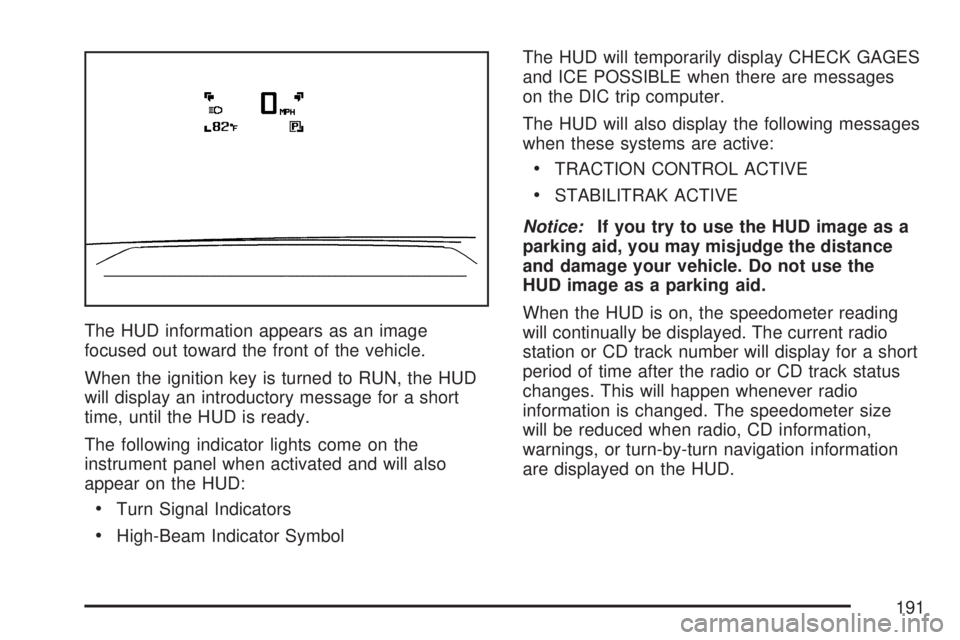
The HUD information appears as an image
focused out toward the front of the vehicle.
When the ignition key is turned to RUN, the HUD
will display an introductory message for a short
time, until the HUD is ready.
The following indicator lights come on the
instrument panel when activated and will also
appear on the HUD:
Turn Signal Indicators
High-Beam Indicator SymbolThe HUD will temporarily display CHECK GAGES
and ICE POSSIBLE when there are messages
on the DIC trip computer.
The HUD will also display the following messages
when these systems are active:
TRACTION CONTROL ACTIVE
STABILITRAK ACTIVE
Notice:If you try to use the HUD image as a
parking aid, you may misjudge the distance
and damage your vehicle. Do not use the
HUD image as a parking aid.
When the HUD is on, the speedometer reading
will continually be displayed. The current radio
station or CD track number will display for a short
period of time after the radio or CD track status
changes. This will happen whenever radio
information is changed. The speedometer size
will be reduced when radio, CD information,
warnings, or turn-by-turn navigation information
are displayed on the HUD.
191
Page 193 of 554
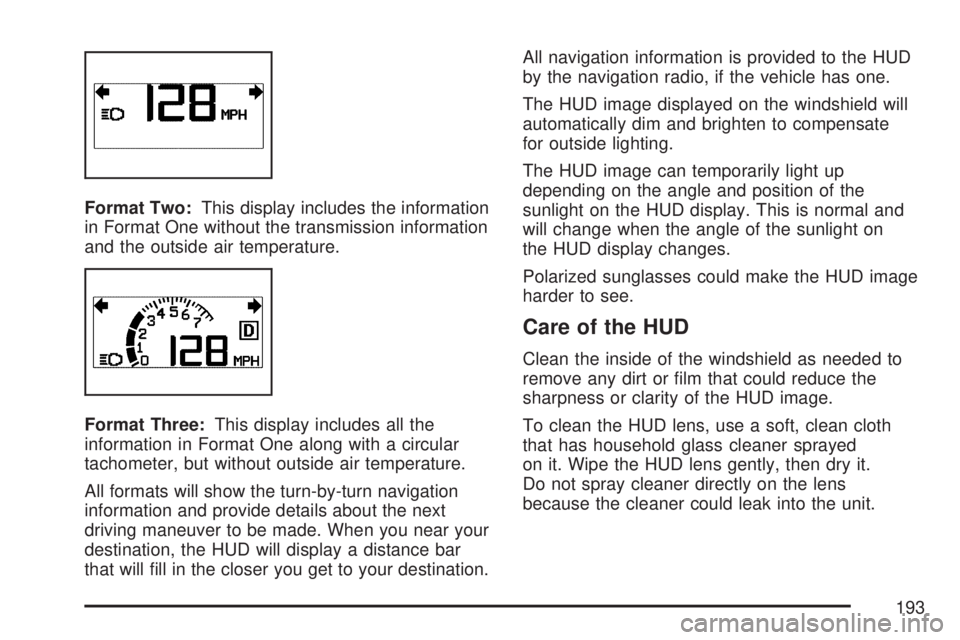
Format Two:This display includes the information
in Format One without the transmission information
and the outside air temperature.
Format Three:This display includes all the
information in Format One along with a circular
tachometer, but without outside air temperature.
All formats will show the turn-by-turn navigation
information and provide details about the next
driving maneuver to be made. When you near your
destination, the HUD will display a distance bar
that will ll in the closer you get to your destination.All navigation information is provided to the HUD
by the navigation radio, if the vehicle has one.
The HUD image displayed on the windshield will
automatically dim and brighten to compensate
for outside lighting.
The HUD image can temporarily light up
depending on the angle and position of the
sunlight on the HUD display. This is normal and
will change when the angle of the sunlight on
the HUD display changes.
Polarized sunglasses could make the HUD image
harder to see.
Care of the HUD
Clean the inside of the windshield as needed to
remove any dirt or lm that could reduce the
sharpness or clarity of the HUD image.
To clean the HUD lens, use a soft, clean cloth
that has household glass cleaner sprayed
on it. Wipe the HUD lens gently, then dry it.
Do not spray cleaner directly on the lens
because the cleaner could leak into the unit.
193
Page 197 of 554
If this occurs, URPA assumes the object is still
attached, so you will have to wait until the
vehicle is driven forward above 15 mph
(25 km/h) before URPA will return to normal
operation.
The ultrasonic sensors need to be kept clean.
So, be sure to keep your vehicle’s rear bumper
free of mud, dirt, snow, ice, and slush. For
cleaning instructions, seeWashing Your
Vehicle on page 482. If the DIC still displays the
PARK ASSIST OFF message after cleaning the
bumper and driving forward at a speed of at
least 15 mph (25 km/h), see your dealer/retailer.
Other conditions that may affect system
performance include vibrations from a
jackhammer or the compression of air brakes
on a very large truck or other mechanical
devices that interfere with URPA performance.
As always, drivers should use care when backing
up a vehicle. Always look behind you, being
sure to check for other vehicles, obstructions
and blind spots.
If the vehicle bumper is damaged, the URPA
system may not work properly. Take the vehicle
to your dealer/retailer to repair the system.
Accessory Power Outlet(s)
The accessory power outlets can be used to
connect electrical equipment such as a cellular
phone or CB radio.
Your vehicle may have four accessory power
outlets. They are located on the instrument panel
below the climate controls, inside the front
center console storage bin, at the rear of the
center console, and in the rear cargo area.
To use the outlets, remove the cover. When not in
use, always cover the outlet with the protective cap.
Notice:Leaving electrical equipment on for
extended periods will drain the battery. Always
turn off electrical equipment when not in
use and do not plug in equipment that exceeds
the maximum amperage rating of 20 amperes.
197
Page 220 of 554
If, after several seconds, both status indicator
lights remain on, or if there are no lights at
all, there may be a problem with the lights
or the passenger sensing system. See your
dealer/retailer for service.
{CAUTION:
If the airbag readiness light in the
instrument panel cluster ever comes on
and stays on, it means that something may
be wrong with the airbag system. If this
ever happens, have the vehicle serviced
promptly, because an adult-size person
sitting in the right front passenger’s
seat may not have the protection of the
airbag(s). SeeAirbag Readiness Light
on page 217for more on this, including
important safety information.
Charging System Light
The charging system
light will come on briey
when you turn on the
ignition, but the engine is
not running, as a check
to show you it is working.
It should go out once the engine is running. If it
stays on, or comes on while you are driving, you
may have a problem with the charging system.
It could indicate that you have problems with a
generator drive belt, or another electrical problem.
Have it checked right away. Driving while this light
is on could drain your battery.
When this light comes on, the Driver Information
Center (DIC) will also display the SERVICE
BATTERY CHARGING SYSTEM message. See
DIC Warnings and Messages on page 244for more
information.
If you must drive a short distance with the light on,
be certain to turn off all your accessories, such as
the radio and air conditioner.
220
Page 264 of 554
Choose one of the available settings and press
the set/reset button while it is displayed on the
DIC to select it.
EXIT FEATURE SETTINGS
This feature allows you to exit the feature
settings menu.
Press the customization button until FEATURE
SETTINGS PRESS
VTO EXIT appears in
the DIC display. Press the set/reset button once
to exit the menu.
If you do not exit, pressing the customization
button again will return you to the beginning of
the feature settings menu.
Exiting the Feature Settings Menu
The feature settings menu will be exited when any
of the following occurs:
The vehicle is shifted out of PARK (P).
The vehicle is no longer in ON.
The trip/fuel or vehicle information DIC buttons
are pressed.
The end of the feature settings menu is
reached and exited.
A 40 second time period has elapsed with
no selection made.
Audio System(s)
Determine which radio your vehicle has and then
read the pages following to familiarize yourself
with its features.
Driving without distraction is a necessity for a
safer driving experience. SeeDefensive Driving
on page 330. By taking a few moments to read
this manual and get familiar with your vehicle’s
audio system, you can use it with less effort,
as well as take advantage of its features.
While your vehicle is parked, set up your audio
system by presetting your favorite radio stations,
setting the tone and adjusting the speakers.
Then, when driving conditions permit, you can
tune to your favorite stations using the presets and
steering wheel controls if the vehicle has them.
264
Page 265 of 554
{CAUTION:
This system provides you with a far greater
access to audio stations and song listings.
Giving extended attention to entertainment
tasks while driving can cause a crash and
you or others can be injured or killed.
Always keep your eyes on the road and
your mind on the drive — avoid engaging
in extended searching while driving.
Keeping your mind on the drive is important for
safe driving. Here are some ways in which you
can help avoid distraction while driving.
While your vehicle is parked:
Familiarize yourself with all of its controls.
Familiarize yourself with its operation.
Set up your audio system by presetting your
favorite radio stations, setting the tone, and
adjusting the speakers. Then, when driving
conditions permit, you can tune to your favorite
radio stations using the presets and steering
wheel controls if the vehicle has them.Notice:Before adding any sound equipment
to your vehicle, such as an audio system,
CD player, CB radio, mobile telephone,
or two-way radio, make sure that it can be
added by checking with your dealer/retailer.
Also, check federal rules covering mobile radio
and telephone units. If sound equipment can
be added, it is very important to do it properly.
Added sound equipment may interfere with
the operation of your vehicle’s engine, radio,
or other systems, and even damage them.
Your vehicle’s systems may interfere with
the operation of sound equipment that
has been added.
Your vehicle has a feature called Retained
Accessory Power (RAP). With RAP, the audio
system can be played even after the ignition
is turned off. SeeRetained Accessory
Power (RAP) on page 125for more information.
265