transmission GMC ACADIA 2007 User Guide
[x] Cancel search | Manufacturer: GMC, Model Year: 2007, Model line: ACADIA, Model: GMC ACADIA 2007Pages: 554, PDF Size: 2.76 MB
Page 133 of 554
Tow/Haul Mode
Your vehicle may have a Tow/Haul mode.
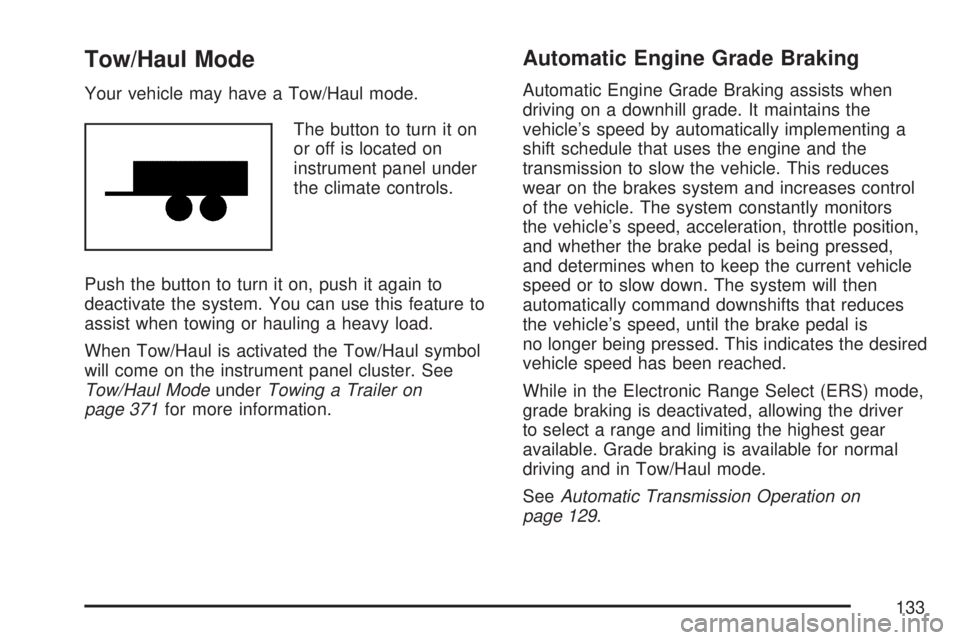
The button to turn it on
or off is located on
instrument panel under
the climate controls.
Push the button to turn it on, push it again to
deactivate the system. You can use this feature to
assist when towing or hauling a heavy load.
When Tow/Haul is activated the Tow/Haul symbol
will come on the instrument panel cluster. See
Tow/Haul ModeunderTowing a Trailer on
page 371for more information.
Automatic Engine Grade Braking
Automatic Engine Grade Braking assists when
driving on a downhill grade. It maintains the
vehicle’s speed by automatically implementing a
shift schedule that uses the engine and the
transmission to slow the vehicle. This reduces
wear on the brakes system and increases control
of the vehicle. The system constantly monitors
the vehicle’s speed, acceleration, throttle position,
and whether the brake pedal is being pressed,
and determines when to keep the current vehicle
speed or to slow down. The system will then
automatically command downshifts that reduces
the vehicle’s speed, until the brake pedal is
no longer being pressed. This indicates the desired
vehicle speed has been reached.
While in the Electronic Range Select (ERS) mode,
grade braking is deactivated, allowing the driver
to select a range and limiting the highest gear
available. Grade braking is available for normal
driving and in Tow/Haul mode.
SeeAutomatic Transmission Operation on
page 129.
133
Page 136 of 554
Leaving Your Vehicle With the Engine
Running
{CAUTION:
It can be dangerous to leave your vehicle
with the engine running. Your vehicle could
move suddenly if the shift lever is not fully
in PARK (P) with the parking brake rmly
set. And, if you leave the vehicle with the
engine running, it could overheat and even
catch re. You or others could be injured.
Do not leave your vehicle with the engine
running.
If you have to leave your vehicle with the engine
running, be sure your vehicle is in PARK (P) and
your parking brake is rmly set before you leave it.
After you have moved the shift lever into PARK (P),
hold the regular brake pedal down. Then, see if you
can move the shift lever away from PARK (P)
without rst pushing the button.
If you can, it means that the shift lever was not
fully locked in PARK (P).
Torque Lock
If you are parking on a hill and you do not shift your
transmission into PARK (P) properly, the weight of
the vehicle may put too much force on the parking
pawl in the transmission. You may nd it difficult to
pull the shift lever out of PARK (P). This is called
“torque lock.” To prevent torque lock, set the
parking brake and then shift into PARK (P) properly
before you leave the driver’s seat. To nd out how,
seeShifting Into Park (P) on page 135.
When you are ready to drive, move the shift lever
out of PARK (P)beforeyou release the parking
brake.
If torque lock does occur, you may need to have
another vehicle push your vehicle a little uphill
to take some of the pressure from the parking pawl
in the transmission, then you will be able to pull
the shift lever out of PARK (P).
136
Page 137 of 554
Shifting Out of Park (P)
Your vehicle has an automatic transmission shift
lock control system. You have to apply your
regular brake rst and then press the shift lever
button before you can shift from PARK (P).
SeeAutomatic Transmission Operation on
page 129.
If you cannot shift out of PARK (P), ease pressure
on the shift lever and push the shift lever all the
way into PARK (P) as you maintain brake
application. Then press the shift lever button and
move the shift lever into the gear you wish.
Parking Over Things That Burn
{CAUTION:
Things that can burn could touch hot
exhaust parts under your vehicle and
ignite. Do not park over papers, leaves,
dry grass, or other things that can burn.
137
Page 151 of 554
Read the instructions completely before attempting
to program the Universal Home Remote. Because
of the steps involved, it may be helpful to have
another person available to assist you in the
programming steps
Keep the original hand-held transmitter for use in
other vehicles as well as for future Universal Home
Remote programming. It is also recommended that
upon the sale of the vehicle, the programmed
Universal Home Remote buttons should be erased
for security purposes. See “Erasing Universal
Home Remote Buttons” later in section.
When programming a garage door, it is advised to
park outside of the garage. Be sure that people
and objects are clear of the garage door or
gate operator you are programming.
It is recommended that a new battery be installed
in your hand-held transmitter for quicker and
more accurate transmission of the radio-frequency
signal.Programming the Universal Home
Remote System
Follow these steps to program up to three
devices:
1. Press and hold down the two outside
Universal Home Remote buttons, releasing
only when the Universal Home Remote
indicator light begins to ash, after
20 seconds. Do not hold down the buttons for
longer than 30 seconds and do not repeat
this step to program a second and/or
third hand-held transmitter to the remaining
two Universal Home Remote buttons.
2. Hold the end of your hand-held transmitter
about 1 to 3 inches (3 to 8 cm) away from
the Universal Home Remote buttons
while keeping the indicator light in view.
3. At the same time, press and hold both the
desired Universal Home Remote button and
the hand-held transmitter button. Do not
release the buttons until Step 4 has been
completed.
151
Page 153 of 554
Gate Operator and Canadian
Programming
Canadian radio-frequency laws require transmitter
signals to time out or quit after several seconds
of transmission. This may not be long enough
for Universal Home Remote to pick up the signal
during programming. Similarly, some U.S. gate
operators are manufactured to time out in
the same manner.
If you live in Canada, or you are having difficulty
programming a gate operator or garage door
opener by using the “Programming Universal
Home Remote” procedures, regardless of where
you live, replace Step 3 under “Programming
Universal Home Remote” with the following:
Continue to press and hold the Universal Home
Remote button while you press and release every
two seconds (cycle) the hand-held transmitter
button until the frequency signal has been
successfully accepted by the Universal Home
Remote. The Universal Home Remote indicator
light will ash slowly at rst and then rapidly.
Proceed with Step 4 under “Programming
Universal Home Remote” to complete.
Using Universal Home Remote
Press and hold the appropriate Universal Home
Remote button for at least half of a second.
The indicator light will come on while the signal is
being transmitted.
Erasing Universal Home Remote
Buttons
To erase programming from the three Universal
Home Remote buttons do the following:
1. Press and hold down the two outside buttons
until the indicator light begins to ash, after
20 seconds. Do not hold the two outside
buttons for longer than 30 seconds.
2. Release both buttons.
The Universal Home Remote is now in the training
(learning) mode and can be programmed at any
time beginning with Step 2 under “Programming
Universal Home Remote” shown earlier in
this section.
Individual buttons cannot be erased, but they can
be reprogrammed. See “Reprogramming a
Single Universal Home Remote Button” following
this section.
153
Page 190 of 554
Head-Up Display (HUD)
{CAUTION:
If the HUD image is too bright or too high
in your eld of view, it may take you more
time to see things you need to see when
it is dark outside. Be sure to keep the
HUD image dim and placed low in your
eld of view.
If the vehicle has the Head-Up Display (HUD),
some information concerning the operation of the
vehicle is projected onto the windshield. This
includes the speedometer reading, RPM reading,
transmission position, outside air temperature, the
tap shift gear, and a brief display of the current
radio station, including XM information or CD track.It will also display turn-by-turn navigation
information if the vehicle has a navigation radio.
The images are projected by the HUD lens located
on the driver’s side of the instrument panel.
The tap shift gear will also appear on the HUD if
the vehicle has tap shift and it is active.
The HUD information can be displayed in one of
three languages, English, French, or Spanish.
The speedometer reading and other numerical
values can be displayed in either English or
metric units.
The language selection and the units of
measurement are changed through the trip
computer in the Driver Information Center (DIC).
SeeDIC Vehicle Customization (With DIC Buttons)
on page 255.
190
Page 192 of 554
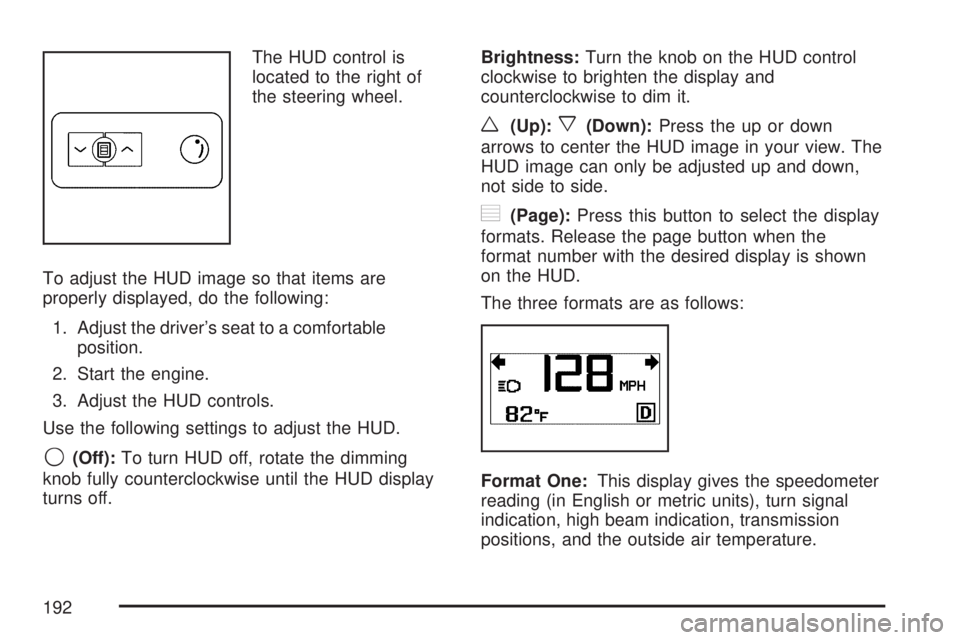
The HUD control is
located to the right of
the steering wheel.
To adjust the HUD image so that items are
properly displayed, do the following:
1. Adjust the driver’s seat to a comfortable
position.
2. Start the engine.
3. Adjust the HUD controls.
Use the following settings to adjust the HUD.
9(Off):To turn HUD off, rotate the dimming
knob fully counterclockwise until the HUD display
turns off.Brightness:Turn the knob on the HUD control
clockwise to brighten the display and
counterclockwise to dim it.
w(Up):x(Down):Press the up or down
arrows to center the HUD image in your view. The
HUD image can only be adjusted up and down,
not side to side.
?(Page):Press this button to select the display
formats. Release the page button when the
format number with the desired display is shown
on the HUD.
The three formats are as follows:
Format One:This display gives the speedometer
reading (in English or metric units), turn signal
indication, high beam indication, transmission
positions, and the outside air temperature.
192
Page 193 of 554
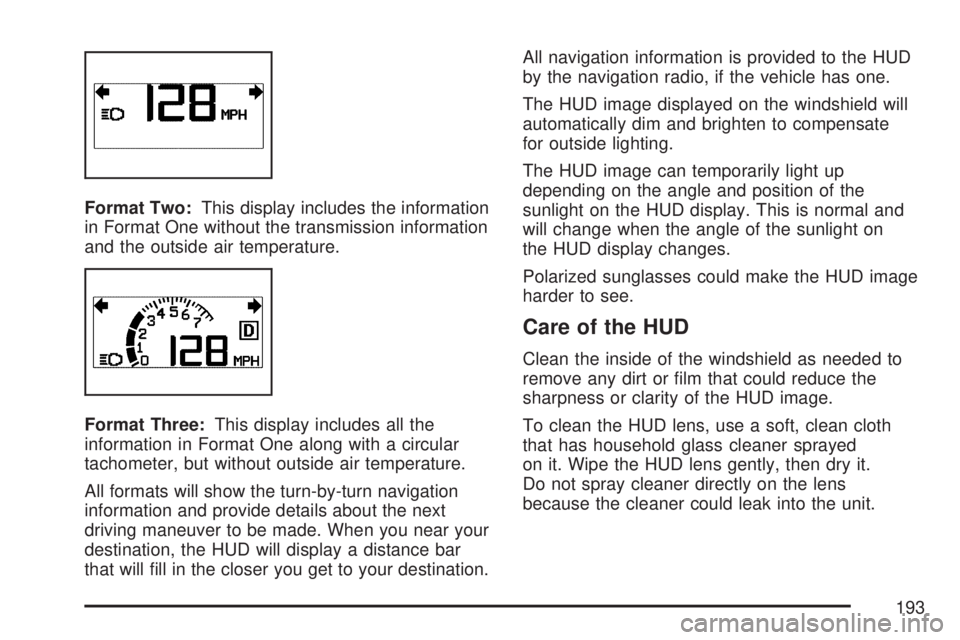
Format Two:This display includes the information
in Format One without the transmission information
and the outside air temperature.
Format Three:This display includes all the
information in Format One along with a circular
tachometer, but without outside air temperature.
All formats will show the turn-by-turn navigation
information and provide details about the next
driving maneuver to be made. When you near your
destination, the HUD will display a distance bar
that will ll in the closer you get to your destination.All navigation information is provided to the HUD
by the navigation radio, if the vehicle has one.
The HUD image displayed on the windshield will
automatically dim and brighten to compensate
for outside lighting.
The HUD image can temporarily light up
depending on the angle and position of the
sunlight on the HUD display. This is normal and
will change when the angle of the sunlight on
the HUD display changes.
Polarized sunglasses could make the HUD image
harder to see.
Care of the HUD
Clean the inside of the windshield as needed to
remove any dirt or lm that could reduce the
sharpness or clarity of the HUD image.
To clean the HUD lens, use a soft, clean cloth
that has household glass cleaner sprayed
on it. Wipe the HUD lens gently, then dry it.
Do not spray cleaner directly on the lens
because the cleaner could leak into the unit.
193
Page 226 of 554
Malfunction Indicator Lamp
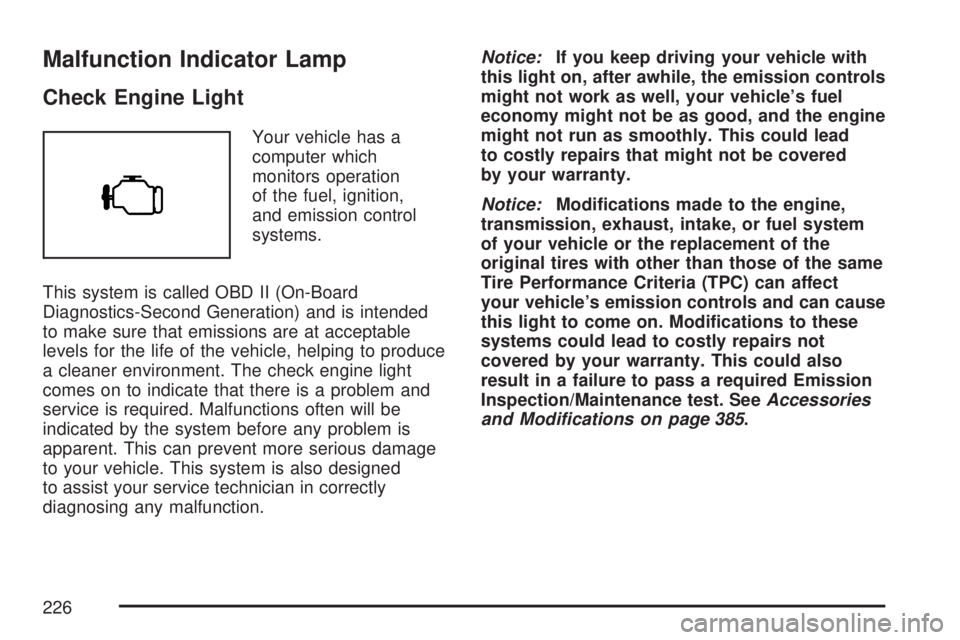
Check Engine Light
Your vehicle has a
computer which
monitors operation
of the fuel, ignition,
and emission control
systems.
This system is called OBD II (On-Board
Diagnostics-Second Generation) and is intended
to make sure that emissions are at acceptable
levels for the life of the vehicle, helping to produce
a cleaner environment. The check engine light
comes on to indicate that there is a problem and
service is required. Malfunctions often will be
indicated by the system before any problem is
apparent. This can prevent more serious damage
to your vehicle. This system is also designed
to assist your service technician in correctly
diagnosing any malfunction.Notice:If you keep driving your vehicle with
this light on, after awhile, the emission controls
might not work as well, your vehicle’s fuel
economy might not be as good, and the engine
might not run as smoothly. This could lead
to costly repairs that might not be covered
by your warranty.
Notice:Modications made to the engine,
transmission, exhaust, intake, or fuel system
of your vehicle or the replacement of the
original tires with other than those of the same
Tire Performance Criteria (TPC) can affect
your vehicle’s emission controls and can cause
this light to come on. Modications to these
systems could lead to costly repairs not
covered by your warranty. This could also
result in a failure to pass a required Emission
Inspection/Maintenance test. SeeAccessories
and Modifications on page 385.
226
Page 232 of 554
Driver Information Center (DIC)
Your vehicle has a Driver Information Center (DIC).
The DIC displays information about your vehicle.
It also displays warning messages if a system
problem is detected.
All messages will appear in the DIC display
located at the top of the instrument panel cluster.
The DIC comes on when the ignition is on.
After a short delay, the DIC will display the
information that was last displayed before the
engine was turned off.
The DIC also displays a shift lever position
indicator on the bottom line of the display. See
Automatic Transmission Operation on page 129
for more information.The outside air temperature also displays on the
DIC when viewing the trip and fuel information.
The outside air temperature automatically
appears in the top right corner of the DIC display.
If there is a problem with the system that
controls the temperature display, the numbers
will be replaced with dashes. If this occurs,
have the vehicle serviced.
If your vehicle has DIC buttons, see “DIC Operation
and Displays (With DIC Buttons)” later in this
section andDIC Vehicle Customization (With DIC
Buttons) on page 255for the displays available.
If your vehicle does not have DIC buttons, see
“DIC Operation and Displays (Without DIC
Buttons)” later in this section for the displays
available.
232