warning GMC ACADIA 2007 User Guide
[x] Cancel search | Manufacturer: GMC, Model Year: 2007, Model line: ACADIA, Model: GMC ACADIA 2007Pages: 554, PDF Size: 2.76 MB
Page 167 of 554
Instrument Panel Overview........................ 170
Hazard Warning Flashers.......................... 172
Other Warning Devices............................. 173
Horn.......................................................... 173
Tilt and Telescopic Steering Wheel............ 173
Power Tilt Wheel and Telescopic
Steering Column.................................... 174
Turn Signal/Multifunction Lever.................. 174
Turn and Lane-Change Signals................. 175
Headlamp High/Low-Beam Changer.......... 176
Flash-to-Pass............................................ 176
Windshield Wipers..................................... 176
Windshield Washer.................................... 177
Rear Window Wiper/Washer...................... 179
Cruise Control........................................... 180
Exterior Lamps.......................................... 183
Delayed Headlamps.................................. 184
Daytime Running Lamps (DRL)/
Automatic Headlamp System.................. 185
Fog Lamps................................................ 186
Instrument Panel Brightness...................... 186
Courtesy Lamps........................................ 186Entry Lighting............................................ 187
Delayed Entry Lighting.............................. 187
Delayed Exit Lighting................................. 188
Parade Dimming........................................ 188
Reading Lamps......................................... 188
Electric Power Management...................... 188
Battery Run-Down Protection..................... 189
Head-Up Display (HUD)............................ 190
Ultrasonic Rear Parking Assist (URPA)...... 194
Accessory Power Outlet(s)........................ 197
Power Outlet 115 Volt Alternating
Current.................................................. 198
Climate Controls......................................... 199
Climate Control System............................. 199
Dual Automatic Climate Control System.... 203
Outlet Adjustment...................................... 210
Rear Air Conditioning and Heating
System.................................................. 211
Rear Air Conditioning and Heating
System and Electronic Climate
Controls................................................. 212
Section 3 Instrument Panel
167
Page 168 of 554
Warning Lights, Gages, and Indicators..... 214
Instrument Panel Cluster........................... 215
Speedometer and Odometer...................... 216
Tachometer............................................... 216
Safety Belt Reminder Light........................ 216
Passenger Safety Belt Reminder Light....... 217
Airbag Readiness Light............................. 217
Passenger Airbag Status Indicator............. 218
Charging System Light.............................. 220
Voltmeter Gage......................................... 221
Brake System Warning Light..................... 222
Anti-Lock Brake System Warning Light...... 223
StabiliTrak
®Indicator Light......................... 224
Engine Coolant Temperature Warning
Light...................................................... 224
Engine Coolant Temperature Gage............ 225
Tire Pressure Light.................................... 225
Malfunction Indicator Lamp........................ 226
Oil Pressure Light..................................... 229
Security Light............................................ 229
Fog Lamp Light......................................... 230Cruise Control Light.................................. 230
Highbeam On Light................................... 230
Tow/Haul Mode Light................................ 230
Fuel Gage................................................. 231
Driver Information Center (DIC).................. 232
DIC Operation and Displays
(With DIC Buttons)................................. 233
DIC Operation and Displays
(Without DIC Buttons)............................ 239
DIC Warnings and Messages.................... 244
DIC Vehicle Customization
(With DIC Buttons)................................. 255
Audio System(s)......................................... 264
Setting the Time........................................ 266
Radio with CD........................................... 268
Radio with CD and DVD........................... 278
Using an MP3 (Radio with CD or
Six-Disc CD Player)............................... 295
Using an MP3 (Radio with CD and
DVD Player)........................................... 301
Section 3 Instrument Panel
168
Page 172 of 554
P. Hazard Warning Flasher Button. SeeHazard
Warning Flashers on page 172.
Q. Cupholders. SeeCupholder(s) on page 161.
R. Accessory Power Outlets. SeeAccessory
Power Outlet(s) on page 197.
S. Traction Control System (TCS) Disable
Button (If Equipped). SeeStabiliTrak
®System
on page 337. Tow/Haul Selector Button
(If Equipped). SeeTow/Haul Mode on
page 133. Power Liftgate Button (If Equipped).
SeePower Liftgate on page 110.
T. Heated Seats Button. SeeHeated Seats
on page 12.
U. Passenger Air Bag status Indicator. See
Passenger Sensing System on page 85.
V. Glove Box. SeeGlove Box on page 161.
Hazard Warning Flashers
The hazard warning ashers let you warn others.
They also let police know you have a problem. The
front and rear turn signal lamps will ash on and off.
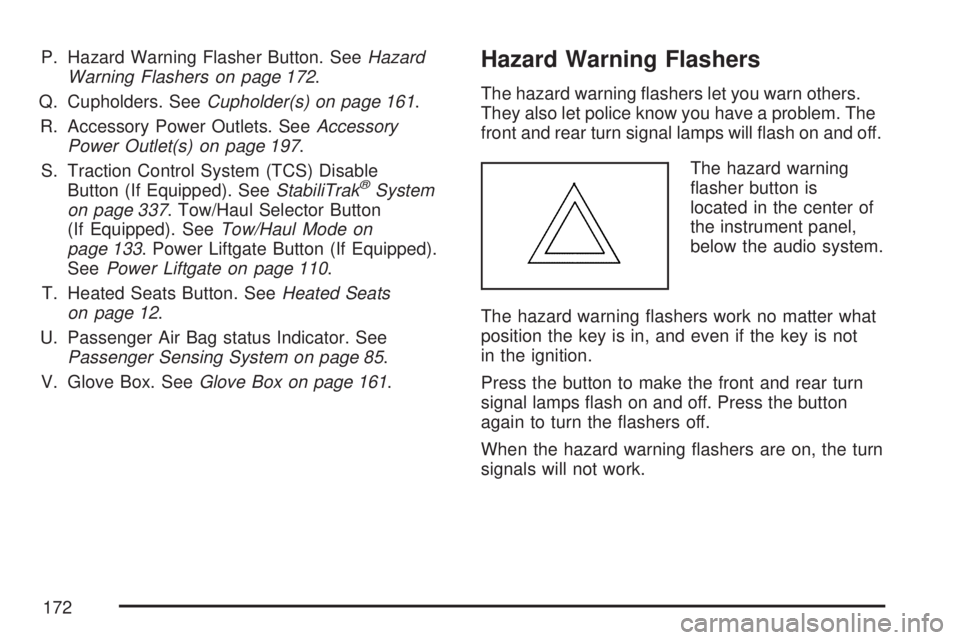
The hazard warning
asher button is
located in the center of
the instrument panel,
below the audio system.
The hazard warning ashers work no matter what
position the key is in, and even if the key is not
in the ignition.
Press the button to make the front and rear turn
signal lamps ash on and off. Press the button
again to turn the ashers off.
When the hazard warning ashers are on, the turn
signals will not work.
172
Page 173 of 554
Other Warning Devices
If you carry reective triangles, you can set them
up at the side of the road about 300 feet (100 m)
behind your vehicle.
Horn
Press near or on the horn symbols on the steering
wheel pad to sound the horn.
Tilt and Telescopic Steering Wheel
A tilt and telescope wheel lets you adjust the
steering wheel before you drive. The steering
wheel can be raised to the highest level to give
your legs more room when you enter and exit the
vehicle.
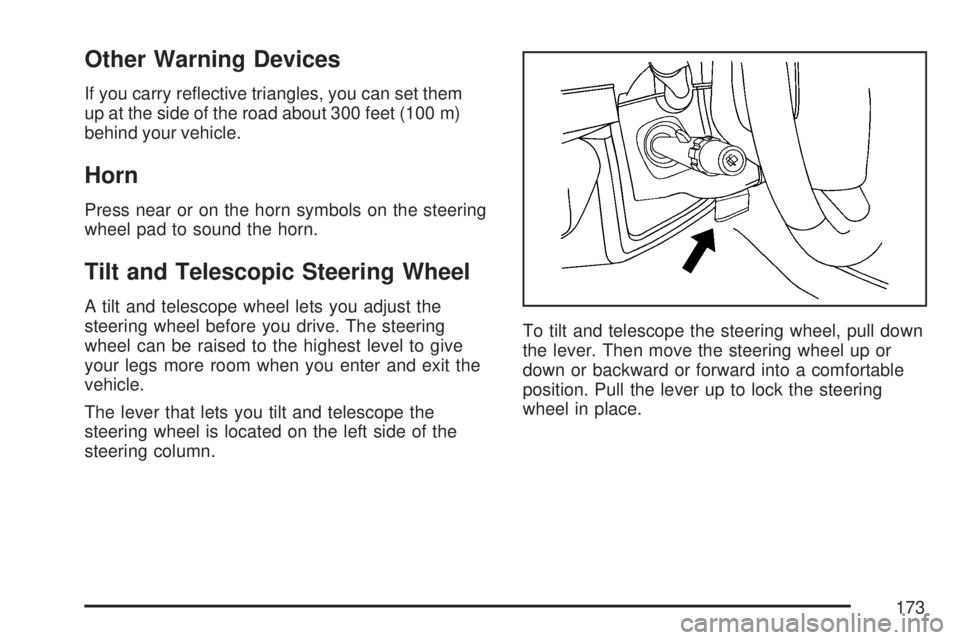
The lever that lets you tilt and telescope the
steering wheel is located on the left side of the
steering column.To tilt and telescope the steering wheel, pull down
the lever. Then move the steering wheel up or
down or backward or forward into a comfortable
position. Pull the lever up to lock the steering
wheel in place.
173
Page 177 of 554
The windshield wipers are controlled by turning
the band with the wiper symbol.
8(Mist):Turn the band to mist for a single wiping
cycle. Hold it there until the wipers start. Then let
go. The wipers will stop after one wipe. Hold the
band on mist longer, for more wipe cycles.
9(Off):To stop the wipers, move the band to off.
6(Delay):The wiper speed can be set for a long
or short delay between wiping cycles. This can be
very useful in light rain or snow. Turn the band to
choose the delay time. The closer to the top of the
lever, the shorter the delay.
6(Low Speed):Turn the band away from
you to the rst solid band past the delay settings,
for steady wiping at low speed.
?(High Speed):Turn the band further, to the
second solid band past the delay settings, for
high-speed wiping.
Windshield Washer
J(Washer Fluid):Press and release this
paddle, located at the top of the turn signal/
multifunction lever, to spray washer uid on the
windshield. The wipers clear the windshield
and either stop or return to the preset speed.
The ignition key must be in ACCESSORY or
ON for this to work. SeeWindshield Washer
Fluid on page 420Windshield Washer Fluid.
{CAUTION:
In freezing weather, do not use your
washer until the windshield is warmed.
Otherwise the washer uid can form ice
on the windshield, blocking your vision.
WASHER FLUID LOW ADD FLUID is displayed
on the Driver Information Center (DIC) when
the washer uid is low. SeeDIC Warnings and
Messages on page 244.
177
Page 178 of 554
Heated Windshield Washer
If your vehicle has the heated windshield washer
uid system it can be used to help clear ice,
snow, tree sap, or bugs from the windshield. This
feature only works with the front wiper system,
not the rear wiper system.
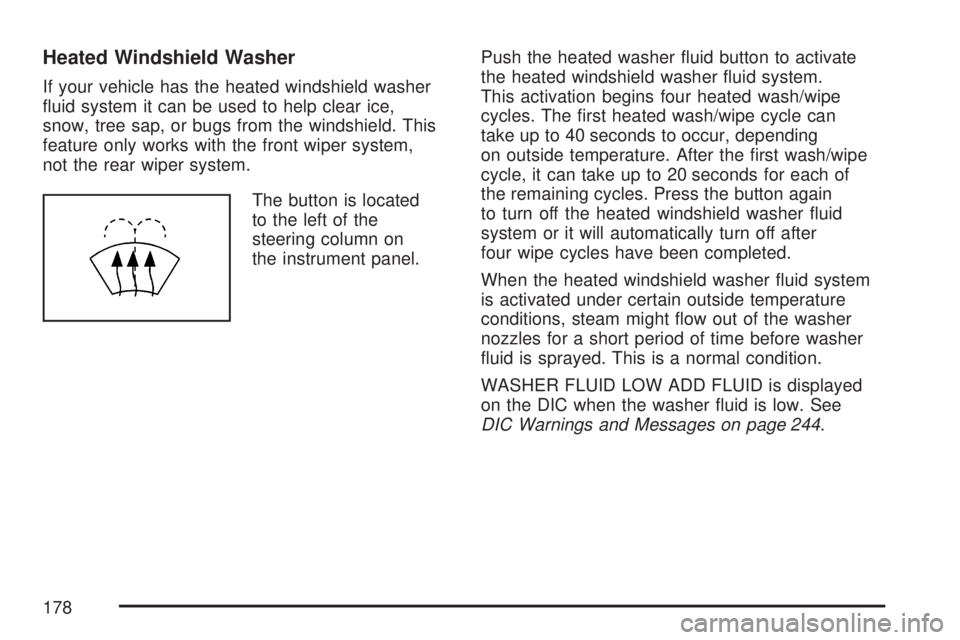
The button is located
to the left of the
steering column on
the instrument panel.Push the heated washer uid button to activate
the heated windshield washer uid system.
This activation begins four heated wash/wipe
cycles. The rst heated wash/wipe cycle can
take up to 40 seconds to occur, depending
on outside temperature. After the rst wash/wipe
cycle, it can take up to 20 seconds for each of
the remaining cycles. Press the button again
to turn off the heated windshield washer uid
system or it will automatically turn off after
four wipe cycles have been completed.
When the heated windshield washer uid system
is activated under certain outside temperature
conditions, steam might ow out of the washer
nozzles for a short period of time before washer
uid is sprayed. This is a normal condition.
WASHER FLUID LOW ADD FLUID is displayed
on the DIC when the washer uid is low. See
DIC Warnings and Messages on page 244.
178
Page 184 of 554

2(Headlamps):Turn the control to this position
to turn on the headlamps together with the
following lamps listed below. A warning chime will
sound if you open the driver’s door when the
ignition switch is off and the headlamps are on.
Parking Lamps
Taillamps
License Plate Lamps
Instrument Panel Lights
-(Fog Lamps):Push the fog lamps control in
to turn on the fog lamps.
SeeFog Lamps on page 186.
Delayed Headlamps
The delayed headlamps feature provides a period
of exterior lighting as you leave the area around
your vehicle. The feature is activated when
the headlamps are on due to the automatic
headlamps control feature described previously in
this section, and when the ignition is turned off.
Your headlamps will then remain on until the
exterior lamps control is moved to the parking
lamps position or until the pre-selected delayed
headlamp lighting period has ended.
If you turn off the ignition with the headlamps
switch in the parking lamps or headlamps position,
the delayed headlamps cycle will not occur.
To disable the delayed headlamps feature or
change the time of delay, seeDIC Vehicle
Customization (With DIC Buttons) on page 255.
184
Page 189 of 554
A high electrical load occurs when several of the
following loads are on: headlamps, high beams,
fog lamps, rear window defogger, climate
control fan at high speed, heated seats, engine
cooling fans, trailer loads, and loads plugged
into accessory power outlets.
EPM works to prevent excessive discharge of
the battery. It does this by balancing the
generator’s output and the vehicle’s electrical
needs. It can increase engine idle speed to
generate more power, whenever needed.
It can temporarily reduce the power demands
of some accessories.
Normally, these actions occur in steps or levels,
without being noticeable. In rare cases at the
highest levels of corrective action, this action
may be noticeable to the driver. If so, a Driver
Information Center (DIC) message might be
displayed, such as Battery Saver Active or Service
Battery Charging System. If this message is
displayed, it is recommended that the driver
reduce the electrical loads as much as possible.
SeeDIC Warnings and Messages on page 244.Battery Run-Down Protection
This vehicle has a feature to help prevent the
battery from being drained, if the interior courtesy
lamps, reading/map lamps, visor vanity lamps
or trunk lamp are accidentally left on. If any
of these lamps are left on, they will automatically
turn off after 10 minutes, if the ignition is off.
The lamps will not come back on again until
one of the following occurs:
The ignition is turned on.
The exterior lamps control is turned off,
then on again.
The headlamps will timeout after 10 minutes,
if they are manually turned on before the
ignition is off.
189
Page 191 of 554
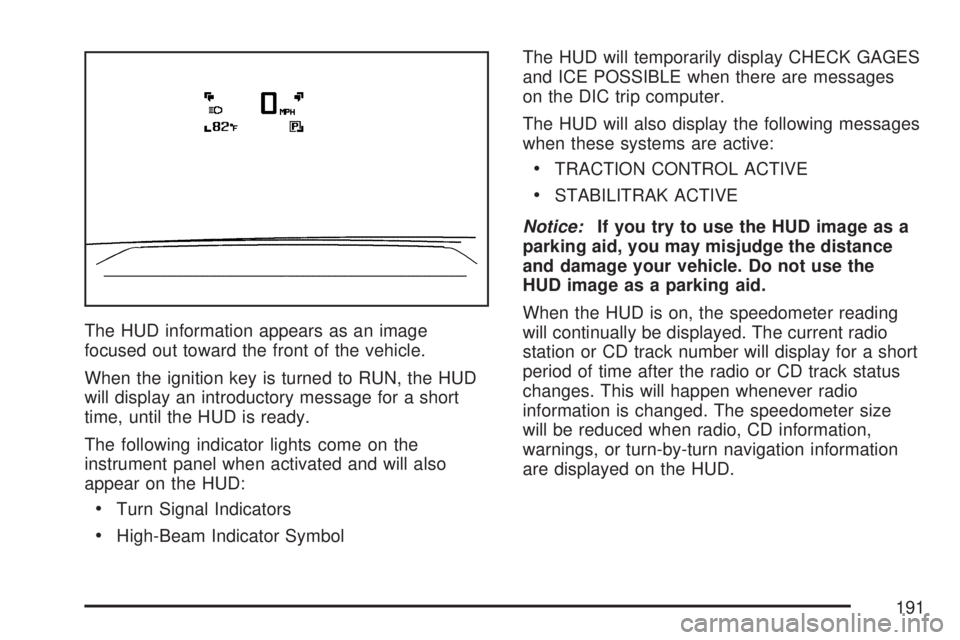
The HUD information appears as an image
focused out toward the front of the vehicle.
When the ignition key is turned to RUN, the HUD
will display an introductory message for a short
time, until the HUD is ready.
The following indicator lights come on the
instrument panel when activated and will also
appear on the HUD:
Turn Signal Indicators
High-Beam Indicator SymbolThe HUD will temporarily display CHECK GAGES
and ICE POSSIBLE when there are messages
on the DIC trip computer.
The HUD will also display the following messages
when these systems are active:
TRACTION CONTROL ACTIVE
STABILITRAK ACTIVE
Notice:If you try to use the HUD image as a
parking aid, you may misjudge the distance
and damage your vehicle. Do not use the
HUD image as a parking aid.
When the HUD is on, the speedometer reading
will continually be displayed. The current radio
station or CD track number will display for a short
period of time after the radio or CD track status
changes. This will happen whenever radio
information is changed. The speedometer size
will be reduced when radio, CD information,
warnings, or turn-by-turn navigation information
are displayed on the HUD.
191
Page 195 of 554
{CAUTION:
The Ultrasonic Rear Park Assist (URPA)
system does not replace driver vision.
URPA does not:
Operate above speeds of
5 mph (8 km/h).
Detect objects more than 8 feet
(2.5 meters) behind the vehicle. This
distance may be less during warmer
or humid weather.
Detect objects that are below the
bumper, underneath the vehicle, or
that are very close to the vehicle.
Detect children, pedestrians,
bicyclists, or pets.
So if you do not use proper care before
backing up, you could hit a vehicle, child,
pedestrian, bicyclist, or pet, resulting in
vehicle damage, injury, or death. Even
though the vehicle has the URPA system,
always check carefully before backing up
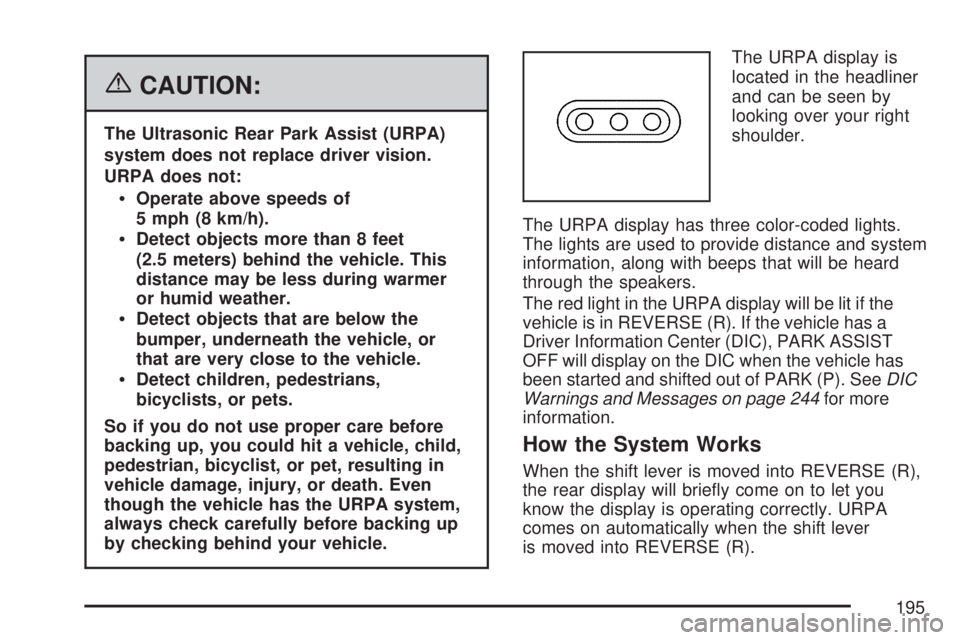
by checking behind your vehicle.The URPA display is
located in the headliner
and can be seen by
looking over your right
shoulder.
The URPA display has three color-coded lights.
The lights are used to provide distance and system
information, along with beeps that will be heard
through the speakers.
The red light in the URPA display will be lit if the
vehicle is in REVERSE (R). If the vehicle has a
Driver Information Center (DIC), PARK ASSIST
OFF will display on the DIC when the vehicle has
been started and shifted out of PARK (P). SeeDIC
Warnings and Messages on page 244for more
information.
How the System Works
When the shift lever is moved into REVERSE (R),
the rear display will briey come on to let you
know the display is operating correctly. URPA
comes on automatically when the shift lever
is moved into REVERSE (R).
195